

Corso WebApp iOS
              “iOS WebApp Anatomy”
                                    Lezione 07/10

”if everything seems under control..
..you’re not going fast enought!”
  Mario Andretti
   1978 Formula 1 World Champion.
Chapter 08
Native iOS Enviroment Development


Chapter 09
Native iOS Design Implementation


   http://www.apress.com/9781430232469
Diario Lezioni
            LEZIONE 06

      iOS WebApp Anatomy
 Eumulare l’Interfaccia Nativa iOS
 Interagire con i Servizi Nativi iOS
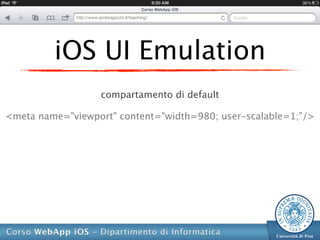
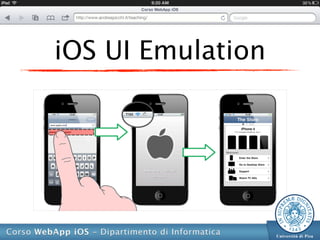
iOS UI Emulation
                  compartamento di default

<meta name="viewport" content="width=980; user-scalable=1;"/>
iOS UI Emulation
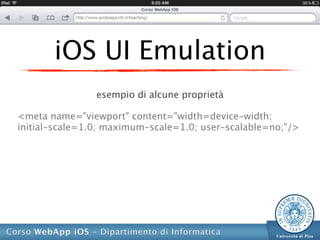
                esempio di alcune proprietà

<meta name="viewport" content="width=device-width;
initial-scale=1.0; maximum-scale=1.0; user-scalable=no;"/>
iOS UI Emulation
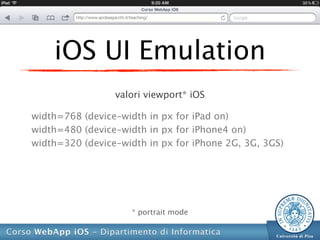
                 valori viewport* iOS

width=768 (device-width in px for iPad on)
width=480 (device-width in px for iPhone4 on)
width=320 (device-width in px for iPhone 2G, 3G, 3GS)


                     * portrait mode
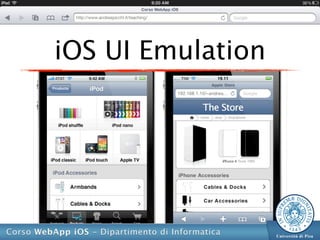
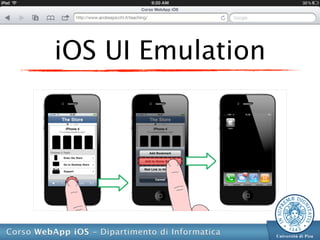
iOS UI Emulation
iOS UI Emulation
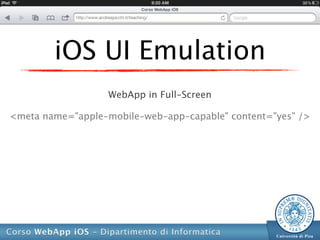
                   WebApp in Full-Screen

<meta name="apple-mobile-web-app-capable" content="yes" />
iOS UI Emulation
iOS UI Emulation
                    Custom* Status Bar

<meta name="apple-mobile-web-app-status-bar-style"
content="black-translucent" />


        * valori possibili: grey, black, black-translucent
iOS UI Emulation
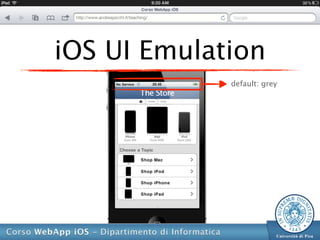
             default: grey
iOS UI Emulation
                     Springboard Icon

<link rel="apple-touch-icon" href="/the-store.png"/>


        * valori possibili: grey, black, black-translucent
iOS UI Emulation
        Springboard Icon

  72x72px (iPad on)
  114x114px (iPhone4 on)
  57x57px (iPhone 2G, 3G, 3GS)
iOS UI Emulation
iOS UI Emulation
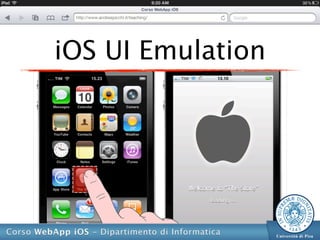
iOS UI Emulation
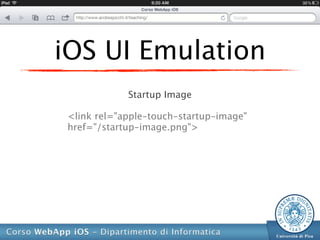
            Startup Image

<link rel="apple-touch-startup-image"
href="/startup-image.png">
iOS UI Emulation
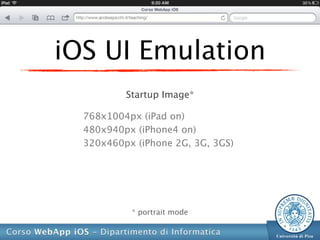
          Startup Image*

  768x1004px (iPad on)
  480x940px (iPhone4 on)
  320x460px (iPhone 2G, 3G, 3GS)


           * portrait mode
iOS UI Emulation
iOS UI Emulation
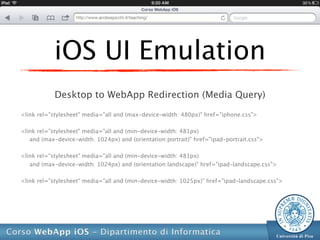
            Desktop to WebApp Redirection (Media Query)

<link rel="stylesheet" media="all and (max-device-width: 480px)" href="iphone.css">

<link rel="stylesheet" media="all and (min-device-width: 481px)
   and (max-device-width: 1024px) and (orientation:portrait)" href="ipad-portrait.css">

<link rel="stylesheet" media="all and (min-device-width: 481px)
   and (max-device-width: 1024px) and (orientation:landscape)" href="ipad-landscape.css">

<link rel="stylesheet" media="all and (min-device-width: 1025px)" href="ipad-landscape.css">
iOS UI Emulation
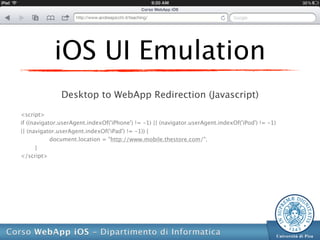
               Desktop to WebApp Redirection (Javascript)

<script>
if ((navigator.userAgent.indexOf('iPhone') != -1) || (navigator.userAgent.indexOf('iPod') != -1)
|| (navigator.userAgent.indexOf('iPad') != -1)) {
            document.location = "http://www.mobile.thestore.com/";
       }
</script>
iOS UI Emulation
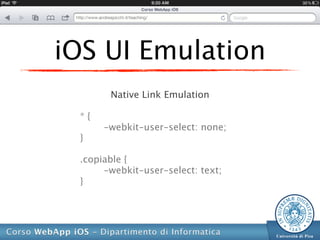
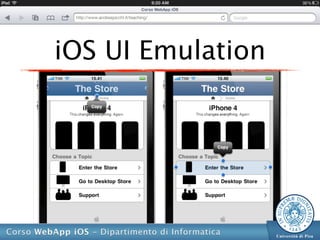
       Native Link Emulation

 *{
      -webkit-user-select: none;
 }

 .copiable {
      -webkit-user-select: text;
 }
iOS UI Emulation
iOS UI Emulation
            Native Scrolling

 .scrollableElement {
     overflow-y: scroll;
     -webkit-overflow-scrolling: touch;
 }
Diario Lezioni
            LEZIONE 06

      iOS WebApp Anatomy
 Eumulare l’Interfaccia Nativa iOS
 Interagire con i Servizi Nativi iOS
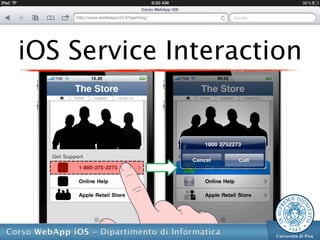
iOS Service Interaction
                     Phone App

<a href="tel:1–305-555–5555">Call 1–305-555–5555</a>
iOS Service Interaction
                          Phone App

<a href="tel:1–305-555–5555"
onclick="return (navigator.userAgent.indexOf('iPhone') != -1)">
1–305-555–5555</a>
iOS Service Interaction
                       Mail App

<a href="mailto:info@andreapicchi.it">Andrea Picchi</a>
iOS Service Interaction
                       Mail App

<a href="mailto:info@thestore.com">Email the Support</a>
iOS Service Interaction
                  Messages App

 <a href="sms:1–305-555–5555">SMS the Support</a>
iOS Service Interaction
                    Maps App

 <a href="sms:1–305-555–5555">SMS the Support</a>
iOS Service Interaction
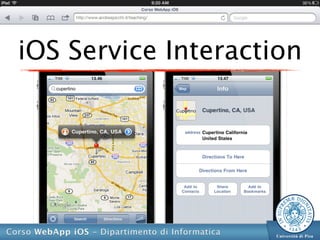
                     Maps App

<a href="http://maps.google.com/maps?q=largo+bruno
      +pontecorvo+43,+pisa,+italy+(Dipartimento
+Informatica)&t=h&z=7">Dipartimento Informatica</a>
iOS Service Interaction
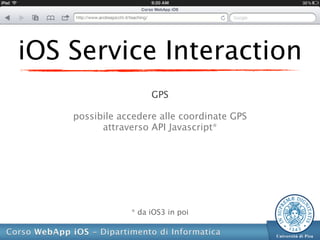
                     GPS

    possibile accedere alle coordinate GPS
          attraverso API Javascript*


                * da iOS3 in poi
iOS Service Interaction
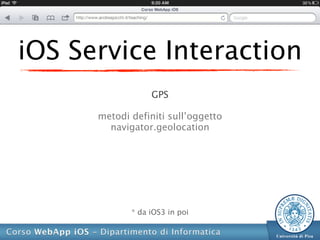
                  GPS

      metodi definiti sull’oggetto
        navigator.geolocation


             * da iOS3 in poi
iOS Service Interaction
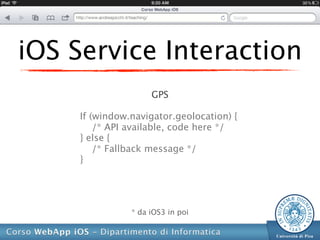
                     GPS

     If (window.navigator.geolocation) {
         /* API available, code here */
     } else {
         /* Fallback message */
     }


                * da iOS3 in poi
iOS Service Interaction
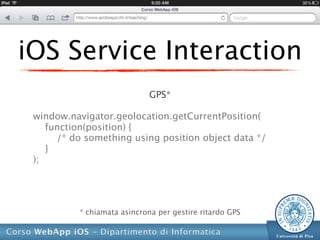
                             GPS*

 window.navigator.geolocation.getCurrentPosition(
    function(position) {
      /* do something using position object data */
    }
 );


          * chiamata asincrona per gestire ritardo GPS
iOS Service Interaction
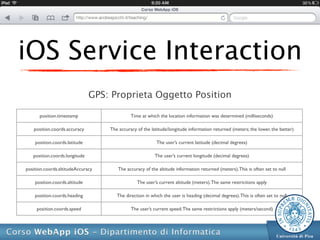
                               GPS: Proprieta Oggetto Position

      position.timestamp                     Time at which the location information was determined (milliseconds)

   position.coords.accuracy        The accuracy of the latitude/longitude information returned (meters; the lower, the better)

    position.coords.latitude                              The user’s current latitude (decimal degrees)

   position.coords.longitude                             The user’s current longitude (decimal degrees)

position.coords.altitudeAccuracy      The accuracy of the altitude information returned (meters). This is often set to null

    position.coords.altitude                    The user’s current altitude (meters). The same restrictions apply

    position.coords.heading           The direction in which the user is heading (decimal degrees). This is often set to null

     position.coords.speed                   The user’s current speed. The same restrictions apply (meters/second)
iOS Service Interaction
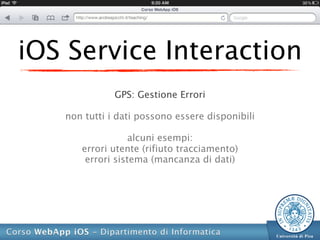
              GPS: Gestione Errori

   non tutti i dati possono essere disponibili

                  alcuni esempi:
      errori utente (rifiuto tracciamento)
       errori sistema (mancanza di dati)
iOS Service Interaction
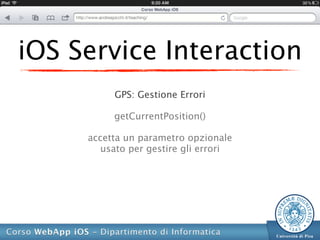
          GPS: Gestione Errori

          getCurrentPosition()

     accetta un parametro opzionale
        usato per gestire gli errori
iOS Service Interaction
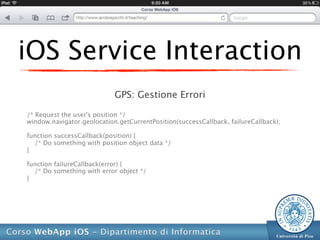
                            GPS: Gestione Errori

/* Request the user's position */
window.navigator.geolocation.getCurrentPosition(successCallback, failureCallback);

function successCallback(position) {
  /* Do something with position object data */
}

function failureCallback(error) {
  /* Do something with error object */
}
iOS Service Interaction
                  GPS: Gestione Errori

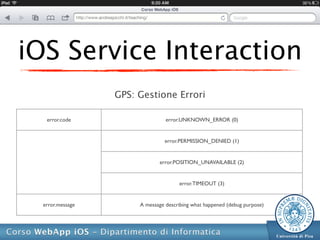
   error.code                    error.UNKNOWN_ERROR (0)


                                error.PERMISSION_DENIED (1)


                              error.POSITION_UNAVAILABLE (2)


                                      error.TIMEOUT (3)


  error.message        A message describing what happened (debug purpose)
iOS Service Interaction
              GPS: Gestione Errori

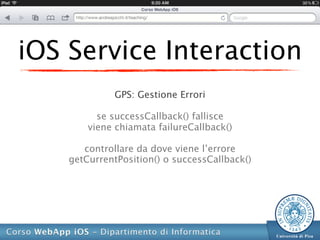
          se successCallback() fallisce
        viene chiamata failureCallback()

       controllare da dove viene l’errore
    getCurrentPosition() o successCallback()
Esercitazione
 Utilizzare Guida* di Riferimento
   del Framework e Javascript

1. Implementare le Funzioni Specifiche
2. Implementare la Logica della Dinamica


* versione online e/o formato elettronico
PROSSIMA LEZIONE
         LEGGERE

   Ottimizzazione WebApp
       Offline WebApp
         Mobile SEO

Corso WebApp iOS - Lezione 07: iOS WebApp Anatomy

  • 1.
    Corso WebApp iOS “iOS WebApp Anatomy” Lezione 07/10 ”if everything seems under control.. ..you’re not going fast enought!” Mario Andretti 1978 Formula 1 World Champion.
  • 2.
    Chapter 08 Native iOSEnviroment Development Chapter 09 Native iOS Design Implementation http://www.apress.com/9781430232469
  • 3.
    Diario Lezioni LEZIONE 06 iOS WebApp Anatomy Eumulare l’Interfaccia Nativa iOS Interagire con i Servizi Nativi iOS
  • 4.
    iOS UI Emulation compartamento di default <meta name="viewport" content="width=980; user-scalable=1;"/>
  • 5.
    iOS UI Emulation esempio di alcune proprietà <meta name="viewport" content="width=device-width; initial-scale=1.0; maximum-scale=1.0; user-scalable=no;"/>
  • 6.
    iOS UI Emulation valori viewport* iOS width=768 (device-width in px for iPad on) width=480 (device-width in px for iPhone4 on) width=320 (device-width in px for iPhone 2G, 3G, 3GS) * portrait mode
  • 7.
  • 8.
    iOS UI Emulation WebApp in Full-Screen <meta name="apple-mobile-web-app-capable" content="yes" />
  • 9.
  • 10.
    iOS UI Emulation Custom* Status Bar <meta name="apple-mobile-web-app-status-bar-style" content="black-translucent" /> * valori possibili: grey, black, black-translucent
  • 11.
    iOS UI Emulation default: grey
  • 12.
    iOS UI Emulation Springboard Icon <link rel="apple-touch-icon" href="/the-store.png"/> * valori possibili: grey, black, black-translucent
  • 13.
    iOS UI Emulation Springboard Icon 72x72px (iPad on) 114x114px (iPhone4 on) 57x57px (iPhone 2G, 3G, 3GS)
  • 14.
  • 15.
  • 16.
    iOS UI Emulation Startup Image <link rel="apple-touch-startup-image" href="/startup-image.png">
  • 17.
    iOS UI Emulation Startup Image* 768x1004px (iPad on) 480x940px (iPhone4 on) 320x460px (iPhone 2G, 3G, 3GS) * portrait mode
  • 18.
  • 19.
    iOS UI Emulation Desktop to WebApp Redirection (Media Query) <link rel="stylesheet" media="all and (max-device-width: 480px)" href="iphone.css"> <link rel="stylesheet" media="all and (min-device-width: 481px) and (max-device-width: 1024px) and (orientation:portrait)" href="ipad-portrait.css"> <link rel="stylesheet" media="all and (min-device-width: 481px) and (max-device-width: 1024px) and (orientation:landscape)" href="ipad-landscape.css"> <link rel="stylesheet" media="all and (min-device-width: 1025px)" href="ipad-landscape.css">
  • 20.
    iOS UI Emulation Desktop to WebApp Redirection (Javascript) <script> if ((navigator.userAgent.indexOf('iPhone') != -1) || (navigator.userAgent.indexOf('iPod') != -1) || (navigator.userAgent.indexOf('iPad') != -1)) { document.location = "http://www.mobile.thestore.com/"; } </script>
  • 21.
    iOS UI Emulation Native Link Emulation *{ -webkit-user-select: none; } .copiable { -webkit-user-select: text; }
  • 22.
  • 23.
    iOS UI Emulation Native Scrolling .scrollableElement { overflow-y: scroll; -webkit-overflow-scrolling: touch; }
  • 24.
    Diario Lezioni LEZIONE 06 iOS WebApp Anatomy Eumulare l’Interfaccia Nativa iOS Interagire con i Servizi Nativi iOS
  • 25.
    iOS Service Interaction Phone App <a href="tel:1–305-555–5555">Call 1–305-555–5555</a>
  • 26.
    iOS Service Interaction Phone App <a href="tel:1–305-555–5555" onclick="return (navigator.userAgent.indexOf('iPhone') != -1)"> 1–305-555–5555</a>
  • 27.
  • 28.
    iOS Service Interaction Mail App <a href="mailto:info@andreapicchi.it">Andrea Picchi</a>
  • 29.
    iOS Service Interaction Mail App <a href="mailto:info@thestore.com">Email the Support</a>
  • 30.
    iOS Service Interaction Messages App <a href="sms:1–305-555–5555">SMS the Support</a>
  • 31.
    iOS Service Interaction Maps App <a href="sms:1–305-555–5555">SMS the Support</a>
  • 32.
    iOS Service Interaction Maps App <a href="http://maps.google.com/maps?q=largo+bruno +pontecorvo+43,+pisa,+italy+(Dipartimento +Informatica)&t=h&z=7">Dipartimento Informatica</a>
  • 33.
  • 34.
    iOS Service Interaction GPS possibile accedere alle coordinate GPS attraverso API Javascript* * da iOS3 in poi
  • 35.
    iOS Service Interaction GPS metodi definiti sull’oggetto navigator.geolocation * da iOS3 in poi
  • 36.
    iOS Service Interaction GPS If (window.navigator.geolocation) { /* API available, code here */ } else { /* Fallback message */ } * da iOS3 in poi
  • 37.
    iOS Service Interaction GPS* window.navigator.geolocation.getCurrentPosition( function(position) { /* do something using position object data */ } ); * chiamata asincrona per gestire ritardo GPS
  • 38.
    iOS Service Interaction GPS: Proprieta Oggetto Position position.timestamp Time at which the location information was determined (milliseconds) position.coords.accuracy The accuracy of the latitude/longitude information returned (meters; the lower, the better) position.coords.latitude The user’s current latitude (decimal degrees) position.coords.longitude The user’s current longitude (decimal degrees) position.coords.altitudeAccuracy The accuracy of the altitude information returned (meters). This is often set to null position.coords.altitude The user’s current altitude (meters). The same restrictions apply position.coords.heading The direction in which the user is heading (decimal degrees). This is often set to null position.coords.speed The user’s current speed. The same restrictions apply (meters/second)
  • 39.
    iOS Service Interaction GPS: Gestione Errori non tutti i dati possono essere disponibili alcuni esempi: errori utente (rifiuto tracciamento) errori sistema (mancanza di dati)
  • 40.
    iOS Service Interaction GPS: Gestione Errori getCurrentPosition() accetta un parametro opzionale usato per gestire gli errori
  • 41.
    iOS Service Interaction GPS: Gestione Errori /* Request the user's position */ window.navigator.geolocation.getCurrentPosition(successCallback, failureCallback); function successCallback(position) { /* Do something with position object data */ } function failureCallback(error) { /* Do something with error object */ }
  • 42.
    iOS Service Interaction GPS: Gestione Errori error.code error.UNKNOWN_ERROR (0) error.PERMISSION_DENIED (1) error.POSITION_UNAVAILABLE (2) error.TIMEOUT (3) error.message A message describing what happened (debug purpose)
  • 43.
    iOS Service Interaction GPS: Gestione Errori se successCallback() fallisce viene chiamata failureCallback() controllare da dove viene l’errore getCurrentPosition() o successCallback()
  • 44.
    Esercitazione Utilizzare Guida*di Riferimento del Framework e Javascript 1. Implementare le Funzioni Specifiche 2. Implementare la Logica della Dinamica * versione online e/o formato elettronico
  • 45.
    PROSSIMA LEZIONE LEGGERE Ottimizzazione WebApp Offline WebApp Mobile SEO