C O N T E N T F I R S T
I N A C T I O N
Stephanie Leary
stephanieleary.com
@sleary
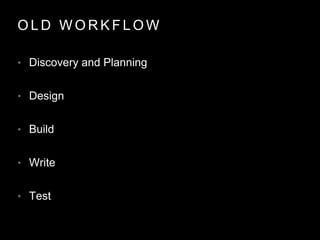
O L D W O R K F L O W
• Discovery and Planning
• Design
• Build
• Write
• Test
R E S P O N S I V E
D E S I G N
+ C O N T E N T
S T R A T E G Y
H T M L
W I R E F R A M E
S
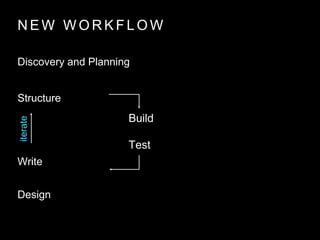
N E W W O R K F L O W
Discovery and Planning
Structure
Write
Design
Build
Test
iterate
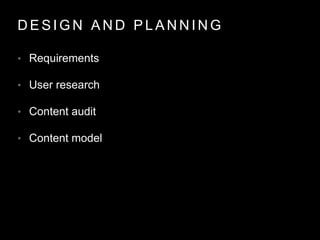
D E S I G N A N D P L A N N I N G
• Requirements
• User research
• Content audit
• Content model
C M S U S E R SE N D U S E R S +
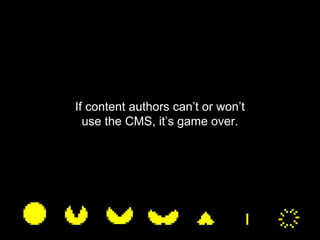
If content authors can’t or won’t
use the CMS, it’s game over.
K N O W T H E T O O L S E T
• Post types
• Taxonomies
• Fields
Requirements often describe structure:
“separate”
“search by…”
“sort”
“filter”
“We need a way to separate
events
bios
products
courses
etc.
from our posts and pages.”
POST TYPE
“We want to display _____
alongside the description.”
FIELD OR TAXONOMY
“We want to sort by X and Y as
well as by title and date.”
FIELD*
“This text input should be a controlled list.”
TAXONOMY… PROBABLY
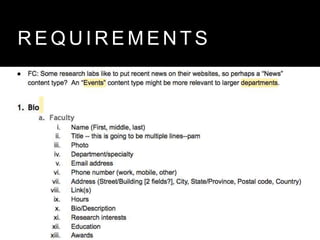
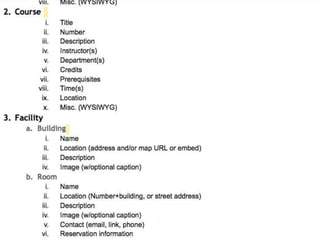
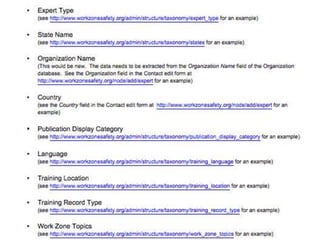
R E Q U I R E M E N T S
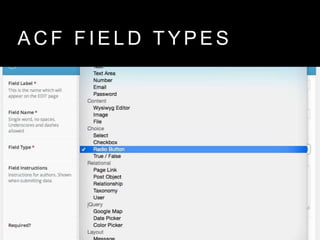
A C F F I E L D T Y P E S
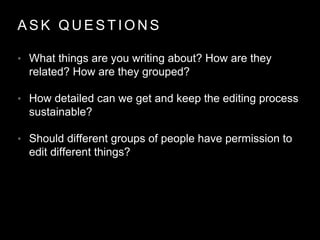
A S K Q U E S T I O N S
• What things are you writing about? How are they
related? How are they grouped?
• How detailed can we get and keep the editing process
sustainable?
• Should different groups of people have permission to
edit different things?
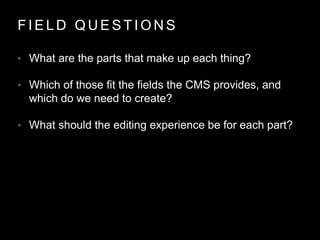
F I E L D Q U E S T I O N S
• What are the parts that make up each thing?
• Which of those fit the fields the CMS provides, and
which do we need to create?
• What should the editing experience be for each part?
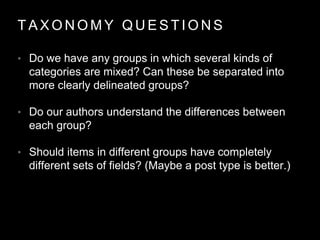
T A X O N O M Y Q U E S T I O N S
• Do we have any groups in which several kinds of
categories are mixed? Can these be separated into
more clearly delineated groups?
• Do our authors understand the differences between
each group?
• Should items in different groups have completely
different sets of fields? (Maybe a post type is better.)
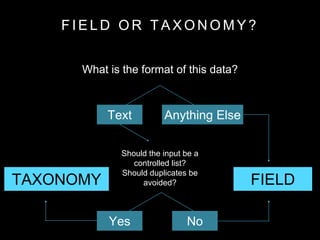
F I E L D O R T A X O N O M Y ?
What is the format of this data?
Should the input be a
controlled list?
Should duplicates be
avoided? FIELDTAXONOMY
NoYes
Text Anything Else
A D V A N C E D
C U S T O M
F I E L D S
G E N E R A T E W P
O R
C P T U I
+
R A P I D P R O T O T Y P E S
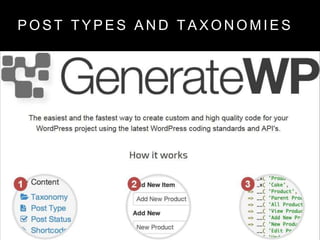
P O S T T Y P E S A N D T A X O N O M I E S
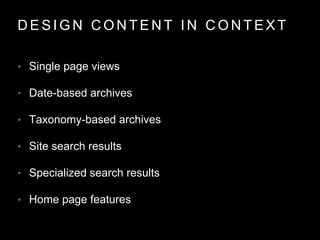
D E S I G N C O N T E N T I N C O N T E X T
• Single page views
• Date-based archives
• Taxonomy-based archives
• Site search results
• Specialized search results
• Home page features
I T E R A T E .
C O U R S E C O R R E C T I O N I S E A S Y
• Post Type Switcher
• Term Management Tools
• WP All Export / WP All Import
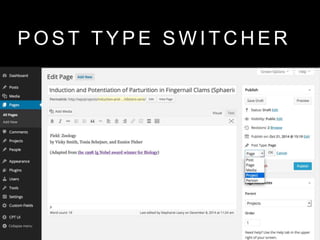
P O S T T Y P E S W I T C H E R
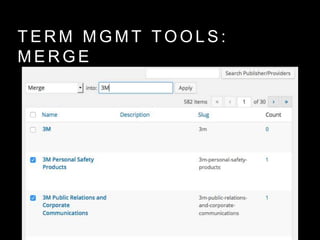
T E R M M G M T T O O L S :
M E R G E
T E R M M G M T T O O L S :
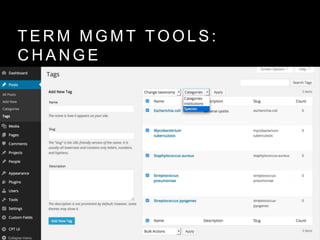
C H A N G E
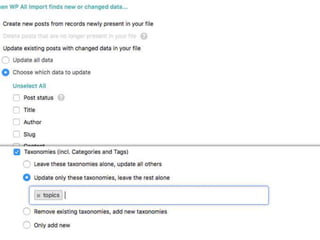
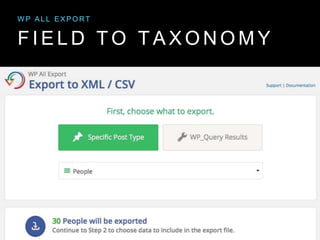
F I E L D T O T A X O N O M Y
W P A L L E X P O R T
L I S T E N .
C H A N G E T H E A D M I N U I
• Hide unneeded features
• Make everything on the screen relevant
• Change placeholders and labels
• Add toolbar options for pattern library elements
• Add inline help
• Document in the CMS
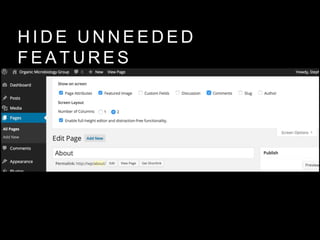
H I D E U N N E E D E D
F E A T U R E S
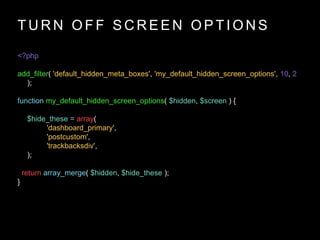
T U R N O F F S C R E E N O P T I O N S
<?php
add_filter( 'default_hidden_meta_boxes', 'my_default_hidden_screen_options', 10, 2
);
function my_default_hidden_screen_options( $hidden, $screen ) {
$hide_these = array(
'dashboard_primary',
'postcustom',
'trackbacksdiv',
);
return array_merge( $hidden, $hide_these );
}
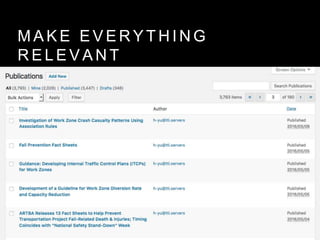
M A K E E V E R Y T H I N G
R E L E V A N T
M A K E E V E R Y T H I N G
R E L E V A N T
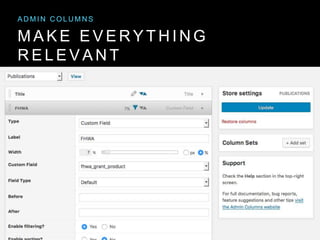
A D M I N C O L U M N S
M A K E E V E R Y T H I N G
R E L E V A N T
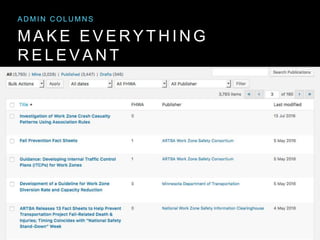
A D M I N C O L U M N S
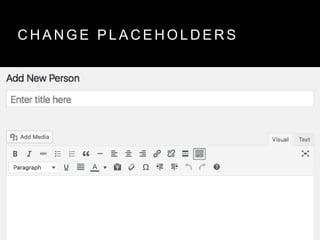
C H A N G E P L A C E H O L D E R S
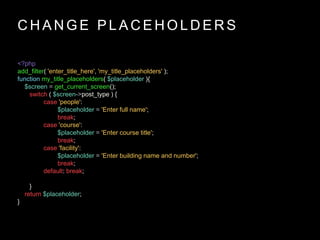
<?php
add_filter( 'enter_title_here', 'my_title_placeholders' );
function my_title_placeholders( $placeholder ){
$screen = get_current_screen();
switch ( $screen->post_type ) {
case 'people':
$placeholder = 'Enter full name';
break;
case 'course':
$placeholder = 'Enter course title';
break;
case 'facility':
$placeholder = 'Enter building name and number';
break;
default: break;
}
return $placeholder;
}
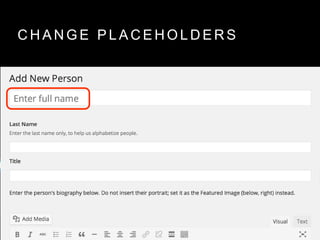
C H A N G E P L A C E H O L D E R S
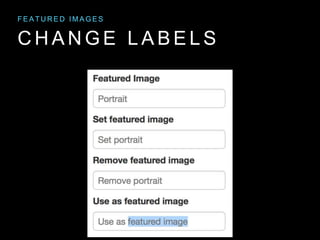
C H A N G E L A B E L S
F E A T U R E D I M A G E S
C H A N G E L A B E L S
F E A T U R E D I M A G E S
C H A N G E L A B E L S
<?php
remove_meta_box( 'postexcerpt', 'post', 'side' );
add_meta_box('postexcerpt', __( 'Plain Text Summary' ),
'post_excerpt_meta_box', 'post', 'normal', 'high');
N E W E X C E R P T L A B E L
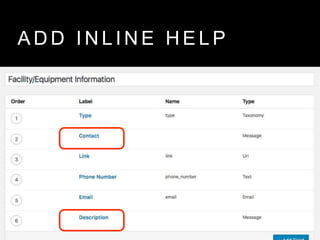
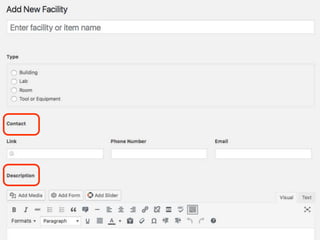
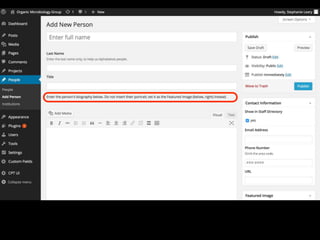
A D D I N L I N E H E L P
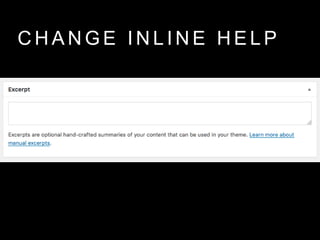
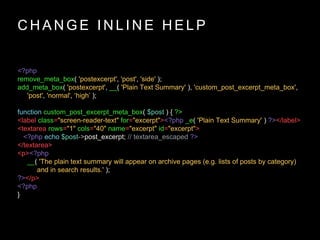
C H A N G E I N L I N E H E L P
<?php
remove_meta_box( 'postexcerpt', 'post', 'side' );
add_meta_box( 'postexcerpt', __( 'Plain Text Summary' ), 'custom_post_excerpt_meta_box',
'post', 'normal', ‘high’ );
function custom_post_excerpt_meta_box( $post ) { ?>
<label class="screen-reader-text" for="excerpt"><?php _e( 'Plain Text Summary' ) ?></label>
<textarea rows="1" cols="40" name="excerpt" id="excerpt">
<?php echo $post->post_excerpt; // textarea_escaped ?>
</textarea>
<p><?php
__( 'The plain text summary will appear on archive pages (e.g. lists of posts by category)
and in search results.' );
?></p>
<?php
}
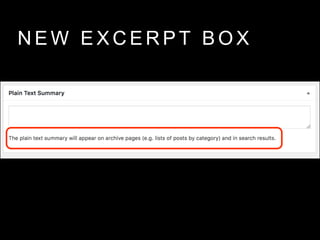
N E W E X C E R P T B O X
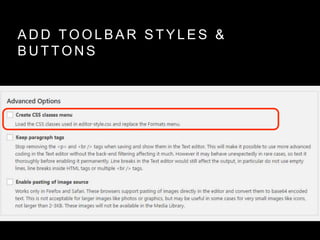
A D D T O O L B A R S T Y L E S &
B U T T O N S
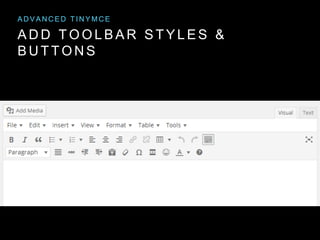
A D V A N C E D T I N Y M C E
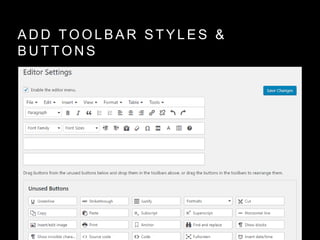
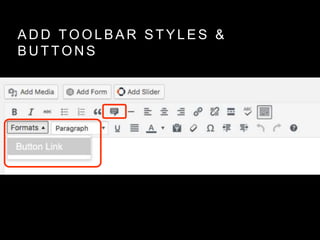
A D D T O O L B A R S T Y L E S &
B U T T O N S
A D D T O O L B A R S T Y L E S &
B U T T O N S
A D D T O O L B A R S T Y L E S &
B U T T O N S
A D D T O O L B A R S T Y L E S &
B U T T O N S
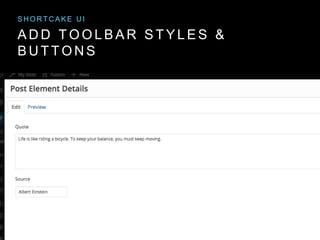
S H O R T C A K E U I
A D D T O O L B A R S T Y L E S &
B U T T O N S
S H O R T C A K E U I
A D D T O O L B A R S T Y L E S &
B U T T O N S
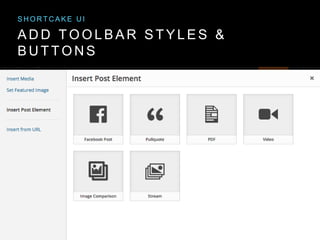
S H O R T C A K E U I
A D D T O O L B A R S T Y L E S &
B U T T O N S
S H O R T C A K E U I
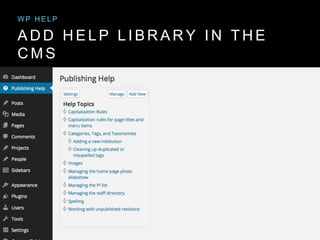
A D D H E L P L I B R A R Y I N T H E
C M S
W P H E L P
To sum up…
“Well, that’s how the CMS does it.”
“Well, that’s how we made the CMS do it.”
C O N T E N T E D I T O R S F E E L …
• empowered
• included
• appreciated
• pampered?!
• INVESTED
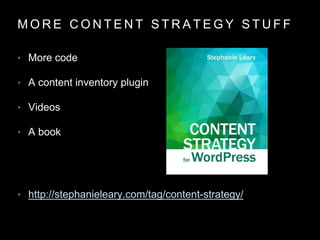
M O R E C O N T E N T S T R A T E G Y S T U F F
• More code
• A content inventory plugin
• Videos
• A book
• http://stephanieleary.com/tag/content-strategy/

Content First in Action

  • 1.
    C O NT E N T F I R S T I N A C T I O N Stephanie Leary stephanieleary.com @sleary
  • 2.
    O L DW O R K F L O W • Discovery and Planning • Design • Build • Write • Test
  • 6.
    R E SP O N S I V E D E S I G N + C O N T E N T S T R A T E G Y
  • 7.
    H T ML W I R E F R A M E S
  • 8.
    N E WW O R K F L O W Discovery and Planning Structure Write Design Build Test iterate
  • 9.
    D E SI G N A N D P L A N N I N G • Requirements • User research • Content audit • Content model
  • 10.
    C M SU S E R SE N D U S E R S +
  • 11.
    If content authorscan’t or won’t use the CMS, it’s game over.
  • 12.
    K N OW T H E T O O L S E T • Post types • Taxonomies • Fields
  • 13.
    Requirements often describestructure: “separate” “search by…” “sort” “filter”
  • 14.
    “We need away to separate events bios products courses etc. from our posts and pages.” POST TYPE
  • 15.
    “We want todisplay _____ alongside the description.” FIELD OR TAXONOMY
  • 16.
    “We want tosort by X and Y as well as by title and date.” FIELD*
  • 17.
    “This text inputshould be a controlled list.” TAXONOMY… PROBABLY
  • 18.
    R E QU I R E M E N T S
  • 21.
    A C FF I E L D T Y P E S
  • 22.
    A S KQ U E S T I O N S • What things are you writing about? How are they related? How are they grouped? • How detailed can we get and keep the editing process sustainable? • Should different groups of people have permission to edit different things?
  • 23.
    F I EL D Q U E S T I O N S • What are the parts that make up each thing? • Which of those fit the fields the CMS provides, and which do we need to create? • What should the editing experience be for each part?
  • 24.
    T A XO N O M Y Q U E S T I O N S • Do we have any groups in which several kinds of categories are mixed? Can these be separated into more clearly delineated groups? • Do our authors understand the differences between each group? • Should items in different groups have completely different sets of fields? (Maybe a post type is better.)
  • 25.
    F I EL D O R T A X O N O M Y ? What is the format of this data? Should the input be a controlled list? Should duplicates be avoided? FIELDTAXONOMY NoYes Text Anything Else
  • 26.
    A D VA N C E D C U S T O M F I E L D S G E N E R A T E W P O R C P T U I + R A P I D P R O T O T Y P E S
  • 27.
    P O ST T Y P E S A N D T A X O N O M I E S
  • 30.
    D E SI G N C O N T E N T I N C O N T E X T • Single page views • Date-based archives • Taxonomy-based archives • Site search results • Specialized search results • Home page features
  • 31.
    I T ER A T E .
  • 32.
    C O UR S E C O R R E C T I O N I S E A S Y • Post Type Switcher • Term Management Tools • WP All Export / WP All Import
  • 33.
    P O ST T Y P E S W I T C H E R
  • 34.
    T E RM M G M T T O O L S : M E R G E
  • 35.
    T E RM M G M T T O O L S : C H A N G E
  • 36.
    F I EL D T O T A X O N O M Y W P A L L E X P O R T
  • 40.
    L I ST E N .
  • 41.
    C H AN G E T H E A D M I N U I • Hide unneeded features • Make everything on the screen relevant • Change placeholders and labels • Add toolbar options for pattern library elements • Add inline help • Document in the CMS
  • 42.
    H I DE U N N E E D E D F E A T U R E S
  • 43.
    T U RN O F F S C R E E N O P T I O N S <?php add_filter( 'default_hidden_meta_boxes', 'my_default_hidden_screen_options', 10, 2 ); function my_default_hidden_screen_options( $hidden, $screen ) { $hide_these = array( 'dashboard_primary', 'postcustom', 'trackbacksdiv', ); return array_merge( $hidden, $hide_these ); }
  • 44.
    M A KE E V E R Y T H I N G R E L E V A N T
  • 45.
    M A KE E V E R Y T H I N G R E L E V A N T A D M I N C O L U M N S
  • 46.
    M A KE E V E R Y T H I N G R E L E V A N T A D M I N C O L U M N S
  • 47.
    C H AN G E P L A C E H O L D E R S
  • 48.
    C H AN G E P L A C E H O L D E R S <?php add_filter( 'enter_title_here', 'my_title_placeholders' ); function my_title_placeholders( $placeholder ){ $screen = get_current_screen(); switch ( $screen->post_type ) { case 'people': $placeholder = 'Enter full name'; break; case 'course': $placeholder = 'Enter course title'; break; case 'facility': $placeholder = 'Enter building name and number'; break; default: break; } return $placeholder; }
  • 49.
    C H AN G E P L A C E H O L D E R S
  • 50.
    C H AN G E L A B E L S F E A T U R E D I M A G E S
  • 51.
    C H AN G E L A B E L S F E A T U R E D I M A G E S
  • 52.
    C H AN G E L A B E L S <?php remove_meta_box( 'postexcerpt', 'post', 'side' ); add_meta_box('postexcerpt', __( 'Plain Text Summary' ), 'post_excerpt_meta_box', 'post', 'normal', 'high');
  • 53.
    N E WE X C E R P T L A B E L
  • 54.
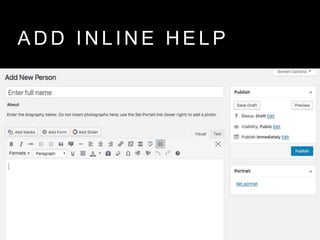
    A D DI N L I N E H E L P
  • 55.
    A D DI N L I N E H E L P
  • 58.
    C H AN G E I N L I N E H E L P
  • 59.
    C H AN G E I N L I N E H E L P <?php remove_meta_box( 'postexcerpt', 'post', 'side' ); add_meta_box( 'postexcerpt', __( 'Plain Text Summary' ), 'custom_post_excerpt_meta_box', 'post', 'normal', ‘high’ ); function custom_post_excerpt_meta_box( $post ) { ?> <label class="screen-reader-text" for="excerpt"><?php _e( 'Plain Text Summary' ) ?></label> <textarea rows="1" cols="40" name="excerpt" id="excerpt"> <?php echo $post->post_excerpt; // textarea_escaped ?> </textarea> <p><?php __( 'The plain text summary will appear on archive pages (e.g. lists of posts by category) and in search results.' ); ?></p> <?php }
  • 60.
    N E WE X C E R P T B O X
  • 61.
    A D DT O O L B A R S T Y L E S & B U T T O N S A D V A N C E D T I N Y M C E
  • 62.
    A D DT O O L B A R S T Y L E S & B U T T O N S
  • 63.
    A D DT O O L B A R S T Y L E S & B U T T O N S
  • 64.
    A D DT O O L B A R S T Y L E S & B U T T O N S
  • 65.
    A D DT O O L B A R S T Y L E S & B U T T O N S S H O R T C A K E U I
  • 66.
    A D DT O O L B A R S T Y L E S & B U T T O N S S H O R T C A K E U I
  • 67.
    A D DT O O L B A R S T Y L E S & B U T T O N S S H O R T C A K E U I
  • 68.
    A D DT O O L B A R S T Y L E S & B U T T O N S S H O R T C A K E U I
  • 69.
    A D DH E L P L I B R A R Y I N T H E C M S W P H E L P
  • 70.
  • 71.
    “Well, that’s howthe CMS does it.”
  • 72.
    “Well, that’s howthe CMS does it.”
  • 73.
    “Well, that’s howwe made the CMS do it.”
  • 74.
    C O NT E N T E D I T O R S F E E L … • empowered • included • appreciated • pampered?! • INVESTED
  • 75.
    M O RE C O N T E N T S T R A T E G Y S T U F F • More code • A content inventory plugin • Videos • A book • http://stephanieleary.com/tag/content-strategy/

Editor's Notes

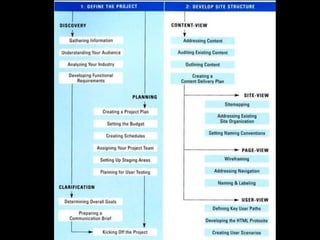
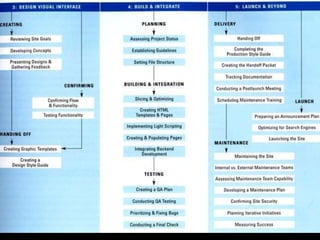
  • #5 I scanned the master plan from this book and used it in meetings.
  • #9 This workflow is more of a loop. Once we have an idea of the structure, we build a quick prototype and let the content editors try it out. We iterate based on their feedback, and only when everybody’s happy with it do we worry about what it’s going to look like (other than display requirements).
  • #12 I work with a lot of higher ed institutions and government agencies, which have more than their fair share of people for whom web content is an “other duty as assigned.” They probably update the site once or twice a semester—and if they can’t remember or figure out how to do it, they simply won’t. Their other tasks are higher priorities for the institution, so they aren’t punished for this, and the site devolves into obsolescence.
  • #17 In WordPress, this indicates that you need a custom field. There’s no easy way to sort posts by taxonomy term the way you can in Drupal.
  • #21 Here’s one for a different project, where we were migrating from Drupal to WordPress. The site editor wanted to duplicate the fields for the most part, but had a couple of new content types and a few places where text fields needed to become taxonomies.
  • #28 Of course, in Drupal you can create new post types and taxonomies in the admin UI. In WordPress, those features are deliberately hidden. You can generate the code for your own plugin (my preference), or use the CPT UI plugin.
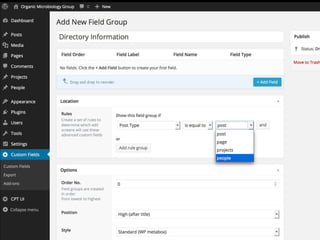
  • #29 Advanced Custom Fields is probably the easiest and most popular way to add fields to WordPress posts. Create a field group, choose which post types it applies to, and start adding fields.
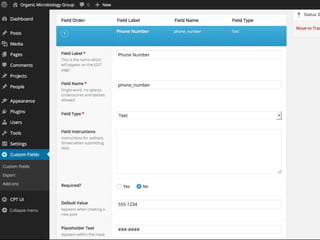
  • #30 For each new field, you can add inline instructions, placeholder text, and a default value that will be returned if the field is left blank.
  • #31 Contexts: home page widgets, single view, date archives, taxonomy archives, post type archives, search results
  • #33 You can change direction pretty easily even after you’ve migrated a lot of content into WordPress.
  • #35 Term Management Tools gives you new bulk actions on your category/tag/term screens. The Merge tool is great for cleaning up duplicates and typos, and for consolidating terms if you find that you got too granular.
  • #36 You can also move terms from one taxonomy to another with this plugin. Choose “change taxonomy” from the bulk actions dropdown.
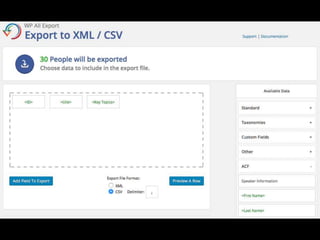
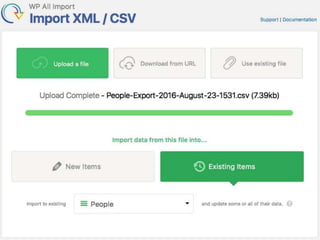
  • #39 Once we have the file downloaded, we switch to WP All Import.
  • #40 Once we have the file downloaded, we switch to WP All Import.
  • #41 What do the content editors think of the prototype? What do they not understand? Start making a list.
  • #42 Eileen Webb calls this “Training the CMS,” and she has a great article about it at A List Apart.
  • #44 The array here is made up of the IDs of the boxes you want to hide. Just inspect your screen to figure out what to enter. http://stephanieleary.com/2016/06/wordpress-hidden-gem-screen-option-defaults-filter/ and http://stephanieleary.com/2016/06/wordpress-closed-meta-boxes-filter/
  • #45 This is the default edit list screen for a custom Publications post type. Editors of this site don’t really care who posted the publication or when it was originally posted. But all we can do in screen options is turn things off.
  • #46 We can add new columns using the Admin Columns plugin. Here, we really want to know whether the publication was funded by a particular grant, which publisher it came from, and when the entry was last modified.
  • #47 Voila.
  • #48 Well, that’s super confusing. Should it be their name or their job title?
  • #49 WordPress has a filter called enter_title_here that lets you change the placeholder text in the post title field. More: http://stephanieleary.com/2016/06/wordpress-hidden-gem-enter_title_here-filter/ (Note that I haven’t localized these labels in order to keep the code simple for the slide.)
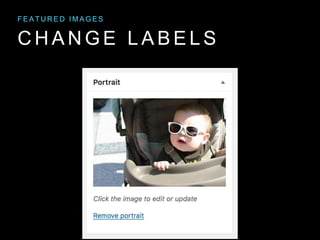
  • #51 Last year, WP added some new labels for featured images, and you can now change that phrase to something that makes more sense for your content: portrait, product image, building photo, etc. https://make.wordpress.org/core/2015/12/11/additional-labels-for-custom-post-types-and-custom-taxonomies/
  • #52 Last year, WP added some new labels for featured images, and you can now change that phrase to something that makes more sense for your content: portrait, product image, building photo, etc. https://make.wordpress.org/core/2015/12/11/additional-labels-for-custom-post-types-and-custom-taxonomies/
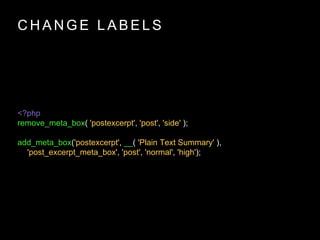
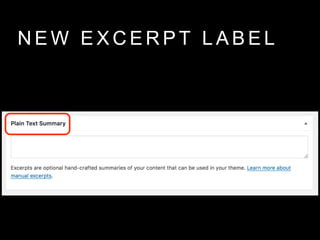
  • #53 As long as you keep the ID (the first argument) and the name of the callback function (the third argument) the same, you can change the title (the second argument) to whatever you want. https://bryce.se/2012/10/14/change-title-of-wordpress-meta-boxes/
  • #59 I’m not wild about the built-in excerpt field instructions. To change it, we can adapt the code we used before to change its title.
  • #60 This time, we’re replacing not only the title but the callback function that displays the form field. As long as we leave the textarea field alone, we’re not doing anything that changes the way the excerpt works. The text is up for grabs. Here, I’ve changed both the field label, which is used only for screen readers, and the instructions. https://gist.github.com/sillybean/e96db15f0d8049a02cfc3af7c2d11f6e
  • #61 Now that we have control of this text, we can move it around, too. If you want it to appear above the textarea to be more consistent with your other inline help, just move the paragraph above the form field.
  • #62 This is the Advanced TinyMCE plugin. It lets you build all kinds of new things into the toolbar.
  • #64 This option is really powerful. If you’ve created an editor stylesheet that mimics your front end styles, you can load its classes into the TinyMCE formats menu. You might have to tweak things a little—it doesn’t do well with multiple classes on a single element—but this is a fast way to put your pattern library into the toolbar.
  • #65 On this site, there were only two things from the pattern library that we didn’t just build in to default styles for things like tables and lists. First, we wanted to offer the option for button-style links. That went into the Formats dropdown. Second, we wanted to add a more advanced blockquote that could include a linked citation. For that, I built a new TinyMCE button. https://www.gavick.com/blog/wordpress-tinymce-custom-buttons is a very thorough tutorial on doing this in WordPress.
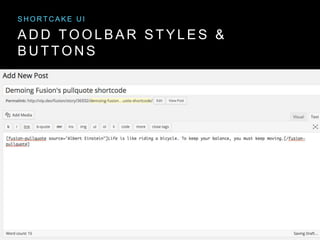
  • #66 You can also add more complicated patterns using shortcodes, and, for a better user experience with those, the Shortcake UI plugin.
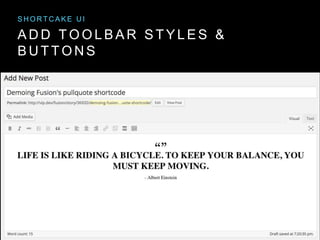
  • #67 It drives me a little crazy that their demo is for a pull quote, because — QED — I think that’s better handled by normal markup and a toolbar button.
  • #68 It does give you a really nice interface for adding the new content.
  • #69 But you have to go through the Add Media button to access it, which my users have found very unintuitive… so much so that we replaced this with toolbar buttons. I like Shortcake UI in theory, but in practice I’ve never needed to use it in production because I’ve tried hard to find ways around using shortcodes at all.
  • #70 I’ve seen a lot of organizations with beautiful documentation on how to use the CMS… stored as a Word document in a shared network drive, or in a helpdesk’s knowledgebase, or virtually anywhere but INSIDE THE CMS. Meet users where they are. This is the WP Help plugin. For those of you in another CMS, all this does is create a post type that’s hidden from the public, with its own toolbar link.