
http://netponto.org14ª Reunião Presencial - 18/09/2010Construir Aplicações Silverlight para Windows Phone 7Nuno Silva
Nuno SilvaDeveloper Evangelist @ Microsoft“Phone Champ”nuno.silva@microsoft.comhttp://blogs.msdn.com/nunoshttp://twitter.com/nuno_ms
Perguntas “da praxe”Sim, trouxe um deviceSim, é mesmo o Windows Phone 7Não, não o podem levar para casa
Windows Phone 7Smart DesignIntegrated ExperiencesPhoto by: Andrew Butitta, Founder, Talisman Digital Photography
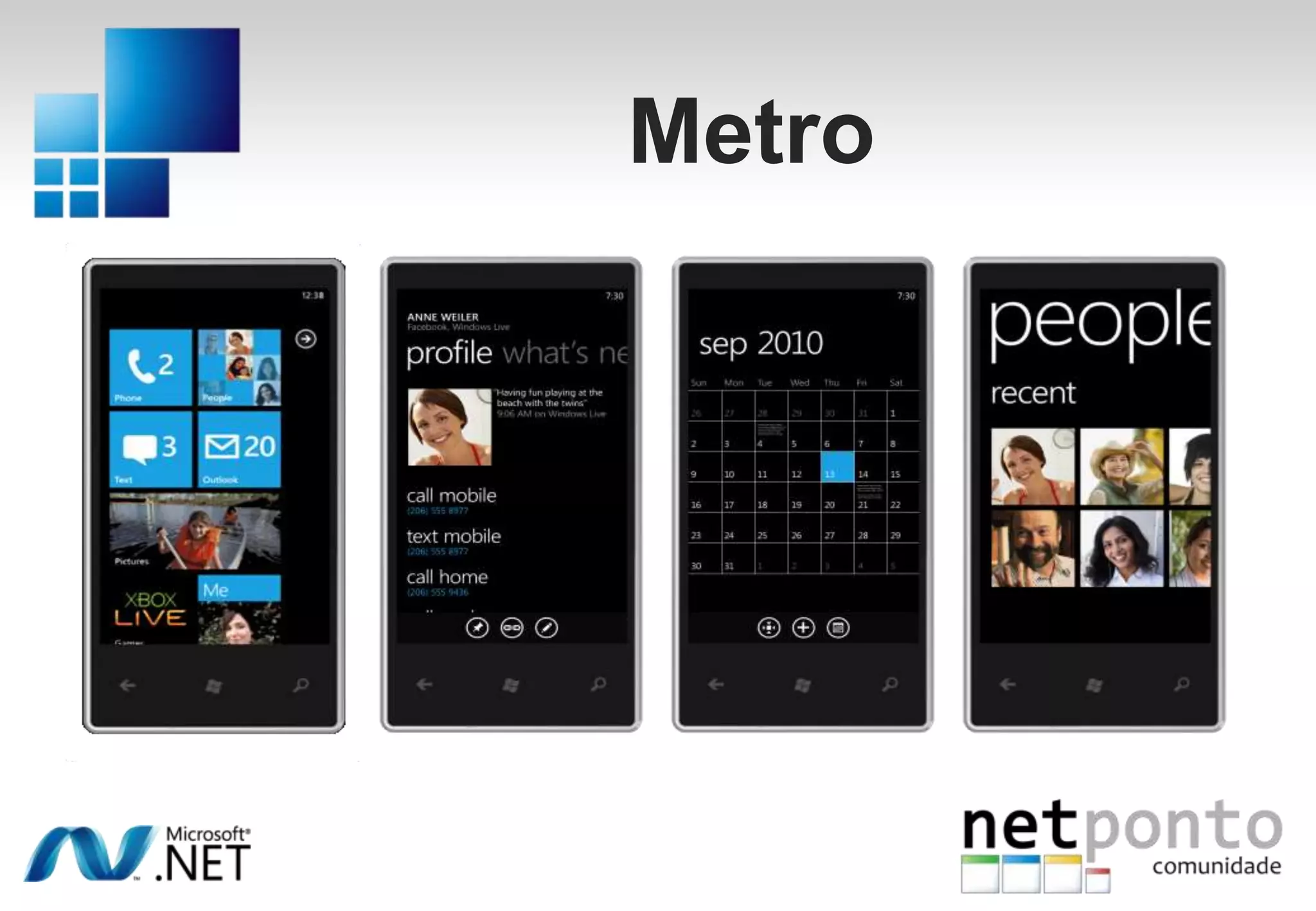
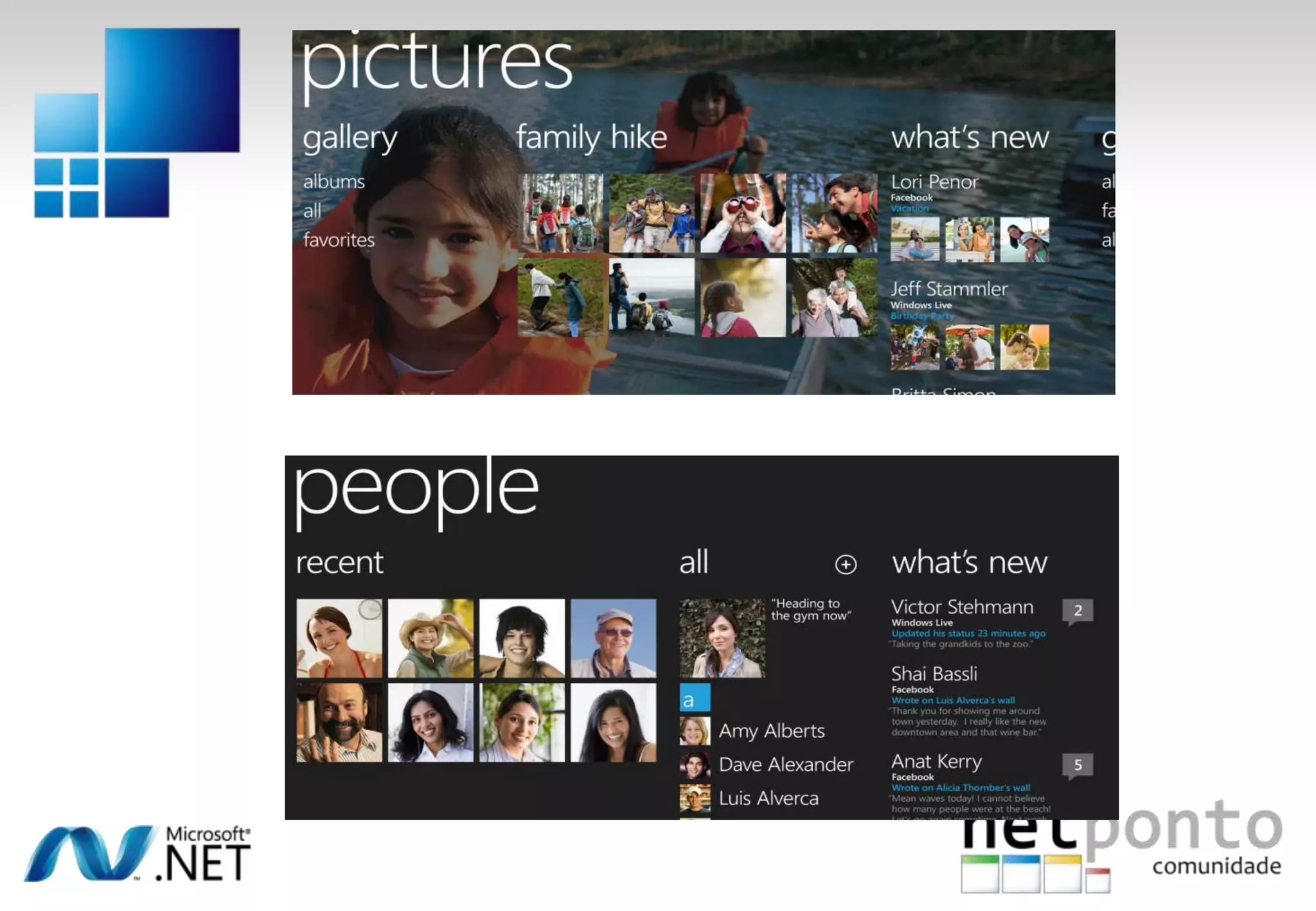
Metro
Windows Phone 7demonstração
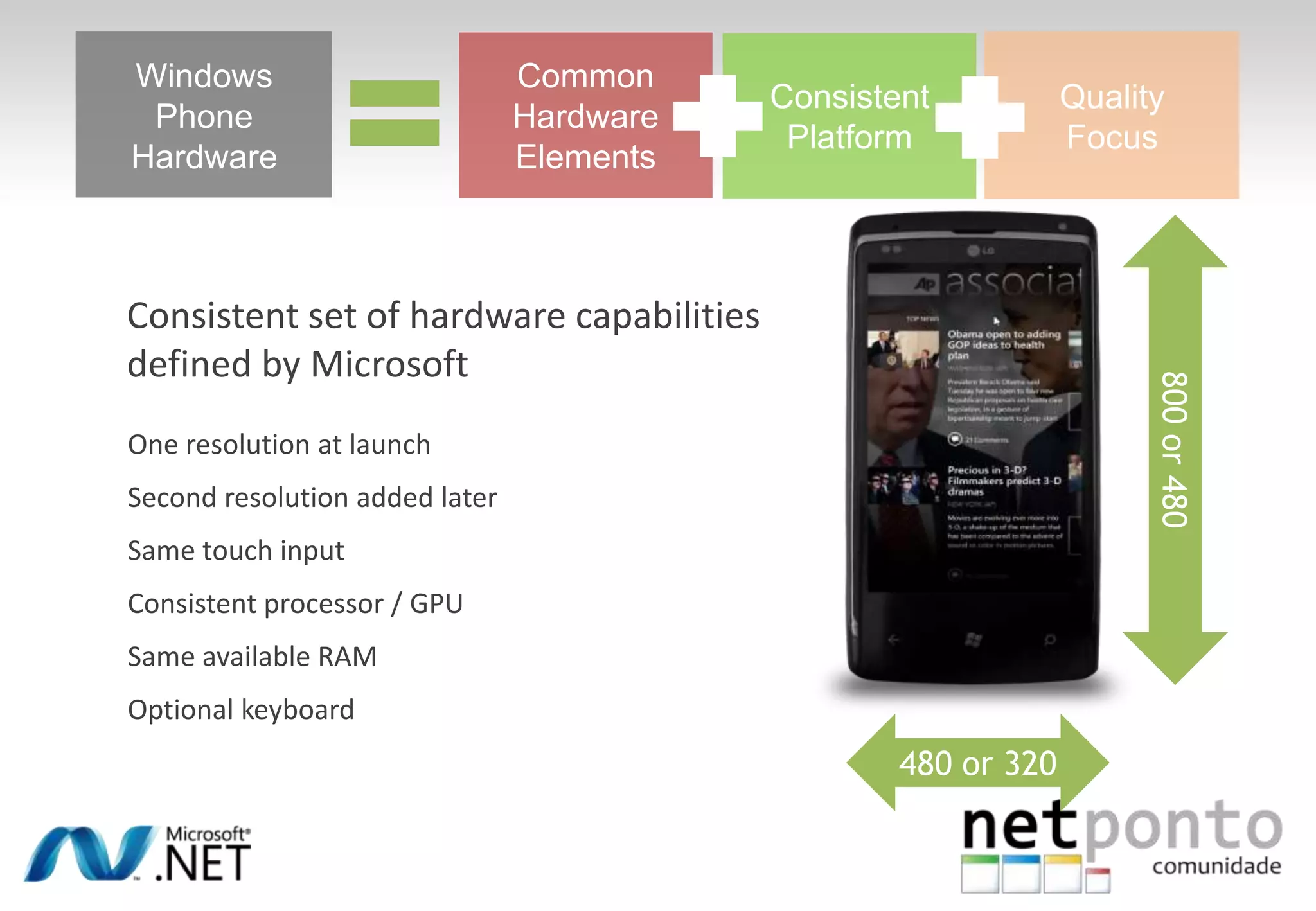
Windows PhoneHardwareCommon Hardware ElementsConsistent PlatformQuality Focus800 or 480Consistent set of hardware capabilities defined by MicrosoftOne resolution at launchSecond resolution added laterSame touch inputConsistent processor / GPUSame available RAMOptional keyboard480 or 320
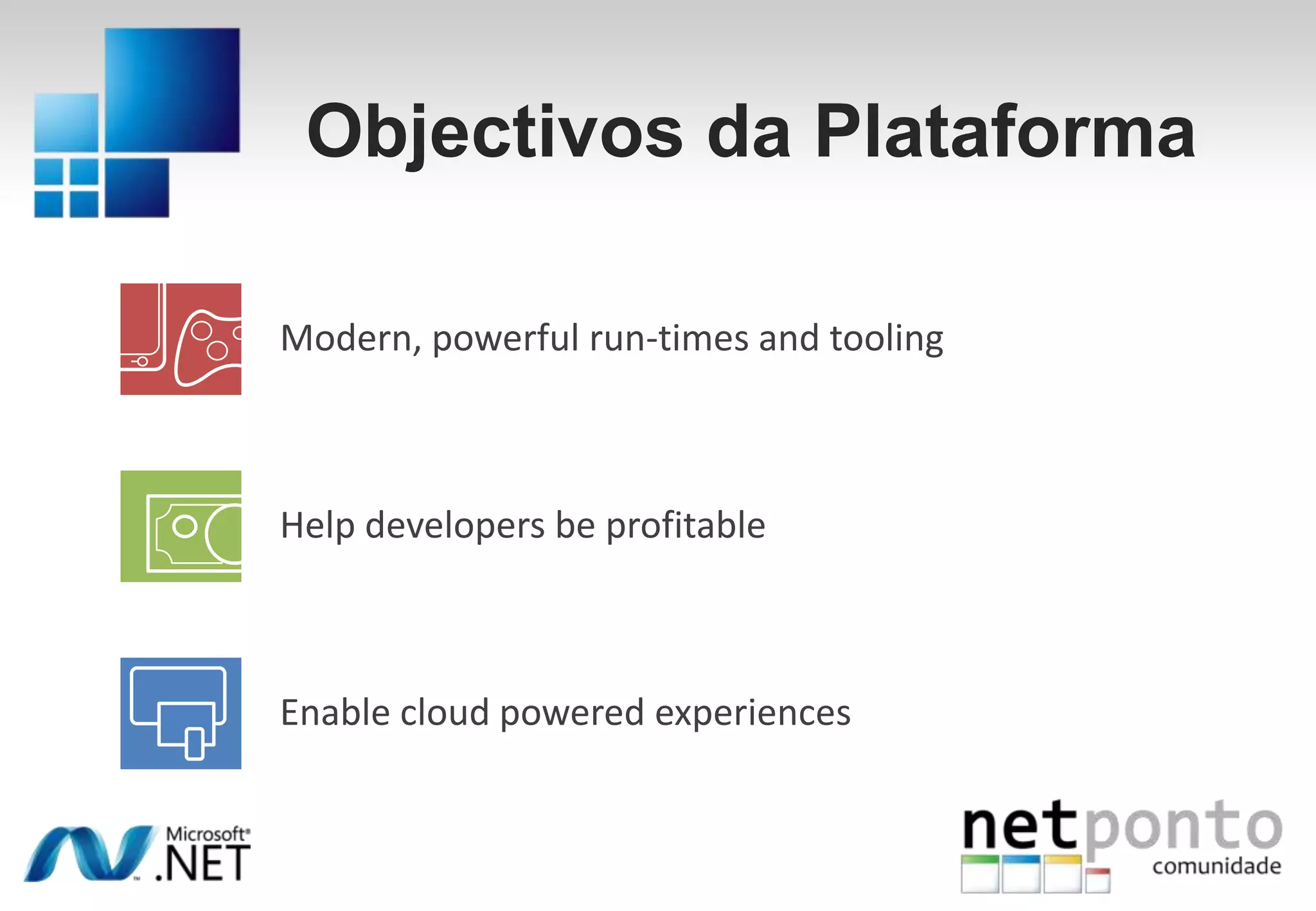
Objectivos da PlataformaModern, powerful run-times and toolingHelp developers be profitableEnable cloud powered experiences
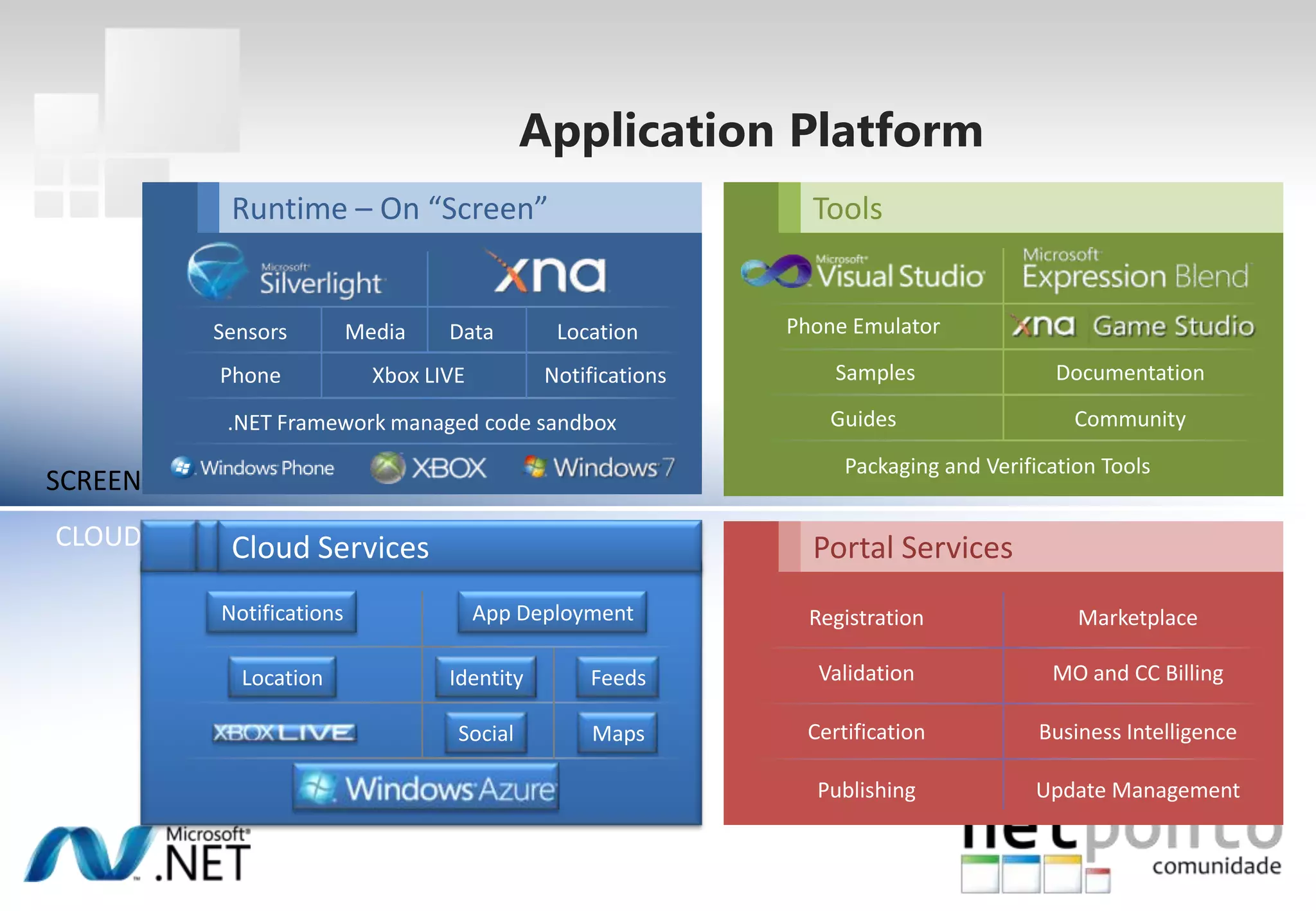
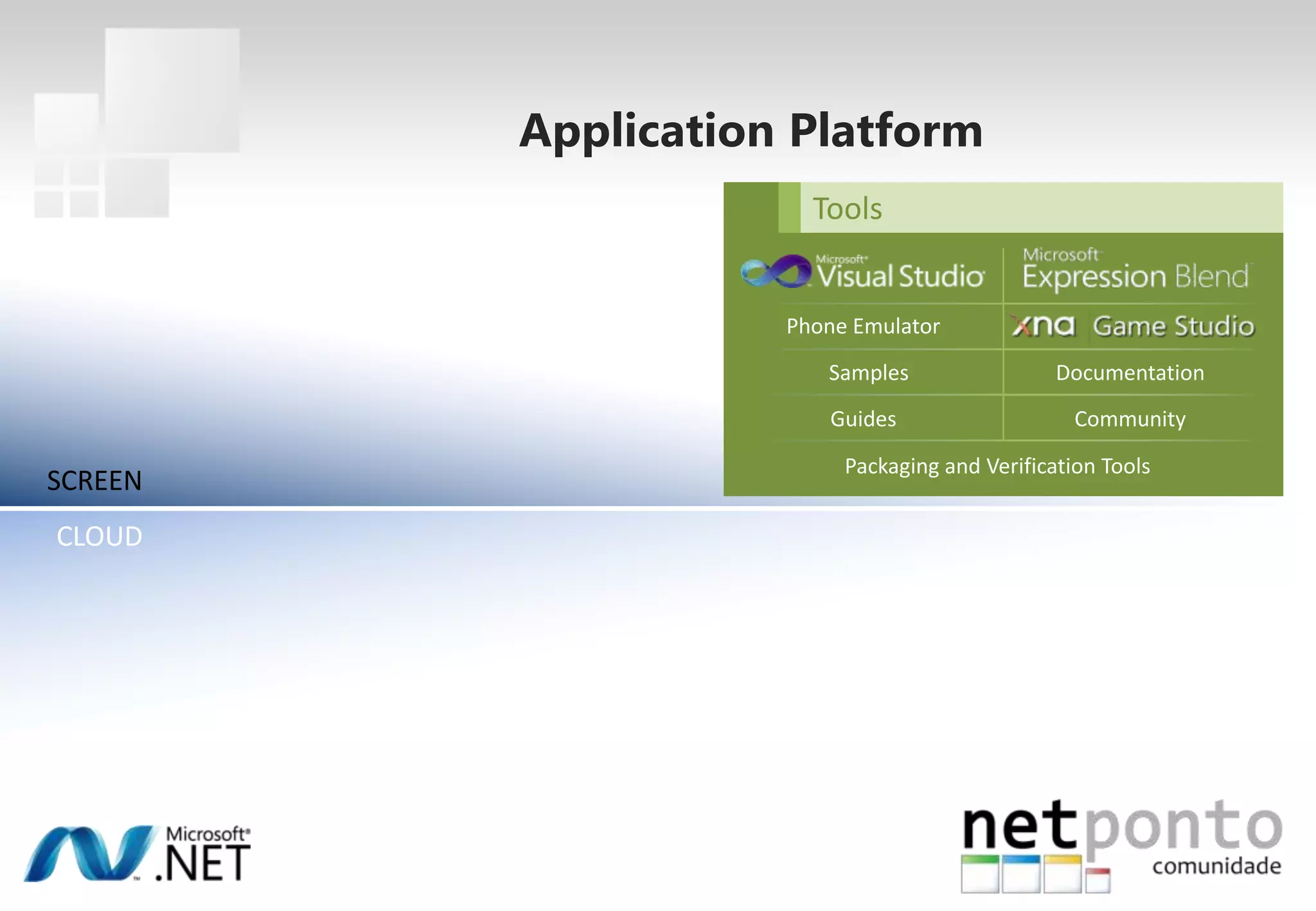
ToolsRuntime – On “Screen”Phone EmulatorSensorsMediaDataLocationSamplesDocumentationXbox LIVENotificationsPhoneGuidesCommunity.NET Framework managed code sandboxPackaging and Verification ToolsSCREENCLOUDPortal ServicesCloud ServicesNotificationsApp DeploymentRegistrationMarketplaceValidationMO and CC BillingLocationIdentityFeedsCertificationBusiness IntelligenceMapsSocialPublishingUpdate ManagementApplication Platform
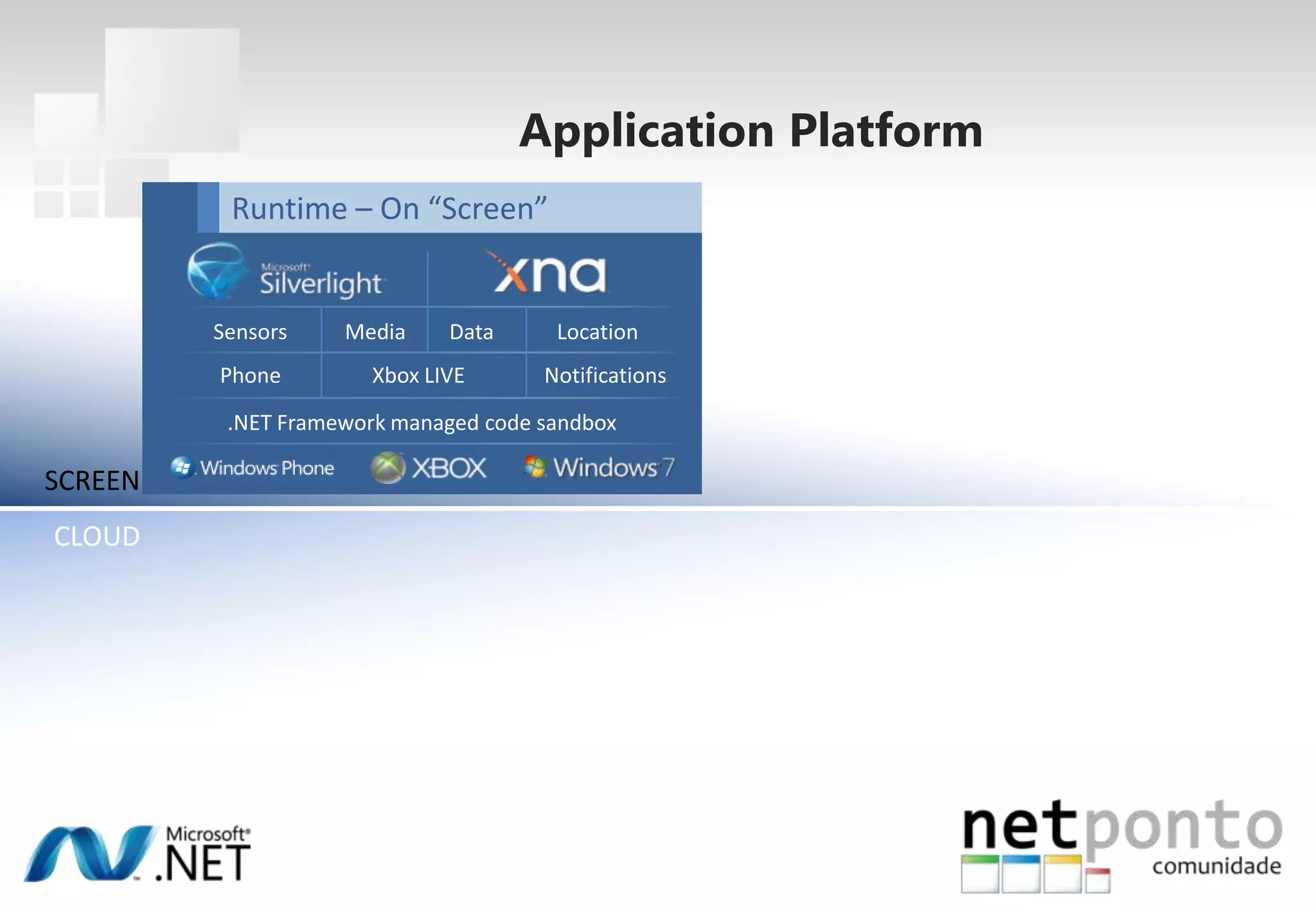
Application PlatformRuntime – On “Screen”SensorsMediaDataLocationXbox LIVENotificationsPhone.NET Framework managed code sandboxSCREENCLOUD
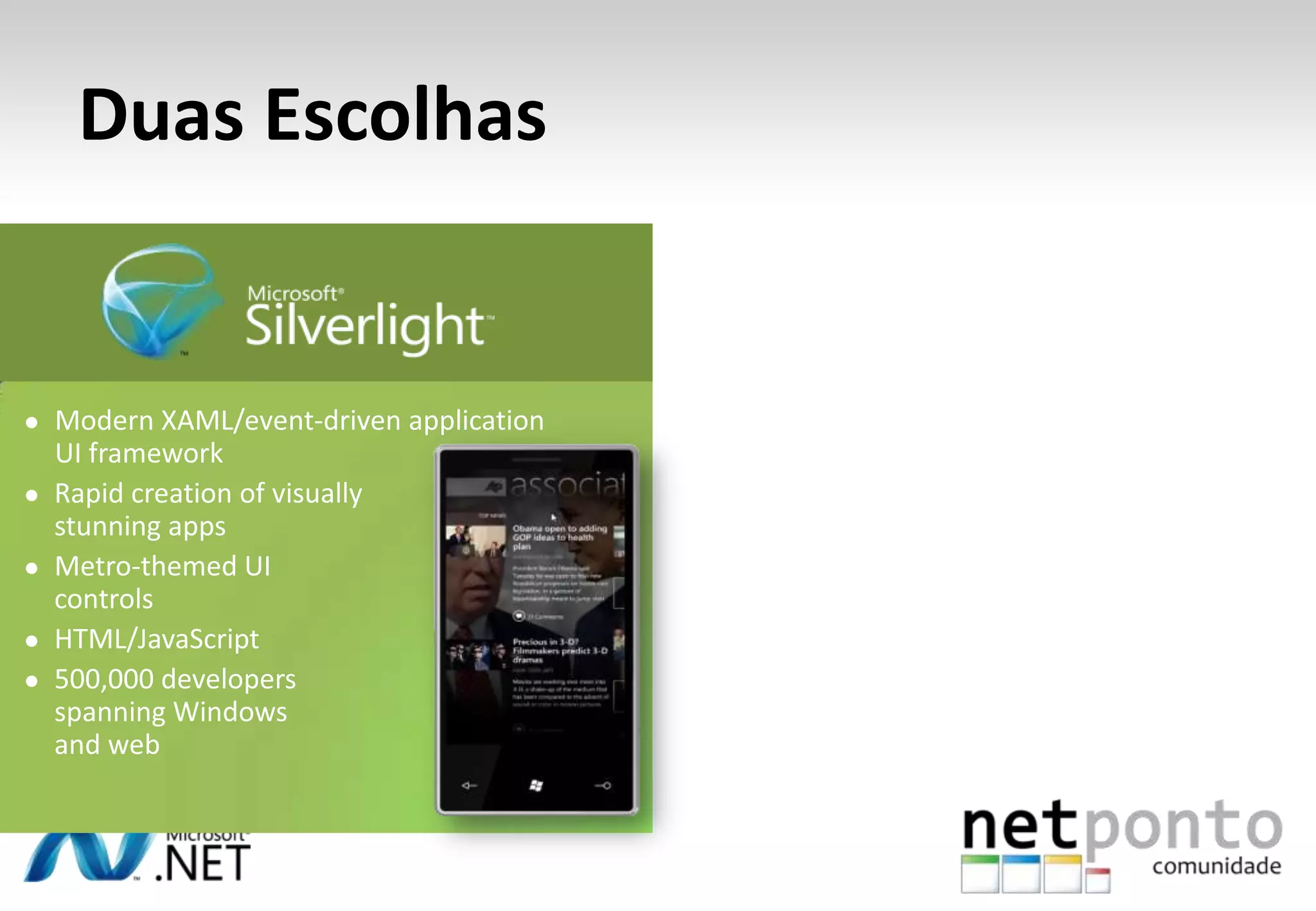
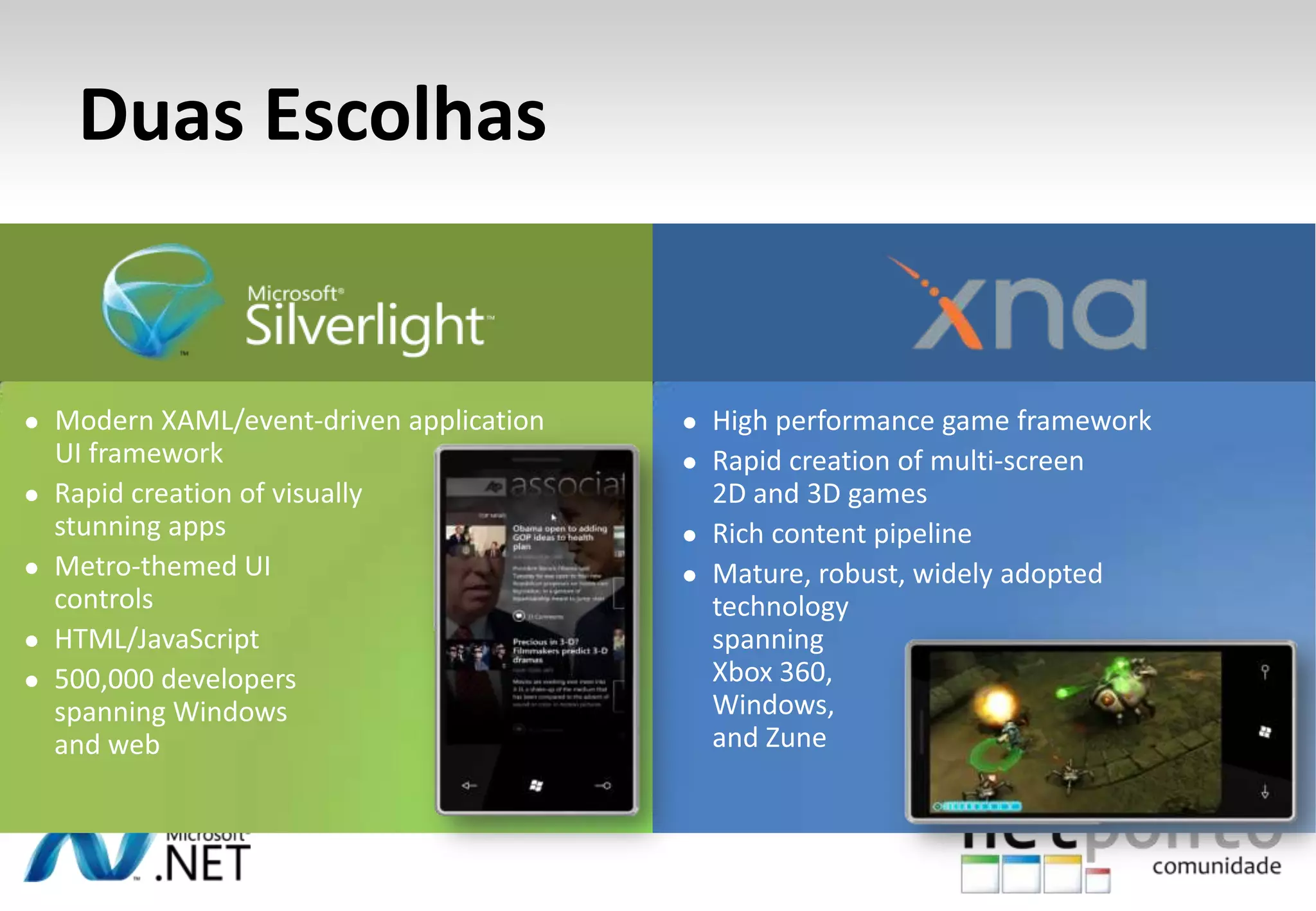
DuasEscolhasModern XAML/event-driven application UI framework
Rapid creation of visually stunning apps
Metro-themed UI controls
HTML/JavaScript
500,000 developers spanning Windows and webDuasEscolhasHigh performance game framework
Rapid creation of multi-screen 2D and 3D games
Rich content pipeline
Mature, robust, widely adopted technology spanning Xbox 360, Windows, and Zune
Modern XAML/event-driven application UI framework
Rapid creation of visually stunning apps
Metro-themed UI controls
HTML/JavaScript
500,000 developers spanning Windows and webToolsPhone EmulatorSamplesDocumentationGuidesCommunityPackaging and Verification ToolsSCREENCLOUDApplication Platform
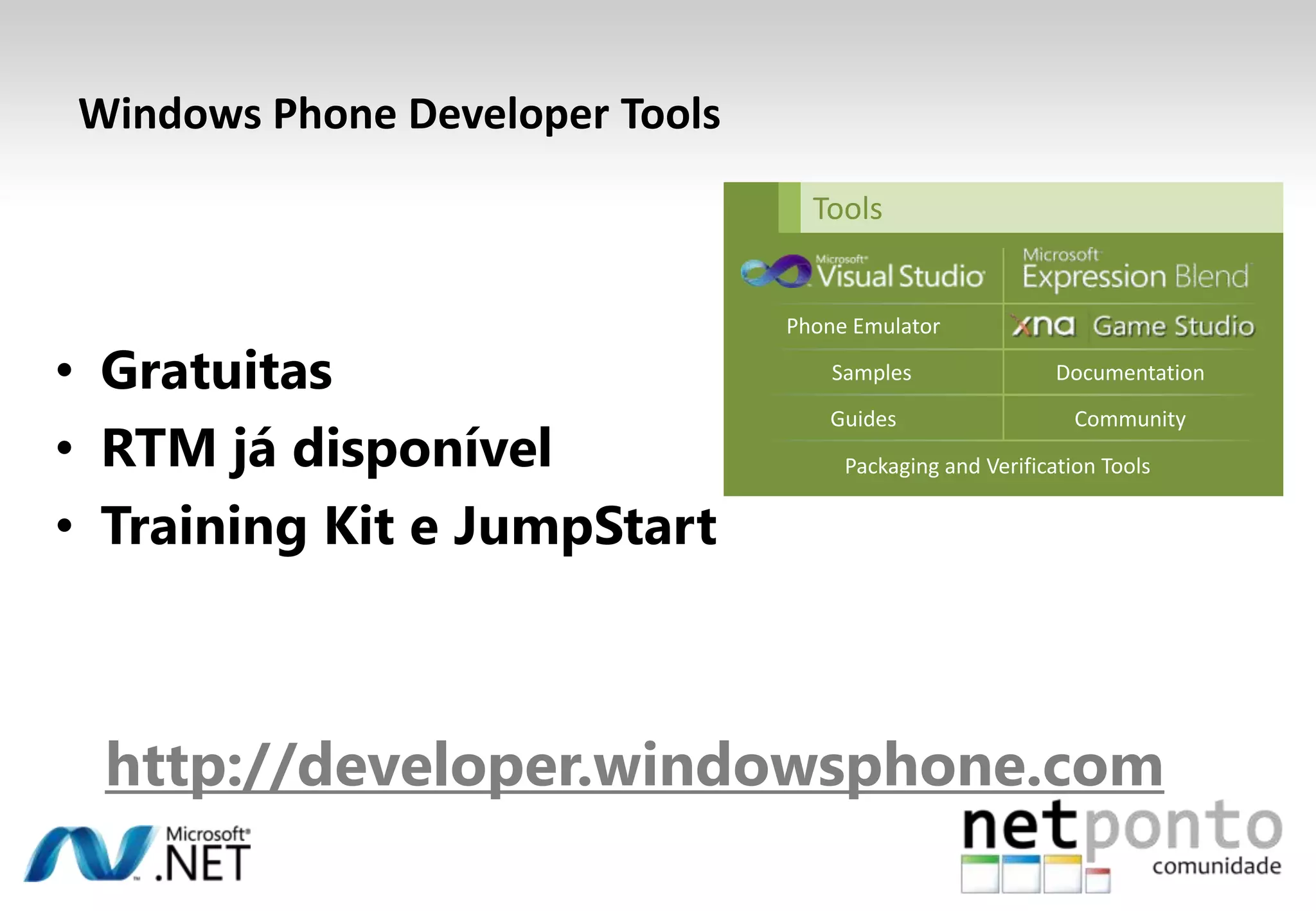
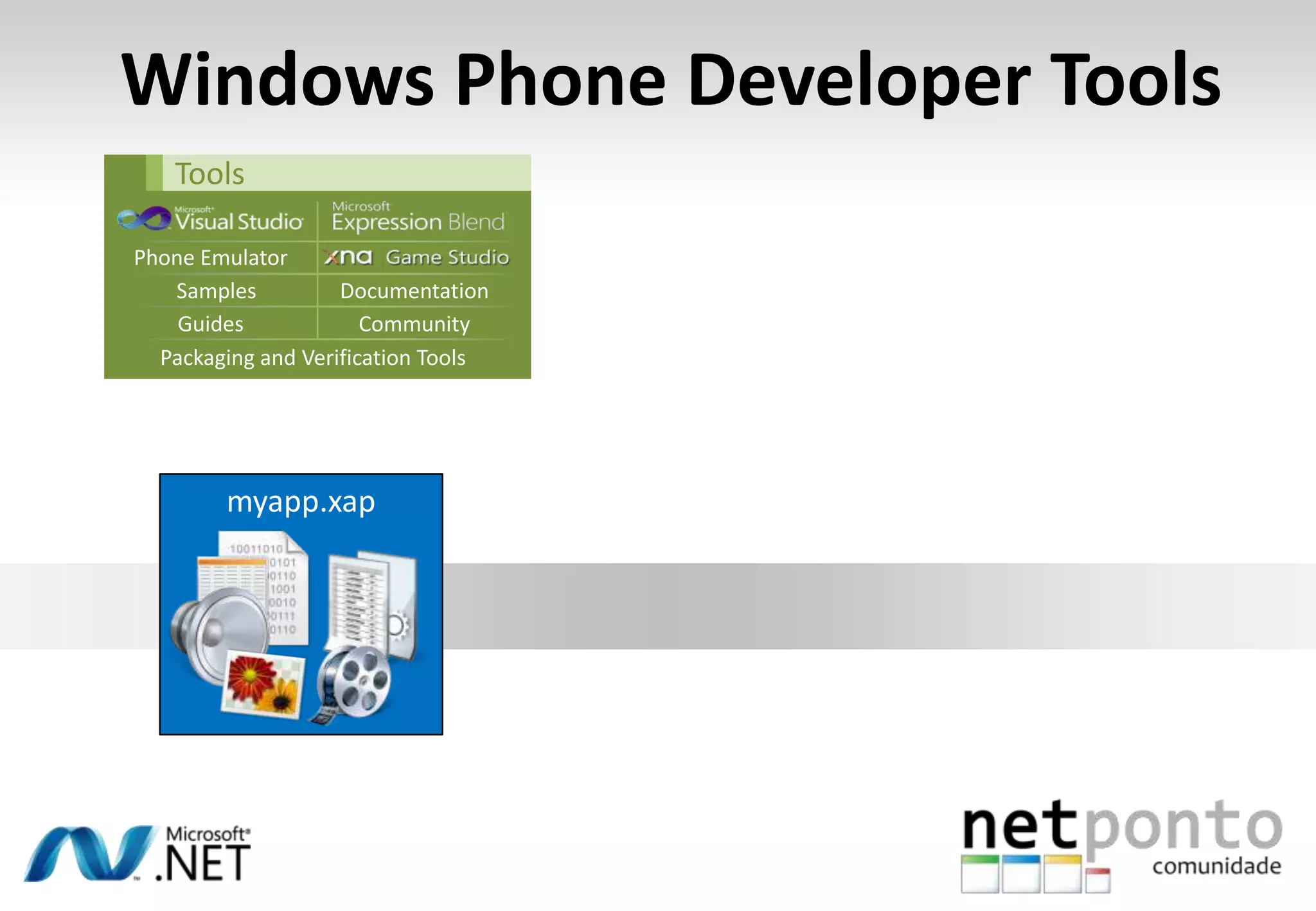
ToolsGratuitasRTM jádisponívelTraining Kit e JumpStarthttp://developer.windowsphone.comPhone EmulatorSamplesDocumentationGuidesCommunityPackaging and Verification ToolsWindows Phone Developer Tools
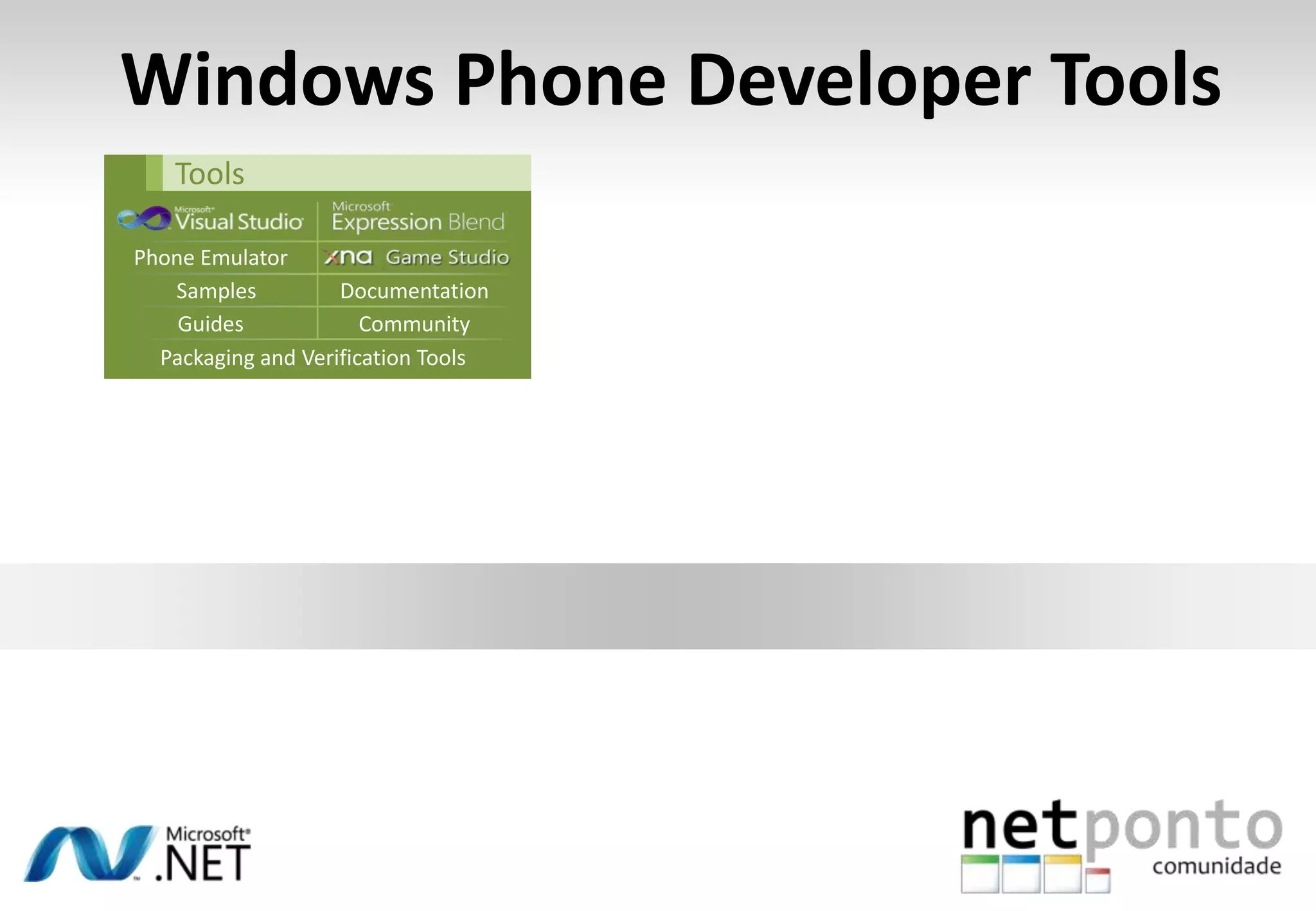
Windows Phone Developer ToolsToolsPhone EmulatorSamplesDocumentationGuidesCommunityPackaging and Verification Tools
Windows Phone Developer ToolsToolsPhone EmulatorSamplesDocumentationGuidesCommunityPackaging and Verification Toolsmyapp.xap
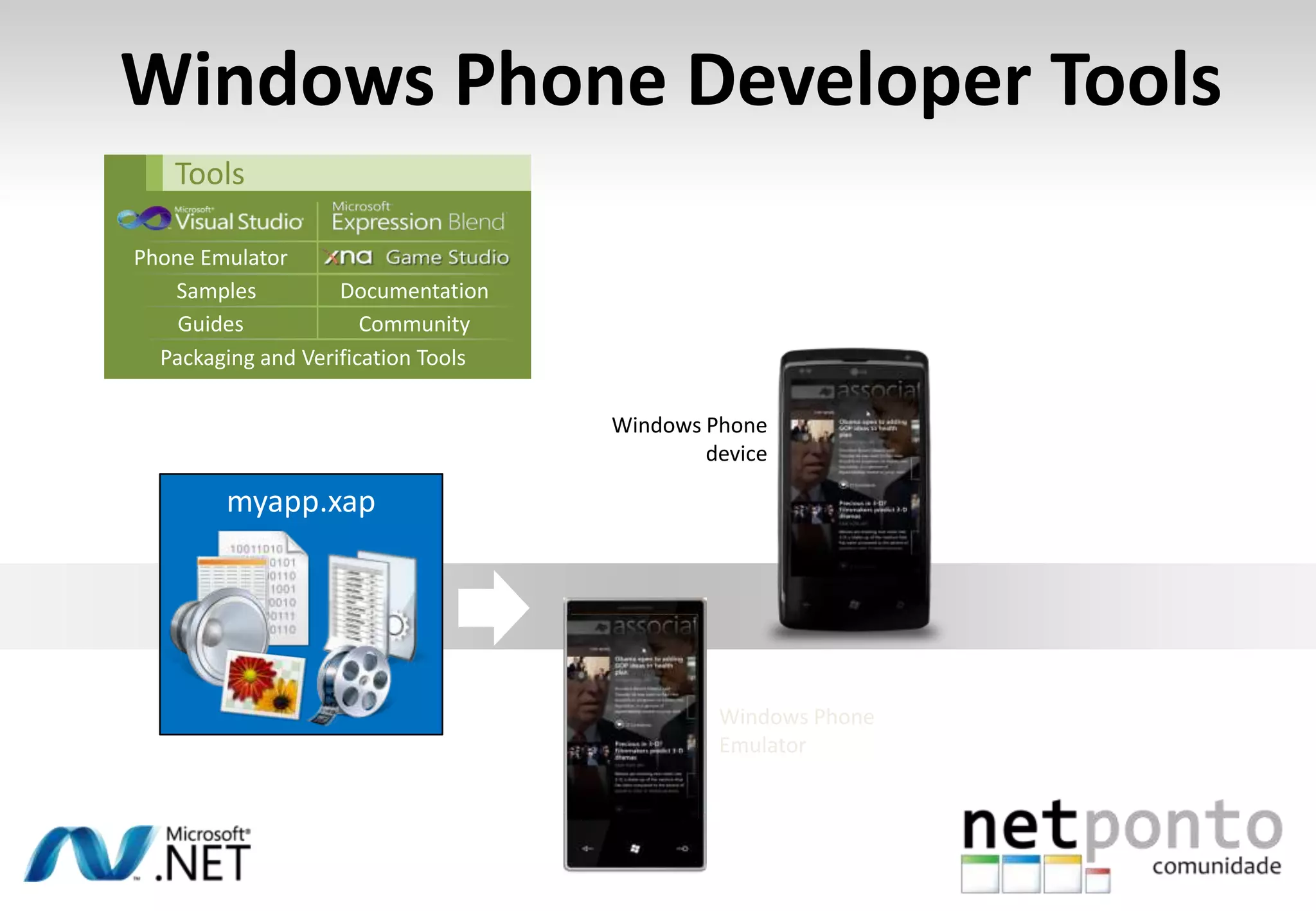
Windows Phone Developer ToolsToolsPhone EmulatorWindows PhoneEmulatorSamplesDocumentationGuidesCommunityWindows Phone devicePackaging and Verification Toolsmyapp.xap
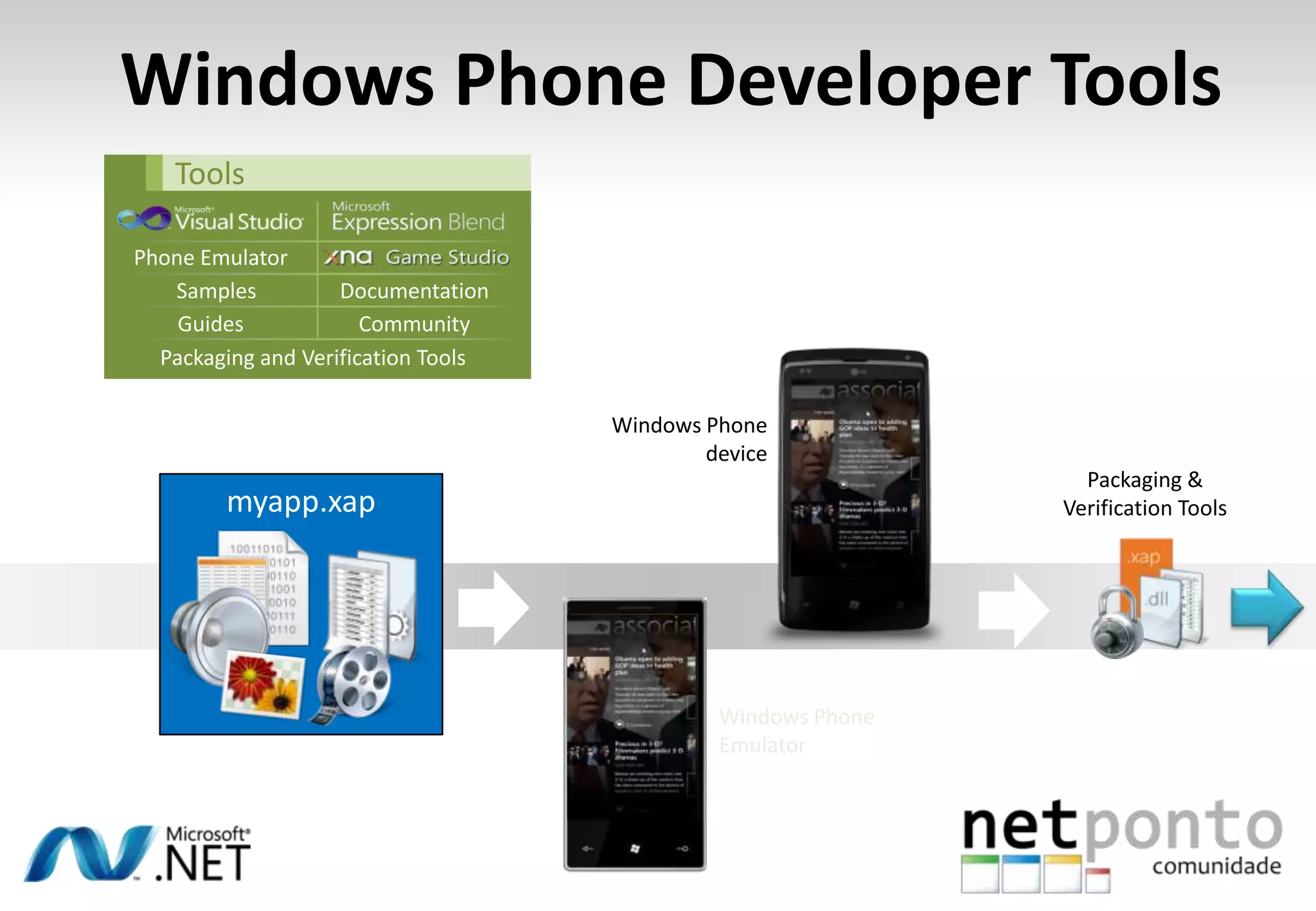
Windows Phone Developer ToolsToolsPhone EmulatorWindows PhoneEmulatorSamplesDocumentationPackaging & Verification ToolsGuidesCommunityWindows Phone devicePackaging and Verification Toolsmyapp.xap
Windows Phone 7 Developer ToolsSimple Twitter Clientdemonstração
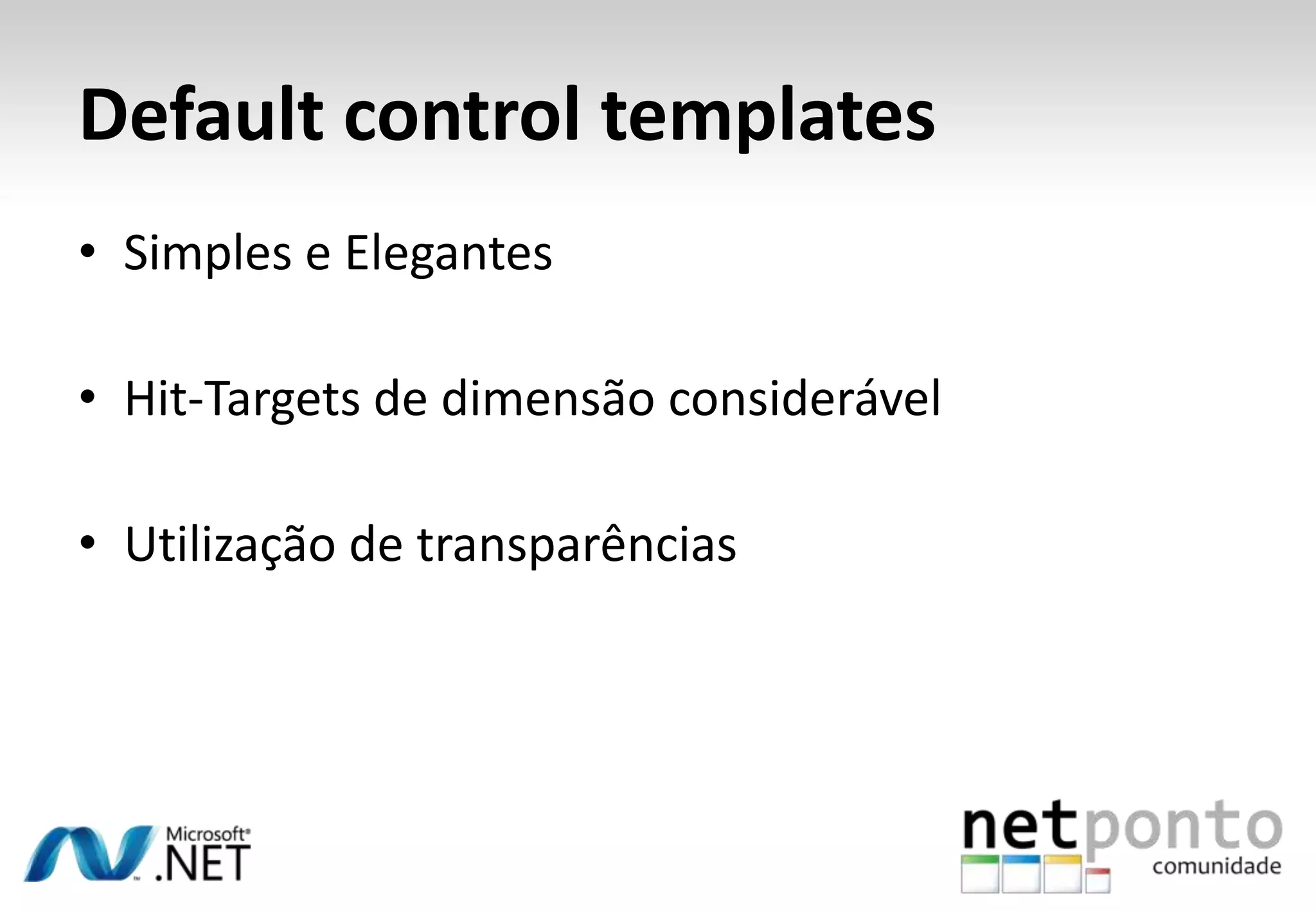
Default control templatesSimples e ElegantesHit-Targets de dimensãoconsiderávelUtilização de transparências
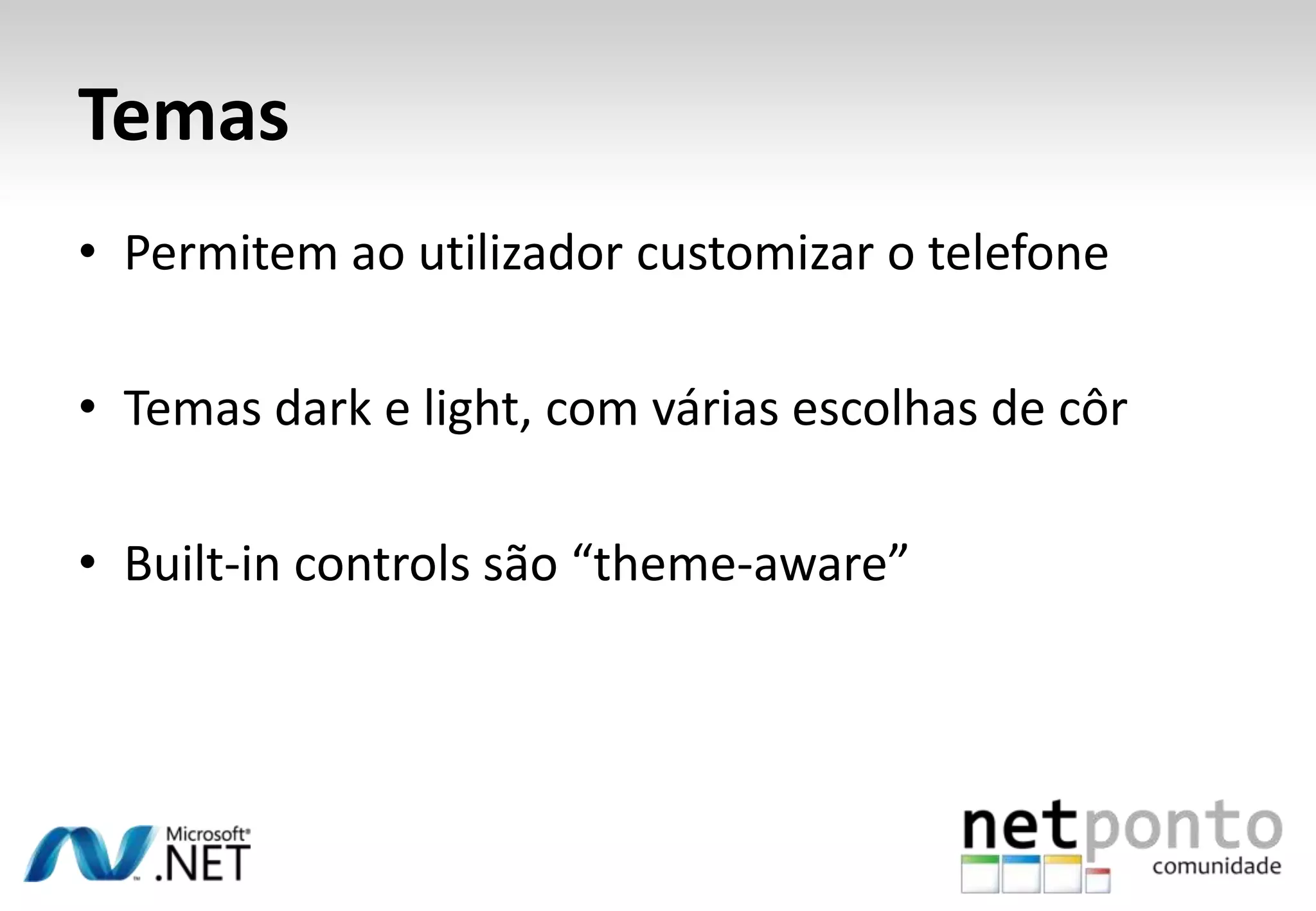
TemasPermitemaoutilizadorcustomizar o telefoneTemas dark e light, com váriasescolhas de côrBuilt-in controls são “theme-aware”
Customização do UIdemonstração
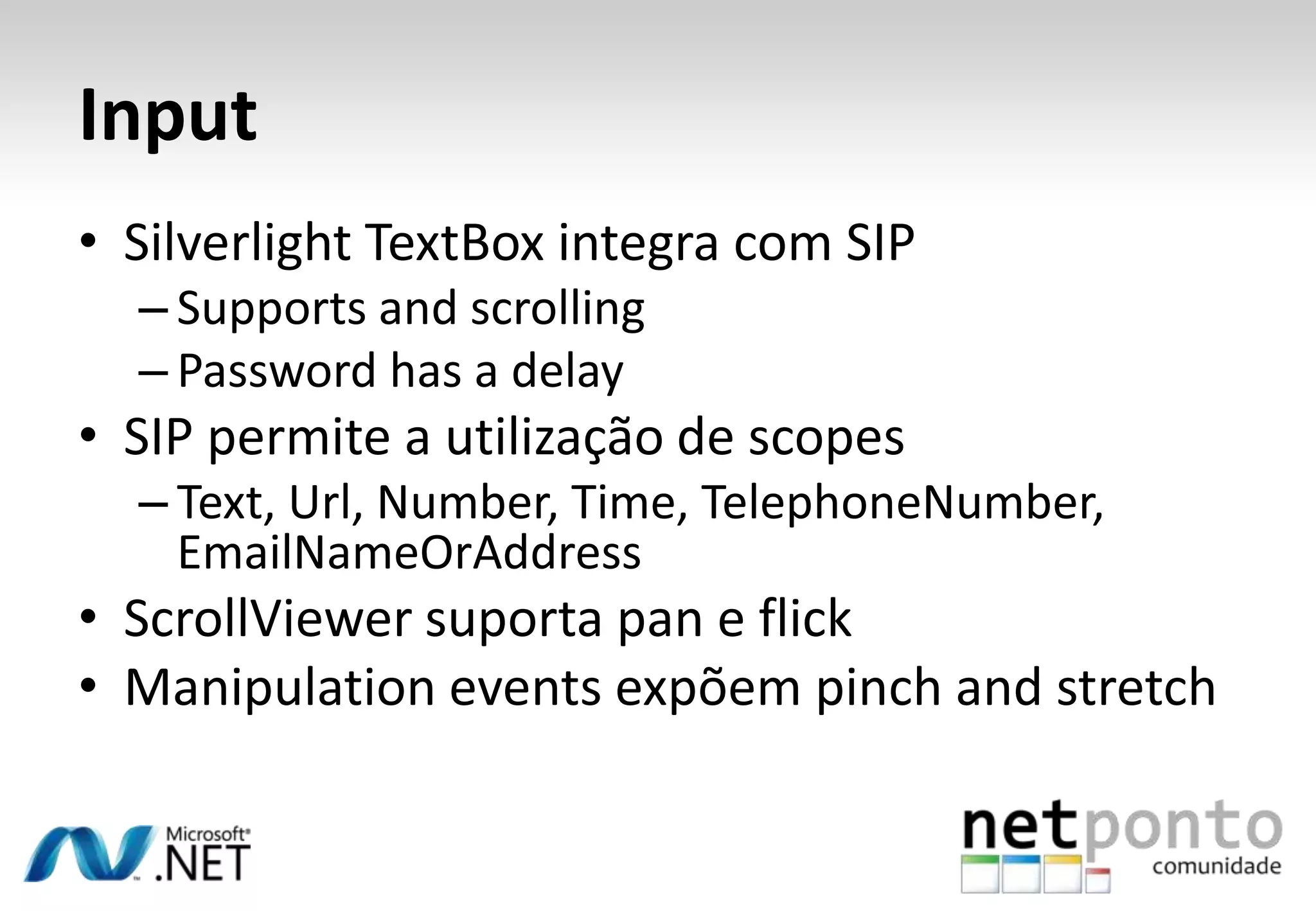
InputSilverlight TextBoxintegra com SIP Supports and scrollingPassword has a delaySIP permite a utilização de scopesText, Url, Number, Time, TelephoneNumber, EmailNameOrAddressScrollViewersuporta pan e flickManipulation events expõem pinch and stretch
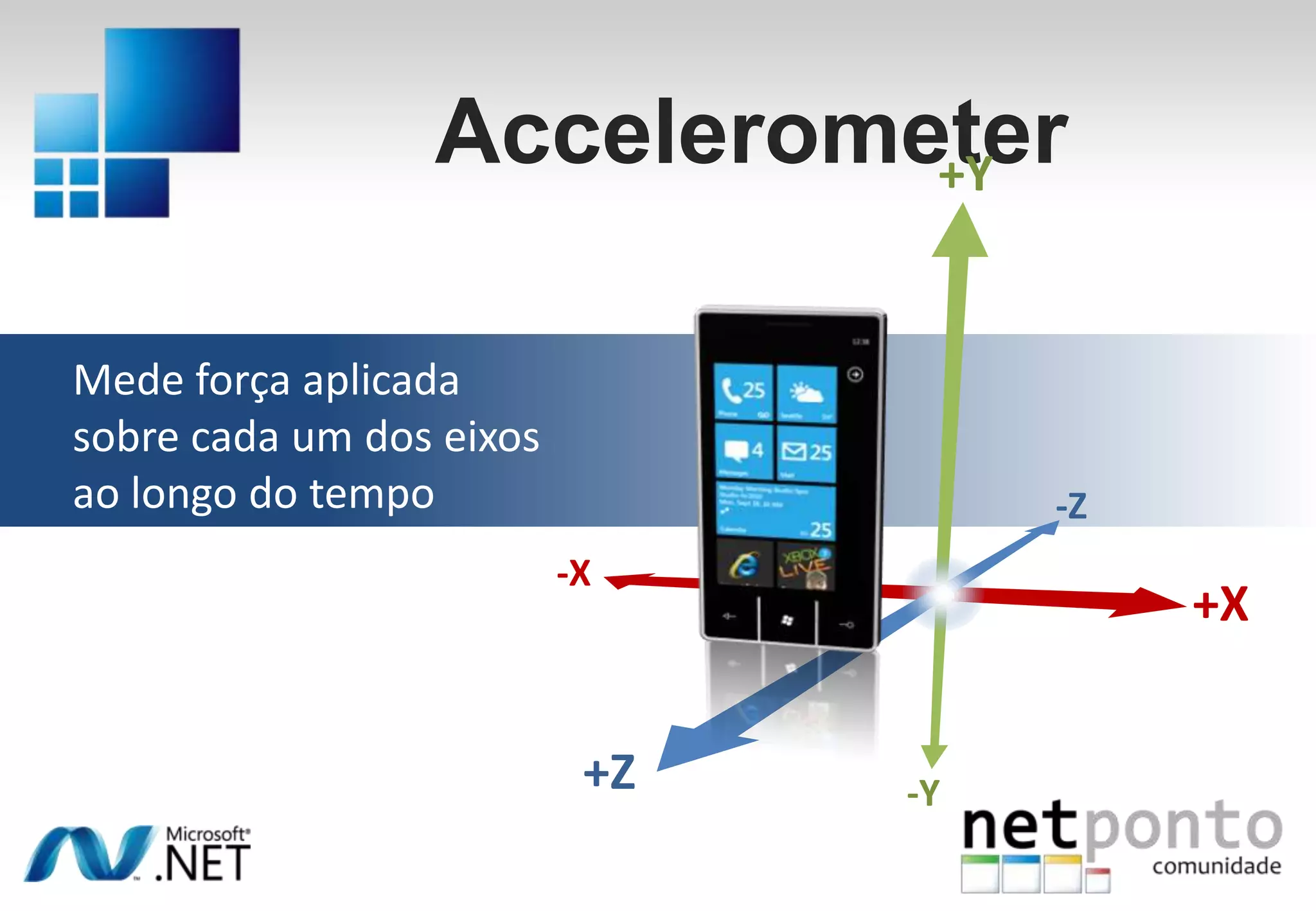
Accelerometer+YMede forçaaplicadasobrecada um dos eixosaolongo do tempo-Z-X+X+Z-Y
MediaSuporte a mediaH/W decodeMediaStreamSourcePlayReady DRMAlgumaslimitaçõesApenas um MediaElementAusência de VideoBrushXNA sound effect API
Input e Outputdemonstração
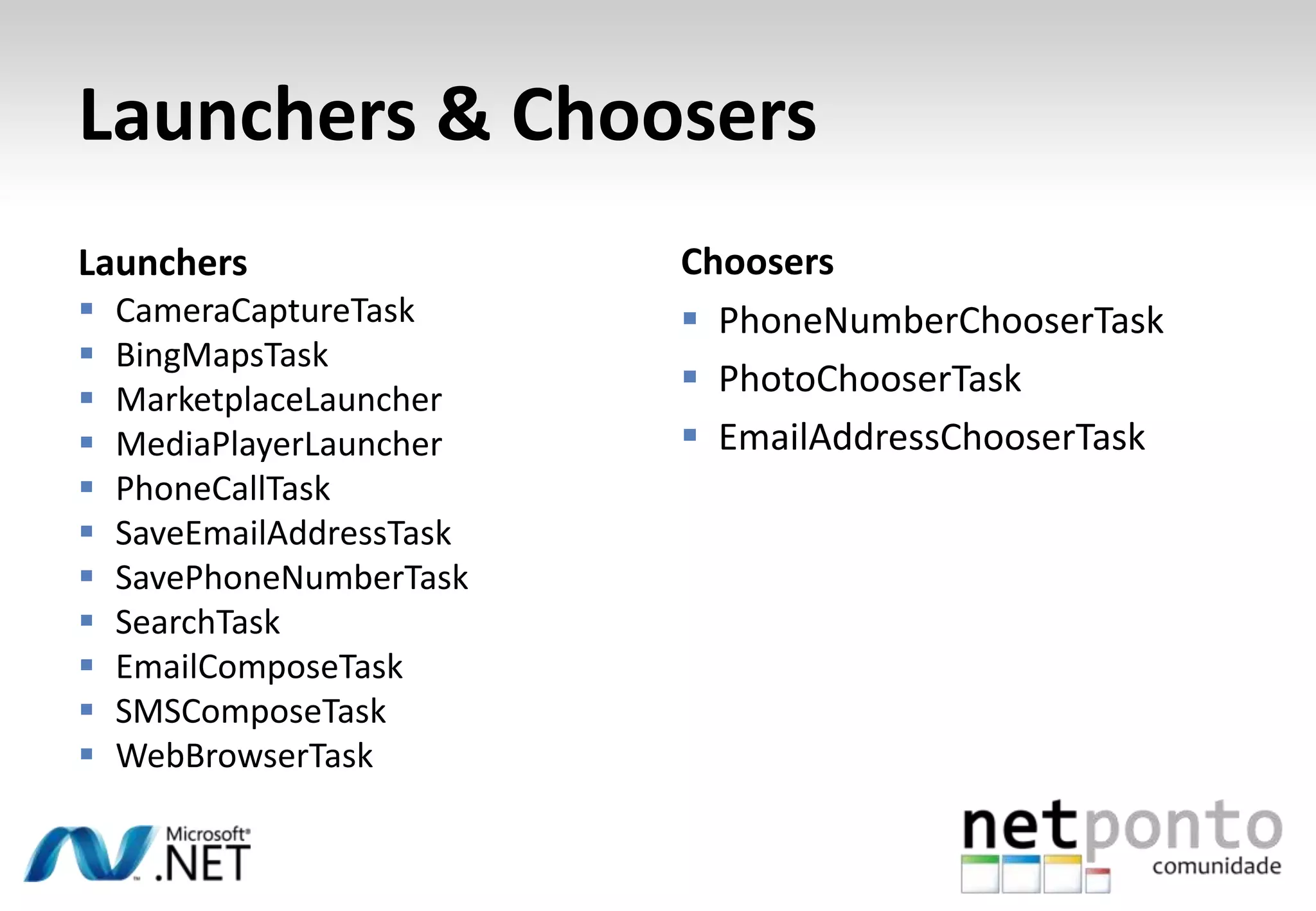
Integração com o OSHub integrationPodemoscontribuirparaos hubsLaunchers (fire and forget)SMS, email, web browser, maps, dialer, search, etcChoosers (retorno de informação)Picture, contact, camera, etc
Launchers & ChoosersChoosersLaunchersCameraCaptureTaskBingMapsTaskMarketplaceLauncherMediaPlayerLauncherPhoneCallTaskSaveEmailAddressTaskSavePhoneNumberTaskSearchTaskEmailComposeTaskSMSComposeTaskWebBrowserTaskPhoneNumberChooserTaskPhotoChooserTaskEmailAddressChooserTask
Launchers and ChoosersCamera Applicationdemonstração
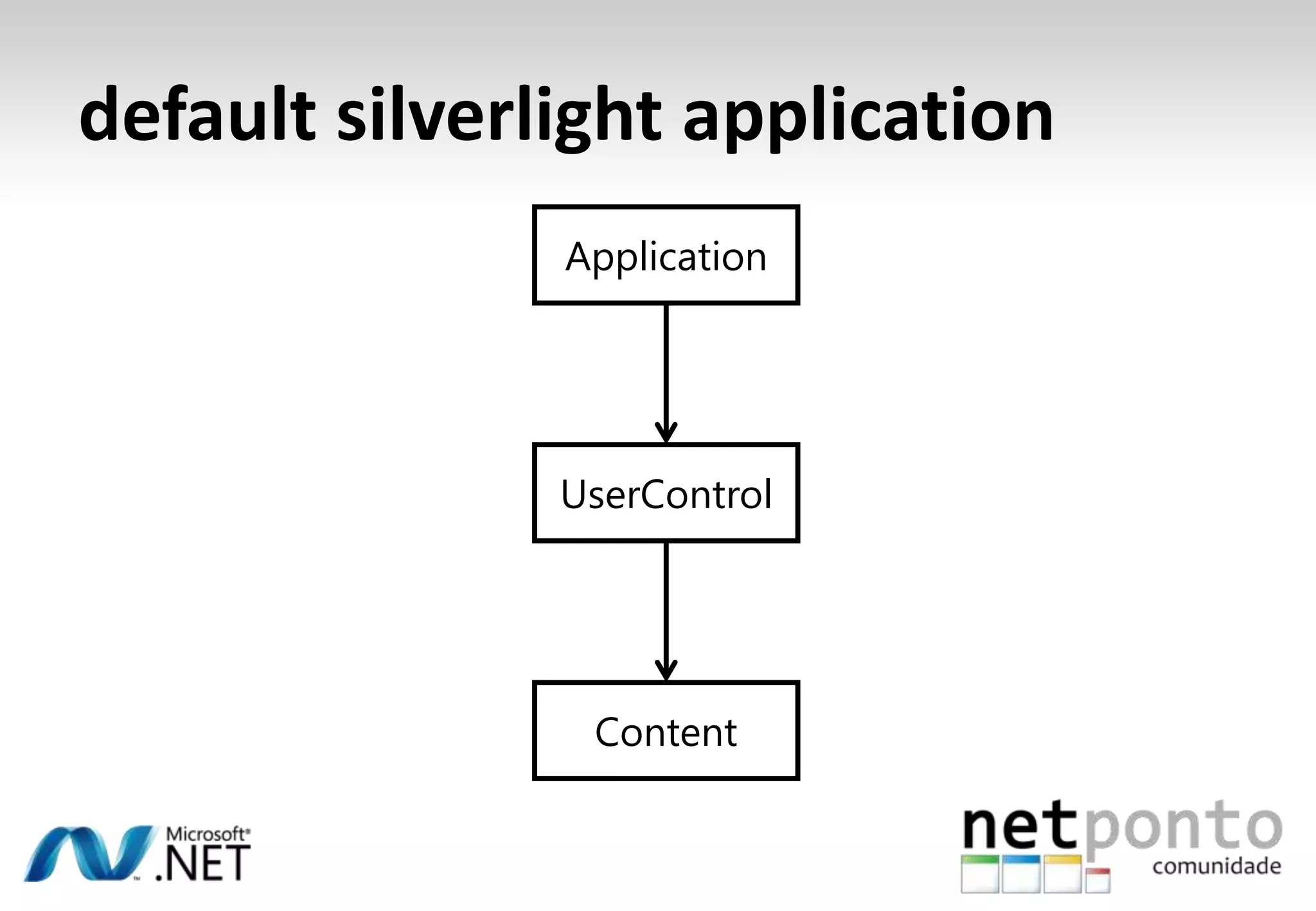
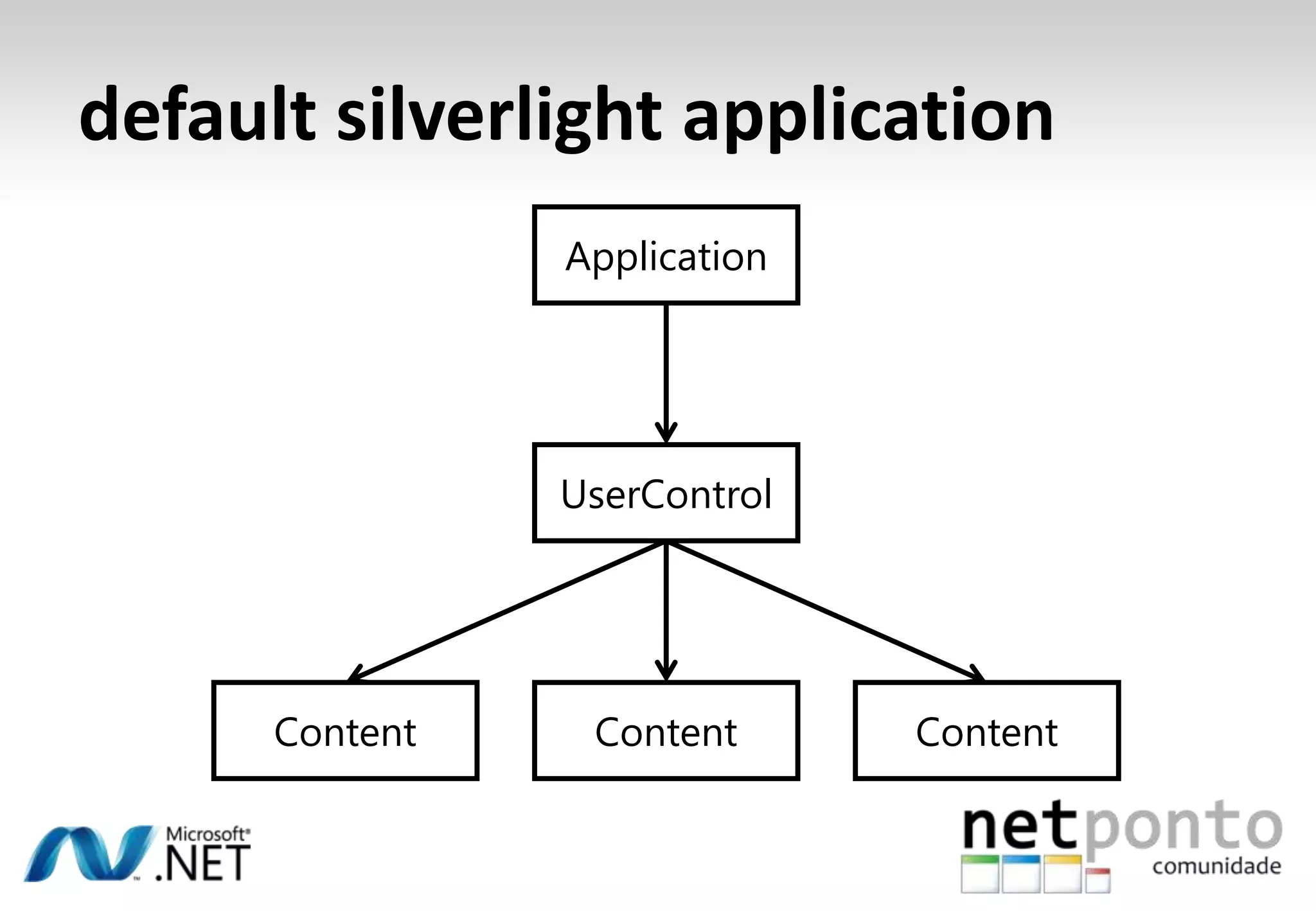
default silverlight applicationApplicationUserControlContent
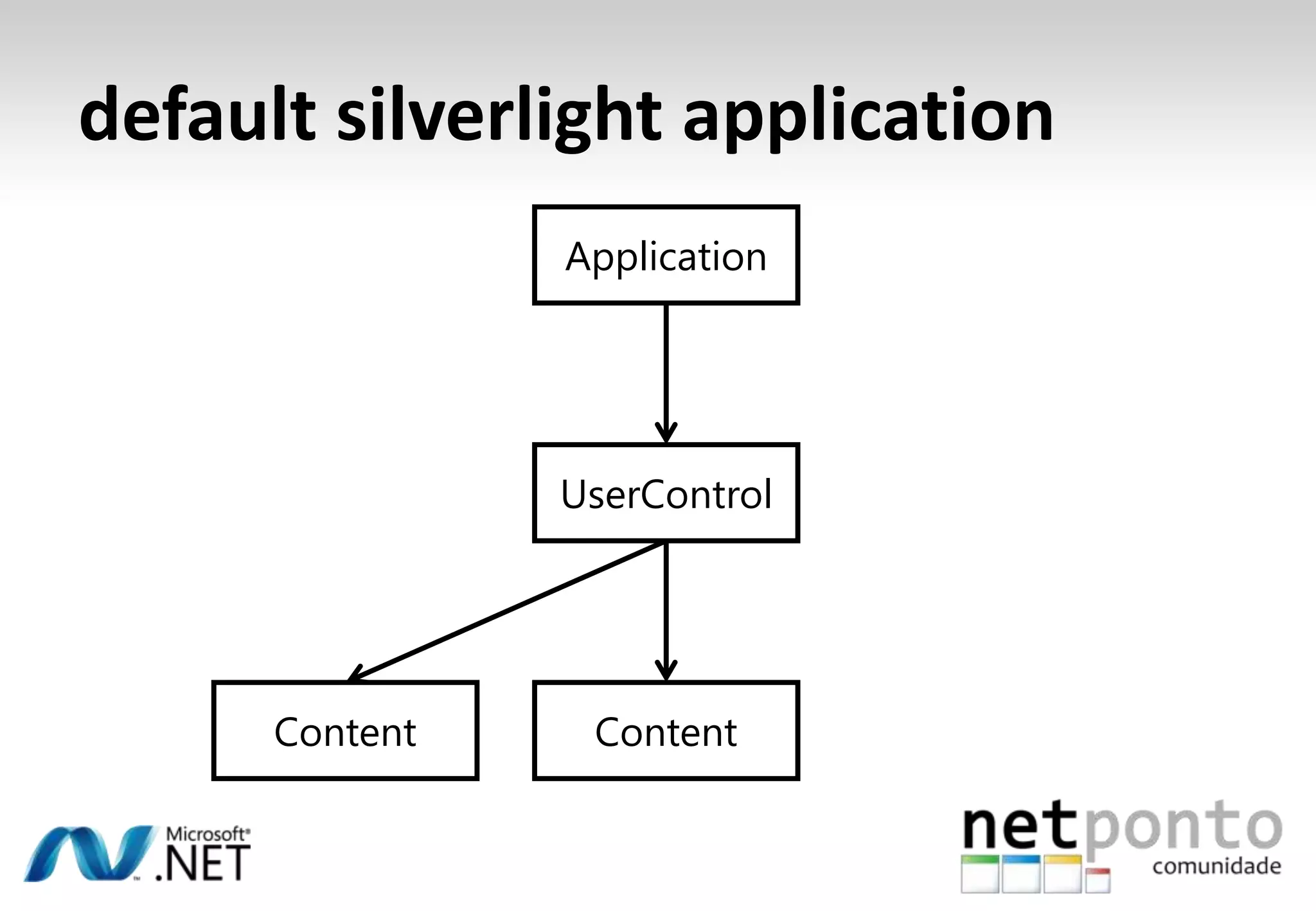
default silverlight applicationApplicationUserControlContentContent
default silverlight applicationApplicationUserControlContentContentContent
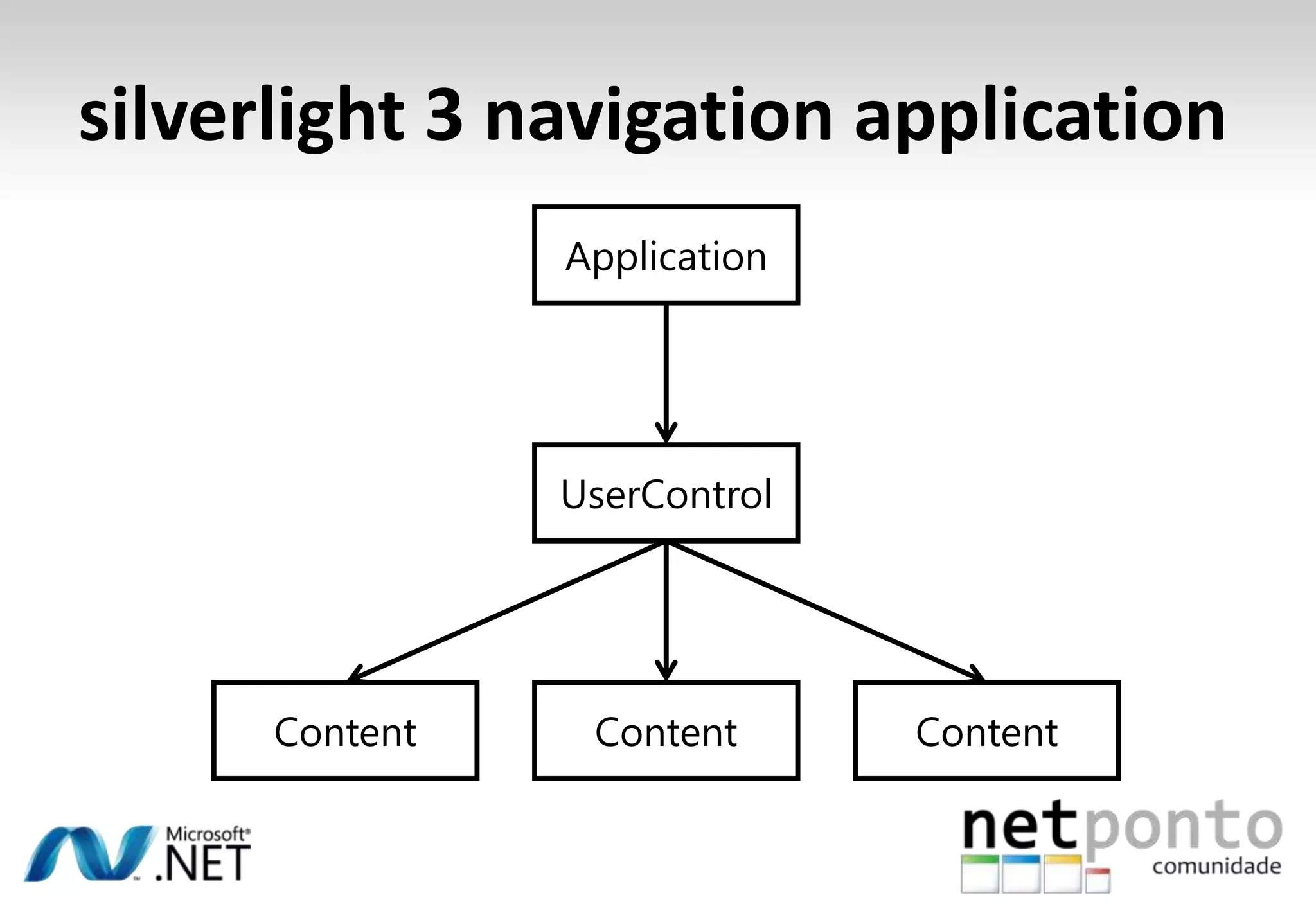
silverlight 3 navigation applicationApplicationUserControlContentContentContent
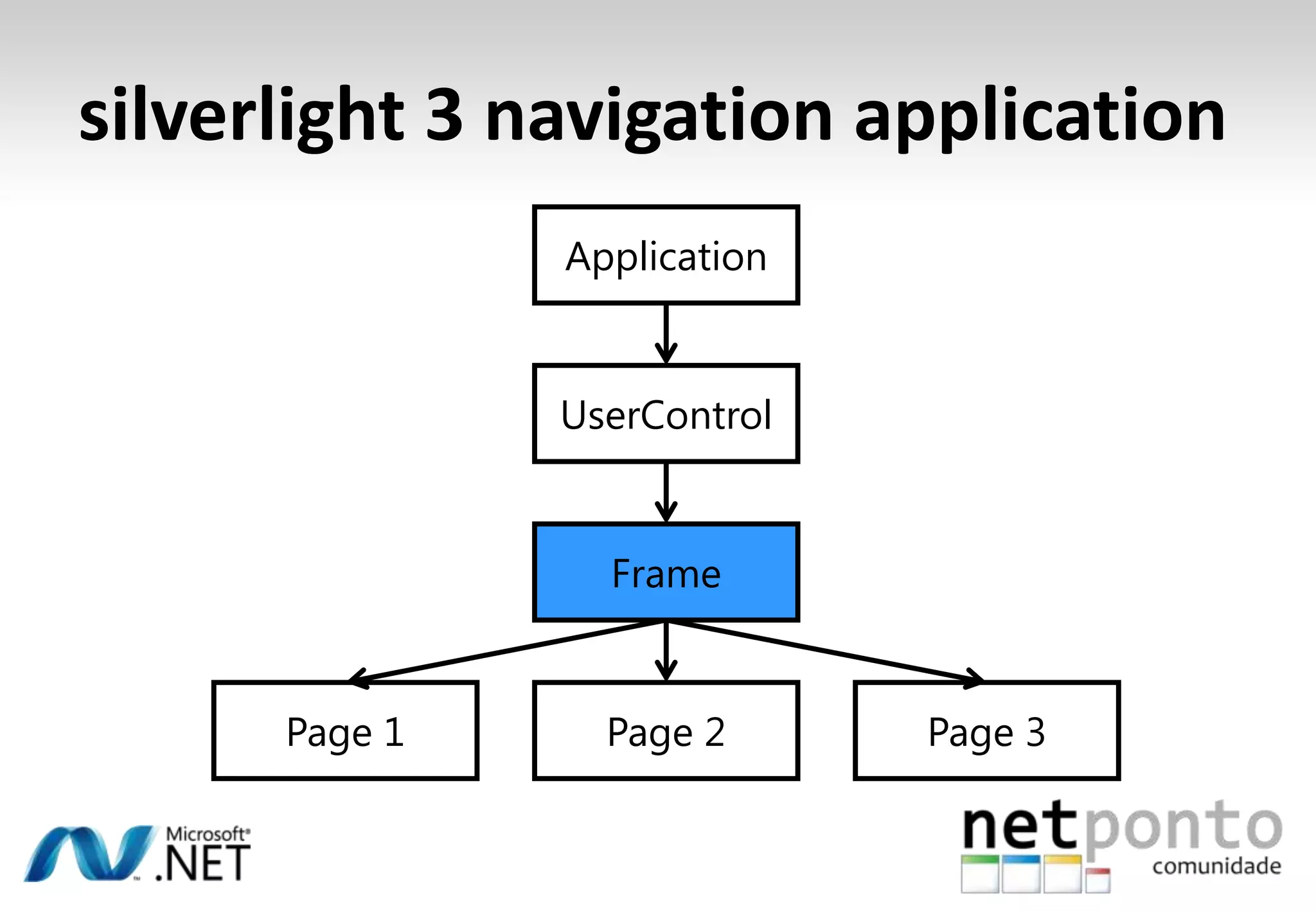
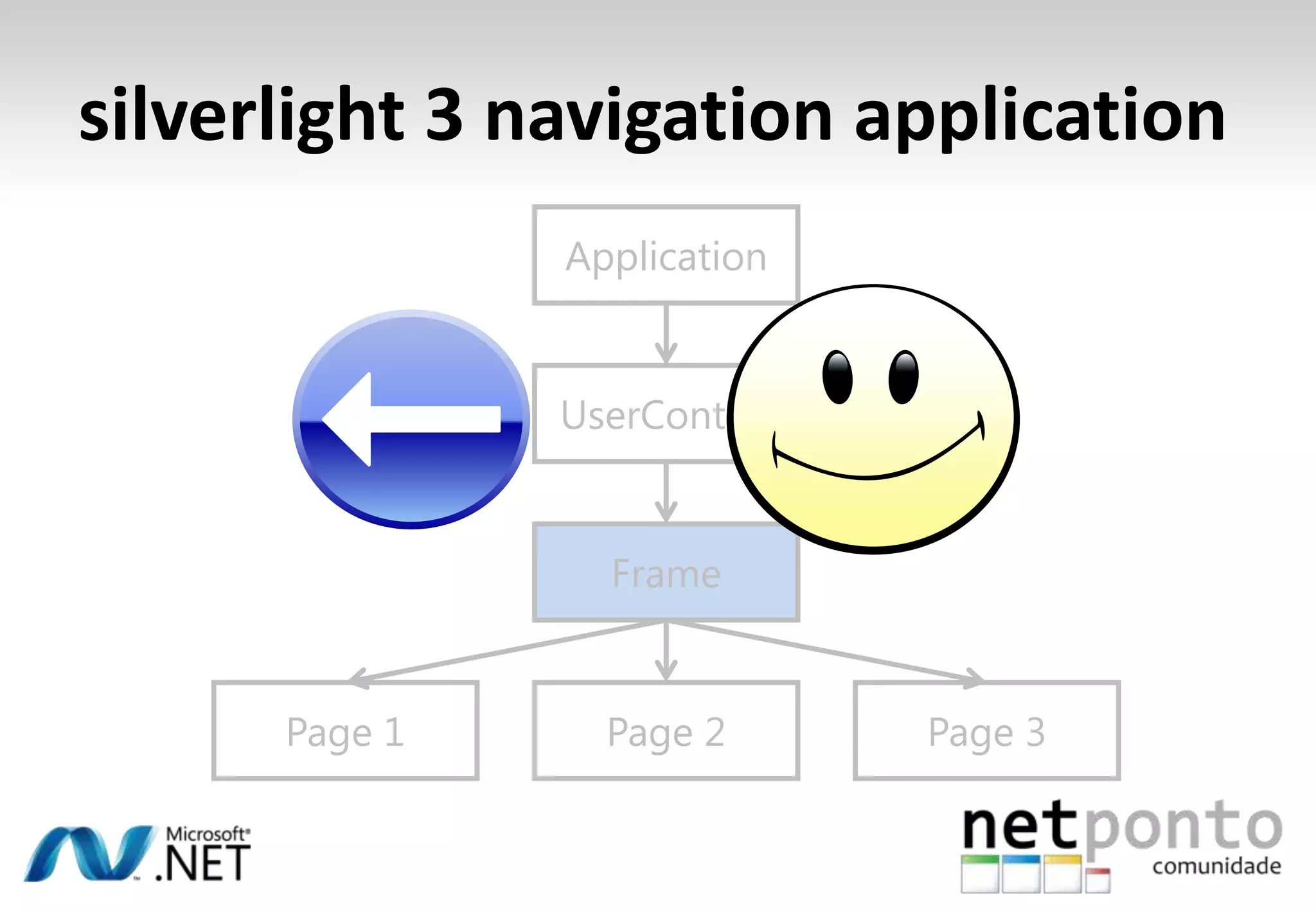
silverlight 3 navigation applicationApplicationUserControlFramePage 3Page 1Page 2
?Windows Phone application
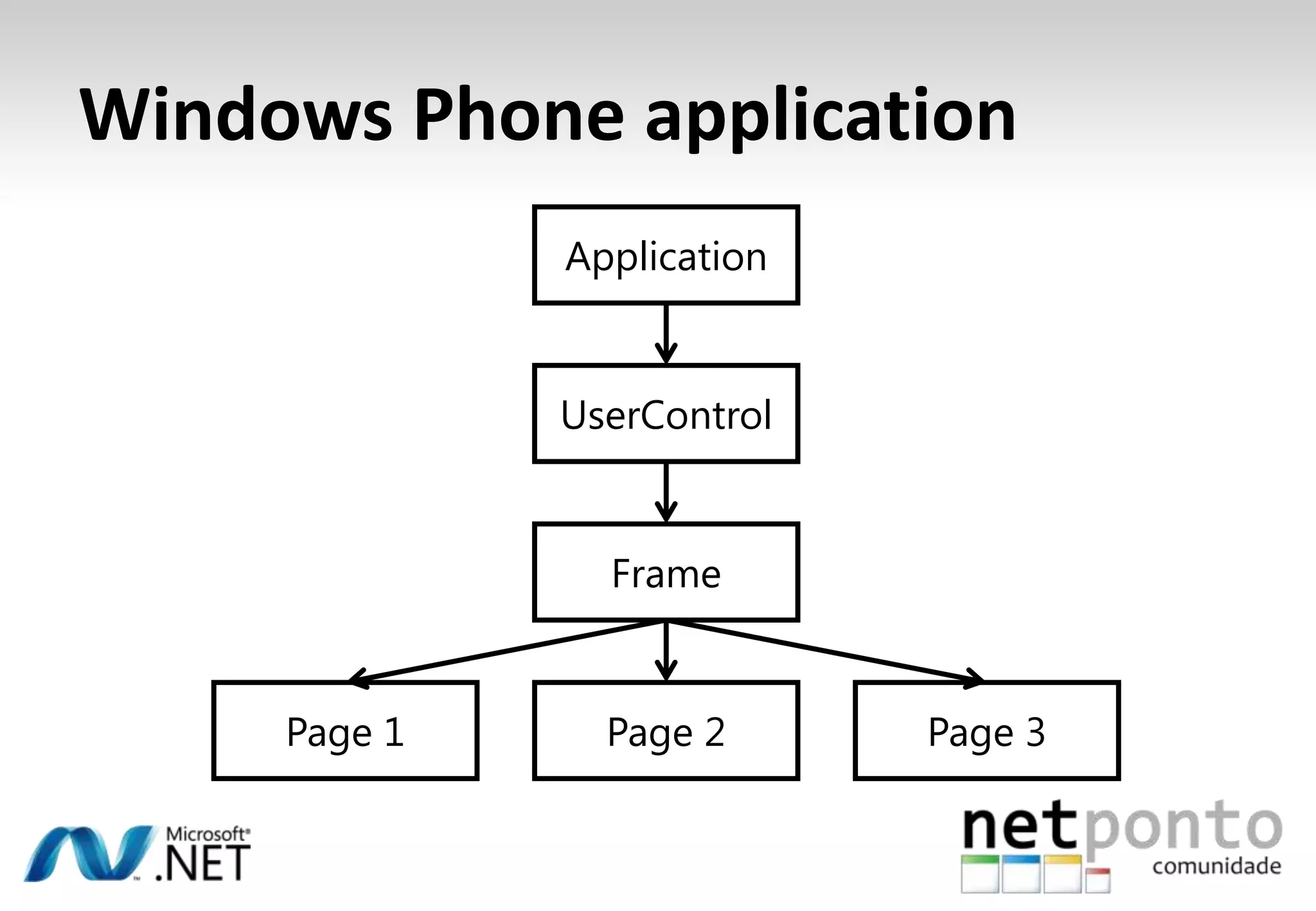
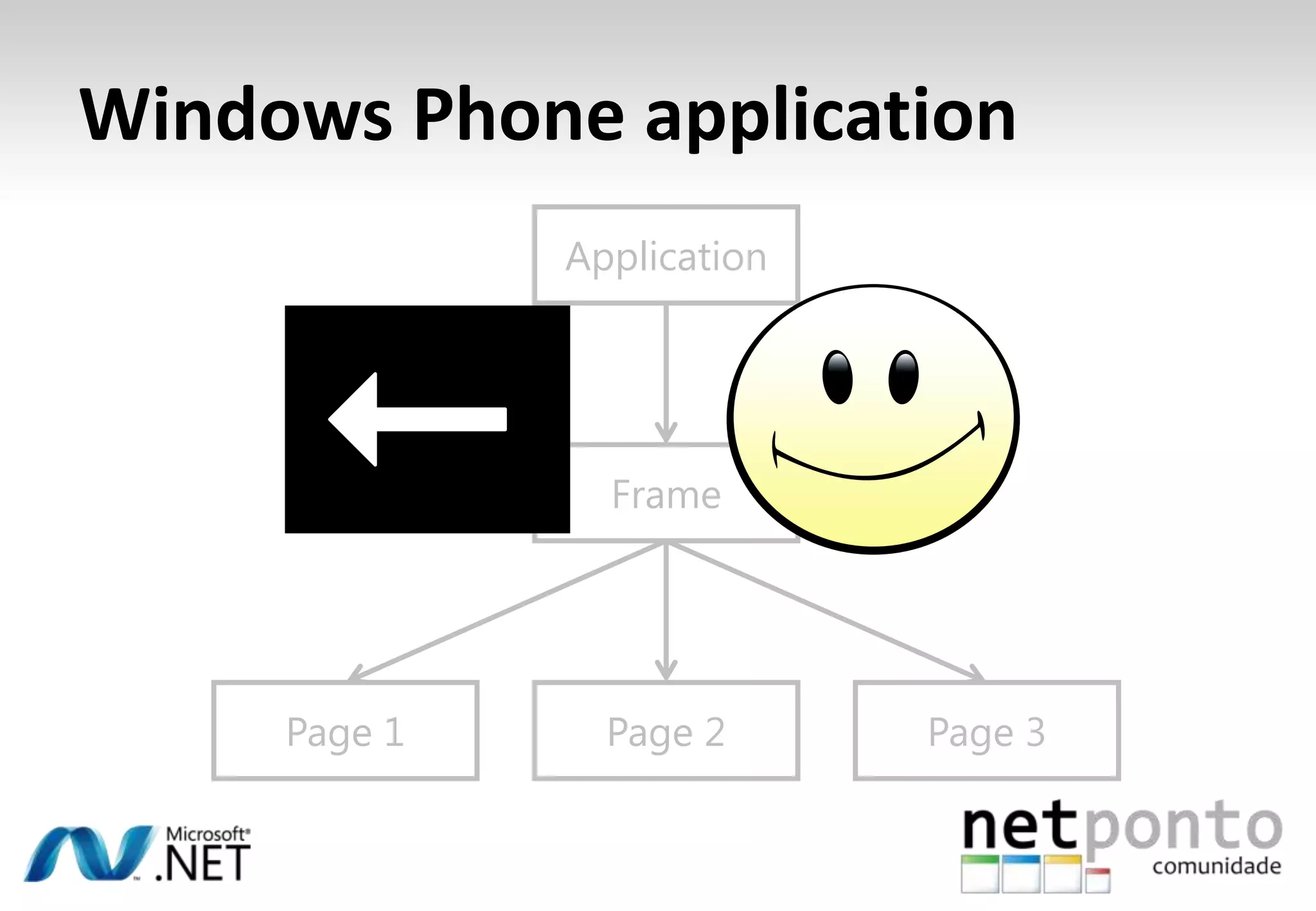
Windows Phone applicationApplicationUserControlFramePage 3Page 1Page 2
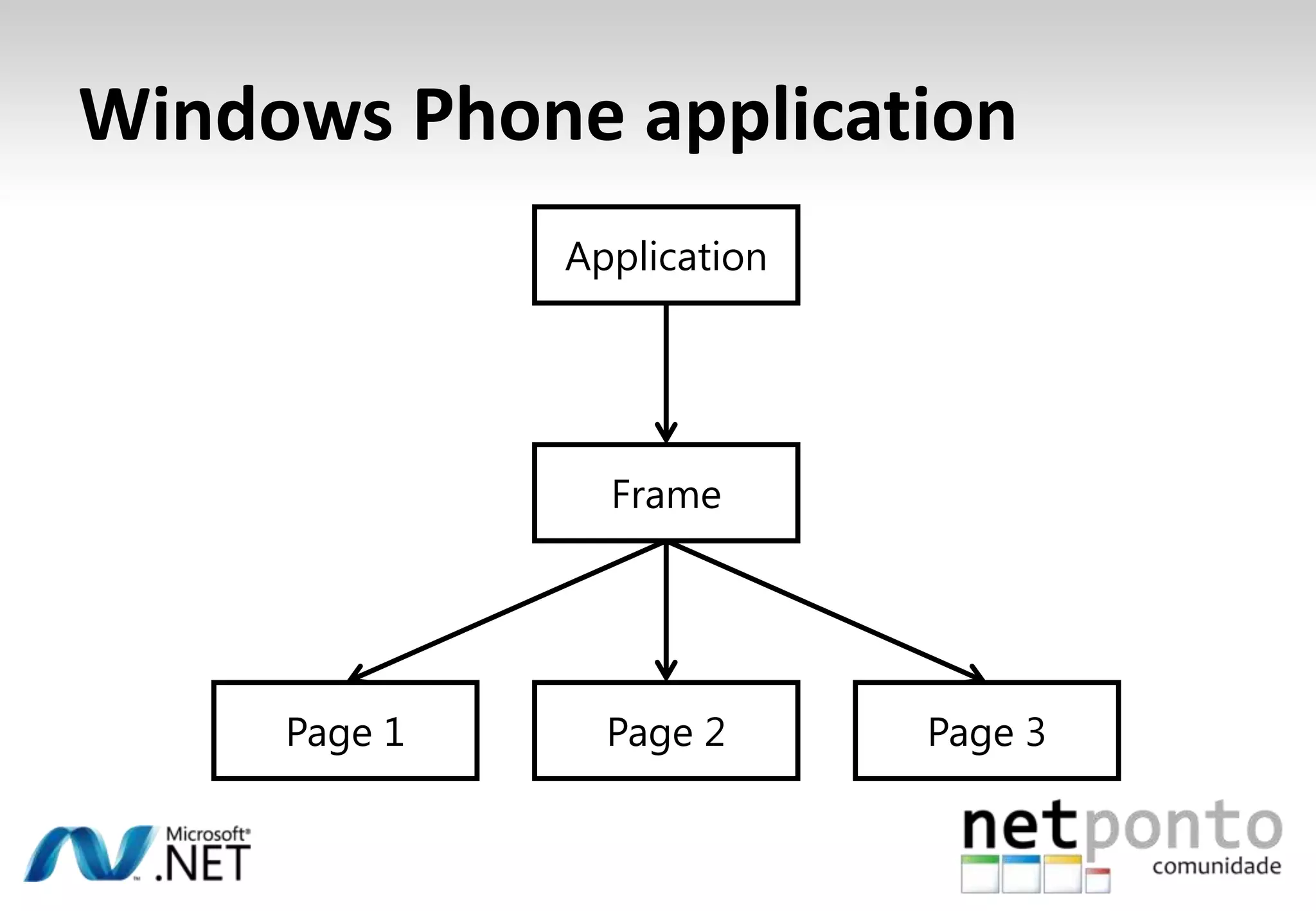
Windows Phone applicationApplicationFramePage 3Page 1Page 2
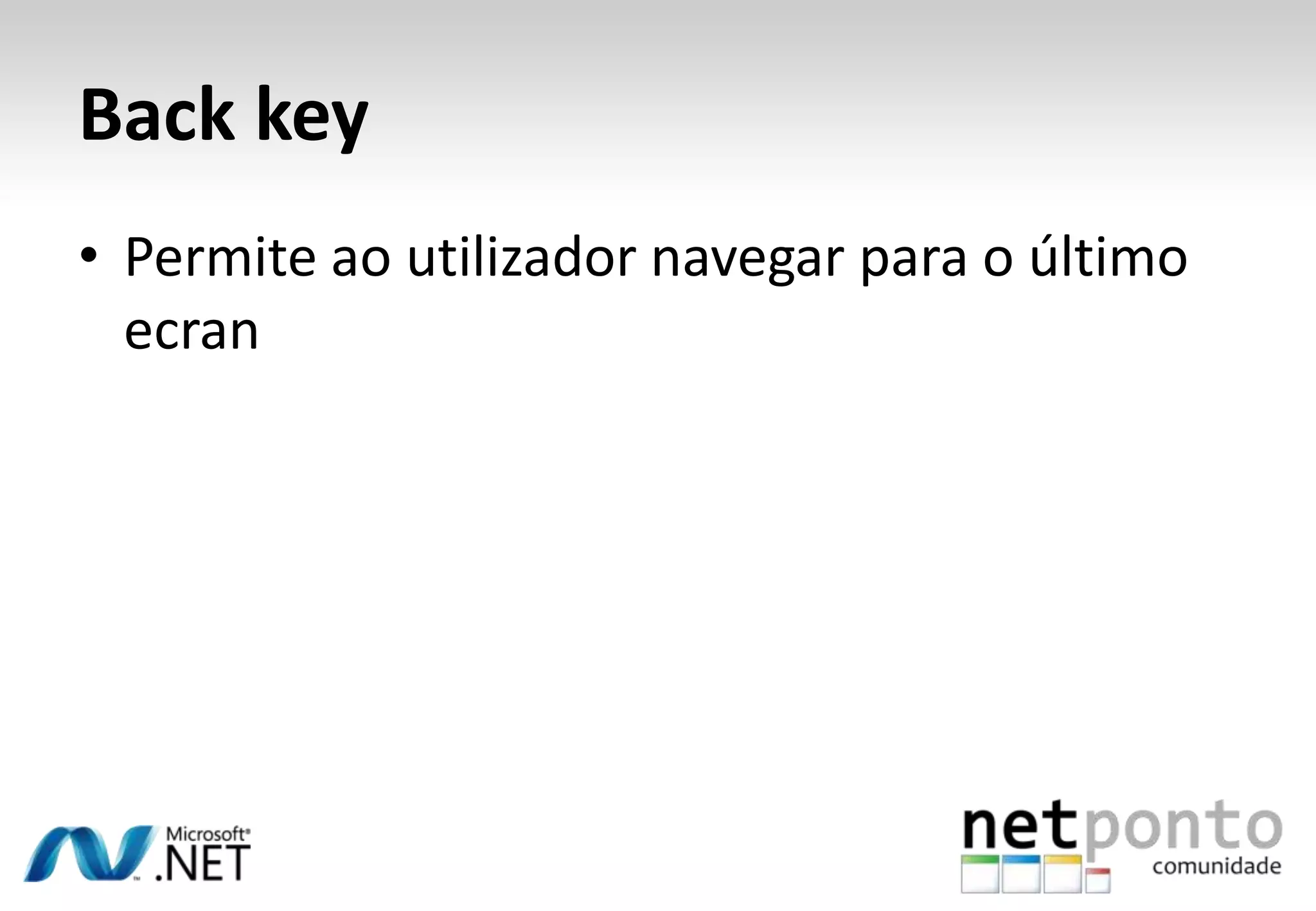
Back keyPermiteaoutilizadornavegarpara o últimoecran
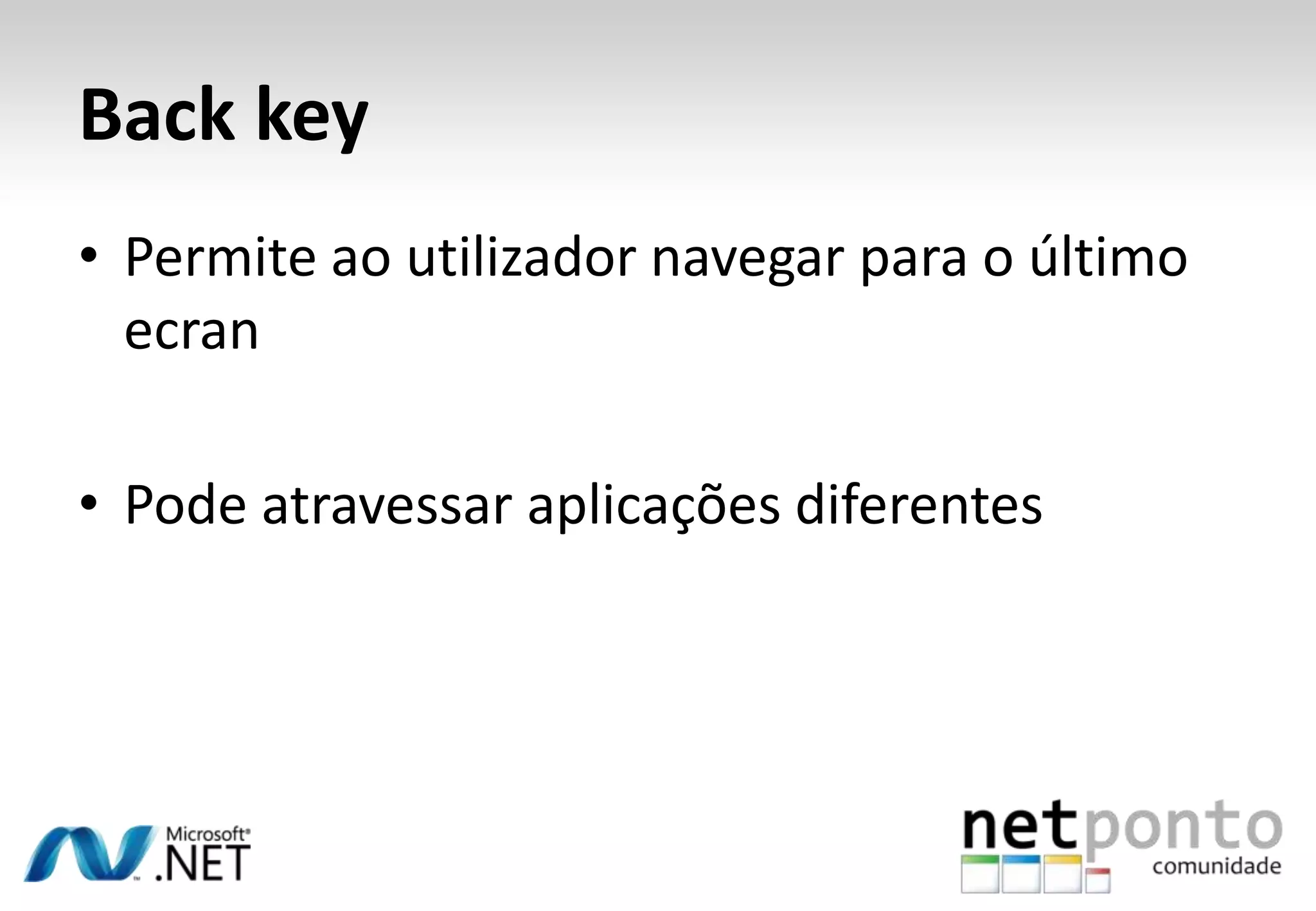
Back keyPermiteaoutilizadornavegarpara o últimoecranPodeatravessaraplicaçõesdiferentes
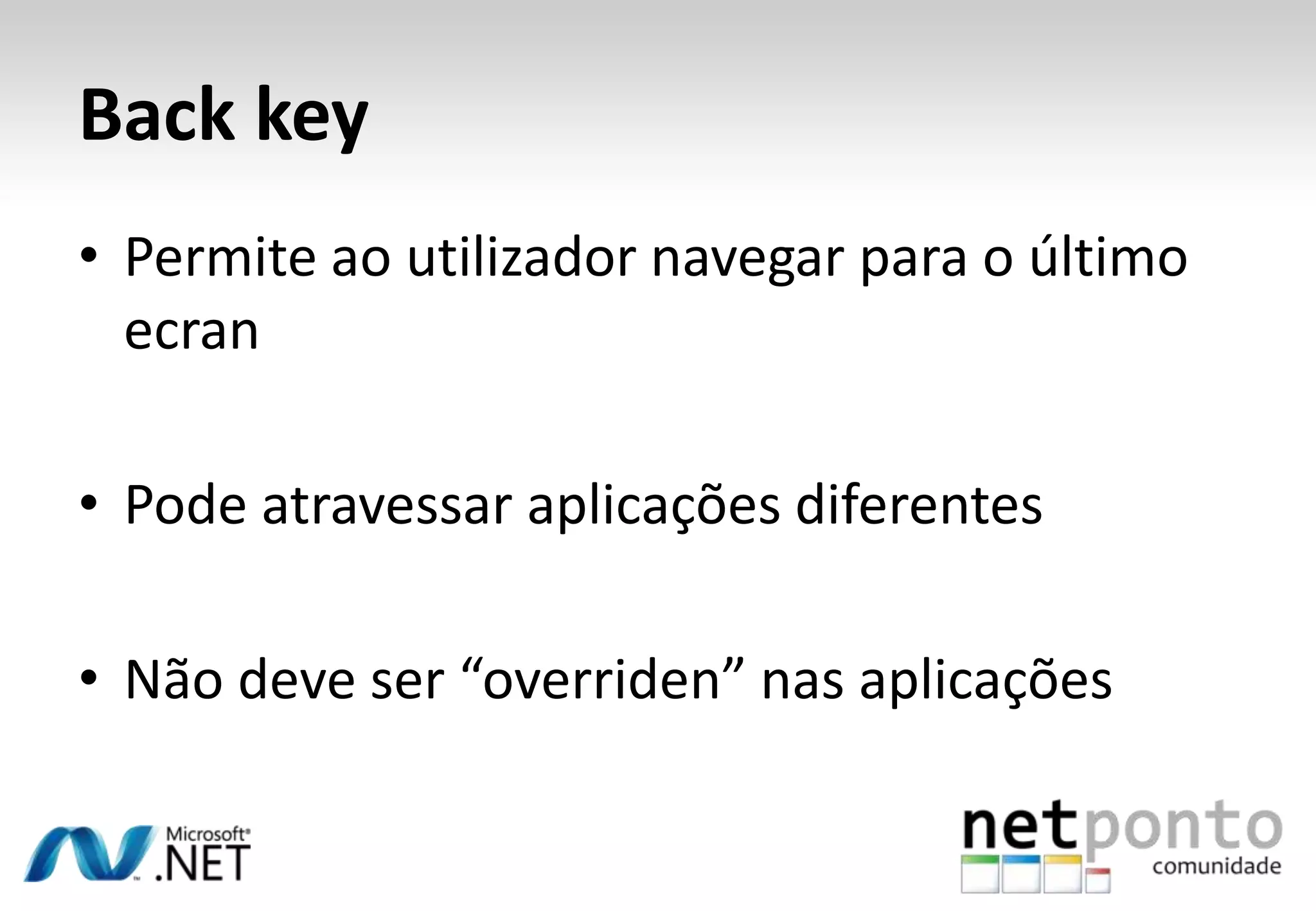
Back keyPermiteaoutilizadornavegarpara o últimoecranPodeatravessaraplicaçõesdiferentesNãodeveser “overriden” nasaplicações
Navegação e Estruturademonstração
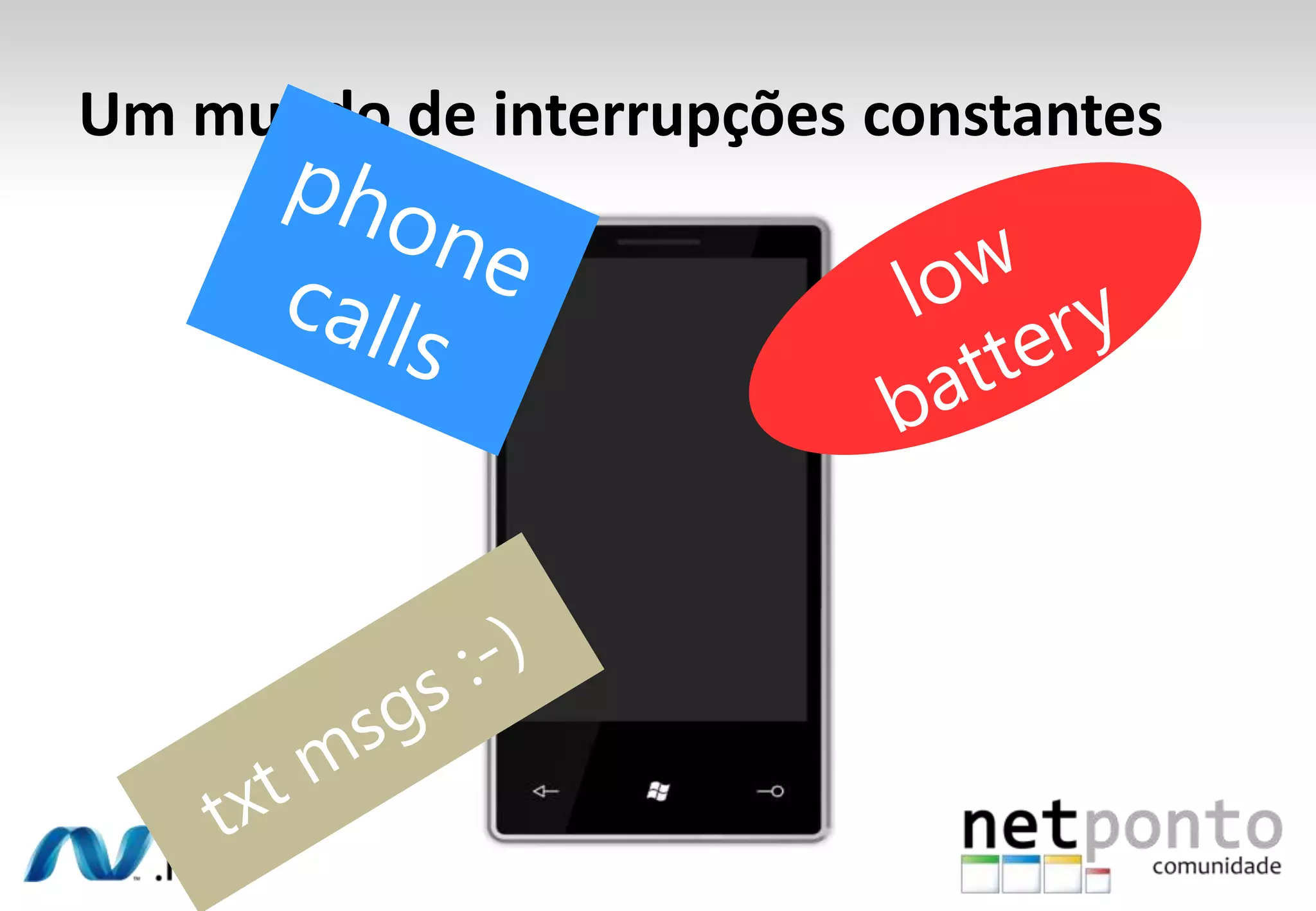
Um mundo de interrupçõesconstantes
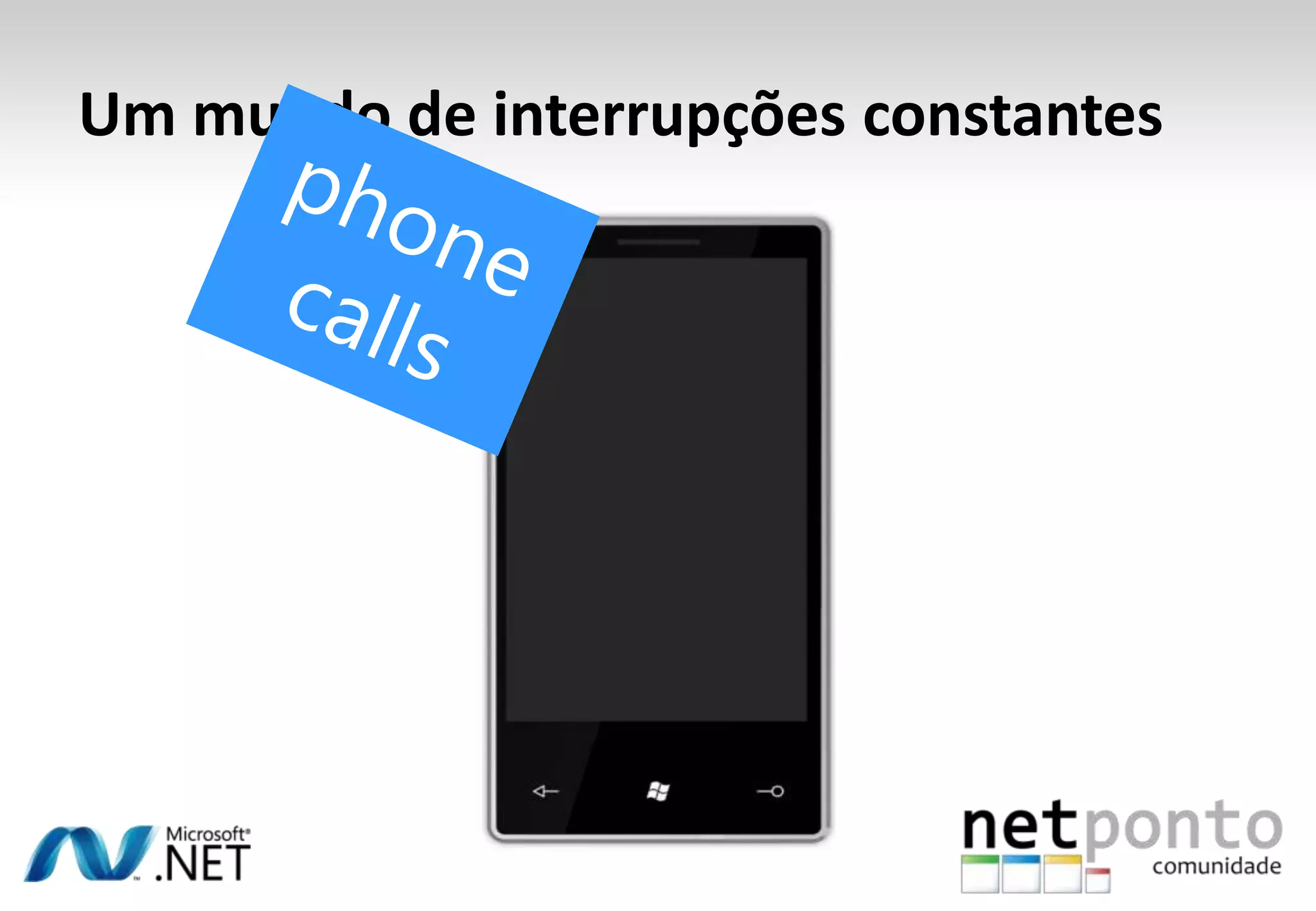
Um mundo de interrupçõesconstantesphone calls
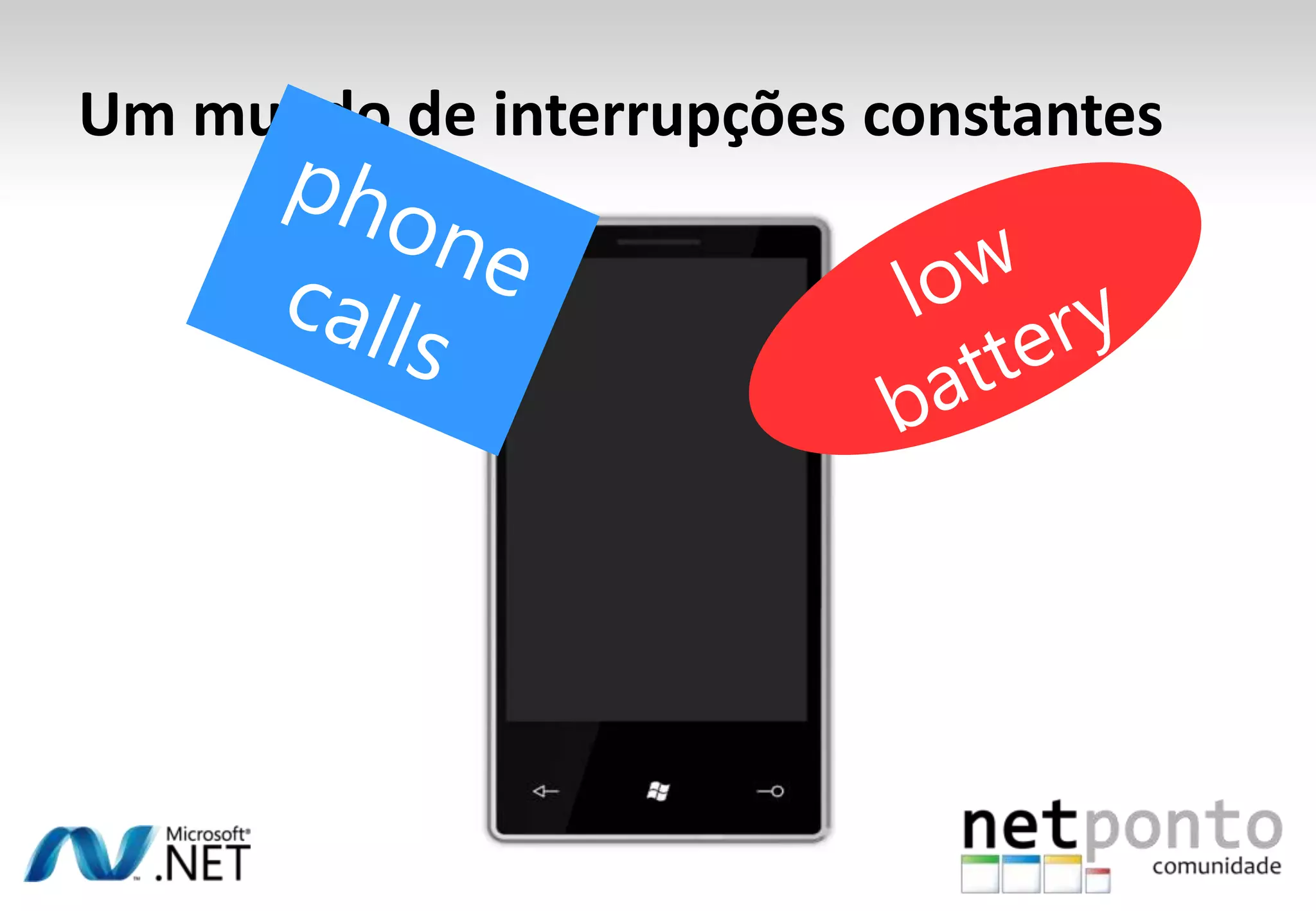
Um mundo de interrupçõesconstantesphone callslow battery
Um mundo de interrupçõesconstantesphone callslow batterytxt msgs :-)
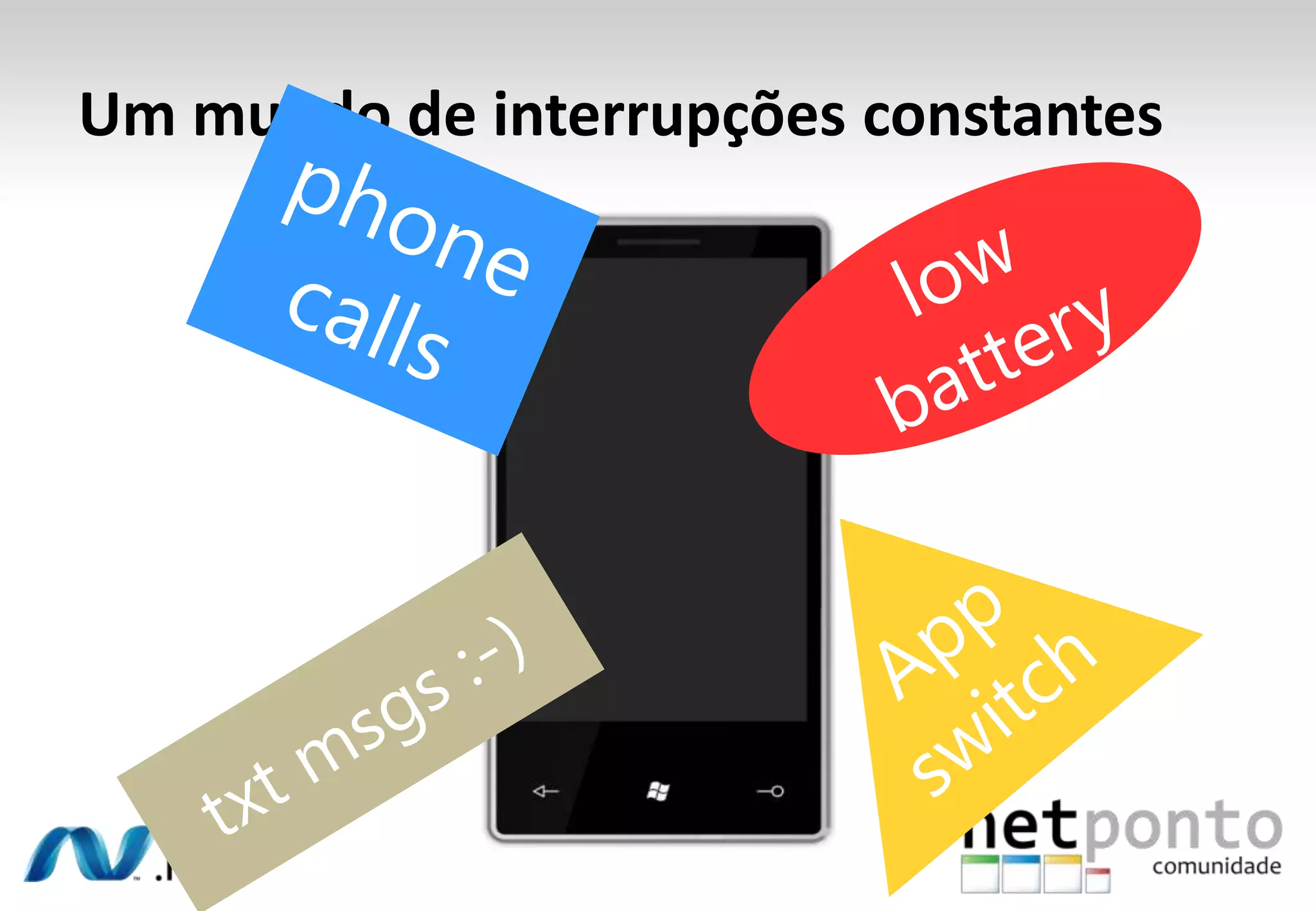
Um mundo de interrupçõesconstantesphone callslow batteryAppswitchtxt msgs :-)
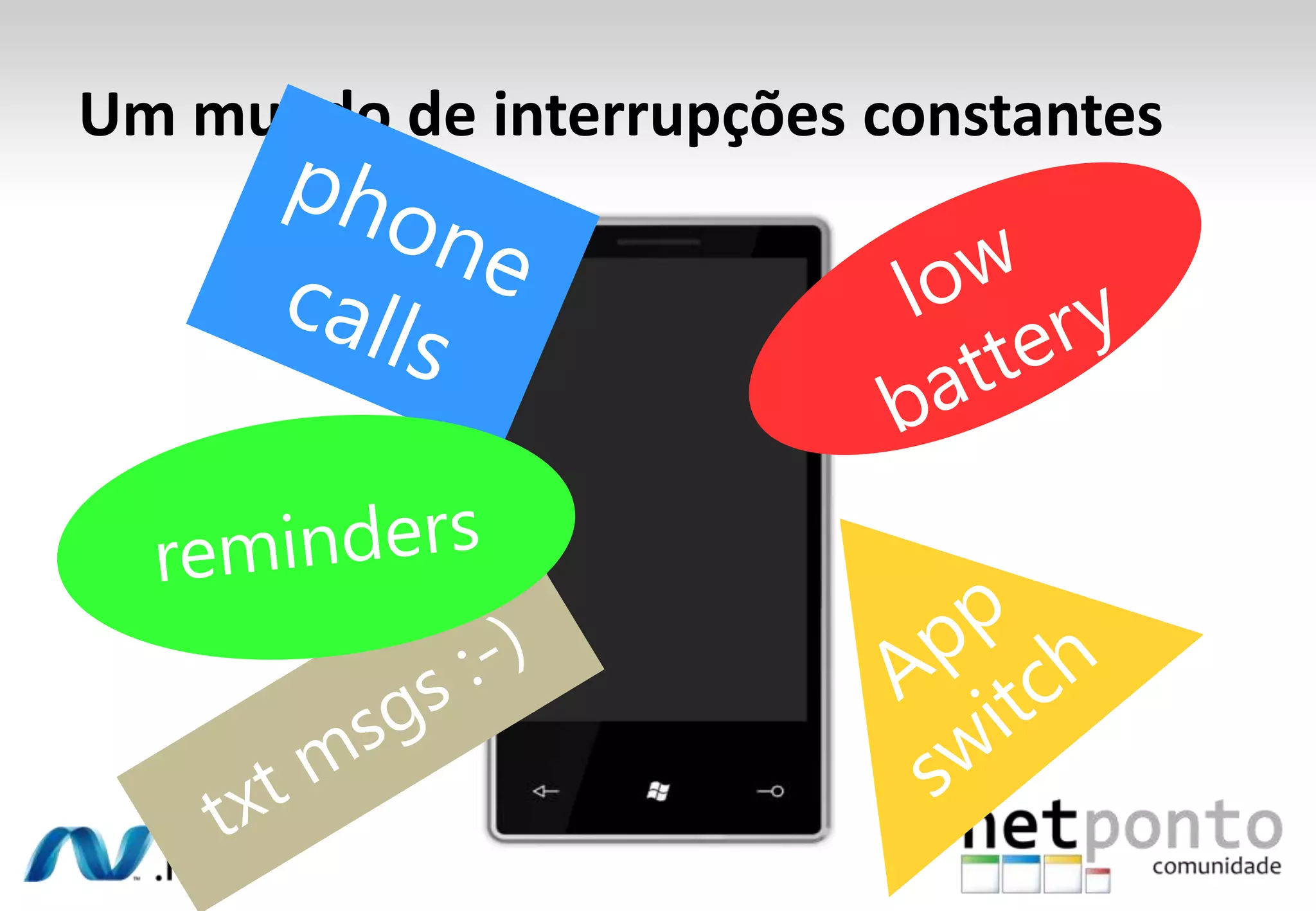
Um mundo de interrupçõesconstantesphone callslow batteryremindersAppswitchtxt msgs :-)
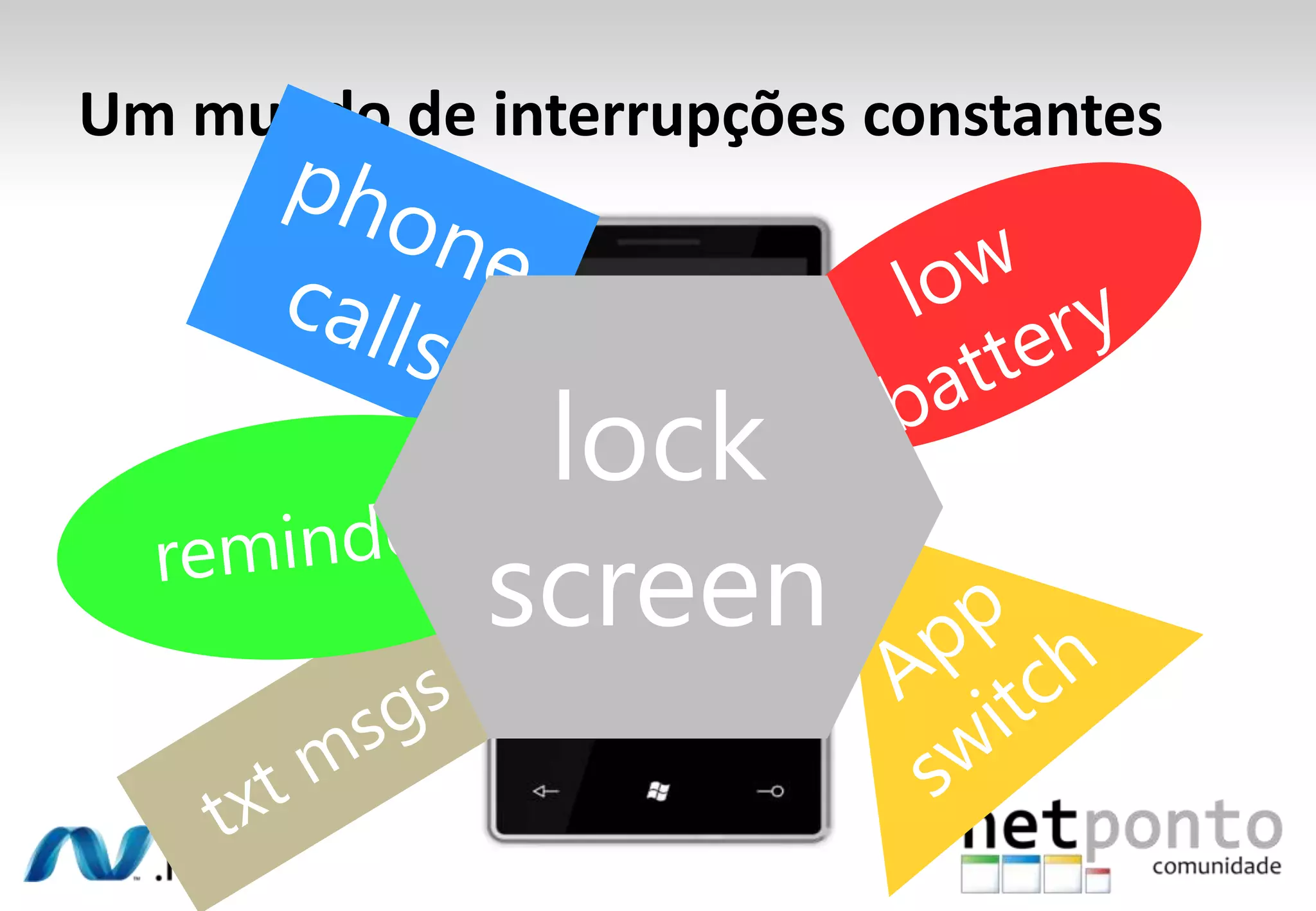
Um mundo de interrupçõesconstantesphone callslow batterylock screenremindersAppswitchtxt msgs :-)
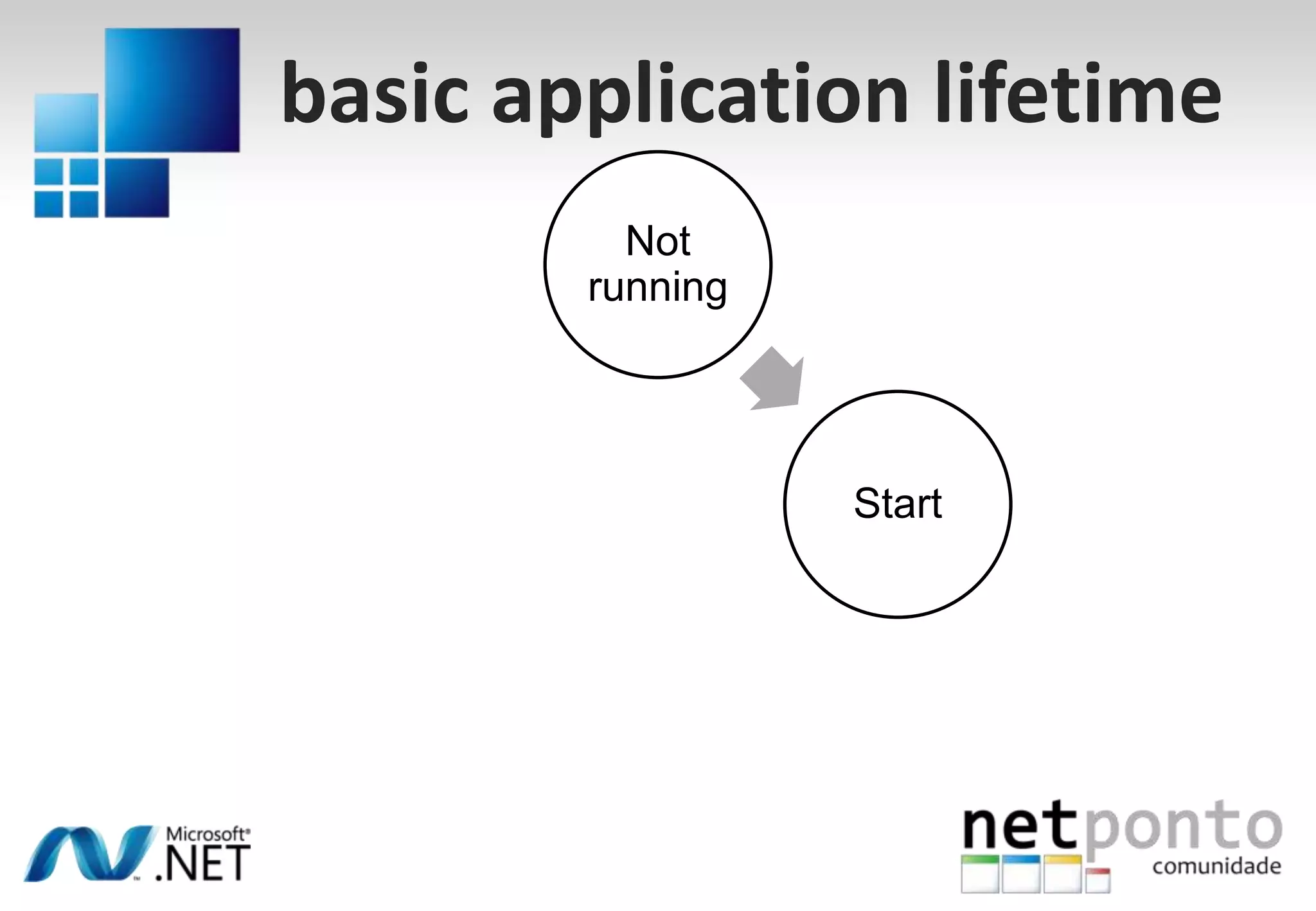
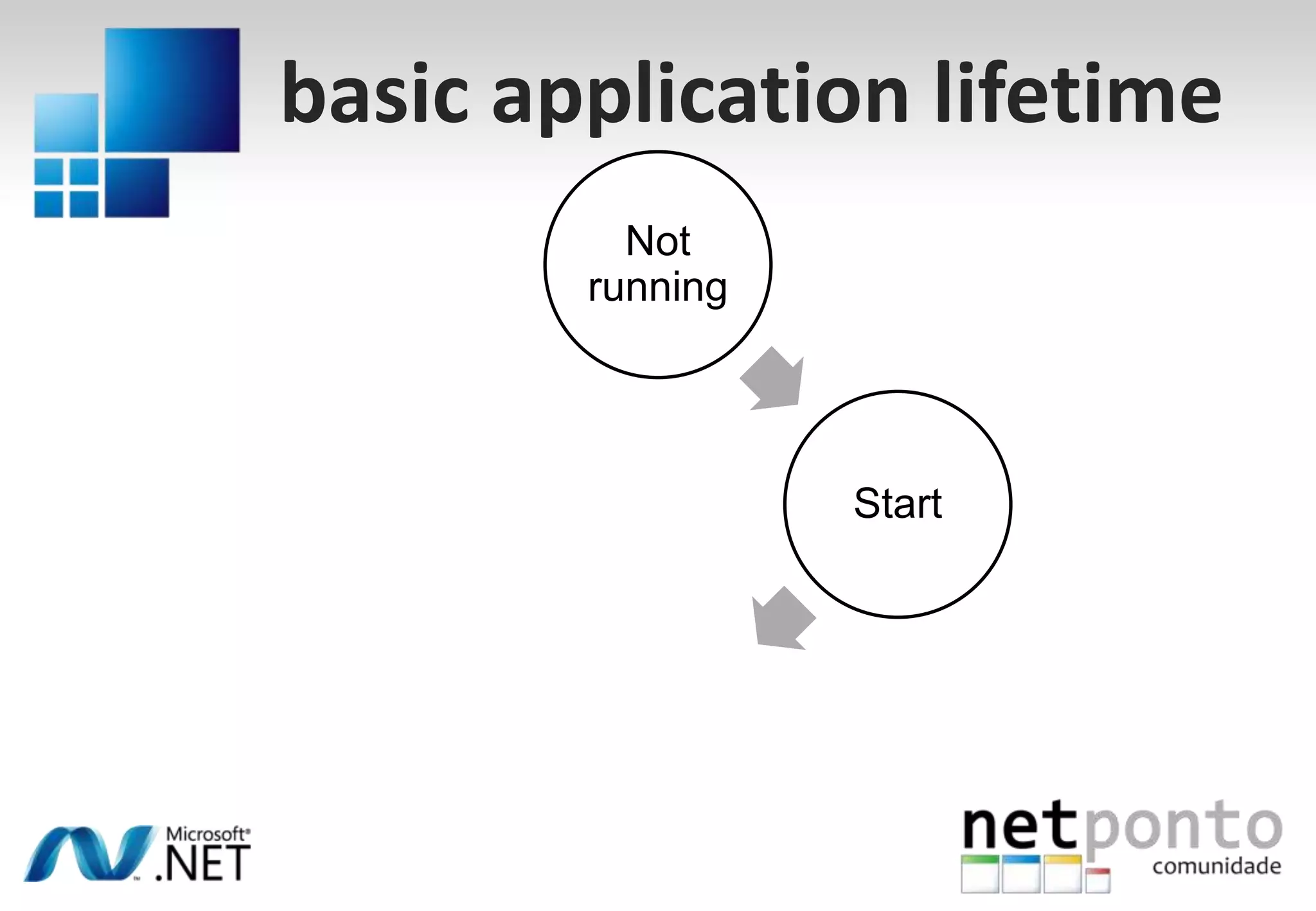
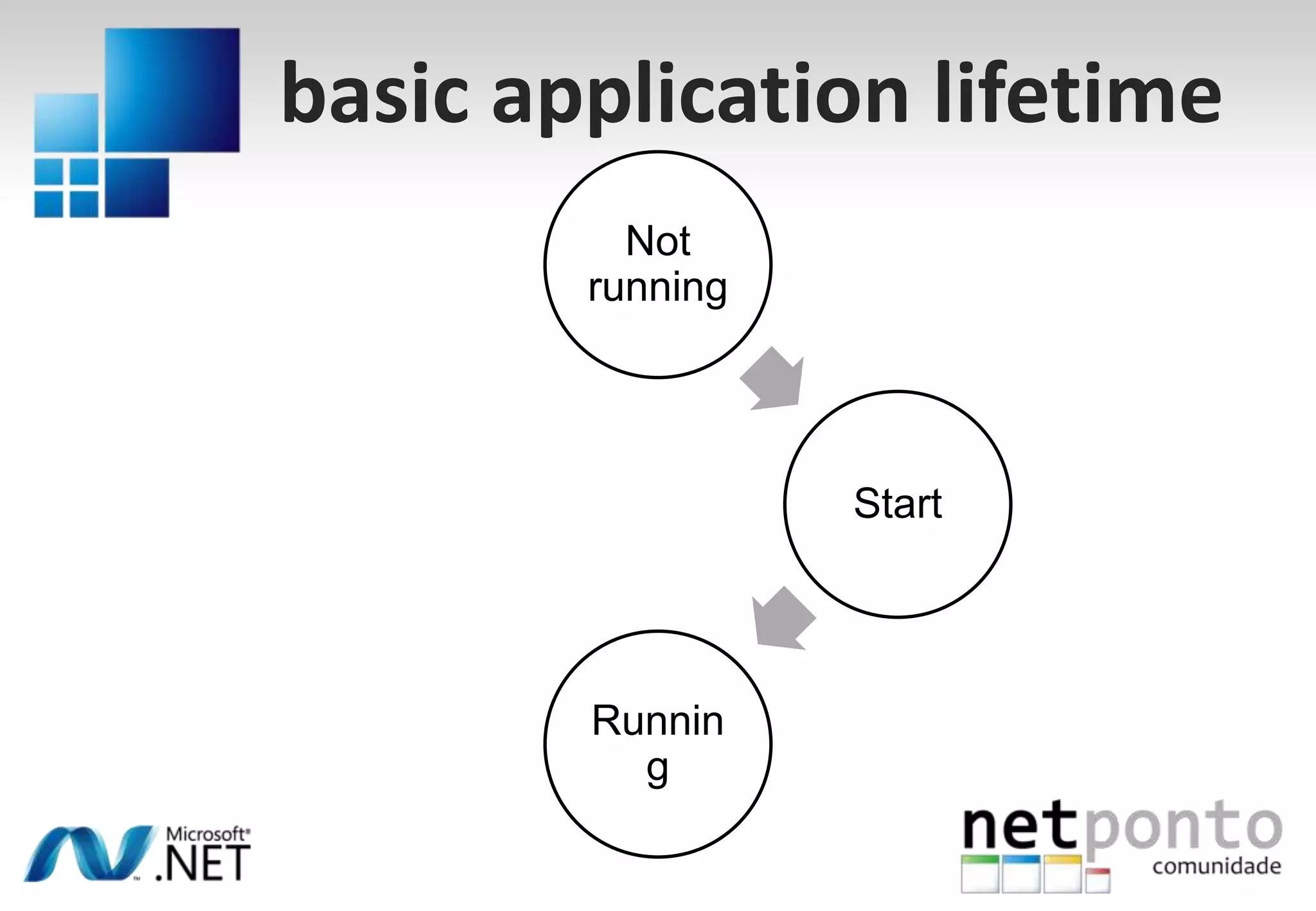
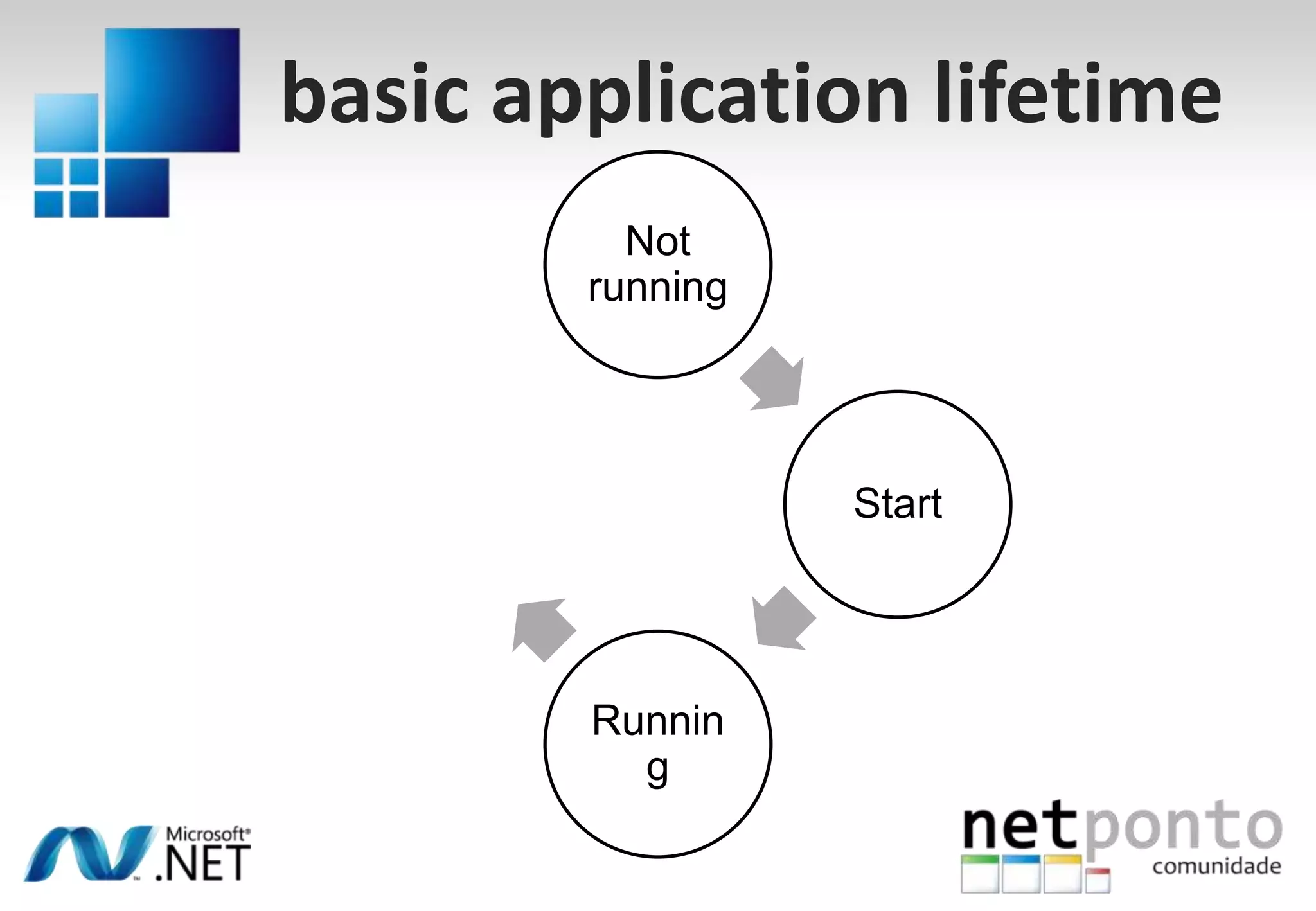
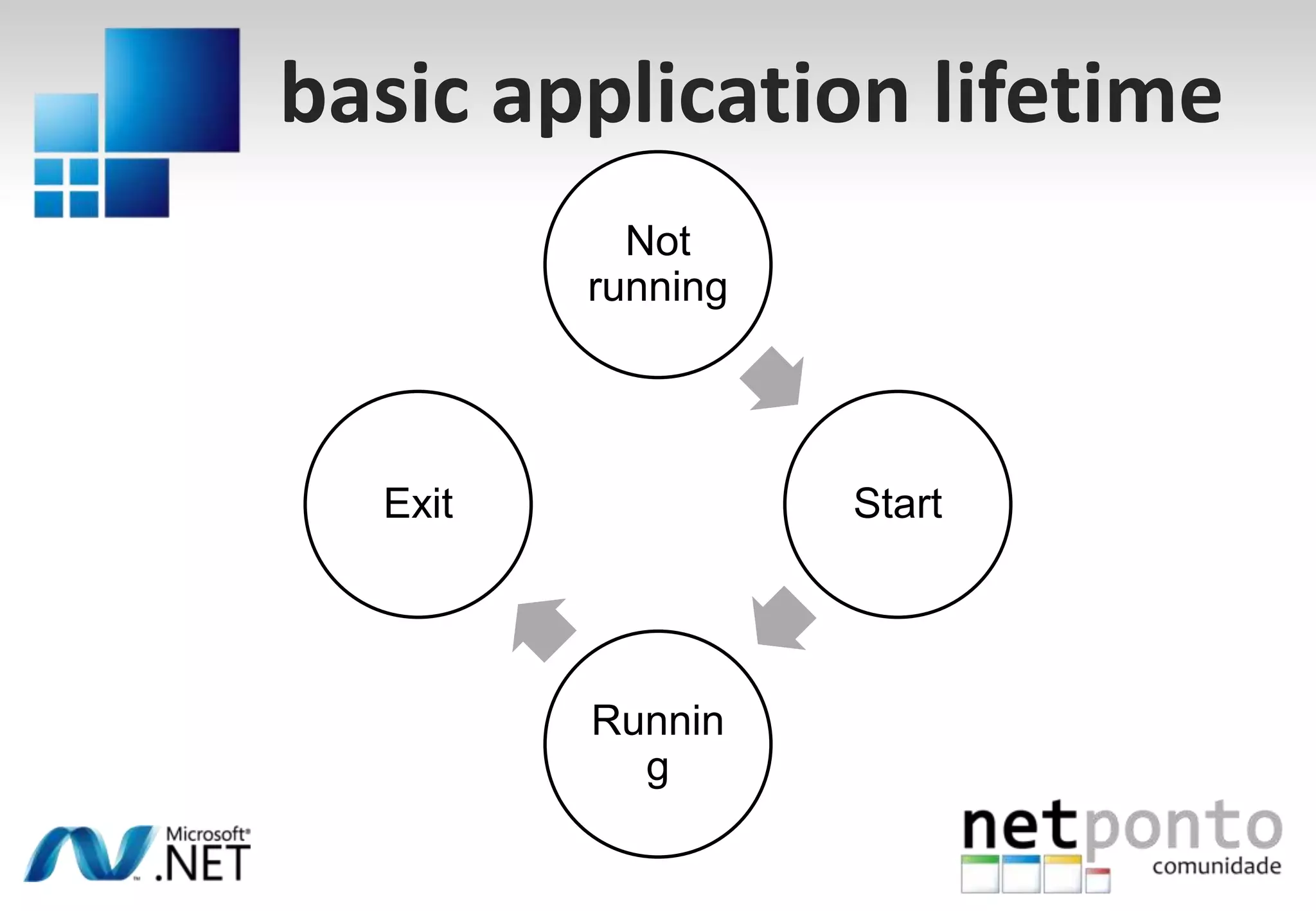
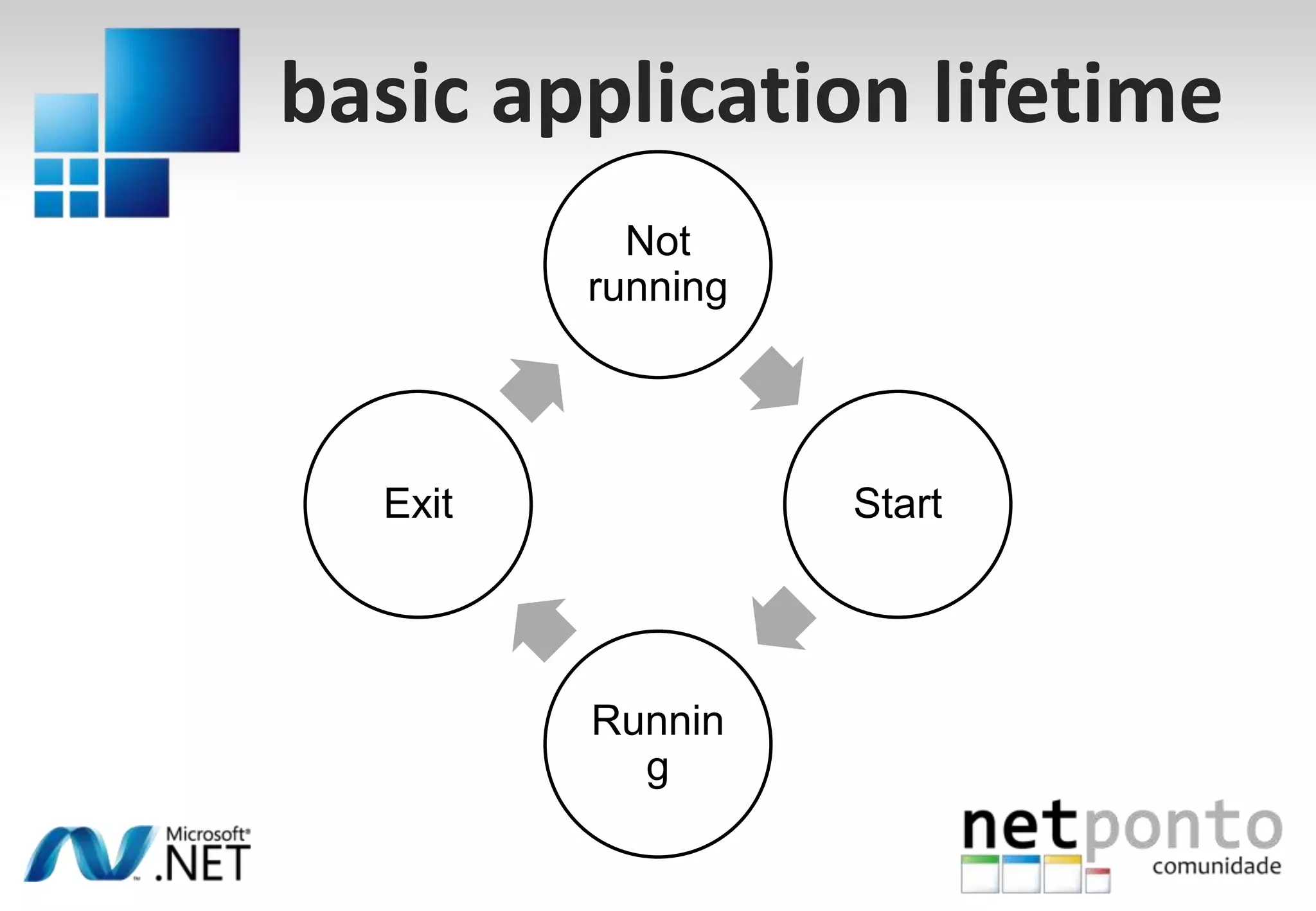
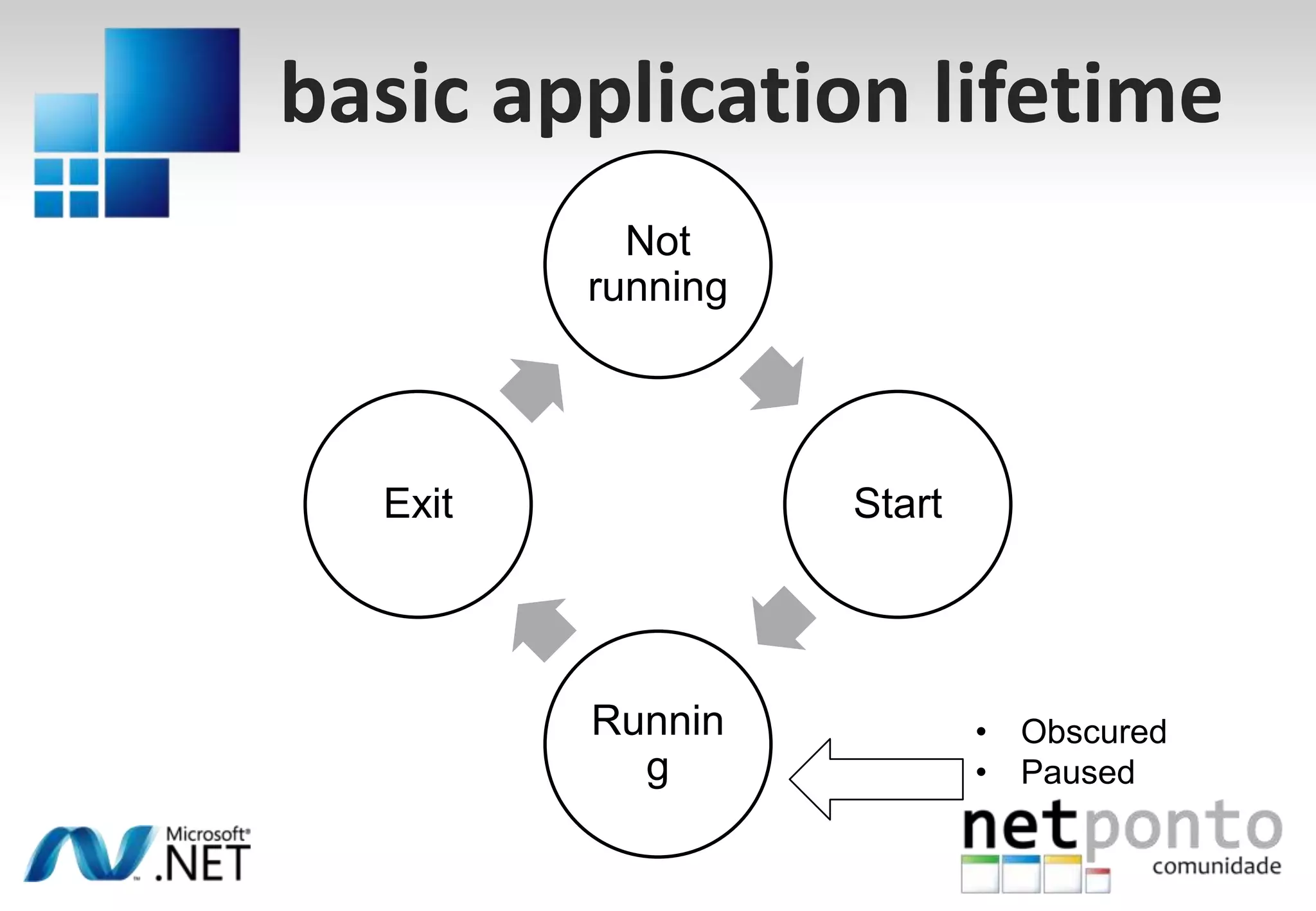
basic application lifetimeNot runningSplash screen
App constructor
Startup event
Exit eventbasic application lifetimeNot runningSplash screen
App constructor
Startup event
Exit eventbasic application lifetimeNot runningSplash screen
App constructor
Startup event
Exit eventStart
basic application lifetimeNot runningSplash screen
App constructor
Startup event
Exit eventStart
basic application lifetimeNot runningSplash screen
App constructor
Startup event
Exit eventStartRunning
basic application lifetimeNot runningSplash screen
App constructor
Startup event
Exit eventStartRunning
basic application lifetimeNot runningSplash screen
App constructor
Startup event
Exit eventStartExitRunning
basic application lifetimeNot runningSplash screen
App constructor
Startup event
Exit eventStartExitRunning
basic application lifetimeNot runningSplash screen
App constructor
Startup event
Exit eventStartExitRunningObscured
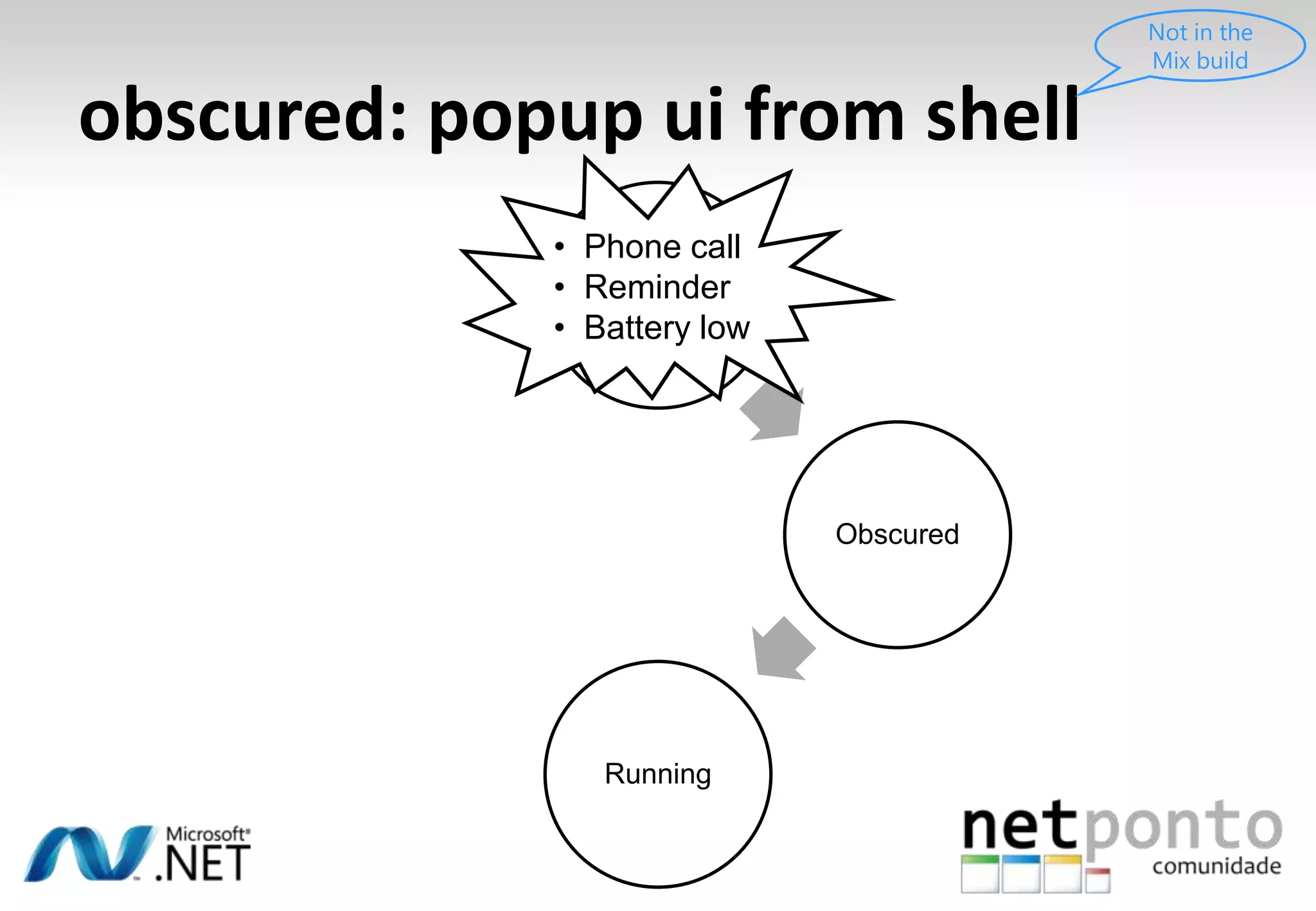
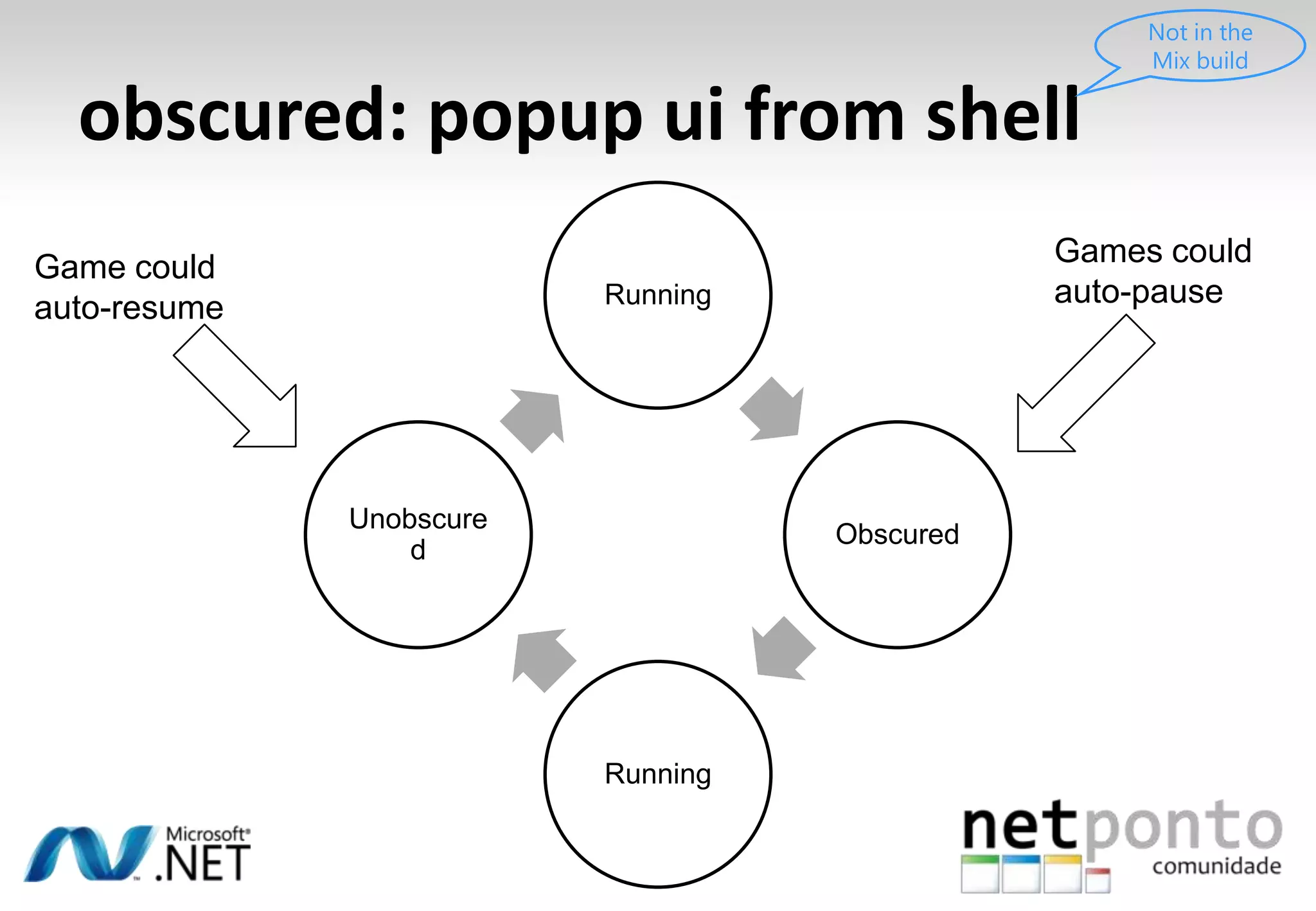
Pausedobscured: popup ui from shellNot in the Mix buildWhat if they answer the phone?
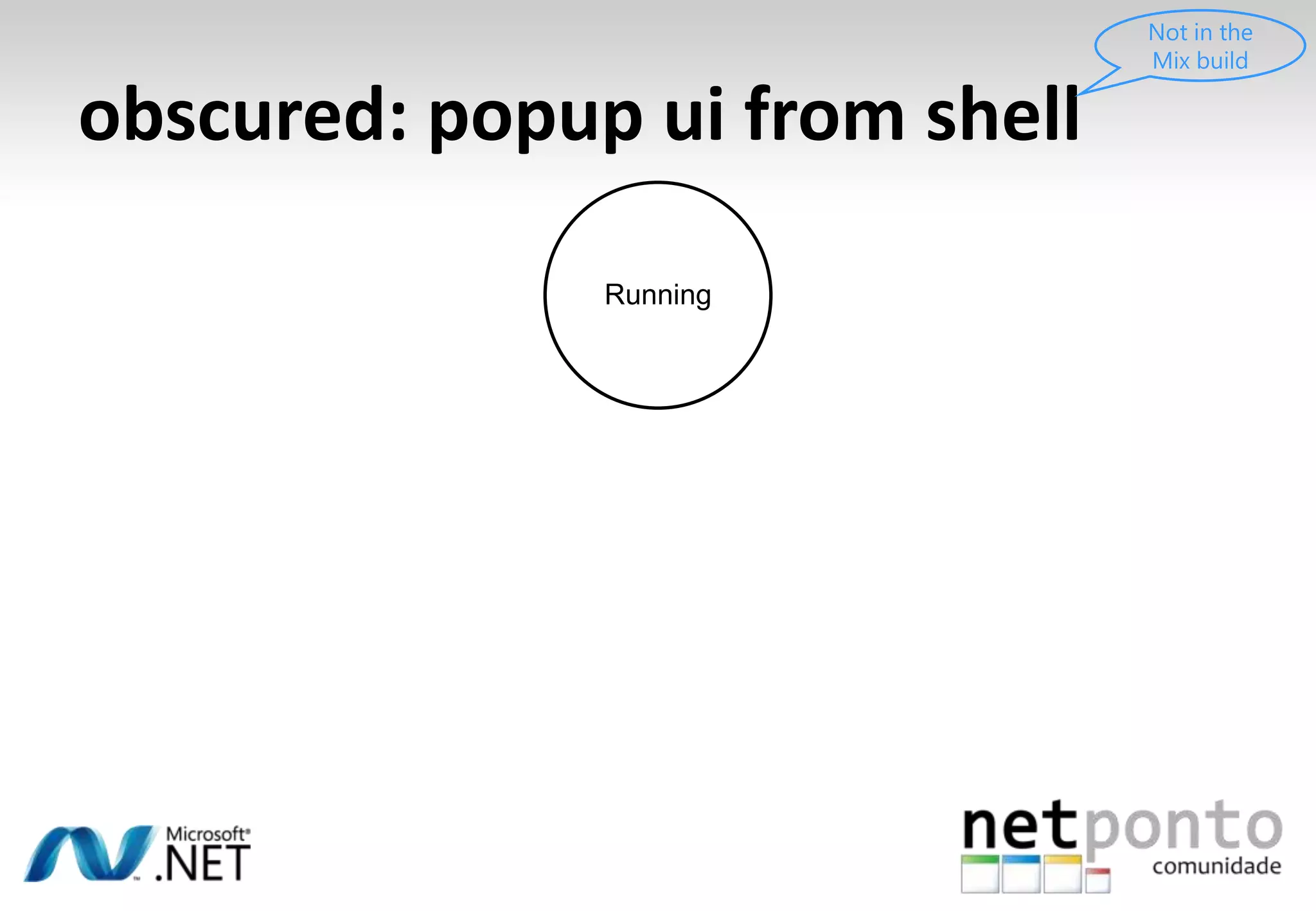
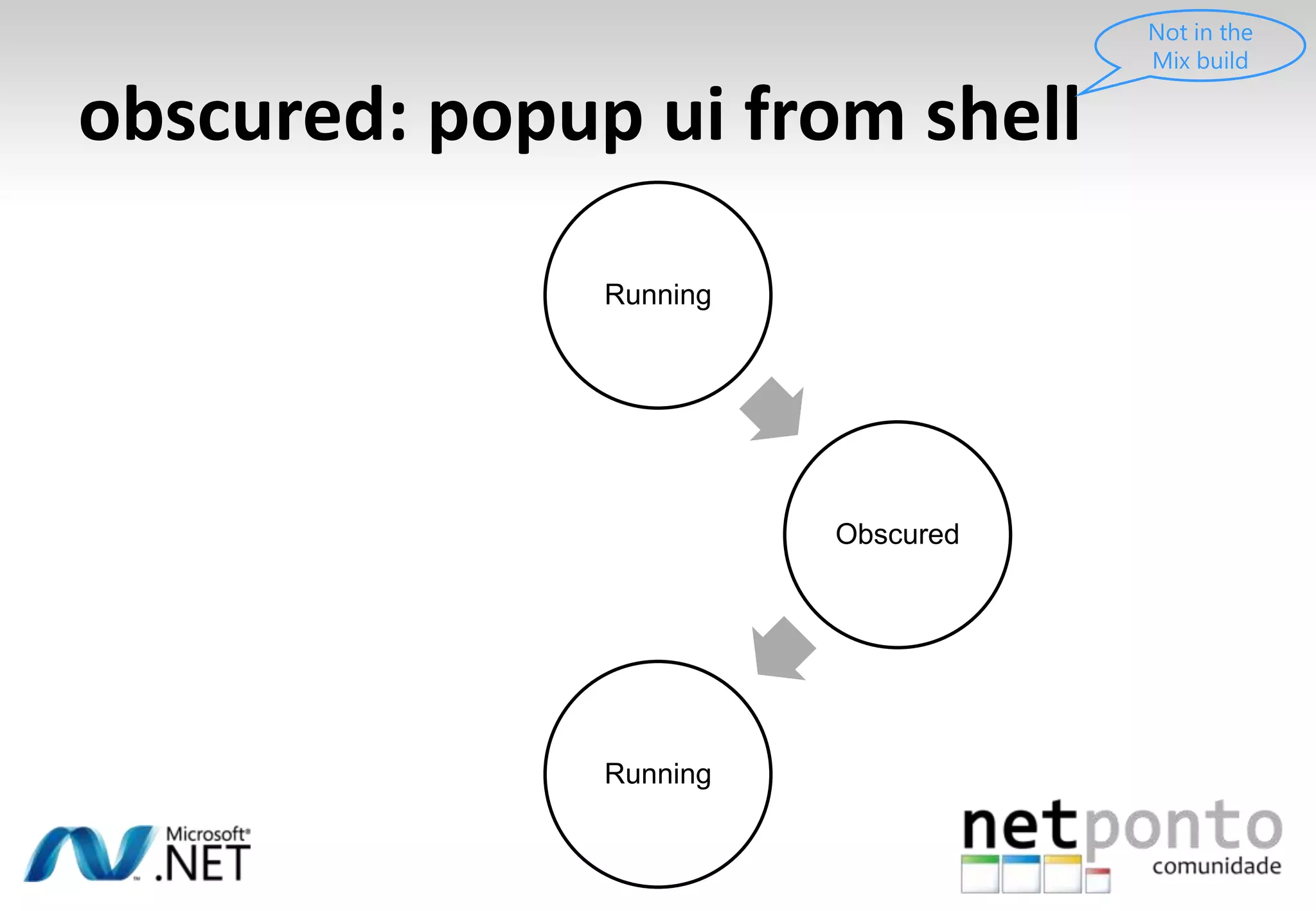
obscured: popup ui from shellNot in the Mix buildRunningWhat if they answer the phone?
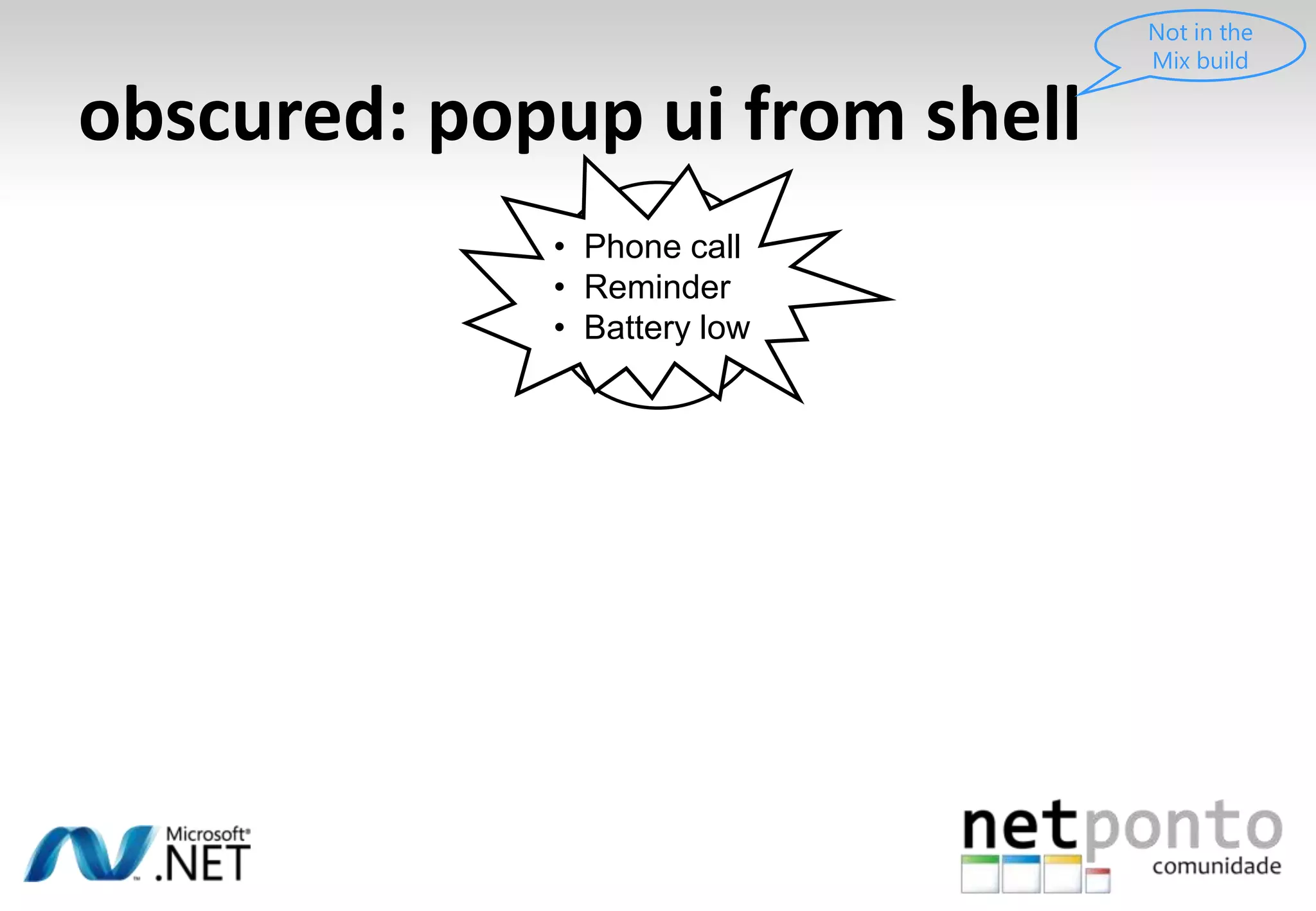
obscured: popup ui from shellNot in the Mix buildRunningPhone call
Reminder
Battery lowWhat if they answer the phone?
obscured: popup ui from shellNot in the Mix buildRunningPhone call
Reminder
Battery lowWhat if they answer the phone?ObscuredRunning
obscured: popup ui from shellNot in the Mix buildRunningWhat if they answer the phone?ObscuredRunning
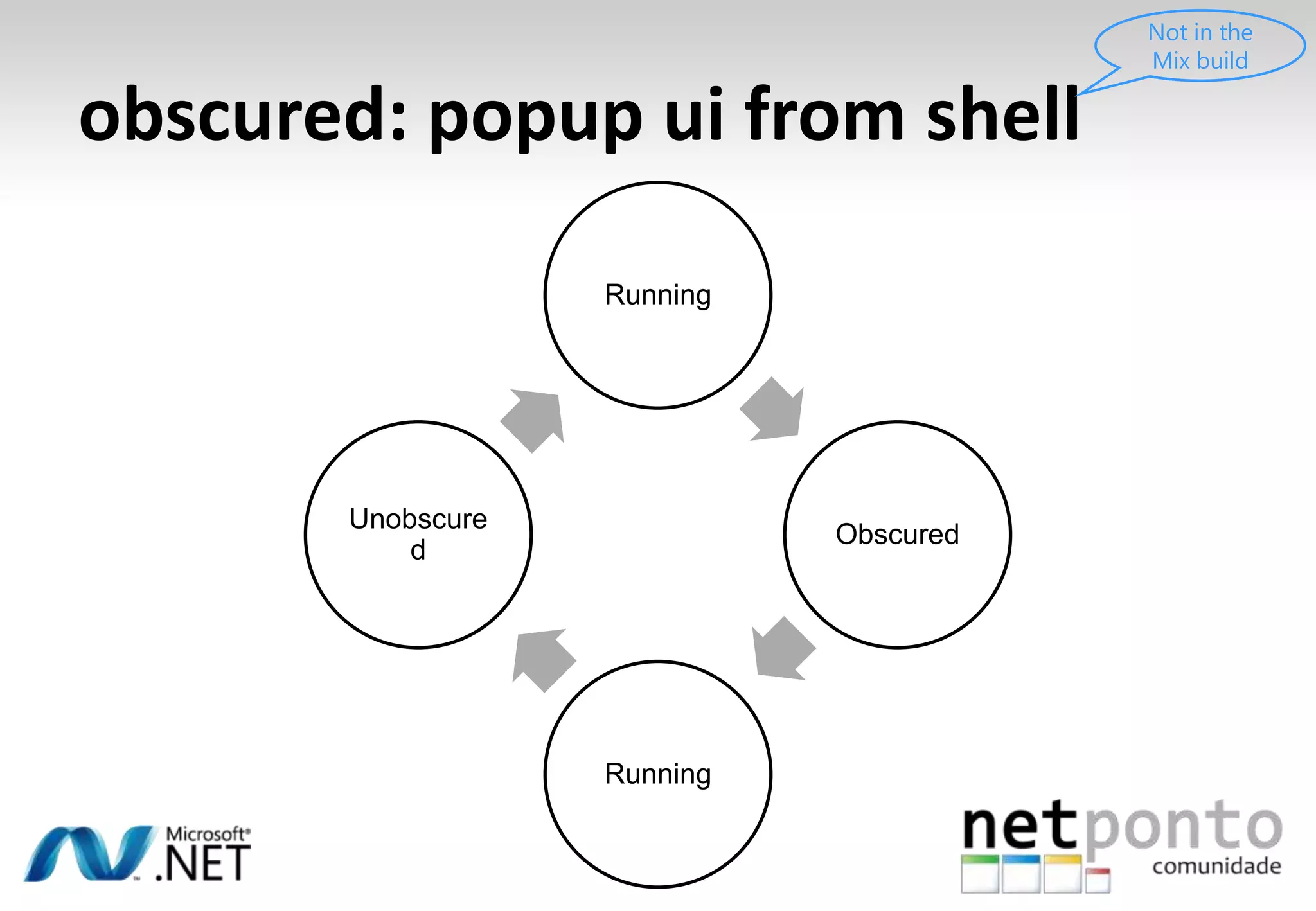
obscured: popup ui from shellNot in the Mix buildRunningWhat if they answer the phone?ObscuredUnobscuredRunning
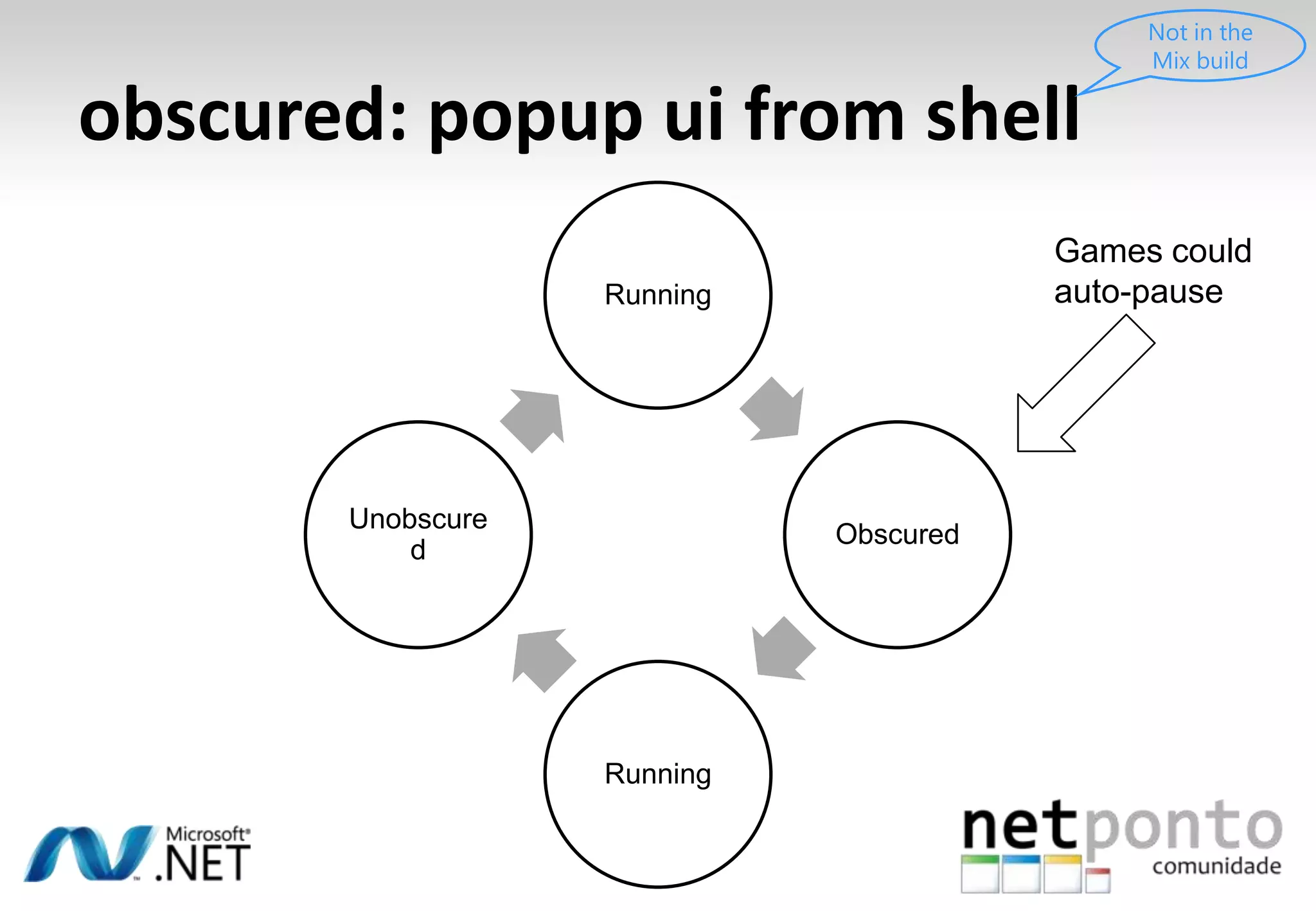
obscured: popup ui from shellNot in the Mix buildRunningGames could auto-pauseWhat if they answer the phone?ObscuredUnobscuredRunning
obscured: popup ui from shellNot in the Mix buildRunningGames could auto-pauseGame could auto-resumeWhat if they answer the phone?ObscuredUnobscuredRunning
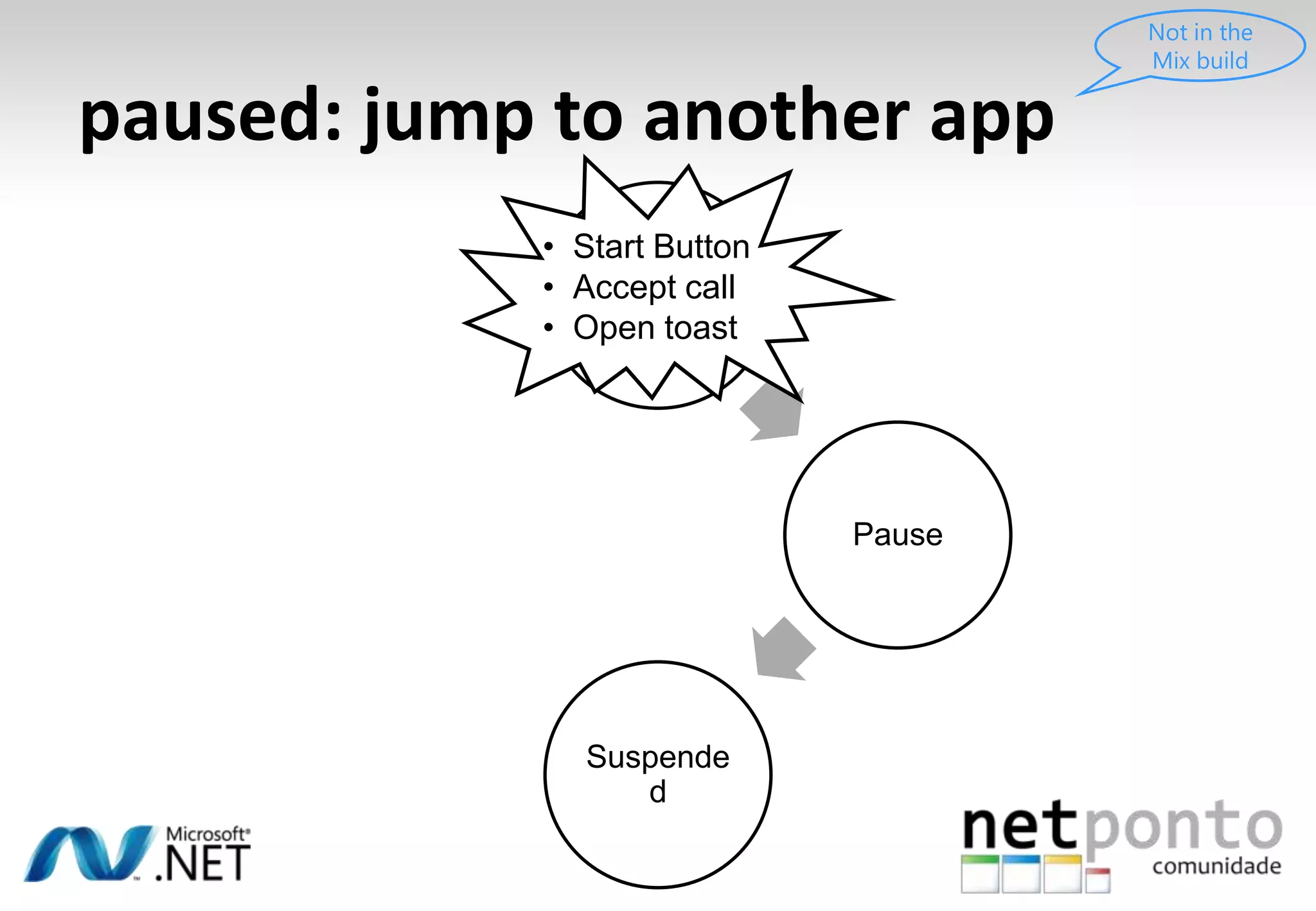
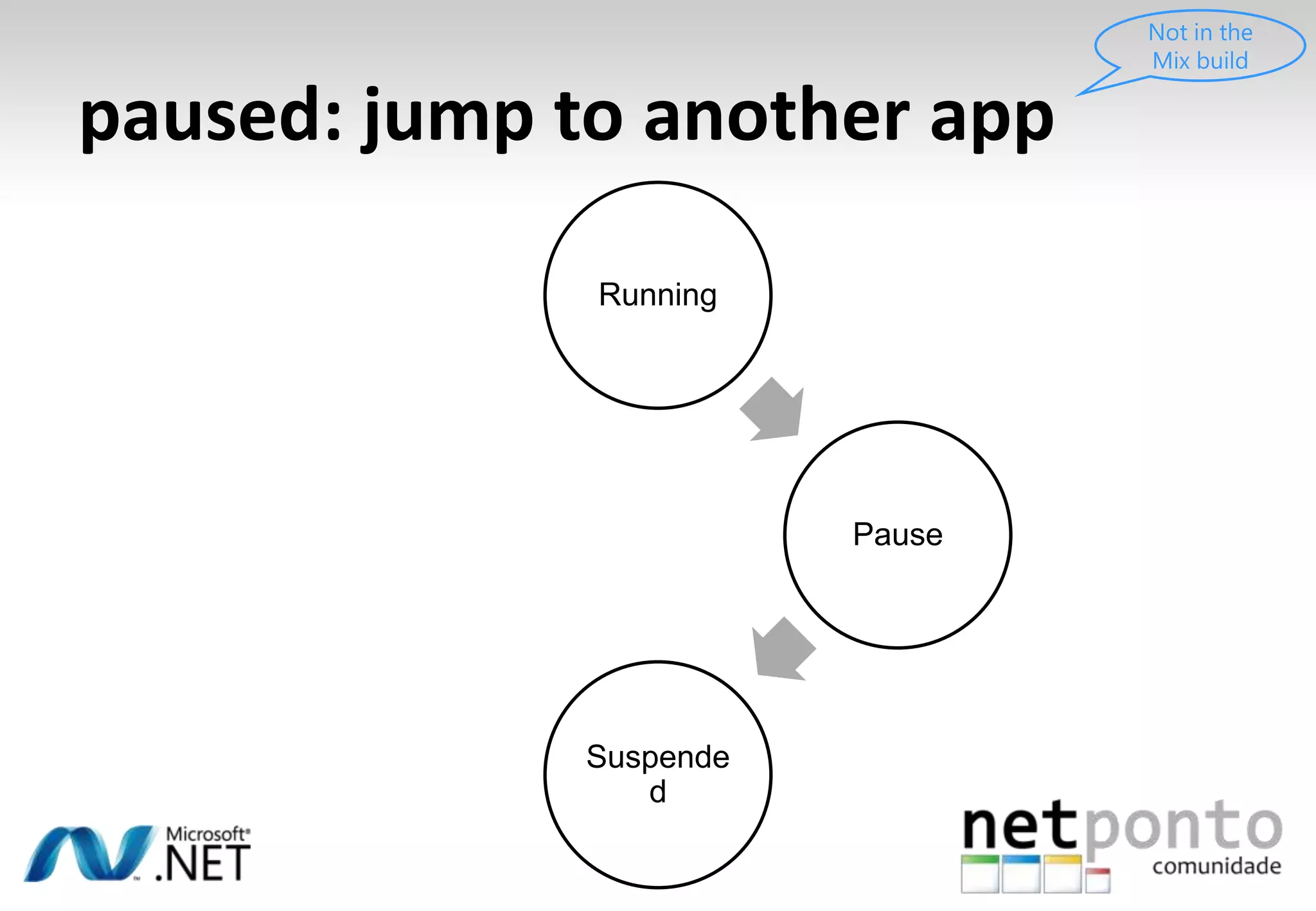
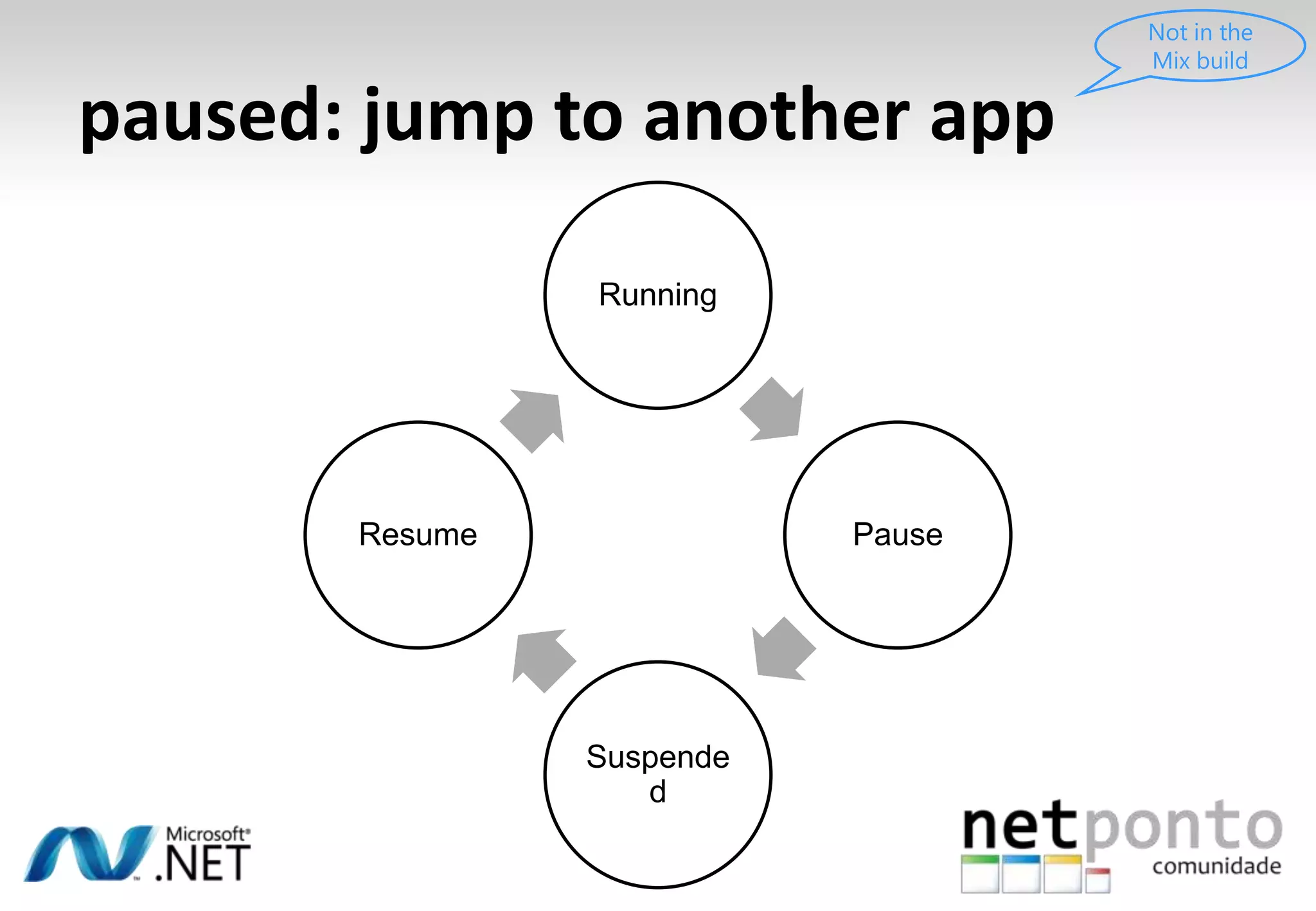
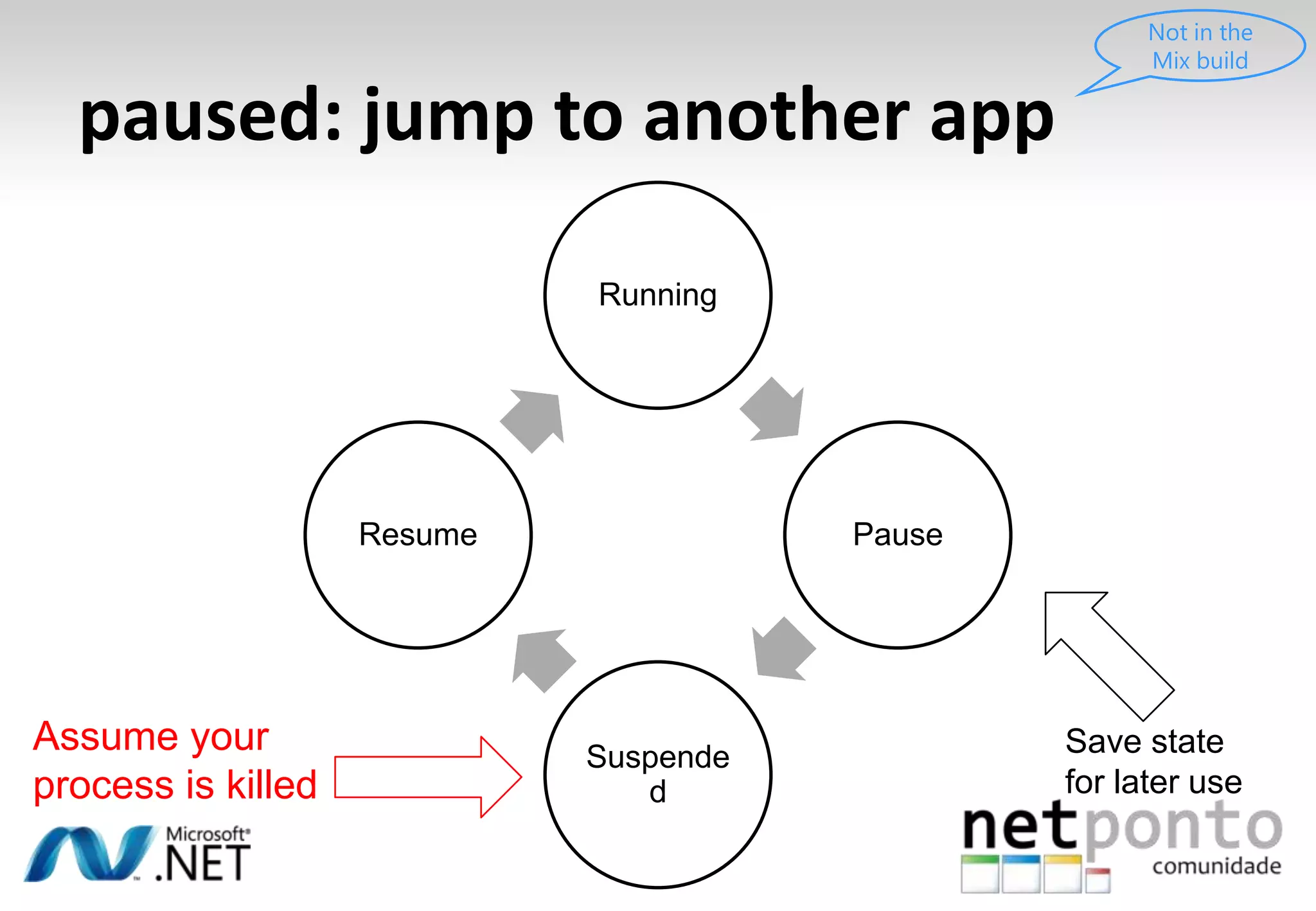
paused: jump to another appNot in the Mix build
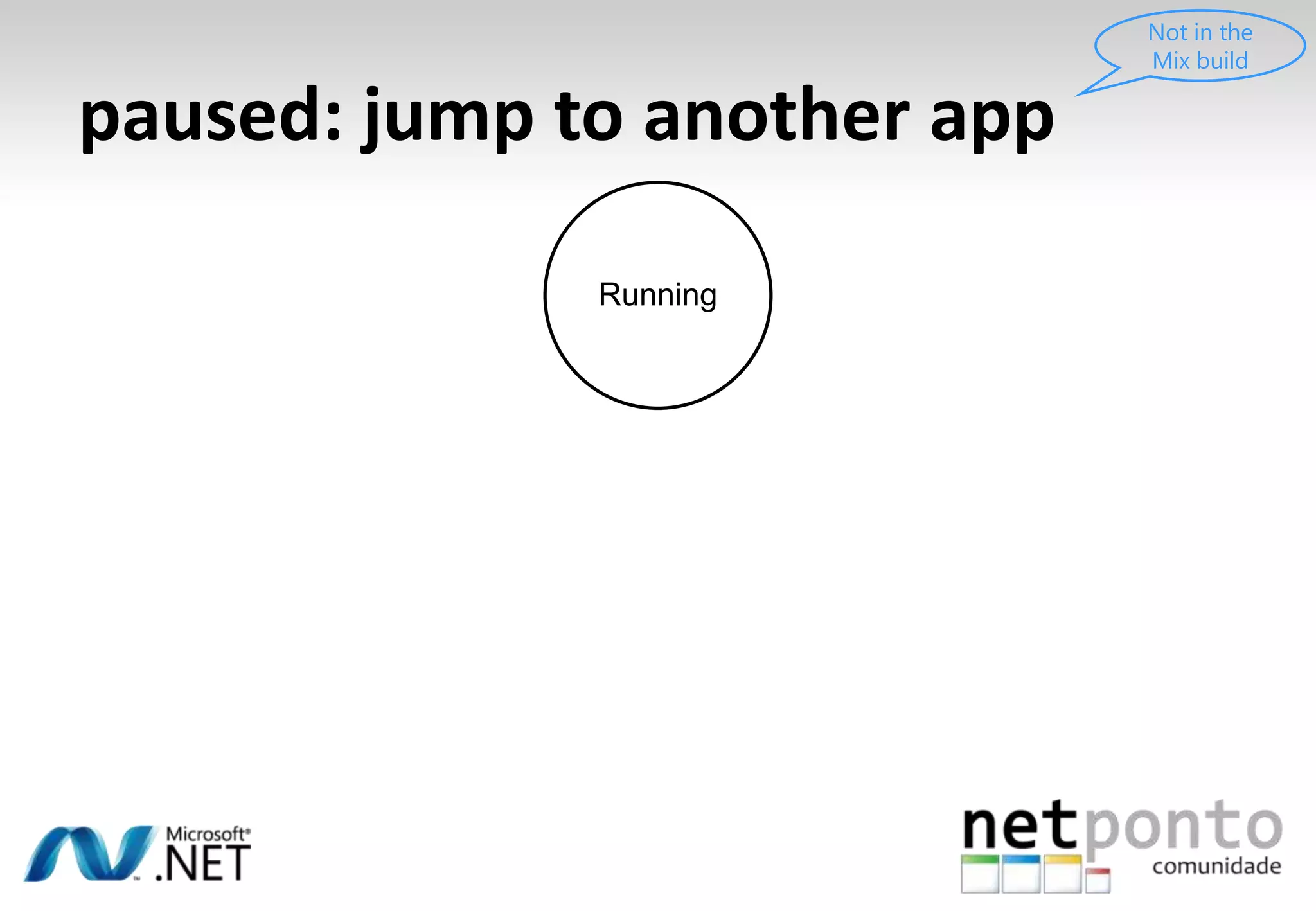
paused: jump to another appNot in the Mix buildRunning
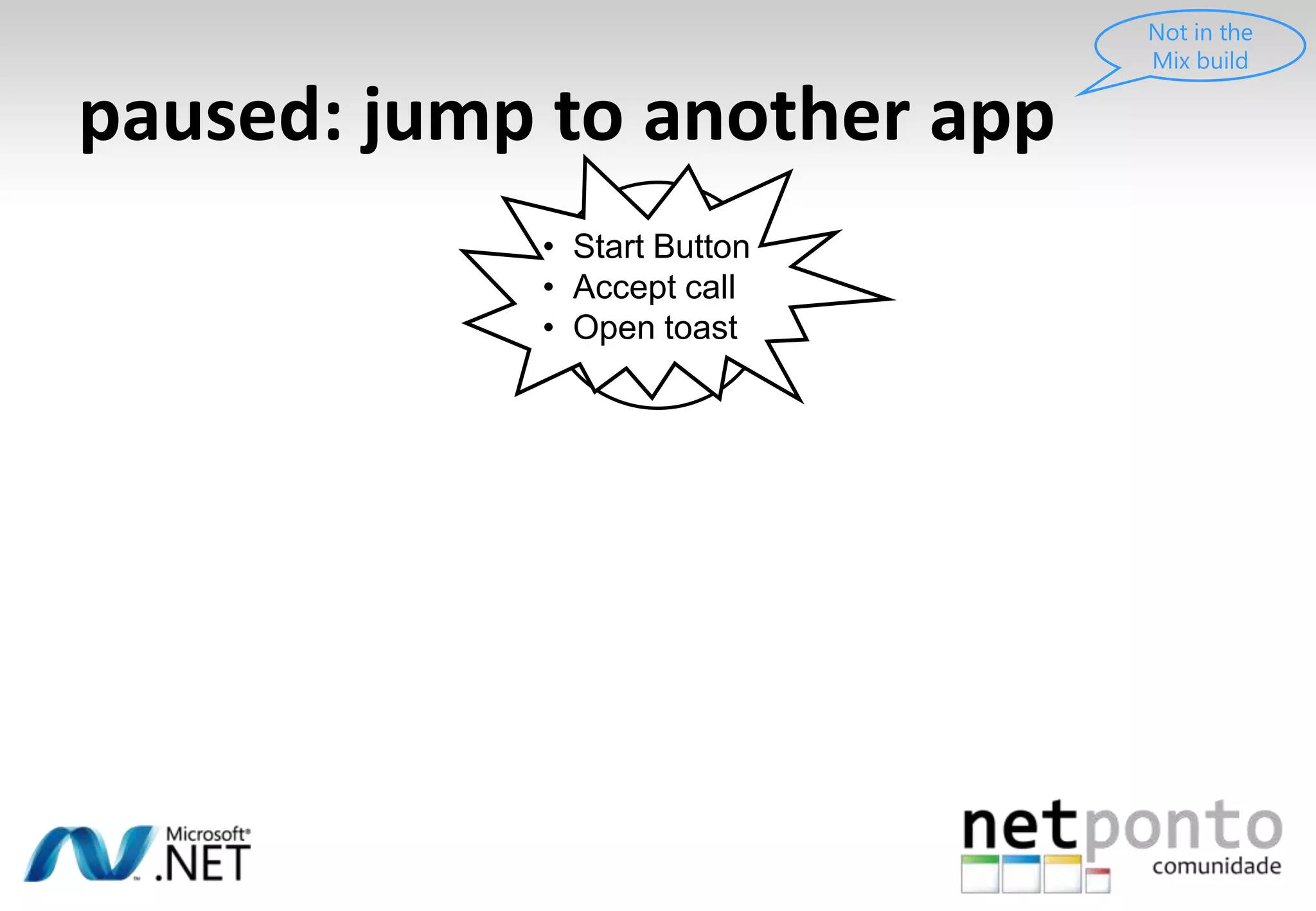
paused: jump to another appNot in the Mix buildRunningStart Button
Accept call
Open toastpaused: jump to another appNot in the Mix buildRunningStart Button
Accept call
Open toastPauseSuspended
paused: jump to another appNot in the Mix buildRunningPauseSuspended
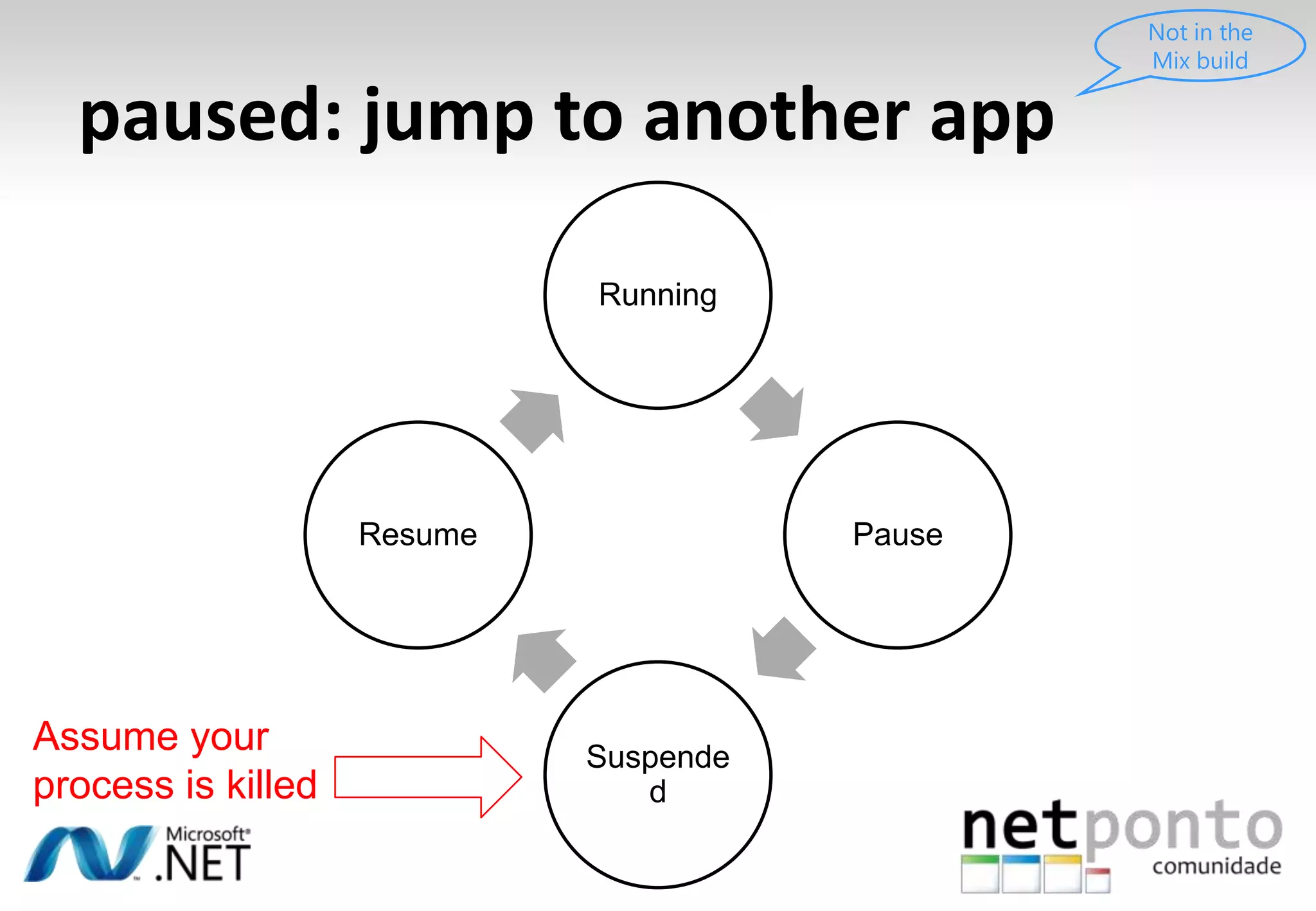
paused: jump to another appNot in the Mix buildRunningPauseResumeSuspended
paused: jump to another appNot in the Mix buildRunningPauseResumeSuspendedAssume your process is killed
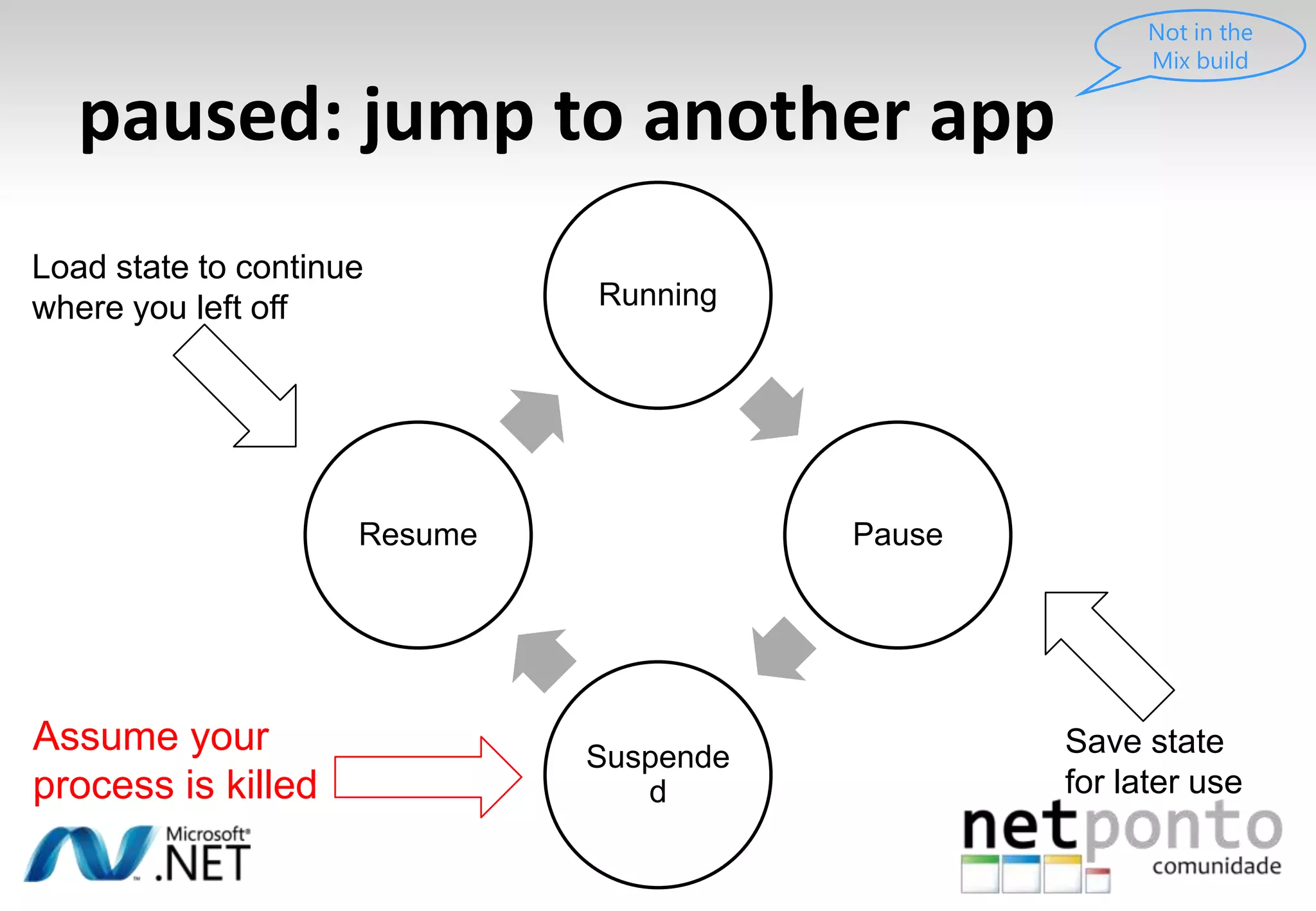
paused: jump to another appNot in the Mix buildRunningPauseResumeSuspendedAssume your process is killedSave state for later use
paused: jump to another appNot in the Mix buildRunningLoad state to continue where you left offPauseResumeSuspendedAssume your process is killedSave state for later use
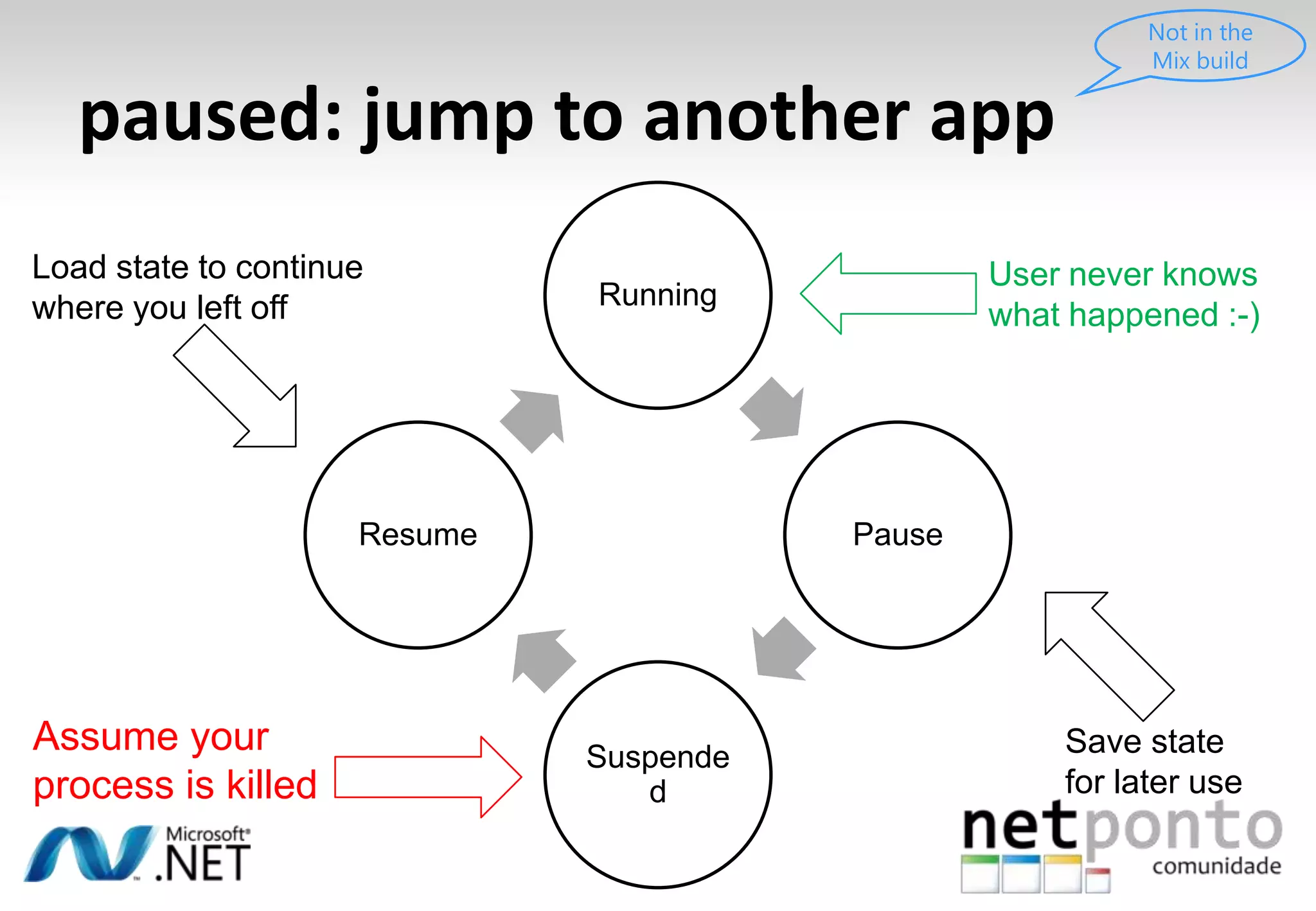
paused: jump to another appNot in the Mix buildRunningLoad state to continue where you left offUser never knows what happened :-)PauseResumeSuspendedAssume your process is killedSave state for later use
Push NotificationsComunicaçãoiniciada no servidor
Push NotificationsComunicaçãoiniciada no servidorPermitecenários de “background execution”
Push NotificationsComunicaçãoiniciada no servidorPermitecenários de “background execution”Preservabateria e melhora a experiência do utilizador
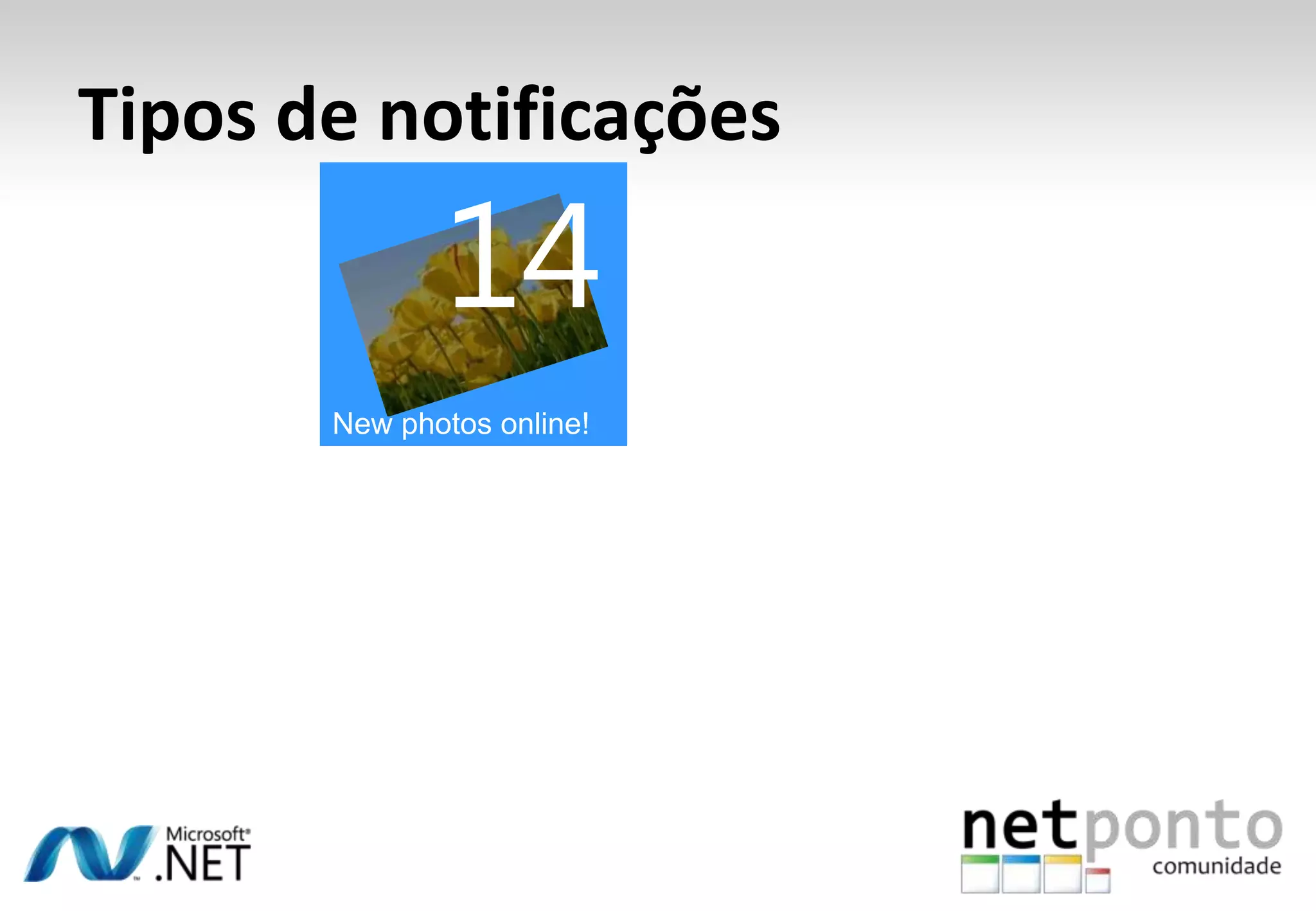
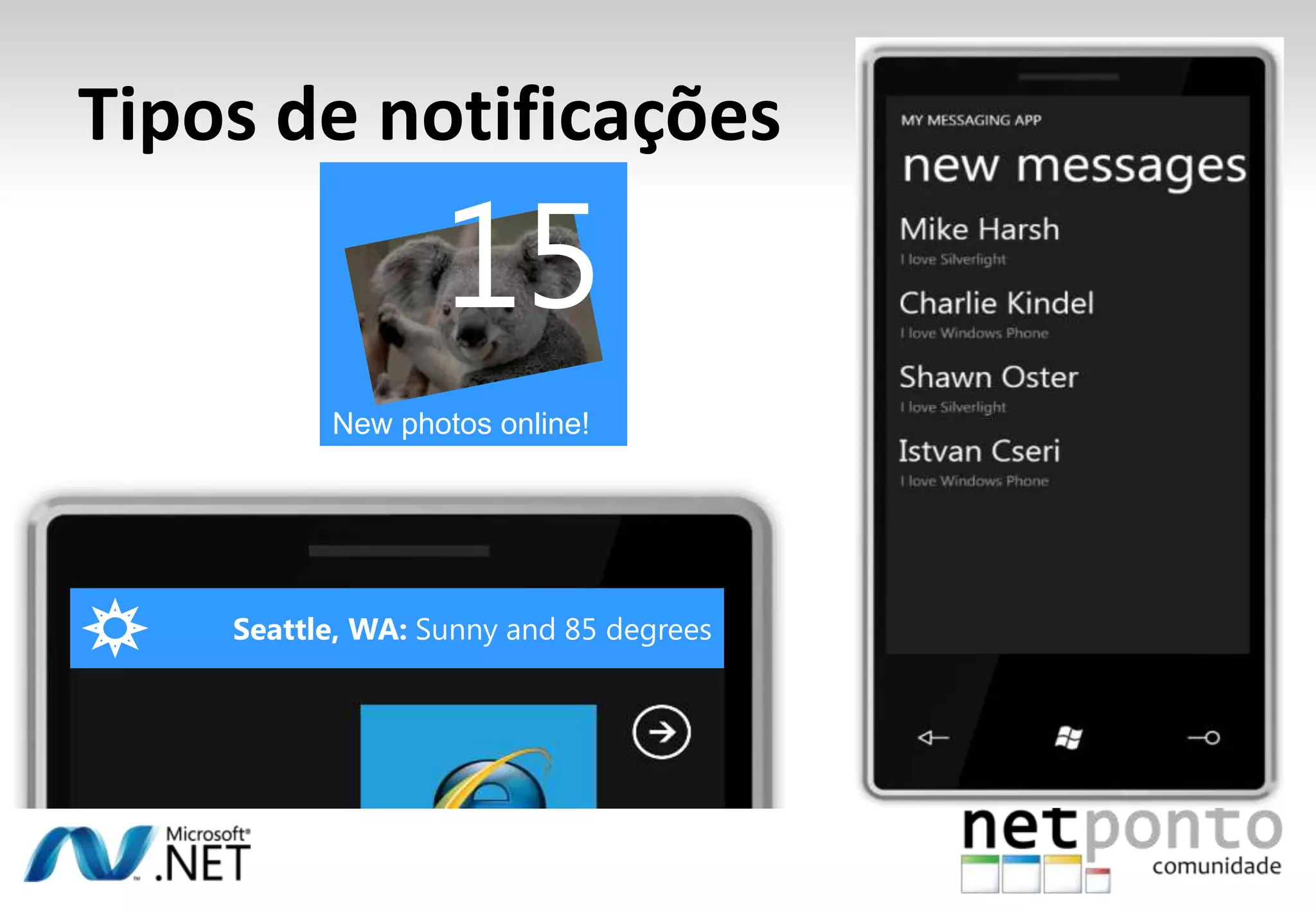
14New photos online!Tipos de notificações
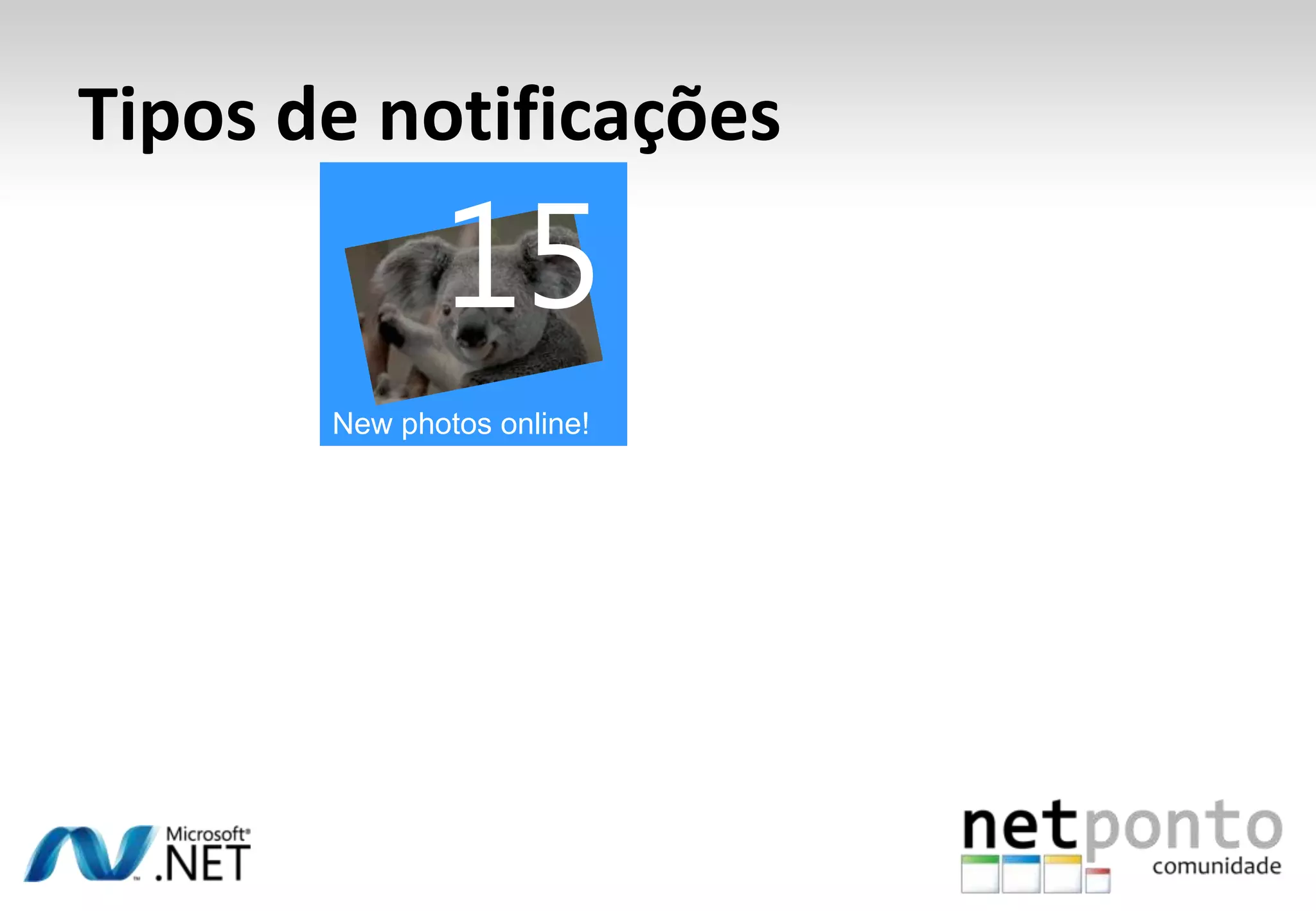
15New photos online!Tipos de notificações
Tipos de notificações15New photos online!

Construir Aplicações Silverlight para Windows Phone 7

Editor's Notes

  • #2 As we set out to re-define what a Windows Phone Experience should be, we knew we would have to come up with some thing different from what we had done before. That said, this is not being different for the sake of it; we had some very smart reasons on improvements we wanted to include on Windows Phone, amongst these: our design had to be smart, and we wanted to build truly integrated experiences so our could get the most out of the phone.
  • #6 In the beginning of 2009 a new approach was taken. How did this transition from the previous slide to this slide happen?During designing Windows Phone 7 Series, the designers did not exclusively have phones in mind, even though a great phone experience is important for the end result. However, finding information fast and easy in a beautiful environment was more important for the design of the Windows Phone 7 Series.This is where Metro came in. Metro as a design language is based on a foundation (or set of principals).
  • #7 The Panoramic ExperienceWindows Phone 7 ‘broke’ out of its frameMost current screens display a canvas in a frame (the real estate is limited to the canvas)Windows Phone 7 gives you a panoramic frameworkA bit more work to create for application developersGives the end user a very rich experienceThe canvas is much bigger than the frameWorks great to get users engaged, combine client information in your application with services
  • #9 Our game changing philosophy is so deep, you see it even on our hardware platform, where we have merged both the smart design and integrated experiences by having a best of breed, bleeding edge hardware specification for our OEMs and Mobile Operators. This will drive consistency for developers. You are coding to a single hardware platform. The experience is consistent with integrated Windows, Back and search button, so users can easily navigate across tasks. At the same time, we need to give consumer choice and we need to give OEMs the ability to differentiate their offerings, but again we have done this with this zen-like balance that is going to drive consistency and a single platform to code for. On resolution, we do have two resolutions: 800x480 will be available at launch and HVGA 480x320 will be added a bit later. The drivers are provided by Microsoft, ensuring great quality and reliability and letting our partners focus on innovation instead of drivers. Touch is capacity; all devices have four touch points.
  • #10 Smart Design and integrated experiences is our promise to end-users.Microsoft knows too well that we also must deliver a great platform for the developers to innovate on. Without a solid platform we have no apps, and there fore less value to our customers. As such, we set out to create a modern platform. We offer the best run-times: Silverlight and XNA; both of these have the best, most RAD tooling experiences so our developers can be proactive and quick to market. We also made sure we embraced the cloud; there is things we can’t (or don’t want to) do on the phone, but we have APIs and services for developers to compliment our client-side offerings and make the best applications without compromising the user experience. Beyond run-times of course we need for our developers to be profitable; a market place where consumers can easily and securely purchase applications, so developers and content providers can get paid. Win-win-win for consumers, for Microsoft and for developers.
  • #11 As you can see a comprehensive platform. The ones on the bottom are on the cloud. That is mostly free services you will get. The top are both the tools you will use and the API you will use to create your amazing apps.
  • #12 Moving on to the code that runs on the device, Notice that as a developer you are creating applications that can run across multiple channels: Windows Phone, XBOX Live, and/or Windows … It is Silverlight or XNA on all these platform.
  • #13 We have our best two frameworks for you to choose from when creating a client app. Silverlight is microsoft’s already established RIA offering. A very comprehensive and powerful App UI framework and run-time with huge innovation around media, controls, etc.. XNA is our high performance gaming framework; another well established framework, already proven on XBOX 360 and Zune. These APIs not only provide you the best of breed
  • #14 We have our best two frameworks for you to choose from when creating a client app. Silverlight is microsoft’s already established RIA offering. A very comprehensive and powerful App UI framework and run-time with huge innovation around media, controls, etc.. XNA is our high performance gaming framework; another well established framework, already proven on XBOX 360 and Zune. These APIs not only provide you the best of breed
  • #15 Moving onto tools, we have visual studio and XNA Game Studio 4.0.
  • #16 Our tools are Free. This includes Visual Studio, Game Studio, and Expression Blend. They will continue to be free even after V1 of the tools RTM. Though we don’t have this as a single download today, that is the goal. Go get the tools at developer.windowsphone.com
  • #17 This is the process of getting an app from the tools into the marketplace. The emulator is what you can use to test now (until you have a phone).It is an x86 emulator. It is blazing fast, faster than the phone. It is hardware accelerated for graphics ( and so is the phone). Emulator also supports multitouch if you are running on Windows 7. It is the actual OS, but compiled for x86. Deploying to the phone is just as easy. You literally change a combobox in the tools and can now deploy to the phone, get an integrated debugger with break points, etc.. Your phone will have to be developer unlocked; you can do that by registering your phone as a developer phone. It is a friction-free process. Later we will have a few extra tools for verifying your application. These are not in the current CTP. These are what you will use to get ingested into the market place.
  • #18 This is the process of getting an app from the tools into the marketplace. The emulator is what you can use to test now (until you have a phone).It is an x86 emulator. It is blazing fast, faster than the phone. It is hardware accelerated for graphics ( and so is the phone). Emulator also supports multitouch if you are running on Windows 7. It is the actual OS, but compiled for x86. Deploying to the phone is just as easy. You literally change a combobox in the tools and can now deploy to the phone, get an integrated debugger with break points, etc.. Your phone will have to be developer unlocked; you can do that by registering your phone as a developer phone. It is a friction-free process. Later we will have a few extra tools for verifying your application. These are not in the current CTP. These are what you will use to get ingested into the market place.
  • #19 This is the process of getting an app from the tools into the marketplace. The emulator is what you can use to test now (until you have a phone).It is an x86 emulator. It is blazing fast, faster than the phone. It is hardware accelerated for graphics ( and so is the phone). Emulator also supports multitouch if you are running on Windows 7. It is the actual OS, but compiled for x86. Deploying to the phone is just as easy. You literally change a combobox in the tools and can now deploy to the phone, get an integrated debugger with break points, etc.. Your phone will have to be developer unlocked; you can do that by registering your phone as a developer phone. It is a friction-free process. Later we will have a few extra tools for verifying your application. These are not in the current CTP. These are what you will use to get ingested into the market place.
  • #20 This is the process of getting an app from the tools into the marketplace. The emulator is what you can use to test now (until you have a phone).It is an x86 emulator. It is blazing fast, faster than the phone. It is hardware accelerated for graphics ( and so is the phone). Emulator also supports multitouch if you are running on Windows 7. It is the actual OS, but compiled for x86. Deploying to the phone is just as easy. You literally change a combobox in the tools and can now deploy to the phone, get an integrated debugger with break points, etc.. Your phone will have to be developer unlocked; you can do that by registering your phone as a developer phone. It is a friction-free process. Later we will have a few extra tools for verifying your application. These are not in the current CTP. These are what you will use to get ingested into the market place.
  • #22 The Windows Phone 7 look & feel is added to the Silverlight default controlsThe UI that is available on the phone is very simple and very elegant. Silverlight can do super flashy things, great media, 3D perspectives but nothing is overdone on a Windows Phone.It is important to have oversized hit targets for those elements that users can select on the phone. This is necessary because the phone will be finger controlled because it makes use of capacitive touch.Inside the templates, there is a big use of transparency. On a Windows Phone, everything is centered around content, not around chrome. The user should be able to see as much content as possible. Transparency will help with that.
  • #23 Theming is another important part of the different controls on a Windows Phone.The user can pick a theme. The two major differences are:Dark background with light textLight background with dark textBesides the dark / light themes, the user can also select different accent colors. There are four different accent colors to choose from:RedOrangeGreenBlueThe built-in controls are automatically themed, according to the user selection. The user selected theme can be used inside your own application as well to make your application match everything else on the phone:Your own user controls can tap into the theming system to make their appearance consistent over applicationsYour application’s content can tap into the theming system to make it consistent with other applications on the phoneThe look of your content can change when the user selects another theme or another accent color
  • #25 As you saw in the demo, the TextBox really integrates with the Operating System software keyboardThere is also a password obfuscation delay. When you enter data on a password textbox, you can see the entered character for a second before it turns into a dot. This is what you expect on a phone because entering passwords is kind of tricky when you are using the software keyboard.You also saw that built-in controls have gesture support. There are also new events available on controls that are called “Manipulation Events”. They are fired when manipulations are started and ended or when a particular delta is reached. Using these events on controls you are able to influence gestures.
  • #26 The accelerometer is pretty much straight forward. You get force in units of gravity applied in every dimension over time. Every sample comes with an x, y and z force and a time stamp.If the device is just laying flat on a surface, it has -1 unit of gravity in the Z-direction.X and Y coordinates are similar to screen coordinates, Z gets into the device.When you shake the device, you will get readings containing values larger than 1 unit of gravity.
  • #27 As far as media goes we have:Hardware decodeAudio + Video on the deviceSilverlight media are available on the device, also protected media can be played with the right authenticationThere are a couple of limitations for media on the deviceYou can only have one MediaElement at a timeThis is due to limited hardware resources on the deviceThere is no support for video brushesYou can make use of transforms with the MediaElement, meaning you can animate the media surfaceYou can make use of the XNA Sound Effect APIOptimized for game type of sound, but works pretty good in Silverlight for short looping sounds (consisting of plain wave data)
  • #29 The remainder of this presentation concentrates on what you can do specifically with the phone from inside your own applications.There are three main buckets to discuss:Hub integrationApplications can add (through specific API’s) history information to a hub to make the hub more personalized for a particular userYour application also has the possibility to register as a photo application and get access to the photo hubLaunchers allow an application to go to the background and fire up an existing built-in application, for instance to allow sending text messages from ‘inside’ your own application or to display a dialer to make phone calls from inside your own application.Choosers are pieces of functionality that act similar to an open file dialog to select some locally stored data of a particular format for use inside your own application.
  • #30 This is just a list of all launchers and choosers that are available on Windows Phone 7.Again: A launcher starts an existing Operating System application and puts your application (temporarily) to the background.A chooser is a piece of Operating System functionality that can select some stored data and return it to your application.
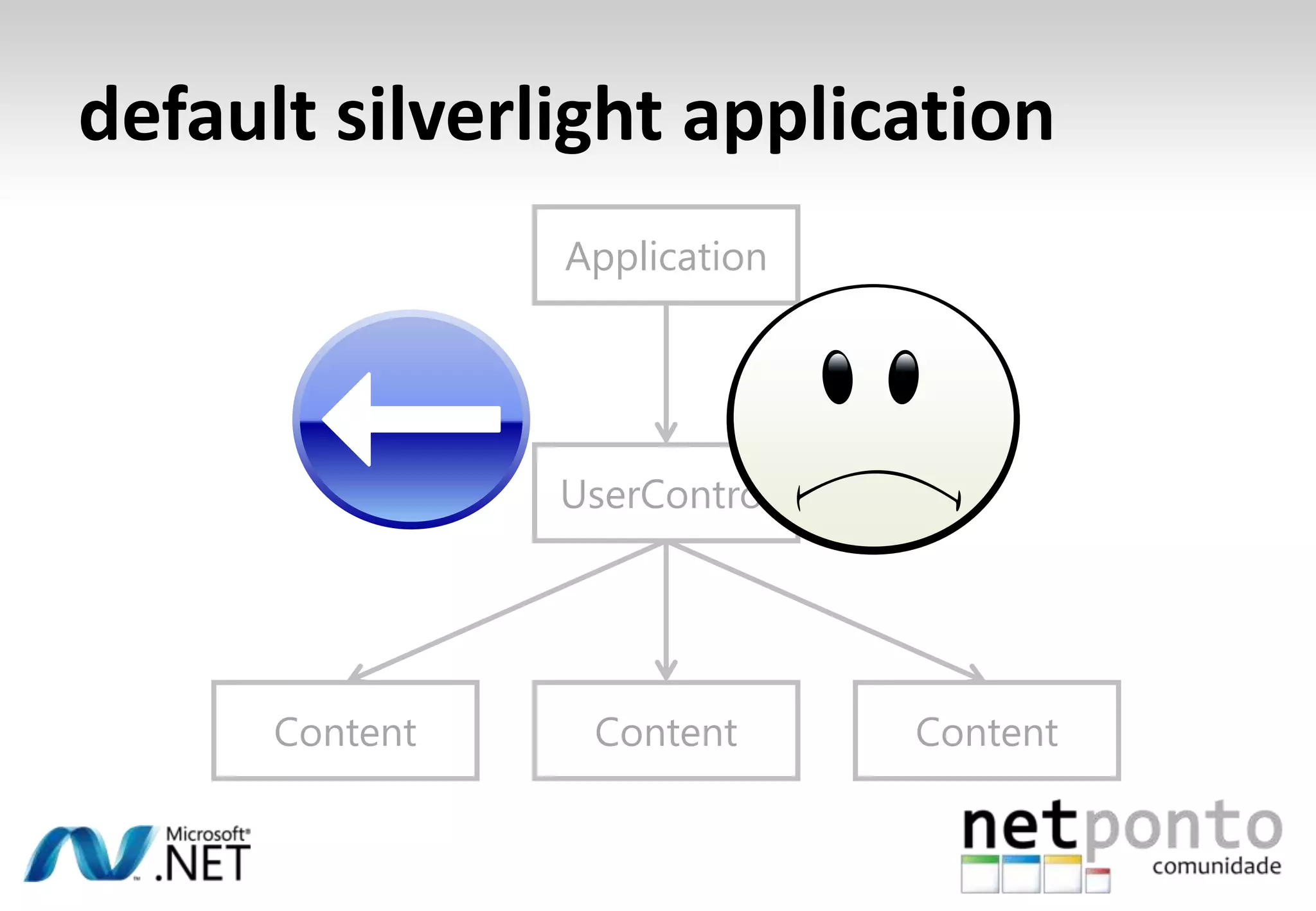
  • #32 A Silverlight application consists of a root visual which is typically a user control.The user control typically contains some content.This application model worked great for building applications on the web (widgets, rich media applications)[Animate]Silverlight applications add more and more content that eventually leads to problems. The application appears more and more as a complete web page to the user. This implies that the user wants to navigate through the application in the same way they navigate over web pages.[Animate]This does not work well with the browser though. If the user uses the browser back button on such a Silverlight application, instead of returning to the previous content, the user will return to the previous web page, tearing down the Silverlight application.
  • #33 A Silverlight application consists of a root visual which is typically a user control.The user control typically contains some content.This application model worked great for building applications on the web (widgets, rich media applications)[Animate]Silverlight applications add more and more content that eventually leads to problems. The application appears more and more as a complete web page to the user. This implies that the user wants to navigate through the application in the same way they navigate over web pages.[Animate]This does not work well with the browser though. If the user uses the browser back button on such a Silverlight application, instead of returning to the previous content, the user will return to the previous web page, tearing down the Silverlight application.
  • #34 A Silverlight application consists of a root visual which is typically a user control.The user control typically contains some content.This application model worked great for building applications on the web (widgets, rich media applications)[Animate]Silverlight applications add more and more content that eventually leads to problems. The application appears more and more as a complete web page to the user. This implies that the user wants to navigate through the application in the same way they navigate over web pages.[Animate]This does not work well with the browser though. If the user uses the browser back button on such a Silverlight application, instead of returning to the previous content, the user will return to the previous web page, tearing down the Silverlight application.
  • #35 A Silverlight application consists of a root visual which is typically a user control.The user control typically contains some content.This application model worked great for building applications on the web (widgets, rich media applications)[Animate]Silverlight applications add more and more content that eventually leads to problems. The application appears more and more as a complete web page to the user. This implies that the user wants to navigate through the application in the same way they navigate over web pages.[Animate]This does not work well with the browser though. If the user uses the browser back button on such a Silverlight application, instead of returning to the previous content, the user will return to the previous web page, tearing down the Silverlight application.
  • #36 In Silverlight 3, this problem was recognized and solved.[Animate]It is solved by introducing the notion of a frame control which can navigate between pages. With this added functionality, a Silverlight application behaves like a ‘normal’ web application containing multiple pages.[Animate]Navigation through the Silverlight application now works great with the Browser back button.
  • #37 In Silverlight 3, this problem was recognized and solved.[Animate]It is solved by introducing the notion of a frame control which can navigate between pages. With this added functionality, a Silverlight application behaves like a ‘normal’ web application containing multiple pages.[Animate]Navigation through the Silverlight application now works great with the Browser back button.
  • #38 In Silverlight 3, this problem was recognized and solved.[Animate]It is solved by introducing the notion of a frame control which can navigate between pages. With this added functionality, a Silverlight application behaves like a ‘normal’ web application containing multiple pages.[Animate]Navigation through the Silverlight application now works great with the Browser back button.
  • #39 Which application model is used for Windows Phone 7?[Animate]Windows Phone 7 uses a similar Silverlight 3 application model, however, there is not really any need for the user control in the middle.[Animate]Therefore, the structure of a Silverlight application on the phone is very simple. The Application has a Frame as its visual root and the Frame can contain multiple Pages.[Animate]A Windows Phone 7 has a hardware back button that allows navigating, similar to the Browser back button.
  • #40 Which application model is used for Windows Phone 7?[Animate]Windows Phone 7 uses a similar Silverlight 3 application model, however, there is not really any need for the user control in the middle.[Animate]Therefore, the structure of a Silverlight application on the phone is very simple. The Application has a Frame as its visual root and the Frame can contain multiple Pages.[Animate]A Windows Phone 7 has a hardware back button that allows navigating, similar to the Browser back button.
  • #41 Which application model is used for Windows Phone 7?[Animate]Windows Phone 7 uses a similar Silverlight 3 application model, however, there is not really any need for the user control in the middle.[Animate]Therefore, the structure of a Silverlight application on the phone is very simple. The Application has a Frame as its visual root and the Frame can contain multiple Pages.[Animate]A Windows Phone 7 has a hardware back button that allows navigating, similar to the Browser back button.
  • #42 Which application model is used for Windows Phone 7?[Animate]Windows Phone 7 uses a similar Silverlight 3 application model, however, there is not really any need for the user control in the middle.[Animate]Therefore, the structure of a Silverlight application on the phone is very simple. The Application has a Frame as its visual root and the Frame can contain multiple Pages.[Animate]A Windows Phone 7 has a hardware back button that allows navigating, similar to the Browser back button.
  • #43 The back key allows the user to go back to screens that they have seen before, in other words, there is a whole stack of screens that the user can walk back through. This is completely independent from applications, so hitting the back button, a user might end up in another application.Applications should not override the meaning of the back key. Even if you can do it, it is a bad idea because the user expects this key to behave consistent. So don’t even do it in games. However, every rule has one or two exceptions, so lets take a look at one of the exceptions in a little demo.
  • #44 The back key allows the user to go back to screens that they have seen before, in other words, there is a whole stack of screens that the user can walk back through. This is completely independent from applications, so hitting the back button, a user might end up in another application.Applications should not override the meaning of the back key. Even if you can do it, it is a bad idea because the user expects this key to behave consistent. So don’t even do it in games. However, every rule has one or two exceptions, so lets take a look at one of the exceptions in a little demo.
  • #45 The back key allows the user to go back to screens that they have seen before, in other words, there is a whole stack of screens that the user can walk back through. This is completely independent from applications, so hitting the back button, a user might end up in another application.Applications should not override the meaning of the back key. Even if you can do it, it is a bad idea because the user expects this key to behave consistent. So don’t even do it in games. However, every rule has one or two exceptions, so lets take a look at one of the exceptions in a little demo.
  • #47 Unique to a Silverlight application on the phone is that a lot of things can happen while the user is working with your application.Phone calls will come in and text messages and the lock screen might be active if the user stops working with your application.All of this activity effects the way your application runs on the device.
  • #48 Unique to a Silverlight application on the phone is that a lot of things can happen while the user is working with your application.Phone calls will come in and text messages and the lock screen might be active if the user stops working with your application.All of this activity effects the way your application runs on the device.
  • #49 Unique to a Silverlight application on the phone is that a lot of things can happen while the user is working with your application.Phone calls will come in and text messages and the lock screen might be active if the user stops working with your application.All of this activity effects the way your application runs on the device.
  • #50 Unique to a Silverlight application on the phone is that a lot of things can happen while the user is working with your application.Phone calls will come in and text messages and the lock screen might be active if the user stops working with your application.All of this activity effects the way your application runs on the device.
  • #51 Unique to a Silverlight application on the phone is that a lot of things can happen while the user is working with your application.Phone calls will come in and text messages and the lock screen might be active if the user stops working with your application.All of this activity effects the way your application runs on the device.
  • #52 Unique to a Silverlight application on the phone is that a lot of things can happen while the user is working with your application.Phone calls will come in and text messages and the lock screen might be active if the user stops working with your application.All of this activity effects the way your application runs on the device.
  • #53 Unique to a Silverlight application on the phone is that a lot of things can happen while the user is working with your application.Phone calls will come in and text messages and the lock screen might be active if the user stops working with your application.All of this activity effects the way your application runs on the device.
  • #54 The application life time on a phone is basically similar to any other application. An application that is not running can be started, therefore becomes running and after some time it might be terminated, reentering the not running state.A phone application differs slightly from a ‘normal’ application. [Animate]While you are running on the phone two things can happen, each with their own behavior that we will cover in detail: The application can be obscuredThe application can be paused
  • #55 The application life time on a phone is basically similar to any other application. An application that is not running can be started, therefore becomes running and after some time it might be terminated, reentering the not running state.A phone application differs slightly from a ‘normal’ application. [Animate]While you are running on the phone two things can happen, each with their own behavior that we will cover in detail: The application can be obscuredThe application can be paused
  • #56 The application life time on a phone is basically similar to any other application. An application that is not running can be started, therefore becomes running and after some time it might be terminated, reentering the not running state.A phone application differs slightly from a ‘normal’ application. [Animate]While you are running on the phone two things can happen, each with their own behavior that we will cover in detail: The application can be obscuredThe application can be paused
  • #57 The application life time on a phone is basically similar to any other application. An application that is not running can be started, therefore becomes running and after some time it might be terminated, reentering the not running state.A phone application differs slightly from a ‘normal’ application. [Animate]While you are running on the phone two things can happen, each with their own behavior that we will cover in detail: The application can be obscuredThe application can be paused
  • #58 The application life time on a phone is basically similar to any other application. An application that is not running can be started, therefore becomes running and after some time it might be terminated, reentering the not running state.A phone application differs slightly from a ‘normal’ application. [Animate]While you are running on the phone two things can happen, each with their own behavior that we will cover in detail: The application can be obscuredThe application can be paused
  • #59 The application life time on a phone is basically similar to any other application. An application that is not running can be started, therefore becomes running and after some time it might be terminated, reentering the not running state.A phone application differs slightly from a ‘normal’ application. [Animate]While you are running on the phone two things can happen, each with their own behavior that we will cover in detail: The application can be obscuredThe application can be paused
  • #60 The application life time on a phone is basically similar to any other application. An application that is not running can be started, therefore becomes running and after some time it might be terminated, reentering the not running state.A phone application differs slightly from a ‘normal’ application. [Animate]While you are running on the phone two things can happen, each with their own behavior that we will cover in detail: The application can be obscuredThe application can be paused
  • #61 The application life time on a phone is basically similar to any other application. An application that is not running can be started, therefore becomes running and after some time it might be terminated, reentering the not running state.A phone application differs slightly from a ‘normal’ application. [Animate]While you are running on the phone two things can happen, each with their own behavior that we will cover in detail: The application can be obscuredThe application can be paused
  • #62 The application life time on a phone is basically similar to any other application. An application that is not running can be started, therefore becomes running and after some time it might be terminated, reentering the not running state.A phone application differs slightly from a ‘normal’ application. [Animate]While you are running on the phone two things can happen, each with their own behavior that we will cover in detail: The application can be obscuredThe application can be paused
  • #63 The behavior of an obscured application is not implemented in the MIX CTP, so we can’t show this on the device emulator. Each numbered item explains the situation after an animation:An application is runningSomething happens on the device (e.g. A phone call, a low battery warning, a calendar reminder)This means that the user cannot see your application anymoreIn this situation the OS tells you that it has been obscuredGives the app the opportunity to do somethingThe application keeps runningNo resources are being taken from the applicationAfter some time the event that happened on the device goes away (e.g. the user confirmed a dialog), resulting in an unobscured notification to your appThe application knows it is entirely visible againFor instance, if the application is a game, it can pause itself when it is obscured. However, anything that does not require user interaction can simply continue.Then when the application (game) becomes unobscured again, you could resume it.
  • #64 The behavior of an obscured application is not implemented in the MIX CTP, so we can’t show this on the device emulator. Each numbered item explains the situation after an animation:An application is runningSomething happens on the device (e.g. A phone call, a low battery warning, a calendar reminder)This means that the user cannot see your application anymoreIn this situation the OS tells you that it has been obscuredGives the app the opportunity to do somethingThe application keeps runningNo resources are being taken from the applicationAfter some time the event that happened on the device goes away (e.g. the user confirmed a dialog), resulting in an unobscured notification to your appThe application knows it is entirely visible againFor instance, if the application is a game, it can pause itself when it is obscured. However, anything that does not require user interaction can simply continue.Then when the application (game) becomes unobscured again, you could resume it.
  • #65 The behavior of an obscured application is not implemented in the MIX CTP, so we can’t show this on the device emulator. Each numbered item explains the situation after an animation:An application is runningSomething happens on the device (e.g. A phone call, a low battery warning, a calendar reminder)This means that the user cannot see your application anymoreIn this situation the OS tells you that it has been obscuredGives the app the opportunity to do somethingThe application keeps runningNo resources are being taken from the applicationAfter some time the event that happened on the device goes away (e.g. the user confirmed a dialog), resulting in an unobscured notification to your appThe application knows it is entirely visible againFor instance, if the application is a game, it can pause itself when it is obscured. However, anything that does not require user interaction can simply continue.Then when the application (game) becomes unobscured again, you could resume it.
  • #66 The behavior of an obscured application is not implemented in the MIX CTP, so we can’t show this on the device emulator. Each numbered item explains the situation after an animation:An application is runningSomething happens on the device (e.g. A phone call, a low battery warning, a calendar reminder)This means that the user cannot see your application anymoreIn this situation the OS tells you that it has been obscuredGives the app the opportunity to do somethingThe application keeps runningNo resources are being taken from the applicationAfter some time the event that happened on the device goes away (e.g. the user confirmed a dialog), resulting in an unobscured notification to your appThe application knows it is entirely visible againFor instance, if the application is a game, it can pause itself when it is obscured. However, anything that does not require user interaction can simply continue.Then when the application (game) becomes unobscured again, you could resume it.
  • #67 The behavior of an obscured application is not implemented in the MIX CTP, so we can’t show this on the device emulator. Each numbered item explains the situation after an animation:An application is runningSomething happens on the device (e.g. A phone call, a low battery warning, a calendar reminder)This means that the user cannot see your application anymoreIn this situation the OS tells you that it has been obscuredGives the app the opportunity to do somethingThe application keeps runningNo resources are being taken from the applicationAfter some time the event that happened on the device goes away (e.g. the user confirmed a dialog), resulting in an unobscured notification to your appThe application knows it is entirely visible againFor instance, if the application is a game, it can pause itself when it is obscured. However, anything that does not require user interaction can simply continue.Then when the application (game) becomes unobscured again, you could resume it.
  • #68 The behavior of an obscured application is not implemented in the MIX CTP, so we can’t show this on the device emulator. Each numbered item explains the situation after an animation:An application is runningSomething happens on the device (e.g. A phone call, a low battery warning, a calendar reminder)This means that the user cannot see your application anymoreIn this situation the OS tells you that it has been obscuredGives the app the opportunity to do somethingThe application keeps runningNo resources are being taken from the applicationAfter some time the event that happened on the device goes away (e.g. the user confirmed a dialog), resulting in an unobscured notification to your appThe application knows it is entirely visible againFor instance, if the application is a game, it can pause itself when it is obscured. However, anything that does not require user interaction can simply continue.Then when the application (game) becomes unobscured again, you could resume it.
  • #69 The behavior of an obscured application is not implemented in the MIX CTP, so we can’t show this on the device emulator. Each numbered item explains the situation after an animation:An application is runningSomething happens on the device (e.g. A phone call, a low battery warning, a calendar reminder)This means that the user cannot see your application anymoreIn this situation the OS tells you that it has been obscuredGives the app the opportunity to do somethingThe application keeps runningNo resources are being taken from the applicationAfter some time the event that happened on the device goes away (e.g. the user confirmed a dialog), resulting in an unobscured notification to your appThe application knows it is entirely visible againFor instance, if the application is a game, it can pause itself when it is obscured. However, anything that does not require user interaction can simply continue.Then when the application (game) becomes unobscured again, you could resume it.
  • #70 The behavior of an obscured application is not implemented in the MIX CTP, so we can’t show this on the device emulator. Each numbered item explains the situation after an animation:An application is runningSomething happens on the device (e.g. A phone call, a low battery warning, a calendar reminder)This means that the user cannot see your application anymoreIn this situation the OS tells you that it has been obscuredGives the app the opportunity to do somethingThe application keeps runningNo resources are being taken from the applicationAfter some time the event that happened on the device goes away (e.g. the user confirmed a dialog), resulting in an unobscured notification to your appThe application knows it is entirely visible againFor instance, if the application is a game, it can pause itself when it is obscured. However, anything that does not require user interaction can simply continue.Then when the application (game) becomes unobscured again, you could resume it.
  • #71 The next thing to investigate is what happens if your application is running and the user jumps to another application.Begin again with the situation where the application is runningThe user does something, for instance click the start button to run another applicationIn this situation, the application will receive a pause event, indicating that the application should stop doing what it is doing. The OS actually suspends the application in this case.If the user comes back to your application it will receive a resume event and can continue runningImportant: While you are suspended you should assume that your process is killed!! (it might not really happen, depending on resources used by your application and the resources needed by the application that is now running)When you enter the pause state, your application should save its state for future useThe paging model of an application can help here, if all your pages are stateless you don’t have to do anything in particularWhen the resume event happens, just go back to that state (could be a page) where you were when you were pausedThis approach guarantees that the user does not even know that your application was suspended and possibly killed
  • #72 The next thing to investigate is what happens if your application is running and the user jumps to another application.Begin again with the situation where the application is runningThe user does something, for instance click the start button to run another applicationIn this situation, the application will receive a pause event, indicating that the application should stop doing what it is doing. The OS actually suspends the application in this case.If the user comes back to your application it will receive a resume event and can continue runningImportant: While you are suspended you should assume that your process is killed!! (it might not really happen, depending on resources used by your application and the resources needed by the application that is now running)When you enter the pause state, your application should save its state for future useThe paging model of an application can help here, if all your pages are stateless you don’t have to do anything in particularWhen the resume event happens, just go back to that state (could be a page) where you were when you were pausedThis approach guarantees that the user does not even know that your application was suspended and possibly killed
  • #73 The next thing to investigate is what happens if your application is running and the user jumps to another application.Begin again with the situation where the application is runningThe user does something, for instance click the start button to run another applicationIn this situation, the application will receive a pause event, indicating that the application should stop doing what it is doing. The OS actually suspends the application in this case.If the user comes back to your application it will receive a resume event and can continue runningImportant: While you are suspended you should assume that your process is killed!! (it might not really happen, depending on resources used by your application and the resources needed by the application that is now running)When you enter the pause state, your application should save its state for future useThe paging model of an application can help here, if all your pages are stateless you don’t have to do anything in particularWhen the resume event happens, just go back to that state (could be a page) where you were when you were pausedThis approach guarantees that the user does not even know that your application was suspended and possibly killed
  • #74 The next thing to investigate is what happens if your application is running and the user jumps to another application.Begin again with the situation where the application is runningThe user does something, for instance click the start button to run another applicationIn this situation, the application will receive a pause event, indicating that the application should stop doing what it is doing. The OS actually suspends the application in this case.If the user comes back to your application it will receive a resume event and can continue runningImportant: While you are suspended you should assume that your process is killed!! (it might not really happen, depending on resources used by your application and the resources needed by the application that is now running)When you enter the pause state, your application should save its state for future useThe paging model of an application can help here, if all your pages are stateless you don’t have to do anything in particularWhen the resume event happens, just go back to that state (could be a page) where you were when you were pausedThis approach guarantees that the user does not even know that your application was suspended and possibly killed
  • #75 The next thing to investigate is what happens if your application is running and the user jumps to another application.Begin again with the situation where the application is runningThe user does something, for instance click the start button to run another applicationIn this situation, the application will receive a pause event, indicating that the application should stop doing what it is doing. The OS actually suspends the application in this case.If the user comes back to your application it will receive a resume event and can continue runningImportant: While you are suspended you should assume that your process is killed!! (it might not really happen, depending on resources used by your application and the resources needed by the application that is now running)When you enter the pause state, your application should save its state for future useThe paging model of an application can help here, if all your pages are stateless you don’t have to do anything in particularWhen the resume event happens, just go back to that state (could be a page) where you were when you were pausedThis approach guarantees that the user does not even know that your application was suspended and possibly killed
  • #76 The next thing to investigate is what happens if your application is running and the user jumps to another application.Begin again with the situation where the application is runningThe user does something, for instance click the start button to run another applicationIn this situation, the application will receive a pause event, indicating that the application should stop doing what it is doing. The OS actually suspends the application in this case.If the user comes back to your application it will receive a resume event and can continue runningImportant: While you are suspended you should assume that your process is killed!! (it might not really happen, depending on resources used by your application and the resources needed by the application that is now running)When you enter the pause state, your application should save its state for future useThe paging model of an application can help here, if all your pages are stateless you don’t have to do anything in particularWhen the resume event happens, just go back to that state (could be a page) where you were when you were pausedThis approach guarantees that the user does not even know that your application was suspended and possibly killed
  • #77 The next thing to investigate is what happens if your application is running and the user jumps to another application.Begin again with the situation where the application is runningThe user does something, for instance click the start button to run another applicationIn this situation, the application will receive a pause event, indicating that the application should stop doing what it is doing. The OS actually suspends the application in this case.If the user comes back to your application it will receive a resume event and can continue runningImportant: While you are suspended you should assume that your process is killed!! (it might not really happen, depending on resources used by your application and the resources needed by the application that is now running)When you enter the pause state, your application should save its state for future useThe paging model of an application can help here, if all your pages are stateless you don’t have to do anything in particularWhen the resume event happens, just go back to that state (could be a page) where you were when you were pausedThis approach guarantees that the user does not even know that your application was suspended and possibly killed
  • #78 The next thing to investigate is what happens if your application is running and the user jumps to another application.Begin again with the situation where the application is runningThe user does something, for instance click the start button to run another applicationIn this situation, the application will receive a pause event, indicating that the application should stop doing what it is doing. The OS actually suspends the application in this case.If the user comes back to your application it will receive a resume event and can continue runningImportant: While you are suspended you should assume that your process is killed!! (it might not really happen, depending on resources used by your application and the resources needed by the application that is now running)When you enter the pause state, your application should save its state for future useThe paging model of an application can help here, if all your pages are stateless you don’t have to do anything in particularWhen the resume event happens, just go back to that state (could be a page) where you were when you were pausedThis approach guarantees that the user does not even know that your application was suspended and possibly killed
  • #79 The next thing to investigate is what happens if your application is running and the user jumps to another application.Begin again with the situation where the application is runningThe user does something, for instance click the start button to run another applicationIn this situation, the application will receive a pause event, indicating that the application should stop doing what it is doing. The OS actually suspends the application in this case.If the user comes back to your application it will receive a resume event and can continue runningImportant: While you are suspended you should assume that your process is killed!! (it might not really happen, depending on resources used by your application and the resources needed by the application that is now running)When you enter the pause state, your application should save its state for future useThe paging model of an application can help here, if all your pages are stateless you don’t have to do anything in particularWhen the resume event happens, just go back to that state (could be a page) where you were when you were pausedThis approach guarantees that the user does not even know that your application was suspended and possibly killed
  • #80 The next thing to investigate is what happens if your application is running and the user jumps to another application.Begin again with the situation where the application is runningThe user does something, for instance click the start button to run another applicationIn this situation, the application will receive a pause event, indicating that the application should stop doing what it is doing. The OS actually suspends the application in this case.If the user comes back to your application it will receive a resume event and can continue runningImportant: While you are suspended you should assume that your process is killed!! (it might not really happen, depending on resources used by your application and the resources needed by the application that is now running)When you enter the pause state, your application should save its state for future useThe paging model of an application can help here, if all your pages are stateless you don’t have to do anything in particularWhen the resume event happens, just go back to that state (could be a page) where you were when you were pausedThis approach guarantees that the user does not even know that your application was suspended and possibly killed
  • #81 Push notifications are a way to offload background processing from the device into the cloudNo need to use the battery, CPU cycles and memory on the deviceInitiated by the server to enable key background scenariosAKA ‘Smart Multitasking’Users can focus on the foreground application that has as much resources as possible availableYou (as a developer) can notify the user through the server if there is something they should know about or react upon
  • #82 Push notifications are a way to offload background processing from the device into the cloudNo need to use the battery, CPU cycles and memory on the deviceInitiated by the server to enable key background scenariosAKA ‘Smart Multitasking’Users can focus on the foreground application that has as much resources as possible availableYou (as a developer) can notify the user through the server if there is something they should know about or react upon
  • #83 Push notifications are a way to offload background processing from the device into the cloudNo need to use the battery, CPU cycles and memory on the deviceInitiated by the server to enable key background scenariosAKA ‘Smart Multitasking’Users can focus on the foreground application that has as much resources as possible availableYou (as a developer) can notify the user through the server if there is something they should know about or react upon
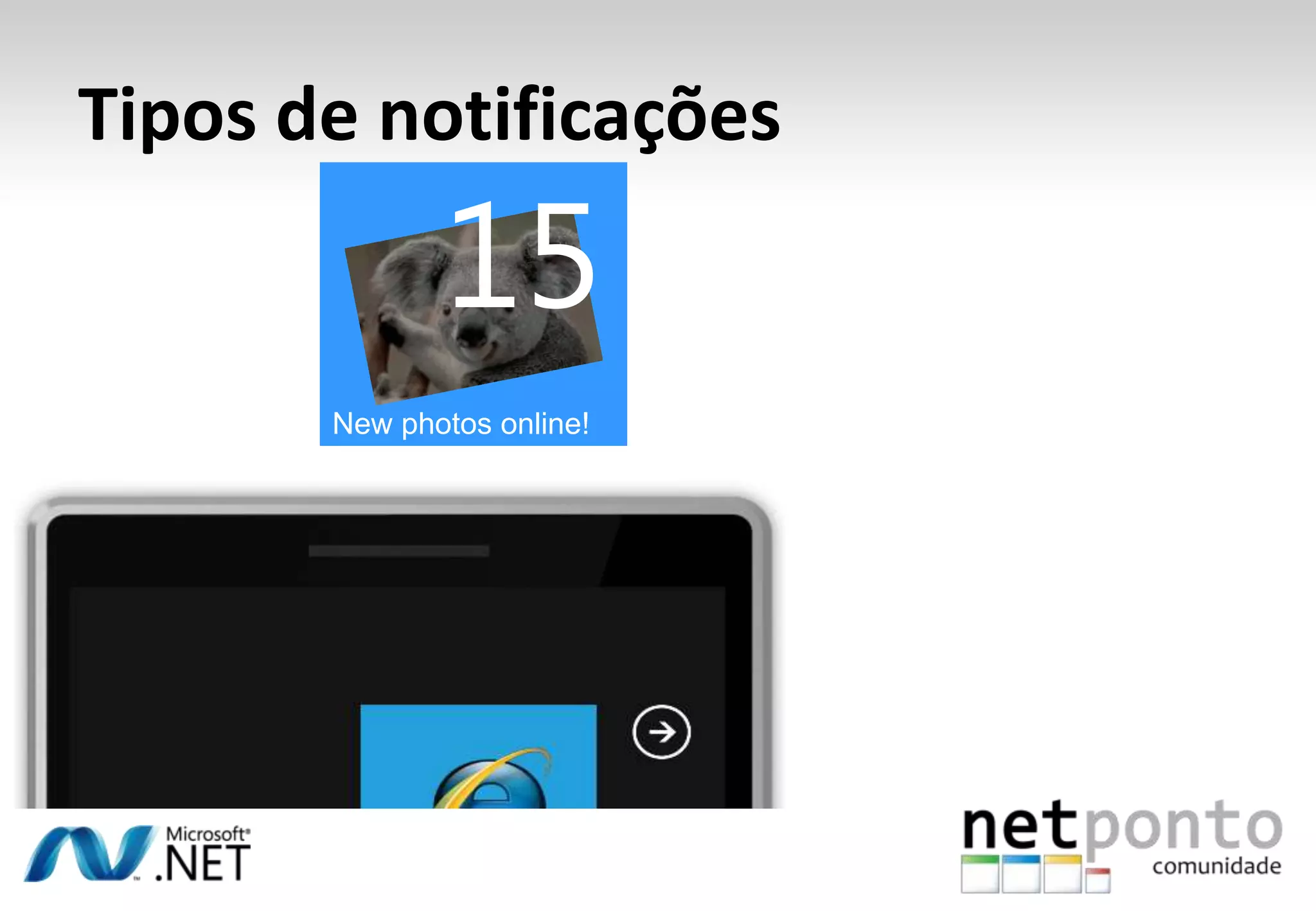
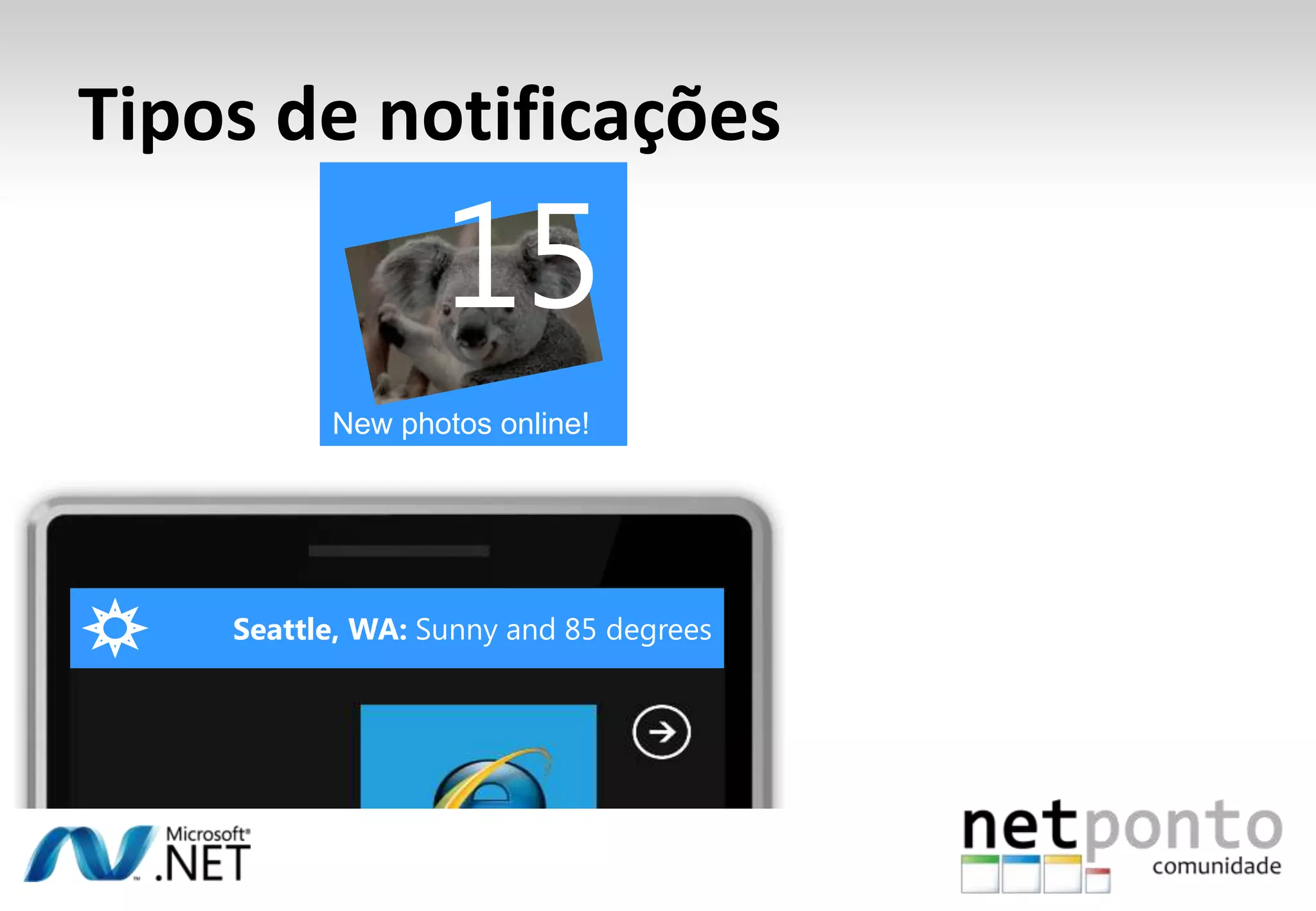
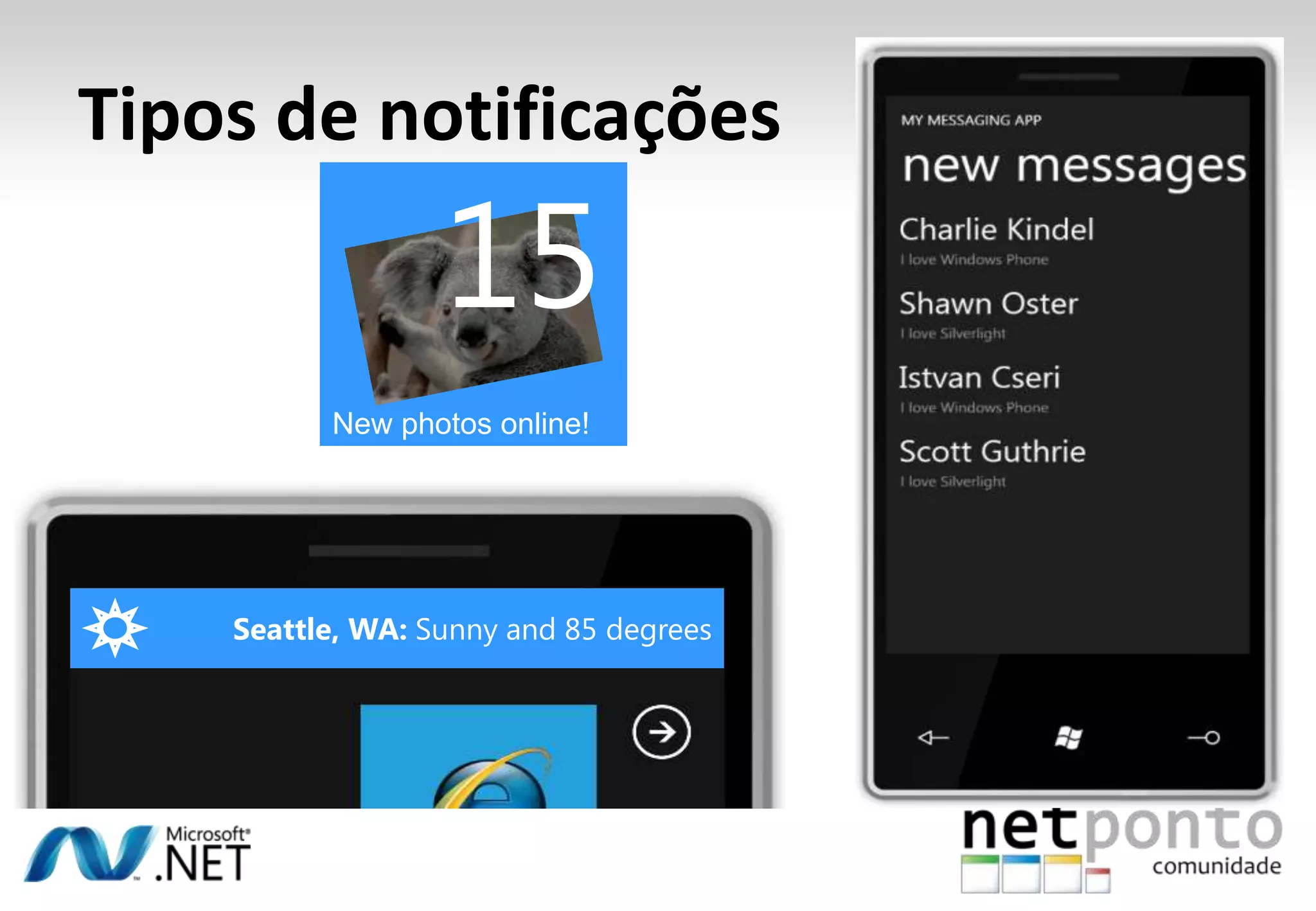
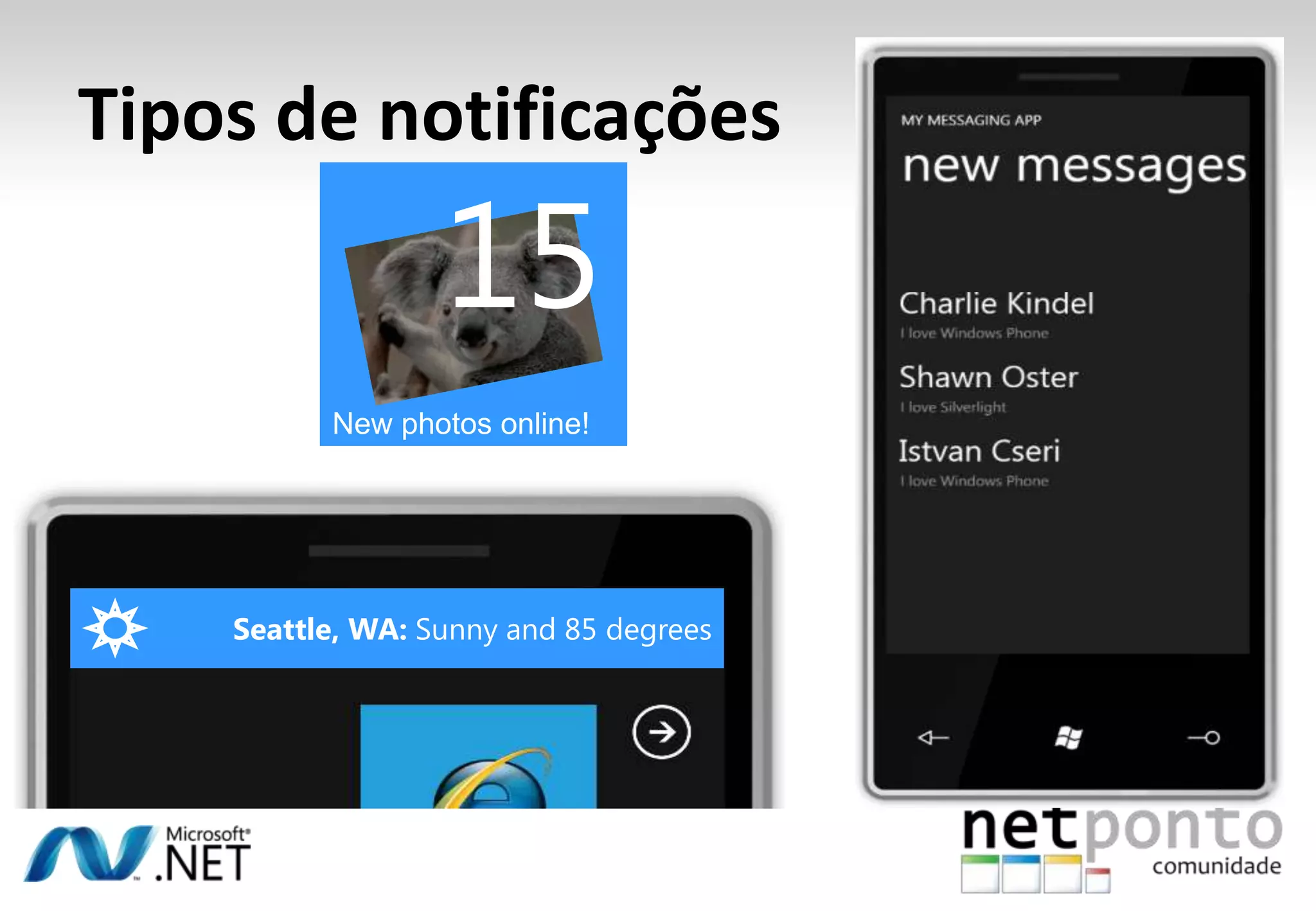
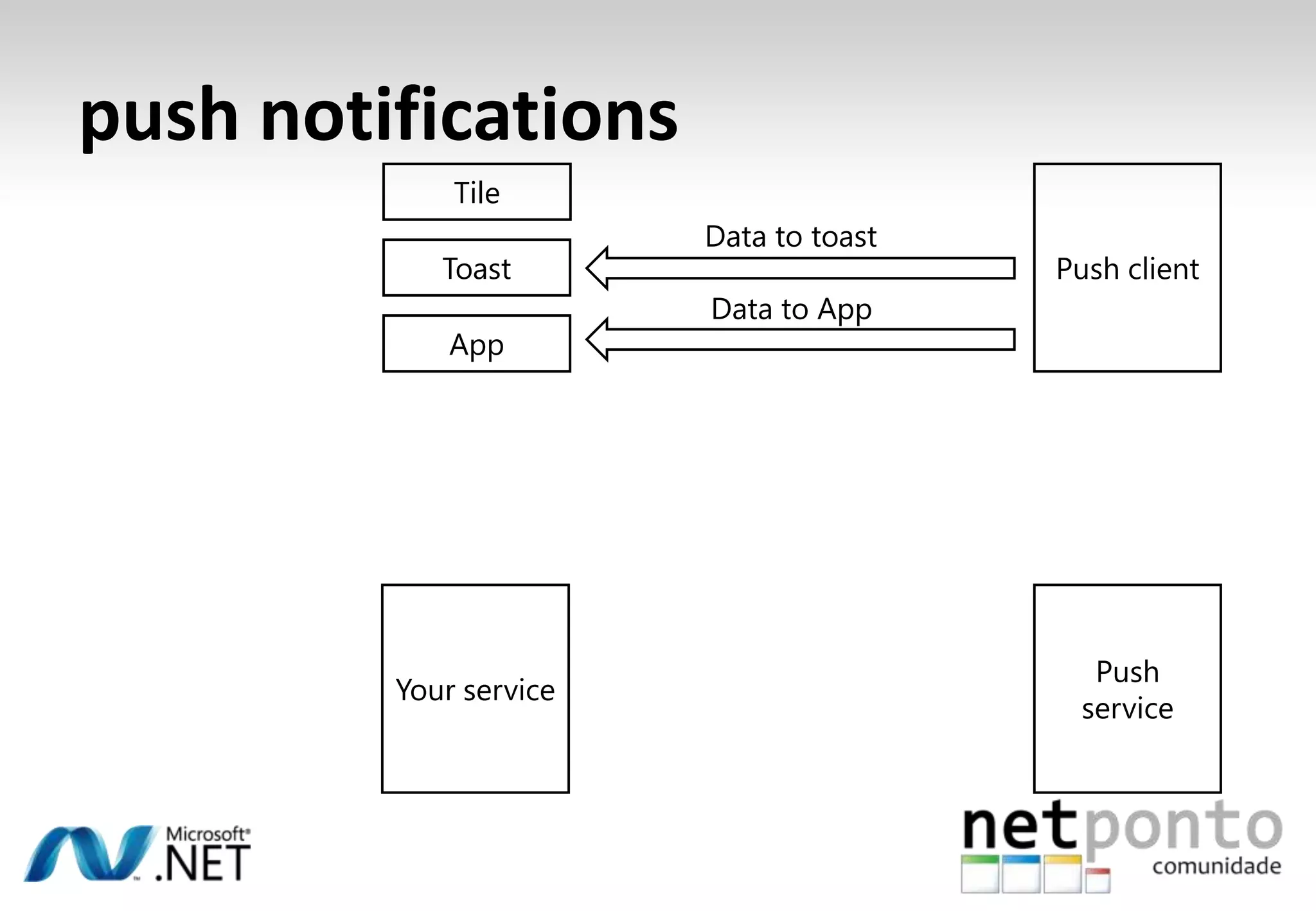
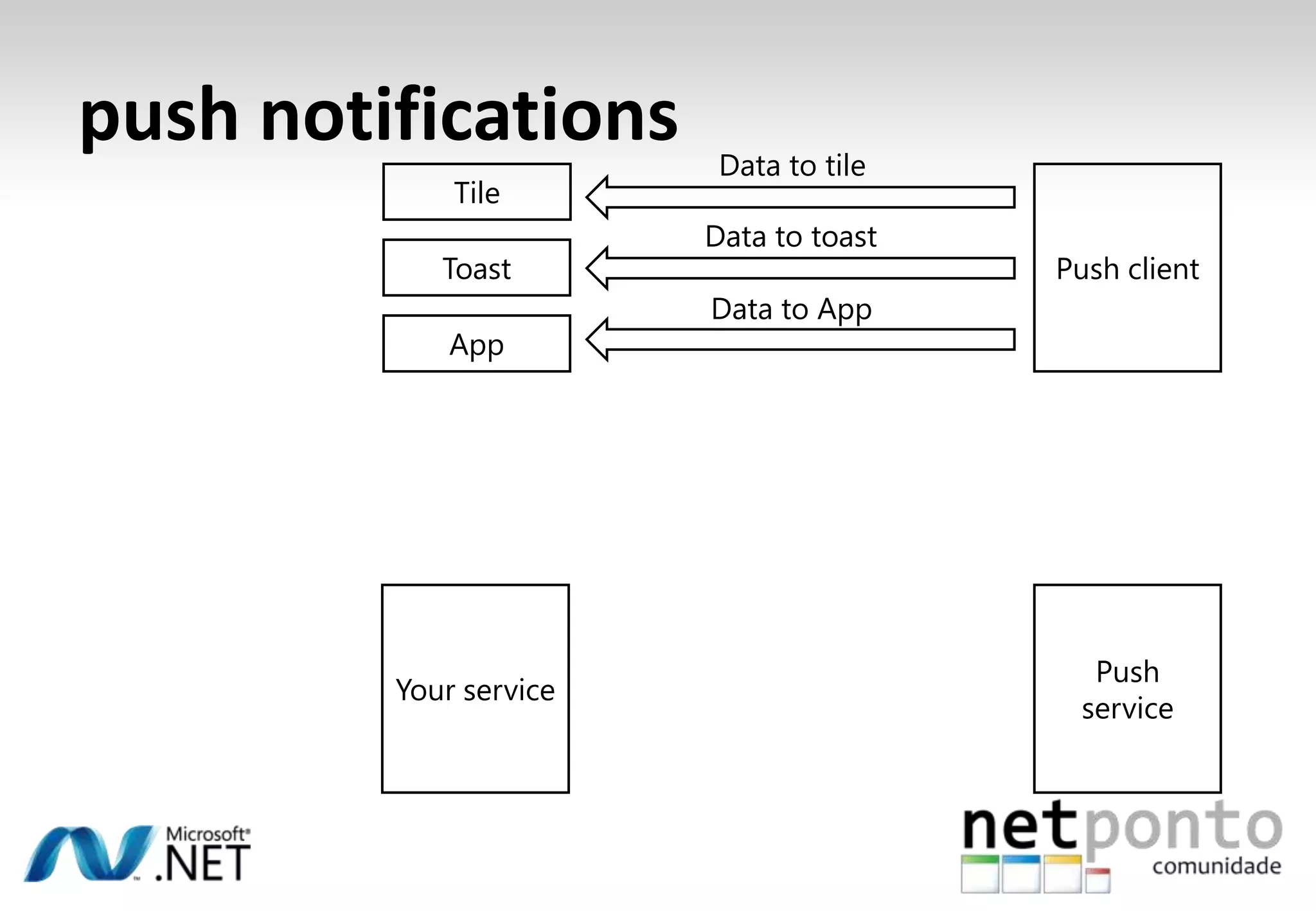
  • #84 There are three types of push notifications that you can use on a Windows PhoneNotifications that show up when your application is not running:Tile UpdateToast NotificationNotification that show up when your application is running:Possibility to immediately update your UITile UpdateImagine an application that gets photo feeds, for instance from a service like flickr. Currently the tile shows there are 14 pictures available[Animate]Something happens on the backend: new pictures become available. Through push notifications the tile can be updated[Animate]Toast NotificationImagine a weather application. The user has indicated that they want to be informed about weather updates. Currently the user is not using the weather application though.[Animate]You can send a toast to the device. It appears on the screen, regardless of what the user is doing on the device. If the user clicks on the toast, your application will be launched.[Animate]Push Notification while your application is runningInstead of polling for changes, you setup a push notification (meaning your application will wait for something to happen on the backend with no polling necessary). When something happens on the backend, the server will ping your application.[Animate]The application can take immediate action, for instance to display a newly received message to the user.
  • #85 There are three types of push notifications that you can use on a Windows PhoneNotifications that show up when your application is not running:Tile UpdateToast NotificationNotification that show up when your application is running:Possibility to immediately update your UITile UpdateImagine an application that gets photo feeds, for instance from a service like flickr. Currently the tile shows there are 14 pictures available[Animate]Something happens on the backend: new pictures become available. Through push notifications the tile can be updated[Animate]Toast NotificationImagine a weather application. The user has indicated that they want to be informed about weather updates. Currently the user is not using the weather application though.[Animate]You can send a toast to the device. It appears on the screen, regardless of what the user is doing on the device. If the user clicks on the toast, your application will be launched.[Animate]Push Notification while your application is runningInstead of polling for changes, you setup a push notification (meaning your application will wait for something to happen on the backend with no polling necessary). When something happens on the backend, the server will ping your application.[Animate]The application can take immediate action, for instance to display a newly received message to the user.
  • #86 There are three types of push notifications that you can use on a Windows PhoneNotifications that show up when your application is not running:Tile UpdateToast NotificationNotification that show up when your application is running:Possibility to immediately update your UITile UpdateImagine an application that gets photo feeds, for instance from a service like flickr. Currently the tile shows there are 14 pictures available[Animate]Something happens on the backend: new pictures become available. Through push notifications the tile can be updated[Animate]Toast NotificationImagine a weather application. The user has indicated that they want to be informed about weather updates. Currently the user is not using the weather application though.[Animate]You can send a toast to the device. It appears on the screen, regardless of what the user is doing on the device. If the user clicks on the toast, your application will be launched.[Animate]Push Notification while your application is runningInstead of polling for changes, you setup a push notification (meaning your application will wait for something to happen on the backend with no polling necessary). When something happens on the backend, the server will ping your application.[Animate]The application can take immediate action, for instance to display a newly received message to the user.
  • #87 There are three types of push notifications that you can use on a Windows PhoneNotifications that show up when your application is not running:Tile UpdateToast NotificationNotification that show up when your application is running:Possibility to immediately update your UITile UpdateImagine an application that gets photo feeds, for instance from a service like flickr. Currently the tile shows there are 14 pictures available[Animate]Something happens on the backend: new pictures become available. Through push notifications the tile can be updated[Animate]Toast NotificationImagine a weather application. The user has indicated that they want to be informed about weather updates. Currently the user is not using the weather application though.[Animate]You can send a toast to the device. It appears on the screen, regardless of what the user is doing on the device. If the user clicks on the toast, your application will be launched.[Animate]Push Notification while your application is runningInstead of polling for changes, you setup a push notification (meaning your application will wait for something to happen on the backend with no polling necessary). When something happens on the backend, the server will ping your application.[Animate]The application can take immediate action, for instance to display a newly received message to the user.
  • #88 There are three types of push notifications that you can use on a Windows PhoneNotifications that show up when your application is not running:Tile UpdateToast NotificationNotification that show up when your application is running:Possibility to immediately update your UITile UpdateImagine an application that gets photo feeds, for instance from a service like flickr. Currently the tile shows there are 14 pictures available[Animate]Something happens on the backend: new pictures become available. Through push notifications the tile can be updated[Animate]Toast NotificationImagine a weather application. The user has indicated that they want to be informed about weather updates. Currently the user is not using the weather application though.[Animate]You can send a toast to the device. It appears on the screen, regardless of what the user is doing on the device. If the user clicks on the toast, your application will be launched.[Animate]Push Notification while your application is runningInstead of polling for changes, you setup a push notification (meaning your application will wait for something to happen on the backend with no polling necessary). When something happens on the backend, the server will ping your application.[Animate]The application can take immediate action, for instance to display a newly received message to the user.
  • #89 There are three types of push notifications that you can use on a Windows PhoneNotifications that show up when your application is not running:Tile UpdateToast NotificationNotification that show up when your application is running:Possibility to immediately update your UITile UpdateImagine an application that gets photo feeds, for instance from a service like flickr. Currently the tile shows there are 14 pictures available[Animate]Something happens on the backend: new pictures become available. Through push notifications the tile can be updated[Animate]Toast NotificationImagine a weather application. The user has indicated that they want to be informed about weather updates. Currently the user is not using the weather application though.[Animate]You can send a toast to the device. It appears on the screen, regardless of what the user is doing on the device. If the user clicks on the toast, your application will be launched.[Animate]Push Notification while your application is runningInstead of polling for changes, you setup a push notification (meaning your application will wait for something to happen on the backend with no polling necessary). When something happens on the backend, the server will ping your application.[Animate]The application can take immediate action, for instance to display a newly received message to the user.
  • #90 There are three types of push notifications that you can use on a Windows PhoneNotifications that show up when your application is not running:Tile UpdateToast NotificationNotification that show up when your application is running:Possibility to immediately update your UITile UpdateImagine an application that gets photo feeds, for instance from a service like flickr. Currently the tile shows there are 14 pictures available[Animate]Something happens on the backend: new pictures become available. Through push notifications the tile can be updated[Animate]Toast NotificationImagine a weather application. The user has indicated that they want to be informed about weather updates. Currently the user is not using the weather application though.[Animate]You can send a toast to the device. It appears on the screen, regardless of what the user is doing on the device. If the user clicks on the toast, your application will be launched.[Animate]Push Notification while your application is runningInstead of polling for changes, you setup a push notification (meaning your application will wait for something to happen on the backend with no polling necessary). When something happens on the backend, the server will ping your application.[Animate]The application can take immediate action, for instance to display a newly received message to the user.
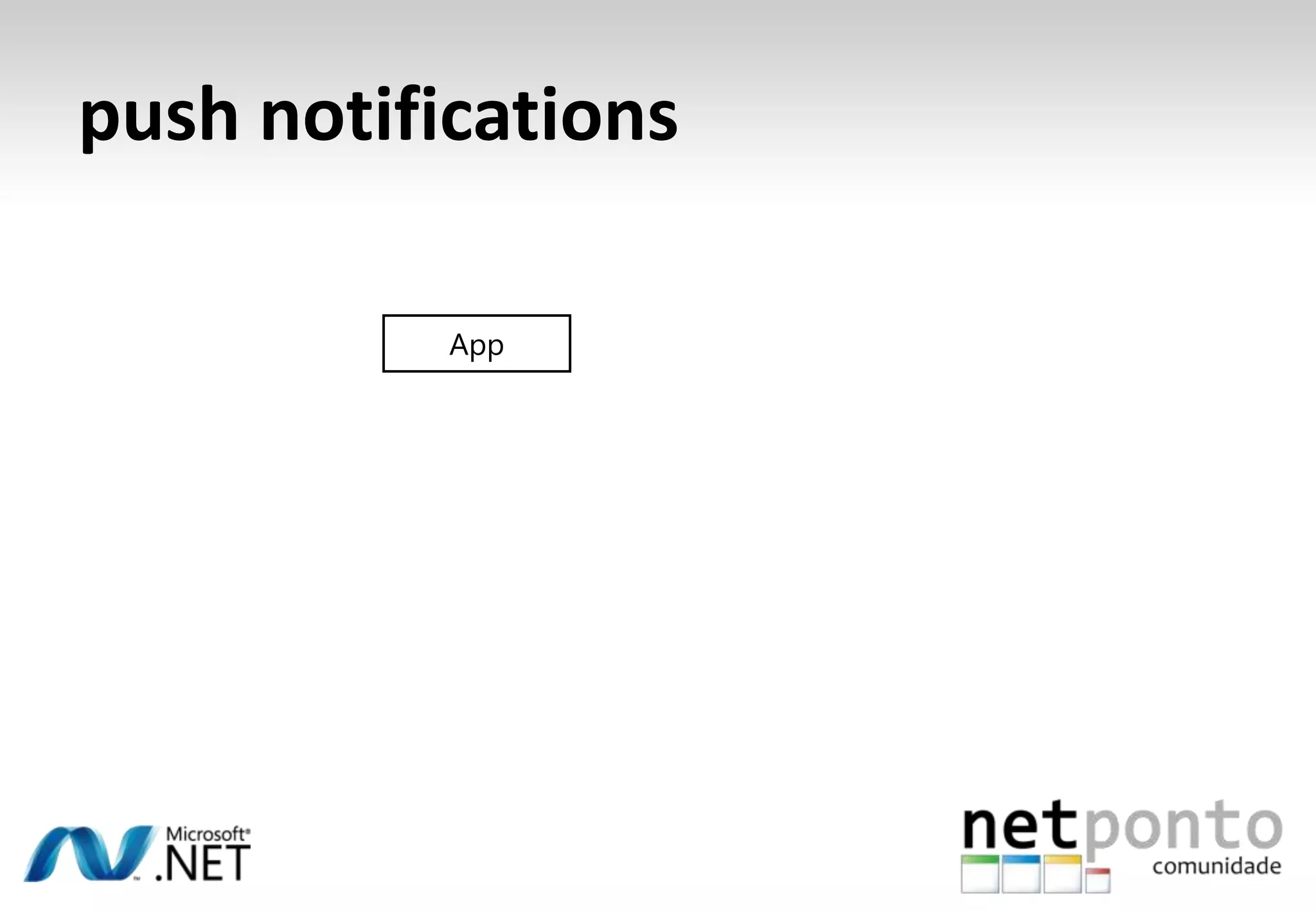
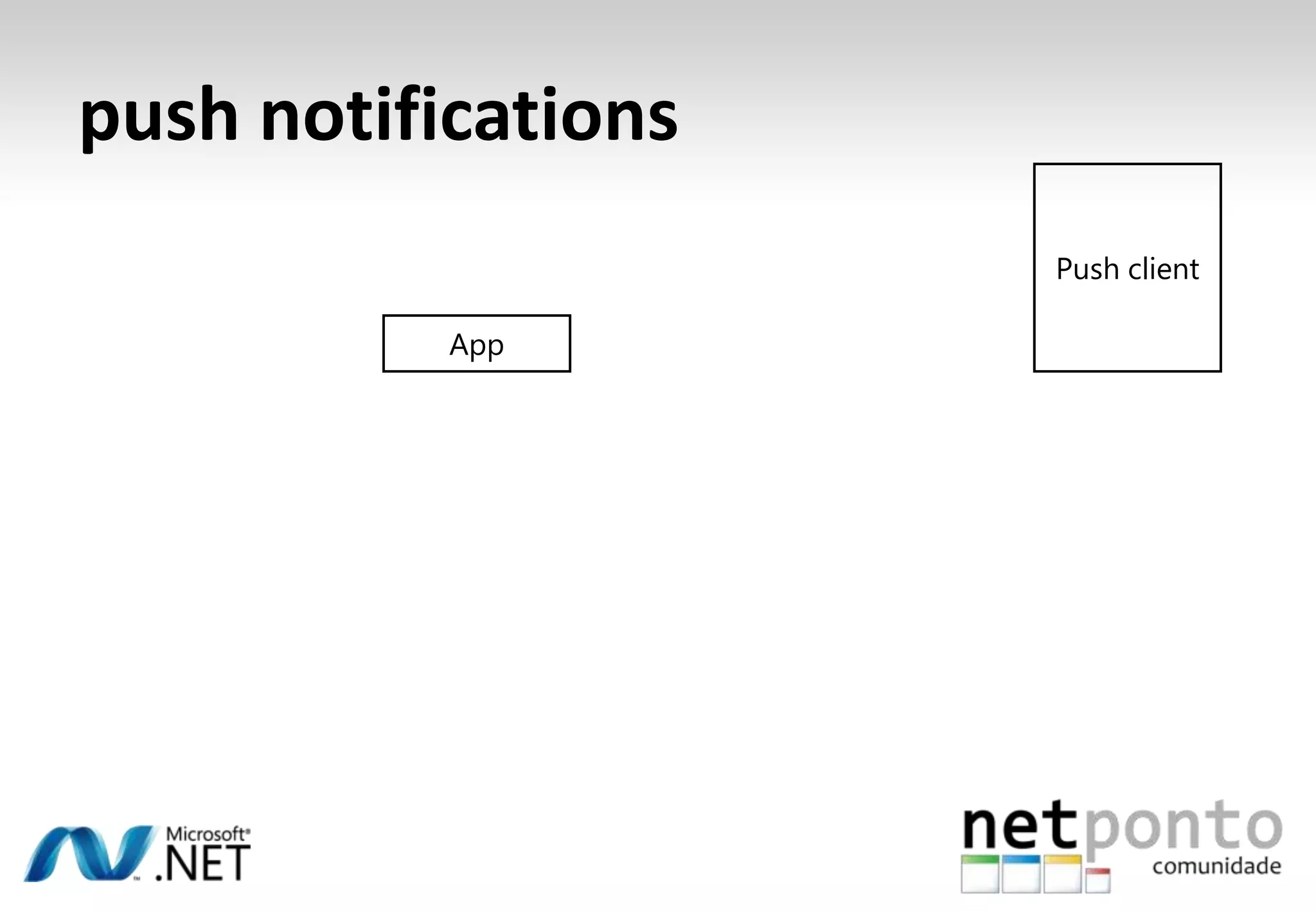
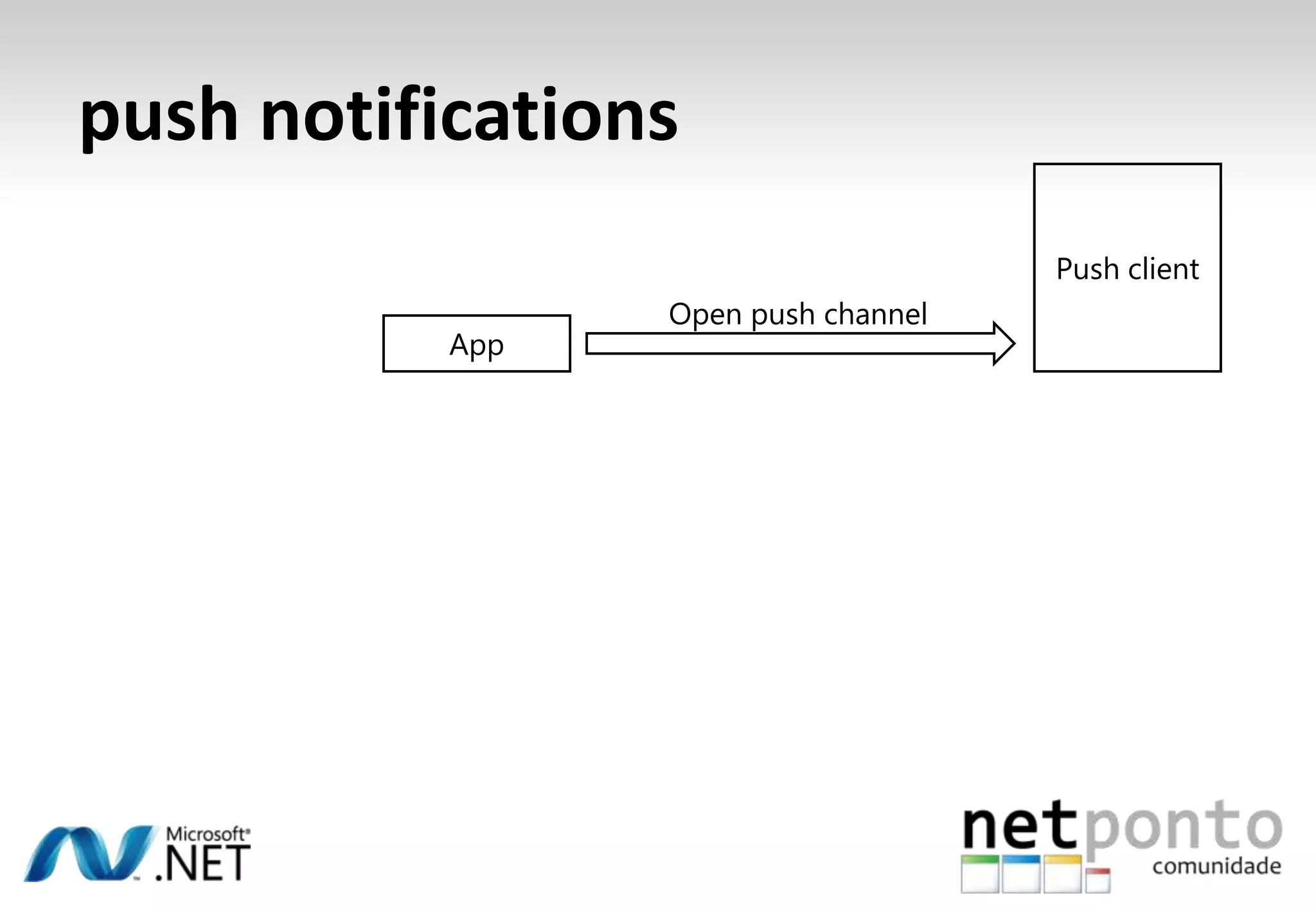
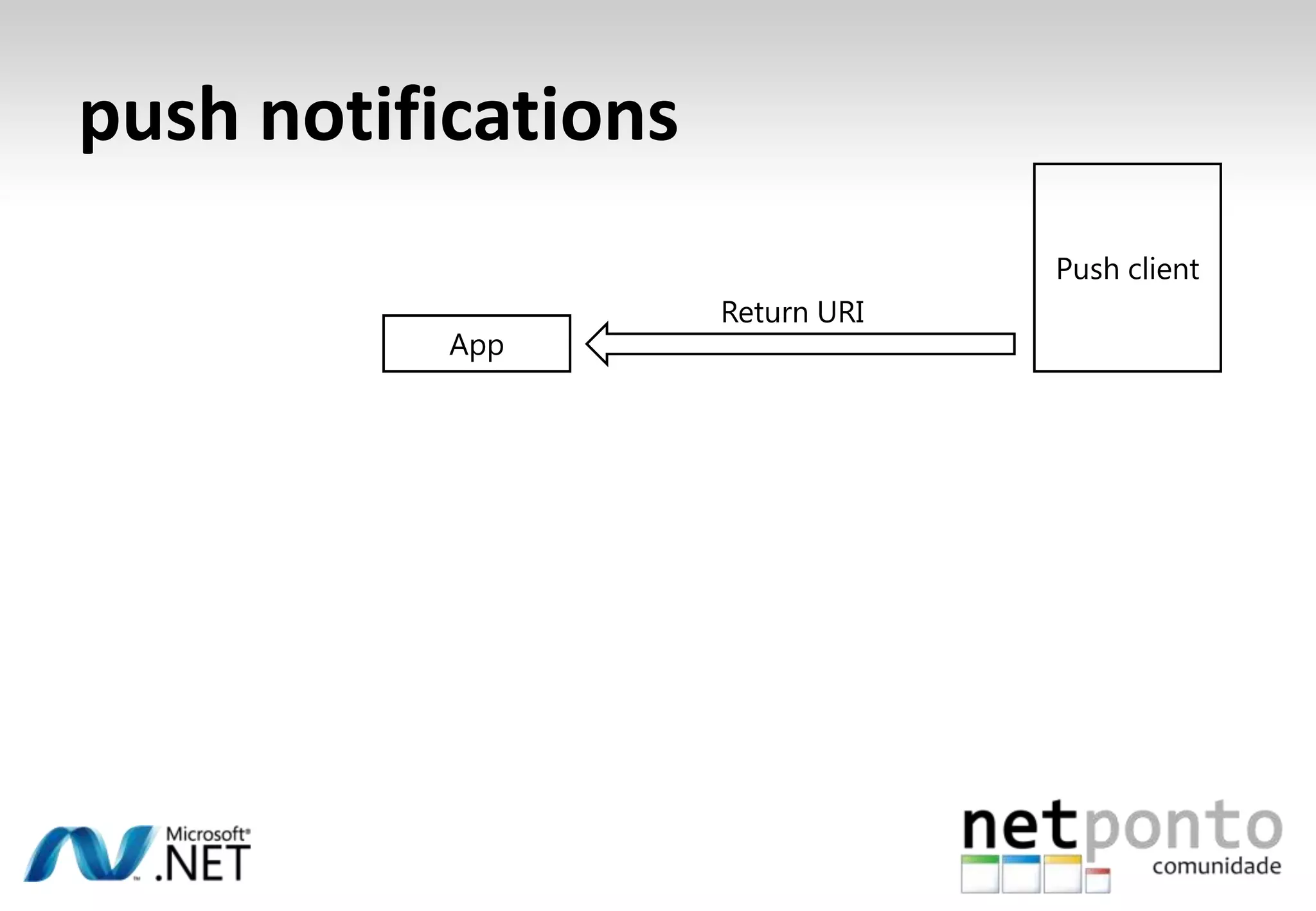
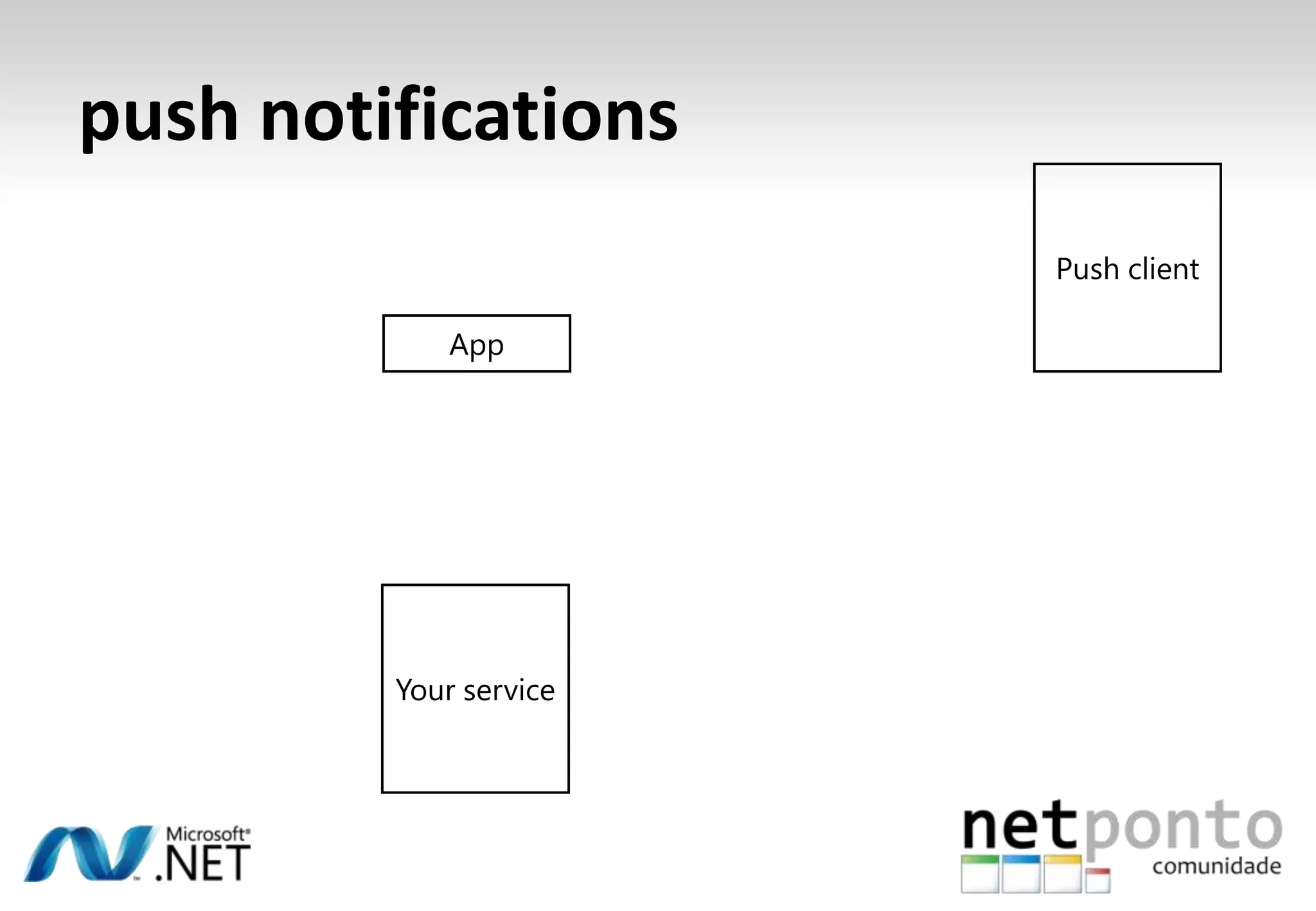
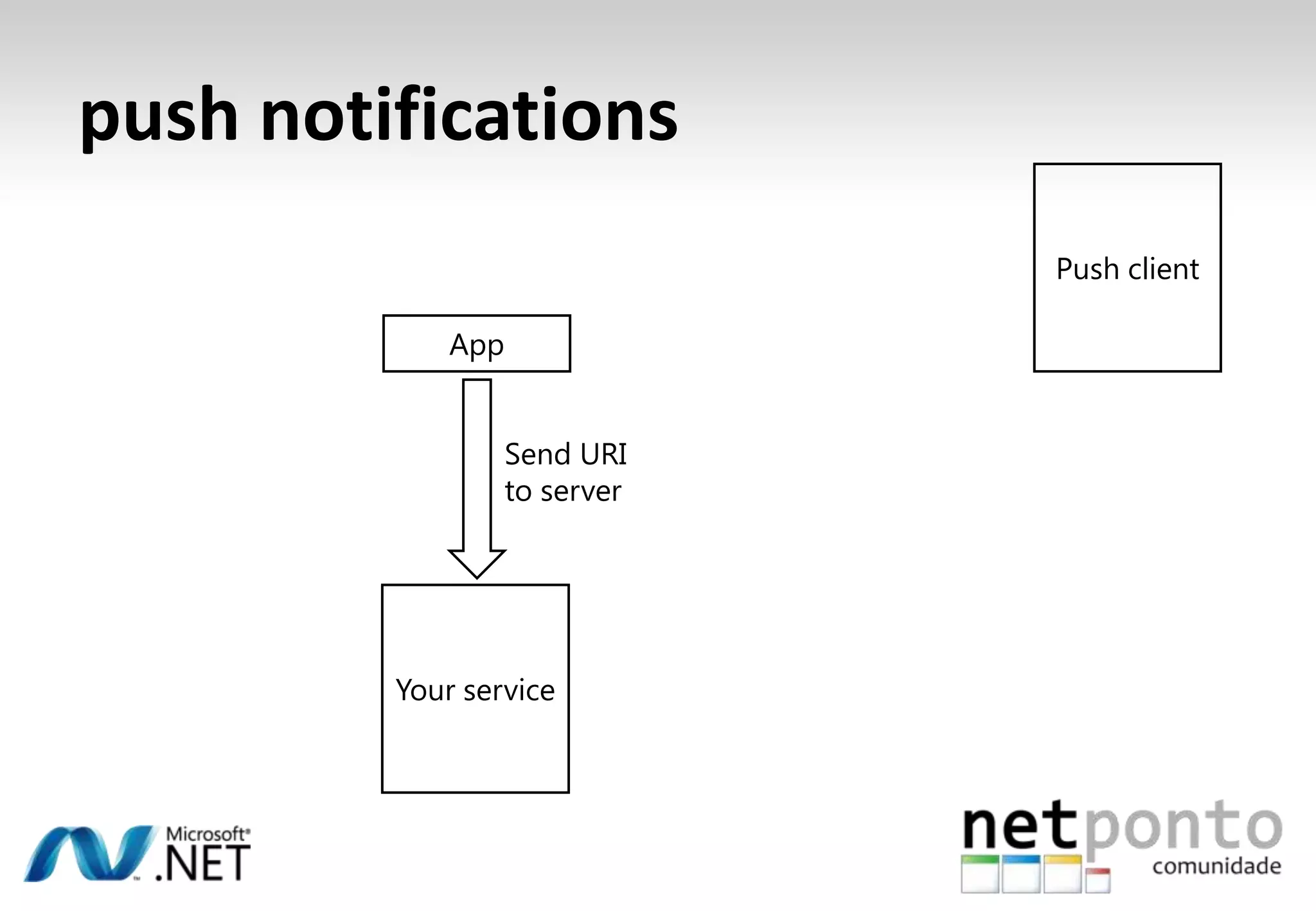
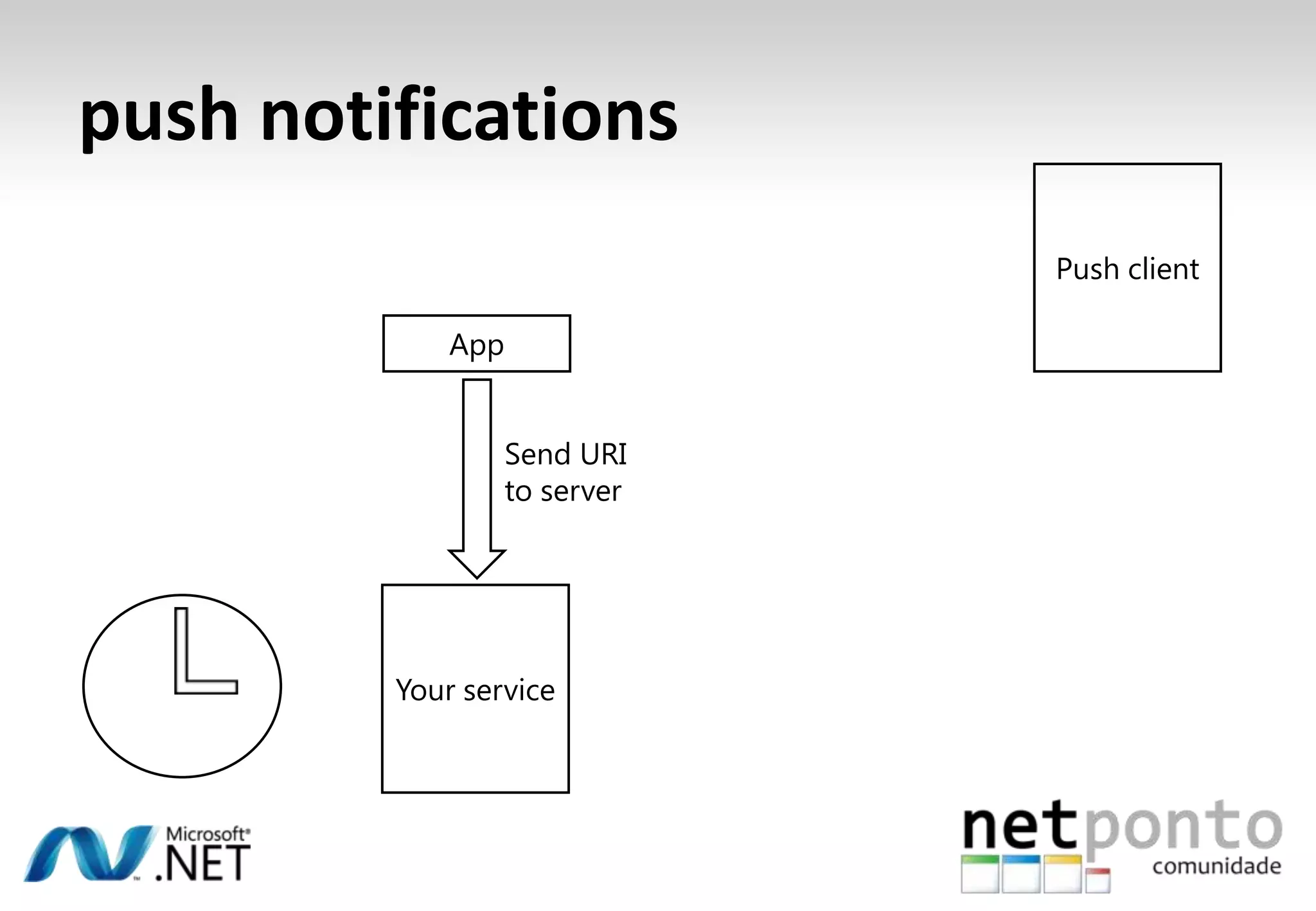
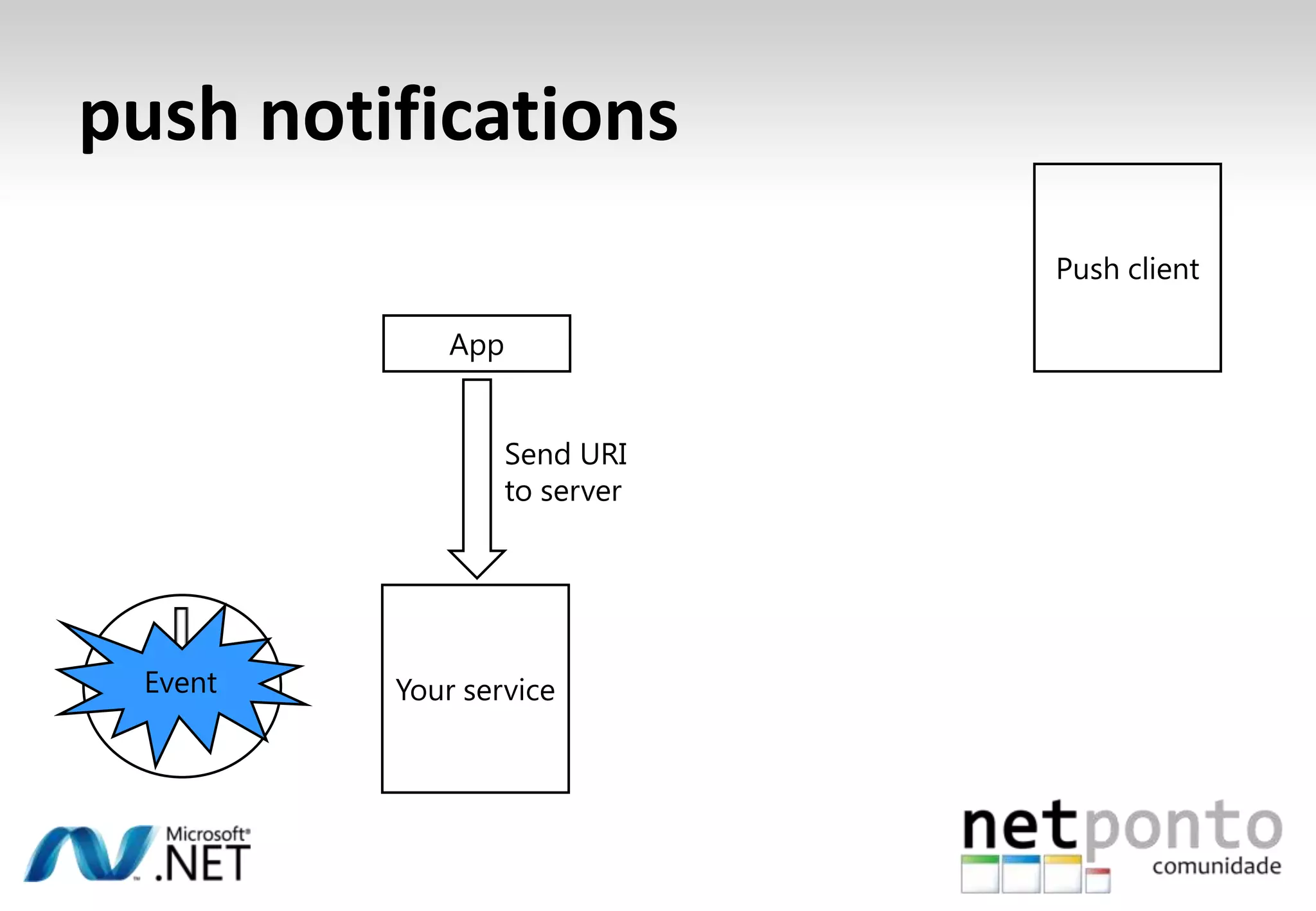
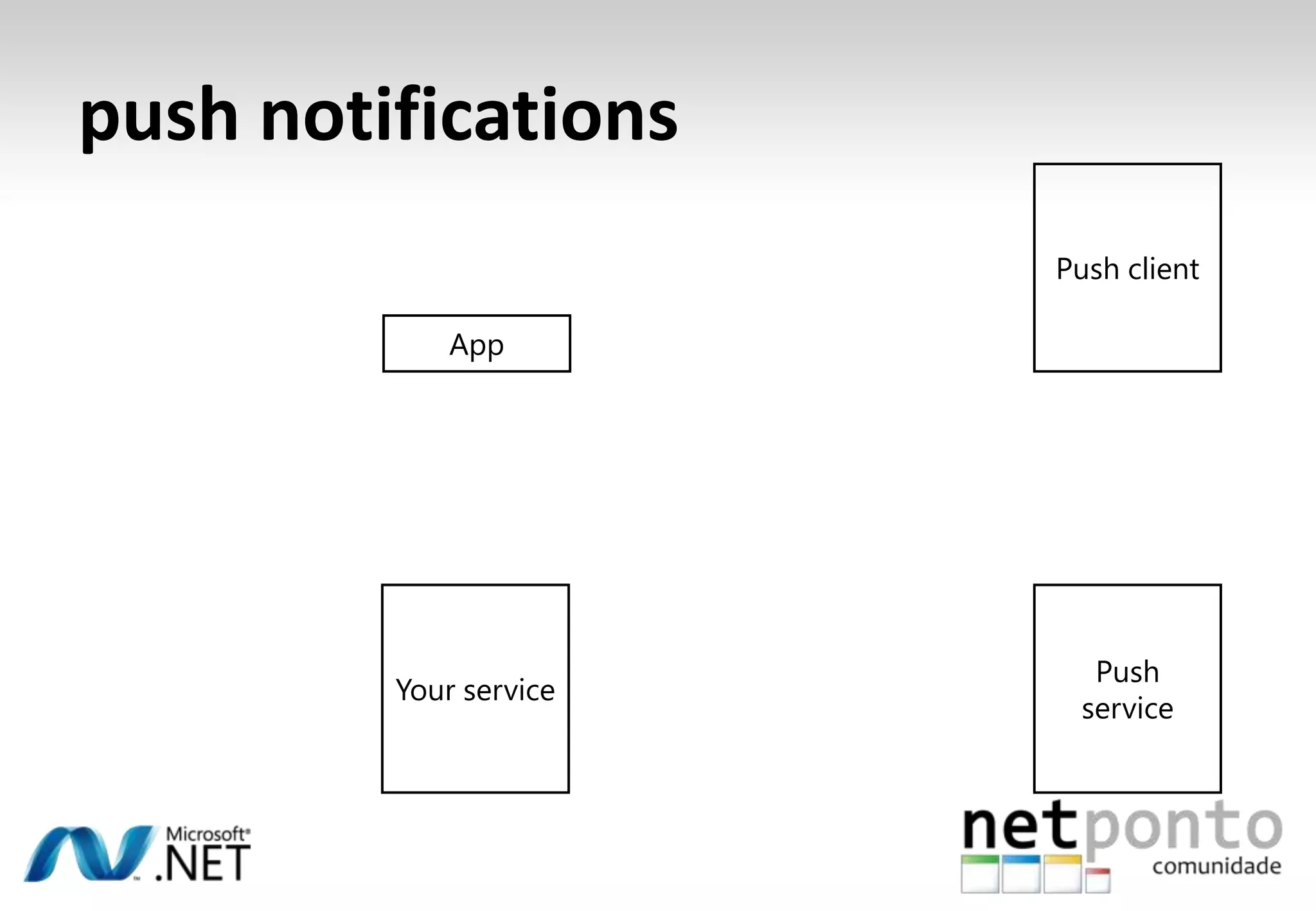
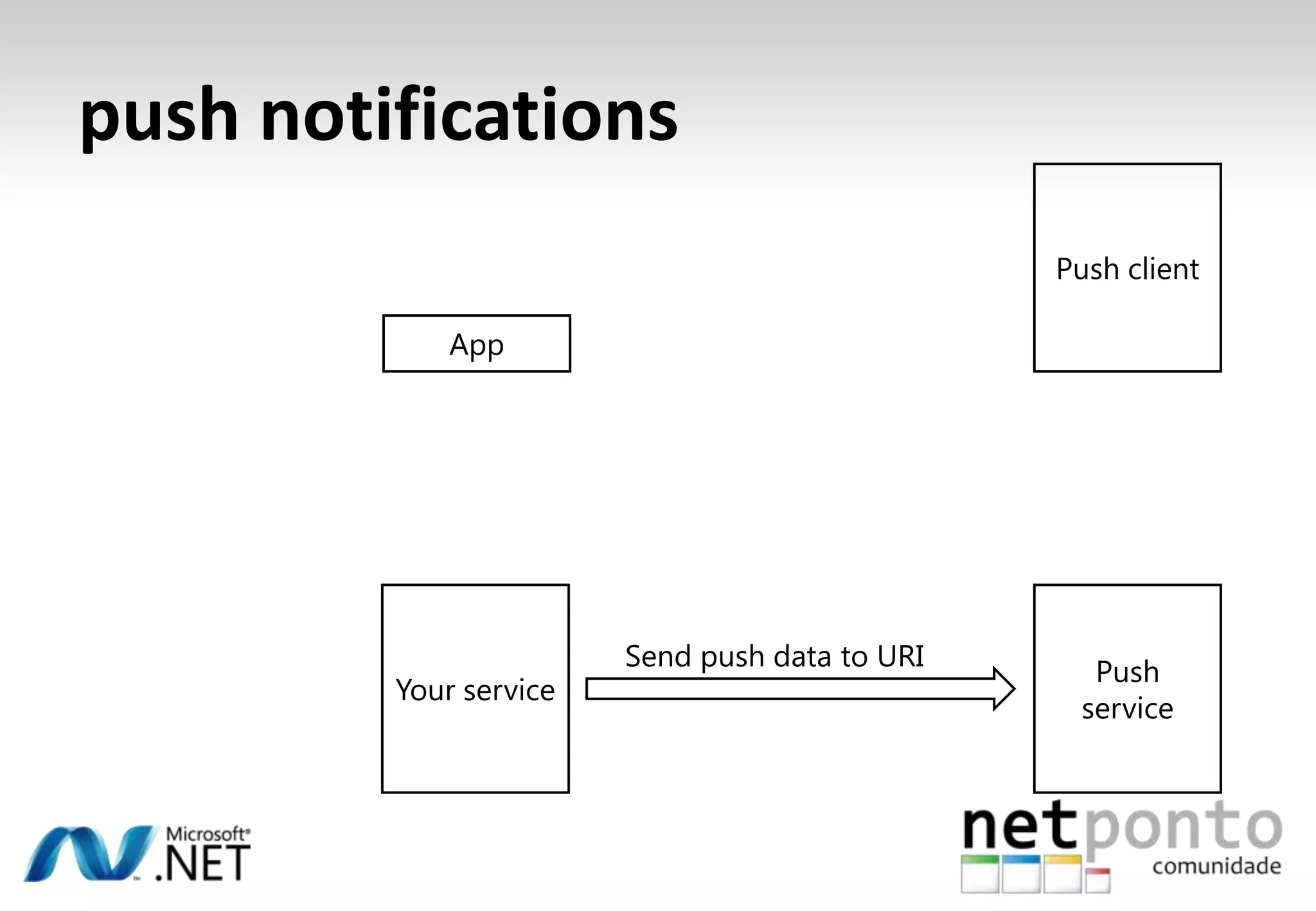
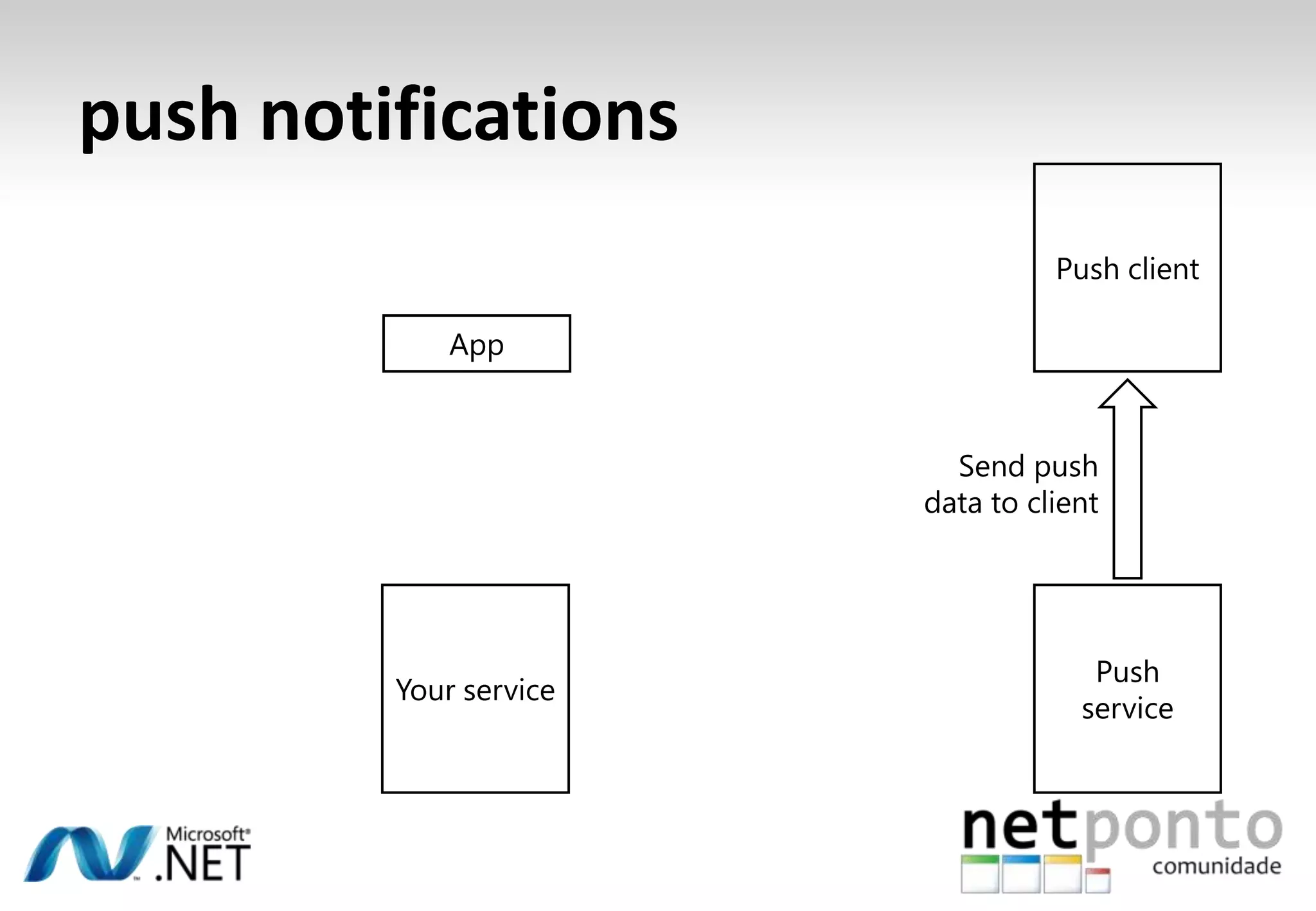
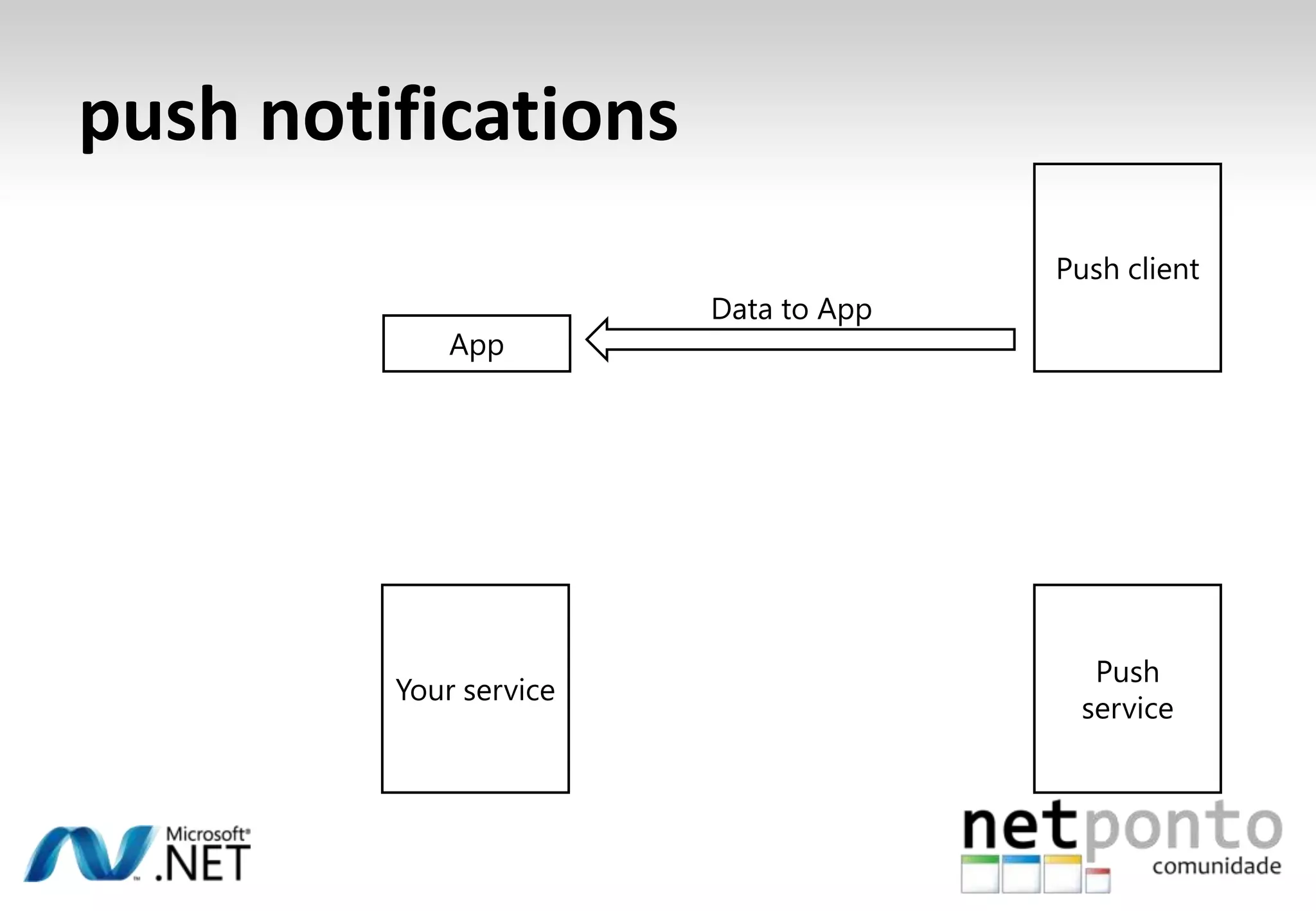
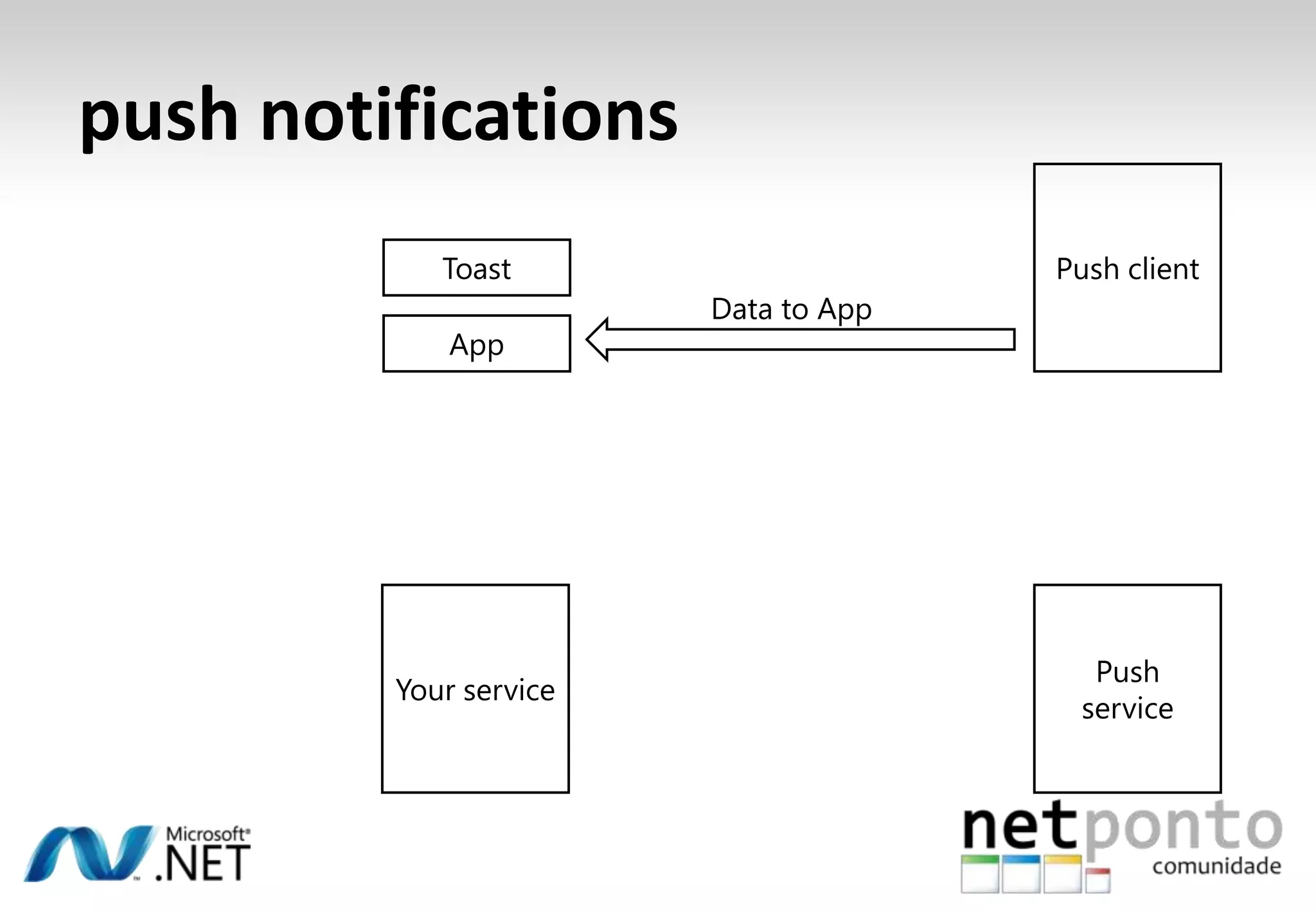
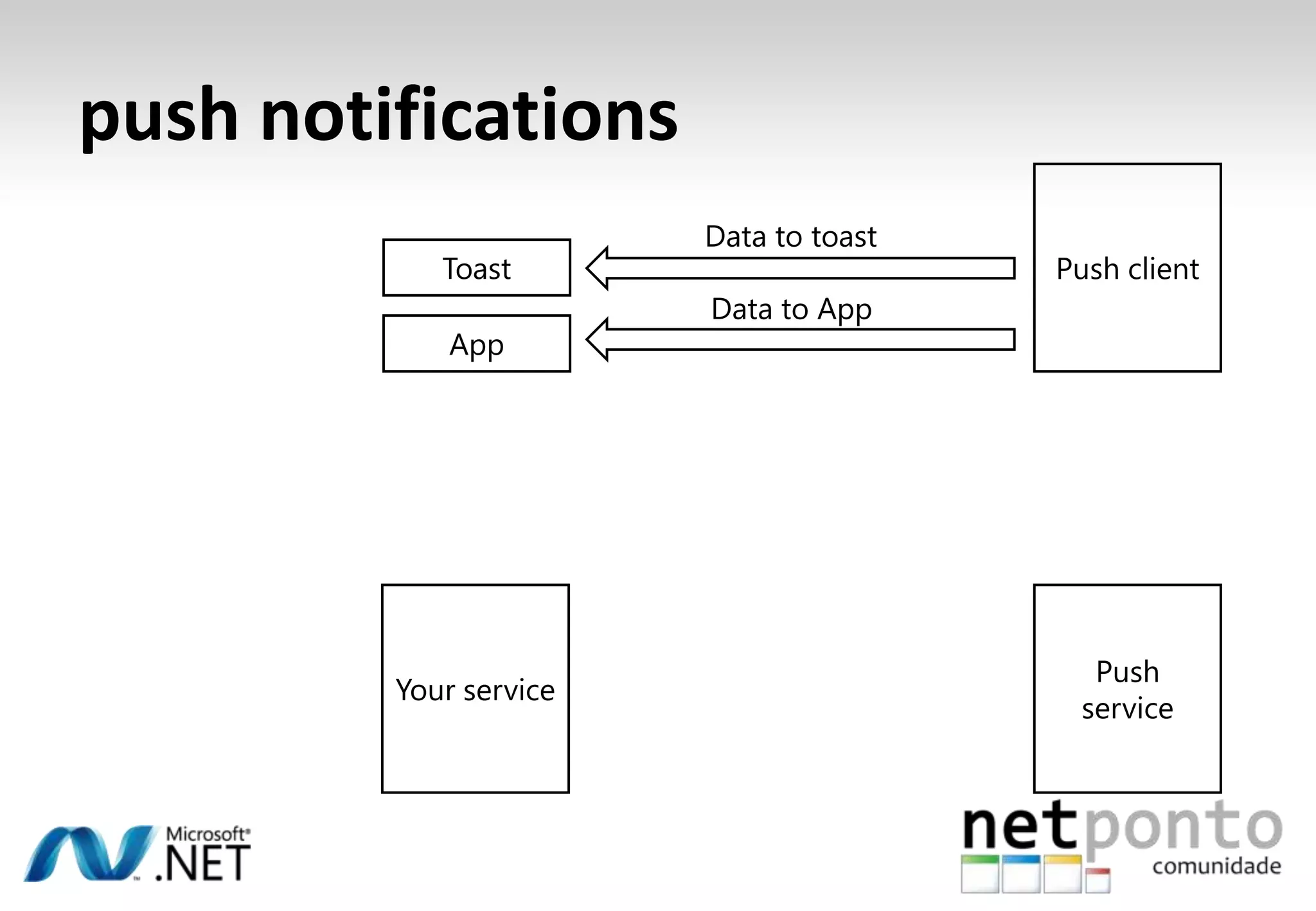
  • #91 Explain in a bit of detail how push notifications work (numbers correspond to next animation)Start with your application running on the deviceThe user indicates that they are interested in some notifications that your application can receiveYou are opening a push channel inside your application with the push clientThe push client returns a unique (per device and per application) URI to your applicationThe URI points to some live service hosted by Microsoft, somewhere in the cloudYour application sends that unique URI to your own back end serviceCan use any mechanismCan use any type of authenticationCan use custom protocolsYour service just sits somewhere in the cloud, waiting for something to happenIf something interesting happens ….Your service takes the event data and posts it to the unique URINo magic, just an ordinary http POSTThe Push Service takes the data you gave it and uses the URL to identify the device and the applicationThe data is send to the deviceDepending on the state of the device and the type of notification, the notification willAppear in the application (where you are responsible to display it to the user)Show up as a toast notification (the operating system takes care of this)Update a tile (the operating system takes care of this)
  • #92 Explain in a bit of detail how push notifications work (numbers correspond to next animation)Start with your application running on the deviceThe user indicates that they are interested in some notifications that your application can receiveYou are opening a push channel inside your application with the push clientThe push client returns a unique (per device and per application) URI to your applicationThe URI points to some live service hosted by Microsoft, somewhere in the cloudYour application sends that unique URI to your own back end serviceCan use any mechanismCan use any type of authenticationCan use custom protocolsYour service just sits somewhere in the cloud, waiting for something to happenIf something interesting happens ….Your service takes the event data and posts it to the unique URINo magic, just an ordinary http POSTThe Push Service takes the data you gave it and uses the URL to identify the device and the applicationThe data is send to the deviceDepending on the state of the device and the type of notification, the notification willAppear in the application (where you are responsible to display it to the user)Show up as a toast notification (the operating system takes care of this)Update a tile (the operating system takes care of this)
  • #93 Explain in a bit of detail how push notifications work (numbers correspond to next animation)Start with your application running on the deviceThe user indicates that they are interested in some notifications that your application can receiveYou are opening a push channel inside your application with the push clientThe push client returns a unique (per device and per application) URI to your applicationThe URI points to some live service hosted by Microsoft, somewhere in the cloudYour application sends that unique URI to your own back end serviceCan use any mechanismCan use any type of authenticationCan use custom protocolsYour service just sits somewhere in the cloud, waiting for something to happenIf something interesting happens ….Your service takes the event data and posts it to the unique URINo magic, just an ordinary http POSTThe Push Service takes the data you gave it and uses the URL to identify the device and the applicationThe data is send to the deviceDepending on the state of the device and the type of notification, the notification willAppear in the application (where you are responsible to display it to the user)Show up as a toast notification (the operating system takes care of this)Update a tile (the operating system takes care of this)
  • #94 Explain in a bit of detail how push notifications work (numbers correspond to next animation)Start with your application running on the deviceThe user indicates that they are interested in some notifications that your application can receiveYou are opening a push channel inside your application with the push clientThe push client returns a unique (per device and per application) URI to your applicationThe URI points to some live service hosted by Microsoft, somewhere in the cloudYour application sends that unique URI to your own back end serviceCan use any mechanismCan use any type of authenticationCan use custom protocolsYour service just sits somewhere in the cloud, waiting for something to happenIf something interesting happens ….Your service takes the event data and posts it to the unique URINo magic, just an ordinary http POSTThe Push Service takes the data you gave it and uses the URL to identify the device and the applicationThe data is send to the deviceDepending on the state of the device and the type of notification, the notification willAppear in the application (where you are responsible to display it to the user)Show up as a toast notification (the operating system takes care of this)Update a tile (the operating system takes care of this)
  • #95 Explain in a bit of detail how push notifications work (numbers correspond to next animation)Start with your application running on the deviceThe user indicates that they are interested in some notifications that your application can receiveYou are opening a push channel inside your application with the push clientThe push client returns a unique (per device and per application) URI to your applicationThe URI points to some live service hosted by Microsoft, somewhere in the cloudYour application sends that unique URI to your own back end serviceCan use any mechanismCan use any type of authenticationCan use custom protocolsYour service just sits somewhere in the cloud, waiting for something to happenIf something interesting happens ….Your service takes the event data and posts it to the unique URINo magic, just an ordinary http POSTThe Push Service takes the data you gave it and uses the URL to identify the device and the applicationThe data is send to the deviceDepending on the state of the device and the type of notification, the notification willAppear in the application (where you are responsible to display it to the user)Show up as a toast notification (the operating system takes care of this)Update a tile (the operating system takes care of this)
  • #96 Explain in a bit of detail how push notifications work (numbers correspond to next animation)Start with your application running on the deviceThe user indicates that they are interested in some notifications that your application can receiveYou are opening a push channel inside your application with the push clientThe push client returns a unique (per device and per application) URI to your applicationThe URI points to some live service hosted by Microsoft, somewhere in the cloudYour application sends that unique URI to your own back end serviceCan use any mechanismCan use any type of authenticationCan use custom protocolsYour service just sits somewhere in the cloud, waiting for something to happenIf something interesting happens ….Your service takes the event data and posts it to the unique URINo magic, just an ordinary http POSTThe Push Service takes the data you gave it and uses the URL to identify the device and the applicationThe data is send to the deviceDepending on the state of the device and the type of notification, the notification willAppear in the application (where you are responsible to display it to the user)Show up as a toast notification (the operating system takes care of this)Update a tile (the operating system takes care of this)
  • #97 Explain in a bit of detail how push notifications work (numbers correspond to next animation)Start with your application running on the deviceThe user indicates that they are interested in some notifications that your application can receiveYou are opening a push channel inside your application with the push clientThe push client returns a unique (per device and per application) URI to your applicationThe URI points to some live service hosted by Microsoft, somewhere in the cloudYour application sends that unique URI to your own back end serviceCan use any mechanismCan use any type of authenticationCan use custom protocolsYour service just sits somewhere in the cloud, waiting for something to happenIf something interesting happens ….Your service takes the event data and posts it to the unique URINo magic, just an ordinary http POSTThe Push Service takes the data you gave it and uses the URL to identify the device and the applicationThe data is send to the deviceDepending on the state of the device and the type of notification, the notification willAppear in the application (where you are responsible to display it to the user)Show up as a toast notification (the operating system takes care of this)Update a tile (the operating system takes care of this)
  • #98 Explain in a bit of detail how push notifications work (numbers correspond to next animation)Start with your application running on the deviceThe user indicates that they are interested in some notifications that your application can receiveYou are opening a push channel inside your application with the push clientThe push client returns a unique (per device and per application) URI to your applicationThe URI points to some live service hosted by Microsoft, somewhere in the cloudYour application sends that unique URI to your own back end serviceCan use any mechanismCan use any type of authenticationCan use custom protocolsYour service just sits somewhere in the cloud, waiting for something to happenIf something interesting happens ….Your service takes the event data and posts it to the unique URINo magic, just an ordinary http POSTThe Push Service takes the data you gave it and uses the URL to identify the device and the applicationThe data is send to the deviceDepending on the state of the device and the type of notification, the notification willAppear in the application (where you are responsible to display it to the user)Show up as a toast notification (the operating system takes care of this)Update a tile (the operating system takes care of this)
  • #99 Explain in a bit of detail how push notifications work (numbers correspond to next animation)Start with your application running on the deviceThe user indicates that they are interested in some notifications that your application can receiveYou are opening a push channel inside your application with the push clientThe push client returns a unique (per device and per application) URI to your applicationThe URI points to some live service hosted by Microsoft, somewhere in the cloudYour application sends that unique URI to your own back end serviceCan use any mechanismCan use any type of authenticationCan use custom protocolsYour service just sits somewhere in the cloud, waiting for something to happenIf something interesting happens ….Your service takes the event data and posts it to the unique URINo magic, just an ordinary http POSTThe Push Service takes the data you gave it and uses the URL to identify the device and the applicationThe data is send to the deviceDepending on the state of the device and the type of notification, the notification willAppear in the application (where you are responsible to display it to the user)Show up as a toast notification (the operating system takes care of this)Update a tile (the operating system takes care of this)
  • #100 Explain in a bit of detail how push notifications work (numbers correspond to next animation)Start with your application running on the deviceThe user indicates that they are interested in some notifications that your application can receiveYou are opening a push channel inside your application with the push clientThe push client returns a unique (per device and per application) URI to your applicationThe URI points to some live service hosted by Microsoft, somewhere in the cloudYour application sends that unique URI to your own back end serviceCan use any mechanismCan use any type of authenticationCan use custom protocolsYour service just sits somewhere in the cloud, waiting for something to happenIf something interesting happens ….Your service takes the event data and posts it to the unique URINo magic, just an ordinary http POSTThe Push Service takes the data you gave it and uses the URL to identify the device and the applicationThe data is send to the deviceDepending on the state of the device and the type of notification, the notification willAppear in the application (where you are responsible to display it to the user)Show up as a toast notification (the operating system takes care of this)Update a tile (the operating system takes care of this)
  • #101 Explain in a bit of detail how push notifications work (numbers correspond to next animation)Start with your application running on the deviceThe user indicates that they are interested in some notifications that your application can receiveYou are opening a push channel inside your application with the push clientThe push client returns a unique (per device and per application) URI to your applicationThe URI points to some live service hosted by Microsoft, somewhere in the cloudYour application sends that unique URI to your own back end serviceCan use any mechanismCan use any type of authenticationCan use custom protocolsYour service just sits somewhere in the cloud, waiting for something to happenIf something interesting happens ….Your service takes the event data and posts it to the unique URINo magic, just an ordinary http POSTThe Push Service takes the data you gave it and uses the URL to identify the device and the applicationThe data is send to the deviceDepending on the state of the device and the type of notification, the notification willAppear in the application (where you are responsible to display it to the user)Show up as a toast notification (the operating system takes care of this)Update a tile (the operating system takes care of this)
  • #102 Explain in a bit of detail how push notifications work (numbers correspond to next animation)Start with your application running on the deviceThe user indicates that they are interested in some notifications that your application can receiveYou are opening a push channel inside your application with the push clientThe push client returns a unique (per device and per application) URI to your applicationThe URI points to some live service hosted by Microsoft, somewhere in the cloudYour application sends that unique URI to your own back end serviceCan use any mechanismCan use any type of authenticationCan use custom protocolsYour service just sits somewhere in the cloud, waiting for something to happenIf something interesting happens ….Your service takes the event data and posts it to the unique URINo magic, just an ordinary http POSTThe Push Service takes the data you gave it and uses the URL to identify the device and the applicationThe data is send to the deviceDepending on the state of the device and the type of notification, the notification willAppear in the application (where you are responsible to display it to the user)Show up as a toast notification (the operating system takes care of this)Update a tile (the operating system takes care of this)
  • #103 Explain in a bit of detail how push notifications work (numbers correspond to next animation)Start with your application running on the deviceThe user indicates that they are interested in some notifications that your application can receiveYou are opening a push channel inside your application with the push clientThe push client returns a unique (per device and per application) URI to your applicationThe URI points to some live service hosted by Microsoft, somewhere in the cloudYour application sends that unique URI to your own back end serviceCan use any mechanismCan use any type of authenticationCan use custom protocolsYour service just sits somewhere in the cloud, waiting for something to happenIf something interesting happens ….Your service takes the event data and posts it to the unique URINo magic, just an ordinary http POSTThe Push Service takes the data you gave it and uses the URL to identify the device and the applicationThe data is send to the deviceDepending on the state of the device and the type of notification, the notification willAppear in the application (where you are responsible to display it to the user)Show up as a toast notification (the operating system takes care of this)Update a tile (the operating system takes care of this)
  • #104 Explain in a bit of detail how push notifications work (numbers correspond to next animation)Start with your application running on the deviceThe user indicates that they are interested in some notifications that your application can receiveYou are opening a push channel inside your application with the push clientThe push client returns a unique (per device and per application) URI to your applicationThe URI points to some live service hosted by Microsoft, somewhere in the cloudYour application sends that unique URI to your own back end serviceCan use any mechanismCan use any type of authenticationCan use custom protocolsYour service just sits somewhere in the cloud, waiting for something to happenIf something interesting happens ….Your service takes the event data and posts it to the unique URINo magic, just an ordinary http POSTThe Push Service takes the data you gave it and uses the URL to identify the device and the applicationThe data is send to the deviceDepending on the state of the device and the type of notification, the notification willAppear in the application (where you are responsible to display it to the user)Show up as a toast notification (the operating system takes care of this)Update a tile (the operating system takes care of this)
  • #105 Explain in a bit of detail how push notifications work (numbers correspond to next animation)Start with your application running on the deviceThe user indicates that they are interested in some notifications that your application can receiveYou are opening a push channel inside your application with the push clientThe push client returns a unique (per device and per application) URI to your applicationThe URI points to some live service hosted by Microsoft, somewhere in the cloudYour application sends that unique URI to your own back end serviceCan use any mechanismCan use any type of authenticationCan use custom protocolsYour service just sits somewhere in the cloud, waiting for something to happenIf something interesting happens ….Your service takes the event data and posts it to the unique URINo magic, just an ordinary http POSTThe Push Service takes the data you gave it and uses the URL to identify the device and the applicationThe data is send to the deviceDepending on the state of the device and the type of notification, the notification willAppear in the application (where you are responsible to display it to the user)Show up as a toast notification (the operating system takes care of this)Update a tile (the operating system takes care of this)
  • #106 Explain in a bit of detail how push notifications work (numbers correspond to next animation)Start with your application running on the deviceThe user indicates that they are interested in some notifications that your application can receiveYou are opening a push channel inside your application with the push clientThe push client returns a unique (per device and per application) URI to your applicationThe URI points to some live service hosted by Microsoft, somewhere in the cloudYour application sends that unique URI to your own back end serviceCan use any mechanismCan use any type of authenticationCan use custom protocolsYour service just sits somewhere in the cloud, waiting for something to happenIf something interesting happens ….Your service takes the event data and posts it to the unique URINo magic, just an ordinary http POSTThe Push Service takes the data you gave it and uses the URL to identify the device and the applicationThe data is send to the deviceDepending on the state of the device and the type of notification, the notification willAppear in the application (where you are responsible to display it to the user)Show up as a toast notification (the operating system takes care of this)Update a tile (the operating system takes care of this)
  • #107 Explain in a bit of detail how push notifications work (numbers correspond to next animation)Start with your application running on the deviceThe user indicates that they are interested in some notifications that your application can receiveYou are opening a push channel inside your application with the push clientThe push client returns a unique (per device and per application) URI to your applicationThe URI points to some live service hosted by Microsoft, somewhere in the cloudYour application sends that unique URI to your own back end serviceCan use any mechanismCan use any type of authenticationCan use custom protocolsYour service just sits somewhere in the cloud, waiting for something to happenIf something interesting happens ….Your service takes the event data and posts it to the unique URINo magic, just an ordinary http POSTThe Push Service takes the data you gave it and uses the URL to identify the device and the applicationThe data is send to the deviceDepending on the state of the device and the type of notification, the notification willAppear in the application (where you are responsible to display it to the user)Show up as a toast notification (the operating system takes care of this)Update a tile (the operating system takes care of this)
  • #109 Location services are currently not supported on the emulator (there is not something like FakeGPS), but you can use a mock to ‘pretend receiving’ location dataLocation services combine smart software on the device with a backend service to balance accuracy of location with time / power it takes to get the locationFor some applications location down to city or zip code level is sufficientOther applications need read accurate location information up to a few yardsThe different location requirements can be specified, using a location API that is not only available on the phone, but also on the desktop (Windows 7, .NET Framework 4.0)
  • #110 Location services are currently not supported on the emulator (there is not something like FakeGPS), but you can use a mock to ‘pretend receiving’ location dataLocation services combine smart software on the device with a backend service to balance accuracy of location with time / power it takes to get the locationFor some applications location down to city or zip code level is sufficientOther applications need read accurate location information up to a few yardsThe different location requirements can be specified, using a location API that is not only available on the phone, but also on the desktop (Windows 7, .NET Framework 4.0)
  • #111 Location services are currently not supported on the emulator (there is not something like FakeGPS), but you can use a mock to ‘pretend receiving’ location dataLocation services combine smart software on the device with a backend service to balance accuracy of location with time / power it takes to get the locationFor some applications location down to city or zip code level is sufficientOther applications need read accurate location information up to a few yardsThe different location requirements can be specified, using a location API that is not only available on the phone, but also on the desktop (Windows 7, .NET Framework 4.0)
  • #112 There are three different ways to retrieve location on the phone:GPSLocation information very accurateRadio drains significant powerInitial reading slow (especially if the device has been moved over a long distance without GPX fixes)Does not work indoorsCell Tower LookupNot that accurate (depends on the distance between cell towers)No additional power requirements (assuming the phone radio is switched on already)Fast location retrieval (if the phone radio is switched on, you are already connected to tower(s))No 100% coverageWiFi LookupIn between GPS and Cell Tower in both accuracy, speed and battery consumptionWorks pretty good in larger citiesIndependent of physical location retrieval, one consistent API is used inside your application.The cloud can help getting more accurate location readings, based on other people having been at the same location (without the need for enabling GPS on a particular, individual device)Location services do not only retrieve Lat/Long readings, but can also resolve address information through reverse geocoding services.
  • #113 There are three different ways to retrieve location on the phone:GPSLocation information very accurateRadio drains significant powerInitial reading slow (especially if the device has been moved over a long distance without GPX fixes)Does not work indoorsCell Tower LookupNot that accurate (depends on the distance between cell towers)No additional power requirements (assuming the phone radio is switched on already)Fast location retrieval (if the phone radio is switched on, you are already connected to tower(s))No 100% coverageWiFi LookupIn between GPS and Cell Tower in both accuracy, speed and battery consumptionWorks pretty good in larger citiesIndependent of physical location retrieval, one consistent API is used inside your application.The cloud can help getting more accurate location readings, based on other people having been at the same location (without the need for enabling GPS on a particular, individual device)Location services do not only retrieve Lat/Long readings, but can also resolve address information through reverse geocoding services.
  • #114 There are three different ways to retrieve location on the phone:GPSLocation information very accurateRadio drains significant powerInitial reading slow (especially if the device has been moved over a long distance without GPX fixes)Does not work indoorsCell Tower LookupNot that accurate (depends on the distance between cell towers)No additional power requirements (assuming the phone radio is switched on already)Fast location retrieval (if the phone radio is switched on, you are already connected to tower(s))No 100% coverageWiFi LookupIn between GPS and Cell Tower in both accuracy, speed and battery consumptionWorks pretty good in larger citiesIndependent of physical location retrieval, one consistent API is used inside your application.The cloud can help getting more accurate location readings, based on other people having been at the same location (without the need for enabling GPS on a particular, individual device)Location services do not only retrieve Lat/Long readings, but can also resolve address information through reverse geocoding services.
  • #115 There are three different ways to retrieve location on the phone:GPSLocation information very accurateRadio drains significant powerInitial reading slow (especially if the device has been moved over a long distance without GPX fixes)Does not work indoorsCell Tower LookupNot that accurate (depends on the distance between cell towers)No additional power requirements (assuming the phone radio is switched on already)Fast location retrieval (if the phone radio is switched on, you are already connected to tower(s))No 100% coverageWiFi LookupIn between GPS and Cell Tower in both accuracy, speed and battery consumptionWorks pretty good in larger citiesIndependent of physical location retrieval, one consistent API is used inside your application.The cloud can help getting more accurate location readings, based on other people having been at the same location (without the need for enabling GPS on a particular, individual device)Location services do not only retrieve Lat/Long readings, but can also resolve address information through reverse geocoding services.
  • #116 There are three different ways to retrieve location on the phone:GPSLocation information very accurateRadio drains significant powerInitial reading slow (especially if the device has been moved over a long distance without GPX fixes)Does not work indoorsCell Tower LookupNot that accurate (depends on the distance between cell towers)No additional power requirements (assuming the phone radio is switched on already)Fast location retrieval (if the phone radio is switched on, you are already connected to tower(s))No 100% coverageWiFi LookupIn between GPS and Cell Tower in both accuracy, speed and battery consumptionWorks pretty good in larger citiesIndependent of physical location retrieval, one consistent API is used inside your application.The cloud can help getting more accurate location readings, based on other people having been at the same location (without the need for enabling GPS on a particular, individual device)Location services do not only retrieve Lat/Long readings, but can also resolve address information through reverse geocoding services.
  • #117 There are three different ways to retrieve location on the phone:GPSLocation information very accurateRadio drains significant powerInitial reading slow (especially if the device has been moved over a long distance without GPX fixes)Does not work indoorsCell Tower LookupNot that accurate (depends on the distance between cell towers)No additional power requirements (assuming the phone radio is switched on already)Fast location retrieval (if the phone radio is switched on, you are already connected to tower(s))No 100% coverageWiFi LookupIn between GPS and Cell Tower in both accuracy, speed and battery consumptionWorks pretty good in larger citiesIndependent of physical location retrieval, one consistent API is used inside your application.The cloud can help getting more accurate location readings, based on other people having been at the same location (without the need for enabling GPS on a particular, individual device)Location services do not only retrieve Lat/Long readings, but can also resolve address information through reverse geocoding services.
  • #118 There are three different ways to retrieve location on the phone:GPSLocation information very accurateRadio drains significant powerInitial reading slow (especially if the device has been moved over a long distance without GPX fixes)Does not work indoorsCell Tower LookupNot that accurate (depends on the distance between cell towers)No additional power requirements (assuming the phone radio is switched on already)Fast location retrieval (if the phone radio is switched on, you are already connected to tower(s))No 100% coverageWiFi LookupIn between GPS and Cell Tower in both accuracy, speed and battery consumptionWorks pretty good in larger citiesIndependent of physical location retrieval, one consistent API is used inside your application.The cloud can help getting more accurate location readings, based on other people having been at the same location (without the need for enabling GPS on a particular, individual device)Location services do not only retrieve Lat/Long readings, but can also resolve address information through reverse geocoding services.
  • #119 There are three different ways to retrieve location on the phone:GPSLocation information very accurateRadio drains significant powerInitial reading slow (especially if the device has been moved over a long distance without GPX fixes)Does not work indoorsCell Tower LookupNot that accurate (depends on the distance between cell towers)No additional power requirements (assuming the phone radio is switched on already)Fast location retrieval (if the phone radio is switched on, you are already connected to tower(s))No 100% coverageWiFi LookupIn between GPS and Cell Tower in both accuracy, speed and battery consumptionWorks pretty good in larger citiesIndependent of physical location retrieval, one consistent API is used inside your application.The cloud can help getting more accurate location readings, based on other people having been at the same location (without the need for enabling GPS on a particular, individual device)Location services do not only retrieve Lat/Long readings, but can also resolve address information through reverse geocoding services.
  • #120 There are three different ways to retrieve location on the phone:GPSLocation information very accurateRadio drains significant powerInitial reading slow (especially if the device has been moved over a long distance without GPX fixes)Does not work indoorsCell Tower LookupNot that accurate (depends on the distance between cell towers)No additional power requirements (assuming the phone radio is switched on already)Fast location retrieval (if the phone radio is switched on, you are already connected to tower(s))No 100% coverageWiFi LookupIn between GPS and Cell Tower in both accuracy, speed and battery consumptionWorks pretty good in larger citiesIndependent of physical location retrieval, one consistent API is used inside your application.The cloud can help getting more accurate location readings, based on other people having been at the same location (without the need for enabling GPS on a particular, individual device)Location services do not only retrieve Lat/Long readings, but can also resolve address information through reverse geocoding services.
  • #121 There are three different ways to retrieve location on the phone:GPSLocation information very accurateRadio drains significant powerInitial reading slow (especially if the device has been moved over a long distance without GPX fixes)Does not work indoorsCell Tower LookupNot that accurate (depends on the distance between cell towers)No additional power requirements (assuming the phone radio is switched on already)Fast location retrieval (if the phone radio is switched on, you are already connected to tower(s))No 100% coverageWiFi LookupIn between GPS and Cell Tower in both accuracy, speed and battery consumptionWorks pretty good in larger citiesIndependent of physical location retrieval, one consistent API is used inside your application.The cloud can help getting more accurate location readings, based on other people having been at the same location (without the need for enabling GPS on a particular, individual device)Location services do not only retrieve Lat/Long readings, but can also resolve address information through reverse geocoding services.
  • #122 There are three different ways to retrieve location on the phone:GPSLocation information very accurateRadio drains significant powerInitial reading slow (especially if the device has been moved over a long distance without GPX fixes)Does not work indoorsCell Tower LookupNot that accurate (depends on the distance between cell towers)No additional power requirements (assuming the phone radio is switched on already)Fast location retrieval (if the phone radio is switched on, you are already connected to tower(s))No 100% coverageWiFi LookupIn between GPS and Cell Tower in both accuracy, speed and battery consumptionWorks pretty good in larger citiesIndependent of physical location retrieval, one consistent API is used inside your application.The cloud can help getting more accurate location readings, based on other people having been at the same location (without the need for enabling GPS on a particular, individual device)Location services do not only retrieve Lat/Long readings, but can also resolve address information through reverse geocoding services.
  • #123 There are three different ways to retrieve location on the phone:GPSLocation information very accurateRadio drains significant powerInitial reading slow (especially if the device has been moved over a long distance without GPX fixes)Does not work indoorsCell Tower LookupNot that accurate (depends on the distance between cell towers)No additional power requirements (assuming the phone radio is switched on already)Fast location retrieval (if the phone radio is switched on, you are already connected to tower(s))No 100% coverageWiFi LookupIn between GPS and Cell Tower in both accuracy, speed and battery consumptionWorks pretty good in larger citiesIndependent of physical location retrieval, one consistent API is used inside your application.The cloud can help getting more accurate location readings, based on other people having been at the same location (without the need for enabling GPS on a particular, individual device)Location services do not only retrieve Lat/Long readings, but can also resolve address information through reverse geocoding services.