Gifted and TalentedGifted and Talented
PProfessionalrofessional
LLearningearning
CCommunityommunity Session V:
How can virtual
environments and
social networking
be used
appropriately in the
classroom?
Using Today’s
Technology to
Empower
Differentiated
Instruction
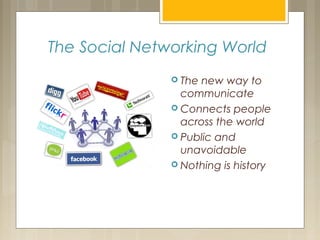
The Social Networking World
 The new way to
communicate
 Connects people
across the world
 Public and
unavoidable
 Nothing is history
What is good “digital
citizenship?”
Understanding appropriate
and inappropriate behavior
Network etiquette
Responsibility
Understanding consequences
Explore…
 Some safe social networks do exist for students to
access and use
 Many are for collaborative efforts with teachers,
students, and parents
 Club Penguin (Walt Disney Company)
http://www.clubpenguin.com
 Fanlala (Pop Culture, videos, games)
http://www.fanlala.com
 TiGed (Taking It Global, global issues)
http://www.tiged.org
 Think.Com (Learning Community for all)
http://www.think.com
 Piczo (Safe network for teens)
http://www.piczo.com
Explore…
 Or, try Edmodo. It is supported by Austin ISD.
 Clayton Teacher’s account
creation code:
cypiwg
Blogs
Short for “weblog”, a term invented by
Jorn Barger in 1997.
Work for journaling, commentary,
sharing news
Can contain links and multimedia files
Easy to follow and create
Educational Blogs
 For teachers:
 Networking
 Instructional strategies
 Assignments and homework
 Communication with home
 Annotated links
 For student use:
 Journaling
 Assignment submission
 Dialogue for group work
 E-portfolios
Explore: Free
Blog Sites
 Educational Blogs
 Edutopia www.edutopia.org
 Moving at the Speed of Creativity
http://www.speedofcreativity.org/
 2 Cents Worth—Teaching and Learning in the
Information Age http://davidwarlick.com/2cents/
 MrMartinsClass mrmartinsclass.blogspot.com
 Start your own
 Glogster http://www.glogster.com/
 Blogger (powered by Google) Blogger by Google
 Edublogs http://edublogs.org/
 Wordpress http://wordpress.com/
 Tumblr https://www.tumblr.com/
What’s a Wiki?
 A wiki is a website whose users can add,
modify, or delete its content via a web
browser using a simplified mark-up
language or a rich-text editor. (Wikipedia)
 Can be public or private
 Can be used to create and share
information, complete projects, discuss.
 Most are free and accessible through
school servers.
Explore Wikis
 Educational wikis
 Clayton PBWikis:
Ms Lawson
 A Flat Classroom/Flat Classroom Projects
http://www.flatclassroomproject.org/
 Technology Resources
http://hmtech.wikispaces.com/
 Single Project Wikis
http://flatstanleytexas.pbworks.com/
 Choose Your Own Wiki Adventure
http://www.ahistoryteacher.com/necc2006
Create!
 What would you post if you had a blog or
wiki for your classroom? What would be
your purpose?
 Create a blog or wiki for your classroom.
 Help:
AtomicLearning: Blogger Workshop
PBWorks: Training Modules
Edmodo: Teacher Tool Kit

Module 5

  • 1.
    Gifted and TalentedGiftedand Talented PProfessionalrofessional LLearningearning CCommunityommunity Session V: How can virtual environments and social networking be used appropriately in the classroom? Using Today’s Technology to Empower Differentiated Instruction
  • 2.
    The Social NetworkingWorld  The new way to communicate  Connects people across the world  Public and unavoidable  Nothing is history
  • 3.
    What is good“digital citizenship?” Understanding appropriate and inappropriate behavior Network etiquette Responsibility Understanding consequences
  • 4.
    Explore…  Some safesocial networks do exist for students to access and use  Many are for collaborative efforts with teachers, students, and parents  Club Penguin (Walt Disney Company) http://www.clubpenguin.com  Fanlala (Pop Culture, videos, games) http://www.fanlala.com  TiGed (Taking It Global, global issues) http://www.tiged.org  Think.Com (Learning Community for all) http://www.think.com  Piczo (Safe network for teens) http://www.piczo.com
  • 5.
    Explore…  Or, tryEdmodo. It is supported by Austin ISD.  Clayton Teacher’s account creation code: cypiwg
  • 6.
    Blogs Short for “weblog”,a term invented by Jorn Barger in 1997. Work for journaling, commentary, sharing news Can contain links and multimedia files Easy to follow and create
  • 7.
    Educational Blogs  Forteachers:  Networking  Instructional strategies  Assignments and homework  Communication with home  Annotated links  For student use:  Journaling  Assignment submission  Dialogue for group work  E-portfolios
  • 8.
    Explore: Free Blog Sites Educational Blogs  Edutopia www.edutopia.org  Moving at the Speed of Creativity http://www.speedofcreativity.org/  2 Cents Worth—Teaching and Learning in the Information Age http://davidwarlick.com/2cents/  MrMartinsClass mrmartinsclass.blogspot.com  Start your own  Glogster http://www.glogster.com/  Blogger (powered by Google) Blogger by Google  Edublogs http://edublogs.org/  Wordpress http://wordpress.com/  Tumblr https://www.tumblr.com/
  • 9.
    What’s a Wiki? A wiki is a website whose users can add, modify, or delete its content via a web browser using a simplified mark-up language or a rich-text editor. (Wikipedia)  Can be public or private  Can be used to create and share information, complete projects, discuss.  Most are free and accessible through school servers.
  • 10.
    Explore Wikis  Educationalwikis  Clayton PBWikis: Ms Lawson  A Flat Classroom/Flat Classroom Projects http://www.flatclassroomproject.org/  Technology Resources http://hmtech.wikispaces.com/  Single Project Wikis http://flatstanleytexas.pbworks.com/  Choose Your Own Wiki Adventure http://www.ahistoryteacher.com/necc2006
  • 11.
    Create!  What wouldyou post if you had a blog or wiki for your classroom? What would be your purpose?  Create a blog or wiki for your classroom.  Help: AtomicLearning: Blogger Workshop PBWorks: Training Modules Edmodo: Teacher Tool Kit

Editor's Notes

  • #2 This is more for teachers who are more techno-saavy maybe. Be aware of this. Some Ts may find this more complex. Many people can or already are doing this.
  • #3 Social Networking Trend It’s the new way to communicate. Social networking surrounds us. Personal networking, business networking, advertising. Our society is now “wired” and communicating information through social networking connections. It connects people across the world. Our world is getting smaller as we are better able to reach one another online. We are sharing information globally. It’s public and unavoidable. Not everyone has a social networking account, but it is increasingly more difficult to avoid the wave of social media that connects the world. With Social Networking, nothing is history. Our typed words, videos, personal information—everything—becomes archived. Nothing truly goes away; nothing becomes history.
  • #4 What is good “digital citizenship?” Discuss the term “good digital citizenship” with participants. What does this sounds like? Share ideas. Good “digital citizenship” includes: Understanding appropriate and inappropriate behavior in social networking. This includes situations dealing with inappropriate content or illegal activities. The rules may not always be bound to legal ramifications, but they are often listed in the Terms of Agreement and can lead to a user being removed from the site. Network etiquette. Social networks differ, and each has a set of rules to follow. Network etiquette centers mainly around manners and the means users communicate. (ie. “Remember the human.”) Responsibility. Students are not only learning to responsible with their time and their content, but they are also learning to be responsible citizens. They are learning to report inapporpriate behaviors when necessary. They are also learning to do “the right thing” in social situations, just as they would in person-to-person interactions. Understanding consequences. Because social networking is such a major part of a typical student’s day, they are learning how negative consequences can occur when communication has gone bad. Students are experiencing bullying, loss of privileges, and misinterpretation of information. When students understand how to avoid such things to maintain a social networking identity, they work hard to remain good digital citizens.
  • #5 Explore Allow PLC participants some time to explore safe Social Networking sites. Club Penguin (set up like facebook accounts but they are kid safe) Imbee TiGed Think.Com Piczo *These may or may not open on Austin ISD’s network.* Links are included on the Participant Resource page, Session V.
  • #6 Explore Allow PLC participants some time to explore safe Social Networking sites. Club Penguin (set up like facebook accounts but they are kid safe) Imbee TiGed Think.Com Piczo *These may or may not open on Austin ISD’s network.* Links are included on the Participant Resource page, Session V.
  • #7 Blogs The word “blog” is a term coined by Jorn Barger in 1997, short for weblog. Blogs are user-created and managed web-sites with multiple functions. “Bloggers” use their sites as a stage for journaling (personally or professionally), making commentary and sharing ideas on topics of interest, or posting and sharing news. Bloggers have the capability to include links to other websites and online resources on their blogs. Most blog sites allow bloggers to attach multimedia files as well (pictures, videos, etc.) Blogs remain popular because they are interest-bound and maintained by the Blogger. They are simple to create and other users can follow them easily.
  • #8 Educational Blogs Blogs can be created, and many already exist, for educational and professional purposes. Teacher blogs can be used for… Networking: Keeping in touch and creating or maintaining professional connections Instructional Strategies: Lesson planning and sharing ideas Assignments and Homework: A means of posting assignments AND collecting assignments Communication with Home: Announcements, information, calendars Annotated Links: Reference to other helpful information for followers Students can blog for… Journaling: Putting thoughts to paper, can be teacher-assigned or personal Assignment Submission: Communicating with the teacher and submitting work Dialogue for Group Work: Connecting with students to work from a distance E-portfolios: Creating a collection of work
  • #9 Explore: Free Blog Sites A lot of time, teachers find it even easier to use a blog than to use a website. Easiest to share attachments, etc. Allow participants to explore several Blog sites. There are educational blogs that are informative and entertaining to read. Teachers may want to consider starting their own blogs. Participants can find links to the blog sites on the Participant Resource page, Session V.
  • #10 What’s a Wiki? Wiki, according to Wikipedia, is a website whose users can add, modify, or delete its content via a web browser using a simplified mark-up language or rich-text editor. Wikis are websites that can be created and edited by their users. They usually have a “History” or “Recent” link that permits users to see who and when an edit was make to the wiki. They are different from blogs in that ALL members of the wiki can make changes to the content, not just the creator. Wikis can be closed with access restricted to permitted members. They can also be open sites. Members of wikis can create and share information or work on projects or have discussions about the work. Wiki sites are generally free and most are accessible through school servers. Sometimes a little more open with everyone adding everything. Can be easier for some teachers, but could be difficult.
  • #11 Explore Wikis Allow participants to explore the educational wiki sites using the links on the Participant Resource page, Session V. Encourage participants to bookmark interesting sites. Two sites included are related to integrating technology into the classroom. Invite participants to join the online conversations by joining the wikis.
  • #12 Create! Allow participants to use their resources on wikis and blogs to plan to create a blog or wiki (choose one.) The blog or wiki can be shared with colleagues, including the PLC Presenter or the Campus Principal. (The creation of these sites may require time outside of the PLC to complete.)