DR WAHAB KHAN HCI COURSE
University of Science and Technology Bannu
Computer Architecture
BS-CS 8th Term
February 16, 2021
DR WAHAB KHAN HCI COURSE
Learning
Objectives
DR WAHAB KHAN COA COURSE
Organization VS Architecture
Structure and Function
Brief History of Computers
Computer Architecture
Computer architecture refers to those attributes of a system visible to a programmer or, put
another way, those attributes that have a direct impact on the logical execution of a program.
It is the technical drawings and functional description of all design requirements (especially
speeds and interconnections), it is how to design and implement various parts of a computer —
focusing largely on the way by which the central processing unit (CPU) operates internally
and how it accesses addresses in memory
A term that is often used interchangeably with computer architecture is instruction set architecture
(ISA).
The ISA defines instruction formats, instruction opcodes, registers, instruction and data memory;
the effect of executed instructions on the registers and memory; and an algorithm for controlling
instruction execution.
DR WAHAB KHAN COA COURSE
Computer organization
Computer organization refers to the operational units and their interconnections that realize the
architectural specifications.
Examples of architectural attributes include the instruction set, the number of bits used to represent various
data types (e.g., numbers, characters), I/O mechanisms, and techniques for addressing memory.
Organizational attributes include those hardware details transparent to the programmer, such as control
signals; interfaces between the computer and peripherals; and the memory technology used
DR WAHAB KHAN COA COURSE
Architecture VS Organization
DR WAHAB KHAN COA COURSE
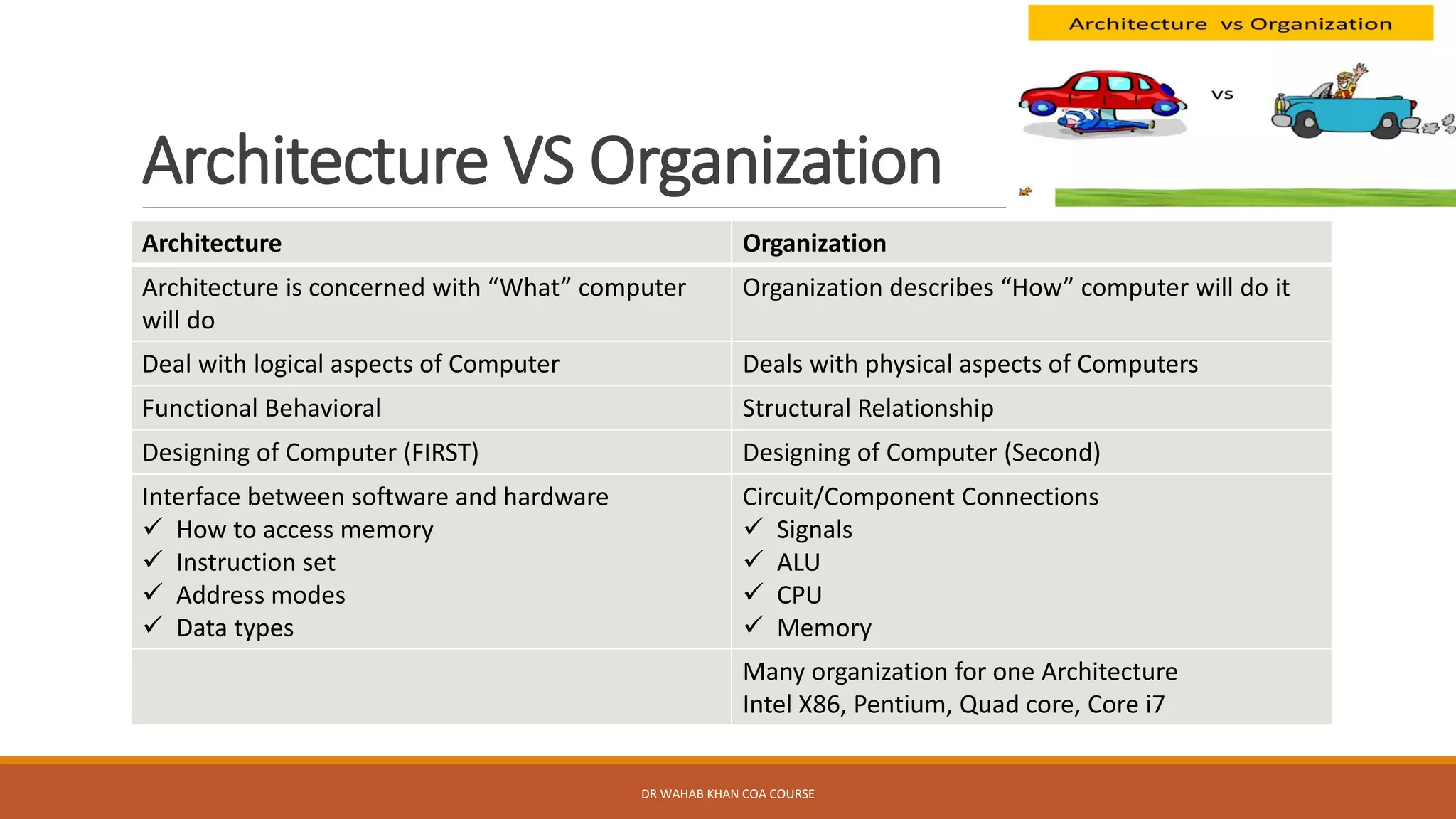
Architecture Organization
Architecture is concerned with “What” computer
will do
Organization describes “How” computer will do it
Deal with logical aspects of Computer Deals with physical aspects of Computers
Functional Behavioral Structural Relationship
Designing of Computer (FIRST) Designing of Computer (Second)
Interface between software and hardware
✓ How to access memory
✓ Instruction set
✓ Address modes
✓ Data types
Circuit/Component Connections
✓ Signals
✓ ALU
✓ CPU
✓ Memory
Many organization for one Architecture
Intel X86, Pentium, Quad core, Core i7
Structure and Function
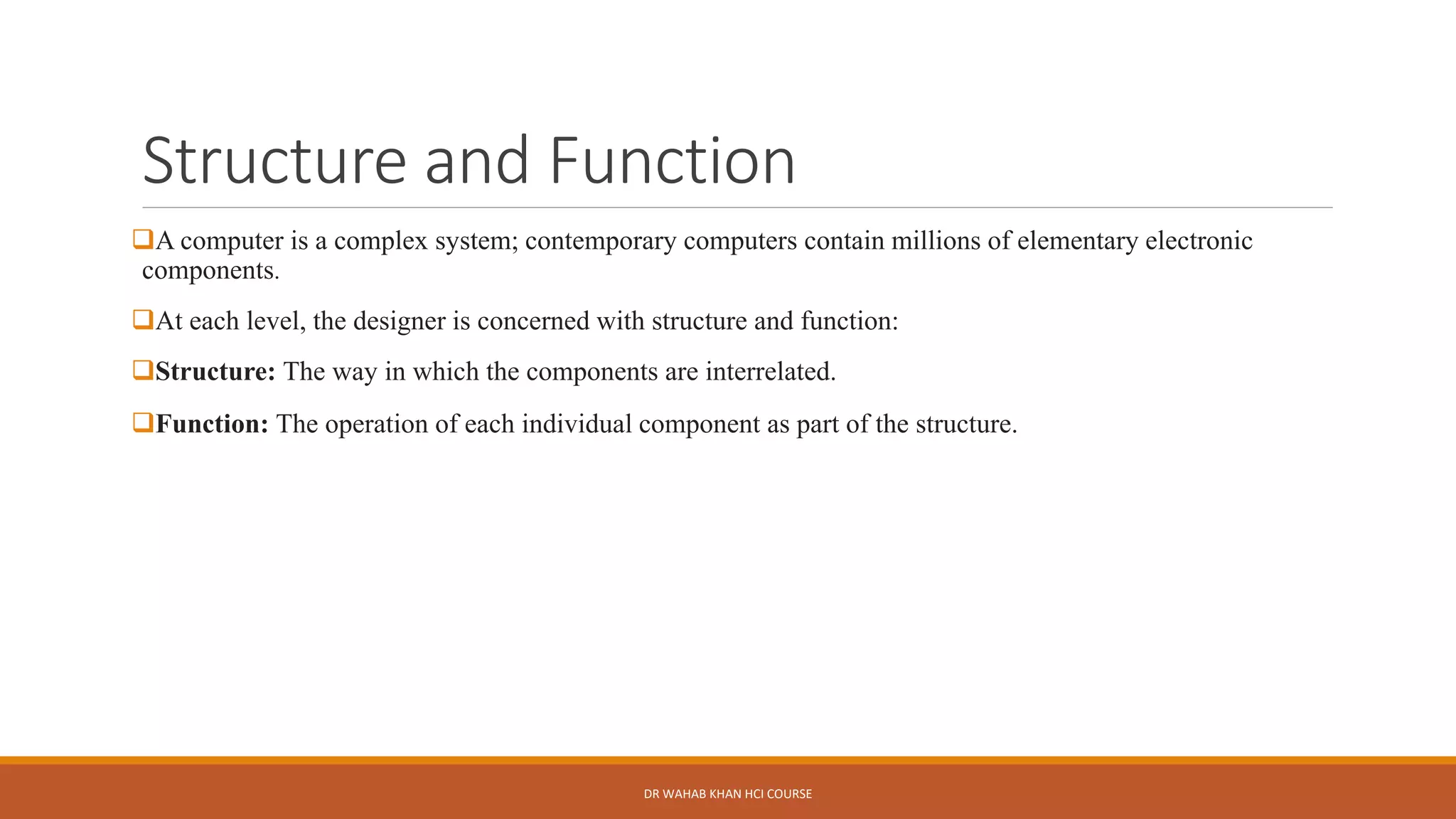
❑A computer is a complex system; contemporary computers contain millions of elementary electronic
components.
❑At each level, the designer is concerned with structure and function:
❑Structure: The way in which the components are interrelated.
❑Function: The operation of each individual component as part of the structure.
DR WAHAB KHAN HCI COURSE
Functions
In general terms, there are only four basic functions that a
computer can perform:
✓Data Processing
✓Data Storage
✓Data movement
✓Control
DR WAHAB KHAN HCI COURSE
Functions
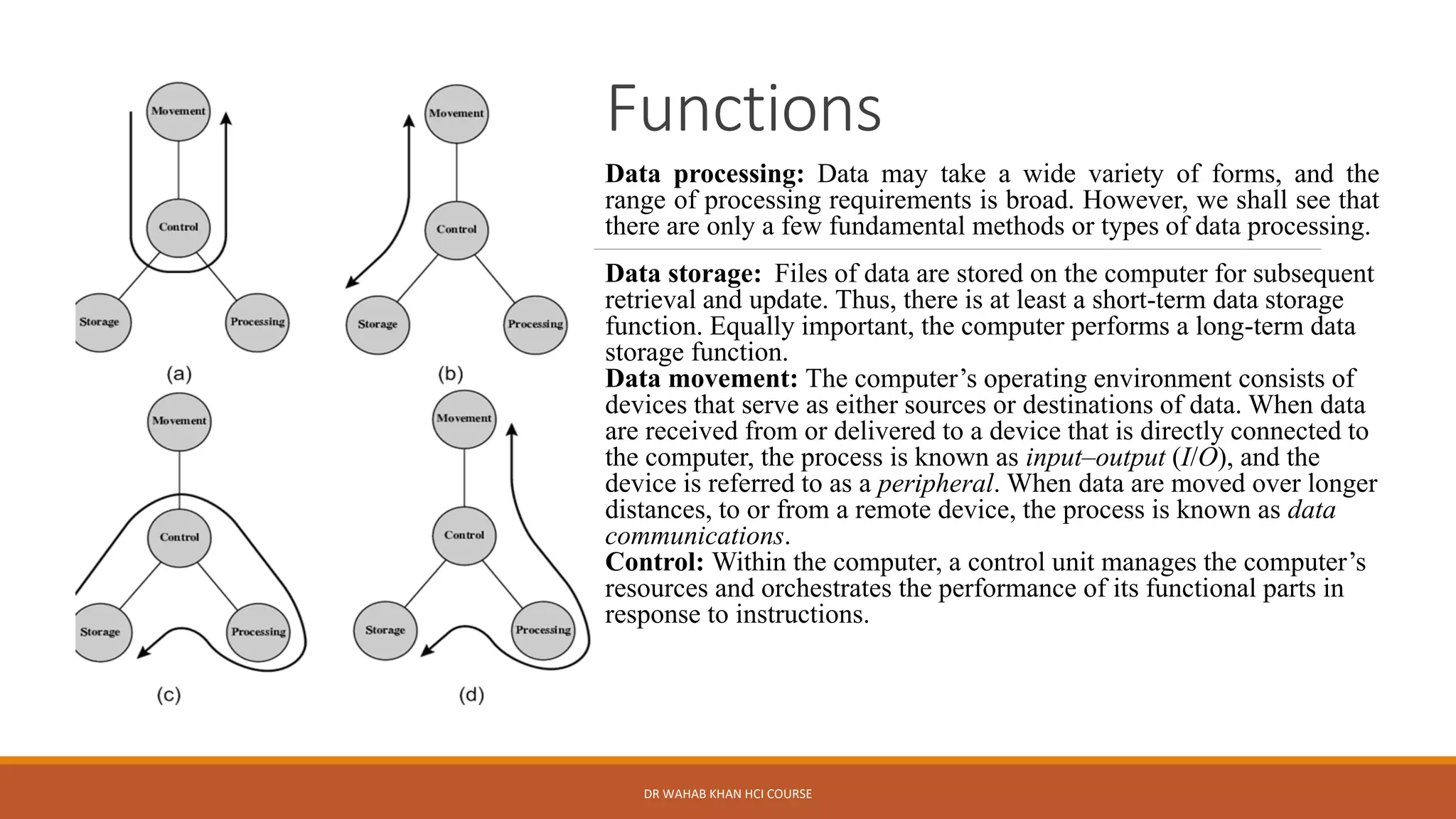
Data processing: Data may take a wide variety of forms, and the
range of processing requirements is broad. However, we shall see that
there are only a few fundamental methods or types of data processing.
Data storage: Files of data are stored on the computer for subsequent
retrieval and update. Thus, there is at least a short-term data storage
function. Equally important, the computer performs a long-term data
storage function.
Data movement: The computer’s operating environment consists of
devices that serve as either sources or destinations of data. When data
are received from or delivered to a device that is directly connected to
the computer, the process is known as input–output (I/O), and the
device is referred to as a peripheral. When data are moved over longer
distances, to or from a remote device, the process is known as data
communications.
Control: Within the computer, a control unit manages the computer’s
resources and orchestrates the performance of its functional parts in
response to instructions.
DR WAHAB KHAN HCI COURSE
Structure
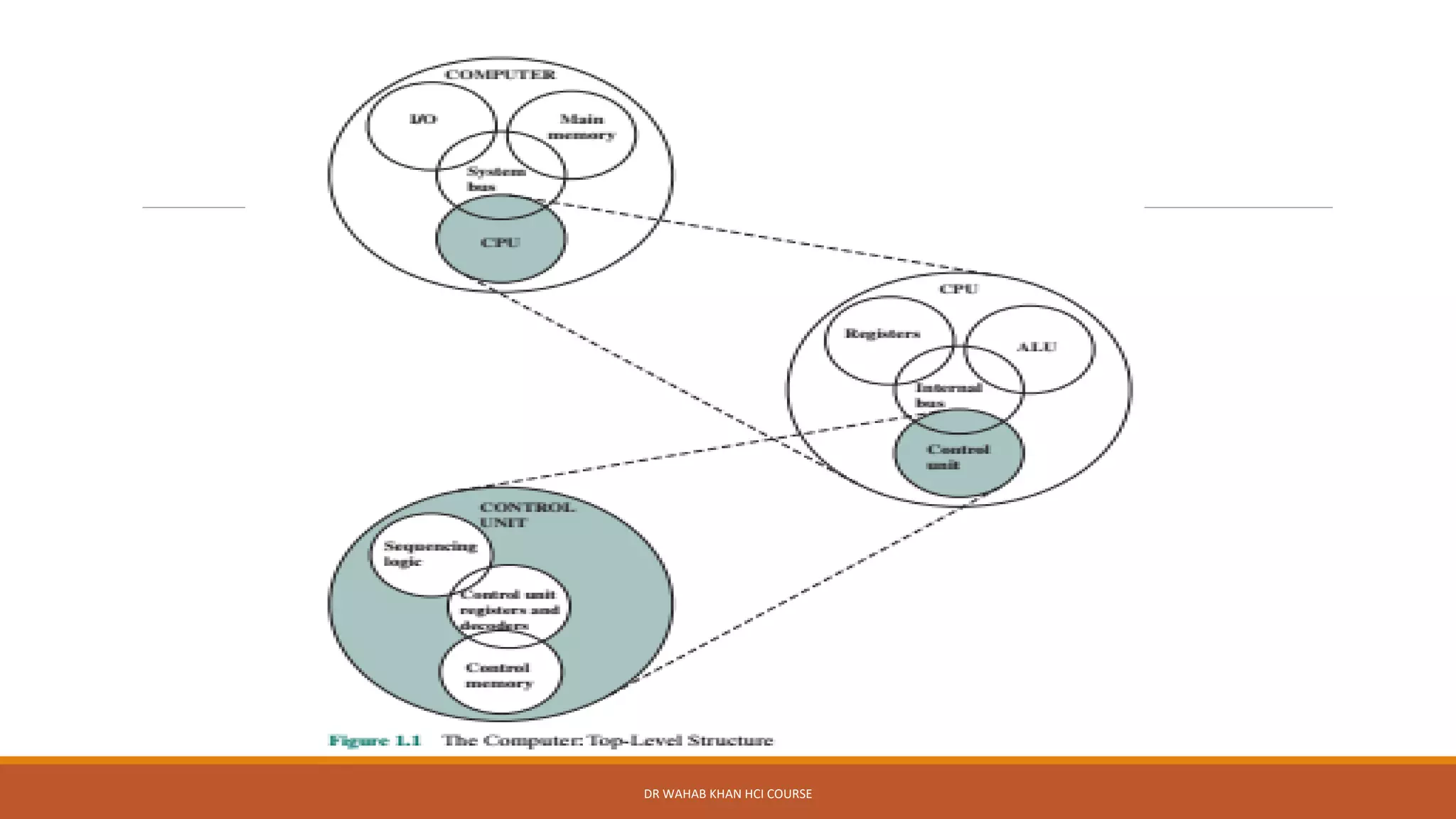
From structure we mean internal structure of a computer
There are four main structural components of a traditional single Processor Computers
➢Central processing unit (CPU): Controls the operation of the computer and performs its data processing
functions; often simply referred to as processor.
➢Main memory: Stores data
➢I/O: Moves data between the computer and its external environment.
➢System interconnection: Some mechanism that provides for communication among CPU, main memory,
and I/O.
A common example of system interconnection is by means of a system bus, consisting of a number of
conducting wires to which all the other components attach.
DR WAHAB KHAN HCI COURSE
Multicore Computer
Architecture
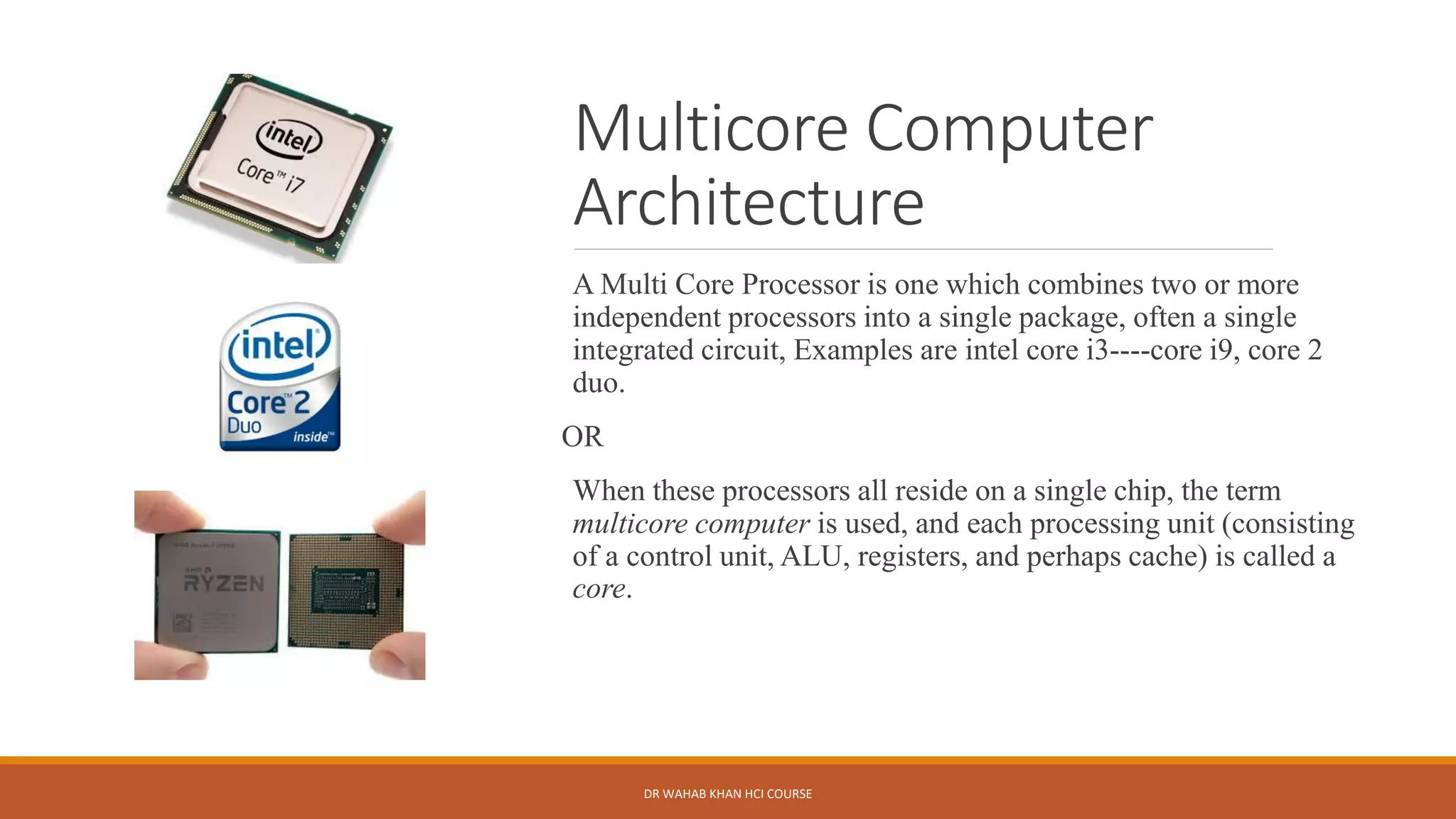
A Multi Core Processor is one which combines two or more
independent processors into a single package, often a single
integrated circuit, Examples are intel core i3----core i9, core 2
duo.
OR
When these processors all reside on a single chip, the term
multicore computer is used, and each processing unit (consisting
of a control unit, ALU, registers, and perhaps cache) is called a
core.
DR WAHAB KHAN HCI COURSE
First Generation
Computers(1940-1956)
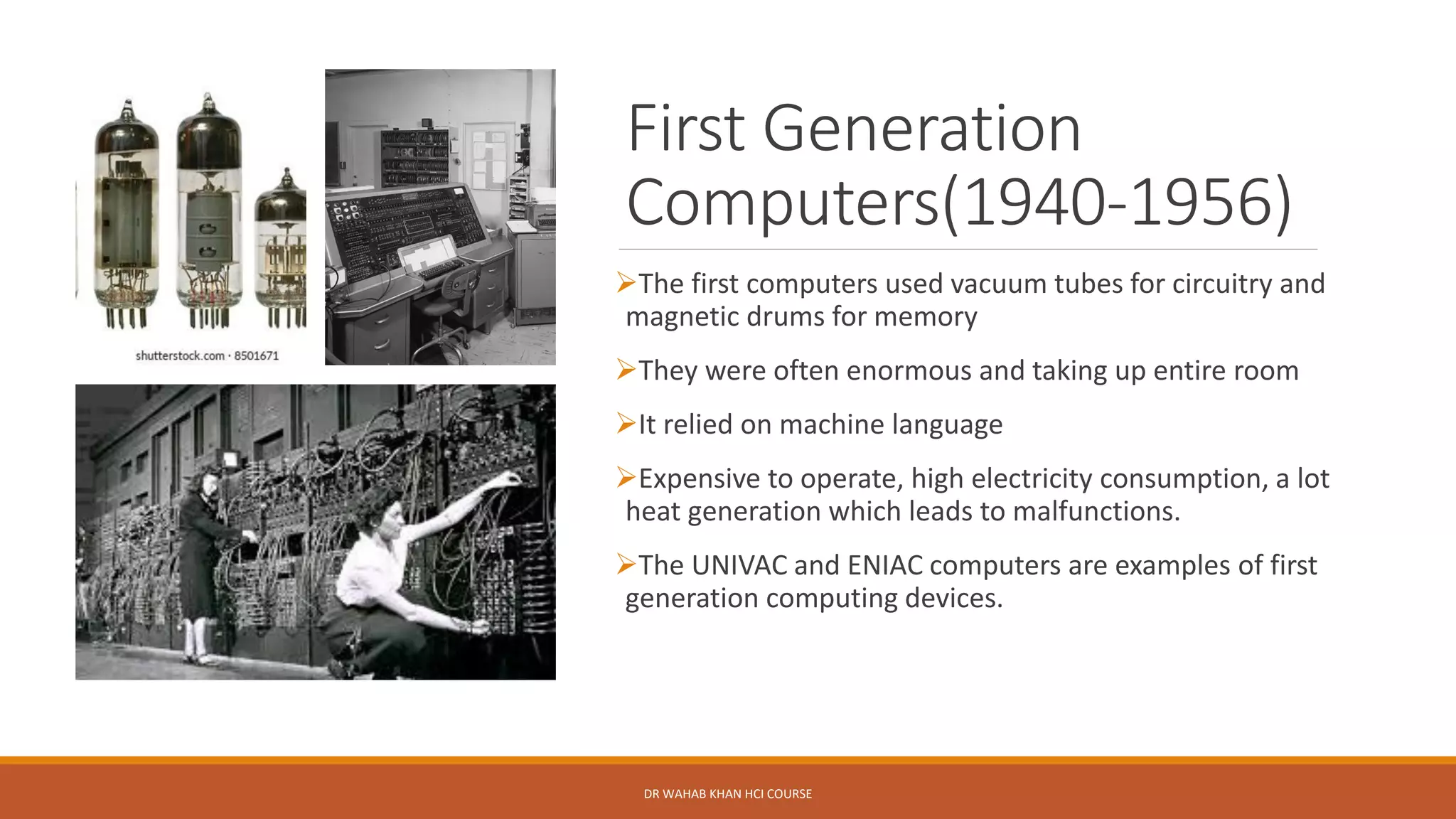
➢The first computers used vacuum tubes for circuitry and
magnetic drums for memory
➢They were often enormous and taking up entire room
➢It relied on machine language
➢Expensive to operate, high electricity consumption, a lot
heat generation which leads to malfunctions.
➢The UNIVAC and ENIAC computers are examples of first
generation computing devices.
DR WAHAB KHAN HCI COURSE
Second Generation
Computers(1956-1963)
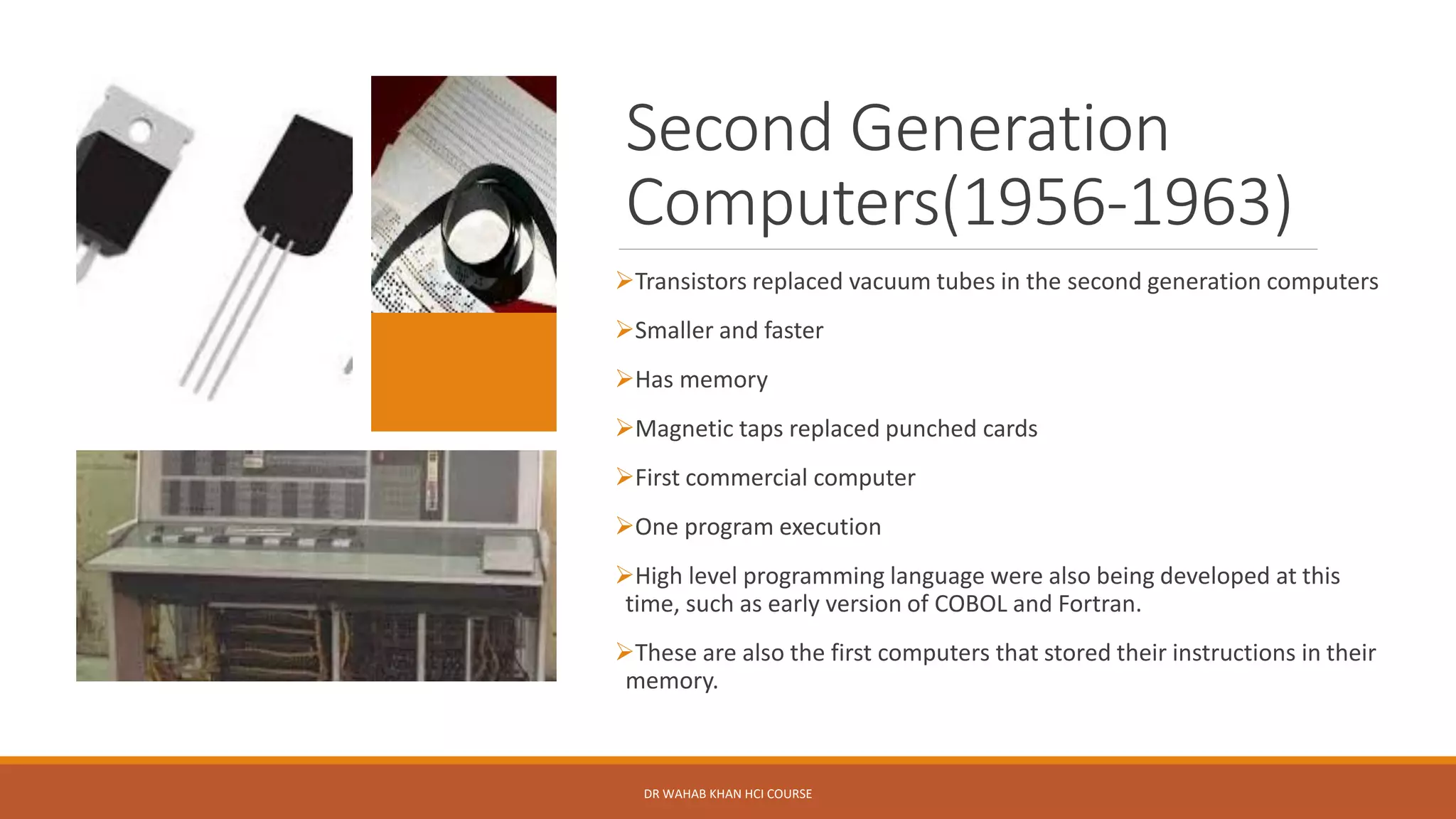
➢Transistors replaced vacuum tubes in the second generation computers
➢Smaller and faster
➢Has memory
➢Magnetic taps replaced punched cards
➢First commercial computer
➢One program execution
➢High level programming language were also being developed at this
time, such as early version of COBOL and Fortran.
➢These are also the first computers that stored their instructions in their
memory.
DR WAHAB KHAN HCI COURSE
Third Generation
Computers(1964-71)
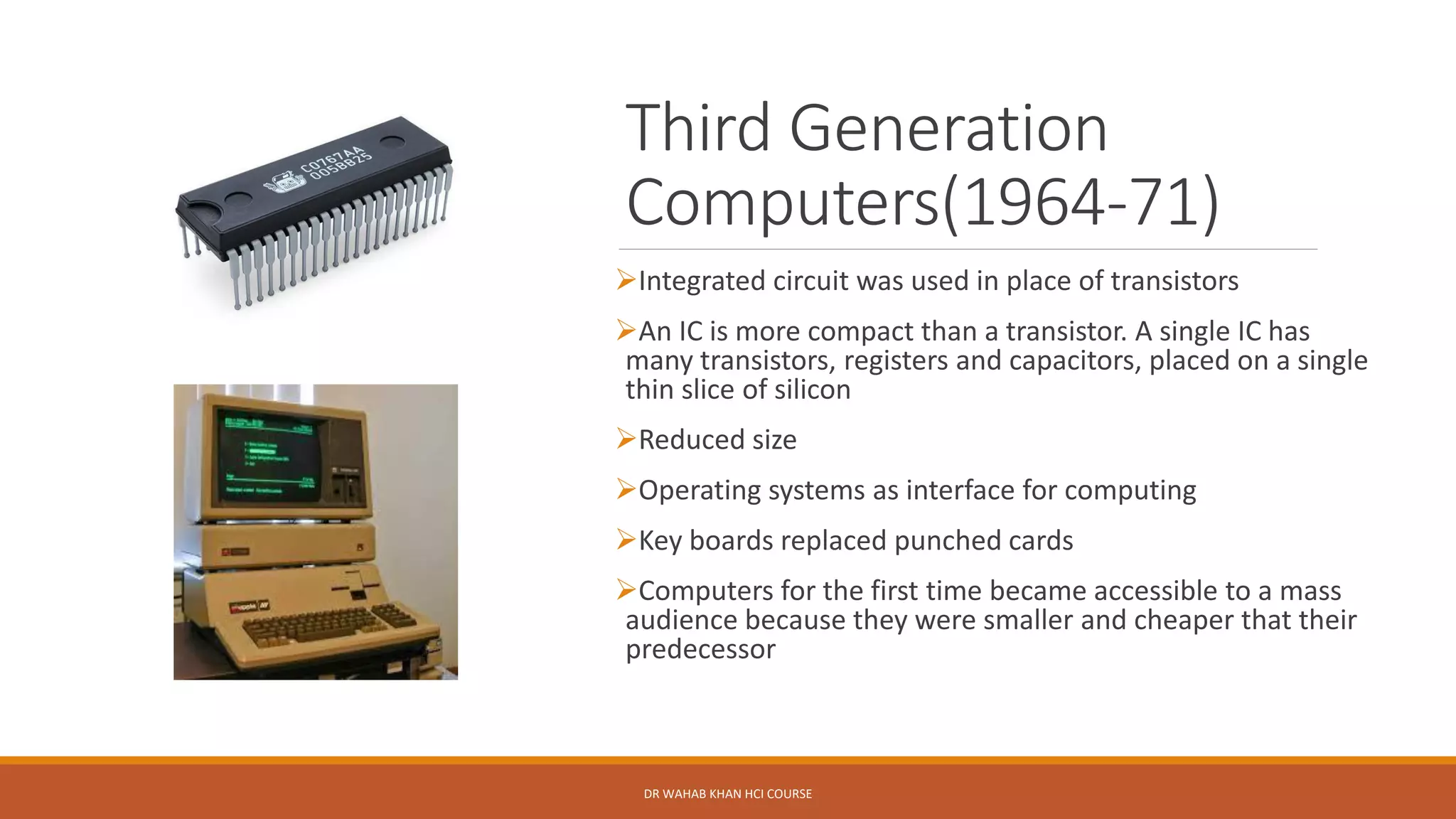
➢Integrated circuit was used in place of transistors
➢An IC is more compact than a transistor. A single IC has
many transistors, registers and capacitors, placed on a single
thin slice of silicon
➢Reduced size
➢Operating systems as interface for computing
➢Key boards replaced punched cards
➢Computers for the first time became accessible to a mass
audience because they were smaller and cheaper that their
predecessor
DR WAHAB KHAN HCI COURSE
Fourth Generation(1971-1980)
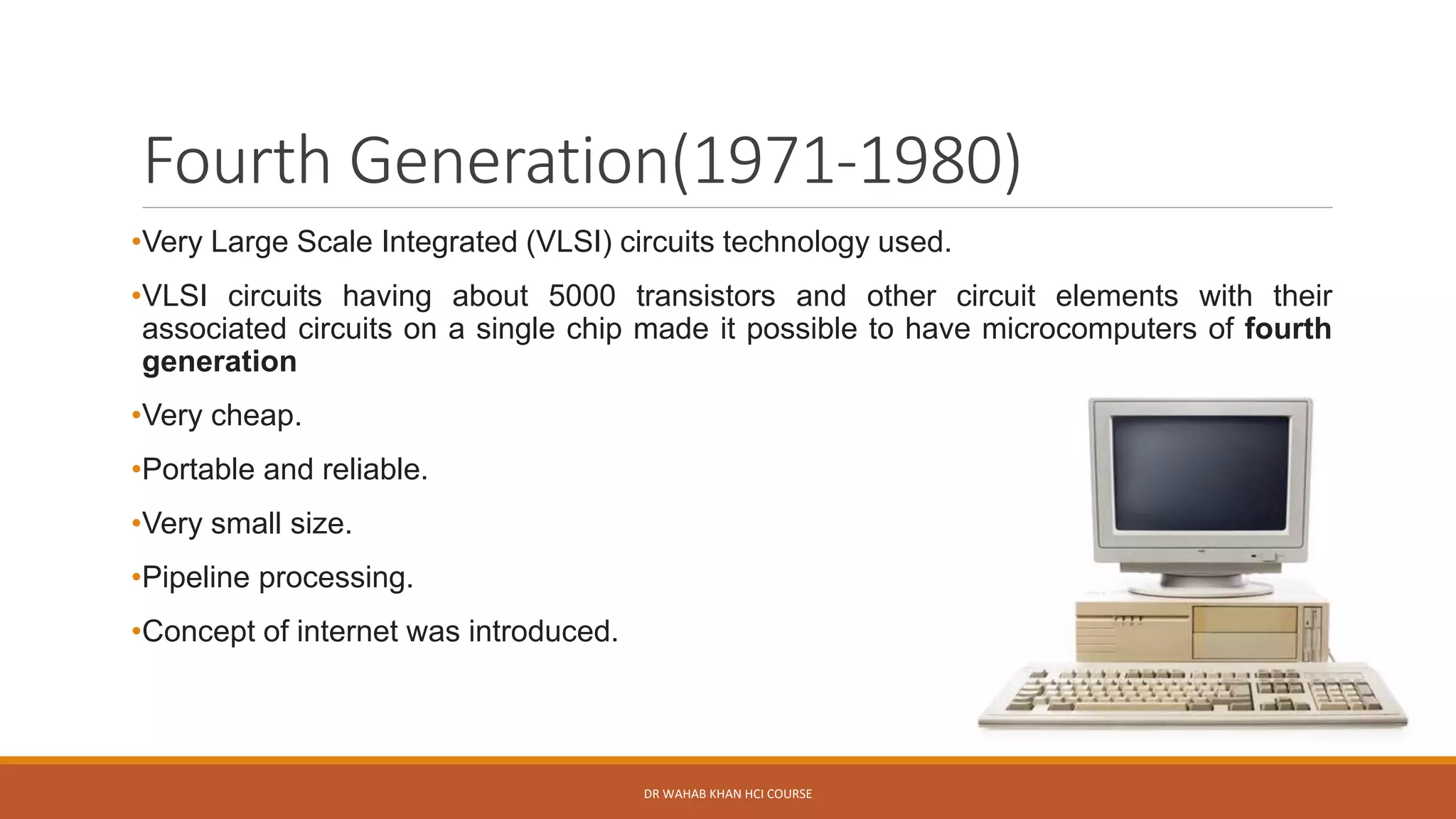
•Very Large Scale Integrated (VLSI) circuits technology used.
•VLSI circuits having about 5000 transistors and other circuit elements with their
associated circuits on a single chip made it possible to have microcomputers of fourth
generation
•Very cheap.
•Portable and reliable.
•Very small size.
•Pipeline processing.
•Concept of internet was introduced.
DR WAHAB KHAN HCI COURSE
Fifth generation: 1980-
onwards
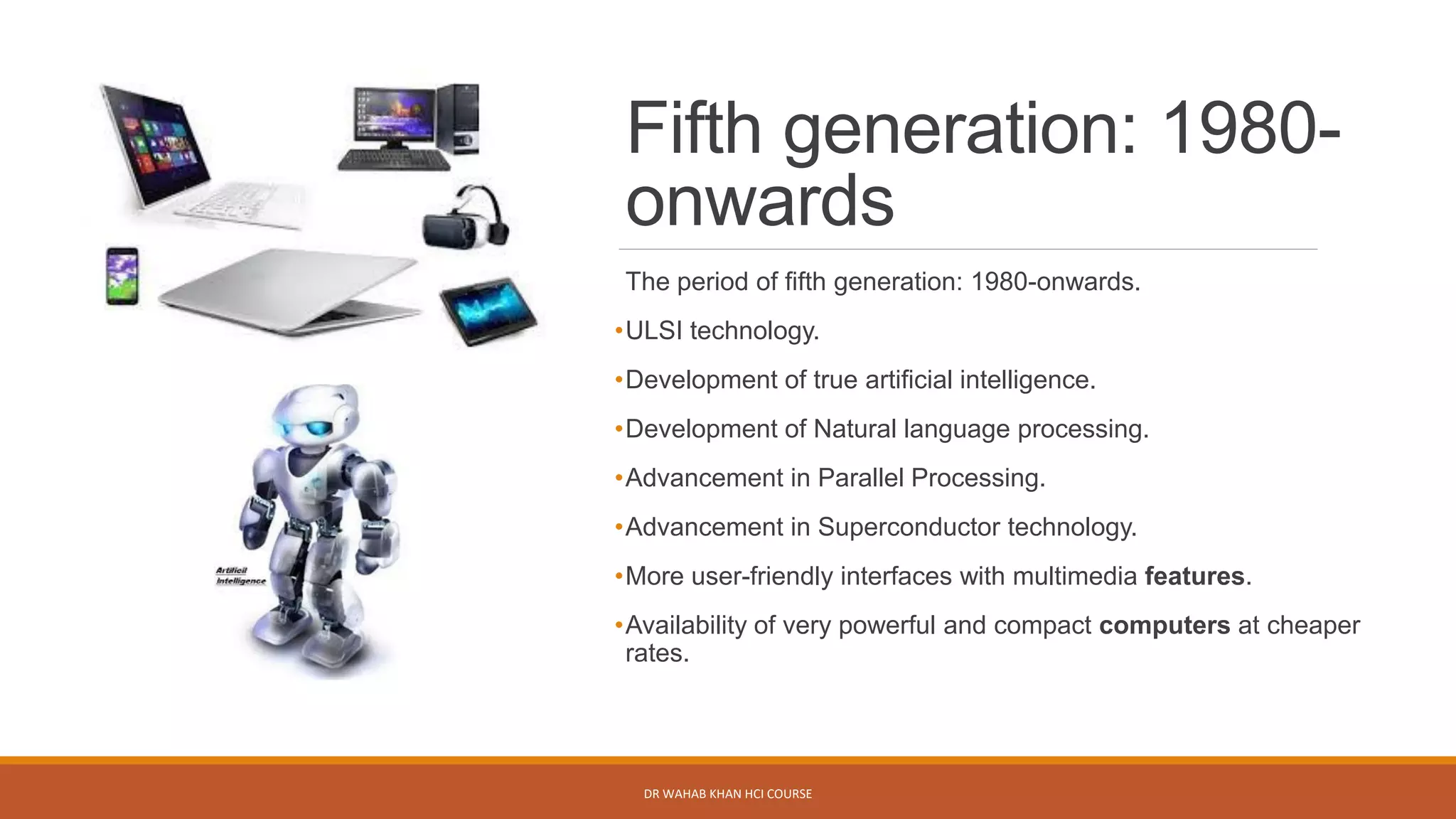
The period of fifth generation: 1980-onwards.
•ULSI technology.
•Development of true artificial intelligence.
•Development of Natural language processing.
•Advancement in Parallel Processing.
•Advancement in Superconductor technology.
•More user-friendly interfaces with multimedia features.
•Availability of very powerful and compact computers at cheaper
rates.
DR WAHAB KHAN HCI COURSE
Kahoot Quiz
Go to www.kahoot.it & enter
Game PIN:6554774
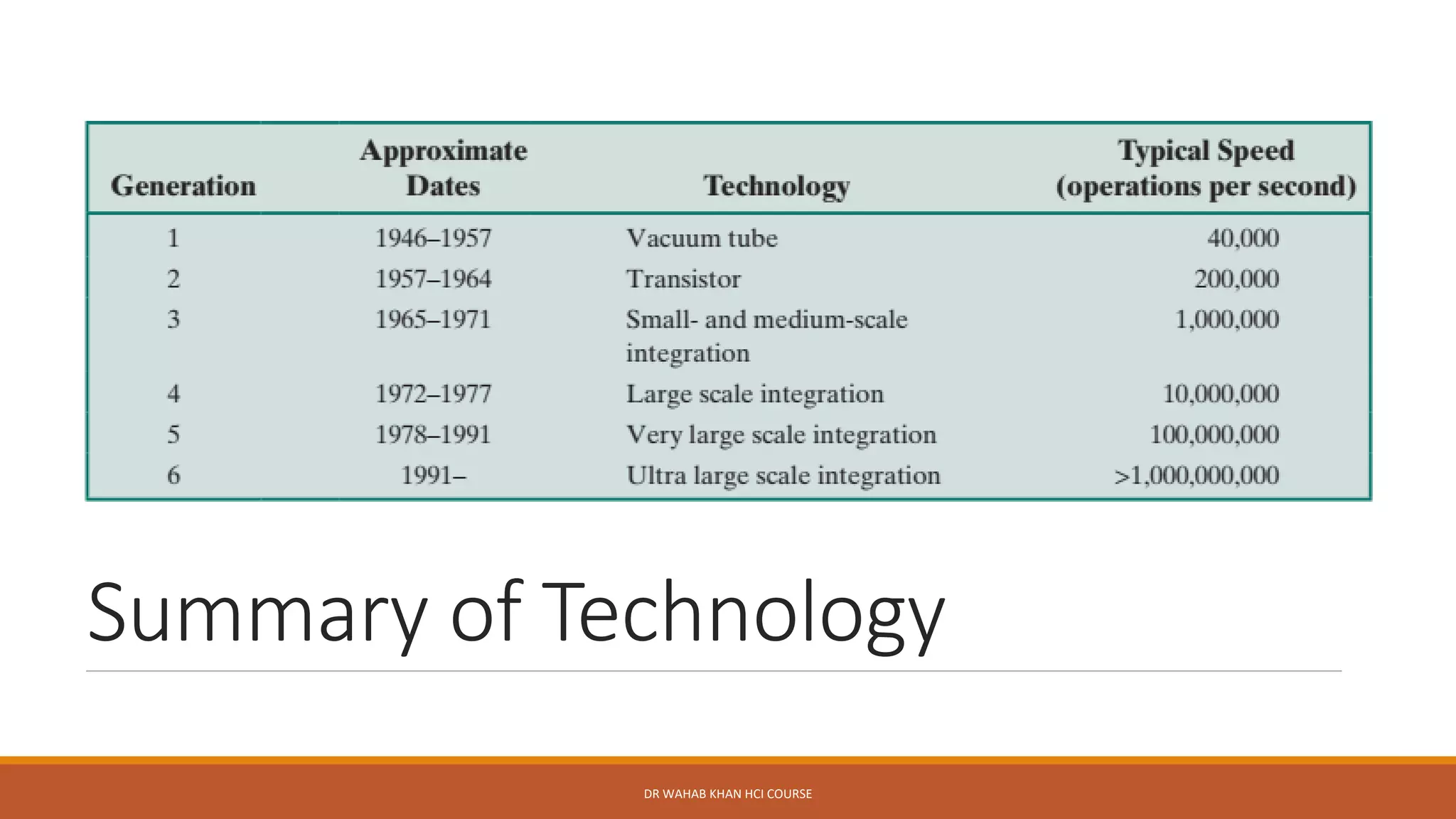
Summary of Technology
DR WAHAB KHAN HCI COURSE
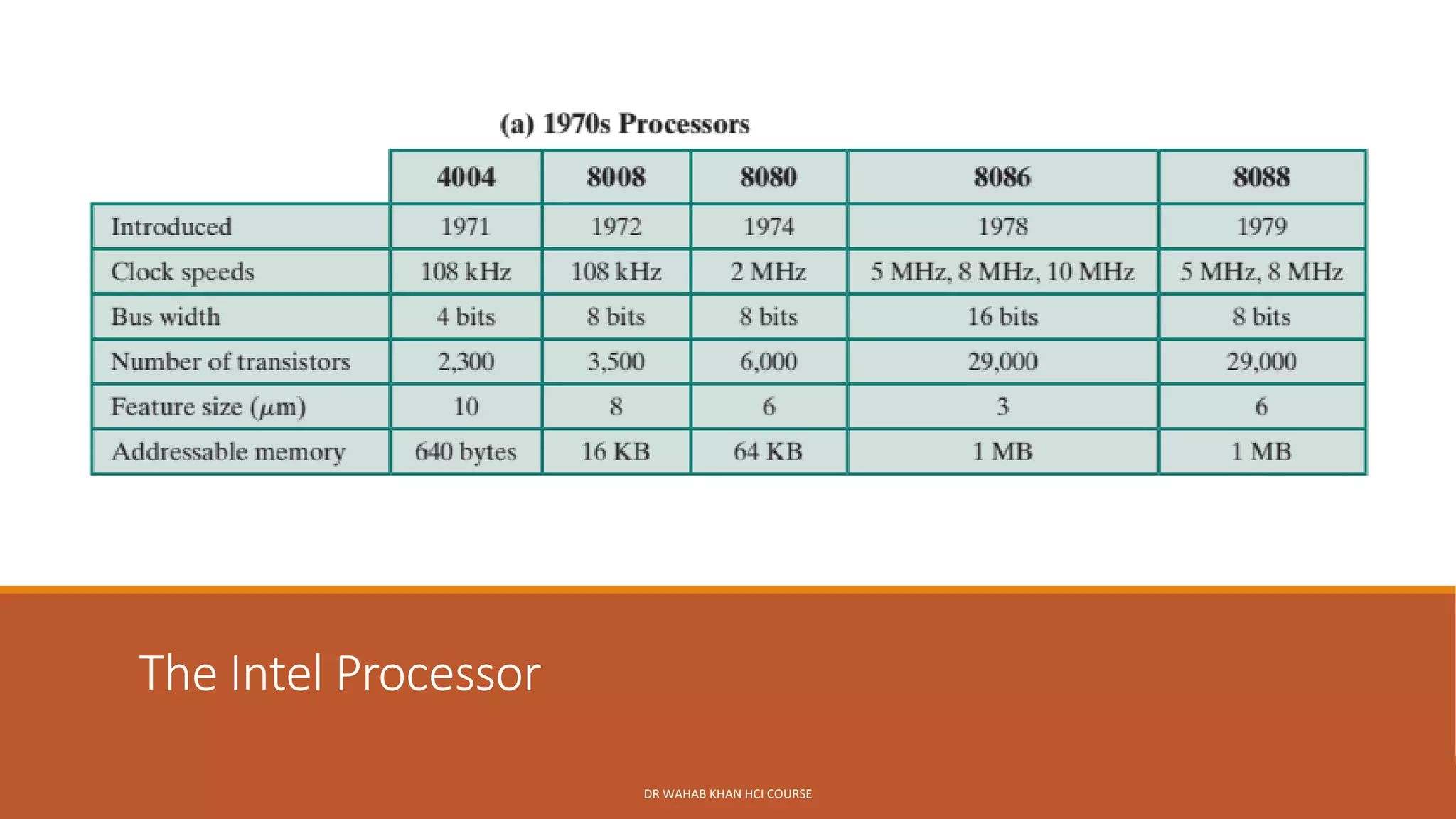
The Intel Processor
DR WAHAB KHAN HCI COURSE
Evolution of Intel Processor
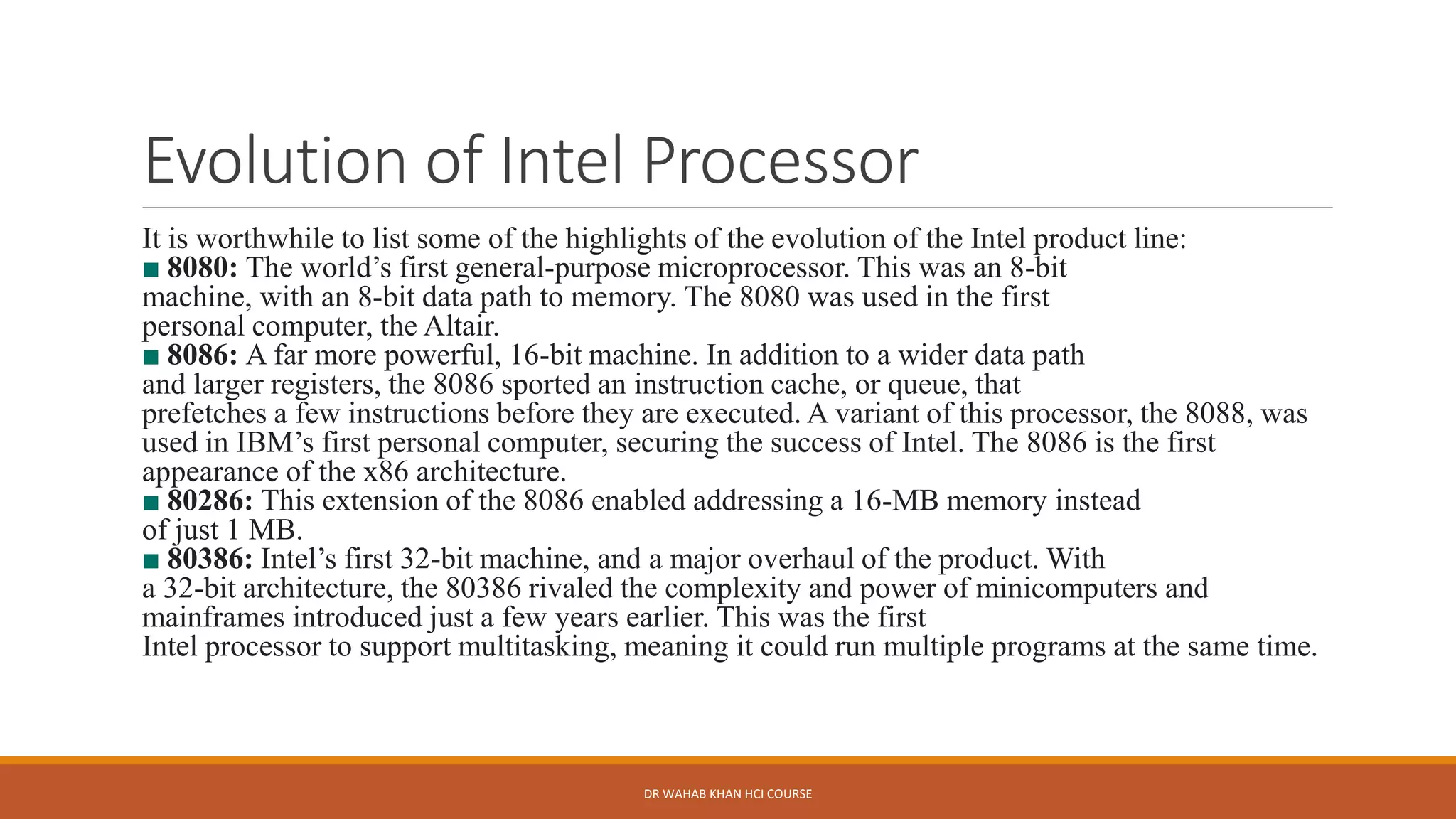
It is worthwhile to list some of the highlights of the evolution of the Intel product line:
■ 8080: The world’s first general-purpose microprocessor. This was an 8-bit
machine, with an 8-bit data path to memory. The 8080 was used in the first
personal computer, the Altair.
■ 8086: A far more powerful, 16-bit machine. In addition to a wider data path
and larger registers, the 8086 sported an instruction cache, or queue, that
prefetches a few instructions before they are executed. A variant of this processor, the 8088, was
used in IBM’s first personal computer, securing the success of Intel. The 8086 is the first
appearance of the x86 architecture.
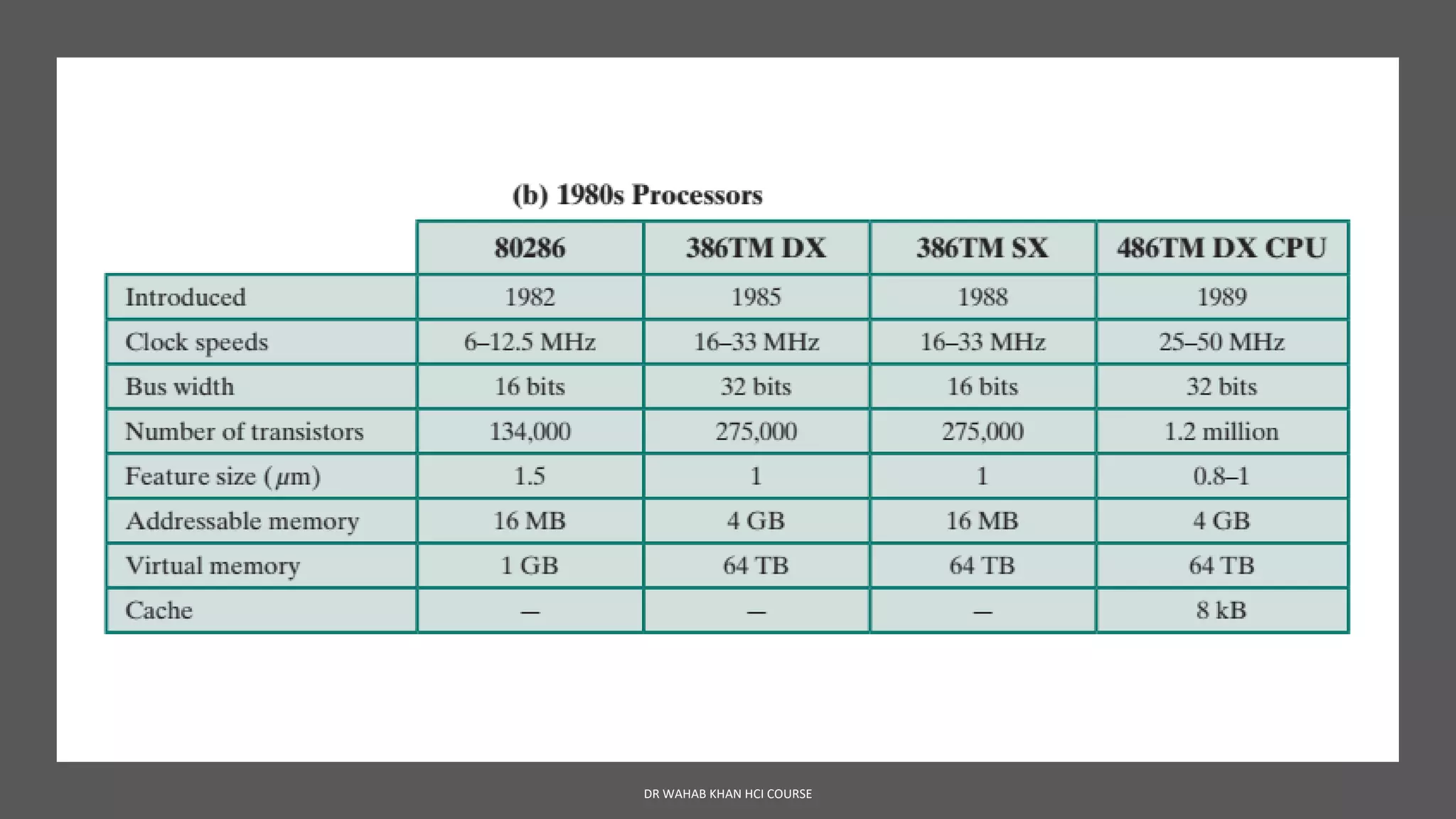
■ 80286: This extension of the 8086 enabled addressing a 16-MB memory instead
of just 1 MB.
■ 80386: Intel’s first 32-bit machine, and a major overhaul of the product. With
a 32-bit architecture, the 80386 rivaled the complexity and power of minicomputers and
mainframes introduced just a few years earlier. This was the first
Intel processor to support multitasking, meaning it could run multiple programs at the same time.
DR WAHAB KHAN HCI COURSE
Evolution of Intel Processor
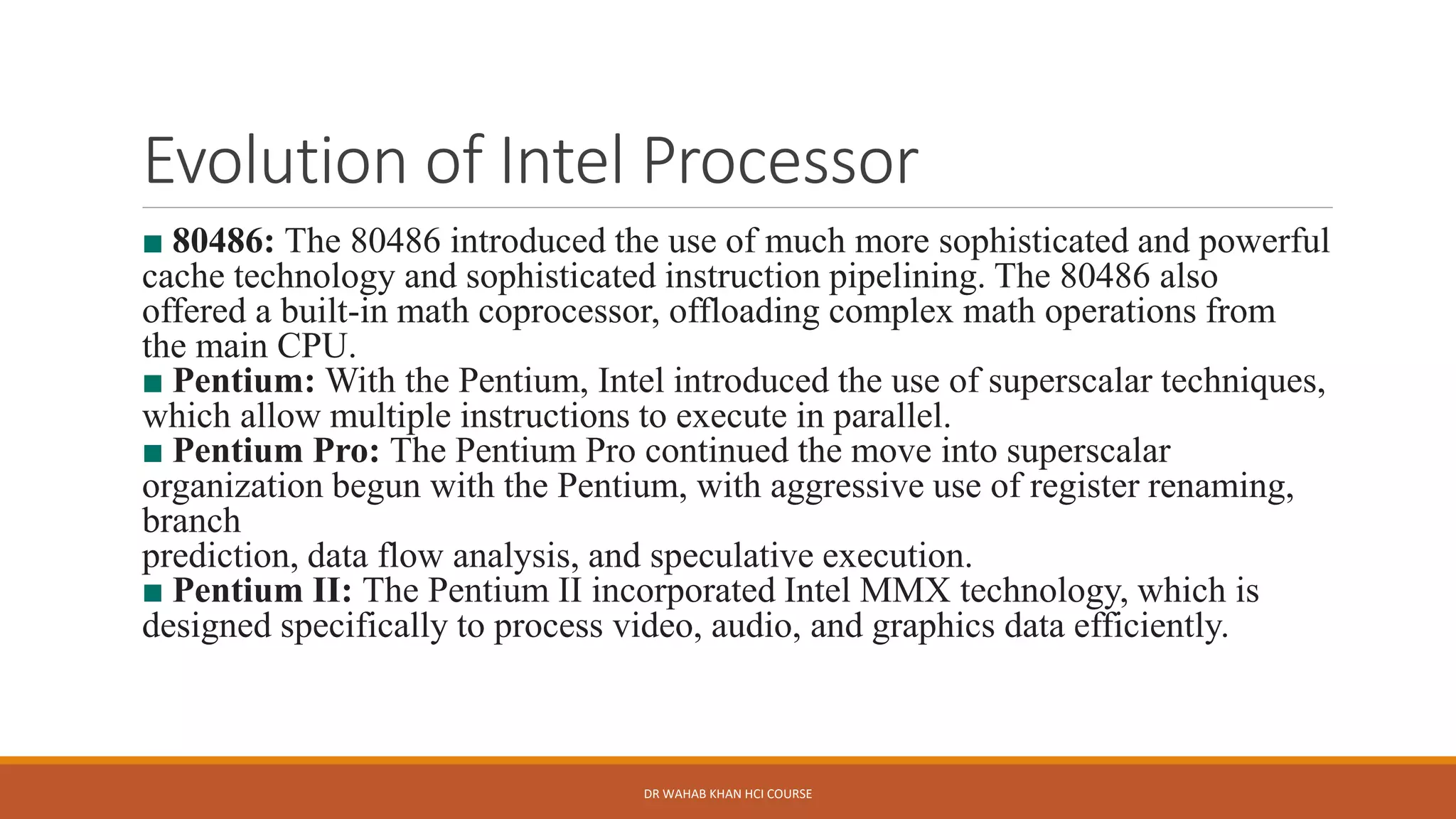
■ 80486: The 80486 introduced the use of much more sophisticated and powerful
cache technology and sophisticated instruction pipelining. The 80486 also
offered a built-in math coprocessor, offloading complex math operations from
the main CPU.
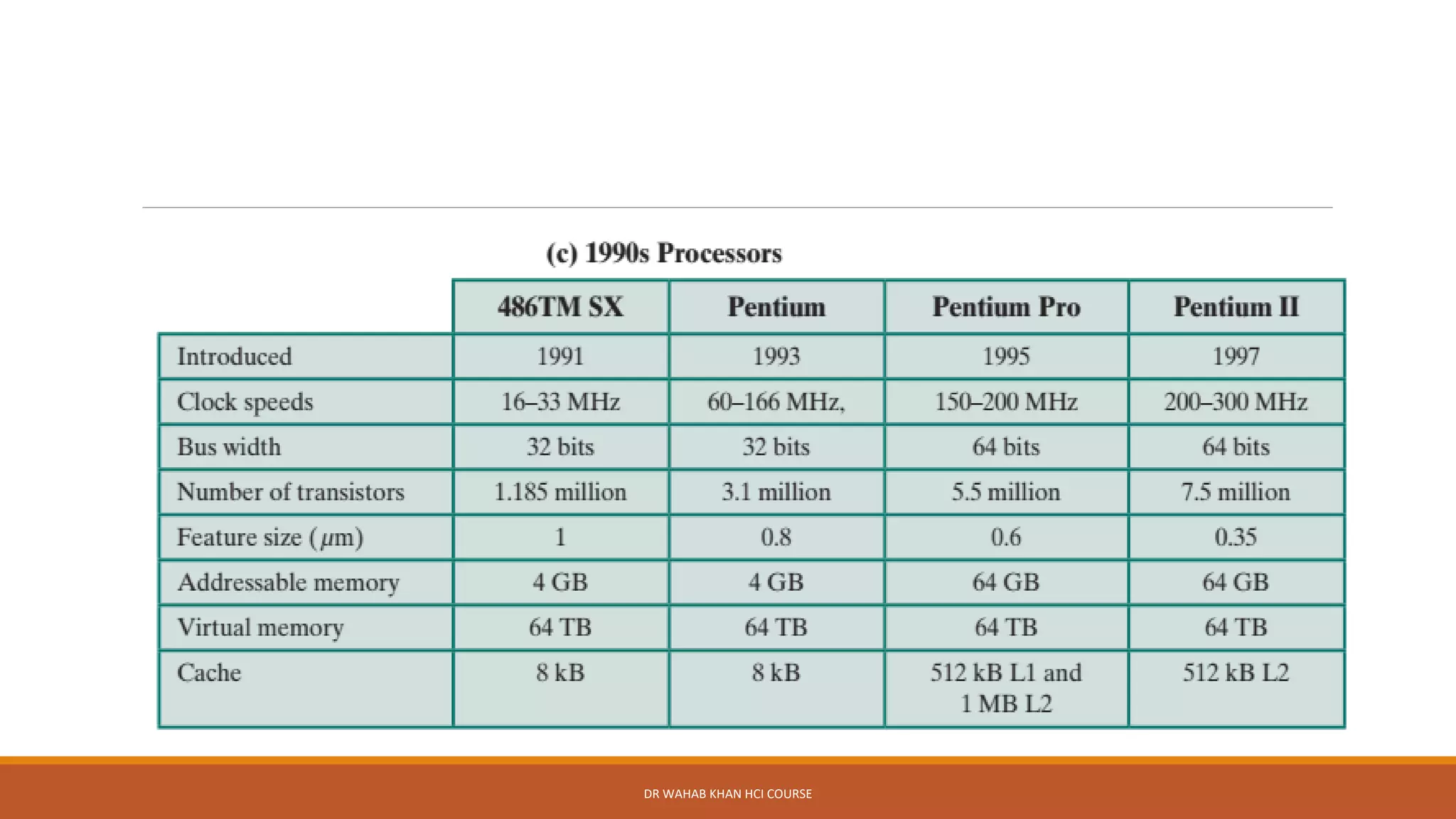
■ Pentium: With the Pentium, Intel introduced the use of superscalar techniques,
which allow multiple instructions to execute in parallel.
■ Pentium Pro: The Pentium Pro continued the move into superscalar
organization begun with the Pentium, with aggressive use of register renaming,
branch
prediction, data flow analysis, and speculative execution.
■ Pentium II: The Pentium II incorporated Intel MMX technology, which is
designed specifically to process video, audio, and graphics data efficiently.
DR WAHAB KHAN HCI COURSE
Evolution of Intel Processor
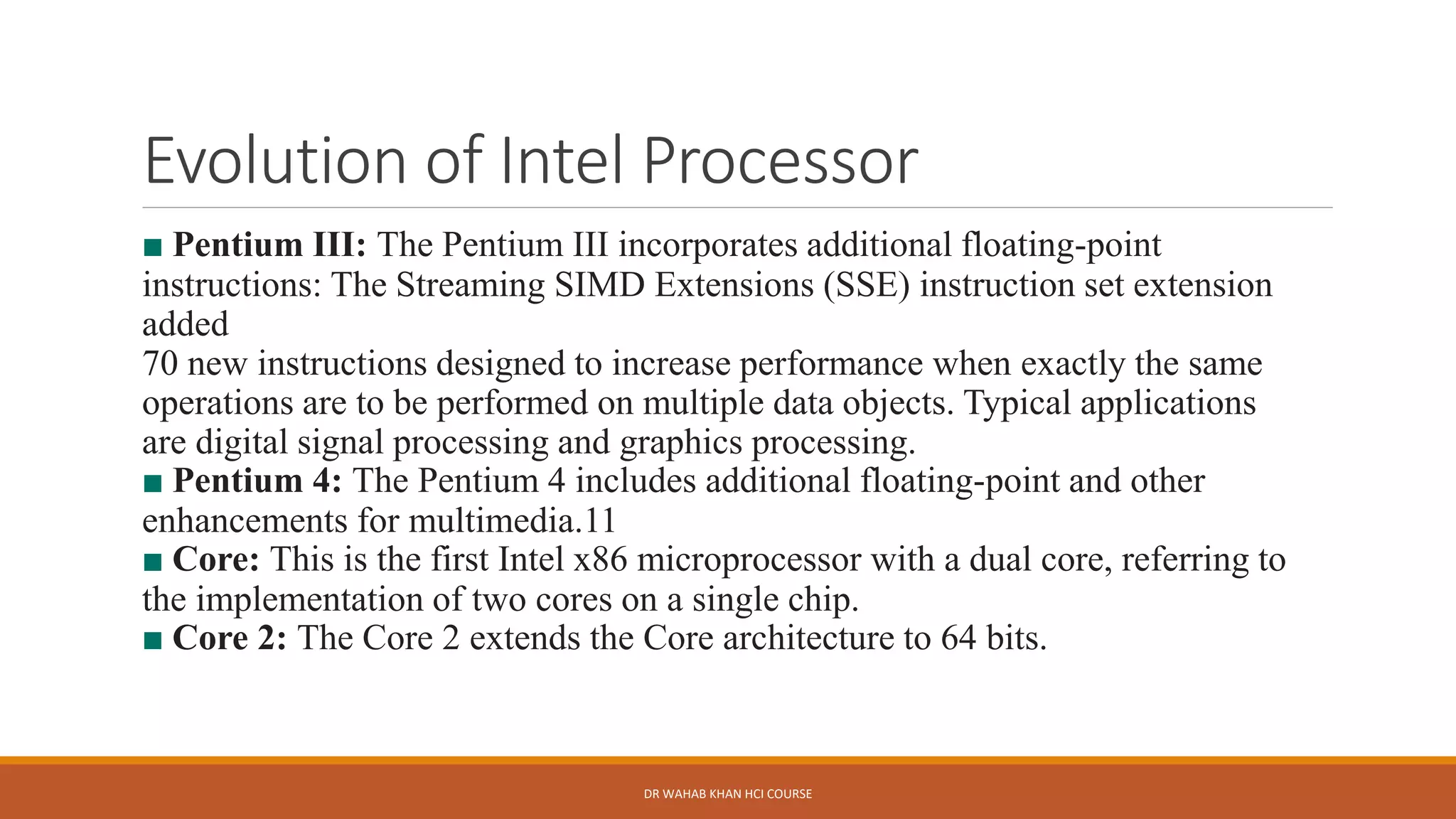
■ Pentium III: The Pentium III incorporates additional floating-point
instructions: The Streaming SIMD Extensions (SSE) instruction set extension
added
70 new instructions designed to increase performance when exactly the same
operations are to be performed on multiple data objects. Typical applications
are digital signal processing and graphics processing.
■ Pentium 4: The Pentium 4 includes additional floating-point and other
enhancements for multimedia.11
■ Core: This is the first Intel x86 microprocessor with a dual core, referring to
the implementation of two cores on a single chip.
■ Core 2: The Core 2 extends the Core architecture to 64 bits.
DR WAHAB KHAN HCI COURSE
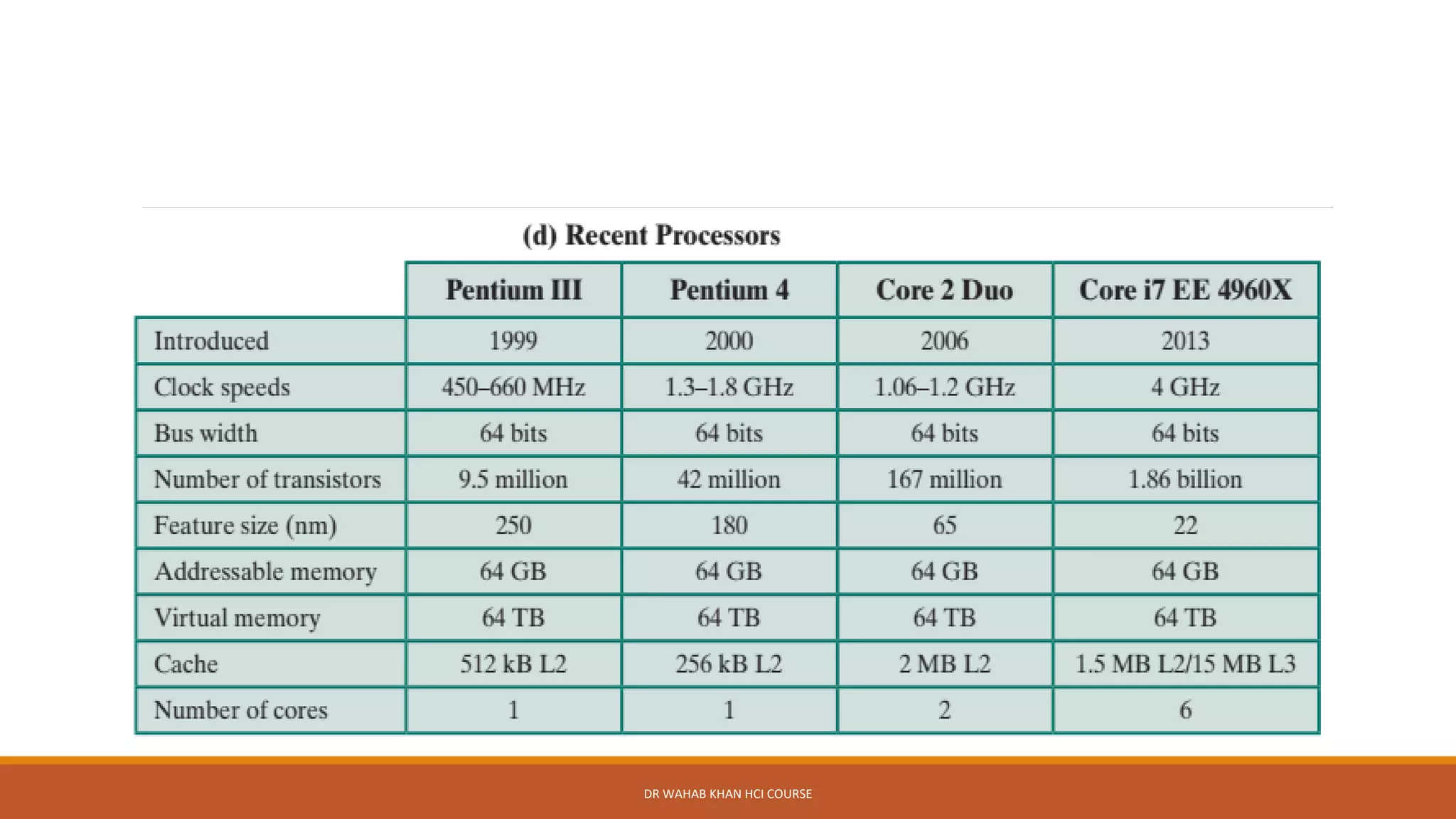
Past 35 years
The 1978 8086 was introduced with a clock speed of 5 MHz and had
29,000 transistors.
A six-core Core i7 EE 4960X introduced in 2013 operates at 4 GHz,
and has 1.86 billion transistors, about 64,000 times as many as the
8086.
DR WAHAB KHAN HCI COURSE

Computer architecture lesson 1

  • 1.
    DR WAHAB KHANHCI COURSE
  • 2.
    University of Scienceand Technology Bannu Computer Architecture BS-CS 8th Term February 16, 2021 DR WAHAB KHAN HCI COURSE
  • 3.
    Learning Objectives DR WAHAB KHANCOA COURSE Organization VS Architecture Structure and Function Brief History of Computers
  • 4.
    Computer Architecture Computer architecturerefers to those attributes of a system visible to a programmer or, put another way, those attributes that have a direct impact on the logical execution of a program. It is the technical drawings and functional description of all design requirements (especially speeds and interconnections), it is how to design and implement various parts of a computer — focusing largely on the way by which the central processing unit (CPU) operates internally and how it accesses addresses in memory A term that is often used interchangeably with computer architecture is instruction set architecture (ISA). The ISA defines instruction formats, instruction opcodes, registers, instruction and data memory; the effect of executed instructions on the registers and memory; and an algorithm for controlling instruction execution. DR WAHAB KHAN COA COURSE
  • 5.
    Computer organization Computer organizationrefers to the operational units and their interconnections that realize the architectural specifications. Examples of architectural attributes include the instruction set, the number of bits used to represent various data types (e.g., numbers, characters), I/O mechanisms, and techniques for addressing memory. Organizational attributes include those hardware details transparent to the programmer, such as control signals; interfaces between the computer and peripherals; and the memory technology used DR WAHAB KHAN COA COURSE
  • 6.
    Architecture VS Organization DRWAHAB KHAN COA COURSE Architecture Organization Architecture is concerned with “What” computer will do Organization describes “How” computer will do it Deal with logical aspects of Computer Deals with physical aspects of Computers Functional Behavioral Structural Relationship Designing of Computer (FIRST) Designing of Computer (Second) Interface between software and hardware ✓ How to access memory ✓ Instruction set ✓ Address modes ✓ Data types Circuit/Component Connections ✓ Signals ✓ ALU ✓ CPU ✓ Memory Many organization for one Architecture Intel X86, Pentium, Quad core, Core i7
  • 7.
    Structure and Function ❑Acomputer is a complex system; contemporary computers contain millions of elementary electronic components. ❑At each level, the designer is concerned with structure and function: ❑Structure: The way in which the components are interrelated. ❑Function: The operation of each individual component as part of the structure. DR WAHAB KHAN HCI COURSE
  • 8.
    Functions In general terms,there are only four basic functions that a computer can perform: ✓Data Processing ✓Data Storage ✓Data movement ✓Control DR WAHAB KHAN HCI COURSE
  • 9.
    Functions Data processing: Datamay take a wide variety of forms, and the range of processing requirements is broad. However, we shall see that there are only a few fundamental methods or types of data processing. Data storage: Files of data are stored on the computer for subsequent retrieval and update. Thus, there is at least a short-term data storage function. Equally important, the computer performs a long-term data storage function. Data movement: The computer’s operating environment consists of devices that serve as either sources or destinations of data. When data are received from or delivered to a device that is directly connected to the computer, the process is known as input–output (I/O), and the device is referred to as a peripheral. When data are moved over longer distances, to or from a remote device, the process is known as data communications. Control: Within the computer, a control unit manages the computer’s resources and orchestrates the performance of its functional parts in response to instructions. DR WAHAB KHAN HCI COURSE
  • 10.
    Structure From structure wemean internal structure of a computer There are four main structural components of a traditional single Processor Computers ➢Central processing unit (CPU): Controls the operation of the computer and performs its data processing functions; often simply referred to as processor. ➢Main memory: Stores data ➢I/O: Moves data between the computer and its external environment. ➢System interconnection: Some mechanism that provides for communication among CPU, main memory, and I/O. A common example of system interconnection is by means of a system bus, consisting of a number of conducting wires to which all the other components attach. DR WAHAB KHAN HCI COURSE
  • 11.
    DR WAHAB KHANHCI COURSE
  • 12.
    Multicore Computer Architecture A MultiCore Processor is one which combines two or more independent processors into a single package, often a single integrated circuit, Examples are intel core i3----core i9, core 2 duo. OR When these processors all reside on a single chip, the term multicore computer is used, and each processing unit (consisting of a control unit, ALU, registers, and perhaps cache) is called a core. DR WAHAB KHAN HCI COURSE
  • 13.
    First Generation Computers(1940-1956) ➢The firstcomputers used vacuum tubes for circuitry and magnetic drums for memory ➢They were often enormous and taking up entire room ➢It relied on machine language ➢Expensive to operate, high electricity consumption, a lot heat generation which leads to malfunctions. ➢The UNIVAC and ENIAC computers are examples of first generation computing devices. DR WAHAB KHAN HCI COURSE
  • 14.
    Second Generation Computers(1956-1963) ➢Transistors replacedvacuum tubes in the second generation computers ➢Smaller and faster ➢Has memory ➢Magnetic taps replaced punched cards ➢First commercial computer ➢One program execution ➢High level programming language were also being developed at this time, such as early version of COBOL and Fortran. ➢These are also the first computers that stored their instructions in their memory. DR WAHAB KHAN HCI COURSE
  • 15.
    Third Generation Computers(1964-71) ➢Integrated circuitwas used in place of transistors ➢An IC is more compact than a transistor. A single IC has many transistors, registers and capacitors, placed on a single thin slice of silicon ➢Reduced size ➢Operating systems as interface for computing ➢Key boards replaced punched cards ➢Computers for the first time became accessible to a mass audience because they were smaller and cheaper that their predecessor DR WAHAB KHAN HCI COURSE
  • 16.
    Fourth Generation(1971-1980) •Very LargeScale Integrated (VLSI) circuits technology used. •VLSI circuits having about 5000 transistors and other circuit elements with their associated circuits on a single chip made it possible to have microcomputers of fourth generation •Very cheap. •Portable and reliable. •Very small size. •Pipeline processing. •Concept of internet was introduced. DR WAHAB KHAN HCI COURSE
  • 17.
    Fifth generation: 1980- onwards Theperiod of fifth generation: 1980-onwards. •ULSI technology. •Development of true artificial intelligence. •Development of Natural language processing. •Advancement in Parallel Processing. •Advancement in Superconductor technology. •More user-friendly interfaces with multimedia features. •Availability of very powerful and compact computers at cheaper rates. DR WAHAB KHAN HCI COURSE
  • 18.
    Kahoot Quiz Go towww.kahoot.it & enter Game PIN:6554774
  • 19.
    Summary of Technology DRWAHAB KHAN HCI COURSE
  • 20.
    The Intel Processor DRWAHAB KHAN HCI COURSE
  • 21.
    DR WAHAB KHANHCI COURSE
  • 22.
    DR WAHAB KHANHCI COURSE
  • 23.
    DR WAHAB KHANHCI COURSE
  • 24.
    Evolution of IntelProcessor It is worthwhile to list some of the highlights of the evolution of the Intel product line: ■ 8080: The world’s first general-purpose microprocessor. This was an 8-bit machine, with an 8-bit data path to memory. The 8080 was used in the first personal computer, the Altair. ■ 8086: A far more powerful, 16-bit machine. In addition to a wider data path and larger registers, the 8086 sported an instruction cache, or queue, that prefetches a few instructions before they are executed. A variant of this processor, the 8088, was used in IBM’s first personal computer, securing the success of Intel. The 8086 is the first appearance of the x86 architecture. ■ 80286: This extension of the 8086 enabled addressing a 16-MB memory instead of just 1 MB. ■ 80386: Intel’s first 32-bit machine, and a major overhaul of the product. With a 32-bit architecture, the 80386 rivaled the complexity and power of minicomputers and mainframes introduced just a few years earlier. This was the first Intel processor to support multitasking, meaning it could run multiple programs at the same time. DR WAHAB KHAN HCI COURSE
  • 25.
    Evolution of IntelProcessor ■ 80486: The 80486 introduced the use of much more sophisticated and powerful cache technology and sophisticated instruction pipelining. The 80486 also offered a built-in math coprocessor, offloading complex math operations from the main CPU. ■ Pentium: With the Pentium, Intel introduced the use of superscalar techniques, which allow multiple instructions to execute in parallel. ■ Pentium Pro: The Pentium Pro continued the move into superscalar organization begun with the Pentium, with aggressive use of register renaming, branch prediction, data flow analysis, and speculative execution. ■ Pentium II: The Pentium II incorporated Intel MMX technology, which is designed specifically to process video, audio, and graphics data efficiently. DR WAHAB KHAN HCI COURSE
  • 26.
    Evolution of IntelProcessor ■ Pentium III: The Pentium III incorporates additional floating-point instructions: The Streaming SIMD Extensions (SSE) instruction set extension added 70 new instructions designed to increase performance when exactly the same operations are to be performed on multiple data objects. Typical applications are digital signal processing and graphics processing. ■ Pentium 4: The Pentium 4 includes additional floating-point and other enhancements for multimedia.11 ■ Core: This is the first Intel x86 microprocessor with a dual core, referring to the implementation of two cores on a single chip. ■ Core 2: The Core 2 extends the Core architecture to 64 bits. DR WAHAB KHAN HCI COURSE
  • 27.
    Past 35 years The1978 8086 was introduced with a clock speed of 5 MHz and had 29,000 transistors. A six-core Core i7 EE 4960X introduced in 2013 operates at 4 GHz, and has 1.86 billion transistors, about 64,000 times as many as the 8086. DR WAHAB KHAN HCI COURSE
  • 28.
    DR WAHAB KHANHCI COURSE