Introduction to Compact Framework Development Christopher Fairbairn ARANZ Medical Ltd [email_address]
Agenda Why? Windows Mobile Overview Development Tools Platform Constraints Tips & Tricks Helpful Resources
Why? Empower a mobile workforce Increase value of business data Reduce administration overheads Competitive Advantage
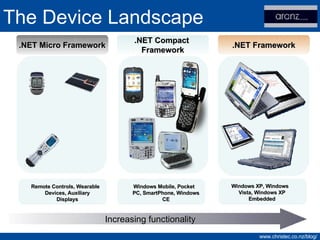
The Device Landscape .NET Micro Framework .NET Framework .NET Compact  Framework Windows Mobile, Pocket PC, SmartPhone, Windows CE Windows XP, Windows Vista, Windows XP Embedded Remote Controls, Wearable Devices, Auxiliary Displays Increasing functionality
Windows Mobile History WinPad and Pulsar projects Pegasus Group formed H/PC reference design Componentised Operating System
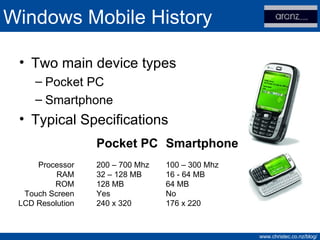
Windows Mobile History Two main device types Pocket PC Smartphone Typical Specifications Pocket PC 200 – 700 Mhz 32 – 128 MB 128 MB Yes 240 x 320 Smartphone 100 – 300 Mhz 16 - 64 MB 64 MB No 176 x 220 Processor RAM ROM Touch Screen LCD Resolution
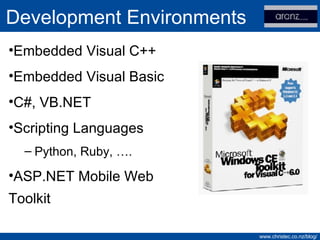
Development Environments Embedded Visual C++ Embedded Visual Basic C#, VB.NET Scripting Languages Python, Ruby, …. ASP.NET Mobile Web Toolkit
.NET CF – What is it? Runtime for small devices 80% of functionality in 20% of footprint Released late 2002 v2.0 SP2 is current v3.5 due soon
.NET CF – Platform Support Windows CE Windows Mobile XBOX-360 Symbian?
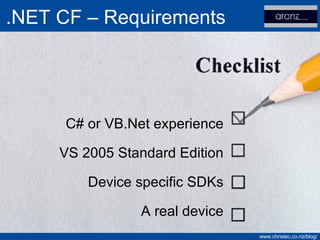
.NET CF – Requirements C# or VB.Net experience VS 2005 Standard Edition Device specific SDKs A real device
Group Project Blogging Tool Smartphone / Pocket PC Support Submit posts Upload photos Offline mode
DEMO Tour of VS2005 from a Mobile Perspective
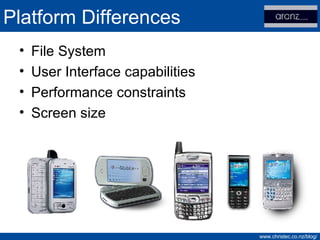
Platform Differences File System User Interface capabilities Performance constraints Screen size
DEMO Introducing the OFone!
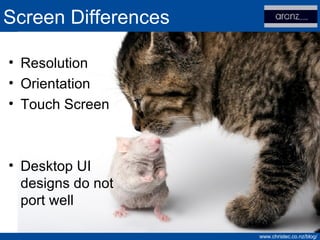
Screen Differences Resolution Orientation Touch Screen Desktop UI designs do not port well
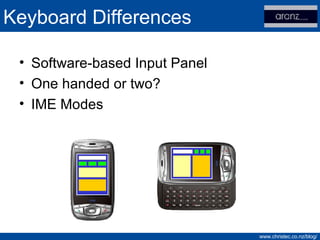
Software-based Input Panel One handed or two? IME Modes Keyboard Differences
DEMO Supporting Multiple Platforms
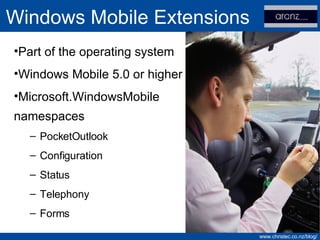
Windows Mobile Extensions Part of the operating system Windows Mobile 5.0 or higher Microsoft.WindowsMobile namespaces PocketOutlook Configuration Status Telephony Forms
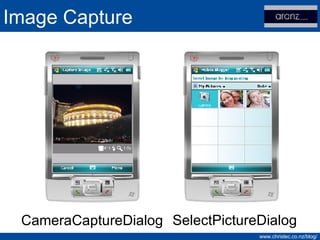
Image Capture CameraCaptureDialog SelectPictureDialog
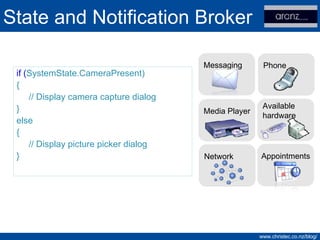
State and Notification Broker if ( SystemState.CameraPresent) { // Display camera capture dialog } else { // Display picture picker dialog } Network Messaging Phone Appointments Media Player Available  hardware
DEMO Image Capture
Network Communications SMS, TCP, HTTP… Web Service Proxies Network connectivity may be lost at any time Avoid automatic retries
Data Access SQL Server SQL Server Compact Edition SQLite SQL Server Management Studio integration
Data Access Performance Properly index tables Avoid excessive joins Favor ExecuteResultSet over ExecuteReader
Demo SQL Mobile and Integration with VS2005
Application Deployment Smart Device CAB Setup Projects CAB for device MSI for desktop Code signing Two tier security model
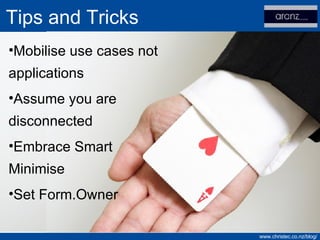
Tips and Tricks Mobilise use cases not applications Assume you are disconnected Embrace Smart Minimise Set Form.Owner
Configuration Service Provider Standardised way to configure devices Over 50 CSPs available Provisioning via a number of methods Programmatically CAB files Over The Air (OTA) ActiveSync (RAPIConfig)
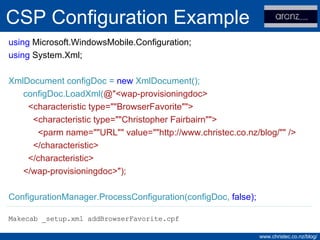
CSP Configuration Example using  Microsoft.WindowsMobile.Configuration; using  System.Xml; XmlDocument configDoc =  new  XmlDocument(); configDoc.LoadXml( @&quot;<wap-provisioningdoc> <characteristic type=&quot;&quot;BrowserFavorite&quot;&quot;> <characteristic type=&quot;&quot;Christopher Fairbairn&quot;&quot;> <parm name=&quot;&quot;URL&quot;&quot; value=&quot;&quot;http://www.christec.co.nz/blog/&quot;&quot; /> </characteristic> </characteristic> </wap-provisioningdoc>&quot;); ConfigurationManager.ProcessConfiguration(configDoc,  false ); Makecab _setup.xml addBrowserFavorite.cpf
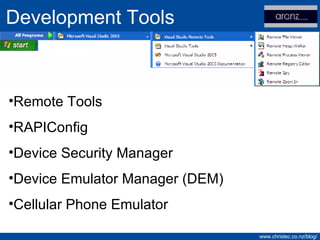
Development Tools Remote Tools RAPIConfig Device Security Manager Device Emulator Manager (DEM) Cellular Phone Emulator
Webcasts MCTS Exam 70-540 Mobile LOB Accelerator Mobile Software Client Factory Microsoft Mobile Development Handbook Getting Started
Diving Deeper Over 150 Samples available in the SDKs Windows Embedded CE 6.0 Evaluation OpenNETCF Smart Device Framework
Where to get help MSDN Forums Windows Mobile Team Blog Compact Framework Team Blog
Contact Information Christopher Fairbairn ARANZ Medical Ltd Questions? Email:  [email_address] Website:  www.christec.co.nz/blog /

Compact Framework Development For The Desktop Developer

  • 1.
    Introduction to CompactFramework Development Christopher Fairbairn ARANZ Medical Ltd [email_address]
  • 2.
    Agenda Why? WindowsMobile Overview Development Tools Platform Constraints Tips & Tricks Helpful Resources
  • 3.
    Why? Empower amobile workforce Increase value of business data Reduce administration overheads Competitive Advantage
  • 4.
    The Device Landscape.NET Micro Framework .NET Framework .NET Compact Framework Windows Mobile, Pocket PC, SmartPhone, Windows CE Windows XP, Windows Vista, Windows XP Embedded Remote Controls, Wearable Devices, Auxiliary Displays Increasing functionality
  • 5.
    Windows Mobile HistoryWinPad and Pulsar projects Pegasus Group formed H/PC reference design Componentised Operating System
  • 6.
    Windows Mobile HistoryTwo main device types Pocket PC Smartphone Typical Specifications Pocket PC 200 – 700 Mhz 32 – 128 MB 128 MB Yes 240 x 320 Smartphone 100 – 300 Mhz 16 - 64 MB 64 MB No 176 x 220 Processor RAM ROM Touch Screen LCD Resolution
  • 7.
    Development Environments EmbeddedVisual C++ Embedded Visual Basic C#, VB.NET Scripting Languages Python, Ruby, …. ASP.NET Mobile Web Toolkit
  • 8.
    .NET CF –What is it? Runtime for small devices 80% of functionality in 20% of footprint Released late 2002 v2.0 SP2 is current v3.5 due soon
  • 9.
    .NET CF –Platform Support Windows CE Windows Mobile XBOX-360 Symbian?
  • 10.
    .NET CF –Requirements C# or VB.Net experience VS 2005 Standard Edition Device specific SDKs A real device
  • 11.
    Group Project BloggingTool Smartphone / Pocket PC Support Submit posts Upload photos Offline mode
  • 12.
    DEMO Tour ofVS2005 from a Mobile Perspective
  • 13.
    Platform Differences FileSystem User Interface capabilities Performance constraints Screen size
  • 14.
  • 15.
    Screen Differences ResolutionOrientation Touch Screen Desktop UI designs do not port well
  • 16.
    Software-based Input PanelOne handed or two? IME Modes Keyboard Differences
  • 17.
  • 18.
    Windows Mobile ExtensionsPart of the operating system Windows Mobile 5.0 or higher Microsoft.WindowsMobile namespaces PocketOutlook Configuration Status Telephony Forms
  • 19.
  • 20.
    State and NotificationBroker if ( SystemState.CameraPresent) { // Display camera capture dialog } else { // Display picture picker dialog } Network Messaging Phone Appointments Media Player Available hardware
  • 21.
  • 22.
    Network Communications SMS,TCP, HTTP… Web Service Proxies Network connectivity may be lost at any time Avoid automatic retries
  • 23.
    Data Access SQLServer SQL Server Compact Edition SQLite SQL Server Management Studio integration
  • 24.
    Data Access PerformanceProperly index tables Avoid excessive joins Favor ExecuteResultSet over ExecuteReader
  • 25.
    Demo SQL Mobileand Integration with VS2005
  • 26.
    Application Deployment SmartDevice CAB Setup Projects CAB for device MSI for desktop Code signing Two tier security model
  • 27.
    Tips and TricksMobilise use cases not applications Assume you are disconnected Embrace Smart Minimise Set Form.Owner
  • 28.
    Configuration Service ProviderStandardised way to configure devices Over 50 CSPs available Provisioning via a number of methods Programmatically CAB files Over The Air (OTA) ActiveSync (RAPIConfig)
  • 29.
    CSP Configuration Exampleusing Microsoft.WindowsMobile.Configuration; using System.Xml; XmlDocument configDoc = new XmlDocument(); configDoc.LoadXml( @&quot;<wap-provisioningdoc> <characteristic type=&quot;&quot;BrowserFavorite&quot;&quot;> <characteristic type=&quot;&quot;Christopher Fairbairn&quot;&quot;> <parm name=&quot;&quot;URL&quot;&quot; value=&quot;&quot;http://www.christec.co.nz/blog/&quot;&quot; /> </characteristic> </characteristic> </wap-provisioningdoc>&quot;); ConfigurationManager.ProcessConfiguration(configDoc, false ); Makecab _setup.xml addBrowserFavorite.cpf
  • 30.
    Development Tools RemoteTools RAPIConfig Device Security Manager Device Emulator Manager (DEM) Cellular Phone Emulator
  • 31.
    Webcasts MCTS Exam70-540 Mobile LOB Accelerator Mobile Software Client Factory Microsoft Mobile Development Handbook Getting Started
  • 32.
    Diving Deeper Over150 Samples available in the SDKs Windows Embedded CE 6.0 Evaluation OpenNETCF Smart Device Framework
  • 33.
    Where to gethelp MSDN Forums Windows Mobile Team Blog Compact Framework Team Blog
  • 34.
    Contact Information ChristopherFairbairn ARANZ Medical Ltd Questions? Email: [email_address] Website: www.christec.co.nz/blog /