

cc: Jamie McCaffrey - https://www.flickr.com/photos/15609463@N03
Library
now uses
Beach ID
Created with Haiku Deck
Look for these words
to find the APA/MLA
citation generators
CITE/CITE NOW/ CITATION
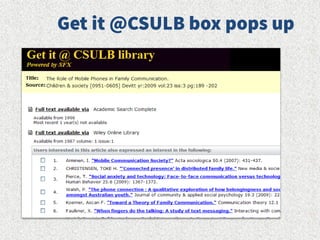
Look for this button
to find out if the
item is full text
To request books
from other CSU
Campuses
CHECK HOLDINGS/CSU+
Research Database
The ONLY way you
should find your
articles for this comm
research assignment
BeachReach
If the article is not full
text, we will get it for
you- just request it
Where is that information
available?
What is the easiest way to get it?
Who is going to study the topic?
Ask Yourself
@codytheminpin
Connecting Search Terms
Both terms appear in same record
Terms have different meanings.
example: infidelity AND culture
AND
OR Either term may appear in record
Terms have similar meanings. There
are two ways to do “or” either or
terms in the same box or using the
option provided in the database
Can look for multiple endings of a
word or plurals SHFT + 8
measure* measure measures
asterisk
Proximity
Phrase Searching
Allows you to specify how close
you want your terms to appear in
the record
“online interaction”
Workers
Workplace
Employees
managers
Concept A
Concept B
Aggression
Violence
Anger management
Gun control
Mental health
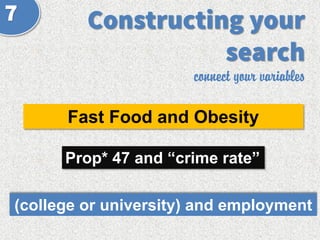
connect your variables
Fast Food and Obesity
Prop* 47 and “crime rate”
NHL or hockey and overtime
Let’s
Practice.
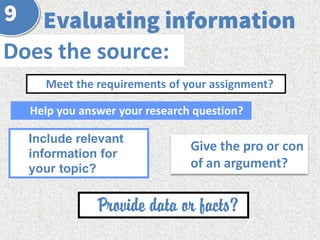
Does the source:
Help you answer your research question?
Meet the requirements of your assignment?
Include relevant
information for
your topic?
Give the pro or con
of an argument?
Provide data or facts?
Look for citation generators
in the records of the article
DATABASES
ONESEARCH
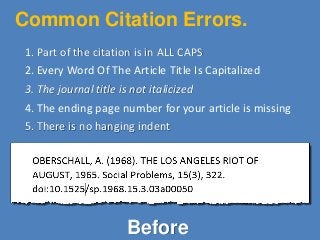
Common Citation Errors.
1. Part of the citation is in ALL CAPS
2. Every Word Of The Article Title Is Capitalized
3. The journal title is not italicized
4. The ending page number for your article is missing
5. There is no hanging indent
Before
Fixing the Errors.
1. Change any words that are all caps
2. Make the appropriate words lower case
3. Italicize the Journal Title
4. Look at the PDF of your document and find the
ending page number
5. Create a hanging indent
After
Ctrl+ T
Creates paragraphs with
hanging indents in
Microsoft Word.
Command + T for MACs
Communication Studies 130

Communication Studies 130

Editor's Notes

  • #5 Image: http://www.gramfeed.com/addsomesprinkles
  • #6 Image: http://www.gramfeed.com/addsomesprinkles
  • #9 http://www.flickr.com/photos/alyzam6/6015998164/