Maria Horrigan Murphy Regional Lead Business Analysis SMS Consulting Group ACS Pre Conference 18 Mar 2009 Communication and Connectedness in Business Analysis
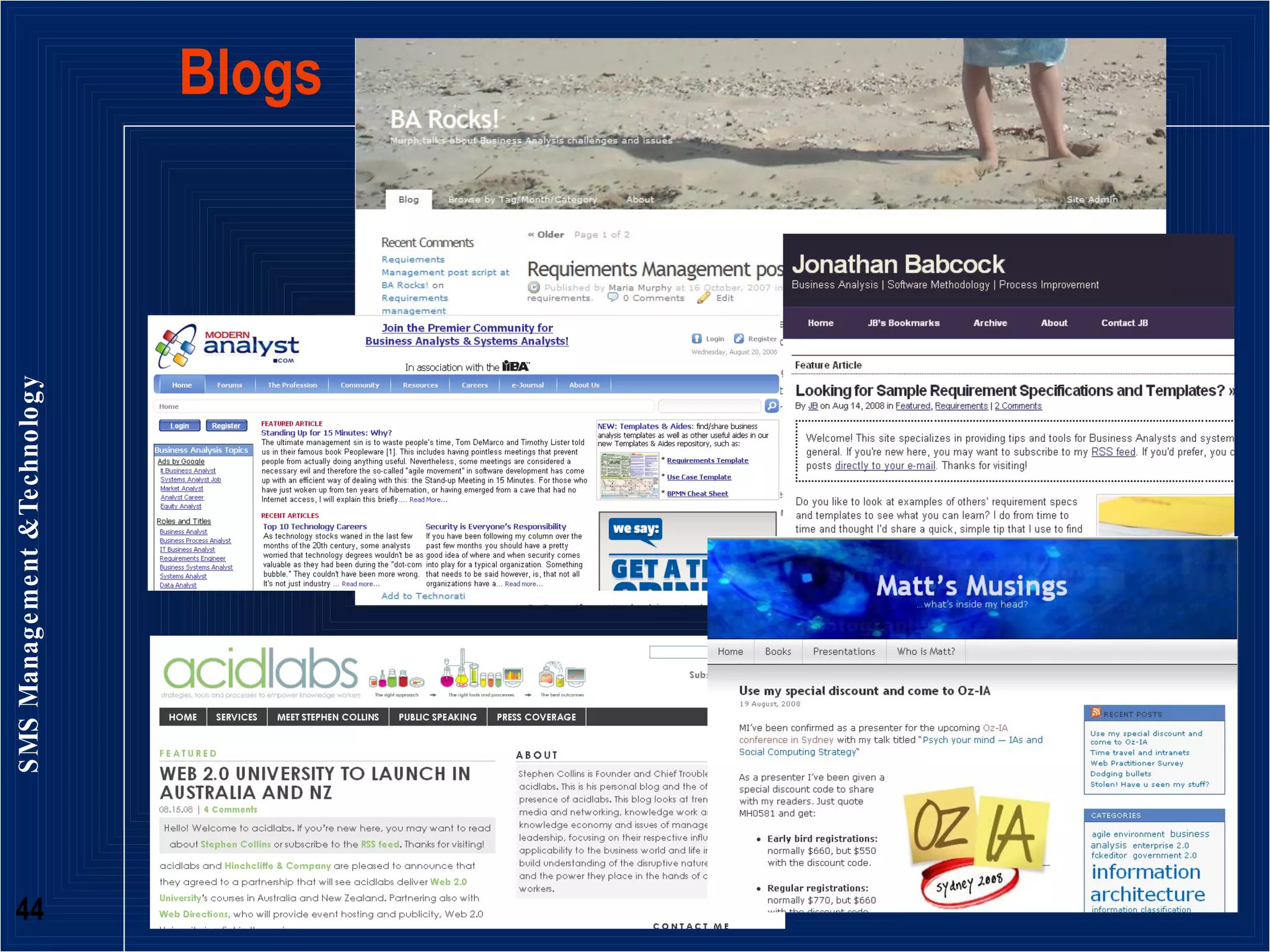
Slideshare and blogs www.barocks.com www.slideshare.com/murph
“ We’re living in a networked world”
Modern IT projects People demand to be heard People expect to be involved People’s expectations of how good systems are is based on their experience of modern internet applications of the Google World - Gmail, Google Search, Facebook, Flickr, YouTube,
What does their expectation mean? Project success hinges on communicating with people: To understand what they want To set expectations about what the project will  actually  deliver (and what it won’t) To show them how the project will help them in their work To uncover what they need . . .
Because sometimes they don’t know what they need
What’s their requirement of you? Not being like the BA in the Dilbert cartoon Knowing how to talk to people and get the information you need to write the requirements Effectively negotiating with important stakeholders Getting the right messages to the right people at the right time An understanding of both the ‘big picture’ and the detail  Understand the context and the situation
Understanding the business is good communication IT is now part of the business Every program, every initiative to be implemented, will have some touch point with technology Success depends on anticipation of future trends Ability to sense upcoming developments and to design appropriate systems, and processes  Resolving misunderstandings about requirements  Uncovering needs vs wants
Role of  Business Analyst  is the key! The Communicator  The Translator The Juggler of technology and people’s needs The one between the rock and a hard place The Connector (bridge)
How do we do all this communications stuff effectively? Analyse  the stakeholders needs and wants Understand  how they communicate, how they are connected and why Learn  the project in the context of people’s work and how this fits into the wider organisational context
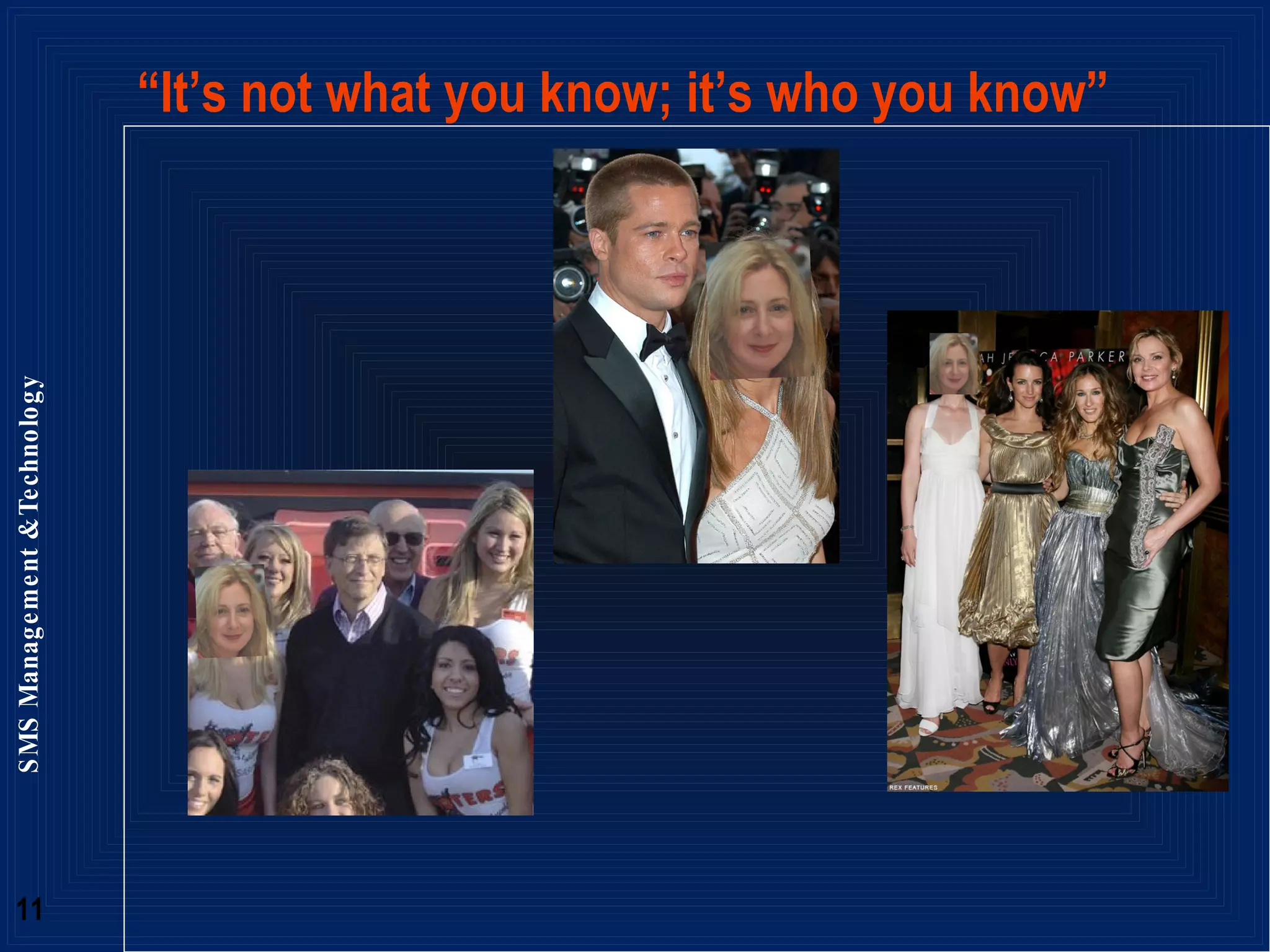
“ It’s not what you know; it’s who you know”
Analysing “who is who in the zoo” Who to talk to Who has influence Who knows what the business needs are What drives and motivates people’s work  behaviour  How to talk to them given this (above) context  How to tailor the communications channels to elicit information from different people
Social Networking Analysis Mathematical, graphical, theoretical understanding of the social world Networks and their structures  Map and measure relationships between people, groups, organisations, computers, and websites Flows of information and knowledge (focus on people not systems) Know what the relationships are to better communicate, elicit requirements
Understanding Social Networks  the  location of actors  in the  network   the various roles and groupings in a network  Gives insight into: who are the connectors, experts, leaders, bridges, isolates? where are the clusters and who is in them? who is in the core or hub? who is on the periphery?
Centrality - revealing the structure in the network  Very centralized network  dominated by one or a few very central nodes. If removed , the network quickly fragments single point of failure  Less centralized network  is resilient in the face of attacks. Many nodes or links can fail while allowing remaining nodes to still reach each other.  Boundary Spanners  connect their group to others. Well positioned to be innovators and have access to ideas and information flowing in other clusters.  Periphery of a network  may connect to networks that are not currently mapped. Important resources for fresh information not otherwise available
Degree of Centrality in the Network
Centrality and Betweenness
Centrality and Closeness
Leveraging Centrality Leverage champions  Understand who might be “blockers” or “gatekeepers” (tertiary segmentation) Find people to go to in order to elicit information – more efficient requirements gathering  Don’t reinvent the wheel Quickly identify who might know the answer, communicate with them, understand their lessons learned, improve likely success of the project Know who to communicate key messages to in order for them to disseminate throughout the network
Putting Actors into Governance The right people making decisions – risk, financial impacts of scope change The right people influencing The right people contributing to requirements
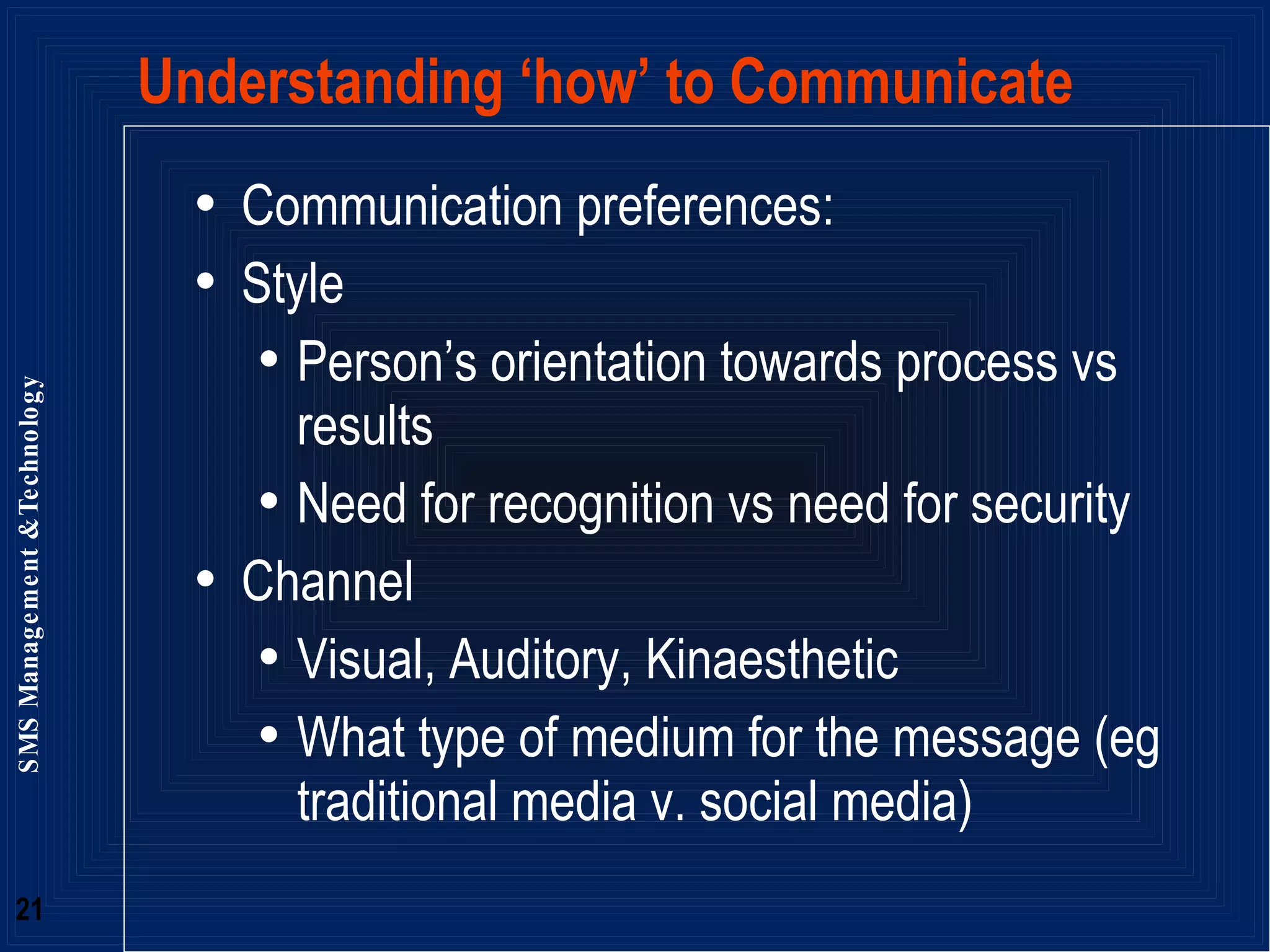
Understanding ‘how’ to Communicate Communication preferences: Style Person’s orientation towards process vs results  Need for recognition vs need for security Channel  Visual, Auditory, Kinaesthetic  What type of medium for the message (eg traditional media v. social media)
D Drivers S Supporters T Talkers C Controllers task people
Drivers Do it now, can do attitude Goal oriented & a self starter Assertive & Competitive Results oriented Task & information focused Decisive & want control Fast paced often impatient Prepared to take risks Problem solvers
Talkers Want to be noticed People oriented Direct & open Animated & emotional Creative, enthusiastic leaders Lots of ideas, bubbly, outgoing Fast paced & spontaneous Prefer working with others Excellent persuasive skills
Supporters Want to get along People oriented team players Help others & solve conflicts Relaxed & friendly Slower paced Cautious, risk averse Enjoy harmony & trust Patient & cooperative Dependable & predictable Avoid conflict & good listeners
Controllers Want to get it right Accurate & meticulous Logical task & information focused Detail oriented & precise Slower paced, quality not quantity Cautious & risk averse Problem solvers Structured and orderly Dependable & predictable Set high standards
Know your own style and preference Stakeholders have a very different style to me  “ Doer” and a “Controller” - analytical and results focused so need to be mindful to bring people along rather than trying to push too hard. (esp with largely “Supporter” risk adverse audience) Use the strengths of your style and adapt your style to the different stakeholders on a project No particular style that is better than the other Style to adopt will be contextual and situational so be flexible and think about your audience
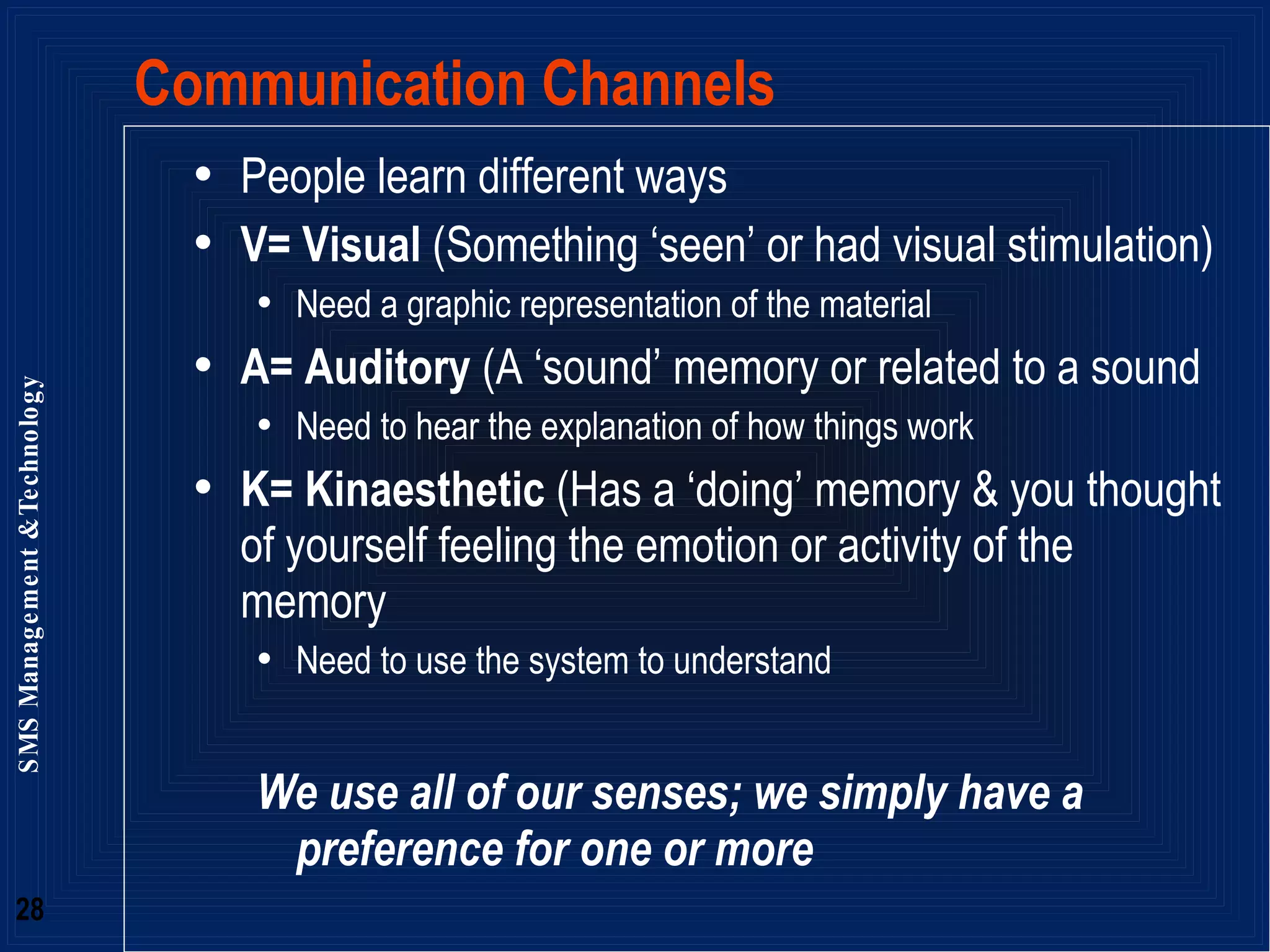
People learn different ways V= Visual  (Something ‘seen’ or had visual stimulation) Need a graphic representation of the material A= Auditory  (A ‘sound’ memory or related to a sound Need to hear the explanation of how things work K= Kinaesthetic  (Has a ‘doing’ memory & you thought of yourself feeling the emotion or activity of the memory Need to use the system to understand We use all of our senses; we simply have a preference for one or more Communication Channels
V, A or K – Context Diagram
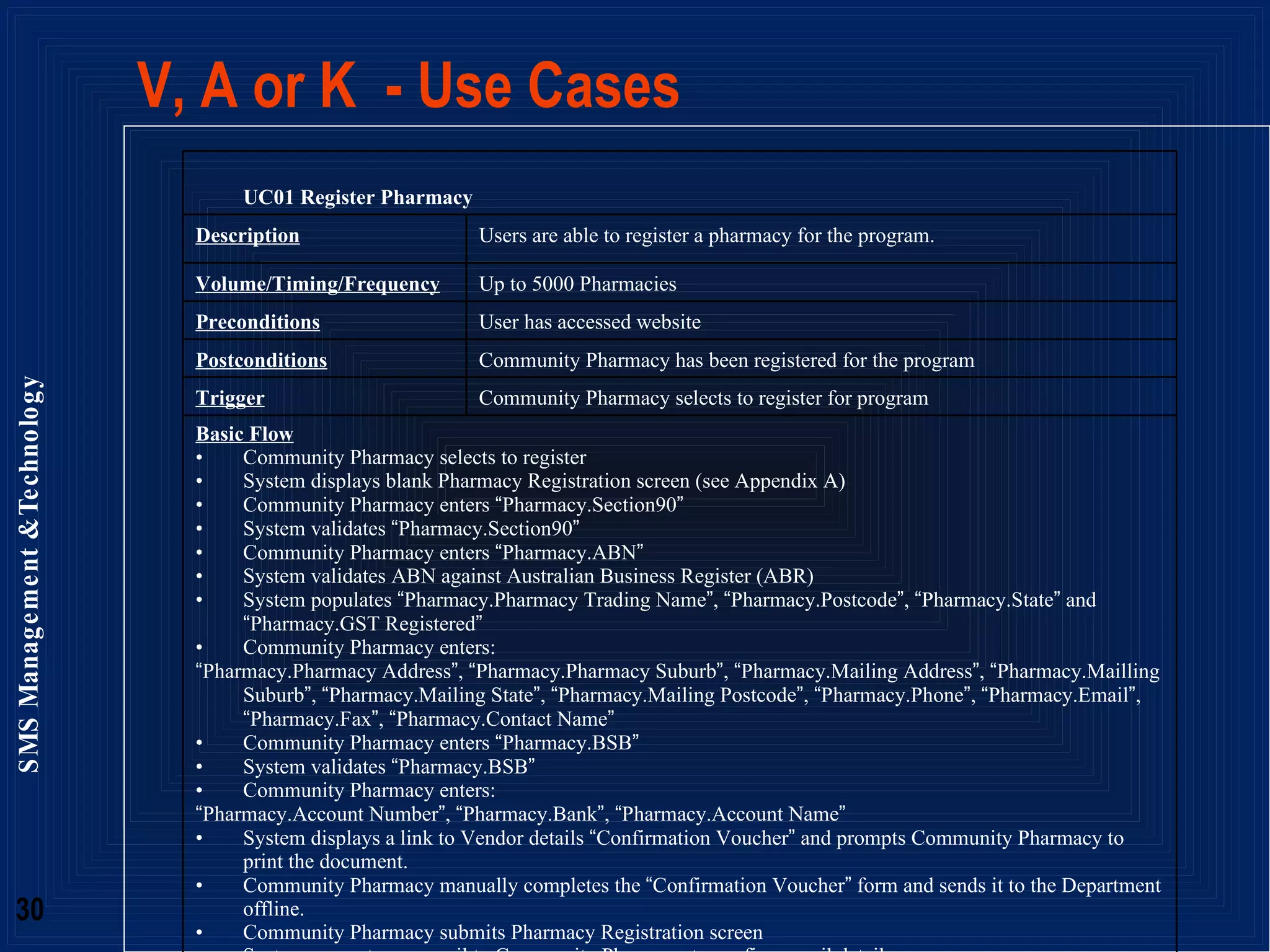
V, A or K  - Use Cases UC01 Register Pharmacy Description Users are able to register a pharmacy for the program. Volume/Timing/Frequency Up to 5000 Pharmacies Preconditions User has accessed website Postconditions Community Pharmacy has been registered for the program Trigger Community Pharmacy selects to register for program Basic Flow Community Pharmacy selects to register System displays blank Pharmacy Registration screen (see Appendix A) Community Pharmacy enters  “ Pharmacy.Section90 ” System validates  “ Pharmacy.Section90 ” Community Pharmacy enters  “ Pharmacy.ABN ” System validates ABN against Australian Business Register (ABR) System populates  “ Pharmacy.Pharmacy Trading Name ” ,  “ Pharmacy.Postcode ” ,  “ Pharmacy.State ”  and  “ Pharmacy.GST Registered ” Community Pharmacy enters: “ Pharmacy.Pharmacy Address ” ,  “ Pharmacy.Pharmacy Suburb ” ,  “ Pharmacy.Mailing Address ” ,  “ Pharmacy.Mailling Suburb ” ,  “ Pharmacy.Mailing State ” ,  “ Pharmacy.Mailing Postcode ” ,  “ Pharmacy.Phone ” ,  “ Pharmacy.Email ” ,  “ Pharmacy.Fax ” ,  “ Pharmacy.Contact Name ” Community Pharmacy enters  “ Pharmacy.BSB ” System validates  “ Pharmacy.BSB ” Community Pharmacy enters: “ Pharmacy.Account Number ” ,  “ Pharmacy.Bank ” ,  “ Pharmacy.Account Name ” System displays a link to Vendor details  “ Confirmation Voucher ”  and prompts Community Pharmacy to print the document.  Community Pharmacy manually completes the  “ Confirmation Voucher ”  form and sends it to the Department offline. Community Pharmacy submits Pharmacy Registration screen System generates an email to Community Pharmacy to confirm email details Community Pharmacy follows the link System successfully registers Pharmacy and emails username and password to the  “ Pharmacy.Email ”  address. System generates SAP Vendor record <extend UC02  –  Create SAP Vendor> System requests Community Pharmacy logs into the system using the recently emailed credentials Community Pharmacy enters username and password System displays Pharmacy Registration screen Community Pharmacy selects to participate in the PMP Program  <A1> System displays PMP Eligibility screen <include UC21  –  Enter PMP Eligibility> System displays PMP Program screen <include UC05  –  Enter PMP Program Information> System displays PMP Baseline screen <include UC08  –  Enter Baseline Information> System displays Pharmacy Registration screen with a PMP Eligibility indicator System triggers PMP Registration payment <extend UC12  –  Approved SAP Payment> Alternate Flow <A1> Community Pharmacy selects to participate in the DAA Program System displays DAA Eligibility screen (See Appendix A) Community Pharmacy enters: “ DAA Eligibility.Approved Section90 ” ,  “ DAA Eligibility.Support DAA Provision ” ,  “ DAA Eligibility.Self-audit ” ,  “ DAA Eligibility.Private Patient Interview ” ,  “ DAA Eligibility.Professional Standards ” ,  “ DAA Eligibility.Provide Evaluation Data ” ,  “ DAA Eligibility.Release Pharmacy Details ” ,  “ DAA Eligibility.Staff Informed and Aware ” ,  “ DAA Eligibility.Consent from Eligible Patients ” ,  “ DAA Eligibility.Provide Information ” ,  “ DAA Eligibility.RCTI ” Community Pharmacy submits responses System displays DAA Program screen <include UC04  –  Enter DAA Program Information> System displays Pharmacy Registration screen with a DAA Eligibility indicator System triggers DAA Registration payment <extend UC12  –  Approved SAP Payment> Alternate Flow <A2> Community Pharmacy is not currently eligible for DAA and/or PMP Community Pharmacy enters username and password System displays Pharmacy Registration screen Community Pharmacy selects to register in DAA Program  <A1> Community Pharmacy selects to register in PMP Program resume basic flow at step 18 Error Messages generated from this Use Case All Error Messages (for all Use Cases) will have options to  ‘ OK ’  (Close error dialogue) or  ‘ Help ’  (display the online help for the current screen) Basic Flow Step 4  –   “ Section 90 number is not an Approved Section 90 number.  A valid Approved Section 90 number is required to register for the DAA and PMP Programs.  Please ensure you have entered it correctly. ”   Basic Flow Step 4  –   “ The Section 90 Number has already been registered for the DAA and PMP Programs.  Pharmacies may only register once. ” Basic Flow Step 6  –   “ ABN not found on Australian Business Register.  A valid ABN is required to register for the DAA and PMP Programs.  Please ensure you have entered it correctly. ” Basic Flow Step 10  –   “ BSB not found.  To ensure payments are received, a valid BSB number is required to register for the DAA and PMP Programs.  Please ensure you have entered it correctly. ”
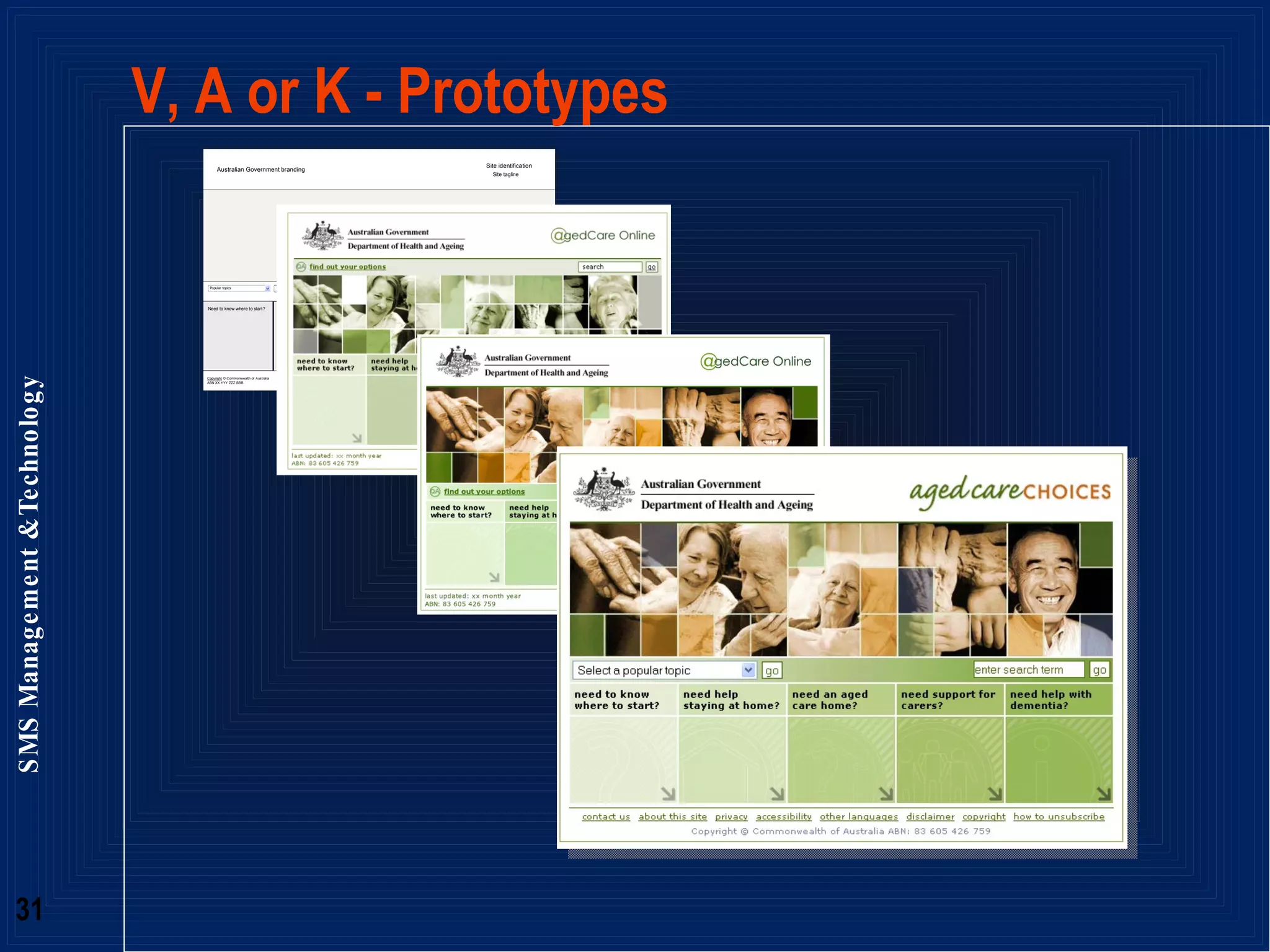
V, A or K - Prototypes
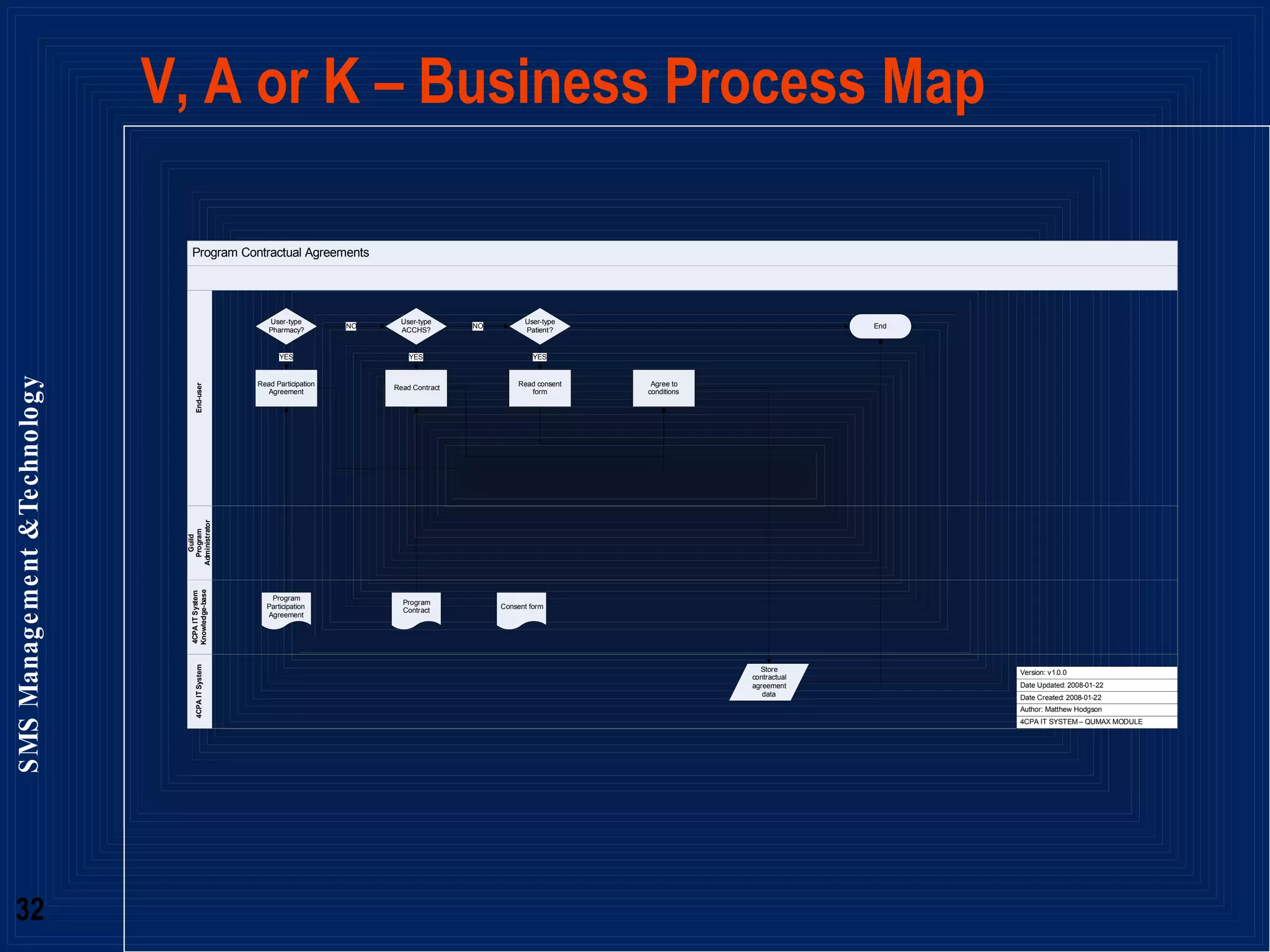
V, A or K – Business Process Map
V, A or K – Screen Shots
Visual Learners  Visual Learners learn by  seeing Have strong spelling & writing skills Find spelling mistakes distracting Not talk much & dislike listening for too long Be distracted by untidiness and movement Support Visual Learners by using: Posters, charts & graphs Visual Displays Booklets, brochures, & handouts Variety of colour & shape Clear layouts with headings & plenty of white space Context diagrams, Process maps
Auditory Learners Auditory Learners learn by  listening Love to talk Appear to daydream whilst ‘talking’ inside their heads Read in a talking style  Love the telephone and music Support Auditory Learners by using: Question & Answer Lectures & Stories Discussion Pairs/Groups Variety in tone, pitch, rate and volume Music or slogans User scenarios
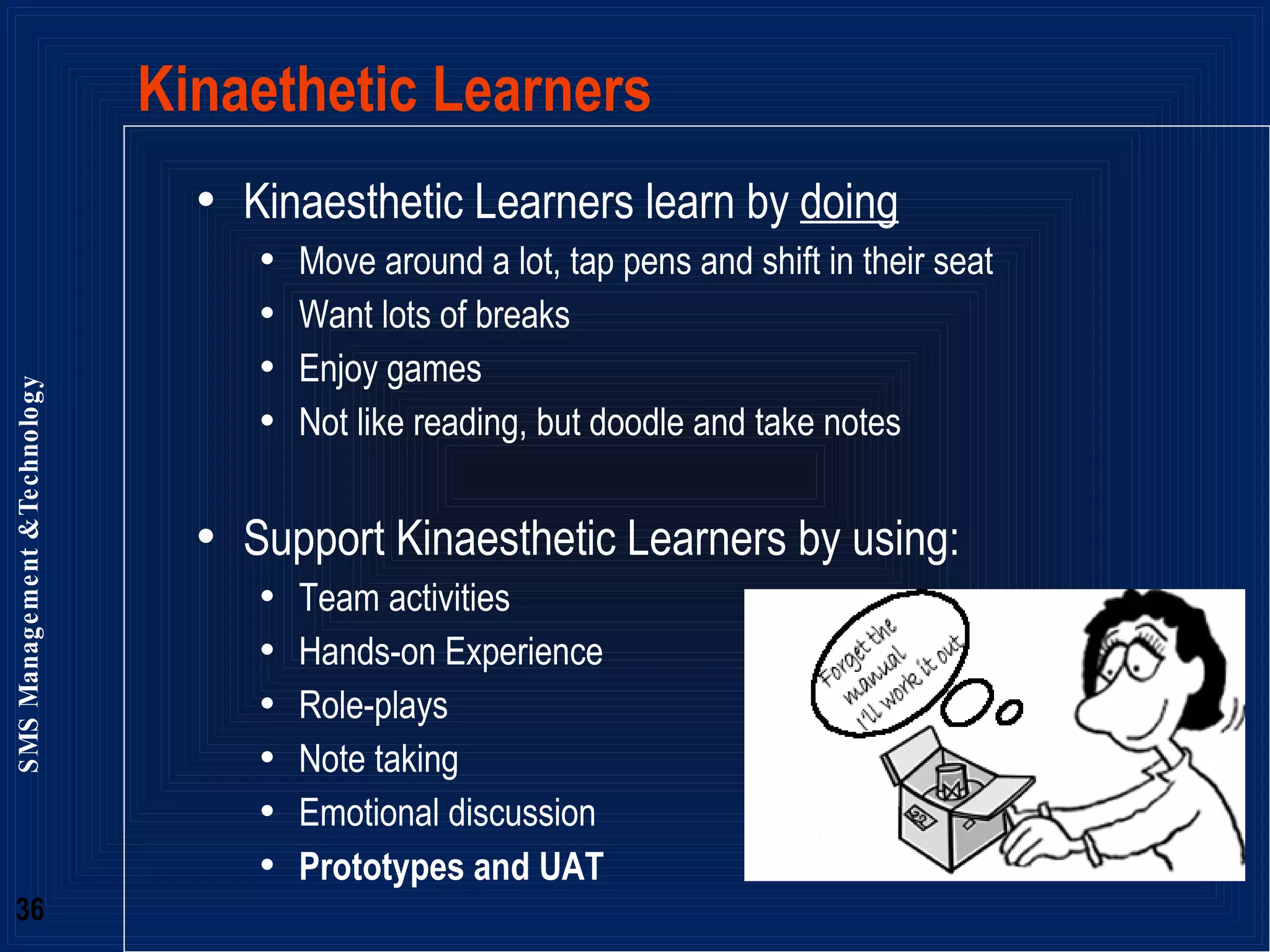
Kinaethetic Learners Kinaesthetic Learners learn by  doing Move around a lot, tap pens and shift in their seat Want lots of breaks Enjoy games Not like reading, but doodle and take notes Support Kinaesthetic Learners by using: Team activities Hands-on Experience Role-plays Note taking Emotional discussion Prototypes and UAT
New channels for Communication  New ways of communicating and reaching out to others Access to body of knowledge (in people’s heads, not in documents) and Communities of practice Networking - leveraging: the power of many Save time and energy - easiest way (anytime, anywhere) to make contact, communicate, share, collaborate with “friends”
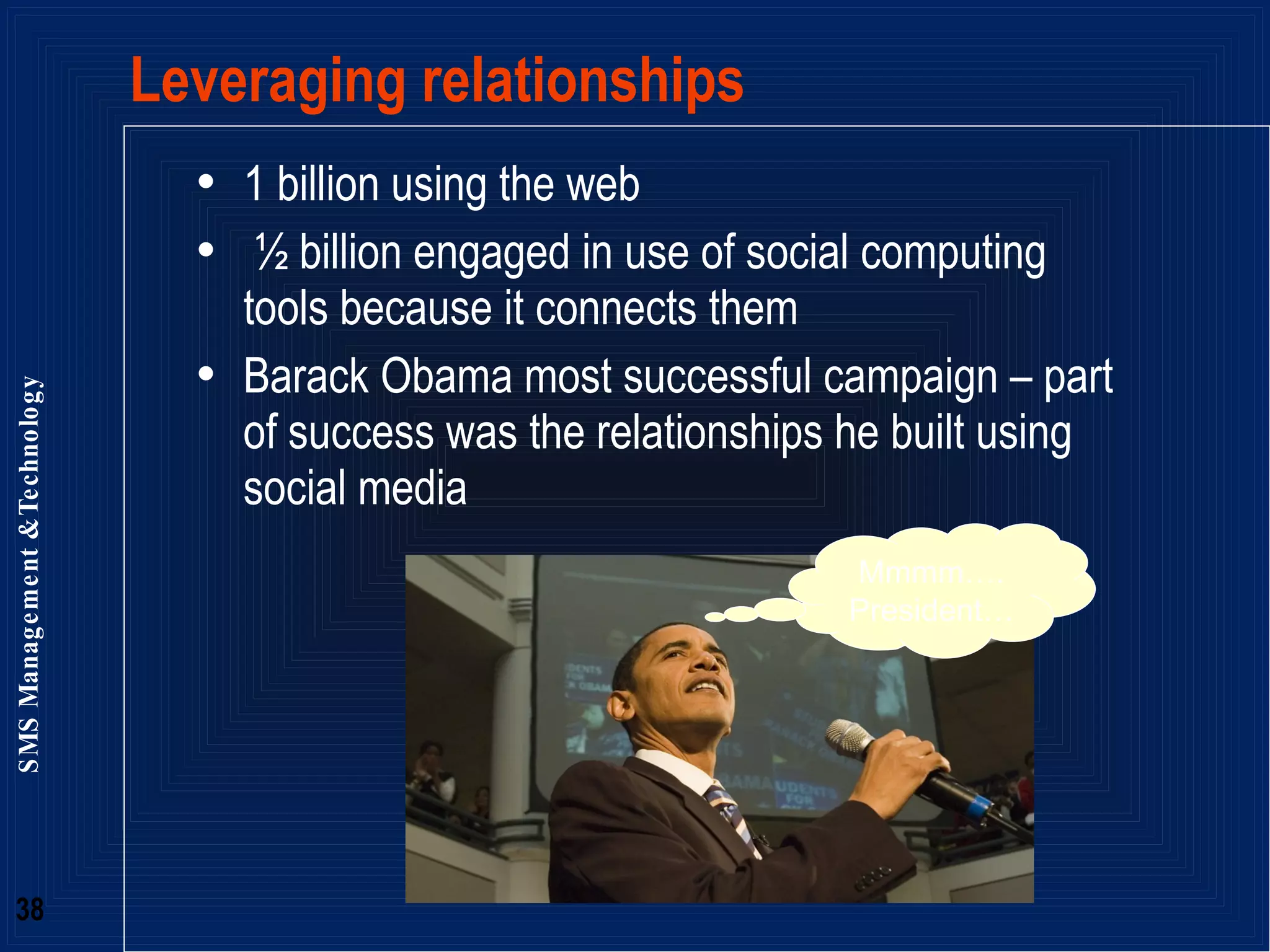
Leveraging relationships 1 billion using the web ½ billion engaged in use of social computing tools because it connects them Barack Obama most successful campaign – part of success was the relationships he built using social media Mmmm…. President…
The many faces of Obama
http://www.linkedin.com Linked in
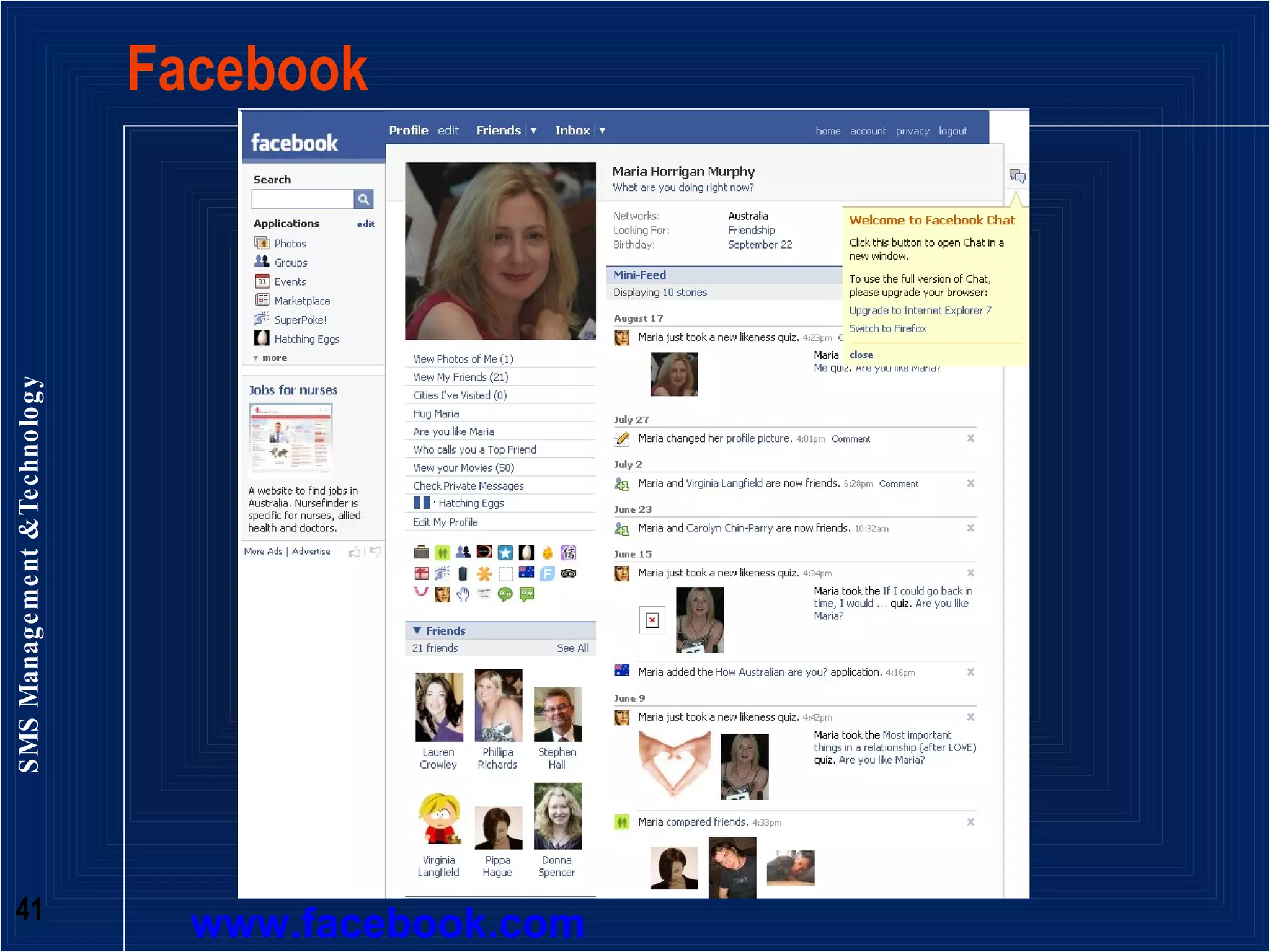
Facebook  www.facebook.com
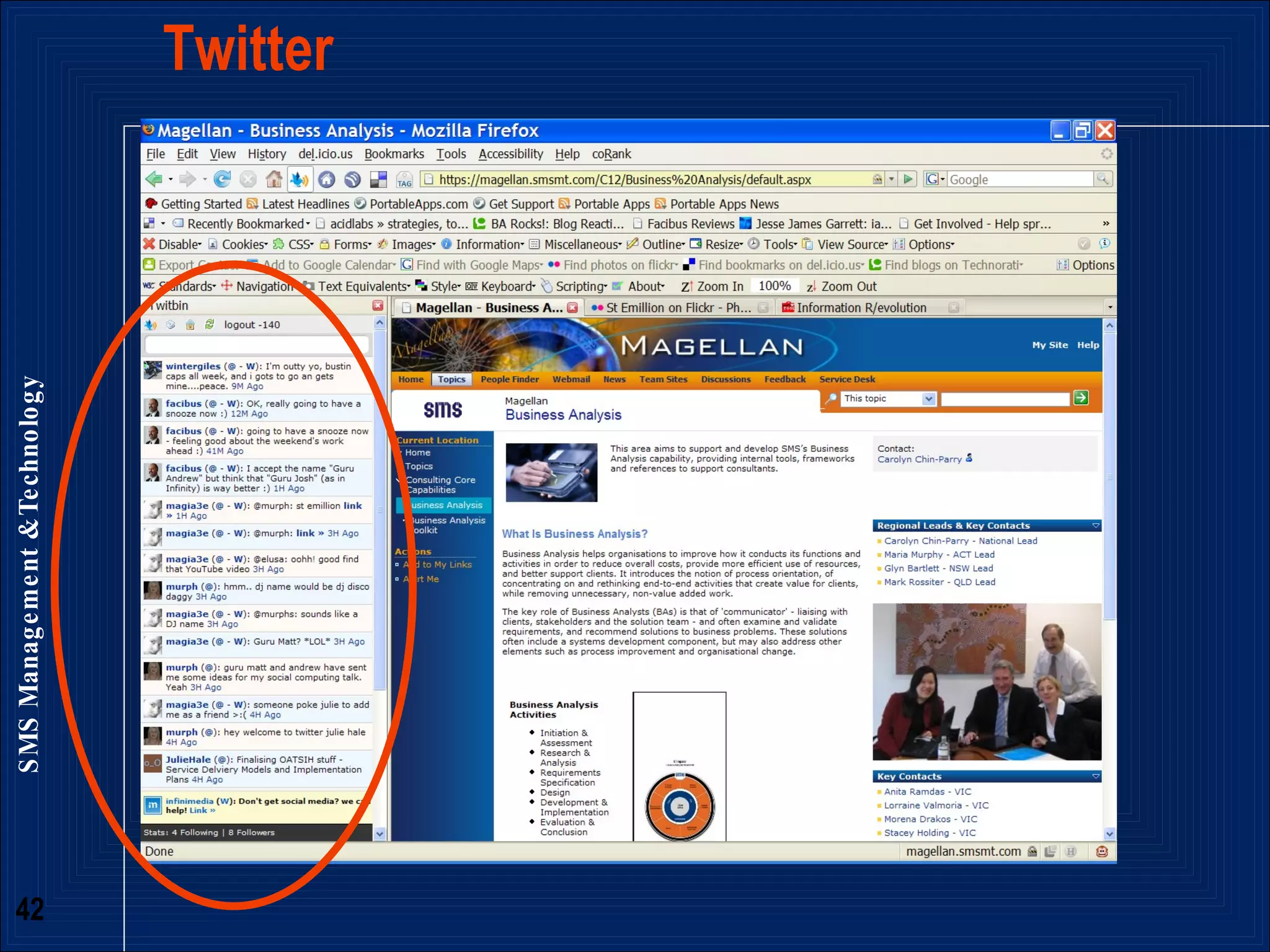
Twitter
Bookmarking  www.delicious.com
Blogs
Take home messages Projects can be more successful if: You take the time to analyse the people, relationships, connections between them You understand communication preferences will vary amongst stakeholders so be flexible and adapt your style and channel to you audience As a BA, embrace your role as communicator and translator to bridge the gap between the technology and the work people need to do
Fin Maria Horrigan Murphy SMS Consulting Group  Account Director  Regional Lead Business Analysis Email: mhorrigan@smsmt.com Blog: www.barocks.com Slideshare: www.slideshare.com/murph Twitter: @miahorri

Communication In Business Analsyis V3

  • 1.
    Maria Horrigan MurphyRegional Lead Business Analysis SMS Consulting Group ACS Pre Conference 18 Mar 2009 Communication and Connectedness in Business Analysis
  • 2.
    Slideshare and blogswww.barocks.com www.slideshare.com/murph
  • 3.
    “ We’re livingin a networked world”
  • 4.
    Modern IT projectsPeople demand to be heard People expect to be involved People’s expectations of how good systems are is based on their experience of modern internet applications of the Google World - Gmail, Google Search, Facebook, Flickr, YouTube,
  • 5.
    What does theirexpectation mean? Project success hinges on communicating with people: To understand what they want To set expectations about what the project will actually deliver (and what it won’t) To show them how the project will help them in their work To uncover what they need . . .
  • 6.
    Because sometimes theydon’t know what they need
  • 7.
    What’s their requirementof you? Not being like the BA in the Dilbert cartoon Knowing how to talk to people and get the information you need to write the requirements Effectively negotiating with important stakeholders Getting the right messages to the right people at the right time An understanding of both the ‘big picture’ and the detail Understand the context and the situation
  • 8.
    Understanding the businessis good communication IT is now part of the business Every program, every initiative to be implemented, will have some touch point with technology Success depends on anticipation of future trends Ability to sense upcoming developments and to design appropriate systems, and processes Resolving misunderstandings about requirements Uncovering needs vs wants
  • 9.
    Role of Business Analyst is the key! The Communicator The Translator The Juggler of technology and people’s needs The one between the rock and a hard place The Connector (bridge)
  • 10.
    How do wedo all this communications stuff effectively? Analyse the stakeholders needs and wants Understand how they communicate, how they are connected and why Learn the project in the context of people’s work and how this fits into the wider organisational context
  • 11.
    “ It’s notwhat you know; it’s who you know”
  • 12.
    Analysing “who iswho in the zoo” Who to talk to Who has influence Who knows what the business needs are What drives and motivates people’s work behaviour How to talk to them given this (above) context How to tailor the communications channels to elicit information from different people
  • 13.
    Social Networking AnalysisMathematical, graphical, theoretical understanding of the social world Networks and their structures Map and measure relationships between people, groups, organisations, computers, and websites Flows of information and knowledge (focus on people not systems) Know what the relationships are to better communicate, elicit requirements
  • 14.
    Understanding Social Networks the location of actors in the network the various roles and groupings in a network Gives insight into: who are the connectors, experts, leaders, bridges, isolates? where are the clusters and who is in them? who is in the core or hub? who is on the periphery?
  • 15.
    Centrality - revealingthe structure in the network Very centralized network dominated by one or a few very central nodes. If removed , the network quickly fragments single point of failure Less centralized network is resilient in the face of attacks. Many nodes or links can fail while allowing remaining nodes to still reach each other. Boundary Spanners connect their group to others. Well positioned to be innovators and have access to ideas and information flowing in other clusters. Periphery of a network may connect to networks that are not currently mapped. Important resources for fresh information not otherwise available
  • 16.
    Degree of Centralityin the Network
  • 17.
  • 18.
  • 19.
    Leveraging Centrality Leveragechampions Understand who might be “blockers” or “gatekeepers” (tertiary segmentation) Find people to go to in order to elicit information – more efficient requirements gathering Don’t reinvent the wheel Quickly identify who might know the answer, communicate with them, understand their lessons learned, improve likely success of the project Know who to communicate key messages to in order for them to disseminate throughout the network
  • 20.
    Putting Actors intoGovernance The right people making decisions – risk, financial impacts of scope change The right people influencing The right people contributing to requirements
  • 21.
    Understanding ‘how’ toCommunicate Communication preferences: Style Person’s orientation towards process vs results Need for recognition vs need for security Channel Visual, Auditory, Kinaesthetic What type of medium for the message (eg traditional media v. social media)
  • 22.
    D Drivers SSupporters T Talkers C Controllers task people
  • 23.
    Drivers Do itnow, can do attitude Goal oriented & a self starter Assertive & Competitive Results oriented Task & information focused Decisive & want control Fast paced often impatient Prepared to take risks Problem solvers
  • 24.
    Talkers Want tobe noticed People oriented Direct & open Animated & emotional Creative, enthusiastic leaders Lots of ideas, bubbly, outgoing Fast paced & spontaneous Prefer working with others Excellent persuasive skills
  • 25.
    Supporters Want toget along People oriented team players Help others & solve conflicts Relaxed & friendly Slower paced Cautious, risk averse Enjoy harmony & trust Patient & cooperative Dependable & predictable Avoid conflict & good listeners
  • 26.
    Controllers Want toget it right Accurate & meticulous Logical task & information focused Detail oriented & precise Slower paced, quality not quantity Cautious & risk averse Problem solvers Structured and orderly Dependable & predictable Set high standards
  • 27.
    Know your ownstyle and preference Stakeholders have a very different style to me “ Doer” and a “Controller” - analytical and results focused so need to be mindful to bring people along rather than trying to push too hard. (esp with largely “Supporter” risk adverse audience) Use the strengths of your style and adapt your style to the different stakeholders on a project No particular style that is better than the other Style to adopt will be contextual and situational so be flexible and think about your audience
  • 28.
    People learn differentways V= Visual (Something ‘seen’ or had visual stimulation) Need a graphic representation of the material A= Auditory (A ‘sound’ memory or related to a sound Need to hear the explanation of how things work K= Kinaesthetic (Has a ‘doing’ memory & you thought of yourself feeling the emotion or activity of the memory Need to use the system to understand We use all of our senses; we simply have a preference for one or more Communication Channels
  • 29.
    V, A orK – Context Diagram
  • 30.
    V, A orK - Use Cases UC01 Register Pharmacy Description Users are able to register a pharmacy for the program. Volume/Timing/Frequency Up to 5000 Pharmacies Preconditions User has accessed website Postconditions Community Pharmacy has been registered for the program Trigger Community Pharmacy selects to register for program Basic Flow Community Pharmacy selects to register System displays blank Pharmacy Registration screen (see Appendix A) Community Pharmacy enters “ Pharmacy.Section90 ” System validates “ Pharmacy.Section90 ” Community Pharmacy enters “ Pharmacy.ABN ” System validates ABN against Australian Business Register (ABR) System populates “ Pharmacy.Pharmacy Trading Name ” , “ Pharmacy.Postcode ” , “ Pharmacy.State ” and “ Pharmacy.GST Registered ” Community Pharmacy enters: “ Pharmacy.Pharmacy Address ” , “ Pharmacy.Pharmacy Suburb ” , “ Pharmacy.Mailing Address ” , “ Pharmacy.Mailling Suburb ” , “ Pharmacy.Mailing State ” , “ Pharmacy.Mailing Postcode ” , “ Pharmacy.Phone ” , “ Pharmacy.Email ” , “ Pharmacy.Fax ” , “ Pharmacy.Contact Name ” Community Pharmacy enters “ Pharmacy.BSB ” System validates “ Pharmacy.BSB ” Community Pharmacy enters: “ Pharmacy.Account Number ” , “ Pharmacy.Bank ” , “ Pharmacy.Account Name ” System displays a link to Vendor details “ Confirmation Voucher ” and prompts Community Pharmacy to print the document. Community Pharmacy manually completes the “ Confirmation Voucher ” form and sends it to the Department offline. Community Pharmacy submits Pharmacy Registration screen System generates an email to Community Pharmacy to confirm email details Community Pharmacy follows the link System successfully registers Pharmacy and emails username and password to the “ Pharmacy.Email ” address. System generates SAP Vendor record <extend UC02 – Create SAP Vendor> System requests Community Pharmacy logs into the system using the recently emailed credentials Community Pharmacy enters username and password System displays Pharmacy Registration screen Community Pharmacy selects to participate in the PMP Program <A1> System displays PMP Eligibility screen <include UC21 – Enter PMP Eligibility> System displays PMP Program screen <include UC05 – Enter PMP Program Information> System displays PMP Baseline screen <include UC08 – Enter Baseline Information> System displays Pharmacy Registration screen with a PMP Eligibility indicator System triggers PMP Registration payment <extend UC12 – Approved SAP Payment> Alternate Flow <A1> Community Pharmacy selects to participate in the DAA Program System displays DAA Eligibility screen (See Appendix A) Community Pharmacy enters: “ DAA Eligibility.Approved Section90 ” , “ DAA Eligibility.Support DAA Provision ” , “ DAA Eligibility.Self-audit ” , “ DAA Eligibility.Private Patient Interview ” , “ DAA Eligibility.Professional Standards ” , “ DAA Eligibility.Provide Evaluation Data ” , “ DAA Eligibility.Release Pharmacy Details ” , “ DAA Eligibility.Staff Informed and Aware ” , “ DAA Eligibility.Consent from Eligible Patients ” , “ DAA Eligibility.Provide Information ” , “ DAA Eligibility.RCTI ” Community Pharmacy submits responses System displays DAA Program screen <include UC04 – Enter DAA Program Information> System displays Pharmacy Registration screen with a DAA Eligibility indicator System triggers DAA Registration payment <extend UC12 – Approved SAP Payment> Alternate Flow <A2> Community Pharmacy is not currently eligible for DAA and/or PMP Community Pharmacy enters username and password System displays Pharmacy Registration screen Community Pharmacy selects to register in DAA Program <A1> Community Pharmacy selects to register in PMP Program resume basic flow at step 18 Error Messages generated from this Use Case All Error Messages (for all Use Cases) will have options to ‘ OK ’ (Close error dialogue) or ‘ Help ’ (display the online help for the current screen) Basic Flow Step 4 – “ Section 90 number is not an Approved Section 90 number. A valid Approved Section 90 number is required to register for the DAA and PMP Programs. Please ensure you have entered it correctly. ” Basic Flow Step 4 – “ The Section 90 Number has already been registered for the DAA and PMP Programs. Pharmacies may only register once. ” Basic Flow Step 6 – “ ABN not found on Australian Business Register. A valid ABN is required to register for the DAA and PMP Programs. Please ensure you have entered it correctly. ” Basic Flow Step 10 – “ BSB not found. To ensure payments are received, a valid BSB number is required to register for the DAA and PMP Programs. Please ensure you have entered it correctly. ”
  • 31.
    V, A orK - Prototypes
  • 32.
    V, A orK – Business Process Map
  • 33.
    V, A orK – Screen Shots
  • 34.
    Visual Learners Visual Learners learn by seeing Have strong spelling & writing skills Find spelling mistakes distracting Not talk much & dislike listening for too long Be distracted by untidiness and movement Support Visual Learners by using: Posters, charts & graphs Visual Displays Booklets, brochures, & handouts Variety of colour & shape Clear layouts with headings & plenty of white space Context diagrams, Process maps
  • 35.
    Auditory Learners AuditoryLearners learn by listening Love to talk Appear to daydream whilst ‘talking’ inside their heads Read in a talking style Love the telephone and music Support Auditory Learners by using: Question & Answer Lectures & Stories Discussion Pairs/Groups Variety in tone, pitch, rate and volume Music or slogans User scenarios
  • 36.
    Kinaethetic Learners KinaestheticLearners learn by doing Move around a lot, tap pens and shift in their seat Want lots of breaks Enjoy games Not like reading, but doodle and take notes Support Kinaesthetic Learners by using: Team activities Hands-on Experience Role-plays Note taking Emotional discussion Prototypes and UAT
  • 37.
    New channels forCommunication New ways of communicating and reaching out to others Access to body of knowledge (in people’s heads, not in documents) and Communities of practice Networking - leveraging: the power of many Save time and energy - easiest way (anytime, anywhere) to make contact, communicate, share, collaborate with “friends”
  • 38.
    Leveraging relationships 1billion using the web ½ billion engaged in use of social computing tools because it connects them Barack Obama most successful campaign – part of success was the relationships he built using social media Mmmm…. President…
  • 39.
  • 40.
  • 41.
  • 42.
  • 43.
  • 44.
  • 45.
    Take home messagesProjects can be more successful if: You take the time to analyse the people, relationships, connections between them You understand communication preferences will vary amongst stakeholders so be flexible and adapt your style and channel to you audience As a BA, embrace your role as communicator and translator to bridge the gap between the technology and the work people need to do
  • 46.
    Fin Maria HorriganMurphy SMS Consulting Group Account Director Regional Lead Business Analysis Email: mhorrigan@smsmt.com Blog: www.barocks.com Slideshare: www.slideshare.com/murph Twitter: @miahorri