Commenting The Jaxara IT Ltd. Mahmudul Haque Azad
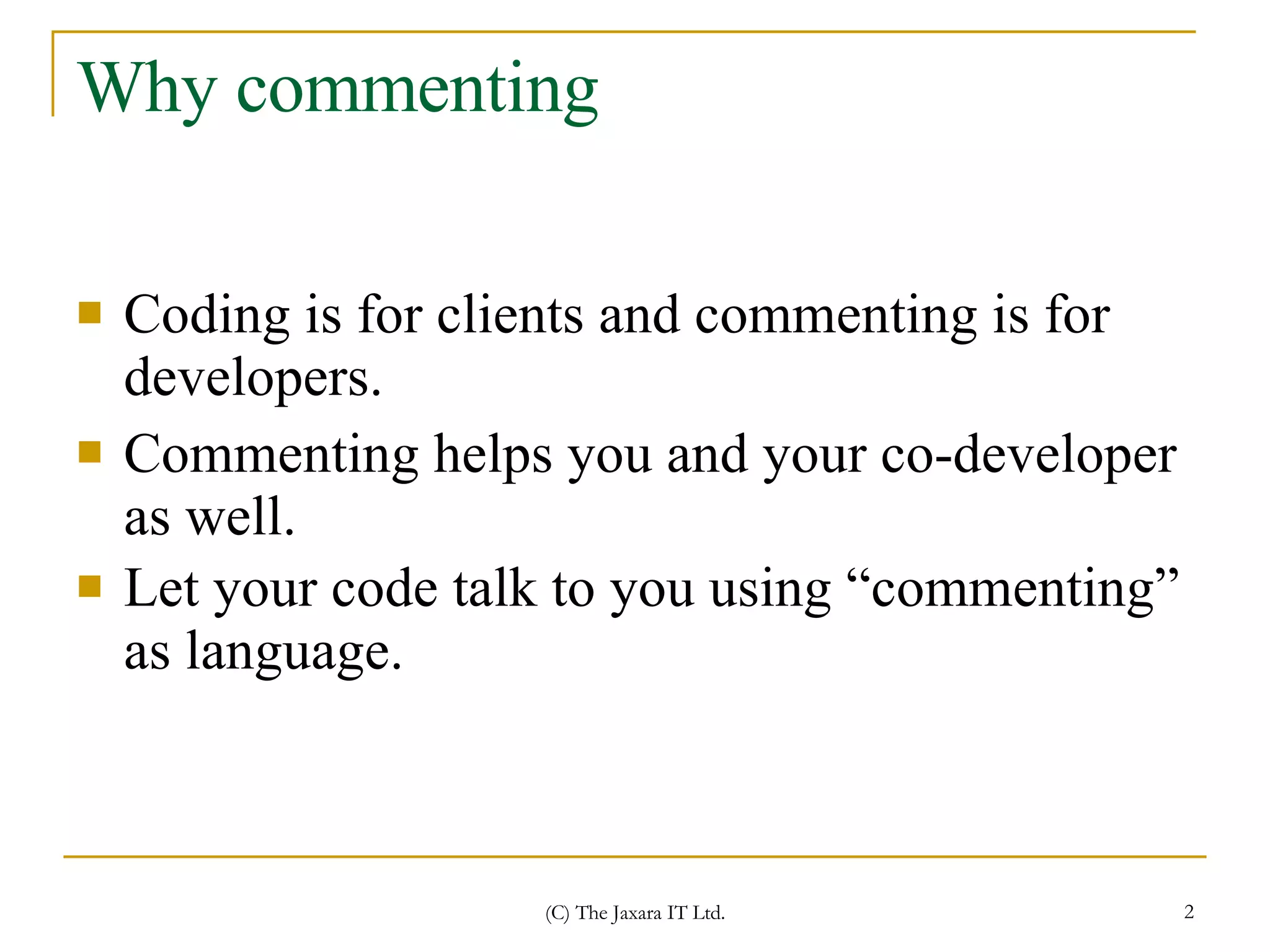
Why commenting Coding is for clients and commenting is for developers.  Commenting helps you and your co-developer as well. Let your code talk to you using “commenting” as language.
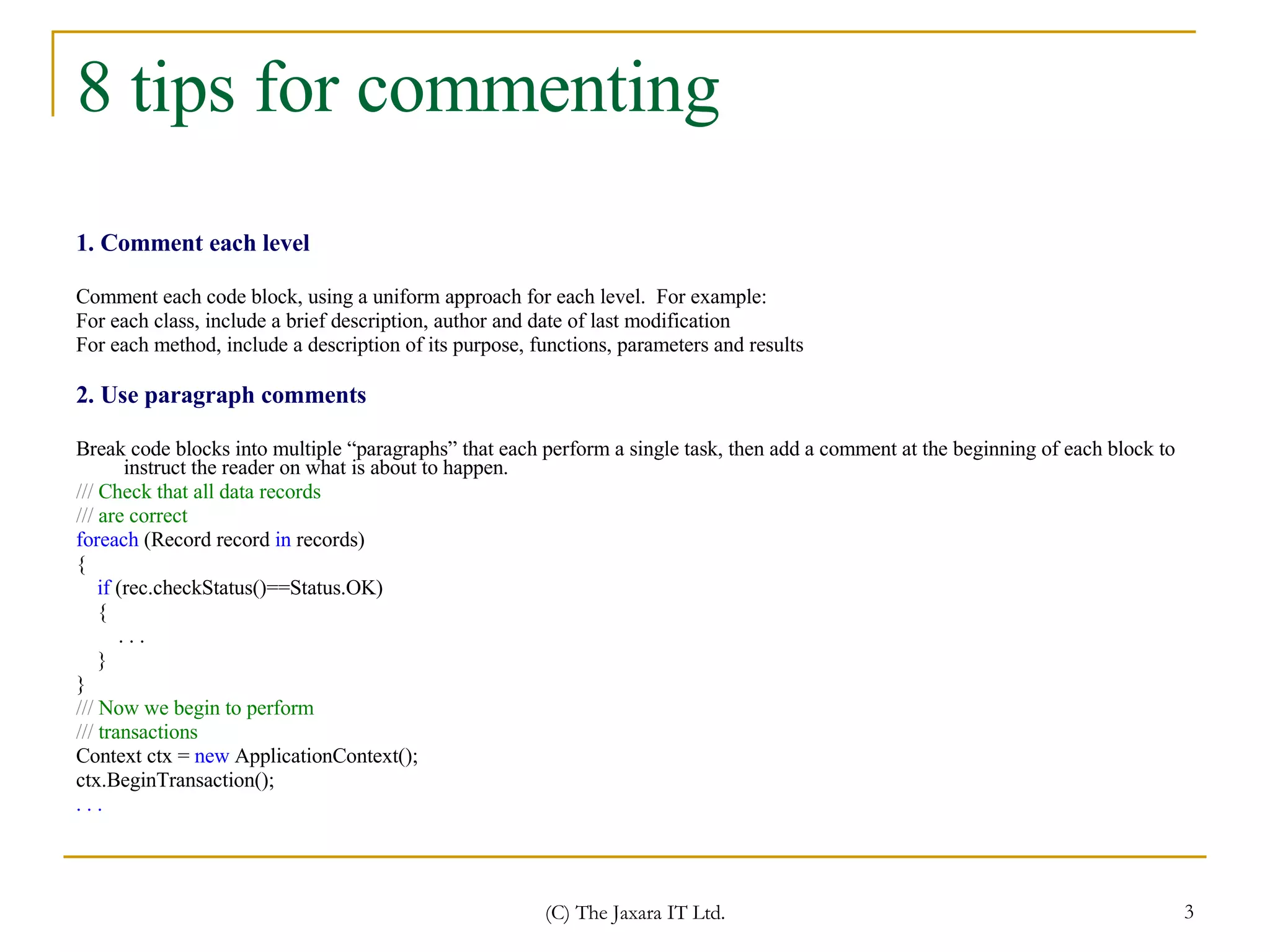
8 tips for commenting 1. Comment each level Comment each code block, using a uniform approach for each level.  For example:  For each class, include a brief description, author and date of last modification  For each method, include a description of its purpose, functions, parameters and results 2. Use paragraph comments Break code blocks into multiple “paragraphs” that each perform a single task, then add a comment at the beginning of each block to instruct the reader on what is about to happen. ///  Check that all data records ///  are correct  foreach  (Record record  in  records)   { if   (rec.checkStatus()==Status.OK) {  . . .  }  }   ///  Now we begin to perform  ///  transactions  Context ctx =  new  ApplicationContext();  ctx.BeginTransaction(); . . .
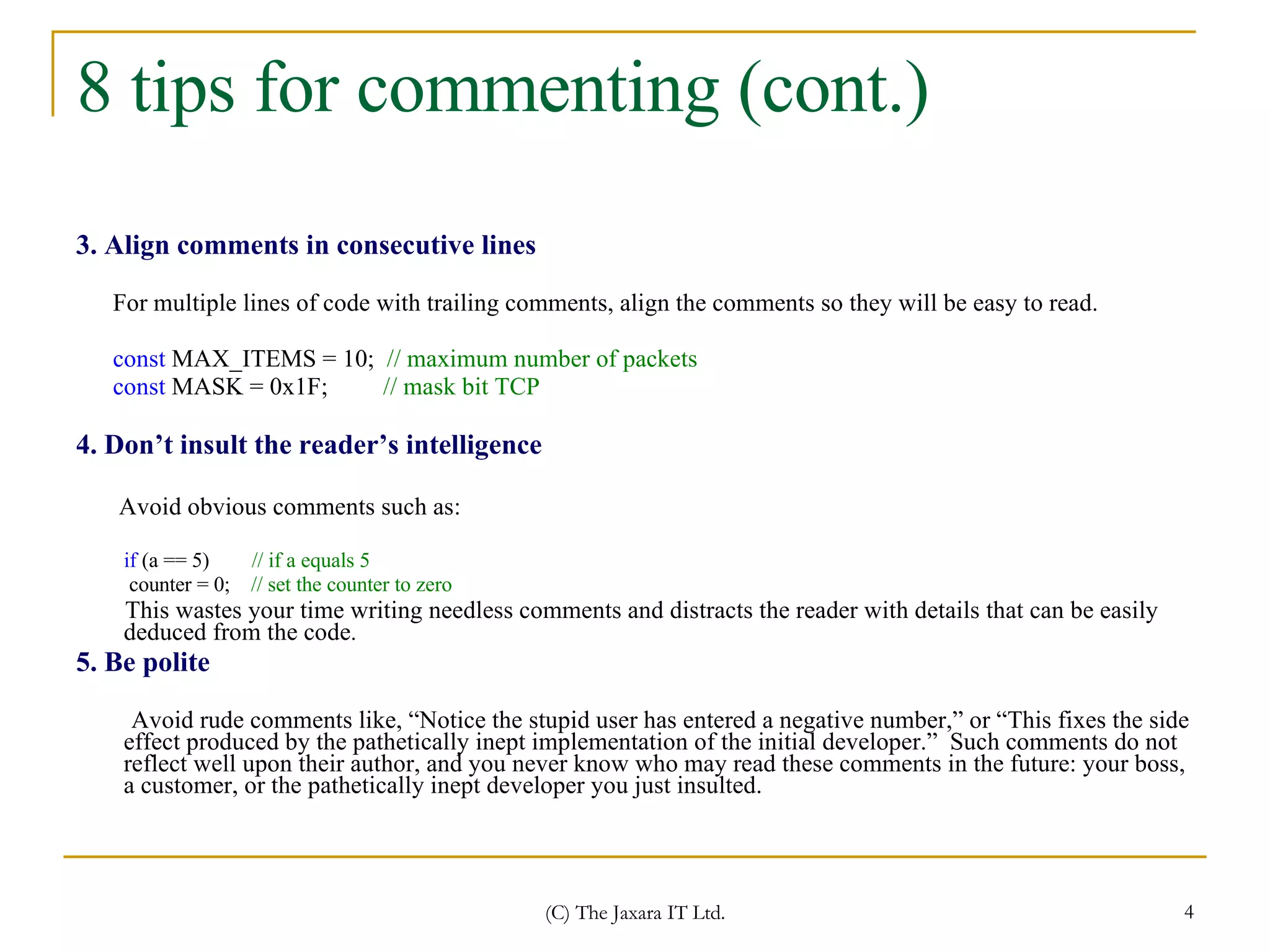
8 tips for commenting (cont.) 3. Align comments in consecutive lines For multiple lines of code with trailing comments, align the comments so they will be easy to read. const  MAX_ITEMS = 10;   // maximum number of packets  const  MASK = 0x1F;   // mask bit TCP   4. Don’t insult the reader’s intelligence Avoid obvious comments such as: if  (a == 5)   // if a equals 5  counter = 0;   // set the counter to zero This wastes your time writing needless comments and distracts the reader with details that can be easily deduced from the code . 5. Be polite Avoid rude comments like, “Notice the stupid user has entered a negative number,” or “This fixes the side effect produced by the pathetically inept implementation of the initial developer.”  Such comments do not reflect well upon their author, and you never know who may read these comments in the future: your boss, a customer, or the pathetically inept developer you just insulted.
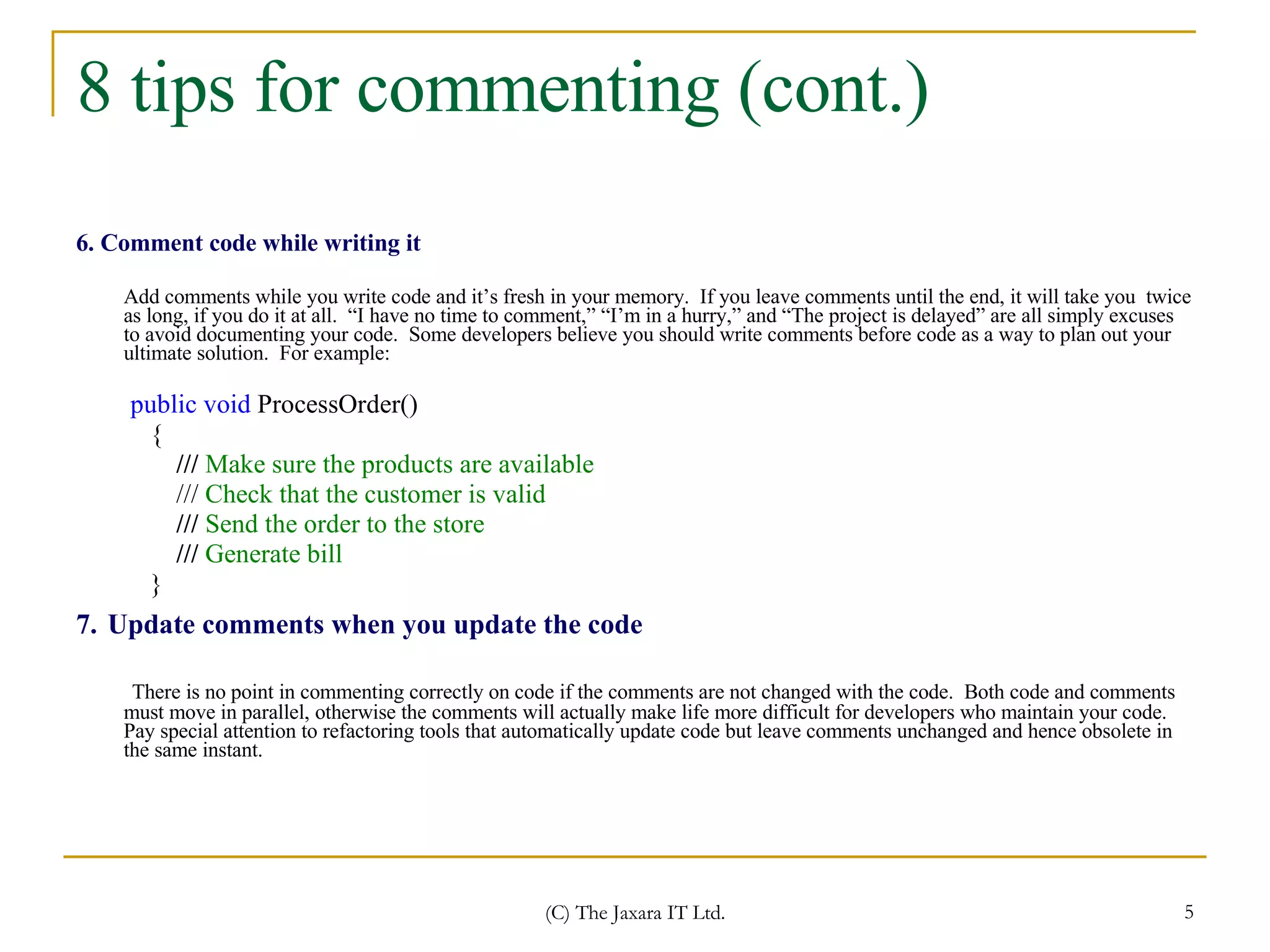
8 tips for commenting (cont.) 6. Comment code while writing it Add comments while you write code and it’s fresh in your memory.  If you leave comments until the end, it will take you  twice as long, if you do it at all.  “I have no time to comment,” “I’m in a hurry,” and “The project is delayed” are all simply excuses to avoid documenting your code.  Some developers believe you should write comments before code as a way to plan out your ultimate solution.  For example: public void  ProcessOrder() { ///  Make sure the products are available ///  Check that the customer is valid  ///  Send the order to the store  ///  Generate bill  } 7.   Update comments when you update the code There is no point in commenting correctly on code if the comments are not changed with the code.  Both code and comments must move in parallel, otherwise the comments will actually make life more difficult for developers who maintain your code.  Pay special attention to refactoring tools that automatically update code but leave comments unchanged and hence obsolete in the same instant.
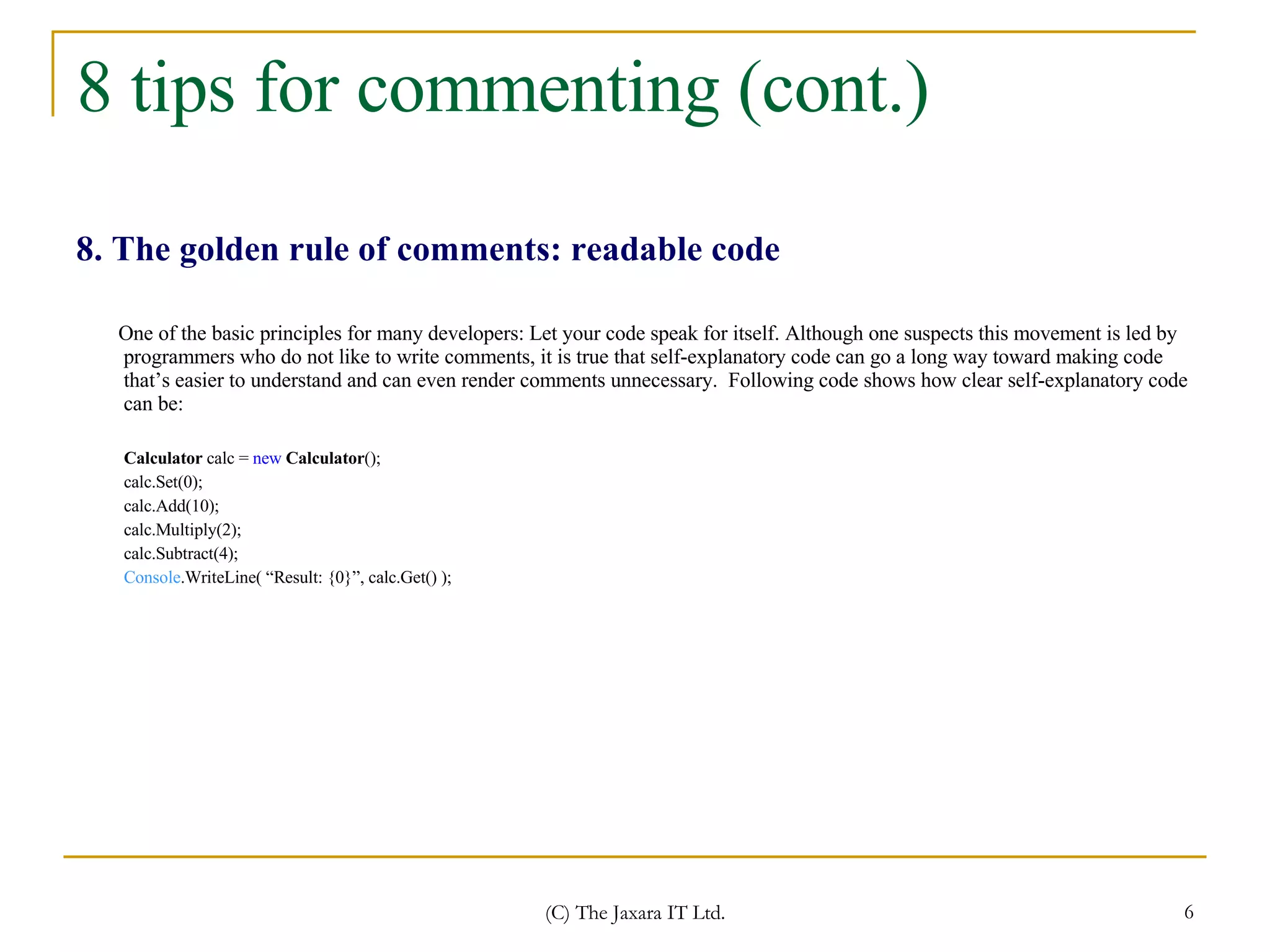
8 tips for commenting (cont.) 8. The golden rule of comments: readable code One of the basic principles for many developers: Let your code speak for itself. Although one suspects this movement is led by programmers who do not like to write comments, it is true that self-explanatory code can go a long way toward making code that’s easier to understand and can even render comments unnecessary.  Following code shows how clear self-explanatory code can be: Calculator  calc =  new   Calculator (); calc.Set(0); calc.Add(10); calc.Multiply(2); calc.Subtract(4); Console .WriteLine( “Result: {0}”, calc.Get() );
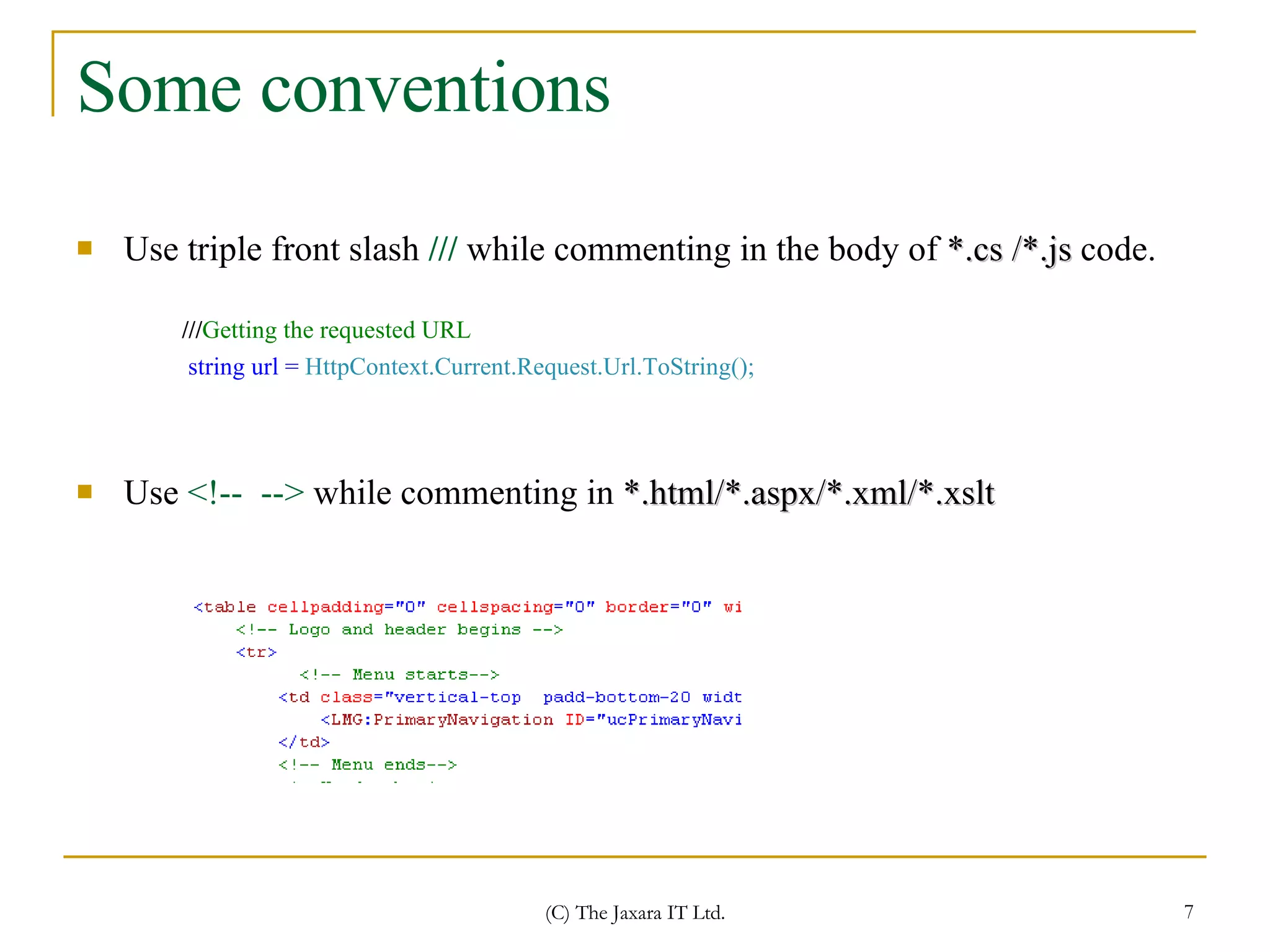
Some conventions Use triple front slash  ///  while commenting in the body of  *.cs /*.js  code. Use  <!--  -->  while commenting in  *.html/*.aspx/*.xml/*.xslt /// Getting the requested URL   string url =  HttpContext.Current.Request.Url.ToString();
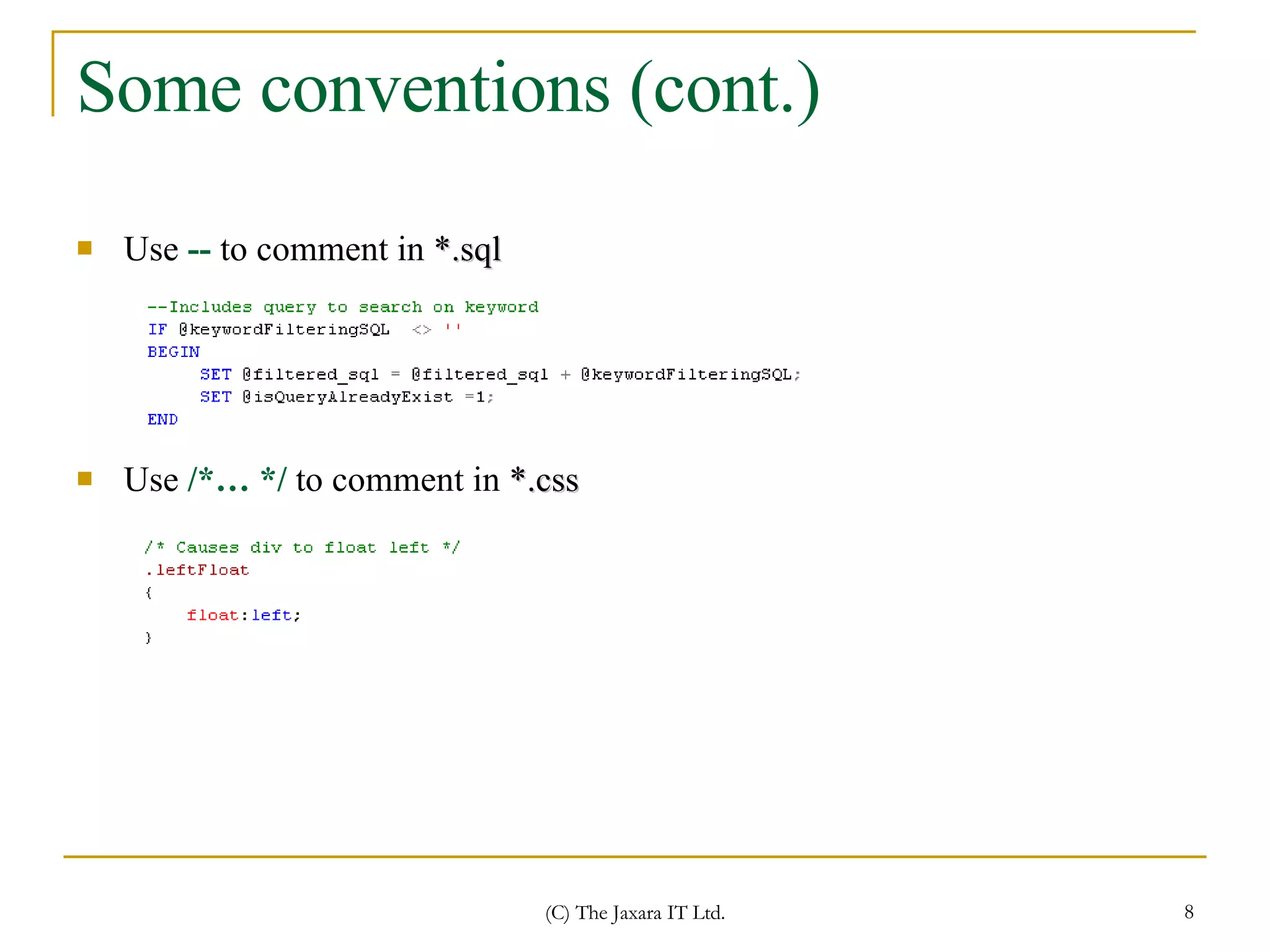
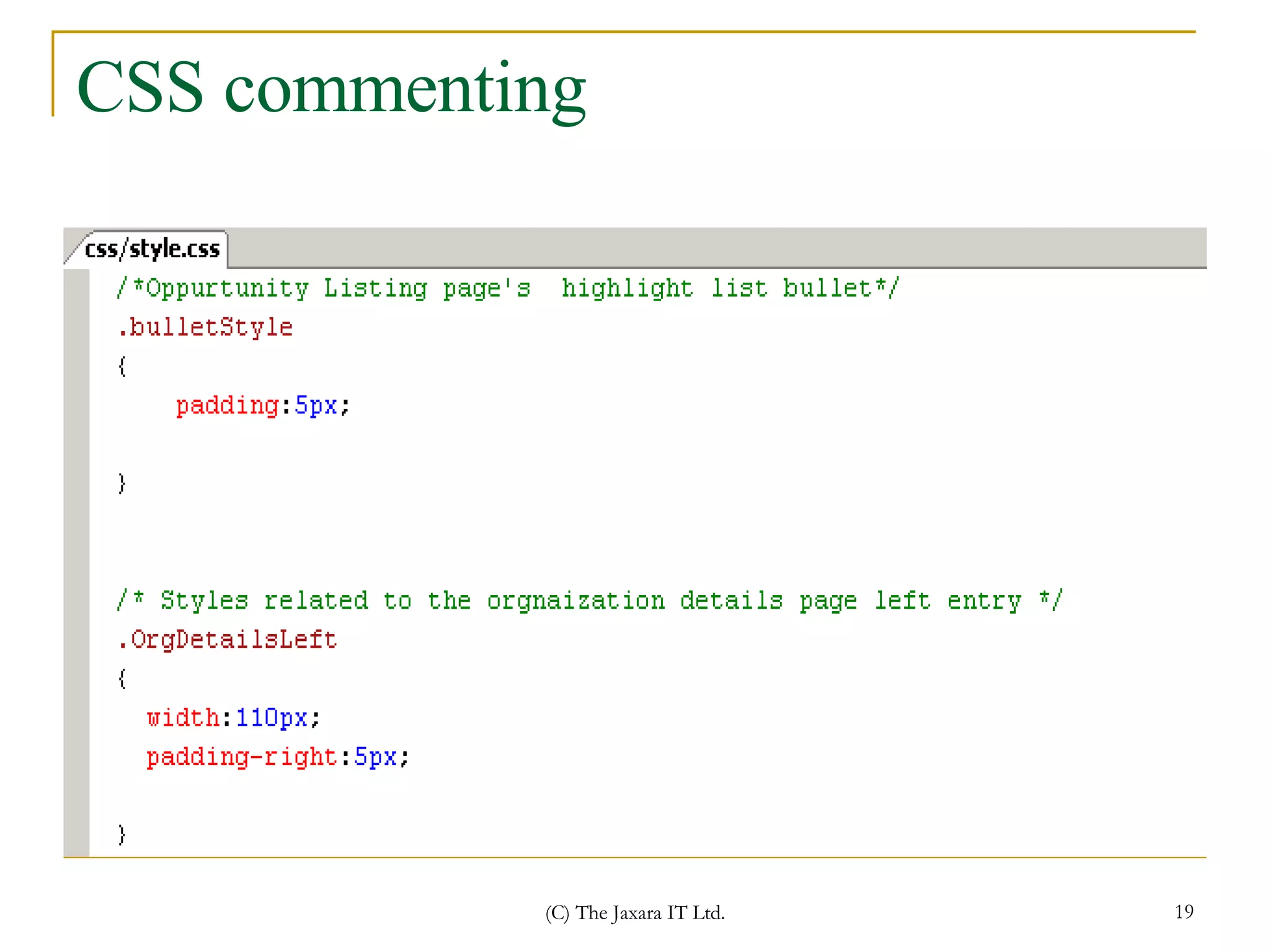
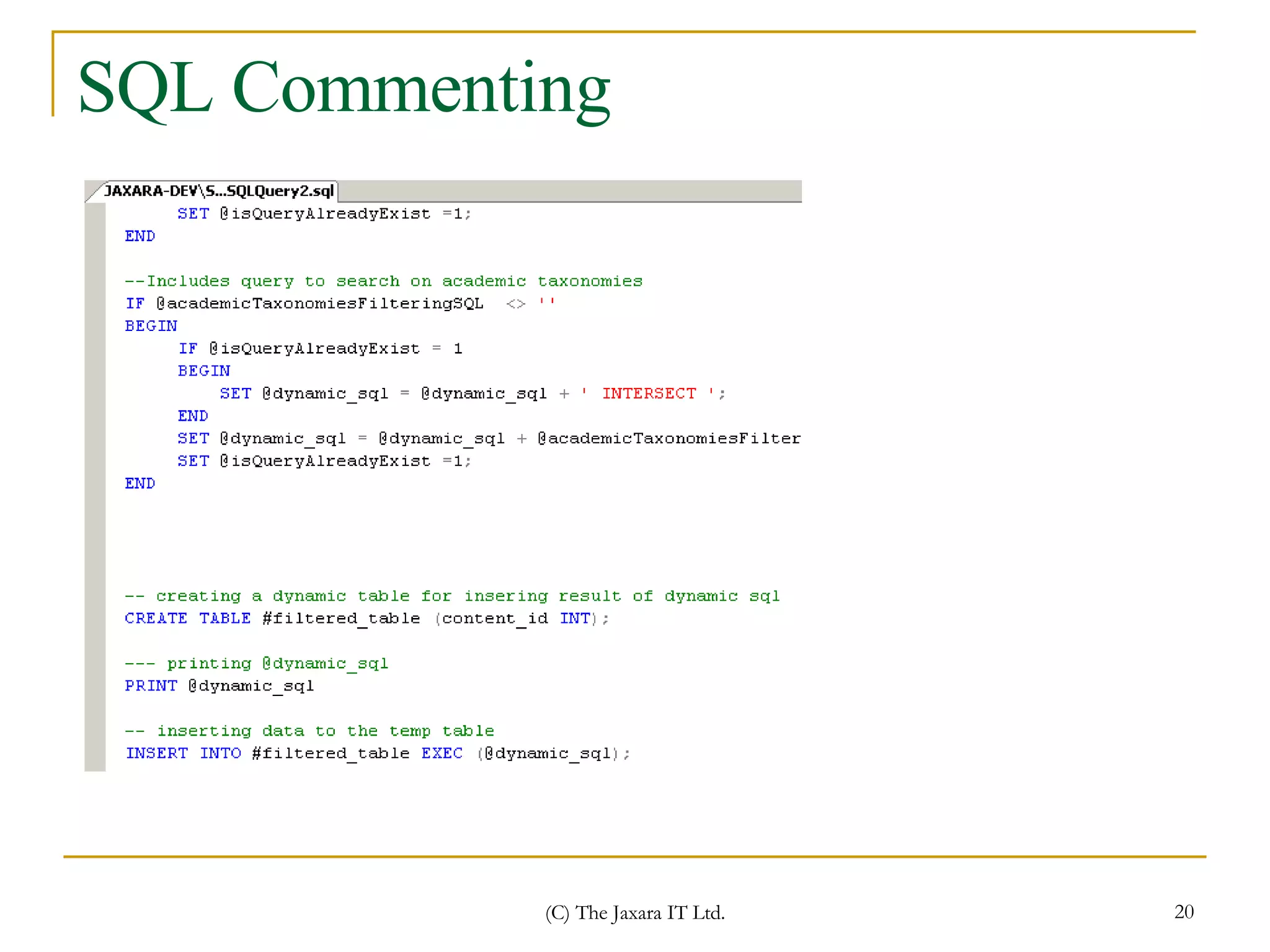
Some conventions (cont.) Use  --  to comment in  *.sql Use  /*… */  to comment in  *.css
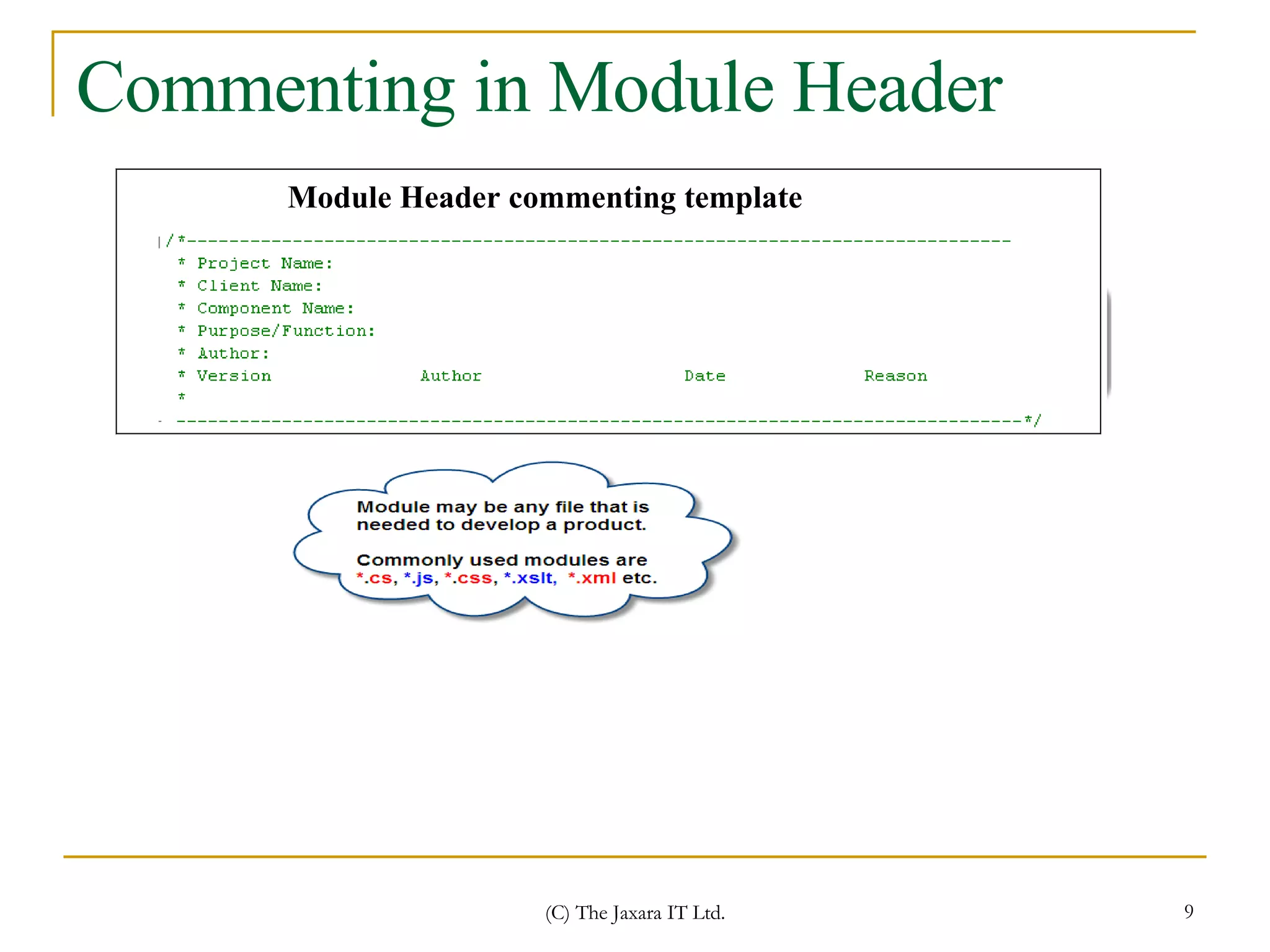
Commenting in Module Header Module Header commenting template
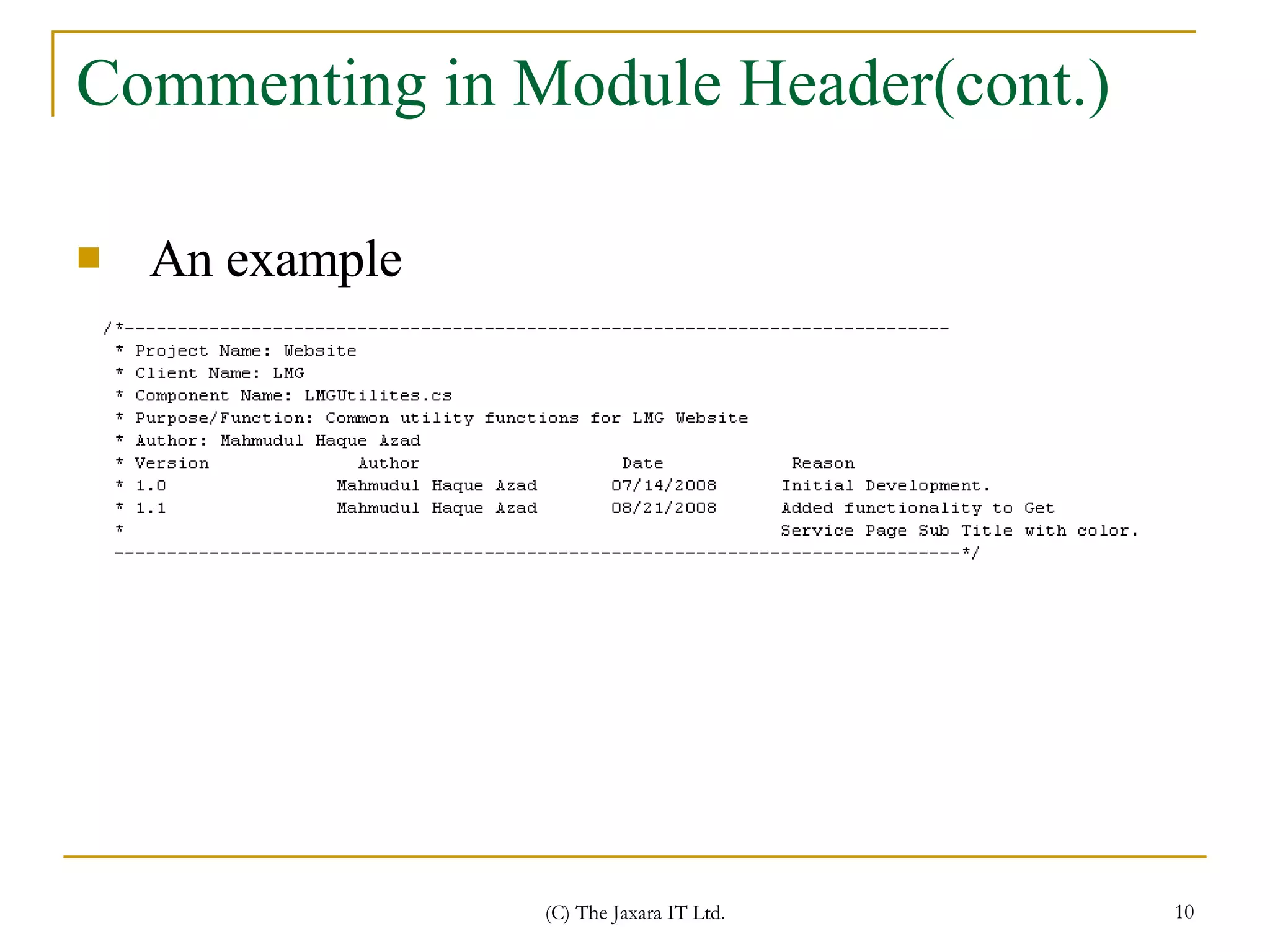
Commenting in Module Header(cont.) An example
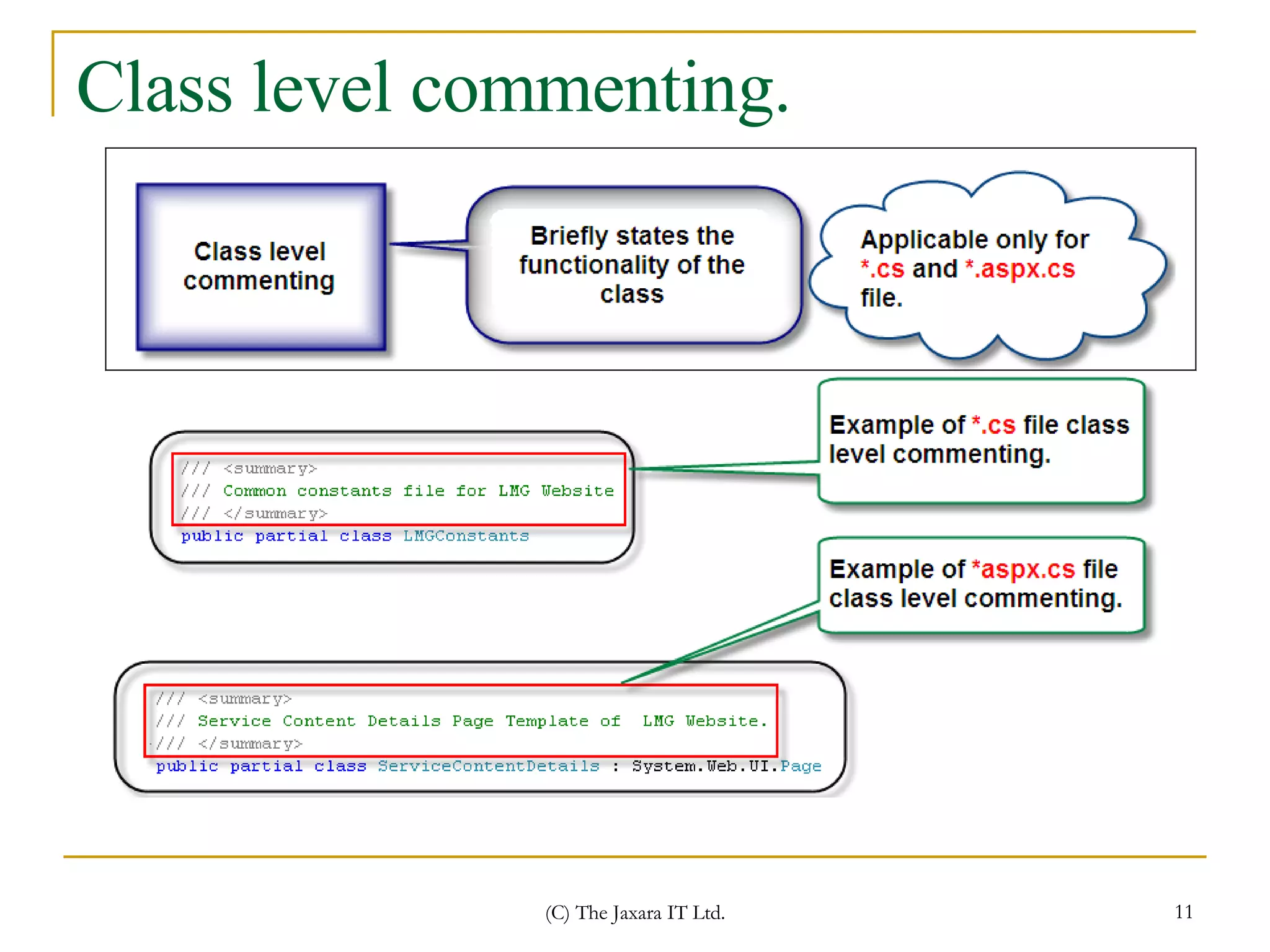
Class level commenting.
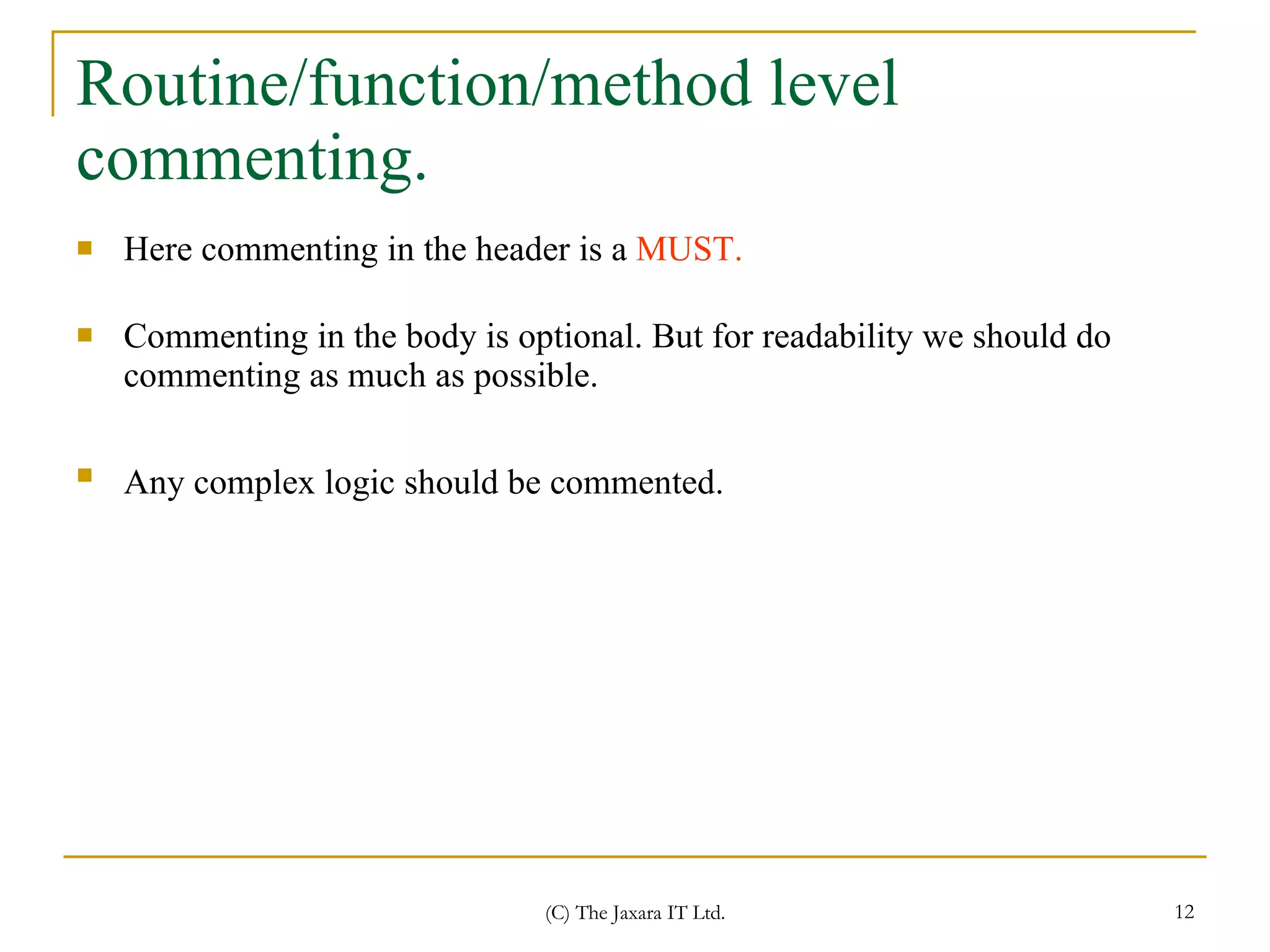
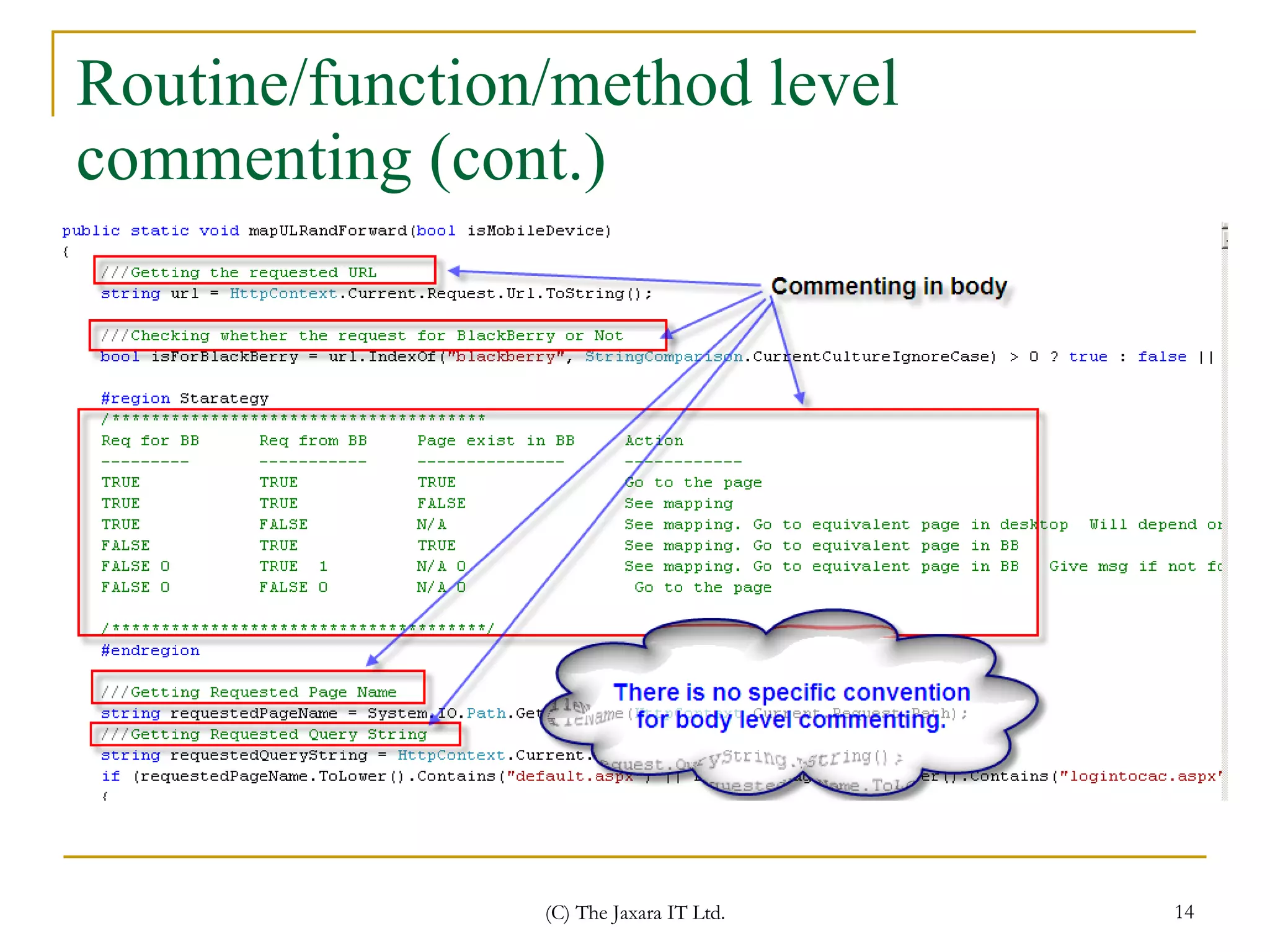
Routine/function/method level commenting. Here commenting in the header is a  MUST. Commenting in the body is optional. But for readability we should do commenting as much as possible.  Any complex logic should be commented.
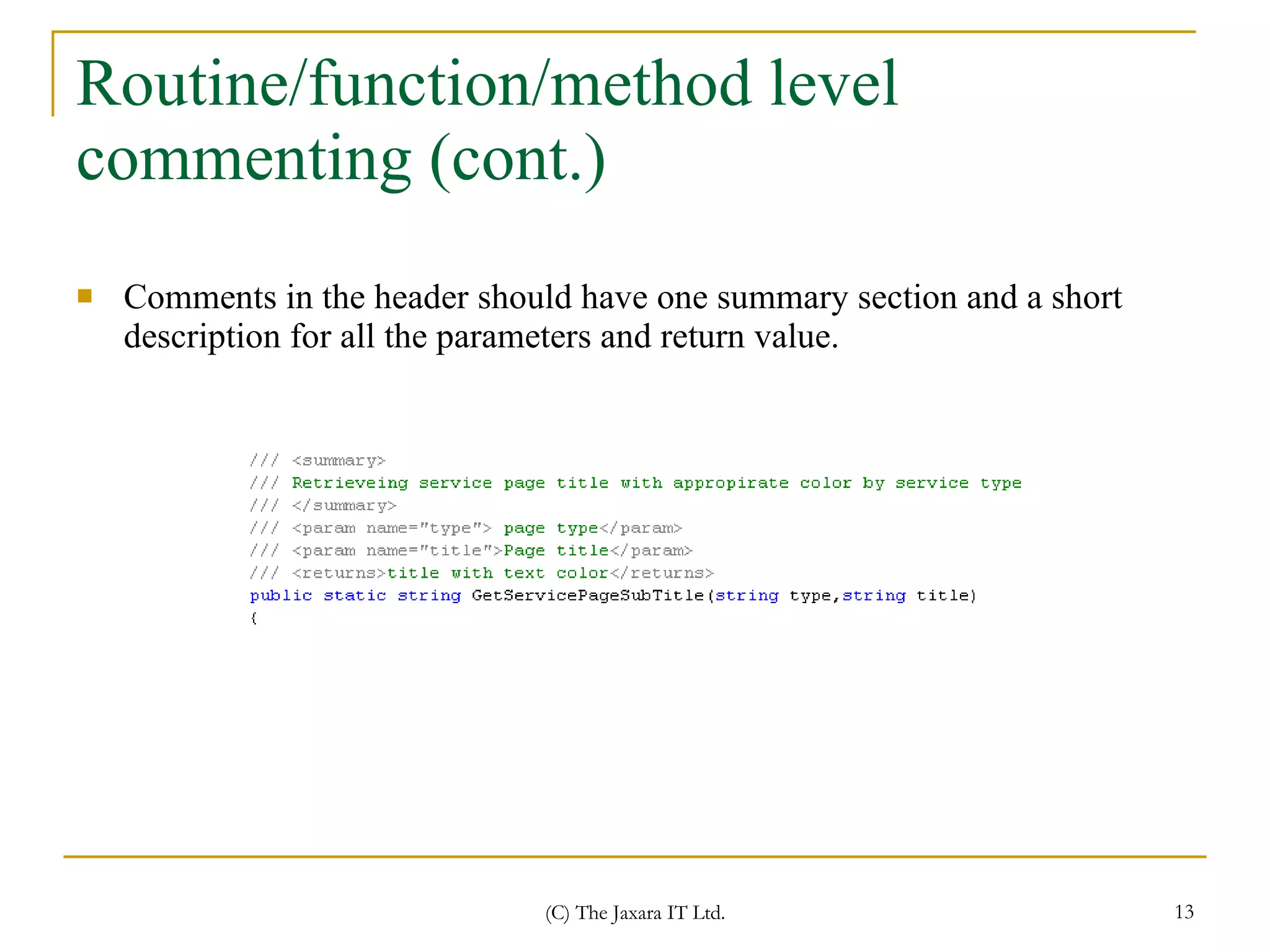
Routine/function/method level commenting (cont.) Comments in the header should have one summary section and a short description for all the parameters and return value.
Routine/function/method level commenting (cont.)
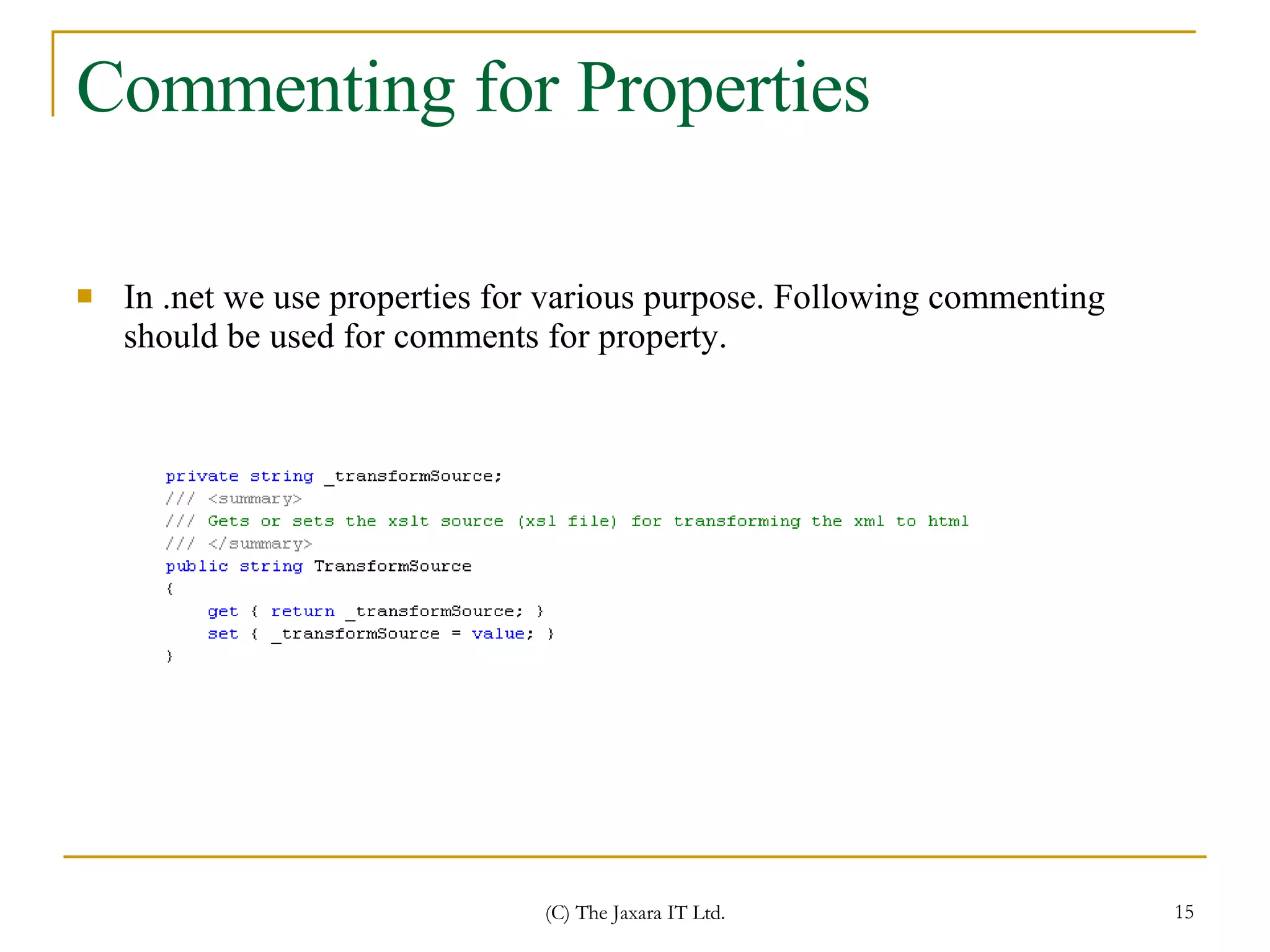
Commenting for Properties In .net we use properties for various purpose. Following commenting should be used for comments for property.
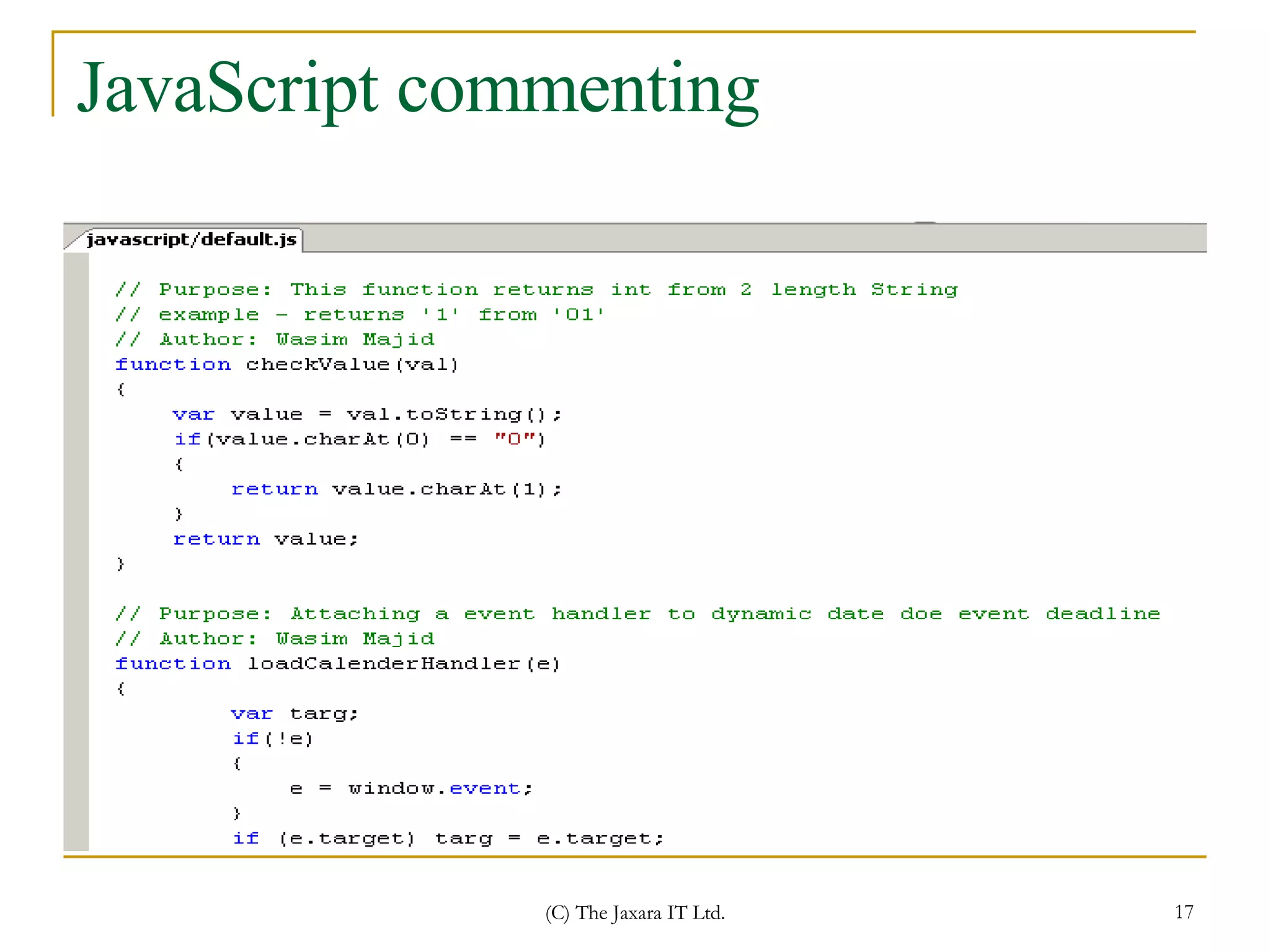
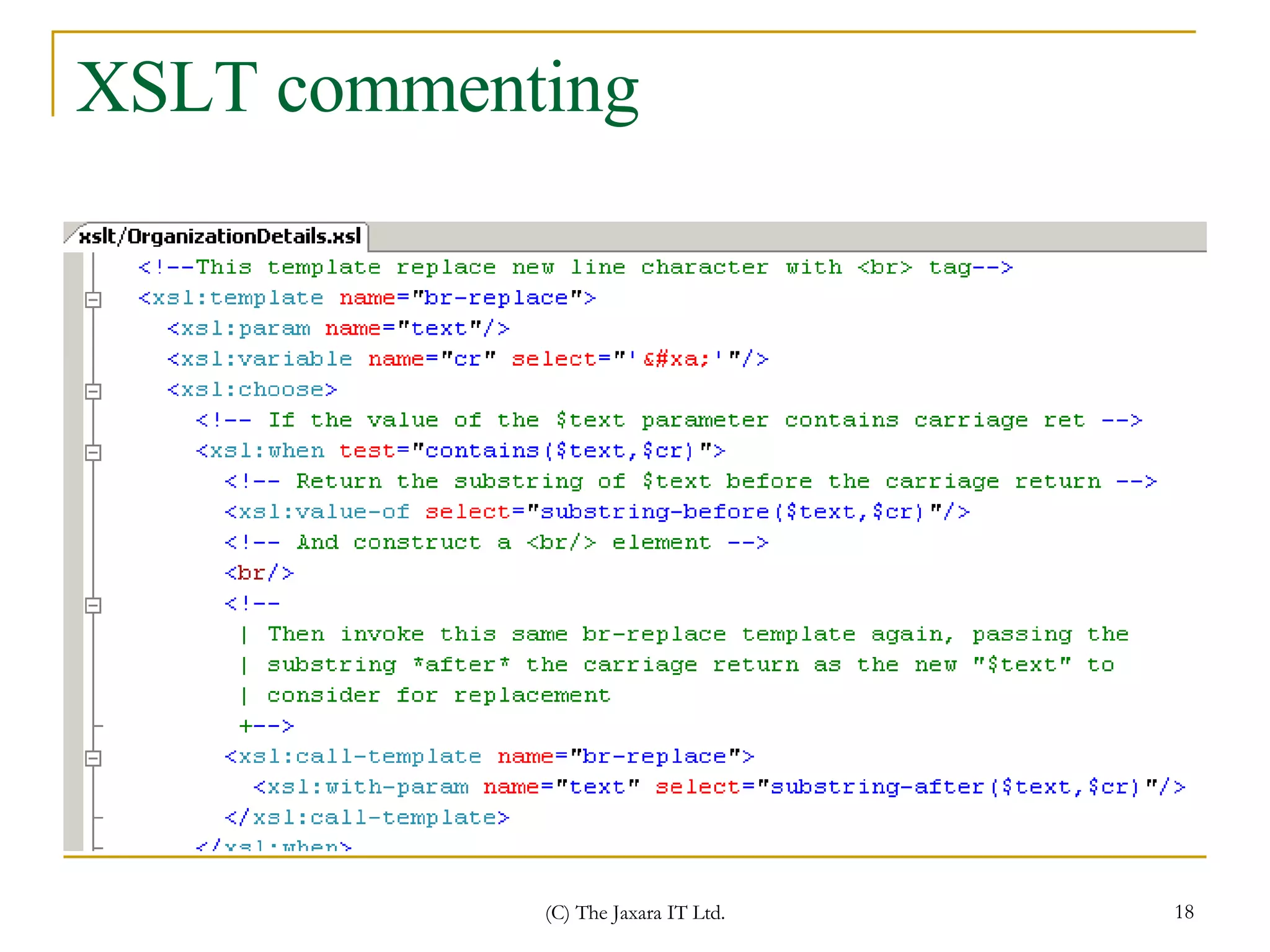
That’s all….  Now you are aware of Jaxara standard of commenting. Now lets explore some commenting example of different code modules.
JavaScript commenting
XSLT commenting
CSS commenting
SQL Commenting
Thank You

Commenting Best Practices

  • 1.
    Commenting The JaxaraIT Ltd. Mahmudul Haque Azad
  • 2.
    Why commenting Codingis for clients and commenting is for developers. Commenting helps you and your co-developer as well. Let your code talk to you using “commenting” as language.
  • 3.
    8 tips forcommenting 1. Comment each level Comment each code block, using a uniform approach for each level. For example: For each class, include a brief description, author and date of last modification For each method, include a description of its purpose, functions, parameters and results 2. Use paragraph comments Break code blocks into multiple “paragraphs” that each perform a single task, then add a comment at the beginning of each block to instruct the reader on what is about to happen. /// Check that all data records /// are correct foreach (Record record in records) { if (rec.checkStatus()==Status.OK) { . . . } } /// Now we begin to perform /// transactions Context ctx = new ApplicationContext(); ctx.BeginTransaction(); . . .
  • 4.
    8 tips forcommenting (cont.) 3. Align comments in consecutive lines For multiple lines of code with trailing comments, align the comments so they will be easy to read. const MAX_ITEMS = 10; // maximum number of packets const MASK = 0x1F; // mask bit TCP 4. Don’t insult the reader’s intelligence Avoid obvious comments such as: if (a == 5) // if a equals 5 counter = 0; // set the counter to zero This wastes your time writing needless comments and distracts the reader with details that can be easily deduced from the code . 5. Be polite Avoid rude comments like, “Notice the stupid user has entered a negative number,” or “This fixes the side effect produced by the pathetically inept implementation of the initial developer.” Such comments do not reflect well upon their author, and you never know who may read these comments in the future: your boss, a customer, or the pathetically inept developer you just insulted.
  • 5.
    8 tips forcommenting (cont.) 6. Comment code while writing it Add comments while you write code and it’s fresh in your memory. If you leave comments until the end, it will take you twice as long, if you do it at all. “I have no time to comment,” “I’m in a hurry,” and “The project is delayed” are all simply excuses to avoid documenting your code. Some developers believe you should write comments before code as a way to plan out your ultimate solution. For example: public void ProcessOrder() { /// Make sure the products are available /// Check that the customer is valid /// Send the order to the store /// Generate bill } 7. Update comments when you update the code There is no point in commenting correctly on code if the comments are not changed with the code. Both code and comments must move in parallel, otherwise the comments will actually make life more difficult for developers who maintain your code. Pay special attention to refactoring tools that automatically update code but leave comments unchanged and hence obsolete in the same instant.
  • 6.
    8 tips forcommenting (cont.) 8. The golden rule of comments: readable code One of the basic principles for many developers: Let your code speak for itself. Although one suspects this movement is led by programmers who do not like to write comments, it is true that self-explanatory code can go a long way toward making code that’s easier to understand and can even render comments unnecessary. Following code shows how clear self-explanatory code can be: Calculator calc = new Calculator (); calc.Set(0); calc.Add(10); calc.Multiply(2); calc.Subtract(4); Console .WriteLine( “Result: {0}”, calc.Get() );
  • 7.
    Some conventions Usetriple front slash /// while commenting in the body of *.cs /*.js code. Use <!-- --> while commenting in *.html/*.aspx/*.xml/*.xslt /// Getting the requested URL string url = HttpContext.Current.Request.Url.ToString();
  • 8.
    Some conventions (cont.)Use -- to comment in *.sql Use /*… */ to comment in *.css
  • 9.
    Commenting in ModuleHeader Module Header commenting template
  • 10.
    Commenting in ModuleHeader(cont.) An example
  • 11.
  • 12.
    Routine/function/method level commenting.Here commenting in the header is a MUST. Commenting in the body is optional. But for readability we should do commenting as much as possible. Any complex logic should be commented.
  • 13.
    Routine/function/method level commenting(cont.) Comments in the header should have one summary section and a short description for all the parameters and return value.
  • 14.
  • 15.
    Commenting for PropertiesIn .net we use properties for various purpose. Following commenting should be used for comments for property.
  • 16.
    That’s all…. Now you are aware of Jaxara standard of commenting. Now lets explore some commenting example of different code modules.
  • 17.
  • 18.
  • 19.
  • 20.
  • 21.