11
Introduction to
Object Oriented Programming in C#
By Anurag Singh
22
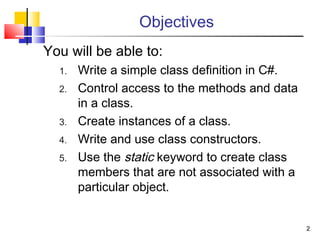
Objectives
You will be able to:
1. Write a simple class definition in C#.
2. Control access to the methods and data
in a class.
3. Create instances of a class.
4. Write and use class constructors.
5. Use the static keyword to create class
members that are not associated with a
particular object.
33
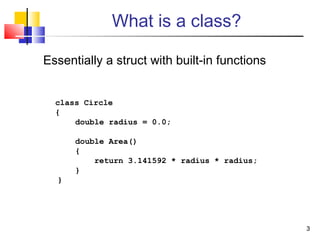
What is a class?
Essentially a struct with built-in functions
class Circle
{
double radius = 0.0;
double Area()
{
return 3.141592 * radius * radius;
}
}
44
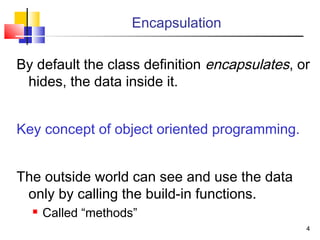
Encapsulation
By default the class definition encapsulates, or
hides, the data inside it.
Key concept of object oriented programming.
The outside world can see and use the data
only by calling the build-in functions.
 Called “methods”
55
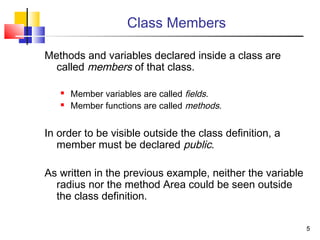
Class Members
Methods and variables declared inside a class are
called members of that class.
 Member variables are called fields.
 Member functions are called methods.
In order to be visible outside the class definition, a
member must be declared public.
As written in the previous example, neither the variable
radius nor the method Area could be seen outside
the class definition.
66
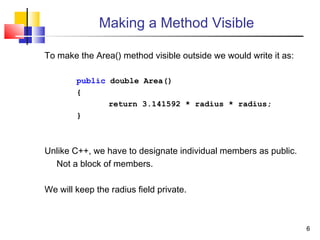
Making a Method Visible
To make the Area() method visible outside we would write it as:
public double Area()
{
return 3.141592 * radius * radius;
}
Unlike C++, we have to designate individual members as public.
Not a block of members.
We will keep the radius field private.
7
A Naming Convention
 By convention, public methods and
fields are named with the first letter
capitalized.
 Also class names.
 Private methods and fields are named
in all lower case.
 This is just a convention.
 It is not required, and it means nothing to the compiler.
88
Interface vs. Implementation
 The public definitions comprise the
interface for the class
 A contract between the creator of the class
and the users of the class.
 Should never change.
 Implementation is private
 Users cannot see.
 Users cannot have dependencies.
 Can be changed without affecting users.
99
Creating Objects
 The class definition does not allocate memory
for its fields.
(Except for static fields, which we will discuss later.)
 To do so, we have to create an instance of
the class.
static void Main(string[ ] args)
{
Circle c;
c = new Circle();
}
1010
Objects
An instance of a class is called an object.
You can create any number of instances of a
given class.
 Each has its own identity and lifetime.
 Each has its own copy of the fields associated with
the class.
When you call a class method, you call it through
a particular object.
The method sees the data associated with that object.
1111
Using Classes and Objects
 Classes and objects are used much
like traditional types and variables:
 Declare variables

Like pointers to structs
 Circle c1;

Can be member variables in other classes
 Assignment
c2 = c1;
 Function arguments
picture1.crop(c1);
1212
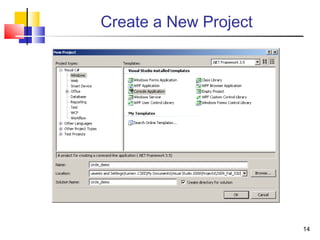
Program Circle Demo
 Demonstrate creating Program Circle in
Visual Studio.
 Demonstrate adding a class to a project
 Students: Try this for yourself!
13
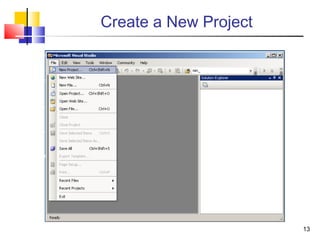
Create a New Project
14
Create a New Project
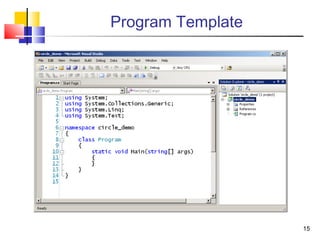
15
Program Template
1616
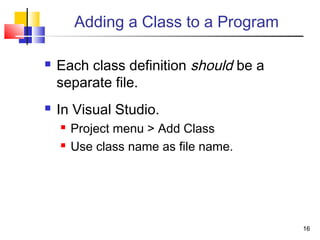
Adding a Class to a Program
 Each class definition should be a
separate file.
 In Visual Studio.
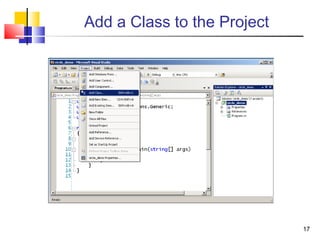
 Project menu > Add Class
 Use class name as file name.
17
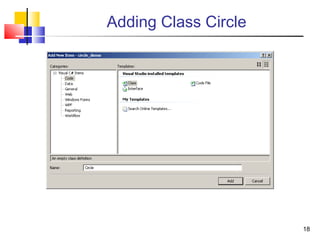
Add a Class to the Project
18
Adding Class Circle
19
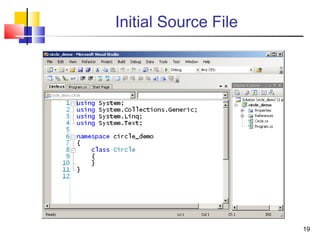
Initial Source File
20
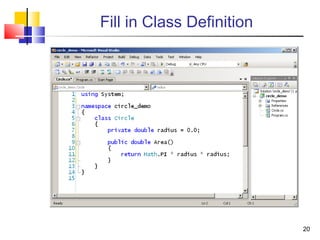
Fill in Class Definition
21
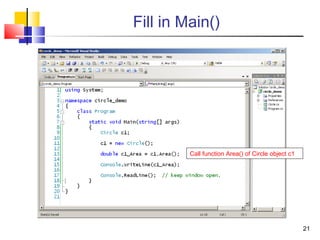
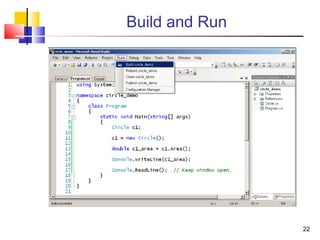
Fill in Main()
Call function Area() of Circle object c1
22
Build and Run
23
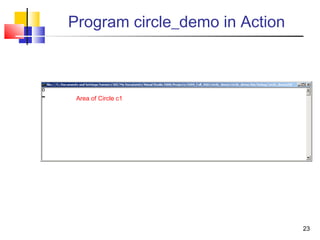
Program circle_demo in Action
Area of Circle c1
2424
So far we have no way to set or change the
value of radius of a Circle.
We can use a constructor to set an initial value.
A constructor is a method with the same name
as the class. It is invoked when we call new
to create an instance of a class.
In C#, unlike C++, you must call new to create an object.
Just declaring a variable of a class type does not create an
object.
Constructors
2525
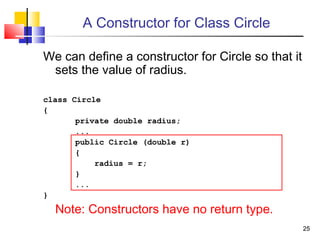
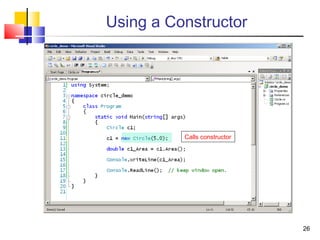
A Constructor for Class Circle
We can define a constructor for Circle so that it
sets the value of radius.
class Circle
{
private double radius;
...
public Circle (double r)
{
radius = r;
}
...
}
Note: Constructors have no return type.
26
Using a Constructor
Calls constructor
27
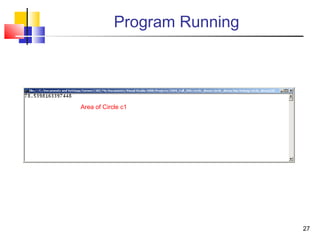
Program Running
Area of Circle c1
2828
Multiple Constructors
A class can have any number of constructors.
All must have different signatures.
(The pattern of types used as arguments.)
This is called overloading a method.
Applies to all methods in C#. Not just constructors.
Different names for arguments don’t matter,
Only the types.
2929
Default Constructor
If you don’t write a constructor for a class, the compiler
creates a default constructor.
The default constructor is public and has no
arguments.
c = new Circle();
The default constructor sets numeric variables to
zero and Boolean fields to false.
In constructors that you write, the same is true for
any variables that you don’t initialize.
3030
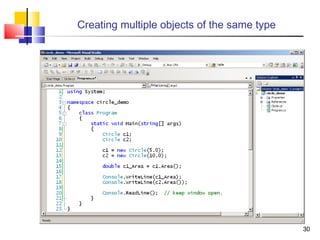
Creating multiple objects of the same type
31
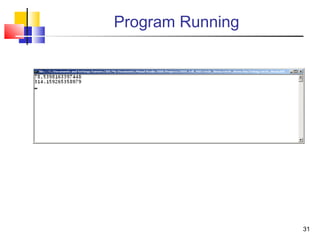
Program Running
3232
Good Programming Practice
 All member variables should be private.
 except const variables
 Users of the class can use them and
manipulate them only by invoking the
public methods of the class.
 Only way for users to do anything with
an object.
3333
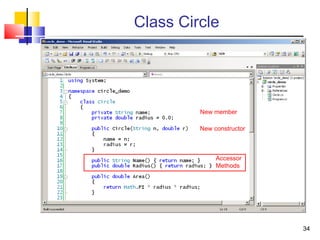
Class Circle
 Let's extend class Circle by providing
names for circle objects.
 Also provide accessor functions
 Public functions that let the outside world
access attributes of an object.
34
Class Circle
New member
New constructor
Accessor
Methods
3535
Getting User Input
 What if we want the user to specify the
radius of a Circle at run time?
 Could overload the constructor and provide
a version that asks for input.
 Better to provide a separate function
outside the class definition.

Separate User Interface from class logic.
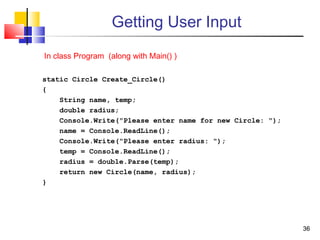
 Let’s write a function that asks the user
for a name and a radius and creates a
Circle of that radius with that name.
3636
Getting User Input
static Circle Create_Circle()
{
String name, temp;
double radius;
Console.Write("Please enter name for new Circle: ");
name = Console.ReadLine();
Console.Write("Please enter radius: ");
temp = Console.ReadLine();
radius = double.Parse(temp);
return new Circle(name, radius);
}
In class Program (along with Main() )
37
Main()
static void Main(string[] args)
{
Circle c1 = Create_Circle();
Console.Write("Circle " + c1.Name());
Console.WriteLine(" created with radius " + c1.Radius());
Console.WriteLine("Its area is " + c1.Area());
Console.ReadLine(); // Keep window open.
}
3838
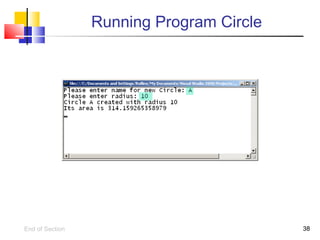
Running Program Circle
End of Section
3939
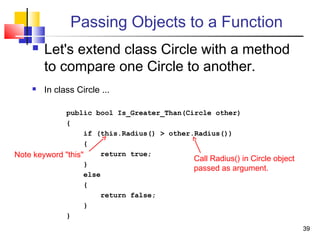
Passing Objects to a Function
 Let's extend class Circle with a method
to compare one Circle to another.
 In class Circle ...
public bool Is_Greater_Than(Circle other)
{
if (this.Radius() > other.Radius())
{
return true;
}
else
{
return false;
}
}
Note keyword "this" Call Radius() in Circle object
passed as argument.
4040
Using "Is_Greater_Than" Method
static void Main(string[] args)
{
Circle Circle_A = Create_Circle();
Console.Write ("Circle " + Circle_A.Name() );
Console.WriteLine (" created with radius " + Circle_A.Radius());
Console.WriteLine ("Its area is " + Circle_A.Area());
Circle c2= Create_Circle();
Console.Write ("Circle " + c2.Name() );
Console.WriteLine (" created with radius " + c2.Radius());
Console.WriteLine ("Its area is " + c2.Area());
4141
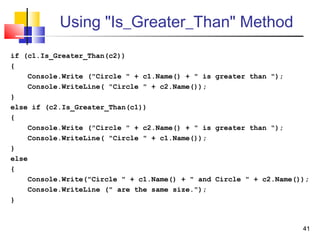
Using "Is_Greater_Than" Method
if (c1.Is_Greater_Than(c2))
{
Console.Write ("Circle " + c1.Name() + " is greater than ");
Console.WriteLine( "Circle " + c2.Name());
}
else if (c2.Is_Greater_Than(c1))
{
Console.Write ("Circle " + c2.Name() + " is greater than ");
Console.WriteLine( "Circle " + c1.Name());
}
else
{
Console.Write("Circle " + c1.Name() + " and Circle " + c2.Name());
Console.WriteLine (" are the same size.");
}
42
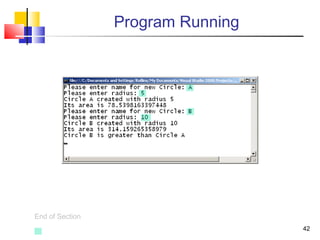
Program Running
End of Section
4343
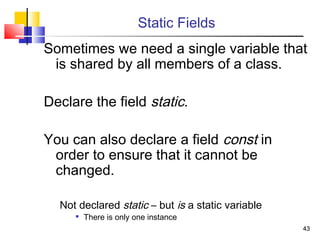
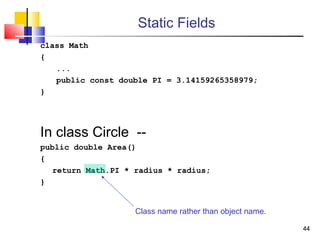
Static Fields
Sometimes we need a single variable that
is shared by all members of a class.
Declare the field static.
You can also declare a field const in
order to ensure that it cannot be
changed.
Not declared static – but is a static variable

There is only one instance
4444
Static Fields
class Math
{
...
public const double PI = 3.14159265358979;
}
In class Circle --
public double Area()
{
return Math.PI * radius * radius;
}
Class name rather than object name.
4545
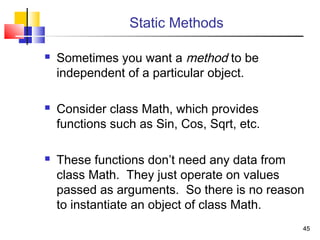
Static Methods
 Sometimes you want a method to be
independent of a particular object.
 Consider class Math, which provides
functions such as Sin, Cos, Sqrt, etc.
 These functions don’t need any data from
class Math. They just operate on values
passed as arguments. So there is no reason
to instantiate an object of class Math.
4646
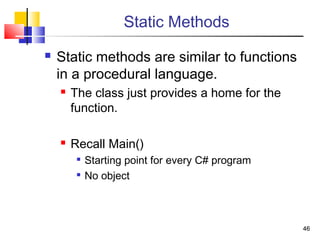
Static Methods
 Static methods are similar to functions
in a procedural language.
 The class just provides a home for the
function.
 Recall Main()

Starting point for every C# program

No object
4747
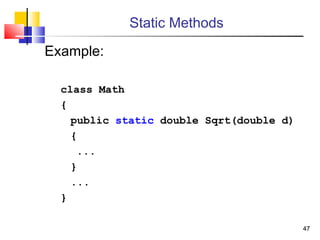
Static Methods
Example:
class Math
{
public static double Sqrt(double d)
{
...
}
...
}
4848
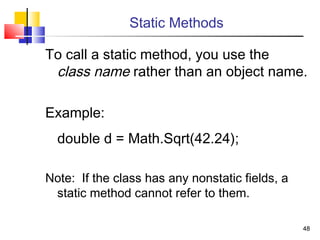
Static Methods
To call a static method, you use the
class name rather than an object name.
Example:
double d = Math.Sqrt(42.24);
Note: If the class has any nonstatic fields, a
static method cannot refer to them.
49
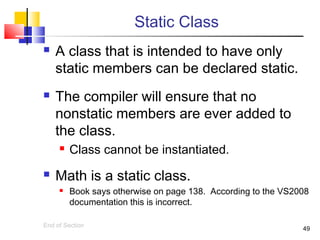
Static Class
 A class that is intended to have only
static members can be declared static.
 The compiler will ensure that no
nonstatic members are ever added to
the class.
 Class cannot be instantiated.
 Math is a static class.
 Book says otherwise on page 138. According to the VS2008
documentation this is incorrect.
End of Section
50
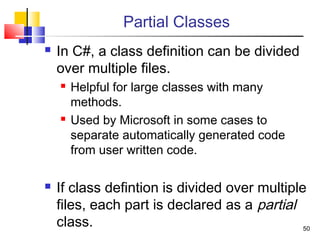
Partial Classes
 In C#, a class definition can be divided
over multiple files.
 Helpful for large classes with many
methods.
 Used by Microsoft in some cases to
separate automatically generated code
from user written code.
 If class defintion is divided over multiple
files, each part is declared as a partial
class.
51
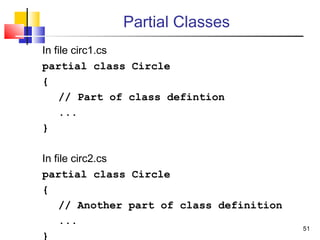
Partial Classes
In file circ1.cs
partial class Circle
{
// Part of class defintion
...
}
In file circ2.cs
partial class Circle
{
// Another part of class definition
...
}
5252
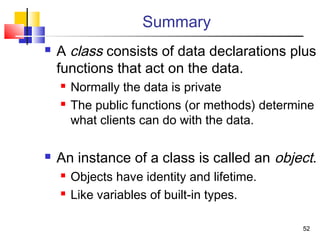
Summary
 A class consists of data declarations plus
functions that act on the data.
 Normally the data is private
 The public functions (or methods) determine
what clients can do with the data.
 An instance of a class is called an object.
 Objects have identity and lifetime.
 Like variables of built-in types.
5353
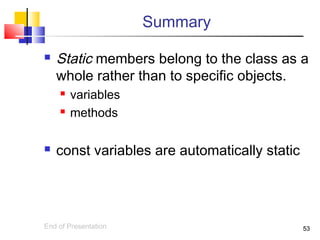
Summary
 Static members belong to the class as a
whole rather than to specific objects.
 variables
 methods
 const variables are automatically static
End of Presentation

Oops concept in c#

  • 1.
    11 Introduction to Object OrientedProgramming in C# By Anurag Singh
  • 2.
    22 Objectives You will beable to: 1. Write a simple class definition in C#. 2. Control access to the methods and data in a class. 3. Create instances of a class. 4. Write and use class constructors. 5. Use the static keyword to create class members that are not associated with a particular object.
  • 3.
    33 What is aclass? Essentially a struct with built-in functions class Circle { double radius = 0.0; double Area() { return 3.141592 * radius * radius; } }
  • 4.
    44 Encapsulation By default theclass definition encapsulates, or hides, the data inside it. Key concept of object oriented programming. The outside world can see and use the data only by calling the build-in functions.  Called “methods”
  • 5.
    55 Class Members Methods andvariables declared inside a class are called members of that class.  Member variables are called fields.  Member functions are called methods. In order to be visible outside the class definition, a member must be declared public. As written in the previous example, neither the variable radius nor the method Area could be seen outside the class definition.
  • 6.
    66 Making a MethodVisible To make the Area() method visible outside we would write it as: public double Area() { return 3.141592 * radius * radius; } Unlike C++, we have to designate individual members as public. Not a block of members. We will keep the radius field private.
  • 7.
    7 A Naming Convention By convention, public methods and fields are named with the first letter capitalized.  Also class names.  Private methods and fields are named in all lower case.  This is just a convention.  It is not required, and it means nothing to the compiler.
  • 8.
    88 Interface vs. Implementation The public definitions comprise the interface for the class  A contract between the creator of the class and the users of the class.  Should never change.  Implementation is private  Users cannot see.  Users cannot have dependencies.  Can be changed without affecting users.
  • 9.
    99 Creating Objects  Theclass definition does not allocate memory for its fields. (Except for static fields, which we will discuss later.)  To do so, we have to create an instance of the class. static void Main(string[ ] args) { Circle c; c = new Circle(); }
  • 10.
    1010 Objects An instance ofa class is called an object. You can create any number of instances of a given class.  Each has its own identity and lifetime.  Each has its own copy of the fields associated with the class. When you call a class method, you call it through a particular object. The method sees the data associated with that object.
  • 11.
    1111 Using Classes andObjects  Classes and objects are used much like traditional types and variables:  Declare variables  Like pointers to structs  Circle c1;  Can be member variables in other classes  Assignment c2 = c1;  Function arguments picture1.crop(c1);
  • 12.
    1212 Program Circle Demo Demonstrate creating Program Circle in Visual Studio.  Demonstrate adding a class to a project  Students: Try this for yourself!
  • 13.
  • 14.
  • 15.
  • 16.
    1616 Adding a Classto a Program  Each class definition should be a separate file.  In Visual Studio.  Project menu > Add Class  Use class name as file name.
  • 17.
    17 Add a Classto the Project
  • 18.
  • 19.
  • 20.
    20 Fill in ClassDefinition
  • 21.
    21 Fill in Main() Callfunction Area() of Circle object c1
  • 22.
  • 23.
    23 Program circle_demo inAction Area of Circle c1
  • 24.
    2424 So far wehave no way to set or change the value of radius of a Circle. We can use a constructor to set an initial value. A constructor is a method with the same name as the class. It is invoked when we call new to create an instance of a class. In C#, unlike C++, you must call new to create an object. Just declaring a variable of a class type does not create an object. Constructors
  • 25.
    2525 A Constructor forClass Circle We can define a constructor for Circle so that it sets the value of radius. class Circle { private double radius; ... public Circle (double r) { radius = r; } ... } Note: Constructors have no return type.
  • 26.
  • 27.
  • 28.
    2828 Multiple Constructors A classcan have any number of constructors. All must have different signatures. (The pattern of types used as arguments.) This is called overloading a method. Applies to all methods in C#. Not just constructors. Different names for arguments don’t matter, Only the types.
  • 29.
    2929 Default Constructor If youdon’t write a constructor for a class, the compiler creates a default constructor. The default constructor is public and has no arguments. c = new Circle(); The default constructor sets numeric variables to zero and Boolean fields to false. In constructors that you write, the same is true for any variables that you don’t initialize.
  • 30.
  • 31.
  • 32.
    3232 Good Programming Practice All member variables should be private.  except const variables  Users of the class can use them and manipulate them only by invoking the public methods of the class.  Only way for users to do anything with an object.
  • 33.
    3333 Class Circle  Let'sextend class Circle by providing names for circle objects.  Also provide accessor functions  Public functions that let the outside world access attributes of an object.
  • 34.
    34 Class Circle New member Newconstructor Accessor Methods
  • 35.
    3535 Getting User Input What if we want the user to specify the radius of a Circle at run time?  Could overload the constructor and provide a version that asks for input.  Better to provide a separate function outside the class definition.  Separate User Interface from class logic.  Let’s write a function that asks the user for a name and a radius and creates a Circle of that radius with that name.
  • 36.
    3636 Getting User Input staticCircle Create_Circle() { String name, temp; double radius; Console.Write("Please enter name for new Circle: "); name = Console.ReadLine(); Console.Write("Please enter radius: "); temp = Console.ReadLine(); radius = double.Parse(temp); return new Circle(name, radius); } In class Program (along with Main() )
  • 37.
    37 Main() static void Main(string[]args) { Circle c1 = Create_Circle(); Console.Write("Circle " + c1.Name()); Console.WriteLine(" created with radius " + c1.Radius()); Console.WriteLine("Its area is " + c1.Area()); Console.ReadLine(); // Keep window open. }
  • 38.
  • 39.
    3939 Passing Objects toa Function  Let's extend class Circle with a method to compare one Circle to another.  In class Circle ... public bool Is_Greater_Than(Circle other) { if (this.Radius() > other.Radius()) { return true; } else { return false; } } Note keyword "this" Call Radius() in Circle object passed as argument.
  • 40.
    4040 Using "Is_Greater_Than" Method staticvoid Main(string[] args) { Circle Circle_A = Create_Circle(); Console.Write ("Circle " + Circle_A.Name() ); Console.WriteLine (" created with radius " + Circle_A.Radius()); Console.WriteLine ("Its area is " + Circle_A.Area()); Circle c2= Create_Circle(); Console.Write ("Circle " + c2.Name() ); Console.WriteLine (" created with radius " + c2.Radius()); Console.WriteLine ("Its area is " + c2.Area());
  • 41.
    4141 Using "Is_Greater_Than" Method if(c1.Is_Greater_Than(c2)) { Console.Write ("Circle " + c1.Name() + " is greater than "); Console.WriteLine( "Circle " + c2.Name()); } else if (c2.Is_Greater_Than(c1)) { Console.Write ("Circle " + c2.Name() + " is greater than "); Console.WriteLine( "Circle " + c1.Name()); } else { Console.Write("Circle " + c1.Name() + " and Circle " + c2.Name()); Console.WriteLine (" are the same size."); }
  • 42.
  • 43.
    4343 Static Fields Sometimes weneed a single variable that is shared by all members of a class. Declare the field static. You can also declare a field const in order to ensure that it cannot be changed. Not declared static – but is a static variable  There is only one instance
  • 44.
    4444 Static Fields class Math { ... publicconst double PI = 3.14159265358979; } In class Circle -- public double Area() { return Math.PI * radius * radius; } Class name rather than object name.
  • 45.
    4545 Static Methods  Sometimesyou want a method to be independent of a particular object.  Consider class Math, which provides functions such as Sin, Cos, Sqrt, etc.  These functions don’t need any data from class Math. They just operate on values passed as arguments. So there is no reason to instantiate an object of class Math.
  • 46.
    4646 Static Methods  Staticmethods are similar to functions in a procedural language.  The class just provides a home for the function.  Recall Main()  Starting point for every C# program  No object
  • 47.
    4747 Static Methods Example: class Math { publicstatic double Sqrt(double d) { ... } ... }
  • 48.
    4848 Static Methods To calla static method, you use the class name rather than an object name. Example: double d = Math.Sqrt(42.24); Note: If the class has any nonstatic fields, a static method cannot refer to them.
  • 49.
    49 Static Class  Aclass that is intended to have only static members can be declared static.  The compiler will ensure that no nonstatic members are ever added to the class.  Class cannot be instantiated.  Math is a static class.  Book says otherwise on page 138. According to the VS2008 documentation this is incorrect. End of Section
  • 50.
    50 Partial Classes  InC#, a class definition can be divided over multiple files.  Helpful for large classes with many methods.  Used by Microsoft in some cases to separate automatically generated code from user written code.  If class defintion is divided over multiple files, each part is declared as a partial class.
  • 51.
    51 Partial Classes In filecirc1.cs partial class Circle { // Part of class defintion ... } In file circ2.cs partial class Circle { // Another part of class definition ... }
  • 52.
    5252 Summary  A classconsists of data declarations plus functions that act on the data.  Normally the data is private  The public functions (or methods) determine what clients can do with the data.  An instance of a class is called an object.  Objects have identity and lifetime.  Like variables of built-in types.
  • 53.
    5353 Summary  Static membersbelong to the class as a whole rather than to specific objects.  variables  methods  const variables are automatically static End of Presentation