
Writing Good Code
<lecturer> Leo Liang </lecturer>
      <date> 2009-7 </date>
We are …
                      Elegant Code


       Programmer

           Designer
Principles

 Your code should

   –   be simple and clean
   –   be readable and maintainable
   –   be testable
   –   be secure
   –   be extensible
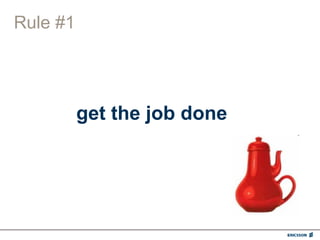
Rule #1


          get the job done
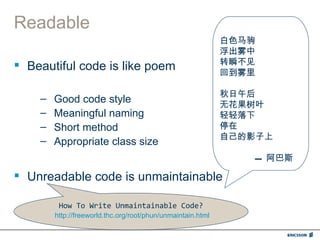
Readable
                                                             白色马驹
                                                             浮出雾中
 Beautiful code is like poem                                转瞬不见
                                                             回到雾里

                                                             秋日午后
    –   Good code style                                      无花果树叶
    –   Meaningful naming                                    轻轻落下
    –   Short method                                         停在
                                                             自己的影子上
    –   Appropriate class size
                                                                --- 阿巴斯

 Unreadable code is unmaintainable

         How To Write Unmaintainable Code?
        http://freeworld.thc.org/root/phun/unmaintain.html
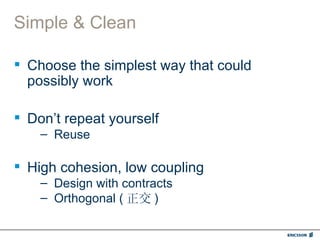
Simple & Clean

 Choose the simplest way that could
  possibly work

 Don’t repeat yourself
    – Reuse

 High cohesion, low coupling
    – Design with contracts
    – Orthogonal ( 正交 )
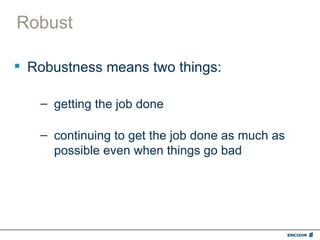
Robust

 Robustness means two things:

   – getting the job done

   – continuing to get the job done as much as
     possible even when things go bad
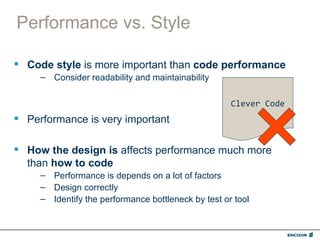
Performance vs. Style

 Code style is more important than code performance
     – Consider readability and maintainability

                                                     Clever Code
 Performance is very important

 How the design is affects performance much more
  than how to code
     – Performance is depends on a lot of factors
     – Design correctly
     – Identify the performance bottleneck by test or tool
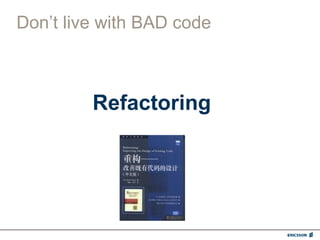
Don’t live with BAD code


         Refactoring
Principles

 Your code should
   –   get the job done
   –   be simple and clean
   –   be readable and maintainable
   –   be testable
   –   be secure
   –   be extensible
Coding Guidelines
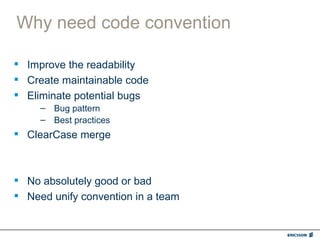
Why need code convention

 Improve the readability
 Create maintainable code
 Eliminate potential bugs
     – Bug pattern
     – Best practices
 ClearCase merge


 No absolutely good or bad
 Need unify convention in a team
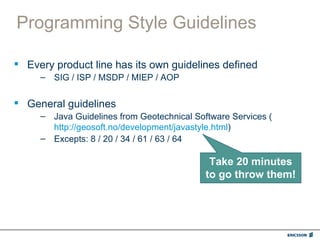
Programming Style Guidelines

 Every product line has its own guidelines defined
     – SIG / ISP / MSDP / MIEP / AOP


 General guidelines
     – Java Guidelines from Geotechnical Software Services (
       http://geosoft.no/development/javastyle.html)
     – Excepts: 8 / 20 / 34 / 61 / 63 / 64

                                             Take 20 minutes
                                            to go throw them!
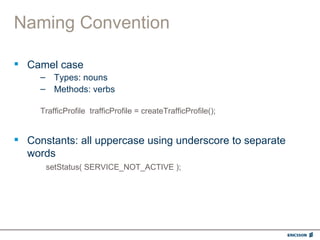
Naming Convention

 Camel case
     – Types: nouns
     – Methods: verbs

     TrafficProfile trafficProfile = createTrafficProfile();


 Constants: all uppercase using underscore to separate
  words
      setStatus( SERVICE_NOT_ACTIVE );
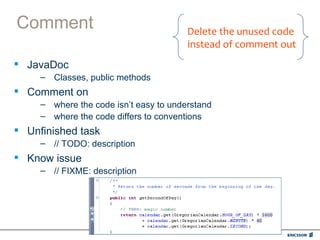
Comment                                 Delete the unused code
                                        instead of comment out
 JavaDoc
     – Classes, public methods
 Comment on
     – where the code isn’t easy to understand
     – where the code differs to conventions
 Unfinished task
     – // TODO: description
 Know issue
     – // FIXME: description
No warning

 Target: No warning
     – Everyone has the responsibility to fix the warnings
     – Should check at code review


 Suppress warning (Be careful!)
     – Java:
       Annotate with @SuppressWarning
     – CheckStyle:
       Suppress audit events between a comment containing
       CHECKSTYLE:OFF and a comment containing
       CHECKSTYLE:ON
     – FindBugs:
       Edit the findbugs_exclude.xml
Sample

 Find code style issues from the sample code


          sample.java
Eclipse Usage

 Eclipse built-in code style formatter
     – Menu: Source – Format
     – Keyboard: Ctrl-Shift-F


 Rename an identifier is very easy in Eclipse
     – Menu: Refactor - Rename
     – Keyboard: Alt-Shift-R
Code Check-in Rule

 Before check-in your code, you must ensure
     – Code compiled successful
     – Basic test passed

 Check-in frequency
     – As soon as possible
     – No longer than 1 day

 Do not leave the file locked when you are not editing it

 Write meaningful comment at check-in


  Ensure the code in ClearCase is always valid
Quick Reference
Quick Reference – Naming Example

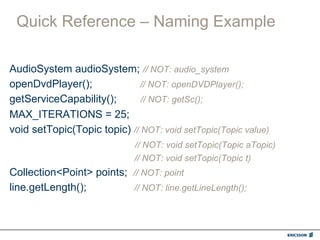
AudioSystem audioSystem; // NOT: audio_system
openDvdPlayer();              // NOT: openDVDPlayer();
getServiceCapability();       // NOT: getSc();
MAX_ITERATIONS = 25;
void setTopic(Topic topic) // NOT: void setTopic(Topic value)
                             // NOT: void setTopic(Topic aTopic)
                             // NOT: void setTopic(Topic t)
Collection<Point> points; // NOT: point
line.getLength();         // NOT: line.getLineLength();
Quick Reference – Naming Example

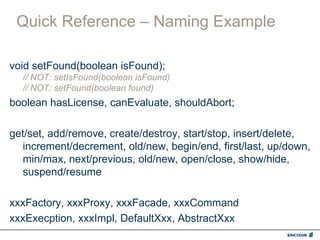
void setFound(boolean isFound);
  // NOT: setIsFound(boolean isFound)
  // NOT: setFound(boolean found)
boolean hasLicense, canEvaluate, shouldAbort;

get/set, add/remove, create/destroy, start/stop, insert/delete,
   increment/decrement, old/new, begin/end, first/last, up/down,
   min/max, next/previous, old/new, open/close, show/hide,
   suspend/resume

xxxFactory, xxxProxy, xxxFacade, xxxCommand
xxxExecption, xxxImpl, DefaultXxx, AbstractXxx
Quick Reference - Comment

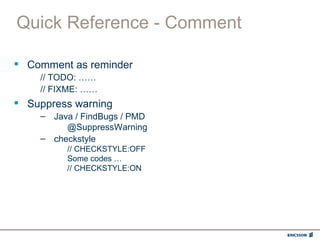
 Comment as reminder
    // TODO: ……
    // FIXME: ……
 Suppress warning
    – Java / FindBugs / PMD
         @SuppressWarning
    – checkstyle
         // CHECKSTYLE:OFF
         Some codes …
         // CHECKSTYLE:ON
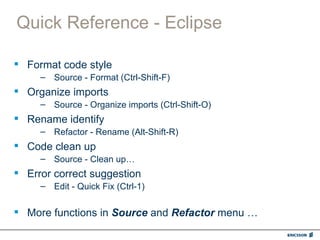
Quick Reference - Eclipse

 Format code style
     – Source - Format (Ctrl-Shift-F)
 Organize imports
     – Source - Organize imports (Ctrl-Shift-O)
 Rename identify
     – Refactor - Rename (Alt-Shift-R)
 Code clean up
     – Source - Clean up…
 Error correct suggestion
     – Edit - Quick Fix (Ctrl-1)


 More functions in Source and Refactor menu …
Writing Good Code

Writing Good Code

  • 1.
    Writing Good Code <lecturer>Leo Liang </lecturer> <date> 2009-7 </date>
  • 2.
    We are … Elegant Code Programmer Designer
  • 3.
    Principles  Your codeshould – be simple and clean – be readable and maintainable – be testable – be secure – be extensible
  • 4.
    Rule #1 get the job done
  • 5.
    Readable 白色马驹 浮出雾中  Beautiful code is like poem 转瞬不见 回到雾里 秋日午后 – Good code style 无花果树叶 – Meaningful naming 轻轻落下 – Short method 停在 自己的影子上 – Appropriate class size --- 阿巴斯  Unreadable code is unmaintainable How To Write Unmaintainable Code? http://freeworld.thc.org/root/phun/unmaintain.html
  • 6.
    Simple & Clean Choose the simplest way that could possibly work  Don’t repeat yourself – Reuse  High cohesion, low coupling – Design with contracts – Orthogonal ( 正交 )
  • 7.
    Robust  Robustness meanstwo things: – getting the job done – continuing to get the job done as much as possible even when things go bad
  • 8.
    Performance vs. Style Code style is more important than code performance – Consider readability and maintainability Clever Code  Performance is very important  How the design is affects performance much more than how to code – Performance is depends on a lot of factors – Design correctly – Identify the performance bottleneck by test or tool
  • 9.
    Don’t live withBAD code Refactoring
  • 10.
    Principles  Your codeshould – get the job done – be simple and clean – be readable and maintainable – be testable – be secure – be extensible
  • 11.
  • 12.
    Why need codeconvention  Improve the readability  Create maintainable code  Eliminate potential bugs – Bug pattern – Best practices  ClearCase merge  No absolutely good or bad  Need unify convention in a team
  • 13.
    Programming Style Guidelines Every product line has its own guidelines defined – SIG / ISP / MSDP / MIEP / AOP  General guidelines – Java Guidelines from Geotechnical Software Services ( http://geosoft.no/development/javastyle.html) – Excepts: 8 / 20 / 34 / 61 / 63 / 64 Take 20 minutes to go throw them!
  • 14.
    Naming Convention  Camelcase – Types: nouns – Methods: verbs TrafficProfile trafficProfile = createTrafficProfile();  Constants: all uppercase using underscore to separate words setStatus( SERVICE_NOT_ACTIVE );
  • 15.
    Comment Delete the unused code instead of comment out  JavaDoc – Classes, public methods  Comment on – where the code isn’t easy to understand – where the code differs to conventions  Unfinished task – // TODO: description  Know issue – // FIXME: description
  • 16.
    No warning  Target:No warning – Everyone has the responsibility to fix the warnings – Should check at code review  Suppress warning (Be careful!) – Java: Annotate with @SuppressWarning – CheckStyle: Suppress audit events between a comment containing CHECKSTYLE:OFF and a comment containing CHECKSTYLE:ON – FindBugs: Edit the findbugs_exclude.xml
  • 17.
    Sample  Find codestyle issues from the sample code sample.java
  • 18.
    Eclipse Usage  Eclipsebuilt-in code style formatter – Menu: Source – Format – Keyboard: Ctrl-Shift-F  Rename an identifier is very easy in Eclipse – Menu: Refactor - Rename – Keyboard: Alt-Shift-R
  • 19.
    Code Check-in Rule Before check-in your code, you must ensure – Code compiled successful – Basic test passed  Check-in frequency – As soon as possible – No longer than 1 day  Do not leave the file locked when you are not editing it  Write meaningful comment at check-in Ensure the code in ClearCase is always valid
  • 20.
  • 21.
    Quick Reference –Naming Example AudioSystem audioSystem; // NOT: audio_system openDvdPlayer(); // NOT: openDVDPlayer(); getServiceCapability(); // NOT: getSc(); MAX_ITERATIONS = 25; void setTopic(Topic topic) // NOT: void setTopic(Topic value) // NOT: void setTopic(Topic aTopic) // NOT: void setTopic(Topic t) Collection<Point> points; // NOT: point line.getLength(); // NOT: line.getLineLength();
  • 22.
    Quick Reference –Naming Example void setFound(boolean isFound); // NOT: setIsFound(boolean isFound) // NOT: setFound(boolean found) boolean hasLicense, canEvaluate, shouldAbort; get/set, add/remove, create/destroy, start/stop, insert/delete, increment/decrement, old/new, begin/end, first/last, up/down, min/max, next/previous, old/new, open/close, show/hide, suspend/resume xxxFactory, xxxProxy, xxxFacade, xxxCommand xxxExecption, xxxImpl, DefaultXxx, AbstractXxx
  • 23.
    Quick Reference -Comment  Comment as reminder // TODO: …… // FIXME: ……  Suppress warning – Java / FindBugs / PMD @SuppressWarning – checkstyle // CHECKSTYLE:OFF Some codes … // CHECKSTYLE:ON
  • 24.
    Quick Reference -Eclipse  Format code style – Source - Format (Ctrl-Shift-F)  Organize imports – Source - Organize imports (Ctrl-Shift-O)  Rename identify – Refactor - Rename (Alt-Shift-R)  Code clean up – Source - Clean up…  Error correct suggestion – Edit - Quick Fix (Ctrl-1)  More functions in Source and Refactor menu …

Editor's Notes

  • #5 Designer &amp; programmer 产品 vs. 艺术品
  • #6 Short method: 反例: handleRequest(), loop, switch, if …
  • #7 高内聚,低耦合:模块 /package/class/ 方法,接口
  • #8 电信系统的可靠性要求: n 个 9 ( 4 个 9 , 5 个 9 )
  • #9 i++, ++i
  • #10 破窗理论 你写的代码,将会成为别人的例子 时间估算:影响大的重构要与 team 商量;测试
  • #12 务虚 / 务实 审美观
  • #22 Mix case Names representing types must be nouns Names representing methods must be verbs Abbreviations and acronyms should not be uppercase Constants (final variables) must be all uppercase using underscore to separate words
  • #23 Specific Naming Conventions is / has / can /should set / get … Name as the design patterns