z
Cognitive
Walkthrough By:
Yashashree Mahale
A cognitive walkthrough is a structured
approach to evaluating usability of a product.
• Formal method for evaluating user-interface
without users.
• Focuses on “First-Time-Use”.
• Task Oriented .
The four questions
asked during Cognitive
Walkthrough
Will the user try and
achieve the right
outcome?
This question is trying to
examine whether the interface
is making assumptions about a
user’s level of experience or
knowledge that aren’t
accurate.
Will the user notice the
correct action available to
them?
This question is about
finding hidden, obscured,
or confusing options on
your product that could
prevent users from making
the right choice.
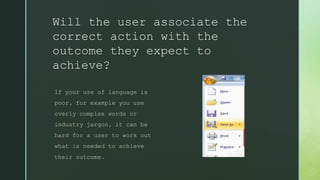
Will the user associate the
correct action with the
outcome they expect to
achieve?
If your use of language is
poor, for example you use
overly complex words or
industry jargon, it can be
hard for a user to work out
what is needed to achieve
their outcome.
If the correct action is
performed; will the user see
that progress is being made
towards their intended outcome?
Assuming the users did the correct
action, will they know that. This is the
completion of the execution/evaluation
interaction cycle. In order to determine
if they have accomplished their goal,
the user needs appropriate feedback.
How to Conduct a
Cognitive
Walkthrough
Determine the
function of the
system
List the actions
possible
Identify and
carry out
appropriate
actions
Perceive and
interpret what
happened
Evaluate
progress
towards the
goal
1
3
2
4
5
Need to Do
 A well-developed interface.
 One or more task descriptions.
 A walkthrough scenario for each
task.
 Clear understanding of
Personas.
 Work Together and Be Skeptical
Benefits
 Learn and improve initial user
experience.
 Task-oriented – Focus.
 Easy to learn and quick to do.
 Forces you to articulate assumptions
about user knowledge and thought
process.
 Can do early in the process.
 Finding problems often implicitly
 Designers must understand their
users.
 Focuses on first-time users only
 Identifies the problems but
doesn’t (automatically) produce
solutions.
 Doesn’t tell how frequent or
severe the problems are.
Limitations
Cognitive walkthrough

Cognitive walkthrough

  • 1.
  • 2.
    A cognitive walkthroughis a structured approach to evaluating usability of a product. • Formal method for evaluating user-interface without users. • Focuses on “First-Time-Use”. • Task Oriented .
  • 3.
    The four questions askedduring Cognitive Walkthrough
  • 4.
    Will the usertry and achieve the right outcome? This question is trying to examine whether the interface is making assumptions about a user’s level of experience or knowledge that aren’t accurate.
  • 5.
    Will the usernotice the correct action available to them? This question is about finding hidden, obscured, or confusing options on your product that could prevent users from making the right choice.
  • 6.
    Will the userassociate the correct action with the outcome they expect to achieve? If your use of language is poor, for example you use overly complex words or industry jargon, it can be hard for a user to work out what is needed to achieve their outcome.
  • 7.
    If the correctaction is performed; will the user see that progress is being made towards their intended outcome? Assuming the users did the correct action, will they know that. This is the completion of the execution/evaluation interaction cycle. In order to determine if they have accomplished their goal, the user needs appropriate feedback.
  • 8.
    How to Conducta Cognitive Walkthrough
  • 9.
    Determine the function ofthe system List the actions possible Identify and carry out appropriate actions Perceive and interpret what happened Evaluate progress towards the goal 1 3 2 4 5
  • 14.
    Need to Do A well-developed interface.  One or more task descriptions.  A walkthrough scenario for each task.  Clear understanding of Personas.  Work Together and Be Skeptical
  • 15.
    Benefits  Learn andimprove initial user experience.  Task-oriented – Focus.  Easy to learn and quick to do.  Forces you to articulate assumptions about user knowledge and thought process.  Can do early in the process.  Finding problems often implicitly
  • 16.
     Designers mustunderstand their users.  Focuses on first-time users only  Identifies the problems but doesn’t (automatically) produce solutions.  Doesn’t tell how frequent or severe the problems are. Limitations