Course Outline:
Introduction tocomputer systems: Information is bits + context, programs are
translated by other programs into different forms, it pays to understand how
compilation systems work, processors read and interpret instructions stored in
memory, caches matter, storage devices form a hierarchy, the operating system
manages the hardware, systems communicate with other systems using networks;
Representing and manipulating information: information storage, integer
representations, integer arithmetic, floating point; Machine-level representation of
programs: a historical perspective, program encodings, data formats, accessing
information, arithmetic and logical operations, control, procedures, array allocation and
access, heterogeneous data structures, putting it together: understanding pointers, life
in the real world: using the gdb debugger, out of-bounds memory references and buffer
overflow, x86-64: extending ia32 to 64 bits, machine-level representations of floating-
point programs; Processor architecture: the Y86 instruction set architecture, logic
design and the Hardware Control Language (HCL), sequential Y86 implementations,
general principles of pipelining, pipelined Y86 implementations.
3.
Books
• 1. ComputerSystems: A Programmer's Perspective, 3/E (CS:APP3e), Randal E.
Bryant and David R.O' Hallaron, Carnegie Mellon University
• 2. Robert Britton, MIPS Assembly Language Programming, Latest Edition,
• 3. Computer System Architecture, M. Morris Mano, Latest Edition,
• 4. Assembly Language Programming for Intel- Computer, Latest Edition
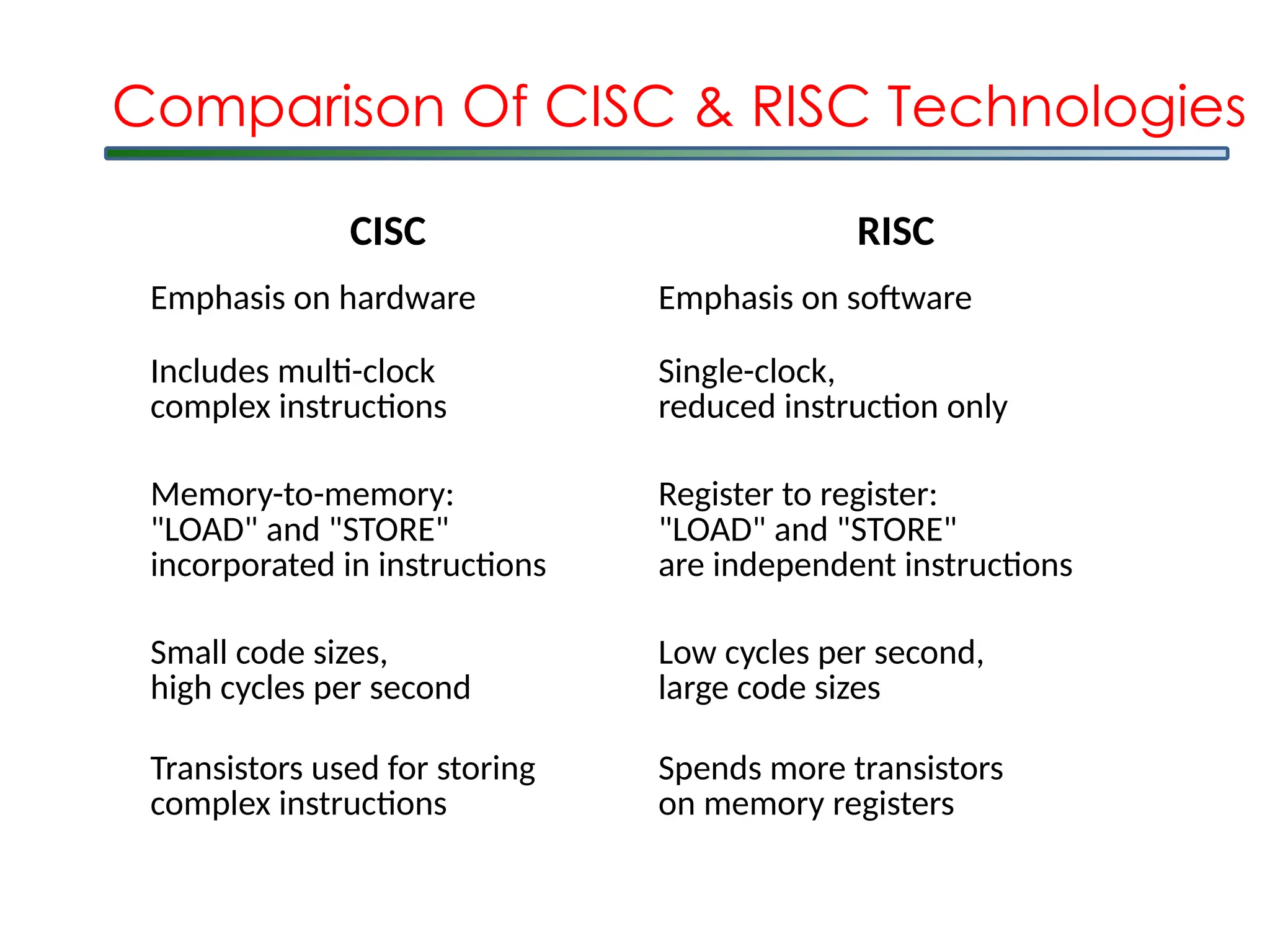
CISC RISC
Emphasis onhardware Emphasis on software
Includes multi-clock
complex instructions
Single-clock,
reduced instruction only
Memory-to-memory:
"LOAD" and "STORE"
incorporated in instructions
Register to register:
"LOAD" and "STORE"
are independent instructions
Small code sizes,
high cycles per second
Low cycles per second,
large code sizes
Transistors used for storing
complex instructions
Spends more transistors
on memory registers
Comparison Of CISC & RISC Technologies
8.
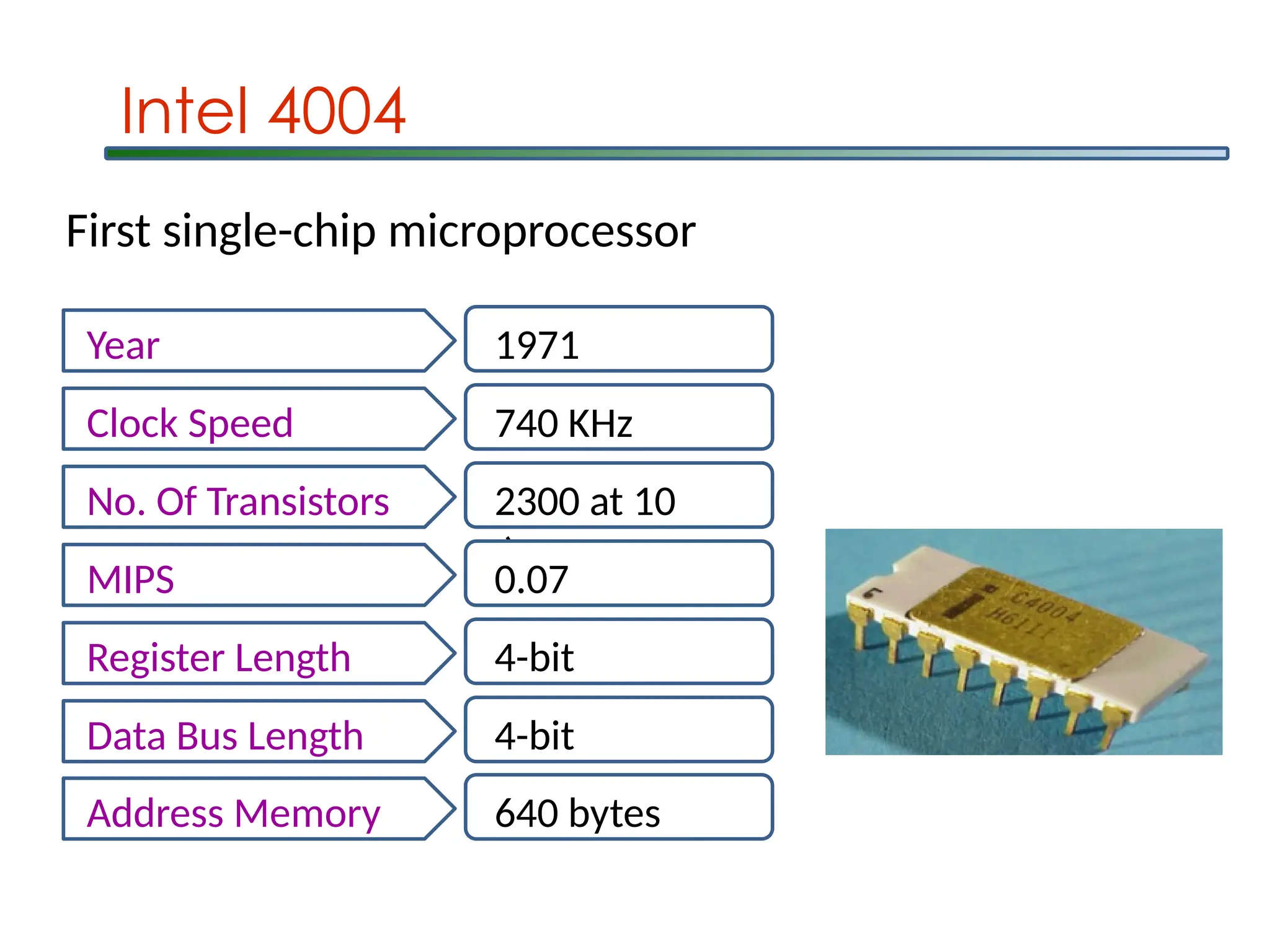
Intel 4004
Year 1971
ClockSpeed 740 KHz
No. Of Transistors 2300 at 10
m
MIPS 0.07
Register Length 4-bit
Data Bus Length 4-bit
Address Memory 640 bytes
First single-chip microprocessor
9.
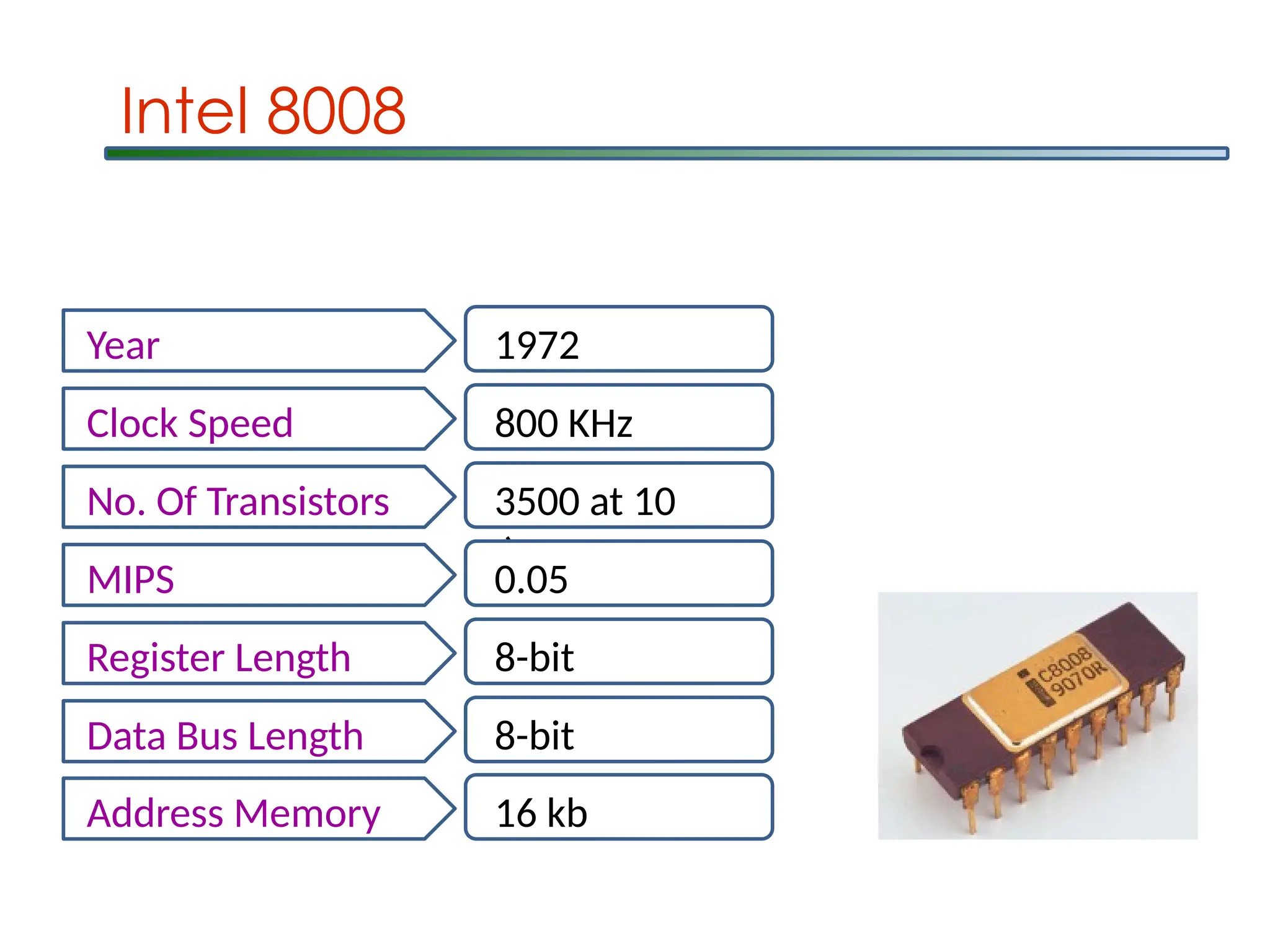
Intel 8008
Year 1972
ClockSpeed 800 KHz
No. Of Transistors 3500 at 10
m
MIPS 0.05
Register Length 8-bit
Data Bus Length 8-bit
Address Memory 16 kb
10.
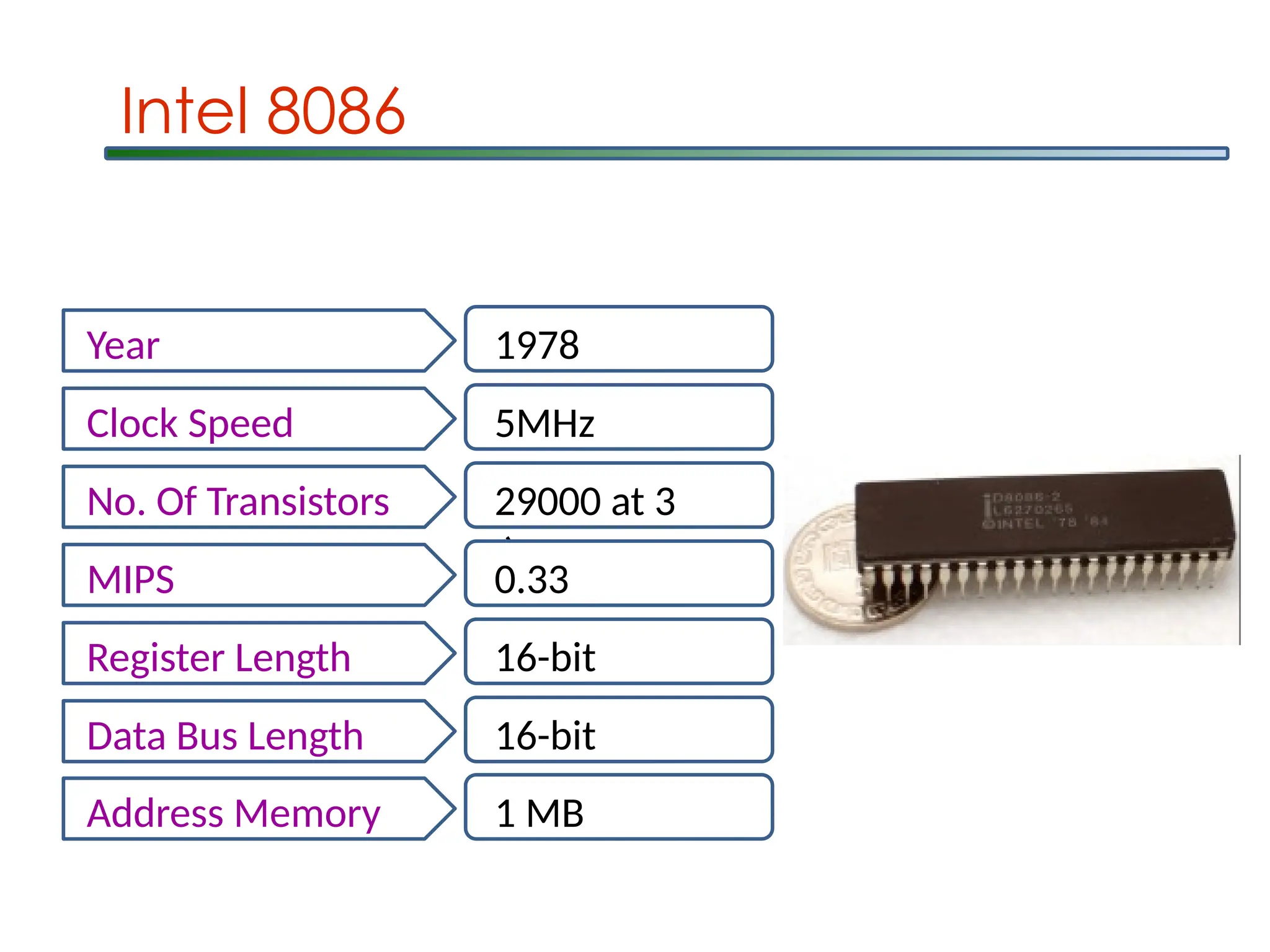
Intel 8086
Year 1978
ClockSpeed 5MHz
No. Of Transistors 29000 at 3
m
MIPS 0.33
Register Length 16-bit
Data Bus Length 16-bit
Address Memory 1 MB
11.
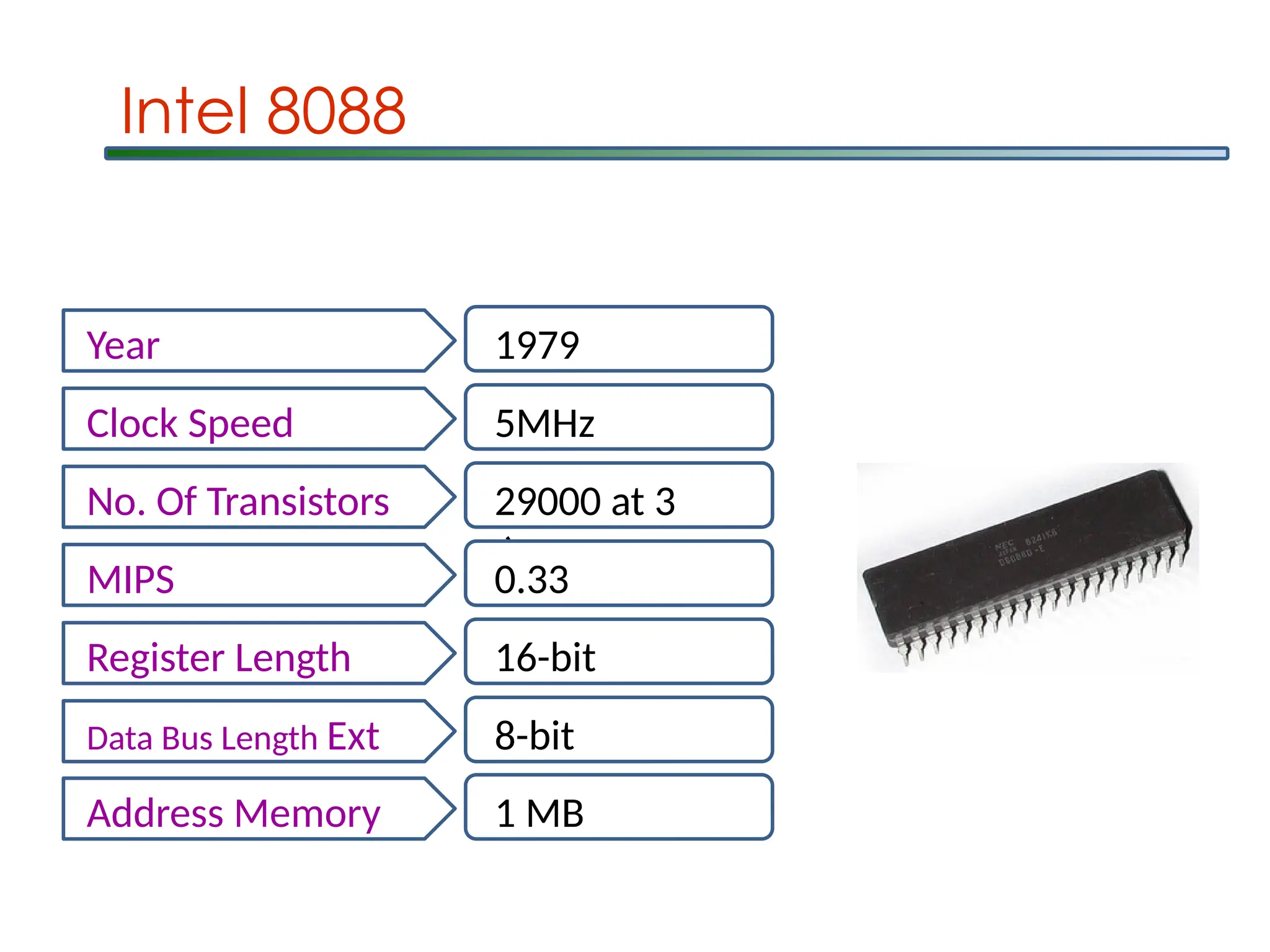
Intel 8088
Year 1979
ClockSpeed 5MHz
No. Of Transistors 29000 at 3
m
MIPS 0.33
Register Length 16-bit
Data Bus Length Ext 8-bit
Address Memory 1 MB
12.
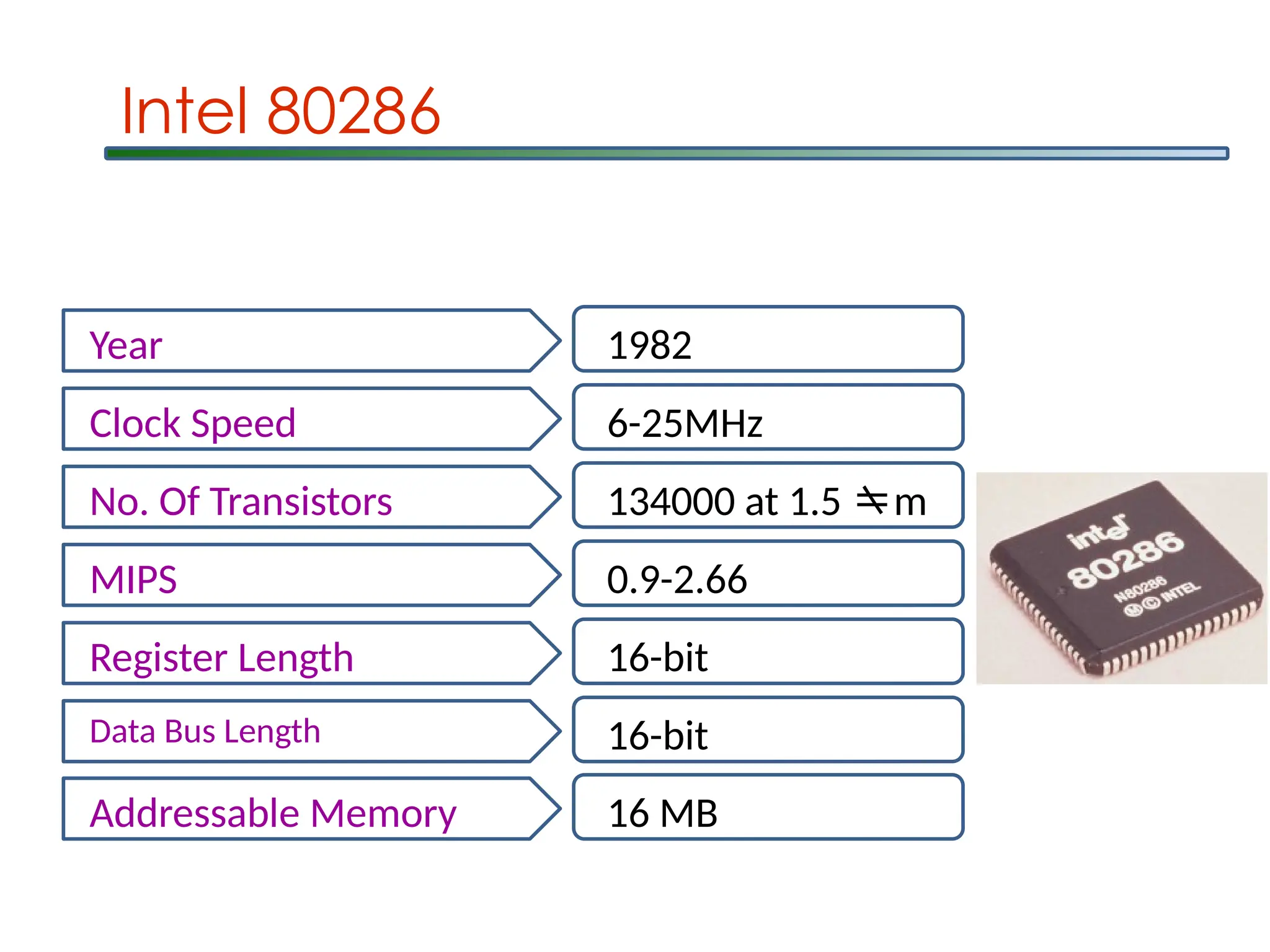
Intel 80286
Year 1982
ClockSpeed 6-25MHz
No. Of Transistors 134000 at 1.5 m
MIPS 0.9-2.66
Register Length 16-bit
Data Bus Length 16-bit
Addressable Memory 16 MB
13.
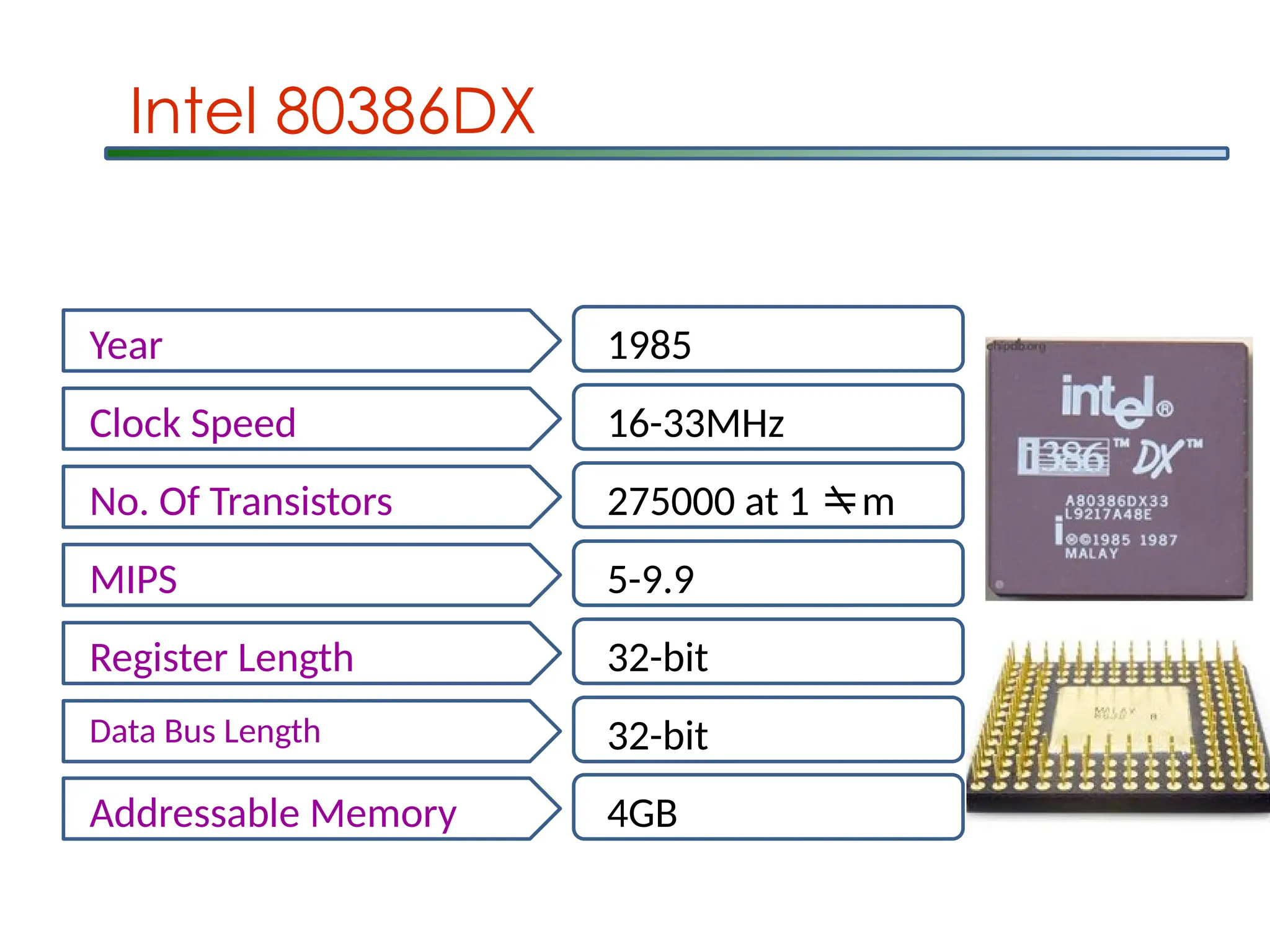
Year 1985
Clock Speed16-33MHz
No. Of Transistors 275000 at 1 m
MIPS 5-9.9
Register Length 32-bit
Data Bus Length 32-bit
Addressable Memory 4GB
Intel 80386DX
14.
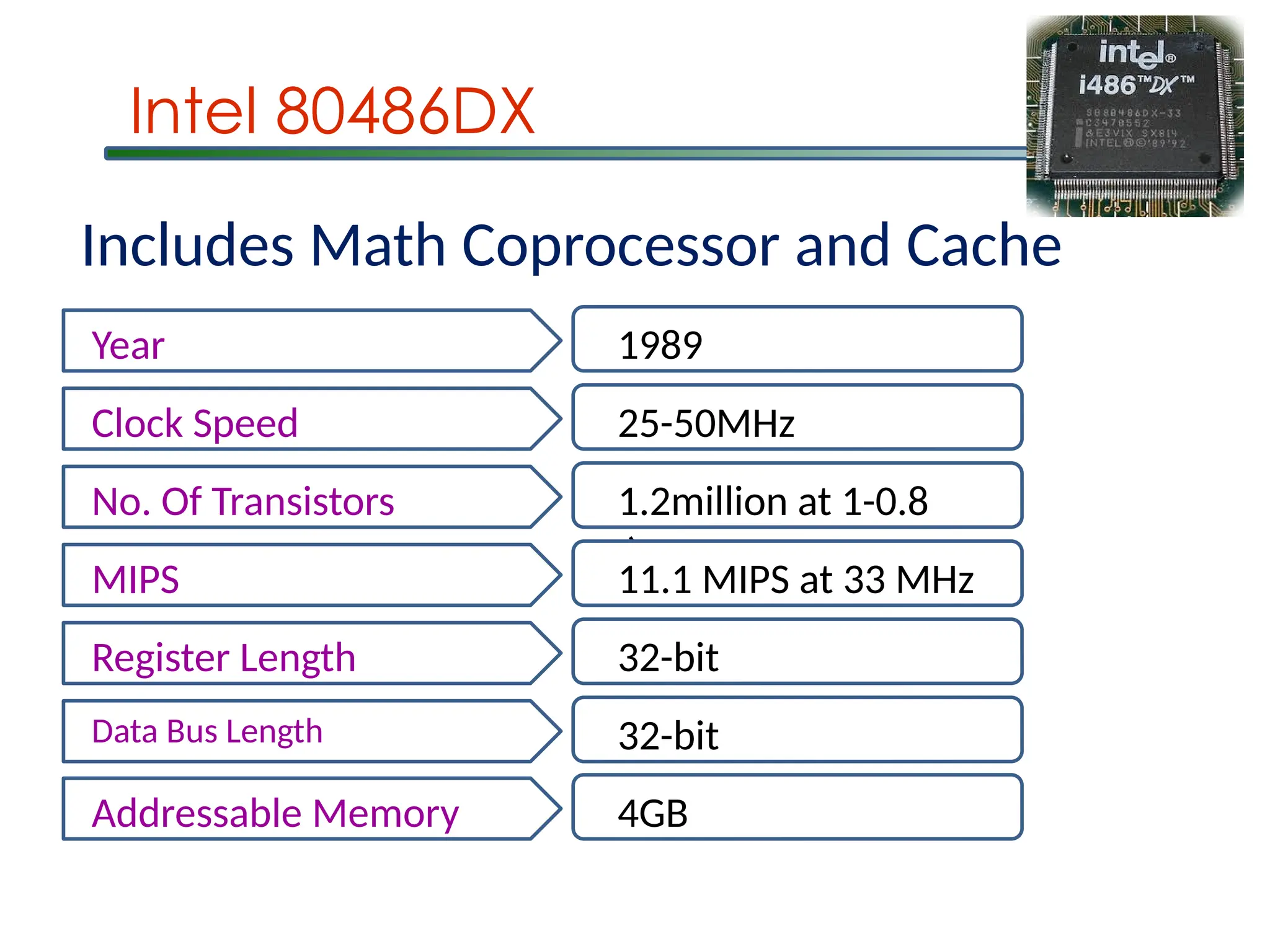
Intel 80486DX
Year 1989
ClockSpeed 25-50MHz
No. Of Transistors 1.2million at 1-0.8
m
MIPS 11.1 MIPS at 33 MHz
Register Length 32-bit
Data Bus Length 32-bit
Addressable Memory 4GB
Includes Math Coprocessor and Cache
15.
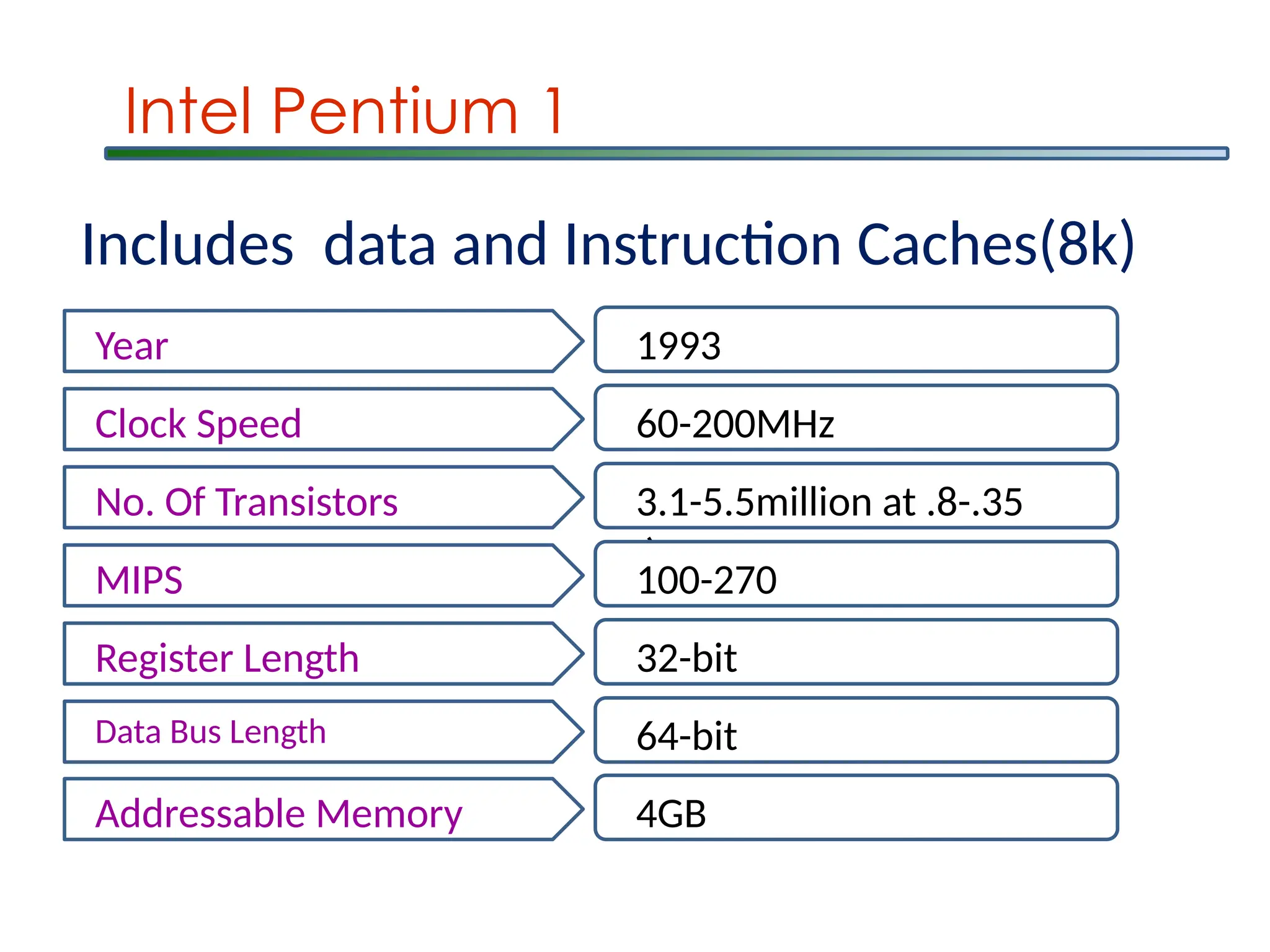
Intel Pentium 1
Year1993
Clock Speed 60-200MHz
No. Of Transistors 3.1-5.5million at .8-.35
m
MIPS 100-270
Register Length 32-bit
Data Bus Length 64-bit
Addressable Memory 4GB
Includes data and Instruction Caches(8k)
16.
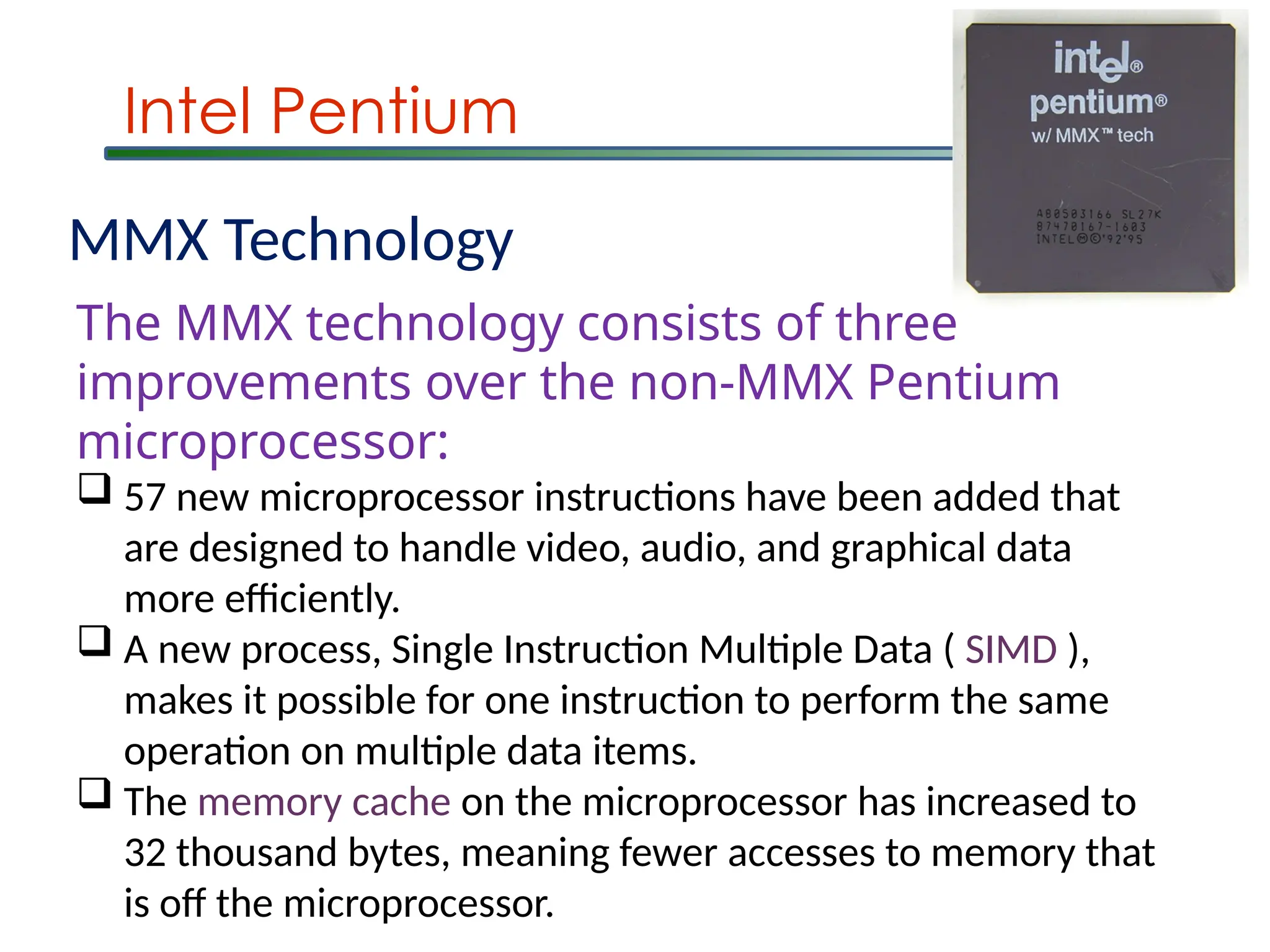
Intel Pentium
MMX Technology
TheMMX technology consists of three
improvements over the non-MMX Pentium
microprocessor:
57 new microprocessor instructions have been added that
are designed to handle video, audio, and graphical data
more efficiently.
A new process, Single Instruction Multiple Data ( SIMD ),
makes it possible for one instruction to perform the same
operation on multiple data items.
The memory cache on the microprocessor has increased to
32 thousand bytes, meaning fewer accesses to memory that
is off the microprocessor.
17.
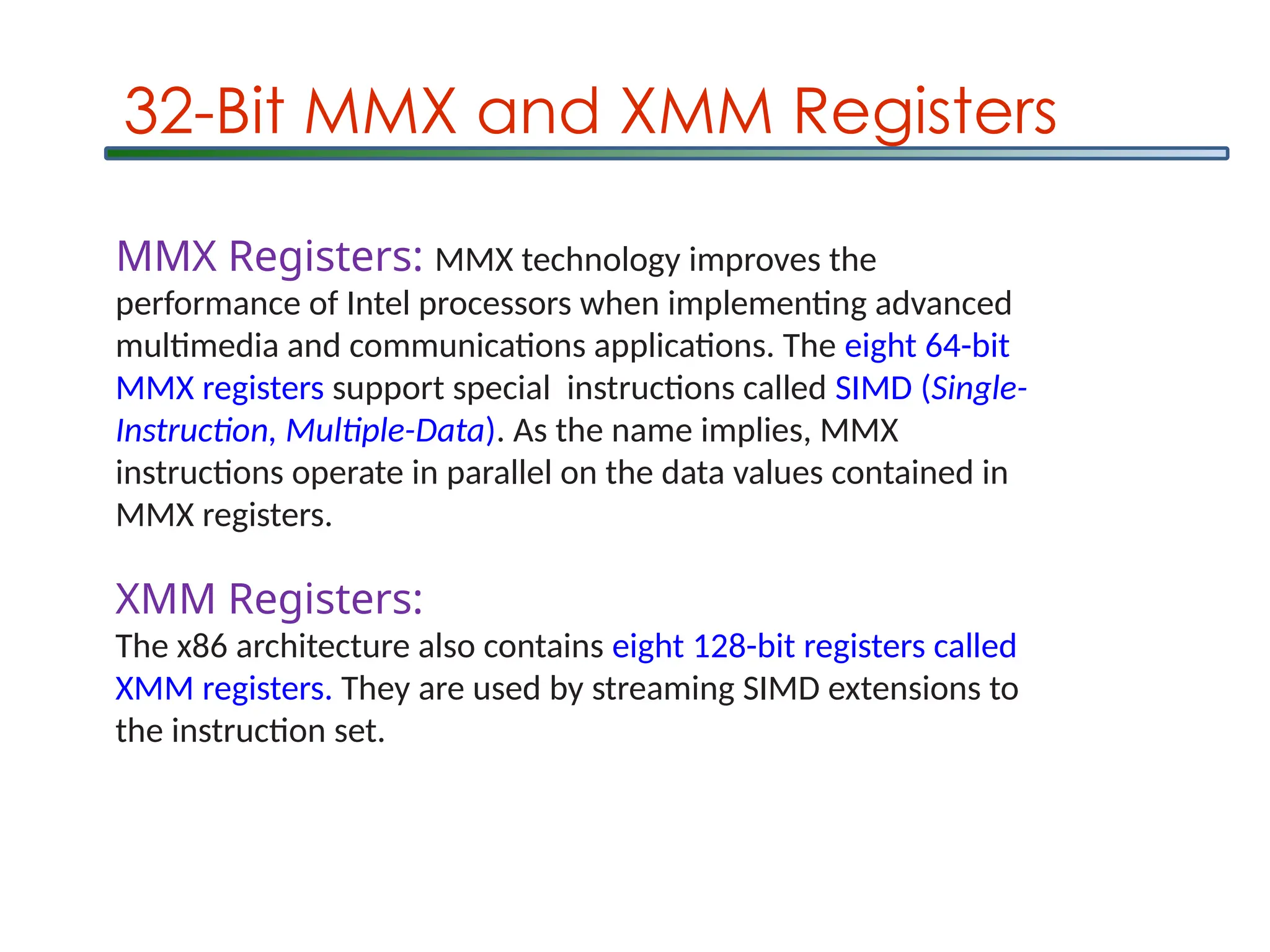
32-Bit MMX andXMM Registers
MMX Registers: MMX technology improves the
performance of Intel processors when implementing advanced
multimedia and communications applications. The eight 64-bit
MMX registers support special instructions called SIMD (Single-
Instruction, Multiple-Data). As the name implies, MMX
instructions operate in parallel on the data values contained in
MMX registers.
XMM Registers:
The x86 architecture also contains eight 128-bit registers called
XMM registers. They are used by streaming SIMD extensions to
the instruction set.
18.
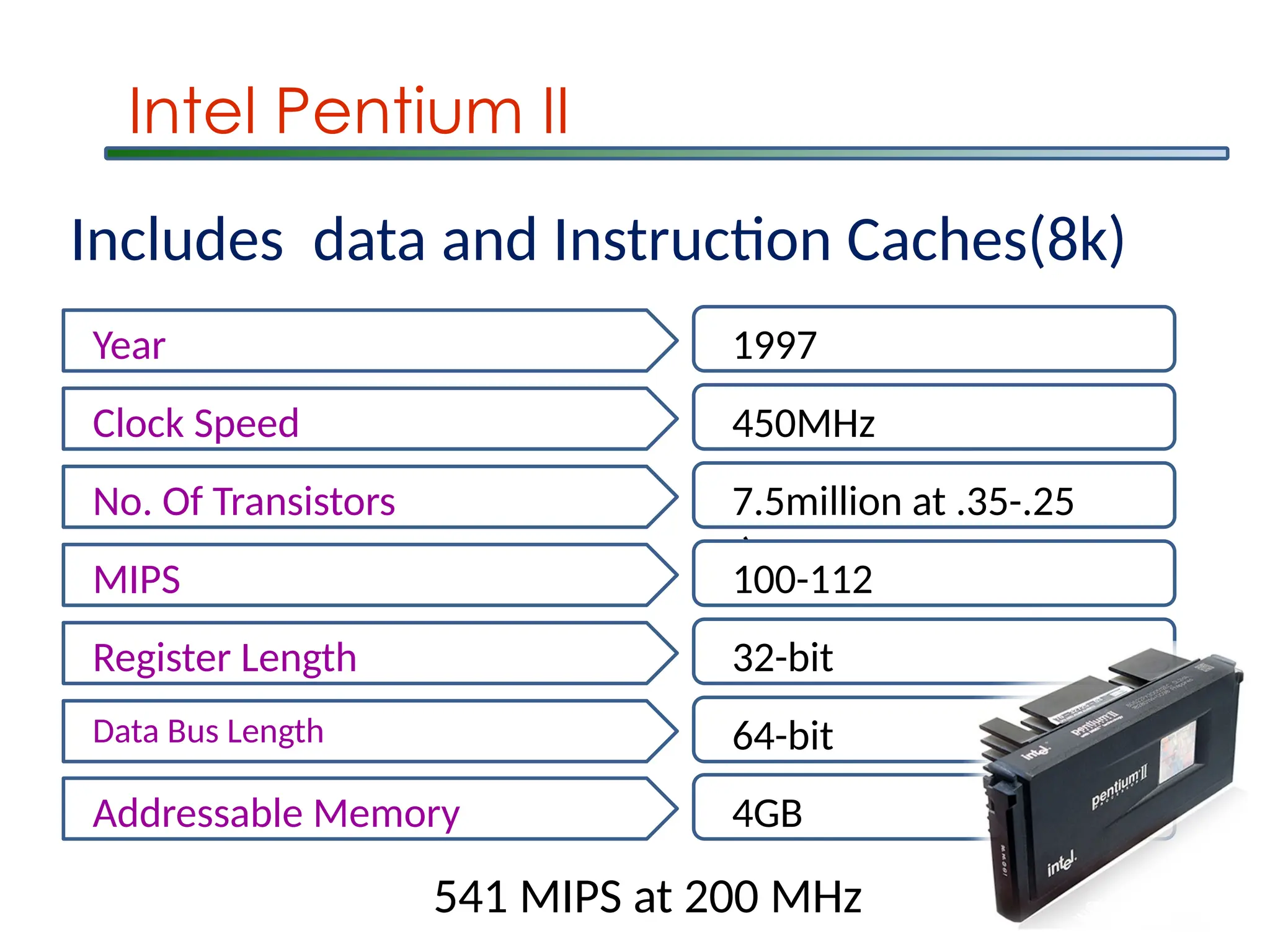
Intel Pentium II
Year1997
Clock Speed 450MHz
No. Of Transistors 7.5million at .35-.25
m
MIPS 100-112
Register Length 32-bit
Data Bus Length 64-bit
Addressable Memory 4GB
Includes data and Instruction Caches(8k)
541 MIPS at 200 MHz
19.
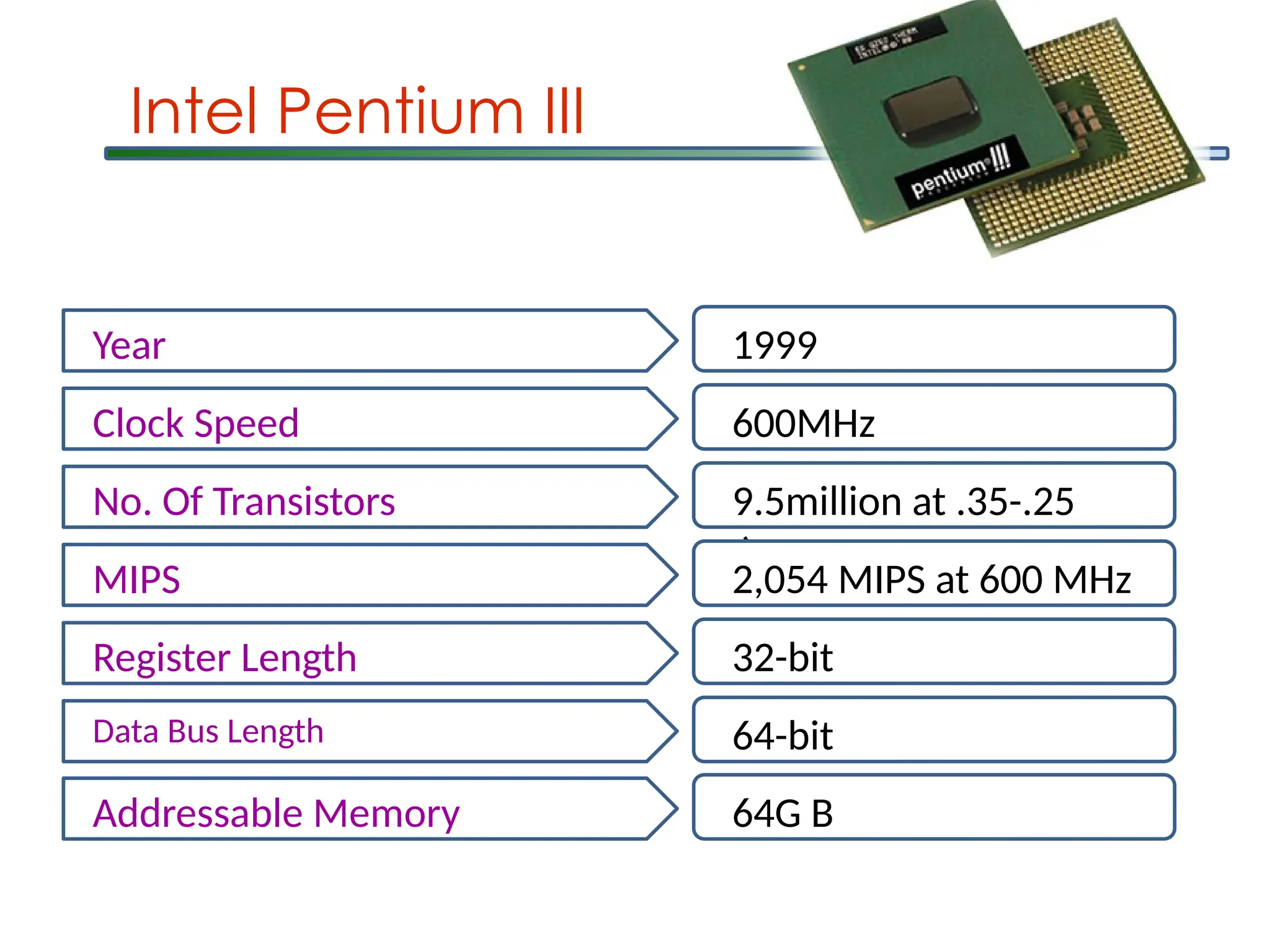
Intel Pentium III
Year1999
Clock Speed 600MHz
No. Of Transistors 9.5million at .35-.25
m
MIPS 2,054 MIPS at 600 MHz
Register Length 32-bit
Data Bus Length 64-bit
Addressable Memory 64G B
20.
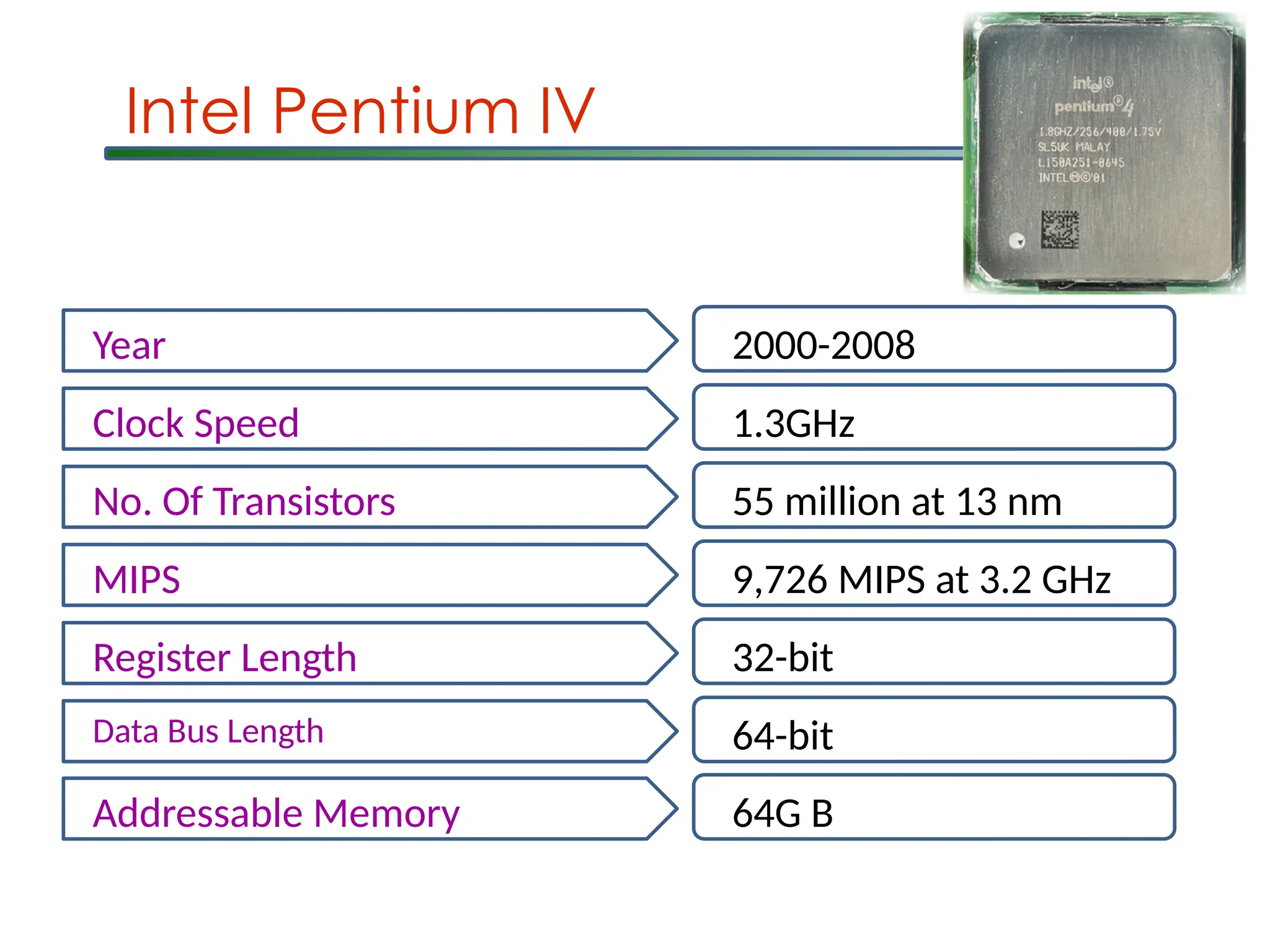
Intel Pentium IV
Year2000-2008
Clock Speed 1.3GHz
No. Of Transistors 55 million at 13 nm
MIPS 9,726 MIPS at 3.2 GHz
Register Length 32-bit
Data Bus Length 64-bit
Addressable Memory 64G B
21.
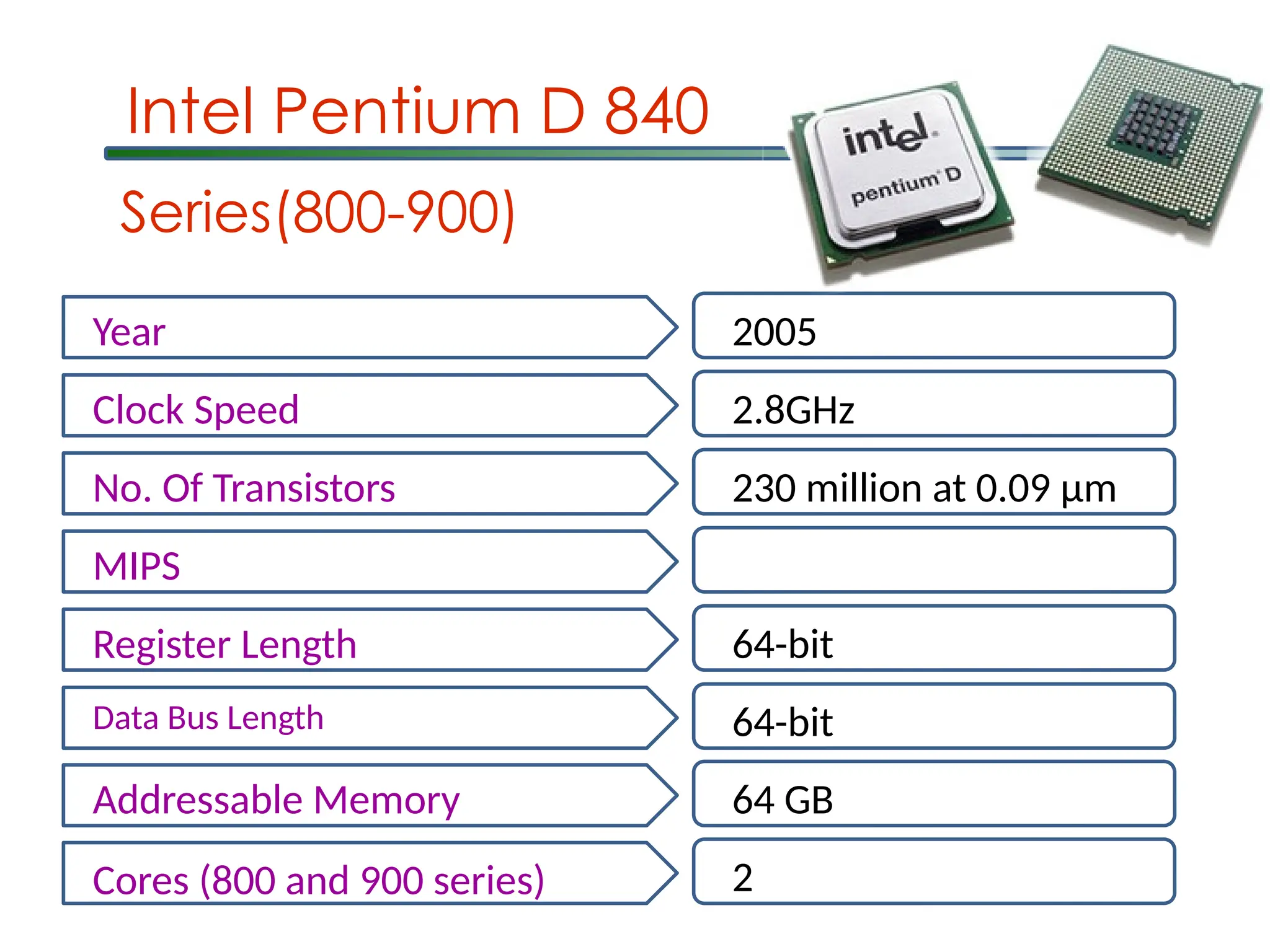
Intel Pentium D840
Year 2005
Clock Speed 2.8GHz
No. Of Transistors 230 million at 0.09 μm
MIPS
Register Length 64-bit
Data Bus Length 64-bit
Addressable Memory 64 GB
Cores (800 and 900 series) 2
Series(800-900)
22.
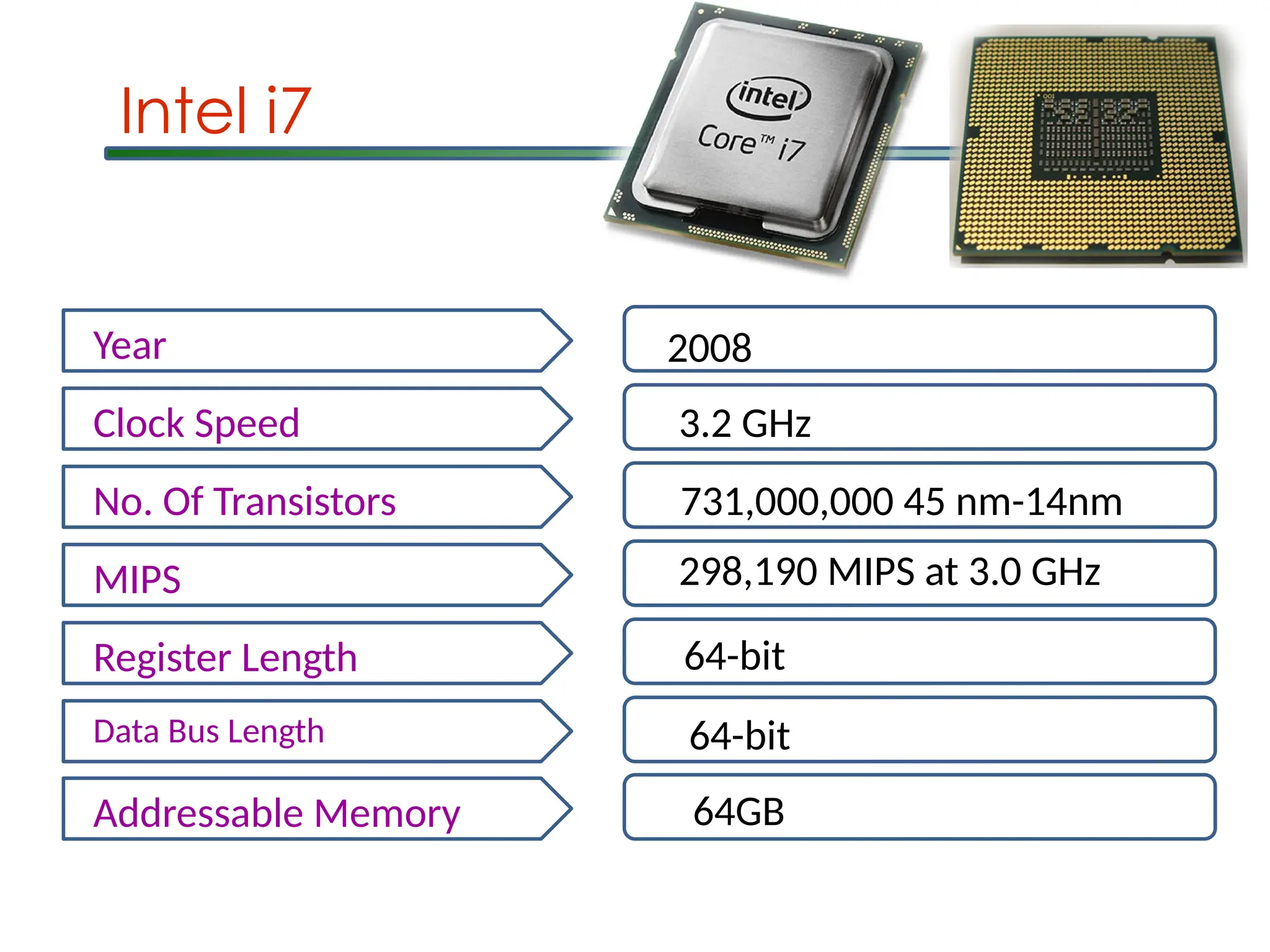
Intel i7
Year 2008
ClockSpeed 3.2 GHz
No. Of Transistors 731,000,000 45 nm-14nm
MIPS 298,190 MIPS at 3.0 GHz
Register Length 64-bit
Data Bus Length 64-bit
Addressable Memory 64GB
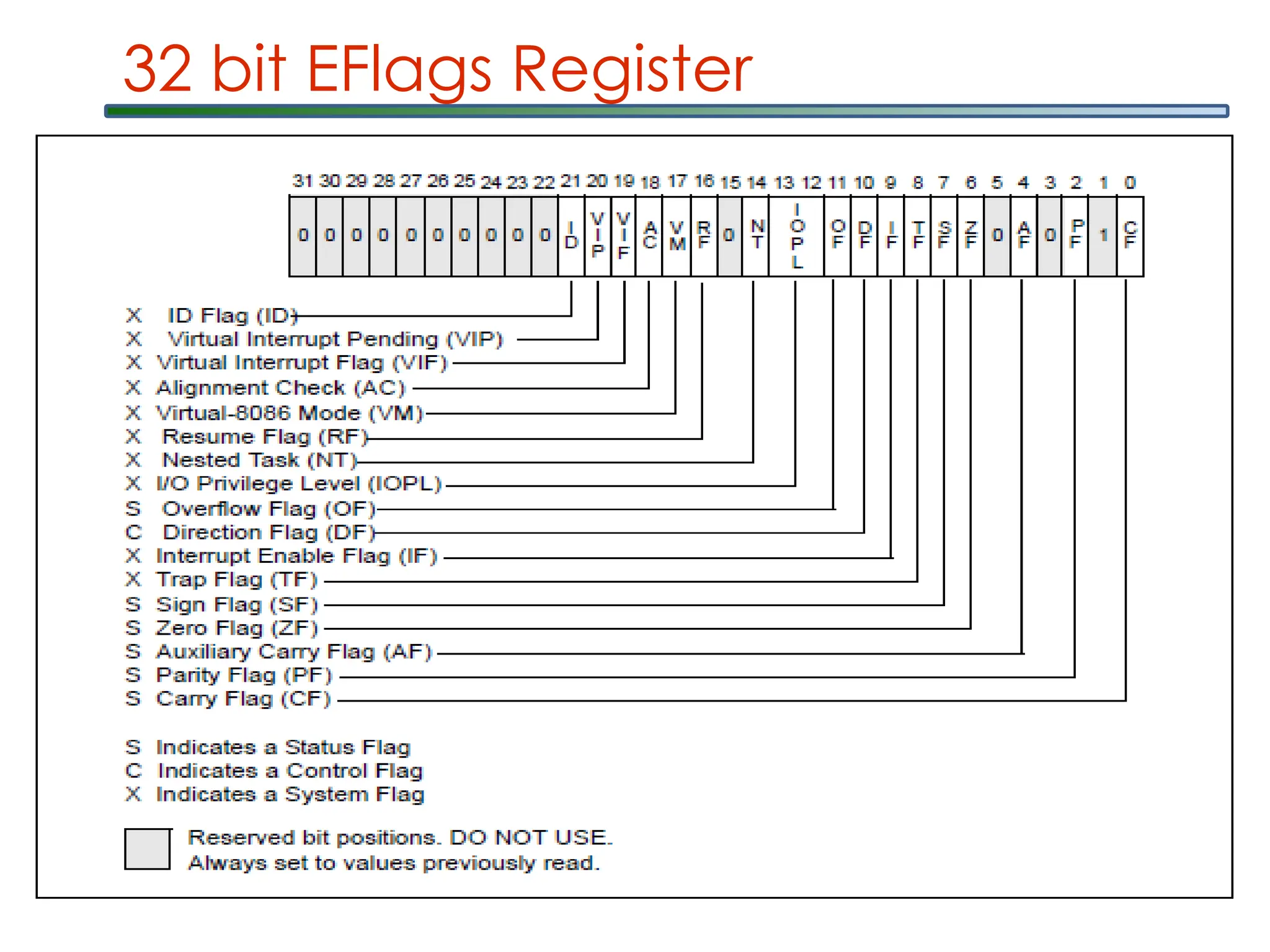
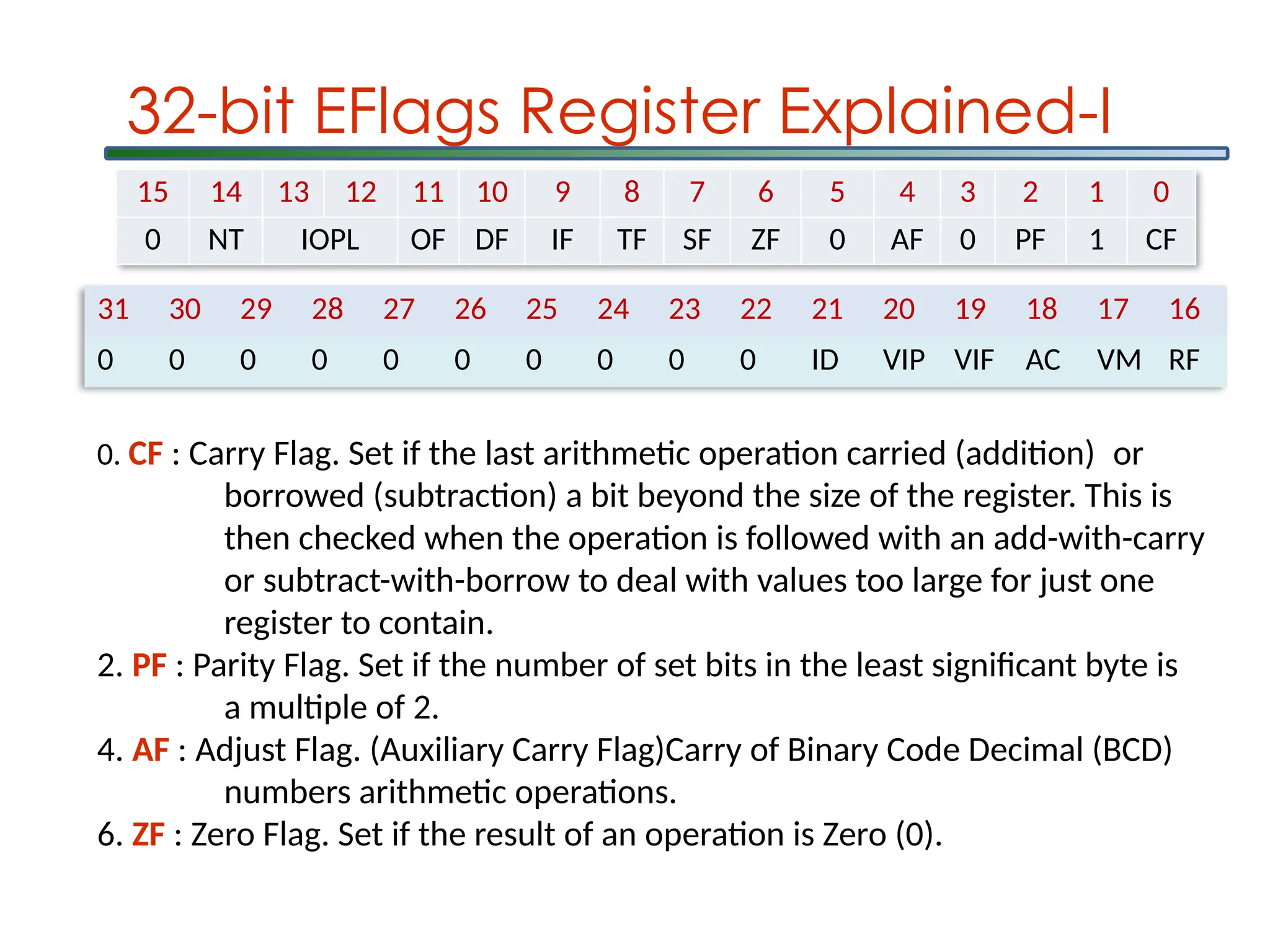
31 30 2928 27 26 25 24 23 22 21 20 19 18 17 16
0 0 0 0 0 0 0 0 0 0 ID VIP VIF AC VM RF
15 14 13 12 11 10 9 8 7 6 5 4 3 2 1 0
0 NT IOPL OF DF IF TF SF ZF 0 AF 0 PF 1 CF
32-bit EFlags Register Explained-I
0. CF : Carry Flag. Set if the last arithmetic operation carried (addition) or
borrowed (subtraction) a bit beyond the size of the register. This is
then checked when the operation is followed with an add-with-carry
or subtract-with-borrow to deal with values too large for just one
register to contain.
2. PF : Parity Flag. Set if the number of set bits in the least significant byte is
a multiple of 2.
4. AF : Adjust Flag. (Auxiliary Carry Flag)Carry of Binary Code Decimal (BCD)
numbers arithmetic operations.
6. ZF : Zero Flag. Set if the result of an operation is Zero (0).
31.
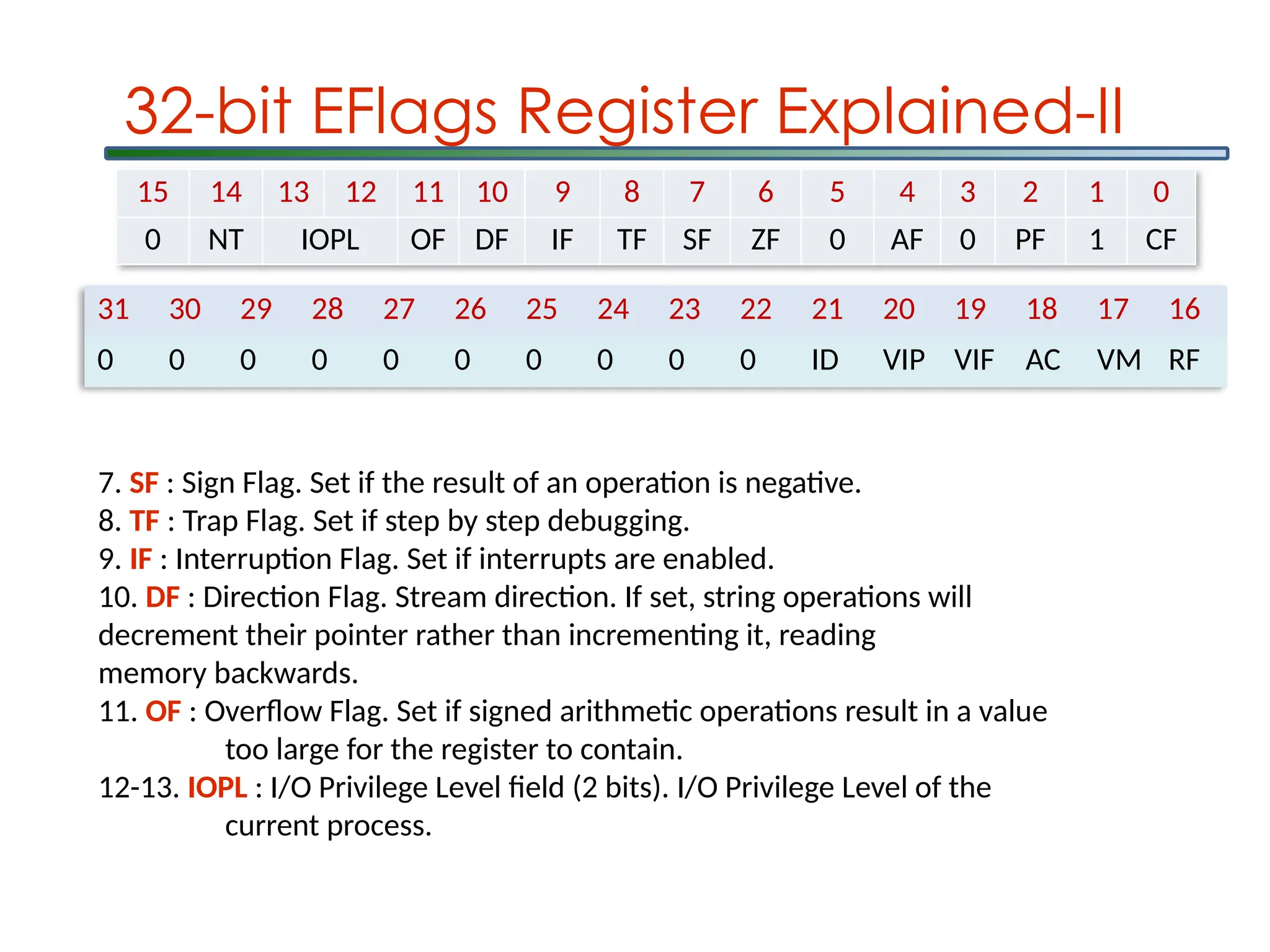
31 30 2928 27 26 25 24 23 22 21 20 19 18 17 16
0 0 0 0 0 0 0 0 0 0 ID VIP VIF AC VM RF
15 14 13 12 11 10 9 8 7 6 5 4 3 2 1 0
0 NT IOPL OF DF IF TF SF ZF 0 AF 0 PF 1 CF
32-bit EFlags Register Explained-II
7. SF : Sign Flag. Set if the result of an operation is negative.
8. TF : Trap Flag. Set if step by step debugging.
9. IF : Interruption Flag. Set if interrupts are enabled.
10. DF : Direction Flag. Stream direction. If set, string operations will
decrement their pointer rather than incrementing it, reading
memory backwards.
11. OF : Overflow Flag. Set if signed arithmetic operations result in a value
too large for the register to contain.
12-13. IOPL : I/O Privilege Level field (2 bits). I/O Privilege Level of the
current process.
32.
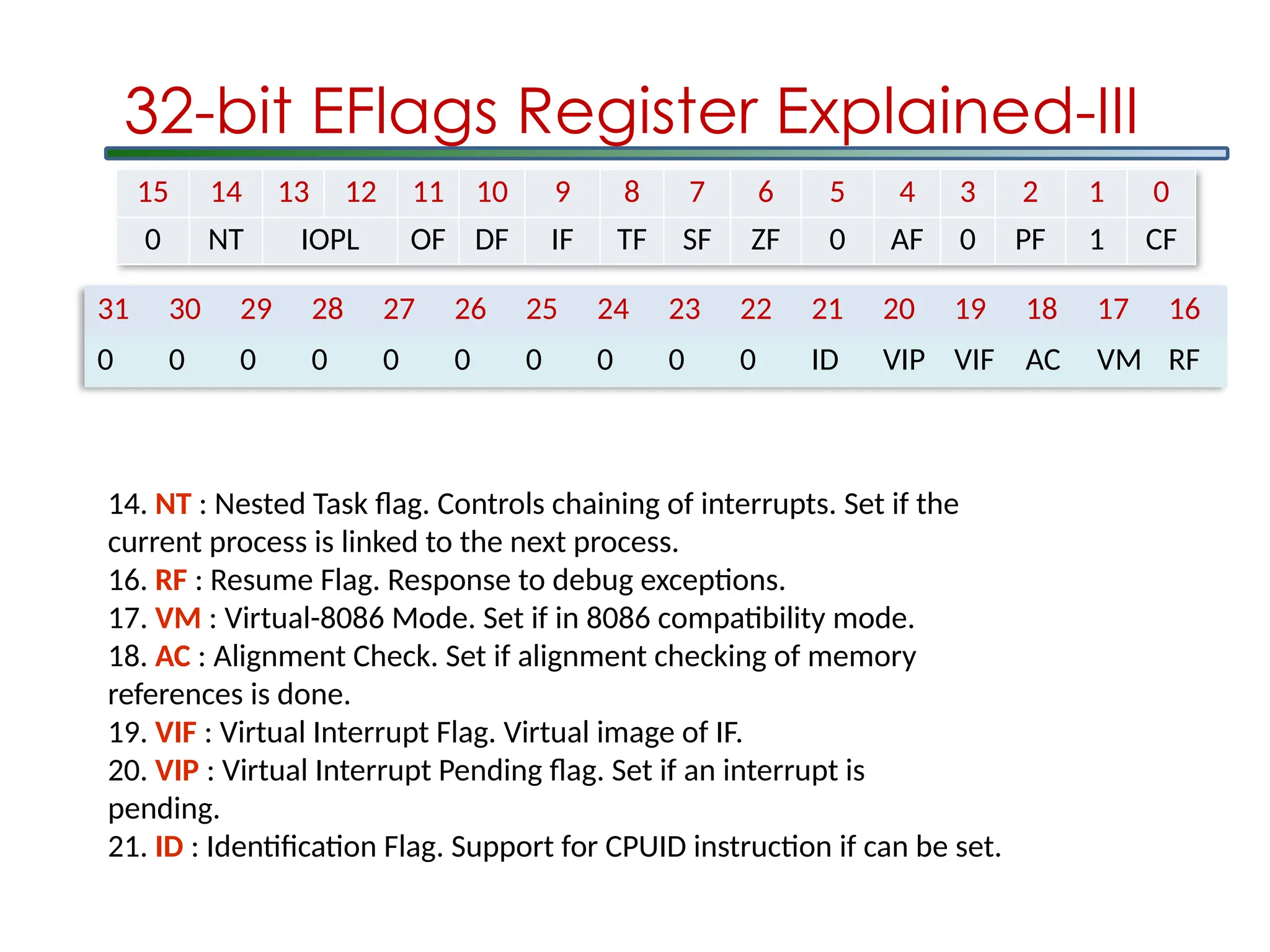
31 30 2928 27 26 25 24 23 22 21 20 19 18 17 16
0 0 0 0 0 0 0 0 0 0 ID VIP VIF AC VM RF
15 14 13 12 11 10 9 8 7 6 5 4 3 2 1 0
0 NT IOPL OF DF IF TF SF ZF 0 AF 0 PF 1 CF
32-bit EFlags Register Explained-III
14. NT : Nested Task flag. Controls chaining of interrupts. Set if the
current process is linked to the next process.
16. RF : Resume Flag. Response to debug exceptions.
17. VM : Virtual-8086 Mode. Set if in 8086 compatibility mode.
18. AC : Alignment Check. Set if alignment checking of memory
references is done.
19. VIF : Virtual Interrupt Flag. Virtual image of IF.
20. VIP : Virtual Interrupt Pending flag. Set if an interrupt is
pending.
21. ID : Identification Flag. Support for CPUID instruction if can be set.
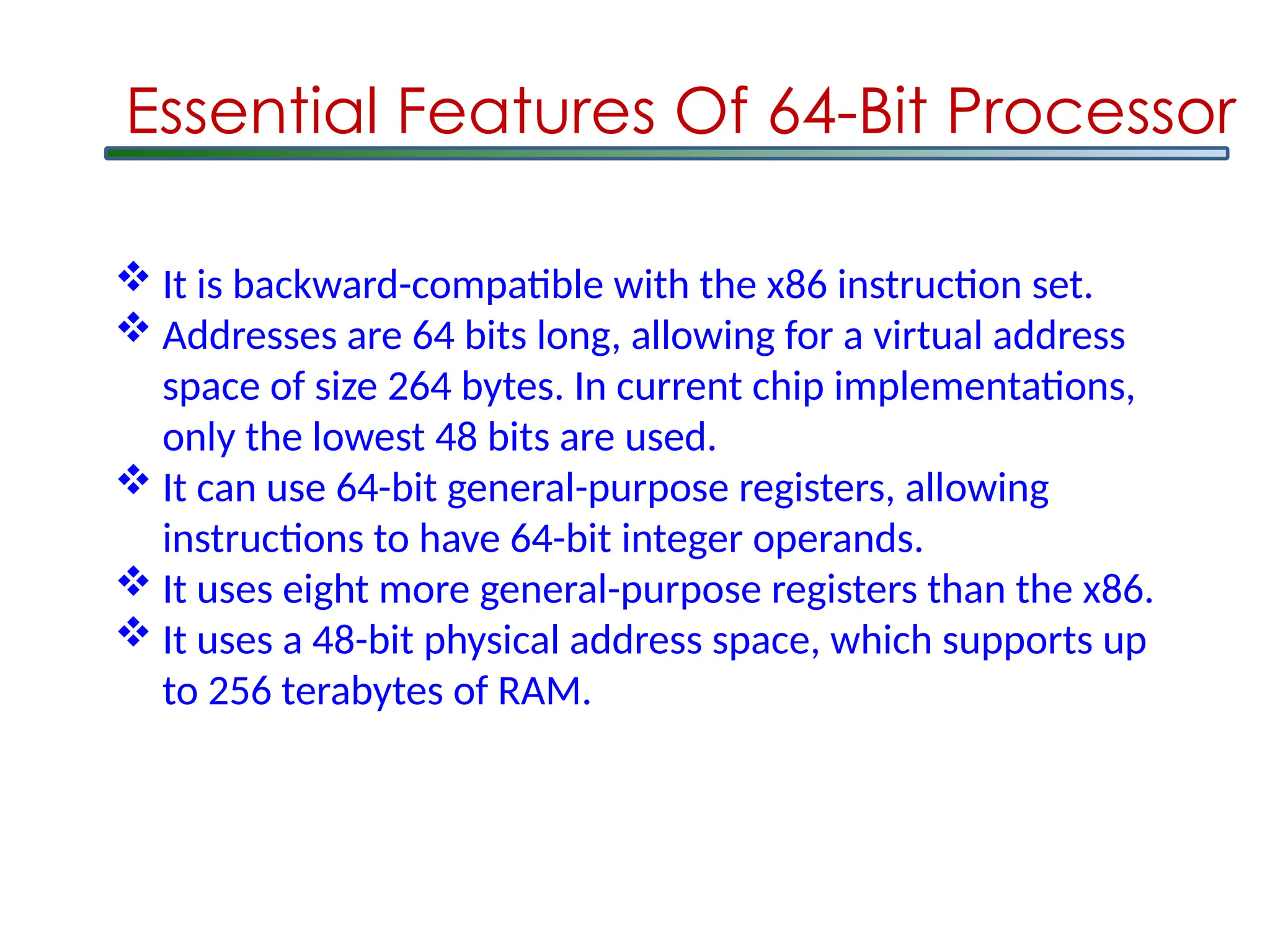
It isbackward-compatible with the x86 instruction set.
Addresses are 64 bits long, allowing for a virtual address
space of size 264 bytes. In current chip implementations,
only the lowest 48 bits are used.
It can use 64-bit general-purpose registers, allowing
instructions to have 64-bit integer operands.
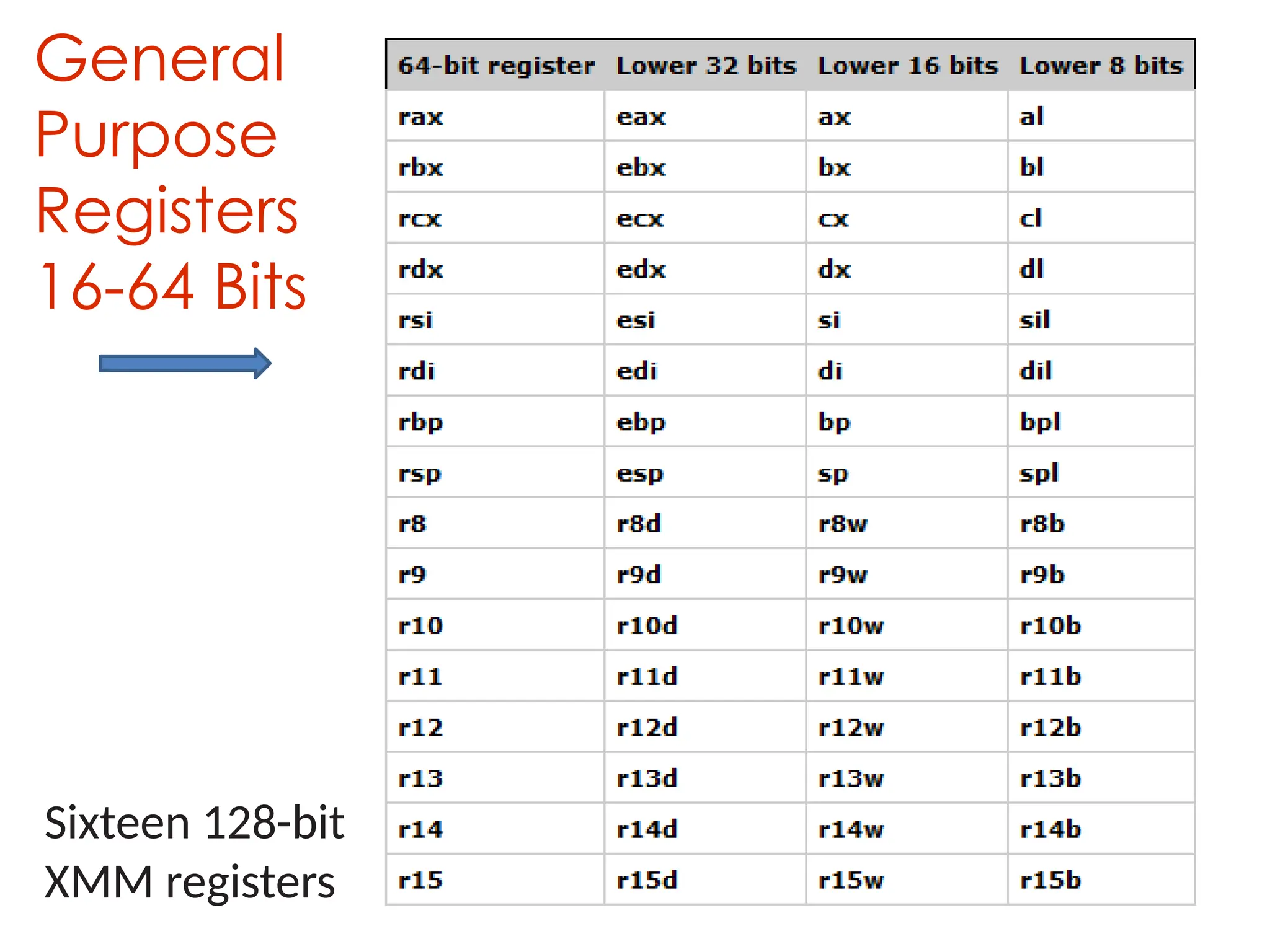
It uses eight more general-purpose registers than the x86.
It uses a 48-bit physical address space, which supports up
to 256 terabytes of RAM.
Essential Features Of 64-Bit Processor
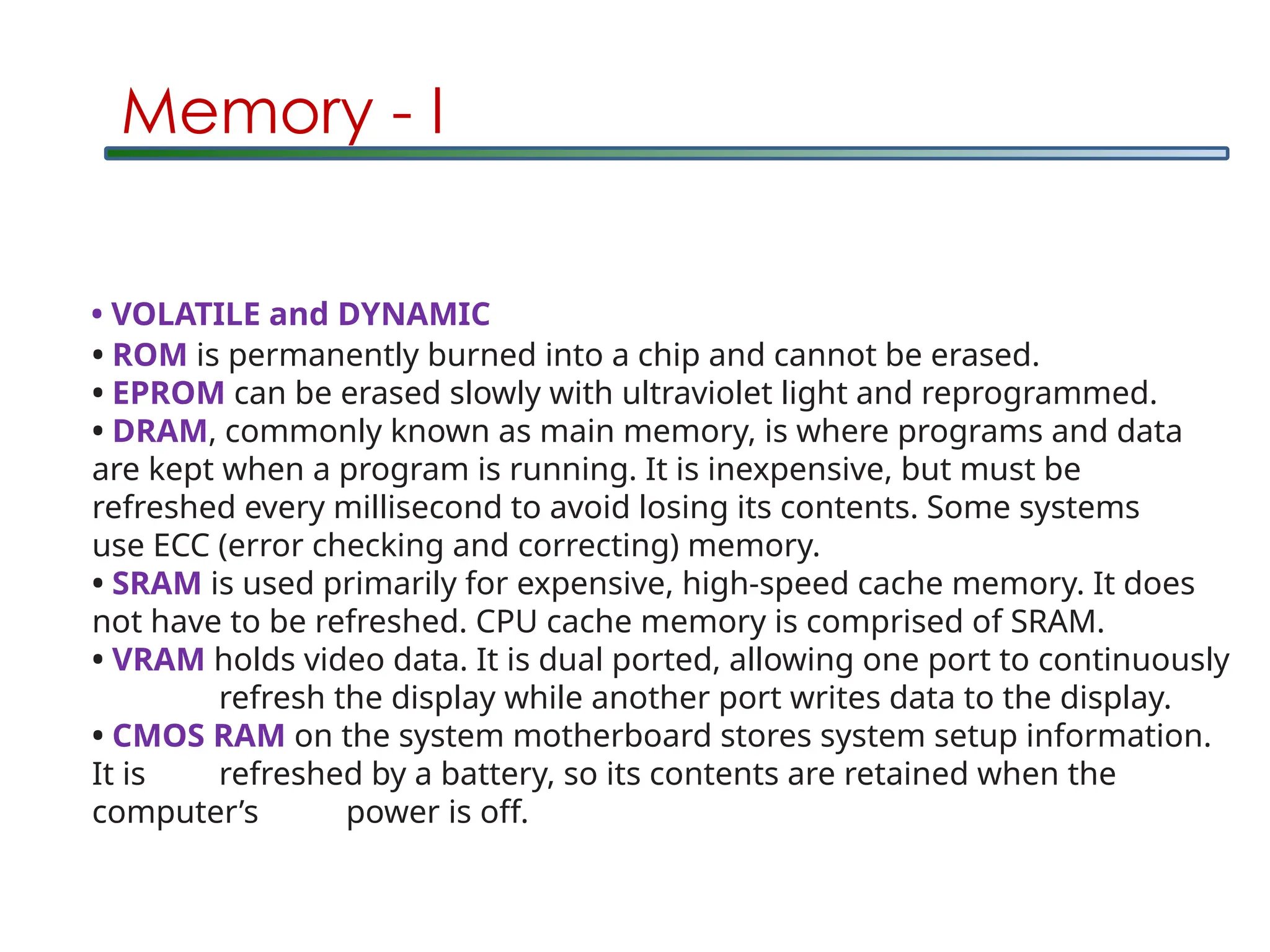
Memory - I
•ROM is permanently burned into a chip and cannot be erased.
• EPROM can be erased slowly with ultraviolet light and reprogrammed.
• DRAM, commonly known as main memory, is where programs and data
are kept when a program is running. It is inexpensive, but must be
refreshed every millisecond to avoid losing its contents. Some systems
use ECC (error checking and correcting) memory.
• SRAM is used primarily for expensive, high-speed cache memory. It does
not have to be refreshed. CPU cache memory is comprised of SRAM.
• VRAM holds video data. It is dual ported, allowing one port to continuously
refresh the display while another port writes data to the display.
• CMOS RAM on the system motherboard stores system setup information.
It is refreshed by a battery, so its contents are retained when the
computer’s power is off.
• VOLATILE and DYNAMIC
37.
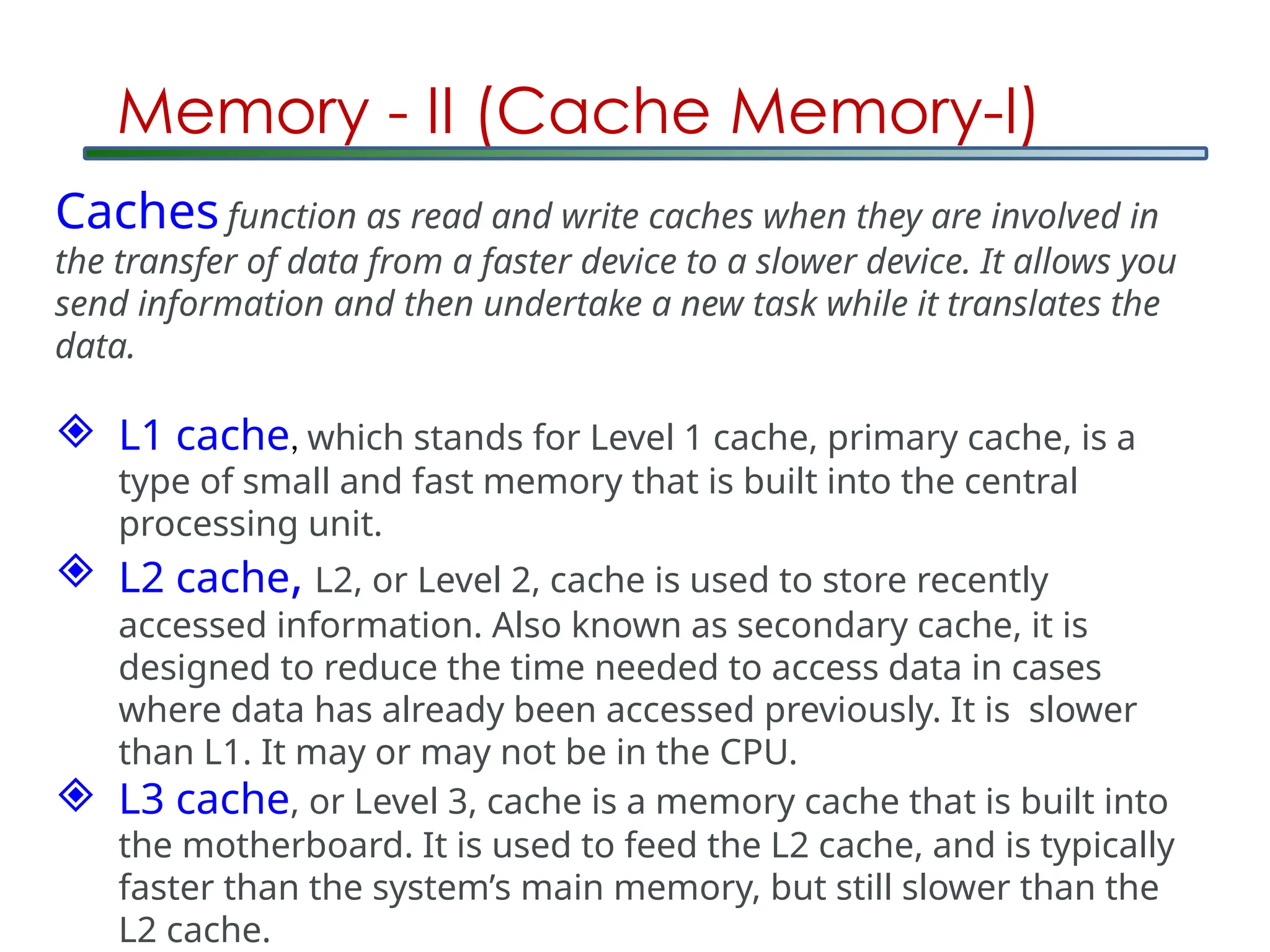
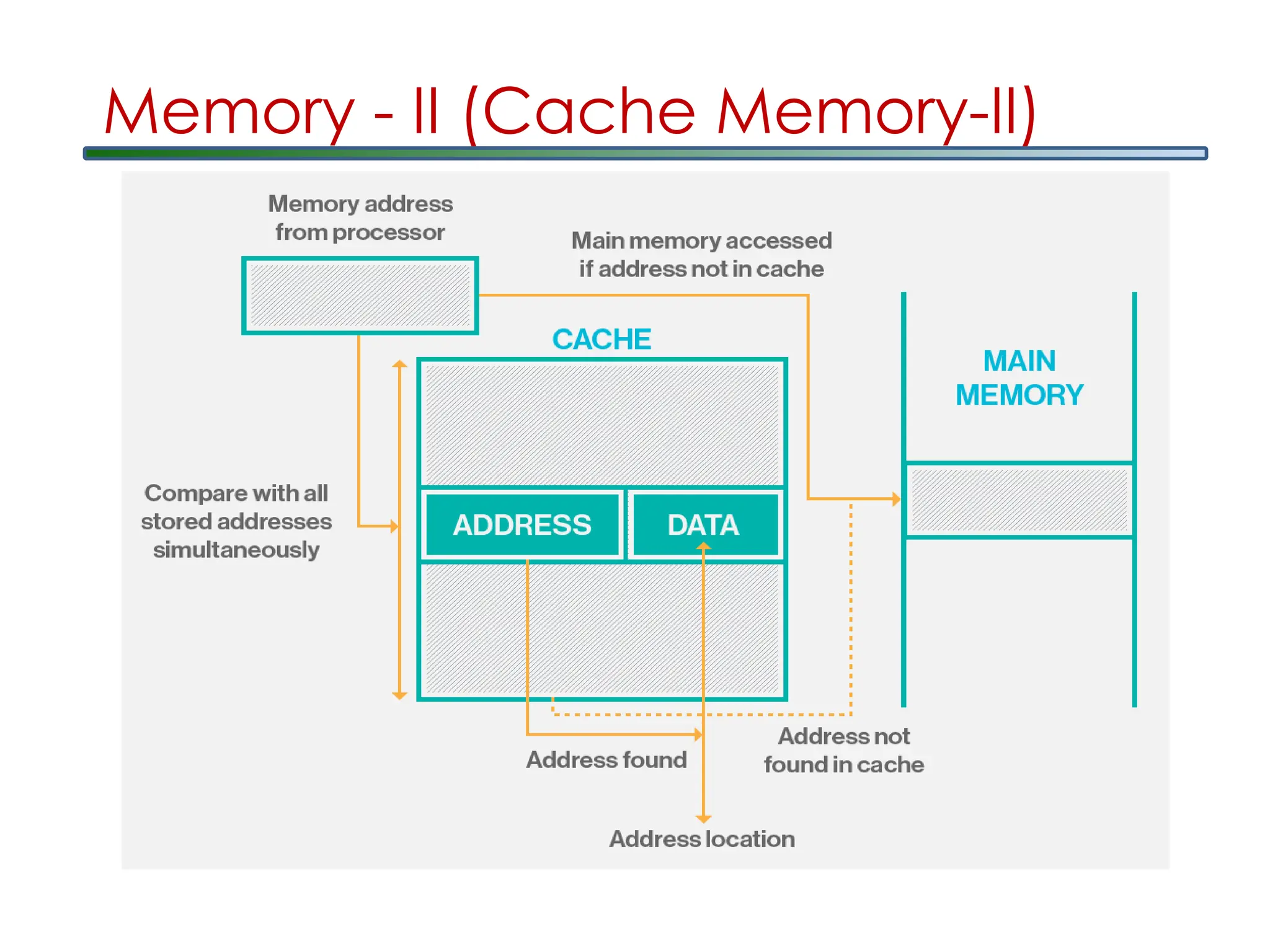
Memory - II(Cache Memory-I)
Caches function as read and write caches when they are involved in
the transfer of data from a faster device to a slower device. It allows you
send information and then undertake a new task while it translates the
data.
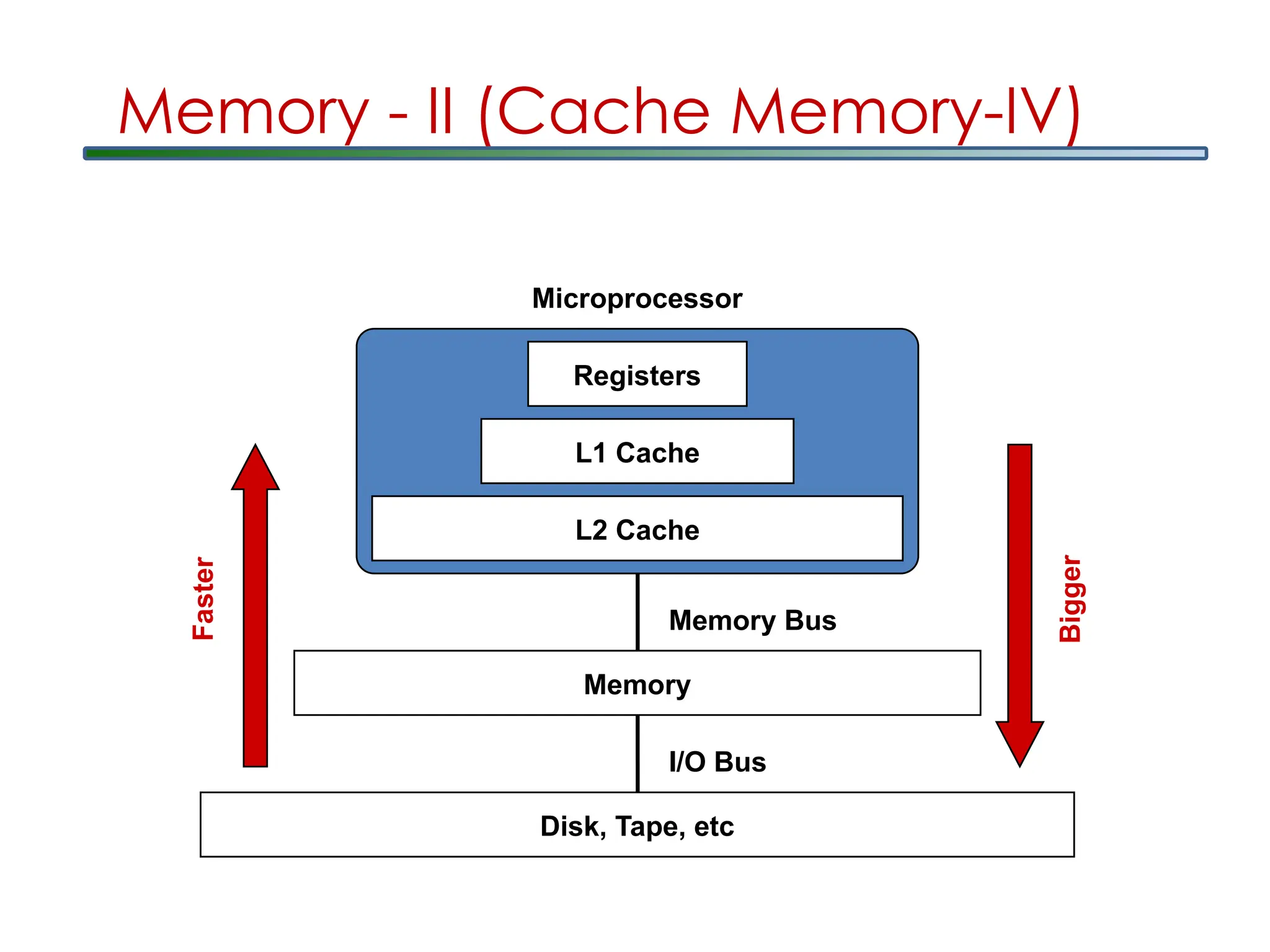
L1 cache, which stands for Level 1 cache, primary cache, is a
type of small and fast memory that is built into the central
processing unit.
L2 cache, L2, or Level 2, cache is used to store recently
accessed information. Also known as secondary cache, it is
designed to reduce the time needed to access data in cases
where data has already been accessed previously. It is slower
than L1. It may or may not be in the CPU.
L3 cache, or Level 3, cache is a memory cache that is built into
the motherboard. It is used to feed the L2 cache, and is typically
faster than the system’s main memory, but still slower than the
L2 cache.
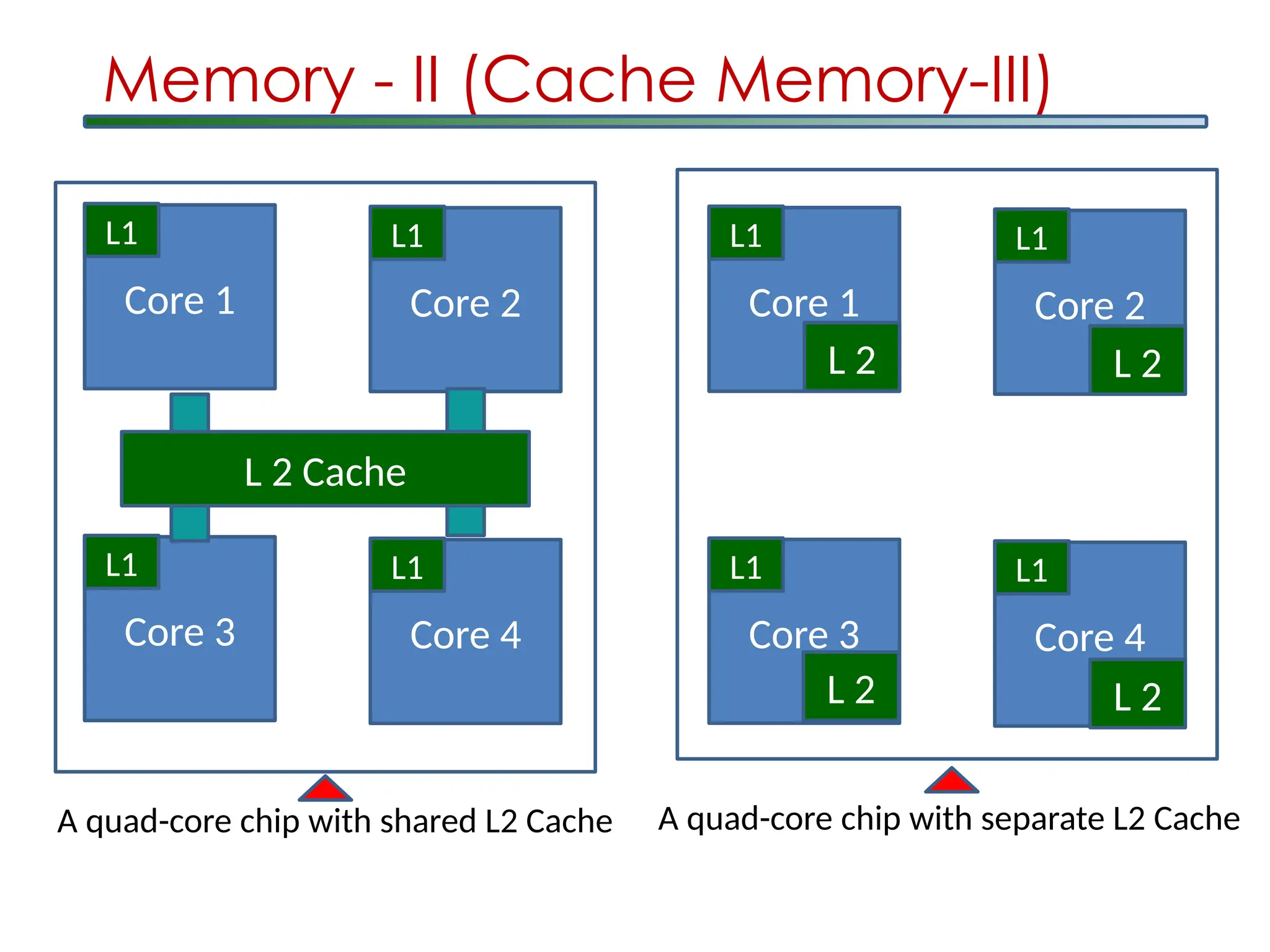
Core 1
L1
Core 2
L1
Core3
L1
Core 4
L1
L 2 Cache
Core 1
L1
Core 2
L1
Core 3
L1
Core 4
L1
L 2 L 2
L 2 L 2
A quad-core chip with shared L2 Cache A quad-core chip with separate L2 Cache
Memory - II (Cache Memory-III)
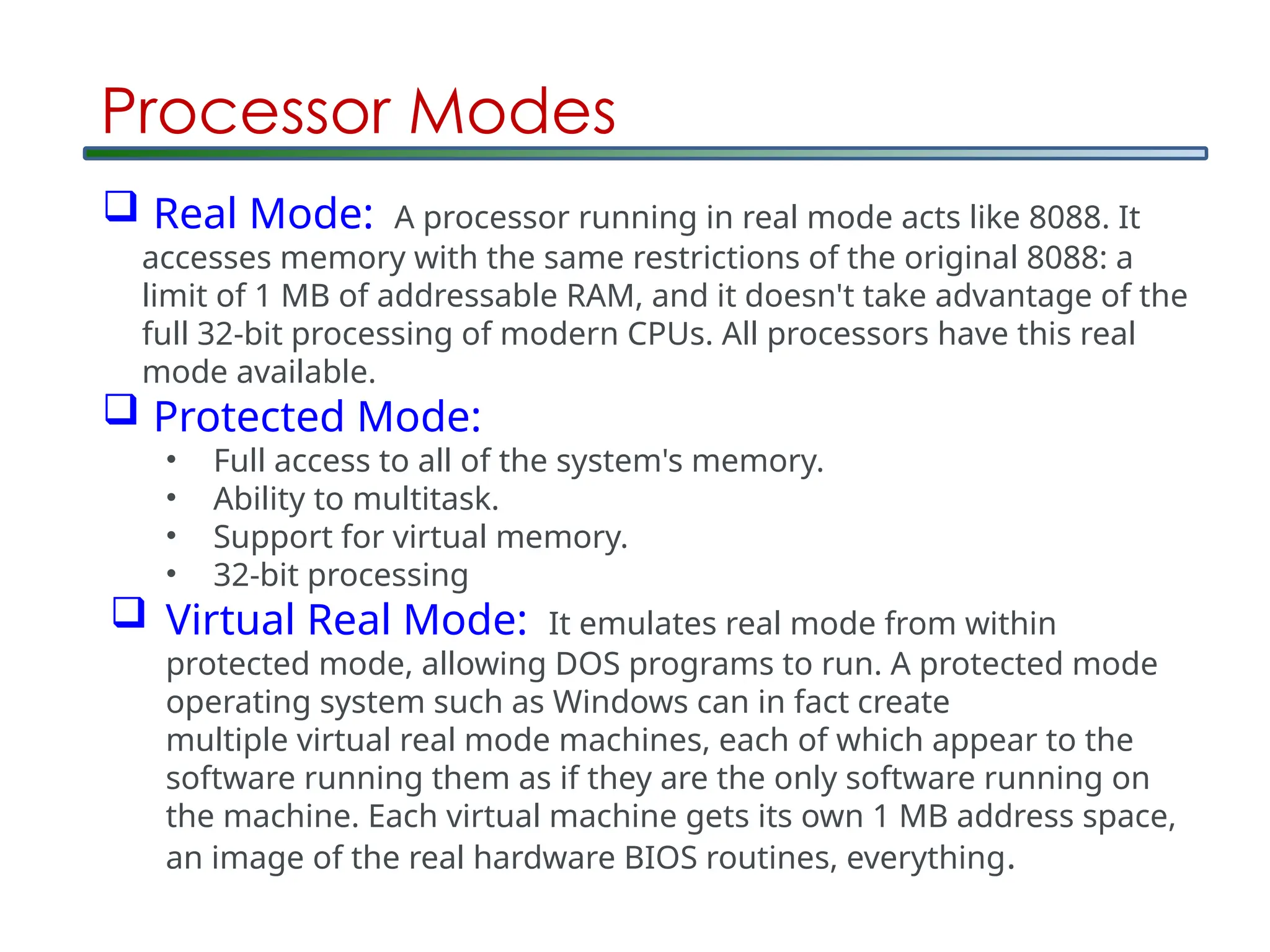
Processor Modes
RealMode: A processor running in real mode acts like 8088. It
accesses memory with the same restrictions of the original 8088: a
limit of 1 MB of addressable RAM, and it doesn't take advantage of the
full 32-bit processing of modern CPUs. All processors have this real
mode available.
Protected Mode:
• Full access to all of the system's memory.
• Ability to multitask.
• Support for virtual memory.
• 32-bit processing
Virtual Real Mode: It emulates real mode from within
protected mode, allowing DOS programs to run. A protected mode
operating system such as Windows can in fact create
multiple virtual real mode machines, each of which appear to the
software running them as if they are the only software running on
the machine. Each virtual machine gets its own 1 MB address space,
an image of the real hardware BIOS routines, everything.
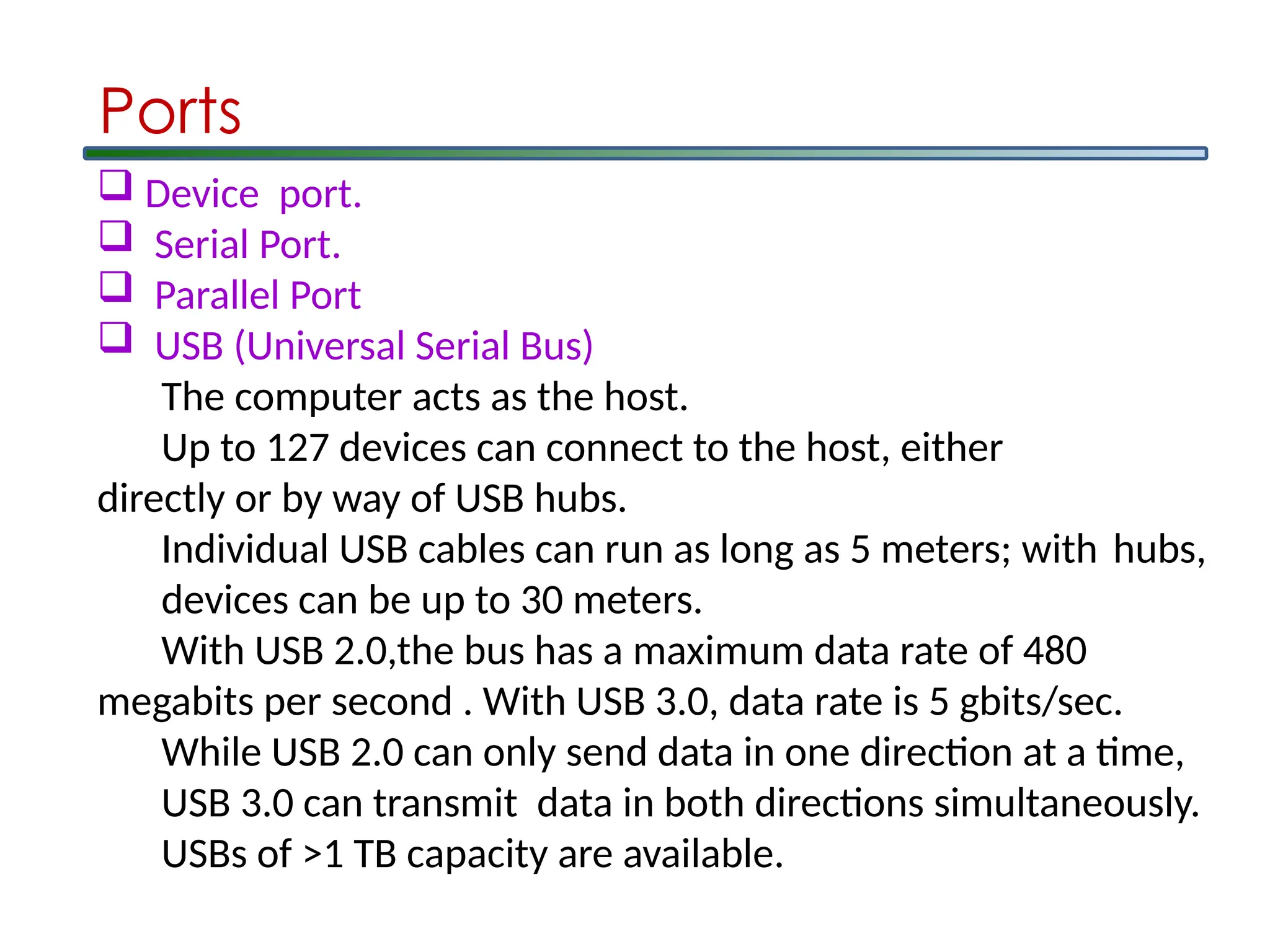
Device port.
Serial Port.
Parallel Port
USB (Universal Serial Bus)
The computer acts as the host.
Up to 127 devices can connect to the host, either
directly or by way of USB hubs.
Individual USB cables can run as long as 5 meters; with hubs,
devices can be up to 30 meters.
With USB 2.0,the bus has a maximum data rate of 480
megabits per second . With USB 3.0, data rate is 5 gbits/sec.
While USB 2.0 can only send data in one direction at a time,
USB 3.0 can transmit data in both directions simultaneously.
USBs of >1 TB capacity are available.
Ports
45.
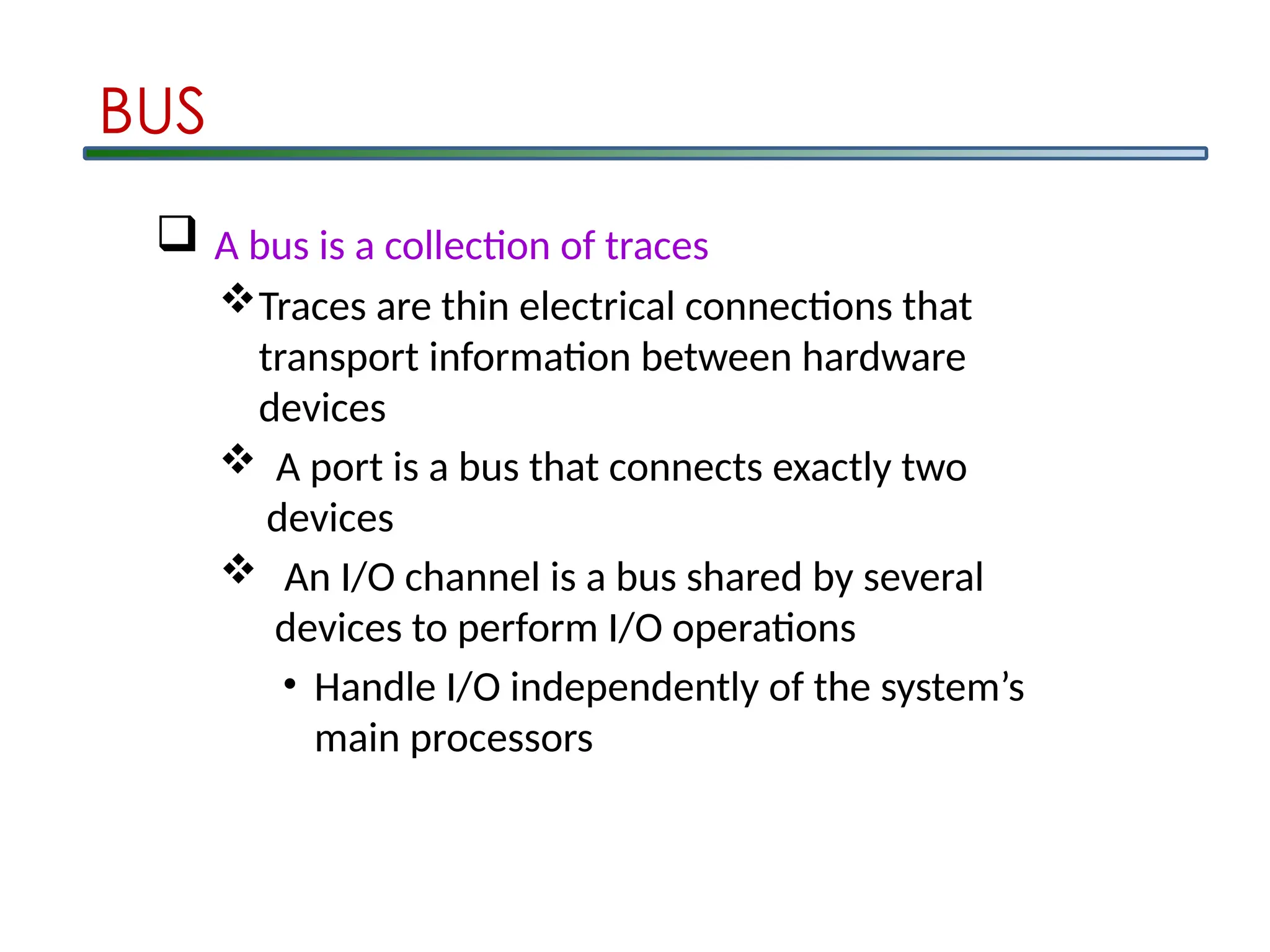
A busis a collection of traces
Traces are thin electrical connections that
transport information between hardware
devices
A port is a bus that connects exactly two
devices
An I/O channel is a bus shared by several
devices to perform I/O operations
• Handle I/O independently of the system’s
main processors
BUS
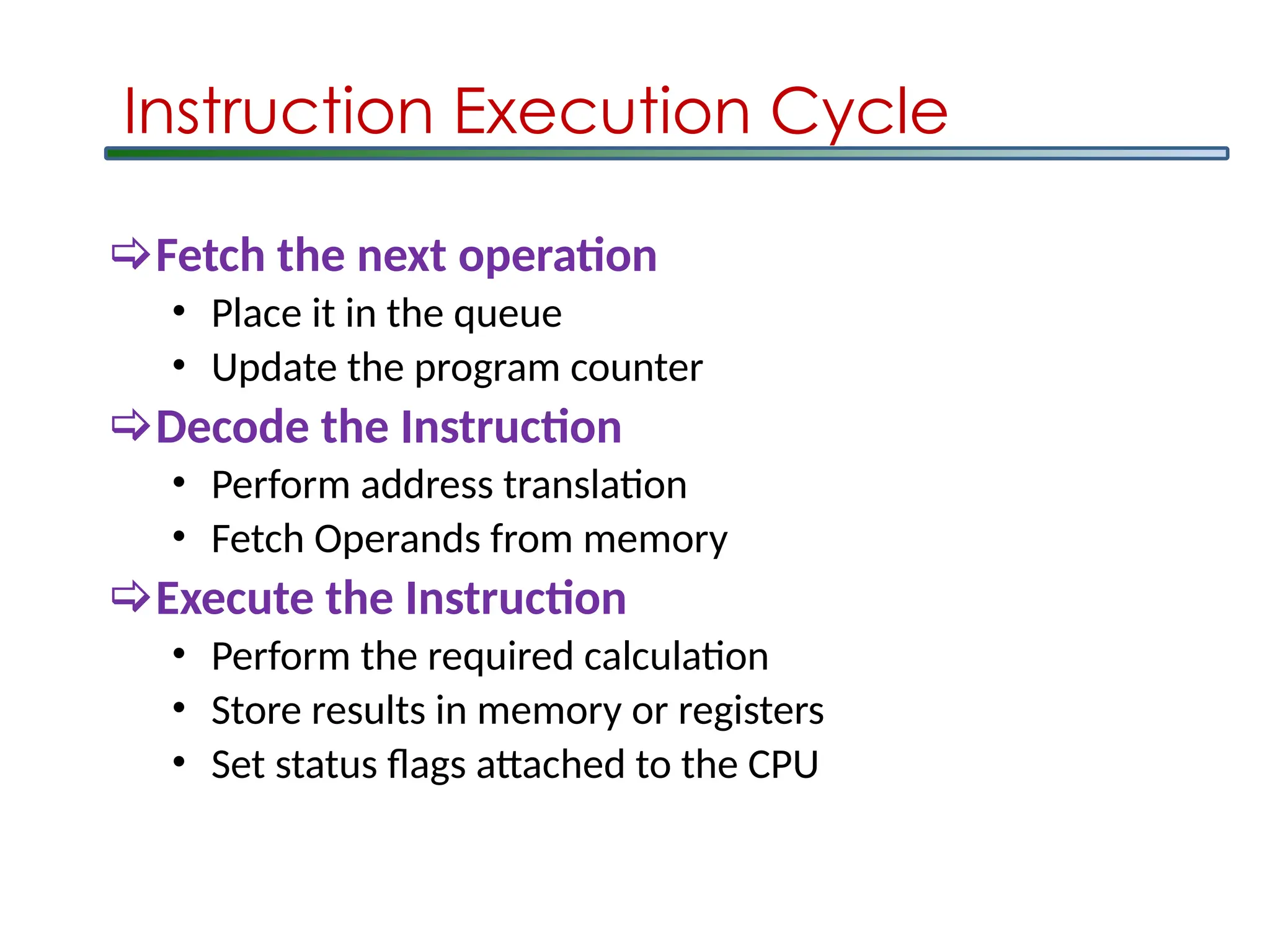
Instruction Execution Cycle
Fetchthe next operation
• Place it in the queue
• Update the program counter
Decode the Instruction
• Perform address translation
• Fetch Operands from memory
Execute the Instruction
• Perform the required calculation
• Store results in memory or registers
• Set status flags attached to the CPU
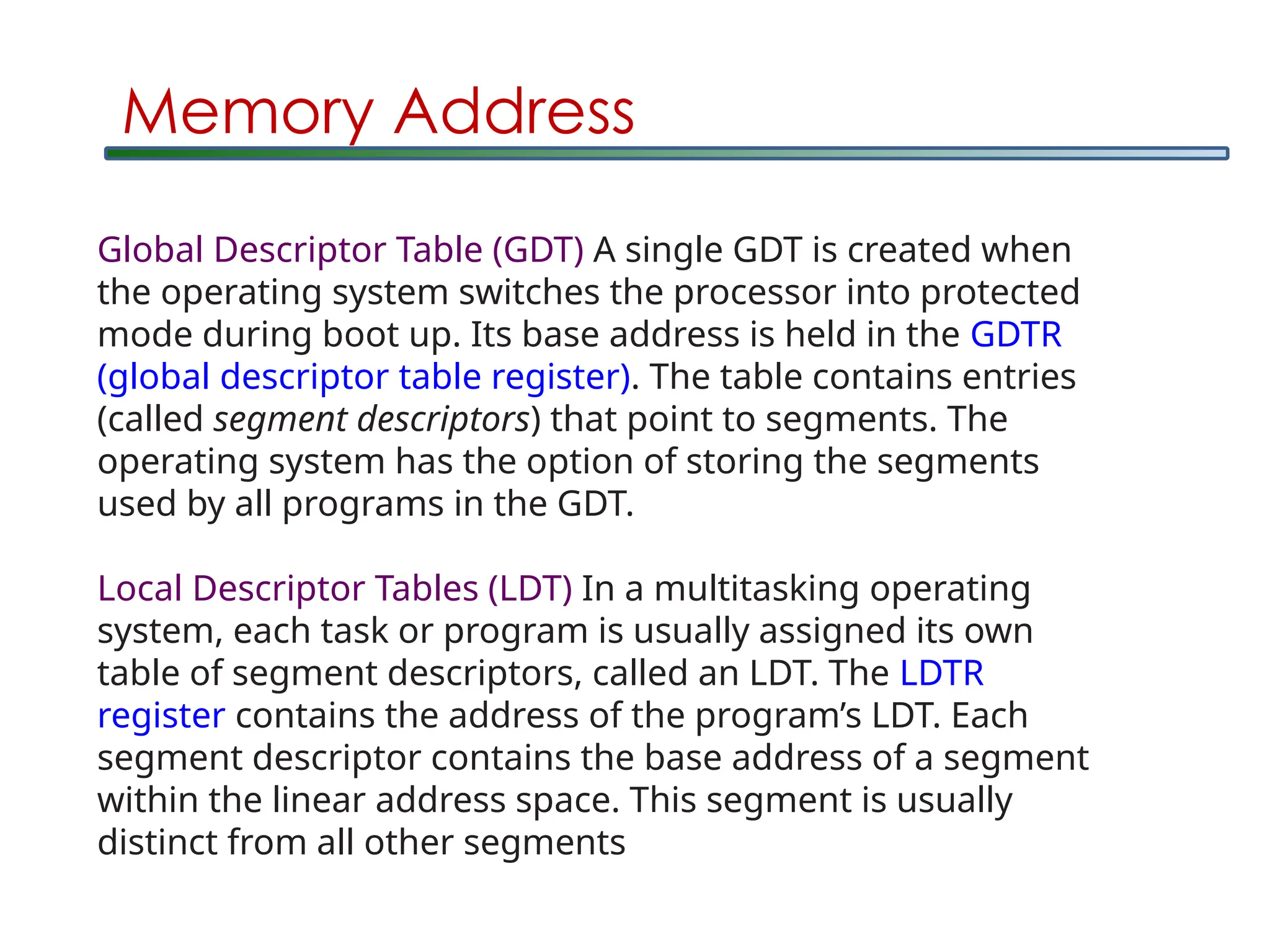
Global Descriptor Table(GDT) A single GDT is created when
the operating system switches the processor into protected
mode during boot up. Its base address is held in the GDTR
(global descriptor table register). The table contains entries
(called segment descriptors) that point to segments. The
operating system has the option of storing the segments
used by all programs in the GDT.
Local Descriptor Tables (LDT) In a multitasking operating
system, each task or program is usually assigned its own
table of segment descriptors, called an LDT. The LDTR
register contains the address of the program’s LDT. Each
segment descriptor contains the base address of a segment
within the linear address space. This segment is usually
distinct from all other segments
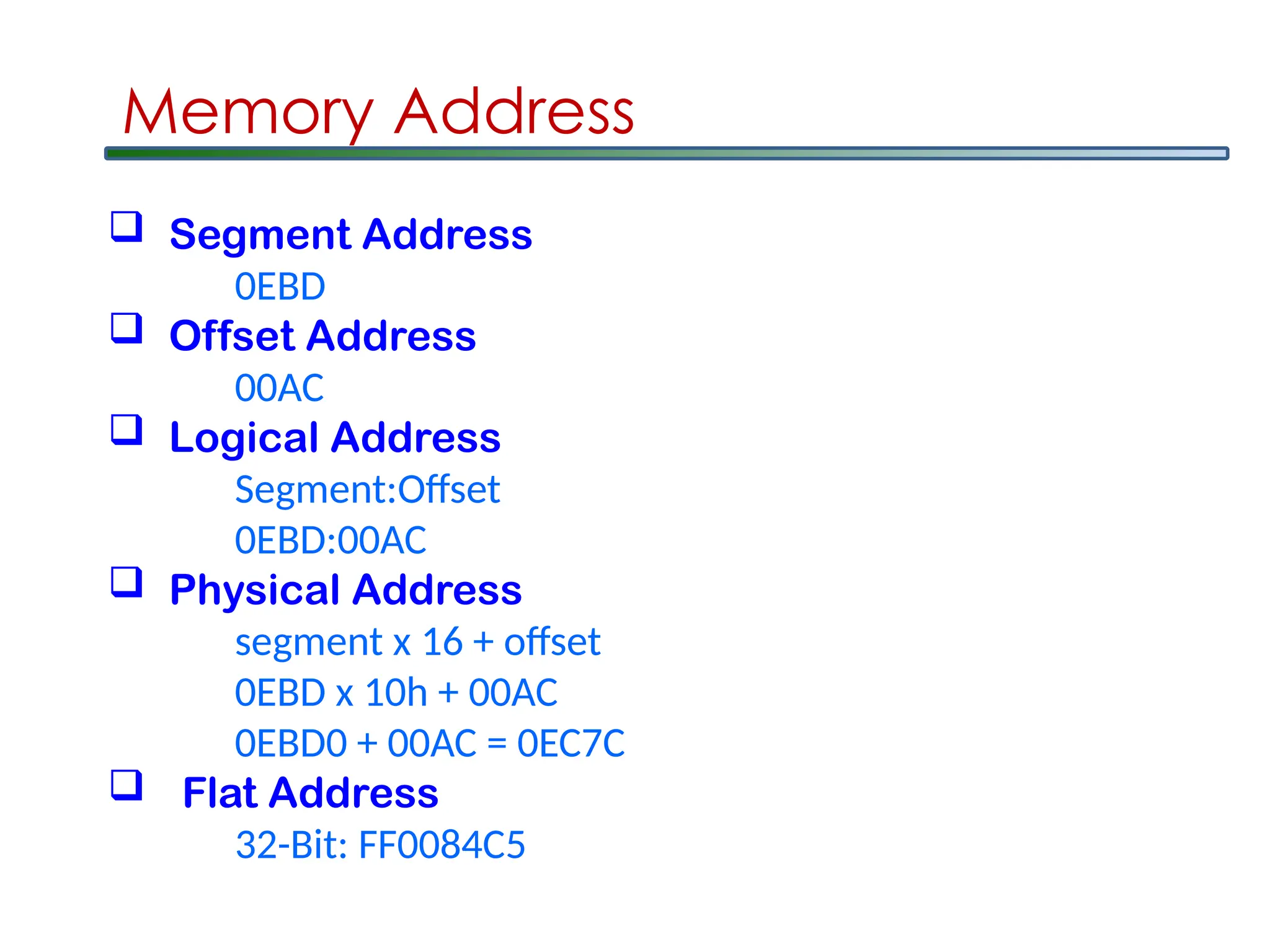
Memory Address
50.
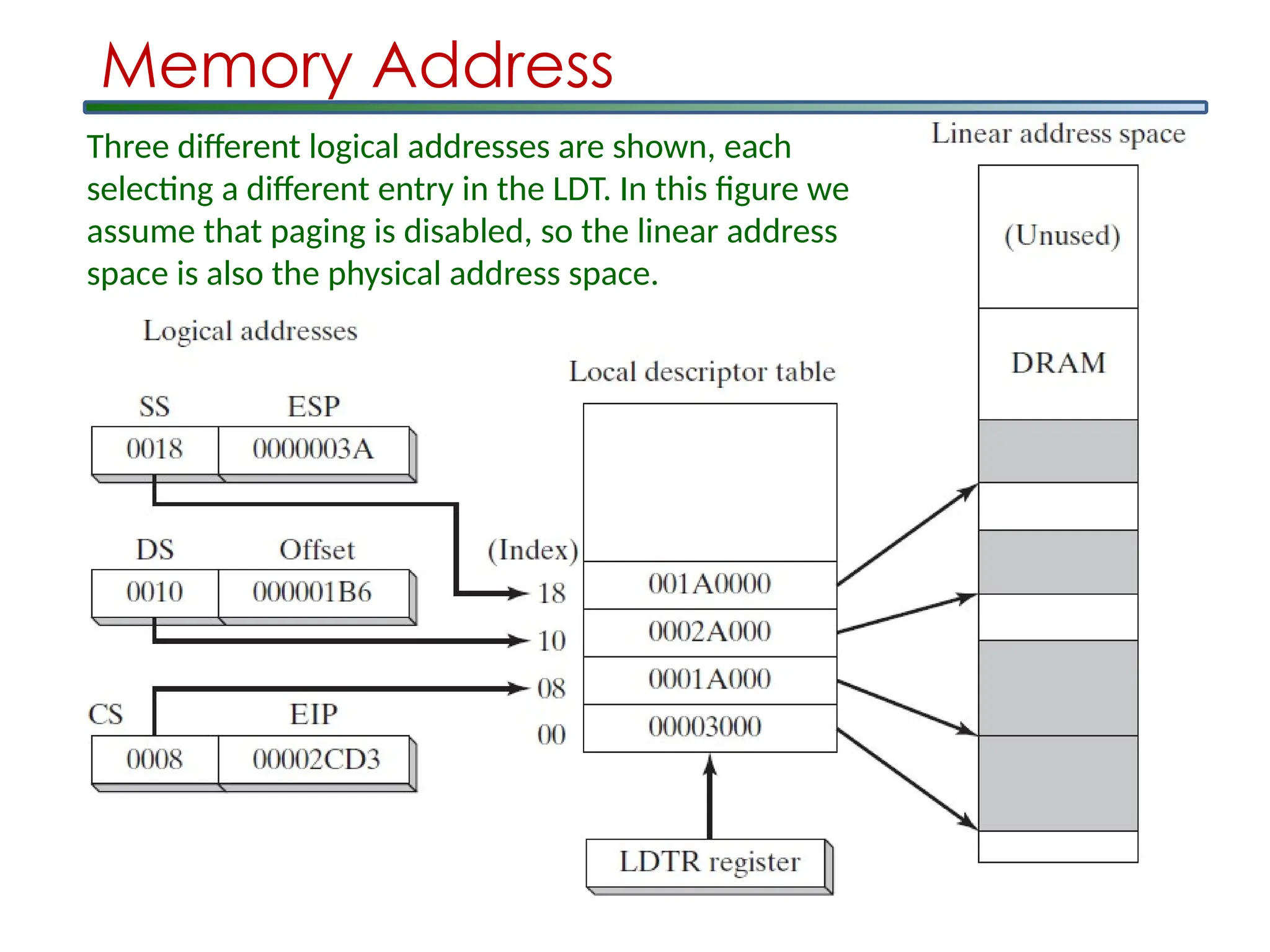
Memory Address
Three differentlogical addresses are shown, each
selecting a different entry in the LDT. In this figure we
assume that paging is disabled, so the linear address
space is also the physical address space.
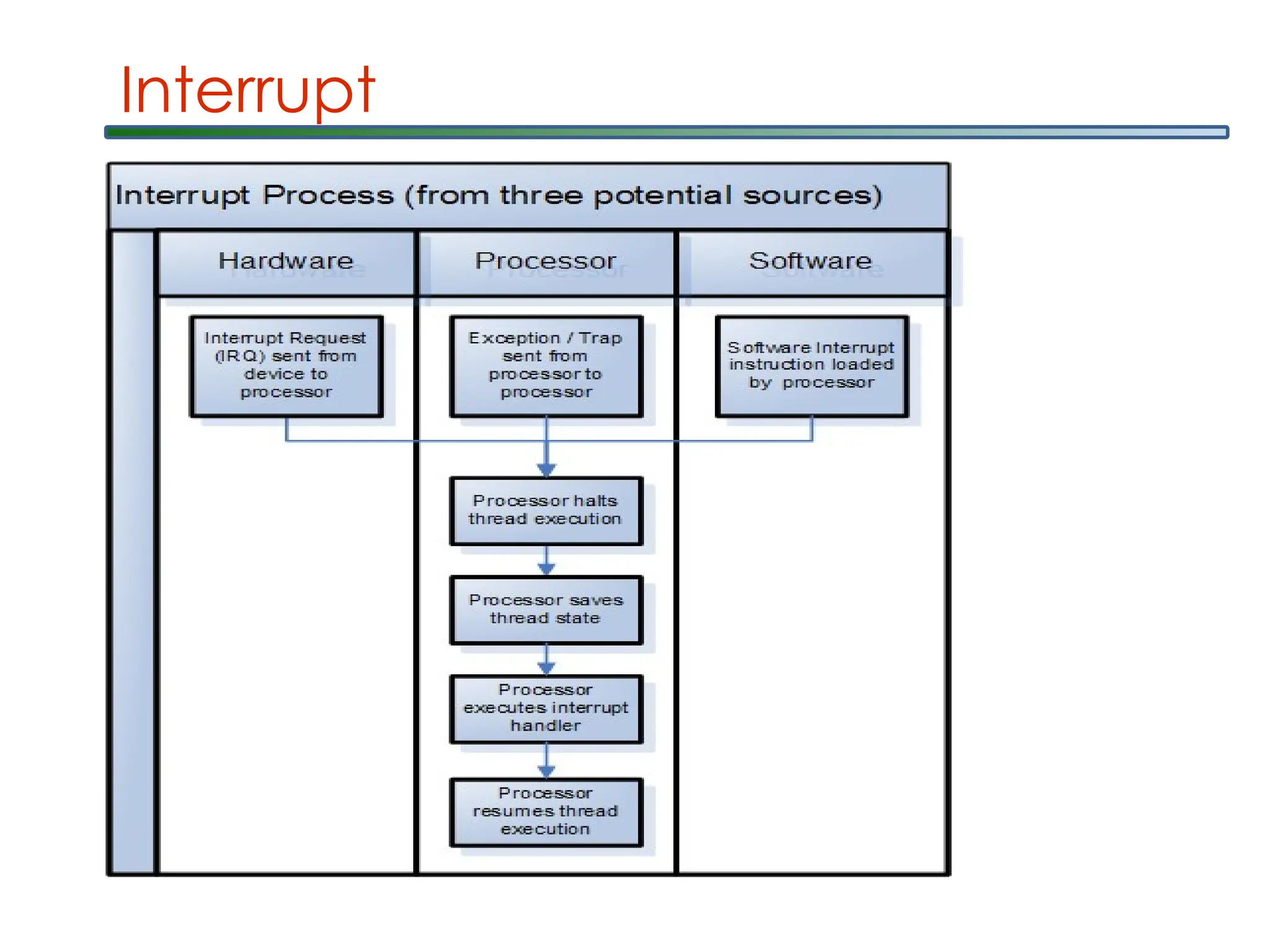
Interrupts
An interrupt isa signal to
the processor emitted by hardware or software
indicating an event that needs immediate
attention. An interrupt alerts the processor to
a high-priority condition requiring the
interruption of the current code the processor
is executing. The processor responds by
suspending its current activities, saving
its state, and executing a function called
an interrupt handler (or an interrupt service
routine, ISR) to deal with the event. This
interruption is temporary, and, after the
interrupt handler finishes, the processor
resumes normal activities.
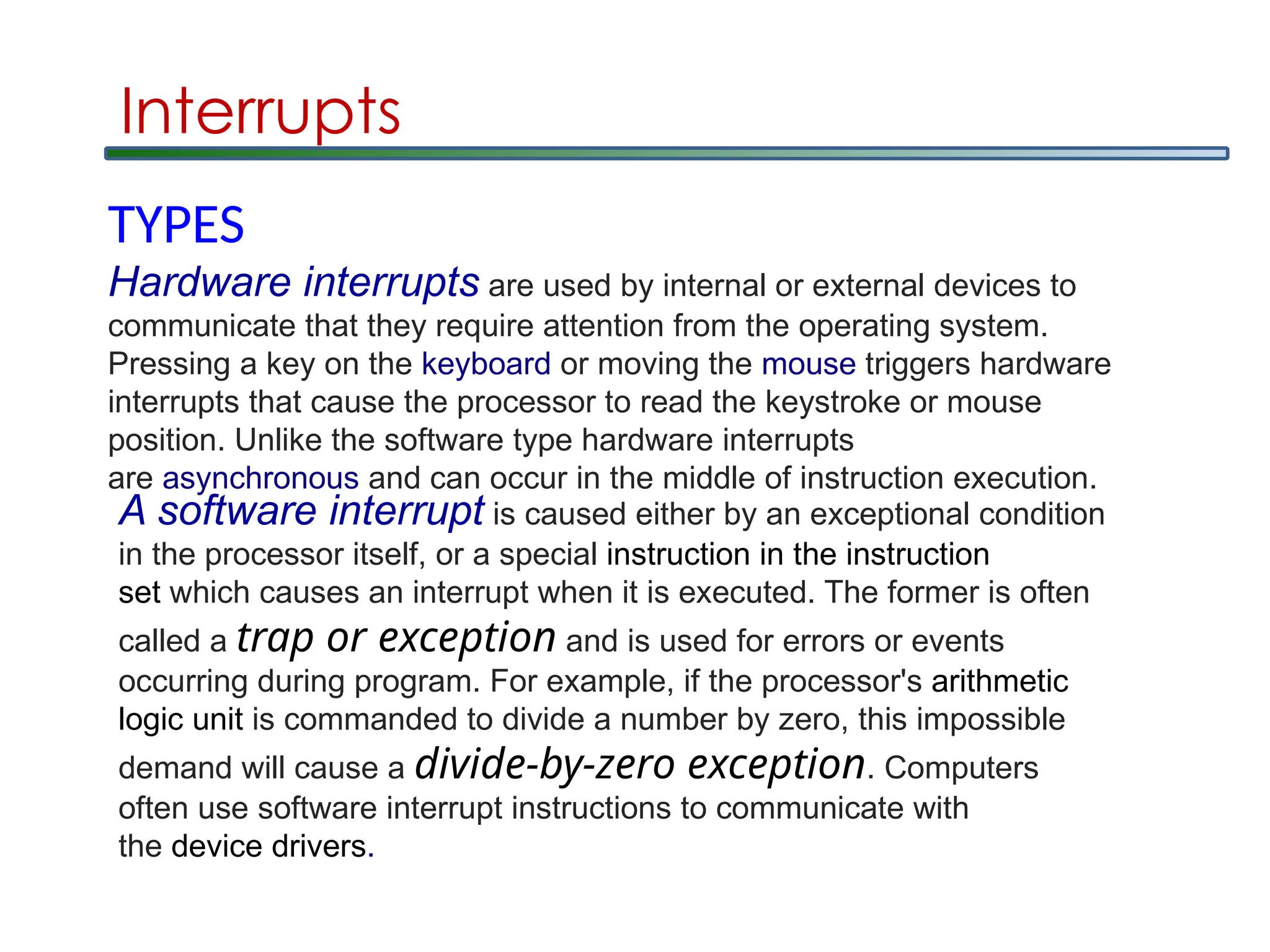
Interrupts
TYPES
Hardware interrupts areused by internal or external devices to
communicate that they require attention from the operating system.
Pressing a key on the keyboard or moving the mouse triggers hardware
interrupts that cause the processor to read the keystroke or mouse
position. Unlike the software type hardware interrupts
are asynchronous and can occur in the middle of instruction execution.
A software interrupt is caused either by an exceptional condition
in the processor itself, or a special instruction in the instruction
set which causes an interrupt when it is executed. The former is often
called a trap or exception and is used for errors or events
occurring during program. For example, if the processor's arithmetic
logic unit is commanded to divide a number by zero, this impossible
demand will cause a divide-by-zero exception. Computers
often use software interrupt instructions to communicate with
the device drivers.
55.
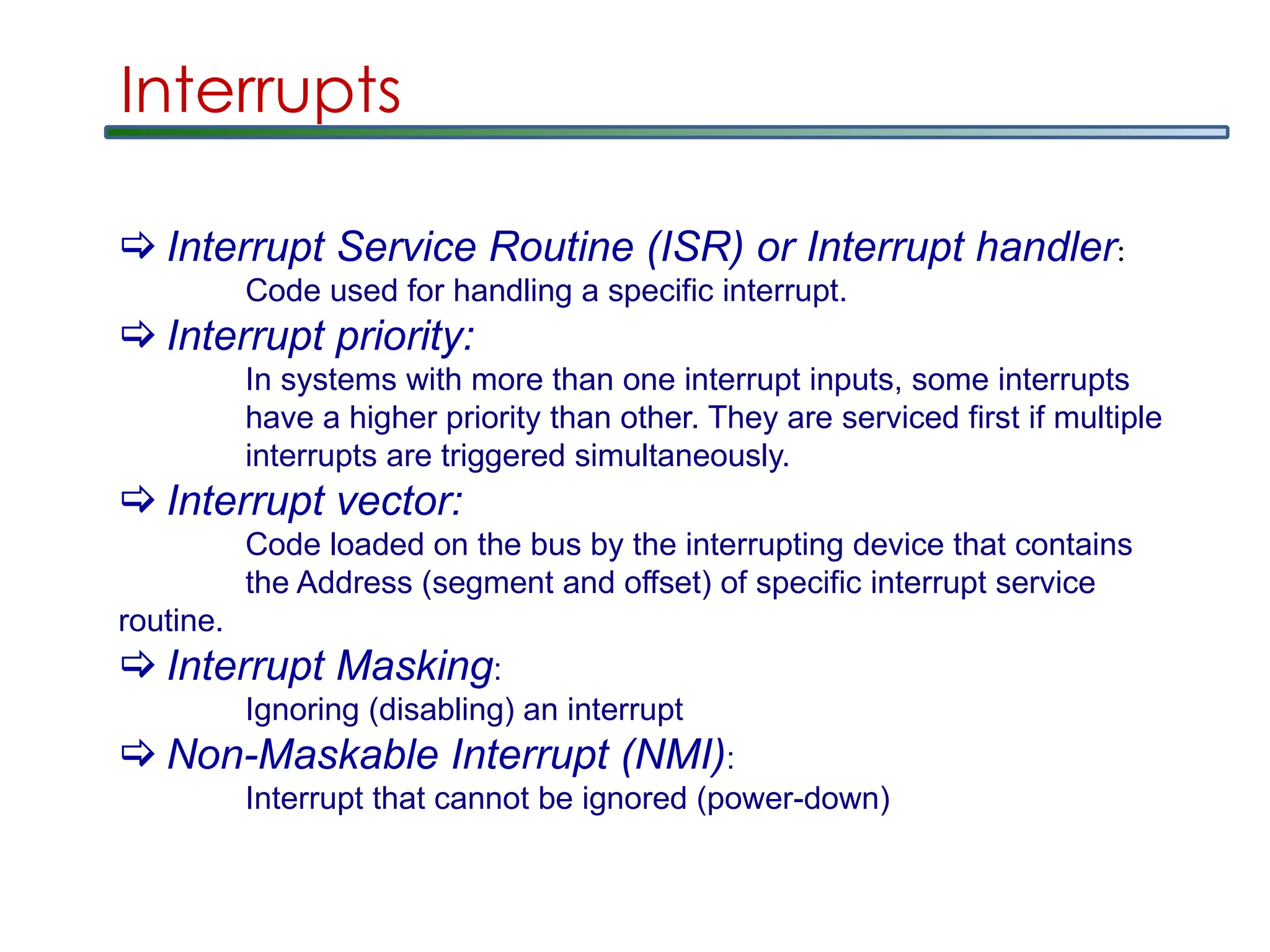
Interrupts
Interrupt ServiceRoutine (ISR) or Interrupt handler:
Code used for handling a specific interrupt.
Interrupt priority:
In systems with more than one interrupt inputs, some interrupts
have a higher priority than other. They are serviced first if multiple
interrupts are triggered simultaneously.
Interrupt vector:
Code loaded on the bus by the interrupting device that contains
the Address (segment and offset) of specific interrupt service
routine.
Interrupt Masking:
Ignoring (disabling) an interrupt
Non-Maskable Interrupt (NMI):
Interrupt that cannot be ignored (power-down)
56.
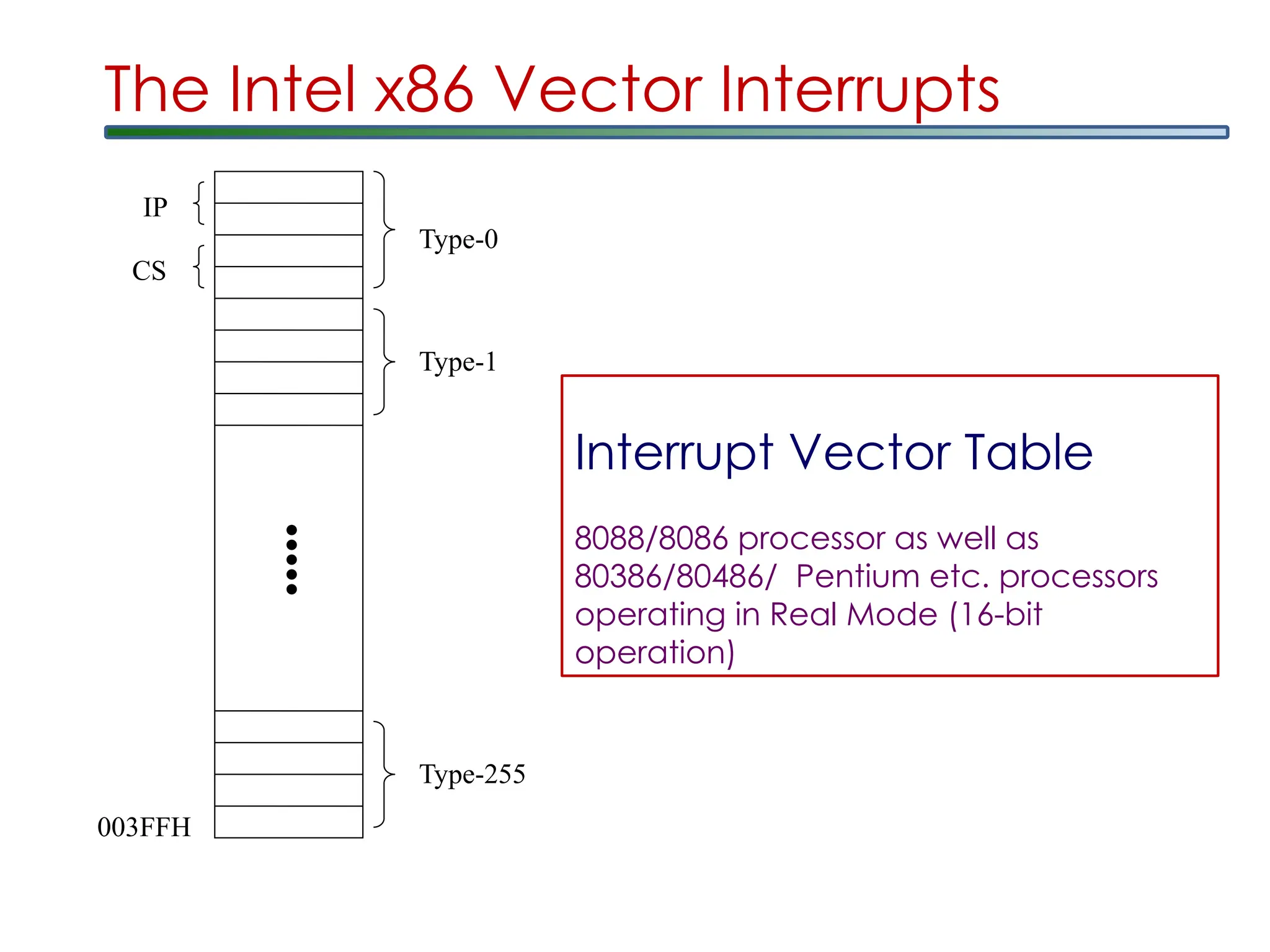
The Intel x86Vector Interrupts
The processor uses the interrupt vector to determine the address of the
ISR of the interrupting device.
The interrupt vector is a pointer to the Interrupt Vector Table.
The Interrupt Vector Table occupies the address range from
00000H to 003FFH (the first 1024 bytes in the memory map).
Each entry in the Interrupt Vector Table is 4 bytes long:
The first two represent the offset address and the last two the
segment address of the ISR.
The first 5 vectors are reserved by Intel to be used by the
processor.
The vectors 5 to 255 are free to be used by the user.
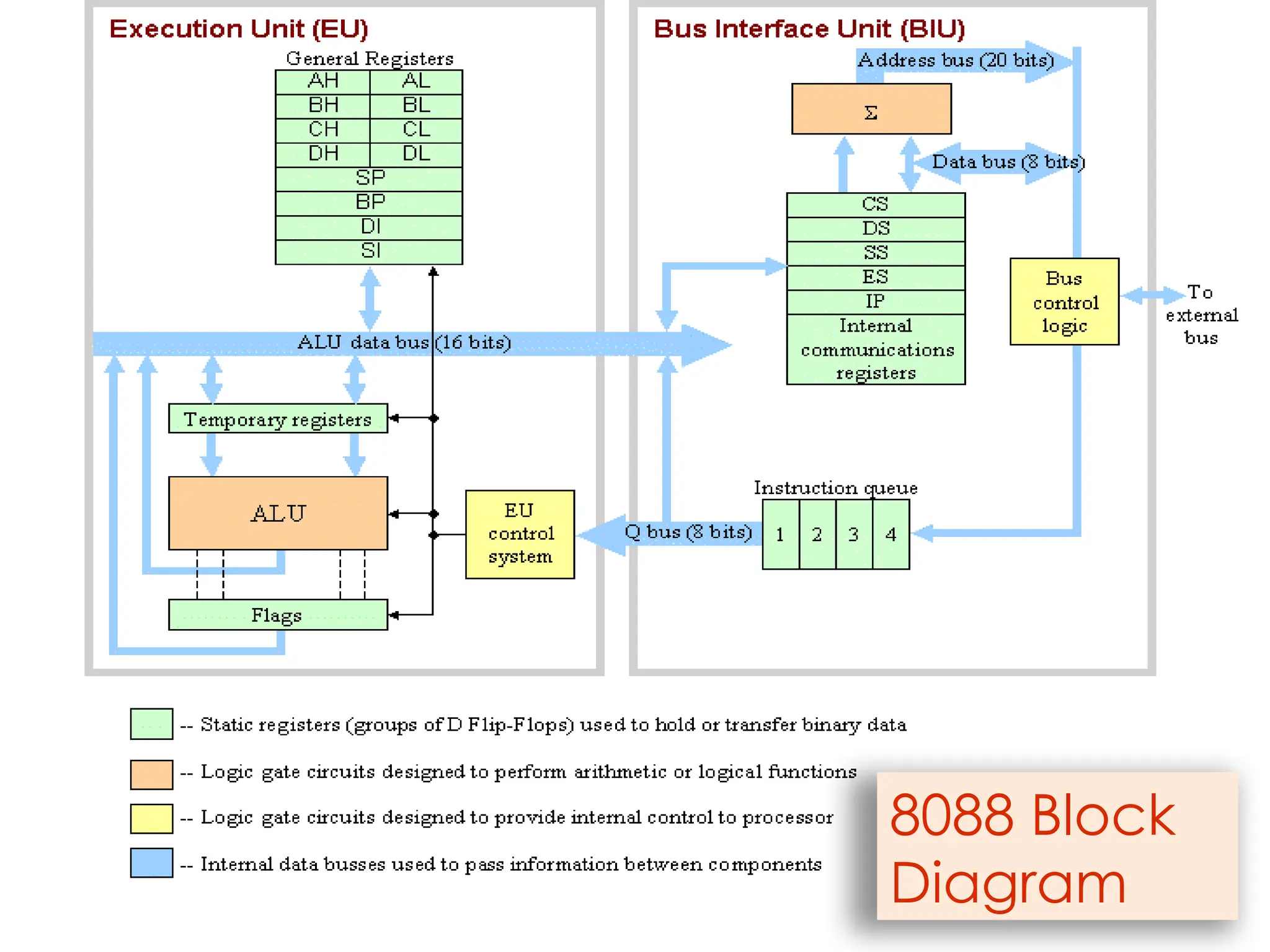
8088/8086 processor as well as 80386/80486/
Pentium etc. processors operating in Real Mode
(16-bit operation)



![Chap 02[1]](https://cdn.slidesharecdn.com/ss_thumbnails/chap021-140914002518-phpapp01-thumbnail.jpg?width=640&height=640&fit=bounds)


