Spatial Data and Microsoft
Azure SQL Database
Dealing with Spatial Data in Microsoft Azure
Azure SQL Database and Geospatial support
Mihail Mateev
Senior Technical Evangelist, Evangeism & Community Lead @ Infragistics
Welcome!
About me
• Mihail Mateev is a Senior Technical
Evangelist, Team Lead at Infragistics Inc.,
Community Lead for Europe, PASS CEE
Regional Mentor,
Microsoft Azure MVP
• Mihail works in various areas related to
Microsoft technologies : Silverlight, WPF,
WP, LightSwitch, WCF, ASP.Net MVC,, MS
SQL Server and Microsoft Azure
• More than 5 years GIS consultant and
developer @ ESRI
Agenda
• What is Spatial Data
• Spatial Reference System
• Geospatial Features
• Spatial Data Types
• Creating Spatial Data
• Import Spatial Data
• Windows Azure SQL Database Architecture
• Migrating Spatial Data to SQL Azure
• Using Spatial Data in Windows Azure SQL Database
What is Spatial Data
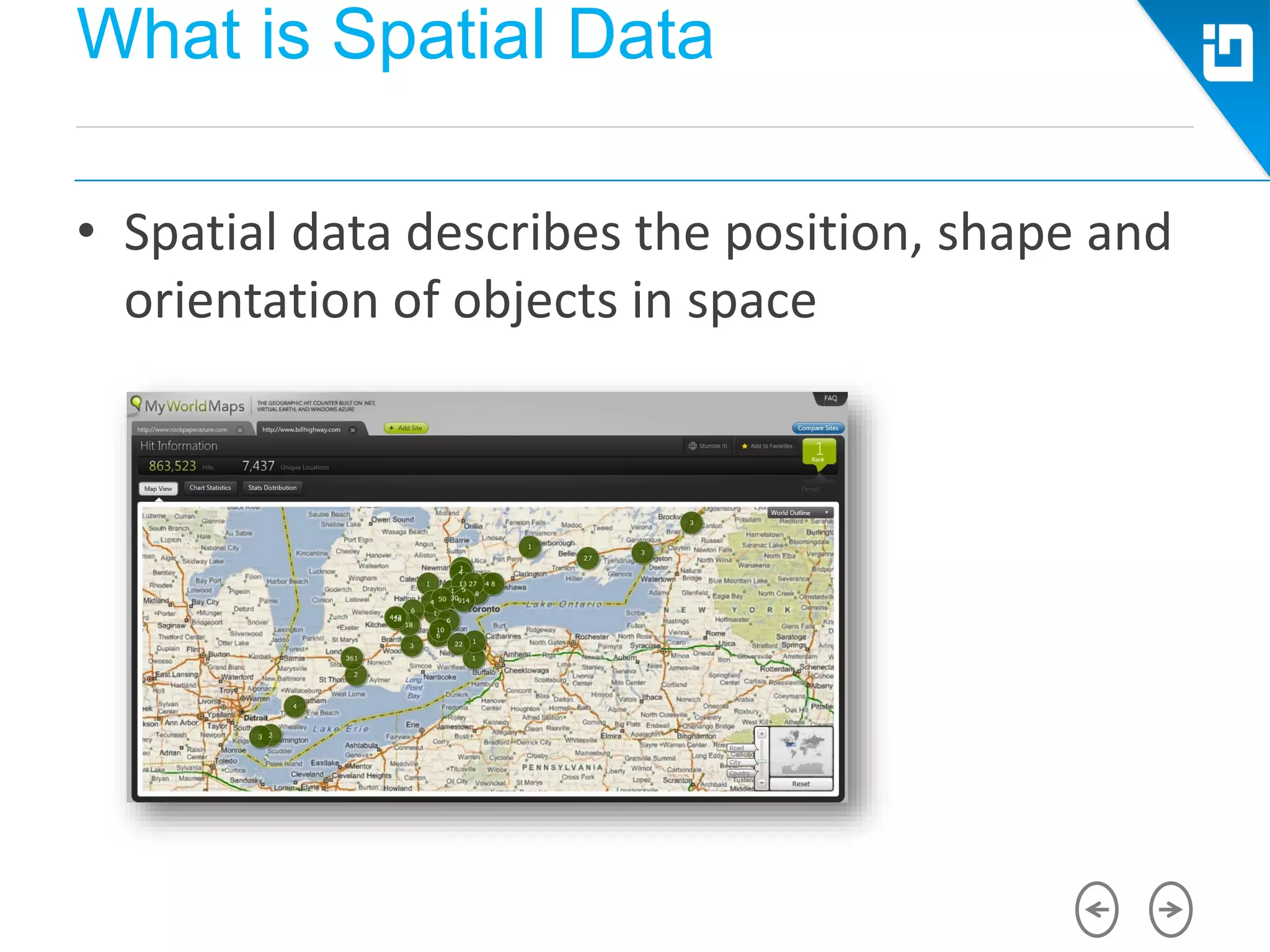
• Spatial data describes the position, shape and
orientation of objects in space
What is Spatial Data
• Analyzing sales trends
• Analyzing the best placement depending of different criteria
• Navigating to s destination using a GPS device
• Allowing customers to track the deliveries
• Finding the optimum route for transportation tasks
• Reporting geospatial information on the map rather than in a
tabular or chart format
Spatial Reference Systems
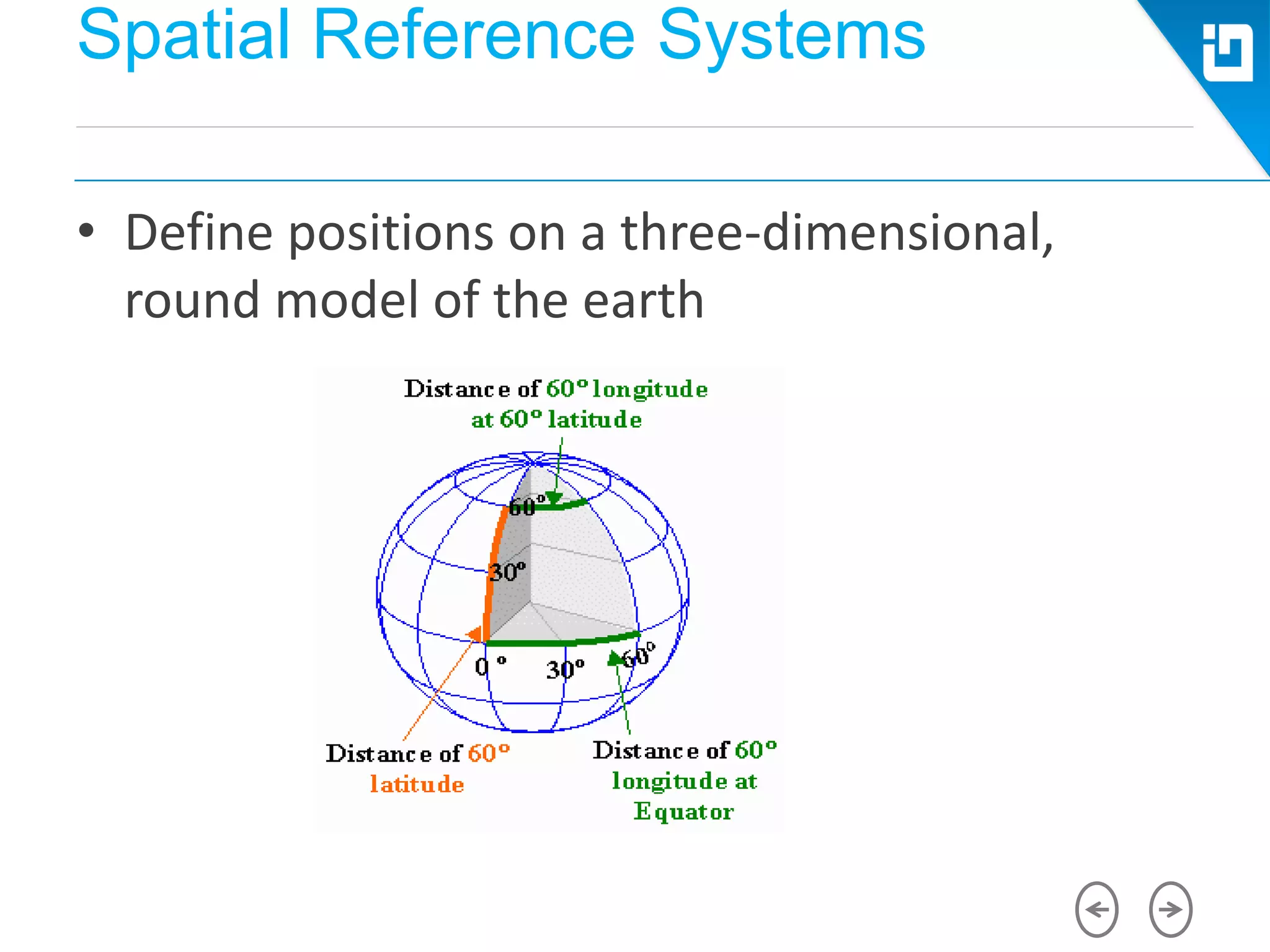
• Define positions on a three-dimensional,
round model of the earth
Spatial Reference Systems
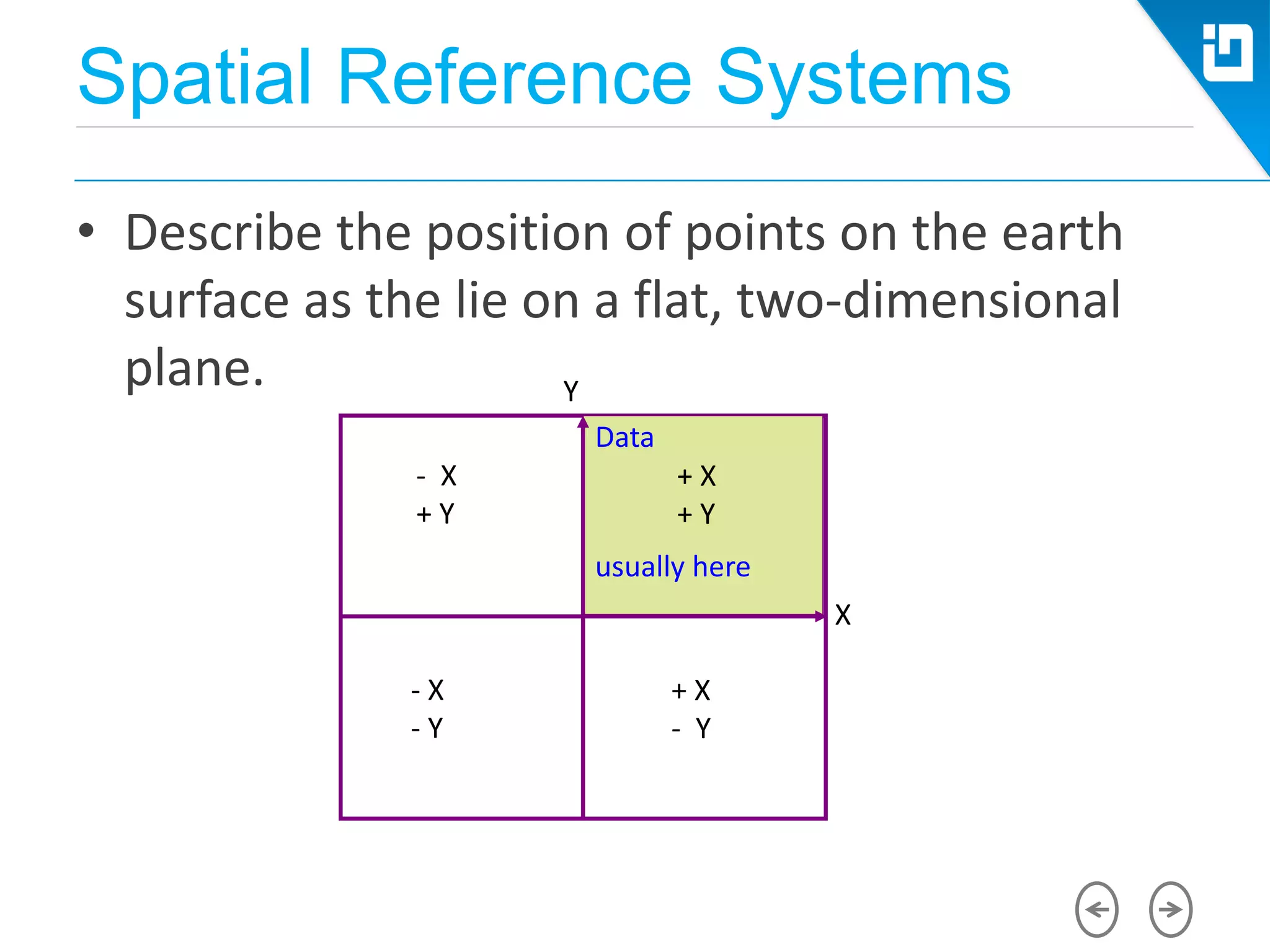
• Describe the position of points on the earth
surface as the lie on a flat, two-dimensional
plane.
- X
+ Y
- X
- Y
+ X
- Y
X
+ X
+ Y
Data
usually here
Y
Spatial Reference Systems
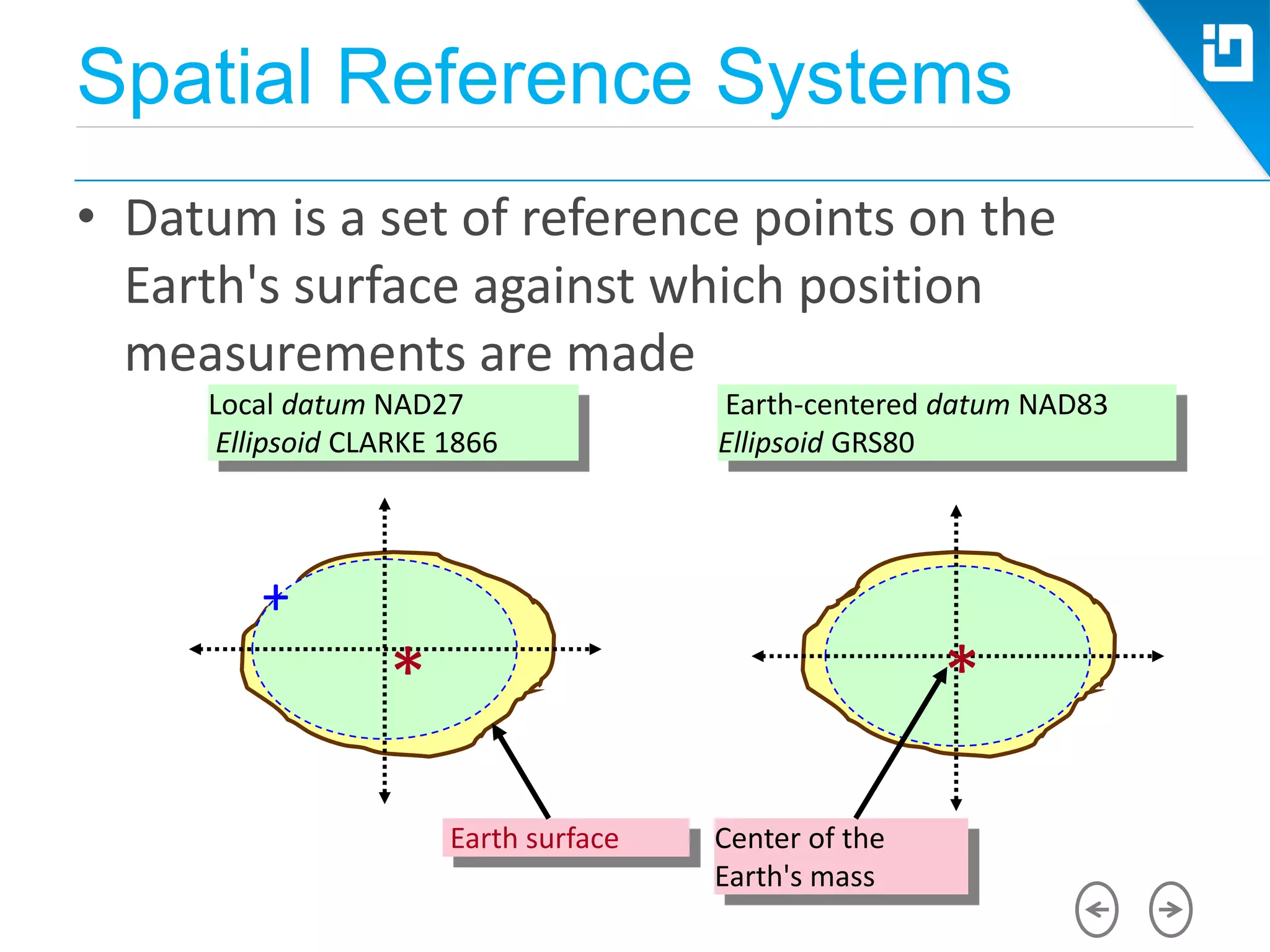
• Datum is a set of reference points on the
Earth's surface against which position
measurements are made
Earth surface
Local datum NAD27
Ellipsoid CLARKE 1866
Earth-centered datum NAD83
Ellipsoid GRS80
Center of the
Earth's mass
+
* *
Spatial Reference Systems
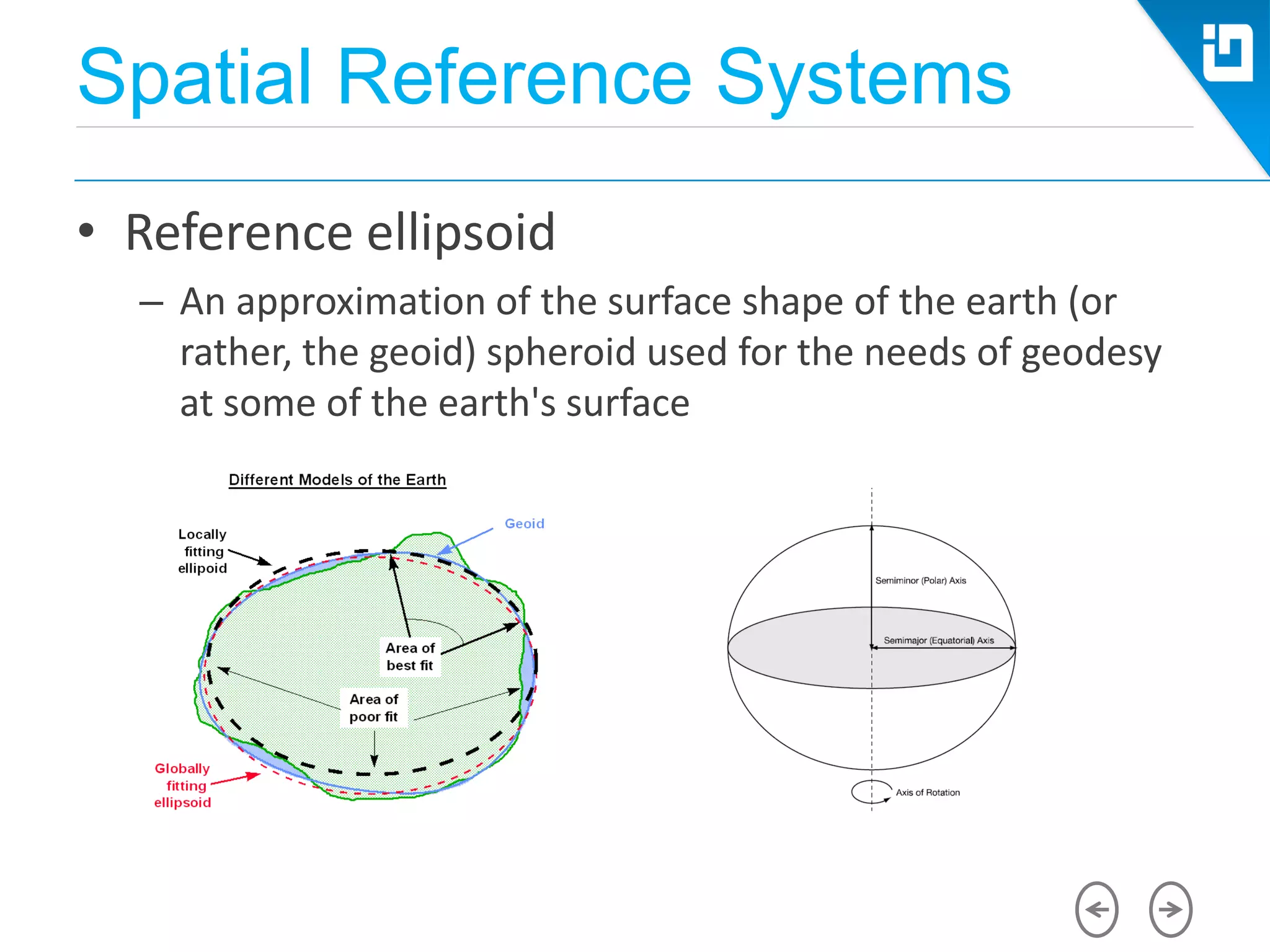
• Reference ellipsoid
– An approximation of the surface shape of the earth (or
rather, the geoid) spheroid used for the needs of geodesy
at some of the earth's surface
Geospatial Features
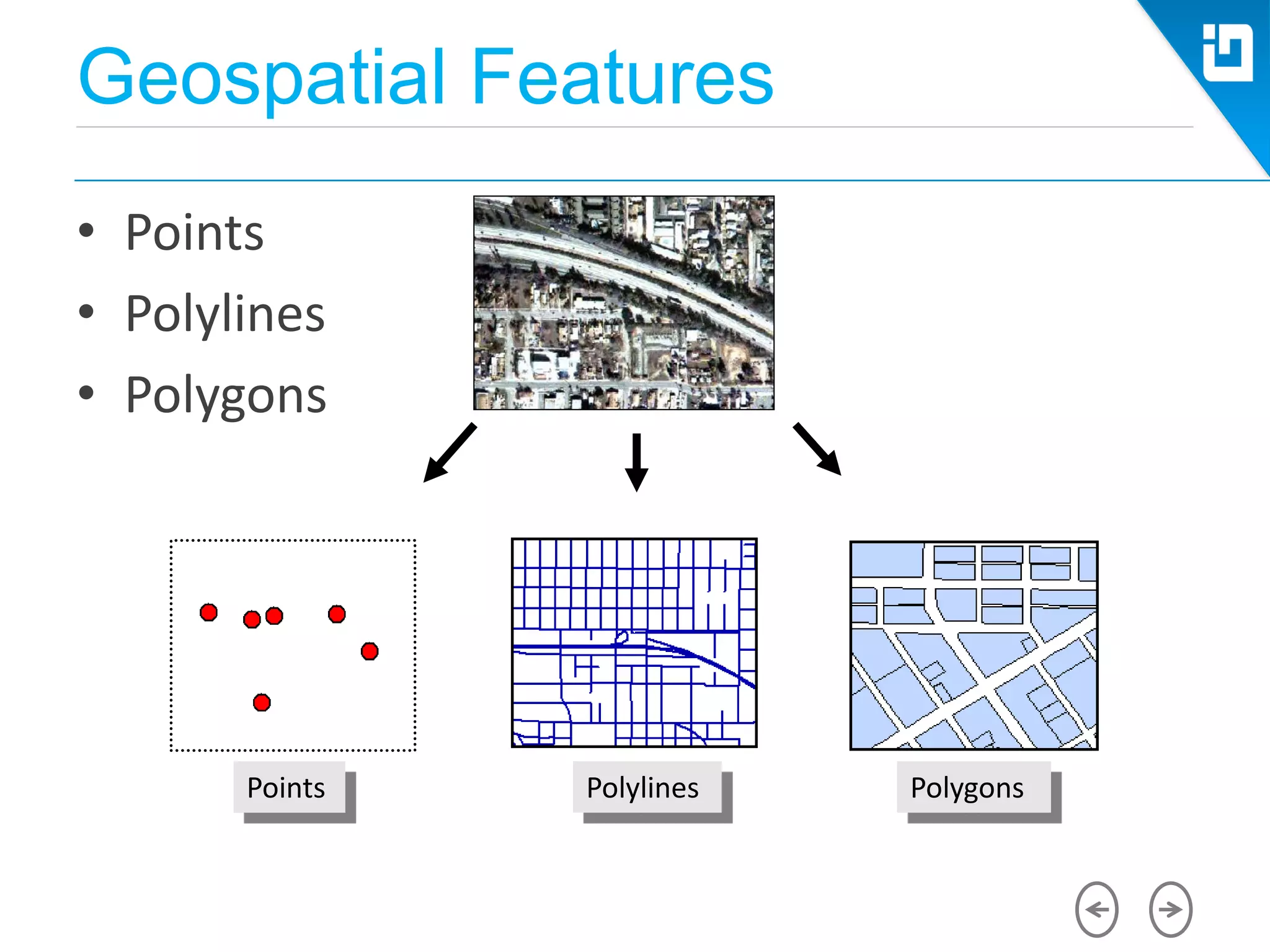
• Points
• Polylines
• Polygons
Points Polylines Polygons
Geospatial Features
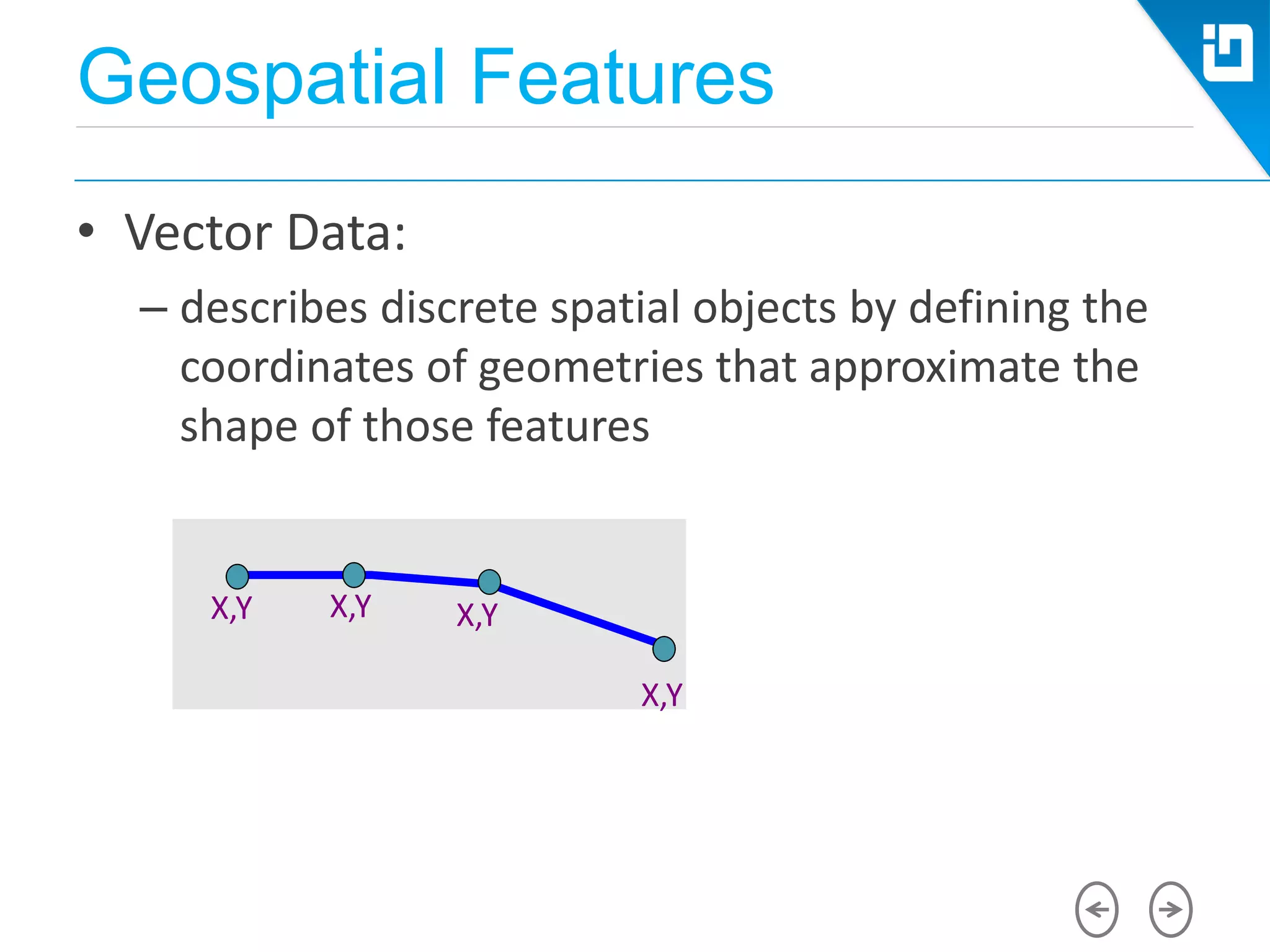
• Vector Data:
– describes discrete spatial objects by defining the
coordinates of geometries that approximate the
shape of those features
X,Y
X,Y X,Y X,Y
Geospatial Features
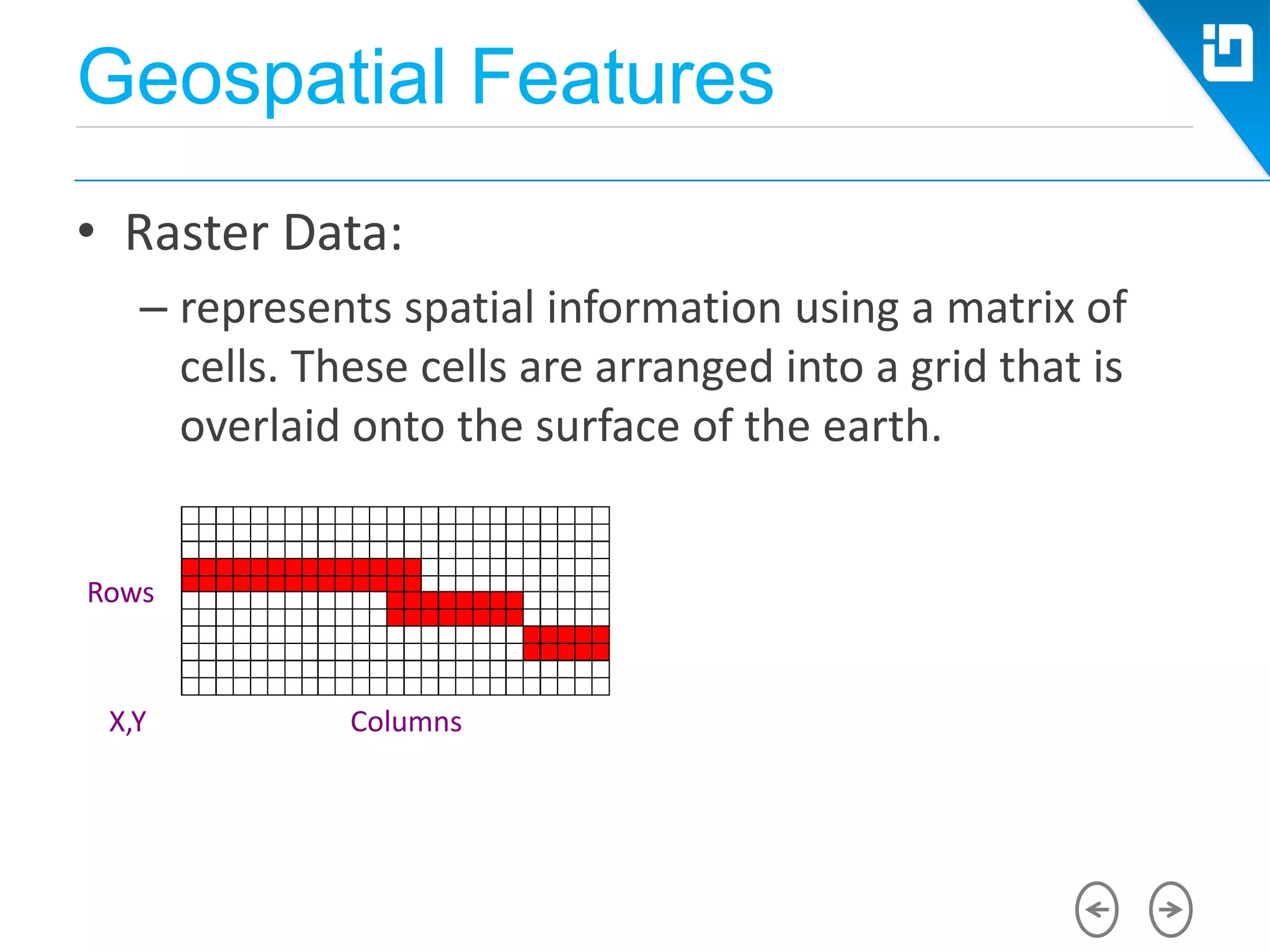
• Raster Data:
– represents spatial information using a matrix of
cells. These cells are arranged into a grid that is
overlaid onto the surface of the earth.
X,Y
Rows
Columns
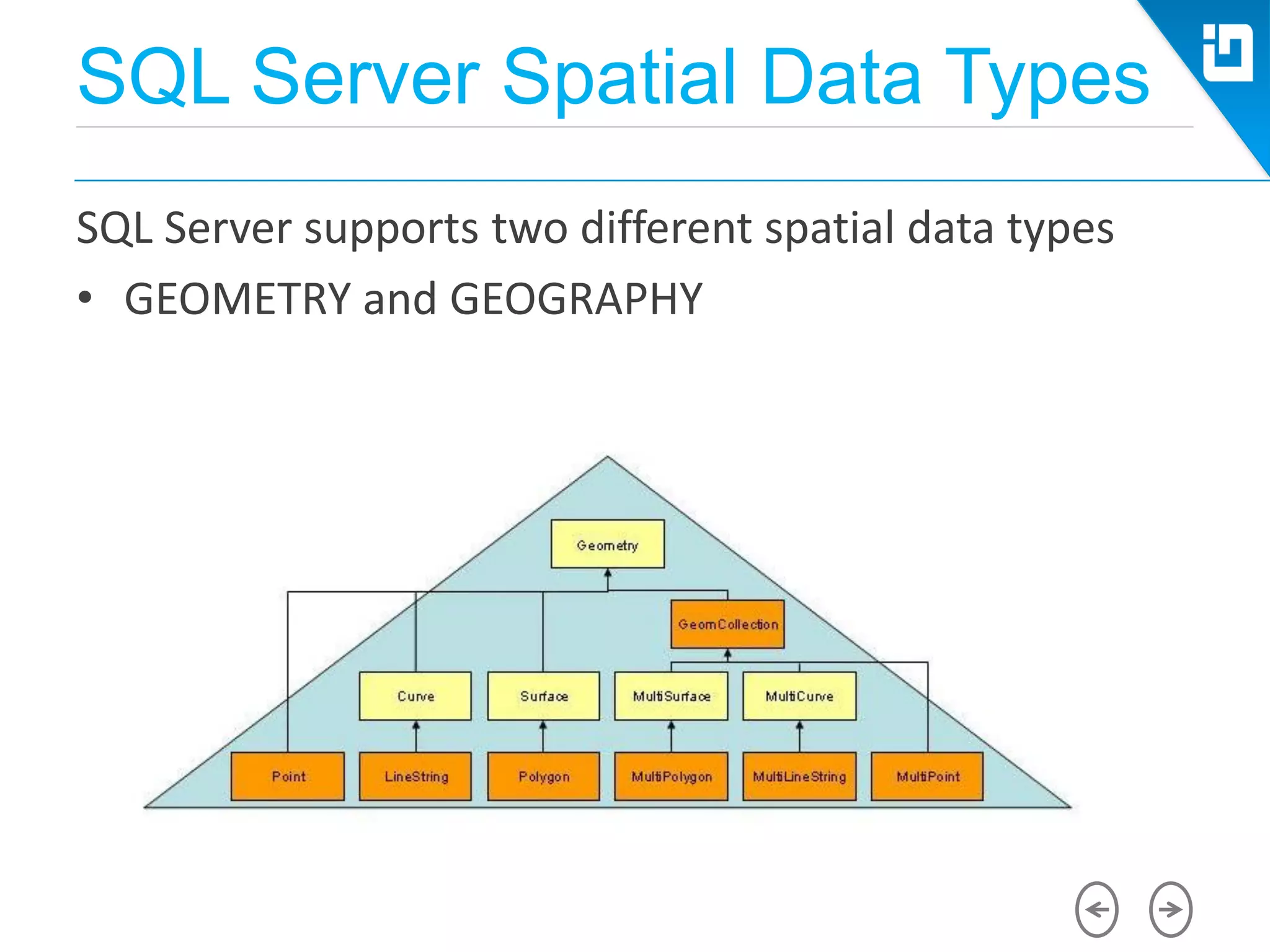
SQL Server Spatial Data Types
SQL Server supports two different spatial data types
• GEOMETRY and GEOGRAPHY
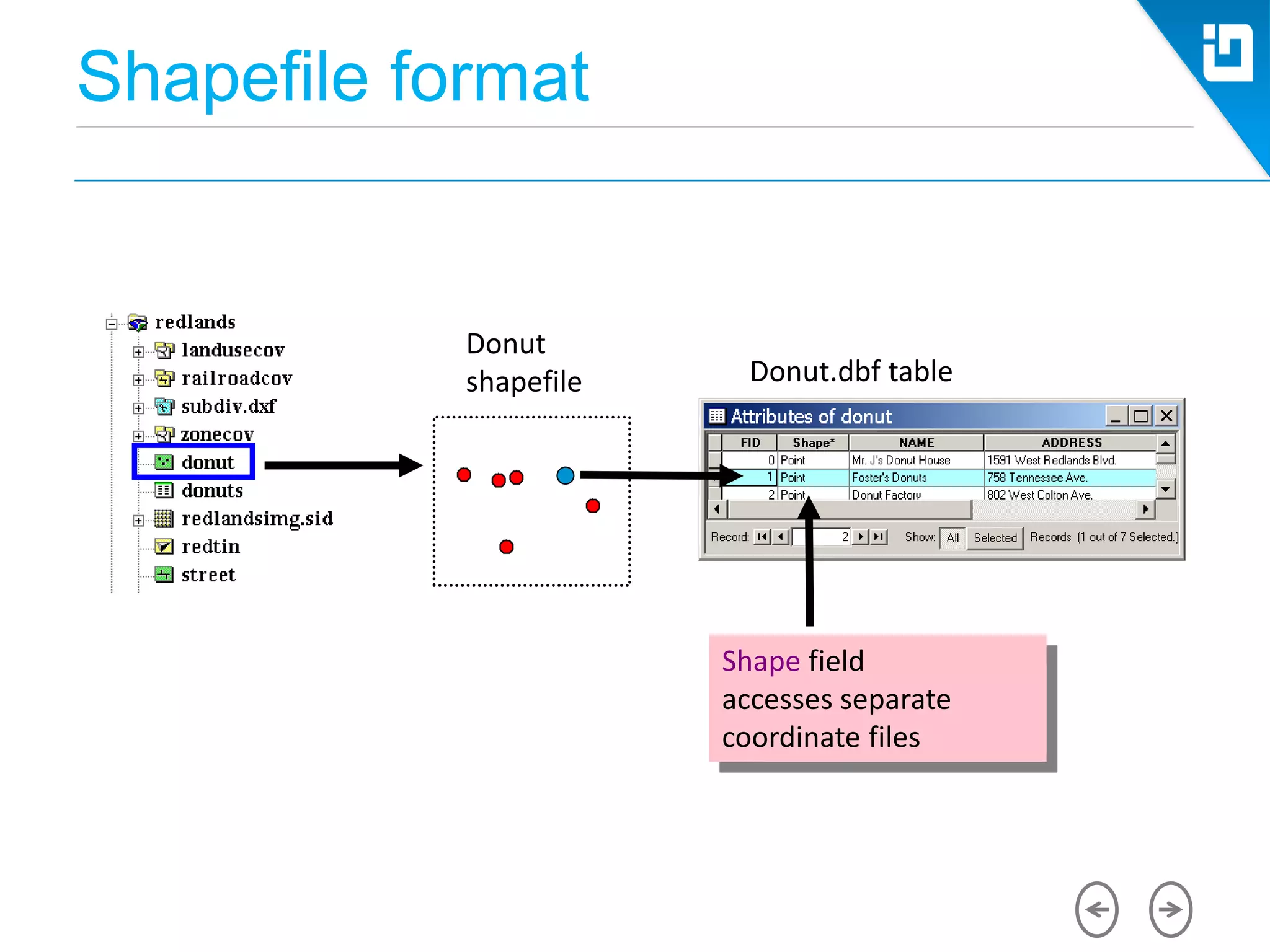
Shapefile format
Donut.dbf table
Shape field
accesses separate
coordinate files
Donut
shapefile
Spatial Data Types
• Spatial data and SQL Server
 Point
 MultiPoint
 LineString
 MultiLineString
 Polygon
 MultiPolygon
 GeometryCollection
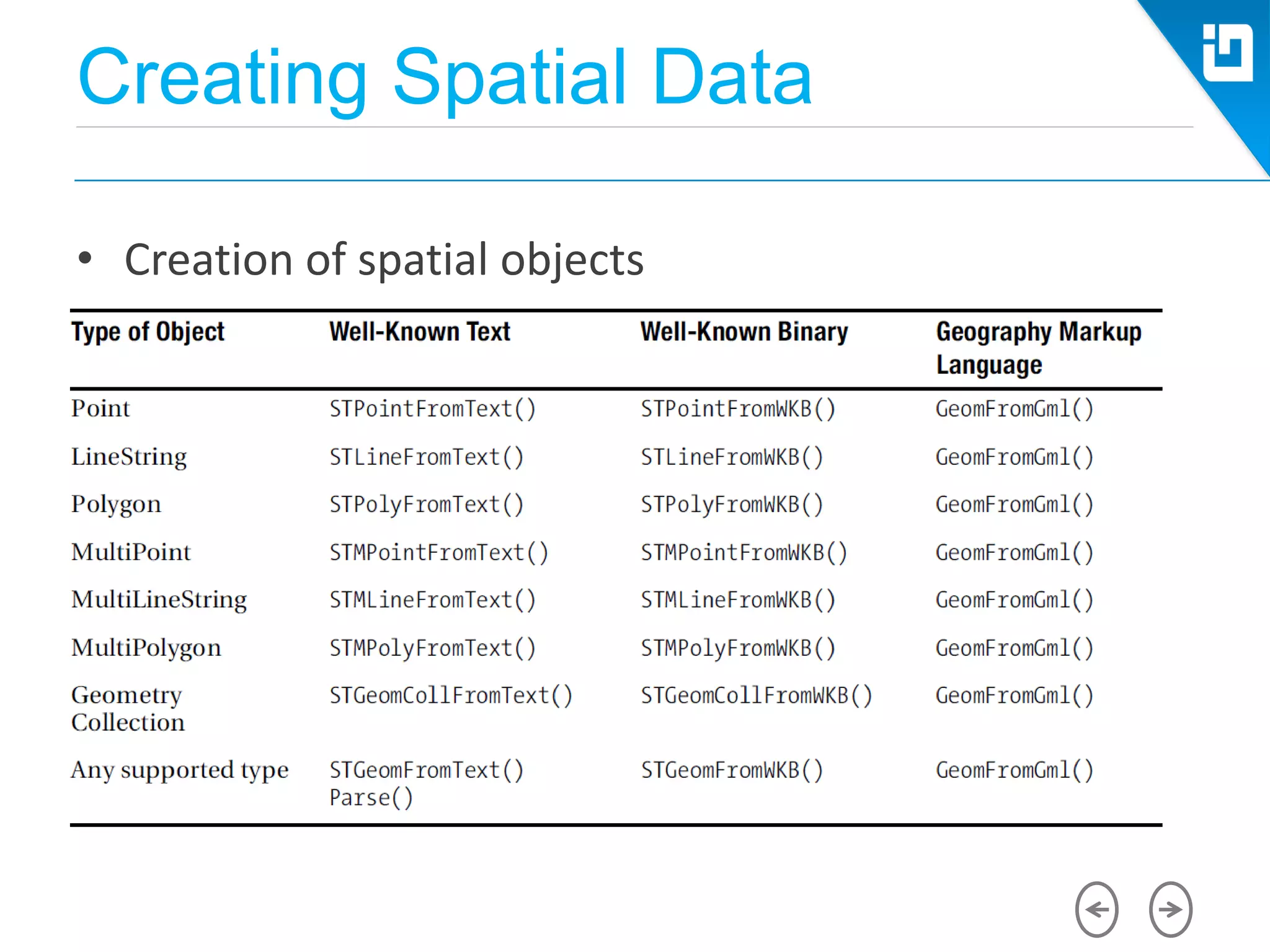
Creating Spatial Data
• Creation of spatial objects
Creating Spatial Data
• Creation of spatial objects
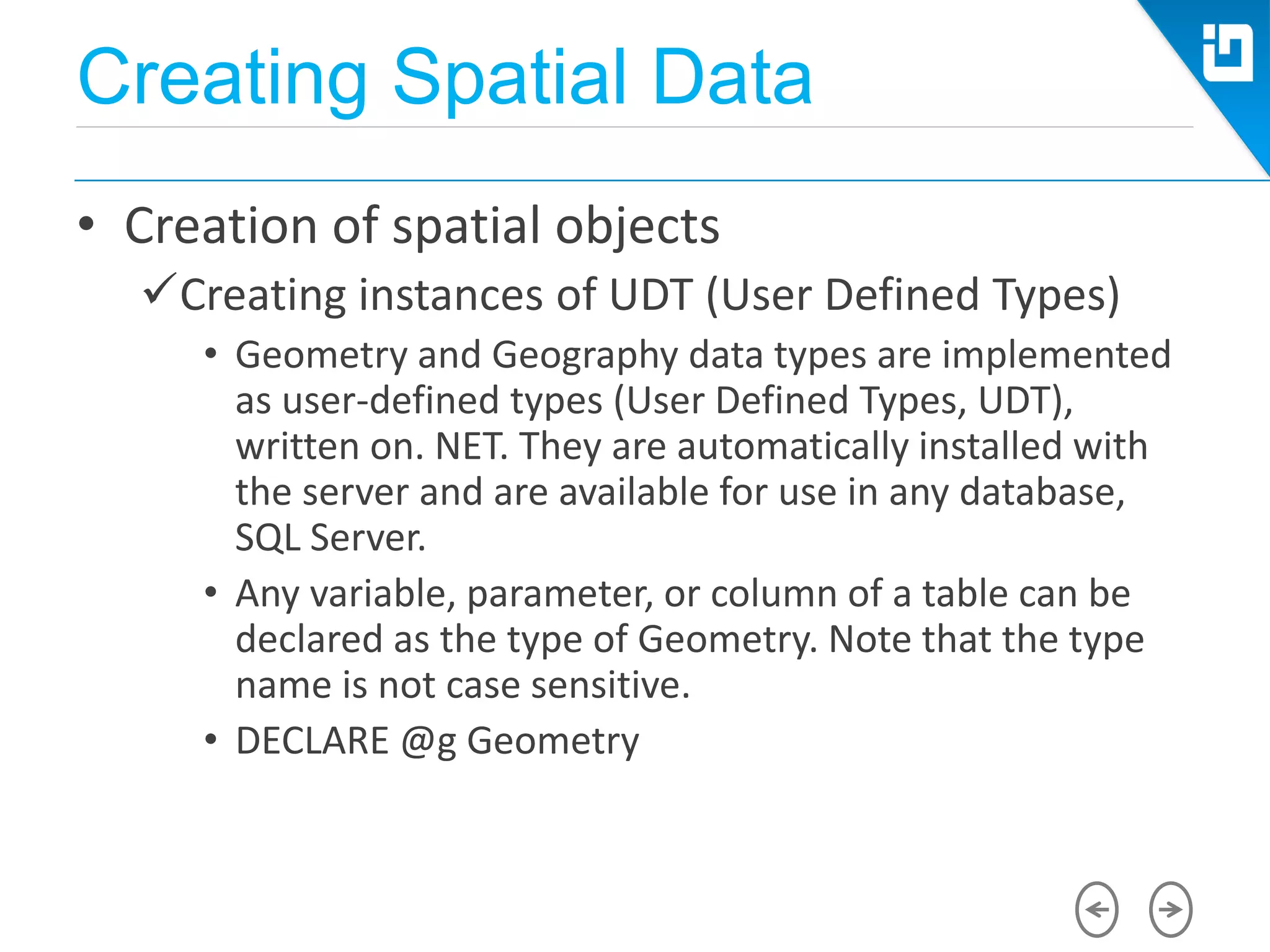
Creating instances of UDT (User Defined Types)
• Geometry and Geography data types are implemented
as user-defined types (User Defined Types, UDT),
written on. NET. They are automatically installed with
the server and are available for use in any database,
SQL Server.
• Any variable, parameter, or column of a table can be
declared as the type of Geometry. Note that the type
name is not case sensitive.
• DECLARE @g Geometry
Creating Spatial Data
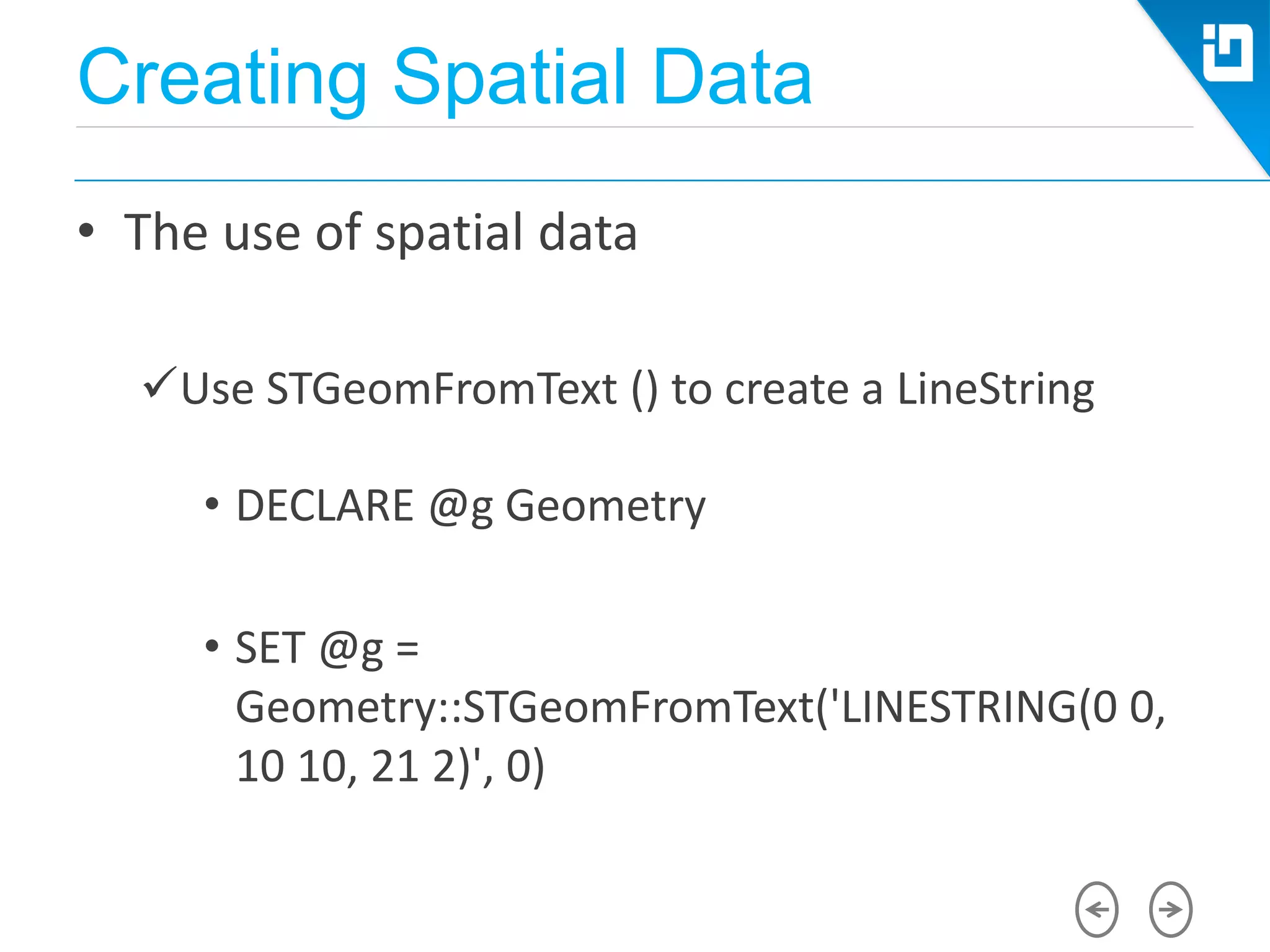
• The use of spatial data
Use STGeomFromText () to create a LineString
• DECLARE @g Geometry
• SET @g =
Geometry::STGeomFromText('LINESTRING(0 0,
10 10, 21 2)', 0)
Creating Spatial Data
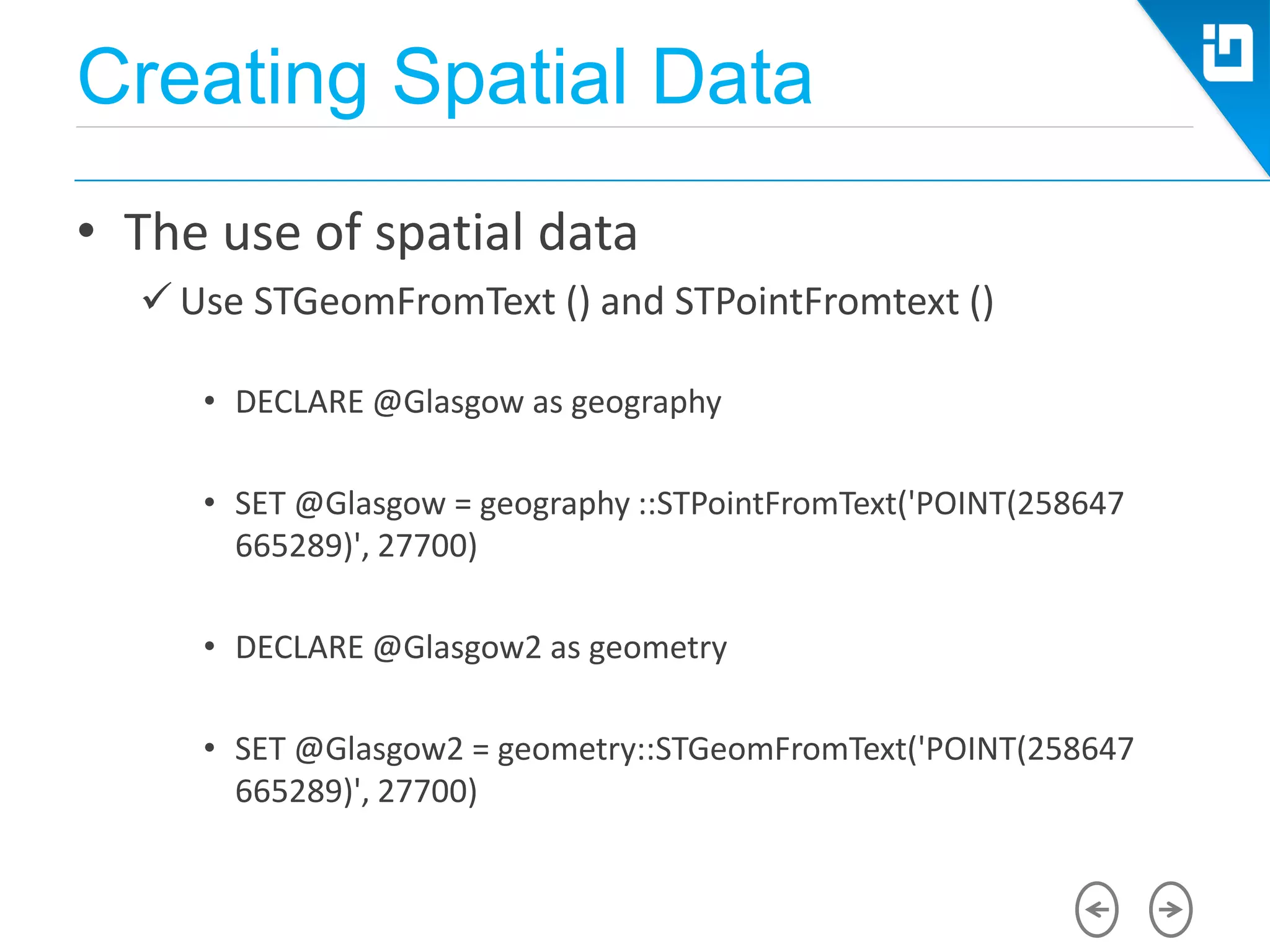
• The use of spatial data
 Use STGeomFromText () and STPointFromtext ()
• DECLARE @Glasgow as geography
• SET @Glasgow = geography ::STPointFromText('POINT(258647
665289)', 27700)
• DECLARE @Glasgow2 as geometry
• SET @Glasgow2 = geometry::STGeomFromText('POINT(258647
665289)', 27700)
Creating Spatial Data
• The use of spatial data
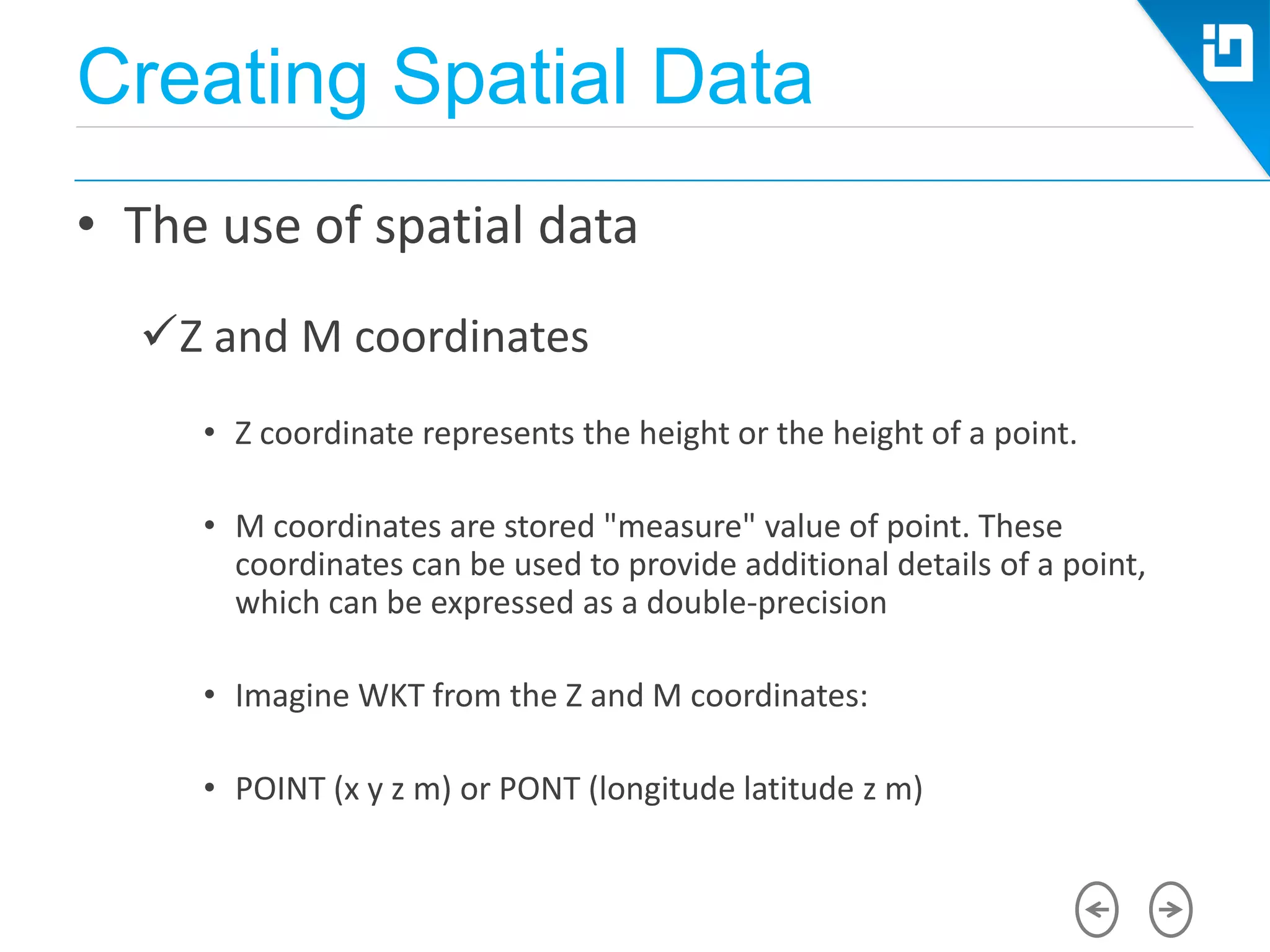
Z and M coordinates
• Z coordinate represents the height or the height of a point.
• M coordinates are stored "measure" value of point. These
coordinates can be used to provide additional details of a point,
which can be expressed as a double-precision
• Imagine WKT from the Z and M coordinates:
• POINT (x y z m) or PONT (longitude latitude z m)
Creating Spatial Data
• The use of spatial data
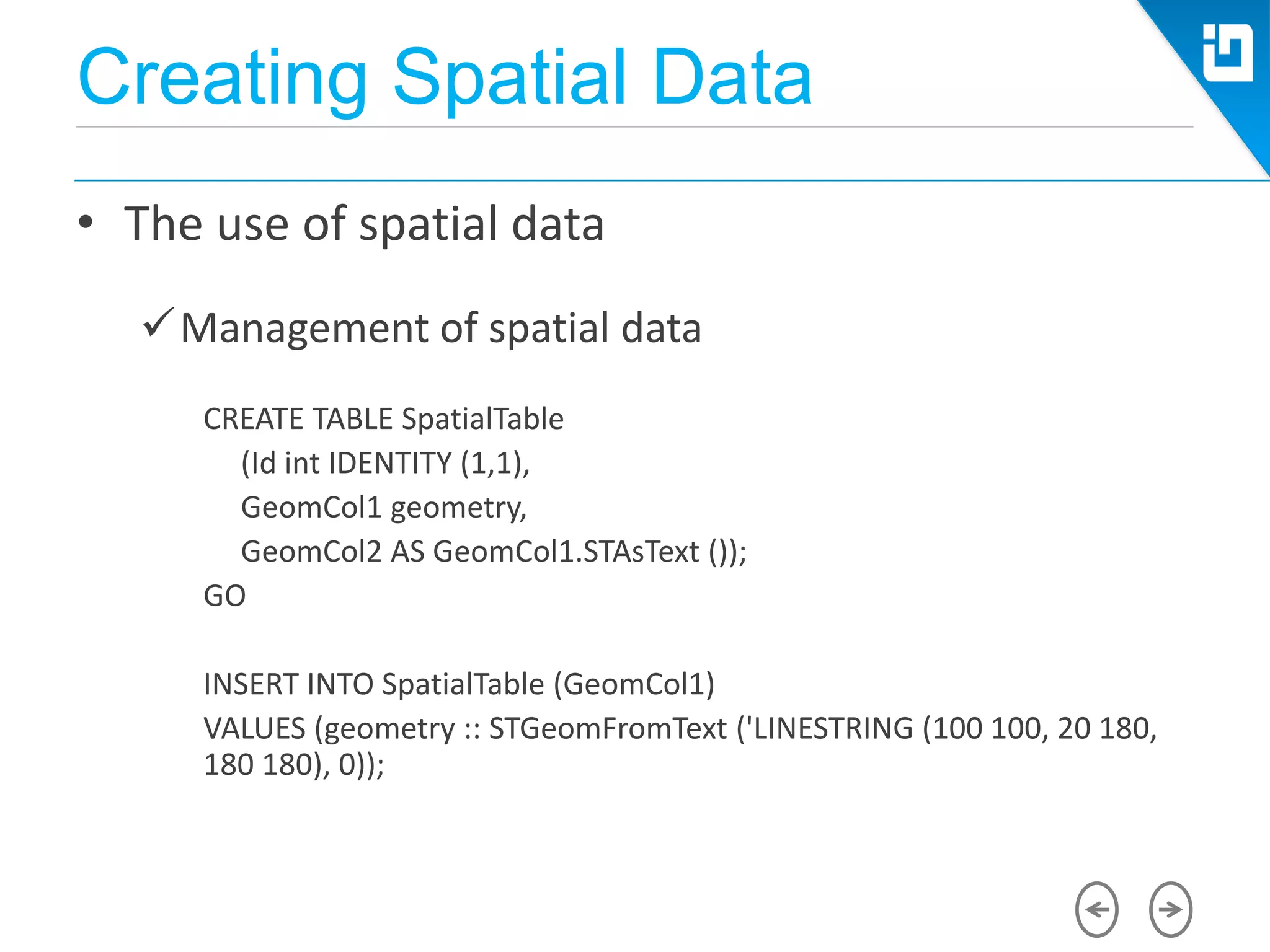
Management of spatial data
CREATE TABLE SpatialTable
(Id int IDENTITY (1,1),
GeomCol1 geometry,
GeomCol2 AS GeomCol1.STAsText ());
GO
INSERT INTO SpatialTable (GeomCol1)
VALUES (geometry :: STGeomFromText ('LINESTRING (100 100, 20 180,
180 180), 0));
Creating Spatial Data
• The use of spatial data
Management of spatial data
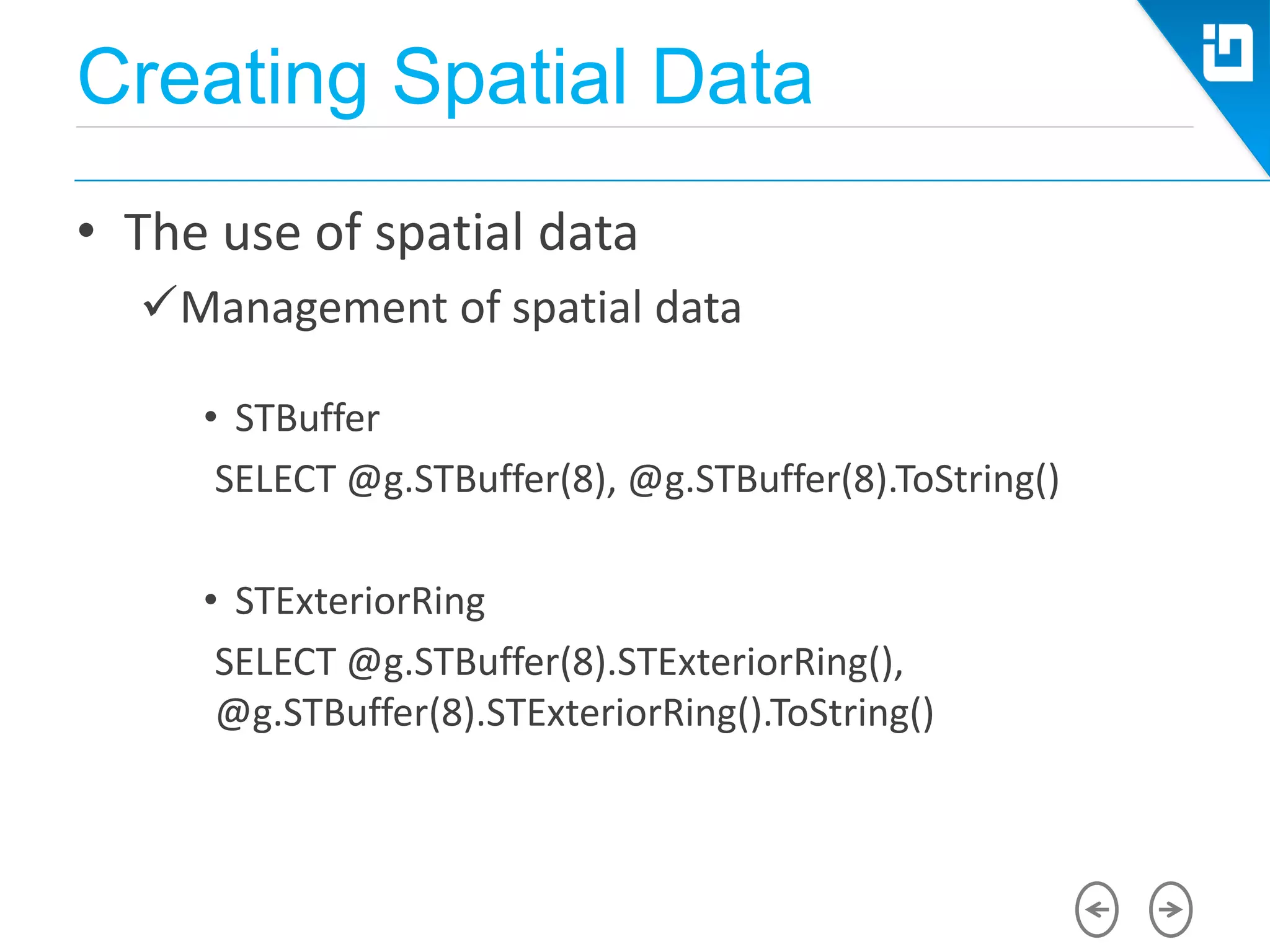
• STBuffer
SELECT @g.STBuffer(8), @g.STBuffer(8).ToString()
• STExteriorRing
SELECT @g.STBuffer(8).STExteriorRing(),
@g.STBuffer(8).STExteriorRing().ToString()
Creating Spatial Data
• The use of spatial data
Management of spatial data
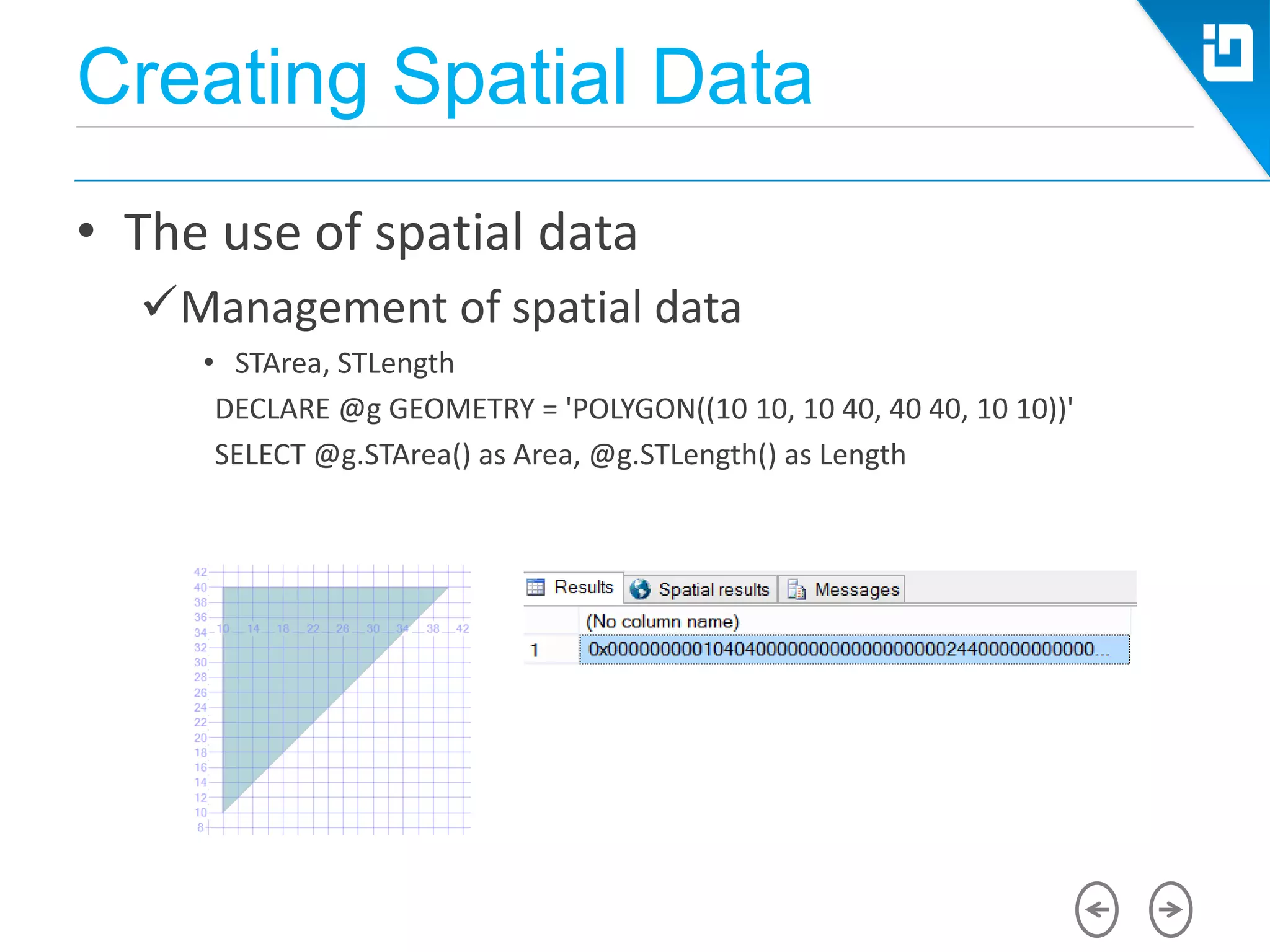
• STArea, STLength
DECLARE @g GEOMETRY = 'POLYGON((10 10, 10 40, 40 40, 10 10))'
SELECT @g.STArea() as Area, @g.STLength() as Length
Creating Spatial Data
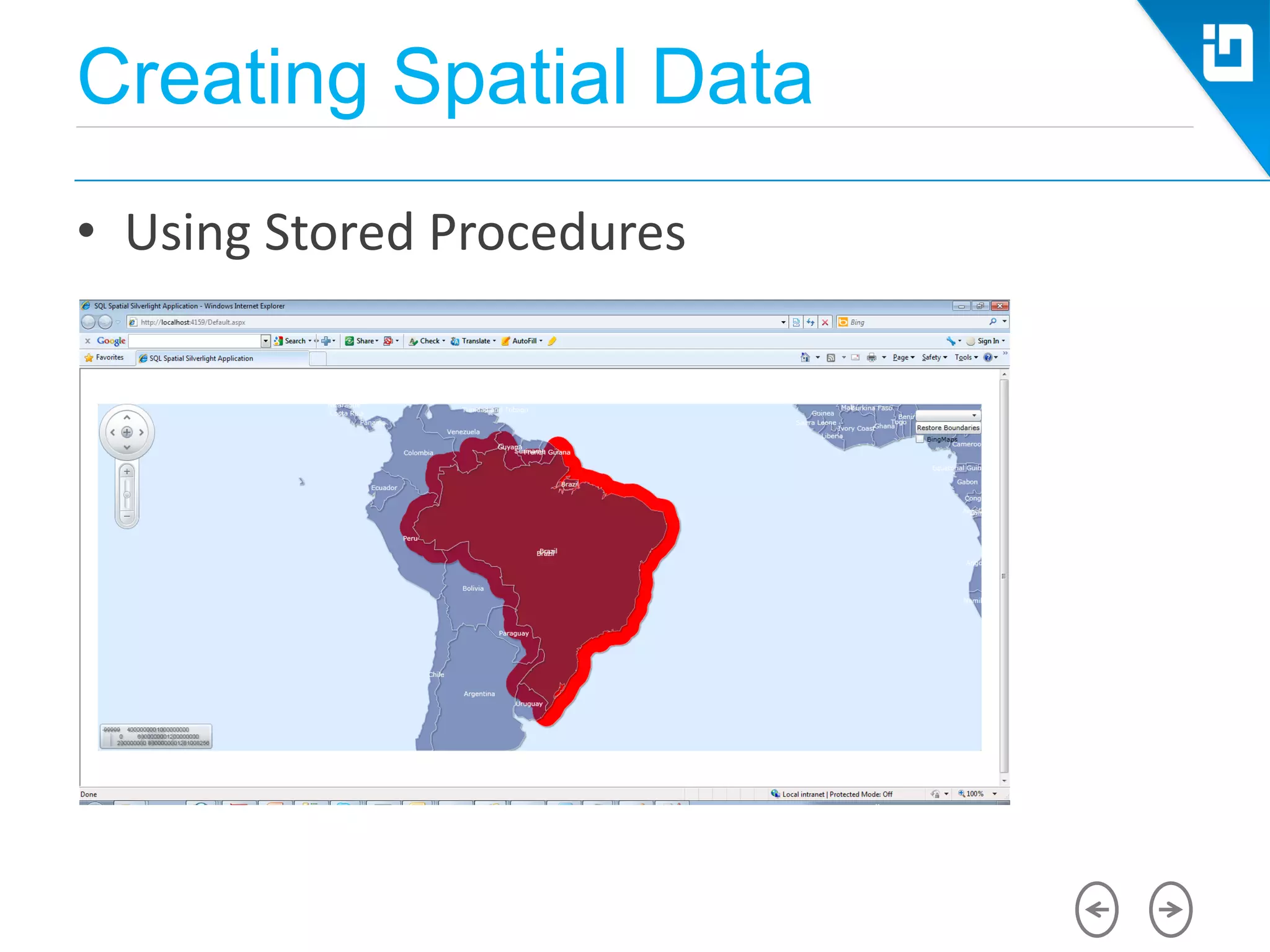
• Using Stored Procedures
CREATE PROCEDURE [dbo].[get_SelectedData] @pCntrNameValue
nvarchar(255)
BEGIN
SET NOCOUNT ON;
SELECT geom.STBuffer(2) as geom, CNTRY_NAME, POP_CNTRY
FROM world WHERE CNTRY_NAME = @pCntrNameValue
END
Indexing
• The Need for a Spatial Index
• How Does a Spatial Index Work?
• The Primary and Secondary Filter
– Primary filter:
– Secondary filter:
Indexing
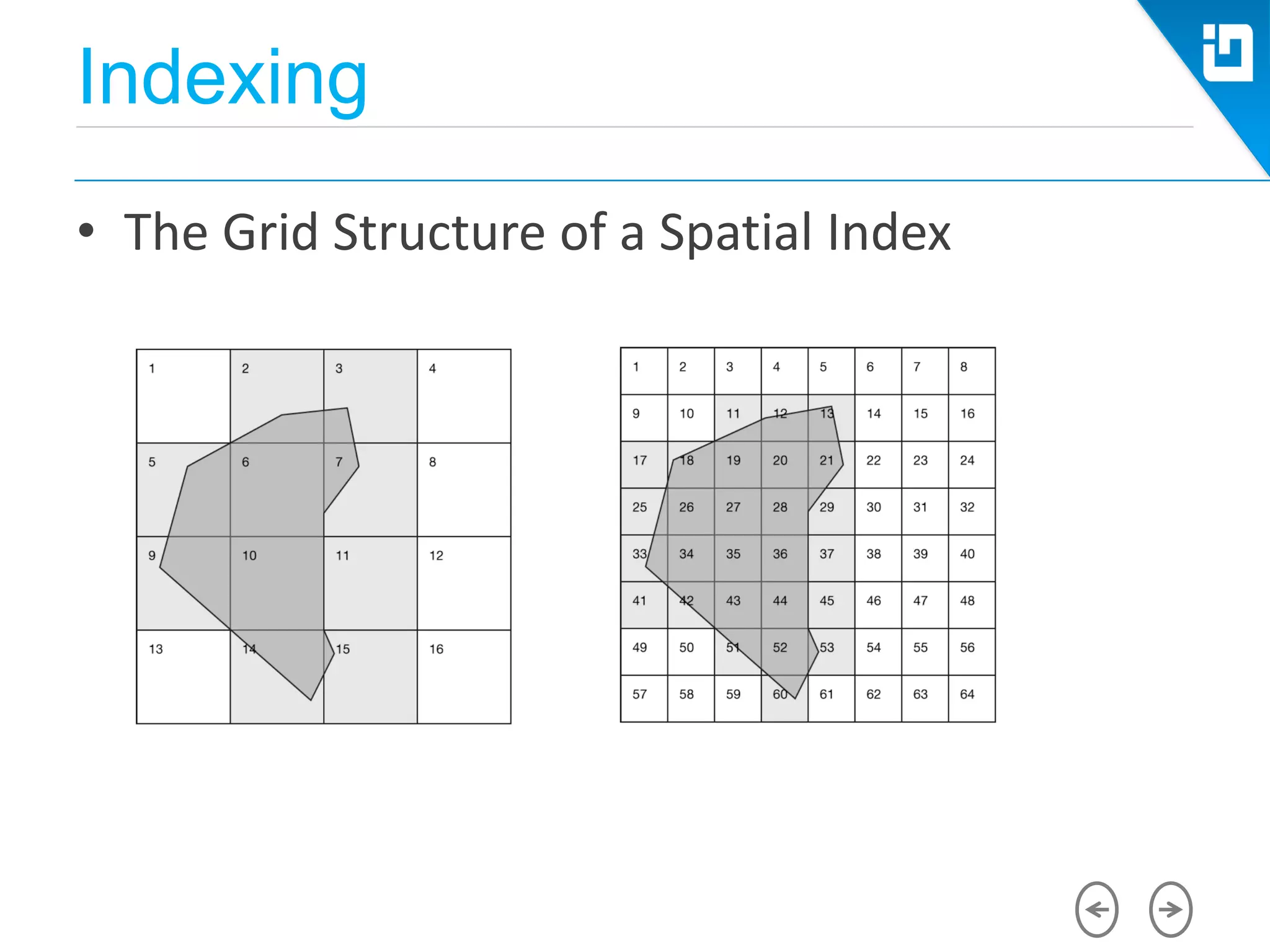
• The Grid Structure of a Spatial Index
Indexing
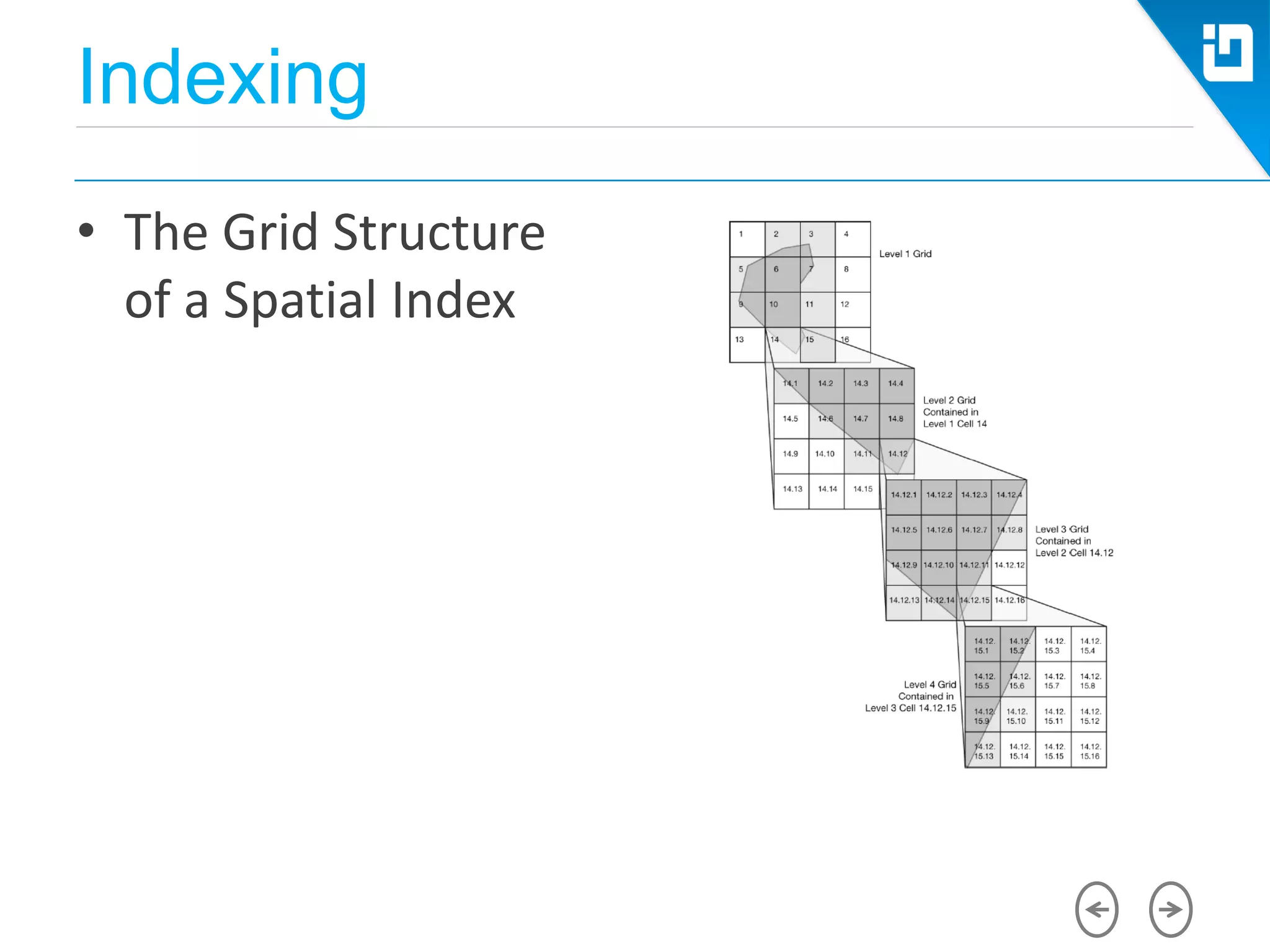
• The Grid Structure
of a Spatial Index
Indexing
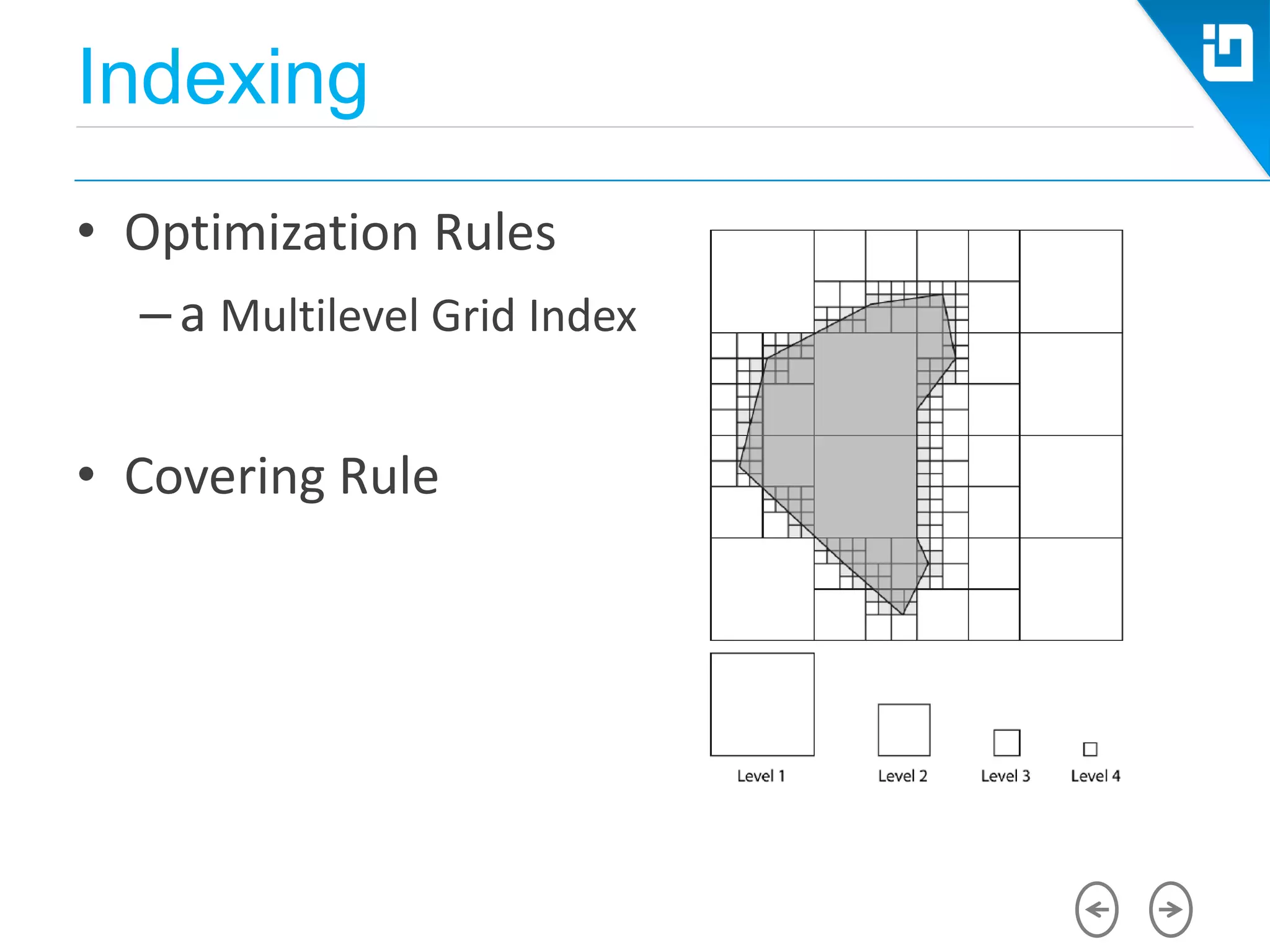
• Optimization Rules
–a Multilevel Grid Index
• Covering Rule
Indexing
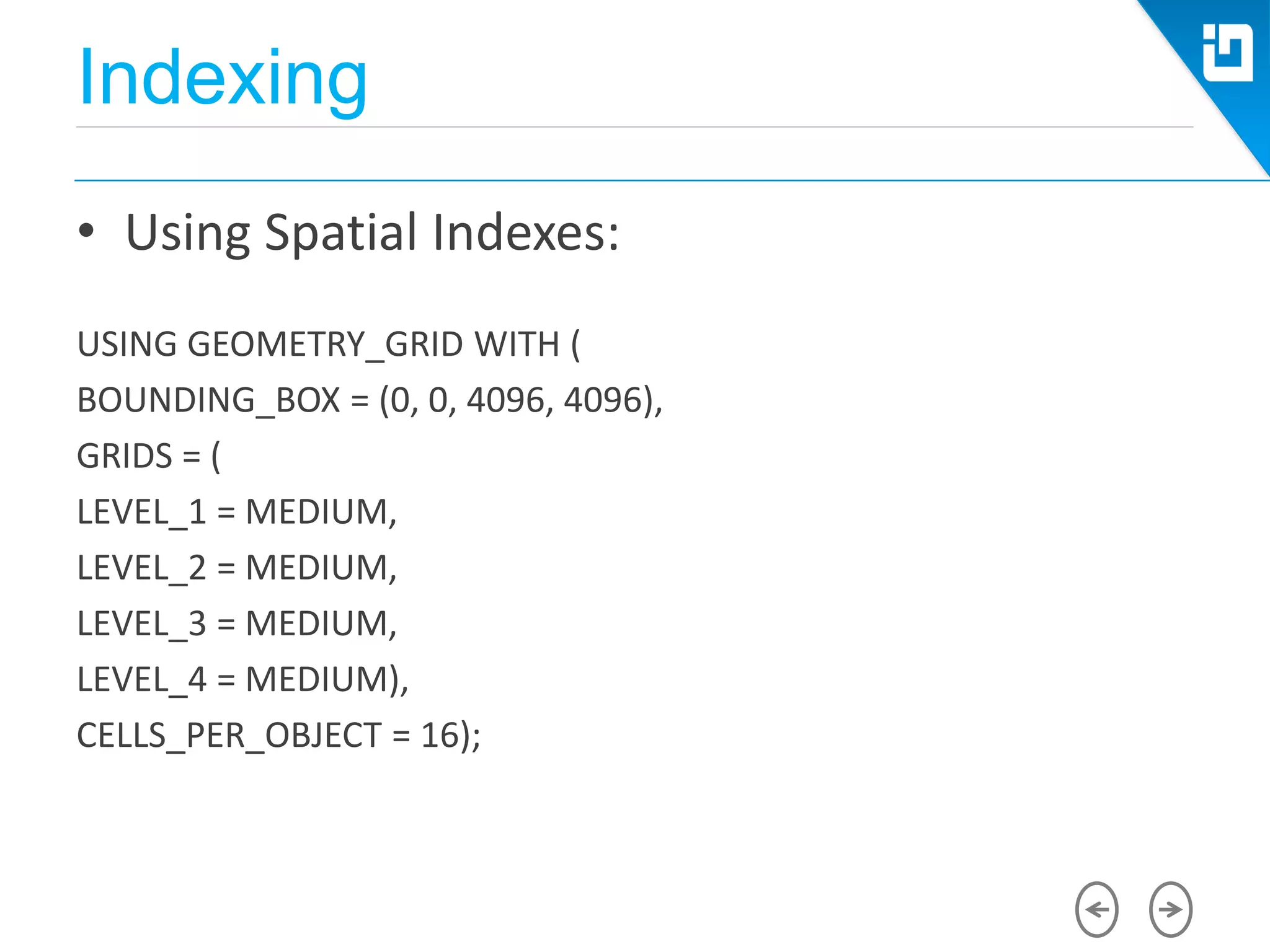
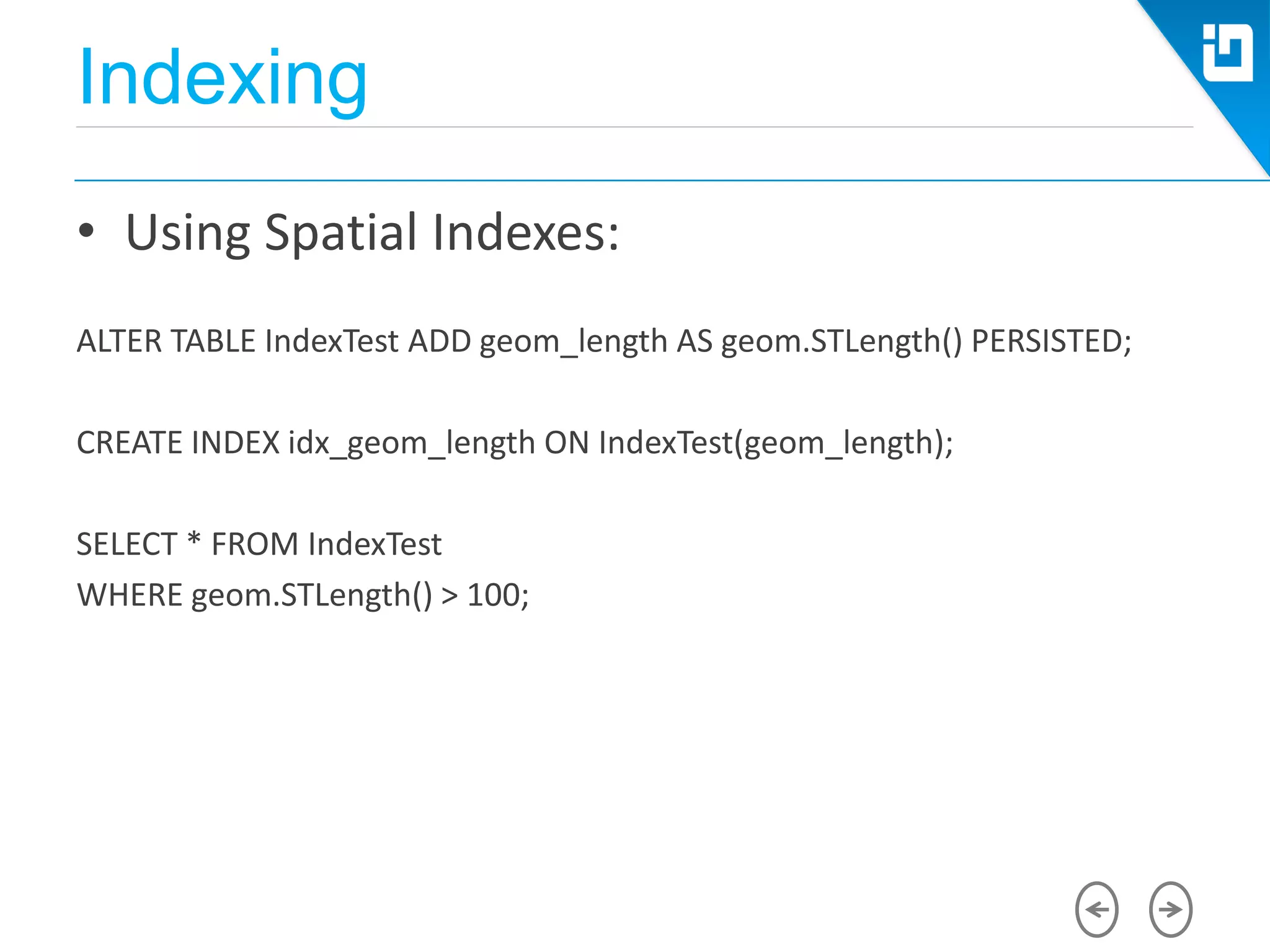
• Using Spatial Indexes:
USING GEOMETRY_GRID WITH (
BOUNDING_BOX = (0, 0, 4096, 4096),
GRIDS = (
LEVEL_1 = MEDIUM,
LEVEL_2 = MEDIUM,
LEVEL_3 = MEDIUM,
LEVEL_4 = MEDIUM),
CELLS_PER_OBJECT = 16);
Indexing
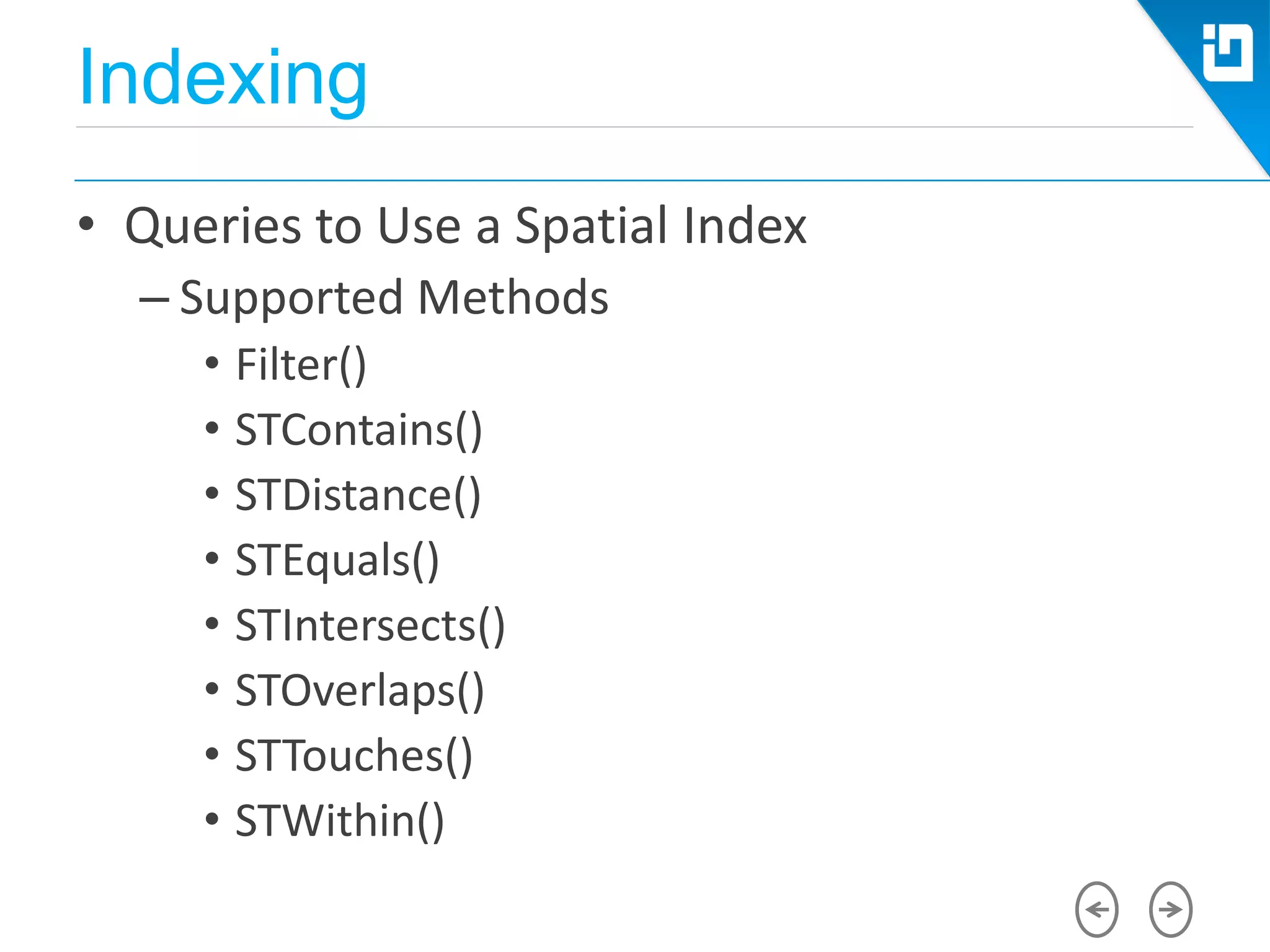
• Queries to Use a Spatial Index
– Supported Methods
• Filter()
• STContains()
• STDistance()
• STEquals()
• STIntersects()
• STOverlaps()
• STTouches()
• STWithin()
Indexing
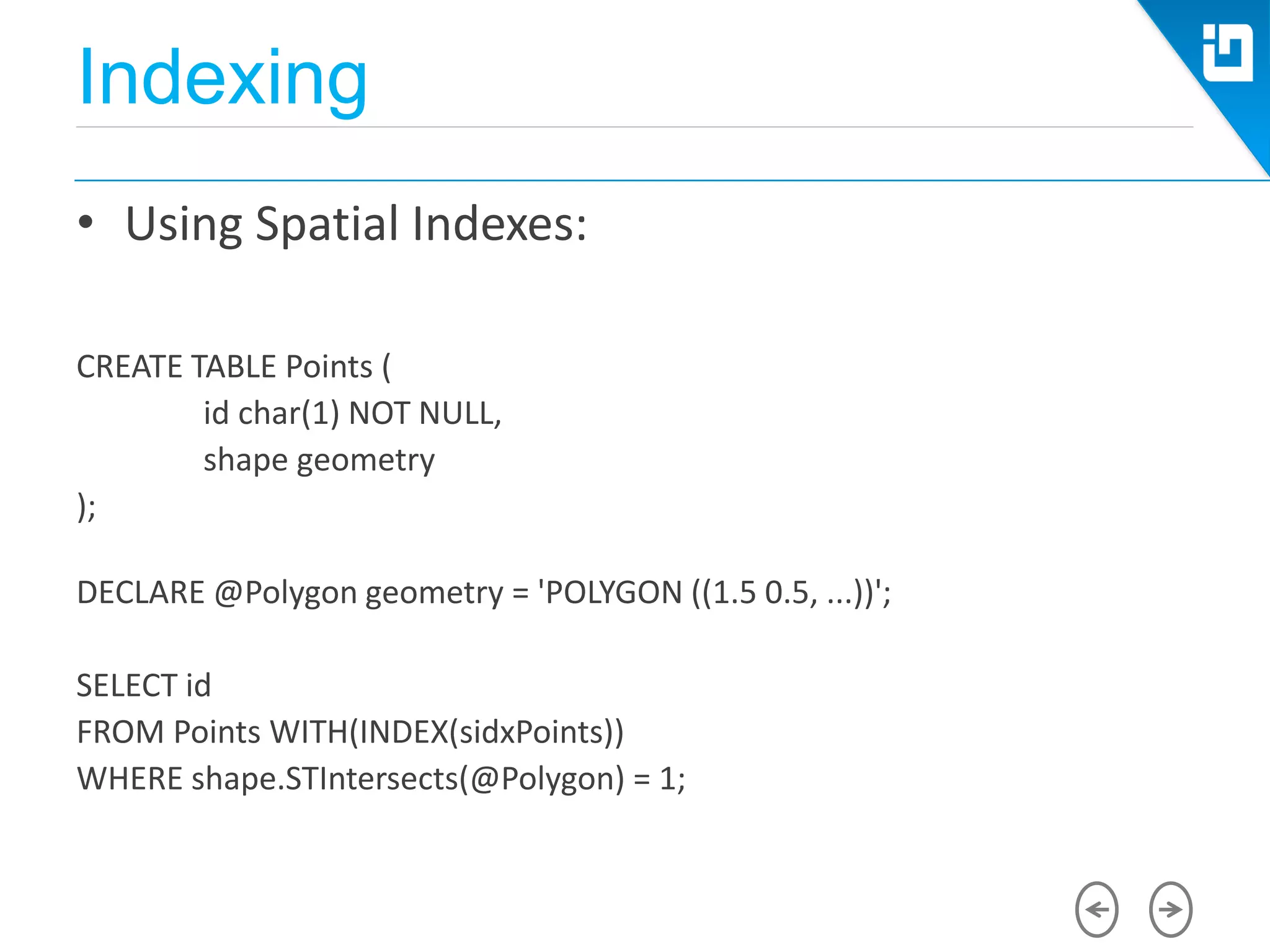
• Using Spatial Indexes:
CREATE TABLE Points (
id char(1) NOT NULL,
shape geometry
);
DECLARE @Polygon geometry = 'POLYGON ((1.5 0.5, ...))';
SELECT id
FROM Points WITH(INDEX(sidxPoints))
WHERE shape.STIntersects(@Polygon) = 1;
Indexing
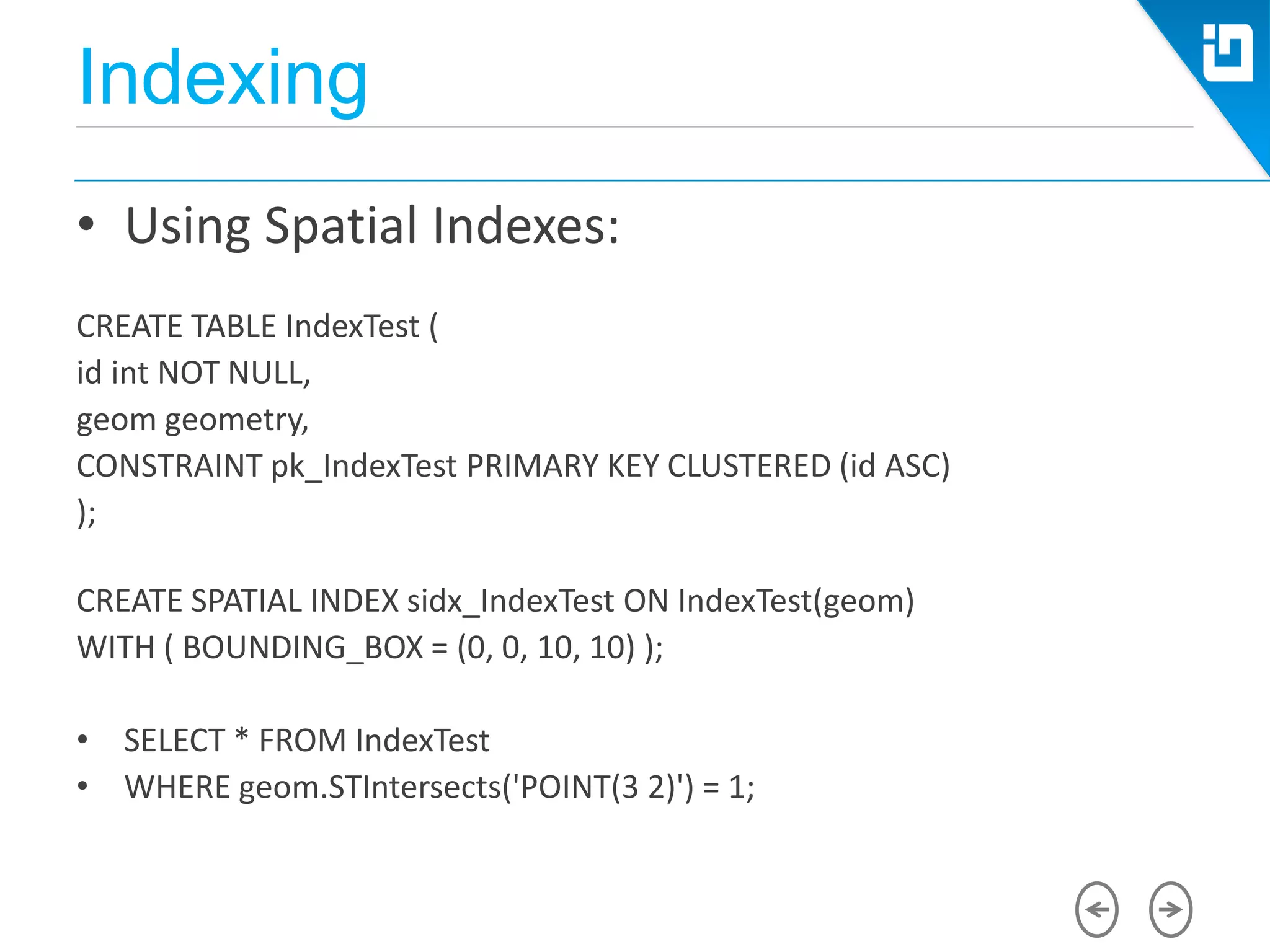
• Using Spatial Indexes:
CREATE TABLE IndexTest (
id int NOT NULL,
geom geometry,
CONSTRAINT pk_IndexTest PRIMARY KEY CLUSTERED (id ASC)
);
CREATE SPATIAL INDEX sidx_IndexTest ON IndexTest(geom)
WITH ( BOUNDING_BOX = (0, 0, 10, 10) );
• SELECT * FROM IndexTest
• WHERE geom.STIntersects('POINT(3 2)') = 1;
Indexing
• Using Spatial Indexes:
ALTER TABLE IndexTest ADD geom_length AS geom.STLength() PERSISTED;
CREATE INDEX idx_geom_length ON IndexTest(geom_length);
SELECT * FROM IndexTest
WHERE geom.STLength() > 100;
Indexing
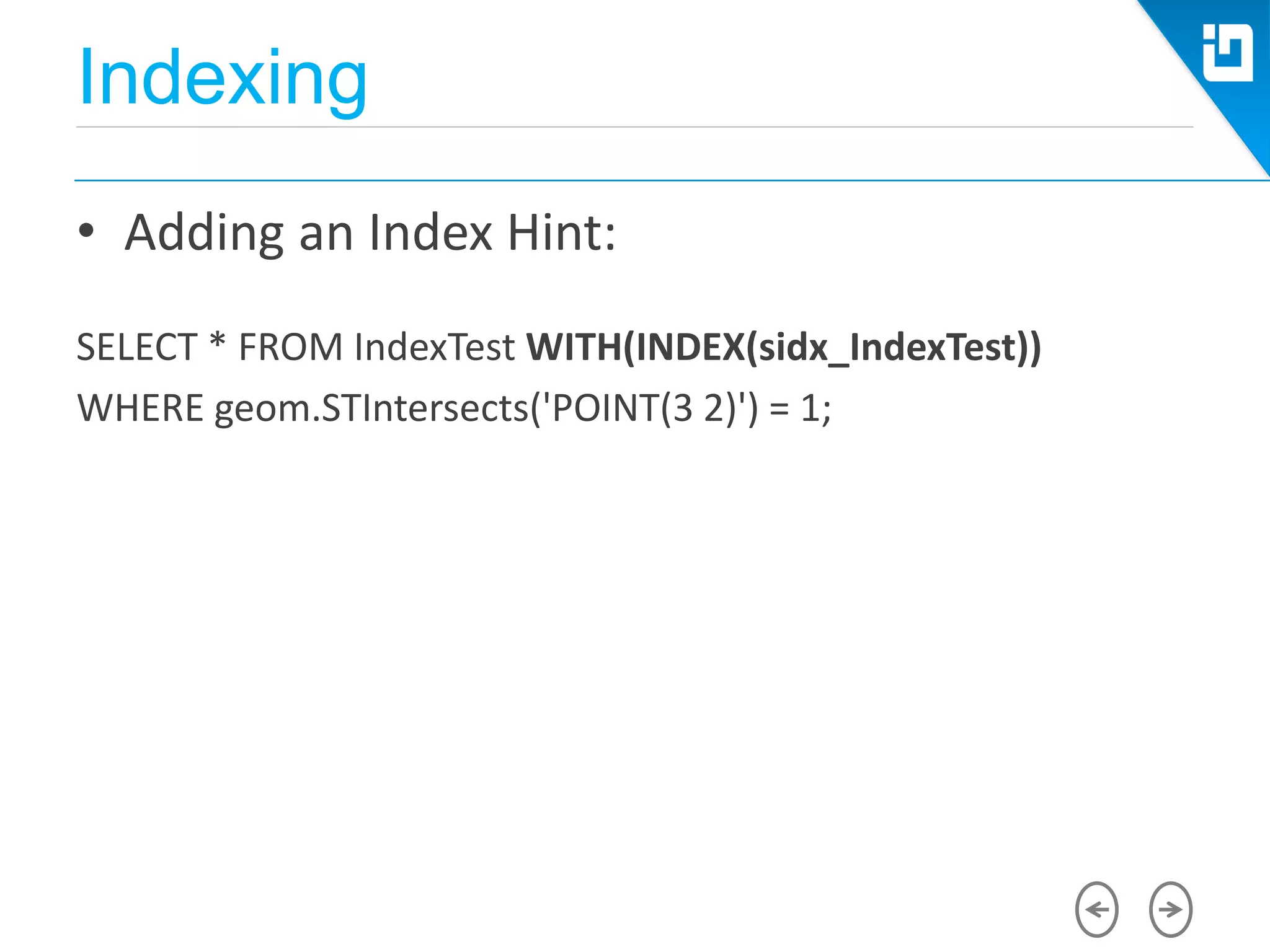
• Adding an Index Hint:
SELECT * FROM IndexTest WITH(INDEX(sidx_IndexTest))
WHERE geom.STIntersects('POINT(3 2)') = 1;
Creating Spatial Data
• Using Stored Procedures
Import Spatial Data
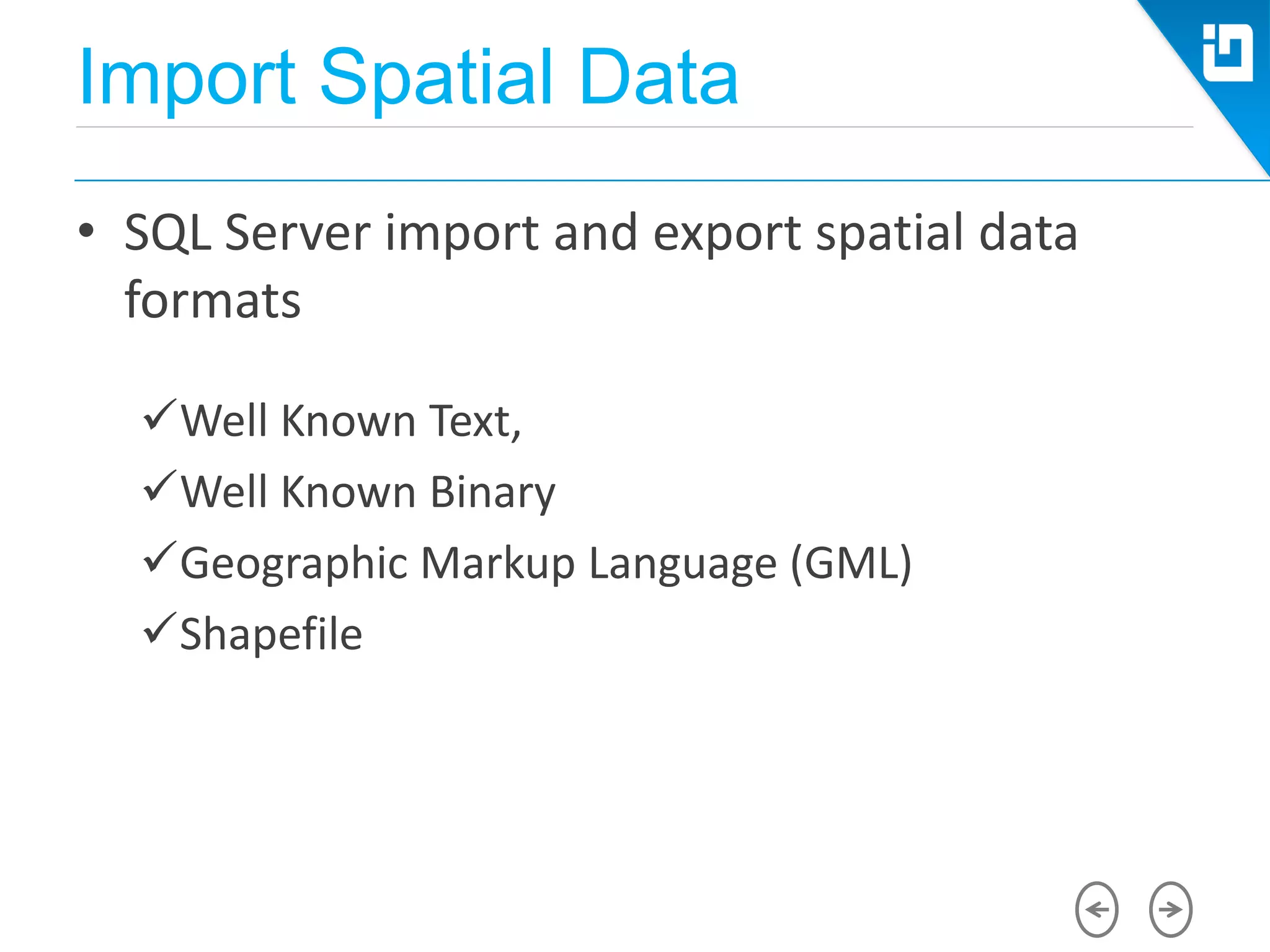
• SQL Server import and export spatial data
formats
Well Known Text,
Well Known Binary
Geographic Markup Language (GML)
Shapefile
Import Spatial Data
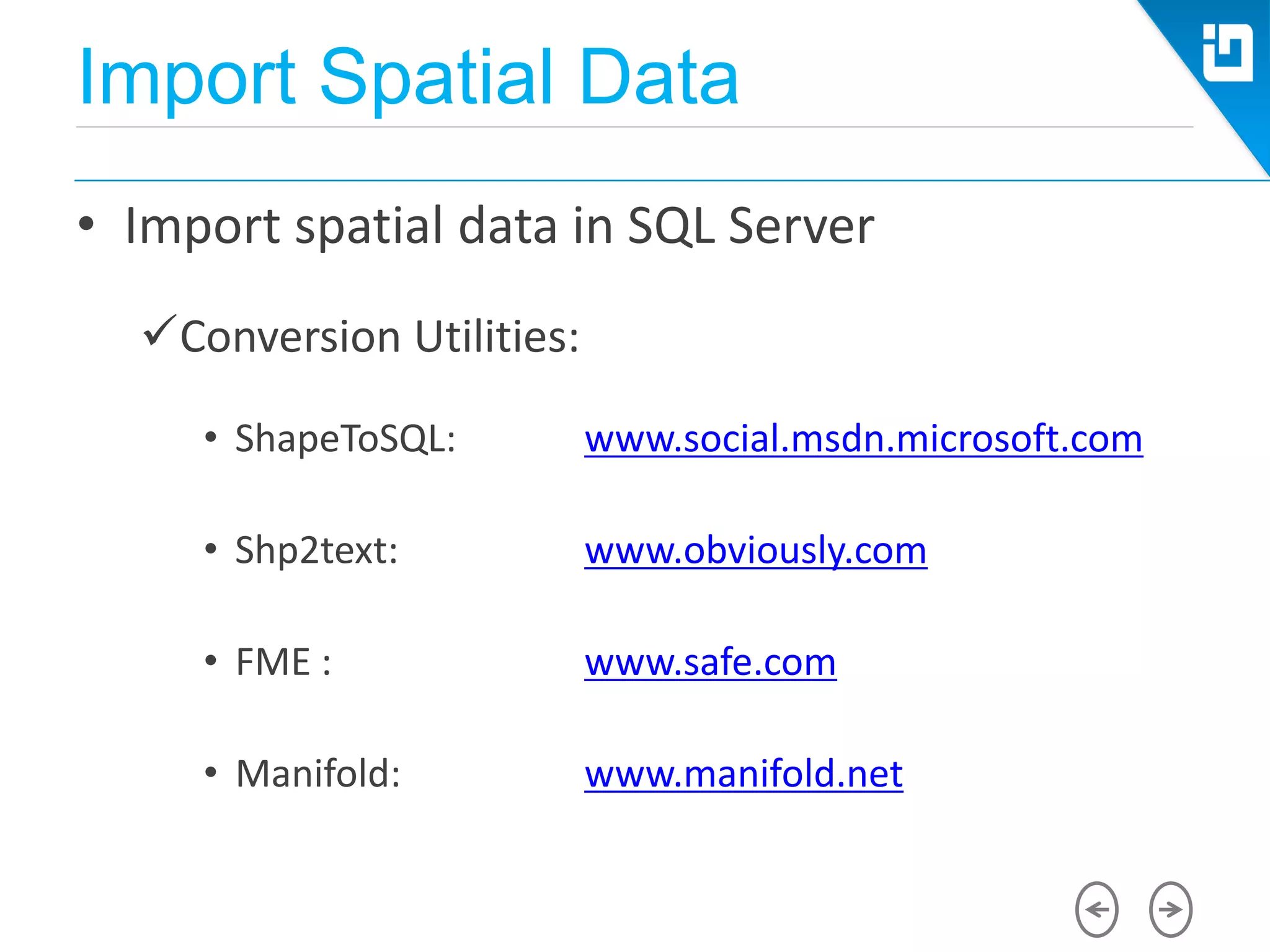
• Import spatial data in SQL Server
Conversion Utilities:
• ShapeToSQL: www.social.msdn.microsoft.com
• Shp2text: www.obviously.com
• FME : www.safe.com
• Manifold: www.manifold.net
Microsoft Azure SQL Database
Architecture
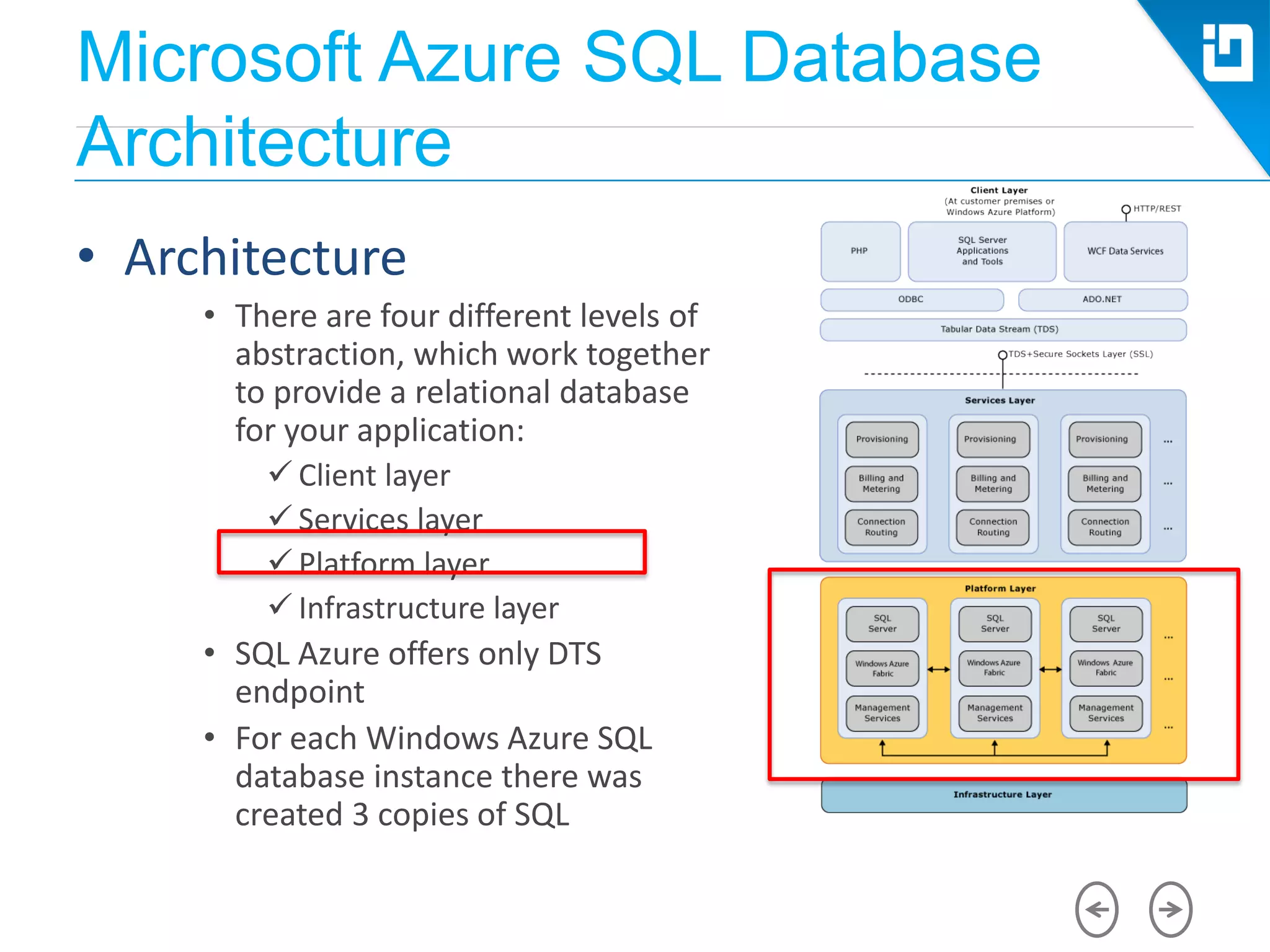
• Architecture
• There are four different levels of
abstraction, which work together
to provide a relational database
for your application:
 Client layer
 Services layer
 Platform layer
 Infrastructure layer
• SQL Azure offers only DTS
endpoint
• For each Windows Azure SQL
database instance there was
created 3 copies of SQL
Windows Azure SQL Database
Architecture
• Azure SQL Database Disadvantages
Azure SQL Database does not support the
following functions of the database
• Service Broker
• HTTP access
• CLR stored procedures
Microsoft Azure SQL Database
Architecture
• Azure SQL Database Disadvantages
 Azure SQL Database support spatial data types, but developers
need to deploy libraries with spatial CLR types with their
applications. Windows Azure has no installed predefined SQL
spatial data types
 Azure SQL Database does not support the following functional
features
• Distributed queries
• Distributed transactions
• Any SQL query and views that change or get physical information
resources
Microsoft Azure SQL Database
Architecture
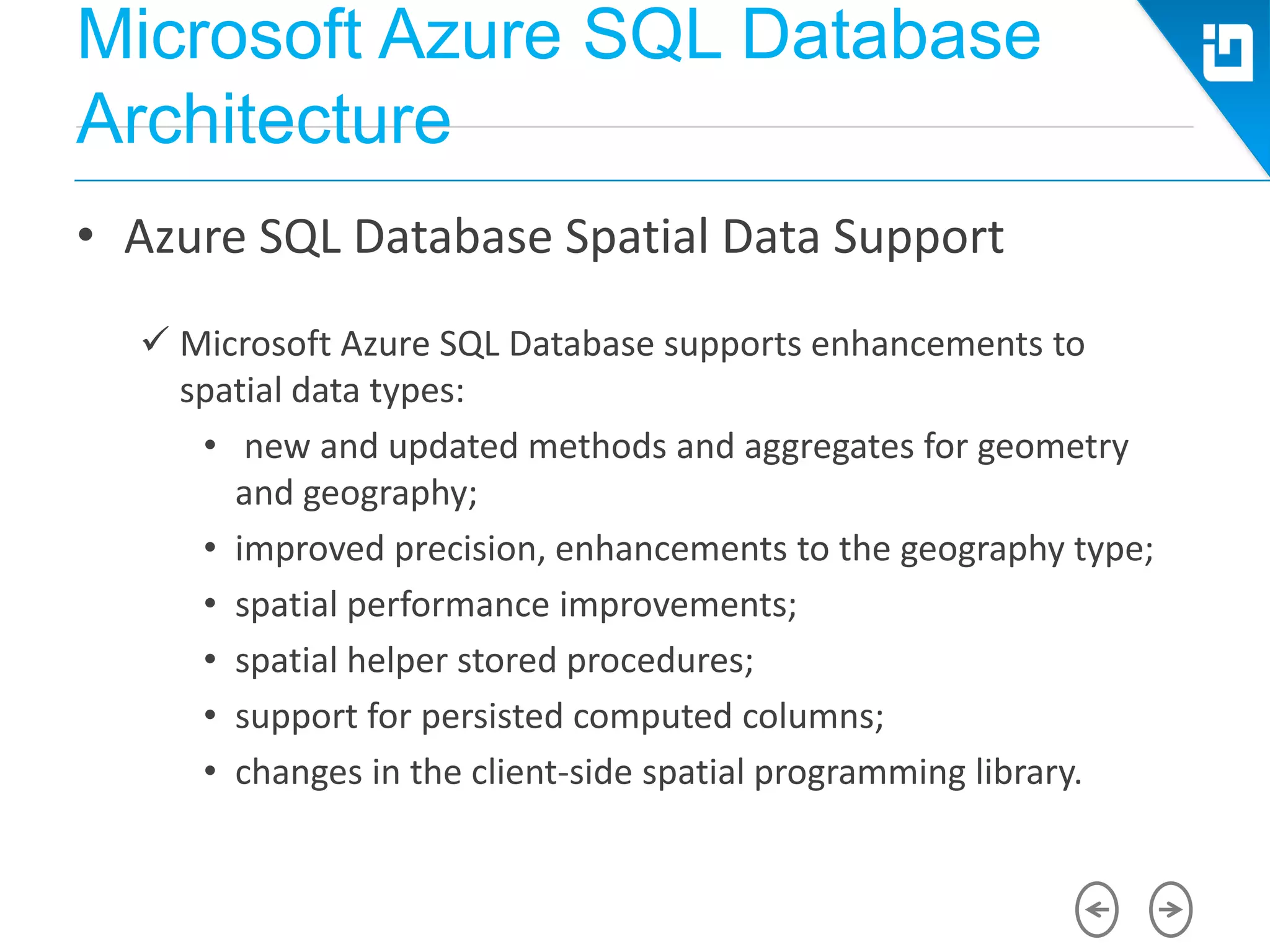
• Azure SQL Database Spatial Data Support
 Microsoft Azure SQL Database supports enhancements to
spatial data types:
• new and updated methods and aggregates for geometry
and geography;
• improved precision, enhancements to the geography type;
• spatial performance improvements;
• spatial helper stored procedures;
• support for persisted computed columns;
• changes in the client-side spatial programming library.
Microsoft Azure SQL Database
Architecture
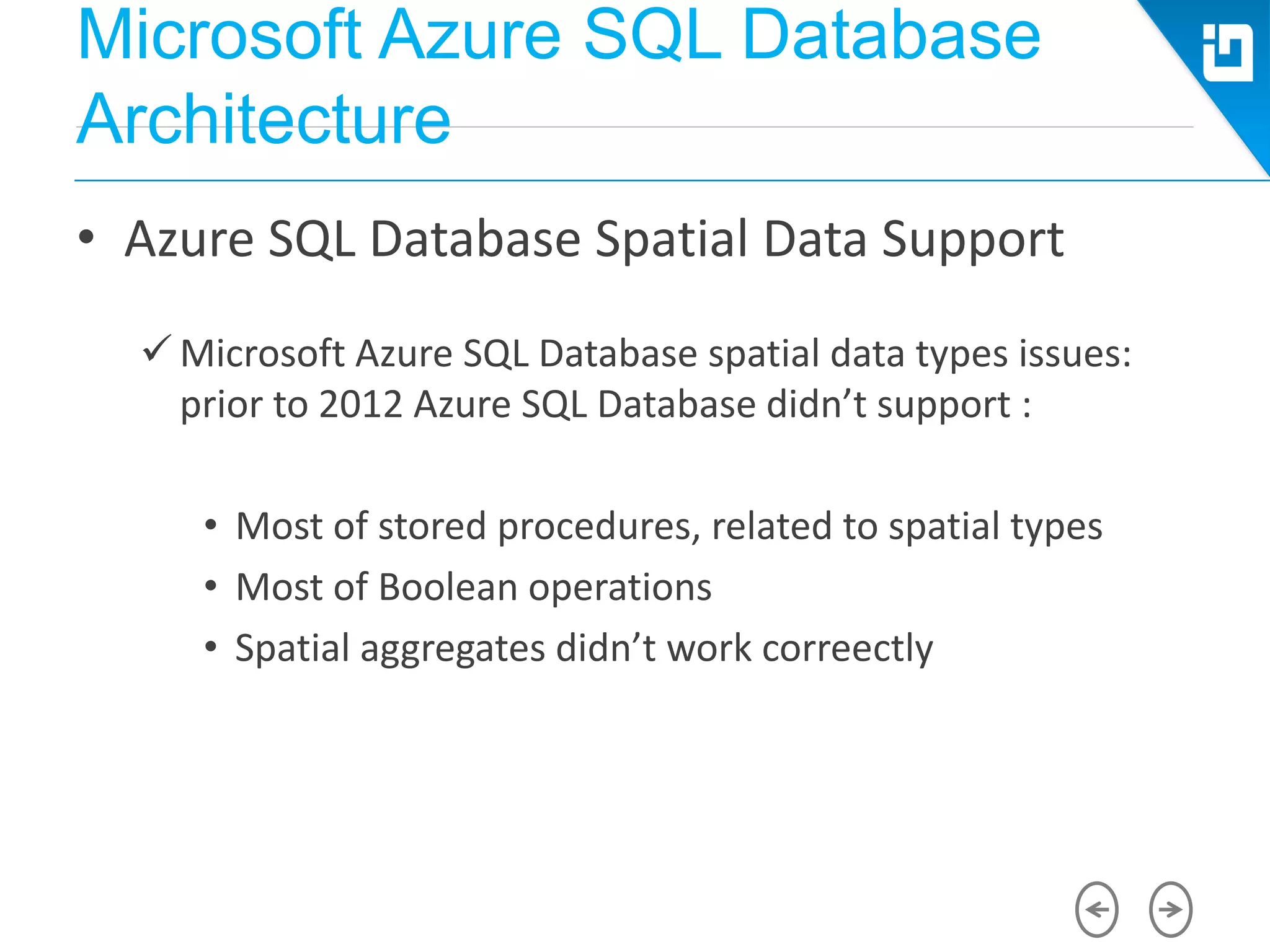
• Azure SQL Database Spatial Data Support
 Microsoft Azure SQL Database spatial data types issues:
prior to 2012 Azure SQL Database didn’t support :
• Most of stored procedures, related to spatial types
• Most of Boolean operations
• Spatial aggregates didn’t work correectly
Azure SQL Database Federations
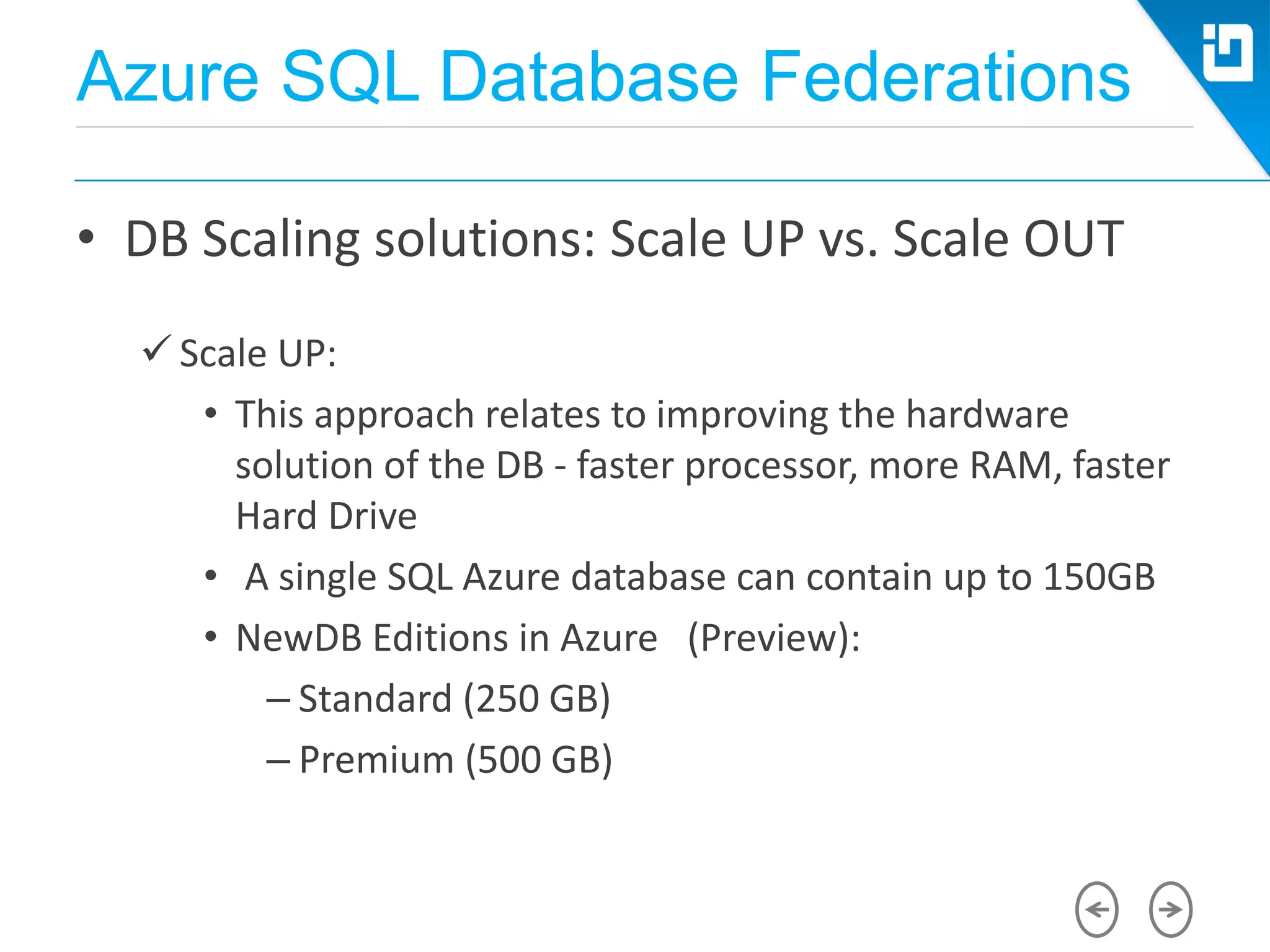
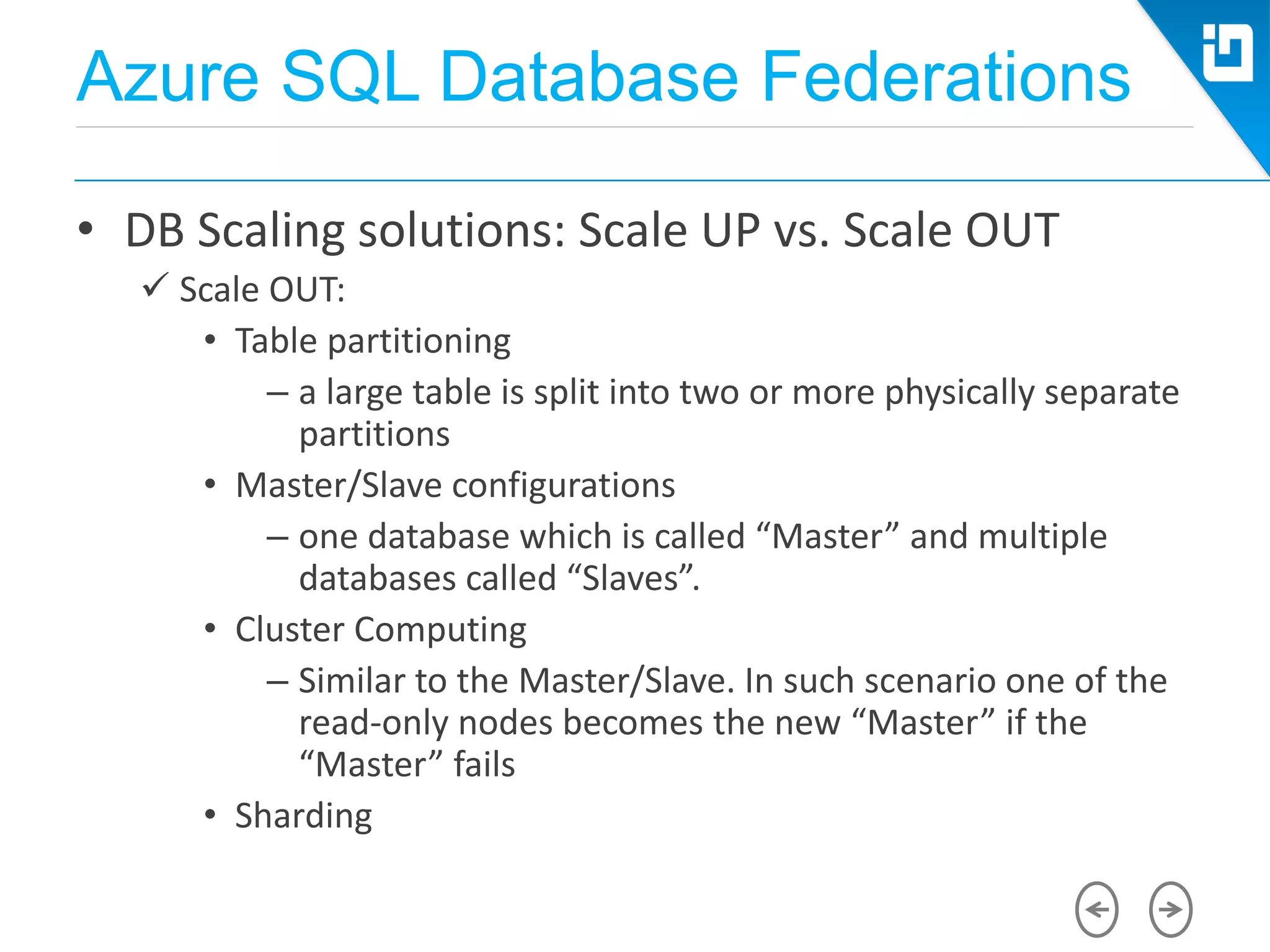
• DB Scaling solutions: Scale UP vs. Scale OUT
 Scale UP:
• This approach relates to improving the hardware
solution of the DB - faster processor, more RAM, faster
Hard Drive
• A single SQL Azure database can contain up to 150GB
• NewDB Editions in Azure (Preview):
– Standard (250 GB)
– Premium (500 GB)
Azure SQL Database Federations
• DB Scaling solutions: Scale UP vs. Scale OUT
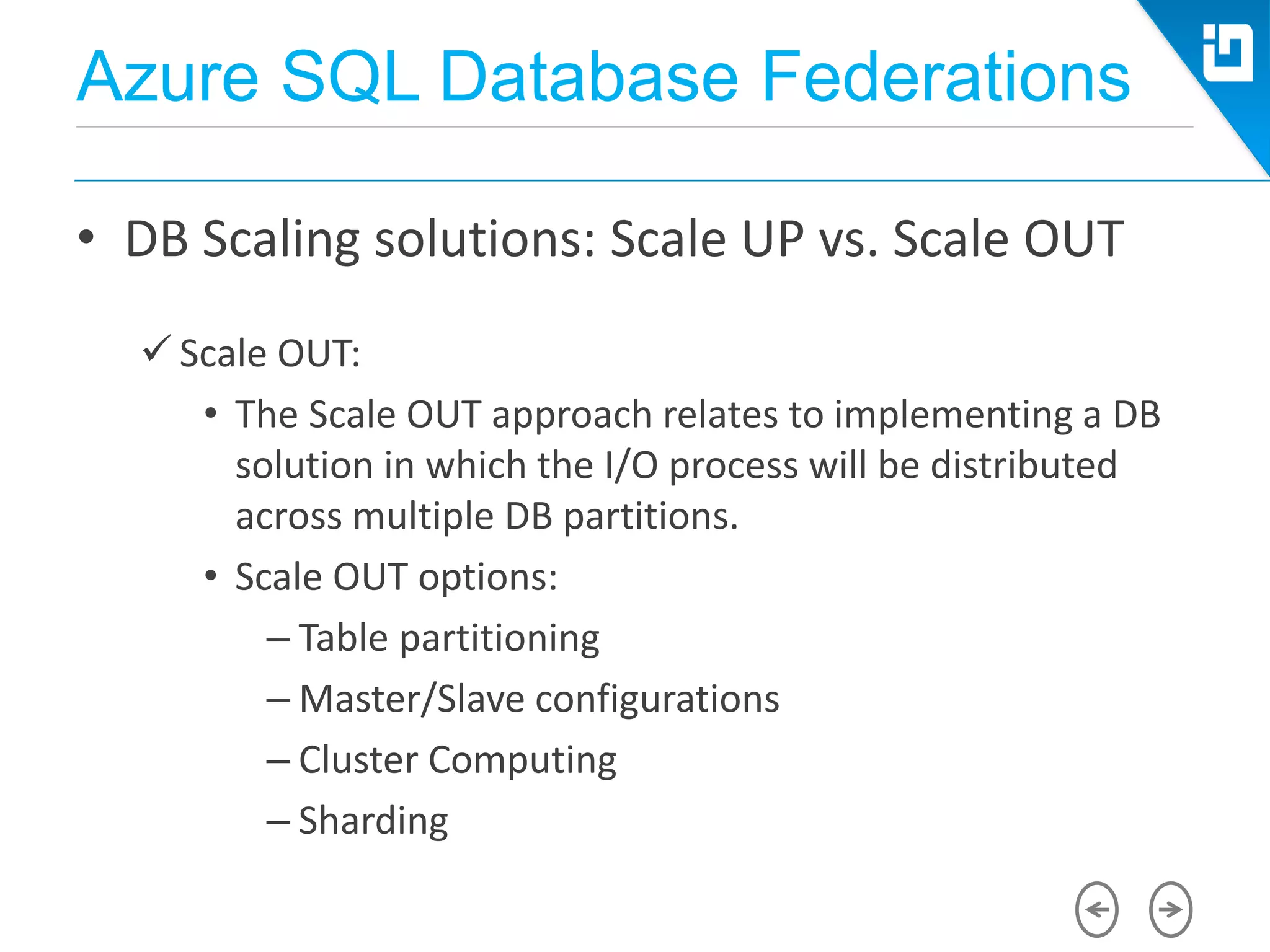
 Scale OUT:
• The Scale OUT approach relates to implementing a DB
solution in which the I/O process will be distributed
across multiple DB partitions.
• Scale OUT options:
– Table partitioning
– Master/Slave configurations
– Cluster Computing
– Sharding
Azure SQL Database Federations
• DB Scaling solutions: Scale UP vs. Scale OUT
 Scale OUT:
• Table partitioning
– a large table is split into two or more physically separate
partitions
• Master/Slave configurations
– one database which is called “Master” and multiple
databases called “Slaves”.
• Cluster Computing
– Similar to the Master/Slave. In such scenario one of the
read-only nodes becomes the new “Master” if the
“Master” fails
• Sharding
Azure SQL Database Federations
• Scale UP vs. Scale OUT
 Scale OUT:
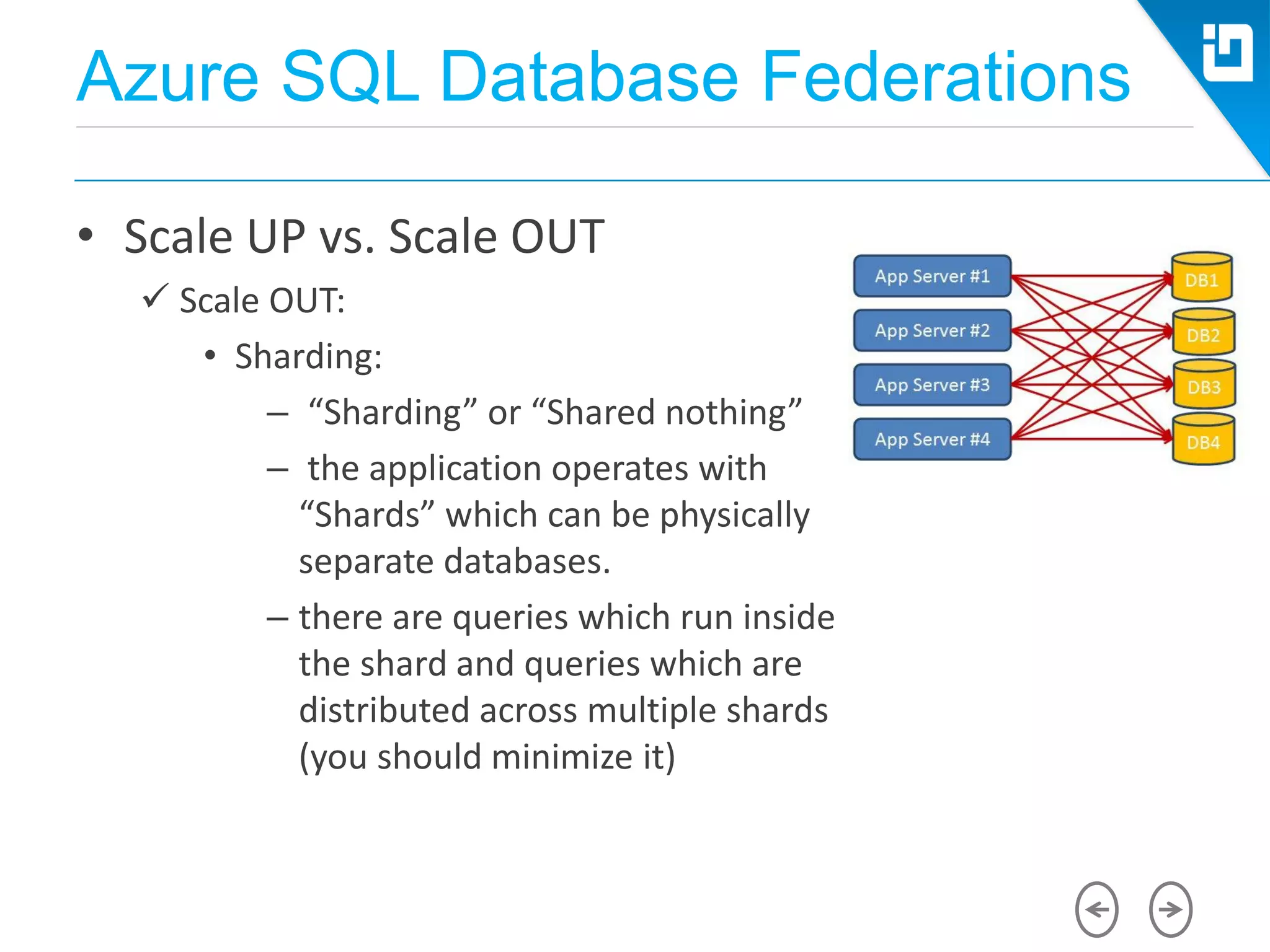
• Sharding:
– “Sharding” or “Shared nothing”
– the application operates with
“Shards” which can be physically
separate databases.
– there are queries which run inside
the shard and queries which are
distributed across multiple shards
(you should minimize it)
Azure SQL Database Federations
• Sharding
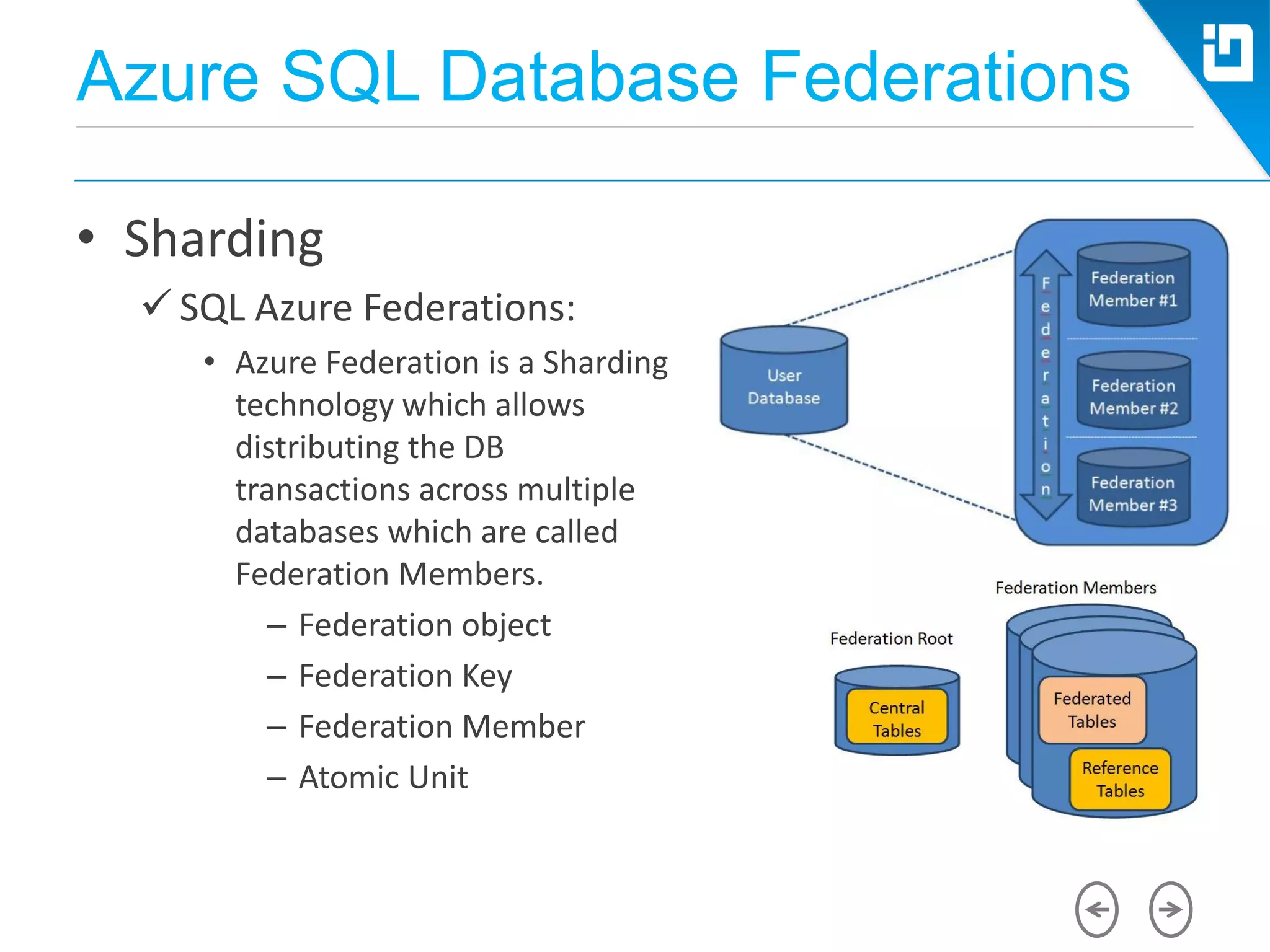
 SQL Azure Federations:
• Azure Federation is a Sharding
technology which allows
distributing the DB
transactions across multiple
databases which are called
Federation Members.
– Federation object
– Federation Key
– Federation Member
– Atomic Unit
Azure SQL Database Federations
• Sharding
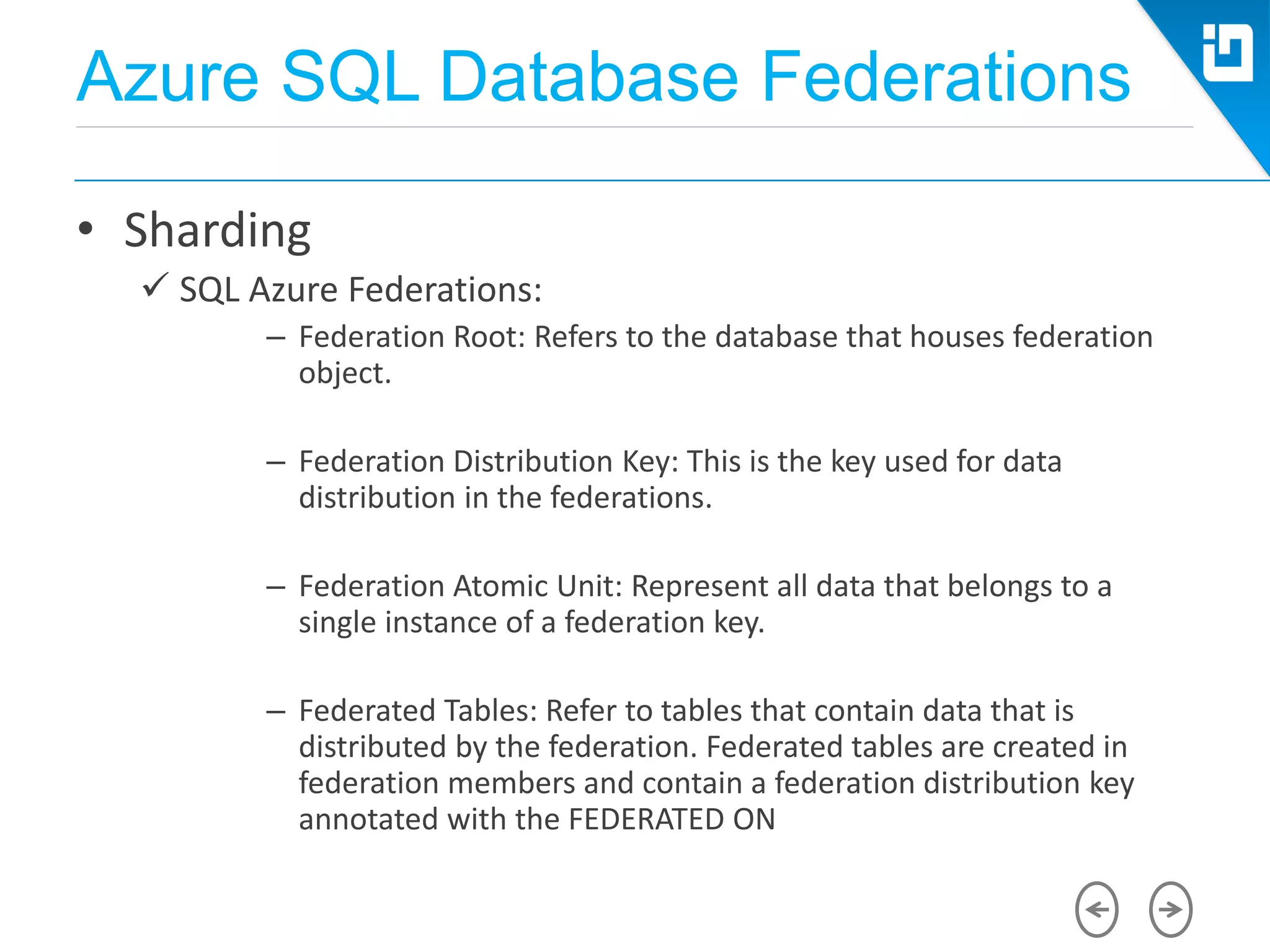
 SQL Azure Federations:
– Federation Root: Refers to the database that houses federation
object.
– Federation Distribution Key: This is the key used for data
distribution in the federations.
– Federation Atomic Unit: Represent all data that belongs to a
single instance of a federation key.
– Federated Tables: Refer to tables that contain data that is
distributed by the federation. Federated tables are created in
federation members and contain a federation distribution key
annotated with the FEDERATED ON
Azure SQL Database Federations
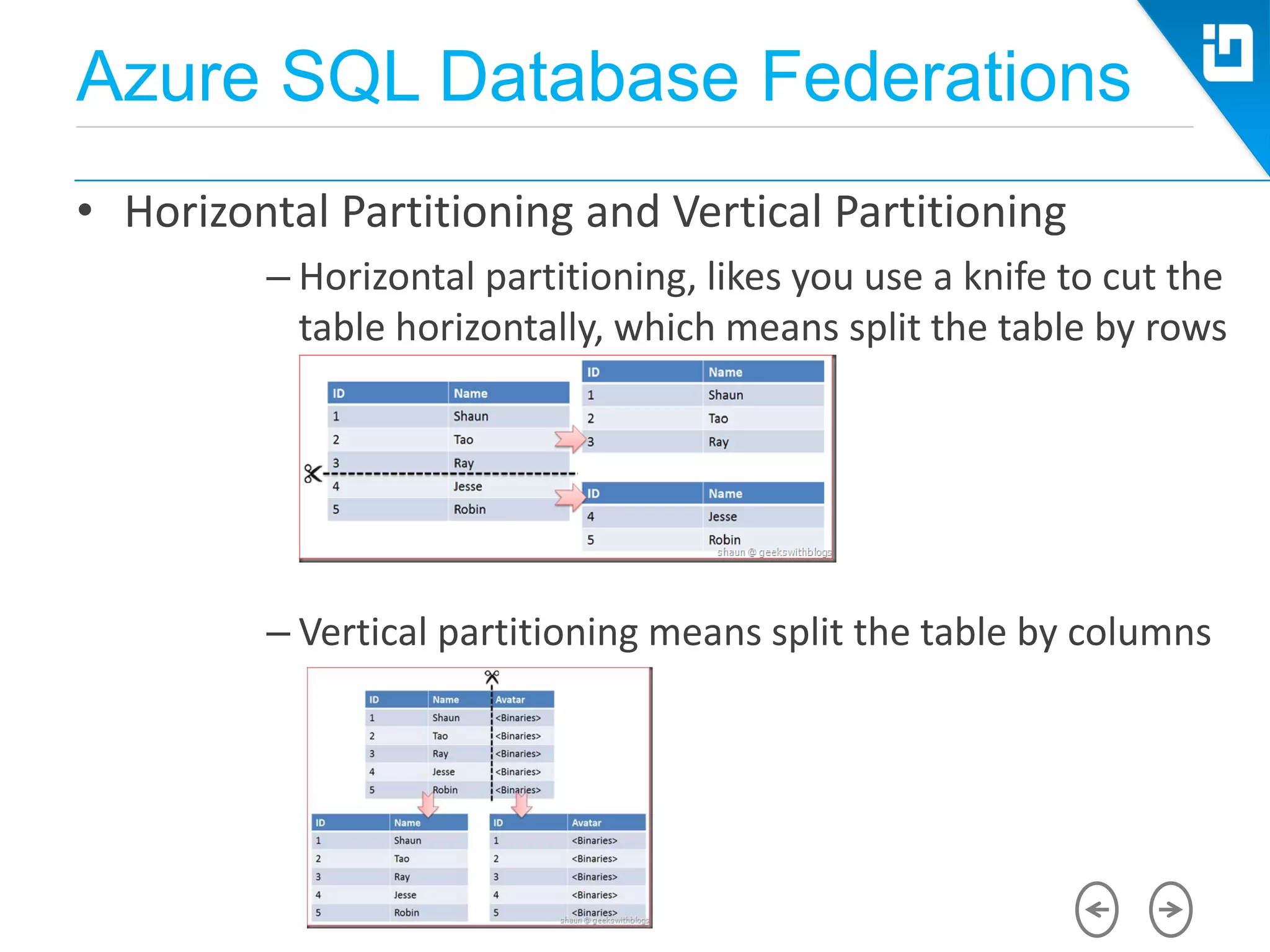
• Horizontal Partitioning and Vertical Partitioning
– Horizontal partitioning, likes you use a knife to cut the
table horizontally, which means split the table by rows
– Vertical partitioning means split the table by columns
Azure SQL Database Federations
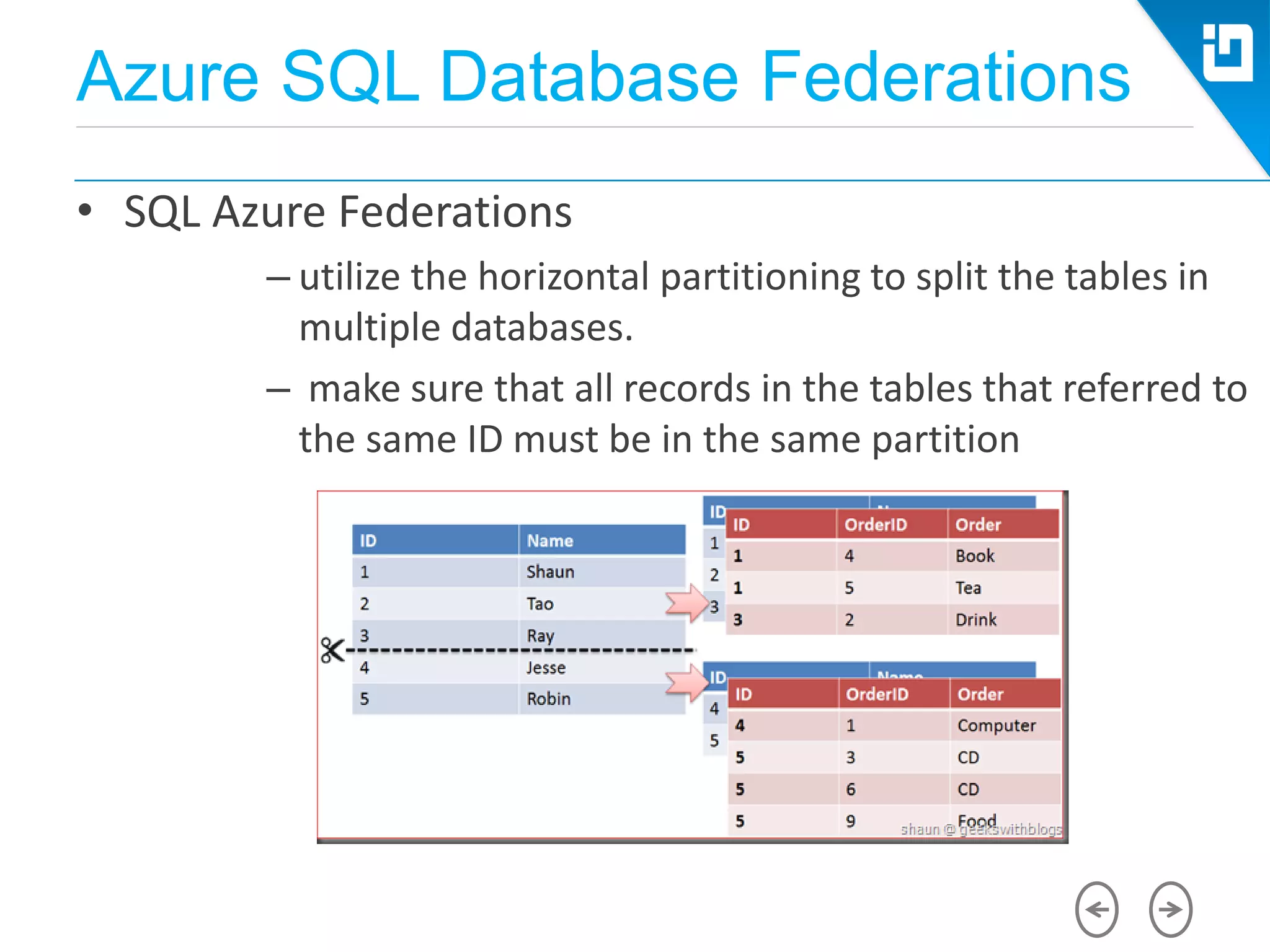
• SQL Azure Federations
– utilize the horizontal partitioning to split the tables in
multiple databases.
– make sure that all records in the tables that referred to
the same ID must be in the same partition
Azure SQL Database Federations
• SQL Azure Federations
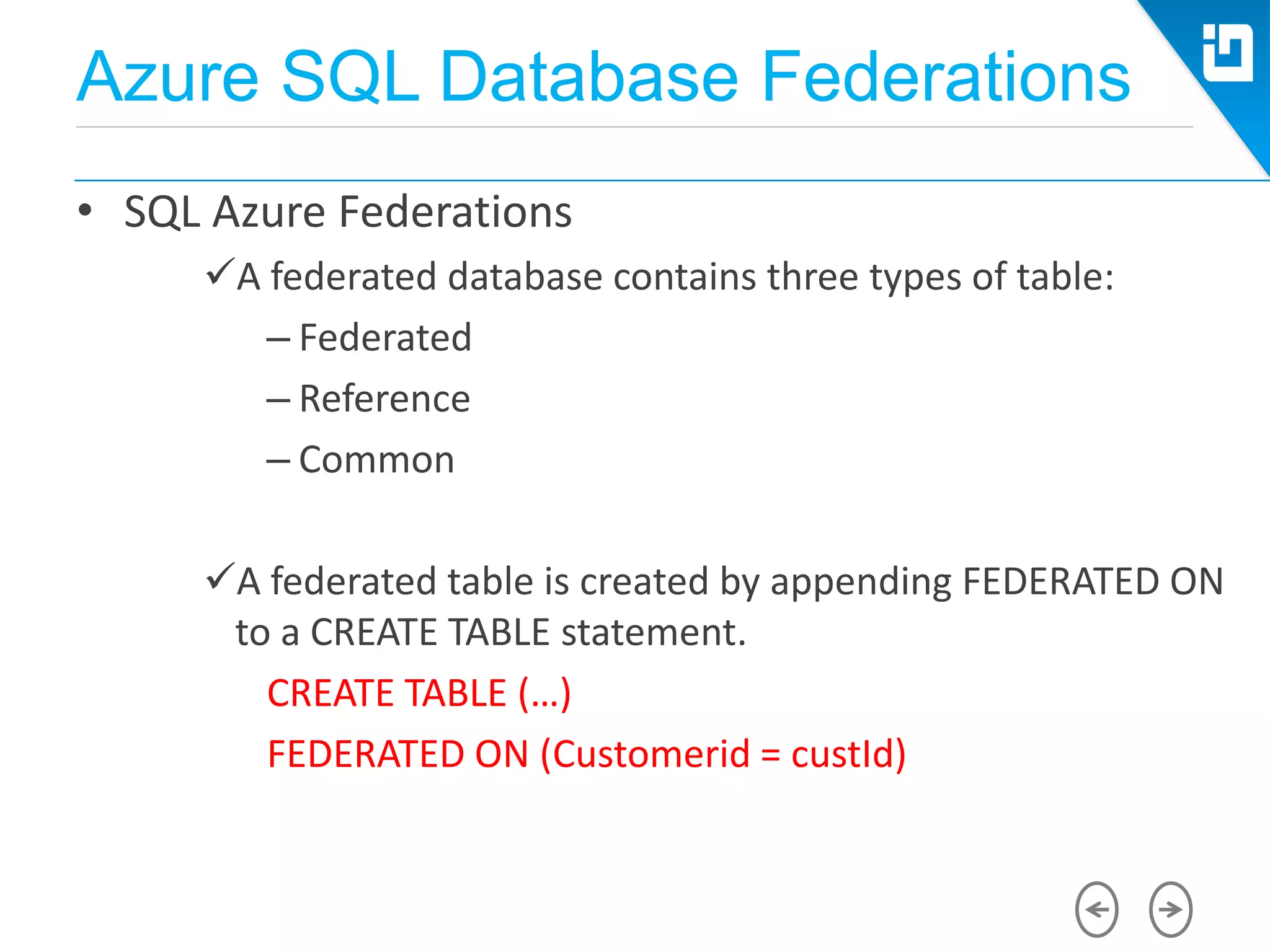
A federated database contains three types of table:
– Federated
– Reference
– Common
A federated table is created by appending FEDERATED ON
to a CREATE TABLE statement.
CREATE TABLE (…)
FEDERATED ON (Customerid = custId)
Azure SQL Database Federations
• SQL Azure Federations and Spatial Support
– Geography and geometry types cannot be
used as the data type of the column that a
table is federated on; however they can be
part of the federated table. There are no other
limitations on using spatial data with
federations.
– After a SPLIT or DROP operation, spatial
indexes stay consistent and intact in the
destination federation members
Migrating Spatial Data to SQL
Azure
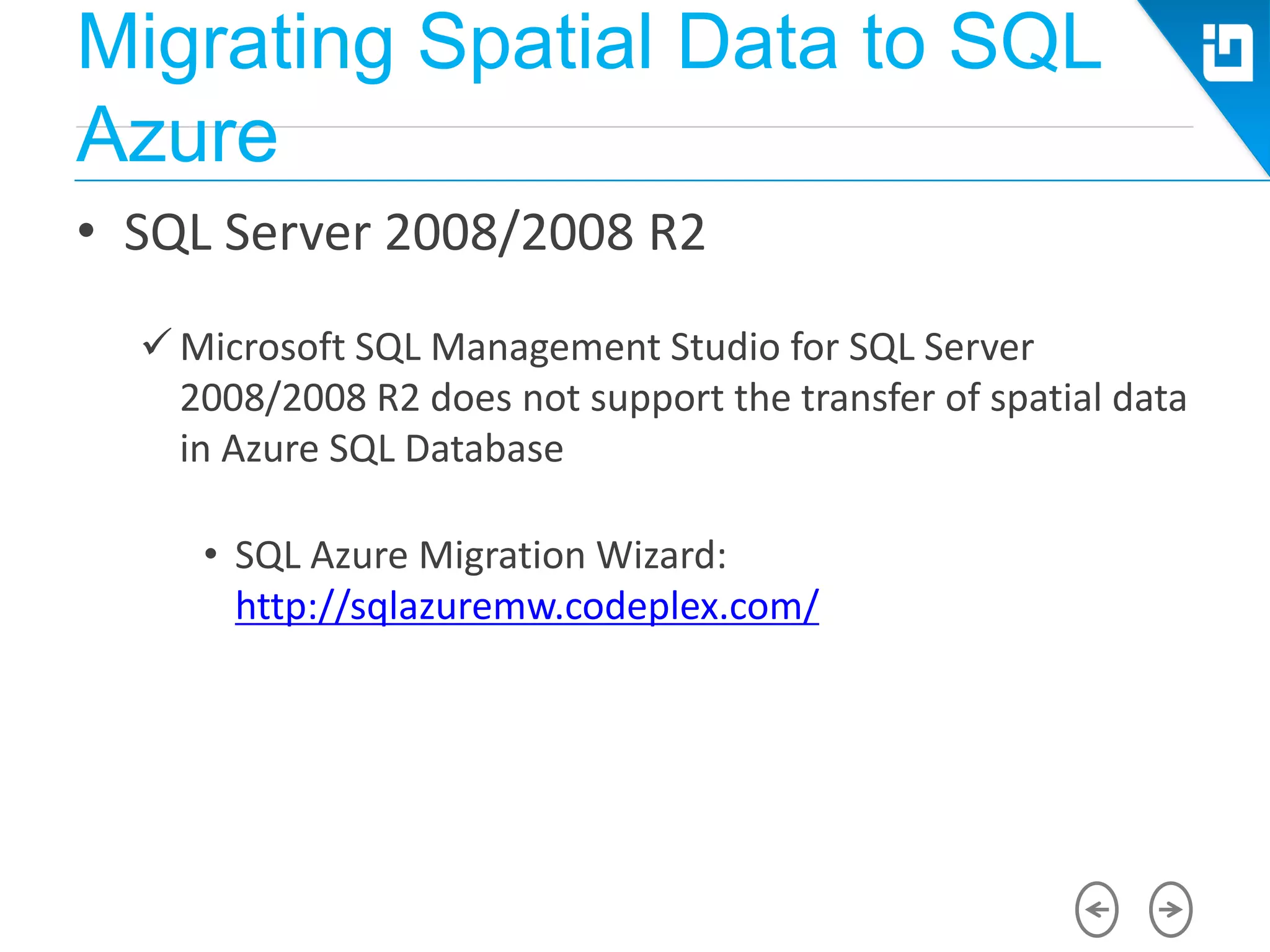
• SQL Server 2008/2008 R2
 Microsoft SQL Management Studio for SQL Server
2008/2008 R2 does not support the transfer of spatial data
in Azure SQL Database
• SQL Azure Migration Wizard:
http://sqlazuremw.codeplex.com/
Migrating Spatial Data to SQL
Azure
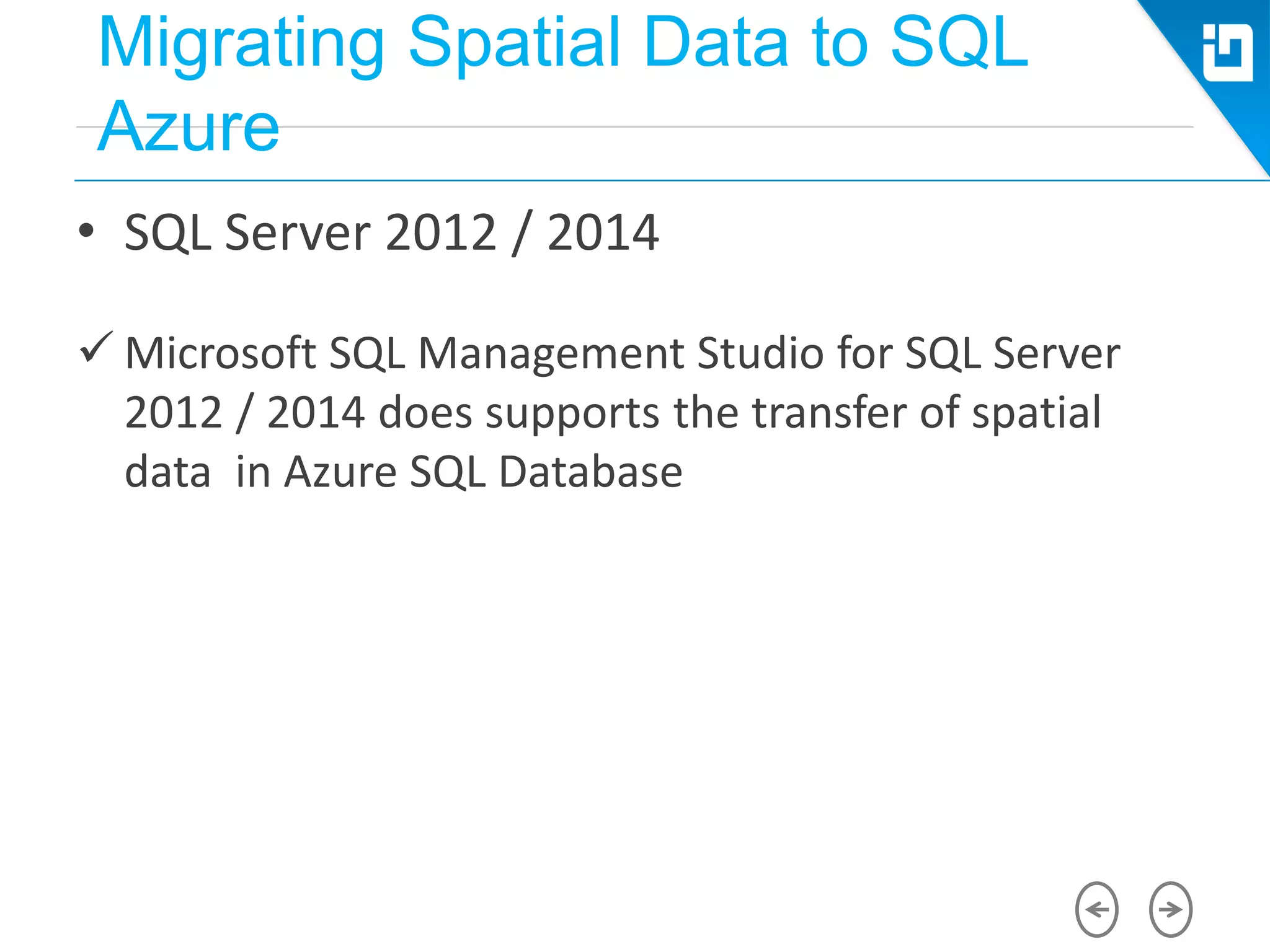
• SQL Server 2012 / 2014
 Microsoft SQL Management Studio for SQL Server
2012 / 2014 does supports the transfer of spatial
data in Azure SQL Database
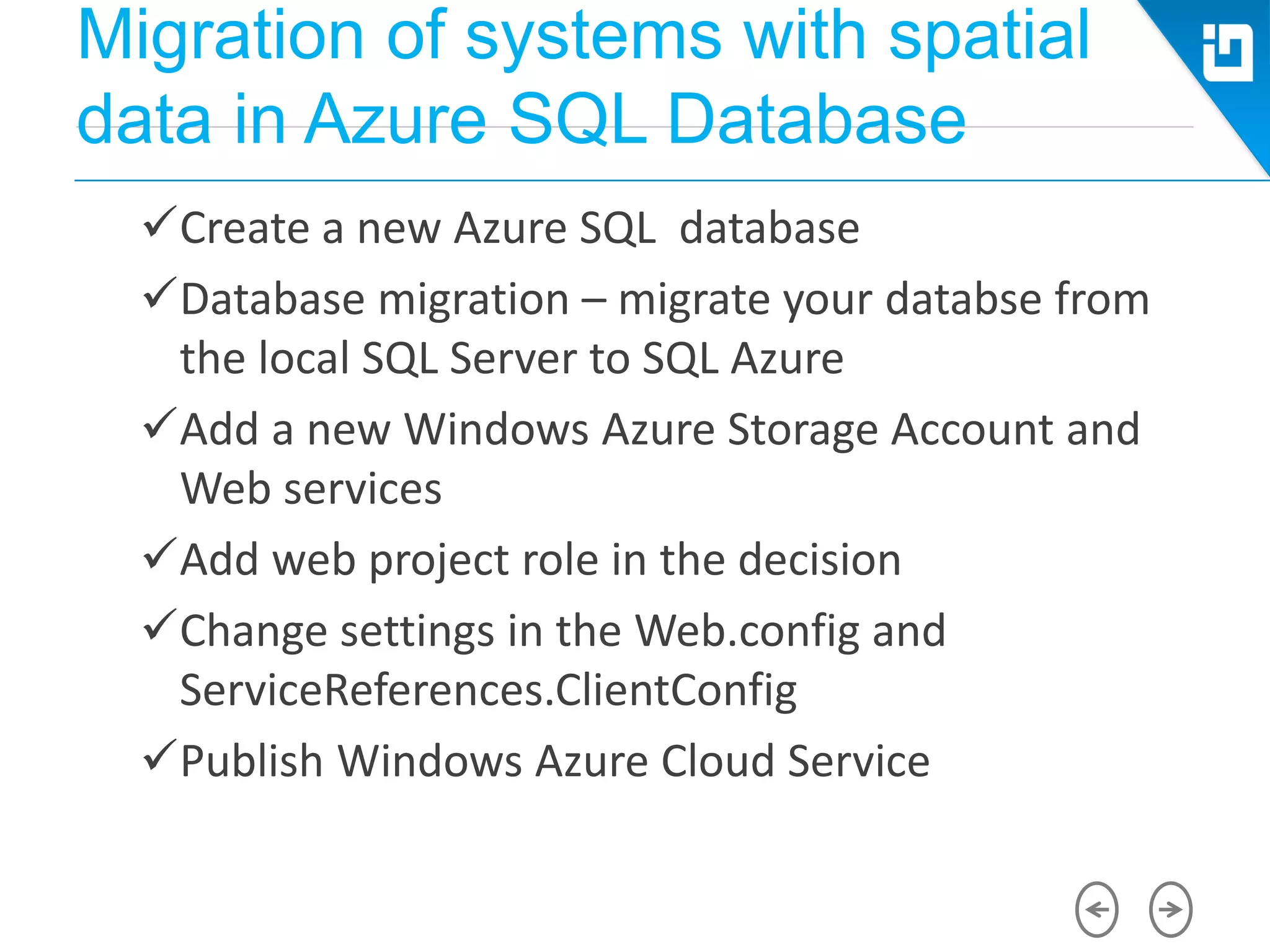
Migration of systems with spatial
data in Azure SQL Database
Create a new Azure SQL database
Database migration – migrate your databse from
the local SQL Server to SQL Azure
Add a new Windows Azure Storage Account and
Web services
Add web project role in the decision
Change settings in the Web.config and
ServiceReferences.ClientConfig
Publish Windows Azure Cloud Service
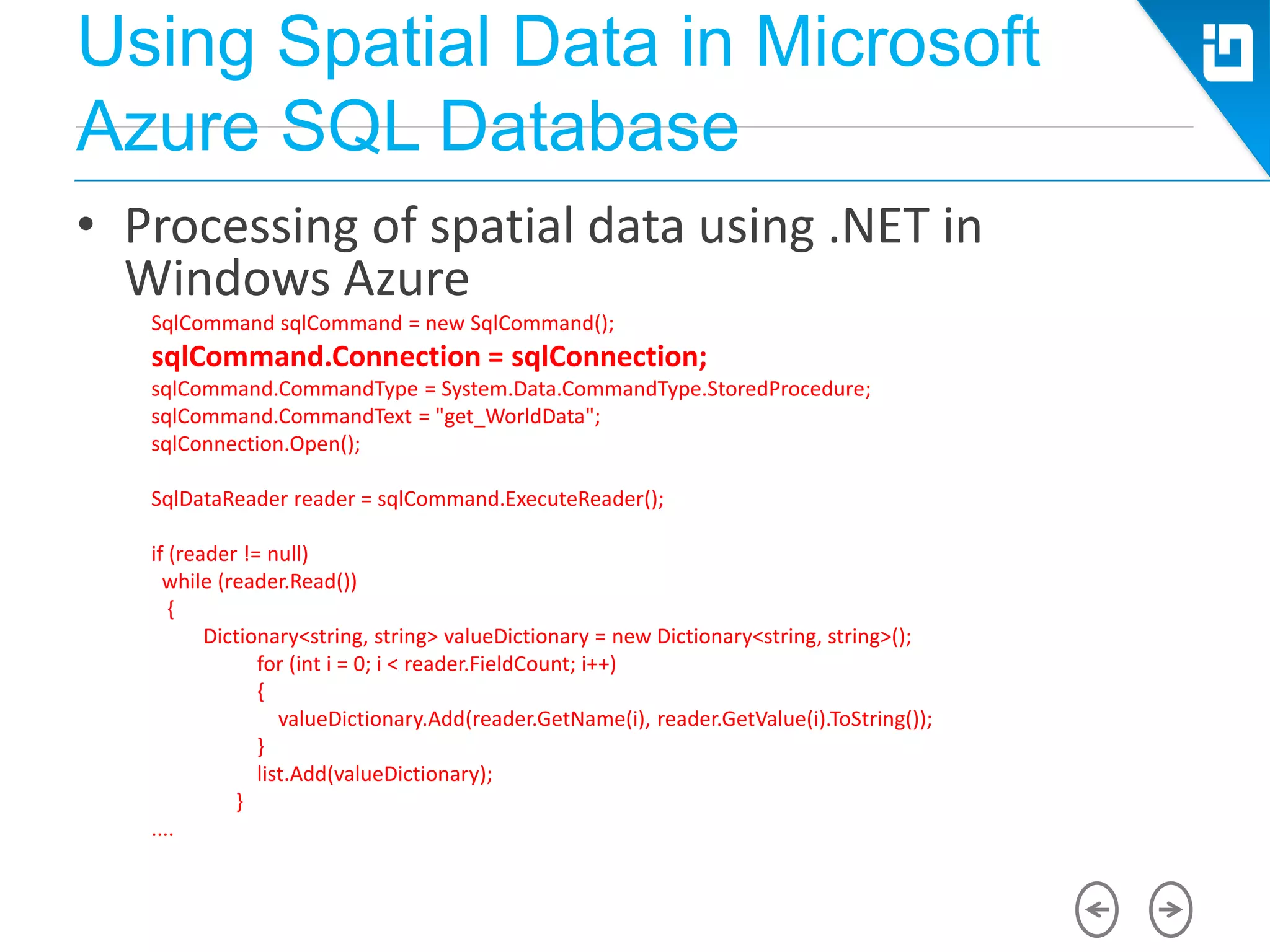
Using Spatial Data in Microsoft
Azure SQL Database
• Processing of spatial data using .NET in
Windows Azure
SqlCommand sqlCommand = new SqlCommand();
sqlCommand.Connection = sqlConnection;
sqlCommand.CommandType = System.Data.CommandType.StoredProcedure;
sqlCommand.CommandText = "get_WorldData";
sqlConnection.Open();
SqlDataReader reader = sqlCommand.ExecuteReader();
if (reader != null)
while (reader.Read())
{
Dictionary<string, string> valueDictionary = new Dictionary<string, string>();
for (int i = 0; i < reader.FieldCount; i++)
{
valueDictionary.Add(reader.GetName(i), reader.GetValue(i).ToString());
}
list.Add(valueDictionary);
}
....
Using Spatial Data in Microsoft
Azure SQL Database
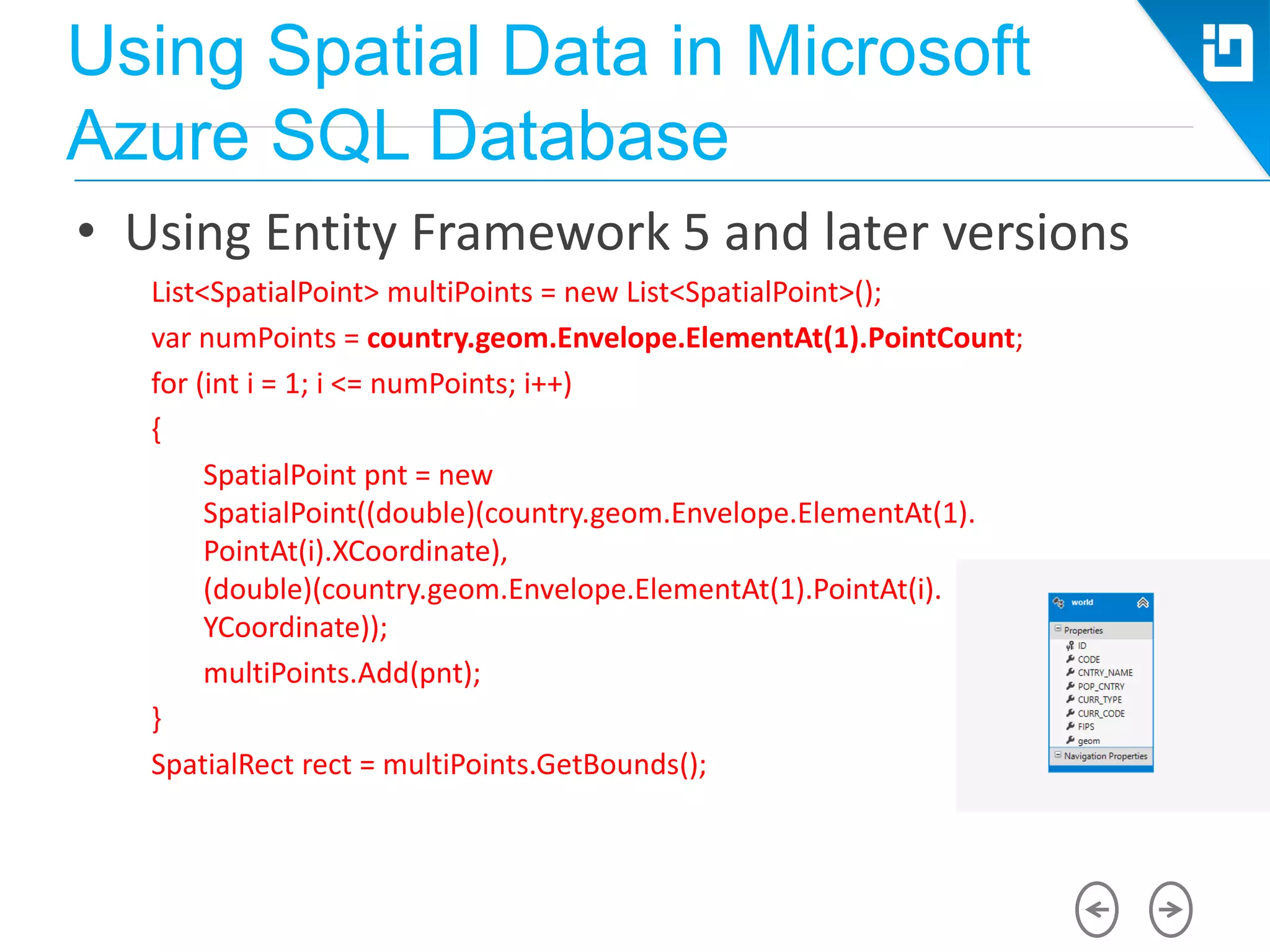
• Using Entity Framework 5 and later versions
List<SpatialPoint> multiPoints = new List<SpatialPoint>();
var numPoints = country.geom.Envelope.ElementAt(1).PointCount;
for (int i = 1; i <= numPoints; i++)
{
SpatialPoint pnt = new
SpatialPoint((double)(country.geom.Envelope.ElementAt(1).
PointAt(i).XCoordinate),
(double)(country.geom.Envelope.ElementAt(1).PointAt(i).
YCoordinate));
multiPoints.Add(pnt);
}
SpatialRect rect = multiPoints.GetBounds();
Using Spatial Data in Microsoft
Azure SQL Database
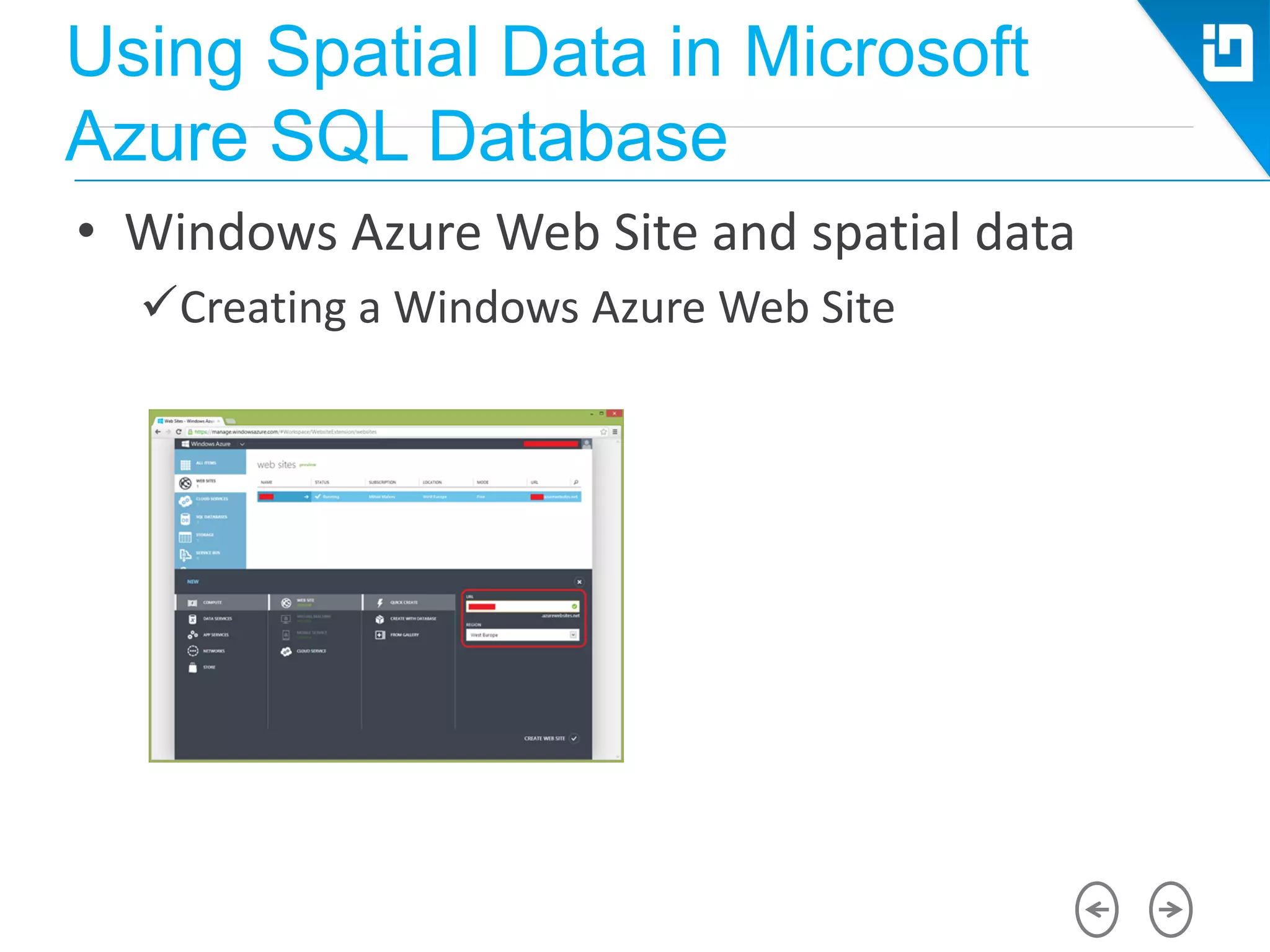
• Windows Azure Web Site and spatial data
Creating a Windows Azure Web Site
Using Spatial Data in Microsoft
Azure SQL Database
• What libraries to use?
Microsoft.SqlServer.Types.dll
• (managed) .NET library
• Program Files(x86)Microsoft SQL Server110SDKAssemblies
SQLServerSpatial.dll / SQLServerSpatial110.dll
• (unmanaged) C++ library
• WindowsSystem32
Using Spatial Data in Microsoft
Azure SQL Database
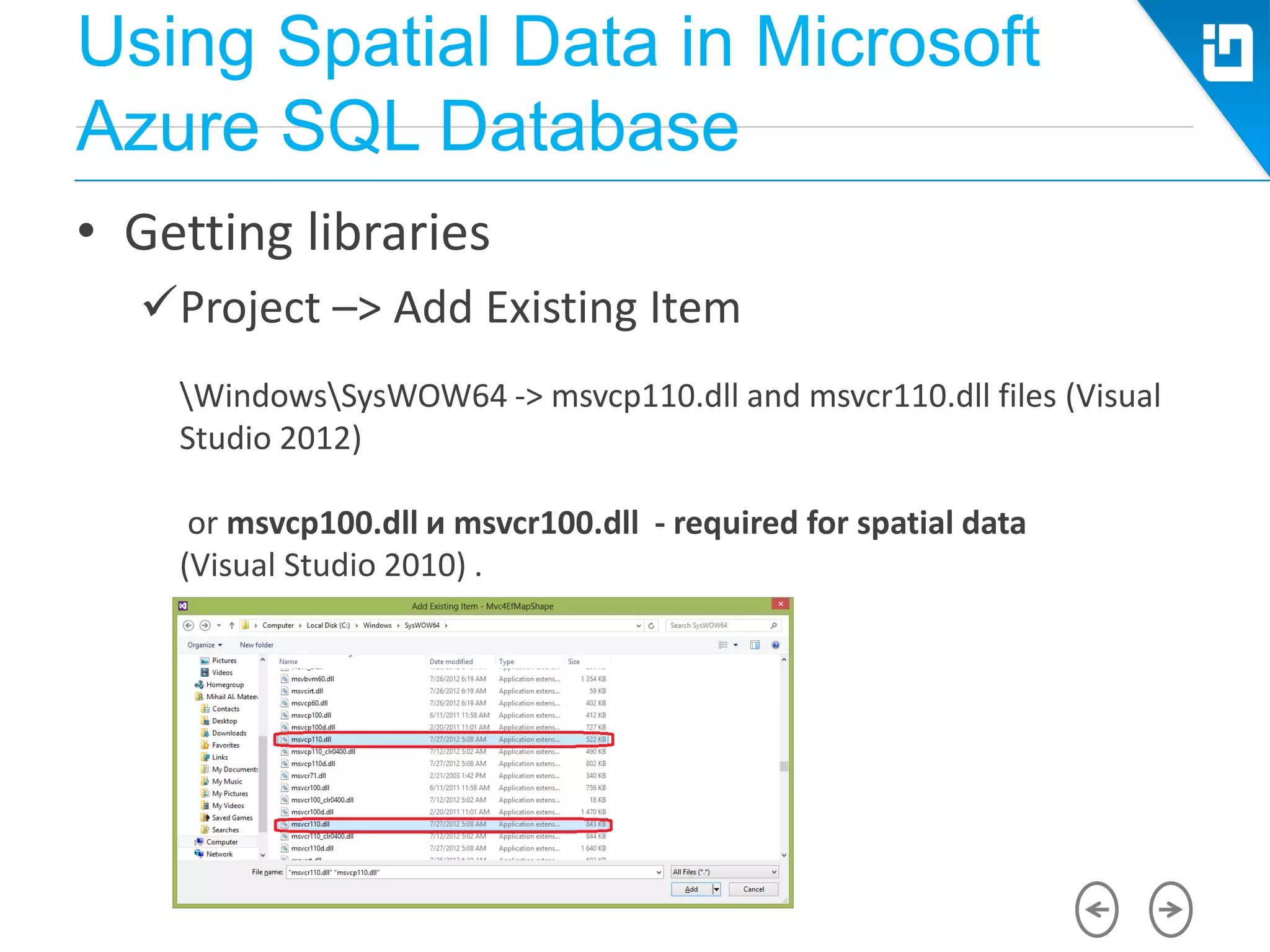
• Getting libraries
Project –> Add Existing Item
WindowsSysWOW64 -> msvcp110.dll and msvcr110.dll files (Visual
Studio 2012)
or msvcp100.dll и msvcr100.dll - required for spatial data
(Visual Studio 2010) .
Using Spatial Data in Microsoft
Azure SQL Database
• Getting libraries
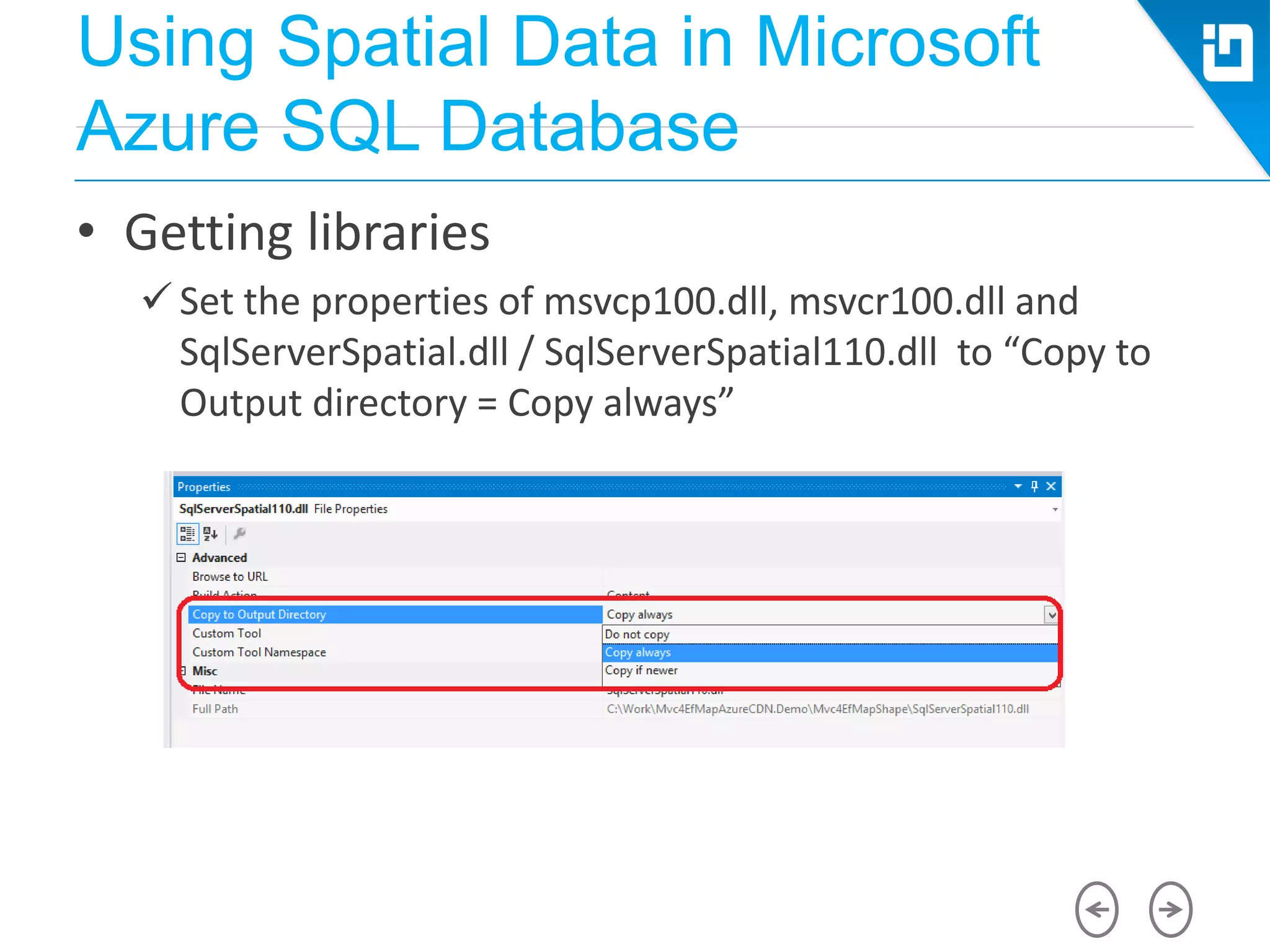
 Set the properties of msvcp100.dll, msvcr100.dll and
SqlServerSpatial.dll / SqlServerSpatial110.dll to “Copy to
Output directory = Copy always”
Using Spatial Data in Microsoft
Azure SQL Database
• Microsoft Azure and Entity Framework
 Deploying Spatial Data Types to Microsoft Azure
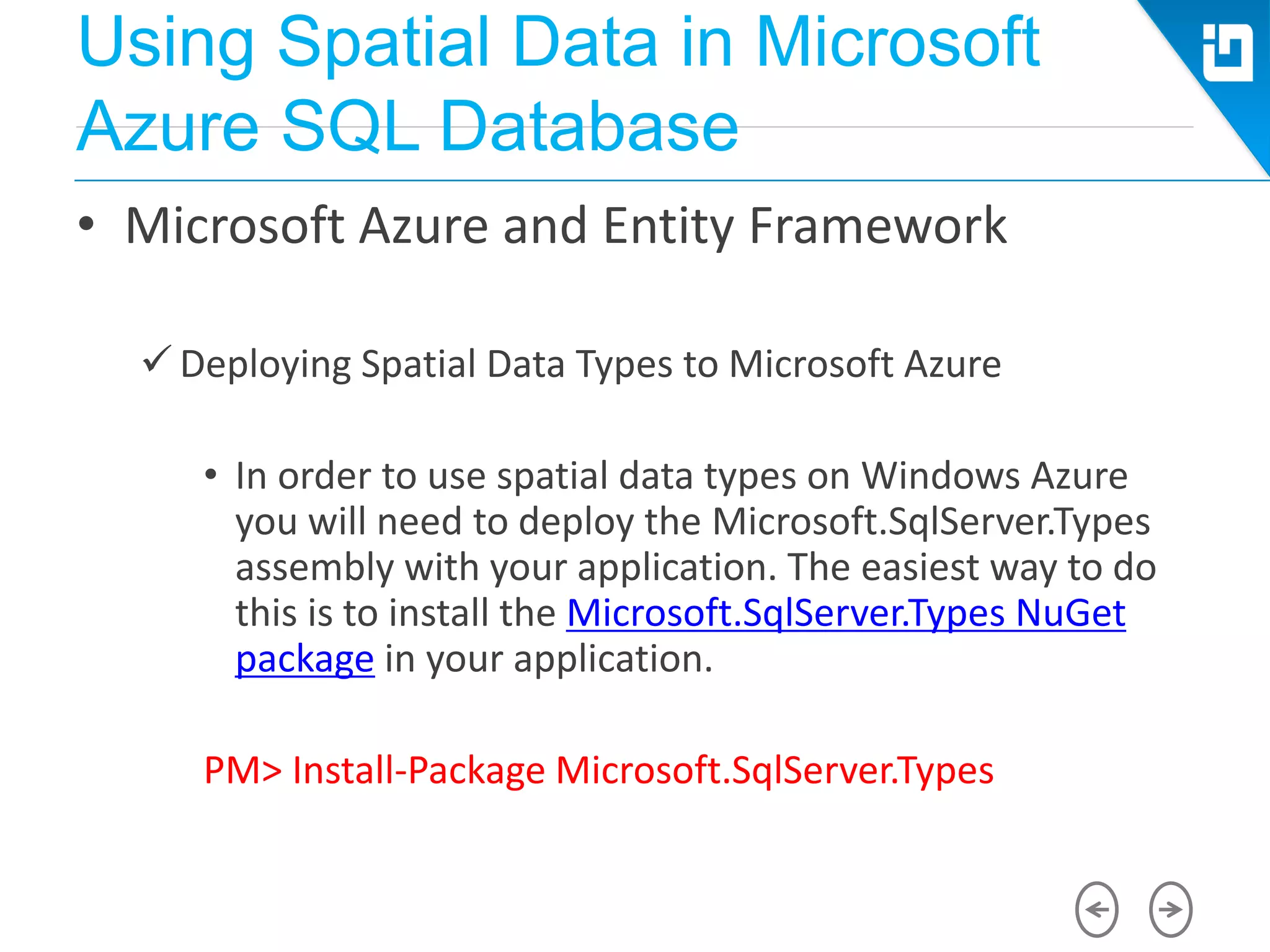
• In order to use spatial data types on Windows Azure
you will need to deploy the Microsoft.SqlServer.Types
assembly with your application. The easiest way to do
this is to install the Microsoft.SqlServer.Types NuGet
package in your application.
PM> Install-Package Microsoft.SqlServer.Types
Using Spatial Data in Microsoft
Azure SQL Database
• Microsoft Azure and Entity Framework
 SQL Azure Federations
• The current release of Entity Framework can be used to
work with SQL Azure Federations, however a federated
database cannot be created by the Entity Framework.
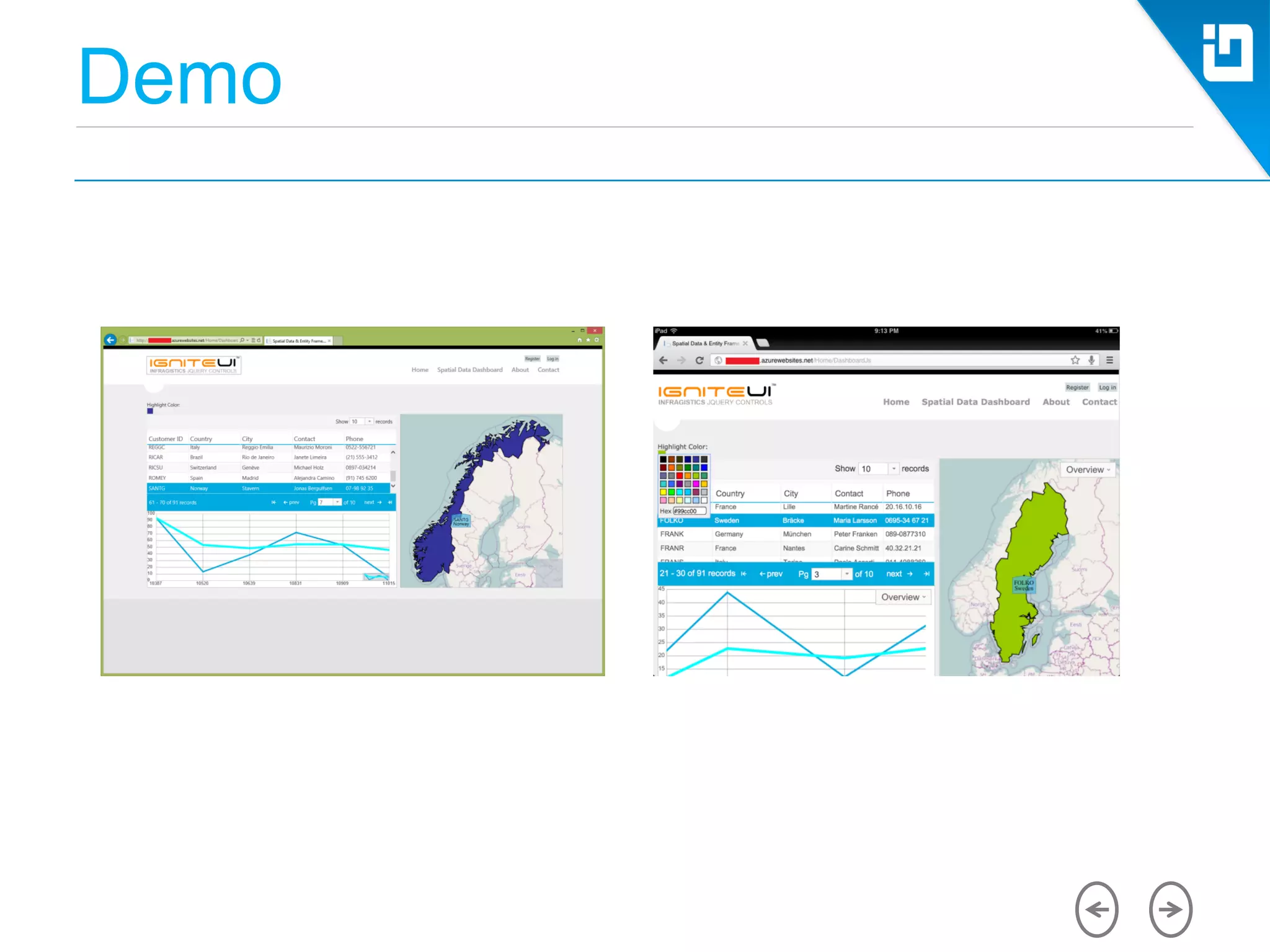
Demo
Spatial Data and Microsoft Azure
Storage
• Is Azure Storage NoSQL ?
• Using spatial data in the
Microsoft Azure Blob Storage
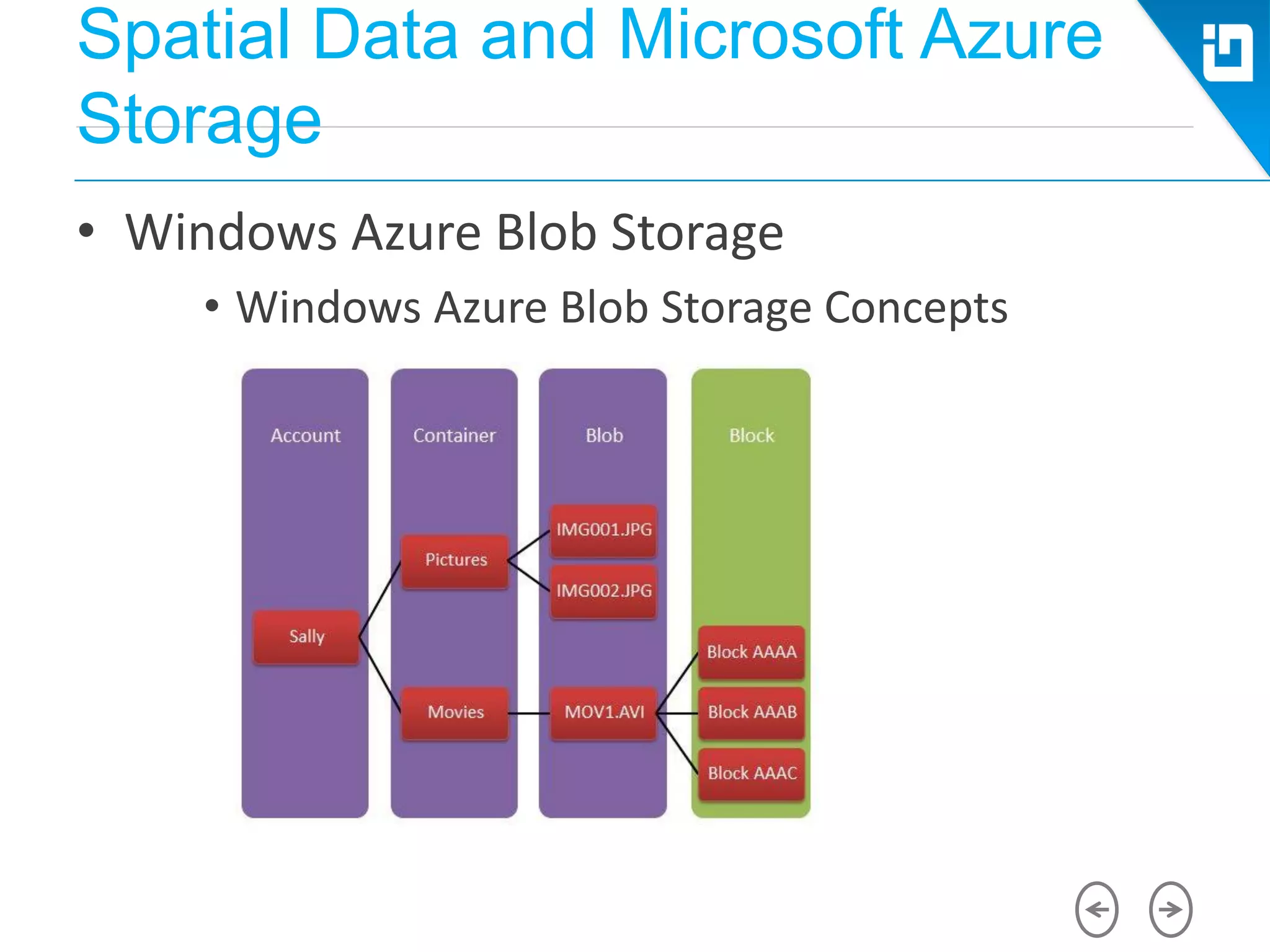
• Accessing the Windows Azure Storage is done via a storage
account. A storage account can have many blob containers.
A container is a user-defined set of blobs that has only
properties, which include a list of the blobs it contains.
Containers don’t store data directly.
Spatial Data and Microsoft Azure
Storage
• Windows Azure Blob Storage
• Windows Azure Blob Storage Concepts
Spatial Data and Microsoft Azure
Storage
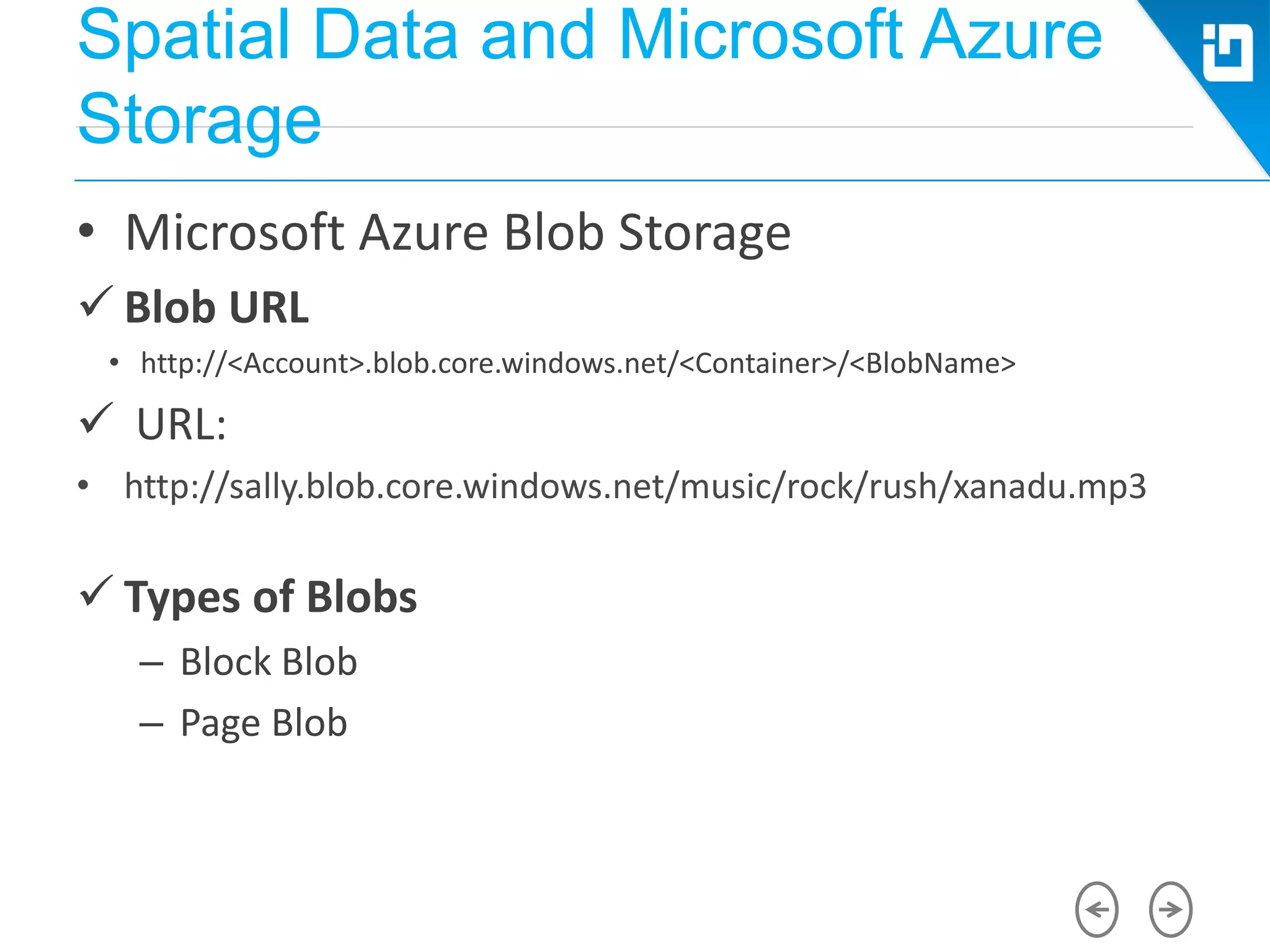
• Microsoft Azure Blob Storage
 Blob URL
• http://<Account>.blob.core.windows.net/<Container>/<BlobName>
 URL:
• http://sally.blob.core.windows.net/music/rock/rush/xanadu.mp3
 Types of Blobs
– Block Blob
– Page Blob
Spatial Data and Microsoft Azure
Storage
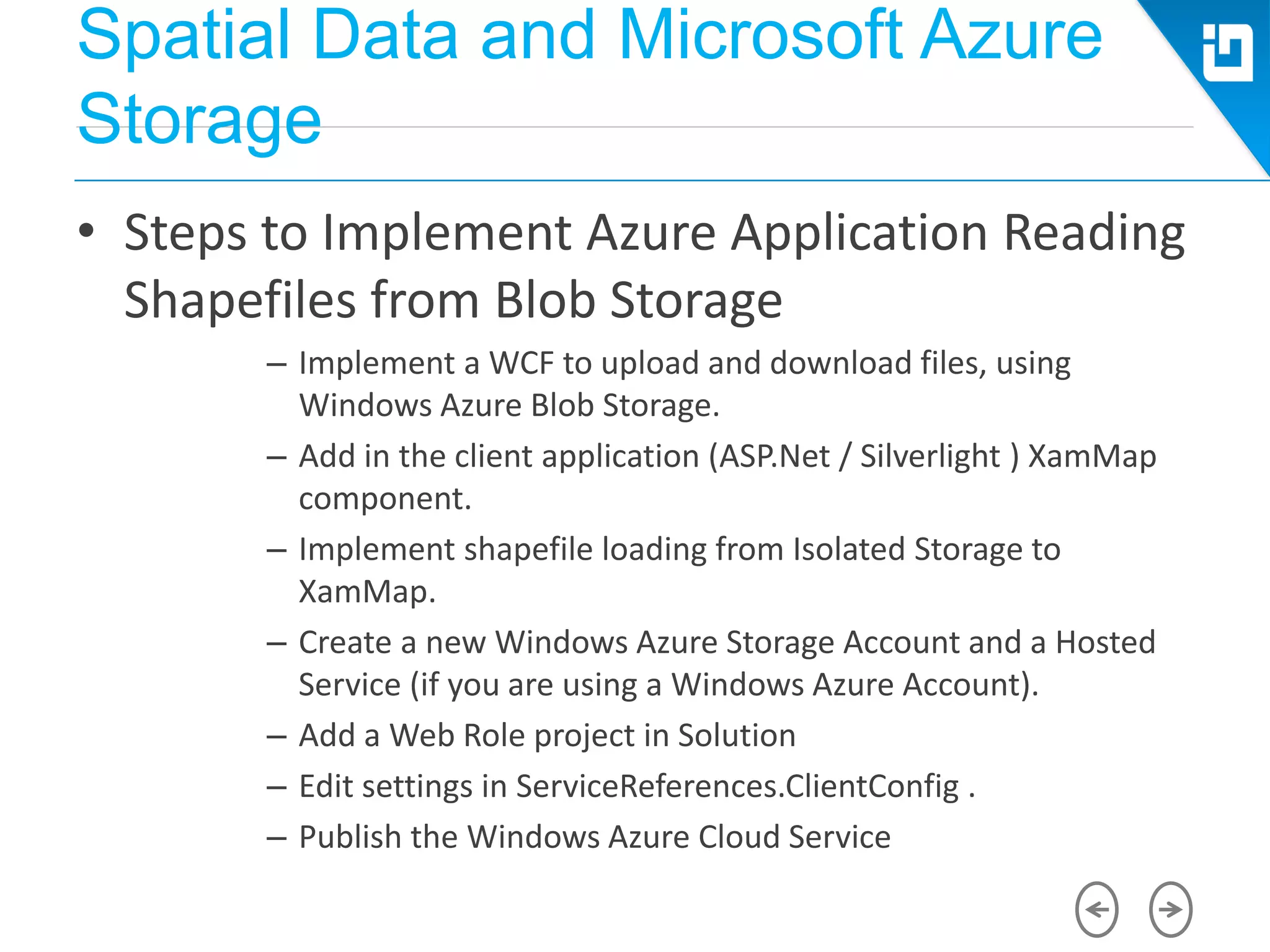
• Steps to Implement Azure Application Reading
Shapefiles from Blob Storage
– Implement a WCF to upload and download files, using
Windows Azure Blob Storage.
– Add in the client application (ASP.Net / Silverlight ) XamMap
component.
– Implement shapefile loading from Isolated Storage to
XamMap.
– Create a new Windows Azure Storage Account and a Hosted
Service (if you are using a Windows Azure Account).
– Add a Web Role project in Solution
– Edit settings in ServiceReferences.ClientConfig .
– Publish the Windows Azure Cloud Service
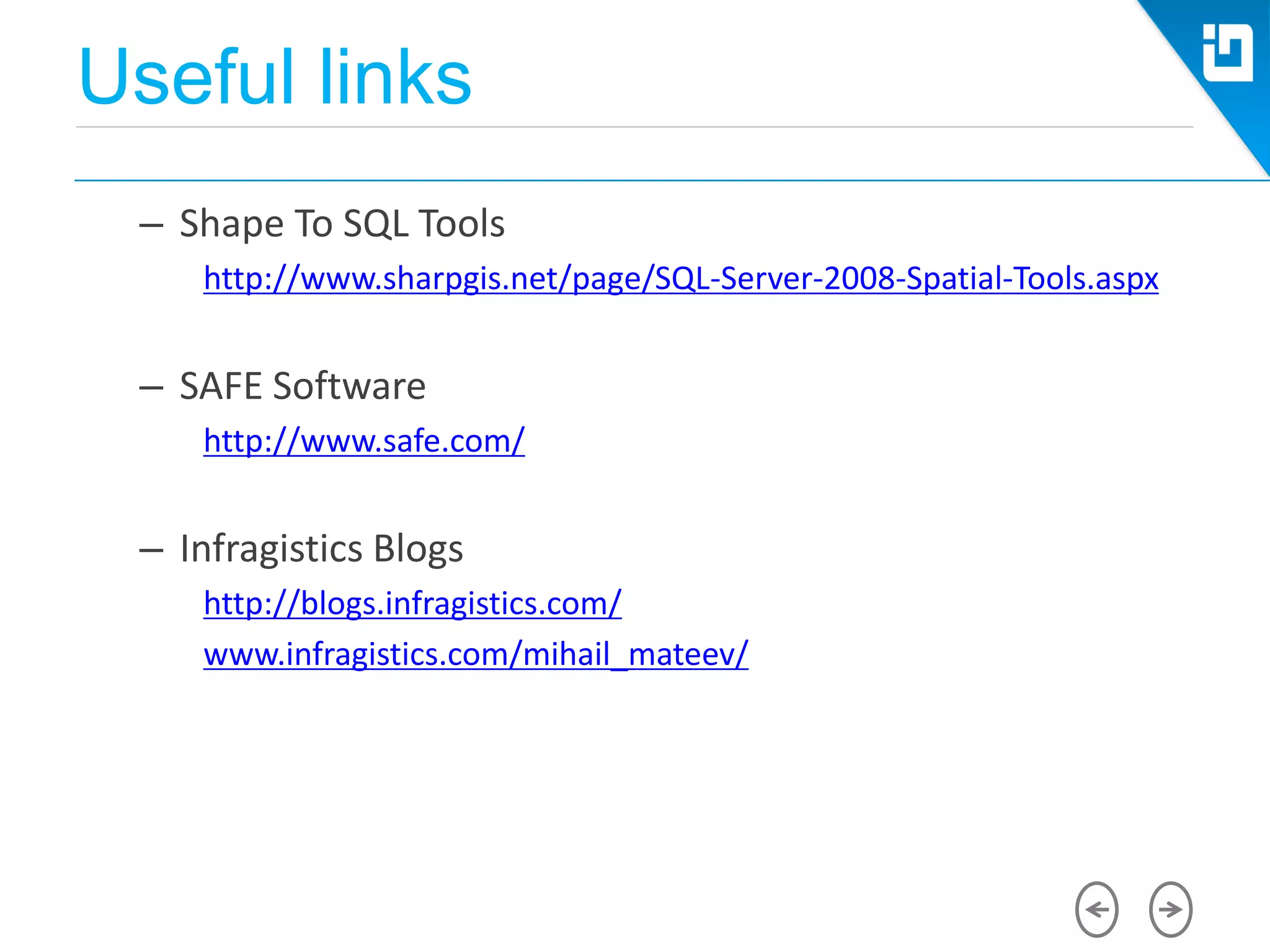
Useful links
– Shape To SQL Tools
http://www.sharpgis.net/page/SQL-Server-2008-Spatial-Tools.aspx
– SAFE Software
http://www.safe.com/
– Infragistics Blogs
http://blogs.infragistics.com/
www.infragistics.com/mihail_mateev/
Welcome to SQLSaturday #311
SQLSaturday is a training event for Microsoft Data Platform
11 of October, 2014
110 B, Simeonovsko Shosse Bul, Sofia
5 tracks:
Development
DBA
Microsoft Azure
Open Source Software
BI
http://www.sqlsaturday.com/311/
Thank you!
Q & A

Cloud conf-varna-2014-mihail mateev-spatial-data-and-microsoft-azure-sql-database

  • 1.
    Spatial Data andMicrosoft Azure SQL Database Dealing with Spatial Data in Microsoft Azure Azure SQL Database and Geospatial support Mihail Mateev Senior Technical Evangelist, Evangeism & Community Lead @ Infragistics
  • 2.
  • 3.
    About me • MihailMateev is a Senior Technical Evangelist, Team Lead at Infragistics Inc., Community Lead for Europe, PASS CEE Regional Mentor, Microsoft Azure MVP • Mihail works in various areas related to Microsoft technologies : Silverlight, WPF, WP, LightSwitch, WCF, ASP.Net MVC,, MS SQL Server and Microsoft Azure • More than 5 years GIS consultant and developer @ ESRI
  • 4.
    Agenda • What isSpatial Data • Spatial Reference System • Geospatial Features • Spatial Data Types • Creating Spatial Data • Import Spatial Data • Windows Azure SQL Database Architecture • Migrating Spatial Data to SQL Azure • Using Spatial Data in Windows Azure SQL Database
  • 5.
    What is SpatialData • Spatial data describes the position, shape and orientation of objects in space
  • 6.
    What is SpatialData • Analyzing sales trends • Analyzing the best placement depending of different criteria • Navigating to s destination using a GPS device • Allowing customers to track the deliveries • Finding the optimum route for transportation tasks • Reporting geospatial information on the map rather than in a tabular or chart format
  • 7.
    Spatial Reference Systems •Define positions on a three-dimensional, round model of the earth
  • 8.
    Spatial Reference Systems •Describe the position of points on the earth surface as the lie on a flat, two-dimensional plane. - X + Y - X - Y + X - Y X + X + Y Data usually here Y
  • 9.
    Spatial Reference Systems •Datum is a set of reference points on the Earth's surface against which position measurements are made Earth surface Local datum NAD27 Ellipsoid CLARKE 1866 Earth-centered datum NAD83 Ellipsoid GRS80 Center of the Earth's mass + * *
  • 10.
    Spatial Reference Systems •Reference ellipsoid – An approximation of the surface shape of the earth (or rather, the geoid) spheroid used for the needs of geodesy at some of the earth's surface
  • 11.
    Geospatial Features • Points •Polylines • Polygons Points Polylines Polygons
  • 12.
    Geospatial Features • VectorData: – describes discrete spatial objects by defining the coordinates of geometries that approximate the shape of those features X,Y X,Y X,Y X,Y
  • 13.
    Geospatial Features • RasterData: – represents spatial information using a matrix of cells. These cells are arranged into a grid that is overlaid onto the surface of the earth. X,Y Rows Columns
  • 14.
    SQL Server SpatialData Types SQL Server supports two different spatial data types • GEOMETRY and GEOGRAPHY
  • 15.
    Shapefile format Donut.dbf table Shapefield accesses separate coordinate files Donut shapefile
  • 16.
    Spatial Data Types •Spatial data and SQL Server  Point  MultiPoint  LineString  MultiLineString  Polygon  MultiPolygon  GeometryCollection
  • 17.
    Creating Spatial Data •Creation of spatial objects
  • 18.
    Creating Spatial Data •Creation of spatial objects Creating instances of UDT (User Defined Types) • Geometry and Geography data types are implemented as user-defined types (User Defined Types, UDT), written on. NET. They are automatically installed with the server and are available for use in any database, SQL Server. • Any variable, parameter, or column of a table can be declared as the type of Geometry. Note that the type name is not case sensitive. • DECLARE @g Geometry
  • 19.
    Creating Spatial Data •The use of spatial data Use STGeomFromText () to create a LineString • DECLARE @g Geometry • SET @g = Geometry::STGeomFromText('LINESTRING(0 0, 10 10, 21 2)', 0)
  • 20.
    Creating Spatial Data •The use of spatial data  Use STGeomFromText () and STPointFromtext () • DECLARE @Glasgow as geography • SET @Glasgow = geography ::STPointFromText('POINT(258647 665289)', 27700) • DECLARE @Glasgow2 as geometry • SET @Glasgow2 = geometry::STGeomFromText('POINT(258647 665289)', 27700)
  • 21.
    Creating Spatial Data •The use of spatial data Z and M coordinates • Z coordinate represents the height or the height of a point. • M coordinates are stored "measure" value of point. These coordinates can be used to provide additional details of a point, which can be expressed as a double-precision • Imagine WKT from the Z and M coordinates: • POINT (x y z m) or PONT (longitude latitude z m)
  • 22.
    Creating Spatial Data •The use of spatial data Management of spatial data CREATE TABLE SpatialTable (Id int IDENTITY (1,1), GeomCol1 geometry, GeomCol2 AS GeomCol1.STAsText ()); GO INSERT INTO SpatialTable (GeomCol1) VALUES (geometry :: STGeomFromText ('LINESTRING (100 100, 20 180, 180 180), 0));
  • 23.
    Creating Spatial Data •The use of spatial data Management of spatial data • STBuffer SELECT @g.STBuffer(8), @g.STBuffer(8).ToString() • STExteriorRing SELECT @g.STBuffer(8).STExteriorRing(), @g.STBuffer(8).STExteriorRing().ToString()
  • 24.
    Creating Spatial Data •The use of spatial data Management of spatial data • STArea, STLength DECLARE @g GEOMETRY = 'POLYGON((10 10, 10 40, 40 40, 10 10))' SELECT @g.STArea() as Area, @g.STLength() as Length
  • 25.
    Creating Spatial Data •Using Stored Procedures CREATE PROCEDURE [dbo].[get_SelectedData] @pCntrNameValue nvarchar(255) BEGIN SET NOCOUNT ON; SELECT geom.STBuffer(2) as geom, CNTRY_NAME, POP_CNTRY FROM world WHERE CNTRY_NAME = @pCntrNameValue END
  • 26.
    Indexing • The Needfor a Spatial Index • How Does a Spatial Index Work? • The Primary and Secondary Filter – Primary filter: – Secondary filter:
  • 27.
    Indexing • The GridStructure of a Spatial Index
  • 28.
    Indexing • The GridStructure of a Spatial Index
  • 29.
    Indexing • Optimization Rules –aMultilevel Grid Index • Covering Rule
  • 30.
    Indexing • Using SpatialIndexes: USING GEOMETRY_GRID WITH ( BOUNDING_BOX = (0, 0, 4096, 4096), GRIDS = ( LEVEL_1 = MEDIUM, LEVEL_2 = MEDIUM, LEVEL_3 = MEDIUM, LEVEL_4 = MEDIUM), CELLS_PER_OBJECT = 16);
  • 31.
    Indexing • Queries toUse a Spatial Index – Supported Methods • Filter() • STContains() • STDistance() • STEquals() • STIntersects() • STOverlaps() • STTouches() • STWithin()
  • 32.
    Indexing • Using SpatialIndexes: CREATE TABLE Points ( id char(1) NOT NULL, shape geometry ); DECLARE @Polygon geometry = 'POLYGON ((1.5 0.5, ...))'; SELECT id FROM Points WITH(INDEX(sidxPoints)) WHERE shape.STIntersects(@Polygon) = 1;
  • 33.
    Indexing • Using SpatialIndexes: CREATE TABLE IndexTest ( id int NOT NULL, geom geometry, CONSTRAINT pk_IndexTest PRIMARY KEY CLUSTERED (id ASC) ); CREATE SPATIAL INDEX sidx_IndexTest ON IndexTest(geom) WITH ( BOUNDING_BOX = (0, 0, 10, 10) ); • SELECT * FROM IndexTest • WHERE geom.STIntersects('POINT(3 2)') = 1;
  • 34.
    Indexing • Using SpatialIndexes: ALTER TABLE IndexTest ADD geom_length AS geom.STLength() PERSISTED; CREATE INDEX idx_geom_length ON IndexTest(geom_length); SELECT * FROM IndexTest WHERE geom.STLength() > 100;
  • 35.
    Indexing • Adding anIndex Hint: SELECT * FROM IndexTest WITH(INDEX(sidx_IndexTest)) WHERE geom.STIntersects('POINT(3 2)') = 1;
  • 36.
    Creating Spatial Data •Using Stored Procedures
  • 37.
    Import Spatial Data •SQL Server import and export spatial data formats Well Known Text, Well Known Binary Geographic Markup Language (GML) Shapefile
  • 38.
    Import Spatial Data •Import spatial data in SQL Server Conversion Utilities: • ShapeToSQL: www.social.msdn.microsoft.com • Shp2text: www.obviously.com • FME : www.safe.com • Manifold: www.manifold.net
  • 39.
    Microsoft Azure SQLDatabase Architecture • Architecture • There are four different levels of abstraction, which work together to provide a relational database for your application:  Client layer  Services layer  Platform layer  Infrastructure layer • SQL Azure offers only DTS endpoint • For each Windows Azure SQL database instance there was created 3 copies of SQL
  • 40.
    Windows Azure SQLDatabase Architecture • Azure SQL Database Disadvantages Azure SQL Database does not support the following functions of the database • Service Broker • HTTP access • CLR stored procedures
  • 41.
    Microsoft Azure SQLDatabase Architecture • Azure SQL Database Disadvantages  Azure SQL Database support spatial data types, but developers need to deploy libraries with spatial CLR types with their applications. Windows Azure has no installed predefined SQL spatial data types  Azure SQL Database does not support the following functional features • Distributed queries • Distributed transactions • Any SQL query and views that change or get physical information resources
  • 42.
    Microsoft Azure SQLDatabase Architecture • Azure SQL Database Spatial Data Support  Microsoft Azure SQL Database supports enhancements to spatial data types: • new and updated methods and aggregates for geometry and geography; • improved precision, enhancements to the geography type; • spatial performance improvements; • spatial helper stored procedures; • support for persisted computed columns; • changes in the client-side spatial programming library.
  • 43.
    Microsoft Azure SQLDatabase Architecture • Azure SQL Database Spatial Data Support  Microsoft Azure SQL Database spatial data types issues: prior to 2012 Azure SQL Database didn’t support : • Most of stored procedures, related to spatial types • Most of Boolean operations • Spatial aggregates didn’t work correectly
  • 44.
    Azure SQL DatabaseFederations • DB Scaling solutions: Scale UP vs. Scale OUT  Scale UP: • This approach relates to improving the hardware solution of the DB - faster processor, more RAM, faster Hard Drive • A single SQL Azure database can contain up to 150GB • NewDB Editions in Azure (Preview): – Standard (250 GB) – Premium (500 GB)
  • 45.
    Azure SQL DatabaseFederations • DB Scaling solutions: Scale UP vs. Scale OUT  Scale OUT: • The Scale OUT approach relates to implementing a DB solution in which the I/O process will be distributed across multiple DB partitions. • Scale OUT options: – Table partitioning – Master/Slave configurations – Cluster Computing – Sharding
  • 46.
    Azure SQL DatabaseFederations • DB Scaling solutions: Scale UP vs. Scale OUT  Scale OUT: • Table partitioning – a large table is split into two or more physically separate partitions • Master/Slave configurations – one database which is called “Master” and multiple databases called “Slaves”. • Cluster Computing – Similar to the Master/Slave. In such scenario one of the read-only nodes becomes the new “Master” if the “Master” fails • Sharding
  • 47.
    Azure SQL DatabaseFederations • Scale UP vs. Scale OUT  Scale OUT: • Sharding: – “Sharding” or “Shared nothing” – the application operates with “Shards” which can be physically separate databases. – there are queries which run inside the shard and queries which are distributed across multiple shards (you should minimize it)
  • 48.
    Azure SQL DatabaseFederations • Sharding  SQL Azure Federations: • Azure Federation is a Sharding technology which allows distributing the DB transactions across multiple databases which are called Federation Members. – Federation object – Federation Key – Federation Member – Atomic Unit
  • 49.
    Azure SQL DatabaseFederations • Sharding  SQL Azure Federations: – Federation Root: Refers to the database that houses federation object. – Federation Distribution Key: This is the key used for data distribution in the federations. – Federation Atomic Unit: Represent all data that belongs to a single instance of a federation key. – Federated Tables: Refer to tables that contain data that is distributed by the federation. Federated tables are created in federation members and contain a federation distribution key annotated with the FEDERATED ON
  • 50.
    Azure SQL DatabaseFederations • Horizontal Partitioning and Vertical Partitioning – Horizontal partitioning, likes you use a knife to cut the table horizontally, which means split the table by rows – Vertical partitioning means split the table by columns
  • 51.
    Azure SQL DatabaseFederations • SQL Azure Federations – utilize the horizontal partitioning to split the tables in multiple databases. – make sure that all records in the tables that referred to the same ID must be in the same partition
  • 52.
    Azure SQL DatabaseFederations • SQL Azure Federations A federated database contains three types of table: – Federated – Reference – Common A federated table is created by appending FEDERATED ON to a CREATE TABLE statement. CREATE TABLE (…) FEDERATED ON (Customerid = custId)
  • 53.
    Azure SQL DatabaseFederations • SQL Azure Federations and Spatial Support – Geography and geometry types cannot be used as the data type of the column that a table is federated on; however they can be part of the federated table. There are no other limitations on using spatial data with federations. – After a SPLIT or DROP operation, spatial indexes stay consistent and intact in the destination federation members
  • 54.
    Migrating Spatial Datato SQL Azure • SQL Server 2008/2008 R2  Microsoft SQL Management Studio for SQL Server 2008/2008 R2 does not support the transfer of spatial data in Azure SQL Database • SQL Azure Migration Wizard: http://sqlazuremw.codeplex.com/
  • 55.
    Migrating Spatial Datato SQL Azure • SQL Server 2012 / 2014  Microsoft SQL Management Studio for SQL Server 2012 / 2014 does supports the transfer of spatial data in Azure SQL Database
  • 56.
    Migration of systemswith spatial data in Azure SQL Database Create a new Azure SQL database Database migration – migrate your databse from the local SQL Server to SQL Azure Add a new Windows Azure Storage Account and Web services Add web project role in the decision Change settings in the Web.config and ServiceReferences.ClientConfig Publish Windows Azure Cloud Service
  • 57.
    Using Spatial Datain Microsoft Azure SQL Database • Processing of spatial data using .NET in Windows Azure SqlCommand sqlCommand = new SqlCommand(); sqlCommand.Connection = sqlConnection; sqlCommand.CommandType = System.Data.CommandType.StoredProcedure; sqlCommand.CommandText = "get_WorldData"; sqlConnection.Open(); SqlDataReader reader = sqlCommand.ExecuteReader(); if (reader != null) while (reader.Read()) { Dictionary<string, string> valueDictionary = new Dictionary<string, string>(); for (int i = 0; i < reader.FieldCount; i++) { valueDictionary.Add(reader.GetName(i), reader.GetValue(i).ToString()); } list.Add(valueDictionary); } ....
  • 58.
    Using Spatial Datain Microsoft Azure SQL Database • Using Entity Framework 5 and later versions List<SpatialPoint> multiPoints = new List<SpatialPoint>(); var numPoints = country.geom.Envelope.ElementAt(1).PointCount; for (int i = 1; i <= numPoints; i++) { SpatialPoint pnt = new SpatialPoint((double)(country.geom.Envelope.ElementAt(1). PointAt(i).XCoordinate), (double)(country.geom.Envelope.ElementAt(1).PointAt(i). YCoordinate)); multiPoints.Add(pnt); } SpatialRect rect = multiPoints.GetBounds();
  • 59.
    Using Spatial Datain Microsoft Azure SQL Database • Windows Azure Web Site and spatial data Creating a Windows Azure Web Site
  • 60.
    Using Spatial Datain Microsoft Azure SQL Database • What libraries to use? Microsoft.SqlServer.Types.dll • (managed) .NET library • Program Files(x86)Microsoft SQL Server110SDKAssemblies SQLServerSpatial.dll / SQLServerSpatial110.dll • (unmanaged) C++ library • WindowsSystem32
  • 61.
    Using Spatial Datain Microsoft Azure SQL Database • Getting libraries Project –> Add Existing Item WindowsSysWOW64 -> msvcp110.dll and msvcr110.dll files (Visual Studio 2012) or msvcp100.dll и msvcr100.dll - required for spatial data (Visual Studio 2010) .
  • 62.
    Using Spatial Datain Microsoft Azure SQL Database • Getting libraries  Set the properties of msvcp100.dll, msvcr100.dll and SqlServerSpatial.dll / SqlServerSpatial110.dll to “Copy to Output directory = Copy always”
  • 63.
    Using Spatial Datain Microsoft Azure SQL Database • Microsoft Azure and Entity Framework  Deploying Spatial Data Types to Microsoft Azure • In order to use spatial data types on Windows Azure you will need to deploy the Microsoft.SqlServer.Types assembly with your application. The easiest way to do this is to install the Microsoft.SqlServer.Types NuGet package in your application. PM> Install-Package Microsoft.SqlServer.Types
  • 64.
    Using Spatial Datain Microsoft Azure SQL Database • Microsoft Azure and Entity Framework  SQL Azure Federations • The current release of Entity Framework can be used to work with SQL Azure Federations, however a federated database cannot be created by the Entity Framework.
  • 65.
  • 66.
    Spatial Data andMicrosoft Azure Storage • Is Azure Storage NoSQL ? • Using spatial data in the Microsoft Azure Blob Storage • Accessing the Windows Azure Storage is done via a storage account. A storage account can have many blob containers. A container is a user-defined set of blobs that has only properties, which include a list of the blobs it contains. Containers don’t store data directly.
  • 67.
    Spatial Data andMicrosoft Azure Storage • Windows Azure Blob Storage • Windows Azure Blob Storage Concepts
  • 68.
    Spatial Data andMicrosoft Azure Storage • Microsoft Azure Blob Storage  Blob URL • http://<Account>.blob.core.windows.net/<Container>/<BlobName>  URL: • http://sally.blob.core.windows.net/music/rock/rush/xanadu.mp3  Types of Blobs – Block Blob – Page Blob
  • 69.
    Spatial Data andMicrosoft Azure Storage • Steps to Implement Azure Application Reading Shapefiles from Blob Storage – Implement a WCF to upload and download files, using Windows Azure Blob Storage. – Add in the client application (ASP.Net / Silverlight ) XamMap component. – Implement shapefile loading from Isolated Storage to XamMap. – Create a new Windows Azure Storage Account and a Hosted Service (if you are using a Windows Azure Account). – Add a Web Role project in Solution – Edit settings in ServiceReferences.ClientConfig . – Publish the Windows Azure Cloud Service
  • 70.
    Useful links – ShapeTo SQL Tools http://www.sharpgis.net/page/SQL-Server-2008-Spatial-Tools.aspx – SAFE Software http://www.safe.com/ – Infragistics Blogs http://blogs.infragistics.com/ www.infragistics.com/mihail_mateev/
  • 71.
    Welcome to SQLSaturday#311 SQLSaturday is a training event for Microsoft Data Platform 11 of October, 2014 110 B, Simeonovsko Shosse Bul, Sofia 5 tracks: Development DBA Microsoft Azure Open Source Software BI http://www.sqlsaturday.com/311/
  • 72.
  • 73.