BASICS OF AN
IMAGE
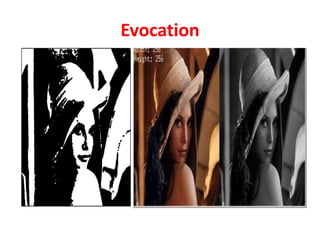
Evocation
General Objective
• To understand the fundamental concepts of
image.
Specific Objective
1. To define a digital image and pixel.
2. To illustrate binary image, grey image and
color image.
Image definition
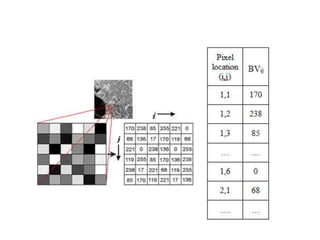
Image-A two-dimensional function, f(x,y)
 x and y are spatial (plane) coordinates „
The amplitude of f at any pair of coordinates
(x,y) is called intensity or gray level of the
image at that point
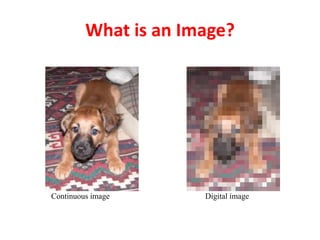
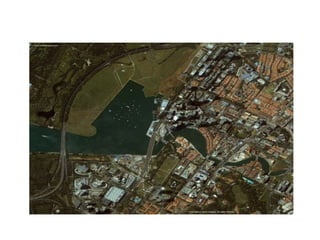
An image is a 2D rectilinear array of pixels
What is an Image?
Continuous image Digital image
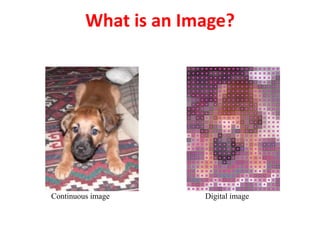
What is an Image?
Continuous image Digital image
PIXEL & VOXEL
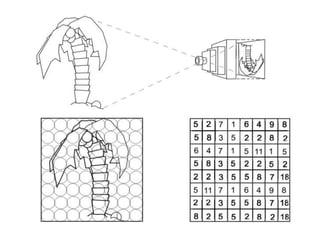
A pixel, pel, or picture element is smallest
addressable element
Each pixel is a sample of an original image
more samples -> more accurate representation
Intensity of each pixel is variable
Voxel – Volumetric Pixel
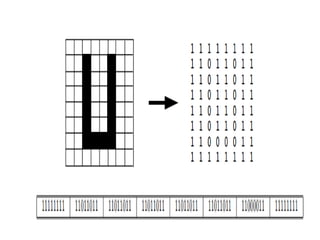
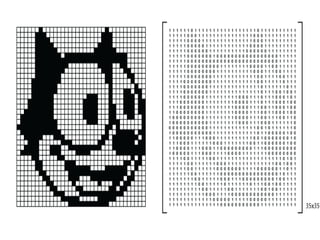
Binary image
Digital image; only two possible values for
each pixel
Typically black and white colors
The color used for object(s) is foreground
color ; rest of image is background color
Binary images are also called bi-level or two-
level or monochrome image
Each pixel is stored as single bit—i.e., a 0 or 1
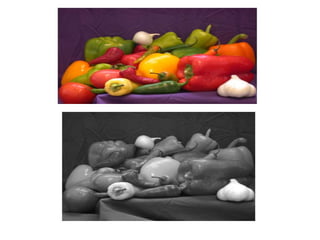
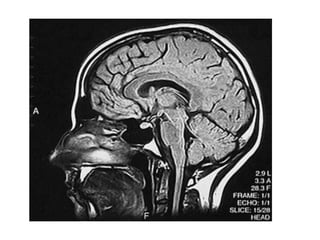
Grayscale or Greyscale Image
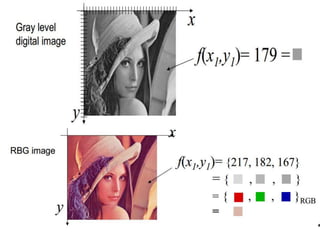
Value of each pixel is a single sample; it
carries only intensity information
Also known as black-and-white, are
composed exclusively of shades of gray;
varying from black at weakest intensity to
white at strongest
Grayscale images have many shades of gray
in between
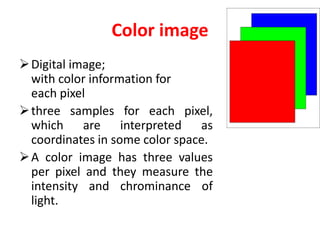
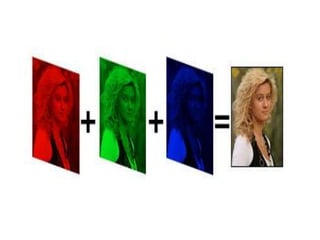
Color image
Digital image;
with color information for
each pixel
three samples for each pixel,
which are interpreted as
coordinates in some color space.
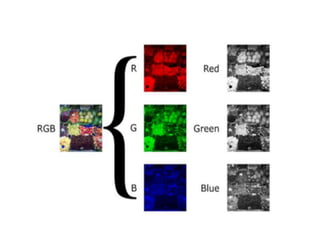
A color image has three values
per pixel and they measure the
intensity and chrominance of
light.
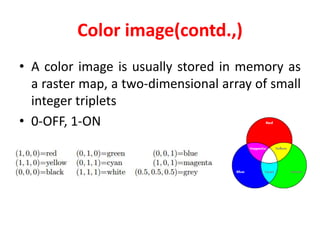
Color image(contd.,)
• A color image is usually stored in memory as
a raster map, a two-dimensional array of small
integer triplets
• 0-OFF, 1-ON
Formative assessment
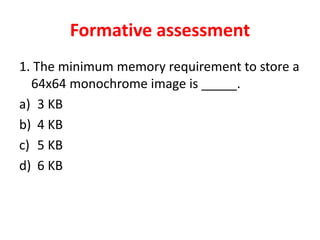
1. The minimum memory requirement to store a
64x64 monochrome image is _____.
a) 3 KB
b) 4 KB
c) 5 KB
d) 6 KB
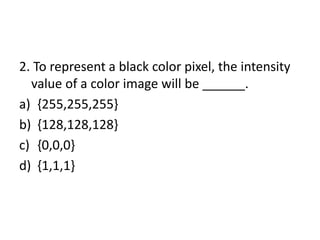
2. To represent a black color pixel, the intensity
value of a color image will be ______.
a) {255,255,255}
b) {128,128,128}
c) {0,0,0}
d) {1,1,1}
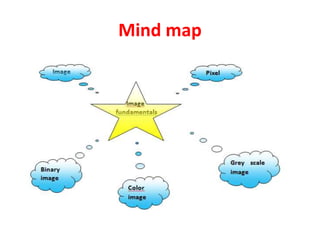
Mind map
Summary
• Image fundamentals
• Image
• Pixel/Voxel
• Binary image
• Color image
• Grey scale image
Assessment through stimulating
questions
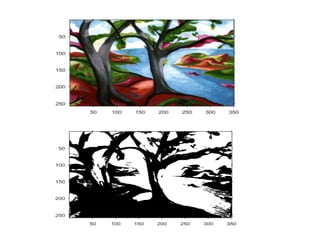
1. How a grey scale image can be converted into
a binary image?
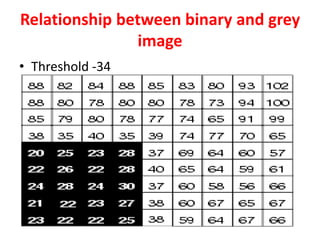
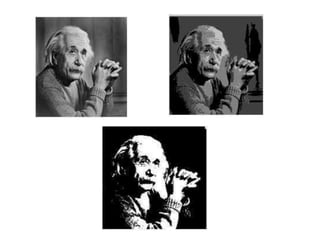
Relationship between binary and grey
image
• Threshold -34
Assessment through stimulating
questions
2. List the various colors present in white color.
References
1. William K Pratt, Digital Image Processing, John Willey,
2007
2. Milan Sonka, Vaclav Hlavac, Roger Boyle, Image
Processing Analysis and Machine Vision, Thompson
Learning, 2008
3. S.Jayaraman, S.Esakkirajan and T.Veerakumar, Digital
Image Processing, Tata McGraw Hill Education Private
Limited, 2009
4. Bhabatosh Chanda, D. Dutta Majumder, Digital Image
Processing and Analysis, Prentice Hall of India, 2011.
Weblinks
• https://www.youtube.com/watch?v=4Qo3Szg
_1tA
• https://www.youtube.com/watch?v=jdYpyim4
y7c
• http://www.uff.br/cdme/matrix/matrix-
html/matrix_gray/matrix_gray_en.html
• http://www.uff.br/cdme/matrix/matrix-
html/matrix_color/matrix_color_en.html
Resolution
Resolution -> capability of sensor to observe
or measure smallest object clearly with
distinct boundaries.
Pixel resolution
Number of pixels in an image -> Resolution
Pixel counts expressed in two ways:
 As a single number; "three-megapixel"
digital camera -> three million pixels
 As a pair of numbers; "640 by 480
display“ ; 640 pixels from side to side & 480
from top to bottom (VGA display); total
number of 640×480 = 307,200 pixels or 0.3
megapixels.
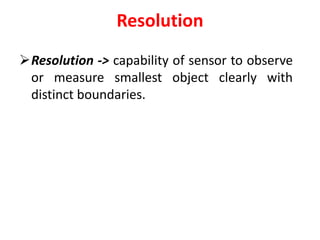
Resolution depends on size of pixel
smaller size of pixel -> higher resolution; clear
objects in image
Spatial resolution
• Spatial resolution as the number of
independent pixels values per unit distance
It depends on properties of the system
creating the image, not just the pixel
resolution in pixels per inch (ppi).
For practical purposes the clarity of the image
is decided by its spatial resolution, not the
number of pixels in an image.
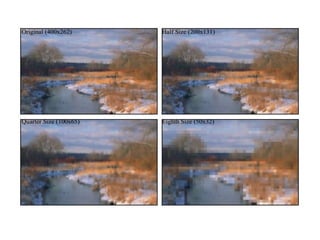
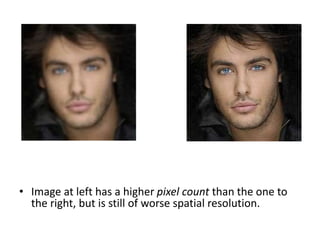
• Image at left has a higher pixel count than the one to
the right, but is still of worse spatial resolution.
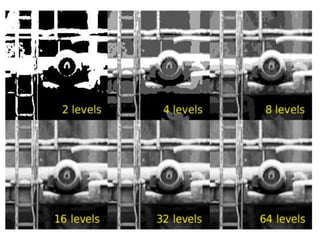
Grey level resolution
 The number of distinct colors represented by a pixel
depends on number of bits per pixel (bpp).
 1 bpp image uses 1-bit for each pixel; each pixel either
on or off.
• 1 bpp, 21 = 2 colors (monochrome)
• 2 bpp, 22 = 4 colors
• 3 bpp, 23 = 8 colors
• ...
• 8 bpp, 28 = 256 colors
• 16 bpp, 216 = 65,536 colors ("High color" )
• 24 bpp, 224 = 16,777,216 colors ("Truecolor")
CLASS 1.1.pptx
CLASS 1.1.pptx

CLASS 1.1.pptx

  • 1.
  • 2.
  • 3.
    General Objective • Tounderstand the fundamental concepts of image.
  • 4.
    Specific Objective 1. Todefine a digital image and pixel. 2. To illustrate binary image, grey image and color image.
  • 6.
    Image definition Image-A two-dimensionalfunction, f(x,y)  x and y are spatial (plane) coordinates „ The amplitude of f at any pair of coordinates (x,y) is called intensity or gray level of the image at that point An image is a 2D rectilinear array of pixels
  • 8.
    What is anImage? Continuous image Digital image
  • 9.
    What is anImage? Continuous image Digital image
  • 10.
    PIXEL & VOXEL Apixel, pel, or picture element is smallest addressable element Each pixel is a sample of an original image more samples -> more accurate representation Intensity of each pixel is variable Voxel – Volumetric Pixel
  • 13.
    Binary image Digital image;only two possible values for each pixel Typically black and white colors The color used for object(s) is foreground color ; rest of image is background color Binary images are also called bi-level or two- level or monochrome image Each pixel is stored as single bit—i.e., a 0 or 1
  • 14.
    Grayscale or GreyscaleImage Value of each pixel is a single sample; it carries only intensity information Also known as black-and-white, are composed exclusively of shades of gray; varying from black at weakest intensity to white at strongest Grayscale images have many shades of gray in between
  • 16.
    Color image Digital image; withcolor information for each pixel three samples for each pixel, which are interpreted as coordinates in some color space. A color image has three values per pixel and they measure the intensity and chrominance of light.
  • 17.
    Color image(contd.,) • Acolor image is usually stored in memory as a raster map, a two-dimensional array of small integer triplets • 0-OFF, 1-ON
  • 22.
    Formative assessment 1. Theminimum memory requirement to store a 64x64 monochrome image is _____. a) 3 KB b) 4 KB c) 5 KB d) 6 KB
  • 23.
    2. To representa black color pixel, the intensity value of a color image will be ______. a) {255,255,255} b) {128,128,128} c) {0,0,0} d) {1,1,1}
  • 24.
  • 25.
    Summary • Image fundamentals •Image • Pixel/Voxel • Binary image • Color image • Grey scale image
  • 26.
    Assessment through stimulating questions 1.How a grey scale image can be converted into a binary image?
  • 27.
    Relationship between binaryand grey image • Threshold -34
  • 28.
    Assessment through stimulating questions 2.List the various colors present in white color.
  • 29.
    References 1. William KPratt, Digital Image Processing, John Willey, 2007 2. Milan Sonka, Vaclav Hlavac, Roger Boyle, Image Processing Analysis and Machine Vision, Thompson Learning, 2008 3. S.Jayaraman, S.Esakkirajan and T.Veerakumar, Digital Image Processing, Tata McGraw Hill Education Private Limited, 2009 4. Bhabatosh Chanda, D. Dutta Majumder, Digital Image Processing and Analysis, Prentice Hall of India, 2011.
  • 35.
    Weblinks • https://www.youtube.com/watch?v=4Qo3Szg _1tA • https://www.youtube.com/watch?v=jdYpyim4 y7c •http://www.uff.br/cdme/matrix/matrix- html/matrix_gray/matrix_gray_en.html • http://www.uff.br/cdme/matrix/matrix- html/matrix_color/matrix_color_en.html
  • 36.
    Resolution Resolution -> capabilityof sensor to observe or measure smallest object clearly with distinct boundaries.
  • 37.
    Pixel resolution Number ofpixels in an image -> Resolution Pixel counts expressed in two ways:  As a single number; "three-megapixel" digital camera -> three million pixels  As a pair of numbers; "640 by 480 display“ ; 640 pixels from side to side & 480 from top to bottom (VGA display); total number of 640×480 = 307,200 pixels or 0.3 megapixels.
  • 38.
    Resolution depends onsize of pixel smaller size of pixel -> higher resolution; clear objects in image
  • 40.
    Spatial resolution • Spatialresolution as the number of independent pixels values per unit distance It depends on properties of the system creating the image, not just the pixel resolution in pixels per inch (ppi). For practical purposes the clarity of the image is decided by its spatial resolution, not the number of pixels in an image.
  • 41.
    • Image atleft has a higher pixel count than the one to the right, but is still of worse spatial resolution.
  • 42.
    Grey level resolution The number of distinct colors represented by a pixel depends on number of bits per pixel (bpp).  1 bpp image uses 1-bit for each pixel; each pixel either on or off. • 1 bpp, 21 = 2 colors (monochrome) • 2 bpp, 22 = 4 colors • 3 bpp, 23 = 8 colors • ... • 8 bpp, 28 = 256 colors • 16 bpp, 216 = 65,536 colors ("High color" ) • 24 bpp, 224 = 16,777,216 colors ("Truecolor")