Cisco Nexus 7009 switch


                   Eng.Hamza Al-Qudah
                                 9-10-2012


Presentation_ID   © 2006 Cisco Systems, Inc. All rights reserved.   1
Agenda

         Day 1 :
         Introducing Cisco Nexus Family
         The Nexus switches family range
         Nexus VS 65XX
         The Cisco Nexus 7000 Series
         Nexus 7000 Hw specifications
         Nexus 7009 specifications
         Day 2 :
         XOS vs IOS
Presentation_ID   © 2006 Cisco Systems, Inc. All rights reserved.   2
Introducing Cisco Nexus Family:


          Nexus is a modular network switch introduced on
           January 28, 2008
          Designed for the data center (optimized for high-
           density 10 Gigabit Ethernet.)
          Its throughput is beyond 15 Tbps.
          It has a modular NX-OS firmware/operating system


Presentation_ID   © 2006 Cisco Systems, Inc. All rights reserved.   3
The Nexus switches family range:

                  - Nexus 1000v virtual switch

                  - Nexus 2000 fabric extender

                  - Nexus 3000 series

                  - Nexus 4000 IBM Blade Center switch

                  - Nexus 5000 series

                  - Nexus 7000 series modular datacenter switches


Presentation_ID    © 2006 Cisco Systems, Inc. All rights reserved.   4
The Cisco Nexus 7000 Series

            The Cisco Nexus 7000 Series was designed around
             three principles:
           1- Infrastructure scalability: Virtualization, efficient
             power and cooling, high density, and performance
             all support efficient data center infrastructure
             growth.


           2-Operational continuity: The Cisco Nexus design
             integrates hardware, NX-OS software features, and
             management to support zero-downtime
             environments.

Presentation_ID   © 2006 Cisco Systems, Inc. All rights reserved.     5
3-Transport flexibility: You can incrementally and
           cost-effectively adopt new networking innovations
           and technologies, such as:


           Cisco Overlay Transport Virtualization (OTV)
           Cisco FabricPath
           Fibrer Channel over Ethernet (FCoE)
           Cisco IOS Multiprotocol Label Switching (MPLS)


Presentation_ID   © 2006 Cisco Systems, Inc. All rights reserved.   6
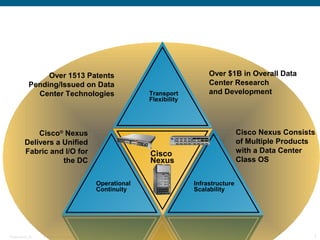
Over 1513 Patents                                                       Over $1B in Overall Data
            Pending/Issued on Data                                                       Center Research
              Center Technologies                                     Transport          and Development
                                                                      Flexibility


              Cisco® Nexus                                                                           Cisco Nexus Consists
          Delivers a Unified                                                                         of Multiple Products
          Fabric and I/O for                                          Cisco                          with a Data Center
                     the DC                                           Nexus                          Class OS


                                                        Operational                 Infrastructure
                                                        Continuity                  Scalability


Presentation_ID   © 2006 Cisco Systems, Inc. All rights reserved.                                                       7
Nexus VS 65XX :

    - Virtual port channel (VPC) : VPC is similar to VSS of the
    65K's.

    - Virtual device context (VDC) :
    With VDC you virtually divide your switch up to 4
    different virtual switches and allocate hardware resources
    to them

    - 65K's can perform all the functions... Nexus still doesn't
    support service modules like FWSM, load balancers etc...


Presentation_ID   © 2006 Cisco Systems, Inc. All rights reserved.   8
Cisco Overlay Transport Virtualization (OTV):

          - It makes multiple DC as one Dc.
          - The NX7k switch has MAC add table for each NX7k switch
          - The MAC add tables are automatically shared
          - It stops spanning tree protocol
          - In multicast : Just one copy sent to the core

          Cisco FabricPath :
          - Combines the simplicity of L2 domain with scalability of L3
          domain , Creates (L2 routing tables)
          - No blocking , send through all links, down link will be excluded.
          - Shortest path will be used

          - Add fabricpath Switch destination header
          - Add server any where in the dc


Presentation_ID   © 2006 Cisco Systems, Inc. All rights reserved.               9
Fiber Channel over Ethernet (FCoE) :

           - Allow the server to connect to the San and the LAN through one
           link

           Hitless software upgrade by :

             - In Service Software Upgrade (ISSU)

           Cisco Data Center Network Manager:

             - Management tool


Presentation_ID   © 2006 Cisco Systems, Inc. All rights reserved.             10
Nexus 7000 Hw specifications :

           - Delivers high-density 10, 40, and 100 Gigabit
           Ethernet

           - provide parallel fabric channels to each I/O and
           supervisor module slot

           - Up to five simultaneously active fabric modules
           work together delivering up to 230 Gbps per slot
           46 Gbps per slot per fabric ( 46*5 fabric = 230 Gbps
           per slot )
           - 46 is for fabric 1 , in fabric 2 its 110 per slot
           - With 550G per slot, scales to more than 17 Tbps
           switching capacity
Presentation_ID   © 2006 Cisco Systems, Inc. All rights reserved.   11
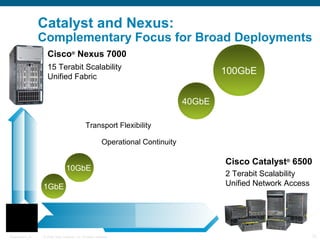
Catalyst and Nexus:
                  Complementary Focus for Broad Deployments
                    Cisco® Nexus 7000
                    15 Terabit Scalability
                                                                                             100GbE
                    Unified Fabric


                                                                                     40GbE

                                                Transport Flexibility

                                                            Operational Continuity

                                                                                             Cisco Catalyst® 6500
                                  10GbE
                                                                                             2 Terabit Scalability
                  1GbE                                                                       Unified Network Access


Presentation_ID   © 2006 Cisco Systems, Inc. All rights reserved.                                                     12
New Nexus 7000 Supervisor Engines :


             - Cisco Nexus 7000 Series Supervisor 2 and 2E
             Modules deliver increased control plane
             performance and system scalability

             - Cisco Nexus 7000 Series Supervisor 2 has twice
             the CPU performance of the Supervisor 1 Module

             - Cisco Nexus 7000 Series Supervisor 2E
             performance is Four times the CPU performance of
             the Supervisor 1 Module


Presentation_ID   © 2006 Cisco Systems, Inc. All rights reserved.   13
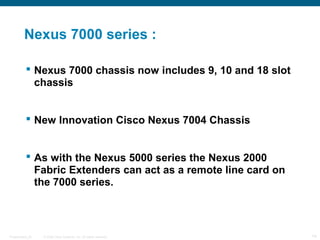
Nexus 7000 series :

            Nexus 7000 chassis now includes 9, 10 and 18 slot
             chassis


            New Innovation Cisco Nexus 7004 Chassis


            As with the Nexus 5000 series the Nexus 2000
             Fabric Extenders can act as a remote line card on
             the 7000 series.


Presentation_ID   © 2006 Cisco Systems, Inc. All rights reserved.   14
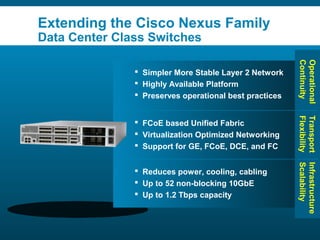
Extending the Cisco Nexus Family
                  Data Center Class Switches


                                                                                                             Continuity
                                                                                                             Operational
                                                                     Simpler More Stable Layer 2 Network
                                                                     Highly Available Platform
                                                                     Preserves operational best practices


                                                                                                             Flexibility
                                                                                                             Transport
                                                                     FCoE based Unified Fabric
                                                                     Virtualization Optimized Networking
                                                                     Support for GE, FCoE, DCE, and FC


                                                                                                             Scalability
                                                                                                             Infrastructure
                                                                     Reduces power, cooling, cabling
                                                                     Up to 52 non-blocking 10GbE
                                                                     Up to 1.2 Tbps capacity


Presentation_ID   © 2006 Cisco Systems, Inc. All rights reserved.                                                      15
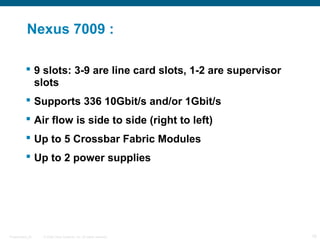
Nexus 7009 :

            9 slots: 3-9 are line card slots, 1-2 are supervisor
             slots
            Supports 336 10Gbit/s and/or 1Gbit/s
            Air flow is side to side (right to left)
            Up to 5 Crossbar Fabric Modules
            Up to 2 power supplies


Presentation_ID   © 2006 Cisco Systems, Inc. All rights reserved.   16
Day 2:


                                                                    IOS VS XOS


Presentation_ID   © 2006 Cisco Systems, Inc. All rights reserved.                17
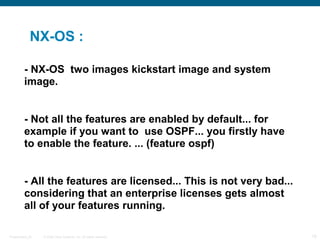
NX-OS :

         - NX-OS two images kickstart image and system
         image.


         - Not all the features are enabled by default... for
         example if you want to use OSPF... you firstly have
         to enable the feature. ... (feature ospf)


         - All the features are licensed... This is not very bad...
         considering that an enterprise licenses gets almost
         all of your features running.

Presentation_ID   © 2006 Cisco Systems, Inc. All rights reserved.     18
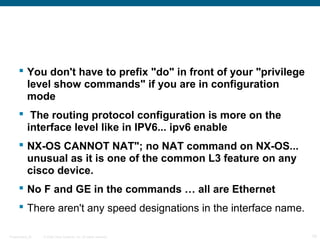
 You don't have to prefix "do" in front of your "privilege
        level show commands" if you are in configuration
        mode
       The routing protocol configuration is more on the
        interface level like in IPV6... ipv6 enable
       NX-OS CANNOT NAT"; no NAT command on NX-OS...
        unusual as it is one of the common L3 feature on any
        cisco device.
       No F and GE in the commands … all are Ethernet
       There aren't any speed designations in the interface name.

Presentation_ID   © 2006 Cisco Systems, Inc. All rights reserved.    19
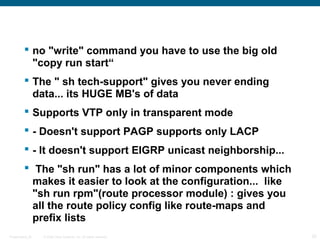
 no "write" command you have to use the big old
           "copy run start“
          The " sh tech-support" gives you never ending
           data... its HUGE MB's of data
          Supports VTP only in transparent mode
          - Doesn't support PAGP supports only LACP
          - It doesn't support EIGRP unicast neighborship...
          The "sh run" has a lot of minor components which
           makes it easier to look at the configuration... like
           "sh run rpm"(route processor module) : gives you
           all the route policy config like route-maps and
           prefix lists
Presentation_ID   © 2006 Cisco Systems, Inc. All rights reserved.   20
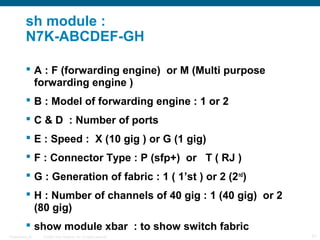
sh module :
           N7K-ABCDEF-GH

            A : F (forwarding engine) or M (Multi purpose
             forwarding engine )
            B : Model of forwarding engine : 1 or 2
            C & D : Number of ports
            E : Speed : X (10 gig ) or G (1 gig)
            F : Connector Type : P (sfp+) or T ( RJ )
            G : Generation of fabric : 1 ( 1’st ) or 2 (2 nd)
            H : Number of channels of 40 gig : 1 (40 gig) or 2
             (80 gig)
            show module xbar : to show switch fabric
Presentation_ID   © 2006 Cisco Systems, Inc. All rights reserved.   21
Day 3:


                                                      Continue IOS VS XOS


Presentation_ID   © 2006 Cisco Systems, Inc. All rights reserved.            22
 Base services: The default license that ships with
          NX-OS covers Layer 2 protocols including such
          features such as Spanning Tree, virtual LANs
          (VLAN), Private VLANS, and Unidirectional Link
          Detection (UDLD).
         Enterprise Services Package: Provides Layer 3
          protocols such as Open Shortest Path First (OSPF),
          Border Gateway Protocol (BGP), Intermediate
          System-to-Intermediate System (ISIS), Enhanced
          Interior Gateway Routing Protocol (EIGRP), Policy-
          Based Routing (PBR), Protocol Independent
          Multicast (PIM), and Generic Routing Encapsulation
          (GRE).
         Advanced Services Package: Provides Virtual
          Device Contexts (VDC)
Presentation_ID   © 2006 Cisco Systems, Inc. All rights reserved.   23
 license file is obtained from Cisco.com and copied
           to flash, install it on the chassis.

          Show license host-id :host-id for License File
           Creation on Cisco.com (serial number)
          Install license bootflash:license_file.lic
          NX-OS offers feature testing for a 120-day grace
           period ...fully operate a feature without the need for
           a license to be purchased
          The last 6 days it will start send notifications
          #()license grace-period

Presentation_ID   © 2006 Cisco Systems, Inc. All rights reserved.   24
 NX-OS has a setup utility that enables a user to
           specify the system defaults, perform basic
           configuration, and apply a predefined Control Plane
           Policing (CoPP) security policy.
          Two preconfigured instances of VPN Routing
           Forwarding (VRF) by default (management, default).
          By default, all Layer 3 interfaces and routing
           protocols exist in the default VRF.
          The mgmt0 interface exists in the management VRF
           and is accessible from any VDC.
          Each VDC has a unique IP address for the mgmt0
           interface.

Presentation_ID   © 2006 Cisco Systems, Inc. All rights reserved.   25
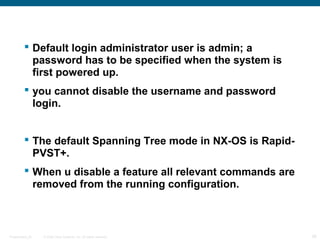
 Default login administrator user is admin; a
           password has to be specified when the system is
           first powered up.
          you cannot disable the username and password
           login.


          The default Spanning Tree mode in NX-OS is Rapid-
           PVST+.
          When u disable a feature all relevant commands are
           removed from the running configuration.


Presentation_ID   © 2006 Cisco Systems, Inc. All rights reserved.   26
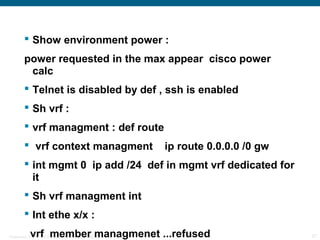
 Show environment power :
         power requested in the max appear cisco power
          calc
          Telnet is disabled by def , ssh is enabled
          Sh vrf :
          vrf managment : def route
          vrf context managment                                    ip route 0.0.0.0 /0 gw
          int mgmt 0 ip add /24 def in mgmt vrf dedicated for
           it
          Sh vrf managment int
          Int ethe x/x :
             vrf member managmenet ...refused
Presentation_ID   © 2006 Cisco Systems, Inc. All rights reserved.                            27
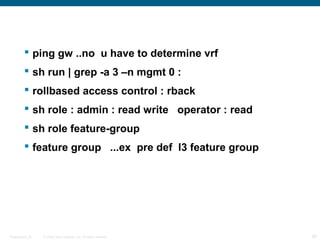
 ping gw ..no u have to determine vrf
          sh run | grep -a 3 –n mgmt 0 :
          rollbased access control : rback
          sh role : admin : read write operator : read
          sh role feature-group
          feature group ...ex pre def l3 feature group


Presentation_ID   © 2006 Cisco Systems, Inc. All rights reserved.   28
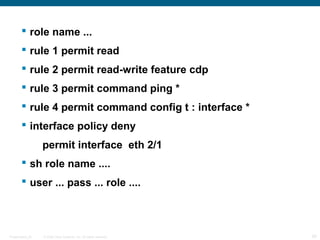
 role name ...
         rule 1 permit read
         rule 2 permit read-write feature cdp
         rule 3 permit command ping *
         rule 4 permit command config t : interface *
         interface policy deny
                  permit interface eth 2/1
         sh role name ....
         user ... pass ... role ....


Presentation_ID   © 2006 Cisco Systems, Inc. All rights reserved.   29
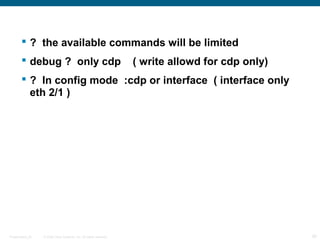
 ? the available commands will be limited
         debug ? only cdp                                          ( write allowd for cdp only)
         ? In config mode :cdp or interface ( interface only
          eth 2/1 )


Presentation_ID   © 2006 Cisco Systems, Inc. All rights reserved.                                  30
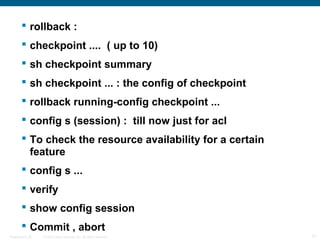
 rollback :
         checkpoint .... ( up to 10)
         sh checkpoint summary
         sh checkpoint ... : the config of checkpoint
         rollback running-config checkpoint ...
         config s (session) : till now just for acl
         To check the resource availability for a certain
          feature
         config s ...
         verify
         show config session
         Commit , abort
Presentation_ID   © 2006 Cisco Systems, Inc. All rights reserved.   31
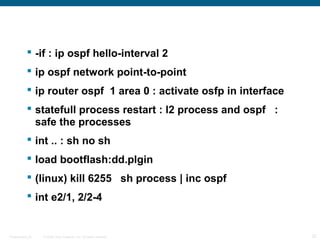
 -if : ip ospf hello-interval 2
            ip ospf network point-to-point
            ip router ospf 1 area 0 : activate osfp in interface
            statefull process restart : l2 process and ospf :
             safe the processes
            int .. : sh no sh
            load bootflash:dd.plgin
            (linux) kill 6255 sh process | inc ospf
            int e2/1, 2/2-4


Presentation_ID   © 2006 Cisco Systems, Inc. All rights reserved.   32
 netflow :
         feature nerflow
         flow record ....
         match ipv4 dest add
         matc ipv4 souse add
         match ip protocol
         collect transport tcp flags ( collect is the info need
          to be exported)
         collect routing forwarding-status
         flow exporter ....
                 description ....
                 destination x.x.x.x vrf
Presentation_ID    © 2006 Cisco Systems, Inc. All rights reserved.   33
 source loobback 0
       transport udp port 12345
       version 5
       Now apply netflow for interface by config flow
        monitor with connect exporter with recored
       flow monitor ...
                   record ....
                   exporter ... up to 2 diff export per monitor
       sh run config netflow
       int .. : ip flow monitor ... input (igress)
       sh sys internal flow
Presentation_ID   © 2006 Cisco Systems, Inc. All rights reserved.   34
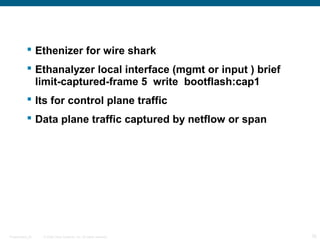
 Ethenizer for wire shark
            Ethanalyzer local interface (mgmt or input ) brief
             limit-captured-frame 5 write bootflash:cap1
            Its for control plane traffic
            Data plane traffic captured by netflow or span


Presentation_ID   © 2006 Cisco Systems, Inc. All rights reserved.   35
 vdc :
          sh vdc
          n7k : def
          sh vdc membership :( interfaces )
          vdc ... create vdc
          allocate interface x : config will be lost


          ha-policy (dual-sup (bring-down or restart or
           switchover)
          single sup) bring-down or restart or reload              :
           reload : the sup restart : restart the vdc

Presentation_ID   © 2006 Cisco Systems, Inc. All rights reserved.       36
 limit resources vrf min x max y
            limit resources vlan min x max y
            limit resources port-channel min0 max 0


            sh vdc ... detail
            sh vdc ... membership
            sh vdc ...resources


            switch to vdc ...
            password : create one


Presentation_ID   © 2006 Cisco Systems, Inc. All rights reserved.   37
The End


        Hamza Al-Qudah


Presentation_ID   © 2006 Cisco Systems, Inc. All rights reserved.             38

Cisco nexus 7009 overview

  • 1.
    Cisco Nexus 7009switch Eng.Hamza Al-Qudah 9-10-2012 Presentation_ID © 2006 Cisco Systems, Inc. All rights reserved. 1
  • 2.
    Agenda  Day 1 :  Introducing Cisco Nexus Family  The Nexus switches family range  Nexus VS 65XX  The Cisco Nexus 7000 Series  Nexus 7000 Hw specifications  Nexus 7009 specifications  Day 2 :  XOS vs IOS Presentation_ID © 2006 Cisco Systems, Inc. All rights reserved. 2
  • 3.
    Introducing Cisco NexusFamily:  Nexus is a modular network switch introduced on January 28, 2008  Designed for the data center (optimized for high- density 10 Gigabit Ethernet.)  Its throughput is beyond 15 Tbps.  It has a modular NX-OS firmware/operating system Presentation_ID © 2006 Cisco Systems, Inc. All rights reserved. 3
  • 4.
    The Nexus switchesfamily range: - Nexus 1000v virtual switch - Nexus 2000 fabric extender - Nexus 3000 series - Nexus 4000 IBM Blade Center switch - Nexus 5000 series - Nexus 7000 series modular datacenter switches Presentation_ID © 2006 Cisco Systems, Inc. All rights reserved. 4
  • 5.
    The Cisco Nexus7000 Series  The Cisco Nexus 7000 Series was designed around three principles: 1- Infrastructure scalability: Virtualization, efficient power and cooling, high density, and performance all support efficient data center infrastructure growth. 2-Operational continuity: The Cisco Nexus design integrates hardware, NX-OS software features, and management to support zero-downtime environments. Presentation_ID © 2006 Cisco Systems, Inc. All rights reserved. 5
  • 6.
    3-Transport flexibility: Youcan incrementally and cost-effectively adopt new networking innovations and technologies, such as: Cisco Overlay Transport Virtualization (OTV) Cisco FabricPath Fibrer Channel over Ethernet (FCoE) Cisco IOS Multiprotocol Label Switching (MPLS) Presentation_ID © 2006 Cisco Systems, Inc. All rights reserved. 6
  • 7.
    Over 1513 Patents Over $1B in Overall Data Pending/Issued on Data Center Research Center Technologies Transport and Development Flexibility Cisco® Nexus Cisco Nexus Consists Delivers a Unified of Multiple Products Fabric and I/O for Cisco with a Data Center the DC Nexus Class OS Operational Infrastructure Continuity Scalability Presentation_ID © 2006 Cisco Systems, Inc. All rights reserved. 7
  • 8.
    Nexus VS 65XX: - Virtual port channel (VPC) : VPC is similar to VSS of the 65K's. - Virtual device context (VDC) : With VDC you virtually divide your switch up to 4 different virtual switches and allocate hardware resources to them - 65K's can perform all the functions... Nexus still doesn't support service modules like FWSM, load balancers etc... Presentation_ID © 2006 Cisco Systems, Inc. All rights reserved. 8
  • 9.
    Cisco Overlay TransportVirtualization (OTV): - It makes multiple DC as one Dc. - The NX7k switch has MAC add table for each NX7k switch - The MAC add tables are automatically shared - It stops spanning tree protocol - In multicast : Just one copy sent to the core Cisco FabricPath : - Combines the simplicity of L2 domain with scalability of L3 domain , Creates (L2 routing tables) - No blocking , send through all links, down link will be excluded. - Shortest path will be used - Add fabricpath Switch destination header - Add server any where in the dc Presentation_ID © 2006 Cisco Systems, Inc. All rights reserved. 9
  • 10.
    Fiber Channel overEthernet (FCoE) : - Allow the server to connect to the San and the LAN through one link Hitless software upgrade by : - In Service Software Upgrade (ISSU) Cisco Data Center Network Manager: - Management tool Presentation_ID © 2006 Cisco Systems, Inc. All rights reserved. 10
  • 11.
    Nexus 7000 Hwspecifications : - Delivers high-density 10, 40, and 100 Gigabit Ethernet - provide parallel fabric channels to each I/O and supervisor module slot - Up to five simultaneously active fabric modules work together delivering up to 230 Gbps per slot 46 Gbps per slot per fabric ( 46*5 fabric = 230 Gbps per slot ) - 46 is for fabric 1 , in fabric 2 its 110 per slot - With 550G per slot, scales to more than 17 Tbps switching capacity Presentation_ID © 2006 Cisco Systems, Inc. All rights reserved. 11
  • 12.
    Catalyst and Nexus: Complementary Focus for Broad Deployments Cisco® Nexus 7000 15 Terabit Scalability 100GbE Unified Fabric 40GbE Transport Flexibility Operational Continuity Cisco Catalyst® 6500 10GbE 2 Terabit Scalability 1GbE Unified Network Access Presentation_ID © 2006 Cisco Systems, Inc. All rights reserved. 12
  • 13.
    New Nexus 7000Supervisor Engines : - Cisco Nexus 7000 Series Supervisor 2 and 2E Modules deliver increased control plane performance and system scalability - Cisco Nexus 7000 Series Supervisor 2 has twice the CPU performance of the Supervisor 1 Module - Cisco Nexus 7000 Series Supervisor 2E performance is Four times the CPU performance of the Supervisor 1 Module Presentation_ID © 2006 Cisco Systems, Inc. All rights reserved. 13
  • 14.
    Nexus 7000 series:  Nexus 7000 chassis now includes 9, 10 and 18 slot chassis  New Innovation Cisco Nexus 7004 Chassis  As with the Nexus 5000 series the Nexus 2000 Fabric Extenders can act as a remote line card on the 7000 series. Presentation_ID © 2006 Cisco Systems, Inc. All rights reserved. 14

  • 15.
    Extending the CiscoNexus Family Data Center Class Switches Continuity Operational  Simpler More Stable Layer 2 Network  Highly Available Platform  Preserves operational best practices Flexibility Transport  FCoE based Unified Fabric  Virtualization Optimized Networking  Support for GE, FCoE, DCE, and FC Scalability Infrastructure  Reduces power, cooling, cabling  Up to 52 non-blocking 10GbE  Up to 1.2 Tbps capacity Presentation_ID © 2006 Cisco Systems, Inc. All rights reserved. 15
  • 16.
    Nexus 7009 :  9 slots: 3-9 are line card slots, 1-2 are supervisor slots  Supports 336 10Gbit/s and/or 1Gbit/s  Air flow is side to side (right to left)  Up to 5 Crossbar Fabric Modules  Up to 2 power supplies Presentation_ID © 2006 Cisco Systems, Inc. All rights reserved. 16
  • 17.
    Day 2: IOS VS XOS Presentation_ID © 2006 Cisco Systems, Inc. All rights reserved. 17
  • 18.
    NX-OS : - NX-OS two images kickstart image and system image. - Not all the features are enabled by default... for example if you want to use OSPF... you firstly have to enable the feature. ... (feature ospf) - All the features are licensed... This is not very bad... considering that an enterprise licenses gets almost all of your features running. Presentation_ID © 2006 Cisco Systems, Inc. All rights reserved. 18
  • 19.
     You don'thave to prefix "do" in front of your "privilege level show commands" if you are in configuration mode  The routing protocol configuration is more on the interface level like in IPV6... ipv6 enable  NX-OS CANNOT NAT"; no NAT command on NX-OS... unusual as it is one of the common L3 feature on any cisco device.  No F and GE in the commands … all are Ethernet  There aren't any speed designations in the interface name. Presentation_ID © 2006 Cisco Systems, Inc. All rights reserved. 19
  • 20.
     no "write"command you have to use the big old "copy run start“  The " sh tech-support" gives you never ending data... its HUGE MB's of data  Supports VTP only in transparent mode  - Doesn't support PAGP supports only LACP  - It doesn't support EIGRP unicast neighborship...  The "sh run" has a lot of minor components which makes it easier to look at the configuration... like "sh run rpm"(route processor module) : gives you all the route policy config like route-maps and prefix lists Presentation_ID © 2006 Cisco Systems, Inc. All rights reserved. 20
  • 21.
    sh module : N7K-ABCDEF-GH  A : F (forwarding engine) or M (Multi purpose forwarding engine )  B : Model of forwarding engine : 1 or 2  C & D : Number of ports  E : Speed : X (10 gig ) or G (1 gig)  F : Connector Type : P (sfp+) or T ( RJ )  G : Generation of fabric : 1 ( 1’st ) or 2 (2 nd)  H : Number of channels of 40 gig : 1 (40 gig) or 2 (80 gig)  show module xbar : to show switch fabric Presentation_ID © 2006 Cisco Systems, Inc. All rights reserved. 21
  • 22.
    Day 3: Continue IOS VS XOS Presentation_ID © 2006 Cisco Systems, Inc. All rights reserved. 22
  • 23.
     Base services:The default license that ships with NX-OS covers Layer 2 protocols including such features such as Spanning Tree, virtual LANs (VLAN), Private VLANS, and Unidirectional Link Detection (UDLD).  Enterprise Services Package: Provides Layer 3 protocols such as Open Shortest Path First (OSPF), Border Gateway Protocol (BGP), Intermediate System-to-Intermediate System (ISIS), Enhanced Interior Gateway Routing Protocol (EIGRP), Policy- Based Routing (PBR), Protocol Independent Multicast (PIM), and Generic Routing Encapsulation (GRE).  Advanced Services Package: Provides Virtual Device Contexts (VDC) Presentation_ID © 2006 Cisco Systems, Inc. All rights reserved. 23
  • 24.
     license fileis obtained from Cisco.com and copied to flash, install it on the chassis.  Show license host-id :host-id for License File Creation on Cisco.com (serial number)  Install license bootflash:license_file.lic  NX-OS offers feature testing for a 120-day grace period ...fully operate a feature without the need for a license to be purchased  The last 6 days it will start send notifications  #()license grace-period Presentation_ID © 2006 Cisco Systems, Inc. All rights reserved. 24
  • 25.
     NX-OS hasa setup utility that enables a user to specify the system defaults, perform basic configuration, and apply a predefined Control Plane Policing (CoPP) security policy.  Two preconfigured instances of VPN Routing Forwarding (VRF) by default (management, default).  By default, all Layer 3 interfaces and routing protocols exist in the default VRF.  The mgmt0 interface exists in the management VRF and is accessible from any VDC.  Each VDC has a unique IP address for the mgmt0 interface. Presentation_ID © 2006 Cisco Systems, Inc. All rights reserved. 25
  • 26.
     Default loginadministrator user is admin; a password has to be specified when the system is first powered up.  you cannot disable the username and password login.  The default Spanning Tree mode in NX-OS is Rapid- PVST+.  When u disable a feature all relevant commands are removed from the running configuration. Presentation_ID © 2006 Cisco Systems, Inc. All rights reserved. 26
  • 27.
     Show environmentpower : power requested in the max appear cisco power calc  Telnet is disabled by def , ssh is enabled  Sh vrf :  vrf managment : def route  vrf context managment ip route 0.0.0.0 /0 gw  int mgmt 0 ip add /24 def in mgmt vrf dedicated for it  Sh vrf managment int  Int ethe x/x : vrf member managmenet ...refused Presentation_ID © 2006 Cisco Systems, Inc. All rights reserved. 27
  • 28.
     ping gw..no u have to determine vrf  sh run | grep -a 3 –n mgmt 0 :  rollbased access control : rback  sh role : admin : read write operator : read  sh role feature-group  feature group ...ex pre def l3 feature group Presentation_ID © 2006 Cisco Systems, Inc. All rights reserved. 28
  • 29.
     role name...  rule 1 permit read  rule 2 permit read-write feature cdp  rule 3 permit command ping *  rule 4 permit command config t : interface *  interface policy deny permit interface eth 2/1  sh role name ....  user ... pass ... role .... Presentation_ID © 2006 Cisco Systems, Inc. All rights reserved. 29
  • 30.
     ? theavailable commands will be limited  debug ? only cdp ( write allowd for cdp only)  ? In config mode :cdp or interface ( interface only eth 2/1 ) Presentation_ID © 2006 Cisco Systems, Inc. All rights reserved. 30
  • 31.
     rollback :  checkpoint .... ( up to 10)  sh checkpoint summary  sh checkpoint ... : the config of checkpoint  rollback running-config checkpoint ...  config s (session) : till now just for acl  To check the resource availability for a certain feature  config s ...  verify  show config session  Commit , abort Presentation_ID © 2006 Cisco Systems, Inc. All rights reserved. 31
  • 32.
     -if :ip ospf hello-interval 2  ip ospf network point-to-point  ip router ospf 1 area 0 : activate osfp in interface  statefull process restart : l2 process and ospf : safe the processes  int .. : sh no sh  load bootflash:dd.plgin  (linux) kill 6255 sh process | inc ospf  int e2/1, 2/2-4 Presentation_ID © 2006 Cisco Systems, Inc. All rights reserved. 32
  • 33.
     netflow :  feature nerflow  flow record ....  match ipv4 dest add  matc ipv4 souse add  match ip protocol  collect transport tcp flags ( collect is the info need to be exported)  collect routing forwarding-status  flow exporter ....  description ....  destination x.x.x.x vrf Presentation_ID © 2006 Cisco Systems, Inc. All rights reserved. 33
  • 34.
     source loobback0  transport udp port 12345  version 5  Now apply netflow for interface by config flow monitor with connect exporter with recored  flow monitor ... record .... exporter ... up to 2 diff export per monitor  sh run config netflow  int .. : ip flow monitor ... input (igress)  sh sys internal flow Presentation_ID © 2006 Cisco Systems, Inc. All rights reserved. 34
  • 35.
     Ethenizer forwire shark  Ethanalyzer local interface (mgmt or input ) brief limit-captured-frame 5 write bootflash:cap1  Its for control plane traffic  Data plane traffic captured by netflow or span Presentation_ID © 2006 Cisco Systems, Inc. All rights reserved. 35
  • 36.
     vdc :  sh vdc  n7k : def  sh vdc membership :( interfaces )  vdc ... create vdc  allocate interface x : config will be lost  ha-policy (dual-sup (bring-down or restart or switchover)  single sup) bring-down or restart or reload : reload : the sup restart : restart the vdc Presentation_ID © 2006 Cisco Systems, Inc. All rights reserved. 36
  • 37.
     limit resourcesvrf min x max y  limit resources vlan min x max y  limit resources port-channel min0 max 0  sh vdc ... detail  sh vdc ... membership  sh vdc ...resources  switch to vdc ...  password : create one Presentation_ID © 2006 Cisco Systems, Inc. All rights reserved. 37
  • 38.
    The End Hamza Al-Qudah Presentation_ID © 2006 Cisco Systems, Inc. All rights reserved. 38