
CISCO IOS

By
Teja Babu Sura
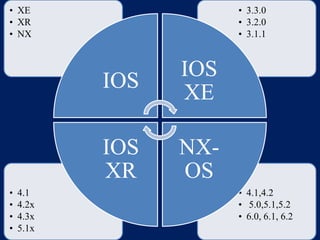
• XE
• XR
• NX

• 3.3.0
• 3.2.0
• 3.1.1

IOS
IOS
XR
•
•
•
•

4.1
4.2x
4.3x
5.1x

IOS
XE
NXOS
• 4.1,4.2
• 5.0,5.1,5.2
• 6.0, 6.1, 6.2
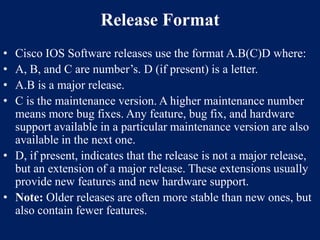
Release Format
•
•
•
•

Cisco IOS Software releases use the format A.B(C)D where:
A, B, and C are number’s. D (if present) is a letter.
A.B is a major release.
C is the maintenance version. A higher maintenance number
means more bug fixes. Any feature, bug fix, and hardware
support available in a particular maintenance version are also
available in the next one.
• D, if present, indicates that the release is not a major release,
but an extension of a major release. These extensions usually
provide new features and new hardware support.
• Note: Older releases are often more stable than new ones, but
also contain fewer features.
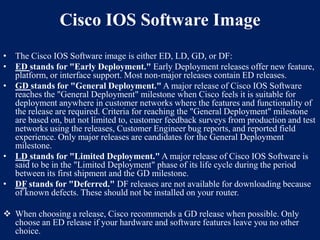
Cisco IOS Software Image
• The Cisco IOS Software image is either ED, LD, GD, or DF:
• ED stands for "Early Deployment." Early Deployment releases offer new feature,
platform, or interface support. Most non-major releases contain ED releases.
• GD stands for "General Deployment." A major release of Cisco IOS Software
reaches the "General Deployment" milestone when Cisco feels it is suitable for
deployment anywhere in customer networks where the features and functionality of
the release are required. Criteria for reaching the "General Deployment" milestone
are based on, but not limited to, customer feedback surveys from production and test
networks using the releases, Customer Engineer bug reports, and reported field
experience. Only major releases are candidates for the General Deployment
milestone.
• LD stands for "Limited Deployment." A major release of Cisco IOS Software is
said to be in the "Limited Deployment" phase of its life cycle during the period
between its first shipment and the GD milestone.
• DF stands for "Deferred." DF releases are not available for downloading because
of known defects. These should not be installed on your router.
 When choosing a release, Cisco recommends a GD release when possible. Only
choose an ED release if your hardware and software features leave you no other
choice.
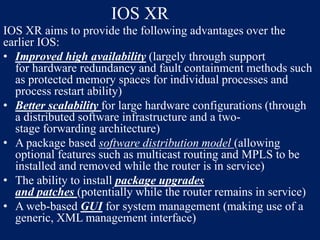
IOS XR
IOS XR aims to provide the following advantages over the
earlier IOS:
• Improved high availability (largely through support
for hardware redundancy and fault containment methods such
as protected memory spaces for individual processes and
process restart ability)
• Better scalability for large hardware configurations (through
a distributed software infrastructure and a twostage forwarding architecture)
• A package based software distribution model (allowing
optional features such as multicast routing and MPLS to be
installed and removed while the router is in service)
• The ability to install package upgrades
and patches (potentially while the router remains in service)
• A web-based GUI for system management (making use of a
generic, XML management interface)
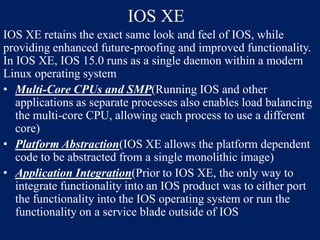
IOS XE
IOS XE retains the exact same look and feel of IOS, while
providing enhanced future-proofing and improved functionality.
In IOS XE, IOS 15.0 runs as a single daemon within a modern
Linux operating system
• Multi-Core CPUs and SMP(Running IOS and other
applications as separate processes also enables load balancing
the multi-core CPU, allowing each process to use a different
core)
• Platform Abstraction(IOS XE allows the platform dependent
code to be abstracted from a single monolithic image)
• Application Integration(Prior to IOS XE, the only way to
integrate functionality into an IOS product was to either port
the functionality into the IOS operating system or run the
functionality on a service blade outside of IOS
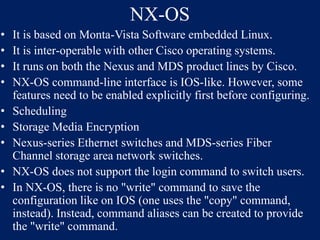
NX-OS
•
•
•
•
•
•
•
•
•

It is based on Monta-Vista Software embedded Linux.
It is inter-operable with other Cisco operating systems.
It runs on both the Nexus and MDS product lines by Cisco.
NX-OS command-line interface is IOS-like. However, some
features need to be enabled explicitly first before configuring.
Scheduling
Storage Media Encryption
Nexus-series Ethernet switches and MDS-series Fiber
Channel storage area network switches.
NX-OS does not support the login command to switch users.
In NX-OS, there is no "write" command to save the
configuration like on IOS (one uses the "copy" command,
instead). Instead, command aliases can be created to provide
the "write" command.
THANK YOU
Suggestions and reviews regarding presentation
Email:jaisreeram2003@gmail.com

Cisco ios

  • 1.
  • 2.
    • XE • XR •NX • 3.3.0 • 3.2.0 • 3.1.1 IOS IOS XR • • • • 4.1 4.2x 4.3x 5.1x IOS XE NXOS • 4.1,4.2 • 5.0,5.1,5.2 • 6.0, 6.1, 6.2
  • 3.
    Release Format • • • • Cisco IOSSoftware releases use the format A.B(C)D where: A, B, and C are number’s. D (if present) is a letter. A.B is a major release. C is the maintenance version. A higher maintenance number means more bug fixes. Any feature, bug fix, and hardware support available in a particular maintenance version are also available in the next one. • D, if present, indicates that the release is not a major release, but an extension of a major release. These extensions usually provide new features and new hardware support. • Note: Older releases are often more stable than new ones, but also contain fewer features.
  • 4.
    Cisco IOS SoftwareImage • The Cisco IOS Software image is either ED, LD, GD, or DF: • ED stands for "Early Deployment." Early Deployment releases offer new feature, platform, or interface support. Most non-major releases contain ED releases. • GD stands for "General Deployment." A major release of Cisco IOS Software reaches the "General Deployment" milestone when Cisco feels it is suitable for deployment anywhere in customer networks where the features and functionality of the release are required. Criteria for reaching the "General Deployment" milestone are based on, but not limited to, customer feedback surveys from production and test networks using the releases, Customer Engineer bug reports, and reported field experience. Only major releases are candidates for the General Deployment milestone. • LD stands for "Limited Deployment." A major release of Cisco IOS Software is said to be in the "Limited Deployment" phase of its life cycle during the period between its first shipment and the GD milestone. • DF stands for "Deferred." DF releases are not available for downloading because of known defects. These should not be installed on your router.  When choosing a release, Cisco recommends a GD release when possible. Only choose an ED release if your hardware and software features leave you no other choice.
  • 5.
    IOS XR IOS XRaims to provide the following advantages over the earlier IOS: • Improved high availability (largely through support for hardware redundancy and fault containment methods such as protected memory spaces for individual processes and process restart ability) • Better scalability for large hardware configurations (through a distributed software infrastructure and a twostage forwarding architecture) • A package based software distribution model (allowing optional features such as multicast routing and MPLS to be installed and removed while the router is in service) • The ability to install package upgrades and patches (potentially while the router remains in service) • A web-based GUI for system management (making use of a generic, XML management interface)
  • 6.
    IOS XE IOS XEretains the exact same look and feel of IOS, while providing enhanced future-proofing and improved functionality. In IOS XE, IOS 15.0 runs as a single daemon within a modern Linux operating system • Multi-Core CPUs and SMP(Running IOS and other applications as separate processes also enables load balancing the multi-core CPU, allowing each process to use a different core) • Platform Abstraction(IOS XE allows the platform dependent code to be abstracted from a single monolithic image) • Application Integration(Prior to IOS XE, the only way to integrate functionality into an IOS product was to either port the functionality into the IOS operating system or run the functionality on a service blade outside of IOS
  • 7.
    NX-OS • • • • • • • • • It is basedon Monta-Vista Software embedded Linux. It is inter-operable with other Cisco operating systems. It runs on both the Nexus and MDS product lines by Cisco. NX-OS command-line interface is IOS-like. However, some features need to be enabled explicitly first before configuring. Scheduling Storage Media Encryption Nexus-series Ethernet switches and MDS-series Fiber Channel storage area network switches. NX-OS does not support the login command to switch users. In NX-OS, there is no "write" command to save the configuration like on IOS (one uses the "copy" command, instead). Instead, command aliases can be created to provide the "write" command.
  • 8.
    THANK YOU Suggestions andreviews regarding presentation Email:jaisreeram2003@gmail.com