Java Multimedia: Images, Animation,
                 Audio and Video
  Outline
  30.1          Introduction
  30.2          Loading, Displaying and Scaling Images
  30.3          Loading and Playing Audio Clips
  30.4          Animating a Series of Images
  30.5          Animation Issues
  30.6          Customizing Applets via the HTML param Tag
  30.7          Image Maps
  30.8          Internet and World Wide Web Resources


© Copyright 1992–2004 by Deitel & Associates, Inc. and Pearson Education Inc. All Rights Reserved.
Objectives

  • In this chapter, you will learn:
         – To understand how to get and display images.
         – To be able to create animations from sequences of
           images; to control animation speed and flicker.
         – To be able to get, play, loop and stop sounds.
         – To be able to monitor the loading of images with class
           MediaTracker; to create image maps.
         – To customize applets with the param tag.


© Copyright 1992–2004 by Deitel & Associates, Inc. and Pearson Education Inc. All Rights Reserved.
30.1 Introduction
  • Revolution in computer industry
         – Before, computers used for high-speed calculations
         – Now, data manipulation important
  • Multimedia
         – "sizzle" of Java - images, sound, video
         – CDs, DVDs, video cards
         – Demands extraordinary computing power
                • Fast processors making multimedia possible
  • Java
         – Has built-in multimedia capabilities
                • Most programming languages do not
         – Develop powerful multimedia applications
© Copyright 1992–2004 by Deitel & Associates, Inc. and Pearson Education Inc. All Rights Reserved.
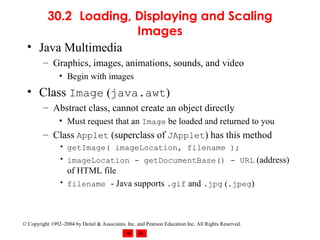
30.2 Loading, Displaying and Scaling
                    Images
  • Java Multimedia
         – Graphics, images, animations, sounds, and video
                • Begin with images
  • Class Image (java.awt)
         – Abstract class, cannot create an object directly
                • Must request that an Image be loaded and returned to you
         – Class Applet (superclass of JApplet) has this method
                • getImage( imageLocation, filename );
                • imageLocation - getDocumentBase() - URL (address)
                  of HTML file
                • filename - Java supports .gif and .jpg (.jpeg)


© Copyright 1992–2004 by Deitel & Associates, Inc. and Pearson Education Inc. All Rights Reserved.
30.2 Loading, Displaying and Scaling
                       Images (II)
  • Displaying Images with drawImage
         – Many overloaded versions
         g.drawImage( myImage, x, y, ImageObserver );
            • myImage - Image object
            • x,y - coordinates to display image
                • ImageObserver - object on which image is displayed
                       – Use "this" to indicate the applet
                       – Can be any object that implements ImageObserver
                         interface

         – g.drawImage( myImage, x, y, width, height,
                   ImageObserver );
            • width and height - dimensions of image (automatically scaled)
                       – getWidth(), getHeight() - return dimensions of applet
© Copyright 1992–2004 by Deitel & Associates, Inc. and Pearson Education Inc. All Rights Reserved.
30.2 Loading, Displaying and Scaling
                  Images (III)
  • Class ImageIcon
         – Not an abstract class (can create objects)
         – Example constructor
                private ImageIcon myIcon;
                myIcon = new ImageIcon( "myIcon.gif" );


  • Displaying Icons with method paintIcon
         myIcon.paintIcon( Component, Graphics, x, y )
         – Component - Component object on which to display image
             (this)
         – Graphics - Graphics object used to render image (g)
         – x, y - coordinates of Icon


© Copyright 1992–2004 by Deitel & Associates, Inc. and Pearson Education Inc. All Rights Reserved.
30.2 Loading, Displaying and Scaling
                 Images (IV)
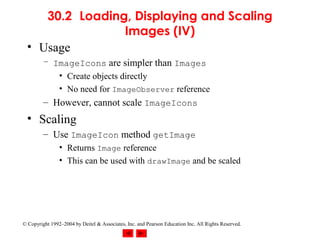
  • Usage
         – ImageIcons are simpler than Images
            • Create objects directly
            • No need for ImageObserver reference
         – However, cannot scale ImageIcons
  • Scaling
         – Use ImageIcon method getImage
                • Returns Image reference
                • This can be used with drawImage and be scaled


© Copyright 1992–2004 by Deitel & Associates, Inc. and Pearson Education Inc. All Rights Reserved.
1    // Fig. 30.1: LoadImageAndScale.java
2    // Load an image and display it in its original size
                                                                                                             Outline
3    // and scale it to twice its original width and height.
4    // Load and display the same image as an ImageIcon.
5    import java.applet.Applet;
                                                                                                         LoadImage-
6    import java.awt.*;
                                                                                                         AndScale.java (Part
7    import javax.swing.*;
                                                                                                         1 of 2)
8
9    public class LoadImageAndScale extends JApplet {
10        private Image logo1;
11        private ImageIcon logo2;
12
13        // load the image when the applet is loaded
14        public void init()
15        {
16            logo1 = getImage( getDocumentBase(), "logo.gif" );
17            logo2 = new ImageIcon( "logo.gif" );
18        } // end method init
19
20        // display the image
21        public void paint( Graphics g )
22        {
23            // draw the original image
24            g.drawImage( logo1, 0, 0, this );
25


    © Copyright 1992–2004 by Deitel & Associates, Inc. and Pearson Education Inc. All Rights Reserved.
26        // draw the image scaled to fit the width of the applet
27        // and the height of the applet minus 120 pixels
                                                                                                          Outline
28        g.drawImage( logo1, 0, 120,
29                         getWidth(), getHeight() - 120, this );
30                                                                                                    LoadImage-
31        // draw the icon using its paintIcon method                                                 AndScale.java (Part
32        logo2.paintIcon( this, g, 180, 0 );                                                         2 of 2)
33     } // end method pain
34 } // end class LoadImageAndSacle


                                                                                                      Program Output


 © Copyright 1992–2004 by Deitel & Associates, Inc. and Pearson Education Inc. All Rights Reserved.
30.3 Loading and Playing Audio Clips
  • Audio clips
         – Require speakers and a sound board
         – Sound engine - plays audio clips
                • Supports .au, .wav, .aif, .mid
                • Java Media Framework supports additional formats
  • Playing audio clips
         – play method in Applet
         – Plays clip once, marked for garbage collection when finished
             play( location, soundFileName );
                location - getDocumentBase (URL of HTML file)
             play( soundURL );
                soundURL - URL that contains location and filename of clip

© Copyright 1992–2004 by Deitel & Associates, Inc. and Pearson Education Inc. All Rights Reserved.
30.3 Loading and Playing Audio Clips (II)
  • Playing audio clips
         – Method play from AudioClip interface
         – More flexible than Applet method play
            • Audio stored in program, can be reused
         – getAudioClip
            • Returns reference to an AudioClip
            • Same format as Applet method play
                       – getAudioClip( location, filename )
                       – getAudioClip( soundURL )
         – Once AudioClip loaded, use methods
                • play - plays audio once
                • loop - continuous loops audio in background
                • stop - terminates clip that is currently playing

© Copyright 1992–2004 by Deitel & Associates, Inc. and Pearson Education Inc. All Rights Reserved.
1    // Fig. 30.2: LoadAudioAndPlay.java
2    // Load an audio clip and play it.
                                                                                                            Outline
3    import java.applet.*;
4    import java.awt.*;
5    import java.awt.event.*;                                                                            LoadAudioAndPlay.j
6    import javax.swing.*;                                                                               ava (Part 1 of 3)
7
8    public class LoadAudioAndPlay extends JApplet {
9        private AudioClip sound1, sound2, currentSound;
10        private JButton playSound, loopSound, stopSound;
11        private JComboBox chooseSound;
12
13        // load the image when the applet begins executing
14        public void init()
15        {
16            Container c = getContentPane();
17            c.setLayout( new FlowLayout() );
18
19            String choices[] = { "Welcome", "Hi" };
20            chooseSound = new JComboBox( choices );
21            chooseSound.addItemListener(
22                new ItemListener() {
23                    public void itemStateChanged( ItemEvent e )
24                    {
25                        currentSound.stop();
26


    © Copyright 1992–2004 by Deitel & Associates, Inc. and Pearson Education Inc. All Rights Reserved.
27                    currentSound =
28                        chooseSound.getSelectedIndex() == 0 ?
                                                                                                         Outline
29                            sound1 : sound2;
30                } // end method itemStateChanged
31            } // end anonymous inner class
                                                                                                      LoadAudioAndPlay.j
32        ); // end addItemListener                                                                   ava (Part 2 of 3)
33        c.add( chooseSound );
34
35        ButtonHandler handler = new ButtonHandler();
36        playSound = new JButton( "Play" );
37        playSound.addActionListener( handler );
38        c.add( playSound );
39        loopSound = new JButton( "Loop" );
40        loopSound.addActionListener( handler );
41        c.add( loopSound );
42        stopSound = new JButton( "Stop" );
43        stopSound.addActionListener( handler );
44        c.add( stopSound );
45
46        sound1 = getAudioClip(
47                       getDocumentBase(), "welcome.wav" );
48        sound2 = getAudioClip(
49                       getDocumentBase(), "hi.au" );
50        currentSound = sound1;
51     } // end method init
52


 © Copyright 1992–2004 by Deitel & Associates, Inc. and Pearson Education Inc. All Rights Reserved.
53     // stop the sound when the user switches Web pages
54     // (i.e., be polite to the user)
                                                                                                         Outline
55     public void stop()
56     {
57         currentSound.stop();
                                                                                                      LoadAudioAndPlay.j
58     } // end method stop                                                                           ava (Part 3 of 3)
59
60     private class ButtonHandler implements ActionListener {
61         public void actionPerformed( ActionEvent e )
62         {
63             if ( e.getSource() == playSound )
64                currentSound.play();
65             else if ( e.getSource() == loopSound )
66                currentSound.loop();
67             else if ( e.getSource() == stopSound )
68                currentSound.stop();
69         } // end method actionPerformed
70     } // end inner class ButtonHandler
71 } // end class LoadAudioAndPlay


 © Copyright 1992–2004 by Deitel & Associates, Inc. and Pearson Education Inc. All Rights Reserved.
Outline

                                                                                                     Program Output


© Copyright 1992–2004 by Deitel & Associates, Inc. and Pearson Education Inc. All Rights Reserved.
30.4 Animating a Series of Images
  • Following example
         – Use a series of images stored in an array
         – Use same techniques to load and display ImageIcons
  • Class Timer
         – Generates ActionEvents at a fixed interval in milliseconds
                    Timer ( animationDelay, ActionListener );
                    ActionListener - ActionListener that will respond to
                    ActionEvents
         – Methods
                •   start
                •   stop
                •   restart
                •   isRunning

© Copyright 1992–2004 by Deitel & Associates, Inc. and Pearson Education Inc. All Rights Reserved.
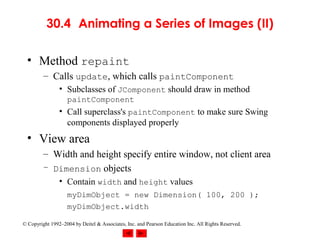
30.4 Animating a Series of Images (II)

  • Method repaint
         – Calls update, which calls paintComponent
                • Subclasses of JComponent should draw in method
                   paintComponent
                • Call superclass's paintComponent to make sure Swing
                  components displayed properly
  • View area
         – Width and height specify entire window, not client area
         – Dimension objects
                • Contain width and height values
                   myDimObject = new Dimension( 100, 200 );
                   myDimObject.width

© Copyright 1992–2004 by Deitel & Associates, Inc. and Pearson Education Inc. All Rights Reserved.
30.4 Animating a Series of Images (III)
  • getImageLoadStatus
         – ImageIcon method
            • Determines if image is completely loaded into memory
            • Only complete images should be displayed (smooth animation)
         – If loaded, returns MediaTracker.COMPLETE
         – MediaTracker
            • Can determine when images are loaded, or force program to
              wait if not
            • ImageIcon creates our MediaTracker for us


© Copyright 1992–2004 by Deitel & Associates, Inc. and Pearson Education Inc. All Rights Reserved.
1    // Fig. 30.3: LogoAnimator.java
2    // Animation a series of images
                                                                                                            Outline
3    import java.awt.*;
4    import java.awt.event.*;
5    import javax.swing.*;
                                                                                                         LoopAnimator.java
6
                                                                                                         (Part 1 of 4)
7    public class LogoAnimator extends JPanel
8                                      implements ActionListener {
9        protected ImageIcon images[];
10        protected int totalImages = 30,
11                          currentImage = 0,
12                          animationDelay = 50; // 50 millisecond delay
13        protected Timer animationTimer;
14
15        public LogoAnimator()
16        {
17            setSize( getPreferredSize() );
18
19            images = new ImageIcon[ totalImages ];
20
21            for ( int i = 0; i < images.length; ++i )
22               images[ i ] =
23                   new ImageIcon( "images/deitel" + i + ".gif" );
24


    © Copyright 1992–2004 by Deitel & Associates, Inc. and Pearson Education Inc. All Rights Reserved.
25         startAnimation();
26     } // end LogoAnimator constructor
                                                                                                         Outline
27
28     public void paintComponent( Graphics g )
29     {
                                                                                                      LoopAnimator.java
30         super.paintComponent( g );                                                                 (Part 2 of 4)
31
32         if ( images[ currentImage ].getImageLoadStatus() ==
33               MediaTracker.COMPLETE ) {
34             images[ currentImage ].paintIcon( this, g, 0, 0 );
35             currentImage = ( currentImage + 1 ) % totalImages;
36         }
37     } // end method paintComponent
38
39     public void actionPerformed( ActionEvent e )
40     {
41         repaint();
42     } // end method actionPerformed
43
44     public void startAnimation()
45     {
46         if ( animationTimer == null ) {
47             currentImage = 0;
48             animationTimer = new Timer( animationDelay, this );
49             animationTimer.start();
50         }


 © Copyright 1992–2004 by Deitel & Associates, Inc. and Pearson Education Inc. All Rights Reserved.
51         else   // continue from last image displayed
52            if ( ! animationTimer.isRunning() )
                                                                                                         Outline
53                animationTimer.restart();
54     } // end method startAnimation
55                                                                                                    LoopAnimator.java
56     public void stopAnimation()                                                                    (Part 3 of 4)
57     {
58         animationTimer.stop();
59     } // end method stopAnimation
60
61     public Dimension getMinimumSize()
62     {
63         return getPreferredSize();
64     } // end method getMinimumSize
65
66     public Dimension getPreferredSize()
67     {
68         return new Dimension( 160, 80 );
69     } // end method getPreferredSize
70
71     public static void main( String args[] )
72     {
73         LogoAnimator anim = new LogoAnimator();
74


 © Copyright 1992–2004 by Deitel & Associates, Inc. and Pearson Education Inc. All Rights Reserved.
75        JFrame app = new JFrame( "Animator test" );
76        app.getContentPane().add( anim, BorderLayout.CENTER );
                                                                                                         Outline
77
78        app.addWindowListener(
79            new WindowAdapter() {
                                                                                                      LoopAnimator.java
80                public void windowClosing( WindowEvent e )                                          (Part 4 of 4)
81                {
82                    System.exit( 0 );
83                } // end method windowClosing
84            } // end anonymous inner class
85        ); // end addWindowListener
86
87        // The constants 10 and 30 are used below to size the
88        // window 10 pixels wider than the animation and
89        // 30 pixels taller than the animation.
90        app.setSize( anim.getPreferredSize().width + 10,
91                         anim.getPreferredSize().height + 30 );
92        app.show();
93     } // end main
94 } // end class LogoAnimator


 © Copyright 1992–2004 by Deitel & Associates, Inc. and Pearson Education Inc. All Rights Reserved.
Outline


                                                                                                     Program Output


© Copyright 1992–2004 by Deitel & Associates, Inc. and Pearson Education Inc. All Rights Reserved.
30.5 Animation Issues
  • Storing images
         – Interlaced/non-interlaced formats
                • Specifies order in which pixels are stored
                • Non-interlaced - pixels stored in order they appear on screen
                    – Image appears in chunks from top to bottom as it is loaded
                • Interlaced - pixels stored in rows, but out of order
                    – Image appears to fade in and become more clear
  • Animation flickers
         – Due to update being called in response to repaint
         – In AWT GUI components
            • Draws filled rectangle in background color where image was
            • Draw image, sleep, clear background (flicker), draw next
              image...
         – Swing's JPanel overrides update to avoid this
© Copyright 1992–2004 by Deitel & Associates, Inc. and Pearson Education Inc. All Rights Reserved.
30.5 Animation Issues (II)
  • Double buffering
         – Used to smooth animations
         – Program renders one image on screen
                • Builds next image in off-screen buffer
         – When time to display next image, done smoothly
                • Partial images user would have seen (while image loads) are
                  hidden
                • All pixels for next image displayed at once
         – Space/Time tradeoff
                • Reduces flicker, but can slow animation speed and uses more
                  memory
         – Used by Swing GUI components by default


© Copyright 1992–2004 by Deitel & Associates, Inc. and Pearson Education Inc. All Rights Reserved.
30.6 Customizing Applets via the HTML
                  param Tag
  • Applets
         – Customize through parameters in HTML file that invokes
           it
             <html>
             <applet code="LogoApplet.class" width=400
             height=400>
             <param name="totalimages" value="30">
             <param name="imagename" value="deitel">
             <param name="animationdelay" value="200">
             </applet>
             </html>
         – Invokes applet LogoApplet
         – param tags
                • Each has a name and a value
                • Use Applet method getParameter (returns a String)
                       parameter = getParameter( "animationdelay" );


© Copyright 1992–2004 by Deitel & Associates, Inc. and Pearson Education Inc. All Rights Reserved.
30.6 Customizing Applets via the HTML
                  param Tag (II)
  • Following example
         – Use the LogoAnimator class as before, but modified
           slightly
         – Create Applet LogoApplet
                • Takes parameters
                • Creates LogoAnimator object using the parameters
                • Plays animation


© Copyright 1992–2004 by Deitel & Associates, Inc. and Pearson Education Inc. All Rights Reserved.
1    // Fig. 30.4: LogoAnimator.java
2    // Animating a series of images
                                                                                                            Outline
3    import java.awt.*;
4    import java.awt.event.*;
5    import javax.swing.*;
                                                                                                         LogoAnimator.java
6
                                                                                                         (Part 1 of 5)
7    public class LogoAnimator extends JPanel
8                                      implements ActionListener {
9        protected ImageIcon images[];
10        protected int totalImages = 30,
11                          currentImage = 0,
12                          animationDelay = 50; // 50 millisecond delay
13        protected String imageName = "deitel";
14        protected Timer animationTimer;
15
16        public LogoAnimator()
17        {
18            initializeAnim();
19        } // end LogoAnimator constructor
20
21        // new constructor to support customization
22        public LogoAnimator( int num, int delay, String name )
23        {
24            totalImages = num;
25            animationDelay = delay;
26            imageName = name;
27
    © Copyright 1992–2004 by Deitel & Associates, Inc. and Pearson Education Inc. All Rights Reserved.
28         initializeAnim();
29     } // end LogoAnimator constructor
                                                                                                         Outline
30
31     private void initializeAnim()
32     {
                                                                                                      LogoAnimator.java
33         images = new ImageIcon[ totalImages ];                                                     (Part 2 of 5)
34
35         for ( int i = 0; i < images.length; ++i )
36            images[ i ] = new ImageIcon( "images/" +
37                                        imageName + i + ".gif" );
38
39         // moved here so getPreferredSize can check the size of
40         // the first loaded image.
41         setSize( getPreferredSize() );
42
43         startAnimation();
44     } // end method initializeAnim
45
46     public void paintComponent( Graphics g )
47     {
48         super.paintComponent( g );
49


 © Copyright 1992–2004 by Deitel & Associates, Inc. and Pearson Education Inc. All Rights Reserved.
50         if ( images[ currentImage ].getImageLoadStatus() ==
51                MediaTracker.COMPLETE ) {
                                                                                                         Outline
52             images[ currentImage ].paintIcon( this, g, 0, 0 );
53             currentImage = ( currentImage + 1 ) % totalImages;
54         } // end if
                                                                                                      LogoAnimator.java
55     } // end method paintComponent
                                                                                                      (Part 3 of 5)
56
57     public void actionPerformed( ActionEvent e )
58     {
59         repaint();
60     } // end method actionPerformed
61
62     public void startAnimation()
63     {
64         if ( animationTimer == null ) {
65             currentImage = 0;
66             animationTimer = new Timer( animationDelay, this );
67             animationTimer.start();
68         }
69         else    // continue from last image displayed
70             if ( ! animationTimer.isRunning() )
71                 animationTimer.restart();
72     } // end method startAnimation
73


 © Copyright 1992–2004 by Deitel & Associates, Inc. and Pearson Education Inc. All Rights Reserved.
74     public void stopAnimation()
75     {
                                                                                                         Outline
76         animationTimer.stop();
77     } // end method stopAnimation
78                                                                                                    LogoAnimator.java
79     public Dimension getMinimumSize()                                                              (Part 4 of 5)
80     {
81         return getPreferredSize();
82     } // end method getMinimumSize
83
84     public Dimension getPreferredSize()
85     {
86         return new Dimension( images[ 0 ].getIconWidth(),
87                                     images[ 0 ].getIconHeight() );
88     } // end method getPreferredSize
89
90     public static void main( String args[] )
91     {
92         LogoAnimator anim = new LogoAnimator();
93
94         JFrame app = new JFrame( "Animator test" );
95         app.getContentPane().add( anim, BorderLayout.CENTER );
96


 © Copyright 1992–2004 by Deitel & Associates, Inc. and Pearson Education Inc. All Rights Reserved.
97         app.addWindowListener(
98
99
               new WindowAdapter() {
                                                                                                          Outline
                   public void windowClosing( WindowEvent e )
100                {
101                    System.exit( 0 );                                                              LogoAnimator.java
102                } // end method windowClosing                                                      (Part 5 of 5)
103            } // end anonymous inner class
104         ); // end addWindowListener
105
106         app.setSize( anim.getPreferredSize().width + 10,
107                         anim.getPreferredSize().height + 30 );
108         app.show();
109      } // end main
110 } // end class LogoAnimator

111 // Fig. 30.4: LogoApplet.java
112 // Customizing an applet via HTML parameters                                                      LogoApplet.java
113 //                                                                                                (Part 1 of 3)
114 // HTML parameter "animationdelay" is an int indicating
115 // milliseconds to sleep between images (default 50).
116 //
117 // HTML parameter "imagename" is the base name of the images
118 // that will be displayed (i.e., "deitel" is the base name
119 // for images "deitel0.gif," "deitel1.gif," etc.). The applet
120 // assumes that images are in an "images" subdirectory of
121 // the directory in which the applet resides.
122 //


 © Copyright 1992–2004 by Deitel & Associates, Inc. and Pearson Education Inc. All Rights Reserved.
127 import java.awt.*;
128 import javax.swing.*;
                                                                                                          Outline
129
130 public class LogoApplet extends JApplet{
131    public void init()
                                                                                                      LogoApplet.java
132    {                                                                                              (Part 2 of 3)
133        String parameter;
134
135        parameter = getParameter( "animationdelay" );
136        int animationDelay = ( parameter == null ? 50 :
137                                      Integer.parseInt( parameter ) );
138
139        String imageName = getParameter( "imagename" );
140
141        parameter = getParameter( "totalimages" );
142        int totalImages = ( parameter == null ? 0 :
143                                  Integer.parseInt( parameter ) );
144
145        // Create an instance of LogoAnimator
146        LogoAnimator animator;
147
148        if ( imageName == null || totalImages == 0 )
149            animator = new LogoAnimator();


 © Copyright 1992–2004 by Deitel & Associates, Inc. and Pearson Education Inc. All Rights Reserved.
150        else
151            animator = new LogoAnimator( totalImages,
                                                                                                          Outline
152                              animationDelay, imageName );
153
154        setSize( animator.getPreferredSize().width,                                                LogoApplet.java
155                    animator.getPreferredSize().height );                                          (Part 3 of 3)
156        getContentPane().add( animator, BorderLayout.CENTER );
157
158        animator.startAnimation();
159    } // end method init
160 } // end class LogoApplet


                                                                                                      Program Output


 © Copyright 1992–2004 by Deitel & Associates, Inc. and Pearson Education Inc. All Rights Reserved.
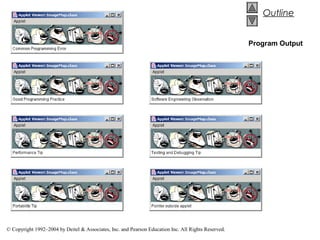
30.7 Image Maps
  • Image map
         – Image that has hot areas
                • User can click to accomplish a task
         – Bubble help
                • When mouse over particular point in screen, small message
                  displayed in status bar
  • In the following example
         – Load several images
         – Use event handler mouseMoved to find x-coordinate
         – Based on the x-coordinate, display a message


© Copyright 1992–2004 by Deitel & Associates, Inc. and Pearson Education Inc. All Rights Reserved.
1    // Fig. 30.5: ImageMap.java
2    // Demonstrating an image map.
                                                                                                            Outline
3    import java.awt.*;
4    import java.awt.event.*;
5    import javax.swing.*;
                                                                                                         ImageMap.java
6
                                                                                                         (Part 1 of 3)
7    public class ImageMap extends JApplet {
8        private ImageIcon mapImage;
9        private int width, height;
10
11        public void init()
12        {
13            addMouseListener(
14                new MouseAdapter() {
15                    public void mouseExited( MouseEvent e )
16                    {
17                        showStatus( "Pointer outside applet" );
18                    } // end method mouseExited
19                } // end anonymous inner class
20            ); // end addMouseListener
21


    © Copyright 1992–2004 by Deitel & Associates, Inc. and Pearson Education Inc. All Rights Reserved.
22         addMouseMotionListener(
23             new MouseMotionAdapter() {
                                                                                                         Outline
24                 public void mouseMoved( MouseEvent e )
25                 {
26                     showStatus( translateLocation( e.getX() ) );
                                                                                                      ImageMap.java
27                 } // end method mouseMoved
                                                                                                      (Part 2 of 3)
28             } // end anonymous inner class
29         ); // end addMouseMotionListener
30
31         mapImage = new ImageIcon( "icons2.gif" );
32         width = mapImage.getIconWidth();
33         height = mapImage.getIconHeight();
34         setSize( width, height );
35     } // end method init
36
37     public void paint( Graphics g )
38     {
39         mapImage.paintIcon( this, g, 0, 0 );
40     } // end method paint
41
42     public String translateLocation( int x )
43     {
44         // determine width of each icon (there are 6)
45         int iconWidth = width / 6;
46


 © Copyright 1992–2004 by Deitel & Associates, Inc. and Pearson Education Inc. All Rights Reserved.
47         if ( x >= 0 && x <= iconWidth )
48             return "Common Programming Error";
                                                                                                         Outline
49         else if ( x > iconWidth && x <= iconWidth * 2 )
50             return "Good Programming Practice";
51         else if ( x > iconWidth * 2 && x <= iconWidth * 3 )                                        ImageMap.java
52             return "Performance Tip";                                                              (Part 3 of 3)
53         else if ( x > iconWidth * 3 && x <= iconWidth * 4 )
54             return "Portability Tip";
55         else if ( x > iconWidth * 4 && x <= iconWidth * 5 )
56             return "Software Engineering Observation";
57         else if ( x > iconWidth * 5 && x <= iconWidth * 6 )
58             return "Testing and Debugging Tip";
59
60         return "";
61     } // end method translateLocation
62 } // end class ImageMap


 © Copyright 1992–2004 by Deitel & Associates, Inc. and Pearson Education Inc. All Rights Reserved.
Outline


                                                                                                     Program Output


© Copyright 1992–2004 by Deitel & Associates, Inc. and Pearson Education Inc. All Rights Reserved.
30.8 Internet and World Wide Web
                      Resources
  • Internet and web resources for multimedia related
    sites.
             http://www.nasa.gov/gallery/index.html
              • The NASA multimedia gallery
             http://sunsite.sut.ac.jp/multimed/
              • The Sunsite Japan Multimedia Collection
             http://www.anbg.gov.au/anbg/index.html
              • The Australian National Botanic Gardens Web site provides links to
                sounds of many animals.


© Copyright 1992–2004 by Deitel & Associates, Inc. and Pearson Education Inc. All Rights Reserved.

Chtp430

  • 1.
    Java Multimedia: Images,Animation, Audio and Video Outline 30.1 Introduction 30.2 Loading, Displaying and Scaling Images 30.3 Loading and Playing Audio Clips 30.4 Animating a Series of Images 30.5 Animation Issues 30.6 Customizing Applets via the HTML param Tag 30.7 Image Maps 30.8 Internet and World Wide Web Resources © Copyright 1992–2004 by Deitel & Associates, Inc. and Pearson Education Inc. All Rights Reserved.
  • 2.
    Objectives •In this chapter, you will learn: – To understand how to get and display images. – To be able to create animations from sequences of images; to control animation speed and flicker. – To be able to get, play, loop and stop sounds. – To be able to monitor the loading of images with class MediaTracker; to create image maps. – To customize applets with the param tag. © Copyright 1992–2004 by Deitel & Associates, Inc. and Pearson Education Inc. All Rights Reserved.
  • 3.
    30.1 Introduction • Revolution in computer industry – Before, computers used for high-speed calculations – Now, data manipulation important • Multimedia – "sizzle" of Java - images, sound, video – CDs, DVDs, video cards – Demands extraordinary computing power • Fast processors making multimedia possible • Java – Has built-in multimedia capabilities • Most programming languages do not – Develop powerful multimedia applications © Copyright 1992–2004 by Deitel & Associates, Inc. and Pearson Education Inc. All Rights Reserved.
  • 4.
    30.2 Loading, Displayingand Scaling Images • Java Multimedia – Graphics, images, animations, sounds, and video • Begin with images • Class Image (java.awt) – Abstract class, cannot create an object directly • Must request that an Image be loaded and returned to you – Class Applet (superclass of JApplet) has this method • getImage( imageLocation, filename ); • imageLocation - getDocumentBase() - URL (address) of HTML file • filename - Java supports .gif and .jpg (.jpeg) © Copyright 1992–2004 by Deitel & Associates, Inc. and Pearson Education Inc. All Rights Reserved.
  • 5.
    30.2 Loading, Displayingand Scaling Images (II) • Displaying Images with drawImage – Many overloaded versions g.drawImage( myImage, x, y, ImageObserver ); • myImage - Image object • x,y - coordinates to display image • ImageObserver - object on which image is displayed – Use "this" to indicate the applet – Can be any object that implements ImageObserver interface – g.drawImage( myImage, x, y, width, height, ImageObserver ); • width and height - dimensions of image (automatically scaled) – getWidth(), getHeight() - return dimensions of applet © Copyright 1992–2004 by Deitel & Associates, Inc. and Pearson Education Inc. All Rights Reserved.
  • 6.
    30.2 Loading, Displayingand Scaling Images (III) • Class ImageIcon – Not an abstract class (can create objects) – Example constructor private ImageIcon myIcon; myIcon = new ImageIcon( "myIcon.gif" ); • Displaying Icons with method paintIcon myIcon.paintIcon( Component, Graphics, x, y ) – Component - Component object on which to display image (this) – Graphics - Graphics object used to render image (g) – x, y - coordinates of Icon © Copyright 1992–2004 by Deitel & Associates, Inc. and Pearson Education Inc. All Rights Reserved.
  • 7.
    30.2 Loading, Displayingand Scaling Images (IV) • Usage – ImageIcons are simpler than Images • Create objects directly • No need for ImageObserver reference – However, cannot scale ImageIcons • Scaling – Use ImageIcon method getImage • Returns Image reference • This can be used with drawImage and be scaled © Copyright 1992–2004 by Deitel & Associates, Inc. and Pearson Education Inc. All Rights Reserved.
  • 8.
    1 // Fig. 30.1: LoadImageAndScale.java 2 // Load an image and display it in its original size Outline 3 // and scale it to twice its original width and height. 4 // Load and display the same image as an ImageIcon. 5 import java.applet.Applet; LoadImage- 6 import java.awt.*; AndScale.java (Part 7 import javax.swing.*; 1 of 2) 8 9 public class LoadImageAndScale extends JApplet { 10 private Image logo1; 11 private ImageIcon logo2; 12 13 // load the image when the applet is loaded 14 public void init() 15 { 16 logo1 = getImage( getDocumentBase(), "logo.gif" ); 17 logo2 = new ImageIcon( "logo.gif" ); 18 } // end method init 19 20 // display the image 21 public void paint( Graphics g ) 22 { 23 // draw the original image 24 g.drawImage( logo1, 0, 0, this ); 25 © Copyright 1992–2004 by Deitel & Associates, Inc. and Pearson Education Inc. All Rights Reserved.
  • 9.
    26 // draw the image scaled to fit the width of the applet 27 // and the height of the applet minus 120 pixels Outline 28 g.drawImage( logo1, 0, 120, 29 getWidth(), getHeight() - 120, this ); 30 LoadImage- 31 // draw the icon using its paintIcon method AndScale.java (Part 32 logo2.paintIcon( this, g, 180, 0 ); 2 of 2) 33 } // end method pain 34 } // end class LoadImageAndSacle Program Output © Copyright 1992–2004 by Deitel & Associates, Inc. and Pearson Education Inc. All Rights Reserved.
  • 10.
    30.3 Loading andPlaying Audio Clips • Audio clips – Require speakers and a sound board – Sound engine - plays audio clips • Supports .au, .wav, .aif, .mid • Java Media Framework supports additional formats • Playing audio clips – play method in Applet – Plays clip once, marked for garbage collection when finished play( location, soundFileName ); location - getDocumentBase (URL of HTML file) play( soundURL ); soundURL - URL that contains location and filename of clip © Copyright 1992–2004 by Deitel & Associates, Inc. and Pearson Education Inc. All Rights Reserved.
  • 11.
    30.3 Loading andPlaying Audio Clips (II) • Playing audio clips – Method play from AudioClip interface – More flexible than Applet method play • Audio stored in program, can be reused – getAudioClip • Returns reference to an AudioClip • Same format as Applet method play – getAudioClip( location, filename ) – getAudioClip( soundURL ) – Once AudioClip loaded, use methods • play - plays audio once • loop - continuous loops audio in background • stop - terminates clip that is currently playing © Copyright 1992–2004 by Deitel & Associates, Inc. and Pearson Education Inc. All Rights Reserved.
  • 12.
    1 // Fig. 30.2: LoadAudioAndPlay.java 2 // Load an audio clip and play it. Outline 3 import java.applet.*; 4 import java.awt.*; 5 import java.awt.event.*; LoadAudioAndPlay.j 6 import javax.swing.*; ava (Part 1 of 3) 7 8 public class LoadAudioAndPlay extends JApplet { 9 private AudioClip sound1, sound2, currentSound; 10 private JButton playSound, loopSound, stopSound; 11 private JComboBox chooseSound; 12 13 // load the image when the applet begins executing 14 public void init() 15 { 16 Container c = getContentPane(); 17 c.setLayout( new FlowLayout() ); 18 19 String choices[] = { "Welcome", "Hi" }; 20 chooseSound = new JComboBox( choices ); 21 chooseSound.addItemListener( 22 new ItemListener() { 23 public void itemStateChanged( ItemEvent e ) 24 { 25 currentSound.stop(); 26 © Copyright 1992–2004 by Deitel & Associates, Inc. and Pearson Education Inc. All Rights Reserved.
  • 13.
    27 currentSound = 28 chooseSound.getSelectedIndex() == 0 ? Outline 29 sound1 : sound2; 30 } // end method itemStateChanged 31 } // end anonymous inner class LoadAudioAndPlay.j 32 ); // end addItemListener ava (Part 2 of 3) 33 c.add( chooseSound ); 34 35 ButtonHandler handler = new ButtonHandler(); 36 playSound = new JButton( "Play" ); 37 playSound.addActionListener( handler ); 38 c.add( playSound ); 39 loopSound = new JButton( "Loop" ); 40 loopSound.addActionListener( handler ); 41 c.add( loopSound ); 42 stopSound = new JButton( "Stop" ); 43 stopSound.addActionListener( handler ); 44 c.add( stopSound ); 45 46 sound1 = getAudioClip( 47 getDocumentBase(), "welcome.wav" ); 48 sound2 = getAudioClip( 49 getDocumentBase(), "hi.au" ); 50 currentSound = sound1; 51 } // end method init 52 © Copyright 1992–2004 by Deitel & Associates, Inc. and Pearson Education Inc. All Rights Reserved.
  • 14.
    53 // stop the sound when the user switches Web pages 54 // (i.e., be polite to the user) Outline 55 public void stop() 56 { 57 currentSound.stop(); LoadAudioAndPlay.j 58 } // end method stop ava (Part 3 of 3) 59 60 private class ButtonHandler implements ActionListener { 61 public void actionPerformed( ActionEvent e ) 62 { 63 if ( e.getSource() == playSound ) 64 currentSound.play(); 65 else if ( e.getSource() == loopSound ) 66 currentSound.loop(); 67 else if ( e.getSource() == stopSound ) 68 currentSound.stop(); 69 } // end method actionPerformed 70 } // end inner class ButtonHandler 71 } // end class LoadAudioAndPlay © Copyright 1992–2004 by Deitel & Associates, Inc. and Pearson Education Inc. All Rights Reserved.
  • 15.
    Outline Program Output © Copyright 1992–2004 by Deitel & Associates, Inc. and Pearson Education Inc. All Rights Reserved.
  • 16.
    30.4 Animating aSeries of Images • Following example – Use a series of images stored in an array – Use same techniques to load and display ImageIcons • Class Timer – Generates ActionEvents at a fixed interval in milliseconds Timer ( animationDelay, ActionListener ); ActionListener - ActionListener that will respond to ActionEvents – Methods • start • stop • restart • isRunning © Copyright 1992–2004 by Deitel & Associates, Inc. and Pearson Education Inc. All Rights Reserved.
  • 17.
    30.4 Animating aSeries of Images (II) • Method repaint – Calls update, which calls paintComponent • Subclasses of JComponent should draw in method paintComponent • Call superclass's paintComponent to make sure Swing components displayed properly • View area – Width and height specify entire window, not client area – Dimension objects • Contain width and height values myDimObject = new Dimension( 100, 200 ); myDimObject.width © Copyright 1992–2004 by Deitel & Associates, Inc. and Pearson Education Inc. All Rights Reserved.
  • 18.
    30.4 Animating aSeries of Images (III) • getImageLoadStatus – ImageIcon method • Determines if image is completely loaded into memory • Only complete images should be displayed (smooth animation) – If loaded, returns MediaTracker.COMPLETE – MediaTracker • Can determine when images are loaded, or force program to wait if not • ImageIcon creates our MediaTracker for us © Copyright 1992–2004 by Deitel & Associates, Inc. and Pearson Education Inc. All Rights Reserved.
  • 19.
    1 // Fig. 30.3: LogoAnimator.java 2 // Animation a series of images Outline 3 import java.awt.*; 4 import java.awt.event.*; 5 import javax.swing.*; LoopAnimator.java 6 (Part 1 of 4) 7 public class LogoAnimator extends JPanel 8 implements ActionListener { 9 protected ImageIcon images[]; 10 protected int totalImages = 30, 11 currentImage = 0, 12 animationDelay = 50; // 50 millisecond delay 13 protected Timer animationTimer; 14 15 public LogoAnimator() 16 { 17 setSize( getPreferredSize() ); 18 19 images = new ImageIcon[ totalImages ]; 20 21 for ( int i = 0; i < images.length; ++i ) 22 images[ i ] = 23 new ImageIcon( "images/deitel" + i + ".gif" ); 24 © Copyright 1992–2004 by Deitel & Associates, Inc. and Pearson Education Inc. All Rights Reserved.
  • 20.
    25 startAnimation(); 26 } // end LogoAnimator constructor Outline 27 28 public void paintComponent( Graphics g ) 29 { LoopAnimator.java 30 super.paintComponent( g ); (Part 2 of 4) 31 32 if ( images[ currentImage ].getImageLoadStatus() == 33 MediaTracker.COMPLETE ) { 34 images[ currentImage ].paintIcon( this, g, 0, 0 ); 35 currentImage = ( currentImage + 1 ) % totalImages; 36 } 37 } // end method paintComponent 38 39 public void actionPerformed( ActionEvent e ) 40 { 41 repaint(); 42 } // end method actionPerformed 43 44 public void startAnimation() 45 { 46 if ( animationTimer == null ) { 47 currentImage = 0; 48 animationTimer = new Timer( animationDelay, this ); 49 animationTimer.start(); 50 } © Copyright 1992–2004 by Deitel & Associates, Inc. and Pearson Education Inc. All Rights Reserved.
  • 21.
    51 else // continue from last image displayed 52 if ( ! animationTimer.isRunning() ) Outline 53 animationTimer.restart(); 54 } // end method startAnimation 55 LoopAnimator.java 56 public void stopAnimation() (Part 3 of 4) 57 { 58 animationTimer.stop(); 59 } // end method stopAnimation 60 61 public Dimension getMinimumSize() 62 { 63 return getPreferredSize(); 64 } // end method getMinimumSize 65 66 public Dimension getPreferredSize() 67 { 68 return new Dimension( 160, 80 ); 69 } // end method getPreferredSize 70 71 public static void main( String args[] ) 72 { 73 LogoAnimator anim = new LogoAnimator(); 74 © Copyright 1992–2004 by Deitel & Associates, Inc. and Pearson Education Inc. All Rights Reserved.
  • 22.
    75 JFrame app = new JFrame( "Animator test" ); 76 app.getContentPane().add( anim, BorderLayout.CENTER ); Outline 77 78 app.addWindowListener( 79 new WindowAdapter() { LoopAnimator.java 80 public void windowClosing( WindowEvent e ) (Part 4 of 4) 81 { 82 System.exit( 0 ); 83 } // end method windowClosing 84 } // end anonymous inner class 85 ); // end addWindowListener 86 87 // The constants 10 and 30 are used below to size the 88 // window 10 pixels wider than the animation and 89 // 30 pixels taller than the animation. 90 app.setSize( anim.getPreferredSize().width + 10, 91 anim.getPreferredSize().height + 30 ); 92 app.show(); 93 } // end main 94 } // end class LogoAnimator © Copyright 1992–2004 by Deitel & Associates, Inc. and Pearson Education Inc. All Rights Reserved.
  • 23.
    Outline Program Output © Copyright 1992–2004 by Deitel & Associates, Inc. and Pearson Education Inc. All Rights Reserved.
  • 24.
    30.5 Animation Issues • Storing images – Interlaced/non-interlaced formats • Specifies order in which pixels are stored • Non-interlaced - pixels stored in order they appear on screen – Image appears in chunks from top to bottom as it is loaded • Interlaced - pixels stored in rows, but out of order – Image appears to fade in and become more clear • Animation flickers – Due to update being called in response to repaint – In AWT GUI components • Draws filled rectangle in background color where image was • Draw image, sleep, clear background (flicker), draw next image... – Swing's JPanel overrides update to avoid this © Copyright 1992–2004 by Deitel & Associates, Inc. and Pearson Education Inc. All Rights Reserved.
  • 25.
    30.5 Animation Issues(II) • Double buffering – Used to smooth animations – Program renders one image on screen • Builds next image in off-screen buffer – When time to display next image, done smoothly • Partial images user would have seen (while image loads) are hidden • All pixels for next image displayed at once – Space/Time tradeoff • Reduces flicker, but can slow animation speed and uses more memory – Used by Swing GUI components by default © Copyright 1992–2004 by Deitel & Associates, Inc. and Pearson Education Inc. All Rights Reserved.
  • 26.
    30.6 Customizing Appletsvia the HTML param Tag • Applets – Customize through parameters in HTML file that invokes it <html> <applet code="LogoApplet.class" width=400 height=400> <param name="totalimages" value="30"> <param name="imagename" value="deitel"> <param name="animationdelay" value="200"> </applet> </html> – Invokes applet LogoApplet – param tags • Each has a name and a value • Use Applet method getParameter (returns a String) parameter = getParameter( "animationdelay" ); © Copyright 1992–2004 by Deitel & Associates, Inc. and Pearson Education Inc. All Rights Reserved.
  • 27.
    30.6 Customizing Appletsvia the HTML param Tag (II) • Following example – Use the LogoAnimator class as before, but modified slightly – Create Applet LogoApplet • Takes parameters • Creates LogoAnimator object using the parameters • Plays animation © Copyright 1992–2004 by Deitel & Associates, Inc. and Pearson Education Inc. All Rights Reserved.
  • 28.
    1 // Fig. 30.4: LogoAnimator.java 2 // Animating a series of images Outline 3 import java.awt.*; 4 import java.awt.event.*; 5 import javax.swing.*; LogoAnimator.java 6 (Part 1 of 5) 7 public class LogoAnimator extends JPanel 8 implements ActionListener { 9 protected ImageIcon images[]; 10 protected int totalImages = 30, 11 currentImage = 0, 12 animationDelay = 50; // 50 millisecond delay 13 protected String imageName = "deitel"; 14 protected Timer animationTimer; 15 16 public LogoAnimator() 17 { 18 initializeAnim(); 19 } // end LogoAnimator constructor 20 21 // new constructor to support customization 22 public LogoAnimator( int num, int delay, String name ) 23 { 24 totalImages = num; 25 animationDelay = delay; 26 imageName = name; 27 © Copyright 1992–2004 by Deitel & Associates, Inc. and Pearson Education Inc. All Rights Reserved.
  • 29.
    28 initializeAnim(); 29 } // end LogoAnimator constructor Outline 30 31 private void initializeAnim() 32 { LogoAnimator.java 33 images = new ImageIcon[ totalImages ]; (Part 2 of 5) 34 35 for ( int i = 0; i < images.length; ++i ) 36 images[ i ] = new ImageIcon( "images/" + 37 imageName + i + ".gif" ); 38 39 // moved here so getPreferredSize can check the size of 40 // the first loaded image. 41 setSize( getPreferredSize() ); 42 43 startAnimation(); 44 } // end method initializeAnim 45 46 public void paintComponent( Graphics g ) 47 { 48 super.paintComponent( g ); 49 © Copyright 1992–2004 by Deitel & Associates, Inc. and Pearson Education Inc. All Rights Reserved.
  • 30.
    50 if ( images[ currentImage ].getImageLoadStatus() == 51 MediaTracker.COMPLETE ) { Outline 52 images[ currentImage ].paintIcon( this, g, 0, 0 ); 53 currentImage = ( currentImage + 1 ) % totalImages; 54 } // end if LogoAnimator.java 55 } // end method paintComponent (Part 3 of 5) 56 57 public void actionPerformed( ActionEvent e ) 58 { 59 repaint(); 60 } // end method actionPerformed 61 62 public void startAnimation() 63 { 64 if ( animationTimer == null ) { 65 currentImage = 0; 66 animationTimer = new Timer( animationDelay, this ); 67 animationTimer.start(); 68 } 69 else // continue from last image displayed 70 if ( ! animationTimer.isRunning() ) 71 animationTimer.restart(); 72 } // end method startAnimation 73 © Copyright 1992–2004 by Deitel & Associates, Inc. and Pearson Education Inc. All Rights Reserved.
  • 31.
    74 public void stopAnimation() 75 { Outline 76 animationTimer.stop(); 77 } // end method stopAnimation 78 LogoAnimator.java 79 public Dimension getMinimumSize() (Part 4 of 5) 80 { 81 return getPreferredSize(); 82 } // end method getMinimumSize 83 84 public Dimension getPreferredSize() 85 { 86 return new Dimension( images[ 0 ].getIconWidth(), 87 images[ 0 ].getIconHeight() ); 88 } // end method getPreferredSize 89 90 public static void main( String args[] ) 91 { 92 LogoAnimator anim = new LogoAnimator(); 93 94 JFrame app = new JFrame( "Animator test" ); 95 app.getContentPane().add( anim, BorderLayout.CENTER ); 96 © Copyright 1992–2004 by Deitel & Associates, Inc. and Pearson Education Inc. All Rights Reserved.
  • 32.
    97 app.addWindowListener( 98 99 new WindowAdapter() { Outline public void windowClosing( WindowEvent e ) 100 { 101 System.exit( 0 ); LogoAnimator.java 102 } // end method windowClosing (Part 5 of 5) 103 } // end anonymous inner class 104 ); // end addWindowListener 105 106 app.setSize( anim.getPreferredSize().width + 10, 107 anim.getPreferredSize().height + 30 ); 108 app.show(); 109 } // end main 110 } // end class LogoAnimator 111 // Fig. 30.4: LogoApplet.java 112 // Customizing an applet via HTML parameters LogoApplet.java 113 // (Part 1 of 3) 114 // HTML parameter "animationdelay" is an int indicating 115 // milliseconds to sleep between images (default 50). 116 // 117 // HTML parameter "imagename" is the base name of the images 118 // that will be displayed (i.e., "deitel" is the base name 119 // for images "deitel0.gif," "deitel1.gif," etc.). The applet 120 // assumes that images are in an "images" subdirectory of 121 // the directory in which the applet resides. 122 // © Copyright 1992–2004 by Deitel & Associates, Inc. and Pearson Education Inc. All Rights Reserved.
  • 33.
    127 import java.awt.*; 128import javax.swing.*; Outline 129 130 public class LogoApplet extends JApplet{ 131 public void init() LogoApplet.java 132 { (Part 2 of 3) 133 String parameter; 134 135 parameter = getParameter( "animationdelay" ); 136 int animationDelay = ( parameter == null ? 50 : 137 Integer.parseInt( parameter ) ); 138 139 String imageName = getParameter( "imagename" ); 140 141 parameter = getParameter( "totalimages" ); 142 int totalImages = ( parameter == null ? 0 : 143 Integer.parseInt( parameter ) ); 144 145 // Create an instance of LogoAnimator 146 LogoAnimator animator; 147 148 if ( imageName == null || totalImages == 0 ) 149 animator = new LogoAnimator(); © Copyright 1992–2004 by Deitel & Associates, Inc. and Pearson Education Inc. All Rights Reserved.
  • 34.
    150 else 151 animator = new LogoAnimator( totalImages, Outline 152 animationDelay, imageName ); 153 154 setSize( animator.getPreferredSize().width, LogoApplet.java 155 animator.getPreferredSize().height ); (Part 3 of 3) 156 getContentPane().add( animator, BorderLayout.CENTER ); 157 158 animator.startAnimation(); 159 } // end method init 160 } // end class LogoApplet Program Output © Copyright 1992–2004 by Deitel & Associates, Inc. and Pearson Education Inc. All Rights Reserved.
  • 35.
    30.7 Image Maps • Image map – Image that has hot areas • User can click to accomplish a task – Bubble help • When mouse over particular point in screen, small message displayed in status bar • In the following example – Load several images – Use event handler mouseMoved to find x-coordinate – Based on the x-coordinate, display a message © Copyright 1992–2004 by Deitel & Associates, Inc. and Pearson Education Inc. All Rights Reserved.
  • 36.
    1 // Fig. 30.5: ImageMap.java 2 // Demonstrating an image map. Outline 3 import java.awt.*; 4 import java.awt.event.*; 5 import javax.swing.*; ImageMap.java 6 (Part 1 of 3) 7 public class ImageMap extends JApplet { 8 private ImageIcon mapImage; 9 private int width, height; 10 11 public void init() 12 { 13 addMouseListener( 14 new MouseAdapter() { 15 public void mouseExited( MouseEvent e ) 16 { 17 showStatus( "Pointer outside applet" ); 18 } // end method mouseExited 19 } // end anonymous inner class 20 ); // end addMouseListener 21 © Copyright 1992–2004 by Deitel & Associates, Inc. and Pearson Education Inc. All Rights Reserved.
  • 37.
    22 addMouseMotionListener( 23 new MouseMotionAdapter() { Outline 24 public void mouseMoved( MouseEvent e ) 25 { 26 showStatus( translateLocation( e.getX() ) ); ImageMap.java 27 } // end method mouseMoved (Part 2 of 3) 28 } // end anonymous inner class 29 ); // end addMouseMotionListener 30 31 mapImage = new ImageIcon( "icons2.gif" ); 32 width = mapImage.getIconWidth(); 33 height = mapImage.getIconHeight(); 34 setSize( width, height ); 35 } // end method init 36 37 public void paint( Graphics g ) 38 { 39 mapImage.paintIcon( this, g, 0, 0 ); 40 } // end method paint 41 42 public String translateLocation( int x ) 43 { 44 // determine width of each icon (there are 6) 45 int iconWidth = width / 6; 46 © Copyright 1992–2004 by Deitel & Associates, Inc. and Pearson Education Inc. All Rights Reserved.
  • 38.
    47 if ( x >= 0 && x <= iconWidth ) 48 return "Common Programming Error"; Outline 49 else if ( x > iconWidth && x <= iconWidth * 2 ) 50 return "Good Programming Practice"; 51 else if ( x > iconWidth * 2 && x <= iconWidth * 3 ) ImageMap.java 52 return "Performance Tip"; (Part 3 of 3) 53 else if ( x > iconWidth * 3 && x <= iconWidth * 4 ) 54 return "Portability Tip"; 55 else if ( x > iconWidth * 4 && x <= iconWidth * 5 ) 56 return "Software Engineering Observation"; 57 else if ( x > iconWidth * 5 && x <= iconWidth * 6 ) 58 return "Testing and Debugging Tip"; 59 60 return ""; 61 } // end method translateLocation 62 } // end class ImageMap © Copyright 1992–2004 by Deitel & Associates, Inc. and Pearson Education Inc. All Rights Reserved.
  • 39.
    Outline Program Output © Copyright 1992–2004 by Deitel & Associates, Inc. and Pearson Education Inc. All Rights Reserved.
  • 40.
    30.8 Internet andWorld Wide Web Resources • Internet and web resources for multimedia related sites. http://www.nasa.gov/gallery/index.html • The NASA multimedia gallery http://sunsite.sut.ac.jp/multimed/ • The Sunsite Japan Multimedia Collection http://www.anbg.gov.au/anbg/index.html • The Australian National Botanic Gardens Web site provides links to sounds of many animals. © Copyright 1992–2004 by Deitel & Associates, Inc. and Pearson Education Inc. All Rights Reserved.