Managed Metadata & Taxonomies in SharePoint 2010SharePoint Saturday New YorkJuly 31, 2010Chris McNulty
Playing Tag - Managed Metadata & Taxonomies in SharePoint 2010SharePoint Saturday New YorkJuly 31, 2010Chris McNulty
KMA BackgroundA full-service information technology consulting firm established in 1995, based in Waltham, MA27 employees:  Partner, PM, Analyst, Developer, QA Industry expertise and core focus:  Professional Services, Life Sciences & Financial ServicesMicrosoft technology focus:Microsoft Certified Partner since 1995Microsoft Gold Certified Partner since 2004Working with SharePoint technologies since 2001Specialties in Enterprise Content Management and Forms, Portals and Collaboration, SearchApproximately 15 consultants versed in SharePoint technologiesApproximately 70 SharePoint projects delivered over last 2 years
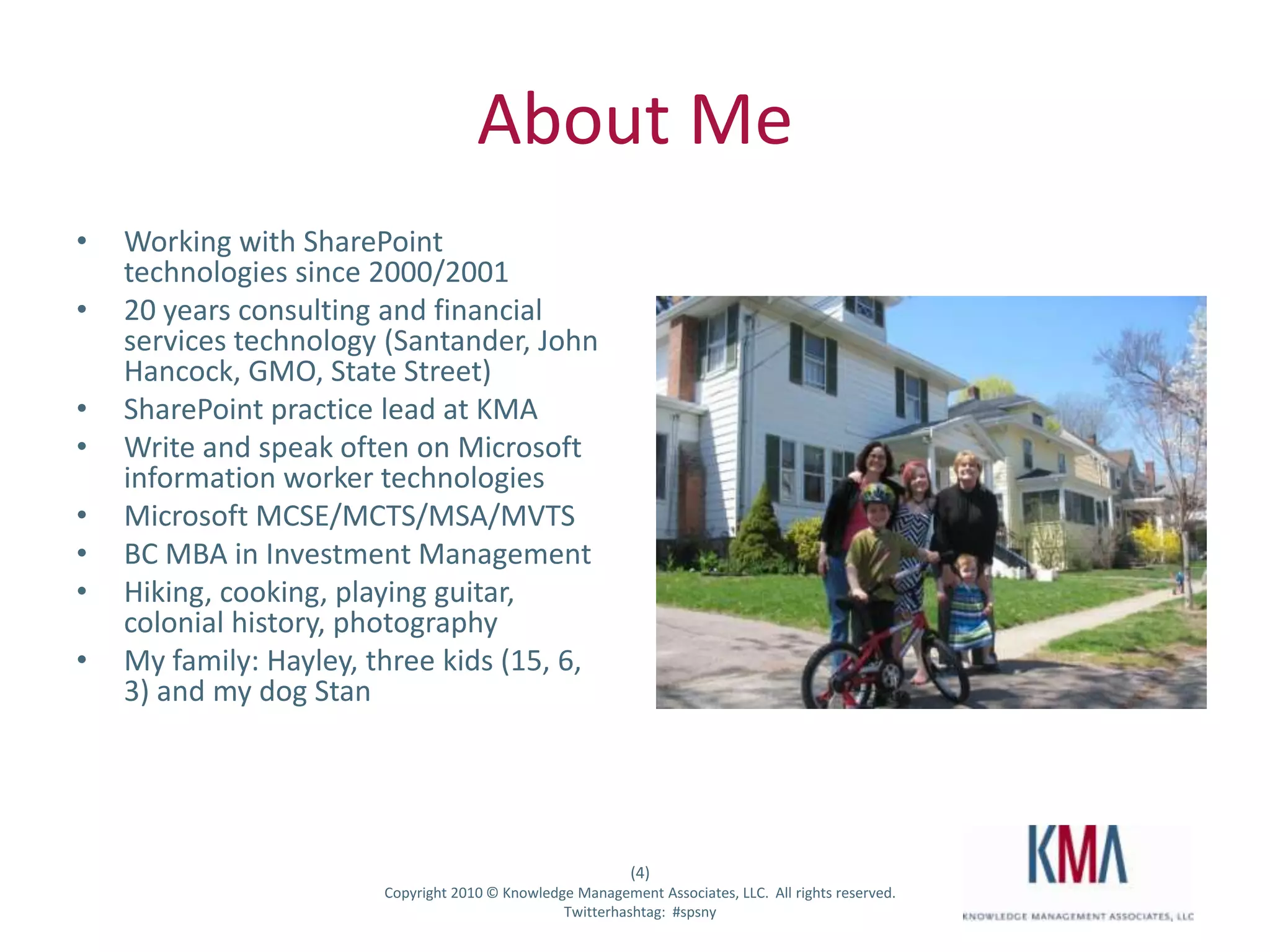
About MeWorking with SharePoint technologies since 2000/200120 years consulting and financial services technology (Santander, John Hancock, GMO, State Street)SharePoint practice lead at KMAWrite and speak often on Microsoft information worker technologiesMicrosoft MCSE/MCTS/MSA/MVTSBC MBA in Investment ManagementHiking, cooking, playing guitar, colonial history, photographyMy family: Hayley, three kids (15, 6, 3) and my dog Stan
I live outside Boston…
But I’m from here…
AgendaMetadata – definitions and taxonomyUsage scenariosFolksonomy usageTaxonomy managementTags and social networkingContent type hubs and publishingConfiguration Overview & Design Tips
Microsoft SharePoint Server 2010 … the bright frontier
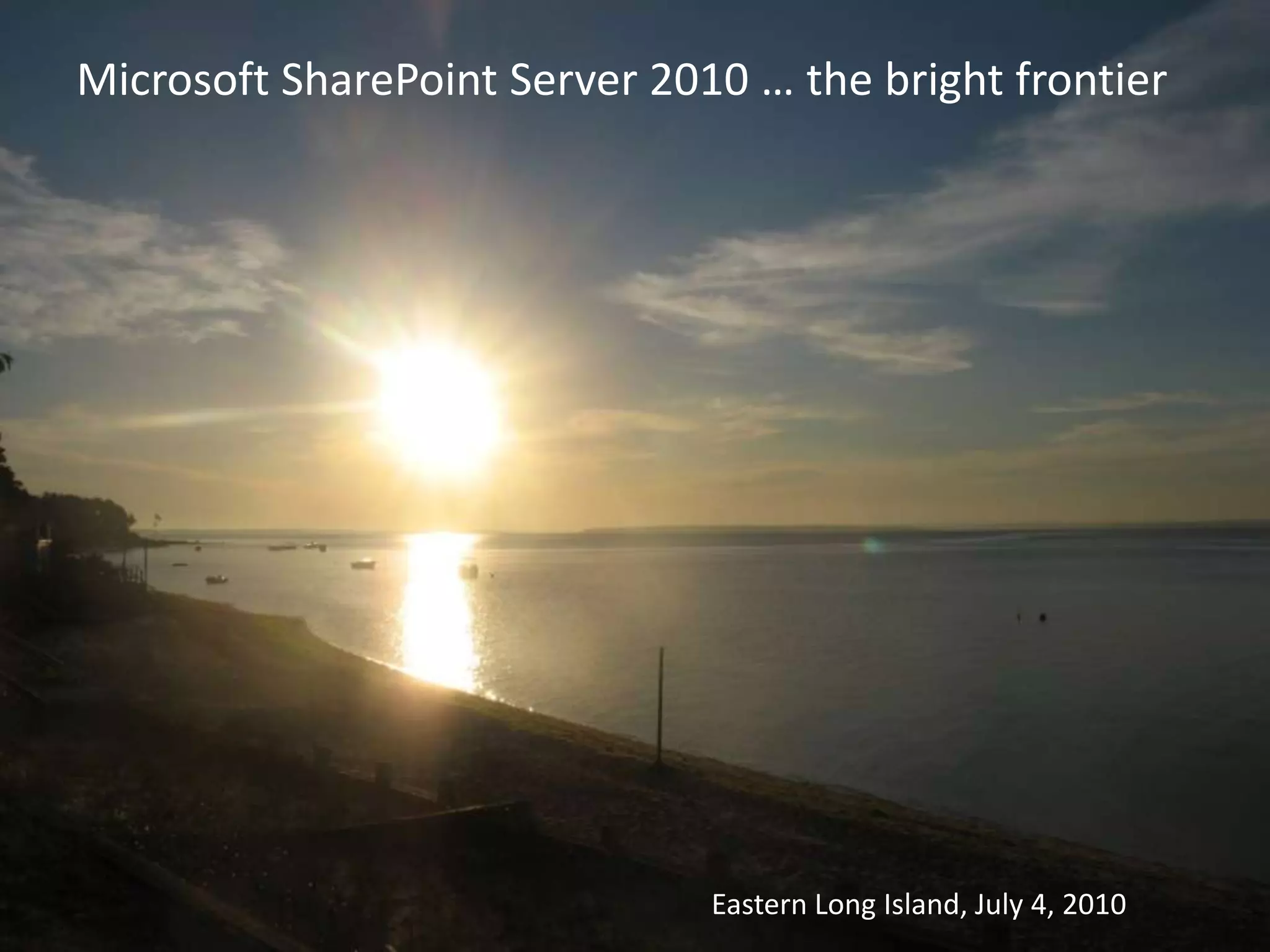
Microsoft SharePoint Server 2010 … the bright frontierEastern Long Island, July 4, 2010
 What is metadata?Literally, “after data”In practical usage, it means data about dataFor SharePoint, it usually means data that describes or classifies other data (lists) or documents (libraries)
TerminologyTaxonomy– A formal hierarchy of terms and tags, usually centrally administered and definedFolksonomy - Informal list of ad-hoc tags or terms, usually built up over time through user defined keywords (Thomas Vanderwal – “people’s taxonomy”)Term Store – A database that houses taxonomiesTerm Set – The “second level” of a taxonomyTerm – (a/k/a “tag”) An element of the defined taxonomy
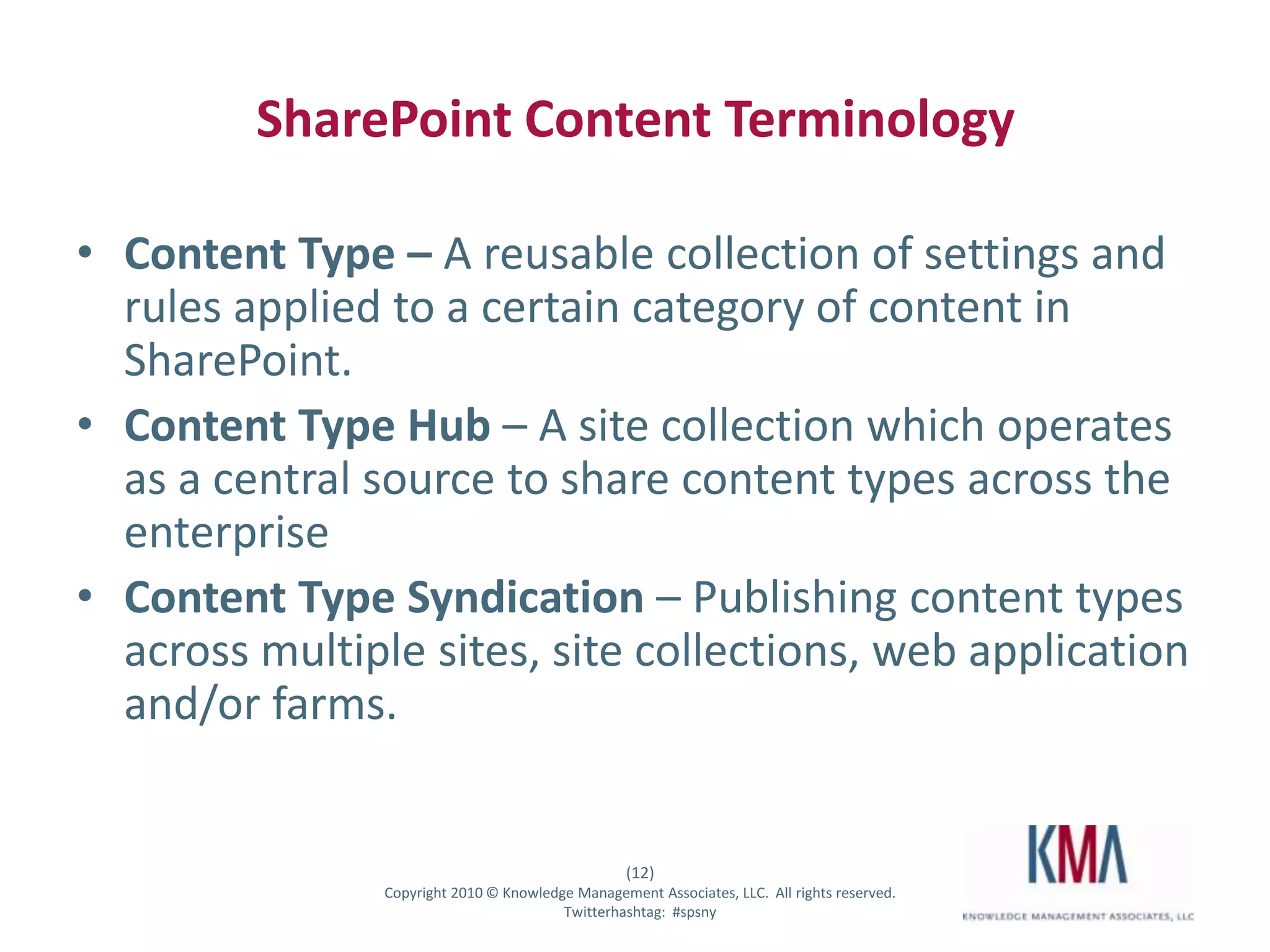
SharePoint Content TerminologyContent Type – A reusable collection of settings and rules applied to a certain category of content in SharePoint.Content Type Hub– A site collection which operates as a central source to share content types across the enterpriseContent Type Syndication – Publishing content types across multiple sites, site collections, web application and/or farms.
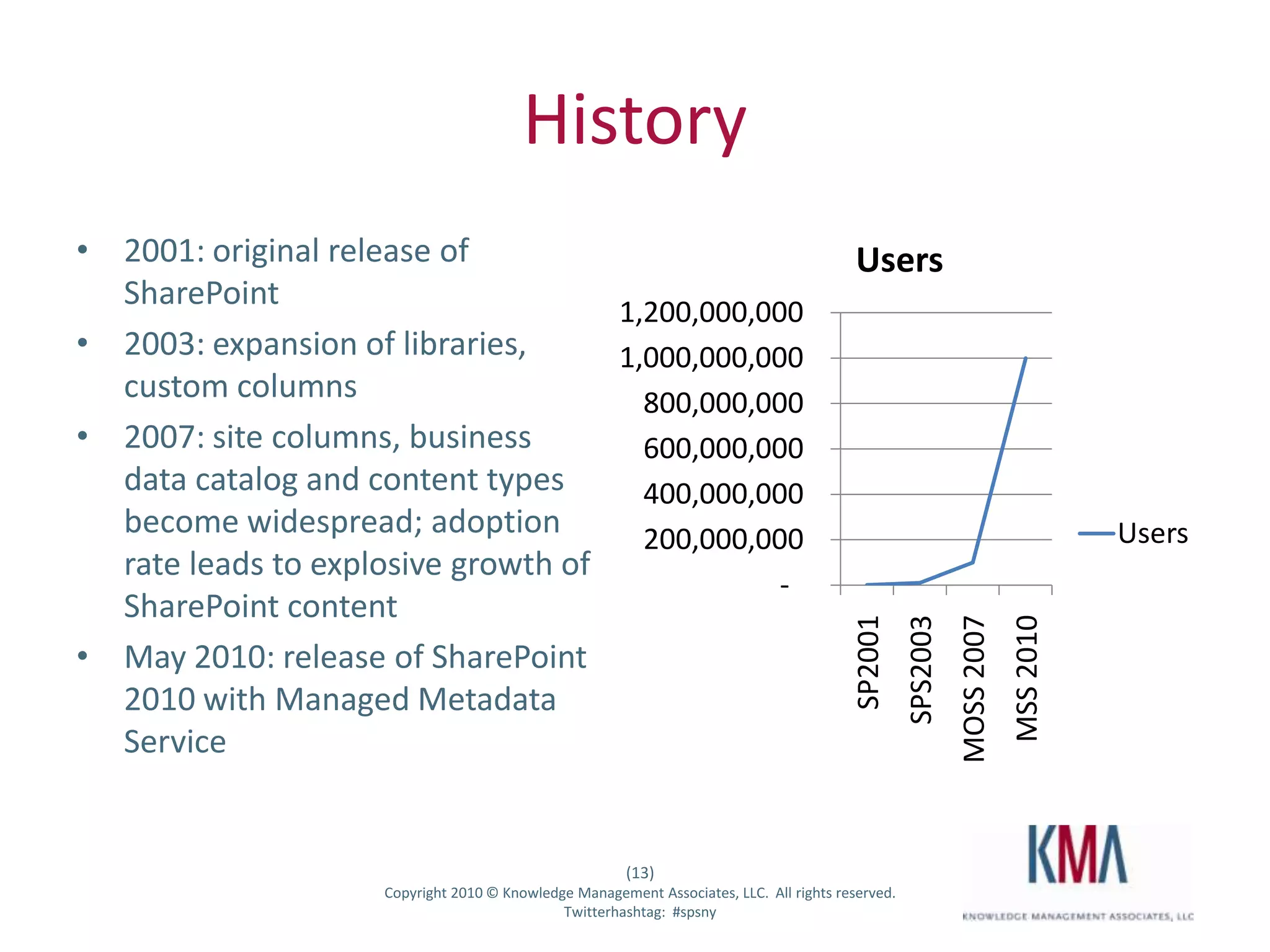
History2001: original release of SharePoint 2003: expansion of libraries, custom columns2007: site columns, business data catalog and content types become widespread; adoption rate leads to explosive growth of SharePoint contentMay 2010: release of SharePoint 2010 with Managed Metadata Service
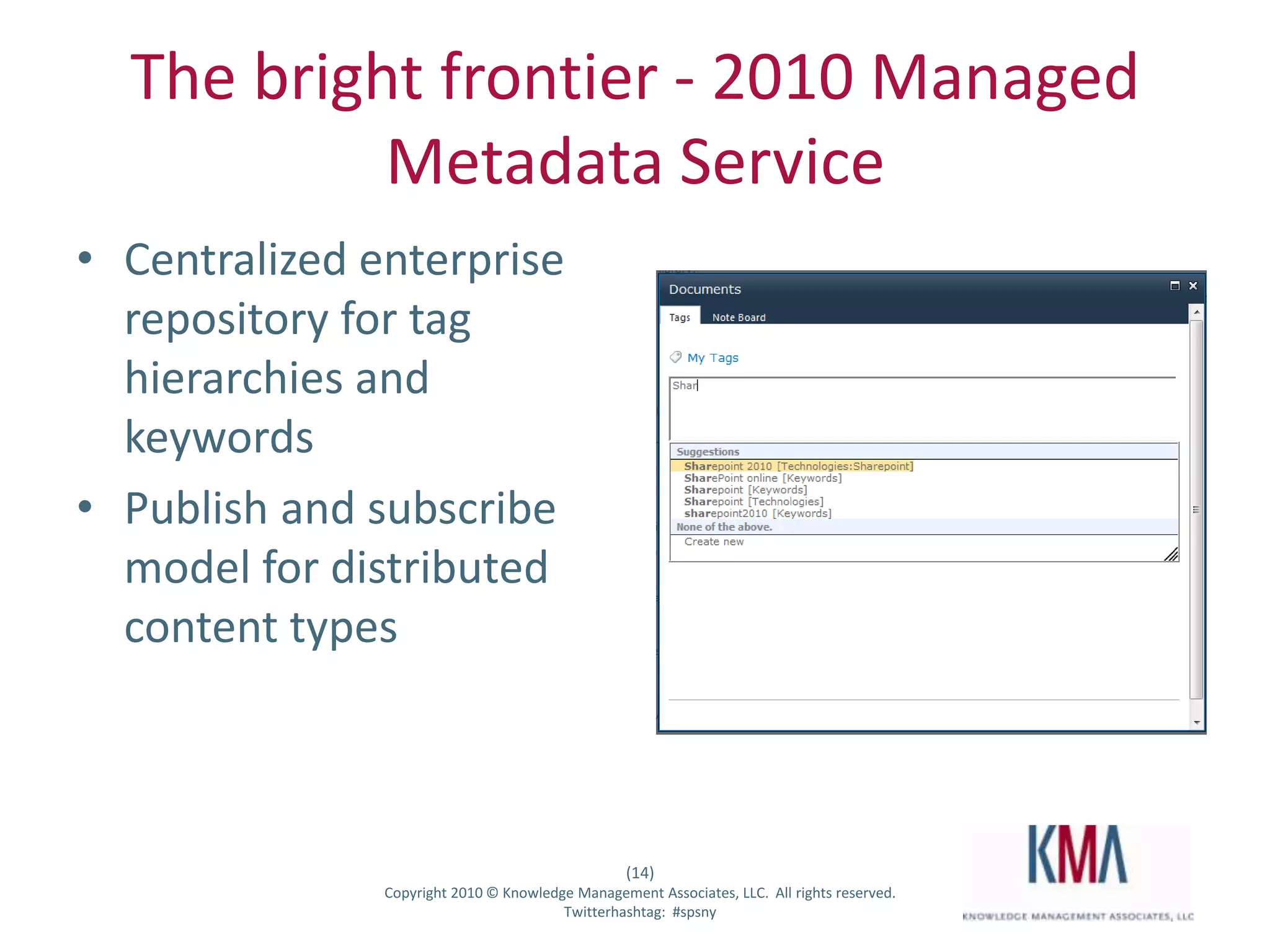
The bright frontier - 2010 Managed Metadata ServiceCentralized enterprise repository for tag hierarchies and keywordsPublish and subscribe model for distributed content types
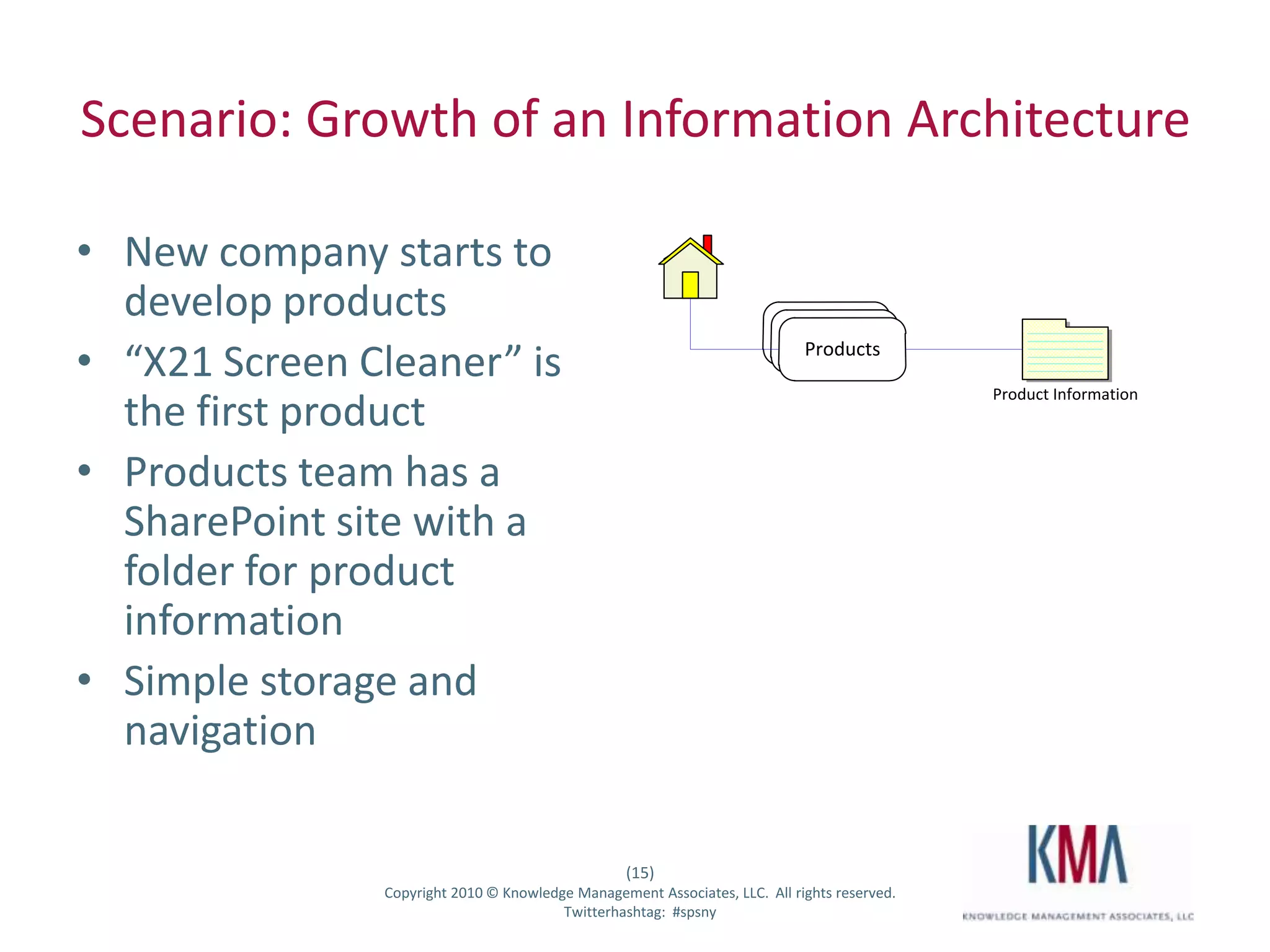
Scenario: Growth of an Information ArchitectureNew company starts to develop products“X21 Screen Cleaner” is the first productProducts team has a SharePoint site with a folder for product informationSimple storage and navigation
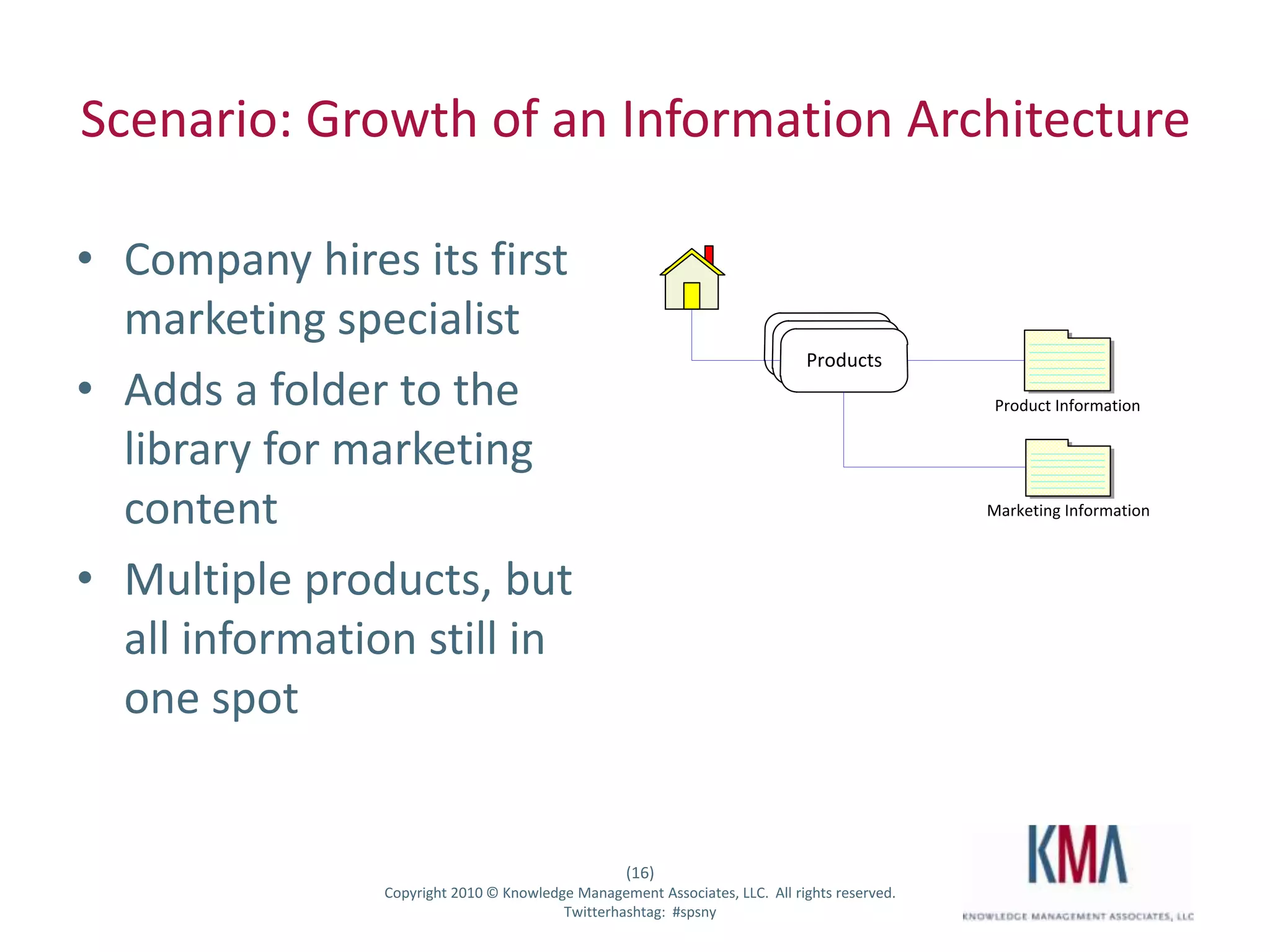
Scenario: Growth of an Information ArchitectureCompany hires its first marketing specialistAdds a folder to the library for marketing contentMultiple products, but all information still in one spot
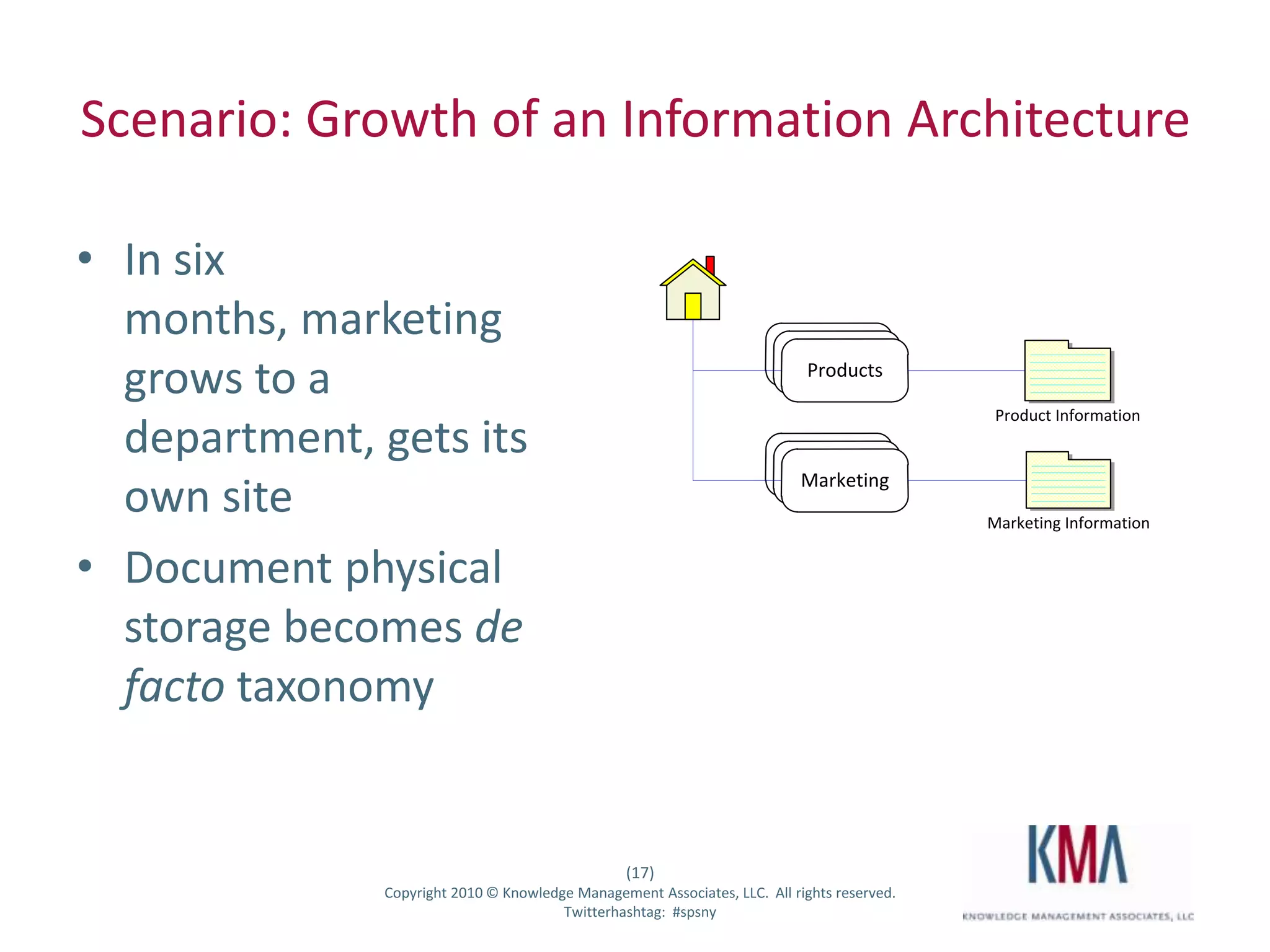
Scenario: Growth of an Information ArchitectureIn six months, marketing grows to a department, gets its own siteDocument physical storage becomes de facto taxonomy
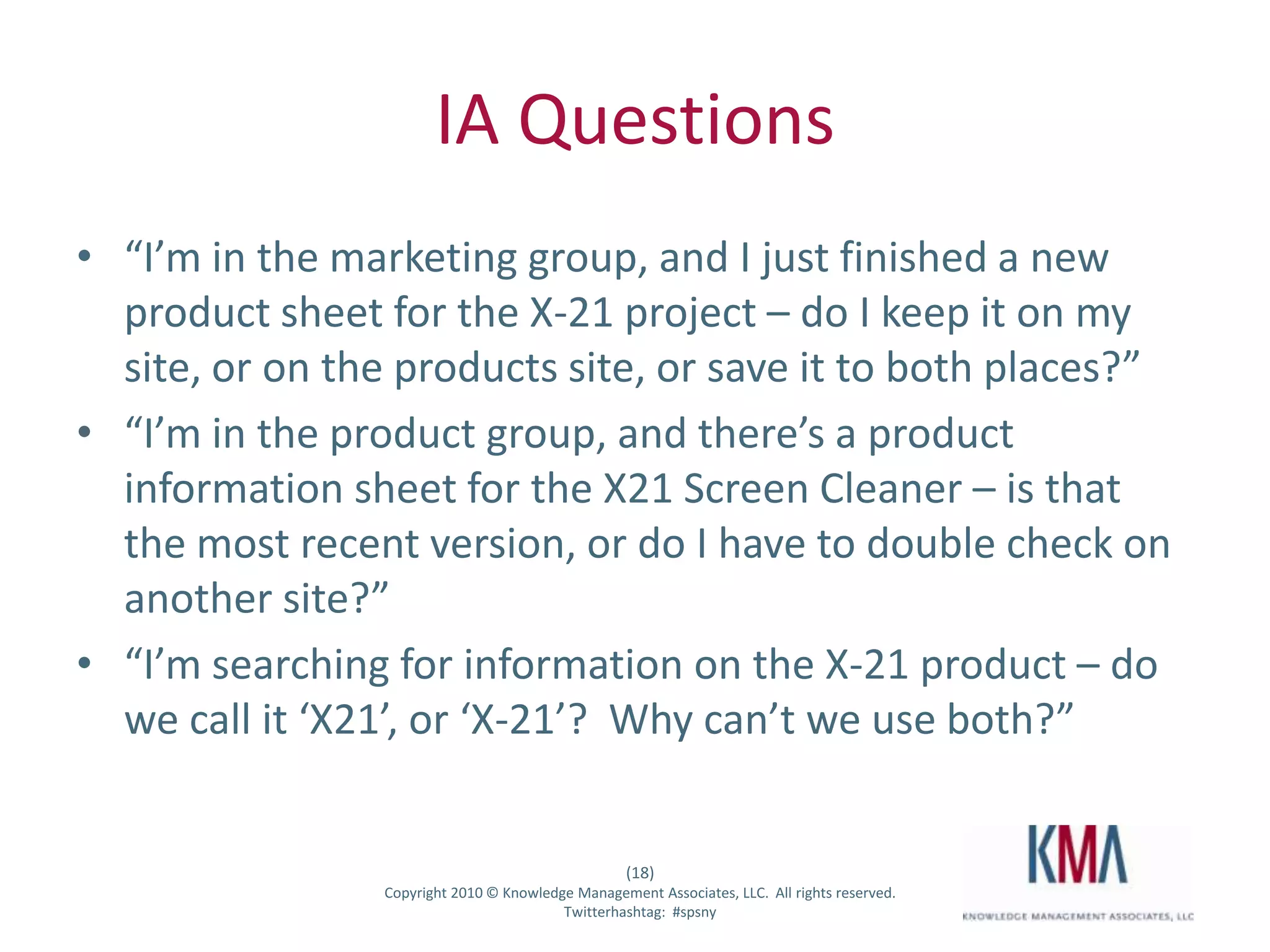
IA Questions“I’m in the marketing group, and I just finished a new product sheet for the X-21 project – do I keep it on my site, or on the products site, or save it to both places?”“I’m in the product group, and there’s a product information sheet for the X21 Screen Cleaner – is that the most recent version, or do I have to double check on another site?”“I’m searching for information on the X-21 product – do we call it ‘X21’, or ‘X-21’?  Why can’t we use both?”
DemoTag sharing across multiple sites/collectionsProducts and Screen Cleaners
IA SolutionsUse MMS to centrally define product tags to be shared across multiple sites and librariesCreate centralized document repositories (Document Center)Define a term store for all departmentsManaged Metadata field in Document Center for DepartmentContent Type Organizer rule to move new documents tagged as “Departments:Marketing” to a Marketing folder in the Doc CenterAdd a new “Departments” Managed Metadata field to Content Types in our collaboration sites and Document Center, and set default to “Departments:Marketing”
FolksonomyInformal list of ad-hoc tags or terms, usually built up over time through user defined keywordsCentrally stored in the MMS applicationIncluded by default in all document libraries
Social taggingTagging activities are always available form a common UITags are aggregated to each users profile pageTags themselves get profile pages
DemoAdding Managed Keywords to a libraryTagging and termsTags on personal profilesTag profiles
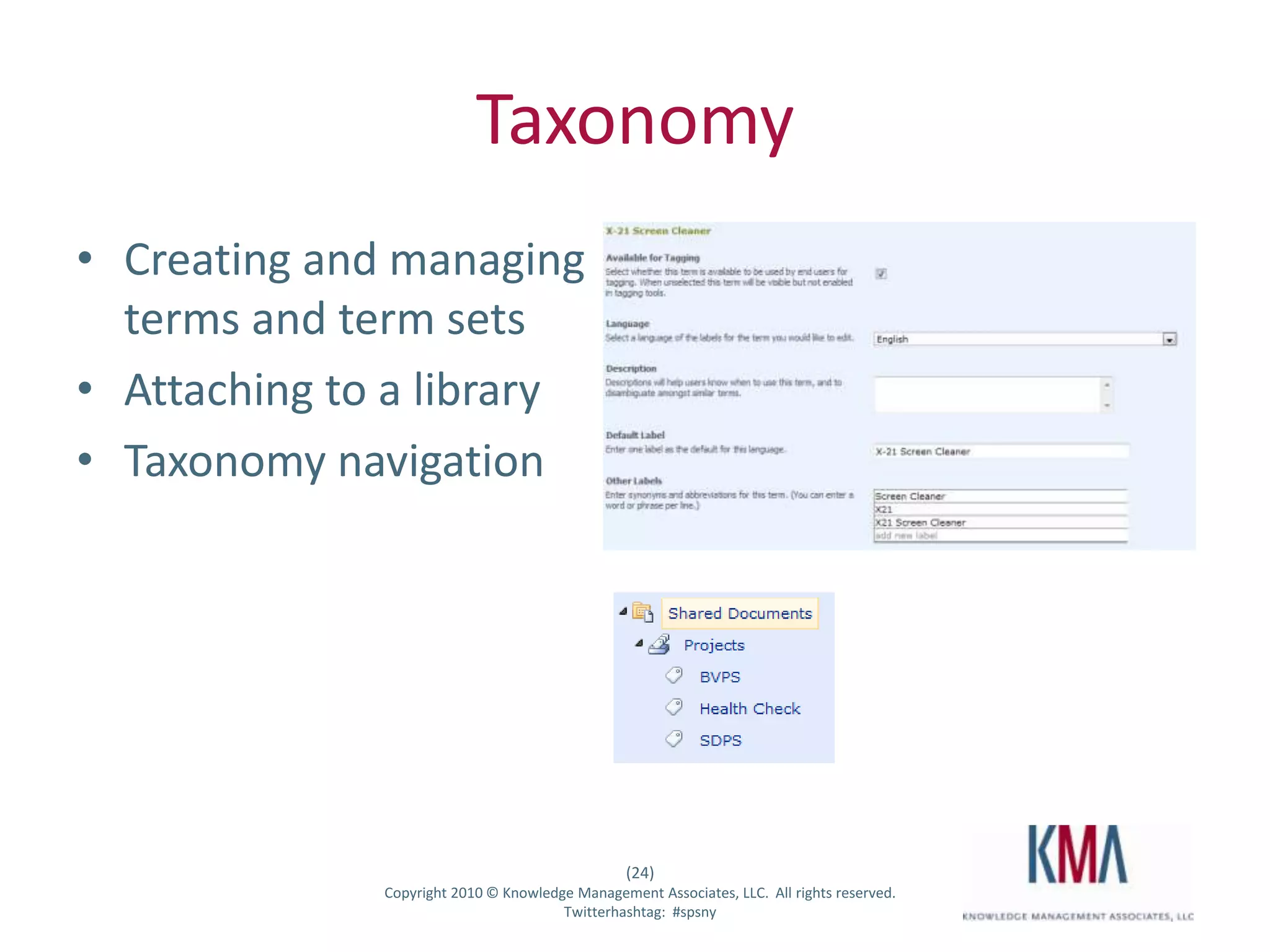
TaxonomyCreating and managing terms and term setsAttaching to a libraryTaxonomy navigation
DemoTerm sets and termsMetadata fieldsNavigation
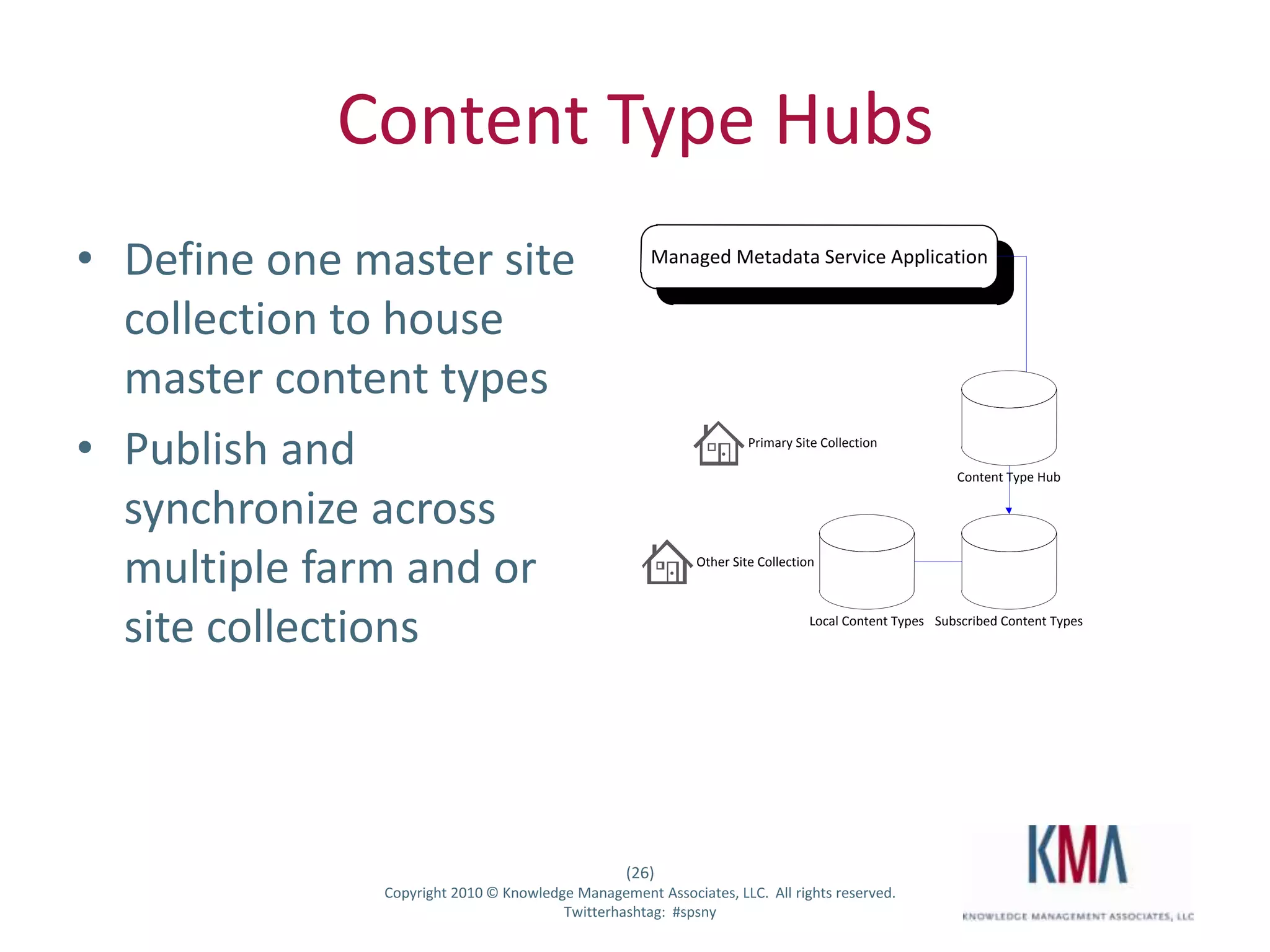
Content Type HubsDefine one master site collection to house master content typesPublish and synchronize across multiple farm and or site collections
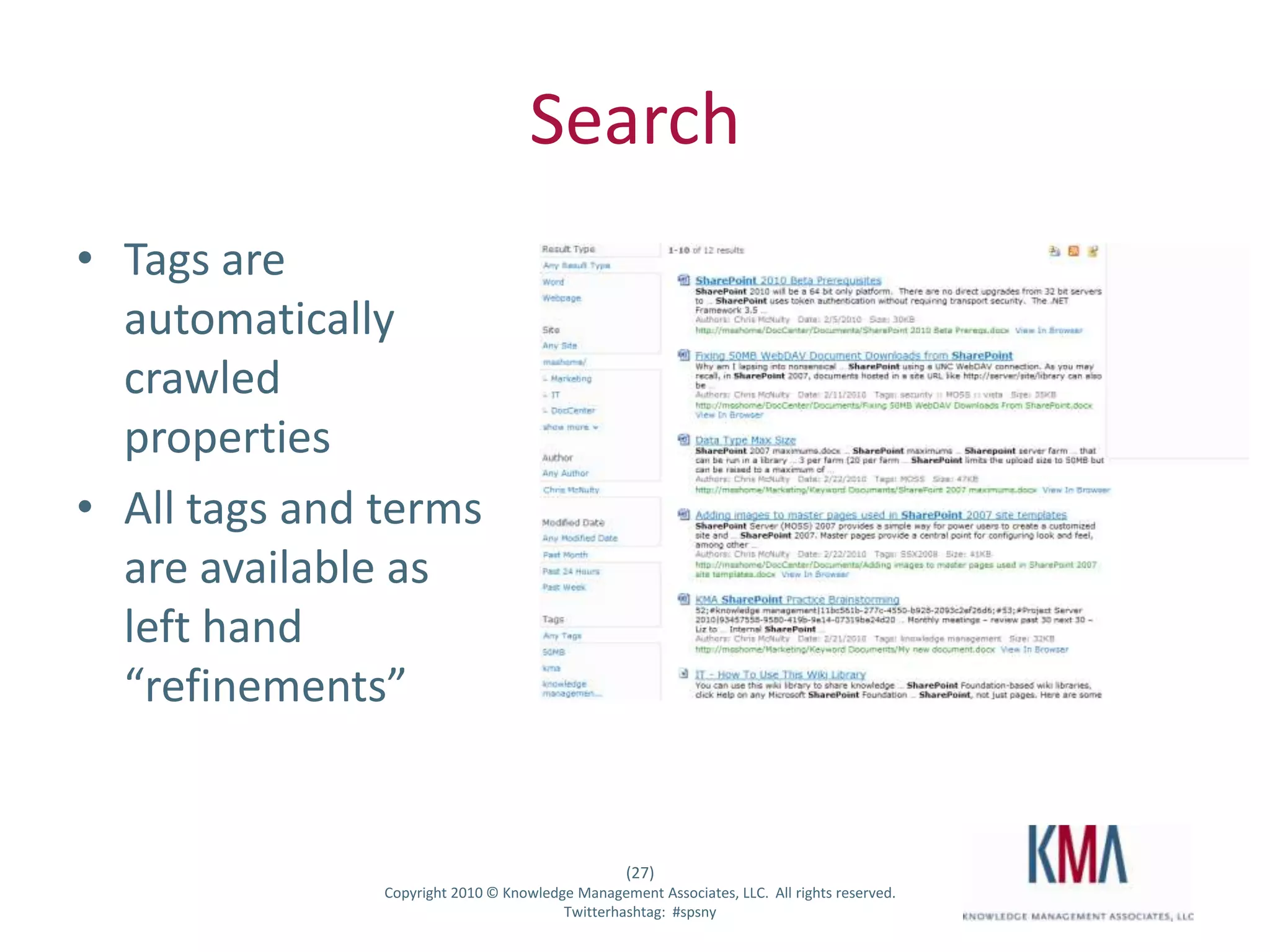
SearchTags are automatically crawled propertiesAll tags and terms are available as left hand “refinements”
Design ConsiderationsDynamic external tagsTag securityOpenness vs. closed term setsFederated administrationContent types & site columns - practical guidanceRole of Master Data Services in SQL 2008 R2Programmability
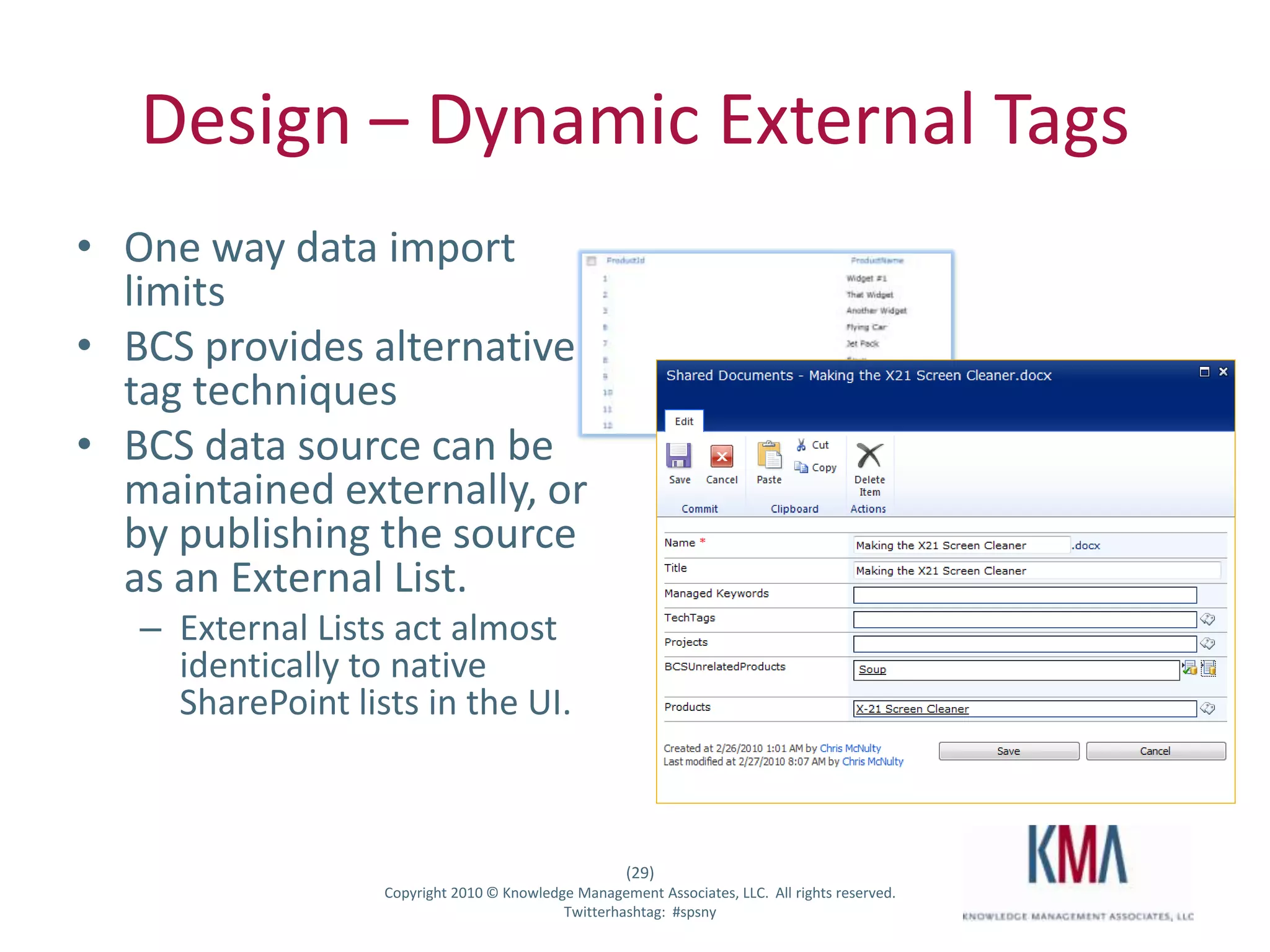
Design – Dynamic External TagsOne way data import limits BCS provides alternative tag techniquesBCS data source can be maintained externally, or by publishing the source as an External List.  External Lists act almost identically to native SharePoint lists in the UI.
Design - SecuritySecurity is limited to the term set level All child terms inherit this visibility settingWhat you can’t do is this:Tag (Viewers)Northwind (Andy & Bob)Contoso (All Employees)Oracle (Executive Team Only)
Design - OpennessFolksonomy - Managed Keywords are usually “open”, and allow users to add new terms interactively through tagging.   Taxonomy - Managed term stores are usually closed, and require administrators to add new terms.  Open folksonomies and closed taxonomies is a good practice.  May become a best practiceWatch trends in casual social tags and evaluate “promotion”  to formal taxonomy.
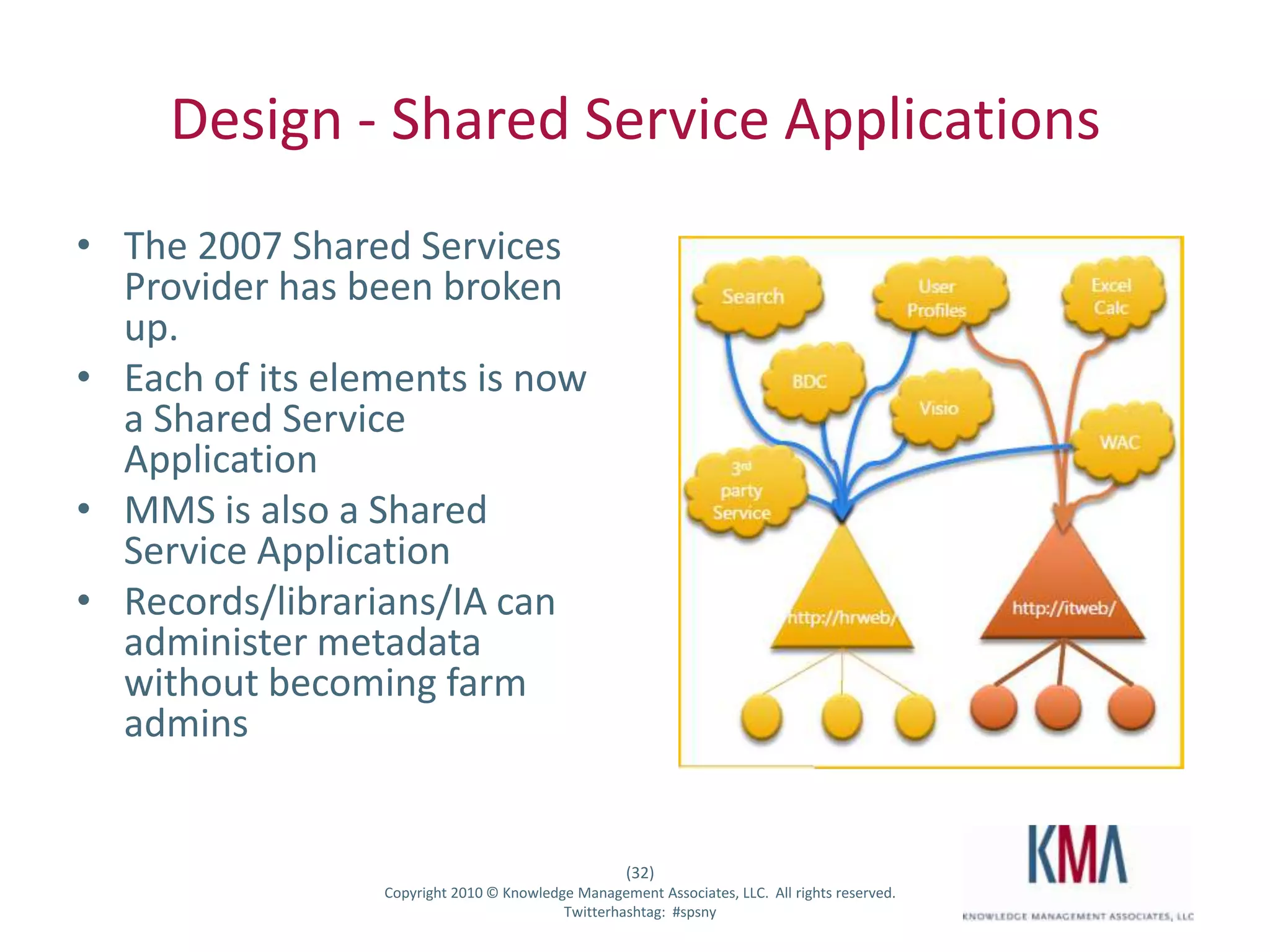
Design - Shared Service ApplicationsThe 2007 Shared Services Provider has been broken up.  Each of its elements is now a Shared Service ApplicationMMS is also a Shared Service ApplicationRecords/librarians/IA can administer metadata without becoming farm admins
Design – Content TypesUse Document ID function uniformly among hub and subscribers – otherwise content types aren't publishedCheck logs for content publishing if you have questionsRepublish and use options & timer jobs to “force” updatesSite columns, especially choice lists, can behave unexpectedly.    Column definitions and lookup values will be copied to each separate site collectionLookup values can be locally edited and changed.  They reset to master values the next time the content type is published.  Changes to Content Organizer, Records Management and Retention Policy reduce the need for more content types
Design for SQL 2008 R2 Master Data ServicesCentralized repository of facts for metadata, dimensions, etc.Provides Hierarchy of attributes and entitiesSecurity, workflow, data batching and forensicsCoexistenceExport from MDS to MMS; requires code for deltasConsume MMS data into MDSMore to come…
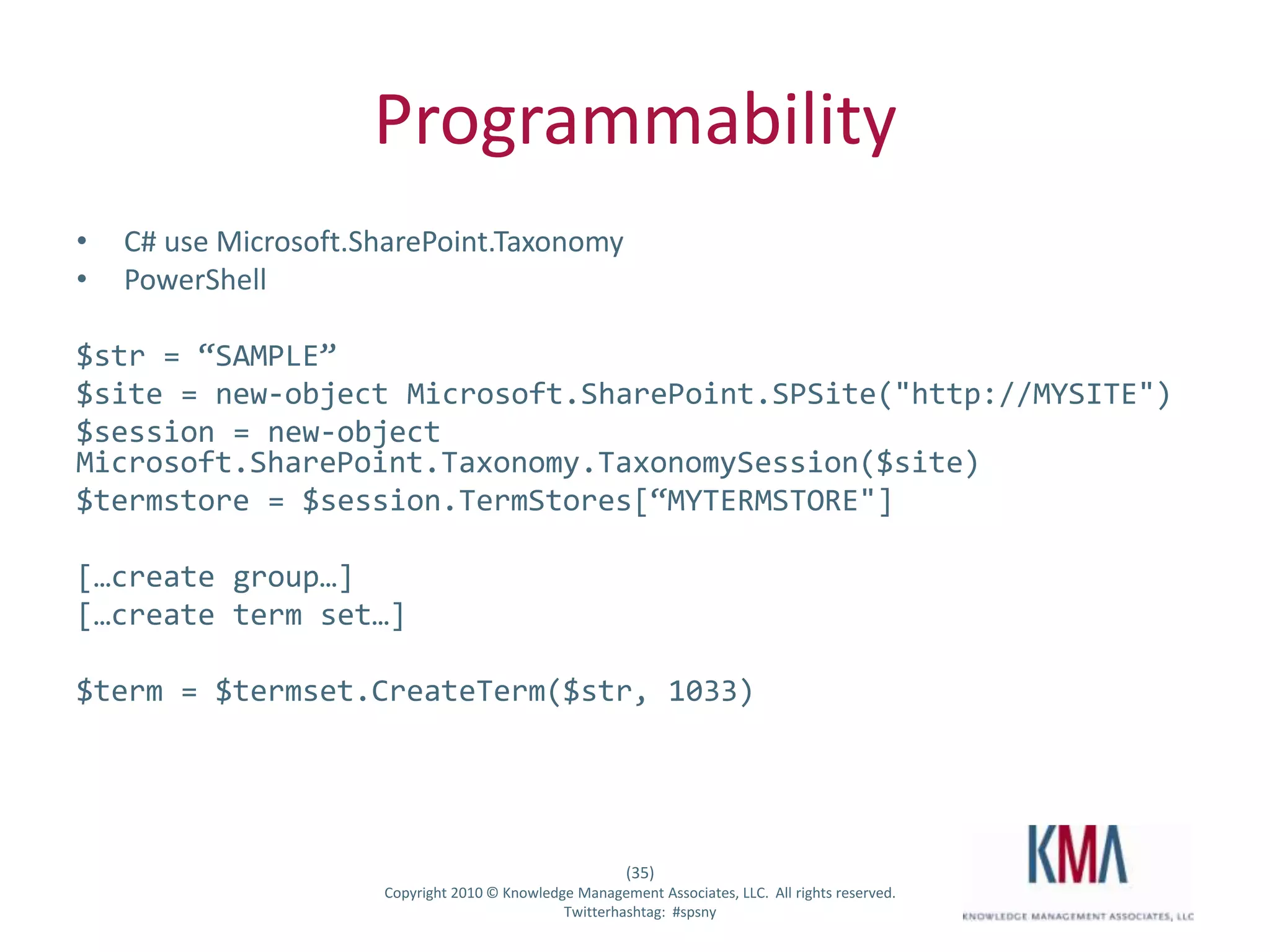
ProgrammabilityC# use Microsoft.SharePoint.TaxonomyPowerShell$str = “SAMPLE”$site = new-object Microsoft.SharePoint.SPSite("http://MYSITE")$session = new-object Microsoft.SharePoint.Taxonomy.TaxonomySession($site)$termstore = $session.TermStores[“MYTERMSTORE"][…create group…][…create term set…]$term = $termset.CreateTerm($str, 1033)
Demo – AdministrationCentral AdminFederated AdministrationCreate term setsCreate terms and tagsDynamic external “tags”Content HubsSearch
Q&ATrivia and “prizes”
Open Questions
Contact Me
Ask the community

Chris McNulty - Managed Metadata and Taxonomies

  • 1.
    Managed Metadata &Taxonomies in SharePoint 2010SharePoint Saturday New YorkJuly 31, 2010Chris McNulty
  • 2.
    Playing Tag -Managed Metadata & Taxonomies in SharePoint 2010SharePoint Saturday New YorkJuly 31, 2010Chris McNulty
  • 3.
    KMA BackgroundA full-serviceinformation technology consulting firm established in 1995, based in Waltham, MA27 employees: Partner, PM, Analyst, Developer, QA Industry expertise and core focus: Professional Services, Life Sciences & Financial ServicesMicrosoft technology focus:Microsoft Certified Partner since 1995Microsoft Gold Certified Partner since 2004Working with SharePoint technologies since 2001Specialties in Enterprise Content Management and Forms, Portals and Collaboration, SearchApproximately 15 consultants versed in SharePoint technologiesApproximately 70 SharePoint projects delivered over last 2 years
  • 4.
    About MeWorking withSharePoint technologies since 2000/200120 years consulting and financial services technology (Santander, John Hancock, GMO, State Street)SharePoint practice lead at KMAWrite and speak often on Microsoft information worker technologiesMicrosoft MCSE/MCTS/MSA/MVTSBC MBA in Investment ManagementHiking, cooking, playing guitar, colonial history, photographyMy family: Hayley, three kids (15, 6, 3) and my dog Stan
  • 5.
  • 6.
  • 7.
    AgendaMetadata – definitionsand taxonomyUsage scenariosFolksonomy usageTaxonomy managementTags and social networkingContent type hubs and publishingConfiguration Overview & Design Tips
  • 8.
    Microsoft SharePoint Server2010 … the bright frontier
  • 9.
    Microsoft SharePoint Server2010 … the bright frontierEastern Long Island, July 4, 2010
  • 10.
     What is metadata?Literally,“after data”In practical usage, it means data about dataFor SharePoint, it usually means data that describes or classifies other data (lists) or documents (libraries)
  • 11.
    TerminologyTaxonomy– A formalhierarchy of terms and tags, usually centrally administered and definedFolksonomy - Informal list of ad-hoc tags or terms, usually built up over time through user defined keywords (Thomas Vanderwal – “people’s taxonomy”)Term Store – A database that houses taxonomiesTerm Set – The “second level” of a taxonomyTerm – (a/k/a “tag”) An element of the defined taxonomy
  • 12.
    SharePoint Content TerminologyContentType – A reusable collection of settings and rules applied to a certain category of content in SharePoint.Content Type Hub– A site collection which operates as a central source to share content types across the enterpriseContent Type Syndication – Publishing content types across multiple sites, site collections, web application and/or farms.
  • 13.
    History2001: original releaseof SharePoint 2003: expansion of libraries, custom columns2007: site columns, business data catalog and content types become widespread; adoption rate leads to explosive growth of SharePoint contentMay 2010: release of SharePoint 2010 with Managed Metadata Service
  • 14.
    The bright frontier- 2010 Managed Metadata ServiceCentralized enterprise repository for tag hierarchies and keywordsPublish and subscribe model for distributed content types
  • 15.
    Scenario: Growth ofan Information ArchitectureNew company starts to develop products“X21 Screen Cleaner” is the first productProducts team has a SharePoint site with a folder for product informationSimple storage and navigation
  • 16.
    Scenario: Growth ofan Information ArchitectureCompany hires its first marketing specialistAdds a folder to the library for marketing contentMultiple products, but all information still in one spot
  • 17.
    Scenario: Growth ofan Information ArchitectureIn six months, marketing grows to a department, gets its own siteDocument physical storage becomes de facto taxonomy
  • 18.
    IA Questions“I’m inthe marketing group, and I just finished a new product sheet for the X-21 project – do I keep it on my site, or on the products site, or save it to both places?”“I’m in the product group, and there’s a product information sheet for the X21 Screen Cleaner – is that the most recent version, or do I have to double check on another site?”“I’m searching for information on the X-21 product – do we call it ‘X21’, or ‘X-21’? Why can’t we use both?”
  • 19.
    DemoTag sharing acrossmultiple sites/collectionsProducts and Screen Cleaners
  • 20.
    IA SolutionsUse MMSto centrally define product tags to be shared across multiple sites and librariesCreate centralized document repositories (Document Center)Define a term store for all departmentsManaged Metadata field in Document Center for DepartmentContent Type Organizer rule to move new documents tagged as “Departments:Marketing” to a Marketing folder in the Doc CenterAdd a new “Departments” Managed Metadata field to Content Types in our collaboration sites and Document Center, and set default to “Departments:Marketing”
  • 21.
    FolksonomyInformal list ofad-hoc tags or terms, usually built up over time through user defined keywordsCentrally stored in the MMS applicationIncluded by default in all document libraries
  • 22.
    Social taggingTagging activitiesare always available form a common UITags are aggregated to each users profile pageTags themselves get profile pages
  • 23.
    DemoAdding Managed Keywordsto a libraryTagging and termsTags on personal profilesTag profiles
  • 24.
    TaxonomyCreating and managingterms and term setsAttaching to a libraryTaxonomy navigation
  • 25.
    DemoTerm sets andtermsMetadata fieldsNavigation
  • 26.
    Content Type HubsDefineone master site collection to house master content typesPublish and synchronize across multiple farm and or site collections
  • 27.
    SearchTags are automaticallycrawled propertiesAll tags and terms are available as left hand “refinements”
  • 28.
    Design ConsiderationsDynamic externaltagsTag securityOpenness vs. closed term setsFederated administrationContent types & site columns - practical guidanceRole of Master Data Services in SQL 2008 R2Programmability
  • 29.
    Design – DynamicExternal TagsOne way data import limits BCS provides alternative tag techniquesBCS data source can be maintained externally, or by publishing the source as an External List. External Lists act almost identically to native SharePoint lists in the UI.
  • 30.
    Design - SecuritySecurityis limited to the term set level All child terms inherit this visibility settingWhat you can’t do is this:Tag (Viewers)Northwind (Andy & Bob)Contoso (All Employees)Oracle (Executive Team Only)
  • 31.
    Design - OpennessFolksonomy- Managed Keywords are usually “open”, and allow users to add new terms interactively through tagging. Taxonomy - Managed term stores are usually closed, and require administrators to add new terms. Open folksonomies and closed taxonomies is a good practice. May become a best practiceWatch trends in casual social tags and evaluate “promotion” to formal taxonomy.
  • 32.
    Design - SharedService ApplicationsThe 2007 Shared Services Provider has been broken up. Each of its elements is now a Shared Service ApplicationMMS is also a Shared Service ApplicationRecords/librarians/IA can administer metadata without becoming farm admins
  • 33.
    Design – ContentTypesUse Document ID function uniformly among hub and subscribers – otherwise content types aren't publishedCheck logs for content publishing if you have questionsRepublish and use options & timer jobs to “force” updatesSite columns, especially choice lists, can behave unexpectedly. Column definitions and lookup values will be copied to each separate site collectionLookup values can be locally edited and changed. They reset to master values the next time the content type is published. Changes to Content Organizer, Records Management and Retention Policy reduce the need for more content types
  • 34.
    Design for SQL2008 R2 Master Data ServicesCentralized repository of facts for metadata, dimensions, etc.Provides Hierarchy of attributes and entitiesSecurity, workflow, data batching and forensicsCoexistenceExport from MDS to MMS; requires code for deltasConsume MMS data into MDSMore to come…
  • 35.
    ProgrammabilityC# use Microsoft.SharePoint.TaxonomyPowerShell$str= “SAMPLE”$site = new-object Microsoft.SharePoint.SPSite("http://MYSITE")$session = new-object Microsoft.SharePoint.Taxonomy.TaxonomySession($site)$termstore = $session.TermStores[“MYTERMSTORE"][…create group…][…create term set…]$term = $termset.CreateTerm($str, 1033)
  • 36.
    Demo – AdministrationCentralAdminFederated AdministrationCreate term setsCreate terms and tagsDynamic external “tags”Content HubsSearch
  • 37.
  • 38.
  • 39.
  • 40.
  • 41.
    Microsoft Product Management for Metadata
  • 42.
  • 43.
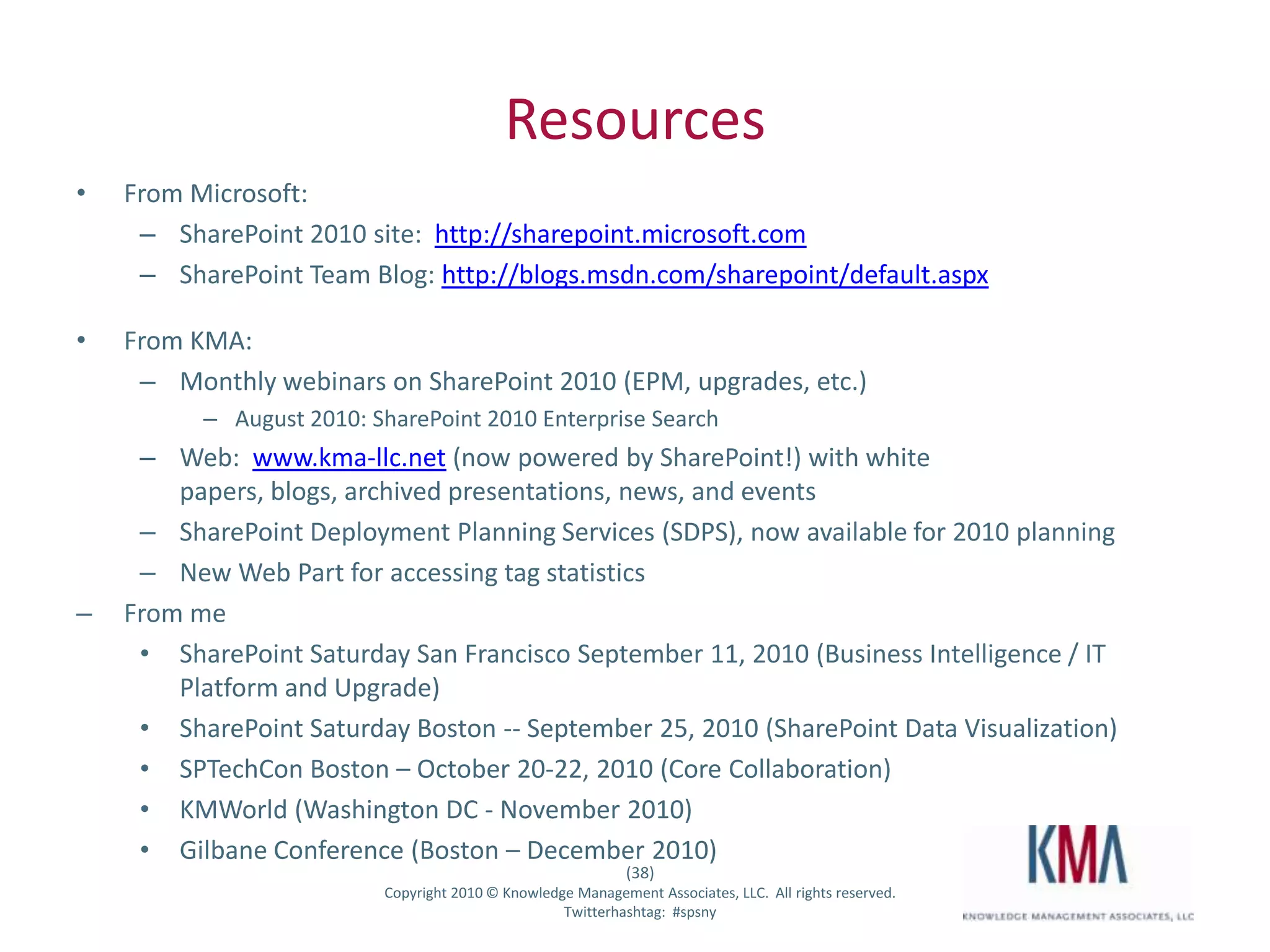
    SharePoint 2010 site: http://sharepoint.microsoft.com
  • 44.
    SharePoint Team Blog:http://blogs.msdn.com/sharepoint/default.aspx
  • 45.
  • 46.
    Monthly webinars onSharePoint 2010 (EPM, upgrades, etc.)
  • 47.
    August 2010: SharePoint2010 Enterprise Search
  • 48.
    Web: www.kma-llc.net(now powered by SharePoint!) with white papers, blogs, archived presentations, news, and events
  • 49.
    SharePoint Deployment PlanningServices (SDPS), now available for 2010 planning
  • 50.
    New Web Partfor accessing tag statistics
  • 51.
  • 52.
    SharePoint Saturday SanFrancisco September 11, 2010 (Business Intelligence / IT Platform and Upgrade)
  • 53.
    SharePoint Saturday Boston-- September 25, 2010 (SharePoint Data Visualization)
  • 54.
    SPTechCon Boston –October 20-22, 2010 (Core Collaboration)
  • 55.
    KMWorld (Washington DC- November 2010)
  • 56.
    Gilbane Conference (Boston– December 2010)Thank you…Contact DetailsEmail cmcnulty@kma-llc.netBlog http://blogs.kma-llc.net/microknowledgeTwitter: http://twitter.com/cmcnulty2000LinkedIn:http://www.linkedin.com/in/cmcnulty
  • 57.
  • 58.
    2 ASUS NetbooksAlsoSome Books1 Typemock Isolator LicenseA 2-5 Day Course from SetFocus on SharePointTelerik RAD Controls Set1 DeliverPoint WFE 2010 license (Worth $1500)1 BCS Meta Man license (Worth $1200)1 Lightning Conductor 2010 WFE license (Worth $800)1 Lightning Storm Forums license. (Worth $600)