CHap 13 and 12/winsec3e_ppt_ch12(1).pptx
Security Strategies in Windows Platforms and Applications
Lesson 12
Microsoft Application Security
© 2021 Jones and Bartlett Learning, LLC, an Ascend Learning
Company
www.jblearning.com
All rights reserved.
Cover image © Sharpshot/Dreamstime.com
Page ‹#›
Security Strategies in Windows Platforms and Applications
© 2021 Jones and Bartlett Learning, LLC, an Ascend Learning
Company
www.jblearning.com
All rights reserved.
1
Learning Objective(s)
Describe threats to Microsoft Windows and applications.
Describe techniques for protecting Windows application
software.
Page ‹#›
Security Strategies in Windows Platforms and Applications
© 2021 Jones and Bartlett Learning, LLC, an Ascend Learning
Company
www.jblearning.com
All rights reserved.
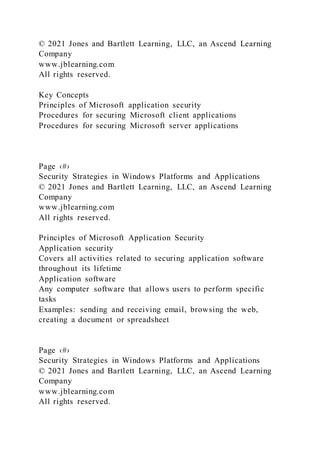
Key Concepts
Principles of Microsoft application security
Procedures for securing Microsoft client applications
Procedures for securing Microsoft server applications
Page ‹#›
Security Strategies in Windows Platforms and Applications
© 2021 Jones and Bartlett Learning, LLC, an Ascend Learning
Company
www.jblearning.com
All rights reserved.
Principles of Microsoft Application Security
Application security
Covers all activities related to securing application software
throughout its lifetime
Application software
Any computer software that allows users to perform specific
tasks
Examples: sending and receiving email, browsing the web,
creating a document or spreadsheet
Page ‹#›
Security Strategies in Windows Platforms and Applications
© 2021 Jones and Bartlett Learning, LLC, an Ascend Learning
Company
www.jblearning.com
All rights reserved.
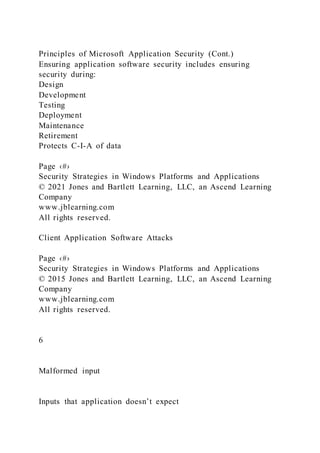
Principles of Microsoft Application Security (Cont.)
Ensuring application software security includes ensuring
security during:
Design
Development
Testing
Deployment
Maintenance
Retirement
Protects C-I-A of data
Page ‹#›
Security Strategies in Windows Platforms and Applications
© 2021 Jones and Bartlett Learning, LLC, an Ascend Learning
Company
www.jblearning.com
All rights reserved.
Client Application Software Attacks
Page ‹#›
Security Strategies in Windows Platforms and Applications
© 2015 Jones and Bartlett Learning, LLC, an Ascend Learning
Company
www.jblearning.com
All rights reserved.
6
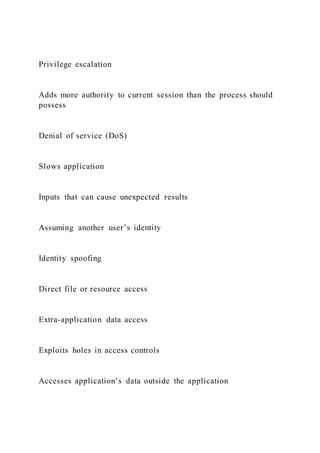
Malformed input
Inputs that application doesn’t expect
Privilege escalation
Adds more authority to current session than the process should
possess
Denial of service (DoS)
Slows application
Inputs that can cause unexpected results
Assuming another user’s identity
Identity spoofing
Direct file or resource access
Extra-application data access
Exploits holes in access controls
Accesses application’s data outside the application
Crashes applications
Application Hardening Process
Page ‹#›
Security Strategies in Windows Platforms and Applications
© 2015 Jones and Bartlett Learning, LLC, an Ascend Learning
Company
www.jblearning.com
All rights reserved.
Install the application using only the options and features you
plan to use.
After installing the application, remove any default user
accounts and sample data, along with any unneeded files and
features.
Configure the application according to the principle of least
privilege.
Ensure your application has all of the latest available security
patches applied.
Monitor application performance to verify that your application
adheres to security policy.
7
Minimal install
Unneeded accounts and files
Least privilege
Security patches
Monitoring
Securing Key Microsoft Client Applications
Page ‹#›
Security Strategies in Windows Platforms and Applications
© 2015 Jones and Bartlett Learning, LLC, an Ascend Learning
Company
www.jblearning.com
All rights reserved.
8
Web browser
Internet Explorer
Outlook
Productivity software
Microsoft Office
Email client
File transfer software
File Transfer Protocol/Internet Protocol (TCP/IP)
AppLocker
Software Restriction Policies (SRP)
Group Policy
Web Browser
Web browser attacks:
Infect with malware
Intercept communication
Harvest stored data
Page ‹#›
Security Strategies in Windows Platforms and Applications
© 2015 Jones and Bartlett Learning, LLC, an Ascend Learning
Company
www.jblearning.com
All rights reserved.
Web browser–This program allows users to access World Wide
Web resources. Some application software have embedded web
browser capability but stand-alone web browsers are by far the
most common. Popular web browsers are:
Microsoft Internet Explorer
Mozilla Firefox
Google Chrome
Apple Safari
Opera
9
Web Browser
Set Internet zone security level to High
Add specific, trusted sites to Trusted Sites list
Configure setting to prompt for first- party and third-party
cookies
Disable third-party browser extensions
Enable show encoded addresses setting
Disable playing of sounds in web pages
Page ‹#›
Security Strategies in Windows Platforms and Applications
© 2015 Jones and Bartlett Learning, LLC, an Ascend Learning
Company
www.jblearning.com
All rights reserved.
10
Internet Options Dialog Box in Internet Explorer 11
Page ‹#›
Security Strategies in Windows Platforms and Applications
© 2015 Jones and Bartlett Learning, LLC, an Ascend Learning
Company
www.jblearning.com
All rights reserved.
11
Email Client
Limit malicious code that may be attached to email messages
Install anti-malware software on each computer
Will scan all incoming and outgoing messages for malware
Safeguard message privacy by requiring use of Secure Sockets
Layer/Transport Layer Security (SSL/TLS) when connecting to
your mail server to ensure message exchanges are encrypted
Page ‹#›
Security Strategies in Windows Platforms and Applications
© 2015 Jones and Bartlett Learning, LLC, an Ascend Learning
Company
www.jblearning.com
All rights reserved.
Email client–This program allows clients to send and receive
email. Depending on the type of mail server connection and
protocol used, the email client may store email locally on the
client. Microsoft Outlook is an example of an email client.
12
Productivity Software
Install anti-malware software that integrates with productivity
software
Use EFS or BitLocker to encrypt folder or drive that contains
productivity software documents and databases
Never open a file unless the source is trusted
Ensure productivity software has the latest security patches
installed
Page ‹#›
Security Strategies in Windows Platforms and Applications
© 2015 Jones and Bartlett Learning, LLC, an Ascend Learning
Company
www.jblearning.com
All rights reserved.
Productivity software–Software that supports many office
functions. Most workstations allow users to perform some
administrative of creative functions and productivity software
supports these efforts. Productivity software includes these
functions:
Word processing-Microsoft Word
Spreadsheet-Microsoft Excel
Lightweight database-Microsoft Access
Presentation-Microsoft PowerPoint
Project scheduling/management-Microsoft Project
Publishing-Microsoft Publisher
13
File Transfer Software
File Transfer Protocol (FTP) is insecure
Use:
FTP over a Secure Shell (SSH)
Secure FTP (SFTP)
Virtual private network (VPN)
Page ‹#›
Security Strategies in Windows Platforms and Applications
© 2015 Jones and Bartlett Learning, LLC, an Ascend Learning
Company
www.jblearning.com
All rights reserved.
14
AppLocker
A feature in Windows that allows you to restrict program
execution using Group Policy
Provides ability to whitelist applications
Define path rules, hash rules, and publisher rules using Group
Policy to restrict which applications computers can run
Page ‹#›
Security Strategies in Windows Platforms and Applications
© 2015 Jones and Bartlett Learning, LLC, an Ascend Learning
Company
www.jblearning.com
All rights reserved.
15
Securing Client Applications
Page ‹#›
Security Strategies in Windows Platforms and Applications
© 2015 Jones and Bartlett Learning, LLC, an Ascend Learning
Company
www.jblearning.com
All rights reserved.
16
Update software to the latest patch
Remove or disable unneeded features
Use principle of least privilege
Use encrypted communication
Common Server Applications
Page ‹#›
Security Strategies in Windows Platforms and Applications
© 2015 Jones and Bartlett Learning, LLC, an Ascend Learning
Company
www.jblearning.com
All rights reserved.
17
Web server
Internet Information Services (IIS)
Exchange
Database server
Structured Query Language (SQL) server
Email server
Common Server Applications (Cont.)
Page ‹#›
Security Strategies in Windows Platforms and Applications
© 2015 Jones and Bartlett Learning, LLC, an Ascend Learning
Company
www.jblearning.com
All rights reserved.
18
Enterprise Resource Planning (ERP) software
Enterprise project management
Unique user accounts
Strong authentication
Restricted access
Encrypted connections
Line of Business (LoB) software
Workflow control
Service technician tracking and scheduling
Securing Server Applications
Page ‹#›
Security Strategies in Windows Platforms and Applications
© 2015 Jones and Bartlett Learning, LLC, an Ascend Learning
Company
www.jblearning.com
All rights reserved.
19
Use server roles in Windows Server
Update software to the latest patch
Remove or disable unneeded services
Filter network traffic
Encrypt communication
Add Roles Wizard, Windows Server
Page ‹#›
Security Strategies in Windows Platforms and Applications
© 2015 Jones and Bartlett Learning, LLC, an Ascend Learning
Company
www.jblearning.com
All rights reserved.
Add Roles Wizard for adding Web Server (IIS) role to Windows
Server
20
Select Role Services, Windows Server
Page ‹#›
Security Strategies in Windows Platforms and Applications
© 2015 Jones and Bartlett Learning, LLC, an Ascend Learning
Company
www.jblearning.com
All rights reserved.
Select Role Services for adding Web Server (IIS) role to
Windows Server
21
Cloud-Based Software
Microsoft cloud-based products: Microsoft Office 365,
Microsoft Azure, and Microsoft OneDrive
Many issues related to securing applications are the same on-
premises and in the cloud
To secure cloud applications:
Review options and settings, and configure software to run the
way you need it to run
Harden software
Do not assume cloud-based software is secure by default
Page ‹#›
Security Strategies in Windows Platforms and Applications
© 2015 Jones and Bartlett Learning, LLC, an Ascend Learning
Company
www.jblearning.com
All rights reserved.
22
Best Practices for Securing Microsoft Windows Applications
Harden the operating system.
Install only necessary services.
Use server roles when possible.
Use SCT to adhere to Microsoft baseline guidelines.
Remove or disable unneeded services.
Remove or disable unused user accounts.
Remove extra application components.
Open only the minimum required ports at the firewall.
Define unique user accounts.
Use strong authentication.
Page ‹#›
Security Strategies in Windows Platforms and Applications
© 2015 Jones and Bartlett Learning, LLC, an Ascend Learning
Company
www.jblearning.com
All rights reserved.
23
Best Practices for Securing Microsoft Windows Applications
(Cont.)
Use encrypted connections for all communication.
Encrypt files, folders, or volumes that contain private data.
Develop and maintain a BCP and DRP.
Disable any unneeded server features.
Ensure every computer has up-to-date anti-malware software
and data.
Never open any content or files from untrusted sources.
Validate all input received at the server.
Audit failed logon and access attempts.
Conduct penetration tests to discover vulnerabilities.
Page ‹#›
Security Strategies in Windows Platforms and Applications
© 2015 Jones and Bartlett Learning, LLC, an Ascend Learning
Company
www.jblearning.com
All rights reserved.
24
Summary
Principles of Microsoft application security
Procedures for securing Microsoft client applications
Procedures for securing Microsoft server applications
Page ‹#›
Security Strategies in Windows Platforms and Applications
© 2015 Jones and Bartlett Learning, LLC, an Ascend Learning
Company
www.jblearning.com
All rights reserved.
25
CHap 13 and 12/winsec3e_ppt_ch13.pptx
Security Strategies in Windows Platforms and Applications
Lesson 13
Microsoft Windows Incident Handling
and Management
© 2021 Jones and Bartlett Learning, LLC, an Ascend Learning
Company
www.jblearning.com
All rights reserved.
Cover image © Sharpshot/Dreamstime.com
Page ‹#›
Security Strategies in Windows Platforms and Applications
© 2021 Jones and Bartlett Learning, LLC, an Ascend Learning
Company
www.jblearning.com
All rights reserved.
1
Learning Objective(s)
Perform incident handling by using appropriate methods.
Page ‹#›
Security Strategies in Windows Platforms and Applications
© 2021 Jones and Bartlett Learning, LLC, an Ascend Learning
Company
www.jblearning.com
All rights reserved.
Key Concepts
Windows incidents
Windows incident handling tools
Acquiring and managing evidence
Incident response plan
Page ‹#›
Security Strategies in Windows Platforms and Applications
© 2021 Jones and Bartlett Learning, LLC, an Ascend Learning
Company
www.jblearning.com
All rights reserved.
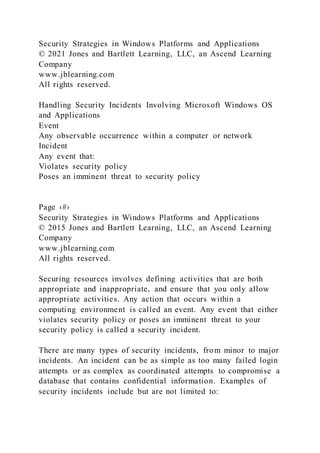
Handling Security Incidents Involving Microsoft Windows OS
and Applications
Event
Any observable occurrence within a computer or network
Incident
Any event that:
Violates security policy
Poses an imminent threat to security policy
Page ‹#›
Security Strategies in Windows Platforms and Applications
© 2015 Jones and Bartlett Learning, LLC, an Ascend Learning
Company
www.jblearning.com
All rights reserved.
Securing resources involves defining activities that are both
appropriate and inappropriate, and ensure that you only allow
appropriate activities. Any action that occurs within a
computing environment is called an event. Any event that either
violates security policy or poses an imminent threat to your
security policy is called a security incident.
There are many types of security incidents, from minor to major
incidents. An incident can be as simple as too many failed login
attempts or as complex as coordinated attempts to compromise a
database that contains confidential information. Examples of
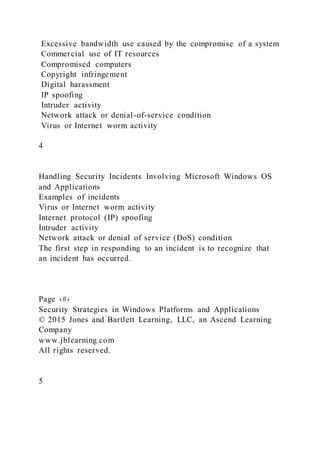
security incidents include but are not limited to:
Excessive bandwidth use caused by the compromise of a system
Commercial use of IT resources
Compromised computers
Copyright infringement
Digital harassment
IP spoofing
Intruder activity
Network attack or denial-of-service condition
Virus or Internet worm activity
4
Handling Security Incidents Involving Microsoft Windows OS
and Applications
Examples of incidents
Virus or Internet worm activity
Internet protocol (IP) spoofing
Intruder activity
Network attack or denial of service (DoS) condition
The first step in responding to an incident is to recognize that
an incident has occurred.
Page ‹#›
Security Strategies in Windows Platforms and Applications
© 2015 Jones and Bartlett Learning, LLC, an Ascend Learning
Company
www.jblearning.com
All rights reserved.
5
Handling Security Incidents Involving Microsoft Windows OS
and Applications
To minimize number and impact of incidents:
Develop, maintain, and enforce a clear security policy that
management supports and promotes.
Conduct routine vulnerability assessments to discover
vulnerabilities that could lead to incidents.
Page ‹#›
Security Strategies in Windows Platforms and Applications
© 2015 Jones and Bartlett Learning, LLC, an Ascend Learning
Company
www.jblearning.com
All rights reserved.
6
Handling Security Incidents Involving Microsoft Windows OS
and Applications
To minimize number and impact of incidents:
Ensure all computers and network devices have the latest
available patches installed.
Train all computer system users on acceptable and unacceptable
behavior.
Establish frequent and visible security awareness reminders.
Page ‹#›
Security Strategies in Windows Platforms and Applications
© 2015 Jones and Bartlett Learning, LLC, an Ascend Learning
Company
www.jblearning.com
All rights reserved.
7
Handling Security Incidents Involving Microsoft Windows OS
and Applications
To minimize number and impact of incidents:
Enforce strong passwords throughout your environment.
Frequently monitor network traffic, system performance, and all
available log files to identify any incidents or unusual events.
Page ‹#›
Security Strategies in Windows Platforms and Applications
© 2015 Jones and Bartlett Learning, LLC, an Ascend Learning
Company
www.jblearning.com
All rights reserved.
8
Handling Security Incidents Involving Microsoft Windows OS
and Applications
To minimize number and impact of incidents:
Ensure you have a solid business continuity plan (BCP) and
disaster recovery plan (DRP) that you test at least annually.
Create a computer security incident response team (CSIRT).
Page ‹#›
Security Strategies in Windows Platforms and Applications
© 2015 Jones and Bartlett Learning, LLC, an Ascend Learning
Company
www.jblearning.com
All rights reserved.
9
Formulating an Incident Response Plan
Page ‹#›
Security Strategies in Windows Platforms and Applications
© 2015 Jones and Bartlett Learning, LLC, an Ascend Learning
Company
www.jblearning.com
All rights reserved.
10
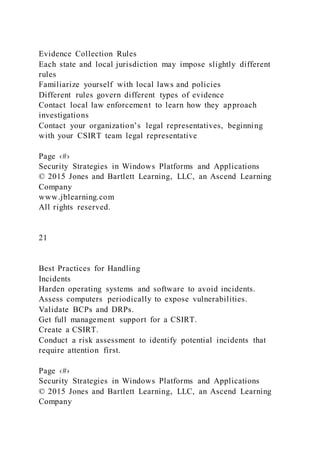
Plan
Computer Security Incident Response Team (CSIRT)
Plan for communication
Plan for security
Test plan
Revise procedures
Handling Incident Response
Page ‹#›
Security Strategies in Windows Platforms and Applications
© 2015 Jones and Bartlett Learning, LLC, an Ascend Learning
Company
www.jblearning.com
All rights reserved.
11
Preparation
Identification
Containment
Eradication
Recovery
Lessons learned
Sample Incident Reporting Form
Page ‹#›
Security Strategies in Windows Platforms and Applications
© 2015 Jones and Bartlett Learning, LLC, an Ascend Learning
Company
www.jblearning.com
All rights reserved.
All evidence you present in a court of law must exist in the
same condition as it did when you collected it. Evidence cannot
change at all once you collect it; it must be in pristine
condition.
You’ll be required to prove to the court that the evidence did
not change during the investigation. You’ll have to provide your
own evidence that all collected evidence exists without changes
as it did when it was collected.
The documentation that provides details of every move and
access of evidence is called the chain of custody. The chain
starts when you collect any piece of evidence.
Since you don’t know if you’ll have to present evidence in
court, you should collect all evidence during an incident
investigation as if you will take it to court. If you carefully
preserve the chain of custody and do not go to court, you just
have well documented evidence. This type of information is
great for analyzing incidents for the lessons learned step of
incident response. On the other hand, if you are careless in the
way you collect evidence and then end up going to court, your
carelessness will likely result in having your evidence rejected
by the court. Without the evidence you need to prove your case
you may not be able to prevail. Always treat each investigation
as if it will end up in court.
12
Incident Handling and Management Tools for Microsoft
Windows and Applications
Two basic types:
Tools that help manage the CSIRT’s activities and gather
information about the incident response process
Tools that collect information about the incident itself
Page ‹#›
Security Strategies in Windows Platforms and Applications
© 2015 Jones and Bartlett Learning, LLC, an Ascend Learning
Company
www.jblearning.com
All rights reserved.
13
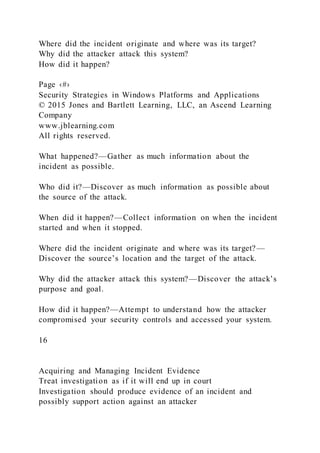
CSIRT Responsibilities
Page ‹#›
Security Strategies in Windows Platforms and Applications
© 2015 Jones and Bartlett Learning, LLC, an Ascend Learning
Company
www.jblearning.com
All rights reserved.
14
Tracking incidents
Reporting on incidents
Archiving incident reports
Communicating incident information
Investigating Microsoft Windows and Applications Incidents
Collect technical information to support incident investigation
and resolution
Collect evidence of incident activity to discover what happened,
why it happened, how to stop it from happening again
Discover traces of past activity in memory, stored on disks, or
in log files
Find evidence of incident activity
Page ‹#›
Security Strategies in Windows Platforms and Applications
© 2015 Jones and Bartlett Learning, LLC, an Ascend Learning
Company
www.jblearning.com
All rights reserved.
15
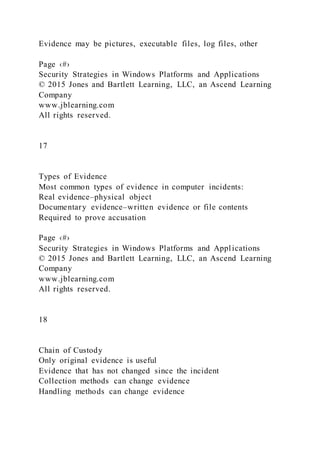
Questions to Ask During an Investigation
What happened?
Who did it?
When did it happen?
Where did the incident originate and where was its target?
Why did the attacker attack this system?
How did it happen?
Page ‹#›
Security Strategies in Windows Platforms and Applications
© 2015 Jones and Bartlett Learning, LLC, an Ascend Learning
Company
www.jblearning.com
All rights reserved.
What happened?—Gather as much information about the
incident as possible.
Who did it?—Discover as much information as possible about
the source of the attack.
When did it happen?—Collect information on when the incident
started and when it stopped.
Where did the incident originate and where was its target?—
Discover the source’s location and the target of the attack.
Why did the attacker attack this system?—Discover the attack’s
purpose and goal.
How did it happen?—Attempt to understand how the attacker
compromised your security controls and accessed your system.
16
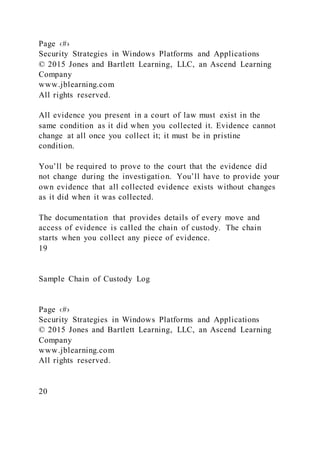
Acquiring and Managing Incident Evidence
Treat investigation as if it will end up in court
Investigation should produce evidence of an incident and
possibly support action against an attacker
Evidence may be pictures, executable files, log files, other
Page ‹#›
Security Strategies in Windows Platforms and Applications
© 2015 Jones and Bartlett Learning, LLC, an Ascend Learning
Company
www.jblearning.com
All rights reserved.
17
Types of Evidence
Most common types of evidence in computer incidents:
Real evidence–physical object
Documentary evidence–written evidence or file contents
Required to prove accusation
Page ‹#›
Security Strategies in Windows Platforms and Applications
© 2015 Jones and Bartlett Learning, LLC, an Ascend Learning
Company
www.jblearning.com
All rights reserved.
18
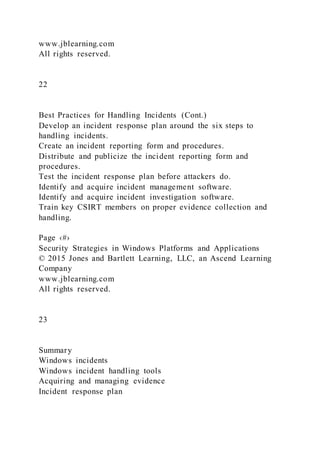
Chain of Custody
Only original evidence is useful
Evidence that has not changed since the incident
Collection methods can change evidence
Handling methods can change evidence
Page ‹#›
Security Strategies in Windows Platforms and Applications
© 2015 Jones and Bartlett Learning, LLC, an Ascend Learning
Company
www.jblearning.com
All rights reserved.
All evidence you present in a court of law must exist in the
same condition as it did when you collected it. Evidence cannot
change at all once you collect it; it must be in pristine
condition.
You’ll be required to prove to the court that the evidence did
not change during the investigation. You’ll have to provide your
own evidence that all collected evidence exists without changes
as it did when it was collected.
The documentation that provides details of every move and
access of evidence is called the chain of custody. The chain
starts when you collect any piece of evidence.
19
Sample Chain of Custody Log
Page ‹#›
Security Strategies in Windows Platforms and Applications
© 2015 Jones and Bartlett Learning, LLC, an Ascend Learning
Company
www.jblearning.com
All rights reserved.
20
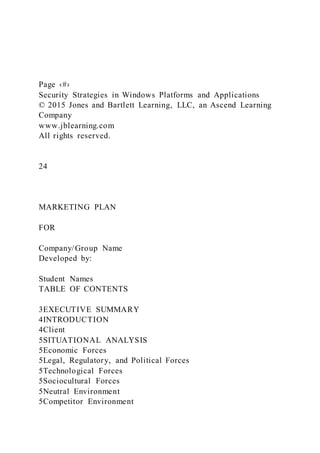
Evidence Collection Rules
Each state and local jurisdiction may impose slightly different
rules
Familiarize yourself with local laws and policies
Different rules govern different types of evidence
Contact local law enforcement to learn how they approach
investigations
Contact your organization’s legal representatives, beginning
with your CSIRT team legal representative
Page ‹#›
Security Strategies in Windows Platforms and Applications
© 2015 Jones and Bartlett Learning, LLC, an Ascend Learning
Company
www.jblearning.com
All rights reserved.
21
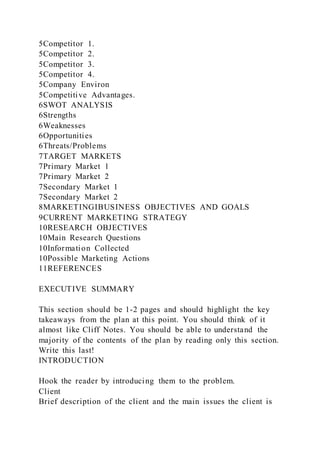
Best Practices for Handling
Incidents
Harden operating systems and software to avoid incidents.
Assess computers periodically to expose vulnerabilities.
Validate BCPs and DRPs.
Get full management support for a CSIRT.
Create a CSIRT.
Conduct a risk assessment to identify potential incidents that
require attention first.
Page ‹#›
Security Strategies in Windows Platforms and Applications
© 2015 Jones and Bartlett Learning, LLC, an Ascend Learning
Company
www.jblearning.com
All rights reserved.
22
Best Practices for Handling Incidents (Cont.)
Develop an incident response plan around the six steps to
handling incidents.
Create an incident reporting form and procedures.
Distribute and publicize the incident reporting form and
procedures.
Test the incident response plan before attackers do.
Identify and acquire incident management software.
Identify and acquire incident investigation software.
Train key CSIRT members on proper evidence collection and
handling.
Page ‹#›
Security Strategies in Windows Platforms and Applications
© 2015 Jones and Bartlett Learning, LLC, an Ascend Learning
Company
www.jblearning.com
All rights reserved.
23
Summary
Windows incidents
Windows incident handling tools
Acquiring and managing evidence
Incident response plan
Page ‹#›
Security Strategies in Windows Platforms and Applications
© 2015 Jones and Bartlett Learning, LLC, an Ascend Learning
Company
www.jblearning.com
All rights reserved.
24
MARKETING PLAN
FOR
Company/Group Name
Developed by:
Student Names
TABLE OF CONTENTS
3EXECUTIVE SUMMARY
4INTRODUCTION
4Client
5SITUATIONAL ANALYSIS
5Economic Forces
5Legal, Regulatory, and Political Forces
5Technological Forces
5Sociocultural Forces
5Neutral Environment
5Competitor Environment
5Competitor 1.
5Competitor 2.
5Competitor 3.
5Competitor 4.
5Company Environ
5Competitive Advantages.
6SWOT ANALYSIS
6Strengths
6Weaknesses
6Opportunities
6Threats/Problems
7TARGET MARKETS
7Primary Market 1
7Primary Market 2
7Secondary Market 1
7Secondary Market 2
8MARKETINGIBUSINESS OBJECTIVES AND GOALS
9CURRENT MARKETING STRATEGY
10RESEARCH OBJECTIVES
10Main Research Questions
10Information Collected
10Possible Marketing Actions
11REFERENCES
EXECUTIVE SUMMARY
This section should be 1-2 pages and should highlight the key
takeaways from the plan at this point. You should think of it
almost like Cliff Notes. You should be able to understand the
majority of the contents of the plan by reading only this section.
Write this last!
INTRODUCTION
Hook the reader by introducing them to the problem.
Client
Brief description of the client and the main issues the client is
facing.
SITUATIONAL ANALYSIS
This section should describe the current situation in which your
client is operating.
Economic Forces
Description of the current economic conditions in the client’s
market.
Legal, Regulatory, and Political Forces
Description of the current legal, regulatory, and political
conditions in the client’s market.
Technological Forces
Description of the current technological conditions in the
client’s market.
Sociocultural Forces
Description of the current economic conditions in the client’s
market.
Neutral Environment
This section should describe the general business environment
that all organizations are operating in.
Competitor Environment
This section should describe the competitive environment in
which your client operates. In addition to a description of the
general competitive environment and structure it should include
a paragraph description on each competitor, specifically
highlighting what their competitive advantage is, if any.
Competitor 1.
Description
Competitor 2.
Description
Competitor 3.
Description
Competitor 4.
Description
Company Environ
This section should describe the company environment. It
should include a description and evaluation of the physical
facilities, the location, the staff and should highlight the
competitive advantages that the company offers.
Competitive Advantages.
SWOT ANALYSIS
Strengths
Make sure that these are positive things happening in the
organization (within the organization’s control to some extent)
that the company can utilize to take advantage of market
opportunities.
Weaknesses
Make sure that these are negative things happening in the
organization (within the organization’s control to some extent)
that the company may need to address in order maintain
profitability as an organization.
Opportunities
Make sure that these are positive things happening in the market
(external to the organization) that the company may be able to
take advantage of.
Threats/Problems
Make sure that these are negative things happening in the
market (external to the organization) that the company may
need to address in order maintain profitability as an
organization.
TARGET MARKETS
This section should introduce the current and potential target
markets for your client.
Primary Market 1
A description of your primary target market (i.e. the market
segment that will produce the majority of your sales).
Primary Market 2
A description of your primary target market (i.e. the market
segment that will produce the majority of your sales).
Secondary Market 1
A description of your secondary target market.
Secondary Market 2
A description of your secondary target market.
MARKETINGIBUSINESS OBJECTIVES AND GOALS
This section should describe the overall objectives, goals, and
mission of the organization. It should also specifically highlight
the marketing goals. What does your client hope to get out of
this marketing plan?
CURRENT MARKETING STRATEGY
This section should highlight the current marketing strategy that
is being utilized by your client. It should include specific
tactics that are currently be used, the performance of those
tactics, and the current budget for marketing available.
RESEARCH OBJECTIVES
This section should highlight the main reasons for undergoing
research. What are the existing problems with data collection
and analysis at your client?
Main Research Questions
This section should list the main research questions that will be
answered by primary and secondary research. It should adhere
to the following guidelines:
Main research question 1
Sub question 1 and hypothesis, if any
Sub question 2 and hypothesis, if any
Main research question 2
Sub question 1 and hypothesis, if any
Sub question 2 and hypothesis, if any
Main research question 3
Sub question 1 and hypothesis, if any
Sub question 2 and hypothesis, if any
Information Collected
For each sub question, you should highlight the information
(i.e. actual questions or data) that will be collected and how it
will be collected. Be specific in explaining the primary or
secondary method that will be used and the sampling
methodology.
Possible Marketing Actions
This section should highlight the marketing actions that could
potentially result from either confirming or disconfirming your
hypotheses. This should be more of a brainstorm of marketing
tactics at this point based on possible outcomes.
REFERENCES
These should be in standard APA format.
Part 1
Microsoft adheres to a defense-in-depth principle to ensure
protection of its cloud services, such as Microsoft Office 365.
Built-in security features include threat protection to reduce
malware infections, phishing attacks, distributed denial of
service (DDoS) attacks, and other types of security threats.
Answer the following question(s):
Would an organization need to apply security controls to allow
safe use of those applications? Why or why not?
Fully address the question(s) in this discussion; provide valid
rationale for your choices, where applicable; and respond to at
least two other students’ views.
To complete this assignment, you must do the following
A) Create a new thread.
B) Select AT LEAST 3 other students' threads and post
substantive comments on those threads, evaluating the pros and
cons of that student’s recommendations.
Your comments should extend the conversation started with the
thread.
ALL original posts and comments must be substantive. (I'm
looking for about a paragraph - not just "I agree.")
NOTE: These discussions should be informal discussions, NOT
research papers. If you MUST directly quote a resource, then
cite it properly. However,
I would much rather simply read your words.
Part 2
Submission Requirements
? Format: Microsoft Word (or compatible)
? Font: Arial, size 12, double-space
? Citation Style: APA
? Length: 2 page
? APA Format
? No resources before 2015
? Must complete all parts to answer the questions
? Don’t Write questions in the paper
? Write proper heading to paragraphs in APA format
Scenario
One of the security improvements for the "Your Company"
environment is to ensure all workstations and servers run secure
applications. The company needs policies that set security
requirements for the software. These policies will guide
administrators in developing procedures to ensure all client and
server software is as secure as possible.
Specifically, you will write two policies to ensure web server
software and web browsers are secure. Your policy statements
will describe the goals that define a secure application. For this
project - you will write the web server software policy!!
Consider the following questions for web server software and
web browsers:
1. What functions should this software application provide?
2. What functions should this software application prohibit?
3. What controls are necessary to ensure this applications
software operates as intended?
4. What steps are necessary to validate that the software
operates as intended?TasksCreate two policies — one for web
server software and one for web browser clients. Remember,
you are writing policies, not procedures. Focus on the high-
level tasks, not the individual steps.
Use the following as a guide for both policies:
▪ Type of application software
▪ Description of functions this software should allow
▪ Description of functions this software should prohibit
▪ Known vulnerabilities associated with software
▪ Controls necessary to ensure compliance with desired
functionality
▪ Method to assess security control effectiveness
Part 3
Submission Requirements
? Font: Arial, size 12, double-space
? Citation Style: APA
? Length: 2 page
? APA Format
? No resources before 2015
? Must complete all parts to answer the questions
? Don’t Write questions in the paper
? Write proper heading to paragraphs in APA format
Scenario
One of the security improvements for the "Your Company"
environment is to ensure all workstations and servers run secure
applications. The company needs policies that set security
requirements for the software. These policies will guide
administrators in developing procedures to ensure all client and
server software is as secure as possible.
Specifically, you will write two policies to ensure web server
software and web browsers are secure. Your policy statements
will describe the goals that define a secure application. For this
project - you will write the web browser policy!!
Consider the following questions for web server software and
web browsers:
1. What functions should this software application provide?
2. What functions should this software application prohibit?
3. What controls are necessary to ensure this applications
software operates as intended?
4. What steps are necessary to validate that the software
operates as intended?TasksCreate two policies — one for web
server software and one for web browser clients. Remember,
you are writing policies, not procedures. Focus on the high-
level tasks, not the individual steps.
Use the following as a guide for both policies:
▪ Type of application software
▪ Description of functions this software should allow
▪ Description of functions this software should prohibit
▪ Known vulnerabilities associated with software
▪ Controls necessary to ensure compliance with desired
functionality
▪ Method to assess security control effectiveness

CHap 13 and 12winsec3e_ppt_ch12(1).pptxSecurity Strategies

  • 1.
    CHap 13 and12/winsec3e_ppt_ch12(1).pptx Security Strategies in Windows Platforms and Applications Lesson 12 Microsoft Application Security © 2021 Jones and Bartlett Learning, LLC, an Ascend Learning Company www.jblearning.com All rights reserved. Cover image © Sharpshot/Dreamstime.com Page ‹#› Security Strategies in Windows Platforms and Applications © 2021 Jones and Bartlett Learning, LLC, an Ascend Learning Company www.jblearning.com All rights reserved. 1 Learning Objective(s) Describe threats to Microsoft Windows and applications. Describe techniques for protecting Windows application software. Page ‹#› Security Strategies in Windows Platforms and Applications
  • 2.
    © 2021 Jonesand Bartlett Learning, LLC, an Ascend Learning Company www.jblearning.com All rights reserved. Key Concepts Principles of Microsoft application security Procedures for securing Microsoft client applications Procedures for securing Microsoft server applications Page ‹#› Security Strategies in Windows Platforms and Applications © 2021 Jones and Bartlett Learning, LLC, an Ascend Learning Company www.jblearning.com All rights reserved. Principles of Microsoft Application Security Application security Covers all activities related to securing application software throughout its lifetime Application software Any computer software that allows users to perform specific tasks Examples: sending and receiving email, browsing the web, creating a document or spreadsheet Page ‹#› Security Strategies in Windows Platforms and Applications © 2021 Jones and Bartlett Learning, LLC, an Ascend Learning Company www.jblearning.com All rights reserved.
  • 3.
    Principles of MicrosoftApplication Security (Cont.) Ensuring application software security includes ensuring security during: Design Development Testing Deployment Maintenance Retirement Protects C-I-A of data Page ‹#› Security Strategies in Windows Platforms and Applications © 2021 Jones and Bartlett Learning, LLC, an Ascend Learning Company www.jblearning.com All rights reserved. Client Application Software Attacks Page ‹#› Security Strategies in Windows Platforms and Applications © 2015 Jones and Bartlett Learning, LLC, an Ascend Learning Company www.jblearning.com All rights reserved. 6 Malformed input Inputs that application doesn’t expect
  • 4.
    Privilege escalation Adds moreauthority to current session than the process should possess Denial of service (DoS) Slows application Inputs that can cause unexpected results Assuming another user’s identity Identity spoofing Direct file or resource access Extra-application data access Exploits holes in access controls Accesses application’s data outside the application
  • 5.
    Crashes applications Application HardeningProcess Page ‹#› Security Strategies in Windows Platforms and Applications © 2015 Jones and Bartlett Learning, LLC, an Ascend Learning Company www.jblearning.com All rights reserved. Install the application using only the options and features you plan to use. After installing the application, remove any default user accounts and sample data, along with any unneeded files and features. Configure the application according to the principle of least privilege. Ensure your application has all of the latest available security patches applied. Monitor application performance to verify that your application adheres to security policy. 7 Minimal install Unneeded accounts and files Least privilege
  • 6.
    Security patches Monitoring Securing KeyMicrosoft Client Applications Page ‹#› Security Strategies in Windows Platforms and Applications © 2015 Jones and Bartlett Learning, LLC, an Ascend Learning Company www.jblearning.com All rights reserved. 8 Web browser Internet Explorer Outlook Productivity software Microsoft Office
  • 7.
    Email client File transfersoftware File Transfer Protocol/Internet Protocol (TCP/IP) AppLocker Software Restriction Policies (SRP) Group Policy Web Browser Web browser attacks: Infect with malware Intercept communication Harvest stored data Page ‹#› Security Strategies in Windows Platforms and Applications © 2015 Jones and Bartlett Learning, LLC, an Ascend Learning Company www.jblearning.com All rights reserved. Web browser–This program allows users to access World Wide Web resources. Some application software have embedded web
  • 8.
    browser capability butstand-alone web browsers are by far the most common. Popular web browsers are: Microsoft Internet Explorer Mozilla Firefox Google Chrome Apple Safari Opera 9 Web Browser Set Internet zone security level to High Add specific, trusted sites to Trusted Sites list Configure setting to prompt for first- party and third-party cookies Disable third-party browser extensions Enable show encoded addresses setting Disable playing of sounds in web pages Page ‹#› Security Strategies in Windows Platforms and Applications © 2015 Jones and Bartlett Learning, LLC, an Ascend Learning Company www.jblearning.com All rights reserved. 10 Internet Options Dialog Box in Internet Explorer 11 Page ‹#› Security Strategies in Windows Platforms and Applications © 2015 Jones and Bartlett Learning, LLC, an Ascend Learning
  • 9.
    Company www.jblearning.com All rights reserved. 11 EmailClient Limit malicious code that may be attached to email messages Install anti-malware software on each computer Will scan all incoming and outgoing messages for malware Safeguard message privacy by requiring use of Secure Sockets Layer/Transport Layer Security (SSL/TLS) when connecting to your mail server to ensure message exchanges are encrypted Page ‹#› Security Strategies in Windows Platforms and Applications © 2015 Jones and Bartlett Learning, LLC, an Ascend Learning Company www.jblearning.com All rights reserved. Email client–This program allows clients to send and receive email. Depending on the type of mail server connection and protocol used, the email client may store email locally on the client. Microsoft Outlook is an example of an email client. 12 Productivity Software Install anti-malware software that integrates with productivity software Use EFS or BitLocker to encrypt folder or drive that contains productivity software documents and databases
  • 10.
    Never open afile unless the source is trusted Ensure productivity software has the latest security patches installed Page ‹#› Security Strategies in Windows Platforms and Applications © 2015 Jones and Bartlett Learning, LLC, an Ascend Learning Company www.jblearning.com All rights reserved. Productivity software–Software that supports many office functions. Most workstations allow users to perform some administrative of creative functions and productivity software supports these efforts. Productivity software includes these functions: Word processing-Microsoft Word Spreadsheet-Microsoft Excel Lightweight database-Microsoft Access Presentation-Microsoft PowerPoint Project scheduling/management-Microsoft Project Publishing-Microsoft Publisher 13 File Transfer Software File Transfer Protocol (FTP) is insecure Use: FTP over a Secure Shell (SSH) Secure FTP (SFTP) Virtual private network (VPN) Page ‹#›
  • 11.
    Security Strategies inWindows Platforms and Applications © 2015 Jones and Bartlett Learning, LLC, an Ascend Learning Company www.jblearning.com All rights reserved. 14 AppLocker A feature in Windows that allows you to restrict program execution using Group Policy Provides ability to whitelist applications Define path rules, hash rules, and publisher rules using Group Policy to restrict which applications computers can run Page ‹#› Security Strategies in Windows Platforms and Applications © 2015 Jones and Bartlett Learning, LLC, an Ascend Learning Company www.jblearning.com All rights reserved. 15 Securing Client Applications Page ‹#› Security Strategies in Windows Platforms and Applications © 2015 Jones and Bartlett Learning, LLC, an Ascend Learning Company www.jblearning.com
  • 12.
    All rights reserved. 16 Updatesoftware to the latest patch Remove or disable unneeded features Use principle of least privilege Use encrypted communication Common Server Applications Page ‹#› Security Strategies in Windows Platforms and Applications © 2015 Jones and Bartlett Learning, LLC, an Ascend Learning Company www.jblearning.com All rights reserved. 17 Web server Internet Information Services (IIS)
  • 13.
    Exchange Database server Structured QueryLanguage (SQL) server Email server Common Server Applications (Cont.) Page ‹#› Security Strategies in Windows Platforms and Applications © 2015 Jones and Bartlett Learning, LLC, an Ascend Learning Company www.jblearning.com All rights reserved. 18 Enterprise Resource Planning (ERP) software Enterprise project management Unique user accounts
  • 14.
    Strong authentication Restricted access Encryptedconnections Line of Business (LoB) software Workflow control Service technician tracking and scheduling Securing Server Applications Page ‹#› Security Strategies in Windows Platforms and Applications © 2015 Jones and Bartlett Learning, LLC, an Ascend Learning Company www.jblearning.com All rights reserved. 19 Use server roles in Windows Server
  • 15.
    Update software tothe latest patch Remove or disable unneeded services Filter network traffic Encrypt communication Add Roles Wizard, Windows Server Page ‹#› Security Strategies in Windows Platforms and Applications © 2015 Jones and Bartlett Learning, LLC, an Ascend Learning Company www.jblearning.com All rights reserved. Add Roles Wizard for adding Web Server (IIS) role to Windows Server 20 Select Role Services, Windows Server Page ‹#› Security Strategies in Windows Platforms and Applications © 2015 Jones and Bartlett Learning, LLC, an Ascend Learning Company www.jblearning.com
  • 16.
    All rights reserved. SelectRole Services for adding Web Server (IIS) role to Windows Server 21 Cloud-Based Software Microsoft cloud-based products: Microsoft Office 365, Microsoft Azure, and Microsoft OneDrive Many issues related to securing applications are the same on- premises and in the cloud To secure cloud applications: Review options and settings, and configure software to run the way you need it to run Harden software Do not assume cloud-based software is secure by default Page ‹#› Security Strategies in Windows Platforms and Applications © 2015 Jones and Bartlett Learning, LLC, an Ascend Learning Company www.jblearning.com All rights reserved. 22 Best Practices for Securing Microsoft Windows Applications Harden the operating system. Install only necessary services. Use server roles when possible. Use SCT to adhere to Microsoft baseline guidelines. Remove or disable unneeded services. Remove or disable unused user accounts.
  • 17.
    Remove extra applicationcomponents. Open only the minimum required ports at the firewall. Define unique user accounts. Use strong authentication. Page ‹#› Security Strategies in Windows Platforms and Applications © 2015 Jones and Bartlett Learning, LLC, an Ascend Learning Company www.jblearning.com All rights reserved. 23 Best Practices for Securing Microsoft Windows Applications (Cont.) Use encrypted connections for all communication. Encrypt files, folders, or volumes that contain private data. Develop and maintain a BCP and DRP. Disable any unneeded server features. Ensure every computer has up-to-date anti-malware software and data. Never open any content or files from untrusted sources. Validate all input received at the server. Audit failed logon and access attempts. Conduct penetration tests to discover vulnerabilities. Page ‹#› Security Strategies in Windows Platforms and Applications © 2015 Jones and Bartlett Learning, LLC, an Ascend Learning Company www.jblearning.com
  • 18.
    All rights reserved. 24 Summary Principlesof Microsoft application security Procedures for securing Microsoft client applications Procedures for securing Microsoft server applications Page ‹#› Security Strategies in Windows Platforms and Applications © 2015 Jones and Bartlett Learning, LLC, an Ascend Learning Company www.jblearning.com All rights reserved. 25 CHap 13 and 12/winsec3e_ppt_ch13.pptx Security Strategies in Windows Platforms and Applications Lesson 13 Microsoft Windows Incident Handling and Management
  • 19.
    © 2021 Jonesand Bartlett Learning, LLC, an Ascend Learning Company www.jblearning.com All rights reserved. Cover image © Sharpshot/Dreamstime.com Page ‹#› Security Strategies in Windows Platforms and Applications © 2021 Jones and Bartlett Learning, LLC, an Ascend Learning Company www.jblearning.com All rights reserved. 1 Learning Objective(s) Perform incident handling by using appropriate methods. Page ‹#› Security Strategies in Windows Platforms and Applications © 2021 Jones and Bartlett Learning, LLC, an Ascend Learning Company www.jblearning.com All rights reserved. Key Concepts Windows incidents Windows incident handling tools Acquiring and managing evidence Incident response plan Page ‹#›
  • 20.
    Security Strategies inWindows Platforms and Applications © 2021 Jones and Bartlett Learning, LLC, an Ascend Learning Company www.jblearning.com All rights reserved. Handling Security Incidents Involving Microsoft Windows OS and Applications Event Any observable occurrence within a computer or network Incident Any event that: Violates security policy Poses an imminent threat to security policy Page ‹#› Security Strategies in Windows Platforms and Applications © 2015 Jones and Bartlett Learning, LLC, an Ascend Learning Company www.jblearning.com All rights reserved. Securing resources involves defining activities that are both appropriate and inappropriate, and ensure that you only allow appropriate activities. Any action that occurs within a computing environment is called an event. Any event that either violates security policy or poses an imminent threat to your security policy is called a security incident. There are many types of security incidents, from minor to major incidents. An incident can be as simple as too many failed login attempts or as complex as coordinated attempts to compromise a database that contains confidential information. Examples of security incidents include but are not limited to:
  • 21.
    Excessive bandwidth usecaused by the compromise of a system Commercial use of IT resources Compromised computers Copyright infringement Digital harassment IP spoofing Intruder activity Network attack or denial-of-service condition Virus or Internet worm activity 4 Handling Security Incidents Involving Microsoft Windows OS and Applications Examples of incidents Virus or Internet worm activity Internet protocol (IP) spoofing Intruder activity Network attack or denial of service (DoS) condition The first step in responding to an incident is to recognize that an incident has occurred. Page ‹#› Security Strategies in Windows Platforms and Applications © 2015 Jones and Bartlett Learning, LLC, an Ascend Learning Company www.jblearning.com All rights reserved. 5
  • 22.
    Handling Security IncidentsInvolving Microsoft Windows OS and Applications To minimize number and impact of incidents: Develop, maintain, and enforce a clear security policy that management supports and promotes. Conduct routine vulnerability assessments to discover vulnerabilities that could lead to incidents. Page ‹#› Security Strategies in Windows Platforms and Applications © 2015 Jones and Bartlett Learning, LLC, an Ascend Learning Company www.jblearning.com All rights reserved. 6 Handling Security Incidents Involving Microsoft Windows OS and Applications To minimize number and impact of incidents: Ensure all computers and network devices have the latest available patches installed. Train all computer system users on acceptable and unacceptable behavior. Establish frequent and visible security awareness reminders. Page ‹#› Security Strategies in Windows Platforms and Applications © 2015 Jones and Bartlett Learning, LLC, an Ascend Learning Company www.jblearning.com All rights reserved.
  • 23.
    7 Handling Security IncidentsInvolving Microsoft Windows OS and Applications To minimize number and impact of incidents: Enforce strong passwords throughout your environment. Frequently monitor network traffic, system performance, and all available log files to identify any incidents or unusual events. Page ‹#› Security Strategies in Windows Platforms and Applications © 2015 Jones and Bartlett Learning, LLC, an Ascend Learning Company www.jblearning.com All rights reserved. 8 Handling Security Incidents Involving Microsoft Windows OS and Applications To minimize number and impact of incidents: Ensure you have a solid business continuity plan (BCP) and disaster recovery plan (DRP) that you test at least annually. Create a computer security incident response team (CSIRT). Page ‹#› Security Strategies in Windows Platforms and Applications © 2015 Jones and Bartlett Learning, LLC, an Ascend Learning
  • 24.
    Company www.jblearning.com All rights reserved. 9 Formulatingan Incident Response Plan Page ‹#› Security Strategies in Windows Platforms and Applications © 2015 Jones and Bartlett Learning, LLC, an Ascend Learning Company www.jblearning.com All rights reserved. 10 Plan Computer Security Incident Response Team (CSIRT) Plan for communication Plan for security Test plan
  • 25.
    Revise procedures Handling IncidentResponse Page ‹#› Security Strategies in Windows Platforms and Applications © 2015 Jones and Bartlett Learning, LLC, an Ascend Learning Company www.jblearning.com All rights reserved. 11 Preparation Identification Containment Eradication Recovery Lessons learned Sample Incident Reporting Form
  • 26.
    Page ‹#› Security Strategiesin Windows Platforms and Applications © 2015 Jones and Bartlett Learning, LLC, an Ascend Learning Company www.jblearning.com All rights reserved. All evidence you present in a court of law must exist in the same condition as it did when you collected it. Evidence cannot change at all once you collect it; it must be in pristine condition. You’ll be required to prove to the court that the evidence did not change during the investigation. You’ll have to provide your own evidence that all collected evidence exists without changes as it did when it was collected. The documentation that provides details of every move and access of evidence is called the chain of custody. The chain starts when you collect any piece of evidence. Since you don’t know if you’ll have to present evidence in court, you should collect all evidence during an incident investigation as if you will take it to court. If you carefully preserve the chain of custody and do not go to court, you just have well documented evidence. This type of information is great for analyzing incidents for the lessons learned step of incident response. On the other hand, if you are careless in the way you collect evidence and then end up going to court, your carelessness will likely result in having your evidence rejected by the court. Without the evidence you need to prove your case you may not be able to prevail. Always treat each investigation as if it will end up in court. 12
  • 27.
    Incident Handling andManagement Tools for Microsoft Windows and Applications Two basic types: Tools that help manage the CSIRT’s activities and gather information about the incident response process Tools that collect information about the incident itself Page ‹#› Security Strategies in Windows Platforms and Applications © 2015 Jones and Bartlett Learning, LLC, an Ascend Learning Company www.jblearning.com All rights reserved. 13 CSIRT Responsibilities Page ‹#› Security Strategies in Windows Platforms and Applications © 2015 Jones and Bartlett Learning, LLC, an Ascend Learning Company www.jblearning.com All rights reserved. 14 Tracking incidents
  • 28.
    Reporting on incidents Archivingincident reports Communicating incident information Investigating Microsoft Windows and Applications Incidents Collect technical information to support incident investigation and resolution Collect evidence of incident activity to discover what happened, why it happened, how to stop it from happening again Discover traces of past activity in memory, stored on disks, or in log files Find evidence of incident activity Page ‹#› Security Strategies in Windows Platforms and Applications © 2015 Jones and Bartlett Learning, LLC, an Ascend Learning Company www.jblearning.com All rights reserved. 15 Questions to Ask During an Investigation What happened? Who did it? When did it happen?
  • 29.
    Where did theincident originate and where was its target? Why did the attacker attack this system? How did it happen? Page ‹#› Security Strategies in Windows Platforms and Applications © 2015 Jones and Bartlett Learning, LLC, an Ascend Learning Company www.jblearning.com All rights reserved. What happened?—Gather as much information about the incident as possible. Who did it?—Discover as much information as possible about the source of the attack. When did it happen?—Collect information on when the incident started and when it stopped. Where did the incident originate and where was its target?— Discover the source’s location and the target of the attack. Why did the attacker attack this system?—Discover the attack’s purpose and goal. How did it happen?—Attempt to understand how the attacker compromised your security controls and accessed your system. 16 Acquiring and Managing Incident Evidence Treat investigation as if it will end up in court Investigation should produce evidence of an incident and possibly support action against an attacker
  • 30.
    Evidence may bepictures, executable files, log files, other Page ‹#› Security Strategies in Windows Platforms and Applications © 2015 Jones and Bartlett Learning, LLC, an Ascend Learning Company www.jblearning.com All rights reserved. 17 Types of Evidence Most common types of evidence in computer incidents: Real evidence–physical object Documentary evidence–written evidence or file contents Required to prove accusation Page ‹#› Security Strategies in Windows Platforms and Applications © 2015 Jones and Bartlett Learning, LLC, an Ascend Learning Company www.jblearning.com All rights reserved. 18 Chain of Custody Only original evidence is useful Evidence that has not changed since the incident Collection methods can change evidence Handling methods can change evidence
  • 31.
    Page ‹#› Security Strategiesin Windows Platforms and Applications © 2015 Jones and Bartlett Learning, LLC, an Ascend Learning Company www.jblearning.com All rights reserved. All evidence you present in a court of law must exist in the same condition as it did when you collected it. Evidence cannot change at all once you collect it; it must be in pristine condition. You’ll be required to prove to the court that the evidence did not change during the investigation. You’ll have to provide your own evidence that all collected evidence exists without changes as it did when it was collected. The documentation that provides details of every move and access of evidence is called the chain of custody. The chain starts when you collect any piece of evidence. 19 Sample Chain of Custody Log Page ‹#› Security Strategies in Windows Platforms and Applications © 2015 Jones and Bartlett Learning, LLC, an Ascend Learning Company www.jblearning.com All rights reserved. 20
  • 32.
    Evidence Collection Rules Eachstate and local jurisdiction may impose slightly different rules Familiarize yourself with local laws and policies Different rules govern different types of evidence Contact local law enforcement to learn how they approach investigations Contact your organization’s legal representatives, beginning with your CSIRT team legal representative Page ‹#› Security Strategies in Windows Platforms and Applications © 2015 Jones and Bartlett Learning, LLC, an Ascend Learning Company www.jblearning.com All rights reserved. 21 Best Practices for Handling Incidents Harden operating systems and software to avoid incidents. Assess computers periodically to expose vulnerabilities. Validate BCPs and DRPs. Get full management support for a CSIRT. Create a CSIRT. Conduct a risk assessment to identify potential incidents that require attention first. Page ‹#› Security Strategies in Windows Platforms and Applications © 2015 Jones and Bartlett Learning, LLC, an Ascend Learning Company
  • 33.
    www.jblearning.com All rights reserved. 22 BestPractices for Handling Incidents (Cont.) Develop an incident response plan around the six steps to handling incidents. Create an incident reporting form and procedures. Distribute and publicize the incident reporting form and procedures. Test the incident response plan before attackers do. Identify and acquire incident management software. Identify and acquire incident investigation software. Train key CSIRT members on proper evidence collection and handling. Page ‹#› Security Strategies in Windows Platforms and Applications © 2015 Jones and Bartlett Learning, LLC, an Ascend Learning Company www.jblearning.com All rights reserved. 23 Summary Windows incidents Windows incident handling tools Acquiring and managing evidence Incident response plan
  • 34.
    Page ‹#› Security Strategiesin Windows Platforms and Applications © 2015 Jones and Bartlett Learning, LLC, an Ascend Learning Company www.jblearning.com All rights reserved. 24 MARKETING PLAN FOR Company/Group Name Developed by: Student Names TABLE OF CONTENTS 3EXECUTIVE SUMMARY 4INTRODUCTION 4Client 5SITUATIONAL ANALYSIS 5Economic Forces 5Legal, Regulatory, and Political Forces 5Technological Forces 5Sociocultural Forces 5Neutral Environment 5Competitor Environment
  • 35.
    5Competitor 1. 5Competitor 2. 5Competitor3. 5Competitor 4. 5Company Environ 5Competitive Advantages. 6SWOT ANALYSIS 6Strengths 6Weaknesses 6Opportunities 6Threats/Problems 7TARGET MARKETS 7Primary Market 1 7Primary Market 2 7Secondary Market 1 7Secondary Market 2 8MARKETINGIBUSINESS OBJECTIVES AND GOALS 9CURRENT MARKETING STRATEGY 10RESEARCH OBJECTIVES 10Main Research Questions 10Information Collected 10Possible Marketing Actions 11REFERENCES EXECUTIVE SUMMARY This section should be 1-2 pages and should highlight the key takeaways from the plan at this point. You should think of it almost like Cliff Notes. You should be able to understand the majority of the contents of the plan by reading only this section. Write this last! INTRODUCTION Hook the reader by introducing them to the problem. Client Brief description of the client and the main issues the client is
  • 36.
    facing. SITUATIONAL ANALYSIS This sectionshould describe the current situation in which your client is operating. Economic Forces Description of the current economic conditions in the client’s market. Legal, Regulatory, and Political Forces Description of the current legal, regulatory, and political conditions in the client’s market. Technological Forces Description of the current technological conditions in the client’s market. Sociocultural Forces Description of the current economic conditions in the client’s market. Neutral Environment This section should describe the general business environment that all organizations are operating in. Competitor Environment This section should describe the competitive environment in which your client operates. In addition to a description of the general competitive environment and structure it should include a paragraph description on each competitor, specifically highlighting what their competitive advantage is, if any. Competitor 1. Description Competitor 2. Description Competitor 3.
  • 37.
    Description Competitor 4. Description Company Environ Thissection should describe the company environment. It should include a description and evaluation of the physical facilities, the location, the staff and should highlight the competitive advantages that the company offers. Competitive Advantages. SWOT ANALYSIS Strengths Make sure that these are positive things happening in the organization (within the organization’s control to some extent) that the company can utilize to take advantage of market opportunities. Weaknesses Make sure that these are negative things happening in the organization (within the organization’s control to some extent) that the company may need to address in order maintain profitability as an organization. Opportunities Make sure that these are positive things happening in the market (external to the organization) that the company may be able to take advantage of. Threats/Problems Make sure that these are negative things happening in the market (external to the organization) that the company may
  • 38.
    need to addressin order maintain profitability as an organization. TARGET MARKETS This section should introduce the current and potential target markets for your client. Primary Market 1 A description of your primary target market (i.e. the market segment that will produce the majority of your sales). Primary Market 2 A description of your primary target market (i.e. the market segment that will produce the majority of your sales). Secondary Market 1 A description of your secondary target market. Secondary Market 2 A description of your secondary target market. MARKETINGIBUSINESS OBJECTIVES AND GOALS This section should describe the overall objectives, goals, and mission of the organization. It should also specifically highlight the marketing goals. What does your client hope to get out of this marketing plan? CURRENT MARKETING STRATEGY This section should highlight the current marketing strategy that is being utilized by your client. It should include specific tactics that are currently be used, the performance of those tactics, and the current budget for marketing available. RESEARCH OBJECTIVES
  • 39.
    This section shouldhighlight the main reasons for undergoing research. What are the existing problems with data collection and analysis at your client? Main Research Questions This section should list the main research questions that will be answered by primary and secondary research. It should adhere to the following guidelines: Main research question 1 Sub question 1 and hypothesis, if any Sub question 2 and hypothesis, if any Main research question 2 Sub question 1 and hypothesis, if any Sub question 2 and hypothesis, if any Main research question 3 Sub question 1 and hypothesis, if any Sub question 2 and hypothesis, if any Information Collected For each sub question, you should highlight the information (i.e. actual questions or data) that will be collected and how it will be collected. Be specific in explaining the primary or secondary method that will be used and the sampling
  • 40.
    methodology. Possible Marketing Actions Thissection should highlight the marketing actions that could potentially result from either confirming or disconfirming your hypotheses. This should be more of a brainstorm of marketing tactics at this point based on possible outcomes. REFERENCES These should be in standard APA format. Part 1 Microsoft adheres to a defense-in-depth principle to ensure protection of its cloud services, such as Microsoft Office 365. Built-in security features include threat protection to reduce malware infections, phishing attacks, distributed denial of service (DDoS) attacks, and other types of security threats. Answer the following question(s): Would an organization need to apply security controls to allow safe use of those applications? Why or why not? Fully address the question(s) in this discussion; provide valid rationale for your choices, where applicable; and respond to at least two other students’ views. To complete this assignment, you must do the following A) Create a new thread. B) Select AT LEAST 3 other students' threads and post substantive comments on those threads, evaluating the pros and cons of that student’s recommendations. Your comments should extend the conversation started with the thread. ALL original posts and comments must be substantive. (I'm looking for about a paragraph - not just "I agree.") NOTE: These discussions should be informal discussions, NOT research papers. If you MUST directly quote a resource, then cite it properly. However,
  • 41.
    I would muchrather simply read your words. Part 2 Submission Requirements ? Format: Microsoft Word (or compatible) ? Font: Arial, size 12, double-space ? Citation Style: APA ? Length: 2 page ? APA Format ? No resources before 2015 ? Must complete all parts to answer the questions ? Don’t Write questions in the paper ? Write proper heading to paragraphs in APA format Scenario One of the security improvements for the "Your Company" environment is to ensure all workstations and servers run secure applications. The company needs policies that set security requirements for the software. These policies will guide administrators in developing procedures to ensure all client and server software is as secure as possible. Specifically, you will write two policies to ensure web server software and web browsers are secure. Your policy statements will describe the goals that define a secure application. For this project - you will write the web server software policy!! Consider the following questions for web server software and web browsers: 1. What functions should this software application provide? 2. What functions should this software application prohibit? 3. What controls are necessary to ensure this applications software operates as intended? 4. What steps are necessary to validate that the software operates as intended?TasksCreate two policies — one for web server software and one for web browser clients. Remember, you are writing policies, not procedures. Focus on the high- level tasks, not the individual steps.
  • 42.
    Use the followingas a guide for both policies: ▪ Type of application software ▪ Description of functions this software should allow ▪ Description of functions this software should prohibit ▪ Known vulnerabilities associated with software ▪ Controls necessary to ensure compliance with desired functionality ▪ Method to assess security control effectiveness Part 3 Submission Requirements ? Font: Arial, size 12, double-space ? Citation Style: APA ? Length: 2 page ? APA Format ? No resources before 2015 ? Must complete all parts to answer the questions ? Don’t Write questions in the paper ? Write proper heading to paragraphs in APA format Scenario One of the security improvements for the "Your Company" environment is to ensure all workstations and servers run secure applications. The company needs policies that set security requirements for the software. These policies will guide administrators in developing procedures to ensure all client and server software is as secure as possible. Specifically, you will write two policies to ensure web server software and web browsers are secure. Your policy statements will describe the goals that define a secure application. For this project - you will write the web browser policy!! Consider the following questions for web server software and web browsers: 1. What functions should this software application provide? 2. What functions should this software application prohibit? 3. What controls are necessary to ensure this applications
  • 43.
    software operates asintended? 4. What steps are necessary to validate that the software operates as intended?TasksCreate two policies — one for web server software and one for web browser clients. Remember, you are writing policies, not procedures. Focus on the high- level tasks, not the individual steps. Use the following as a guide for both policies: ▪ Type of application software ▪ Description of functions this software should allow ▪ Description of functions this software should prohibit ▪ Known vulnerabilities associated with software ▪ Controls necessary to ensure compliance with desired functionality ▪ Method to assess security control effectiveness