Chapter 5: Advanced SQL
5.2
Outline
 Structure of PL/SQL
 Functions and Procedures
 Triggers
5.3
Structure of PL/SQL
 PL/SQL is Block Structured
A block is the basic unit from which all PL/SQL programs are built. A
block can be named (functions and procedures) or anonymous
5.4
Anonymous PL/SQL Programs (blocks)
 Program has no name
 Code is NOT stored in database (discarded after execution)
 Code can be stored as a script file in local file system, but you have to
manually save & load it
 Cannot accept or pass parameter values
5.5
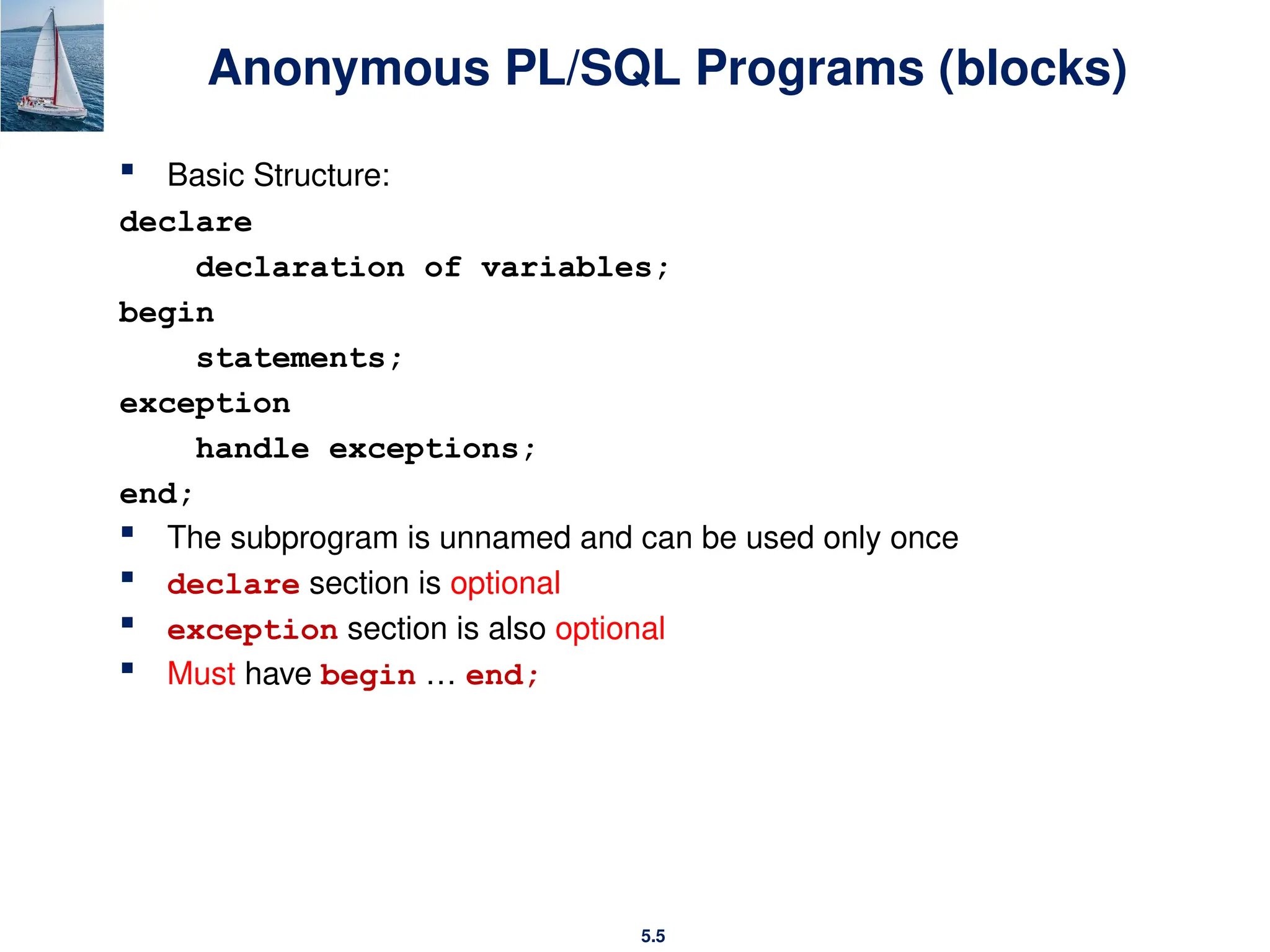
Anonymous PL/SQL Programs (blocks)
 Basic Structure:
declare
declaration of variables;
begin
statements;
exception
handle exceptions;
end;
 The subprogram is unnamed and can be used only once
 declare section is optional
 exception section is also optional
 Must have begin … end;
5.6
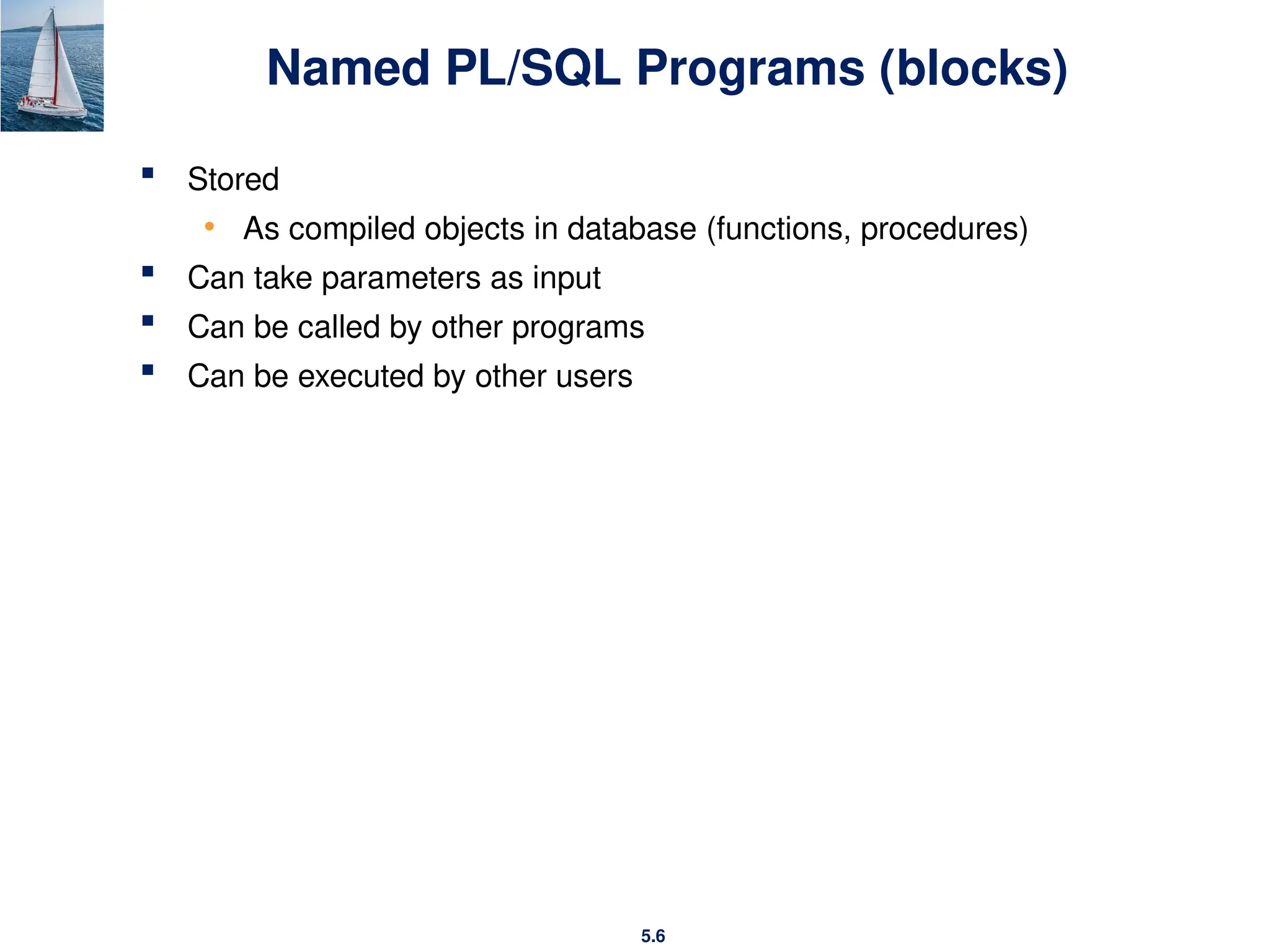
Named PL/SQL Programs (blocks)
 Stored
• As compiled objects in database (functions, procedures)
 Can take parameters as input
 Can be called by other programs
 Can be executed by other users
5.7
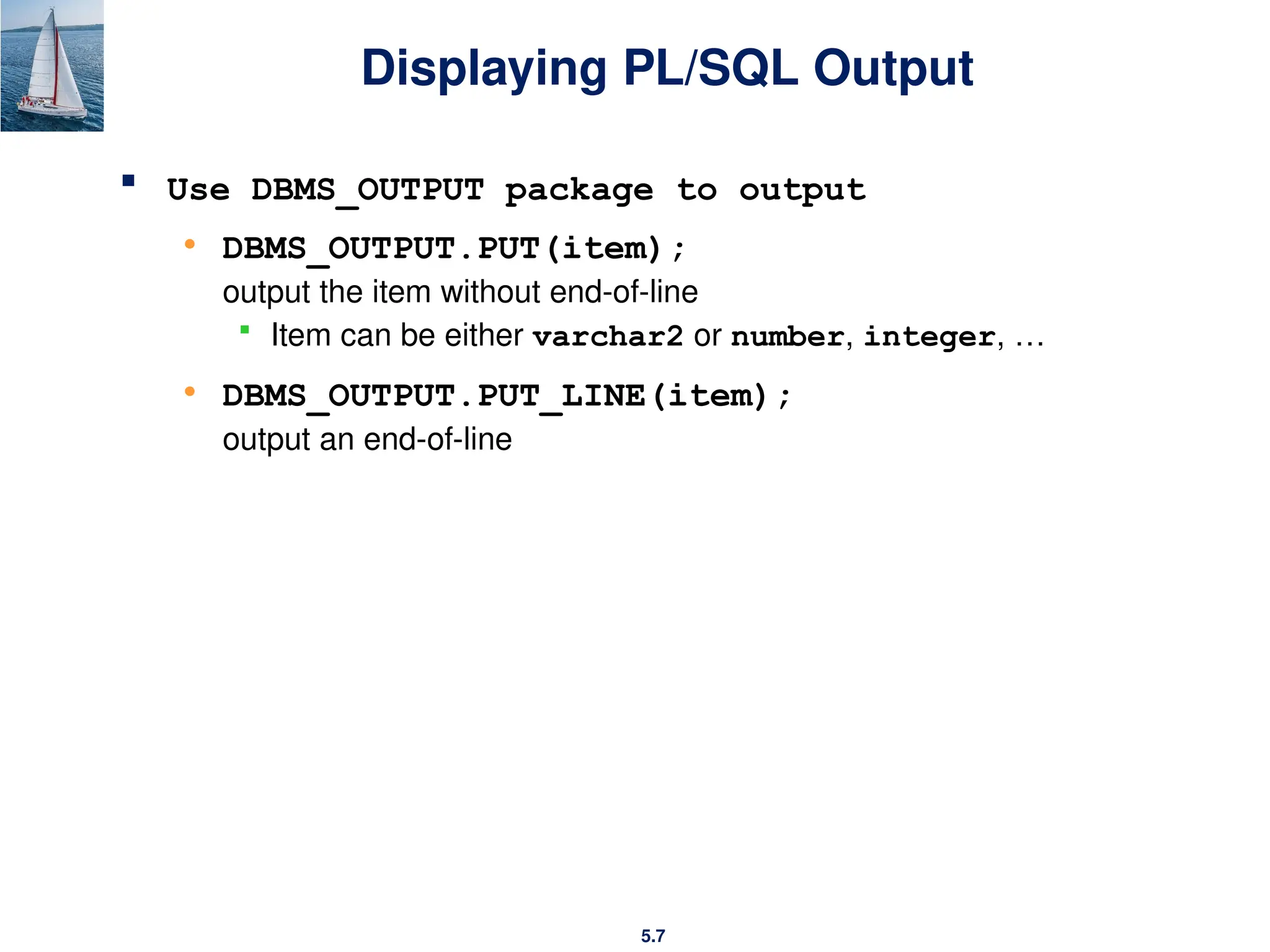
Displaying PL/SQL Output
 Use DBMS_OUTPUT package to output
• DBMS_OUTPUT.PUT(item);
output the item without end-of-line
 Item can be either varchar2 or number, integer, …
• DBMS_OUTPUT.PUT_LINE(item);
output an end-of-line
5.8
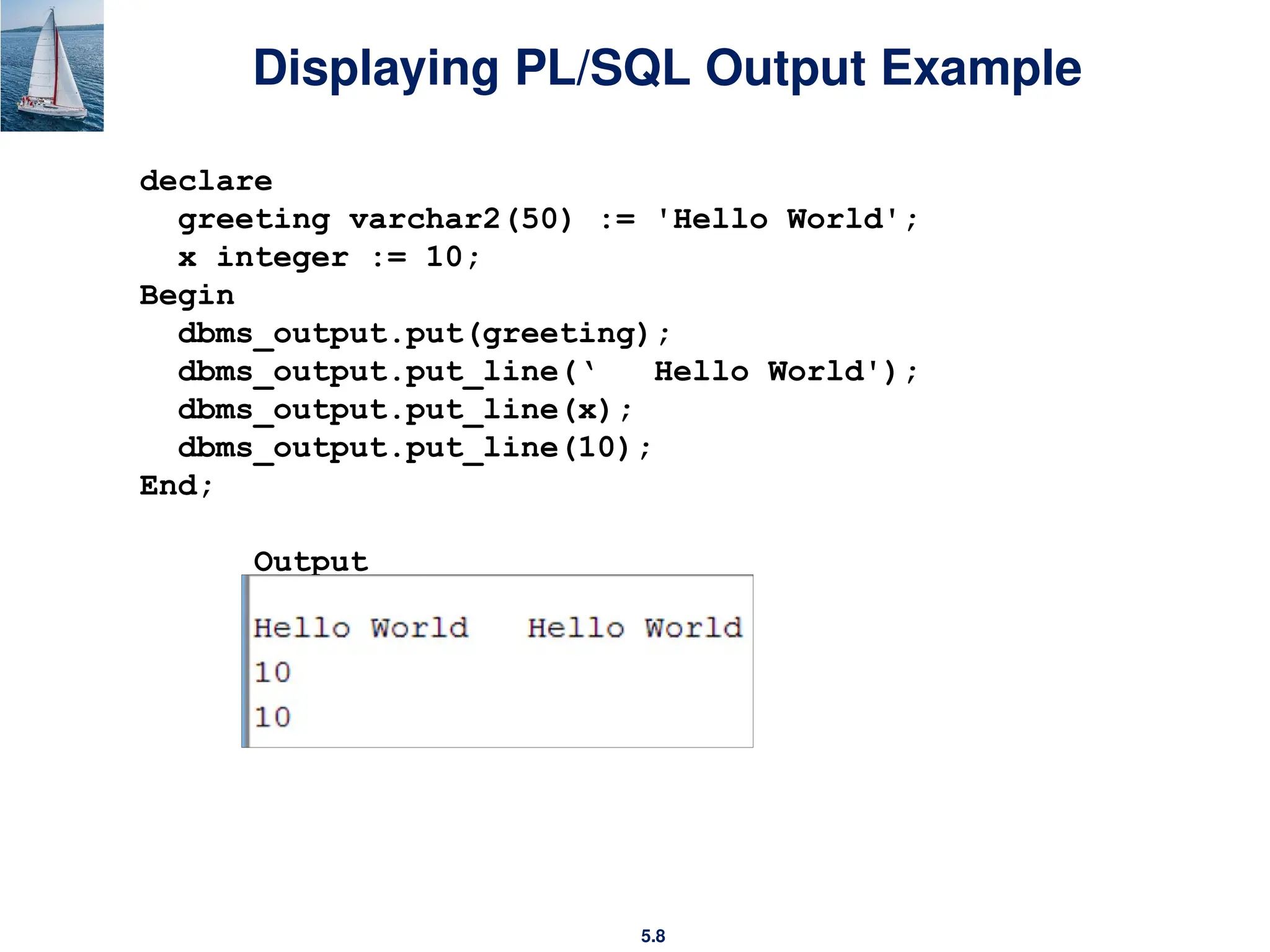
Displaying PL/SQL Output Example
declare
greeting varchar2(50) := 'Hello World';
x integer := 10;
Begin
dbms_output.put(greeting);
dbms_output.put_line(‘ Hello World');
dbms_output.put_line(x);
dbms_output.put_line(10);
End;
Output
5.9
Functions and Procedures
5.10
Functions and Procedures
 Functions and procedures allow “business logic” to be stored in the
database and executed from SQL statements.
 These can be defined either by the procedural component of SQL or
by an external programming language such as Java, C, or C++.
5.11
SQL Functions
The syntax for creating a function is as follows:
CREATE [OR REPLACE] FUNCTION function_name
(parameter datatype)
RETURN datatype
IS
BEGIN
function body
RETURN return_value;
END;
5.12
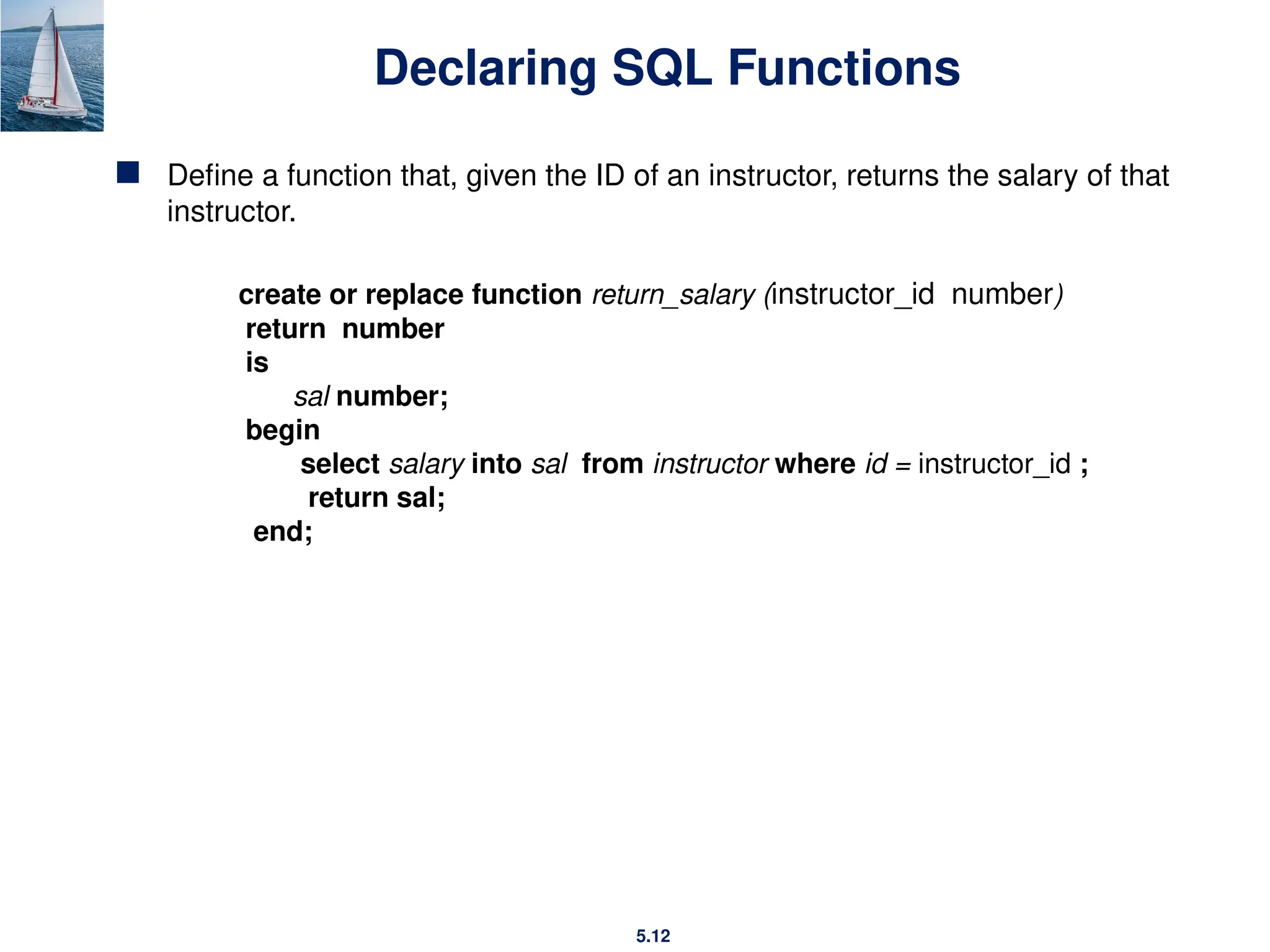
Declaring SQL Functions
 Define a function that, given the ID of an instructor, returns the salary of that
instructor.
create or replace function return_salary (instructor_id number)
return number
is
sal number;
begin
select salary into sal from instructor where id = instructor_id ;
return sal;
end;
5.13
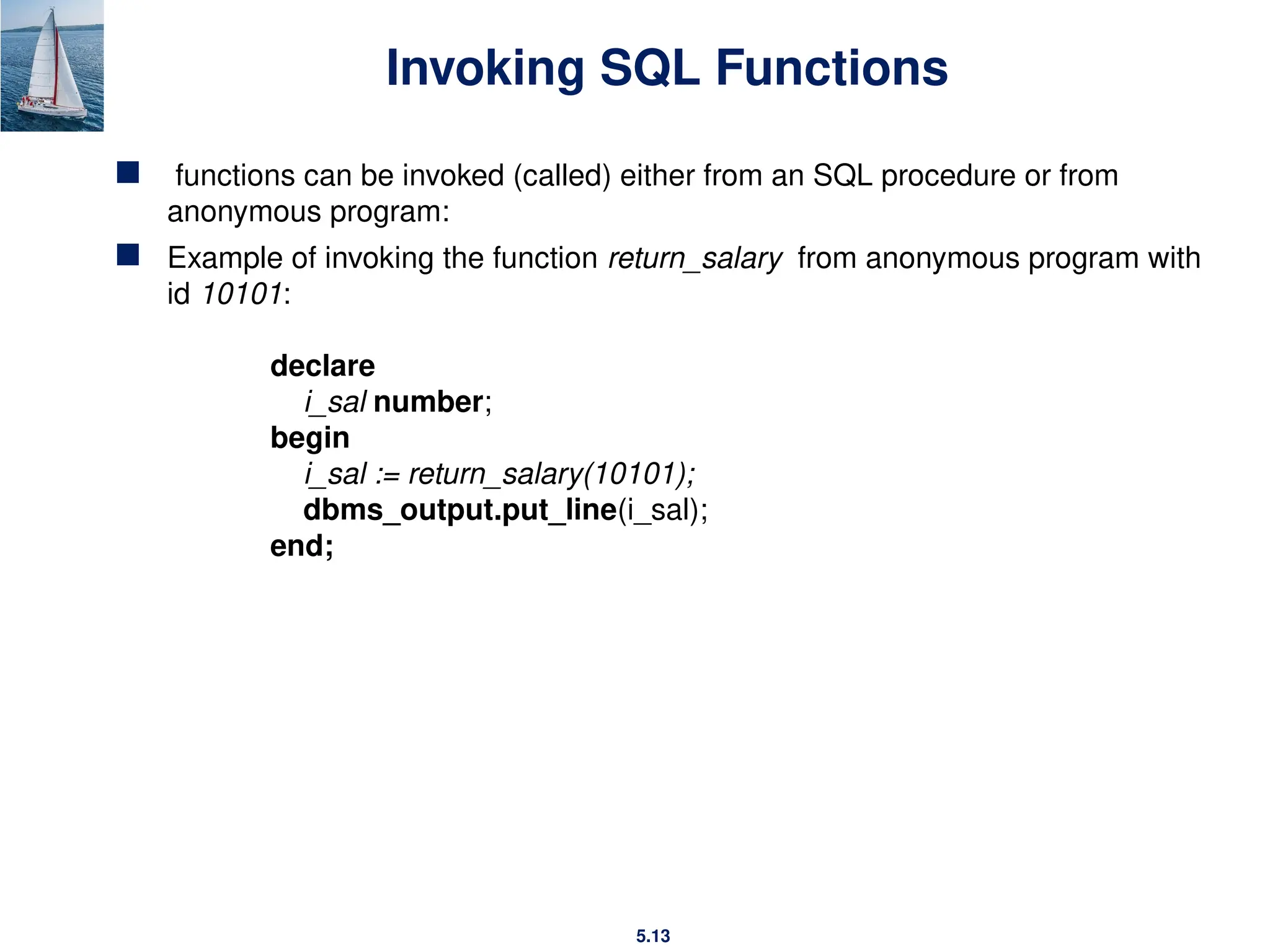
Invoking SQL Functions
 functions can be invoked (called) either from an SQL procedure or from
anonymous program:
 Example of invoking the function return_salary from anonymous program with
id 10101:
declare
i_sal number;
begin
i_sal := return_salary(10101);
dbms_output.put_line(i_sal);
end;
5.14
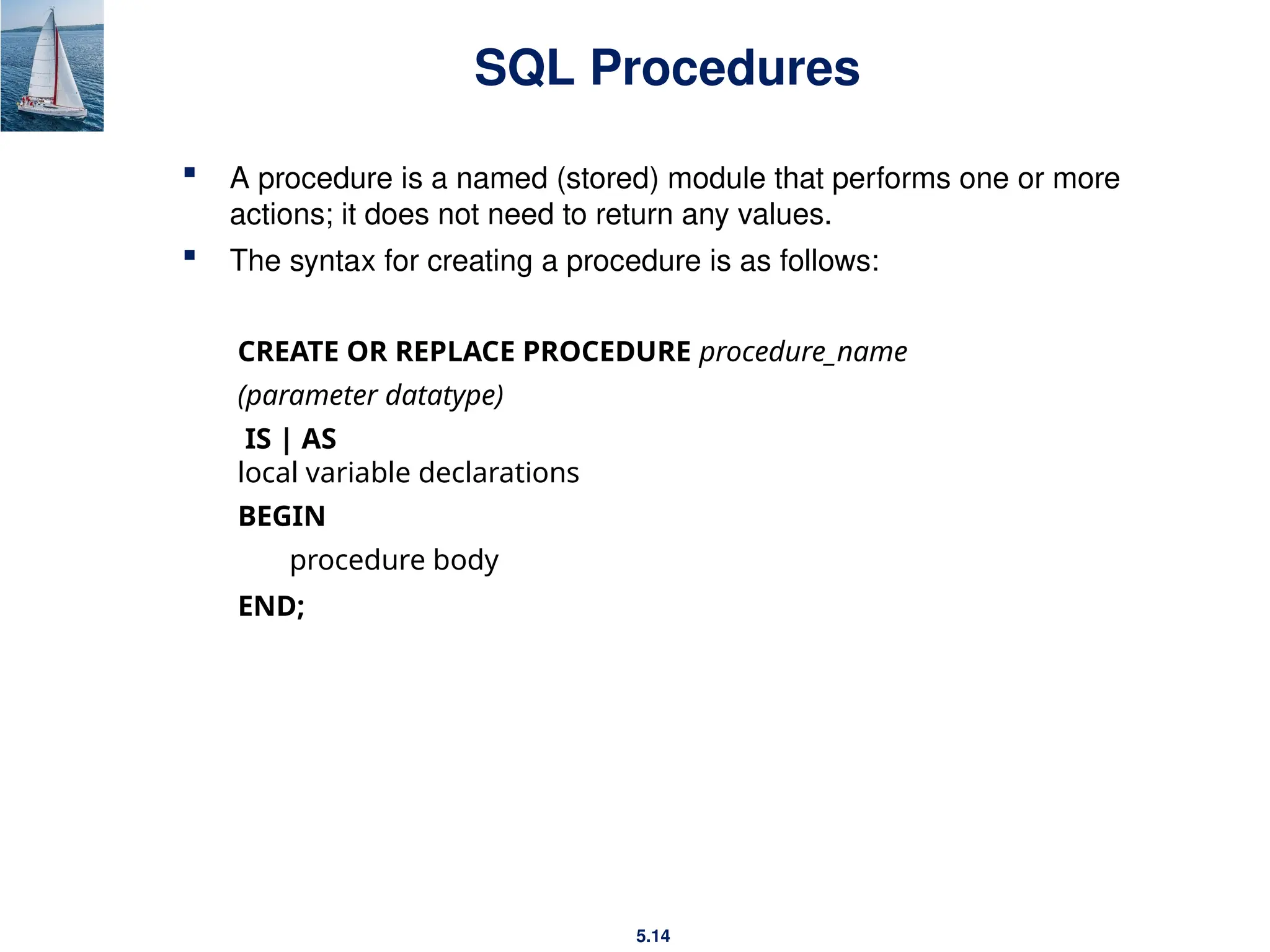
SQL Procedures
 A procedure is a named (stored) module that performs one or more
actions; it does not need to return any values.
 The syntax for creating a procedure is as follows:
CREATE OR REPLACE PROCEDURE procedure_name
(parameter datatype)
IS | AS
local variable declarations
BEGIN
procedure body
END;
5.15
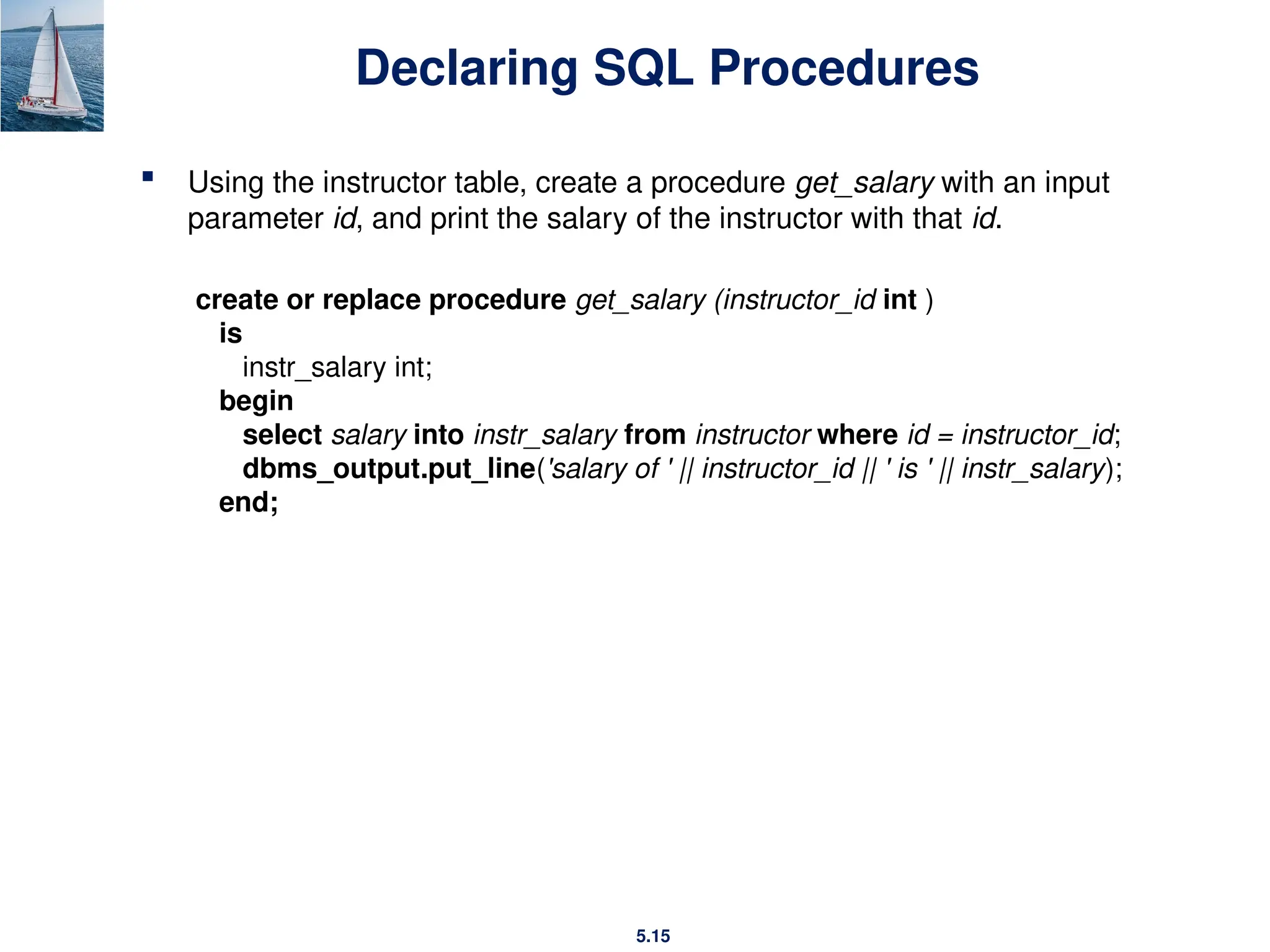
Declaring SQL Procedures
 Using the instructor table, create a procedure get_salary with an input
parameter id, and print the salary of the instructor with that id.
create or replace procedure get_salary (instructor_id int )
is
instr_salary int;
begin
select salary into instr_salary from instructor where id = instructor_id;
dbms_output.put_line('salary of ' || instructor_id || ' is ' || instr_salary);
end;
5.16
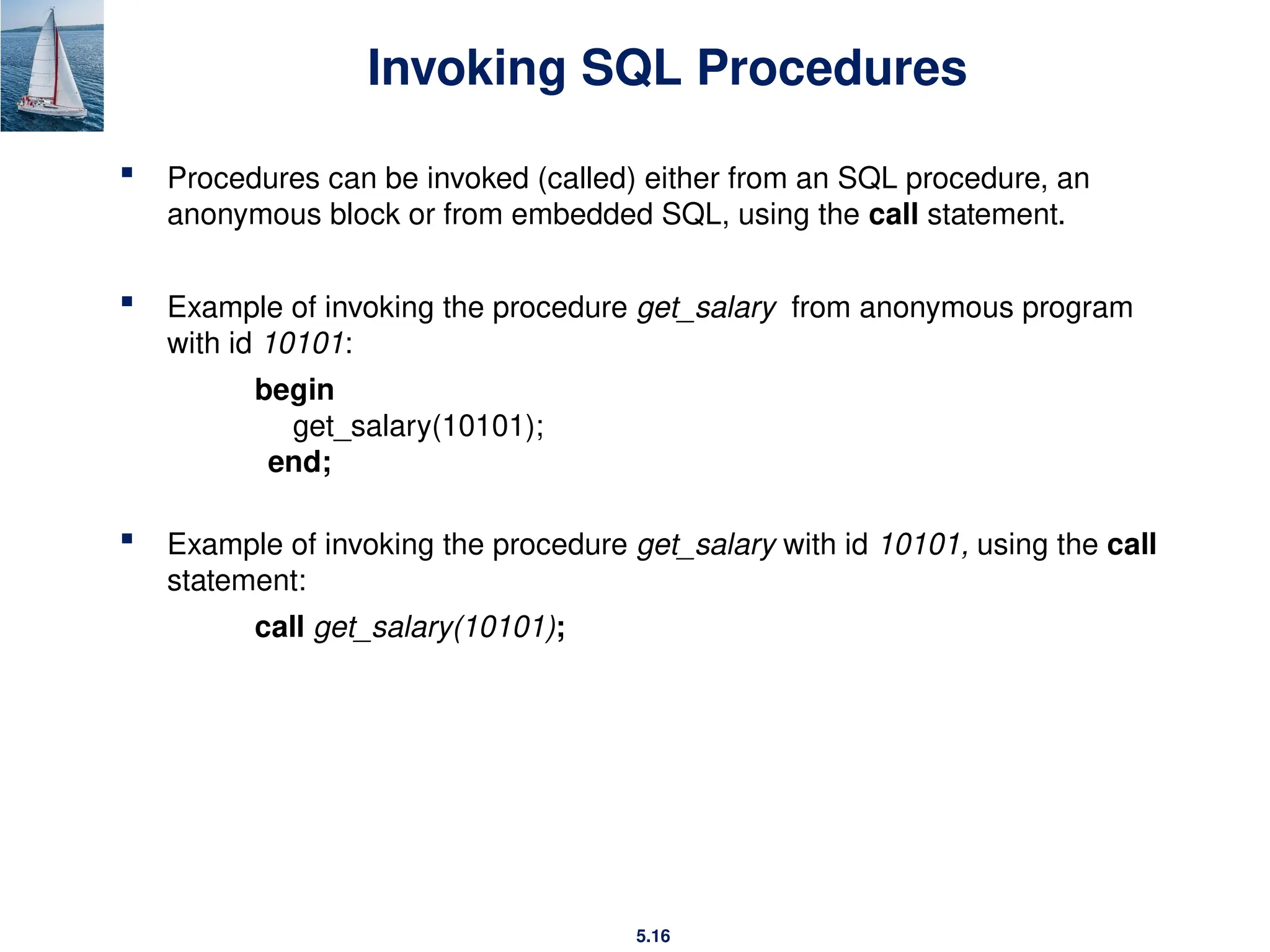
Invoking SQL Procedures
 Procedures can be invoked (called) either from an SQL procedure, an
anonymous block or from embedded SQL, using the call statement.
 Example of invoking the procedure get_salary from anonymous program
with id 10101:
begin
get_salary(10101);
end;
 Example of invoking the procedure get_salary with id 10101, using the call
statement:
call get_salary(10101);
5.17
Triggers
5.18
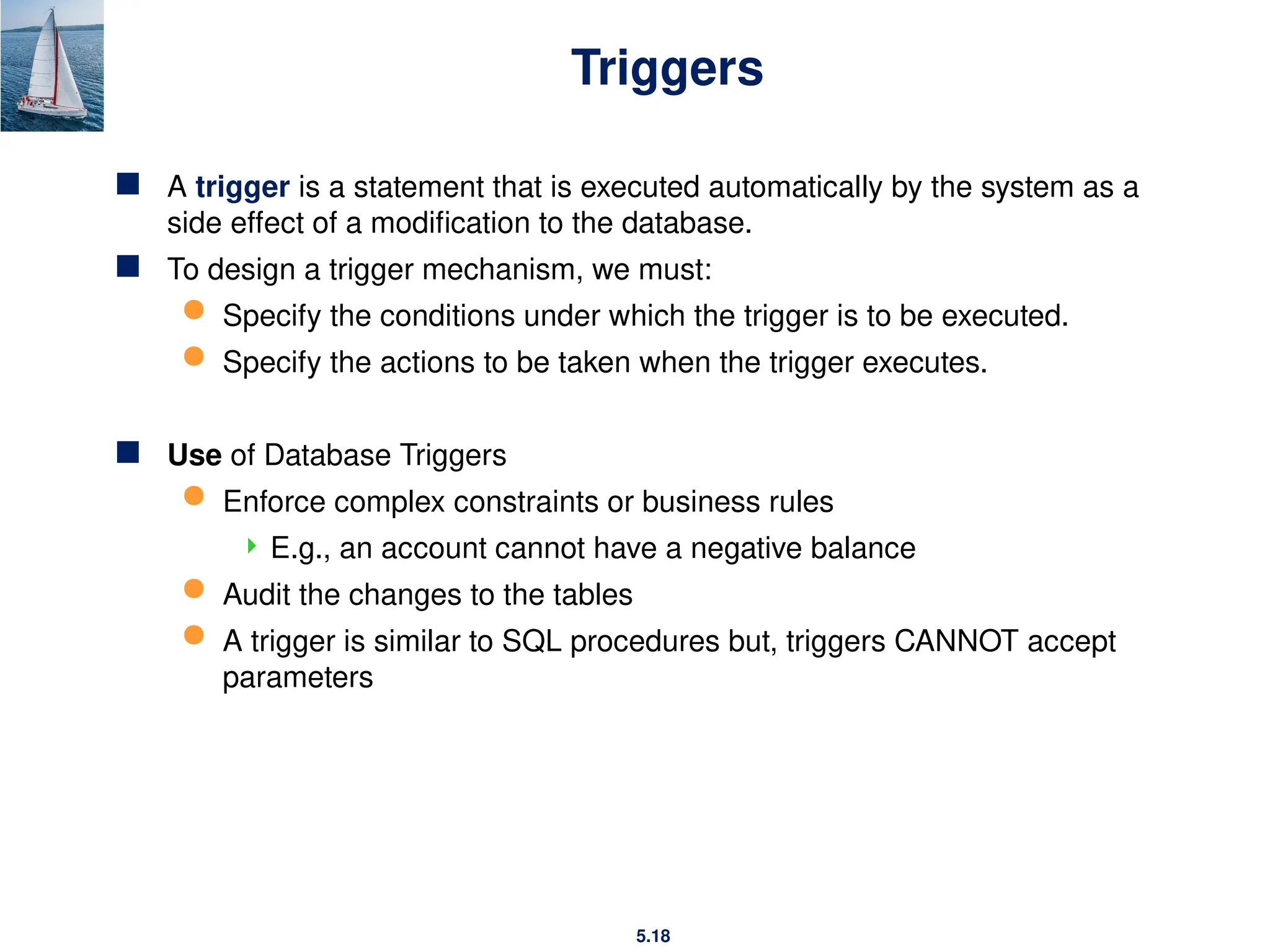
Triggers
 A trigger is a statement that is executed automatically by the system as a
side effect of a modification to the database.
 To design a trigger mechanism, we must:
 Specify the conditions under which the trigger is to be executed.
 Specify the actions to be taken when the trigger executes.
 Use of Database Triggers
 Enforce complex constraints or business rules
 E.g., an account cannot have a negative balance
 Audit the changes to the tables
 A trigger is similar to SQL procedures but, triggers CANNOT accept
parameters
5.19
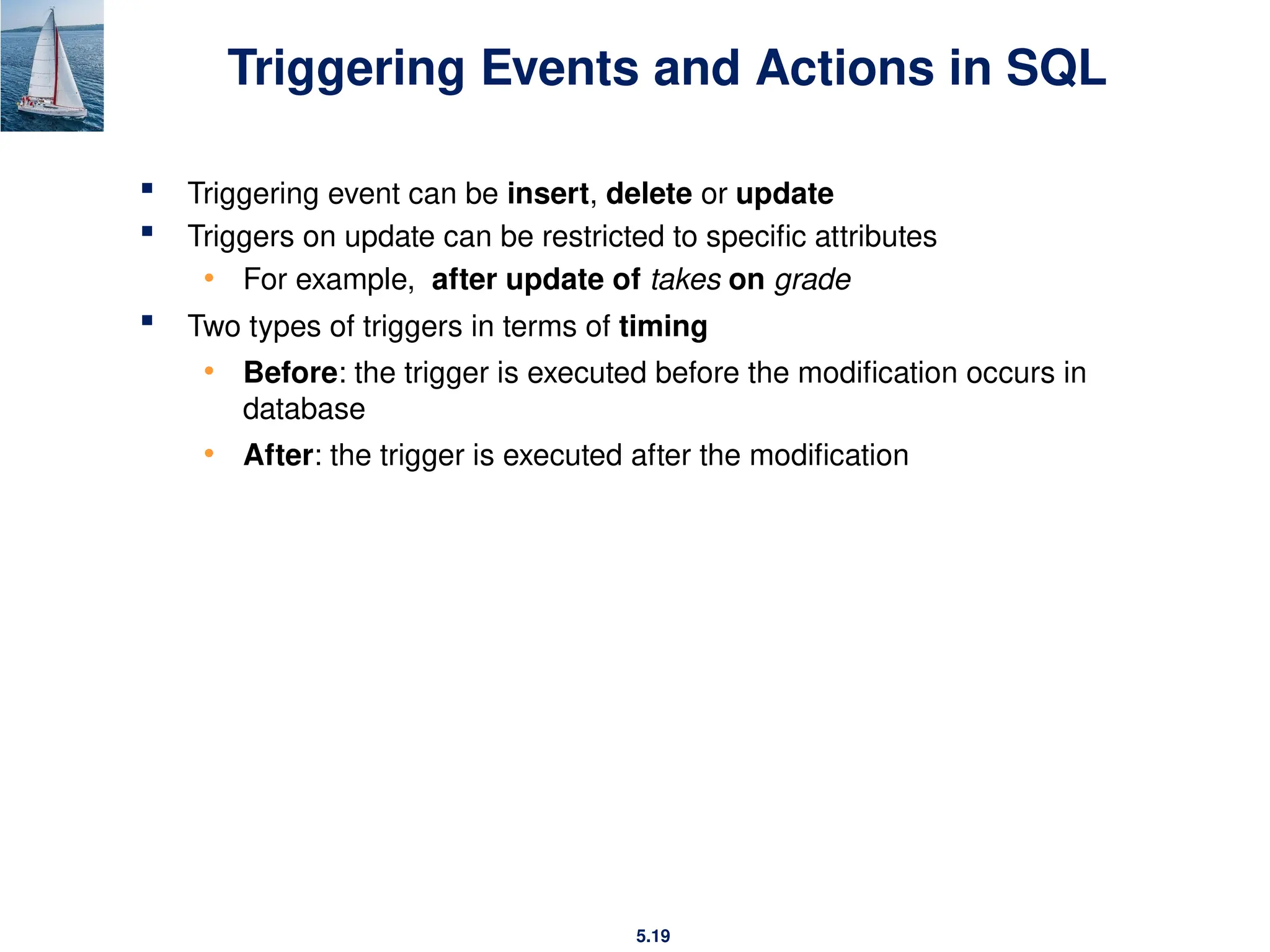
Triggering Events and Actions in SQL
 Triggering event can be insert, delete or update
 Triggers on update can be restricted to specific attributes
• For example, after update of takes on grade
 Two types of triggers in terms of timing
• Before: the trigger is executed before the modification occurs in
database
• After: the trigger is executed after the modification
5.20
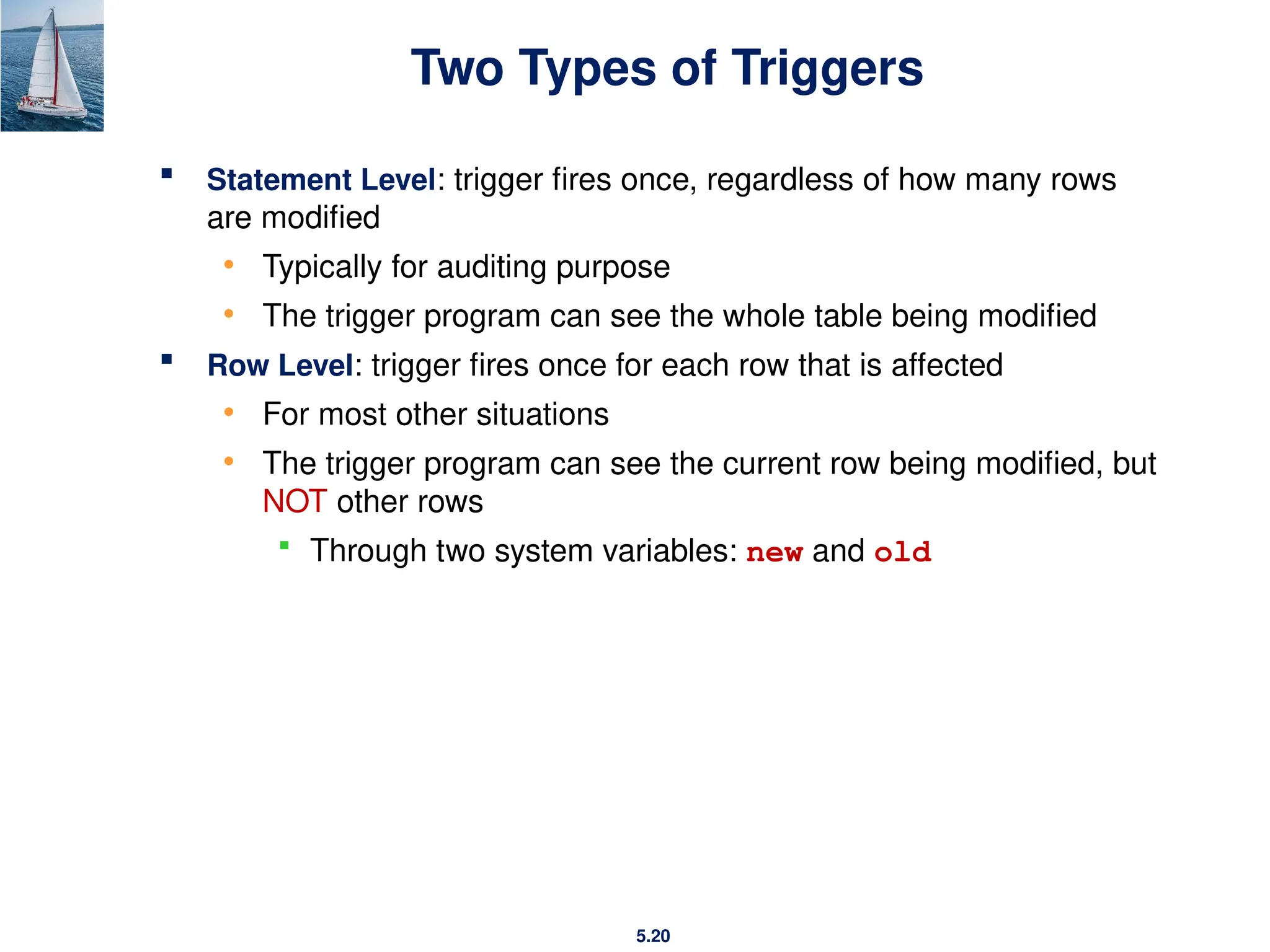
Two Types of Triggers
 Statement Level: trigger fires once, regardless of how many rows
are modified
• Typically for auditing purpose
• The trigger program can see the whole table being modified
 Row Level: trigger fires once for each row that is affected
• For most other situations
• The trigger program can see the current row being modified, but
NOT other rows
 Through two system variables: new and old
5.21
Creating a Statement-Level Trigger
CREATE OR REPLACE TRIGGER trigger_name
{BEFORE|AFTER} {INSERT or UPDATE or DELETE} ON
table_name
[DECLARE
declare local variables here]
BEGIN
trigger body
END;
-- {} is must
-- [] is optional
-- X | Y means X OR Y
• Use OR if you want to fire the trigger in multiple types
5.22
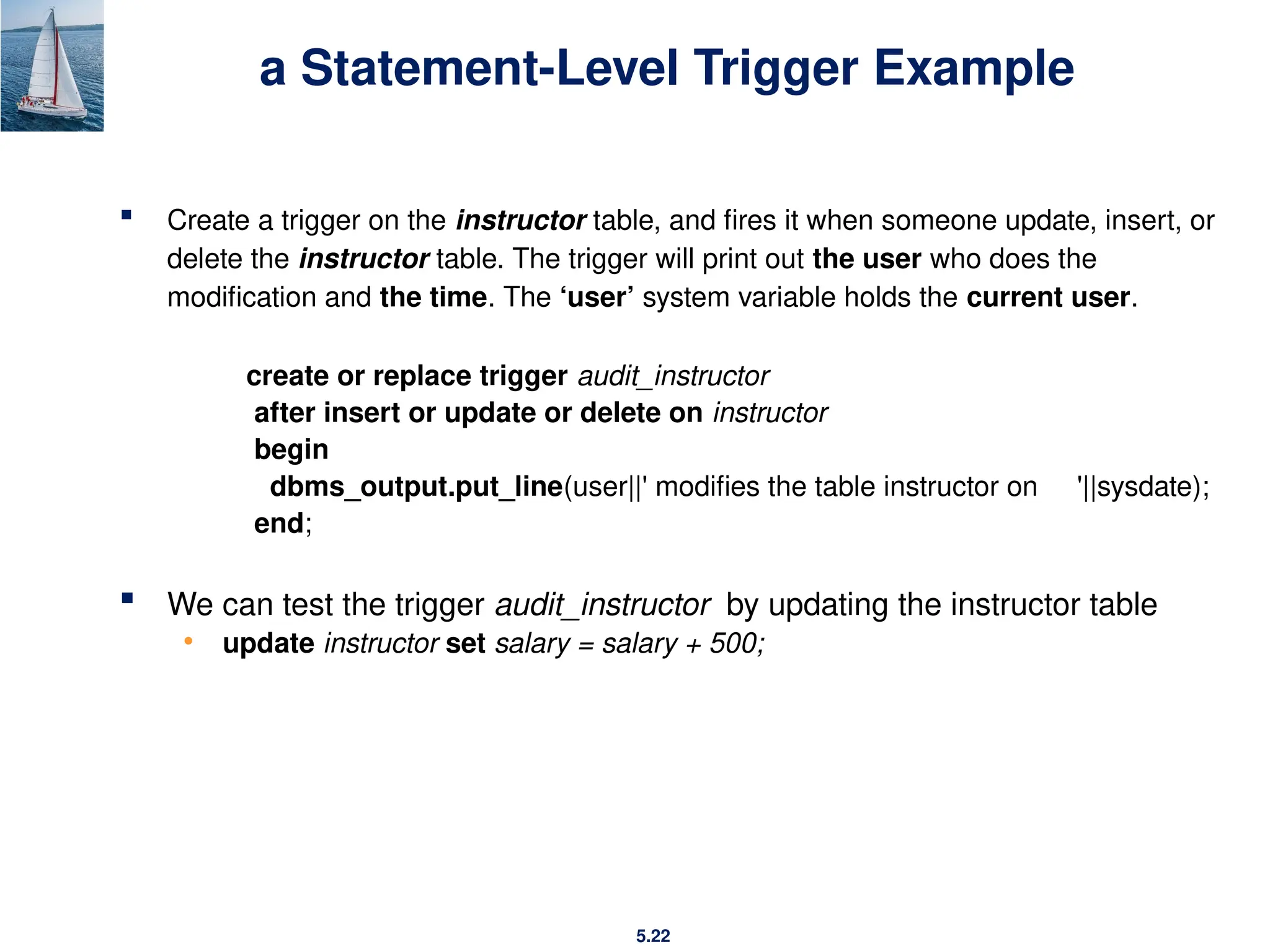
a Statement-Level Trigger Example
 Create a trigger on the instructor table, and fires it when someone update, insert, or
delete the instructor table. The trigger will print out the user who does the
modification and the time. The ‘user’ system variable holds the current user.
create or replace trigger audit_instructor
after insert or update or delete on instructor
begin
dbms_output.put_line(user||' modifies the table instructor on '||sysdate);
end;
 We can test the trigger audit_instructor by updating the instructor table
• update instructor set salary = salary + 500;
5.23
Creating a Row-Level Trigger
CREATE OR REPLACE TRIGGER trigger_name
{BEFORE|AFTER} {INSERT or UPDATE or DELETE} ON
table_name
FOR EACH ROW [WHEN (condition)]
[DECLARE …]
BEGIN
trigger body
END;
--{} is must
--[] is optional
--X | Y means X or Y
5.24
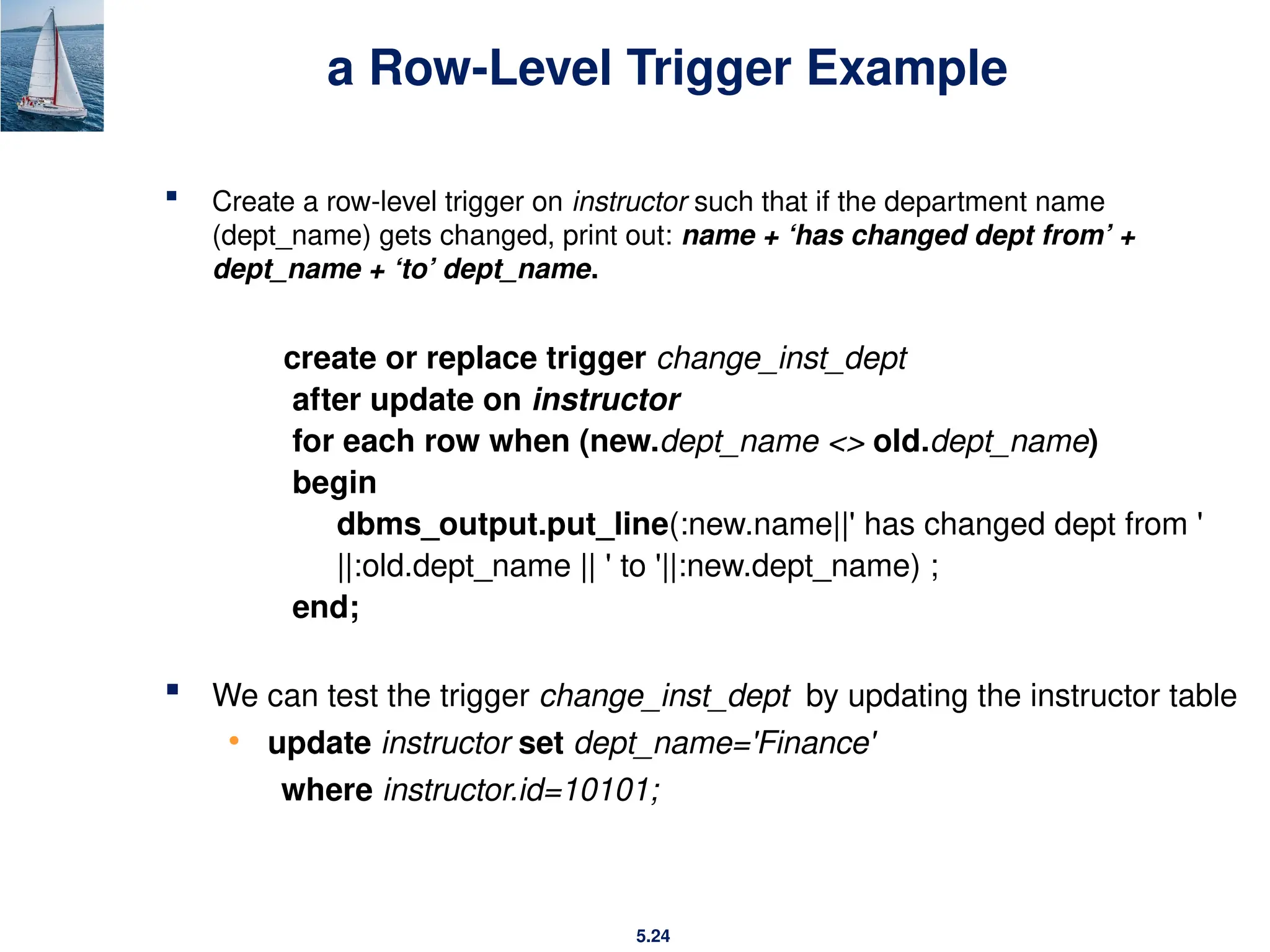
a Row-Level Trigger Example
 Create a row-level trigger on instructor such that if the department name
(dept_name) gets changed, print out: name + ‘has changed dept from’ +
dept_name + ‘to’ dept_name.
create or replace trigger change_inst_dept
after update on instructor
for each row when (new.dept_name <> old.dept_name)
begin
dbms_output.put_line(:new.name||' has changed dept from '
||:old.dept_name || ' to '||:new.dept_name) ;
end;
 We can test the trigger change_inst_dept by updating the instructor table
• update instructor set dept_name='Finance'
where instructor.id=10101;
5.25
End of Chapter 5

ch5-Advanced SQL_ database management .pptx

  • 1.
  • 2.
    5.2 Outline  Structure ofPL/SQL  Functions and Procedures  Triggers
  • 3.
    5.3 Structure of PL/SQL PL/SQL is Block Structured A block is the basic unit from which all PL/SQL programs are built. A block can be named (functions and procedures) or anonymous
  • 4.
    5.4 Anonymous PL/SQL Programs(blocks)  Program has no name  Code is NOT stored in database (discarded after execution)  Code can be stored as a script file in local file system, but you have to manually save & load it  Cannot accept or pass parameter values
  • 5.
    5.5 Anonymous PL/SQL Programs(blocks)  Basic Structure: declare declaration of variables; begin statements; exception handle exceptions; end;  The subprogram is unnamed and can be used only once  declare section is optional  exception section is also optional  Must have begin … end;
  • 6.
    5.6 Named PL/SQL Programs(blocks)  Stored • As compiled objects in database (functions, procedures)  Can take parameters as input  Can be called by other programs  Can be executed by other users
  • 7.
    5.7 Displaying PL/SQL Output Use DBMS_OUTPUT package to output • DBMS_OUTPUT.PUT(item); output the item without end-of-line  Item can be either varchar2 or number, integer, … • DBMS_OUTPUT.PUT_LINE(item); output an end-of-line
  • 8.
    5.8 Displaying PL/SQL OutputExample declare greeting varchar2(50) := 'Hello World'; x integer := 10; Begin dbms_output.put(greeting); dbms_output.put_line(‘ Hello World'); dbms_output.put_line(x); dbms_output.put_line(10); End; Output
  • 9.
  • 10.
    5.10 Functions and Procedures Functions and procedures allow “business logic” to be stored in the database and executed from SQL statements.  These can be defined either by the procedural component of SQL or by an external programming language such as Java, C, or C++.
  • 11.
    5.11 SQL Functions The syntaxfor creating a function is as follows: CREATE [OR REPLACE] FUNCTION function_name (parameter datatype) RETURN datatype IS BEGIN function body RETURN return_value; END;
  • 12.
    5.12 Declaring SQL Functions Define a function that, given the ID of an instructor, returns the salary of that instructor. create or replace function return_salary (instructor_id number) return number is sal number; begin select salary into sal from instructor where id = instructor_id ; return sal; end;
  • 13.
    5.13 Invoking SQL Functions functions can be invoked (called) either from an SQL procedure or from anonymous program:  Example of invoking the function return_salary from anonymous program with id 10101: declare i_sal number; begin i_sal := return_salary(10101); dbms_output.put_line(i_sal); end;
  • 14.
    5.14 SQL Procedures  Aprocedure is a named (stored) module that performs one or more actions; it does not need to return any values.  The syntax for creating a procedure is as follows: CREATE OR REPLACE PROCEDURE procedure_name (parameter datatype) IS | AS local variable declarations BEGIN procedure body END;
  • 15.
    5.15 Declaring SQL Procedures Using the instructor table, create a procedure get_salary with an input parameter id, and print the salary of the instructor with that id. create or replace procedure get_salary (instructor_id int ) is instr_salary int; begin select salary into instr_salary from instructor where id = instructor_id; dbms_output.put_line('salary of ' || instructor_id || ' is ' || instr_salary); end;
  • 16.
    5.16 Invoking SQL Procedures Procedures can be invoked (called) either from an SQL procedure, an anonymous block or from embedded SQL, using the call statement.  Example of invoking the procedure get_salary from anonymous program with id 10101: begin get_salary(10101); end;  Example of invoking the procedure get_salary with id 10101, using the call statement: call get_salary(10101);
  • 17.
  • 18.
    5.18 Triggers  A triggeris a statement that is executed automatically by the system as a side effect of a modification to the database.  To design a trigger mechanism, we must:  Specify the conditions under which the trigger is to be executed.  Specify the actions to be taken when the trigger executes.  Use of Database Triggers  Enforce complex constraints or business rules  E.g., an account cannot have a negative balance  Audit the changes to the tables  A trigger is similar to SQL procedures but, triggers CANNOT accept parameters
  • 19.
    5.19 Triggering Events andActions in SQL  Triggering event can be insert, delete or update  Triggers on update can be restricted to specific attributes • For example, after update of takes on grade  Two types of triggers in terms of timing • Before: the trigger is executed before the modification occurs in database • After: the trigger is executed after the modification
  • 20.
    5.20 Two Types ofTriggers  Statement Level: trigger fires once, regardless of how many rows are modified • Typically for auditing purpose • The trigger program can see the whole table being modified  Row Level: trigger fires once for each row that is affected • For most other situations • The trigger program can see the current row being modified, but NOT other rows  Through two system variables: new and old
  • 21.
    5.21 Creating a Statement-LevelTrigger CREATE OR REPLACE TRIGGER trigger_name {BEFORE|AFTER} {INSERT or UPDATE or DELETE} ON table_name [DECLARE declare local variables here] BEGIN trigger body END; -- {} is must -- [] is optional -- X | Y means X OR Y • Use OR if you want to fire the trigger in multiple types
  • 22.
    5.22 a Statement-Level TriggerExample  Create a trigger on the instructor table, and fires it when someone update, insert, or delete the instructor table. The trigger will print out the user who does the modification and the time. The ‘user’ system variable holds the current user. create or replace trigger audit_instructor after insert or update or delete on instructor begin dbms_output.put_line(user||' modifies the table instructor on '||sysdate); end;  We can test the trigger audit_instructor by updating the instructor table • update instructor set salary = salary + 500;
  • 23.
    5.23 Creating a Row-LevelTrigger CREATE OR REPLACE TRIGGER trigger_name {BEFORE|AFTER} {INSERT or UPDATE or DELETE} ON table_name FOR EACH ROW [WHEN (condition)] [DECLARE …] BEGIN trigger body END; --{} is must --[] is optional --X | Y means X or Y
  • 24.
    5.24 a Row-Level TriggerExample  Create a row-level trigger on instructor such that if the department name (dept_name) gets changed, print out: name + ‘has changed dept from’ + dept_name + ‘to’ dept_name. create or replace trigger change_inst_dept after update on instructor for each row when (new.dept_name <> old.dept_name) begin dbms_output.put_line(:new.name||' has changed dept from ' ||:old.dept_name || ' to '||:new.dept_name) ; end;  We can test the trigger change_inst_dept by updating the instructor table • update instructor set dept_name='Finance' where instructor.id=10101;
  • 25.