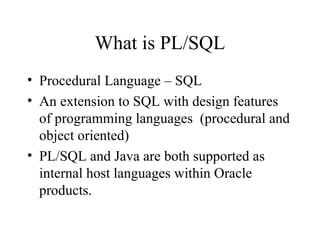
What is PL/SQL
•Procedural Language – SQL
• An extension to SQL with design features
of programming languages (procedural and
object oriented)
• PL/SQL and Java are both supported as
internal host languages within Oracle
products.
3.
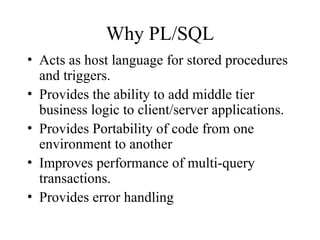
Why PL/SQL
• Actsas host language for stored procedures
and triggers.
• Provides the ability to add middle tier
business logic to client/server applications.
• Provides Portability of code from one
environment to another
• Improves performance of multi-query
transactions.
• Provides error handling
4.
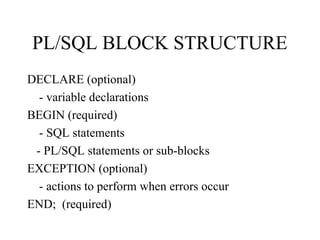
PL/SQL BLOCK STRUCTURE
DECLARE(optional)
- variable declarations
BEGIN (required)
- SQL statements
- PL/SQL statements or sub-blocks
EXCEPTION (optional)
- actions to perform when errors occur
END; (required)
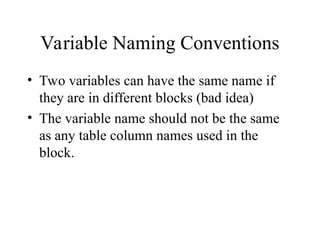
Variable Naming Conventions
•Two variables can have the same name if
they are in different blocks (bad idea)
• The variable name should not be the same
as any table column names used in the
block.
8.
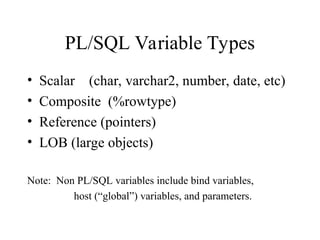
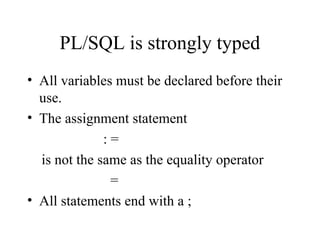
PL/SQL is stronglytyped
• All variables must be declared before their
use.
• The assignment statement
: =
is not the same as the equality operator
=
• All statements end with a ;
9.
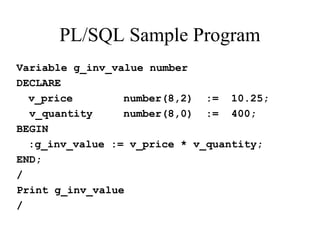
PL/SQL Sample Program
Variableg_inv_value number
DECLARE
v_price number(8,2) := 10.25;
v_quantity number(8,0) := 400;
BEGIN
:g_inv_value := v_price * v_quantity;
END;
/
Print g_inv_value
/
10.
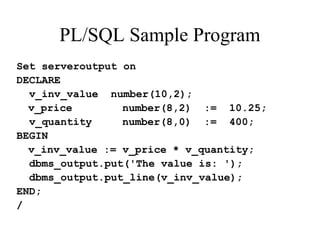
PL/SQL Sample Program
Setserveroutput on
DECLARE
v_inv_value number(10,2);
v_price number(8,2) := 10.25;
v_quantity number(8,0) := 400;
BEGIN
v_inv_value := v_price * v_quantity;
dbms_output.put('The value is: ');
dbms_output.put_line(v_inv_value);
END;
/
11.
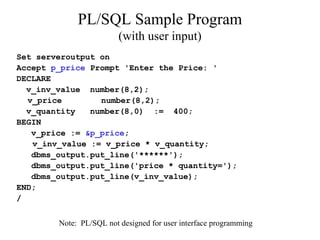
PL/SQL Sample Program
(withuser input)
Set serveroutput on
Accept p_price Prompt 'Enter the Price: '
DECLARE
v_inv_value number(8,2);
v_price number(8,2);
v_quantity number(8,0) := 400;
BEGIN
v_price := &p_price;
v_inv_value := v_price * v_quantity;
dbms_output.put_line('******');
dbms_output.put_line('price * quantity=');
dbms_output.put_line(v_inv_value);
END;
/
Note: PL/SQL not designed for user interface programming
12.
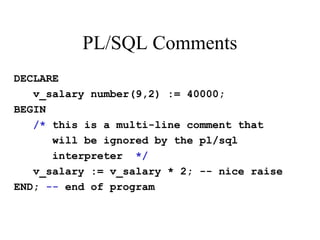
PL/SQL Comments
DECLARE
v_salary number(9,2):= 40000;
BEGIN
/* this is a multi-line comment that
will be ignored by the pl/sql
interpreter */
v_salary := v_salary * 2; -- nice raise
END; -- end of program
13.
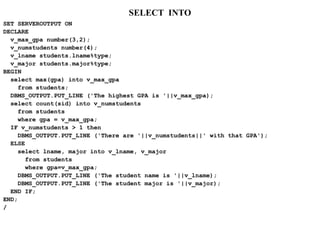
SELECT INTO
SET SERVEROUTPUTON
DECLARE
v_max_gpa number(3,2);
v_numstudents number(4);
v_lname students.lname%type;
v_major students.major%type;
BEGIN
select max(gpa) into v_max_gpa
from students;
DBMS_OUTPUT.PUT_LINE ('The highest GPA is '||v_max_gpa);
select count(sid) into v_numstudents
from students
where gpa = v_max_gpa;
IF v_numstudents > 1 then
DBMS_OUTPUT.PUT_LINE ('There are '||v_numstudents||' with that GPA');
ELSE
select lname, major into v_lname, v_major
from students
where gpa=v_max_gpa;
DBMS_OUTPUT.PUT_LINE ('The student name is '||v_lname);
DBMS_OUTPUT.PUT_LINE ('The student major is '||v_major);
END IF;
END;
/
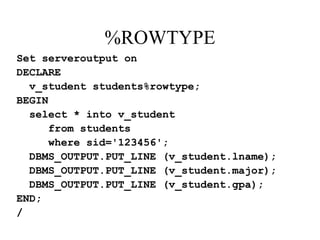
%ROWTYPE
Set serveroutput on
DECLARE
v_studentstudents%rowtype;
BEGIN
select * into v_student
from students
where sid='123456';
DBMS_OUTPUT.PUT_LINE (v_student.lname);
DBMS_OUTPUT.PUT_LINE (v_student.major);
DBMS_OUTPUT.PUT_LINE (v_student.gpa);
END;
/
17.
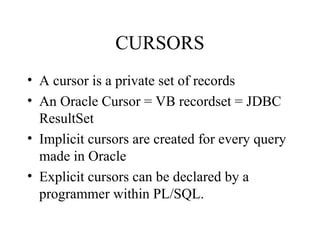
CURSORS
• A cursoris a private set of records
• An Oracle Cursor = VB recordset = JDBC
ResultSet
• Implicit cursors are created for every query
made in Oracle
• Explicit cursors can be declared by a
programmer within PL/SQL.
18.
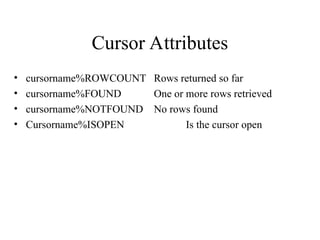
Cursor Attributes
• cursorname%ROWCOUNTRows returned so far
• cursorname%FOUND One or more rows retrieved
• cursorname%NOTFOUND No rows found
• Cursorname%ISOPEN Is the cursor open
19.
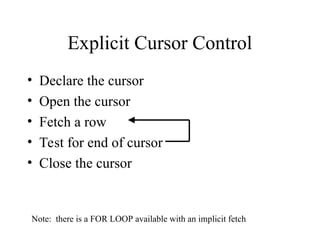
Explicit Cursor Control
•Declare the cursor
• Open the cursor
• Fetch a row
• Test for end of cursor
• Close the cursor
Note: there is a FOR LOOP available with an implicit fetch
20.
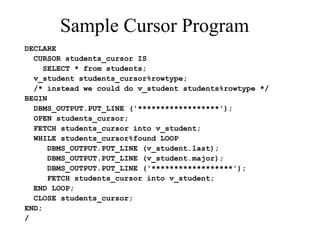
Sample Cursor Program
DECLARE
CURSORstudents_cursor IS
SELECT * from students;
v_student students_cursor%rowtype;
/* instead we could do v_student students%rowtype */
BEGIN
DBMS_OUTPUT.PUT_LINE ('******************');
OPEN students_cursor;
FETCH students_cursor into v_student;
WHILE students_cursor%found LOOP
DBMS_OUTPUT.PUT_LINE (v_student.last);
DBMS_OUTPUT.PUT_LINE (v_student.major);
DBMS_OUTPUT.PUT_LINE ('******************');
FETCH students_cursor into v_student;
END LOOP;
CLOSE students_cursor;
END;
/
21.
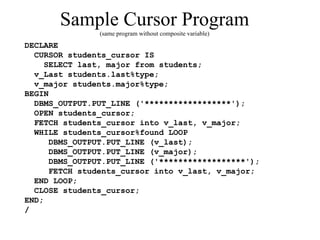
Sample Cursor Program
(sameprogram without composite variable)
DECLARE
CURSOR students_cursor IS
SELECT last, major from students;
v_Last students.last%type;
v_major students.major%type;
BEGIN
DBMS_OUTPUT.PUT_LINE ('******************');
OPEN students_cursor;
FETCH students_cursor into v_last, v_major;
WHILE students_cursor%found LOOP
DBMS_OUTPUT.PUT_LINE (v_last);
DBMS_OUTPUT.PUT_LINE (v_major);
DBMS_OUTPUT.PUT_LINE ('******************');
FETCH students_cursor into v_last, v_major;
END LOOP;
CLOSE students_cursor;
END;
/
22.
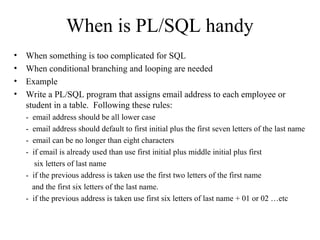
When is PL/SQLhandy
• When something is too complicated for SQL
• When conditional branching and looping are needed
• Example
• Write a PL/SQL program that assigns email address to each employee or
student in a table. Following these rules:
- email address should be all lower case
- email address should default to first initial plus the first seven letters of the last name
- email can be no longer than eight characters
- if email is already used than use first initial plus middle initial plus first
six letters of last name
- if the previous address is taken use the first two letters of the first name
and the first six letters of the last name.
- if the previous address is taken use first six letters of last name + 01 or 02 …etc
23.
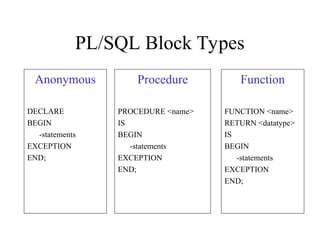
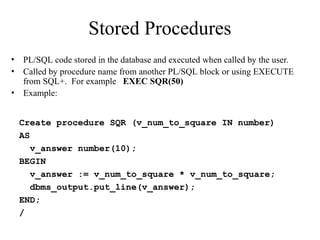
Stored Procedures
• PL/SQLcode stored in the database and executed when called by the user.
• Called by procedure name from another PL/SQL block or using EXECUTE
from SQL+. For example EXEC SQR(50)
• Example:
Create procedure SQR (v_num_to_square IN number)
AS
v_answer number(10);
BEGIN
v_answer := v_num_to_square * v_num_to_square;
dbms_output.put_line(v_answer);
END;
/
24.
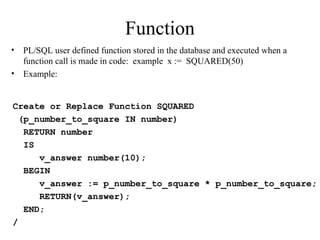
Function
• PL/SQL userdefined function stored in the database and executed when a
function call is made in code: example x := SQUARED(50)
• Example:
Create or Replace Function SQUARED
(p_number_to_square IN number)
RETURN number
IS
v_answer number(10);
BEGIN
v_answer := p_number_to_square * p_number_to_square;
RETURN(v_answer);
END;
/
25.
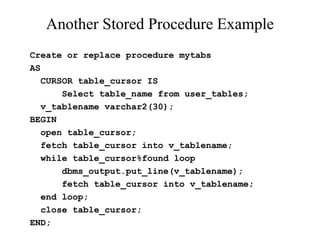
Another Stored ProcedureExample
Create or replace procedure mytabs
AS
CURSOR table_cursor IS
Select table_name from user_tables;
v_tablename varchar2(30);
BEGIN
open table_cursor;
fetch table_cursor into v_tablename;
while table_cursor%found loop
dbms_output.put_line(v_tablename);
fetch table_cursor into v_tablename;
end loop;
close table_cursor;
END;
26.
Triggers
• PL/SQL codeexecuted automatically in response to a database event, typically
DML.
• Like other stored procedures, triggers are stored in the database.
• Often used to:
– enforce complex constraints, especially multi-table constraints. Financial posting
is an example of this.
– Trigger related actions
– implement auditing “logs”
– pop a sequence when creating token keys
• Triggers do not issue transaction control statements (such as commit).
Triggers are part of the SQL transaction that invoked them.
• USER_TRIGGERS provides a data dictionary view of triggers.
27.
Triggers
CREATE OR REPLACETRIGGER <trigger_name>
[BEFORE/AFTER][DELETE/INSERT/UPDATE of <column_name |, column_name… |>
ON <table_name>
|FOR EACH ROW|
|WHEN <triggering condition>|
|DECLARE|
BEGIN
trigger statements
…………
END;
To delete a trigger use:
DROP TRIGGER <trigger_name>;
28.
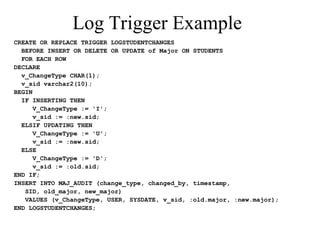
Log Trigger Example
CREATEOR REPLACE TRIGGER LOGSTUDENTCHANGES
BEFORE INSERT OR DELETE OR UPDATE of Major ON STUDENTS
FOR EACH ROW
DECLARE
v_ChangeType CHAR(1);
v_sid varchar2(10);
BEGIN
IF INSERTING THEN
V_ChangeType := 'I';
v_sid := :new.sid;
ELSIF UPDATING THEN
V_ChangeType := 'U';
v_sid := :new.sid;
ELSE
V_ChangeType := 'D';
v_sid := :old.sid;
END IF;
INSERT INTO MAJ_AUDIT (change_type, changed_by, timestamp,
SID, old_major, new_major)
VALUES (v_ChangeType, USER, SYSDATE, v_sid, :old.major, :new.major);
END LOGSTUDENTCHANGES;
29.
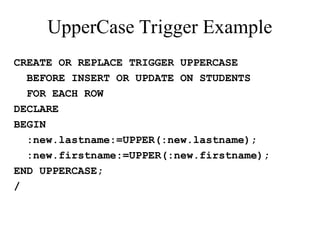
UpperCase Trigger Example
CREATEOR REPLACE TRIGGER UPPERCASE
BEFORE INSERT OR UPDATE ON STUDENTS
FOR EACH ROW
DECLARE
BEGIN
:new.lastname:=UPPER(:new.lastname);
:new.firstname:=UPPER(:new.firstname);
END UPPERCASE;
/
30.
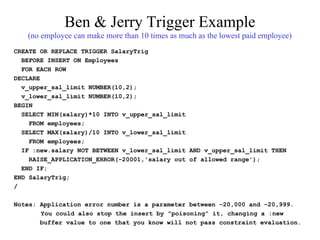
Ben & JerryTrigger Example
(no employee can make more than 10 times as much as the lowest paid employee)
CREATE OR REPLACE TRIGGER SalaryTrig
BEFORE INSERT ON Employees
FOR EACH ROW
DECLARE
v_upper_sal_limit NUMBER(10,2);
v_lower_sal_limit NUMBER(10,2);
BEGIN
SELECT MIN(salary)*10 INTO v_upper_sal_limit
FROM employees;
SELECT MAX(salary)/10 INTO v_lower_sal_limit
FROM employees;
IF :new.salary NOT BETWEEN v_lower_sal_limit AND v_upper_sal_limit THEN
RAISE_APPLICATION_ERROR(-20001,'salary out of allowed range');
END IF;
END SalaryTrig;
/
Notes: Application error number is a parameter between –20,000 and –20,999.
You could also stop the insert by "poisoning" it, changing a :new
buffer value to one that you know will not pass constraint evaluation.
31.
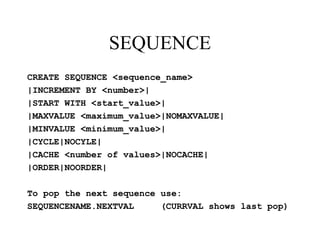
SEQUENCE
CREATE SEQUENCE <sequence_name>
|INCREMENTBY <number>|
|START WITH <start_value>|
|MAXVALUE <maximum_value>|NOMAXVALUE|
|MINVALUE <minimum_value>|
|CYCLE|NOCYLE|
|CACHE <number of values>|NOCACHE|
|ORDER|NOORDER|
To pop the next sequence use:
SEQUENCENAME.NEXTVAL (CURRVAL shows last pop)
![Triggers
CREATE OR REPLACE TRIGGER <trigger_name>
[BEFORE/AFTER][DELETE/INSERT/UPDATE of <column_name |, column_name… |>
ON <table_name>
|FOR EACH ROW|
|WHEN <triggering condition>|
|DECLARE|
BEGIN
trigger statements
…………
END;
To delete a trigger use:
DROP TRIGGER <trigger_name>;](https://image.slidesharecdn.com/chapter52-251203100408-58cec8a4/85/SQL-Structure-query-language-Chapter5_2-ppt-27-320.jpg)