We use theterm information technology
(IT) as computer technology (hardware and
software) for processing and storing
information, as well as communications
technology (voice and data networks) for
transmitting information.
INTRODUCTION
3.
•We use theterm information
systems (IS) department to refer to
the organizational unit or
department that has the primary
responsibility for managing IT.
INTRODUCTION
4.
• Internet startedin 1989.
• 1.2 million terabytes of data from major companies
(Google, Amazon, etc.).
• The internet is home to over 4.5 billion websites.
• Emergence of email and applications in the early
1990s.
• Evolution into Web 2.0: E-commerce, social media,
cloud computing, etc.
• Ubiquitous nature of internet technologies.
INTRODUCTION TO THE INTERNET
5.
•Businesses not onlyhave information systems
(IS) that connect frontline employees with
back-office accounting and production
systems but also compete with dot-com
(Internet only) companies via Web-based
stores and online customer service channels.
UTILIZATION OF INFORMATION
TECHNOLOGY
6.
•Travelers can accesshigh-speed wireless
networks from public transportation, airports,
and even in-flight airplanes to keep them
productive.
•Work teams may never meet face-to-face and
regularly use meeting software and video
conferencing.
UTILIZATION OF INFORMATION
TECHNOLOGY
7.
•Workers may choosea BlackBerry, iPhone, or
other smartphone to access office e-mail
anytime, anywhere.
•Today’s schoolchildren find resources via
Internet searches rather than card catalogs in
school libraries.
UTILIZATION OF INFORMATION
TECHNOLOGY
8.
•Today’s school childrenfind resources
via Internet searches rather than card
catalogs in school libraries.
•Citizens across the globe may have
access to world news online.
UTILIZATION OF INFORMATION
TECHNOLOGY
9.
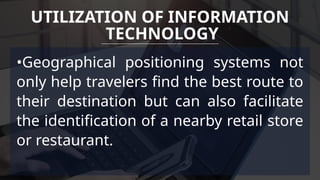
•Geographical positioning systemsnot
only help travelers find the best route to
their destination but can also facilitate
the identification of a nearby retail store
or restaurant.
UTILIZATION OF INFORMATION
TECHNOLOGY
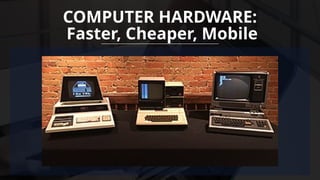
•Computer-on-a-chip (microcomputer)
technology wasavailable as early as the
1970s, and the introduction of the first
IBM Personal Computer (PC) in 1981 was
the beginning of desktop computing.
COMPUTER HARDWARE:
Faster, Cheaper, Mobile
13.
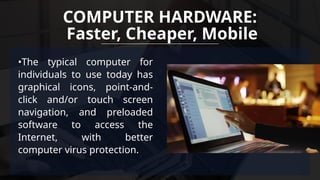
•The typical computerfor
individuals to use today has
graphical icons, point-and-
click and/or touch screen
navigation, and preloaded
software to access the
Internet, with better
computer virus protection.
COMPUTER HARDWARE:
Faster, Cheaper, Mobile
14.
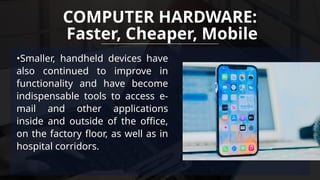
•Smaller, handheld deviceshave
also continued to improve in
functionality and have become
indispensable tools to access e-
mail and other applications
inside and outside of the office,
on the factory floor, as well as in
hospital corridors.
COMPUTER HARDWARE:
Faster, Cheaper, Mobile
15.
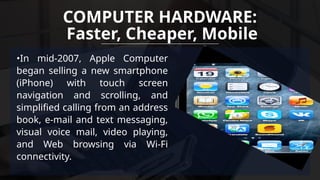
•In mid-2007, AppleComputer
began selling a new smartphone
(iPhone) with touch screen
navigation and scrolling, and
simplified calling from an address
book, e-mail and text messaging,
visual voice mail, video playing,
and Web browsing via Wi-Fi
connectivity.
COMPUTER HARDWARE:
Faster, Cheaper, Mobile
16.
•By the endof the 1990s, Microsoft’s
Office suite (i.e., word processing,
spreadsheet, database, slideshow
presentation, and e-mail software
sold in a single bundle) as well as its
Web browser (Internet Explorer) had
become the de facto software in use
in U.S. organizations and
multinational companies.
COMPUTER HARDWARE:
Faster, Cheaper, Mobile
17.
•Today, many largecompanies and now
midsized and smaller organizations have also
made capital investments in enterprise systems:
software packages with integrated modules that
can easily share data across dispersed work
teams, business divisions, and national
boundaries in “real time.”
COMPUTER SOFTWARE:
Integrated, Downloadable, Social
18.
•Downloadable applications ofbit-
size software programs for
smartphones and larger programs
for other portable devices have now
also become pervasive.
COMPUTER SOFTWARE:
Integrated, Downloadable, Social
19.
•Another remarkable softwaretrend has been
the growth of so-called Web 2.0 or social
media applications, such as profile sharing
software (e.g., Facebook, LinkedIn),
cogenerated information tools (e.g., Wikis,
blogs), and information messaging tools (e.g.,
Twitter).
COMPUTER SOFTWARE:
Integrated, Downloadable, Social
20.
•The introduction ofa Web browser in the
mid-1990s that used an Internet
communications standard (TCP/IP) to link
companies and individuals to the Internet has
been described as a “killer application” due to
its widespread global impact.
COMPUTER NETWORKS:
High Bandwidth, Wireless, Cloudy
21.
•Today, many householdsin developed
countries pay a monthly fee for cable,
satellite, or a telephone utility for
integrated data, voice, and perhaps
television services in their homes.
COMPUTER NETWORKS:
High Bandwidth, Wireless, Cloudy
22.
•Satellite and cellulartechnologies now link remote
workers to central support centers, travelers to
travel services, and delivery personnel to
transportation schedulers.
•Investments in wireless connectivity to better
support mobile workers inside an organization’s
walls have also recently increased.
COMPUTER NETWORKS:
High Bandwidth, Wireless, Cloudy
Computers enable theautomation of
repetitive tasks, improving efficiency across
industries. From manufacturing to healthcare,
automation powered by computers has
drastically reduced human effort and error,
increasing productivity.
AUTOMATION AND EFFICIENCY:
25.
• Example: Manufacturingand Robotics: In factories, computers
control robotic arms that automate tasks like assembly, painting, and
packaging. Companies like Tesla and Toyota use automation in their
factories to increase production efficiency and reduce human errors,
enabling faster and more accurate manufacturing processes.
• Example: Banking: Automated teller machines (ATMs) and online
banking systems make it possible to conduct financial transactions
without paper, streamlining customer service and making banking
more accessible.
AUTOMATION AND EFFICIENCY:
26.
The internet, facilitatedby computers, has
made the world more interconnected. Email,
social media, and instant messaging allow for
seamless communication across the globe,
transforming how businesses, governments,
and individuals interact.
GLOBAL CONNECTIVITY
27.
• Example: Emailand Instant Messaging: Computers facilitate
communication through platforms like Gmail, Slack, or
WhatsApp, enabling people across the world to interact
instantly. For example, businesses like Amazon and Alibaba rely
on digital communication to coordinate with suppliers and
customers globally.
• Example: Video Conferencing: Platforms like Zoom and
Microsoft Teams have made virtual meetings possible, allowing
people to work remotely or conduct international business
without traveling.
GLOBAL CONNECTIVITY
28.
Computers have madeit possible to process
vast amounts of data quickly. In fields like
science, finance, and medicine, data analysis
has led to new discoveries, innovations, and
better decision-making processes.
DATA PROCESSING AND ANALYSIS
29.
• Example: Healthcare:Computers are used in medical imaging
(CT scans, MRIs) to help doctors diagnose diseases more
accurately. Moreover, tools like IBM Watson use AI and machine
learning to analyze medical data, helping doctors make data-
driven treatment decisions.
• Example: Financial Markets: Computers process vast amounts of
data in real-time to make investment decisions. Stock trading
algorithms help investors make quick trades based on market
trends, providing a significant advantage over manual methods.
DATA PROCESSING AND ANALYSIS
30.
With the riseof e-learning platforms, online
courses, and digital libraries, computers have
transformed education. They enable access to
vast amounts of information and resources,
making learning more accessible worldwide.
EDUCATION AND LEARNING:
31.
• Example: OnlineLearning Platforms: Websites like Coursera,
Udemy, and Khan Academy provide online courses where
people can learn from anywhere, anytime. Students use digital
tools like Google Classroom for assignments and
collaboration.
• Example: Digital Libraries: Platforms like Google Scholar and
JSTOR offer access to academic papers and research, replacing
the need for physical libraries and enabling scholars to access
vast amounts of information at their fingertips.
EDUCATION AND LEARNING:
32.
The digital transformationhas revolutionized
entertainment, from streaming services to
gaming, digital music, and e-books.
Computers facilitate the creation, distribution,
and consumption of media in ways that were
unimaginable before.
ENTERTAINMENT AND MEDIA:
33.
• Example: StreamingServices: Companies like Netflix,
Spotify, and YouTube deliver digital entertainment
(movies, music, and videos) to users, revolutionizing how
people consume media.
• Example: Digital Art and Content Creation: Artists,
musicians, and content creators use computers for
everything from digital painting (e.g., Procreate) to music
production (e.g., Ableton Live), leading to a boom in
digital content creation.
ENTERTAINMENT AND MEDIA:
34.
The transition frompaper to digital
formats has had a profound impact
on how information is managed,
stored, and accessed:
INFORMATION MANAGEMENT SHIFT
FROM PAPER TO DIGITAL FORMATS:
35.
• Digital storagesystems (e.g., cloud
storage) allow for vast amounts of data to
be stored in a compact and organized
manner. Unlike paper, digital files don’t
take up physical space and can be easily
backed up and retrieved.
1.STORAGE EFFICIENCY:
36.
• Example: CloudStorage: Services like Google Drive and Dropbox
have replaced filing cabinets and paper storage. Instead of
storing physical documents, people and companies now store
vast amounts of data digitally, with the ability to access it from
any device with internet access.
• Example: Digital Photography: Instead of using physical film to
capture images, people now use smartphones and digital
cameras to take and store photos on digital devices or cloud
services.
1.STORAGE EFFICIENCY:
37.
• With digitalformats, information can be
accessed almost instantly from anywhere in
the world, reducing the time it takes to
retrieve documents compared to searching
through paper archives. This has been
particularly valuable in business and
research environments.
2. SPEED AND ACCESSIBILITY:
38.
• Example: DigitalDocuments: In the past, legal documents
had to be printed, signed, and delivered in person. Today,
platforms like DocuSign allow legal contracts to be signed
digitally, speeding up processes and enabling remote
deals.
• Example: E-books: Digital books (e-books) can be
downloaded instantly from platforms like Amazon Kindle,
eliminating the need for physical book stores or shipping.
2. SPEED AND ACCESSIBILITY:
39.
• The shiftto digital formats has helped
reduce paper consumption, leading to
environmental benefits such as saving trees,
reducing paper waste, and lowering the
carbon footprint associated with paper
production and transportation.
3. ENVIRONMENTAL IMPACT:
40.
• Example: PaperlessOffices: Many businesses have gone
paperless by adopting digital tools for communication,
documentation, and record-keeping. For example, Adobe
Sign and Microsoft Word reduce the need for paper
signatures and physical contracts.
• Example: Digital Invoices: Companies now use
QuickBooks or FreshBooks to send invoices and receipts,
reducing paper waste and simplifying financial record-
keeping.
3. ENVIRONMENTAL IMPACT:
41.
• Digital formatsenable sophisticated search
functions that allow users to quickly find
specific information within a document or
across multiple documents, something not
possible with physical records. This has
made information retrieval far more
efficient.
4. SEARCH AND RETRIEVAL:
42.
• Example: GoogleSearch: With digital formats, you can
search for any piece of information within seconds.
Instead of combing through paper encyclopedias, people
use Google to search for almost any piece of information
instantly.
• Example: Digital Databases: Libraries like the Library of
Congress or online databases like PubMed allow users to
quickly find academic papers and records without sifting
through physical archives.
4. SEARCH AND RETRIEVAL:
43.
• Digital documentscan be easily shared,
edited, and collaborated on by multiple
people at the same time. Cloud platforms
like Google Drive and Microsoft OneDrive
allow real-time collaboration, which would
have been challenging with paper-based
documents.
5. COLLABORATION AND SHARING:
44.
• Example: Real-timeCollaboration: Platforms like Google
Docs and Microsoft 365 allow multiple people to work on the
same document at the same time, regardless of their
physical location. This has revolutionized teamwork in
business, academia, and other fields.
• Example: Shared Drives: Companies like Dropbox and
Google Drive let employees share files easily, providing
collaborative access to work without the need for physical
document exchange.
5. COLLABORATION AND SHARING:
45.
• Digital informationcan be encrypted for
security, backed up to prevent data loss, and
easily recovered in case of hardware failure.
In contrast, physical documents are
vulnerable to loss due to natural disasters,
theft, or deterioration
6. SECURITY AND BACKUP:
46.
• Example: Encryption:Digital files can be encrypted for
security purposes. For example, banking apps use
encryption to protect sensitive financial data, something
that paper documents cannot provide.
• Example: Cloud Backup: Services like iCloud or Google
Drive ensure that data is regularly backed up and can be
recovered in case of system failures, unlike physical paper
files which are at risk of being lost in disasters like fires or
floods.
6. SECURITY AND BACKUP:
47.
• Maintaining digitalrecords is generally
cheaper than managing paper-based
systems. Paper requires physical storage
space, administrative effort, and the
purchase of materials, all of which can be
costly in comparison to digital management.
7. COST REDUCTION:
48.
• Example: PaperlessBilling: Services like utility
companies (water, electricity) and subscription services
(like Netflix) have eliminated paper billing. Customers
receive electronic bills, saving on paper, ink, postage,
and storage.
• Example: Digital Signatures: Businesses have reduced
the costs associated with printing and mailing
documents by adopting digital signatures, which are
legally recognized in most countries.
7. COST REDUCTION:
PURPOSE
• Develop adeeper understanding of
texts beyond surface-level reading.
53.
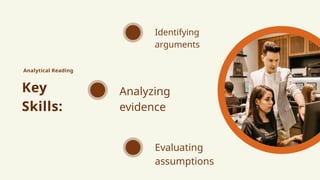
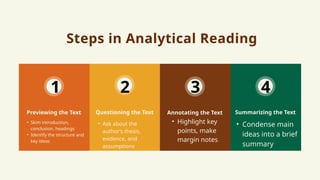
Steps in AnalyticalReading
Questioning the Text
• Skim introduction,
conclusion, headings
• Identify the structure and
key ideas
Previewing the Text Annotating the Text
• Condense main
ideas into a brief
summary
Summarizing the Text
1 2 3 4
• Ask about the
author’s thesis,
evidence, and
assumptions
• Highlight key
points, make
margin notes
54.
Example Text (Excerptfrom an Article)
Title: The Importance of Renewable Energy for
Sustainable Development
"Renewable energy sources, such as solar, wind, and
hydroelectric power, have the potential to drastically reduce
carbon emissions and combat climate change. Unlike fossil fuels,
which release harmful greenhouse gases, renewable energy
systems generate clean power with minimal environmental
impact. However, widespread adoption of renewable energy faces
significant challenges, including high initial costs, technological
limitations, and lack of infrastructure in developing countries.
Despite these obstacles, the long-term environmental and
economic benefits of renewable energy make it a critical
component of global sustainable development."
55.
Step 1: AnalyticalReading
1. Previewing the Text
• General Idea: The article discusses the
importance of renewable energy for sustainable
development, highlighting both its potential and
the challenges it faces.
56.
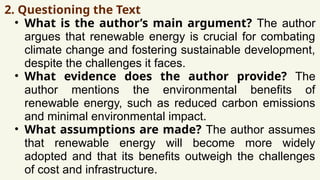
2. Questioning theText
• What is the author’s main argument? The author
argues that renewable energy is crucial for combating
climate change and fostering sustainable development,
despite the challenges it faces.
• What evidence does the author provide? The
author mentions the environmental benefits of
renewable energy, such as reduced carbon emissions
and minimal environmental impact.
• What assumptions are made? The author assumes
that renewable energy will become more widely
adopted and that its benefits outweigh the challenges
of cost and infrastructure.
57.
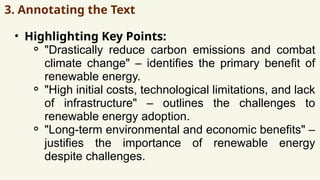
3. Annotating theText
• Highlighting Key Points:
⚬ "Drastically reduce carbon emissions and combat
climate change" – identifies the primary benefit of
renewable energy.
⚬ "High initial costs, technological limitations, and lack
of infrastructure" – outlines the challenges to
renewable energy adoption.
⚬ "Long-term environmental and economic benefits" –
justifies the importance of renewable energy
despite challenges.
58.
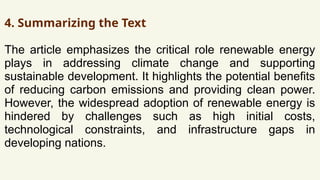
4. Summarizing theText
The article emphasizes the critical role renewable energy
plays in addressing climate change and supporting
sustainable development. It highlights the potential benefits
of reducing carbon emissions and providing clean power.
However, the widespread adoption of renewable energy is
hindered by challenges such as high initial costs,
technological constraints, and infrastructure gaps in
developing nations.
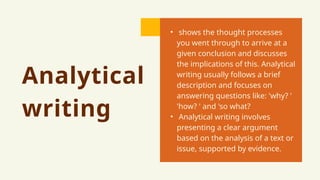
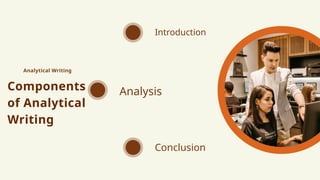
Analytical
writing
• shows thethought processes
you went through to arrive at a
given conclusion and discusses
the implications of this. Analytical
writing usually follows a brief
description and focuses on
answering questions like: 'why? '
'how? ' and 'so what?
• Analytical writing involves
presenting a clear argument
based on the analysis of a text or
issue, supported by evidence.
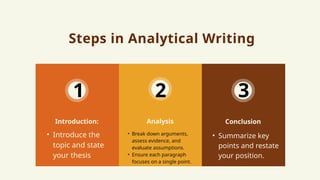
Steps in AnalyticalWriting
Analysis
• Introduce the
topic and state
your thesis
Introduction: Conclusion
1 2 3
• Break down arguments,
assess evidence, and
evaluate assumptions.
• Ensure each paragraph
focuses on a single point.
• Summarize key
points and restate
your position.
64.
Step 2: AnalyticalWriting
Introduction:
The global transition to renewable energy is crucial for
mitigating climate change and achieving sustainable
development. Despite significant challenges, including
initial costs and technological barriers, the long-term
environmental and economic benefits of renewable energy
make it an essential part of the solution.
65.
Analysis:
One of theprimary arguments in the article is that renewable energy can
help reduce carbon emissions and combat climate change. This is supported
by the fact that renewable energy sources such as solar and wind power do
not emit harmful greenhouse gases like fossil fuels. The author
acknowledges, however, that renewable energy adoption faces obstacles,
including the high initial costs of installation and technological limitations. For
example, solar and wind energy require expensive infrastructure, and
efficiency can be variable depending on location. Additionally, the author
highlights the lack of infrastructure in developing countries, which further
complicates the widespread implementation of renewable energy solutions.
Despite these challenges, the article argues that the environmental and
economic benefits of renewable energy—such as cleaner air, lower health
costs, and job creation—outweigh the difficulties.
66.
Conclusion:
In conclusion, whilethe challenges associated
with renewable energy are considerable, the
long-term benefits justify its widespread
adoption. The transition to renewable energy is
not only necessary for addressing climate change
but also offers substantial economic advantages.
With continued technological advancements and
global investment in infrastructure, renewable
energy has the potential to become a
cornerstone of sustainable development
worldwide.
67.
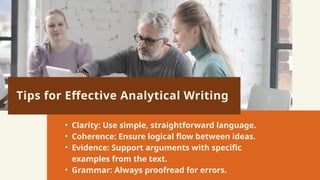
Tips for EffectiveAnalytical Writing
• Clarity: Use simple, straightforward language.
• Coherence: Ensure logical flow between ideas.
• Evidence: Support arguments with specific
examples from the text.
• Grammar: Always proofread for errors.
68.
Analytical reading andwriting are critical
for academic and professional success.
Mastering these skills will enhance your
ability to think critically and communicate
effectively.
PRE-DIGITAL
ERA (MANUAL
SYSTEMS)
• Beforethe digital age,
businesses relied on manual
information management
systems, which were both
time-consuming and error-
prone.
71.
MANUA
L
SYSTEM
S:
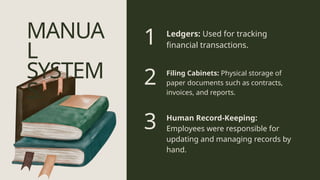
Filing Cabinets: Physicalstorage of
paper documents such as contracts,
invoices, and reports.
Ledgers: Used for tracking
financial transactions.
Human Record-Keeping:
Employees were responsible for
updating and managing records by
hand.
1
2
3
72.
CHALLEN
GES:
• Time-Consuming: Manuallyupdating
records was slow and inefficient.
• Prone to Errors: Human error was
common in data entry and
organization.
• Difficult to Scale: As businesses grew,
it became harder to manage an
increasing volume of information
using manual systems.
TYPEWRI
TER:
Improved document
creation speedand
legibility, replacing
handwritten records.
CALCULAT
OR:
Allowed for faster, more
accurate calculations in
finance and accounting.
NTRODUCTION OF THE TYPEWRITER AND CALCULATOR
(EARLY 20TH CENTURY):
75.
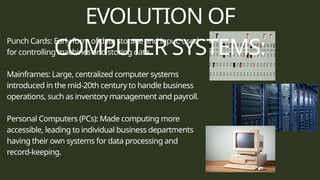
EVOLUTION OF
COMPUTER SYSTEMS:
PunchCards: Early form of data storage and input, used
for controlling machines and storing data.
Mainframes: Large, centralized computer systems
introduced in the mid-20th century to handle business
operations, such as inventory management and payroll.
Personal Computers (PCs): Made computing more
accessible, leading to individual business departments
having their own systems for data processing and
record-keeping.
76.
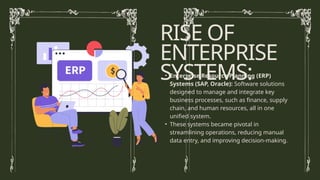
• Enterprise ResourcePlanning (ERP)
Systems (SAP, Oracle): Software solutions
designed to manage and integrate key
business processes, such as finance, supply
chain, and human resources, all in one
unified system.
• These systems became pivotal in
streamlining operations, reducing manual
data entry, and improving decision-making.
RISE OF
ENTERPRISE
SYSTEMS:
77.
The history ofinformation management in
business evolved from manual systems, which
were time-consuming and prone to errors, to
digital systems that allowed businesses to
streamline operations and reduce mistakes.
Technological milestones, including the typewriter,
calculator, and the rise of enterprise systems, have
been crucial in shaping modern business
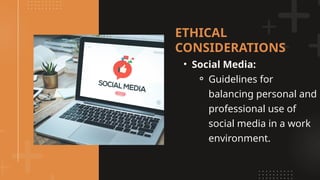
Privacy:
• Monitoring EmployeeActivities: Ethical
implications of tracking online activity
or using surveillance technologies.
• Data Security Policies: Ensuring the
security of employee and customer
data.
ETHICAL
CONSIDERATIONS
OVERVIEW OF
STORAGE SYSTEMS
CloudStorage:
• Remote Access: Data stored on remote servers,
accessible over the internet.
• Scalability: Easy to increase or decrease storage
capacity as needed.
• Pay-as-you-go Model: Users pay based on storage
usage (e.g., AWS, Azure).
Server Storage:
• On-premise Control: Data is stored on physical servers within the company.
• Higher Initial Investment: Requires significant capital to purchase and maintain
servers.
• Customization: Greater ability to customize the system for specific business needs.
84.
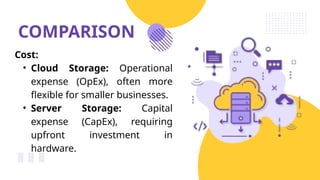
COMPARISON
Cost:
• Cloud Storage:Operational
expense (OpEx), often more
flexible for smaller businesses.
• Server Storage: Capital
expense (CapEx), requiring
upfront investment in
hardware.
85.
COMPARISON
• Security:
⚬ CloudStorage: Risks of
data breaches and reliance
on third-party security.
⚬ Server Storage: More
physical security but higher
vulnerability if breached.
Importance of Digital
Skillsin IT Careers
Tools for IT Careers:
• GitHub: Version control and collaboration for software
development projects.
• Trello: Project management tool used to track tasks and project
milestones.
• LinkedIn: Networking and job-search platform for professionals.
Certifications:
Examples: Microsoft Certified, AWS Certified, which help
enhance employability.
88.
Creating a ProfessionalPresence
• Building a Digital Portfolio:
Showcase your projects, skills, and
achievements online.
• LinkedIn and GitHub: Platforms
to connect with industry
professionals and employers.