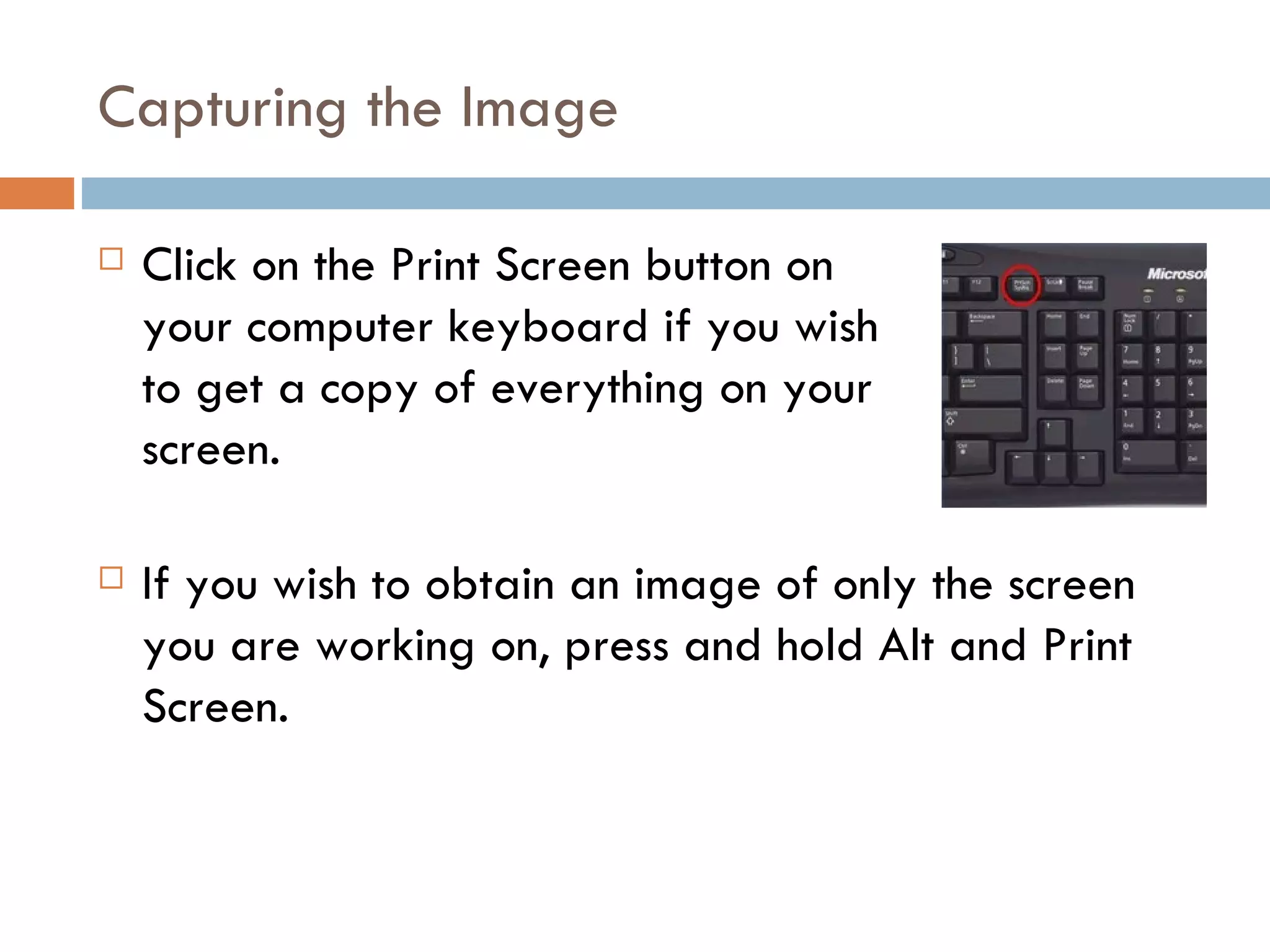
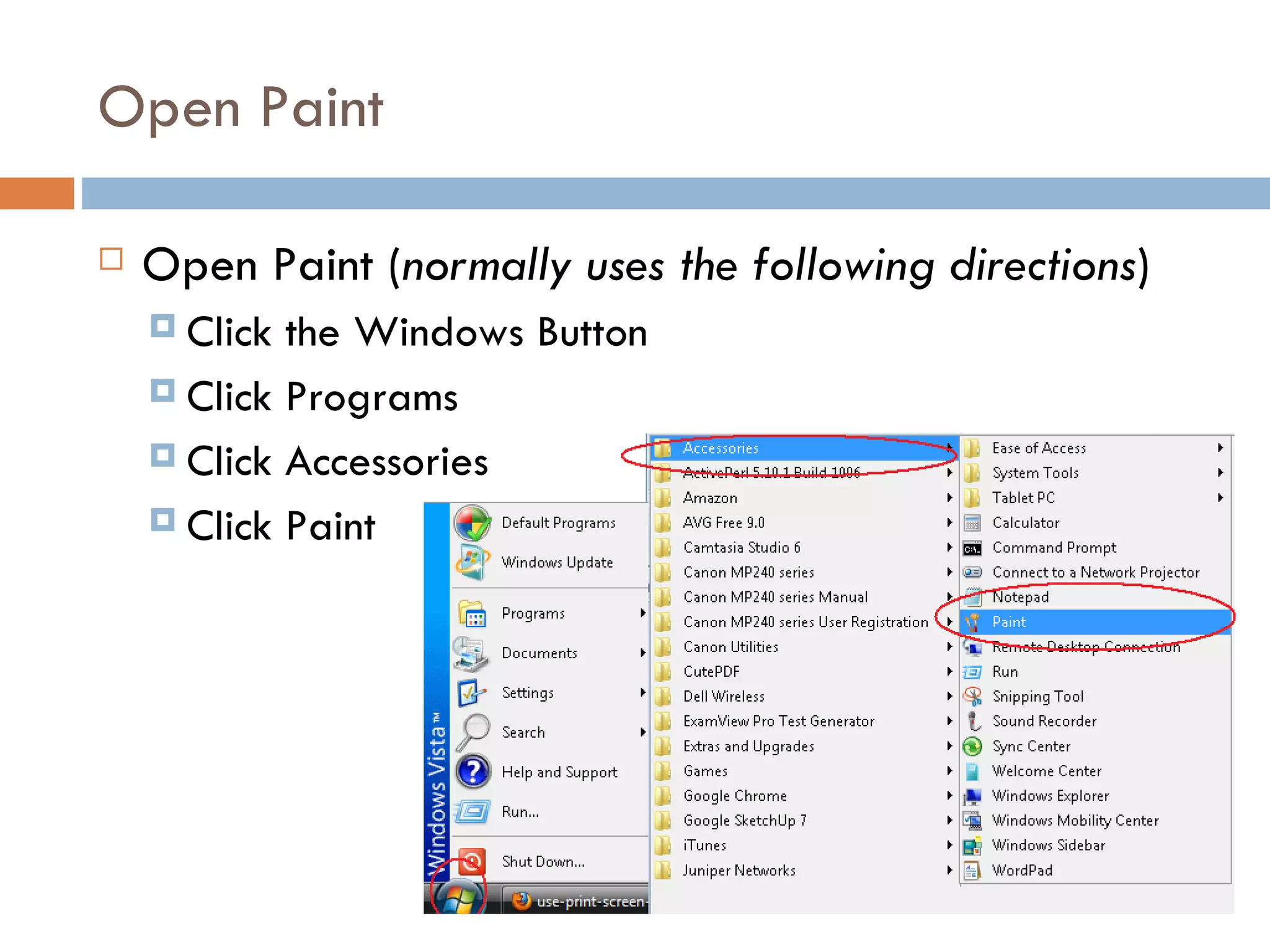
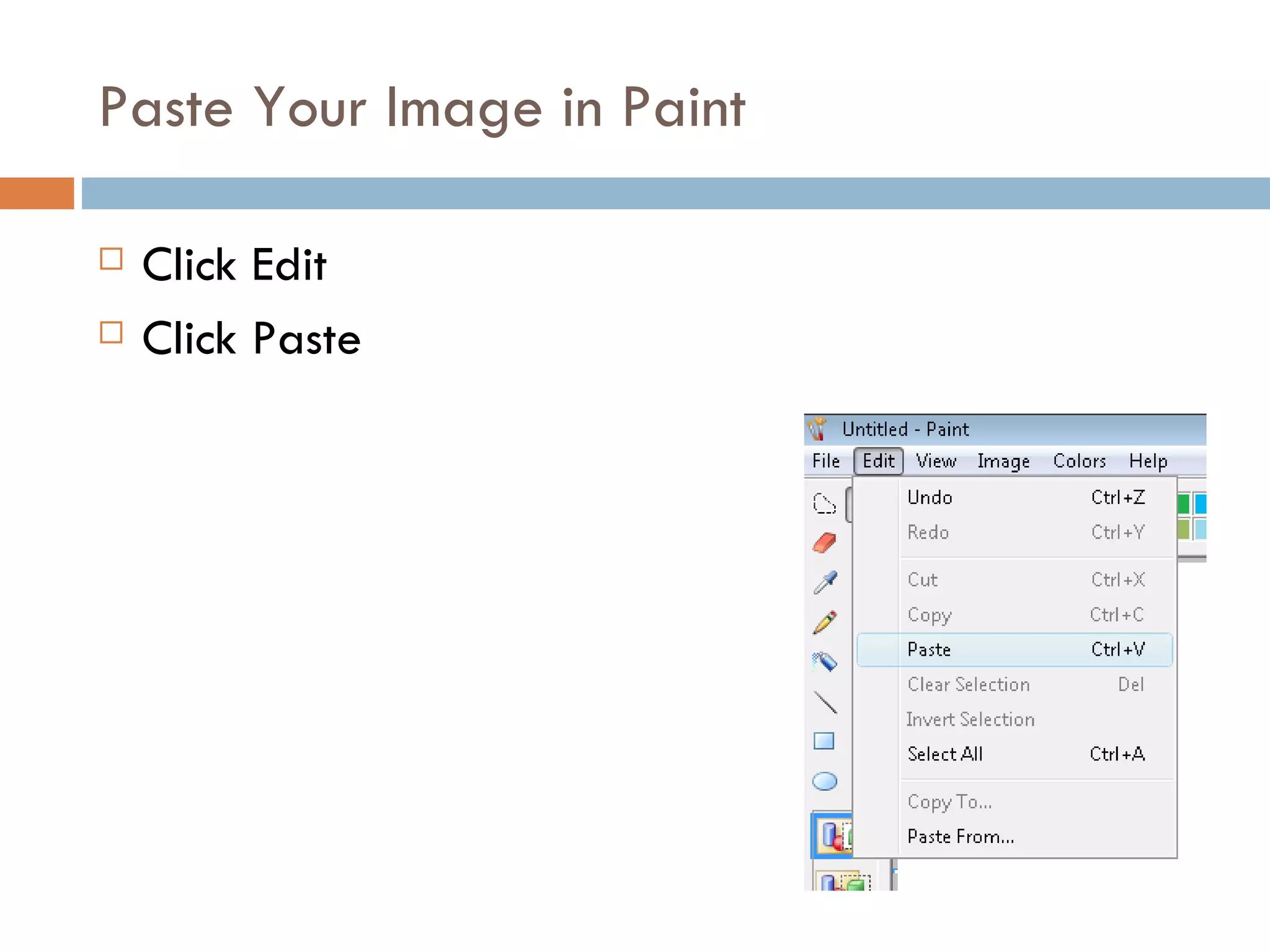
The document provides instructions on how to capture screen prints using the print screen button on a computer keyboard. It explains how to capture the entire screen or just the active window by using the alt and print screen combination. The document also outlines the steps to open Paint and paste the captured image for further use.


![Coded Agents – with UiPath SDK + LangGraph [Virtual Hands-on Workshop]](https://cdn.slidesharecdn.com/ss_thumbnails/codedagentsdeck-251215155422-5497c599-thumbnail.jpg?width=640&height=640&fit=bounds)


