Lecture 2
Escape Sequences , Variables ,
Constants and Data Types
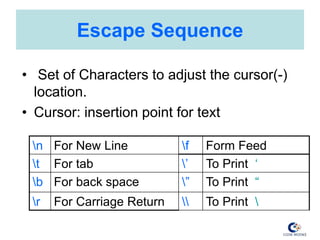
Escape Sequence
• Set of Characters to adjust the cursor(-)
location.
• Cursor: insertion point for text
n For New Line f Form Feed
t For tab ’ To Print ‘
b For back space ” To Print “
r For Carriage Return  To Print
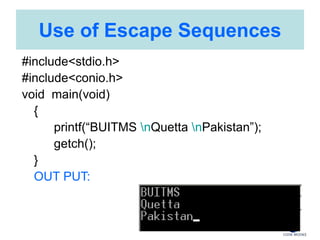
Use of Escape Sequences
#include<stdio.h>
#include<conio.h>
void main(void)
{
printf(“BUITMS nQuetta nPakistan”);
getch();
}
OUT PUT:
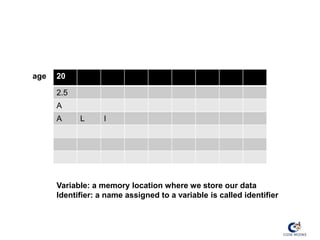
4
20
2.5
A
A L I
Variable: a memory location where we store our data
Identifier: a name assigned to a variable is called identifier
age
Variables and Constants
• Constant
– A constant is a quantity that does not change. This
quantity can be stored at a location in the memory
of the computer.
• Variable
– A variable can be considered as a name given to
the location in memory where this constant is
stored. Naturally the Contents of the variable can
change.
• e.g. 3x+y=20
• 3 and 20 cannot change, they are called constants,
• X & Y can vary or changes, hence called variables.
Variables
• Variables are most fundamental aspects
of computer language.
• Variables are used to reserve some
space in computer’s memory for easy
reference to data stored in that space.
Identifiers
• An identifier is the name used for a
variable, function, data definition, etc.
• Rules for identifiers
– Legal characters are a-z, A-Z, 0-9, and _
(underscore).
– Case is significant.
– The first character must be a letter or _.
– Identifiers can be of any length (although
only the first 32 characters are guaranteed
to be significant).
– Aliiiiiiiiieiiiiiiii
What is a C identifier?
• Here are some examples of legal
identifiers:
– i
– count
– MAX_LENGTH
Keywords
• A keyword is a reserved word that
cannot be used as an identifier.
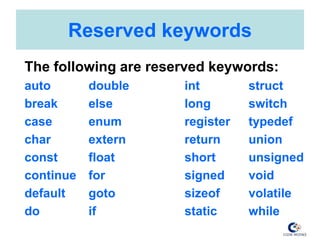
Reserved keywords
The following are reserved keywords:
auto double int struct
break else long switch
case enum register typedef
char extern return union
const float short unsigned
continue for signed void
default goto sizeof volatile
do if static while
Variables
• In English, we put words together to make up
sentences.
• Variables are the “words” for the C language.
– In a program, variables have a precise definition
and usage, but that definition and usage are
different for each program.
• Names of variables:
– Composed of letters, digits, and the underscore
(“_”)
• character. (NO spaces; use underscore
instead)
– The first character must be a letter
– Only the first 32 characters matter
Variables
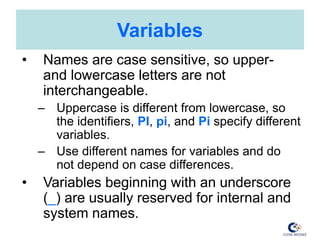
• Names are case sensitive, so upper-
and lowercase letters are not
interchangeable.
– Uppercase is different from lowercase, so
the identifiers, PI, pi, and Pi specify different
variables.
– Use different names for variables and do
not depend on case differences.
• Variables beginning with an underscore
(_) are usually reserved for internal and
system names.
Variables
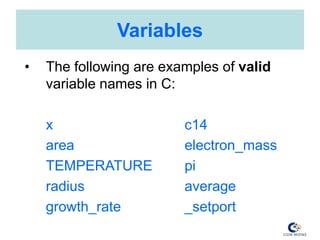
• The following are examples of valid
variable names in C:
x c14
area electron_mass
TEMPERATURE pi
radius average
growth_rate _setport
Variables
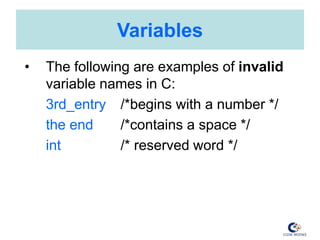
• The following are examples of invalid
variable names in C:
3rd_entry /*begins with a number */
the end /*contains a space */
int /* reserved word */
Variables
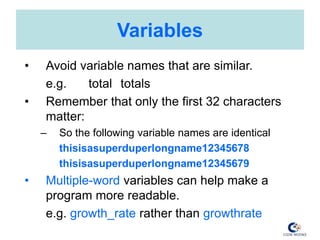
• Avoid variable names that are similar.
e.g. total totals
• Remember that only the first 32 characters
matter:
– So the following variable names are identical
thisisasuperduperlongname12345678
thisisasuperduperlongname12345679
• Multiple-word variables can help make a
program more readable.
e.g. growth_rate rather than growthrate
Some Rules about Variable Names
1. Use simple, descriptive variable names.
2. Never use l (lowercase L) or O (uppercase O)
as variable names.
3. Don’t use variable names that differ by only
one or two characters. Make every name
obviously different from every other name.
4. For variable names consisting of two words
joined together, separate the words by “_”:
e.g. growthrate → growth_rate
Some Rules about Variable Names
5. Use similar names for variables that perform
similar functions.
e.g. start_point, end_point, middle_point
6. When creating a two word variable name
where the words can be put in any order,
always put the more important word first.
e.g. max_elevation instead of elevation_max
7. Use standard prefixes:
e.g. n_ (“number of”) → n_points
8. Follow every variable declaration with a
comment that defines it.
Global vs. Local Variables
• Local variables are declared within the body of
a function, and can only be used within that
function.
• Alternatively, a variable can be declared
globally so it is available to all functions.
– A global variable declaration looks normal, but
is located outside any of the program's
functions. This is usually done at the beginning
of the program file, but after preprocessor
directives. The variable is not declared again in
the body of the functions which access it.
Initializing Variables
• C allows variables to be initialized in the
declaration statement.
• The following statement declares the
integer variable count and initializes it to 0.
int count=0;
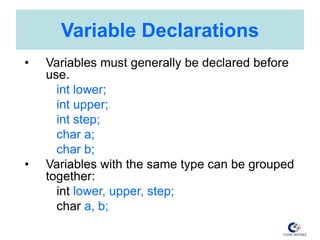
Variable Declarations
• Variables must generally be declared before
use.
int lower;
int upper;
int step;
char a;
char b;
• Variables with the same type can be grouped
together:
int lower, upper, step;
char a, b;
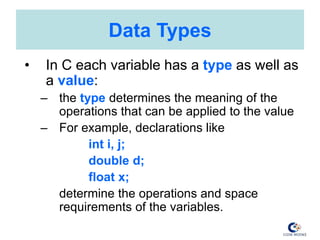
Data Types
• In C each variable has a type as well as
a value:
– the type determines the meaning of the
operations that can be applied to the value
– For example, declarations like
int i, j;
double d;
float x;
determine the operations and space
requirements of the variables.
Data Types
• The data type of every variable in a C
program must be declared before that
variable can appear in a statement.
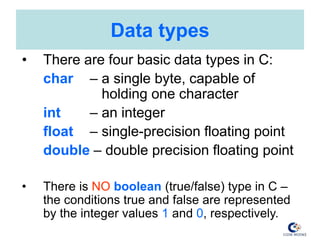
Data types
• There are four basic data types in C:
char – a single byte, capable of
holding one character
int – an integer
float – single-precision floating point
double – double precision floating point
• There is NO boolean (true/false) type in C –
the conditions true and false are represented
by the integer values 1 and 0, respectively.
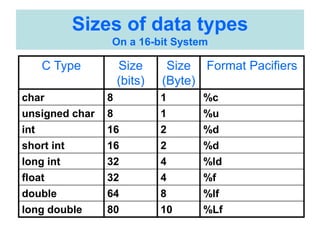
Sizes of data types
On a 16-bit System
C Type Size
(bits)
Size
(Byte)
Format Pacifiers
char 8 1 %c
unsigned char 8 1 %u
int 16 2 %d
short int 16 2 %d
long int 32 4 %ld
float 32 4 %f
double 64 8 %lf
long double 80 10 %Lf
Comments
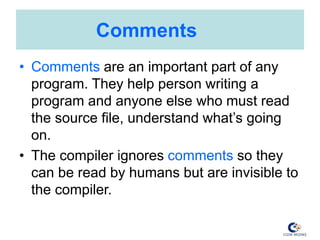
• Comments are an important part of any
program. They help person writing a
program and anyone else who must read
the source file, understand what’s going
on.
• The compiler ignores comments so they
can be read by humans but are invisible to
the compiler.
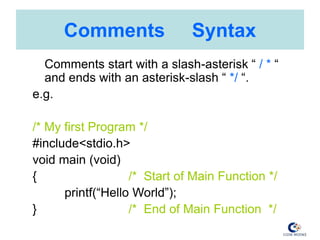
Comments Syntax
Comments start with a slash-asterisk “ / * “
and ends with an asterisk-slash “ */ “.
e.g.
/* My first Program */
#include<stdio.h>
void main (void)
{ /* Start of Main Function */
printf(“Hello World”);
} /* End of Main Function */
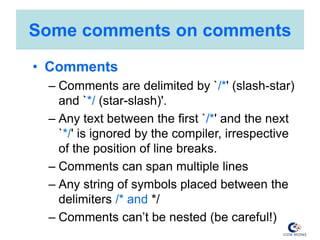
Some comments on comments
• Comments
– Comments are delimited by `/*' (slash-star)
and `*/ (star-slash)'.
– Any text between the first `/*' and the next
`*/' is ignored by the compiler, irrespective
of the position of line breaks.
– Comments can span multiple lines
– Any string of symbols placed between the
delimiters /* and */
– Comments can’t be nested (be careful!)
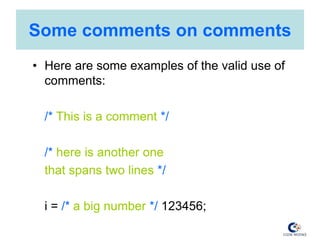
Some comments on comments
• Here are some examples of the valid use of
comments:
/* This is a comment */
/* here is another one
that spans two lines */
i = /* a big number */ 123456;
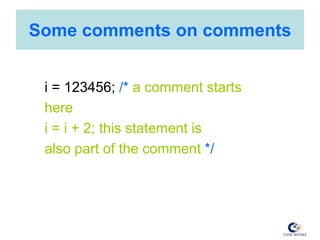
Some comments on comments
i = 123456; /* a comment starts
here
i = i + 2; this statement is
also part of the comment */
Subscribe Please

Escape Sequences and Variables

  • 1.
    Lecture 2 Escape Sequences, Variables , Constants and Data Types
  • 2.
    Escape Sequence • Setof Characters to adjust the cursor(-) location. • Cursor: insertion point for text n For New Line f Form Feed t For tab ’ To Print ‘ b For back space ” To Print “ r For Carriage Return To Print
  • 3.
    Use of EscapeSequences #include<stdio.h> #include<conio.h> void main(void) { printf(“BUITMS nQuetta nPakistan”); getch(); } OUT PUT:
  • 4.
    4 20 2.5 A A L I Variable:a memory location where we store our data Identifier: a name assigned to a variable is called identifier age
  • 5.
    Variables and Constants •Constant – A constant is a quantity that does not change. This quantity can be stored at a location in the memory of the computer. • Variable – A variable can be considered as a name given to the location in memory where this constant is stored. Naturally the Contents of the variable can change. • e.g. 3x+y=20 • 3 and 20 cannot change, they are called constants, • X & Y can vary or changes, hence called variables.
  • 6.
    Variables • Variables aremost fundamental aspects of computer language. • Variables are used to reserve some space in computer’s memory for easy reference to data stored in that space.
  • 7.
    Identifiers • An identifieris the name used for a variable, function, data definition, etc. • Rules for identifiers – Legal characters are a-z, A-Z, 0-9, and _ (underscore). – Case is significant. – The first character must be a letter or _. – Identifiers can be of any length (although only the first 32 characters are guaranteed to be significant). – Aliiiiiiiiieiiiiiiii
  • 8.
    What is aC identifier? • Here are some examples of legal identifiers: – i – count – MAX_LENGTH
  • 9.
    Keywords • A keywordis a reserved word that cannot be used as an identifier.
  • 10.
    Reserved keywords The followingare reserved keywords: auto double int struct break else long switch case enum register typedef char extern return union const float short unsigned continue for signed void default goto sizeof volatile do if static while
  • 11.
    Variables • In English,we put words together to make up sentences. • Variables are the “words” for the C language. – In a program, variables have a precise definition and usage, but that definition and usage are different for each program. • Names of variables: – Composed of letters, digits, and the underscore (“_”) • character. (NO spaces; use underscore instead) – The first character must be a letter – Only the first 32 characters matter
  • 12.
    Variables • Names arecase sensitive, so upper- and lowercase letters are not interchangeable. – Uppercase is different from lowercase, so the identifiers, PI, pi, and Pi specify different variables. – Use different names for variables and do not depend on case differences. • Variables beginning with an underscore (_) are usually reserved for internal and system names.
  • 13.
    Variables • The followingare examples of valid variable names in C: x c14 area electron_mass TEMPERATURE pi radius average growth_rate _setport
  • 14.
    Variables • The followingare examples of invalid variable names in C: 3rd_entry /*begins with a number */ the end /*contains a space */ int /* reserved word */
  • 15.
    Variables • Avoid variablenames that are similar. e.g. total totals • Remember that only the first 32 characters matter: – So the following variable names are identical thisisasuperduperlongname12345678 thisisasuperduperlongname12345679 • Multiple-word variables can help make a program more readable. e.g. growth_rate rather than growthrate
  • 16.
    Some Rules aboutVariable Names 1. Use simple, descriptive variable names. 2. Never use l (lowercase L) or O (uppercase O) as variable names. 3. Don’t use variable names that differ by only one or two characters. Make every name obviously different from every other name. 4. For variable names consisting of two words joined together, separate the words by “_”: e.g. growthrate → growth_rate
  • 17.
    Some Rules aboutVariable Names 5. Use similar names for variables that perform similar functions. e.g. start_point, end_point, middle_point 6. When creating a two word variable name where the words can be put in any order, always put the more important word first. e.g. max_elevation instead of elevation_max 7. Use standard prefixes: e.g. n_ (“number of”) → n_points 8. Follow every variable declaration with a comment that defines it.
  • 18.
    Global vs. LocalVariables • Local variables are declared within the body of a function, and can only be used within that function. • Alternatively, a variable can be declared globally so it is available to all functions. – A global variable declaration looks normal, but is located outside any of the program's functions. This is usually done at the beginning of the program file, but after preprocessor directives. The variable is not declared again in the body of the functions which access it.
  • 19.
    Initializing Variables • Callows variables to be initialized in the declaration statement. • The following statement declares the integer variable count and initializes it to 0. int count=0;
  • 20.
    Variable Declarations • Variablesmust generally be declared before use. int lower; int upper; int step; char a; char b; • Variables with the same type can be grouped together: int lower, upper, step; char a, b;
  • 21.
    Data Types • InC each variable has a type as well as a value: – the type determines the meaning of the operations that can be applied to the value – For example, declarations like int i, j; double d; float x; determine the operations and space requirements of the variables.
  • 22.
    Data Types • Thedata type of every variable in a C program must be declared before that variable can appear in a statement.
  • 23.
    Data types • Thereare four basic data types in C: char – a single byte, capable of holding one character int – an integer float – single-precision floating point double – double precision floating point • There is NO boolean (true/false) type in C – the conditions true and false are represented by the integer values 1 and 0, respectively.
  • 24.
    Sizes of datatypes On a 16-bit System C Type Size (bits) Size (Byte) Format Pacifiers char 8 1 %c unsigned char 8 1 %u int 16 2 %d short int 16 2 %d long int 32 4 %ld float 32 4 %f double 64 8 %lf long double 80 10 %Lf
  • 25.
    Comments • Comments arean important part of any program. They help person writing a program and anyone else who must read the source file, understand what’s going on. • The compiler ignores comments so they can be read by humans but are invisible to the compiler.
  • 26.
    Comments Syntax Comments startwith a slash-asterisk “ / * “ and ends with an asterisk-slash “ */ “. e.g. /* My first Program */ #include<stdio.h> void main (void) { /* Start of Main Function */ printf(“Hello World”); } /* End of Main Function */
  • 27.
    Some comments oncomments • Comments – Comments are delimited by `/*' (slash-star) and `*/ (star-slash)'. – Any text between the first `/*' and the next `*/' is ignored by the compiler, irrespective of the position of line breaks. – Comments can span multiple lines – Any string of symbols placed between the delimiters /* and */ – Comments can’t be nested (be careful!)
  • 28.
    Some comments oncomments • Here are some examples of the valid use of comments: /* This is a comment */ /* here is another one that spans two lines */ i = /* a big number */ 123456;
  • 29.
    Some comments oncomments i = 123456; /* a comment starts here i = i + 2; this statement is also part of the comment */
  • 30.

Editor's Notes