


Building together with Collaborative Web Technologies:  How Can Public  & School Libraries Collaborate?
Conference Information JAMAICA LIBRARY SERVICE 60TH ANNIVERSARY INTERNATIONAL CONFERENCE FEBRUARY 16 – 21, 2009 SUNSET JAMAICA GRANDE RESORT & SPA, OCHO RIOS, ST. ANN, JAMAICA
About Presenter Mr. Mark-Shane E. Scale, Lecturer/Departmental Librarian;  Department of Library & Information Studies, University of the West Indies, Mona,  markshane.scale AT gmail.com
Eric Schmidt,  Google’s CEO,  summarizes today’s Web developments:  (qtd. in Amanda Beck) “ the Web has moved to its next stage" and has become  "significantly social", "open, and extensive"
Ordinary people are on the Web Emerging Web services allow ordinary people to create content on the Web without knowledge of the underlying Internet's infrastructure.
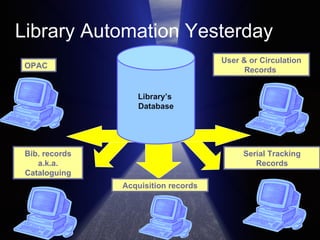
Library Automation Yesterday Library’s  Database OPAC Bib. records a.k.a. Cataloguing User & or Circulation Records  Serial Tracking Records Acquisition records
Today’s library automation is  undergoing transformation   (Cohn et al. xvii). Today’s Web has: “ forced   comprehensive re-examination of what automating the library really meant – not just for libraries but for the library user as well ”
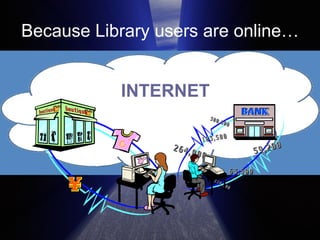
Because Library users are online… INTERNET
Library users’ expectations are CHA NGI NG. Finding information is “fun”! It doesn’t have to be tedious and time consuming like using the library.
Library user’s  NEW   expectations Before the Web, to see what my friends are up to, I had to call them! Now I can get live updates on what they are working on.  Isn’t that cool?
Today’s use of computing for getting library work done includes: Connecting the library’s database to the systems of outsiders  Accessing information in all formats wherever its location, “at any time, day or night”  (Cohn et al. xviii).
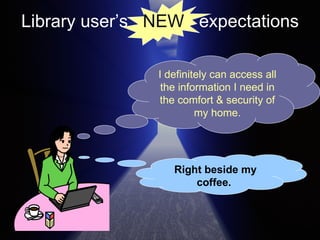
Library user’s  NEW   expectations I definitely can access all the information I need in the comfort & security of my home. Right beside my coffee.
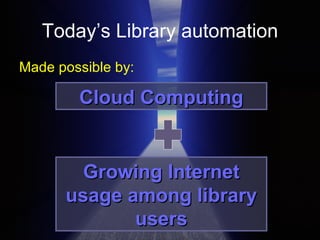
Today’s Library automation Made possible by: Cloud Computing Growing Internet usage among library users
Cloud Computing The “virtualization of resources that maintains and manages itself   Kevin Hartig
Cloud computing Concept refers to:  the sharing and usage of applications and resources of a network environment to get work done without concern about ownership and management of the network’s resources and applications.
Computer resources & data not stored on one’s PC, but hosted elsewhere to be made accessible in any location and at any time.   Cloud Computing
This new computing makes it possible for a new model of library automation. A new model that can be based on the concept of  Collaboration
Collaboration process whereby, “individuals and/or groups work together on a practical endeavor”.  has always been “a fundamental feature” in every organisation  more important today due to Information and Communication Technologies (ICT) that support “network formation and support”.  Michelle W. L. Fong (vi)
ICT enabled Collaboration Collaboration to take place “on a virtual dimension, regardless of time and location”  Creates the “virtual organization” - in which a group of persons are able to share and access available resources regardless of location. Michelle W. L. Fong (vi)
Through ICT enabled Collaboration The use of virtual organizations by small and medium organizations with suppliers and customers can result in higher customer satisfaction and the achievement of “strategic objectives”.  Michelle W. L. Fong (vi)
The Benefit of External Collaboration Stamm, Bettina von. “Collaboration with other firms and customers: innovation’s secret weapon”  Strategy & Leadership  32.3 (2004): 16 – 20.  External collaboration with other firms & customers result in improved services and expanded company markets.
With Virtual External collaboration Wagner, Christian, and Ann Majchrzak. "Enabling Customer-Centricity Using Wikis and the Wiki Way."  Journal of Management Information Systems  23.3 (2006-7): 17 - 43. Customers not only access but change the content on a company’s Web presence.
ICT/Web tools for  External Collaboration   Wikis Collaborative Website Development tools Collaborative Online Documents Collaborative Custom Search Engines
Wikis
What are Wikis tools for building websites without the knowledge of HTML and with the option of continuous collaboration.  A “live evolving document” that allows uses to track access to and monitor changes - PBwiki.com
Examples The people's  encyclopaedia The people's instructional manual for how-to information
Wikis can Support the creation of information resources that are continuously edited and expanded.
Wikis can create  Intranets & Extranets Facilitating exchange of messages Manage company documents Publish newsletters and policies Create virtual PR or Marketing presence
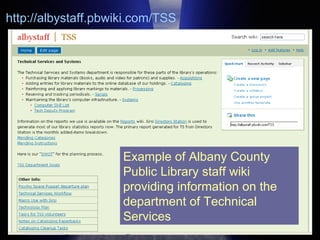
Example of Albany County Public Library staff wiki providing information on the department of Technical Services http://albystaff.pbwiki.com/TSS
Farkas, Meredith. “Technology Goes Local: Collecting Local Knowledge with Social Software.”  American Libraries  (Sep. 2008): 50.  “ The local knowledge residing in the minds of our patrons is a treasure. Using social software, we can collect and preserve that knowledge for the benefit of the entire community. Since a wiki can receive contributions from many people, it's a perfect tool for collecting local knowledge.”
Collaborative Website Development
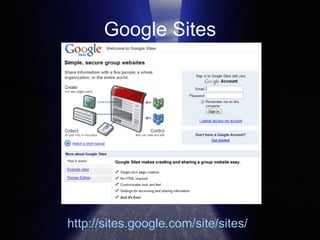
Collaborative Website Development Gary B. Shelly and Misty Vermaat Philipp Lenssen Google Sites (http://sites.google.com) is a “content management system that includes wiki-like features” (268). A content management systems organises and manages access to documents and files, as well as indexing files and documents created by users so as to facilitate searching and retrieval (732).
Google Sites http://sites.google.com/site/sites/
Gralla, Preston. &quot;Review: Microsoft Office Live Basics Vs. Google Apps For Your Domain.&quot;  Information Week  20 Sep. 2008. Information Week 2 Jan. 2009 <http://www.informationweek.com/news/infrastructure/reviews/showArticle.jhtml?articleID=193003850>. “ simple to use and basic”  “ point-and-click tools”  “ create a page in minutes”. Google sites is:
Google Sites features “ Web-based page-creation tool…” “ buttons for formatting text, creating links, including images...  “ several different layouts...from which you can choose…”  “ Publishing the site is simple; click the Publish button.” (par. 16)   Preston Gralla
Collaborative Web Documents: Online document collaboration and sharing
Google Docs “ traditional business programs (word processor, spreadsheet, and presentation software)” “ used through a browser that connects to the data on Google's machines.”  Hosch, William L. &quot;Google Inc.&quot;  Encyclopædia Britannica . 2008. Encyclopædia Britannica Online.  18 Dec. 2008  < http://search.eb.com/eb/article-278431 >.
Google Docs Web-based Document Management System  “for storage and management of a company’s documents, such as word processing documents, presentations, and spreadsheets”. (Shelly and Vermaat 736).
Google Docs Web-based Document Management System that has the ability to track a document in its life cycle, from creation, the various stages of being edited and finally, to the archival stage of a document. (Shelly and Vermaat 736).
Collaborative Customizable Search Engines
Today, Search Engines are popular tools for discovering content on the Web. (Chuang and Wu 1).  Today search engines are considered the primary tools for information seeking on the Web and are among “the most important web services in cyberspace”
With today’s developments,  Librarians can make search engines better! Just use tools for building customized search engines like Google Custom Search
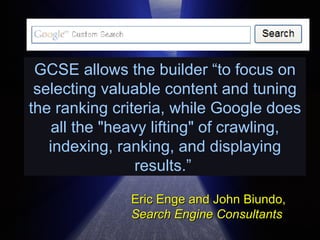
GCSE allows the builder “to focus on selecting valuable content and tuning the ranking criteria, while Google does all the &quot;heavy lifting&quot; of crawling, indexing, ranking, and displaying results.”   Eric Enge and John Biundo, Search Engine Consultants
“ Reference librarians and digital bibliographers... can crank out their bookmarks and favorites and convert them into focused search engines.  Barbara Quint   Editor Searcher Magazine
When patrons/clients come to the Web site, they can tap the recommended sources automatically as they perform searches.  Barbara Quint   Editor Searcher Magazine
Even after the library is closed and the librarians have all gone home, the genius and experience of the librarians will still be serving patrons, 24/7/365 (366 in a leap year).”  Barbara Quint   Editor Searcher Magazine
We have learnt of the new Web tools & Services that we can use to collaborate. So what’s next? Let us clarify our options!
THIS WAY PLEASE!
Options for Collaboration 1. Collaborating with users or the Public 2. Collaborating with other Librarians
Option 1 Collaborating with users or the Public Librarians do not know it all, and sometimes clients can better meet the information needs of other clients. Meredith Farkas
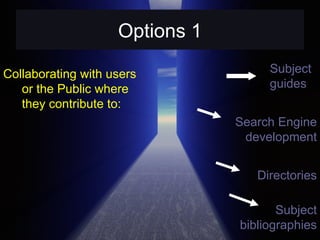
Options 1 Collaborating with users or the Public where they contribute to: Subject guides Directories Search Engine development Subject bibliographies
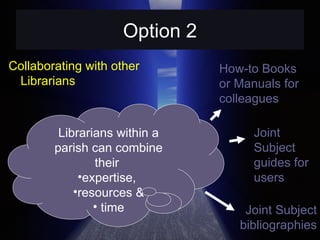
Option 2 Collaborating with other Librarians Librarians within a parish can combine their  expertise,  resources & time How-to Books or Manuals for colleagues Joint Subject guides for users Joint Subject bibliographies
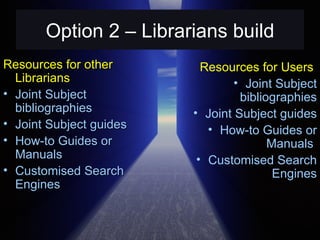
Option 2 – Librarians build Resources for other Librarians Joint Subject bibliographies Joint Subject guides How-to Guides or Manuals  Customised Search Engines Resources for Users  Joint Subject bibliographies Joint Subject guides How-to Guides or Manuals  Customised Search Engines
Now you know! Why not do!  Collaborate! Now!
The END.

Building Together With Collaborative Web Technologies Revised

  • 1.
    Building together withCollaborative Web Technologies: How Can Public & School Libraries Collaborate?
  • 2.
    Conference Information JAMAICALIBRARY SERVICE 60TH ANNIVERSARY INTERNATIONAL CONFERENCE FEBRUARY 16 – 21, 2009 SUNSET JAMAICA GRANDE RESORT & SPA, OCHO RIOS, ST. ANN, JAMAICA
  • 3.
    About Presenter Mr.Mark-Shane E. Scale, Lecturer/Departmental Librarian; Department of Library & Information Studies, University of the West Indies, Mona, markshane.scale AT gmail.com
  • 4.
    Eric Schmidt, Google’s CEO, summarizes today’s Web developments: (qtd. in Amanda Beck) “ the Web has moved to its next stage&quot; and has become &quot;significantly social&quot;, &quot;open, and extensive&quot;
  • 5.
    Ordinary people areon the Web Emerging Web services allow ordinary people to create content on the Web without knowledge of the underlying Internet's infrastructure.
  • 6.
    Library Automation YesterdayLibrary’s Database OPAC Bib. records a.k.a. Cataloguing User & or Circulation Records Serial Tracking Records Acquisition records
  • 7.
    Today’s library automationis undergoing transformation (Cohn et al. xvii). Today’s Web has: “ forced comprehensive re-examination of what automating the library really meant – not just for libraries but for the library user as well ”
  • 8.
    Because Library usersare online… INTERNET
  • 9.
    Library users’ expectationsare CHA NGI NG. Finding information is “fun”! It doesn’t have to be tedious and time consuming like using the library.
  • 10.
    Library user’s NEW expectations Before the Web, to see what my friends are up to, I had to call them! Now I can get live updates on what they are working on. Isn’t that cool?
  • 11.
    Today’s use ofcomputing for getting library work done includes: Connecting the library’s database to the systems of outsiders Accessing information in all formats wherever its location, “at any time, day or night” (Cohn et al. xviii).
  • 12.
    Library user’s NEW expectations I definitely can access all the information I need in the comfort & security of my home. Right beside my coffee.
  • 13.
    Today’s Library automationMade possible by: Cloud Computing Growing Internet usage among library users
  • 14.
    Cloud Computing The“virtualization of resources that maintains and manages itself Kevin Hartig
  • 15.
    Cloud computing Conceptrefers to: the sharing and usage of applications and resources of a network environment to get work done without concern about ownership and management of the network’s resources and applications.
  • 16.
    Computer resources &data not stored on one’s PC, but hosted elsewhere to be made accessible in any location and at any time. Cloud Computing
  • 17.
    This new computingmakes it possible for a new model of library automation. A new model that can be based on the concept of Collaboration
  • 18.
    Collaboration process whereby,“individuals and/or groups work together on a practical endeavor”. has always been “a fundamental feature” in every organisation more important today due to Information and Communication Technologies (ICT) that support “network formation and support”. Michelle W. L. Fong (vi)
  • 19.
    ICT enabled CollaborationCollaboration to take place “on a virtual dimension, regardless of time and location” Creates the “virtual organization” - in which a group of persons are able to share and access available resources regardless of location. Michelle W. L. Fong (vi)
  • 20.
    Through ICT enabledCollaboration The use of virtual organizations by small and medium organizations with suppliers and customers can result in higher customer satisfaction and the achievement of “strategic objectives”. Michelle W. L. Fong (vi)
  • 21.
    The Benefit ofExternal Collaboration Stamm, Bettina von. “Collaboration with other firms and customers: innovation’s secret weapon” Strategy & Leadership 32.3 (2004): 16 – 20. External collaboration with other firms & customers result in improved services and expanded company markets.
  • 22.
    With Virtual Externalcollaboration Wagner, Christian, and Ann Majchrzak. &quot;Enabling Customer-Centricity Using Wikis and the Wiki Way.&quot; Journal of Management Information Systems 23.3 (2006-7): 17 - 43. Customers not only access but change the content on a company’s Web presence.
  • 23.
    ICT/Web tools for External Collaboration Wikis Collaborative Website Development tools Collaborative Online Documents Collaborative Custom Search Engines
  • 24.
  • 25.
    What are Wikistools for building websites without the knowledge of HTML and with the option of continuous collaboration. A “live evolving document” that allows uses to track access to and monitor changes - PBwiki.com
  • 26.
    Examples The people's encyclopaedia The people's instructional manual for how-to information
  • 27.
    Wikis can Supportthe creation of information resources that are continuously edited and expanded.
  • 28.
    Wikis can create Intranets & Extranets Facilitating exchange of messages Manage company documents Publish newsletters and policies Create virtual PR or Marketing presence
  • 29.
    Example of AlbanyCounty Public Library staff wiki providing information on the department of Technical Services http://albystaff.pbwiki.com/TSS
  • 30.
    Farkas, Meredith. “TechnologyGoes Local: Collecting Local Knowledge with Social Software.” American Libraries (Sep. 2008): 50. “ The local knowledge residing in the minds of our patrons is a treasure. Using social software, we can collect and preserve that knowledge for the benefit of the entire community. Since a wiki can receive contributions from many people, it's a perfect tool for collecting local knowledge.”
  • 31.
  • 32.
    Collaborative Website DevelopmentGary B. Shelly and Misty Vermaat Philipp Lenssen Google Sites (http://sites.google.com) is a “content management system that includes wiki-like features” (268). A content management systems organises and manages access to documents and files, as well as indexing files and documents created by users so as to facilitate searching and retrieval (732).
  • 33.
  • 34.
    Gralla, Preston. &quot;Review:Microsoft Office Live Basics Vs. Google Apps For Your Domain.&quot; Information Week 20 Sep. 2008. Information Week 2 Jan. 2009 <http://www.informationweek.com/news/infrastructure/reviews/showArticle.jhtml?articleID=193003850>. “ simple to use and basic” “ point-and-click tools” “ create a page in minutes”. Google sites is:
  • 35.
    Google Sites features“ Web-based page-creation tool…” “ buttons for formatting text, creating links, including images... “ several different layouts...from which you can choose…” “ Publishing the site is simple; click the Publish button.” (par. 16) Preston Gralla
  • 36.
    Collaborative Web Documents:Online document collaboration and sharing
  • 37.
    Google Docs “traditional business programs (word processor, spreadsheet, and presentation software)” “ used through a browser that connects to the data on Google's machines.” Hosch, William L. &quot;Google Inc.&quot; Encyclopædia Britannica . 2008. Encyclopædia Britannica Online. 18 Dec. 2008  < http://search.eb.com/eb/article-278431 >.
  • 38.
    Google Docs Web-basedDocument Management System “for storage and management of a company’s documents, such as word processing documents, presentations, and spreadsheets”. (Shelly and Vermaat 736).
  • 39.
    Google Docs Web-basedDocument Management System that has the ability to track a document in its life cycle, from creation, the various stages of being edited and finally, to the archival stage of a document. (Shelly and Vermaat 736).
  • 40.
  • 41.
    Today, Search Enginesare popular tools for discovering content on the Web. (Chuang and Wu 1). Today search engines are considered the primary tools for information seeking on the Web and are among “the most important web services in cyberspace”
  • 42.
    With today’s developments, Librarians can make search engines better! Just use tools for building customized search engines like Google Custom Search
  • 43.
    GCSE allows thebuilder “to focus on selecting valuable content and tuning the ranking criteria, while Google does all the &quot;heavy lifting&quot; of crawling, indexing, ranking, and displaying results.” Eric Enge and John Biundo, Search Engine Consultants
  • 44.
    “ Reference librariansand digital bibliographers... can crank out their bookmarks and favorites and convert them into focused search engines. Barbara Quint Editor Searcher Magazine
  • 45.
    When patrons/clients cometo the Web site, they can tap the recommended sources automatically as they perform searches. Barbara Quint Editor Searcher Magazine
  • 46.
    Even after thelibrary is closed and the librarians have all gone home, the genius and experience of the librarians will still be serving patrons, 24/7/365 (366 in a leap year).” Barbara Quint Editor Searcher Magazine
  • 47.
    We have learntof the new Web tools & Services that we can use to collaborate. So what’s next? Let us clarify our options!
  • 48.
  • 49.
    Options for Collaboration1. Collaborating with users or the Public 2. Collaborating with other Librarians
  • 50.
    Option 1 Collaboratingwith users or the Public Librarians do not know it all, and sometimes clients can better meet the information needs of other clients. Meredith Farkas
  • 51.
    Options 1 Collaboratingwith users or the Public where they contribute to: Subject guides Directories Search Engine development Subject bibliographies
  • 52.
    Option 2 Collaboratingwith other Librarians Librarians within a parish can combine their expertise, resources & time How-to Books or Manuals for colleagues Joint Subject guides for users Joint Subject bibliographies
  • 53.
    Option 2 –Librarians build Resources for other Librarians Joint Subject bibliographies Joint Subject guides How-to Guides or Manuals Customised Search Engines Resources for Users Joint Subject bibliographies Joint Subject guides How-to Guides or Manuals Customised Search Engines
  • 54.
    Now you know!Why not do! Collaborate! Now!
  • 55.