Building
Einstein
Analytics Apps
London
March 6th, 2019
This presentation may contain forward-looking statements that involve risks, uncertainties, and assumptions. If any such uncertainties materialize or if any of the
assumptions proves incorrect, the results of salesforce.com, inc. could differ materially from the results expressed or implied by the forward-looking statements we
make. All statements other than statements of historical fact could be deemed forward-looking, including any projections of product or service availability, subscriber
growth, earnings, revenues, or other financial items and any statements regarding strategies or plans of management for future operations, statements of belief,
any statements concerning new, planned, or upgraded services or technology developments and customer contracts or use of our services.
The risks and uncertainties referred to above include – but are not limited to – risks associated with developing and delivering new functionality for our service, new
products and services, our new business model, our past operating losses, possible fluctuations in our operating results and rate of growth, interruptions or delays
in our Web hosting, breach of our security measures, the outcome of any litigation, risks associated with completed and any possible mergers and acquisitions, the
immature market in which we operate, our relatively limited operating history, our ability to expand, retain, and motivate our employees and manage our growth,
new releases of our service and successful customer deployment, our limited history reselling non-salesforce.com products, and utilization and selling to larger
enterprise customers. Further information on potential factors that could affect the financial results of salesforce.com, inc. is included in our annual report on Form
10-K for the most recent fiscal year and in our quarterly report on Form 10-Q for the most recent fiscal quarter. These documents and others containing important
disclosures are available on the SEC Filings section of the Investor Information section of our Web site.
Any unreleased services or features referenced in this or other presentations, press releases or public statements are not currently available and may not be
delivered on time or at all. Customers who purchase our services should make the purchase decisions based upon features that are currently available.
Salesforce.com, inc. assumes no obligation and does not intend to update these forward-looking statements.
Forward-Looking Statement
Statement under the Private Securities Litigation Reform Act of 1995
Developer Experience
Chris Jolley
Skip Sauls
Einstein Analytics Developer Experience
Analytics Assets
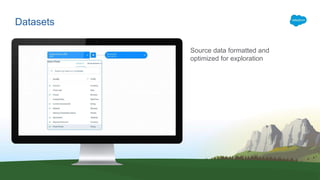
Datasets
Source data formatted and
optimized for exploration
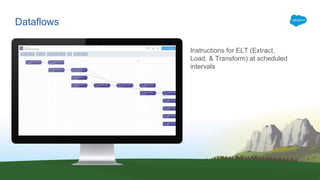
Dataflows
Instructions for ELT (Extract,
Load, & Transform) at scheduled
intervals
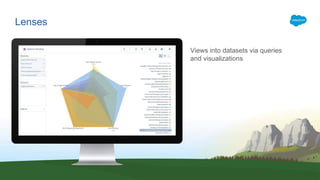
Lenses
Views into datasets via queries
and visualizations
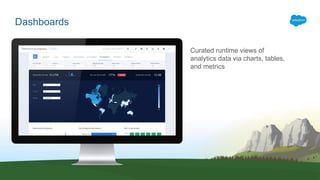
Dashboards
Curated runtime views of
analytics data via charts, tables,
and metrics
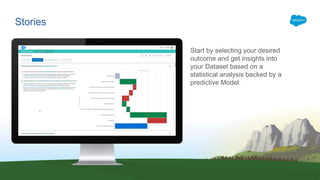
Stories
Start by selecting your desired
outcome and get insights into
your Dataset based on a
statistical analysis backed by a
predictive Model.
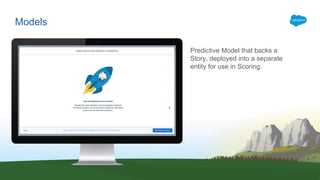
Models
Predictive Model that backs a
Story, deployed into a separate
entity for use in Scoring.
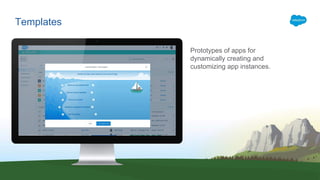
Templates
Prototypes of apps for
dynamically creating and
customizing app instances.
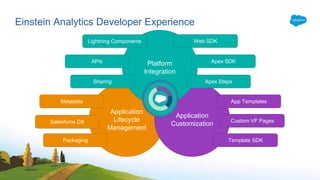
Analytics Developer Experience
Application
Lifecycle
Management
Application
Customization
Platform
Integration
Metadata
Web SDK
Custom VF Pages
APIs
Sharing
Lightning Components
Salesforce DX
Apex SDK
Apex Steps
App Templates
Template SDKPackaging
Einstein Analytics Developer Experience
App Templates
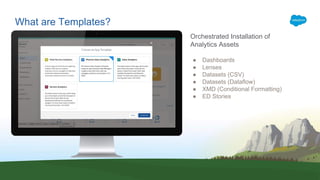
What are Templates?
Orchestrated Installation of
Analytics Assets
● Dashboards
● Lenses
● Datasets (CSV)
● Datasets (Dataflow)
● XMD (Conditional Formatting)
● ED Stories
Why Templates?
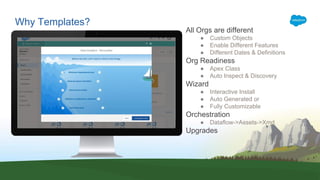
All Orgs are different
● Custom Objects
● Enable Different Features
● Different Dates & Definitions
Org Readiness
● Apex Class
● Auto Inspect & Discovery
Wizard
● Interactive Install
● Auto Generated or
● Fully Customizable
Orchestration
● Dataflow->Assets->Xmd
Upgrades
Development Lifecycle
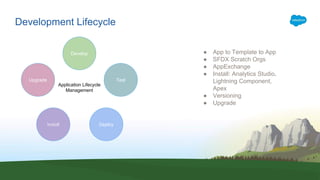
● App to Template to App
● SFDX Scratch Orgs
● AppExchange
● Install: Analytics Studio,
Lightning Component,
Apex
● Versioning
● Upgrade
Develop
Test
DeployInstall
Upgrade
Application Lifecycle
Management
Getting started with templates
Prerequisites
Salesforce Metadata
JSON
Nice to Haves
VisualForce
Javascript
Apex
How
Create all Assets in Analytics Studio
• Aggregate everything under a single folder
Convert the App to a Template
• SFX Analytics Plugin or REST API
Export the Template
• SFX Analytics Plugin or Metadata API
Optionaly
• Create a Wizard with Questions to drive the custom install
• Create Apex class to inspect and Validate the Org
• Create Rules to morph Dashboard, Lenses, & Dataflows
• Create Release Notes and add Preview Images
Getting Started
Where
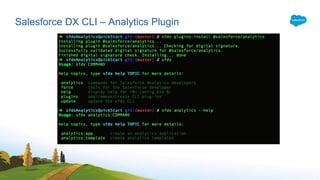
SFDX Analytics Plugin
• sfdx plugins:install @salesforce/analytics
• https://www.salesforce.com/video/3579624/
Public SFDX Analytics Samples
• https://github.com/forcedotcom/sfdx-analytics
Developers Guide
• https://developer.salesforce.com/docs/atlas.en-us.bi_dev_guide_wave_templates.meta/bi_dev_guide_wav
e_templates/bi_templatesdev_intro_wave_templates.htm
Trailhead
• https://trailhead.salesforce.com/en/modules/wave_analytics_templates_intro
Getting Started
SFDX
Salesforce DX Overview
Source Driven Development
• Source of truth shifts from the org to VCS allowing use of modern collaboration tools such as GIT
Salesforce CLI (Command Line Interface)
• Commands built around open API’s to work with your salesforce environment
Scratch Orgs
• Spin up a salesforce org quickly with specified features and preferences.
• DevelopmentWave feature is now available for analytics app development.

• Source driven, fully configurable, and disposable environment that can be used for development and
automated testing
Continuous Delivery
• Development based on standards so you can continue to use the tools you already use
Salesforce DX Overview – How to get Started?
You don’t have to throw anything away!
It’s pretty simple:
• Enable Dev Hub in your Developer Edition, trial, or production org
• Download the Salesforce CLI
• Install the Analytics DX Plugin to the CLI
• Create scratch orgs with the DevelopmentWave scratch org feature
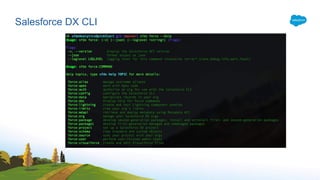
Salesforce DX CLI
Salesforce DX CLI – Analytics Plugin
Analytics SDKs
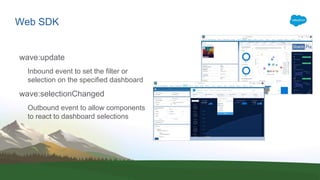
Web SDK
wave:update
Inbound event to set the filter or
selection on the specified dashboard
wave:selectionChanged
Outbound event to allow components
to react to dashboard selections
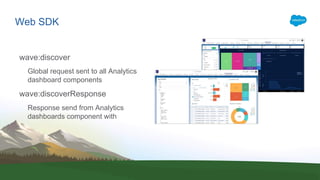
Web SDK
wave:discover
Global request sent to all Analytics
dashboard components
wave:discoverResponse
Response send from Analytics
dashboards component with
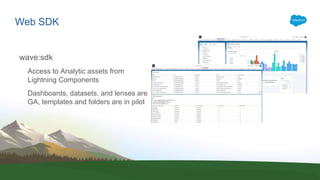
Web SDK
wave:sdk
Access to Analytic assets from
Lightning Components
Dashboards, datasets, and lenses are
GA, templates and folders are in pilot
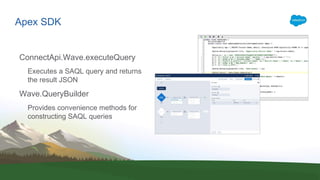
Apex SDK
ConnectApi.Wave.executeQuery
Executes a SAQL query and returns
the result JSON
Wave.QueryBuilder
Provides convenience methods for
constructing SAQL queries
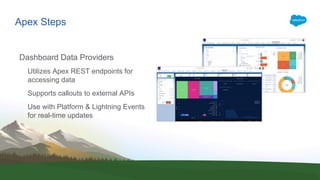
Apex Steps
Dashboard Data Providers
Utilizes Apex REST endpoints for
accessing data
Supports callouts to external APIs
Use with Platform & Lightning Events
for real-time updates
Building einstein analytics apps   uk-compressed

Building einstein analytics apps uk-compressed

  • 1.
  • 2.
    This presentation maycontain forward-looking statements that involve risks, uncertainties, and assumptions. If any such uncertainties materialize or if any of the assumptions proves incorrect, the results of salesforce.com, inc. could differ materially from the results expressed or implied by the forward-looking statements we make. All statements other than statements of historical fact could be deemed forward-looking, including any projections of product or service availability, subscriber growth, earnings, revenues, or other financial items and any statements regarding strategies or plans of management for future operations, statements of belief, any statements concerning new, planned, or upgraded services or technology developments and customer contracts or use of our services. The risks and uncertainties referred to above include – but are not limited to – risks associated with developing and delivering new functionality for our service, new products and services, our new business model, our past operating losses, possible fluctuations in our operating results and rate of growth, interruptions or delays in our Web hosting, breach of our security measures, the outcome of any litigation, risks associated with completed and any possible mergers and acquisitions, the immature market in which we operate, our relatively limited operating history, our ability to expand, retain, and motivate our employees and manage our growth, new releases of our service and successful customer deployment, our limited history reselling non-salesforce.com products, and utilization and selling to larger enterprise customers. Further information on potential factors that could affect the financial results of salesforce.com, inc. is included in our annual report on Form 10-K for the most recent fiscal year and in our quarterly report on Form 10-Q for the most recent fiscal quarter. These documents and others containing important disclosures are available on the SEC Filings section of the Investor Information section of our Web site. Any unreleased services or features referenced in this or other presentations, press releases or public statements are not currently available and may not be delivered on time or at all. Customers who purchase our services should make the purchase decisions based upon features that are currently available. Salesforce.com, inc. assumes no obligation and does not intend to update these forward-looking statements. Forward-Looking Statement Statement under the Private Securities Litigation Reform Act of 1995
  • 3.
    Developer Experience Chris Jolley SkipSauls Einstein Analytics Developer Experience
  • 4.
  • 5.
    Datasets Source data formattedand optimized for exploration
  • 6.
    Dataflows Instructions for ELT(Extract, Load, & Transform) at scheduled intervals
  • 7.
    Lenses Views into datasetsvia queries and visualizations
  • 8.
    Dashboards Curated runtime viewsof analytics data via charts, tables, and metrics
  • 9.
    Stories Start by selectingyour desired outcome and get insights into your Dataset based on a statistical analysis backed by a predictive Model.
  • 10.
    Models Predictive Model thatbacks a Story, deployed into a separate entity for use in Scoring.
  • 11.
    Templates Prototypes of appsfor dynamically creating and customizing app instances.
  • 12.
  • 13.
    Application Lifecycle Management Application Customization Platform Integration Metadata Web SDK Custom VFPages APIs Sharing Lightning Components Salesforce DX Apex SDK Apex Steps App Templates Template SDKPackaging Einstein Analytics Developer Experience
  • 14.
  • 15.
    What are Templates? OrchestratedInstallation of Analytics Assets ● Dashboards ● Lenses ● Datasets (CSV) ● Datasets (Dataflow) ● XMD (Conditional Formatting) ● ED Stories
  • 16.
    Why Templates? All Orgsare different ● Custom Objects ● Enable Different Features ● Different Dates & Definitions Org Readiness ● Apex Class ● Auto Inspect & Discovery Wizard ● Interactive Install ● Auto Generated or ● Fully Customizable Orchestration ● Dataflow->Assets->Xmd Upgrades
  • 17.
    Development Lifecycle ● Appto Template to App ● SFDX Scratch Orgs ● AppExchange ● Install: Analytics Studio, Lightning Component, Apex ● Versioning ● Upgrade Develop Test DeployInstall Upgrade Application Lifecycle Management
  • 18.
    Getting started withtemplates Prerequisites Salesforce Metadata JSON Nice to Haves VisualForce Javascript Apex
  • 19.
    How Create all Assetsin Analytics Studio • Aggregate everything under a single folder Convert the App to a Template • SFX Analytics Plugin or REST API Export the Template • SFX Analytics Plugin or Metadata API Optionaly • Create a Wizard with Questions to drive the custom install • Create Apex class to inspect and Validate the Org • Create Rules to morph Dashboard, Lenses, & Dataflows • Create Release Notes and add Preview Images Getting Started
  • 20.
    Where SFDX Analytics Plugin •sfdx plugins:install @salesforce/analytics • https://www.salesforce.com/video/3579624/ Public SFDX Analytics Samples • https://github.com/forcedotcom/sfdx-analytics Developers Guide • https://developer.salesforce.com/docs/atlas.en-us.bi_dev_guide_wave_templates.meta/bi_dev_guide_wav e_templates/bi_templatesdev_intro_wave_templates.htm Trailhead • https://trailhead.salesforce.com/en/modules/wave_analytics_templates_intro Getting Started
  • 21.
  • 22.
    Salesforce DX Overview SourceDriven Development • Source of truth shifts from the org to VCS allowing use of modern collaboration tools such as GIT Salesforce CLI (Command Line Interface) • Commands built around open API’s to work with your salesforce environment Scratch Orgs • Spin up a salesforce org quickly with specified features and preferences. • DevelopmentWave feature is now available for analytics app development. • Source driven, fully configurable, and disposable environment that can be used for development and automated testing Continuous Delivery • Development based on standards so you can continue to use the tools you already use
  • 23.
    Salesforce DX Overview– How to get Started? You don’t have to throw anything away! It’s pretty simple: • Enable Dev Hub in your Developer Edition, trial, or production org • Download the Salesforce CLI • Install the Analytics DX Plugin to the CLI • Create scratch orgs with the DevelopmentWave scratch org feature
  • 24.
  • 25.
    Salesforce DX CLI– Analytics Plugin
  • 26.
  • 27.
    Web SDK wave:update Inbound eventto set the filter or selection on the specified dashboard wave:selectionChanged Outbound event to allow components to react to dashboard selections
  • 28.
    Web SDK wave:discover Global requestsent to all Analytics dashboard components wave:discoverResponse Response send from Analytics dashboards component with
  • 29.
    Web SDK wave:sdk Access toAnalytic assets from Lightning Components Dashboards, datasets, and lenses are GA, templates and folders are in pilot
  • 30.
    Apex SDK ConnectApi.Wave.executeQuery Executes aSAQL query and returns the result JSON Wave.QueryBuilder Provides convenience methods for constructing SAQL queries
  • 31.
    Apex Steps Dashboard DataProviders Utilizes Apex REST endpoints for accessing data Supports callouts to external APIs Use with Platform & Lightning Events for real-time updates