Hands on Workshop
Accelerate time to insights with Einstein Analytics Templates
Terry Wilson
Accelerate time to value by utilizing one of the many Einstein Analytics
templates to jumpstart your business solution . In this workshop you
will have an introduction to the available templates for applications and
dashboards, creating at least one application from a template. As an
exercise, we will choose a dashboard template, carry out some
customizations and embed it in a core salesforce page as well as
making it ready for the Mobile Analytics App.
Trial Org set up and Mobile App
Request an org with a user name such as Jane.Smith@snowforce.march
• Use this link: https://developer.salesforce.com/promotions/orgs/analytics-
trainings-de
• Once the instance is setup, you will receive an email with your username (record
your username so you don't forget)
• Activate the link in the email to set your new password and related security info
(right click on the Verify button, copy link and open in private or incognito
browser)
• On your Mobile device Download Salesforce Analytics Mobile App (Apple or
Android)
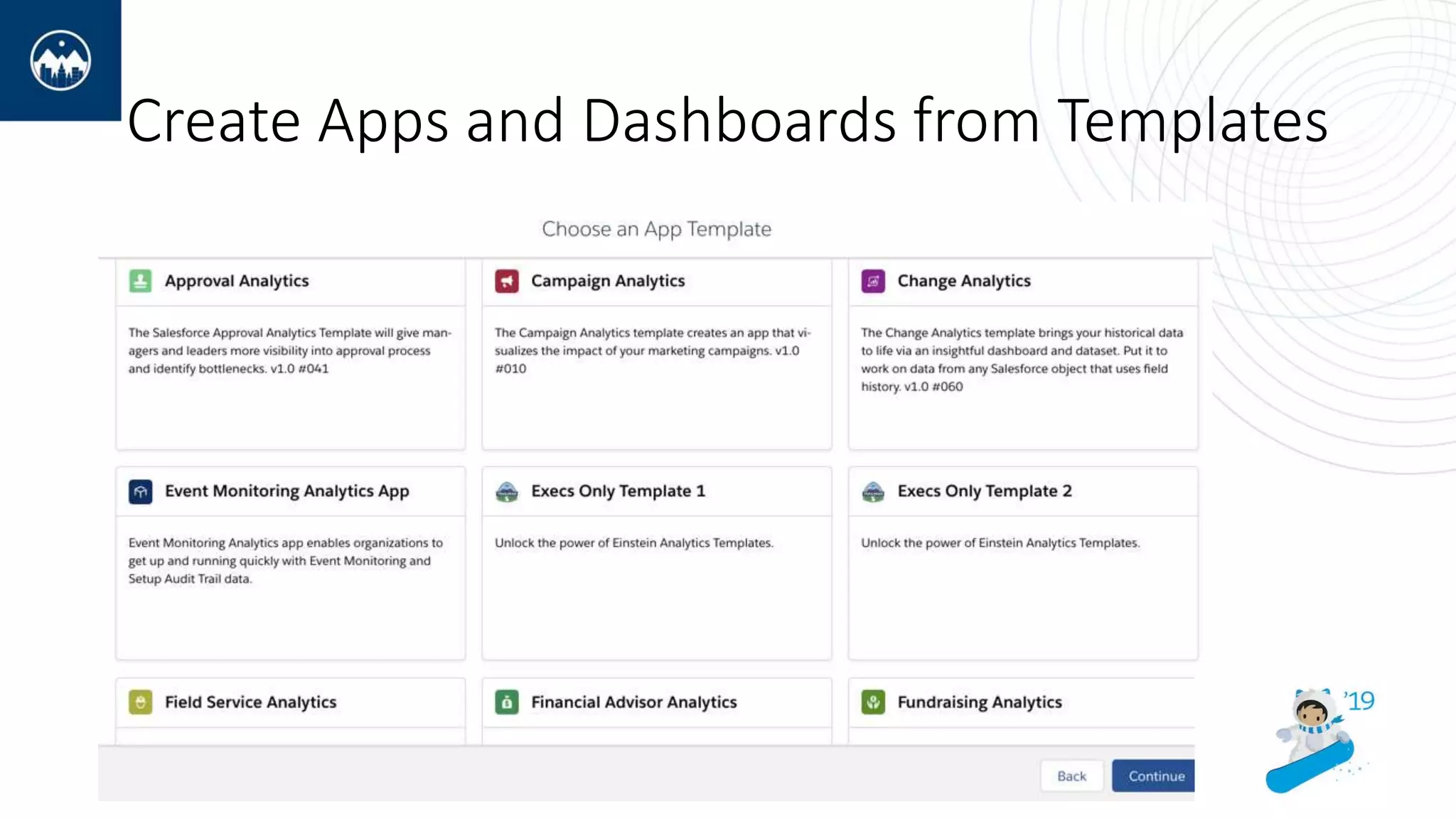
Create Apps and Dashboards from Templates
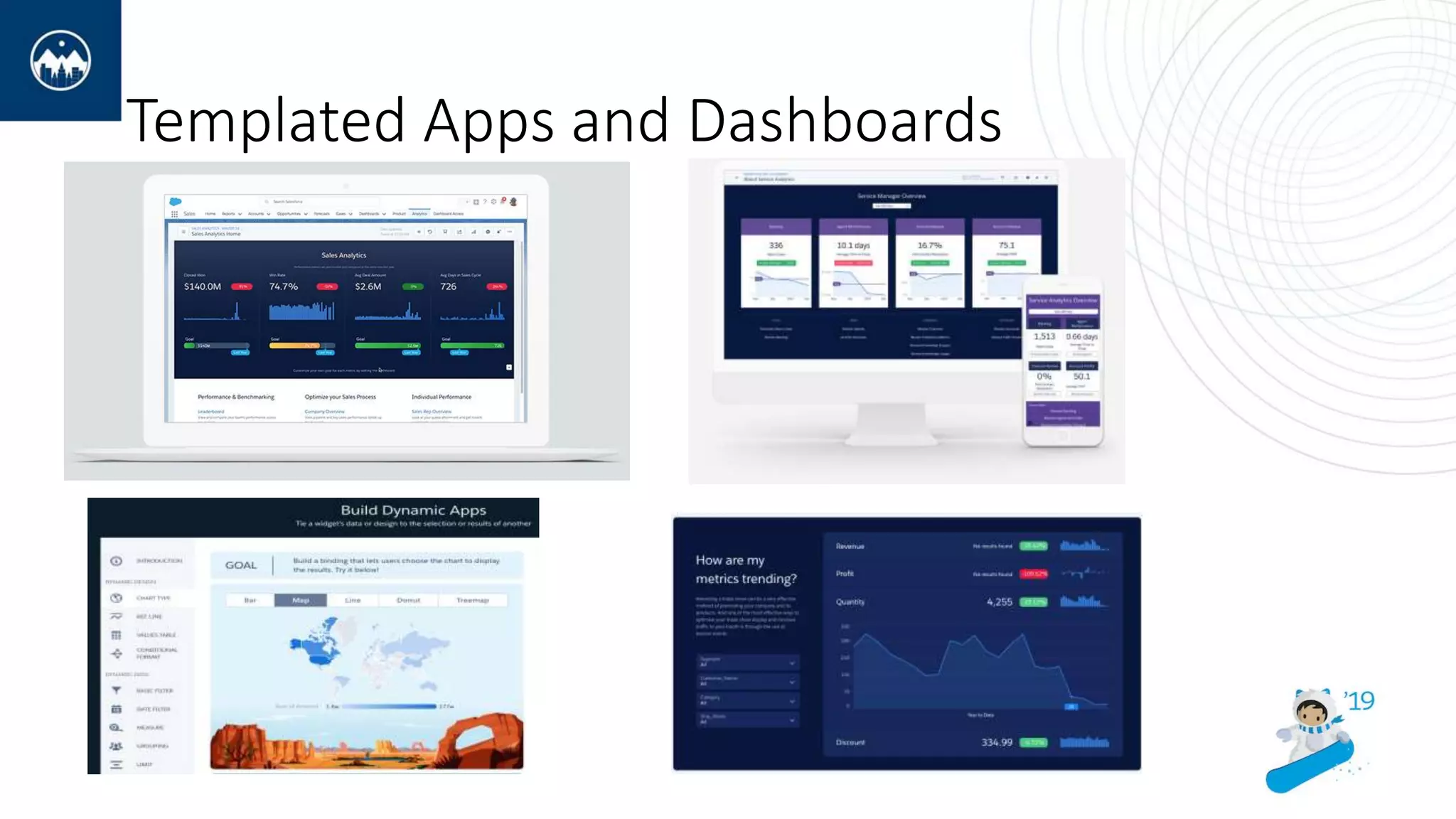
Templated Apps and Dashboards
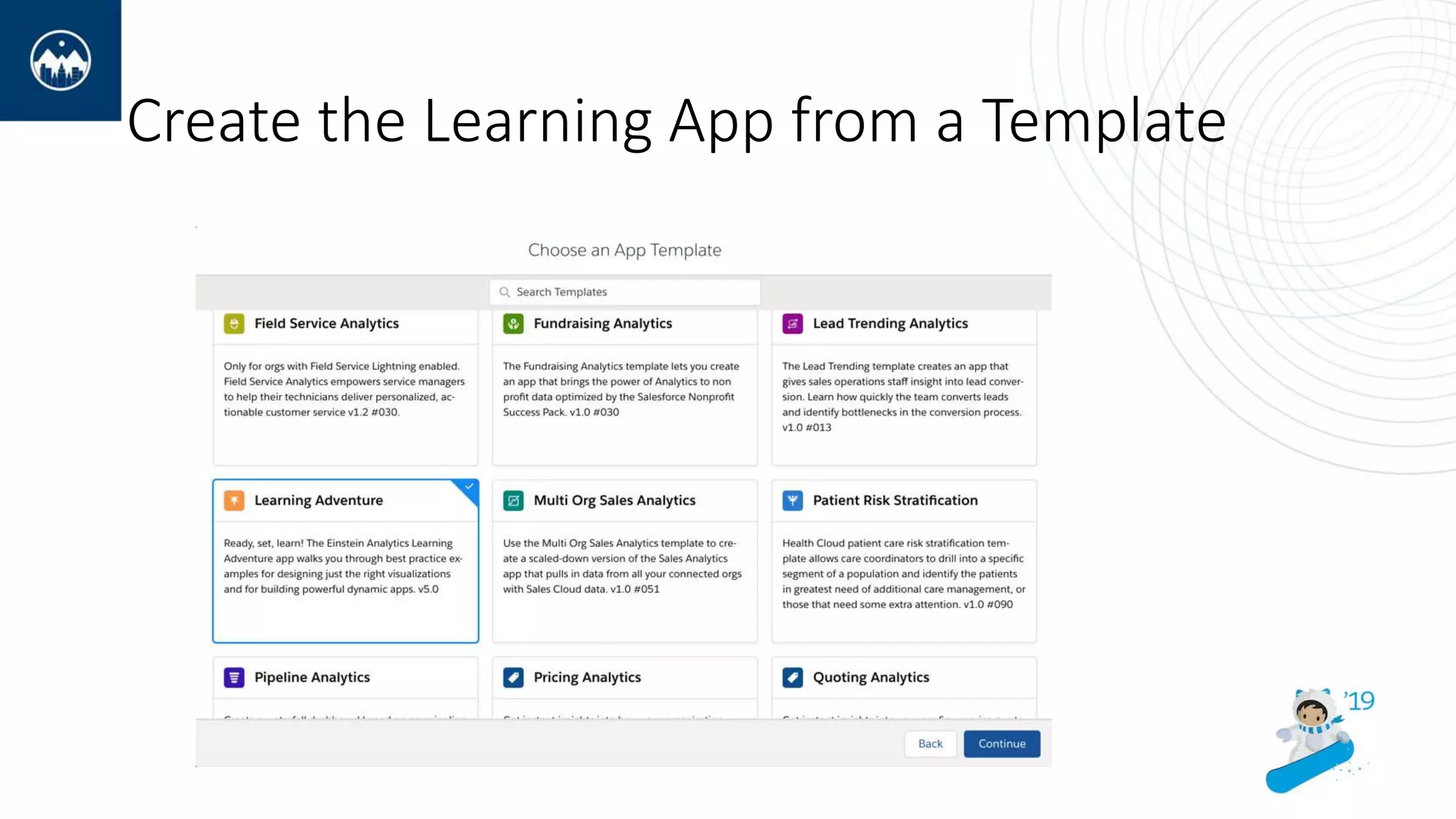
Create the Learning App from a Template
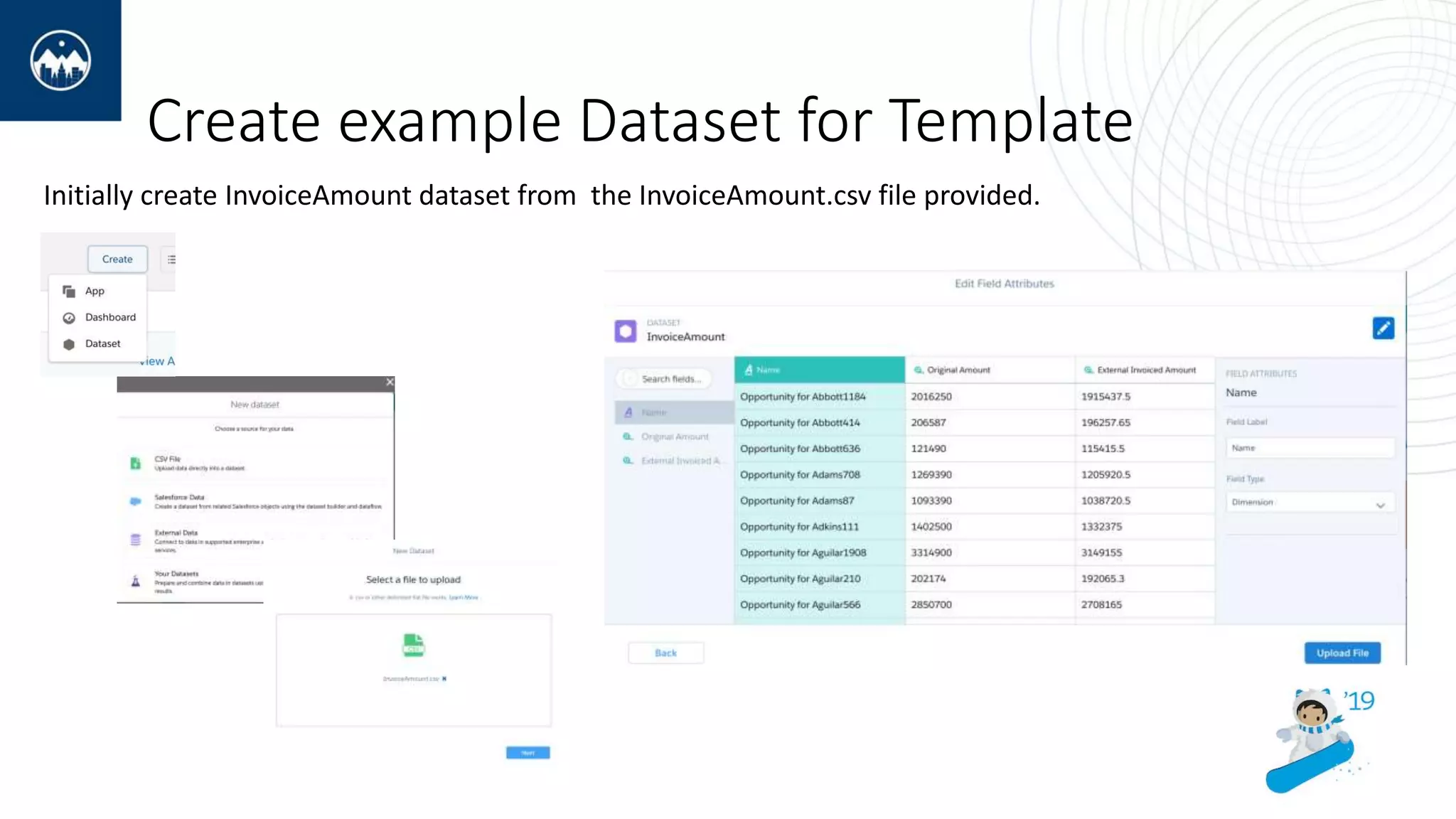
Create example Dataset for Template
Initially create InvoiceAmount dataset from the InvoiceAmount.csv file provided.
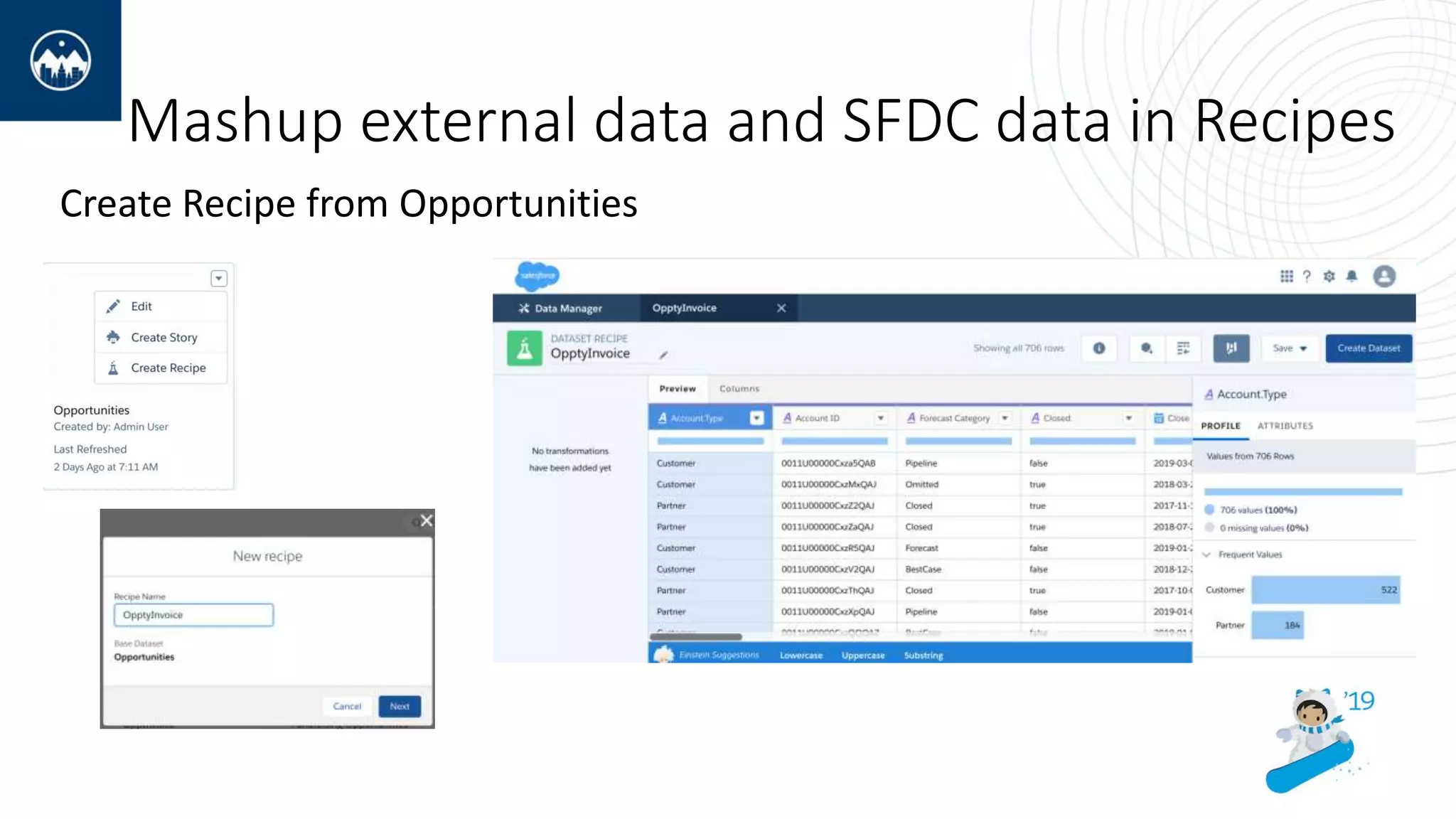
Mashup external data and SFDC data in Recipes
Create Recipe from Opportunities
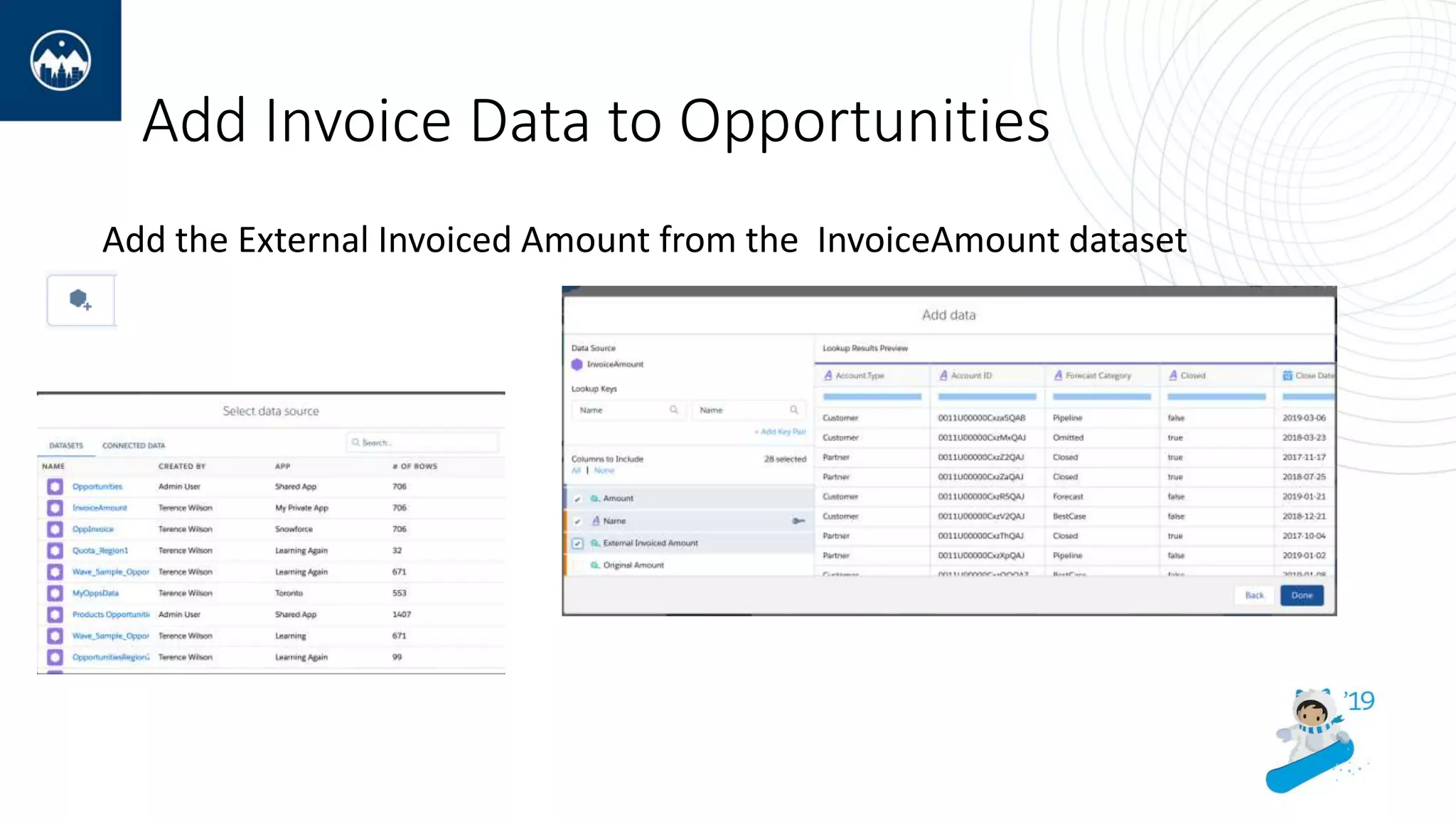
Add Invoice Data to Opportunities
Add the External Invoiced Amount from the InvoiceAmount dataset
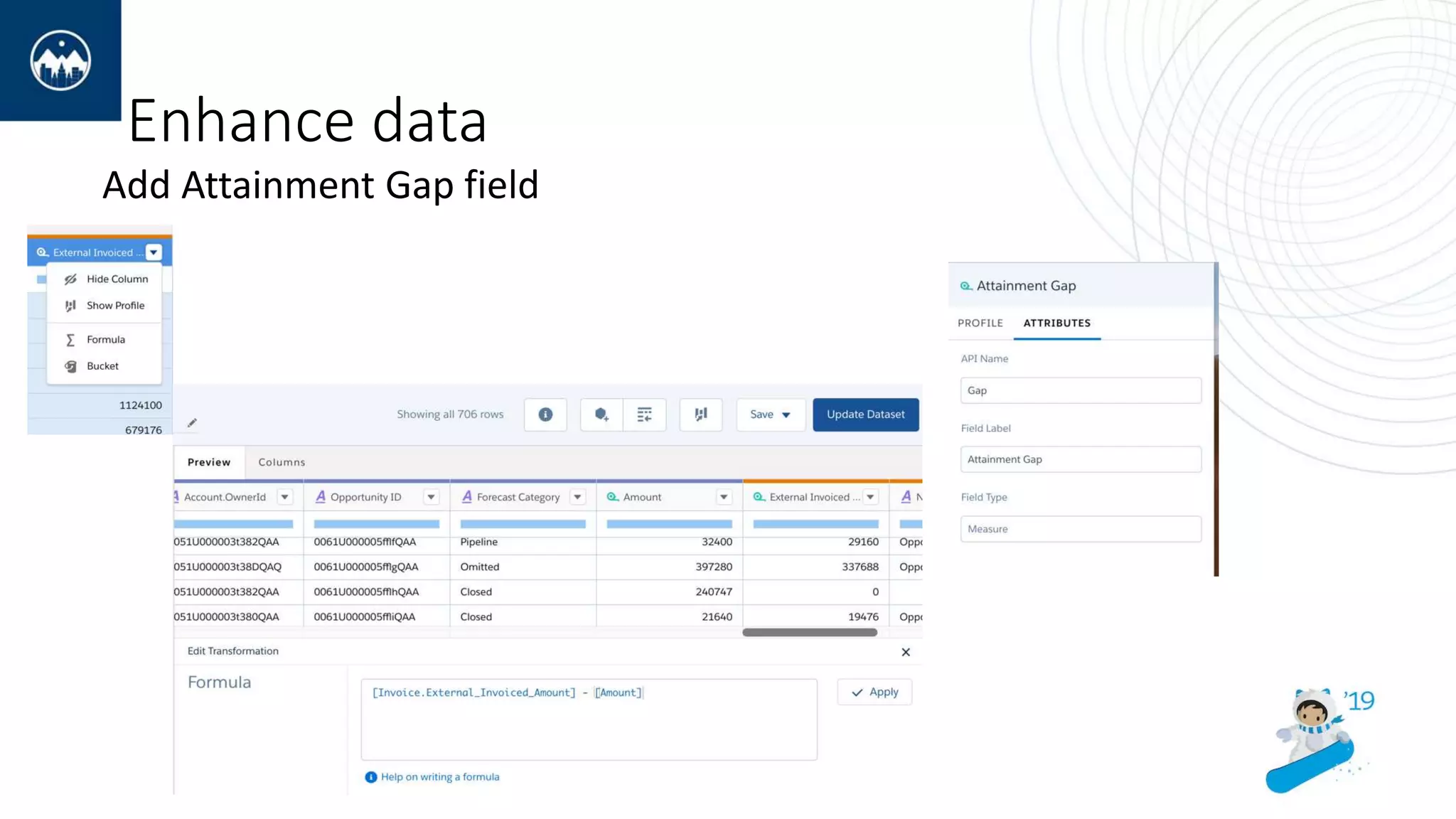
Enhance data
Add Attainment Gap field
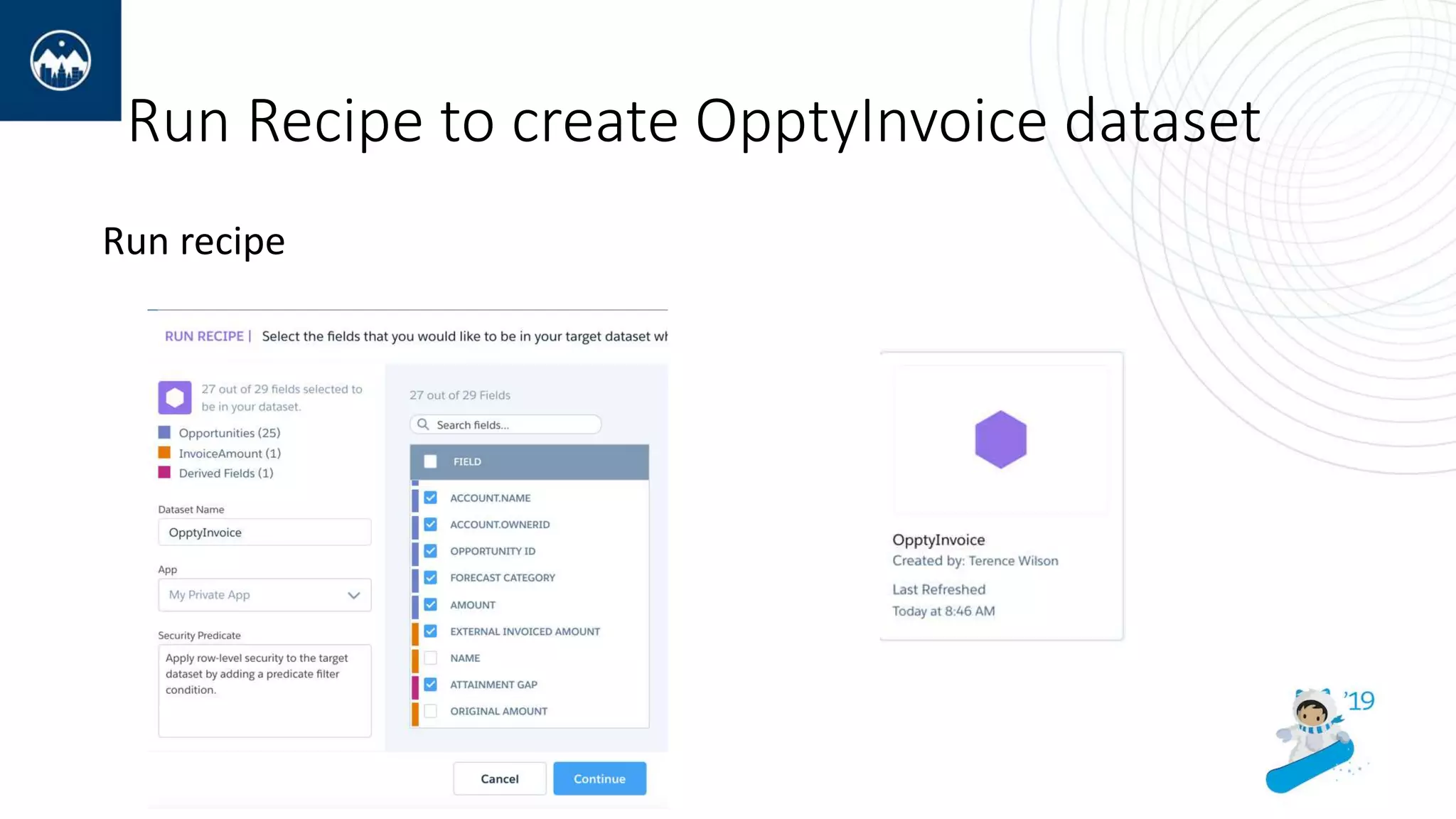
Run Recipe to create OpptyInvoice dataset
Run recipe
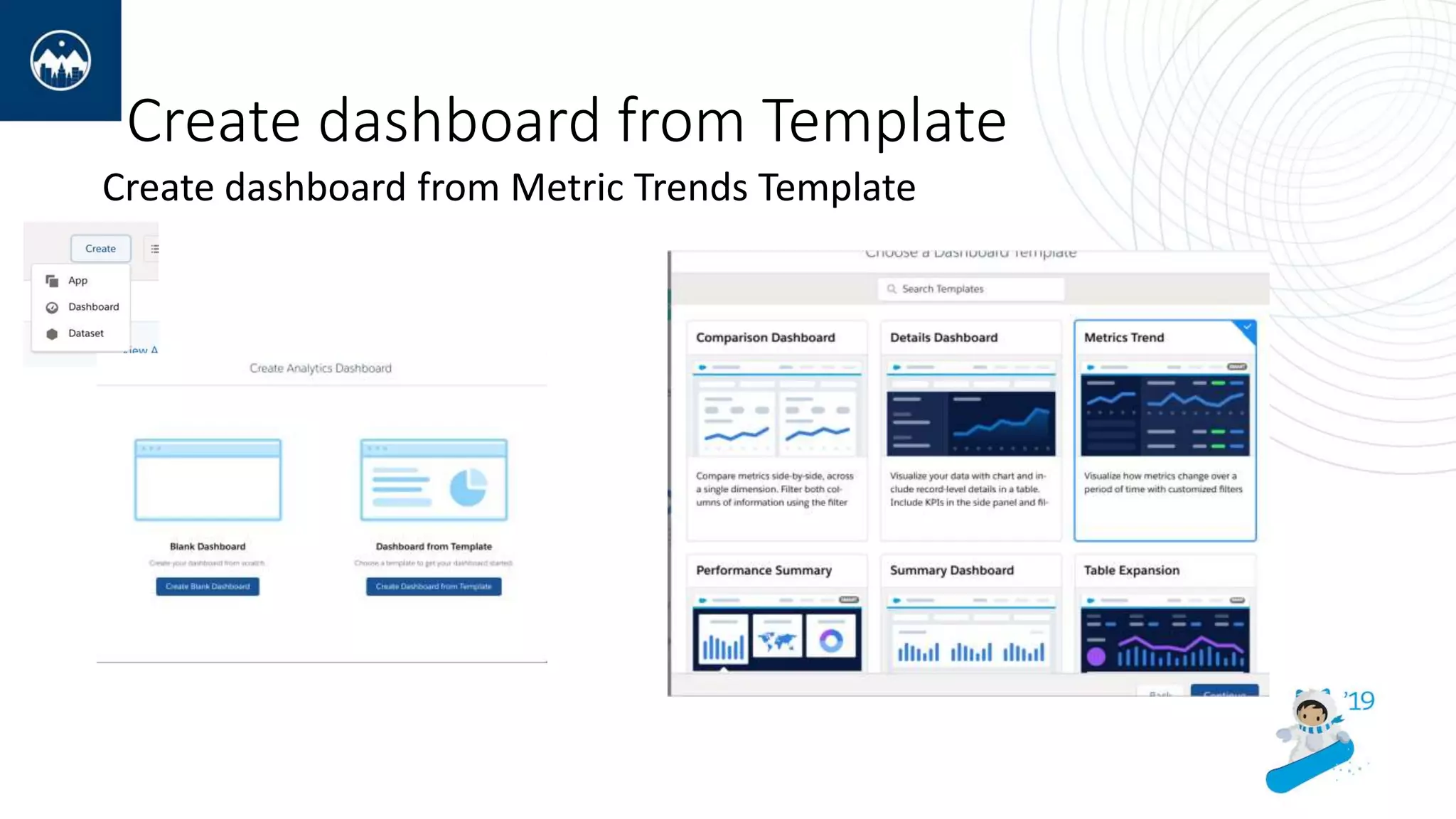
Create dashboard from Template
Create dashboard from Metric Trends Template
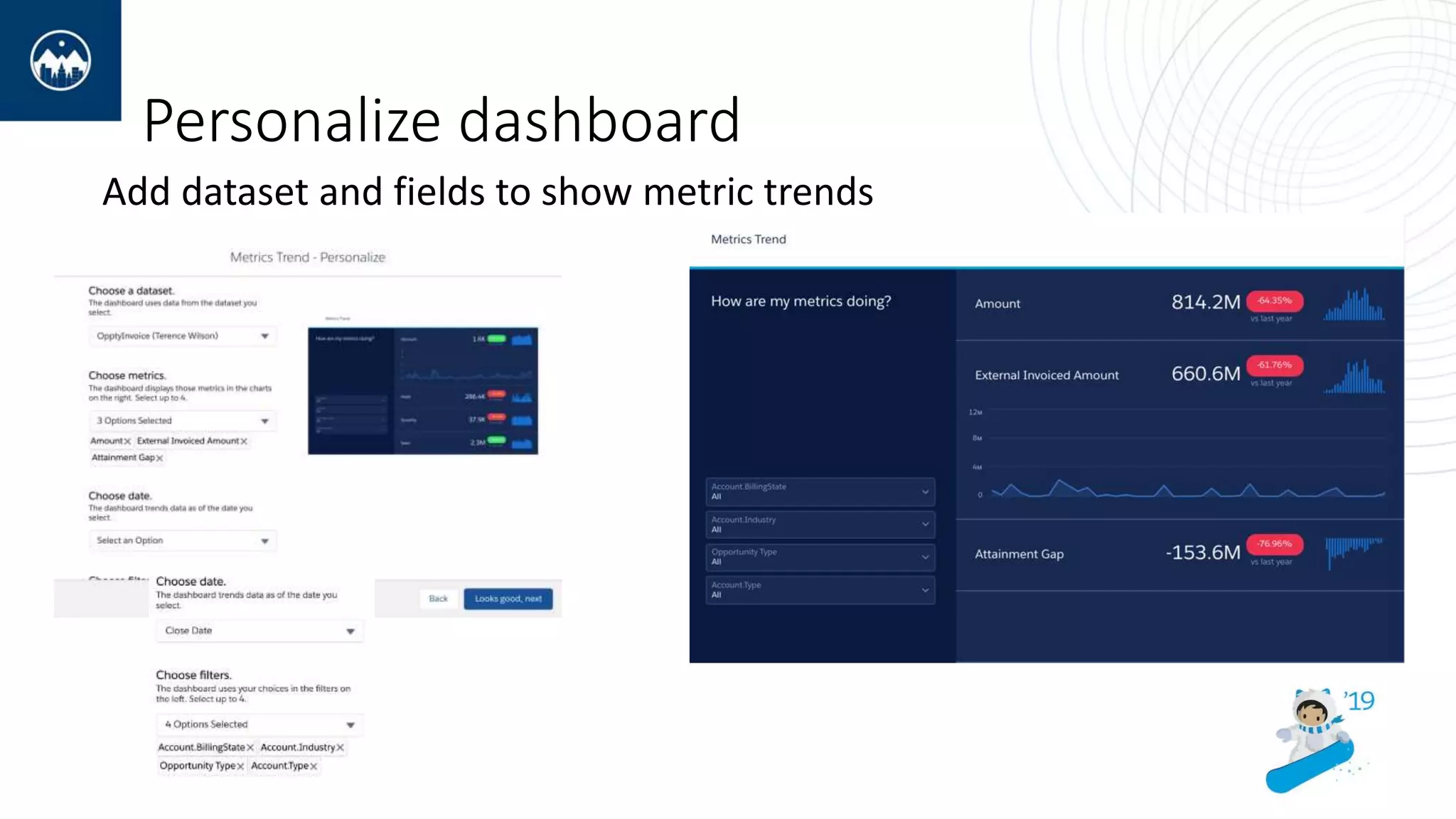
Personalize dashboard
Add dataset and fields to show metric trends
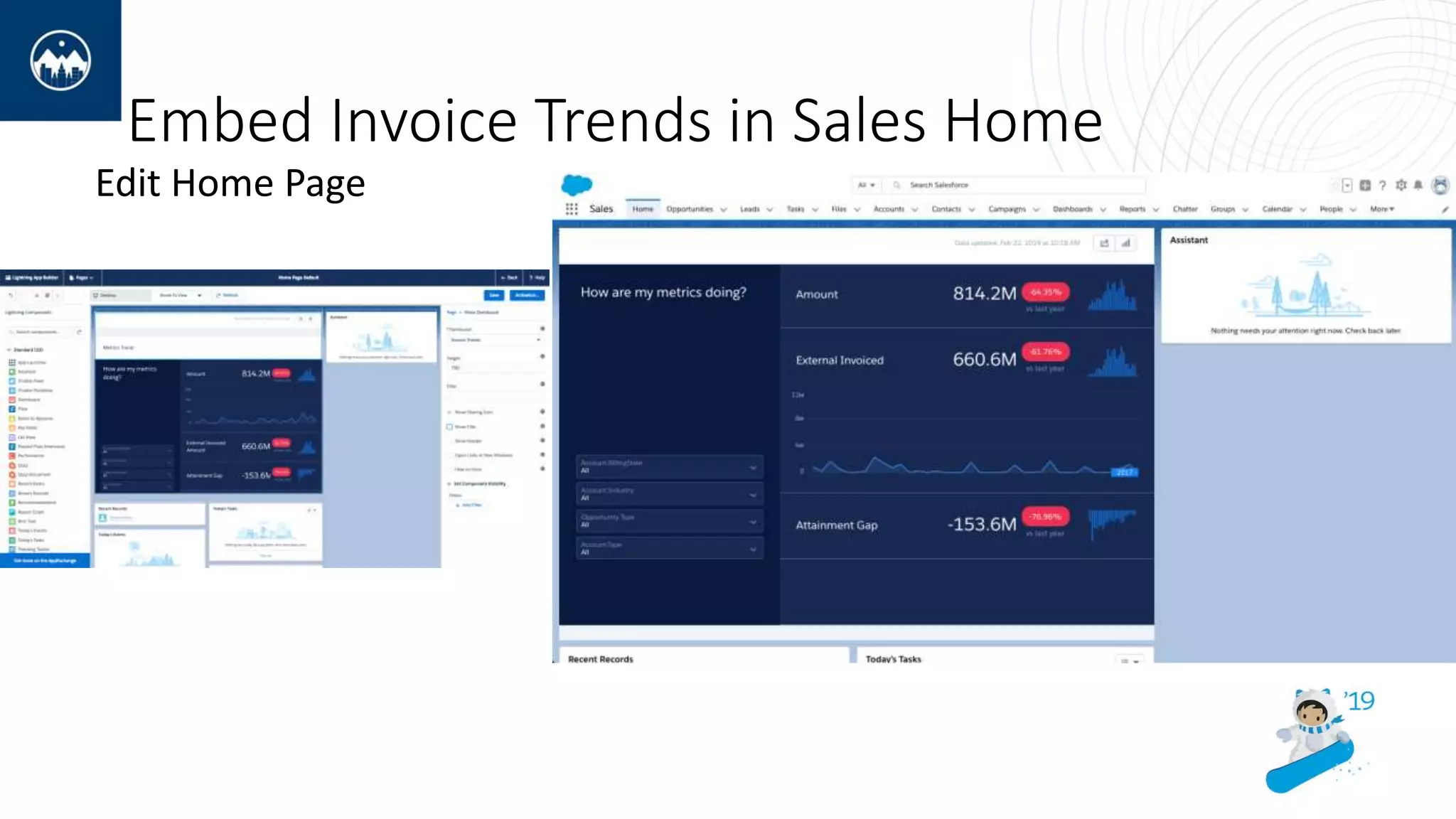
Embed Invoice Trends in Sales Home
Edit Home Page
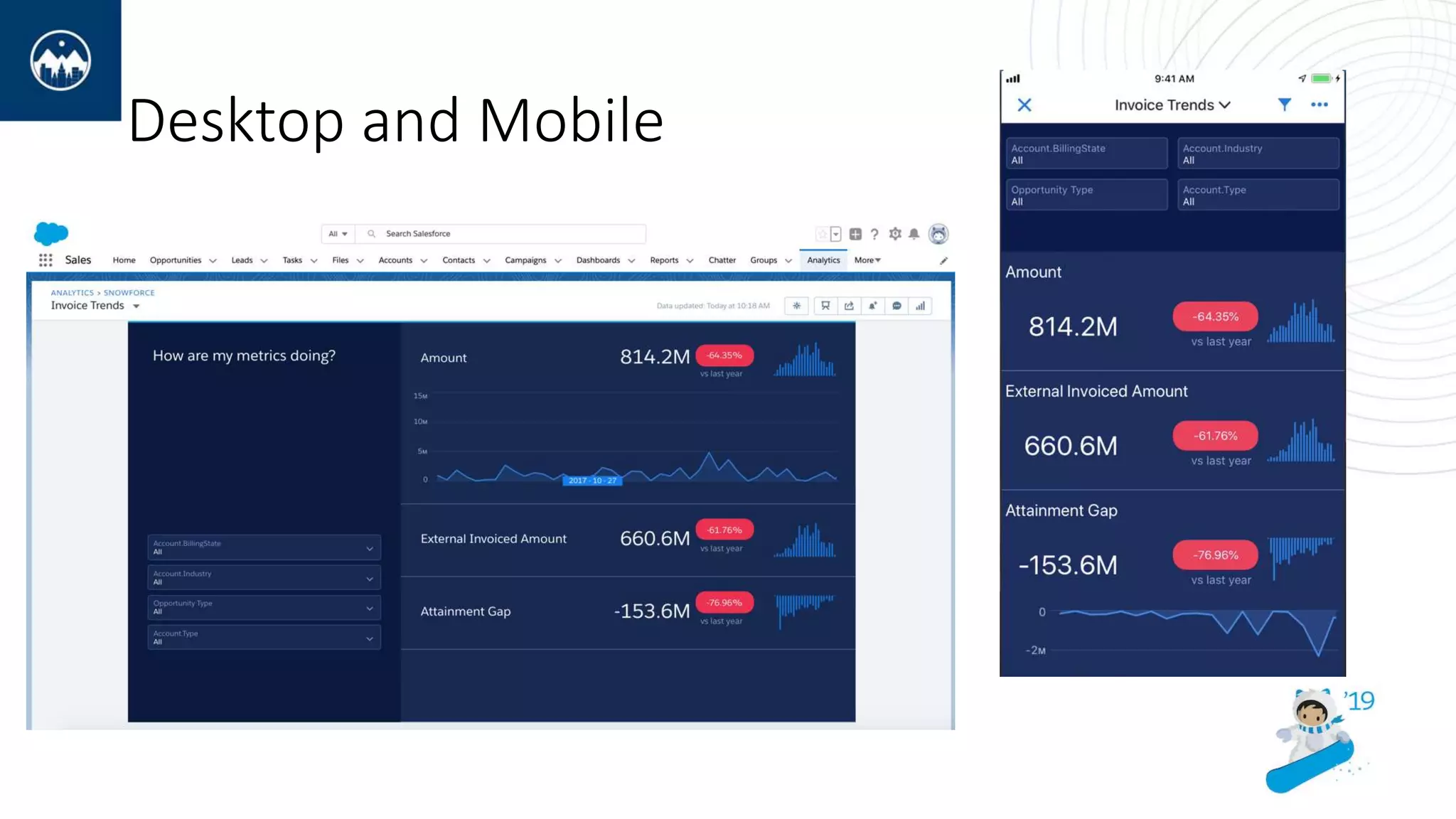
Desktop and Mobile
Thankyou
Accelerate time to insights with Einstein Analytics templates

Accelerate time to insights with Einstein Analytics templates

  • 2.
    Hands on Workshop Acceleratetime to insights with Einstein Analytics Templates Terry Wilson
  • 3.
    Accelerate time tovalue by utilizing one of the many Einstein Analytics templates to jumpstart your business solution . In this workshop you will have an introduction to the available templates for applications and dashboards, creating at least one application from a template. As an exercise, we will choose a dashboard template, carry out some customizations and embed it in a core salesforce page as well as making it ready for the Mobile Analytics App.
  • 4.
    Trial Org setup and Mobile App Request an org with a user name such as Jane.Smith@snowforce.march • Use this link: https://developer.salesforce.com/promotions/orgs/analytics- trainings-de • Once the instance is setup, you will receive an email with your username (record your username so you don't forget) • Activate the link in the email to set your new password and related security info (right click on the Verify button, copy link and open in private or incognito browser) • On your Mobile device Download Salesforce Analytics Mobile App (Apple or Android)
  • 5.
    Create Apps andDashboards from Templates
  • 6.
  • 7.
    Create the LearningApp from a Template
  • 8.
    Create example Datasetfor Template Initially create InvoiceAmount dataset from the InvoiceAmount.csv file provided.
  • 9.
    Mashup external dataand SFDC data in Recipes Create Recipe from Opportunities
  • 10.
    Add Invoice Datato Opportunities Add the External Invoiced Amount from the InvoiceAmount dataset
  • 11.
  • 12.
    Run Recipe tocreate OpptyInvoice dataset Run recipe
  • 13.
    Create dashboard fromTemplate Create dashboard from Metric Trends Template
  • 14.
    Personalize dashboard Add datasetand fields to show metric trends
  • 15.
    Embed Invoice Trendsin Sales Home Edit Home Page
  • 16.
  • 17.