Building Eclipse plugins and RCP applications with Tycho, Nexus & HudsonIgor Fedorenko, SonatypePascal Rapicault, SonatypeJan Sievers, SAP
Contents of this sessionPart I: Introduction to Maven TychoWhat is Tycho?What can it do?How does it relate to Maven, p2, PDE?Who is using it?Real-life Build DemoQ&APart II: Hands-on exercises. Learn how to buildPlugins/OSGi bundlesTestsFeaturesp2 repositoriesRCP applications/products
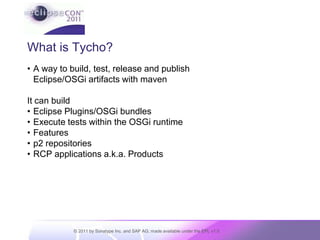
What is Tycho?A way to build, test, release and publishEclipse/OSGi artifacts with mavenIt can buildEclipse Plugins/OSGi bundlesExecute tests within the OSGi runtimeFeaturesp2 repositoriesRCP applications a.k.a. Products
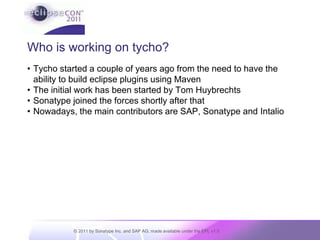
Who is working on tycho?Tycho started a couple of years ago from the need to have the ability to build eclipse plugins using MavenThe initial work has been started by Tom HuybrechtsSonatype joined the forces shortly after thatNowadays, the main contributors are SAP, Sonatype and Intalio
Who is using it?Tycho is used in production by IntalioSAPSonatypeOpen source projects of different size and complexityEGitEclipse Memory AnalyzerRT JettyEquinox p2TigerstripeJBoss Tools
How does it relate to maven?Tycho is a set of maven 3 plugins which hooks into the build lifecycle at a low levelAs such, it opens up eclipse/OSGi builds to the rich Maven ecosystem of plugins for code generators, quality analysis tools, code coverage, etc. How is it different from other maven plugins?It introduces support for resolving dependencies against p2 repositoriesIt resolves dependencies based on MANIFEST.MF/feature.xml etc. and tries to reuse other PDE metadata like build.properties („MANIFEST-first“ as opposed to „POM-first“)
How does it relate to p2?Tycho produces p2 repositories as part of a buildTycho downloads the dependencies of the entities being built from p2 repositories. By default, Tycho does not resolve its dependencies from Maven repositories because the Maven dependency and repository models can not accommodate the expression of OSGi dependencies like Import-PackageTycho embeds parts of p2 in order to perform the dependency resolution and a few other key operations like publishing
How does it relate to PDE?Tycho reuses some of the files that are being used by PDE Build such as MANIFEST.MF, build.properties, feature.xml, site.xml, .product where it makes senseThis allows to reuse PDE UI infrastructure like classpath management, launching capabilities, editors for OSGi manifest, features, product files, target platforms etc.Tycho being a headless build mechanism, it "competes" with PDE build only in the sense that it provides an alternative way to do a headless build of plugins and other eclipse artifacts
Where is Tycho?Tycho is an open source project run by SonatypeIt has recently been given to the Eclipse Foundation and is currently incubatingWe are in the process of contributing the code to Eclipse Foundation but it‘s not done yet. Getting Tycho and its dependencies through Eclipse legal process is a lot of workProject homepage http://eclipse.org/tychoCurrently the codebase is still on githubUsers and development mailing lists:tycho-users@lists.sonatype.comBugs filed at https://issues.sonatype.org/browse/TYCHO
Build Demo
Questions?
Coffee break
Part II: Hands-On Exercises
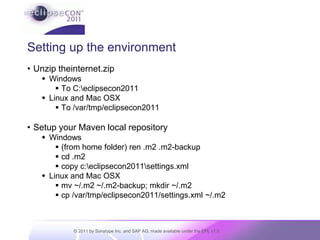
Setting up the environmentUnzip theinternet.zipWindowsTo C:\eclipsecon2011Linux and Mac OSXTo /var/tmp/eclipsecon2011Setup your Maven local repositoryWindows(from home folder) ren .m2 .m2-backupcd .m2copy c:\eclipsecon2011\settings.xmlLinux and Mac OSXmv ~/.m2 ~/.m2-backup; mkdir ~/.m2cp /var/tmp/eclipsecon2011/settings.xml ~/.m2
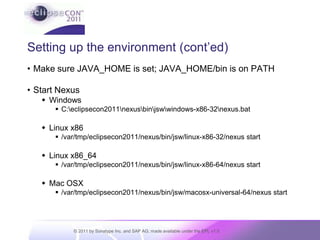
Setting up the environment (cont’ed)Make sure JAVA_HOME is set; JAVA_HOME/bin is on PATHStart NexusWindowsC:\eclipsecon2011\nexus\bin\jsw\windows-x86-32\nexus.batLinux x86/var/tmp/eclipsecon2011/nexus/bin/jsw/linux-x86-32/nexus startLinux x86_64/var/tmp/eclipsecon2011/nexus/bin/jsw/linux-x86-64/nexus startMac OSX/var/tmp/eclipsecon2011/nexus/bin/jsw/macosx-universal-64/nexus start
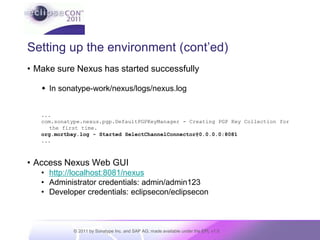
Setting up the environment (cont’ed)Make sure Nexus has started successfullyIn sonatype-work/nexus/logs/nexus.log...com.sonatype.nexus.pgp.DefaultPGPKeyManager - Creating PGP Key Collection for the first time.org.mortbay.log - Started SelectChannelConnector@0.0.0.0:8081...Access Nexus Web GUI
http://localhost:8081/nexus
Administrator credentials: admin/admin123
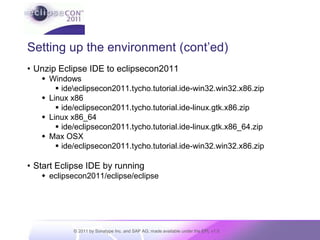
Developer credentials: eclipsecon/eclipseconSetting up the environment (cont’ed)Unzip Eclipse IDE to eclipsecon2011Windows ide\eclipsecon2011.tycho.tutorial.ide-win32.win32.x86.zipLinux x86ide/eclipsecon2011.tycho.tutorial.ide-linux.gtk.x86.zipLinux x86_64ide/eclipsecon2011.tycho.tutorial.ide-linux.gtk.x86_64.zipMax OSXide/eclipsecon2011.tycho.tutorial.ide-win32.win32.x86.zipStart Eclipse IDE by runningeclipsecon2011/eclipse/eclipse
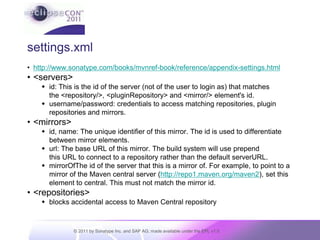
settings.xmlhttp://www.sonatype.com/books/mvnref-book/reference/appendix-settings.html<servers>id: This is the id of the server (not of the user to login as) that matches the <repository/>, <pluginRepository> and <mirror/> element's id.username/password: credentials to access matching repositories, plugin repositories and mirrors.<mirrors>id, name: The unique identifier of this mirror. The id is used to differentiate between mirror elements.url: The base URL of this mirror. The build system will use prepend this URL to connect to a repository rather than the default serverURL.mirrorOfThe id of the server that this is a mirror of. For example, to point to a mirror of the Maven central server (http://repo1.maven.org/maven2), set this element to central. This must not match the mirror id.<repositories>blocks accidental access to Maven Central repository
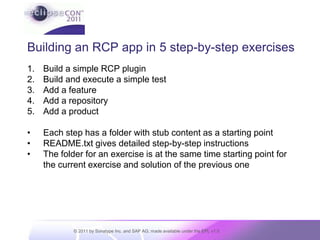
Building an RCP app in 5 step-by-step exercisesBuild a simple RCP pluginBuild and execute a simple testAdd a featureAdd a repositoryAdd a productEach step has a folder with stub content as a starting pointREADME.txt gives detailed step-by-step instructionsThe folder for an exercise is at the same time starting point for the current exercise and solution of the previous one
Exercise 1: Create and build a hello world RCP plugin using tychoDetailed instructions in Exercise_01_Create_RCP_Bundle/README.txt
Exercise 2: Add a test fragment with a simple JUnit testDetailed instructions in Exercise_02_Add_Test_Fragment/README.txt
Exercise 3: Add a featureDetailed instructions in Exercise_03_Add_Feature/README.txt
Exercise 4: Add a p2 repositoryDetailed instructions in Exercise_04_Add_P2_Repository/README.txt
Exercise 5: Add a productDetailed instructions in Exercise_05_Add_Product /README.txt

Building Eclipse Plugins with Tycho

  • 1.
    Building Eclipse pluginsand RCP applications with Tycho, Nexus & HudsonIgor Fedorenko, SonatypePascal Rapicault, SonatypeJan Sievers, SAP
  • 2.
    Contents of thissessionPart I: Introduction to Maven TychoWhat is Tycho?What can it do?How does it relate to Maven, p2, PDE?Who is using it?Real-life Build DemoQ&APart II: Hands-on exercises. Learn how to buildPlugins/OSGi bundlesTestsFeaturesp2 repositoriesRCP applications/products
  • 3.
    What is Tycho?Away to build, test, release and publishEclipse/OSGi artifacts with mavenIt can buildEclipse Plugins/OSGi bundlesExecute tests within the OSGi runtimeFeaturesp2 repositoriesRCP applications a.k.a. Products
  • 4.
    Who is workingon tycho?Tycho started a couple of years ago from the need to have the ability to build eclipse plugins using MavenThe initial work has been started by Tom HuybrechtsSonatype joined the forces shortly after thatNowadays, the main contributors are SAP, Sonatype and Intalio
  • 5.
    Who is usingit?Tycho is used in production by IntalioSAPSonatypeOpen source projects of different size and complexityEGitEclipse Memory AnalyzerRT JettyEquinox p2TigerstripeJBoss Tools
  • 6.
    How does itrelate to maven?Tycho is a set of maven 3 plugins which hooks into the build lifecycle at a low levelAs such, it opens up eclipse/OSGi builds to the rich Maven ecosystem of plugins for code generators, quality analysis tools, code coverage, etc. How is it different from other maven plugins?It introduces support for resolving dependencies against p2 repositoriesIt resolves dependencies based on MANIFEST.MF/feature.xml etc. and tries to reuse other PDE metadata like build.properties („MANIFEST-first“ as opposed to „POM-first“)
  • 7.
    How does itrelate to p2?Tycho produces p2 repositories as part of a buildTycho downloads the dependencies of the entities being built from p2 repositories. By default, Tycho does not resolve its dependencies from Maven repositories because the Maven dependency and repository models can not accommodate the expression of OSGi dependencies like Import-PackageTycho embeds parts of p2 in order to perform the dependency resolution and a few other key operations like publishing
  • 8.
    How does itrelate to PDE?Tycho reuses some of the files that are being used by PDE Build such as MANIFEST.MF, build.properties, feature.xml, site.xml, .product where it makes senseThis allows to reuse PDE UI infrastructure like classpath management, launching capabilities, editors for OSGi manifest, features, product files, target platforms etc.Tycho being a headless build mechanism, it "competes" with PDE build only in the sense that it provides an alternative way to do a headless build of plugins and other eclipse artifacts
  • 9.
    Where is Tycho?Tychois an open source project run by SonatypeIt has recently been given to the Eclipse Foundation and is currently incubatingWe are in the process of contributing the code to Eclipse Foundation but it‘s not done yet. Getting Tycho and its dependencies through Eclipse legal process is a lot of workProject homepage http://eclipse.org/tychoCurrently the codebase is still on githubUsers and development mailing lists:tycho-users@lists.sonatype.comBugs filed at https://issues.sonatype.org/browse/TYCHO
  • 10.
  • 11.
  • 12.
  • 13.
  • 14.
    Setting up theenvironmentUnzip theinternet.zipWindowsTo C:\eclipsecon2011Linux and Mac OSXTo /var/tmp/eclipsecon2011Setup your Maven local repositoryWindows(from home folder) ren .m2 .m2-backupcd .m2copy c:\eclipsecon2011\settings.xmlLinux and Mac OSXmv ~/.m2 ~/.m2-backup; mkdir ~/.m2cp /var/tmp/eclipsecon2011/settings.xml ~/.m2
  • 15.
    Setting up theenvironment (cont’ed)Make sure JAVA_HOME is set; JAVA_HOME/bin is on PATHStart NexusWindowsC:\eclipsecon2011\nexus\bin\jsw\windows-x86-32\nexus.batLinux x86/var/tmp/eclipsecon2011/nexus/bin/jsw/linux-x86-32/nexus startLinux x86_64/var/tmp/eclipsecon2011/nexus/bin/jsw/linux-x86-64/nexus startMac OSX/var/tmp/eclipsecon2011/nexus/bin/jsw/macosx-universal-64/nexus start
  • 16.
    Setting up theenvironment (cont’ed)Make sure Nexus has started successfullyIn sonatype-work/nexus/logs/nexus.log...com.sonatype.nexus.pgp.DefaultPGPKeyManager - Creating PGP Key Collection for the first time.org.mortbay.log - Started SelectChannelConnector@0.0.0.0:8081...Access Nexus Web GUI
  • 17.
  • 18.
  • 19.
    Developer credentials: eclipsecon/eclipseconSettingup the environment (cont’ed)Unzip Eclipse IDE to eclipsecon2011Windows ide\eclipsecon2011.tycho.tutorial.ide-win32.win32.x86.zipLinux x86ide/eclipsecon2011.tycho.tutorial.ide-linux.gtk.x86.zipLinux x86_64ide/eclipsecon2011.tycho.tutorial.ide-linux.gtk.x86_64.zipMax OSXide/eclipsecon2011.tycho.tutorial.ide-win32.win32.x86.zipStart Eclipse IDE by runningeclipsecon2011/eclipse/eclipse
  • 20.
    settings.xmlhttp://www.sonatype.com/books/mvnref-book/reference/appendix-settings.html<servers>id: This isthe id of the server (not of the user to login as) that matches the <repository/>, <pluginRepository> and <mirror/> element's id.username/password: credentials to access matching repositories, plugin repositories and mirrors.<mirrors>id, name: The unique identifier of this mirror. The id is used to differentiate between mirror elements.url: The base URL of this mirror. The build system will use prepend this URL to connect to a repository rather than the default serverURL.mirrorOfThe id of the server that this is a mirror of. For example, to point to a mirror of the Maven central server (http://repo1.maven.org/maven2), set this element to central. This must not match the mirror id.<repositories>blocks accidental access to Maven Central repository
  • 21.
    Building an RCPapp in 5 step-by-step exercisesBuild a simple RCP pluginBuild and execute a simple testAdd a featureAdd a repositoryAdd a productEach step has a folder with stub content as a starting pointREADME.txt gives detailed step-by-step instructionsThe folder for an exercise is at the same time starting point for the current exercise and solution of the previous one
  • 22.
    Exercise 1: Createand build a hello world RCP plugin using tychoDetailed instructions in Exercise_01_Create_RCP_Bundle/README.txt
  • 23.
    Exercise 2: Adda test fragment with a simple JUnit testDetailed instructions in Exercise_02_Add_Test_Fragment/README.txt
  • 24.
    Exercise 3: Adda featureDetailed instructions in Exercise_03_Add_Feature/README.txt
  • 25.
    Exercise 4: Adda p2 repositoryDetailed instructions in Exercise_04_Add_P2_Repository/README.txt
  • 26.
    Exercise 5: Adda productDetailed instructions in Exercise_05_Add_Product /README.txt