Building a
Production-Ready
Meteor App
by Ritik Malhotra
Streem (https://www.streem.com)
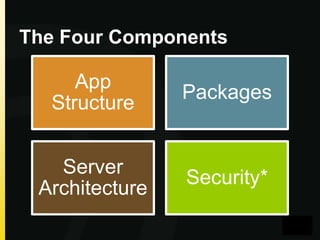
The Four Components

App
Structure

Packages

Server
Architecture

Security*
General Philosophy
• Keep Meteor intact, build around what
exists
• Monkey patch only if necessary
• Remove autopublish and insecure
Part 1

App Structure
How to design for maintainability
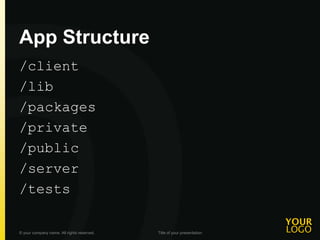
App Structure
/client
/lib
/packages
/private
/public
/server
/tests
© your company name. All rights reserved.

Title of your presentation
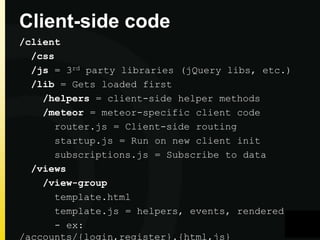
Client-side code
/client
/css
/js = 3rd party libraries (jQuery libs, etc.)
/lib = Gets loaded first
/helpers = client-side helper methods
/meteor = meteor-specific client code
router.js = Client-side routing
startup.js = Run on new client init
subscriptions.js = Subscribe to data
/views
/view-group
template.html
template.js = helpers, events, rendered
- ex:
/accounts/{login,register}.{html,js}
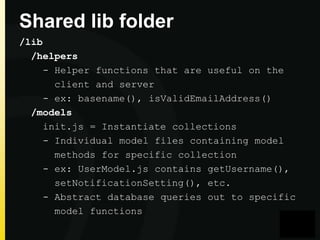
Shared lib folder
/lib
/helpers
- Helper functions that are useful on the
client and server
- ex: basename(), isValidEmailAddress()
/models
init.js = Instantiate collections
- Individual model files containing model
methods for specific collection
- ex: UserModel.js contains getUsername(),
setNotificationSetting(), etc.
- Abstract database queries out to specific
model functions
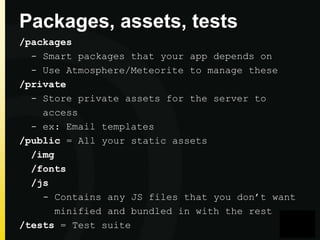
Packages, assets, tests
/packages
- Smart packages that your app depends on
- Use Atmosphere/Meteorite to manage these
/private
- Store private assets for the server to
access
- ex: Email templates
/public = All your static assets
/img
/fonts
/js
- Contains any JS files that you don’t want
minified and bundled in with the rest
/tests = Test suite
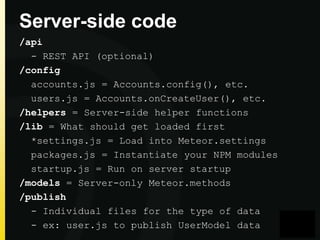
Server-side code
/api
- REST API (optional)
/config
accounts.js = Accounts.config(), etc.
users.js = Accounts.onCreateUser(), etc.
/helpers = Server-side helper functions
/lib = What should get loaded first
*settings.js = Load into Meteor.settings
packages.js = Instantiate your NPM modules
startup.js = Run on server startup
/models = Server-only Meteor.methods
/publish
- Individual files for the type of data
- ex: user.js to publish UserModel data
Part 2

Packages
Essential to maintaining your system
Packages
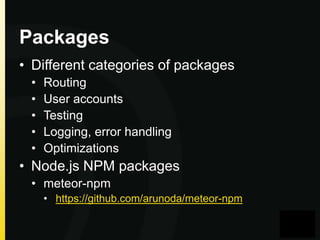
• Different categories of packages
•
•
•
•
•

Routing
User accounts
Testing
Logging, error handling
Optimizations

• Node.js NPM packages
• meteor-npm
• https://github.com/arunoda/meteor-npm
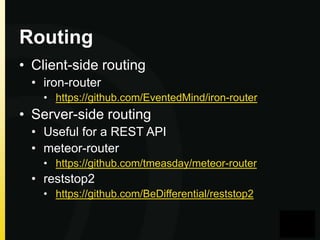
Routing
• Client-side routing
• iron-router
• https://github.com/EventedMind/iron-router

• Server-side routing
• Useful for a REST API
• meteor-router
• https://github.com/tmeasday/meteor-router

• reststop2
• https://github.com/BeDifferential/reststop2
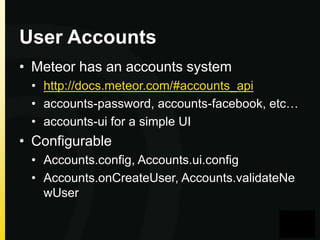
User Accounts
• Meteor has an accounts system
• http://docs.meteor.com/#accounts_api
• accounts-password, accounts-facebook, etc…
• accounts-ui for a simple UI

• Configurable
• Accounts.config, Accounts.ui.config
• Accounts.onCreateUser, Accounts.validateNe
wUser
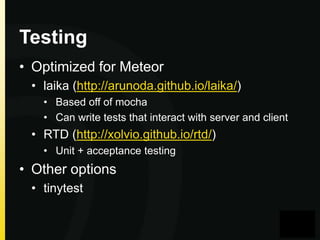
Testing
• Optimized for Meteor
• laika (http://arunoda.github.io/laika/)
• Based off of mocha
• Can write tests that interact with server and client

• RTD (http://xolvio.github.io/rtd/)
• Unit + acceptance testing

• Other options
• tinytest
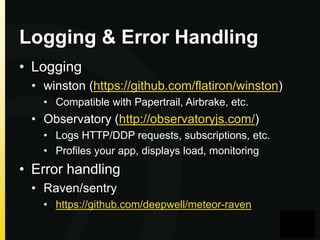
Logging & Error Handling
• Logging
• winston (https://github.com/flatiron/winston)
• Compatible with Papertrail, Airbrake, etc.

• Observatory (http://observatoryjs.com/)
• Logs HTTP/DDP requests, subscriptions, etc.
• Profiles your app, displays load, monitoring

• Error handling
• Raven/sentry
• https://github.com/deepwell/meteor-raven
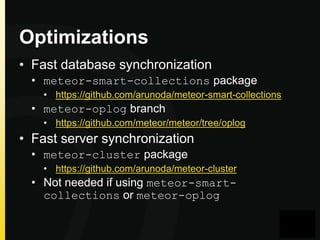
Optimizations
• Fast database synchronization
• meteor-smart-collections package
• https://github.com/arunoda/meteor-smart-collections

• meteor-oplog branch
• https://github.com/meteor/meteor/tree/oplog

• Fast server synchronization
• meteor-cluster package
• https://github.com/arunoda/meteor-cluster

• Not needed if using meteor-smartcollections or meteor-oplog
Part 3

Server Architecture
How to design for easy scalability
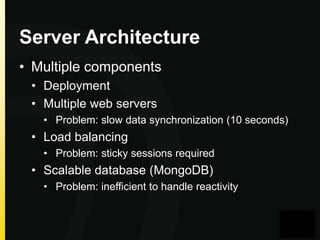
Server Architecture
• Multiple components
• Deployment
• Multiple web servers
• Problem: slow data synchronization (10 seconds)

• Load balancing
• Problem: sticky sessions required

• Scalable database (MongoDB)
• Problem: inefficient to handle reactivity
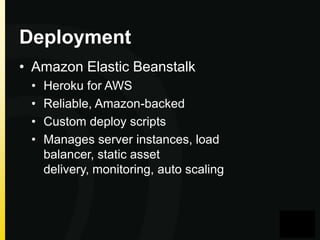
Deployment
• Amazon Elastic Beanstalk
•
•
•
•

Heroku for AWS
Reliable, Amazon-backed
Custom deploy scripts
Manages server instances, load
balancer, static asset
delivery, monitoring, auto scaling
Web Server
• EC2 configuration
• Node.js v0.8.24 or v0.10.10
• nginx
• Point static assets to /public/*
• gzip enabled

• Build script (TODO: link)
• Auto scaling
• Auto-scale up 1 instance at 60% CPU usage
• Auto-scale down 1 instance at 30% CPU usage

• meteor-cluster package for fast data
synchronization between server instances
• Uses Redis
Load Balancing
• Elastic Load Balancer configuration
• Cookie-based sticky sessions enabled
• 0 second cookie expiration period

• HTTP on port 80
• HTTPS on port 443 w/ SSL certificate
• Health checks

• Can’t use WebSockets
• DISABLE_WEBSOCKETS = true
• SockJS gracefully falls back
Database
• Easiest to use a hosted MongoDB solution
• Best option
• Oplog-enabled replica-set cluster
• MongoLab SSD Cluster (or host your own)
• meteor-smart-collections package or
meteor-oplog branch

• Alternative
• MongoHQ/MongoLab regular DB instance
Extras (optional)
• Amazon CloudFront
• CDN’d asset delivery
• Can configure to deliver assets out of a
specific app directory (/public)

• Development, staging, production
environments on Elastic Beanstalk
• Enable monitoring on Elastic Beanstalk to
get alerts when servers are down
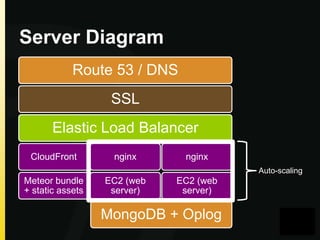
Server Diagram
Route 53 / DNS
SSL
Elastic Load Balancer
CloudFront

nginx

nginx
Auto-scaling

Meteor bundle
+ static assets

EC2 (web
server)

EC2 (web
server)

MongoDB + Oplog
What’s Next?
• App scaffolding
• Automatically generate your app structure

• Packages to automate good practices
• Meteor guides and tutorials
• In-depth instructions on setting up your
server, deploying your app, packages, etc.

• Meteor Cookbook
• Tips and tricks, FAQ

• URL coming soon
We’re Hiring Engineer #1!
• Streem (https://www.streem.com)
• Large-scale Meteor app
• YCombinator-backed & venture-funded
• jobs@streem.com

• Ritik Malhotra
• ritik@streem.com
• @ritikm

Building a production ready meteor app

  • 1.
    Building a Production-Ready Meteor App byRitik Malhotra Streem (https://www.streem.com)
  • 2.
  • 3.
    General Philosophy • KeepMeteor intact, build around what exists • Monkey patch only if necessary • Remove autopublish and insecure
  • 4.
    Part 1 App Structure Howto design for maintainability
  • 5.
    App Structure /client /lib /packages /private /public /server /tests © yourcompany name. All rights reserved. Title of your presentation
  • 6.
    Client-side code /client /css /js =3rd party libraries (jQuery libs, etc.) /lib = Gets loaded first /helpers = client-side helper methods /meteor = meteor-specific client code router.js = Client-side routing startup.js = Run on new client init subscriptions.js = Subscribe to data /views /view-group template.html template.js = helpers, events, rendered - ex: /accounts/{login,register}.{html,js}
  • 7.
    Shared lib folder /lib /helpers -Helper functions that are useful on the client and server - ex: basename(), isValidEmailAddress() /models init.js = Instantiate collections - Individual model files containing model methods for specific collection - ex: UserModel.js contains getUsername(), setNotificationSetting(), etc. - Abstract database queries out to specific model functions
  • 8.
    Packages, assets, tests /packages -Smart packages that your app depends on - Use Atmosphere/Meteorite to manage these /private - Store private assets for the server to access - ex: Email templates /public = All your static assets /img /fonts /js - Contains any JS files that you don’t want minified and bundled in with the rest /tests = Test suite
  • 9.
    Server-side code /api - RESTAPI (optional) /config accounts.js = Accounts.config(), etc. users.js = Accounts.onCreateUser(), etc. /helpers = Server-side helper functions /lib = What should get loaded first *settings.js = Load into Meteor.settings packages.js = Instantiate your NPM modules startup.js = Run on server startup /models = Server-only Meteor.methods /publish - Individual files for the type of data - ex: user.js to publish UserModel data
  • 10.
    Part 2 Packages Essential tomaintaining your system
  • 11.
    Packages • Different categoriesof packages • • • • • Routing User accounts Testing Logging, error handling Optimizations • Node.js NPM packages • meteor-npm • https://github.com/arunoda/meteor-npm
  • 12.
    Routing • Client-side routing •iron-router • https://github.com/EventedMind/iron-router • Server-side routing • Useful for a REST API • meteor-router • https://github.com/tmeasday/meteor-router • reststop2 • https://github.com/BeDifferential/reststop2
  • 13.
    User Accounts • Meteorhas an accounts system • http://docs.meteor.com/#accounts_api • accounts-password, accounts-facebook, etc… • accounts-ui for a simple UI • Configurable • Accounts.config, Accounts.ui.config • Accounts.onCreateUser, Accounts.validateNe wUser
  • 14.
    Testing • Optimized forMeteor • laika (http://arunoda.github.io/laika/) • Based off of mocha • Can write tests that interact with server and client • RTD (http://xolvio.github.io/rtd/) • Unit + acceptance testing • Other options • tinytest
  • 15.
    Logging & ErrorHandling • Logging • winston (https://github.com/flatiron/winston) • Compatible with Papertrail, Airbrake, etc. • Observatory (http://observatoryjs.com/) • Logs HTTP/DDP requests, subscriptions, etc. • Profiles your app, displays load, monitoring • Error handling • Raven/sentry • https://github.com/deepwell/meteor-raven
  • 16.
    Optimizations • Fast databasesynchronization • meteor-smart-collections package • https://github.com/arunoda/meteor-smart-collections • meteor-oplog branch • https://github.com/meteor/meteor/tree/oplog • Fast server synchronization • meteor-cluster package • https://github.com/arunoda/meteor-cluster • Not needed if using meteor-smartcollections or meteor-oplog
  • 17.
    Part 3 Server Architecture Howto design for easy scalability
  • 18.
    Server Architecture • Multiplecomponents • Deployment • Multiple web servers • Problem: slow data synchronization (10 seconds) • Load balancing • Problem: sticky sessions required • Scalable database (MongoDB) • Problem: inefficient to handle reactivity
  • 19.
    Deployment • Amazon ElasticBeanstalk • • • • Heroku for AWS Reliable, Amazon-backed Custom deploy scripts Manages server instances, load balancer, static asset delivery, monitoring, auto scaling
  • 20.
    Web Server • EC2configuration • Node.js v0.8.24 or v0.10.10 • nginx • Point static assets to /public/* • gzip enabled • Build script (TODO: link) • Auto scaling • Auto-scale up 1 instance at 60% CPU usage • Auto-scale down 1 instance at 30% CPU usage • meteor-cluster package for fast data synchronization between server instances • Uses Redis
  • 21.
    Load Balancing • ElasticLoad Balancer configuration • Cookie-based sticky sessions enabled • 0 second cookie expiration period • HTTP on port 80 • HTTPS on port 443 w/ SSL certificate • Health checks • Can’t use WebSockets • DISABLE_WEBSOCKETS = true • SockJS gracefully falls back
  • 22.
    Database • Easiest touse a hosted MongoDB solution • Best option • Oplog-enabled replica-set cluster • MongoLab SSD Cluster (or host your own) • meteor-smart-collections package or meteor-oplog branch • Alternative • MongoHQ/MongoLab regular DB instance
  • 23.
    Extras (optional) • AmazonCloudFront • CDN’d asset delivery • Can configure to deliver assets out of a specific app directory (/public) • Development, staging, production environments on Elastic Beanstalk • Enable monitoring on Elastic Beanstalk to get alerts when servers are down
  • 24.
    Server Diagram Route 53/ DNS SSL Elastic Load Balancer CloudFront nginx nginx Auto-scaling Meteor bundle + static assets EC2 (web server) EC2 (web server) MongoDB + Oplog
  • 25.
    What’s Next? • Appscaffolding • Automatically generate your app structure • Packages to automate good practices • Meteor guides and tutorials • In-depth instructions on setting up your server, deploying your app, packages, etc. • Meteor Cookbook • Tips and tricks, FAQ • URL coming soon
  • 26.
    We’re Hiring Engineer#1! • Streem (https://www.streem.com) • Large-scale Meteor app • YCombinator-backed & venture-funded • jobs@streem.com • Ritik Malhotra • ritik@streem.com • @ritikm

Editor's Notes

  • #11 Going into detailEach key point is anchored with a question. I find posing a question to the audience relative to each key point engages them to proactively think and apply the ideas to their own situation vs. just listen to what I have to say.  Slide Notes:Place the title of the first key point where it says “People” and also in the box in the upper right.This may seem redundant, but the repetition is important. The “subline” in the upper right hand box is for a one or two word anchor to the first key point.In my case, the subline for “People” is “Happiness” – it’s the people you surround yourself with in business who impact your happiness.I’ll then carry the “box” in the upper right hand corner, color-coded to that section, to additional content slides in that section.
  • #18 Going into detailEach key point is anchored with a question. I find posing a question to the audience relative to each key point engages them to proactively think and apply the ideas to their own situation vs. just listen to what I have to say.  Slide Notes:Place the title of the first key point where it says “People” and also in the box in the upper right.This may seem redundant, but the repetition is important. The “subline” in the upper right hand box is for a one or two word anchor to the first key point.In my case, the subline for “People” is “Happiness” – it’s the people you surround yourself with in business who impact your happiness.I’ll then carry the “box” in the upper right hand corner, color-coded to that section, to additional content slides in that section.