~ Bart Waardenburg – Front-End Lead @ ANWB
Building a design system with (p)react
February 2019
1. What is a design system?
2. The process we have in place.
3. The technical choices we had to make.
Topics
Design system?
A design system offers a library of visual style,
components, and other concerns documented and
released by an individual, team or community as
code and design tools so that adopting products can
be more efficient and cohesive.
“
~ Nathan Curtis – Founder & Designer @ Eightshapes
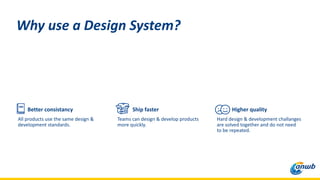
Better consistancy
All products use the same design &
development standards.
Why use a Design System?
Ship faster
Teams can design & develop products
more quickly.
Higher quality
Hard design & development challanges
are solved together and do not need
to be repeated.
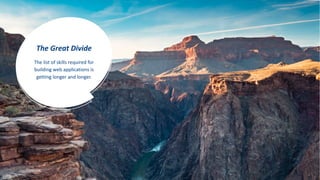
The Great Divide
The list of skills required for
building web applications is
getting longer and longer.
Our design system
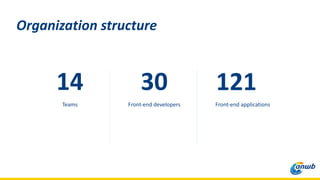
14
Teams
Organization structure
Front-end applications
121
Front-end developers
30
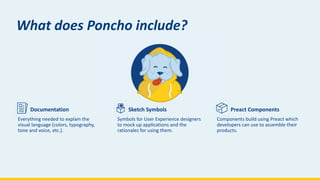
Poncho
Documentation
Everything needed to explain the
visual language (colors, typography,
tone and voice, etc.).
What does Poncho include?
Sketch Symbols
Symbols for User Experience designers
to mock up applications and the
rationales for using them.
Preact Components
Components build using Preact which
developers can use to assemble their
products.
Shipping products
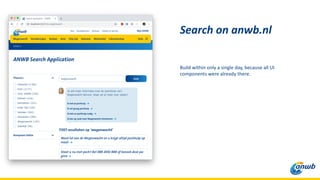
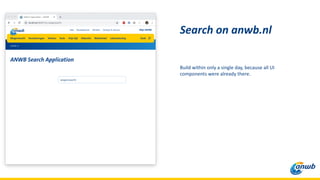
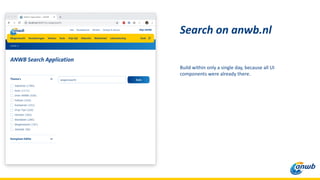
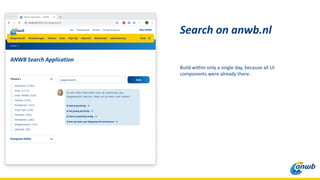
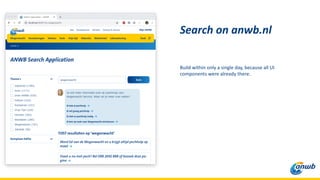
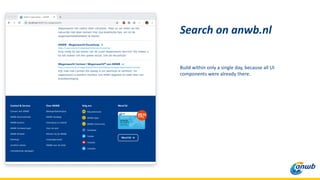
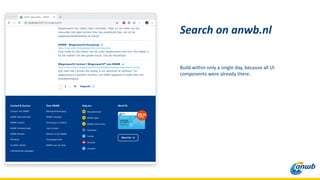
Build within only a single day, because all UI
components were already there.
Search on anwb.nl
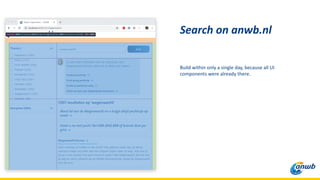
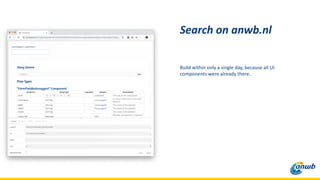
Build within only a single day, because all UI
components were already there.
Search on anwb.nl
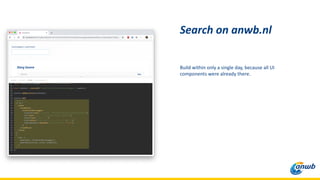
Build within only a single day, because all UI
components were already there.
Search on anwb.nl
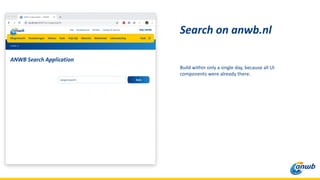
Build within only a single day, because all UI
components were already there.
Search on anwb.nl
Build within only a single day, because all UI
components were already there.
Search on anwb.nl
Build within only a single day, because all UI
components were already there.
Search on anwb.nl
Build within only a single day, because all UI
components were already there.
Search on anwb.nl
Build within only a single day, because all UI
components were already there.
Search on anwb.nl
Build within only a single day, because all UI
components were already there.
Search on anwb.nl
Build within only a single day, because all UI
components were already there.
Search on anwb.nl
Build within only a single day, because all UI
components were already there.
Search on anwb.nl
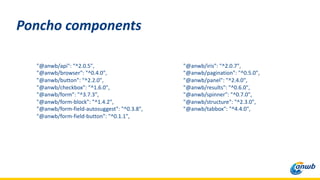
"@anwb/api": "^2.0.5",
"@anwb/browser": "^0.4.0",
"@anwb/button": "^2.2.0",
"@anwb/checkbox": "^1.6.0",
"@anwb/form": "^3.7.3",
"@anwb/form-block": "^1.4.2",
"@anwb/form-field-autosuggest": "^0.3.8",
"@anwb/form-field-button": "^0.1.1",
"@anwb/iris": "^2.0.7",
"@anwb/pagination": "^0.5.0",
"@anwb/panel": "^2.4.0",
"@anwb/results": "^0.6.0",
"@anwb/spinner": "^0.7.0",
"@anwb/structure": "^2.3.0",
"@anwb/tabbox": "^4.4.0",
Poncho components
Our process
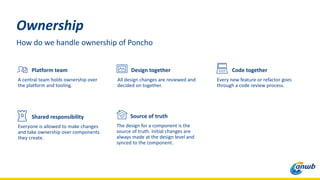
Ownership
How do we handle ownership of Poncho
Platform team
A central team holds ownership over
the platform and tooling.
Design together
All design changes are reviewed and
decided on together.
Code together
Every new feature or refactor goes
through a code review process.
Shared responsibility
Everyone is allowed to make changes
and take ownership over components
they create.
Source of truth
The design for a component is the
source of truth. Initial changes are
always made at the design level and
synced to the component.
A design system is a product
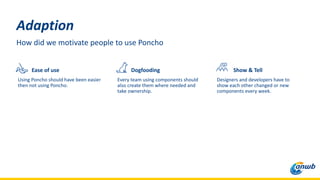
Adaption
How did we motivate people to use Poncho
Ease of use
Using Poncho should have been easier
then not using Poncho.
Dogfooding
Every team using components should
also create them where needed and
take ownership.
Show & Tell
Designers and developers have to
show each other changed or new
components every week.
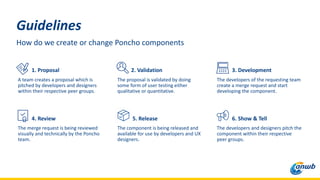
Guidelines
How do we create or change Poncho components
1. Proposal
A team creates a proposal which is
pitched by developers and designers
within their respective peer groups.
2. Validation
The proposal is validated by doing
some form of user testing either
qualitative or quantitative.
3. Development
The developers of the requesting team
create a merge request and start
developing the component.
4. Review
The merge request is being reviewed
visually and technically by the Poncho
team.
5. Release
The component is being released and
available for use by developers and UX
designers.
6. Show & Tell
The developers and designers pitch the
component within their respective
peer groups.
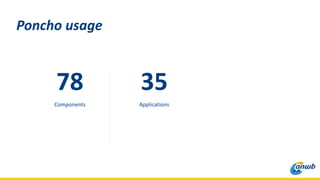
78
Components
Poncho usage
Applications
35
Technical choices
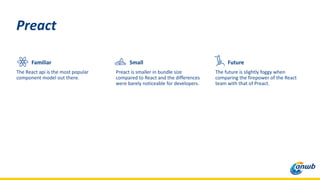
Familiar
The React api is the most popular
component model out there.
Preact
Small
Preact is smaller in bundle size
compared to React and the differences
were barely noticeable for developers.
Future
The future is slightly foggy when
comparing the firepower of the React
team with that of Preact.
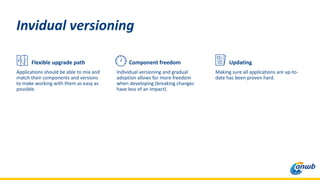
Flexible upgrade path
Applications should be able to mix and
match their components and versions
to make working with them as easy as
possible.
Invidual versioning
Component freedom
Individual versioning and gradual
adoption allows for more freedom
when developing (breaking changes
have less of an impact).
Updating
Making sure all applications are up-to-
date has been proven hard.
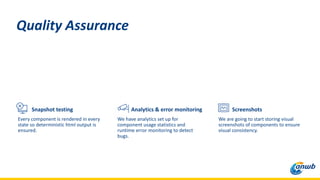
Snapshot testing
Every component is rendered in every
state so deterministic html output is
ensured.
Quality Assurance
Screenshots
We are going to start storing visual
screenshots of components to ensure
visual consistency.
Analytics & error monitoring
We have analytics set up for
component usage statistics and
runtime error monitoring to detect
bugs.
CSS-in-JS
We have to keep the styling for our
CMS output in sync with the output of
our other applications.
Specifics
Typescript
We are using Flow but we might switch
to Flow based on overall developer
usage statistics.
Hooks
Not yet, stability and ease-of-use are
highest priority.
Thanks!
Questions?
@bartwaardenburg

Building a design system with (p)react

  • 1.
    ~ Bart Waardenburg– Front-End Lead @ ANWB Building a design system with (p)react February 2019
  • 2.
    1. What isa design system? 2. The process we have in place. 3. The technical choices we had to make. Topics
  • 3.
  • 4.
    A design systemoffers a library of visual style, components, and other concerns documented and released by an individual, team or community as code and design tools so that adopting products can be more efficient and cohesive. “ ~ Nathan Curtis – Founder & Designer @ Eightshapes
  • 5.
    Better consistancy All productsuse the same design & development standards. Why use a Design System? Ship faster Teams can design & develop products more quickly. Higher quality Hard design & development challanges are solved together and do not need to be repeated.
  • 6.
    The Great Divide Thelist of skills required for building web applications is getting longer and longer.
  • 7.
  • 8.
  • 9.
  • 10.
    Documentation Everything needed toexplain the visual language (colors, typography, tone and voice, etc.). What does Poncho include? Sketch Symbols Symbols for User Experience designers to mock up applications and the rationales for using them. Preact Components Components build using Preact which developers can use to assemble their products.
  • 11.
  • 12.
    Build within onlya single day, because all UI components were already there. Search on anwb.nl
  • 13.
    Build within onlya single day, because all UI components were already there. Search on anwb.nl
  • 14.
    Build within onlya single day, because all UI components were already there. Search on anwb.nl
  • 15.
    Build within onlya single day, because all UI components were already there. Search on anwb.nl
  • 16.
    Build within onlya single day, because all UI components were already there. Search on anwb.nl
  • 17.
    Build within onlya single day, because all UI components were already there. Search on anwb.nl
  • 18.
    Build within onlya single day, because all UI components were already there. Search on anwb.nl
  • 19.
    Build within onlya single day, because all UI components were already there. Search on anwb.nl
  • 20.
    Build within onlya single day, because all UI components were already there. Search on anwb.nl
  • 21.
    Build within onlya single day, because all UI components were already there. Search on anwb.nl
  • 22.
    Build within onlya single day, because all UI components were already there. Search on anwb.nl
  • 23.
    "@anwb/api": "^2.0.5", "@anwb/browser": "^0.4.0", "@anwb/button":"^2.2.0", "@anwb/checkbox": "^1.6.0", "@anwb/form": "^3.7.3", "@anwb/form-block": "^1.4.2", "@anwb/form-field-autosuggest": "^0.3.8", "@anwb/form-field-button": "^0.1.1", "@anwb/iris": "^2.0.7", "@anwb/pagination": "^0.5.0", "@anwb/panel": "^2.4.0", "@anwb/results": "^0.6.0", "@anwb/spinner": "^0.7.0", "@anwb/structure": "^2.3.0", "@anwb/tabbox": "^4.4.0", Poncho components
  • 24.
  • 25.
    Ownership How do wehandle ownership of Poncho Platform team A central team holds ownership over the platform and tooling. Design together All design changes are reviewed and decided on together. Code together Every new feature or refactor goes through a code review process. Shared responsibility Everyone is allowed to make changes and take ownership over components they create. Source of truth The design for a component is the source of truth. Initial changes are always made at the design level and synced to the component.
  • 26.
    A design systemis a product
  • 27.
    Adaption How did wemotivate people to use Poncho Ease of use Using Poncho should have been easier then not using Poncho. Dogfooding Every team using components should also create them where needed and take ownership. Show & Tell Designers and developers have to show each other changed or new components every week.
  • 28.
    Guidelines How do wecreate or change Poncho components 1. Proposal A team creates a proposal which is pitched by developers and designers within their respective peer groups. 2. Validation The proposal is validated by doing some form of user testing either qualitative or quantitative. 3. Development The developers of the requesting team create a merge request and start developing the component. 4. Review The merge request is being reviewed visually and technically by the Poncho team. 5. Release The component is being released and available for use by developers and UX designers. 6. Show & Tell The developers and designers pitch the component within their respective peer groups.
  • 29.
  • 30.
  • 31.
    Familiar The React apiis the most popular component model out there. Preact Small Preact is smaller in bundle size compared to React and the differences were barely noticeable for developers. Future The future is slightly foggy when comparing the firepower of the React team with that of Preact.
  • 32.
    Flexible upgrade path Applicationsshould be able to mix and match their components and versions to make working with them as easy as possible. Invidual versioning Component freedom Individual versioning and gradual adoption allows for more freedom when developing (breaking changes have less of an impact). Updating Making sure all applications are up-to- date has been proven hard.
  • 33.
    Snapshot testing Every componentis rendered in every state so deterministic html output is ensured. Quality Assurance Screenshots We are going to start storing visual screenshots of components to ensure visual consistency. Analytics & error monitoring We have analytics set up for component usage statistics and runtime error monitoring to detect bugs.
  • 34.
    CSS-in-JS We have tokeep the styling for our CMS output in sync with the output of our other applications. Specifics Typescript We are using Flow but we might switch to Flow based on overall developer usage statistics. Hooks Not yet, stability and ease-of-use are highest priority.
  • 35.