Build your first ChatBot
Nadim GOUIA – Co-founder of
Contact : nadim.gouia@formalab.tn
What is a ChatBot?
A conversational Bot
 Understands user’s input
 Manages a conversation
 Answers
Some of the most common chatbots
• Climate Bot
• News Bot
• Booking Bot
• Item Suggestion Bot
• Finance Bot
• Customer Support Bot
• Pizza Ordering Bot
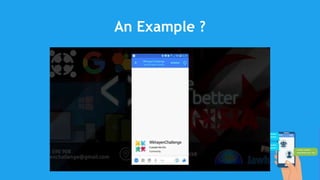
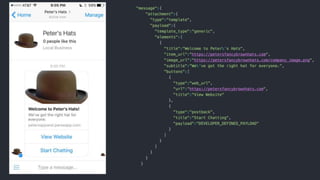
An Example ?
But Wait …
•I Am not expert in Artificial Intelligence
Me too … I’m not an expert in ...
 Artificial Intelligence
 Natural Language Processing
 Facebook Platform
However ...
• I can build really cool and advanced ChatBot.
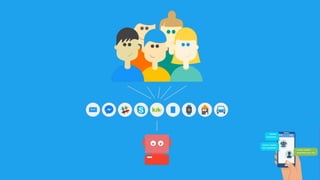
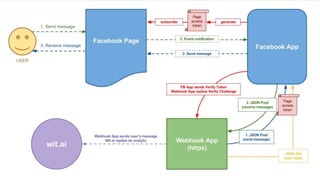
How to connect
your bot?
Messaging
Applications APIs
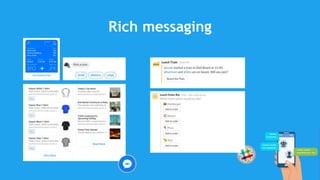
Rich messaging
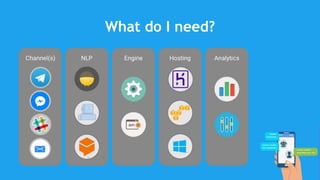
What do I need?
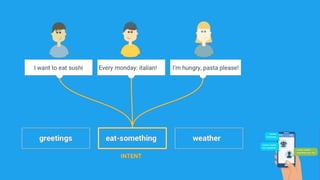
Natural Language Processing
APIs
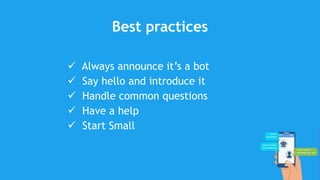
Best practices
 Always announce it’s a bot
 Say hello and introduce it
 Handle common questions
 Have a help
 Start Small
Enough talking !!
Let’s build a bot
Step 1: Setting up your development
environment
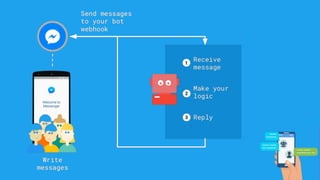
• Let’s create a simple webserver with one webhook
endpoint. I’ll use Express.js.
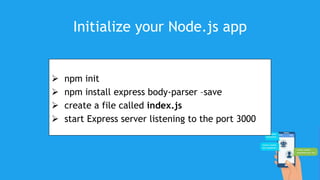
Initialize your Node.js app
 npm init
 npm install express body-parser –save
 create a file called index.js
 start Express server listening to the port 3000
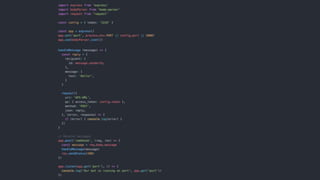
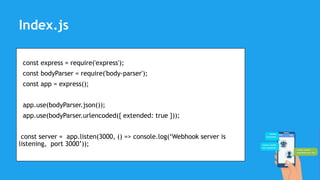
const express = require('express');
const bodyParser = require('body-parser');
const app = express();
app.use(bodyParser.json());
app.use(bodyParser.urlencoded({ extended: true }));
const server = app.listen(3000, () => console.log(‘Webhook server is
listening, port 3000’));
Index.js
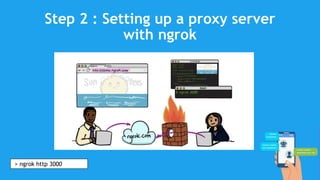
Step 2 : Setting up a proxy server
with ngrok
> ngrok http 3000
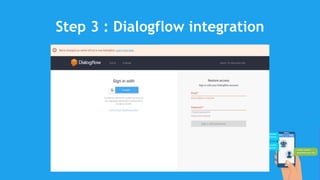
Step 3 : Dialogflow integration
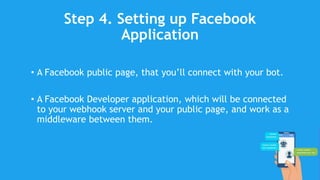
Step 4. Setting up Facebook
Application
• A Facebook public page, that you’ll connect with your bot.
• A Facebook Developer application, which will be connected
to your webhook server and your public page, and work as a
middleware between them.
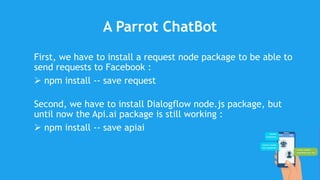
A Parrot ChatBot
First, we have to install a request node package to be able to
send requests to Facebook :
 npm install -- save request
Second, we have to install Dialogflow node.js package, but
until now the Api.ai package is still working :
 npm install -- save apiai
Let’s add some code
const apiaiApp = require('apiai')(”Your token here");
const request = require('request');
/* For Facebook Validation */
app.get('/', (req, res) => {
if (req.query['hub.mode'] && req.query['hub.verify_token'] === 'wkhayenBot') {
res.status(200).send(req.query['hub.challenge']);
} else {
res.status(403).end();
}
});
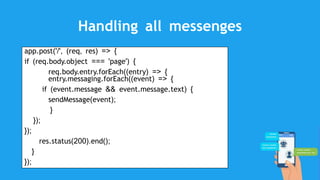
Handling all messenges
app.post('/', (req, res) => {
if (req.body.object === 'page') {
req.body.entry.forEach((entry) => {
entry.messaging.forEach((event) => {
if (event.message && event.message.text) {
sendMessage(event);
}
});
});
res.status(200).end();
}
});
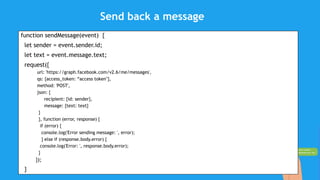
Send back a message
function sendMessage(event) {
let sender = event.sender.id;
let text = event.message.text;
request({
url: 'https://graph.facebook.com/v2.6/me/messages',
qs: {access_token: “access token"},
method: 'POST',
json: {
recipient: {id: sender},
message: {text: text}
}
}, function (error, response) {
if (error) {
console.log('Error sending message: ', error);
} else if (response.body.error) {
console.log('Error: ', response.body.error);
}
});
}
Thank you!
Nadim GOUIA
Co-founder of FormaLab
Nadim.gouia@formalab.tn

Build your first Chatbot

  • 1.
    Build your firstChatBot Nadim GOUIA – Co-founder of Contact : nadim.gouia@formalab.tn
  • 2.
    What is aChatBot?
  • 3.
    A conversational Bot Understands user’s input  Manages a conversation  Answers
  • 4.
    Some of themost common chatbots • Climate Bot • News Bot • Booking Bot • Item Suggestion Bot • Finance Bot • Customer Support Bot • Pizza Ordering Bot
  • 5.
  • 6.
    But Wait … •IAm not expert in Artificial Intelligence
  • 7.
    Me too …I’m not an expert in ...  Artificial Intelligence  Natural Language Processing  Facebook Platform
  • 8.
    However ... • Ican build really cool and advanced ChatBot.
  • 11.
  • 14.
  • 16.
  • 18.
    What do Ineed?
  • 19.
  • 24.
    Best practices  Alwaysannounce it’s a bot  Say hello and introduce it  Handle common questions  Have a help  Start Small
  • 25.
  • 26.
    Step 1: Settingup your development environment • Let’s create a simple webserver with one webhook endpoint. I’ll use Express.js.
  • 27.
    Initialize your Node.jsapp  npm init  npm install express body-parser –save  create a file called index.js  start Express server listening to the port 3000
  • 28.
    const express =require('express'); const bodyParser = require('body-parser'); const app = express(); app.use(bodyParser.json()); app.use(bodyParser.urlencoded({ extended: true })); const server = app.listen(3000, () => console.log(‘Webhook server is listening, port 3000’)); Index.js
  • 29.
    Step 2 :Setting up a proxy server with ngrok > ngrok http 3000
  • 30.
    Step 3 :Dialogflow integration
  • 31.
    Step 4. Settingup Facebook Application • A Facebook public page, that you’ll connect with your bot. • A Facebook Developer application, which will be connected to your webhook server and your public page, and work as a middleware between them.
  • 32.
    A Parrot ChatBot First,we have to install a request node package to be able to send requests to Facebook :  npm install -- save request Second, we have to install Dialogflow node.js package, but until now the Api.ai package is still working :  npm install -- save apiai
  • 33.
    Let’s add somecode const apiaiApp = require('apiai')(”Your token here"); const request = require('request'); /* For Facebook Validation */ app.get('/', (req, res) => { if (req.query['hub.mode'] && req.query['hub.verify_token'] === 'wkhayenBot') { res.status(200).send(req.query['hub.challenge']); } else { res.status(403).end(); } });
  • 34.
    Handling all messenges app.post('/',(req, res) => { if (req.body.object === 'page') { req.body.entry.forEach((entry) => { entry.messaging.forEach((event) => { if (event.message && event.message.text) { sendMessage(event); } }); }); res.status(200).end(); } });
  • 35.
    Send back amessage function sendMessage(event) { let sender = event.sender.id; let text = event.message.text; request({ url: 'https://graph.facebook.com/v2.6/me/messages', qs: {access_token: “access token"}, method: 'POST', json: { recipient: {id: sender}, message: {text: text} } }, function (error, response) { if (error) { console.log('Error sending message: ', error); } else if (response.body.error) { console.log('Error: ', response.body.error); } }); }
  • 36.
    Thank you! Nadim GOUIA Co-founderof FormaLab Nadim.gouia@formalab.tn