



Everistus Olumese, RedPages
@eolumese
SW
Building an A.I. Powered
Chat Bot with Google
DialogFlow
A little about
Me
Lagos
• Integration Engineer for RedPages
Consulting and ICT Services
• Full-Stack JavaScript (Node.js,
Vue.js and React.js)
• PHP/Laravel Developer
• Interned at Hotels.ng
• A product of the ALC program
Agenda
1 . A Little Background
2. Account Creation
3. Agent
4. Intents
5. Entities
6. Parameters
7. Fulfilment
8. Integrations
9. Q&A
Location
6
A Little Background
How many of you are married?
How many of you are in a relationship
that is not “complicated”?
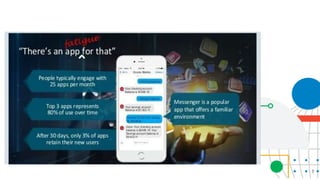
What three apps do you use most often
on your phones?
7
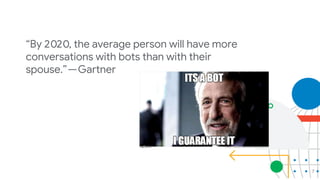
“By 2020, the average person will have more
conversations with bots than with their
spouse.” — Gartner
8
9
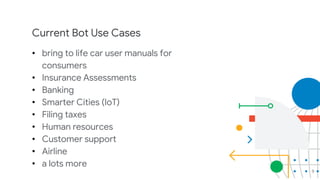
Current Bot Use Cases
• bring to life car user manuals for
consumers
• Insurance Assessments
• Banking
• Smarter Cities (IoT)
• Filing taxes
• Human resources
• Customer support
• Airline
• a lots more
10
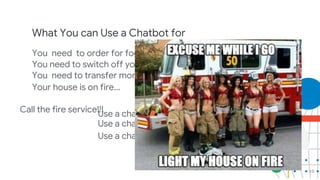
What You can Use a Chatbot for
You need to order for food?
Use a chatbot
You need to switch off your light...
Use a chatbot
You need to transfer money...
Use a chatbot
Your house is on fire...
Call the fire service!!!
End
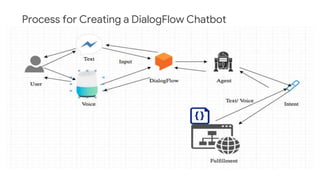
Process for Creating a DialogFlow Chatbot
12
13
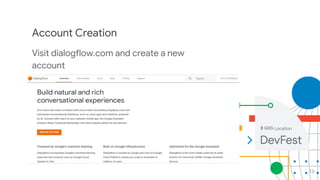
Account Creation
Visit dialogflow.com and create a new
account
Location
14
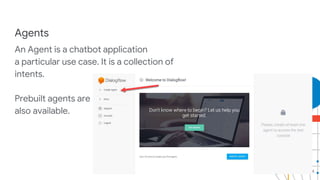
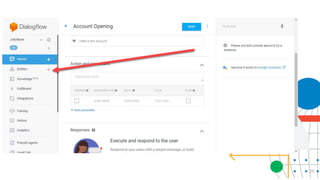
Agents
An Agent is a chatbot application
a particular use case. It is a collection of
intents.
Prebuilt agents are
also available.
15
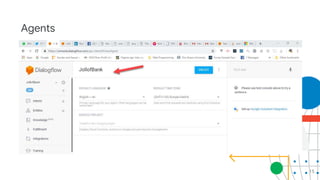
Agents
16
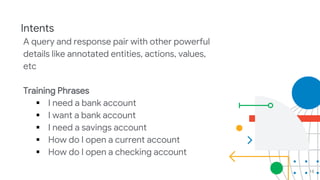
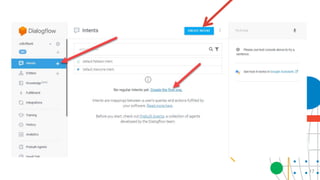
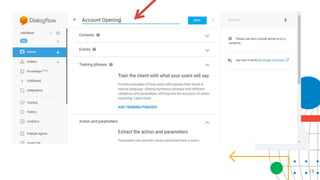
Intents
A query and response pair with other powerful
details like annotated entities, actions, values,
etc
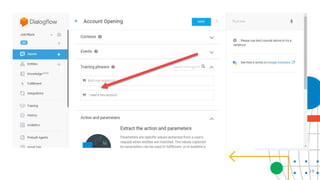
Training Phrases
 I need a bank account
 I want a bank account
 I need a savings account
 How do I open a current account
 How do I open a checking account
17
18
19
20
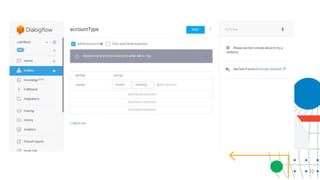
Entities
These are human described variables or
enumeration that you need, to customise the
experience for each user. There are system
entities and custom entities
Account type
email
bvn
firstname
lastname
21
22
23
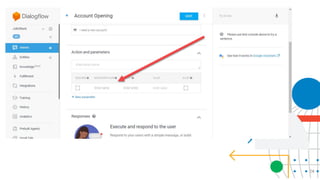
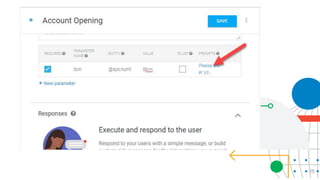
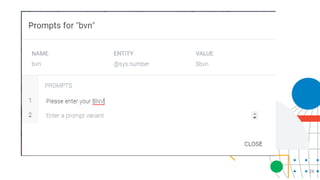
Parameters
When you define your parameters, you use
the built in entities or your custom entities
Required or optional
Customise your prompts
24
25
26
27
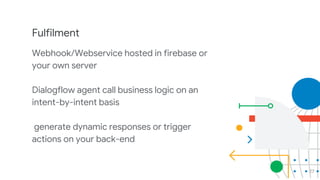
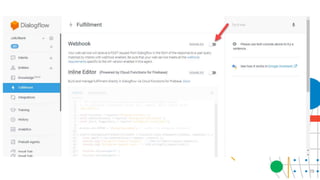
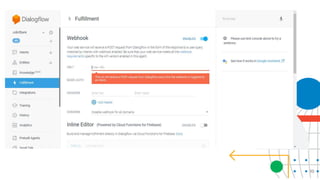
Fulfilment
Webhook/Webservice hosted in firebase or
your own server
Dialogflow agent call business logic on an
intent-by-intent basis
generate dynamic responses or trigger
actions on your back-end
28
Fulfilment
Use any language you want as long as it is
capable of supporting RESTful APIs
create one POST route
- in node.js
npm install dialogflow-fulfillment
29
30
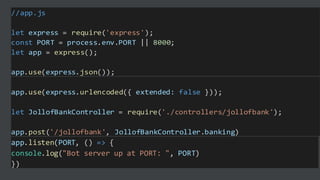
//app.js
let express = require('express');
const PORT = process.env.PORT || 8000;
let app = express();
app.use(express.json());
app.listen(PORT, () => {
console.log("Bot server up at PORT: ", PORT)
})
app.use(express.urlencoded({ extended: false }));
let JollofBankController = require('./controllers/jollofbank');
app.post('/jollofbank', JollofBankController.banking)
32
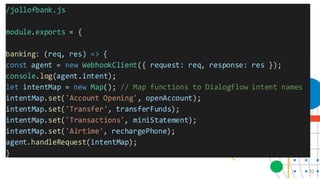
/jollofbank.js
module.exports = {
banking: (req, res) => {
const agent = new WebhookClient({ request: req, response: res });
console.log(agent.intent);
let intentMap = new Map(); // Map functions to Dialogflow intent names
intentMap.set('Account Opening', openAccount);
intentMap.set('Transfer', transferFunds);
intentMap.set('Transactions', miniStatement);
intentMap.set('Airtime', rechargePhone);
agent.handleRequest(intentMap);
}
33
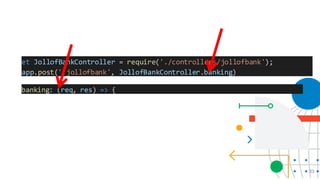
et JollofBankController = require('./controllers/jollofbank');
app.post('/jollofbank', JollofBankController.banking)
banking: (req, res) => {
34
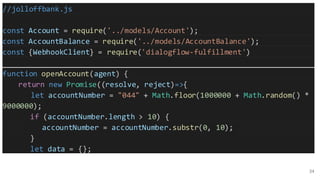
//jolloffbank.js
const Account = require('../models/Account');
const AccountBalance = require('../models/AccountBalance');
const {WebhookClient} = require('dialogflow-fulfillment')
function openAccount(agent) {
return new Promise((resolve, reject)=>{
let accountNumber = "044" + Math.floor(1000000 + Math.random() *
9000000);
if (accountNumber.length > 10) {
accountNumber = accountNumber.substr(0, 10);
}
let data = {};
35
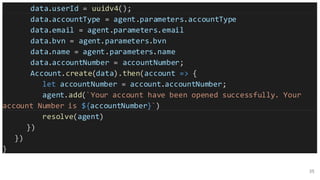
data.userId = uuidv4();
data.accountType = agent.parameters.accountType
data.email = agent.parameters.email
data.bvn = agent.parameters.bvn
data.name = agent.parameters.name
data.accountNumber = accountNumber;
Account.create(data).then(account => {
let accountNumber = account.accountNumber;
agent.add(`Your account have been opened successfully. Your
account Number is ${accountNumber}`)
resolve(agent)
})
})
}
36
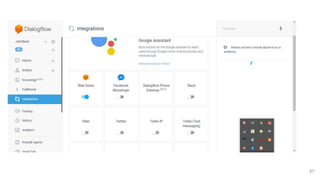
Integration
You can enable one click integration for
many channels
Google Assistant
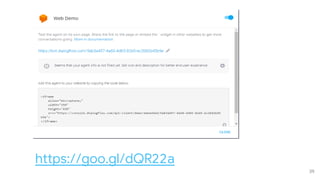
web
slack
twitter
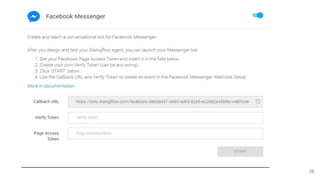
FB messenger
Twillo
37
38
39
https://goo.gl/dQR22a
Everistus Olumese, RedPages
C onsulting and IC T Services
@eolumese
Location
Thank you!
Q&A
Find docs here
https://dialogflow.com/docs
https://github.com/bytenaija/
jollofbank
Location

Developing Chatbots with Google DialogFlow

  • 1.
    Everistus Olumese, RedPages @eolumese SW Buildingan A.I. Powered Chat Bot with Google DialogFlow
  • 2.
  • 3.
    • Integration Engineerfor RedPages Consulting and ICT Services • Full-Stack JavaScript (Node.js, Vue.js and React.js) • PHP/Laravel Developer • Interned at Hotels.ng • A product of the ALC program
  • 4.
    Agenda 1 . ALittle Background 2. Account Creation 3. Agent 4. Intents 5. Entities 6. Parameters 7. Fulfilment 8. Integrations 9. Q&A Location
  • 5.
    6 A Little Background Howmany of you are married? How many of you are in a relationship that is not “complicated”? What three apps do you use most often on your phones?
  • 6.
    7 “By 2020, theaverage person will have more conversations with bots than with their spouse.” — Gartner
  • 7.
  • 8.
    9 Current Bot UseCases • bring to life car user manuals for consumers • Insurance Assessments • Banking • Smarter Cities (IoT) • Filing taxes • Human resources • Customer support • Airline • a lots more
  • 9.
    10 What You canUse a Chatbot for You need to order for food? Use a chatbot You need to switch off your light... Use a chatbot You need to transfer money... Use a chatbot Your house is on fire... Call the fire service!!!
  • 10.
    End Process for Creatinga DialogFlow Chatbot
  • 11.
  • 12.
    13 Account Creation Visit dialogflow.comand create a new account Location
  • 13.
    14 Agents An Agent isa chatbot application a particular use case. It is a collection of intents. Prebuilt agents are also available.
  • 14.
  • 15.
    16 Intents A query andresponse pair with other powerful details like annotated entities, actions, values, etc Training Phrases  I need a bank account  I want a bank account  I need a savings account  How do I open a current account  How do I open a checking account
  • 16.
  • 17.
  • 18.
  • 19.
    20 Entities These are humandescribed variables or enumeration that you need, to customise the experience for each user. There are system entities and custom entities Account type email bvn firstname lastname
  • 20.
  • 21.
  • 22.
    23 Parameters When you defineyour parameters, you use the built in entities or your custom entities Required or optional Customise your prompts
  • 23.
  • 24.
  • 25.
  • 26.
    27 Fulfilment Webhook/Webservice hosted infirebase or your own server Dialogflow agent call business logic on an intent-by-intent basis generate dynamic responses or trigger actions on your back-end
  • 27.
    28 Fulfilment Use any languageyou want as long as it is capable of supporting RESTful APIs create one POST route - in node.js npm install dialogflow-fulfillment
  • 28.
  • 29.
  • 30.
    //app.js let express =require('express'); const PORT = process.env.PORT || 8000; let app = express(); app.use(express.json()); app.listen(PORT, () => { console.log("Bot server up at PORT: ", PORT) }) app.use(express.urlencoded({ extended: false })); let JollofBankController = require('./controllers/jollofbank'); app.post('/jollofbank', JollofBankController.banking)
  • 31.
    32 /jollofbank.js module.exports = { banking:(req, res) => { const agent = new WebhookClient({ request: req, response: res }); console.log(agent.intent); let intentMap = new Map(); // Map functions to Dialogflow intent names intentMap.set('Account Opening', openAccount); intentMap.set('Transfer', transferFunds); intentMap.set('Transactions', miniStatement); intentMap.set('Airtime', rechargePhone); agent.handleRequest(intentMap); }
  • 32.
    33 et JollofBankController =require('./controllers/jollofbank'); app.post('/jollofbank', JollofBankController.banking) banking: (req, res) => {
  • 33.
    34 //jolloffbank.js const Account =require('../models/Account'); const AccountBalance = require('../models/AccountBalance'); const {WebhookClient} = require('dialogflow-fulfillment') function openAccount(agent) { return new Promise((resolve, reject)=>{ let accountNumber = "044" + Math.floor(1000000 + Math.random() * 9000000); if (accountNumber.length > 10) { accountNumber = accountNumber.substr(0, 10); } let data = {};
  • 34.
    35 data.userId = uuidv4(); data.accountType= agent.parameters.accountType data.email = agent.parameters.email data.bvn = agent.parameters.bvn data.name = agent.parameters.name data.accountNumber = accountNumber; Account.create(data).then(account => { let accountNumber = account.accountNumber; agent.add(`Your account have been opened successfully. Your account Number is ${accountNumber}`) resolve(agent) }) }) }
  • 35.
    36 Integration You can enableone click integration for many channels Google Assistant web slack twitter FB messenger Twillo
  • 36.
  • 37.
  • 38.
  • 39.
    Everistus Olumese, RedPages Consulting and IC T Services @eolumese Location Thank you!
  • 40.