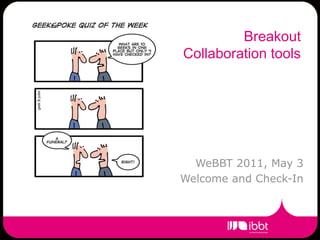
Breakout
Collaboration tools


  WeBBT 2011, May 3
Welcome and Check-In
About this breakout

• Five speakers:
  •   What do we have? (Matthias Priem, IBBT)
  •   Facts & Figures (Peter Mechant, MICT)
  •   iCocoon preliminary results (Kris Naessens, )
  •   Coding together (Camille Reynders, ilab.o)
  •   Do’s and Don’t’s (Piet Verhoeve, Televic)
• And you…
  • All though we have asked you many things many times
  • Please ask questions during panel discussion
About me
• Matthias Priem
• Responsible for all things ICT at IBBT
• Also collaboration offering
   • MyBBT, ERP
   • Video & Phone conferencing
   • More to come…
• About this presentation:
   • What we offer (or do not offer)
   • Try to touch some of the stuff that was entered at
     registration time.
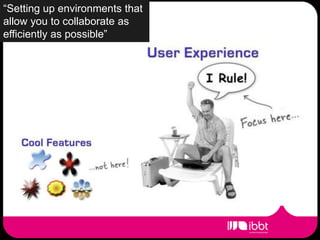
“Setting up environments that
allow you to collaborate as
efficiently as possible”
“Setting up environments that
allow you to collaborate as
efficiently as possible”

  • What we can do
      •   Listen as much as possible
      •   Answer as much as possible (not necessarily a yes)
      •   Implement as fast as possible
      •   Interface with your existing tools (mail, calendar)
“Setting up environments that
What you can do
allow you to collaborate as
efficiently as possible”


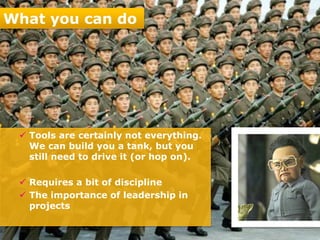
    Tools are certainly not everything.
     We can build you a tank, but you
     still need to drive it (or hop on).

    Requires a bit of discipline
    The importance of leadership in
     projects
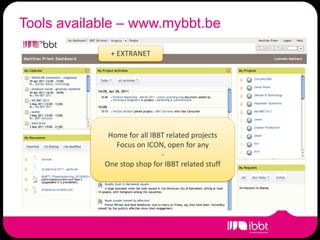
Tools available – www.mybbt.be
             + EXTRANET


             Home for all IBBT related projects
               Focus on ICON, open for any
                             -
            One stop shop for IBBT related stuff
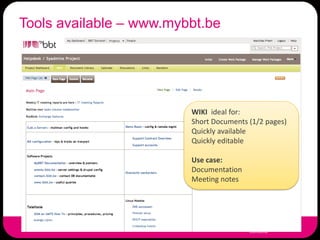
Tools available – www.mybbt.be


                         WIKI ideal for:
                         Short Documents (1/2 pages)
                         Quickly available
                         Quickly editable

                         Use case:
                         Documentation
                         Meeting notes
Tools available – www.mybbt.be


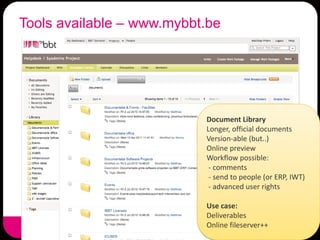
                           Document Library
                           Longer, official documents
                           Version-able (but..)
                           Online preview
                           Workflow possible:
                            - comments
                            - send to people (or ERP, IWT)
                            - advanced user rights

                           Use case:
                           Deliverables
                           Online fileserver++
Tools available – www.mybbt.be


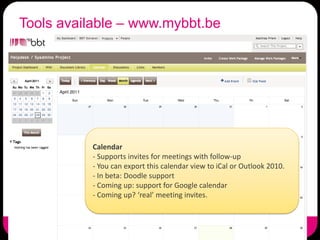
          Calendar
          - Supports invites for meetings with follow-up
          - You can export this calendar view to iCal or Outlook 2010.
          - In beta: Doodle support
          - Coming up: support for Google calendar
          - Coming up? ‘real’ meeting invites.
Tools available – www.mybbt.be


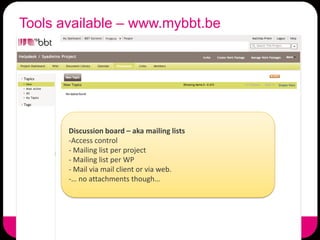
       Discussion board – aka mailing lists
       -Access control
       - Mailing list per project
       - Mailing list per WP
       - Mail via mail client or via web.
       -… no attachments though…
Tools available – www.mybbt.be


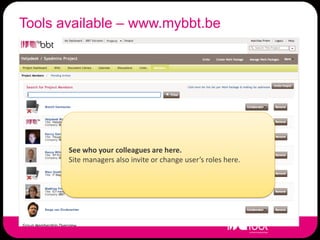
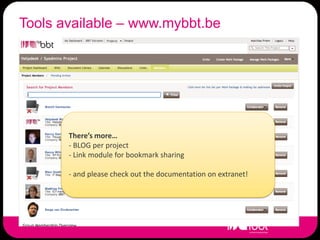
       See who your colleagues are here.
       Site managers also invite or change user’s roles here.
Tools available – www.mybbt.be


       There’s more…
       - BLOG per project
       - Link module for bookmark sharing

       - and please check out the documentation on extranet!
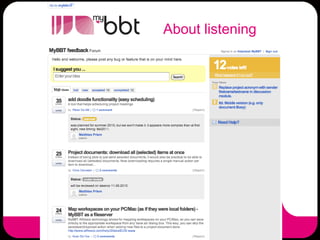
About listening
Roadmap MyBBT
• Scheduled to release (pre-summer holiday):
  • Doodle functionality (finally)
  • Mailing list improvements
  • Better external calendar support


• After the summer
  •   Optimalisation of all existing features
  •   Large upgrade (alfresco 3.4)
  •   New registration framework
  •   Project dissimination
       • Publish documents on www.ibbt.be
       • Publish on any site via API
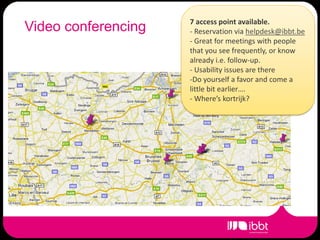
7 access point available.
Video conferencing   - Reservation via helpdesk@ibbt.be
                     - Great for meetings with people
                     that you see frequently, or know
                     already i.e. follow-up.
                     - Usability issues are there
                     -Do yourself a favor and come a
                     little bit earlier….
                     - Where’s kortrijk?
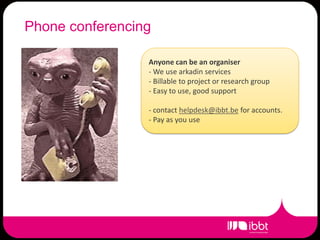
Phone conferencing

                 Anyone can be an organiser
                 - We use arkadin services
                 - Billable to project or research group
                 - Easy to use, good support

                 - contact helpdesk@ibbt.be for accounts.
                 - Pay as you use
There’s more
• ERP
  • Financial project data
  • Administrative data
• Lending service
  • Short term lending of equipment or material
  • LCD Screens for events, laptops, etc..
  • Via helpdesk@ibbt.be
• And many more.
  • …
What we do not do (yet)
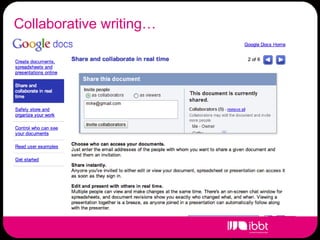
Collaborative writing…(yet)
 What we do not do
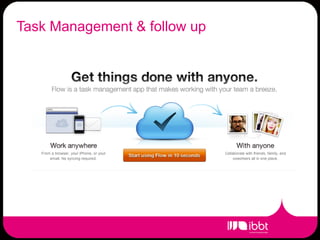
Task Management dofollow up
 What we do not & (yet)
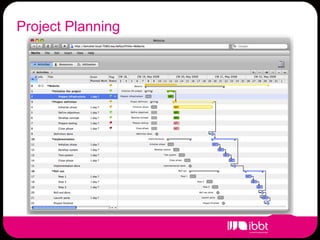
Project we do not do (yet)
 What Planning
And many more… do (yet)
 What we do not
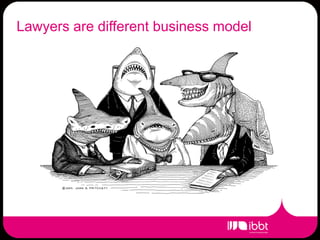
Lawyers are different business model
 What we do not do (yet)
What we do not do (yet)


         Thanks & questions.

Break Out Project Collaboration Tools: intro Matthias

  • 1.
    Breakout Collaboration tools WeBBT 2011, May 3 Welcome and Check-In
  • 2.
    About this breakout •Five speakers: • What do we have? (Matthias Priem, IBBT) • Facts & Figures (Peter Mechant, MICT) • iCocoon preliminary results (Kris Naessens, ) • Coding together (Camille Reynders, ilab.o) • Do’s and Don’t’s (Piet Verhoeve, Televic) • And you… • All though we have asked you many things many times • Please ask questions during panel discussion
  • 3.
    About me • MatthiasPriem • Responsible for all things ICT at IBBT • Also collaboration offering • MyBBT, ERP • Video & Phone conferencing • More to come… • About this presentation: • What we offer (or do not offer) • Try to touch some of the stuff that was entered at registration time.
  • 4.
    “Setting up environmentsthat allow you to collaborate as efficiently as possible”
  • 5.
    “Setting up environmentsthat allow you to collaborate as efficiently as possible” • What we can do • Listen as much as possible • Answer as much as possible (not necessarily a yes) • Implement as fast as possible • Interface with your existing tools (mail, calendar)
  • 6.
    “Setting up environmentsthat What you can do allow you to collaborate as efficiently as possible”  Tools are certainly not everything. We can build you a tank, but you still need to drive it (or hop on).  Requires a bit of discipline  The importance of leadership in projects
  • 7.
    Tools available –www.mybbt.be + EXTRANET Home for all IBBT related projects Focus on ICON, open for any - One stop shop for IBBT related stuff
  • 8.
    Tools available –www.mybbt.be WIKI ideal for: Short Documents (1/2 pages) Quickly available Quickly editable Use case: Documentation Meeting notes
  • 9.
    Tools available –www.mybbt.be Document Library Longer, official documents Version-able (but..) Online preview Workflow possible: - comments - send to people (or ERP, IWT) - advanced user rights Use case: Deliverables Online fileserver++
  • 10.
    Tools available –www.mybbt.be Calendar - Supports invites for meetings with follow-up - You can export this calendar view to iCal or Outlook 2010. - In beta: Doodle support - Coming up: support for Google calendar - Coming up? ‘real’ meeting invites.
  • 11.
    Tools available –www.mybbt.be Discussion board – aka mailing lists -Access control - Mailing list per project - Mailing list per WP - Mail via mail client or via web. -… no attachments though…
  • 12.
    Tools available –www.mybbt.be See who your colleagues are here. Site managers also invite or change user’s roles here.
  • 13.
    Tools available –www.mybbt.be There’s more… - BLOG per project - Link module for bookmark sharing - and please check out the documentation on extranet!
  • 14.
  • 15.
    Roadmap MyBBT • Scheduledto release (pre-summer holiday): • Doodle functionality (finally) • Mailing list improvements • Better external calendar support • After the summer • Optimalisation of all existing features • Large upgrade (alfresco 3.4) • New registration framework • Project dissimination • Publish documents on www.ibbt.be • Publish on any site via API
  • 16.
    7 access pointavailable. Video conferencing - Reservation via helpdesk@ibbt.be - Great for meetings with people that you see frequently, or know already i.e. follow-up. - Usability issues are there -Do yourself a favor and come a little bit earlier…. - Where’s kortrijk?
  • 17.
    Phone conferencing Anyone can be an organiser - We use arkadin services - Billable to project or research group - Easy to use, good support - contact helpdesk@ibbt.be for accounts. - Pay as you use
  • 18.
    There’s more • ERP • Financial project data • Administrative data • Lending service • Short term lending of equipment or material • LCD Screens for events, laptops, etc.. • Via helpdesk@ibbt.be • And many more. • …
  • 19.
    What we donot do (yet)
  • 20.
  • 21.
    Task Management dofollowup What we do not & (yet)
  • 22.
    Project we donot do (yet) What Planning
  • 23.
    And many more…do (yet) What we do not
  • 24.
    Lawyers are differentbusiness model What we do not do (yet)
  • 25.
    What we donot do (yet) Thanks & questions.