Frontend at Scale 
the Tumblr story
What is Tumblr? 
→ Platform for you to express yourself 
→ ~200 million blogs 
→ 83+ billion posts 
→ HQ in NYC 
→ Founded in 2007 
→ 100+ engineers
What is Tumblr? 
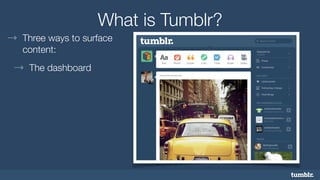
→ Three ways to surface 
content: 
→ The dashboard
What is Tumblr? 
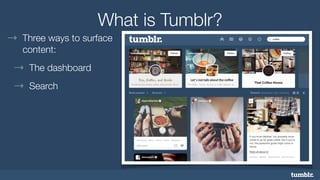
→ Three ways to surface 
content: 
→ The dashboard 
→ Search
What is Tumblr? 
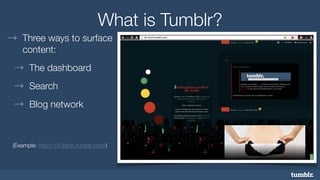
→ Three ways to surface 
content: 
→ The dashboard 
→ Search 
→ Blog network 
! 
(Example: http://16-bitch.tumblr.com/)
Who am I? 
→ Chris Miller 
→ Product Engineering Manager 
→ Content Consumption (a.k.a., The Dashboard)
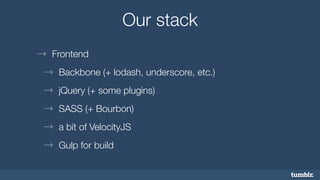
Our stack 
→ Frontend 
→ Backbone (+ lodash, underscore, etc.) 
→ jQuery (+ some plugins) 
→ SASS (+ Bourbon) 
→ a bit of VelocityJS 
→ Gulp for build
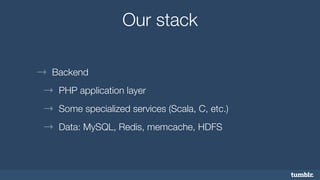
Our stack 
→ Backend 
→ PHP application layer 
→ Some specialized services (Scala, C, etc.) 
→ Data: MySQL, Redis, memcache, HDFS
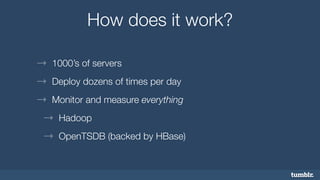
How does it work? 
→ 1000’s of servers 
→ Deploy dozens of times per day 
→ Monitor and measure everything 
→ Hadoop 
→ OpenTSDB (backed by HBase)
Our process 
→ Teams are small 
→ Iterate quickly 
→ Release early and often, usually to % of users 
→ 2 code review “ok’s” required for all Pull Requests
Feature Flagging
Feature Flagging 
What is it? 
→ Segregate your users to certain features 
→ Control who sees what (and when)
Feature Flagging 
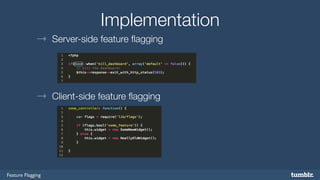
Implementation 
→ Server-side feature flagging 
→ Client-side feature flagging
Feature Flagging 
Usage 
→ Provides 
→ A/B testing 
→ Run beta code alongside production code 
→ Kill switch
Feature Flagging 
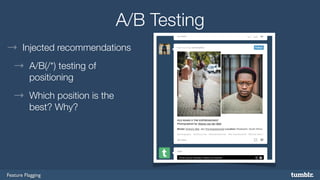
A/B Testing 
→ Injected recommendations 
→ A/B(/*) testing of 
positioning 
→ Which position is the 
best? Why?
Feature Flagging 
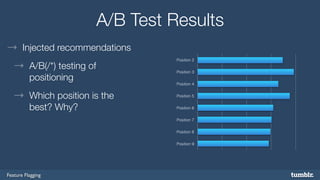
A/B Test Results 
→ Injected recommendations 
→ A/B(/*) testing of 
positioning 
→ Which position is the 
best? Why? 
Position 2 
Position 3 
Position 4 
Position 5 
Position 6 
Position 7 
Position 8 
Position 9
Feature Flagging 
Ramping & Kill Switch 
→ Ramping new features 
→ Deploy to only “admin” (staff) 
→ …then 1% of users… then 5%… 10%… 25%… 
→ Kill switch 
→ Completely turn off a feature that’s breaking the site… poof
Feature Flagging 
Use Carefully 
→ Feature flagging certain functionality can give a mixed 
experience 
→ Can cause user confusion: 
→ “Why does my mom see this and I don’t?” 
— Confused teenager 
→ Easy to build complex dependencies — don’t
Error Logging
Error Logging 
Launching Features 
→ New features usually have bugs 
→ (Well, not my code) 
→ (just kidding)
Error Logging 
Error Logging 
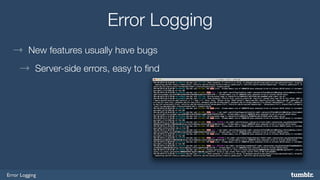
→ New features usually have bugs 
→ Server-side errors, easy to find
Error Logging 
Error Logging 
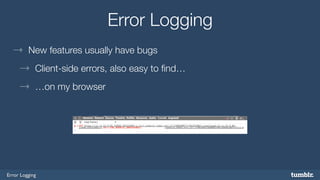
→ New features usually have bugs 
→ Client-side errors, also easy to find… 
→ …on my browser
Error Logging 
Error Logging 
→ New features usually have bugs 
→ Client-side errors, not easy to find on your browser 
→ …until recently
Error Logging 
Capture Errors 
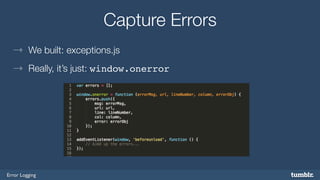
→ We built: exceptions.js 
→ Really, it’s just: window.onerror
Error Logging 
Capture Errors 
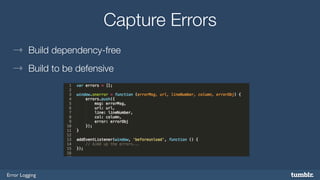
→ Build dependency-free 
→ Build to be defensive
Error Logging 
Capture Errors 
→ What you do with the logs doesn’t matter; it’s how you use it 
→ We log errors to Scribe… 
→ …throw them into Hadoop 
→ …and count frequency with OpenTSDB
Error Logging 
Error Data 
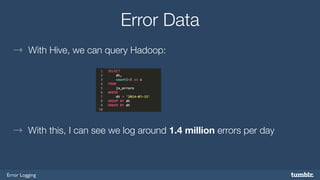
→ With Hive, we can query Hadoop: 
→ With this, I can see we log around 1.4 million errors per day
Error Logging 
Error Data 
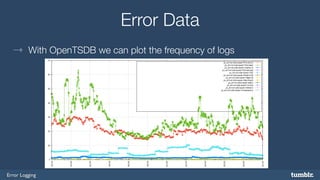
→ With OpenTSDB we can plot the frequency of logs
Error Logging 
We Love Graphs 
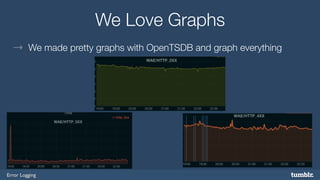
→ We made pretty graphs with OpenTSDB and graph everything
Getting it Right 
→ Sometimes we find errors before our users do. 
→ Sometimes. 
→ And it makes us feel good.
Getting it Right 
→ So we dance.
Thank You 
Email - cmiller@tumblr.com 
Follow me - ee99ee.com

Frontend at Scale - The Tumblr Story

  • 2.
    Frontend at Scale the Tumblr story
  • 3.
    What is Tumblr? → Platform for you to express yourself → ~200 million blogs → 83+ billion posts → HQ in NYC → Founded in 2007 → 100+ engineers
  • 4.
    What is Tumblr? → Three ways to surface content: → The dashboard
  • 5.
    What is Tumblr? → Three ways to surface content: → The dashboard → Search
  • 6.
    What is Tumblr? → Three ways to surface content: → The dashboard → Search → Blog network ! (Example: http://16-bitch.tumblr.com/)
  • 7.
    Who am I? → Chris Miller → Product Engineering Manager → Content Consumption (a.k.a., The Dashboard)
  • 8.
    Our stack →Frontend → Backbone (+ lodash, underscore, etc.) → jQuery (+ some plugins) → SASS (+ Bourbon) → a bit of VelocityJS → Gulp for build
  • 9.
    Our stack →Backend → PHP application layer → Some specialized services (Scala, C, etc.) → Data: MySQL, Redis, memcache, HDFS
  • 10.
    How does itwork? → 1000’s of servers → Deploy dozens of times per day → Monitor and measure everything → Hadoop → OpenTSDB (backed by HBase)
  • 11.
    Our process →Teams are small → Iterate quickly → Release early and often, usually to % of users → 2 code review “ok’s” required for all Pull Requests
  • 12.
  • 13.
    Feature Flagging Whatis it? → Segregate your users to certain features → Control who sees what (and when)
  • 14.
    Feature Flagging Implementation → Server-side feature flagging → Client-side feature flagging
  • 15.
    Feature Flagging Usage → Provides → A/B testing → Run beta code alongside production code → Kill switch
  • 16.
    Feature Flagging A/BTesting → Injected recommendations → A/B(/*) testing of positioning → Which position is the best? Why?
  • 17.
    Feature Flagging A/BTest Results → Injected recommendations → A/B(/*) testing of positioning → Which position is the best? Why? Position 2 Position 3 Position 4 Position 5 Position 6 Position 7 Position 8 Position 9
  • 18.
    Feature Flagging Ramping& Kill Switch → Ramping new features → Deploy to only “admin” (staff) → …then 1% of users… then 5%… 10%… 25%… → Kill switch → Completely turn off a feature that’s breaking the site… poof
  • 19.
    Feature Flagging UseCarefully → Feature flagging certain functionality can give a mixed experience → Can cause user confusion: → “Why does my mom see this and I don’t?” — Confused teenager → Easy to build complex dependencies — don’t
  • 20.
  • 21.
    Error Logging LaunchingFeatures → New features usually have bugs → (Well, not my code) → (just kidding)
  • 22.
    Error Logging ErrorLogging → New features usually have bugs → Server-side errors, easy to find
  • 23.
    Error Logging ErrorLogging → New features usually have bugs → Client-side errors, also easy to find… → …on my browser
  • 24.
    Error Logging ErrorLogging → New features usually have bugs → Client-side errors, not easy to find on your browser → …until recently
  • 25.
    Error Logging CaptureErrors → We built: exceptions.js → Really, it’s just: window.onerror
  • 26.
    Error Logging CaptureErrors → Build dependency-free → Build to be defensive
  • 27.
    Error Logging CaptureErrors → What you do with the logs doesn’t matter; it’s how you use it → We log errors to Scribe… → …throw them into Hadoop → …and count frequency with OpenTSDB
  • 28.
    Error Logging ErrorData → With Hive, we can query Hadoop: → With this, I can see we log around 1.4 million errors per day
  • 29.
    Error Logging ErrorData → With OpenTSDB we can plot the frequency of logs
  • 30.
    Error Logging WeLove Graphs → We made pretty graphs with OpenTSDB and graph everything
  • 31.
    Getting it Right → Sometimes we find errors before our users do. → Sometimes. → And it makes us feel good.
  • 32.
    Getting it Right → So we dance.
  • 33.
    Thank You Email- cmiller@tumblr.com Follow me - ee99ee.com