JavaScript End-to-End
  Touch-screen to Server

       Richard Rodger
          @rjrodger
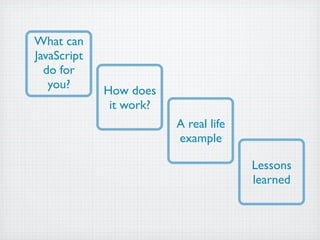
What can
JavaScript
  do for
   you?      How does
              it work?
                         A real life
                         example

                                       Lessons
                                       learned
User Interface
Complex, Stateful, Interactive
Multi-Device
Web, Tablet, Mobile
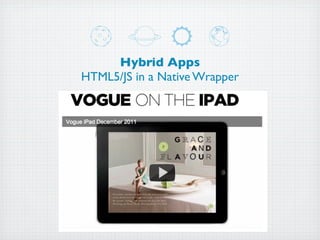
Hybrid Apps
HTML5/JS in a Native Wrapper
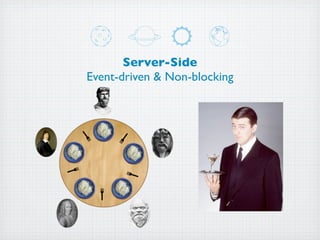
Server-Side
Event-driven & Non-blocking
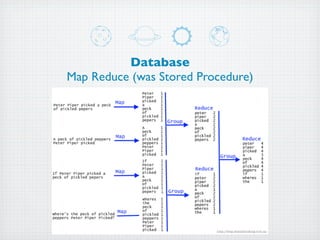
Database
Map Reduce (was Stored Procedure)


                          http://blog.sharpthinking.com.au
Web Service APIs
JSON & XML, REST & SOAP
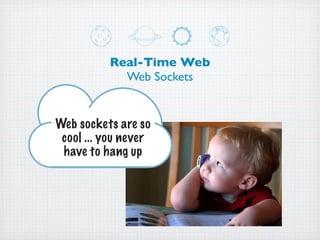
Real-Time Web
            Web Sockets


Web sockets are so
 cool ... you never
 have to hang up
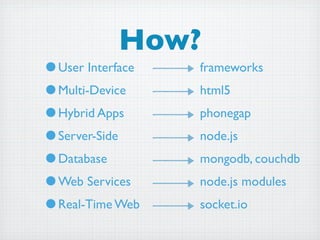
How?
•User Interface   frameworks
•Multi-Device     html5
•Hybrid Apps      phonegap
•Server-Side      node.js
•Database         mongodb, couchdb
•Web Services     node.js modules
•Real-Time Web    socket.io
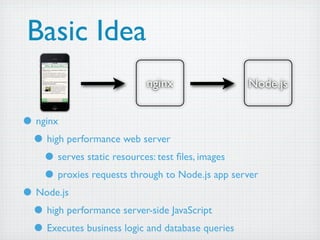
Basic Idea
                           nginx                 Node.js


• nginx
 • high performance web server
    • serves static resources: test files, images
    • proxies requests through to Node.js app server
• Node.js
 • high performance server-side JavaScript
 • Executes business logic and database queries
Node.js
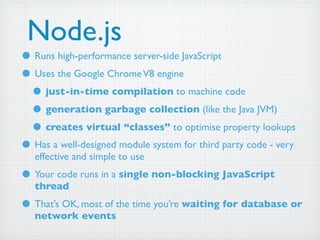
• Runs high-performance server-side JavaScript
• Uses the Google Chrome V8 engine
 • just-in-time compilation to machine code
 • generation garbage collection (like the Java JVM)
 • creates virtual “classes” to optimise property lookups
• Has a well-designed module system for third party code - very
   effective and simple to use
• Your code runs in a single non-blocking JavaScript
   thread
• That’s OK, most of the time you’re waiting for database or
   network events
Node.js Web Server
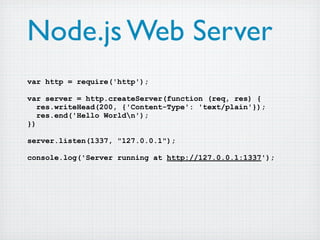
var http = require('http');

var server = http.createServer(function (req, res) {
   res.writeHead(200, {'Content-Type': 'text/plain'});
   res.end('Hello Worldn');
})

server.listen(1337, "127.0.0.1");

console.log('Server running at http://127.0.0.1:1337');
businesspost.ie
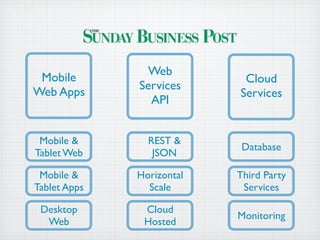
Web
 Mobile                     Cloud
              Services
Web Apps                   Services
                API


 Mobile &       REST &
                            Database
Tablet Web       JSON

 Mobile &     Horizontal   Third Party
Tablet Apps     Scale       Services

 Desktop       Cloud
                           Monitoring
  Web          Hosted
Client-side
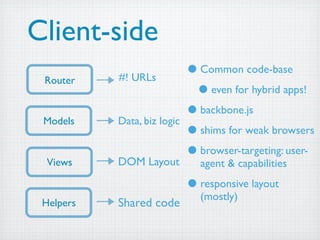
 Router    #! URLs
                             • Common code-base
                              • even for hybrid apps!
 Models    Data, biz logic
                             • backbone.js
                             • shims for weak browsers
  Views    DOM Layout
                             • browser-targeting: user-
                               agent & capabilities

                             • responsive layout
                               (mostly)
 Helpers   Shared code
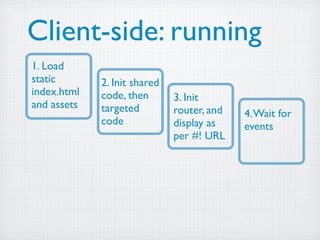
Client-side: running
1. Load
static       2. Init shared
index.html   code, then       3. Init
and assets   targeted         router, and   4. Wait for
             code             display as    events
                              per #! URL
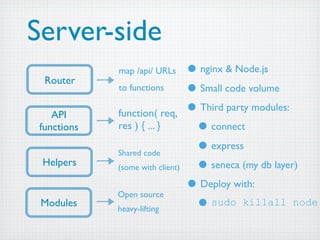
Server-side
             map /api/ URLs       • nginx & Node.js
  Router
             to functions         • Small code volume
    API      function( req,       • Third party modules:
 functions   res ) { ... }         • connect
             Shared code
                                   • express
 Helpers     (some with client)    • seneca (my db layer)
             Open source
                                  • Deploy with:
 Modules     heavy-lifting         • sudo killall node
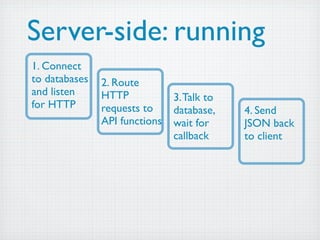
Server-side: running
1. Connect
to databases   2. Route
and listen     HTTP            3. Talk to
for HTTP       requests to     database,    4. Send
               API functions   wait for     JSON back
                               callback     to client
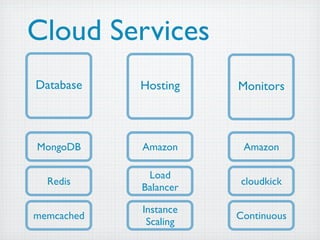
Cloud Services
Database    Hosting    Monitors


MongoDB     Amazon      Amazon

             Load
  Redis                cloudkick
            Balancer

            Instance
memcached              Continuous
             Scaling
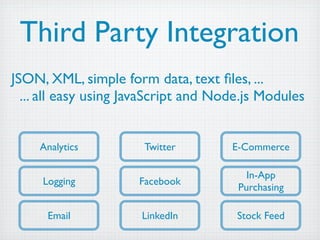
Third Party Integration
JSON, XML, simple form data, text files, ...
  ... all easy using JavaScript and Node.js Modules


    Analytics          Twitter        E-Commerce

                                         In-App
     Logging          Facebook
                                       Purchasing

      Email           LinkedIn         Stock Feed
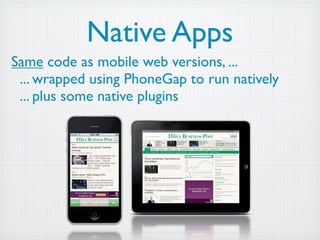
Native Apps
Same code as mobile web versions, ...
 ... wrapped using PhoneGap to run natively
 ... plus some native plugins
Lesson:
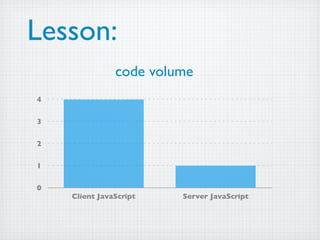
Lesson:
               code volume
4

3

2

1

0
    Client JavaScript   Server JavaScript
Lesson:
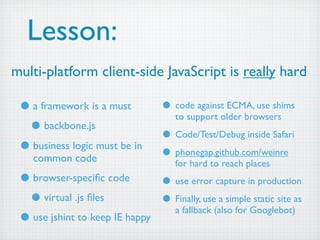
multi-platform client-side JavaScript is really hard

 • a framework is a must           • code against ECMA, use shims
                                      to support older browsers
  • backbone.js                    • Code/Test/Debug inside Safari
 • business logic must be in       • phonegap.github.com/weinre
    common code                       for hard to reach places
 • browser-specific code        • use error capture in production
  • virtual .js files           • Finally, use a simple static site as
                                 a fallback (also for Googlebot)
 • use jshint to keep IE happy
Lesson:
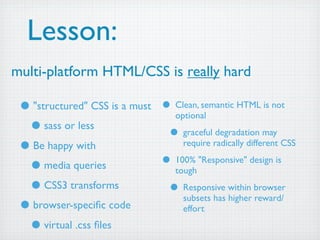
multi-platform HTML/CSS is really hard

 • "structured" CSS is a must   • Clean, semantic HTML is not
                                   optional
  • sass or less                 • graceful degradation may
 • Be happy with                     require radically different CSS

  • media queries               • 100% "Responsive" design is
                                   tough
  • CSS3 transforms              • Responsive within browser
                                     subsets has higher reward/
 • browser-specific code              effort

  • virtual .css files
Lesson:
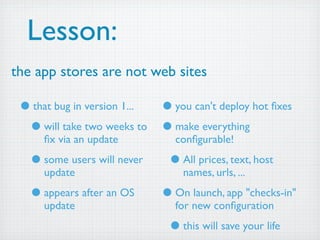
the app stores are not web sites

 • that bug in version 1... • you can't deploy hot fixes
  • will take two weeks to • make everything
     fix via an update          configurable!

   • some users will never    • All prices, text, host
     update                      names, urls, ...

   • appears after an OS     • On launch, app "checks-in"
     update                    for new configuration

                              • this will save your life
Lesson:
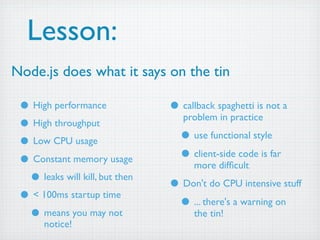
Node.js does what it says on the tin

 • High performance             • callback spaghetti is not a
                                   problem in practice
 • High throughput
 • Low CPU usage                  • use functional style
 • Constant memory usage          • client-side code is far
                                      more difficult
  • leaks will kill, but then   • Don't do CPU intensive stuff
 • < 100ms startup time          • ... there's a warning on
  • means you may not                 the tin!
       notice!
Lesson:
Outsource your database

 • Remote MongoDB              • Big productivity gain
   hosting
                                • no production tuning
  • mongohq.com                 • no configuration
 • No downtime                  • no cluster set up
 • Backups
 • Low latency (in Amazon)
 • Web-based admin (if lazy)
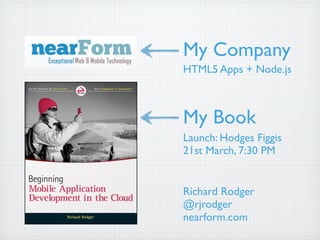
My Company
HTML5 Apps + Node.js


My Book
Launch: Hodges Figgis
21st March, 7:30 PM


Richard Rodger
@rjrodger
nearform.com
My Company
HTML5 Apps + Node.js


My Book
Launch: Hodges Figgis
21st March, 7:30 PM


Richard Rodger
@rjrodger
nearform.com

20120306 dublin js

  • 1.
    JavaScript End-to-End Touch-screen to Server Richard Rodger @rjrodger
  • 2.
    What can JavaScript do for you? How does it work? A real life example Lessons learned
  • 3.
  • 4.
  • 5.
    Hybrid Apps HTML5/JS ina Native Wrapper
  • 6.
  • 7.
    Database Map Reduce (wasStored Procedure) http://blog.sharpthinking.com.au
  • 8.
    Web Service APIs JSON& XML, REST & SOAP
  • 9.
    Real-Time Web Web Sockets Web sockets are so cool ... you never have to hang up
  • 10.
    How? •User Interface frameworks •Multi-Device html5 •Hybrid Apps phonegap •Server-Side node.js •Database mongodb, couchdb •Web Services node.js modules •Real-Time Web socket.io
  • 11.
    Basic Idea nginx Node.js • nginx • high performance web server • serves static resources: test files, images • proxies requests through to Node.js app server • Node.js • high performance server-side JavaScript • Executes business logic and database queries
  • 12.
    Node.js • Runs high-performanceserver-side JavaScript • Uses the Google Chrome V8 engine • just-in-time compilation to machine code • generation garbage collection (like the Java JVM) • creates virtual “classes” to optimise property lookups • Has a well-designed module system for third party code - very effective and simple to use • Your code runs in a single non-blocking JavaScript thread • That’s OK, most of the time you’re waiting for database or network events
  • 13.
    Node.js Web Server varhttp = require('http'); var server = http.createServer(function (req, res) { res.writeHead(200, {'Content-Type': 'text/plain'}); res.end('Hello Worldn'); }) server.listen(1337, "127.0.0.1"); console.log('Server running at http://127.0.0.1:1337');
  • 14.
  • 15.
    Web Mobile Cloud Services Web Apps Services API Mobile & REST & Database Tablet Web JSON Mobile & Horizontal Third Party Tablet Apps Scale Services Desktop Cloud Monitoring Web Hosted
  • 16.
    Client-side Router #! URLs • Common code-base • even for hybrid apps! Models Data, biz logic • backbone.js • shims for weak browsers Views DOM Layout • browser-targeting: user- agent & capabilities • responsive layout (mostly) Helpers Shared code
  • 17.
    Client-side: running 1. Load static 2. Init shared index.html code, then 3. Init and assets targeted router, and 4. Wait for code display as events per #! URL
  • 18.
    Server-side map /api/ URLs • nginx & Node.js Router to functions • Small code volume API function( req, • Third party modules: functions res ) { ... } • connect Shared code • express Helpers (some with client) • seneca (my db layer) Open source • Deploy with: Modules heavy-lifting • sudo killall node
  • 19.
    Server-side: running 1. Connect todatabases 2. Route and listen HTTP 3. Talk to for HTTP requests to database, 4. Send API functions wait for JSON back callback to client
  • 20.
    Cloud Services Database Hosting Monitors MongoDB Amazon Amazon Load Redis cloudkick Balancer Instance memcached Continuous Scaling
  • 21.
    Third Party Integration JSON,XML, simple form data, text files, ... ... all easy using JavaScript and Node.js Modules Analytics Twitter E-Commerce In-App Logging Facebook Purchasing Email LinkedIn Stock Feed
  • 22.
    Native Apps Same codeas mobile web versions, ... ... wrapped using PhoneGap to run natively ... plus some native plugins
  • 23.
  • 24.
    Lesson: code volume 4 3 2 1 0 Client JavaScript Server JavaScript
  • 25.
    Lesson: multi-platform client-side JavaScriptis really hard • a framework is a must • code against ECMA, use shims to support older browsers • backbone.js • Code/Test/Debug inside Safari • business logic must be in • phonegap.github.com/weinre common code for hard to reach places • browser-specific code • use error capture in production • virtual .js files • Finally, use a simple static site as a fallback (also for Googlebot) • use jshint to keep IE happy
  • 26.
    Lesson: multi-platform HTML/CSS isreally hard • "structured" CSS is a must • Clean, semantic HTML is not optional • sass or less • graceful degradation may • Be happy with require radically different CSS • media queries • 100% "Responsive" design is tough • CSS3 transforms • Responsive within browser subsets has higher reward/ • browser-specific code effort • virtual .css files
  • 27.
    Lesson: the app storesare not web sites • that bug in version 1... • you can't deploy hot fixes • will take two weeks to • make everything fix via an update configurable! • some users will never • All prices, text, host update names, urls, ... • appears after an OS • On launch, app "checks-in" update for new configuration • this will save your life
  • 28.
    Lesson: Node.js does whatit says on the tin • High performance • callback spaghetti is not a problem in practice • High throughput • Low CPU usage • use functional style • Constant memory usage • client-side code is far more difficult • leaks will kill, but then • Don't do CPU intensive stuff • < 100ms startup time • ... there's a warning on • means you may not the tin! notice!
  • 29.
    Lesson: Outsource your database • Remote MongoDB • Big productivity gain hosting • no production tuning • mongohq.com • no configuration • No downtime • no cluster set up • Backups • Low latency (in Amazon) • Web-based admin (if lazy)
  • 31.
    My Company HTML5 Apps+ Node.js My Book Launch: Hodges Figgis 21st March, 7:30 PM Richard Rodger @rjrodger nearform.com
  • 32.
    My Company HTML5 Apps+ Node.js My Book Launch: Hodges Figgis 21st March, 7:30 PM Richard Rodger @rjrodger nearform.com