Get the Winning Edge with Microsoft Online ServicesNewland MakSenior Solution ConsultantPurpose Driven Solution Ltd
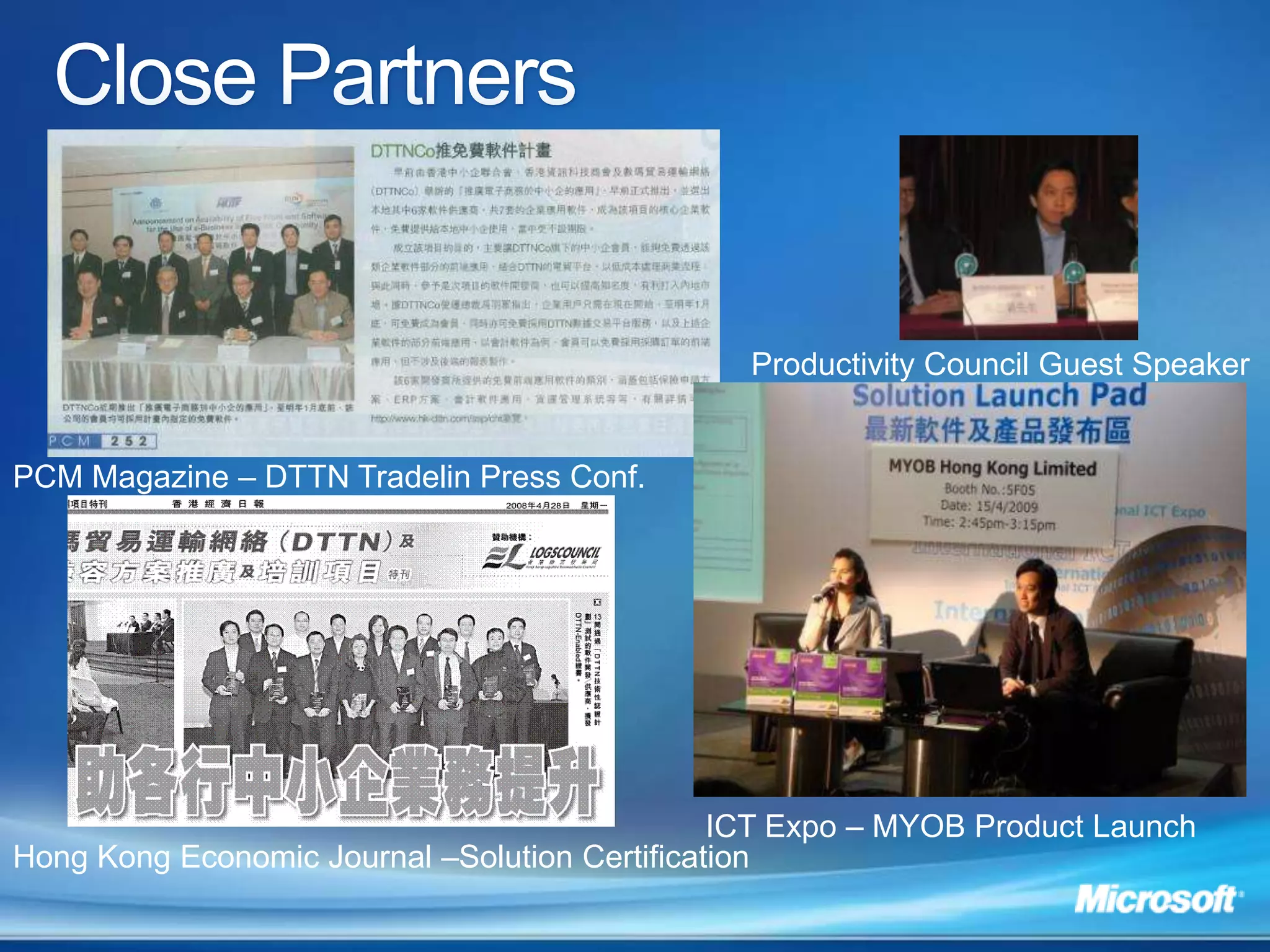
Productivity SolutionsRegistered Microsoft Small Business SpecialistSoftware development and integrationProvided solutions to SMEsClose PartnersProductivity Council Guest SpeakerPCM Magazine – DTTN Tradelin Press Conf.ICT Expo – MYOB Product Launch Hong Kong Economic Journal –Solution Certification
Microsoft Online Services Potential Benefits: Centralize Data and improve flow
 Automation: eliminate most mechanical work
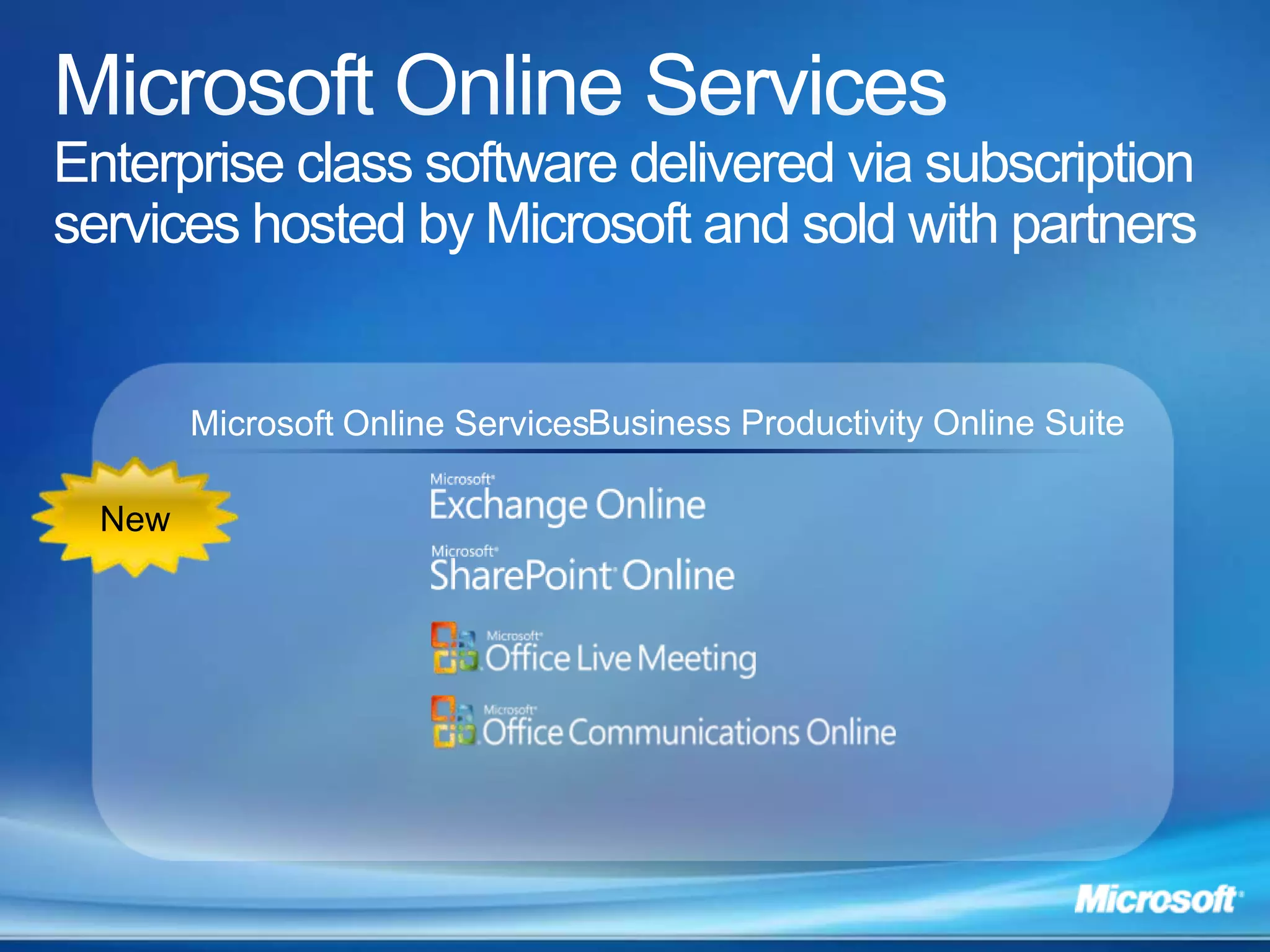
 Compliance: let the system manage the procedure and staff focus on tasksMicrosoft Online ServicesEnterprise class software delivered via subscription services hosted by Microsoft and sold with partnersBusiness Productivity Online SuiteMicrosoft Online ServicesNew
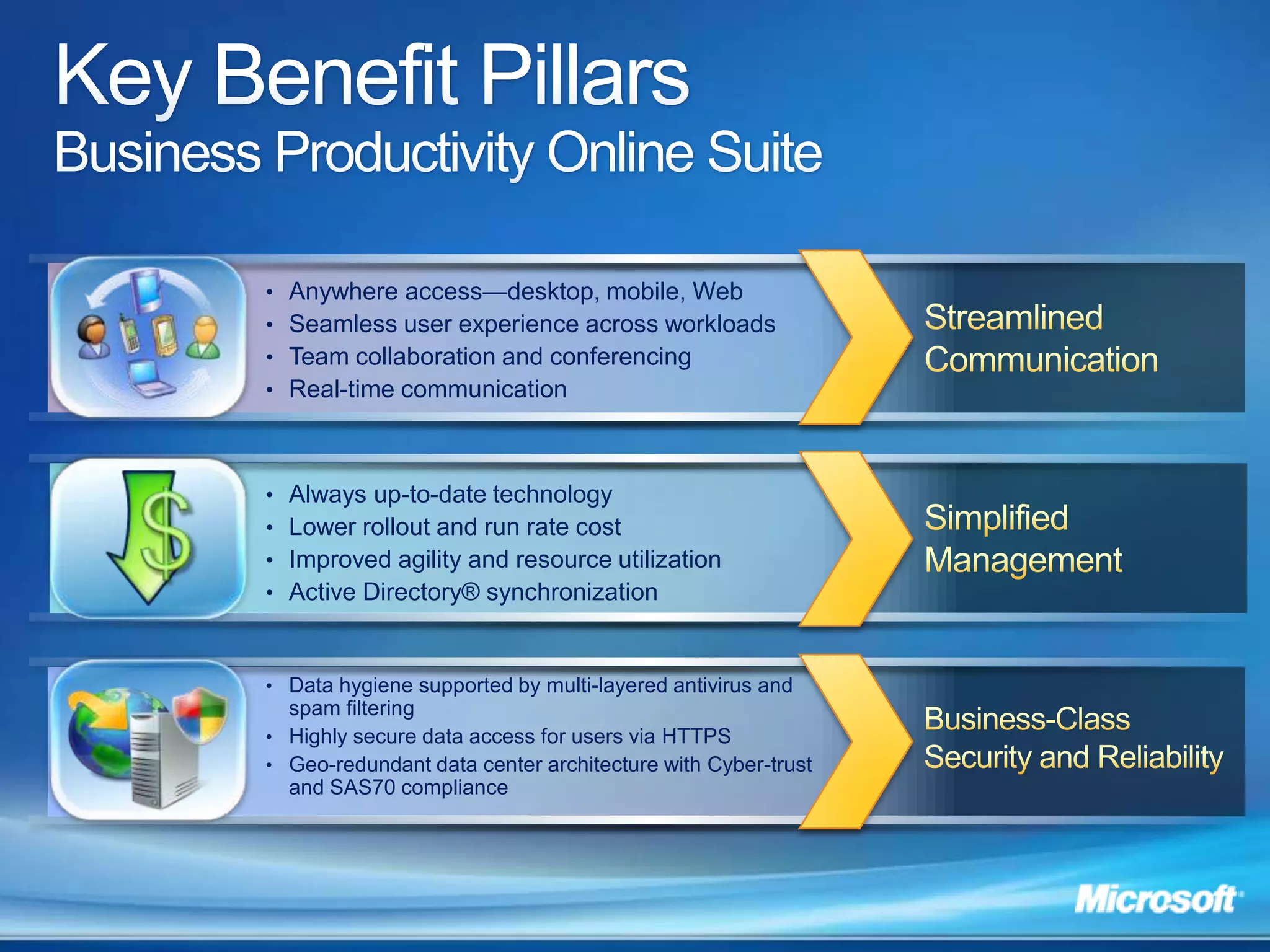
Key Benefit PillarsBusiness Productivity Online SuiteAnywhere access—desktop, mobile, Web Seamless user experience across workloadsTeam collaboration and conferencingReal-time communicationStreamlined CommunicationAlways up-to-date technology
Lower rollout and run rate cost
Improved agility and resource utilization
Active Directory® synchronizationSimplifiedManagement$Data hygiene supported by multi-layered antivirus and spam filtering
Highly secure data access for users via HTTPS
Geo-redundant data center architecture with Cyber-trust and SAS70 complianceBusiness-Class Security and Reliability
Streamlined Communications
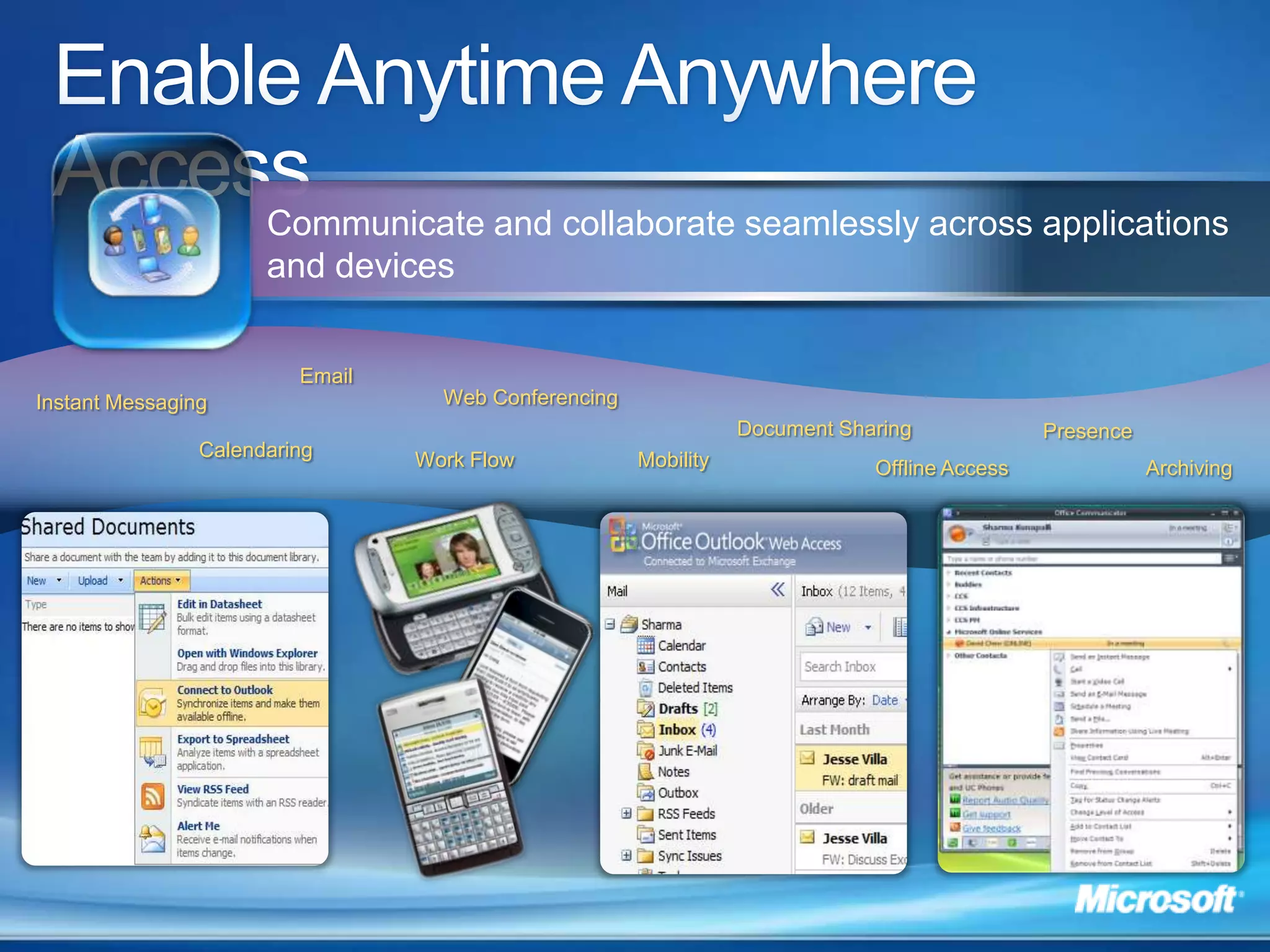
Enable Anytime Anywhere AccessCommunicate and collaborate seamlessly across applications and devicesEmailWeb ConferencingInstant MessagingDocument SharingPresenceCalendaringWork FlowMobilityOffline AccessArchiving
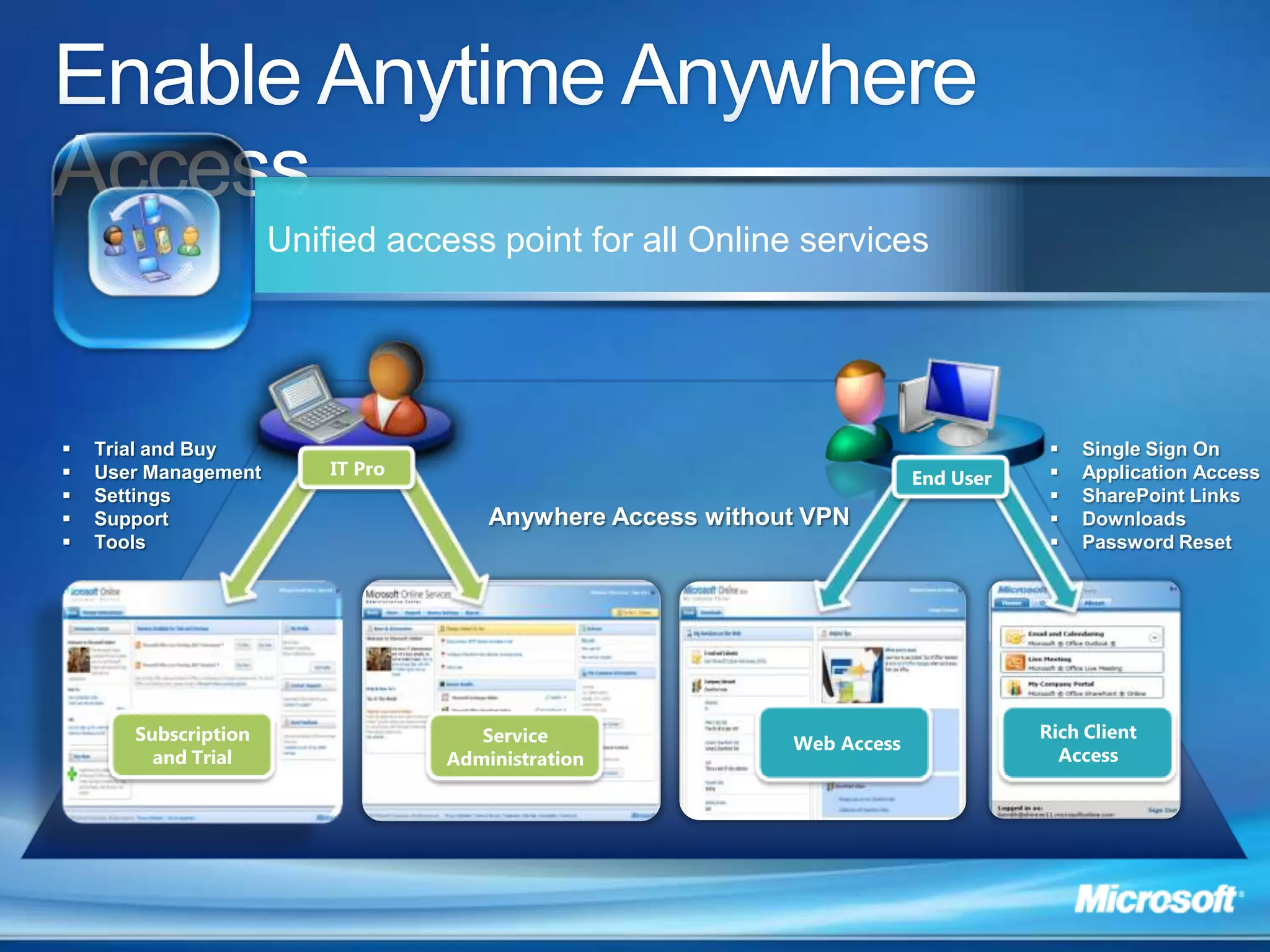
Enable Anytime Anywhere AccessUnified access point for all Online servicesTrial and Buy
User Management
Settings
Support
Tools
Single Sign On
Application Access
SharePoint Links
Downloads
Password ResetIT ProEnd UserAnywhere Access without VPN Web AccessRich Client AccessSubscription and TrialService Administration
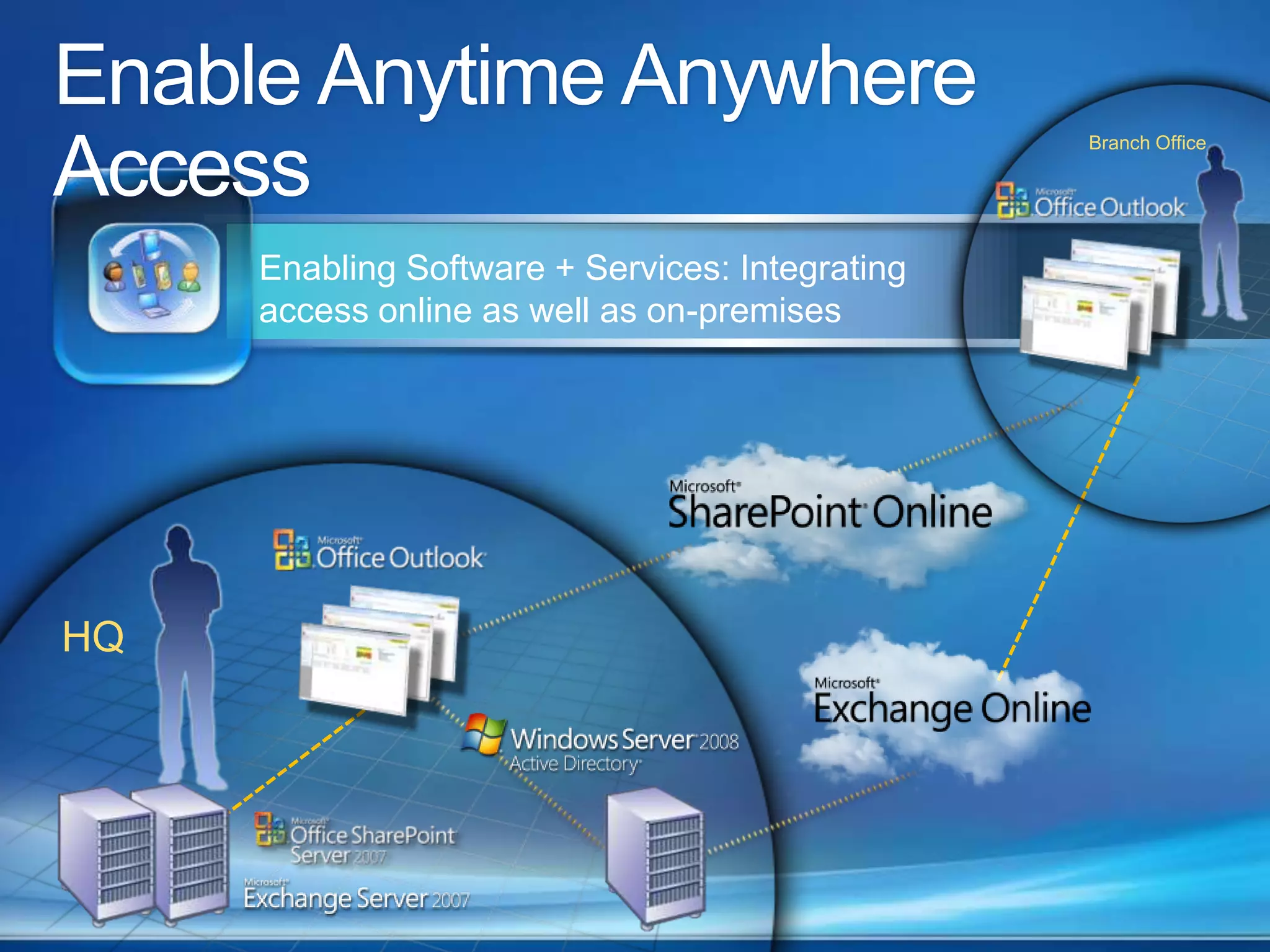
Enable Anytime Anywhere AccessBranch OfficeEnabling Software + Services: Integrating access online as well as on-premisesHQ
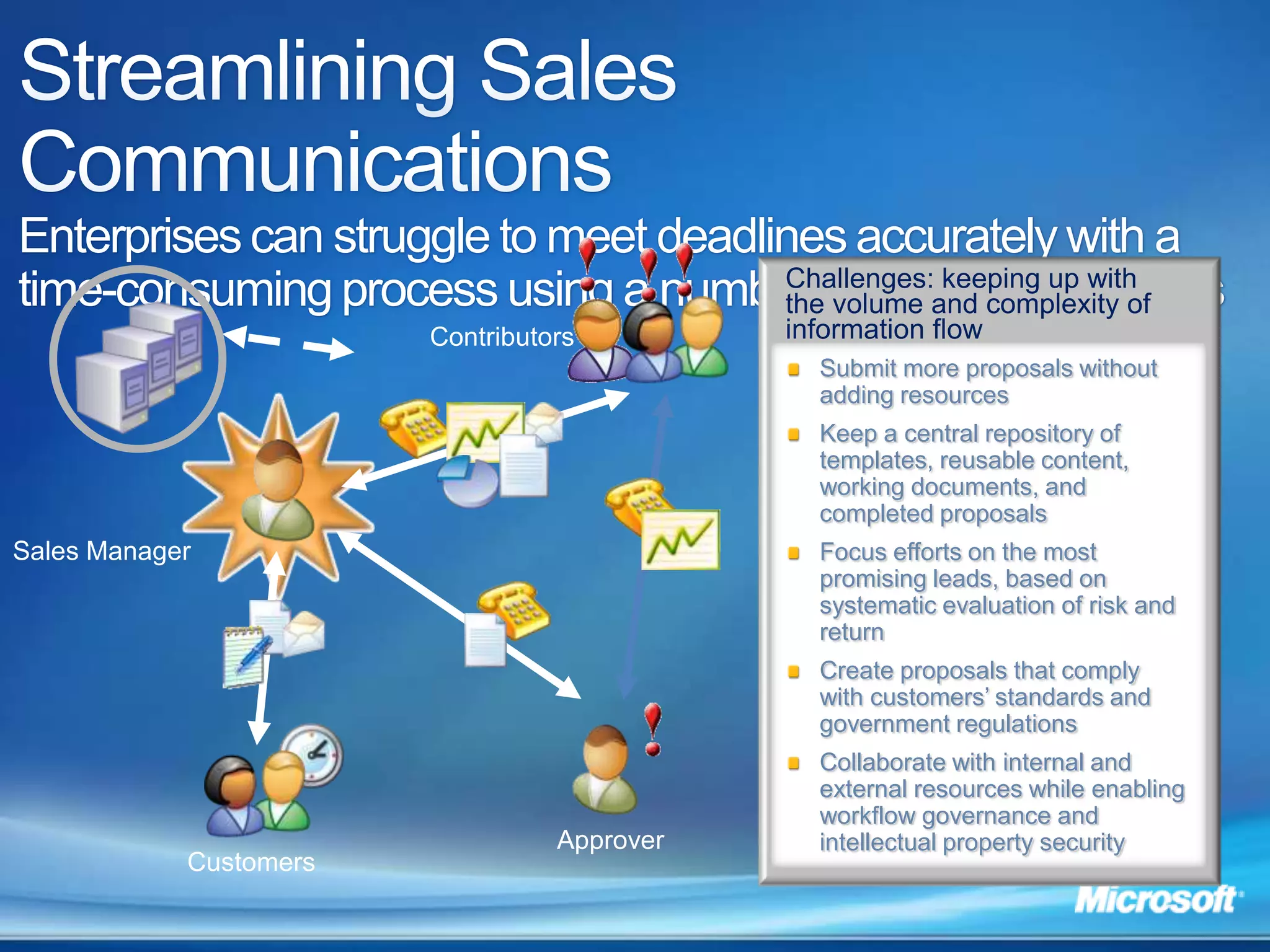
Streamlining Sales CommunicationsEnterprises can struggle to meet deadlines accurately with a time-consuming process using a number of disparate systemsChallenges: keeping up with the volume and complexity of information flowContributorsSubmit more proposals without adding resourcesKeep a central repository of templates, reusable content, working documents, and completed proposalsFocus efforts on the most promising leads, based on systematic evaluation of risk and returnCreate proposals that comply with customers’ standards and government regulationsCollaborate with internal and external resources while enabling workflow governance and intellectual property securitySales ManagerApproverCustomers

BPOS HK

  • 1.
    Get the WinningEdge with Microsoft Online ServicesNewland MakSenior Solution ConsultantPurpose Driven Solution Ltd
  • 2.
    Productivity SolutionsRegistered MicrosoftSmall Business SpecialistSoftware development and integrationProvided solutions to SMEsClose PartnersProductivity Council Guest SpeakerPCM Magazine – DTTN Tradelin Press Conf.ICT Expo – MYOB Product Launch Hong Kong Economic Journal –Solution Certification
  • 3.
    Microsoft Online ServicesPotential Benefits: Centralize Data and improve flow
  • 4.
    Automation: eliminatemost mechanical work
  • 5.
    Compliance: letthe system manage the procedure and staff focus on tasksMicrosoft Online ServicesEnterprise class software delivered via subscription services hosted by Microsoft and sold with partnersBusiness Productivity Online SuiteMicrosoft Online ServicesNew
  • 6.
    Key Benefit PillarsBusinessProductivity Online SuiteAnywhere access—desktop, mobile, Web Seamless user experience across workloadsTeam collaboration and conferencingReal-time communicationStreamlined CommunicationAlways up-to-date technology
  • 7.
    Lower rollout andrun rate cost
  • 8.
    Improved agility andresource utilization
  • 9.
    Active Directory® synchronizationSimplifiedManagement$Datahygiene supported by multi-layered antivirus and spam filtering
  • 10.
    Highly secure dataaccess for users via HTTPS
  • 11.
    Geo-redundant data centerarchitecture with Cyber-trust and SAS70 complianceBusiness-Class Security and Reliability
  • 12.
  • 13.
    Enable Anytime AnywhereAccessCommunicate and collaborate seamlessly across applications and devicesEmailWeb ConferencingInstant MessagingDocument SharingPresenceCalendaringWork FlowMobilityOffline AccessArchiving
  • 14.
    Enable Anytime AnywhereAccessUnified access point for all Online servicesTrial and Buy
  • 15.
  • 16.
  • 17.
  • 18.
  • 19.
  • 20.
  • 21.
  • 22.
  • 23.
    Password ResetIT ProEndUserAnywhere Access without VPN Web AccessRich Client AccessSubscription and TrialService Administration
  • 24.
    Enable Anytime AnywhereAccessBranch OfficeEnabling Software + Services: Integrating access online as well as on-premisesHQ
  • 25.
    Streamlining Sales CommunicationsEnterprisescan struggle to meet deadlines accurately with a time-consuming process using a number of disparate systemsChallenges: keeping up with the volume and complexity of information flowContributorsSubmit more proposals without adding resourcesKeep a central repository of templates, reusable content, working documents, and completed proposalsFocus efforts on the most promising leads, based on systematic evaluation of risk and returnCreate proposals that comply with customers’ standards and government regulationsCollaborate with internal and external resources while enabling workflow governance and intellectual property securitySales ManagerApproverCustomers
  • 26.
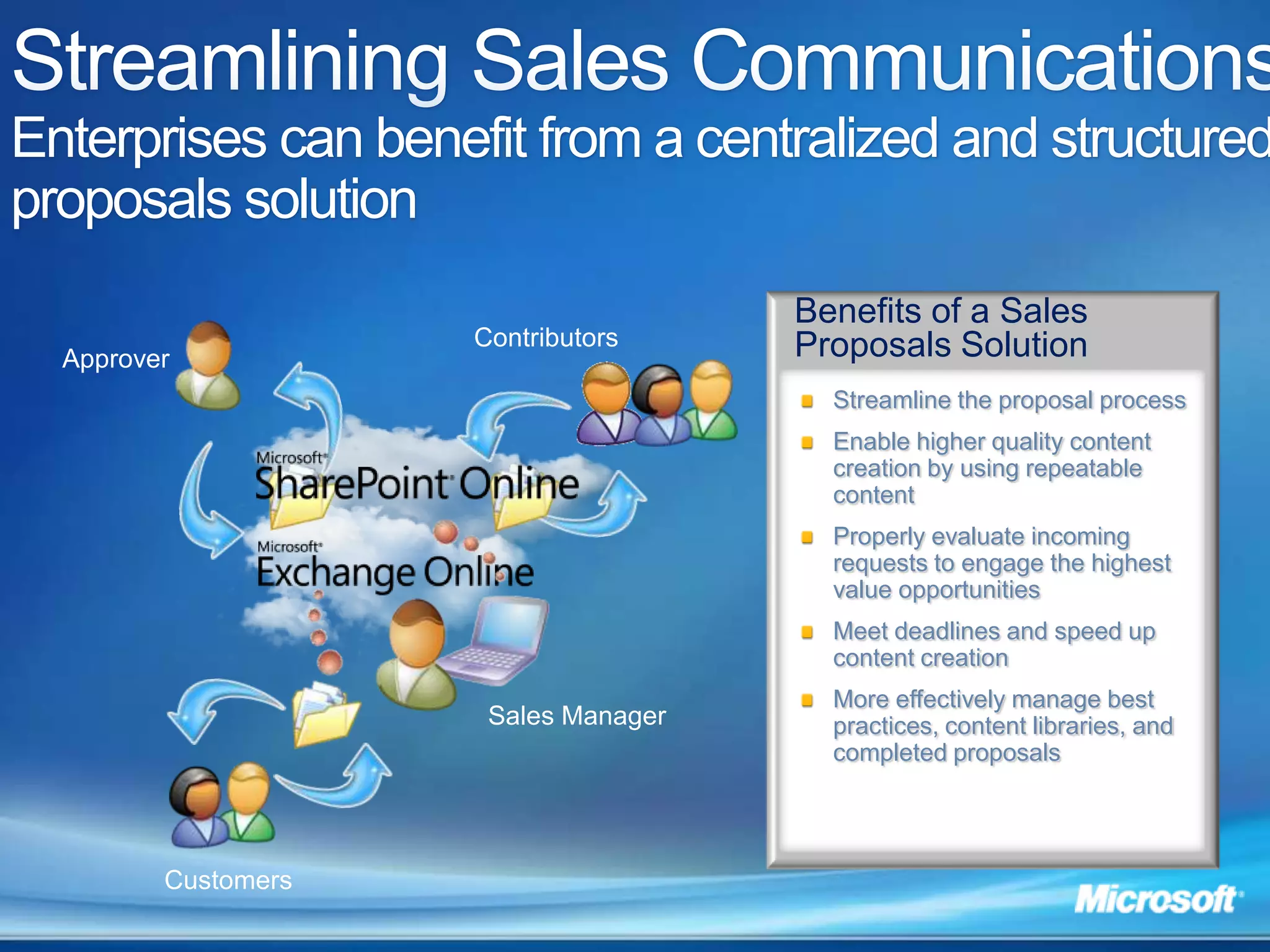
    Streamlining Sales CommunicationsEnterprises can benefit from a centralized and structured proposals solutionBenefits of a Sales Proposals SolutionContributorsApproverStreamline the proposal processEnable higher quality content creation by using repeatable contentProperly evaluate incoming requests to engage the highest value opportunitiesMeet deadlines and speed up content creationMore effectively manage best practices, content libraries, and completed proposalsSales ManagerCustomers
  • 27.
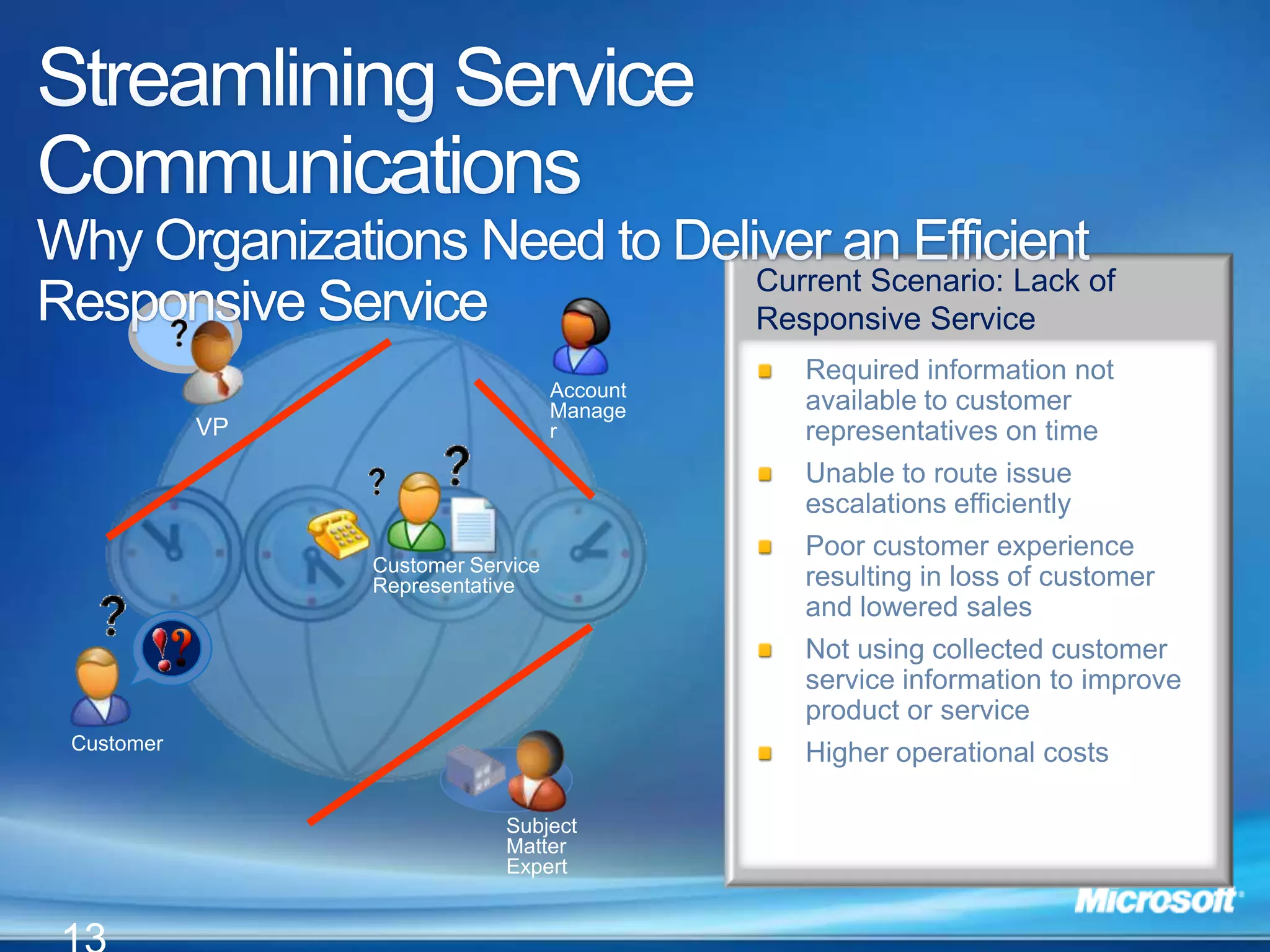
    Account ManagerCustomer ServiceRepresentativeVPCustomerSubject Matter ExpertStreamlining Service CommunicationsWhy Organizations Need to Deliver an Efficient Responsive ServiceCurrent Scenario: Lack of Responsive Service Required information not available to customer representatives on time Unable to route issue escalations efficientlyPoor customer experience resulting in loss of customer and lowered salesNot using collected customer service information to improve product or serviceHigher operational costs13
  • 28.
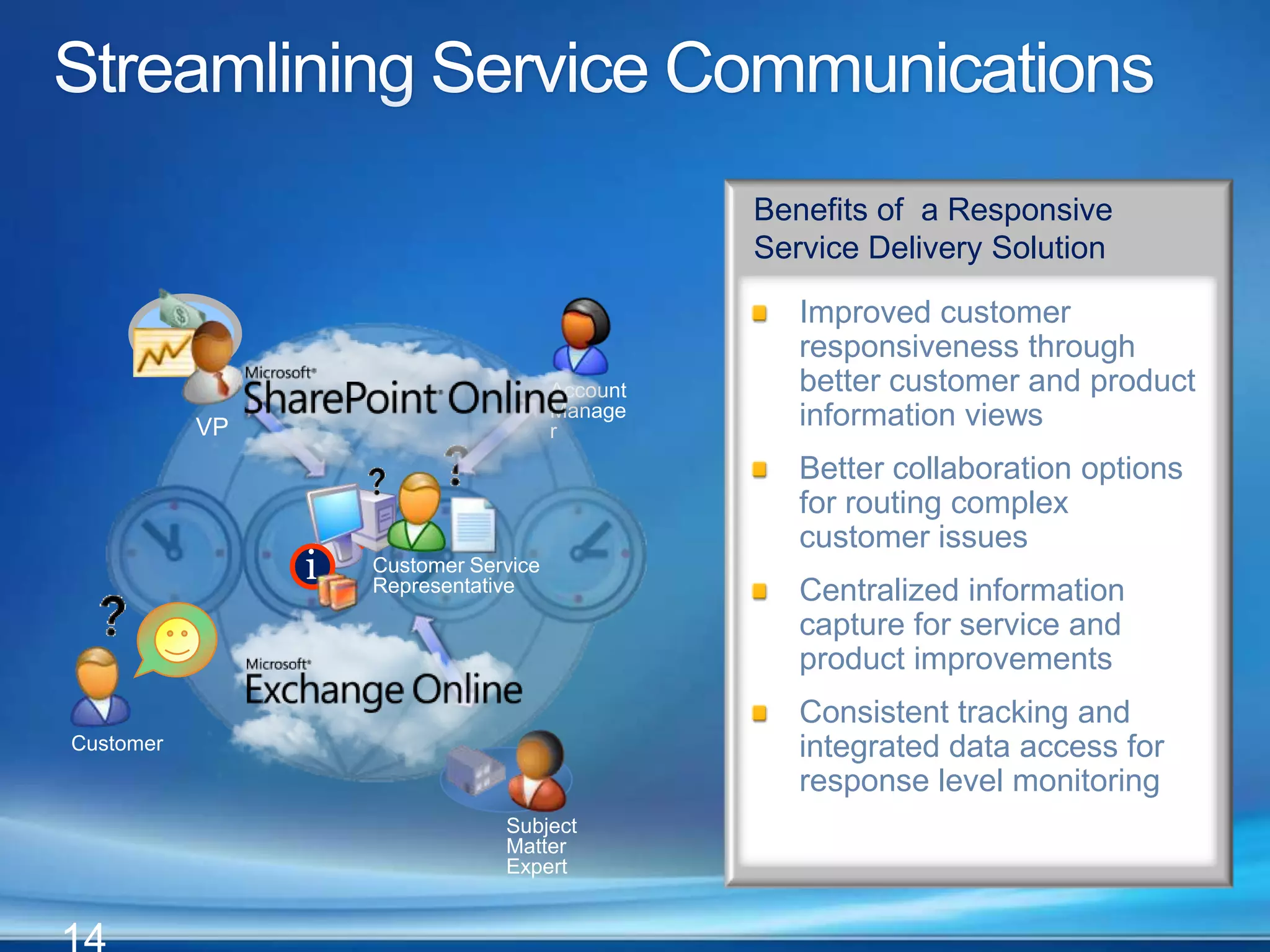
    14iiAccount ManagerCustomer ServiceRepresentativeVPCustomerSubject Matter ExpertStreamlining Service CommunicationsBenefits of a Responsive Service Delivery SolutionImproved customer responsiveness through better customer and product information viewsBetter collaboration options for routing complex customer issues Centralized information capture for service and product improvementsConsistent tracking and integrated data access for response level monitoring
  • 29.
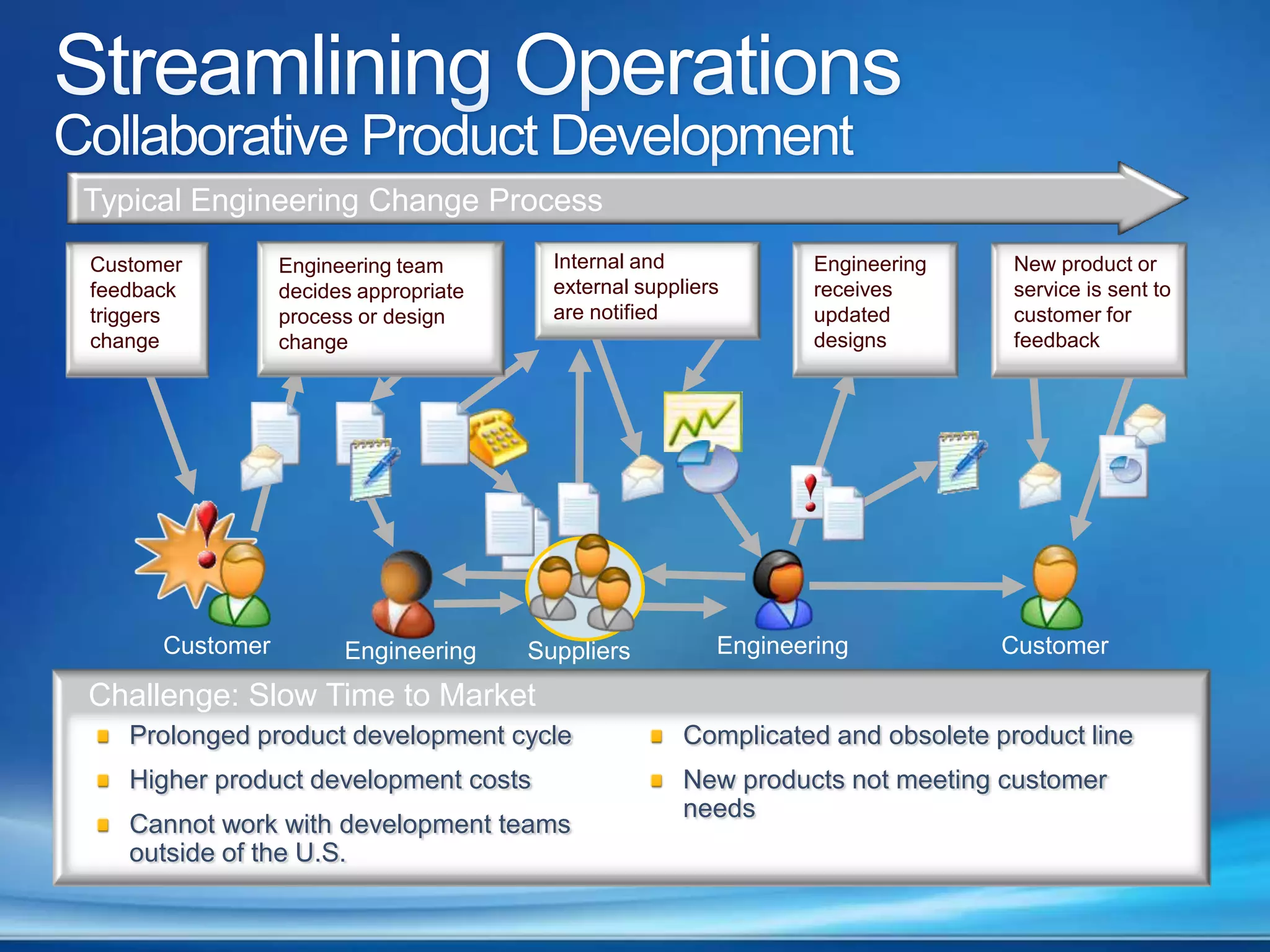
    Streamlining OperationsCollaborative ProductDevelopmentTypical Engineering Change ProcessInternal and external suppliers are notified Engineering receives updated designsNew product or service is sent to customer for feedbackCustomer feedback triggers changeEngineering team decides appropriate process or design changeCustomerEngineeringCustomerEngineeringSuppliersChallenge: Slow Time to MarketProlonged product development cycleHigher product development costsCannot work with development teams outside of the U.S.Complicated and obsolete product lineNew products not meeting customer needs
  • 30.
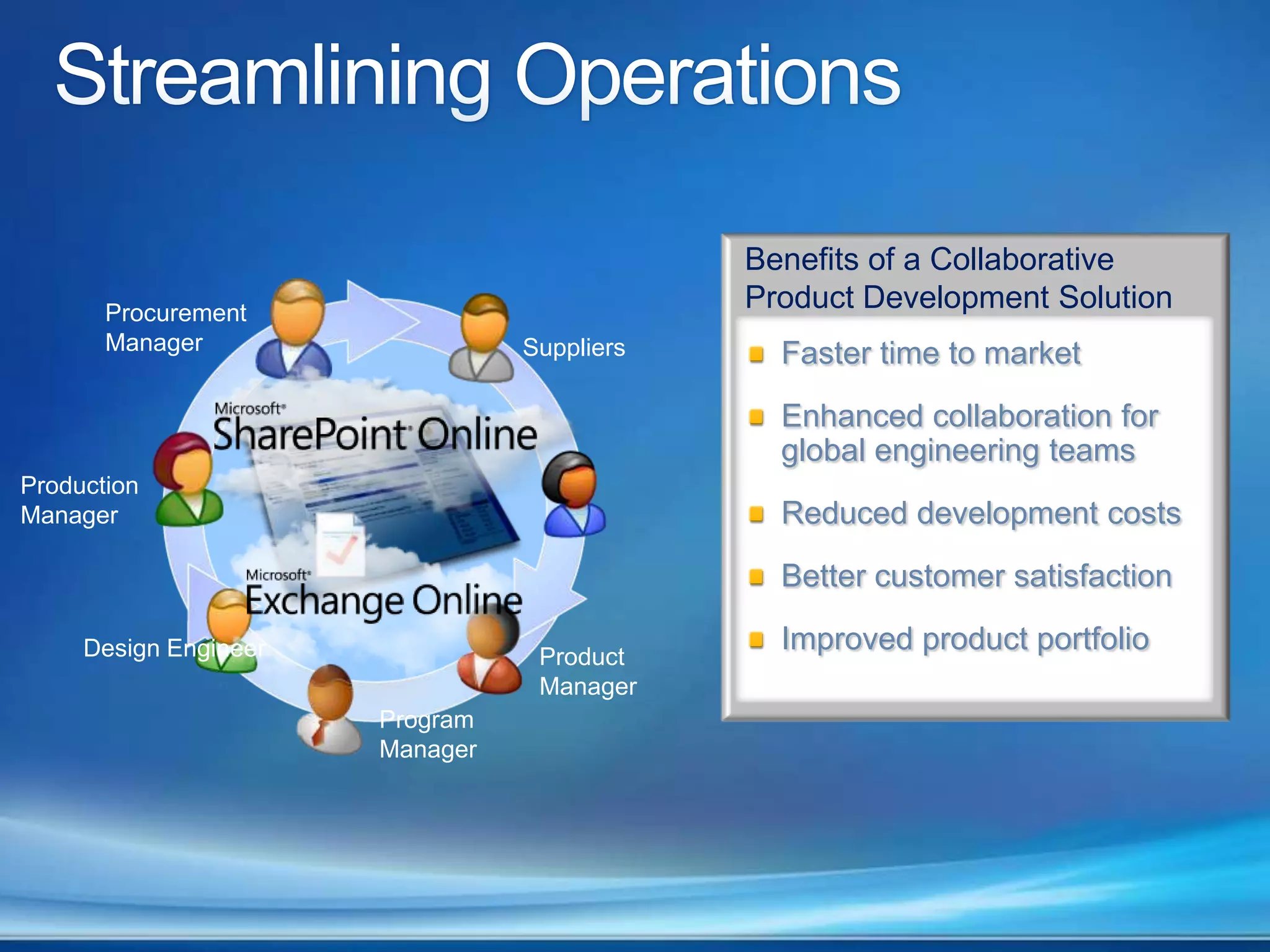
    Streamlining OperationsBenefits ofa Collaborative Product Development SolutionProcurement ManagerSuppliersFaster time to marketEnhanced collaboration for global engineering teamsReduced development costsBetter customer satisfactionImproved product portfolioProduction ManagerDesign EngineerProduct ManagerProgram Manager
  • 31.
  • 32.
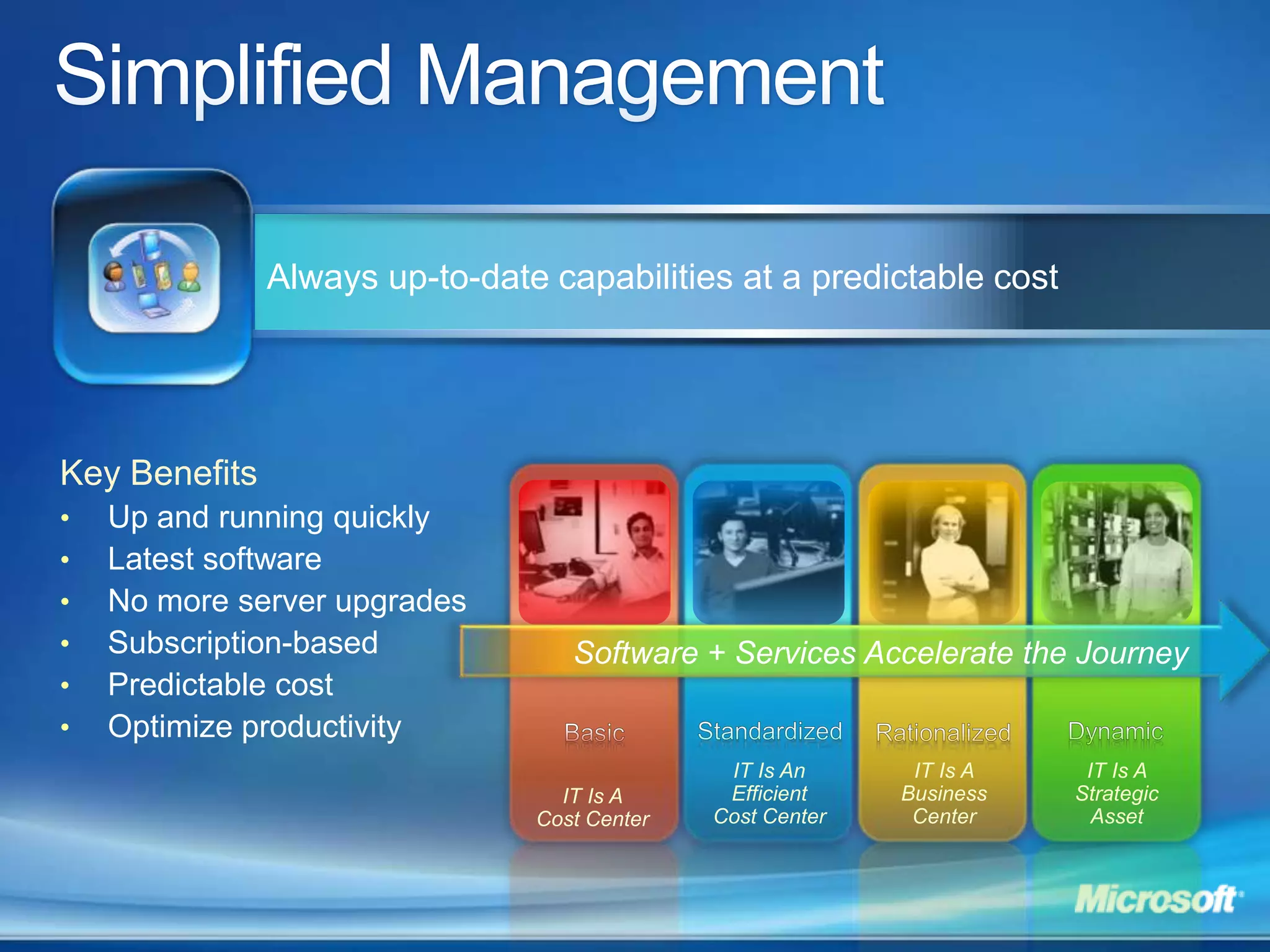
    Simplified ManagementAlways up-to-datecapabilities at a predictable costKey BenefitsUp and running quickly
  • 33.
  • 34.
  • 35.
  • 36.
  • 37.
    Optimize productivity Software + Services Accelerate the JourneyBasicRationalizedStandardizedDynamicIT Is An Efficient Cost CenterIT Is A Business CenterIT Is A Strategic AssetIT Is A Cost Center
  • 38.
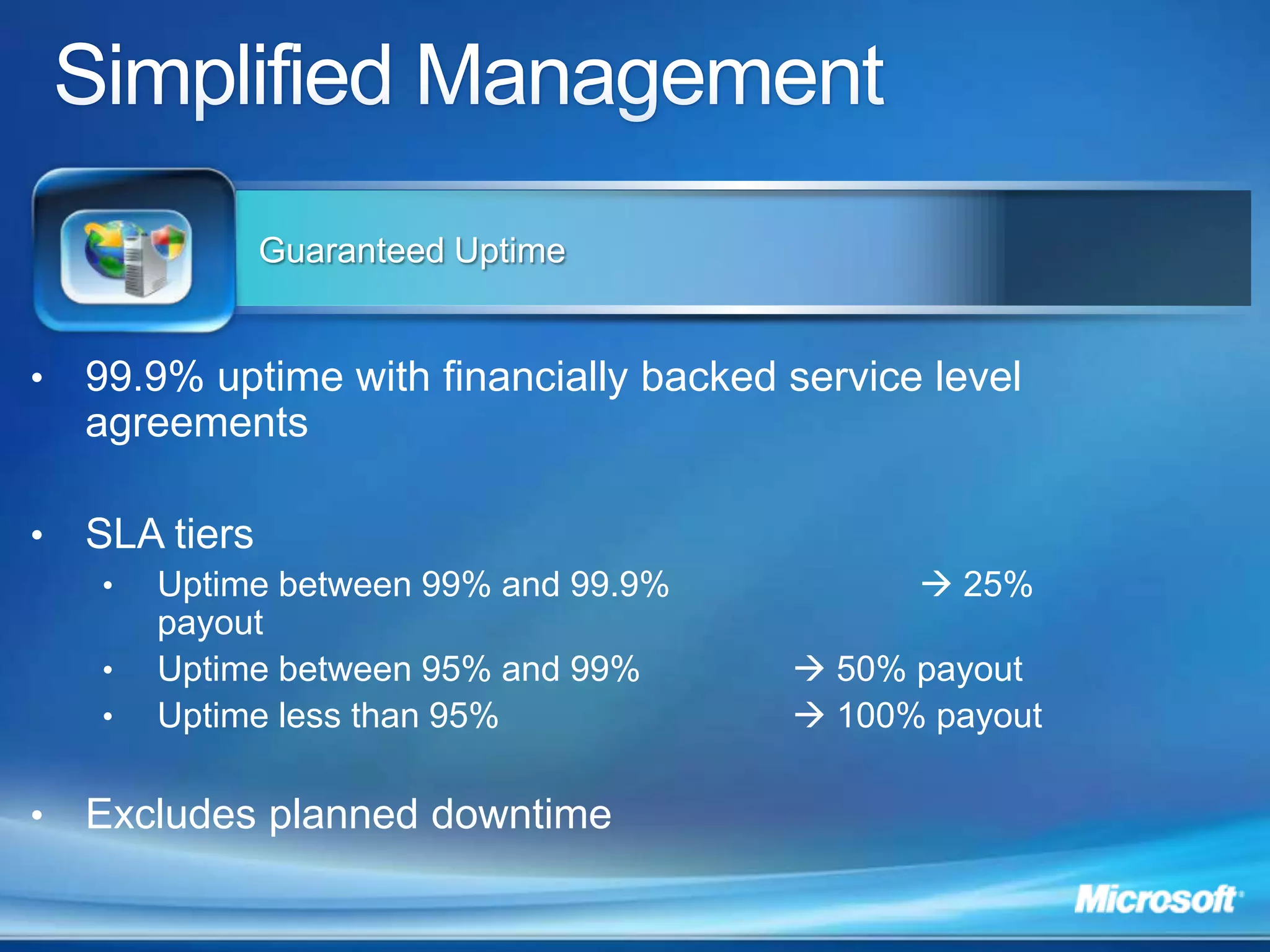
    Simplified ManagementGuaranteed Uptime99.9%uptime with financially backed service level agreementsSLA tiersUptime between 99% and 99.9%  25% payoutUptime between 95% and 99%  50% payoutUptime less than 95%  100% payoutExcludes planned downtime
  • 39.
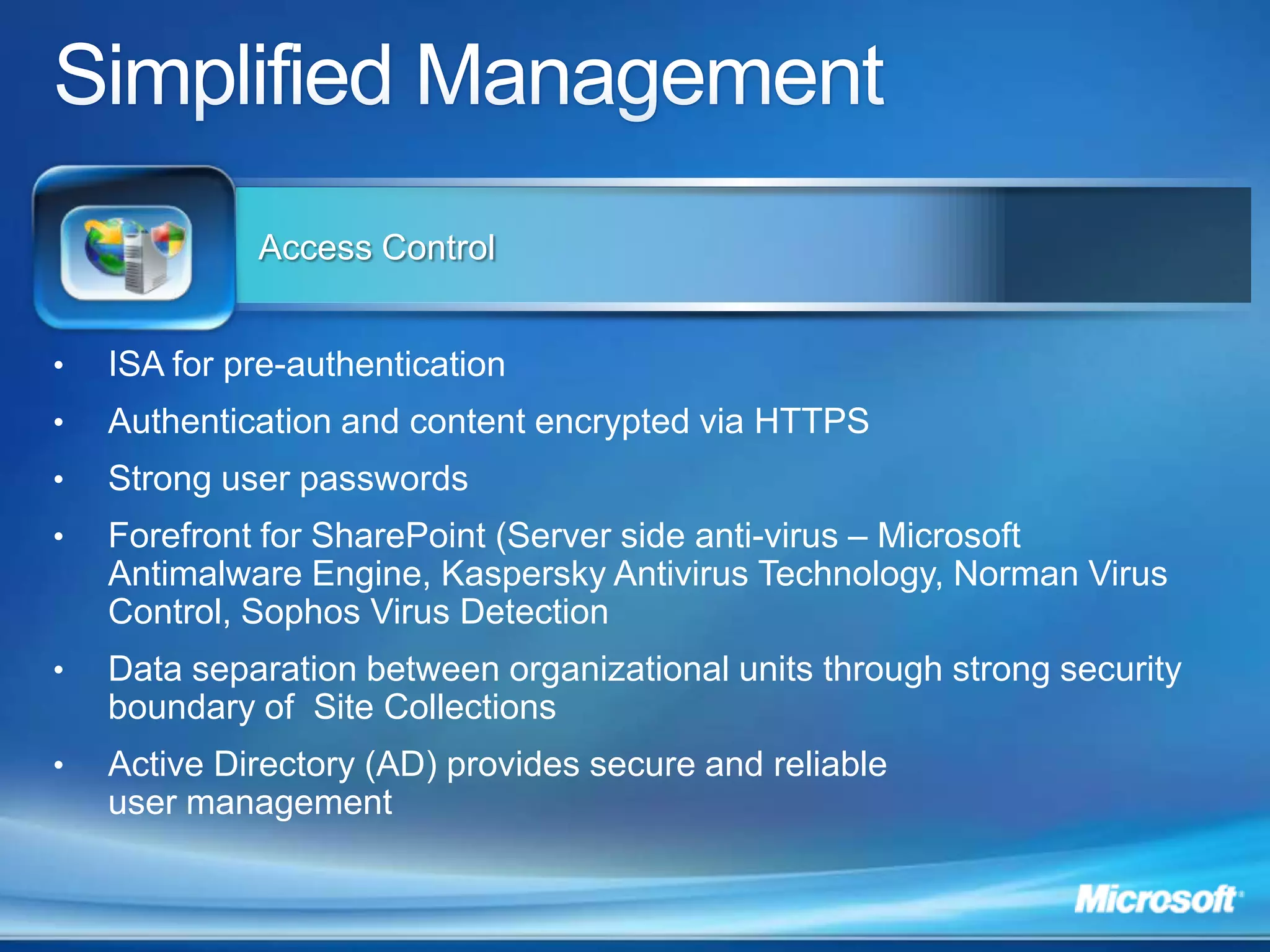
    Simplified ManagementAccess ControlISAfor pre-authentication Authentication and content encrypted via HTTPSStrong user passwordsForefront for SharePoint (Server side anti-virus – Microsoft Antimalware Engine, Kaspersky Antivirus Technology, Norman Virus Control, Sophos Virus DetectionData separation between organizational units through strong security boundary of Site Collections
  • 40.
    Active Directory (AD)provides secure and reliable user managementBusiness-Class Security and Reliability
  • 41.
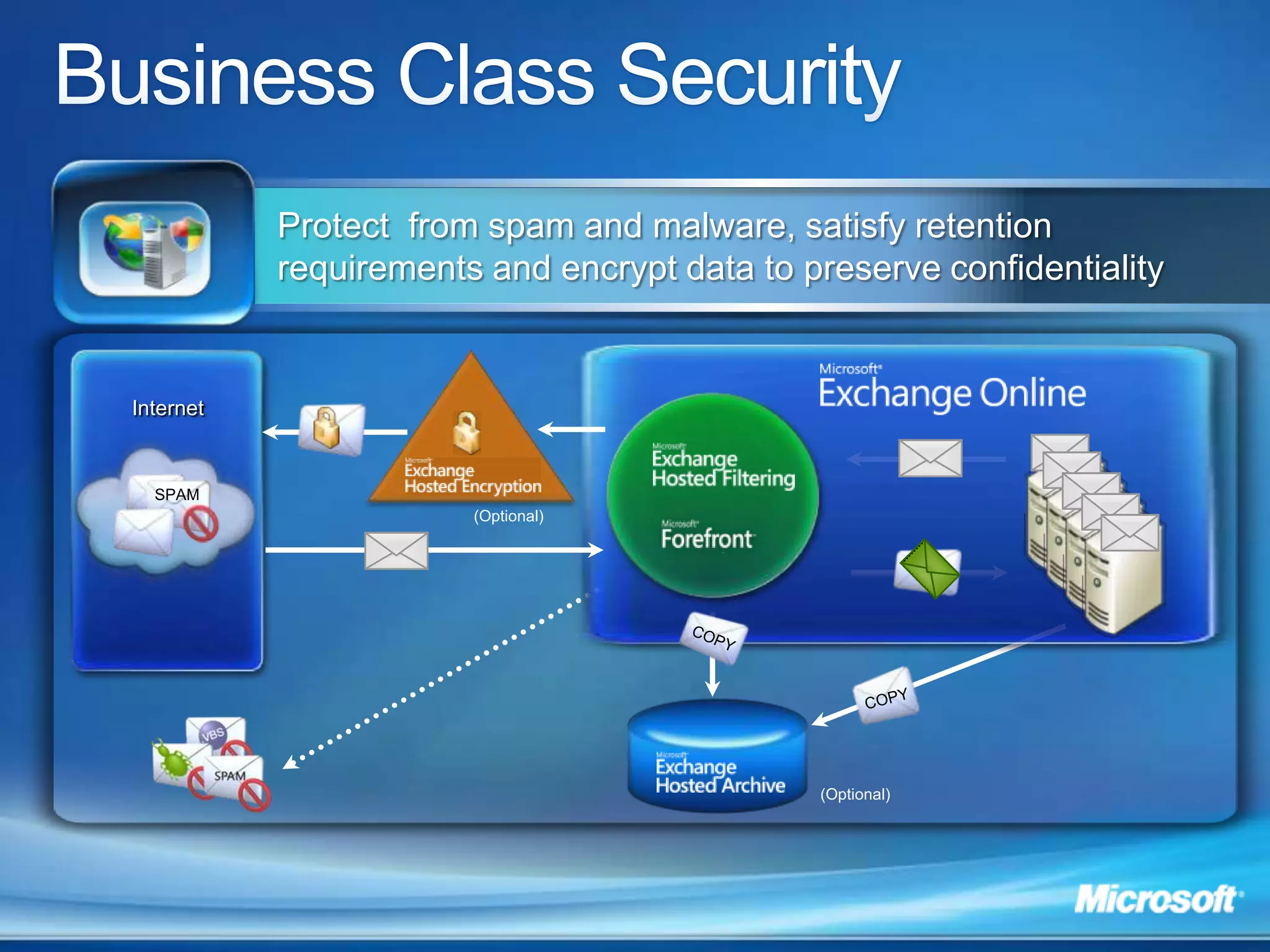
    SPAMCOPYBusiness Class SecurityProtect from spam and malware, satisfy retention requirements and encrypt data to preserve confidentialityInternet(Optional)COPY(Optional)
  • 42.
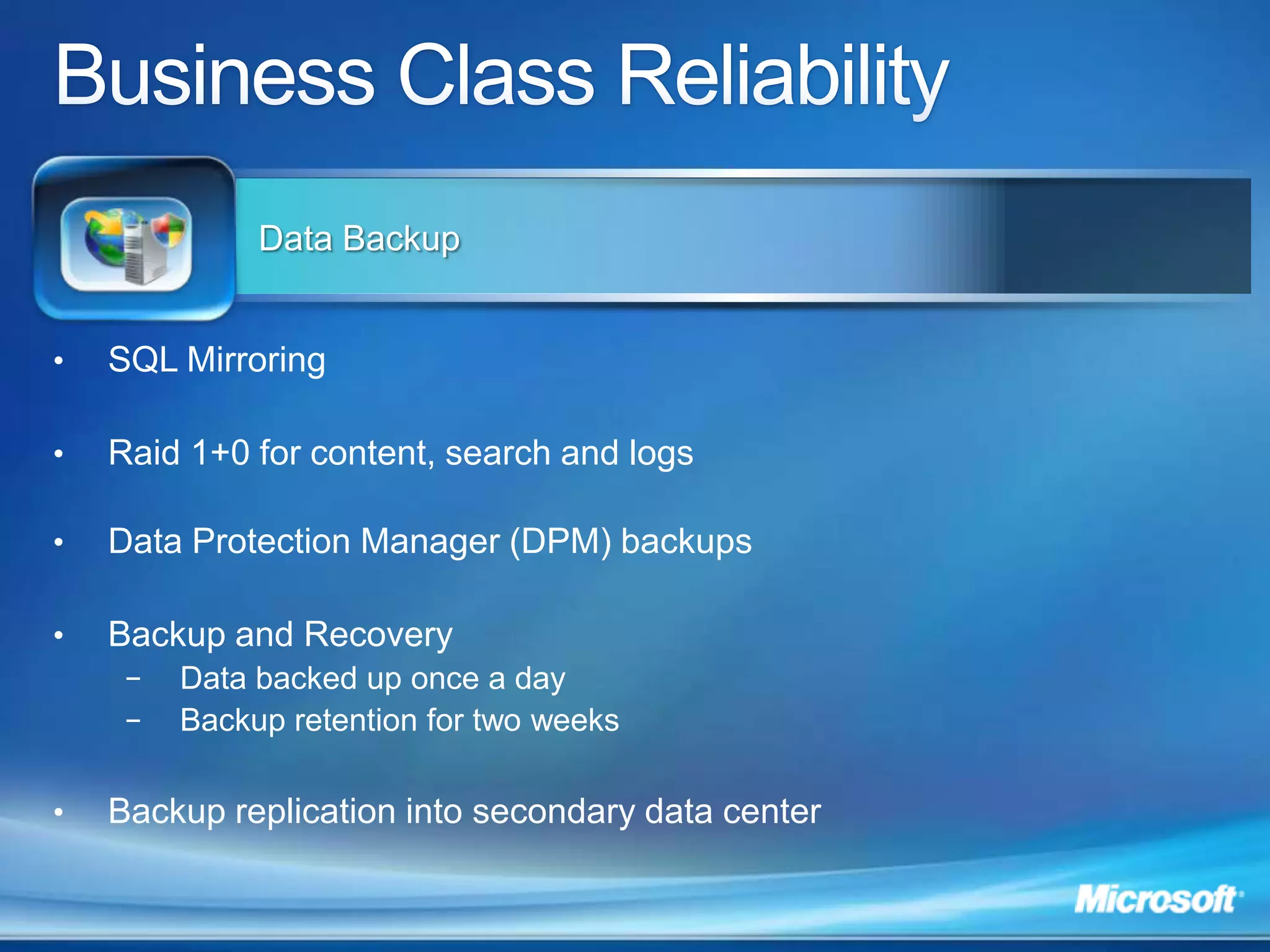
    Business Class ReliabilityDataBackupSQL MirroringRaid 1+0 for content, search and logsData Protection Manager (DPM) backupsBackup and RecoveryData backed up once a day
  • 43.
    Backup retention fortwo weeksBackup replication into secondary data center
  • 44.
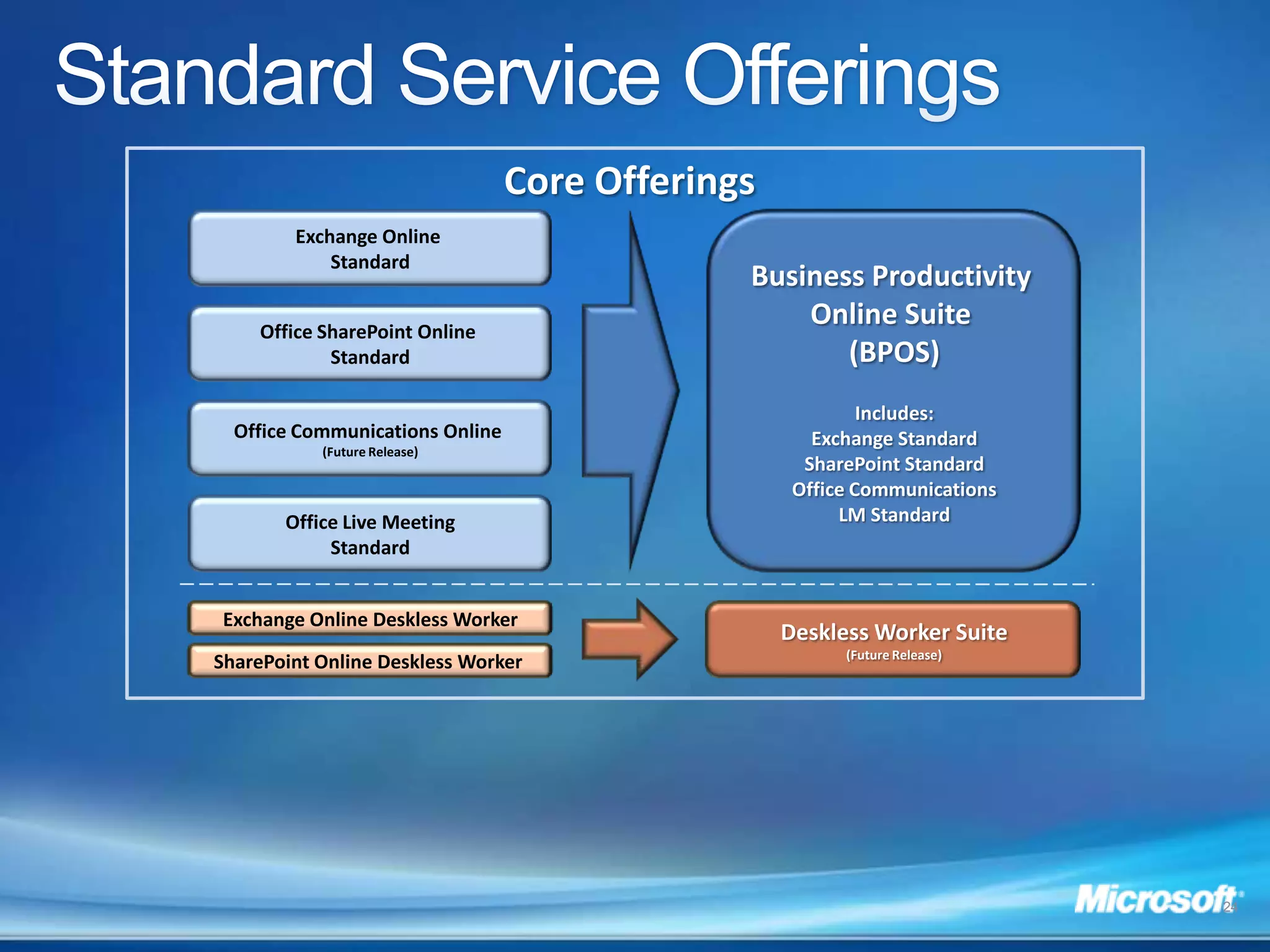
    Standard Service OfferingsCoreOfferingsExchange Online StandardBusiness Productivity Online Suite (BPOS)Includes:Exchange StandardSharePoint StandardOffice CommunicationsLM StandardOffice SharePoint Online StandardOffice Communications Online (Future Release)Office Live MeetingStandardExchange Online Deskless WorkerDeskless Worker Suite(Future Release)SharePoint Online Deskless Worker 24
  • 45.
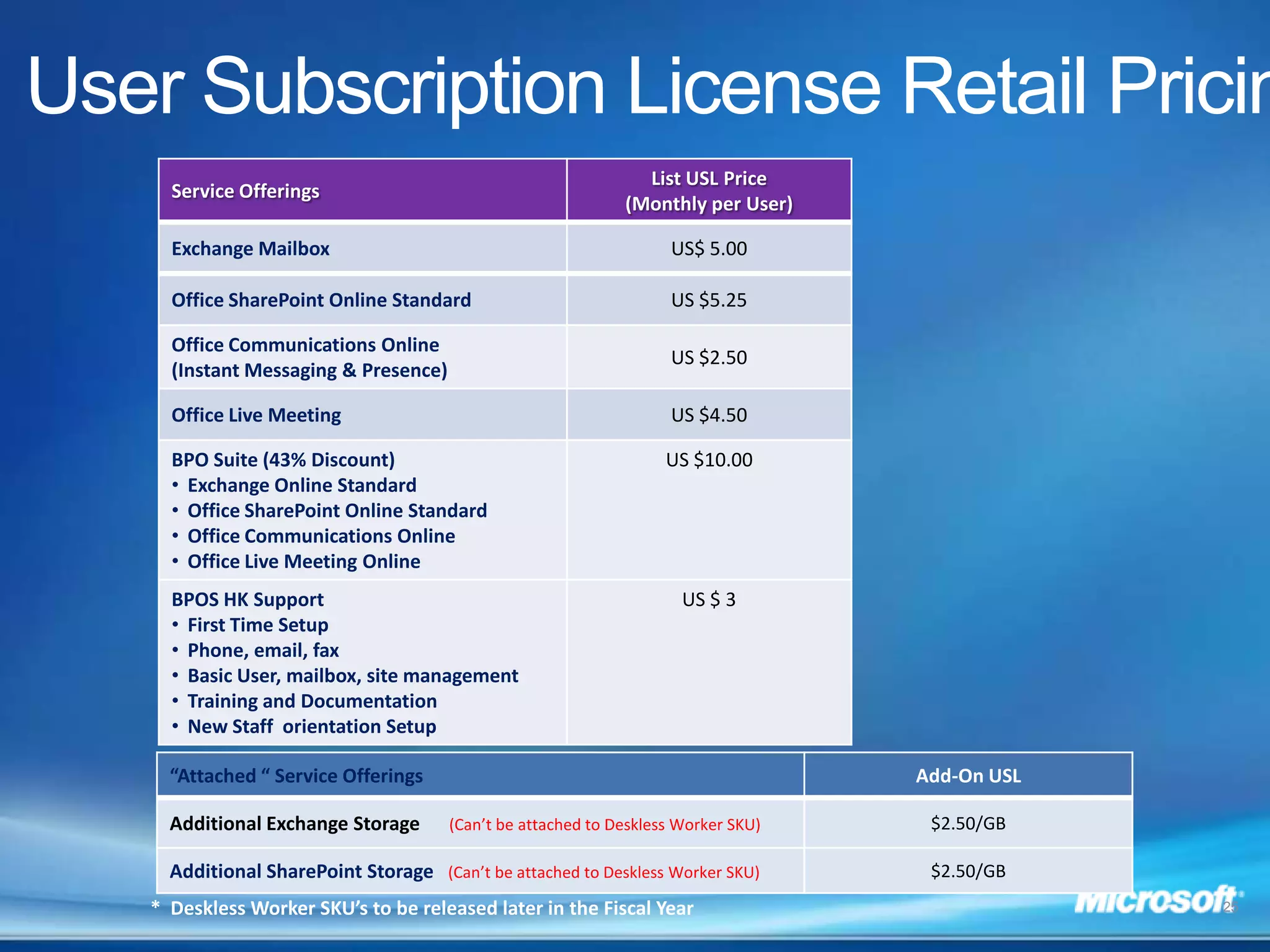
    User Subscription LicenseRetail Pricing* Deskless Worker SKU’s to be released later in the Fiscal Year25

Editor's Notes

  • #3 Partners: Use this slide to introduce your company and your offerings
  • #5 To provide anytime anywhere access quickly to your employees, Microsoft is introducing “Online” services. Online services is a set of enterprise class software, delivered as subscription services hosted by Microsoft, and sold through partners like us. Their goal is to create a service option for every one of their business software products. The initial set of services they are offering focus on the business productivity capabilities. The Business Productivity Online Suite, shown here, includes Exchange Online, Office SharePoint Online, Office Communications Online, and Office Live Meeting. Office Communications Online is currently available as part of the dedicated offering and a multi-tenant offering of the service will be added in early 2009.Exchange Hosted Services are attached services that include filtering, archiving, encryption and continuity.
  • #6 To provide anytime anywhere access quickly to your employees, Microsoft is introducing “Online” services. Online services is a set of enterprise class software, delivered as subscription services hosted by Microsoft, and sold through partners like us. Their goal is to create a service option for every one of their business software products. The initial set of services they are offering focus on the business productivity capabilities. The Business Productivity Online Suite, shown here, includes Exchange Online, Office SharePoint Online, Office Communications Online, and Office Live Meeting. Office Communications Online is currently available as part of the dedicated offering and a multi-tenant offering of the service will be added in early 2009.Exchange Hosted Services are attached services that include filtering, archiving, encryption and continuity.
  • #7 By providing the latest business productivity capabilities delivered from a single service platform, end users can truly enjoy an integrated experience. End user will be able to access these services over the web, through their laptop/desktop or mobile devices. They can also securely access these services over the internet without VPN. End user will be able to have presence awareness of their colleagues and partners and be able to collaborate seamlessly between emails, documents and over conferencing and instant messaging. From the IT administration perspective, our service will be managed from a single administration portal. Administrators will have a single place to go to view operational statistics, provision new users and track any support issues. All services will be backed by a 99.9% SLA with financial guarantees and included in each service is a premium disaster recovery service that will allow fast switch over to a geographic separated datacenter in case of primary datacenter failure. We also perform regular scheduled independent audit to ensure our service is SAS 70 compliant and highly secured. Stable, dedicated infrastructure; hosted in Microsoft datacenters99.9% guaranteed service availability with financial penaltiesDynamic scale for additional capacityIncreased agility and user productivityEvergreen technology management – the latest Microsoft technologies and releases at no additional chargeSingle sign-on experience through Active Directory synchronizationSimple, predictable monthly fees and straightforward on-boarding costsRobust business continuity/disaster recoveryStrategic relationship with Microsoft provides innovation in use of Microsoft technology and extensive insight into Microsoft products
  • #9 With Microsoft Online, we can offer a suite of always up to date business productivity capabilities. This will help many of our customers that have not been able to take full advantage of Microsoft software’s integrated capabilities because of the various versions of the applications they run on premises. With Microsoft Online, they are giving end users the ability to have a wide range of methods to communicate and collaborate. Users can start from any forms of communication and switch to another. For example, an user can switch from email exchange to instant messaging and then move to a web conference or start with instant messaging and then move to email or conferencing. They will access to emails, contacts, documents whether they are online or offline such as using our Sharepoint synchronizing feature with Outlook or connect via a wide array of active sync mobile devices or through web portals.
  • #10 Customers who subscribe to Microsoft Online Services will be able to simplify how they consume and manage technology. To satisfy this need, Microsoft has designed and integrated an easy to use Company Portal and Administration Center for the IT pro to help them manage, support and configure not just one , but all their Microsoft Online Services in one place. The Company Portal is design for the IT Pro to manage his/her subscriptions and trial accounts for all of their Online services. Customer can expect a consistent operational processes of learn, try, buy, use and renew. Once the service is activated, the IT Pro will manage the service via the Administration Center. Key capabilities of the Administration Center includes:Unified management from one placeUser managementCo-existence with your on-premise ExchangeAccess to data migration toolsSupport issues and trackingService HealthConfigure service settingsIn addition to IT pros, end users also want a consistent and integrated experience when they use these services. The Microsoft Online Sign-On Tool and My Company Portal make it easy for end users to mange their identity and access services their company has subscribed to.
  • #11 For reasons such as data compliance, customization requirements, flexibility, etc., customer may want to deploy a hybrid approach between online and on-premise. Another key value provided by the Microsoft offering is the flexibility to choose your deployment model between on-premises and online - by geography, workload or roles. In this example, the customer decides to deploy Exchange Server in their own datacenter for users in their headquarters, and have their branch office users subscribe to Exchange Online. To enable a seamless experience such as a single address book, we provide a tool to synchronize entries in your on-premises directory with our Online directory. With this tool, any changes you make on your directory are synchronize with our directory such as changing adding or deleting a user, change user attributes, etc. For SharePoint, in this example, customer can choose to deploy a set of site collections on their on-premise SharePoint deployment and another set of site collections is deployed on SharePoint Online. In this case, no matter where the users are at, they can access to sites from both site collections.
  • #19 With Microsoft services, customers don’t have to spend time or effort in deployment and start to be productive quickly. Customers don’t have to worry about updates and upgrades. This can help transform IT from being a cost center into being a strategic asset.
  • #20 Bottom line, Microsoft will provide 24x7 IT Pro support and their service availability is backed by a 99.9% uptime SLA (with financial penalties if they fail to meet the SLA.)
  • #21 Physical security is but one part it. When you look, Microsoft ultimately needs to make sure that since they are providing an internet based service, they are protecting customer’s data in a variety of ways. Microsoft looks at this as multiple layers of protection. They are actually providing 9 layers of logical security for their customers and those customers’ service and data. Filtering Routers: these are implemented to protect against any traffic they do not see as well constructed. One of the great benefits of providing a focused service like BPOS is they actually set up the routers to protect against any form of malform data. They block at an aggregate at the edge. Firewalls are set up as deny all. Behind the firewalls they have an Intrusion Detection System. Microsoft has a very sophisticated correlation engine for any intrusion alert that they’re tracking, 24 hours a day. Below the IDS, they have a level System Level Security. When you look, the service operations organization actually has broad based, dual factor authentication. This means each individual within a support and service operations team have either some sort of secure ID card or a RSH secure ID token that is coupled with their role. Each individual must have a user ID and password and must apply a pin with their secure ID token. Based on the role they have, they grant access per individuals to the service.  Application Authentication: when you get below the System Level Security, the customers actually have application level authentication. Microsoft have a very sophisticated mechanism by which they provide access to data. The structure of the service provides users access to only those capabilities they are designed to have. (In the reseller model where a partner is actually providing the service to the customer, they have a level of application authentication that sits over top of that which the customers have.)Microsoft security scenarios are actually designed to make sure that they apply security methods not only to the software, but they also treat that software as a service. Virus Scanning is provided for multiple set of capabilities. Microsoft actually virus scan at all over our server levels, they have in place intrusion detection at the host and they’re scanning our content via Microsoft ForeFront.Then they have Separate Data Networks. These are implemented in a form that breaks it apart. For example, the data bases are on a separate sub net then from the actual content server or something that is an internet facing device.When you look, even though it’s an internet facing service, very few devices have direct access to the internet. All of the servers are on some form of non-routable subnet space. Finally you are authenticated into the data. The data itself is never stored on the physical servers, they run separate data networks and the data is stored on dedicated storage devices. So when you look at the content, the content is actually being sent from dedicated storage devices, which allows Microsoft to provide significant levels of backup as well.
  • #24 Physical security is but one part it. When you look, Microsoft ultimately needs to make sure that since they are providing an internet based service, they are protecting customer’s data in a variety of ways. Microsoft looks at this as multiple layers of protection. They are actually providing 9 layers of logical security for their customers and those customers’ service and data. Filtering Routers: these are implemented to protect against any traffic they do not see as well constructed. One of the great benefits of providing a focused service like BPOS is they actually set up the routers to protect against any form of malform data. They block at an aggregate at the edge. Firewalls are set up as deny all. Behind the firewalls they have an Intrusion Detection System. Microsoft has a very sophisticated correlation engine for any intrusion alert that they’re tracking, 24 hours a day. Below the IDS, they have a level System Level Security. When you look, the service operations organization actually has broad based, dual factor authentication. This means each individual within a support and service operations team have either some sort of secure ID card or a RSH secure ID token that is coupled with their role. Each individual must have a user ID and password and must apply a pin with their secure ID token. Based on the role they have, they grant access per individuals to the service.  Application Authentication: when you get below the System Level Security, the customers actually have application level authentication. Microsoft have a very sophisticated mechanism by which they provide access to data. The structure of the service provides users access to only those capabilities they are designed to have. (In the reseller model where a partner is actually providing the service to the customer, they have a level of application authentication that sits over top of that which the customers have.)Microsoft security scenarios are actually designed to make sure that they apply security methods not only to the software, but they also treat that software as a service. Virus Scanning is provided for multiple set of capabilities. Microsoft actually virus scan at all over our server levels, they have in place intrusion detection at the host and they’re scanning our content via Microsoft ForeFront.Then they have Separate Data Networks. These are implemented in a form that breaks it apart. For example, the data bases are on a separate sub net then from the actual content server or something that is an internet facing device.When you look, even though it’s an internet facing service, very few devices have direct access to the internet. All of the servers are on some form of non-routable subnet space. Finally you are authenticated into the data. The data itself is never stored on the physical servers, they run separate data networks and the data is stored on dedicated storage devices. So when you look at the content, the content is actually being sent from dedicated storage devices, which allows Microsoft to provide significant levels of backup as well.
  • #25 The service is designed to reach out to your entire organization and not just your information workers. As part of the service, Microsoft will introduce a reduced function service designed for in-frequent users. Examples of these users are factory workers, truck drivers who are not regular users of email but still need to be in touch with what is going on and be able to read content posted on SharePoint. Both Exchange Online and SharePoint Online will have deskless worker offering. The Exchange Online Deskless Worker will have Outlook Web Access Light experience and a 100MB mailbox. The SharePoint Online deskless worker will have read only access to content posted on SharePoint.