Buliding Object-Oriented Applications in PowerBuilder  Module 4 : Object Instances
Objectives Outline what happens when a window is opened in PowerBuilder Identify the steps involved in creating a transaction object Define an object reference variable Compare and contrast standard, class, and structure data types Explain how to use the CREATE command to instantiate nonvisual and visual classes
Topics Object Instances in PowerBuilder Instantiating Visual Classes Using Open( ) Resolving Ancestor References Data Types Instantiating Nonvisual Classes Using CREATE Instantiating Visual Classes Using  CREATE
Object Instances Multiple objects, or instances, can be created from the same definition (class) The process of creating an object instance from a class definition is called  instantiation Each instance has its own memory space
At execution time, windows are object instances Each window has its own unique set of property values Example of an Instance in PowerBuilder
Instantiating Visual Classes — Open( ) Open(w_cust) creates an instance of the class w_cust Other functions that instantiate windows: OpenWithParm( ) OpenSheet( ) OpenSheetWithParm( )
Instantiating Visual Classes — Open( ) Instances should be removed from memory when they are no longer needed to free system resources Window instances are "destroyed" (removed from memory) using: Close( ) CloseWithReturn( ) [response windows only]
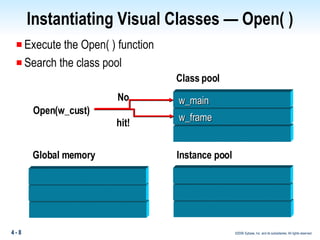
Instantiating Visual Classes — Open( ) Execute the Open( ) function Search the class pool Class pool Open(w_cust) Global memory No hit! w_frame w_main Instance pool
Instantiating Visual Classes — Open( ) Search the libraries  Copy the class definition to the class pool Class   pool w_cust Global memory w_cust w_frame w_main A  B C w_app w_cust, w_main w_frame etc. Instance pool
Instantiating Visual Classes — Open( ) Create a global reference variable (w_cust) Create an instance of w_cust in the instance pool Populate the variable with the pointer to the instance A  B C Global memory w_cust w_frame w_main Class pool Instance of w_cust w_cust  w_cust w_app w_cust w_main w_frame etc. Instance pool
Instantiating Visual Classes — Open( ) Create a visual manifestation of the object A.PBLB.PBLetc. Global memory w_cust w_frame w_main Class pool Instance of w_cust w_cust  w_cust w_app w_cust w_main w_frame etc. Instance pool
What Happens During Instantiation? A reference variable:  Is required to store the pointer to the instance Has a data type corresponding to the class type The class pool stores class definitions, including all class methods (events and functions) The instance pool stores each instance, including all of its properties Instantiation of an object requires that all ancestor class definitions are loaded in the class pool
Resolving Ancestor References Class pool is searched for class definition Class definition is loaded from a library, if not in the pool Definition is scanned for references to other ancestors Ancestor class definitions are loaded (if necessary) and scanned for ancestors When all the references are resolved, the instance  is created Note:  PowerBuilder system classes are loaded at startup
PowerBuilder Data Types Standard data types Class data types Structures
Standard Data Types Standard data types Integer, string, date, and so on Assignment statement copies values when executed Standard data types – Constants Declaration prefaced with CONSTANT keyword  CONSTANT long icl_yellow = 655635 CONSTANT time ict_compiled = Now( ) Cannot be changed at execution time
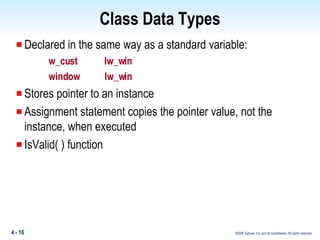
Class Data Types Declared in the same way as a standard variable: w_cust  lw_win window  lw_win Stores pointer to an instance Assignment statement copies the pointer value, not the instance, when executed IsValid( ) function
Structures  Defined in the Structure painter Property-only class — cannot define methods Assignments copy all the data values, not the reference Automatic instantiation When variable is allocated, instance is automatically created When variable falls out of scope, instance is automatically destroyed
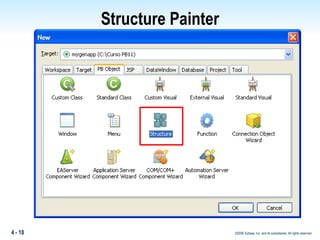
Structure Painter
Structures Example: str_work  lstr_work, lstr_work2 lstr_work.s_name = “Sam” lstr_work2 = lstr_work lstr_work.s_name = “Bill” Question:  What is the value of lstr_work2.s_name?
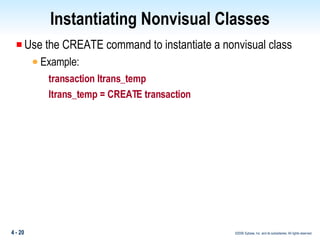
Instantiating Nonvisual Classes Use the CREATE command to instantiate a nonvisual class Example: transaction ltrans_temp ltrans_temp = CREATE transaction
Instantiating Classes — CREATE Class definition is located and the instance is built Reference variable is assigned the object's address Local memory Global memory Class pool Instance pool instance 1 of transaction w_cust w_frame transaction transaction  SQLCA transaction   Itrans_temp
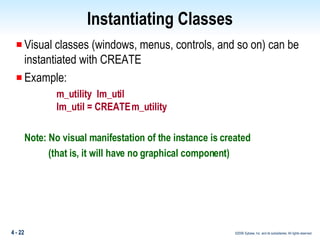
Instantiating Classes Visual classes (windows, menus, controls, and so on) can be instantiated with CREATE  Example: m_utility  lm_util lm_util = CREATE m_utility Note: No visual manifestation of the instance is created    (that is, it will have no graphical component)
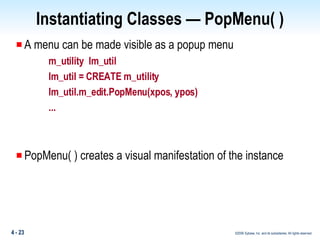
Instantiating Classes — PopMenu( ) A menu can be made visible as a popup menu m_utility  lm_util lm_util = CREATE m_utility lm_util.m_edit.PopMenu(xpos, ypos) ... PopMenu( ) creates a visual manifestation of the instance
Instantiating Data Stores A data store is like a DataWindow control, but has no visual component DataStores are instantiated with CREATE datastore lds_hold lds_hold = CREATE datastore Lds_hold.DataObject = “d_customer” lds_hold.SetTransObject(SQLCA) lds_hold.Retrieve( ) ...
Summary You instantiate a window by calling a form of the  Open( ) function.  You destroy the instance by calling a form of Close( ). The class pool stores the class definition.  The instance pool stores the object. Structures are automatically created and destroyed. A reference variable is a pointer to an object.  You instantiate a nonvisual object using CREATE.  Use a DataStore instead of an invisible DataWindow control.
Summary Questions
Lab Setup What you will need to do the lab: Examine source code for any user-defined class in a PBL Understand the syntax for instantiation, inheritance, and script execution Instantiate an object using the CREATE command Use the PopMenu( ) function
Lab Debriefing What is the name of the immediate ancestor? What is the first command executed when an instance of this window gets created? What are the names of the three control subclasses that are included in this window? What are the ancestor classes of these objects? What is the first command executed when the Constructor event of p_kids occurs? What is the second command executed when the Constructor event of p_kids occurs? What is the second command executed when the window is closed?
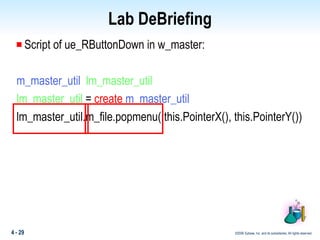
Lab DeBriefing Script of ue_RButtonDown in w_master: m_master_util   lm_master_util lm_master_util  =  create   m_master_util lm_master_util.m_file.popmenu( this.PointerX(), this.PointerY())
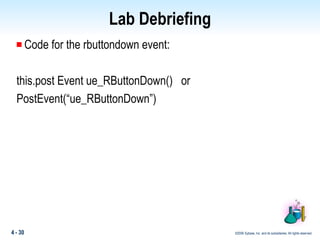
Lab Debriefing Code for the rbuttondown event: this.post Event ue_RButtonDown()  or PostEvent(“ue_RButtonDown”)
Lab Debriefing 1.   Right-click the status bar of the frame window.  What happens?  Right-click inside the frame window.  Why does right-clicking inside the frame window have no effect?
 

Booa8 Slide 04

  • 1.
    Buliding Object-Oriented Applicationsin PowerBuilder Module 4 : Object Instances
  • 2.
    Objectives Outline whathappens when a window is opened in PowerBuilder Identify the steps involved in creating a transaction object Define an object reference variable Compare and contrast standard, class, and structure data types Explain how to use the CREATE command to instantiate nonvisual and visual classes
  • 3.
    Topics Object Instancesin PowerBuilder Instantiating Visual Classes Using Open( ) Resolving Ancestor References Data Types Instantiating Nonvisual Classes Using CREATE Instantiating Visual Classes Using CREATE
  • 4.
    Object Instances Multipleobjects, or instances, can be created from the same definition (class) The process of creating an object instance from a class definition is called instantiation Each instance has its own memory space
  • 5.
    At execution time,windows are object instances Each window has its own unique set of property values Example of an Instance in PowerBuilder
  • 6.
    Instantiating Visual Classes— Open( ) Open(w_cust) creates an instance of the class w_cust Other functions that instantiate windows: OpenWithParm( ) OpenSheet( ) OpenSheetWithParm( )
  • 7.
    Instantiating Visual Classes— Open( ) Instances should be removed from memory when they are no longer needed to free system resources Window instances are "destroyed" (removed from memory) using: Close( ) CloseWithReturn( ) [response windows only]
  • 8.
    Instantiating Visual Classes— Open( ) Execute the Open( ) function Search the class pool Class pool Open(w_cust) Global memory No hit! w_frame w_main Instance pool
  • 9.
    Instantiating Visual Classes— Open( ) Search the libraries Copy the class definition to the class pool Class pool w_cust Global memory w_cust w_frame w_main A B C w_app w_cust, w_main w_frame etc. Instance pool
  • 10.
    Instantiating Visual Classes— Open( ) Create a global reference variable (w_cust) Create an instance of w_cust in the instance pool Populate the variable with the pointer to the instance A B C Global memory w_cust w_frame w_main Class pool Instance of w_cust w_cust w_cust w_app w_cust w_main w_frame etc. Instance pool
  • 11.
    Instantiating Visual Classes— Open( ) Create a visual manifestation of the object A.PBLB.PBLetc. Global memory w_cust w_frame w_main Class pool Instance of w_cust w_cust w_cust w_app w_cust w_main w_frame etc. Instance pool
  • 12.
    What Happens DuringInstantiation? A reference variable: Is required to store the pointer to the instance Has a data type corresponding to the class type The class pool stores class definitions, including all class methods (events and functions) The instance pool stores each instance, including all of its properties Instantiation of an object requires that all ancestor class definitions are loaded in the class pool
  • 13.
    Resolving Ancestor ReferencesClass pool is searched for class definition Class definition is loaded from a library, if not in the pool Definition is scanned for references to other ancestors Ancestor class definitions are loaded (if necessary) and scanned for ancestors When all the references are resolved, the instance is created Note: PowerBuilder system classes are loaded at startup
  • 14.
    PowerBuilder Data TypesStandard data types Class data types Structures
  • 15.
    Standard Data TypesStandard data types Integer, string, date, and so on Assignment statement copies values when executed Standard data types – Constants Declaration prefaced with CONSTANT keyword CONSTANT long icl_yellow = 655635 CONSTANT time ict_compiled = Now( ) Cannot be changed at execution time
  • 16.
    Class Data TypesDeclared in the same way as a standard variable: w_cust lw_win window lw_win Stores pointer to an instance Assignment statement copies the pointer value, not the instance, when executed IsValid( ) function
  • 17.
    Structures Definedin the Structure painter Property-only class — cannot define methods Assignments copy all the data values, not the reference Automatic instantiation When variable is allocated, instance is automatically created When variable falls out of scope, instance is automatically destroyed
  • 18.
  • 19.
    Structures Example: str_work lstr_work, lstr_work2 lstr_work.s_name = “Sam” lstr_work2 = lstr_work lstr_work.s_name = “Bill” Question: What is the value of lstr_work2.s_name?
  • 20.
    Instantiating Nonvisual ClassesUse the CREATE command to instantiate a nonvisual class Example: transaction ltrans_temp ltrans_temp = CREATE transaction
  • 21.
    Instantiating Classes —CREATE Class definition is located and the instance is built Reference variable is assigned the object's address Local memory Global memory Class pool Instance pool instance 1 of transaction w_cust w_frame transaction transaction SQLCA transaction Itrans_temp
  • 22.
    Instantiating Classes Visualclasses (windows, menus, controls, and so on) can be instantiated with CREATE Example: m_utility lm_util lm_util = CREATE m_utility Note: No visual manifestation of the instance is created (that is, it will have no graphical component)
  • 23.
    Instantiating Classes —PopMenu( ) A menu can be made visible as a popup menu m_utility lm_util lm_util = CREATE m_utility lm_util.m_edit.PopMenu(xpos, ypos) ... PopMenu( ) creates a visual manifestation of the instance
  • 24.
    Instantiating Data StoresA data store is like a DataWindow control, but has no visual component DataStores are instantiated with CREATE datastore lds_hold lds_hold = CREATE datastore Lds_hold.DataObject = “d_customer” lds_hold.SetTransObject(SQLCA) lds_hold.Retrieve( ) ...
  • 25.
    Summary You instantiatea window by calling a form of the Open( ) function. You destroy the instance by calling a form of Close( ). The class pool stores the class definition. The instance pool stores the object. Structures are automatically created and destroyed. A reference variable is a pointer to an object. You instantiate a nonvisual object using CREATE. Use a DataStore instead of an invisible DataWindow control.
  • 26.
  • 27.
    Lab Setup Whatyou will need to do the lab: Examine source code for any user-defined class in a PBL Understand the syntax for instantiation, inheritance, and script execution Instantiate an object using the CREATE command Use the PopMenu( ) function
  • 28.
    Lab Debriefing Whatis the name of the immediate ancestor? What is the first command executed when an instance of this window gets created? What are the names of the three control subclasses that are included in this window? What are the ancestor classes of these objects? What is the first command executed when the Constructor event of p_kids occurs? What is the second command executed when the Constructor event of p_kids occurs? What is the second command executed when the window is closed?
  • 29.
    Lab DeBriefing Scriptof ue_RButtonDown in w_master: m_master_util lm_master_util lm_master_util = create m_master_util lm_master_util.m_file.popmenu( this.PointerX(), this.PointerY())
  • 30.
    Lab Debriefing Codefor the rbuttondown event: this.post Event ue_RButtonDown() or PostEvent(“ue_RButtonDown”)
  • 31.
    Lab Debriefing 1.  Right-click the status bar of the frame window. What happens? Right-click inside the frame window. Why does right-clicking inside the frame window have no effect?
  • 32.