Module 9: Creating and
                              Destroying Objects

Contents

Overview                       1
Using Constructors             2
Initializing Data             13
Lab 9.1: Creating Objects     32
Objects and Memory            40
Resource Management           46
Lab 9.2: Managing Resources   55
Review                        58
Information in this document, including URL and other Internet Web site references, is subject to
change without notice. Unless otherwise noted, the example companies, organizations, products,
domain names, e-mail addresses, logos, people, places, and events depicted herein are fictitious,
and no association with any real company, organization, product, domain name, e-mail address,
logo, person, places or events is intended or should be inferred. Complying with all applicable
copyright laws is the responsibility of the user. Without limiting the rights under copyright, no
part of this document may be reproduced, stored in or introduced into a retrieval system, or
transmitted in any form or by any means (electronic, mechanical, photocopying, recording, or
otherwise), or for any purpose, without the express written permission of Microsoft Corporation.

Microsoft may have patents, patent applications, trademarks, copyrights, or other intellectual
property rights covering subject matter in this document. Except as expressly provided in any
written license agreement from Microsoft, the furnishing of this document does not give you any
license to these patents, trademarks, copyrights, or other intellectual property.

 2001−2002 Microsoft Corporation. All rights reserved.

Microsoft, MS-DOS, Windows, Windows NT, ActiveX, BizTalk, IntelliSense, JScript, MSDN,
PowerPoint, SQL Server, Visual Basic, Visual C++, Visual C#, Visual J#, Visual Studio, and
Win32 are either registered trademarks or trademarks of Microsoft Corporation in the U.S.A.
and/or other countries.

The names of actual companies and products mentioned herein may be the trademarks of their
respective owners.
Module 9: Creating and Destroying Objects    1


Overview


                      Using Constructors
                      Initializing Data
                      Objects and Memory
                      Resource Management


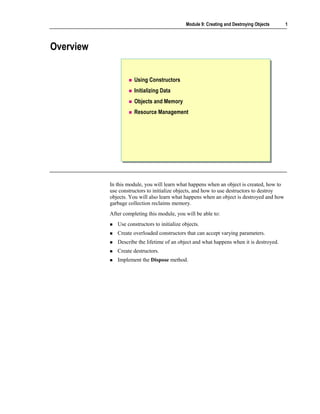
           In this module, you will learn what happens when an object is created, how to
           use constructors to initialize objects, and how to use destructors to destroy
           objects. You will also learn what happens when an object is destroyed and how
           garbage collection reclaims memory.
           After completing this module, you will be able to:
              Use constructors to initialize objects.
              Create overloaded constructors that can accept varying parameters.
              Describe the lifetime of an object and what happens when it is destroyed.
              Create destructors.
              Implement the Dispose method.
2   Module 9: Creating and Destroying Objects


    Using Constructors


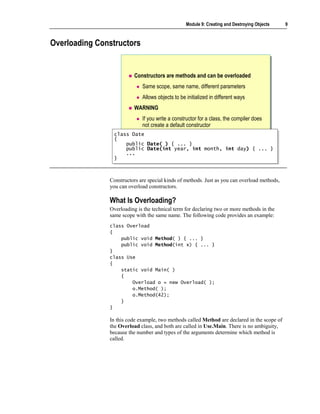
                                    Creating Objects
                                    Using the Default Constructor
                                    Overriding the Default Constructor
                                    Overloading Constructors


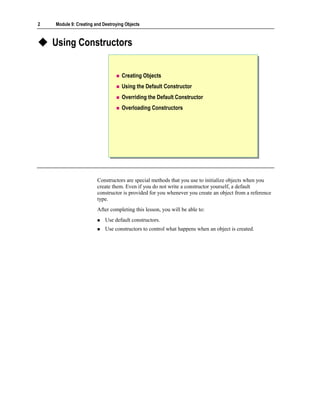
                        Constructors are special methods that you use to initialize objects when you
                        create them. Even if you do not write a constructor yourself, a default
                        constructor is provided for you whenever you create an object from a reference
                        type.
                        After completing this lesson, you will be able to:
                            Use default constructors.
                            Use constructors to control what happens when an object is created.
Module 9: Creating and Destroying Objects      3


Creating Objects


                                Step 1: Allocating memory
                                    Use new keyword to allocate memory from the heap
                                Step 2: Initializing the object by using a constructor
                                    Use the name of the class followed by parentheses


                                  Date when = new Date( );
                                  Date when = new Date( );


                   The process of creating an object in C# involves two steps:
                   1. Use the new keyword to acquire and allocate memory for the object.
                   2. Write a constructor to turn the memory acquired by new into an object.

                   Even though there are two steps in this process, you must perform both steps in
                   one expression. For example, if Date is the name of a class, use the following
                   syntax to allocate memory and initialize the object when:
                   Date when = new Date( );


                   Step 1: Allocating Memory
                   The first step in creating an object is to allocate memory for the object. All
                   objects are created by using the new operator. There are no exceptions to this
                   rule. You can do this explicitly in your code, or the compiler will do it for you.
                   In the following table, you can see examples of code and what they represent.
                   Code example                Represents

                   string s = "Hello";         string s = new string(new char[]{'H','e','l','l','o'});
                   int[ ] array = {1,2,3,4};   int[ ] array = new int[4]{1,2,3,4};
4   Module 9: Creating and Destroying Objects


                        Step 2: Initializing the Object by Using a Constructor
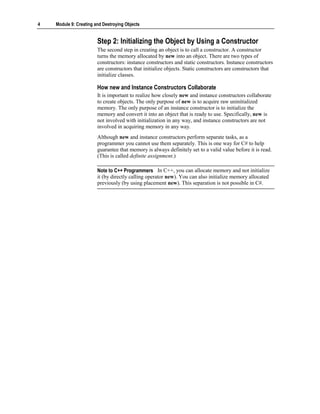
                        The second step in creating an object is to call a constructor. A constructor
                        turns the memory allocated by new into an object. There are two types of
                        constructors: instance constructors and static constructors. Instance constructors
                        are constructors that initialize objects. Static constructors are constructors that
                        initialize classes.

                        How new and Instance Constructors Collaborate
                        It is important to realize how closely new and instance constructors collaborate
                        to create objects. The only purpose of new is to acquire raw uninitialized
                        memory. The only purpose of an instance constructor is to initialize the
                        memory and convert it into an object that is ready to use. Specifically, new is
                        not involved with initialization in any way, and instance constructors are not
                        involved in acquiring memory in any way.
                        Although new and instance constructors perform separate tasks, as a
                        programmer you cannot use them separately. This is one way for C# to help
                        guarantee that memory is always definitely set to a valid value before it is read.
                        (This is called definite assignment.)

                        Note to C++ Programmers In C++, you can allocate memory and not initialize
                        it (by directly calling operator new). You can also initialize memory allocated
                        previously (by using placement new). This separation is not possible in C#.
Module 9: Creating and Destroying Objects   5


Using the Default Constructor


                           Features of a default constructor
                              Public accessibility
                              Same name as the class
                              No return type—not even void
                              Expects no arguments
                              Initializes all fields to zero, false or null
                           Constructor syntax

                    class Date { public Date( ) { ... } }
                    class Date { public Date( ) { ... } }


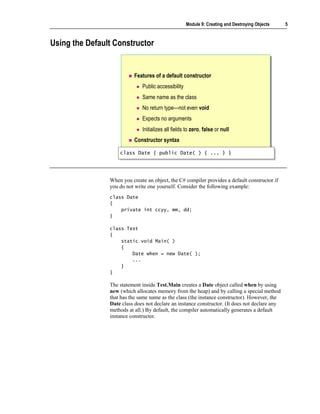
                When you create an object, the C# compiler provides a default constructor if
                you do not write one yourself. Consider the following example:
                class Date
                {
                    private int ccyy, mm, dd;
                }

                class Test
                {
                    static void Main( )
                    {
                        Date when = new Date( );
                        ...
                    }
                }

                The statement inside Test.Main creates a Date object called when by using
                new (which allocates memory from the heap) and by calling a special method
                that has the same name as the class (the instance constructor). However, the
                Date class does not declare an instance constructor. (It does not declare any
                methods at all.) By default, the compiler automatically generates a default
                instance constructor.
6   Module 9: Creating and Destroying Objects


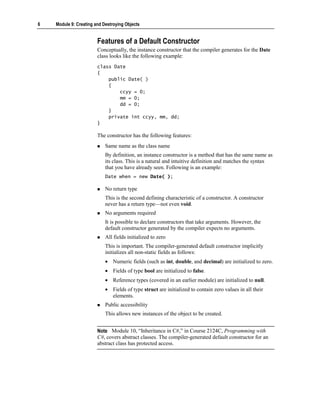
                        Features of a Default Constructor
                        Conceptually, the instance constructor that the compiler generates for the Date
                        class looks like the following example:
                        class Date
                        {
                            public Date( )
                            {
                                ccyy = 0;
                                mm = 0;
                                dd = 0;
                            }
                            private int ccyy, mm, dd;
                        }

                        The constructor has the following features:
                            Same name as the class name
                            By definition, an instance constructor is a method that has the same name as
                            its class. This is a natural and intuitive definition and matches the syntax
                            that you have already seen. Following is an example:
                            Date when = new Date( );

                            No return type
                            This is the second defining characteristic of a constructor. A constructor
                            never has a return type—not even void.
                            No arguments required
                            It is possible to declare constructors that take arguments. However, the
                            default constructor generated by the compiler expects no arguments.
                            All fields initialized to zero
                            This is important. The compiler-generated default constructor implicitly
                            initializes all non-static fields as follows:
                            • Numeric fields (such as int, double, and decimal) are initialized to zero.
                            • Fields of type bool are initialized to false.
                            • Reference types (covered in an earlier module) are initialized to null.
                            • Fields of type struct are initialized to contain zero values in all their
                              elements.
                            Public accessibility
                            This allows new instances of the object to be created.


                        Note Module 10, “Inheritance in C#,” in Course 2124C, Programming with
                        C#, covers abstract classes. The compiler-generated default constructor for an
                        abstract class has protected access.
Module 9: Creating and Destroying Objects       7


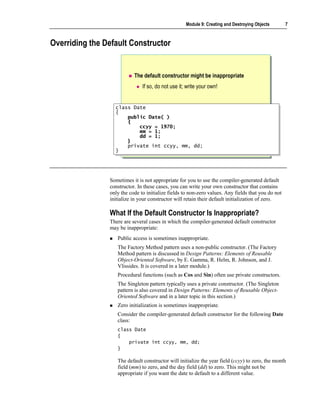
Overriding the Default Constructor


                           The default constructor might be inappropriate
                               If so, do not use it; write your own!


                  class Date
                   class Date
                  {{
                       public Date( )
                       public Date( )
                       {
                       {
                           ccyy = 1970;
                           ccyy = 1970;
                           mm = 1;
                           mm = 1;
                           dd = 1;
                           dd = 1;
                       }
                       }
                       private int ccyy, mm, dd;
                       private int ccyy, mm, dd;
                  }}


                Sometimes it is not appropriate for you to use the compiler-generated default
                constructor. In these cases, you can write your own constructor that contains
                only the code to initialize fields to non-zero values. Any fields that you do not
                initialize in your constructor will retain their default initialization of zero.

                What If the Default Constructor Is Inappropriate?
                There are several cases in which the compiler-generated default constructor
                may be inappropriate:
                   Public access is sometimes inappropriate.
                   The Factory Method pattern uses a non-public constructor. (The Factory
                   Method pattern is discussed in Design Patterns: Elements of Reusable
                   Object-Oriented Software, by E. Gamma, R. Helm, R. Johnson, and J.
                   Vlissides. It is covered in a later module.)
                   Procedural functions (such as Cos and Sin) often use private constructors.
                   The Singleton pattern typically uses a private constructor. (The Singleton
                   pattern is also covered in Design Patterns: Elements of Reusable Object-
                   Oriented Software and in a later topic in this section.)
                   Zero initialization is sometimes inappropriate.
                   Consider the compiler-generated default constructor for the following Date
                   class:
                   class Date
                   {
                       private int ccyy, mm, dd;
                   }

                   The default constructor will initialize the year field (ccyy) to zero, the month
                   field (mm) to zero, and the day field (dd) to zero. This might not be
                   appropriate if you want the date to default to a different value.
8   Module 9: Creating and Destroying Objects


                            Invisible code is hard to maintain.
                            You cannot see the default constructor code. This can occasionally be a
                            problem. For example, you cannot single-step through invisible code when
                            debugging. Additionally, if you choose to use the default initialization to
                            zero, how will developers who need to maintain the code know that this
                            choice was deliberate?

                        Writing Your Own Default Constructor
                        If the compiler-generated default constructor is inappropriate, you must write
                        your own default constructor. The C# language helps you to do this.
                        You can write a constructor that only contains the code to initialize fields to
                        non-zero values. All fields that are not initialized in your constructor retain their
                        default initialization to zero. The following code provides an example:
                        class DefaultInit
                        {
                            public int a, b;
                            public DefaultInit( )
                            {
                                a = 42;
                                // b retains default initialization to zero
                            }
                        }
                        class Test
                        {
                            static void Main( )
                            {
                                DefaultInit di = new DefaultInit( );
                                Console.WriteLine(di.a); // Writes 42
                                Console.WriteLine(di.b); // Writes zero
                            }
                        }

                        You should be wary of doing more than simple initializations in your own
                        constructors. You must consider potential failure: the only sensible way you can
                        signal an initialization failure in a constructor is by throwing an exception.

                        Note The same is also true for operators. Operators are discussed in Module
                        12, “Operators, Delegates, and Events,” in Course 2124C, Programming
                        with C#.

                        When initialization succeeds, you have an object that you can use. If
                        initialization fails, you do not have an object.
Module 9: Creating and Destroying Objects   9


Overloading Constructors


                         Constructors are methods and can be overloaded
                             Same scope, same name, different parameters
                             Allows objects to be initialized in different ways
                         WARNING
                             If you write a constructor for a class, the compiler does
                             not create a default constructor
                class Date
                 class Date
                {{
                    public Date( ) { ... }
                     public Date( ) { ... }
                    public Date(int year, int month, int day) { ... }
                     public Date(int year, int month, int day) { ... }
                    ...
                     ...
                }}


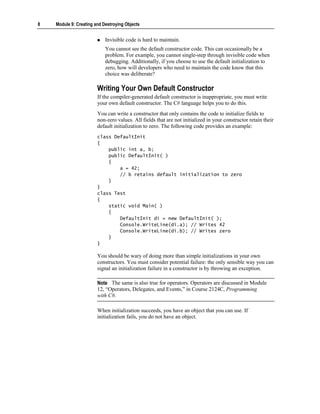
               Constructors are special kinds of methods. Just as you can overload methods,
               you can overload constructors.

               What Is Overloading?
               Overloading is the technical term for declaring two or more methods in the
               same scope with the same name. The following code provides an example:
               class Overload
               {
                   public void Method( ) { ... }
                   public void Method(int x) { ... }
               }
               class Use
               {
                   static void Main( )
                   {
                       Overload o = new Overload( );
                       o.Method( );
                       o.Method(42);
                   }
               }

               In this code example, two methods called Method are declared in the scope of
               the Overload class, and both are called in Use.Main. There is no ambiguity,
               because the number and types of the arguments determine which method is
               called.
10   Module 9: Creating and Destroying Objects


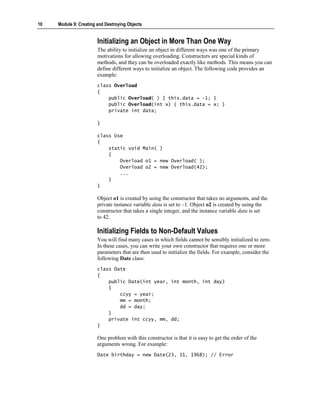
                        Initializing an Object in More Than One Way
                        The ability to initialize an object in different ways was one of the primary
                        motivations for allowing overloading. Constructors are special kinds of
                        methods, and they can be overloaded exactly like methods. This means you can
                        define different ways to initialize an object. The following code provides an
                        example:
                        class Overload
                        {
                            public Overload( ) { this.data = -1; }
                            public Overload(int x) { this.data = x; }
                            private int data;

                        }

                        class Use
                        {
                            static void Main( )
                            {
                                Overload o1 = new Overload( );
                                Overload o2 = new Overload(42);
                                ...
                            }
                        }

                        Object o1 is created by using the constructor that takes no arguments, and the
                        private instance variable data is set to –1. Object o2 is created by using the
                        constructor that takes a single integer, and the instance variable data is set
                        to 42.

                        Initializing Fields to Non-Default Values
                        You will find many cases in which fields cannot be sensibly initialized to zero.
                        In these cases, you can write your own constructor that requires one or more
                        parameters that are then used to initialize the fields. For example, consider the
                        following Date class:
                        class Date
                        {
                            public Date(int year, int month, int day)
                            {
                                ccyy = year;
                                mm = month;
                                dd = day;
                            }
                            private int ccyy, mm, dd;
                        }

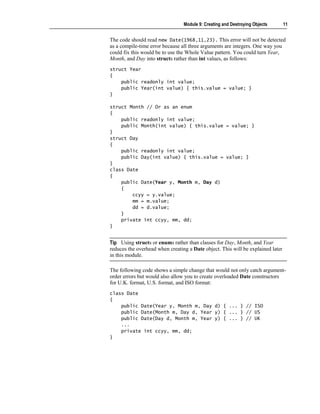
                        One problem with this constructor is that it is easy to get the order of the
                        arguments wrong. For example:
                        Date birthday = new Date(23, 11, 1968); // Error
Module 9: Creating and Destroying Objects       11


The code should read new Date(1968,11,23). This error will not be detected
as a compile-time error because all three arguments are integers. One way you
could fix this would be to use the Whole Value pattern. You could turn Year,
Month, and Day into structs rather than int values, as follows:
struct Year
{
    public readonly int value;
    public Year(int value) { this.value = value; }
}

struct Month // Or as an enum
{
    public readonly int value;
    public Month(int value) { this.value = value; }
}
struct Day
{
    public readonly int value;
    public Day(int value) { this.value = value; }
}
class Date
{
    public Date(Year y, Month m, Day d)
    {
        ccyy = y.value;
        mm = m.value;
        dd = d.value;
    }
    private int ccyy, mm, dd;
}


Tip Using structs or enums rather than classes for Day, Month, and Year
reduces the overhead when creating a Date object. This will be explained later
in this module.

The following code shows a simple change that would not only catch argument-
order errors but would also allow you to create overloaded Date constructors
for U.K. format, U.S. format, and ISO format:
class Date
{
    public Date(Year y, Month m, Day d) { ... } // ISO
    public Date(Month m, Day d, Year y) { ... } // US
    public Date(Day d, Month m, Year y) { ... } // UK
    ...
    private int ccyy, mm, dd;
}
12   Module 9: Creating and Destroying Objects


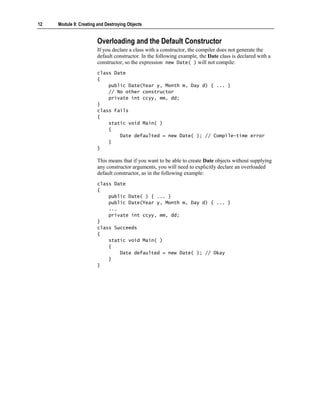
                        Overloading and the Default Constructor
                        If you declare a class with a constructor, the compiler does not generate the
                        default constructor. In the following example, the Date class is declared with a
                        constructor, so the expression new Date( ) will not compile:
                        class Date
                        {
                            public Date(Year y, Month m, Day d) { ... }
                            // No other constructor
                            private int ccyy, mm, dd;
                        }
                        class Fails
                        {
                            static void Main( )
                            {
                                Date defaulted = new Date( ); // Compile-time error
                            }
                        }

                        This means that if you want to be able to create Date objects without supplying
                        any constructor arguments, you will need to explicitly declare an overloaded
                        default constructor, as in the following example:
                        class Date
                        {
                            public Date( ) { ... }
                            public Date(Year y, Month m, Day d) { ... }
                            ...
                            private int ccyy, mm, dd;
                        }
                        class Succeeds
                        {
                            static void Main( )
                            {
                                Date defaulted = new Date( ); // Okay
                            }
                        }
Module 9: Creating and Destroying Objects   13


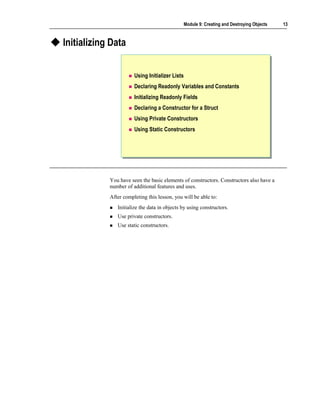
Initializing Data


                       Using Initializer Lists
                       Declaring Readonly Variables and Constants
                       Initializing Readonly Fields
                       Declaring a Constructor for a Struct
                       Using Private Constructors
                       Using Static Constructors


            You have seen the basic elements of constructors. Constructors also have a
            number of additional features and uses.
            After completing this lesson, you will be able to:
               Initialize the data in objects by using constructors.
               Use private constructors.
               Use static constructors.
14    Module 9: Creating and Destroying Objects


Using Initializer Lists


                                     Overloaded constructors might contain duplicate code
                                         Refactor by making constructors call each other
                                         Use the this keyword in an initializer list


                             class Date
                              class Date
                             {{
                                 ...
                                  ...
                                 public
                                  public     Date( ) : this(1970, 1, 1) { }
                                             Date( ) : this(1970, 1, 1) { }
                                 public
                                  public     Date(int year, int month, int day) { ... }
                                             Date(int year, int month, int day) { ... }
                             }}


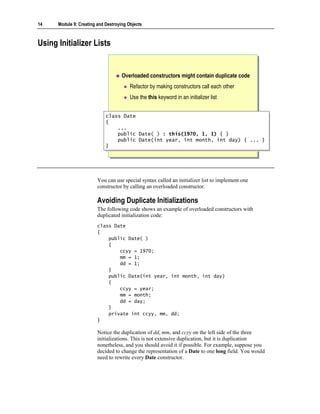
                         You can use special syntax called an initializer list to implement one
                         constructor by calling an overloaded constructor.

                         Avoiding Duplicate Initializations
                         The following code shows an example of overloaded constructors with
                         duplicated initialization code:
                         class Date
                         {
                             public Date( )
                             {
                                 ccyy = 1970;
                                 mm = 1;
                                 dd = 1;
                             }
                             public Date(int year, int month, int day)
                             {
                                 ccyy = year;
                                 mm = month;
                                 dd = day;
                             }
                             private int ccyy, mm, dd;
                         }

                         Notice the duplication of dd, mm, and ccyy on the left side of the three
                         initializations. This is not extensive duplication, but it is duplication
                         nonetheless, and you should avoid it if possible. For example, suppose you
                         decided to change the representation of a Date to one long field. You would
                         need to rewrite every Date constructor.
Module 9: Creating and Destroying Objects     15


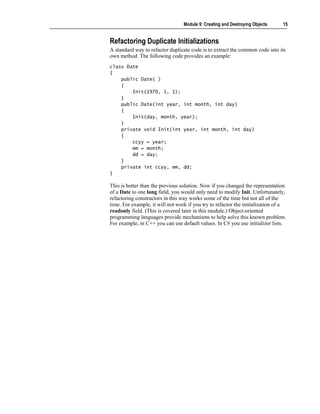
Refactoring Duplicate Initializations
A standard way to refactor duplicate code is to extract the common code into its
own method. The following code provides an example:
class Date
{
    public Date( )
    {
        Init(1970, 1, 1);
    }
    public Date(int year, int month, int day)
    {
        Init(day, month, year);
    }
    private void Init(int year, int month, int day)
    {
        ccyy = year;
        mm = month;
        dd = day;
    }
    private int ccyy, mm, dd;
}

This is better than the previous solution. Now if you changed the representation
of a Date to one long field, you would only need to modify Init. Unfortunately,
refactoring constructors in this way works some of the time but not all of the
time. For example, it will not work if you try to refactor the initialization of a
readonly field. (This is covered later in this module.) Object-oriented
programming languages provide mechanisms to help solve this known problem.
For example, in C++ you can use default values. In C# you use initializer lists.
16   Module 9: Creating and Destroying Objects


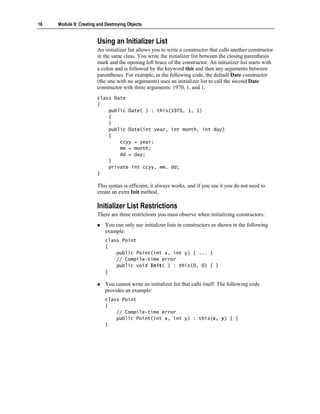
                        Using an Initializer List
                        An initializer list allows you to write a constructor that calls another constructor
                        in the same class. You write the initializer list between the closing parenthesis
                        mark and the opening left brace of the constructor. An initializer list starts with
                        a colon and is followed by the keyword this and then any arguments between
                        parentheses. For example, in the following code, the default Date constructor
                        (the one with no arguments) uses an initializer list to call the second Date
                        constructor with three arguments: 1970, 1, and 1.
                        class Date
                        {
                            public Date( ) : this(1970, 1, 1)
                            {
                            }
                            public Date(int year, int month, int day)
                            {
                                ccyy = year;
                                mm = month;
                                dd = day;
                            }
                            private int ccyy, mm, dd;
                        }

                        This syntax is efficient, it always works, and if you use it you do not need to
                        create an extra Init method.

                        Initializer List Restrictions
                        There are three restrictions you must observe when initializing constructors:
                            You can only use initializer lists in constructors as shown in the following
                            example:
                            class Point
                            {
                                public Point(int x, int y) { ... }
                                // Compile-time error
                                public void Init( ) : this(0, 0) { }
                            }

                            You cannot write an initializer list that calls itself. The following code
                            provides an example:
                            class Point
                            {
                                // Compile-time error
                                public Point(int x, int y) : this(x, y) { }
                            }
Module 9: Creating and Destroying Objects     17


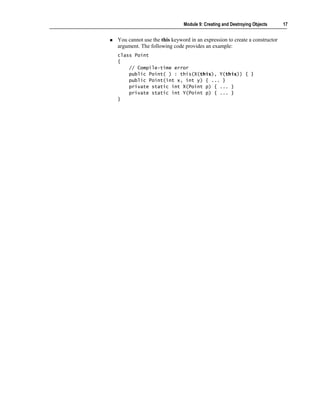
You cannot use the this keyword in an expression to create a constructor
argument. The following code provides an example:
class Point
{
    // Compile-time error
    public Point( ) : this(X(this), Y(this)) { }
    public Point(int x, int y) { ... }
    private static int X(Point p) { ... }
    private static int Y(Point p) { ... }
}
18   Module 9: Creating and Destroying Objects


Declaring Readonly Variables and Constants


                                                           Value of constant field is
                                                           obtained at compile time


                                   Value of readonly
                                   field is obtained at
                                   run time


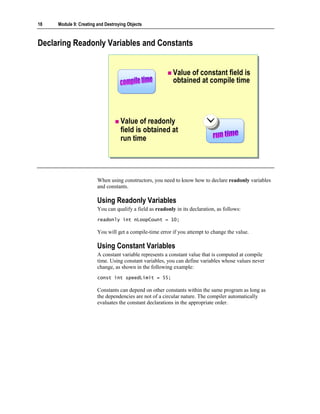
                        When using constructors, you need to know how to declare readonly variables
                        and constants.

                        Using Readonly Variables
                        You can qualify a field as readonly in its declaration, as follows:
                        readonly int nLoopCount = 10;

                        You will get a compile-time error if you attempt to change the value.

                        Using Constant Variables
                        A constant variable represents a constant value that is computed at compile
                        time. Using constant variables, you can define variables whose values never
                        change, as shown in the following example:
                        const int speedLimit = 55;

                        Constants can depend on other constants within the same program as long as
                        the dependencies are not of a circular nature. The compiler automatically
                        evaluates the constant declarations in the appropriate order.
Module 9: Creating and Destroying Objects    19


Initializing Readonly Fields


                            Readonly fields must be initialized
                                Implicitly to zero, false or null
                                Explicitly at their declaration in a variable initializer
                                Explicitly inside an instance constructor

                    class SourceFile
                     class SourceFile
                    {{
                        private readonly ArrayList lines;
                         private readonly ArrayList lines;
                    }}


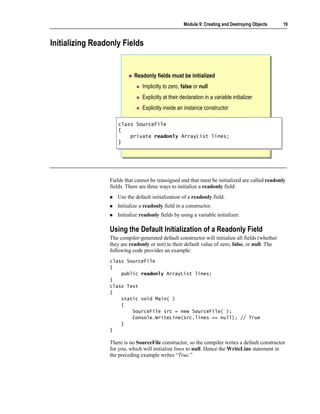
                 Fields that cannot be reassigned and that must be initialized are called readonly
                 fields. There are three ways to initialize a readonly field:
                    Use the default initialization of a readonly field.
                    Initialize a readonly field in a constructor.
                    Initialize readonly fields by using a variable initializer.

                 Using the Default Initialization of a Readonly Field
                 The compiler-generated default constructor will initialize all fields (whether
                 they are readonly or not) to their default value of zero, false, or null. The
                 following code provides an example:
                 class SourceFile
                 {
                     public readonly ArrayList lines;
                 }
                 class Test
                 {
                     static void Main( )
                     {
                         SourceFile src = new SourceFile( );
                         Console.WriteLine(src.lines == null); // True
                     }
                 }

                 There is no SourceFile constructor, so the compiler writes a default constructor
                 for you, which will initialize lines to null. Hence the WriteLine statement in
                 the preceding example writes “True.”
20   Module 9: Creating and Destroying Objects


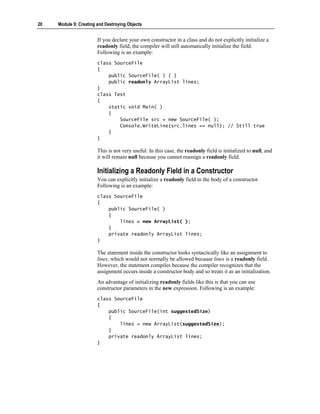
                        If you declare your own constructor in a class and do not explicitly initialize a
                        readonly field, the compiler will still automatically initialize the field.
                        Following is an example:
                        class SourceFile
                        {
                            public SourceFile( ) { }
                            public readonly ArrayList lines;
                        }
                        class Test
                        {
                            static void Main( )
                            {
                                SourceFile src = new SourceFile( );
                                Console.WriteLine(src.lines == null); // Still true
                            }
                        }

                        This is not very useful. In this case, the readonly field is initialized to null, and
                        it will remain null because you cannot reassign a readonly field.

                        Initializing a Readonly Field in a Constructor
                        You can explicitly initialize a readonly field in the body of a constructor.
                        Following is an example:
                        class SourceFile
                        {
                            public SourceFile( )
                            {
                                lines = new ArrayList( );
                            }
                            private readonly ArrayList lines;
                        }

                        The statement inside the constructor looks syntactically like an assignment to
                        lines, which would not normally be allowed because lines is a readonly field.
                        However, the statement compiles because the compiler recognizes that the
                        assignment occurs inside a constructor body and so treats it as an initialization.
                        An advantage of initializing readonly fields like this is that you can use
                        constructor parameters in the new expression. Following is an example:
                        class SourceFile
                        {
                            public SourceFile(int suggestedSize)
                            {
                                lines = new ArrayList(suggestedSize);
                            }
                            private readonly ArrayList lines;
                        }
Module 9: Creating and Destroying Objects        21


Initializing Readonly Fields Using a Variable Initializer
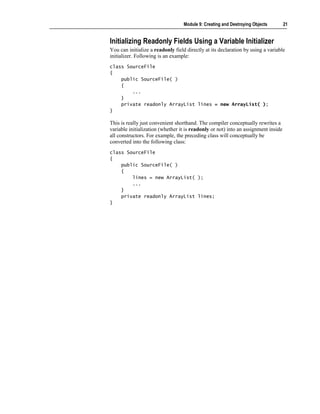
You can initialize a readonly field directly at its declaration by using a variable
initializer. Following is an example:
class SourceFile
{
    public SourceFile( )
    {
        ...
    }
    private readonly ArrayList lines = new ArrayList( );
}

This is really just convenient shorthand. The compiler conceptually rewrites a
variable initialization (whether it is readonly or not) into an assignment inside
all constructors. For example, the preceding class will conceptually be
converted into the following class:
class SourceFile
{
    public SourceFile( )
    {
        lines = new ArrayList( );
        ...
    }
    private readonly ArrayList lines;
}
22   Module 9: Creating and Destroying Objects


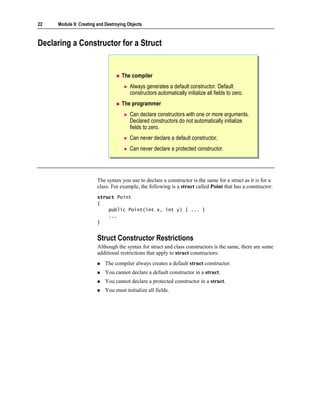
Declaring a Constructor for a Struct


                                    The compiler
                                        Always generates a default constructor. Default
                                        constructors automatically initialize all fields to zero.
                                    The programmer
                                        Can declare constructors with one or more arguments.
                                        Declared constructors do not automatically initialize
                                        fields to zero.
                                        Can never declare a default constructor.
                                        Can never declare a protected constructor.


                        The syntax you use to declare a constructor is the same for a struct as it is for a
                        class. For example, the following is a struct called Point that has a constructor:
                        struct Point
                        {
                            public Point(int x, int y) { ... }
                            ...
                        }


                        Struct Constructor Restrictions
                        Although the syntax for struct and class constructors is the same, there are some
                        additional restrictions that apply to struct constructors:
                            The compiler always creates a default struct constructor.
                            You cannot declare a default constructor in a struct.
                            You cannot declare a protected constructor in a struct.
                            You must initialize all fields.
Module 9: Creating and Destroying Objects      23


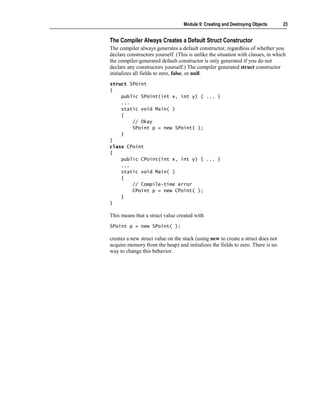
The Compiler Always Creates a Default Struct Constructor
The compiler always generates a default constructor, regardless of whether you
declare constructors yourself. (This is unlike the situation with classes, in which
the compiler-generated default constructor is only generated if you do not
declare any constructors yourself.) The compiler generated struct constructor
initializes all fields to zero, false, or null.
struct SPoint
{
    public SPoint(int x, int y) { ... }
    ...
    static void Main( )
    {
        // Okay
        SPoint p = new SPoint( );
    }
}
class CPoint
{
    public CPoint(int x, int y) { ... }
    ...
    static void Main( )
    {
        // Compile-time error
        CPoint p = new CPoint( );
    }
}

This means that a struct value created with
SPoint p = new SPoint( );

creates a new struct value on the stack (using new to create a struct does not
acquire memory from the heap) and initializes the fields to zero. There is no
way to change this behavior.
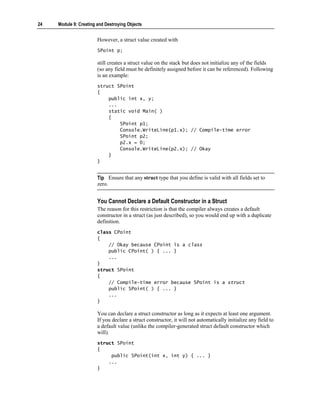
24   Module 9: Creating and Destroying Objects


                        However, a struct value created with
                        SPoint p;

                        still creates a struct value on the stack but does not initialize any of the fields
                        (so any field must be definitely assigned before it can be referenced). Following
                        is an example:
                        struct SPoint
                        {
                            public int x, y;
                            ...
                            static void Main( )
                            {
                                SPoint p1;
                                Console.WriteLine(p1.x); // Compile-time error
                                SPoint p2;
                                p2.x = 0;
                                Console.WriteLine(p2.x); // Okay
                            }
                        }


                        Tip Ensure that any struct type that you define is valid with all fields set to
                        zero.


                        You Cannot Declare a Default Constructor in a Struct
                        The reason for this restriction is that the compiler always creates a default
                        constructor in a struct (as just described), so you would end up with a duplicate
                        definition.
                        class CPoint
                        {
                            // Okay because CPoint is a class
                            public CPoint( ) { ... }
                            ...
                        }
                        struct SPoint
                        {
                            // Compile-time error because SPoint is a struct
                            public SPoint( ) { ... }
                            ...
                        }

                        You can declare a struct constructor as long as it expects at least one argument.
                        If you declare a struct constructor, it will not automatically initialize any field to
                        a default value (unlike the compiler-generated struct default constructor which
                        will).
                        struct SPoint
                        {
                             public SPoint(int x, int y) { ... }
                            ...
                        }
Module 9: Creating and Destroying Objects        25


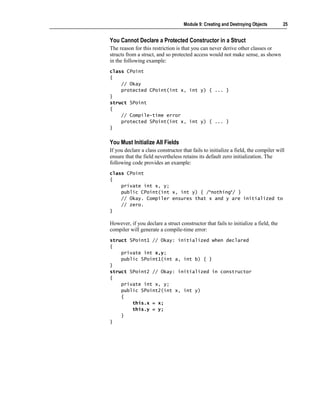
You Cannot Declare a Protected Constructor in a Struct
The reason for this restriction is that you can never derive other classes or
structs from a struct, and so protected access would not make sense, as shown
in the following example:
class CPoint
{
    // Okay
    protected CPoint(int x, int y) { ... }
}
struct SPoint
{
    // Compile-time error
    protected SPoint(int x, int y) { ... }
}


You Must Initialize All Fields
If you declare a class constructor that fails to initialize a field, the compiler will
ensure that the field nevertheless retains its default zero initialization. The
following code provides an example:
class CPoint
{
    private int x, y;
    public CPoint(int x, int y) { /*nothing*/ }
    // Okay. Compiler ensures that x and y are initialized to
    // zero.
}

However, if you declare a struct constructor that fails to initialize a field, the
compiler will generate a compile-time error:
struct SPoint1 // Okay: initialized when declared
{
    private int x,y;
    public SPoint1(int a, int b) { }
}
struct SPoint2 // Okay: initialized in constructor
{
    private int x, y;
    public SPoint2(int x, int y)
    {
        this.x = x;
        this.y = y;
    }
}
26   Module 9: Creating and Destroying Objects


Using Private Constructors


                                    A private constructor prevents unwanted objects from
                                    being created
                                        Instance methods cannot be called
                                        Static methods can be called
                                        A useful way of implementing procedural functions
                           public class Math
                            public class Math
                           {{
                               public static
                                public static       double
                                                     double   Cos(double
                                                              Cos(double     x)
                                                                             x)    { ...
                                                                                    { ...   }}
                               public static
                                public static       double
                                                     double   Sin(double
                                                              Sin(double     x)
                                                                              x)   { ...
                                                                                    { ...   }}
                               private Math(
                                private Math(       ) { }
                                                     ) { }
                           }}


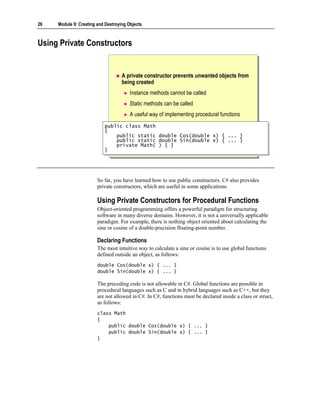
                        So far, you have learned how to use public constructors. C# also provides
                        private constructors, which are useful in some applications.

                        Using Private Constructors for Procedural Functions
                        Object-oriented programming offers a powerful paradigm for structuring
                        software in many diverse domains. However, it is not a universally applicable
                        paradigm. For example, there is nothing object oriented about calculating the
                        sine or cosine of a double-precision floating-point number.

                        Declaring Functions
                        The most intuitive way to calculate a sine or cosine is to use global functions
                        defined outside an object, as follows:
                        double Cos(double x) { ... }
                        double Sin(double x) { ... }

                        The preceding code is not allowable in C#. Global functions are possible in
                        procedural languages such as C and in hybrid languages such as C++, but they
                        are not allowed in C#. In C#, functions must be declared inside a class or struct,
                        as follows:
                        class Math
                        {
                            public double Cos(double x) { ... }
                            public double Sin(double x) { ... }
                        }
Module 9: Creating and Destroying Objects     27


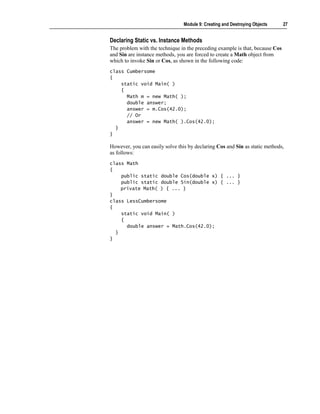
Declaring Static vs. Instance Methods
The problem with the technique in the preceding example is that, because Cos
and Sin are instance methods, you are forced to create a Math object from
which to invoke Sin or Cos, as shown in the following code:
class Cumbersome
{
    static void Main( )
    {
      Math m = new Math( );
      double answer;
      answer = m.Cos(42.0);
      // Or
      answer = new Math( ).Cos(42.0);
  }
}

However, you can easily solve this by declaring Cos and Sin as static methods,
as follows:
class Math
{
    public static double Cos(double x) { ... }
    public static double Sin(double x) { ... }
    private Math( ) { ... }
}
class LessCumbersome
{
    static void Main( )
    {
      double answer = Math.Cos(42.0);
  }
}
28   Module 9: Creating and Destroying Objects


                        Benefits of Static Methods
                        If you declare Cos as a static method, the syntax for using Cos becomes:
                            Simpler
                            You have only one way to call Cos (by means of Math), whereas in the
                            previous example you had two ways (by means of m and by means of new
                            Math( )).
                            Faster
                            You no longer need to create a new Math object.

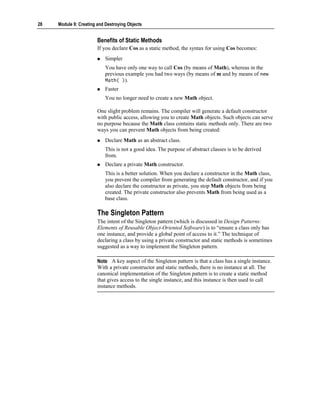
                        One slight problem remains. The compiler will generate a default constructor
                        with public access, allowing you to create Math objects. Such objects can serve
                        no purpose because the Math class contains static methods only. There are two
                        ways you can prevent Math objects from being created:
                            Declare Math as an abstract class.
                            This is not a good idea. The purpose of abstract classes is to be derived
                            from.
                            Declare a private Math constructor.
                            This is a better solution. When you declare a constructor in the Math class,
                            you prevent the compiler from generating the default constructor, and if you
                            also declare the constructor as private, you stop Math objects from being
                            created. The private constructor also prevents Math from being used as a
                            base class.

                        The Singleton Pattern
                        The intent of the Singleton pattern (which is discussed in Design Patterns:
                        Elements of Reusable Object-Oriented Software) is to “ensure a class only has
                        one instance, and provide a global point of access to it.” The technique of
                        declaring a class by using a private constructor and static methods is sometimes
                        suggested as a way to implement the Singleton pattern.

                        Note A key aspect of the Singleton pattern is that a class has a single instance.
                        With a private constructor and static methods, there is no instance at all. The
                        canonical implementation of the Singleton pattern is to create a static method
                        that gives access to the single instance, and this instance is then used to call
                        instance methods.
Module 9: Creating and Destroying Objects          29


Using Static Constructors


                            Purpose
                                Called by the class loader at run time
                                Can be used to initialize static fields
                                Guaranteed to be called before instance constructor
                            Restrictions
                                Cannot be called
                                Cannot have an access modifier
                                Must be parameterless


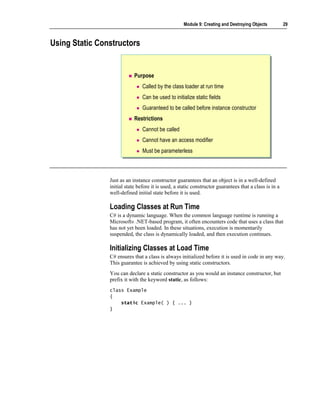
                Just as an instance constructor guarantees that an object is in a well-defined
                initial state before it is used, a static constructor guarantees that a class is in a
                well-defined initial state before it is used.

                Loading Classes at Run Time
                C# is a dynamic language. When the common language runtime is running a
                Microsoft® .NET-based program, it often encounters code that uses a class that
                has not yet been loaded. In these situations, execution is momentarily
                suspended, the class is dynamically loaded, and then execution continues.

                Initializing Classes at Load Time
                C# ensures that a class is always initialized before it is used in code in any way.
                This guarantee is achieved by using static constructors.
                You can declare a static constructor as you would an instance constructor, but
                prefix it with the keyword static, as follows:
                class Example
                {
                    static Example( ) { ... }
                }
30   Module 9: Creating and Destroying Objects


                        After the class loader loads a class that will soon be used, but before it
                        continues normal execution, it executes the static constructor for that class.
                        Because of this process, you are guaranteed that classes are always initialized
                        before they are used. The exact timing of static constructor execution is
                        implementation-dependent, but is subject to the following rules:
                            The static constructor for a class is executed before any instance of the class
                            is created.
                            The static constructor for a class is executed before any static members of
                            the class are referenced.
                            The static constructor for a class executes at most one time during a single
                            program instantiation.

                        Static Field Initializations and Static Constructors
                        The most common use for a static constructor is to initialize the static fields of a
                        class. This is because when you initialize a static field directly at its point of
                        declaration, the compiler conceptually converts the initialization into an
                        assignment inside the static constructor. In other words:
                        class Example
                        {
                            private static Wibble w = new Wibble( );
                        }

                        is effectively converted by the compiler into
                        class Example
                        {
                            static Example( )
                            {
                                w = new Wibble( );
                            }
                            private static Wibble w;
                        }


                        Static Constructor Restrictions
                        Understanding the following four restrictions on the syntax of static
                        constructors will help you understand how the common language runtime uses
                        static constructors:
                            You cannot call a static constructor.
                            You cannot declare a static constructor with an access modifier.
                            You cannot declare a static constructor with parameters.
                            You cannot use the this keyword in a static constructor.
Module 9: Creating and Destroying Objects      31


You Cannot Call a Static Constructor
A static constructor must be called before any instances of the class are
referenced in code. If the responsibility for enforcing this rule were given to
programmers rather than the Microsoft .NET Framework runtime, eventually
programmers would fail to meet the responsibility. They would forget to make
the call, or, perhaps worse, they would call the static constructor more than
once. The .NET runtime avoids these potential problems by disallowing calls to
static constructors in code. Only the .NET runtime can call a static constructor.
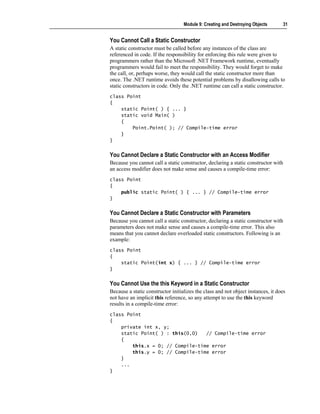
class Point
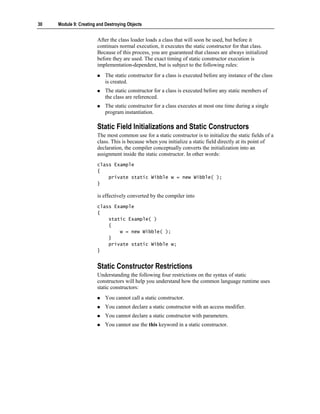
{
    static Point( ) { ... }
    static void Main( )
    {
        Point.Point( ); // Compile-time error
    }
}


You Cannot Declare a Static Constructor with an Access Modifier
Because you cannot call a static constructor, declaring a static constructor with
an access modifier does not make sense and causes a compile-time error:
class Point
{
    public static Point( ) { ... } // Compile-time error
}


You Cannot Declare a Static Constructor with Parameters
Because you cannot call a static constructor, declaring a static constructor with
parameters does not make sense and causes a compile-time error. This also
means that you cannot declare overloaded static constructors. Following is an
example:
class Point
{
    static Point(int x) { ... } // Compile-time error
}


You Cannot Use the this Keyword in a Static Constructor
Because a static constructor initializes the class and not object instances, it does
not have an implicit this reference, so any attempt to use the this keyword
results in a compile-time error:
class Point
{
    private int x, y;
    static Point( ) : this(0,0)   // Compile-time error
    {
        this.x = 0; // Compile-time error
        this.y = 0; // Compile-time error
    }
    ...
}
32   Module 9: Creating and Destroying Objects


Lab 9.1: Creating Objects


                        Objectives
                        In this lab, you will modify the BankAccount class that you created in the
                        previous labs so that it uses constructors. You will also create a new class,
                        BankTransaction, and use it to store information about the transactions
                        (deposits and withdrawals) performed on an account.
                        After completing this lab, you will be able to:
                            Override the default constructor.
                            Create overloaded constructors.
                            Initialize readonly data.

                        Prerequisites
                        Before working on this lab, you must be able to:
                            Create classes and instantiate objects.
                            Define and call methods.

                        You should also have completed Lab 8.1. If you did not complete Lab 8.1, you
                        can use the solution code provided.

                        Estimated time to complete this lab: 60 minutes
Module 9: Creating and Destroying Objects     33


Exercise 1
Implementing Constructors
               In this exercise, you will modify the BankAccount class that you created in the
               previous labs. You will remove the methods that populate the account number
               and account type instance variables and replace them with a series of
               constructors that can be used when a BankAccount is instantiated.
               You will override the default constructor to generate an account number (by
               using the technique that you used earlier), set the account type to Checking,
               and set the balance to zero.
               You will also create three more constructors that take different combinations of
               parameters:
                  The first will take an AccountType. The constructor will generate an
                  account number, set the balance to zero, and set the account type to the
                  value passed in.
                  The second will take a decimal. The constructor will generate an account
                  number, set the account type to Checking, and set the balance to the value
                  passed in.
                  The third will take an AccountType and a decimal. The constructor will
                  generate an account number, set the account type to the value of the
                  AccountType parameter, and set the balance to the value of the decimal
                  parameter.

                  To create the default constructor
               1. Open the Constructors.sln project in the
                  Lab FilesLab09StarterConstructors folder.
               2. In the BankAccount class, delete the Populate method.
               3. Create a default constructor, as follows:
                  a. The name is BankAccount.
                  b. It is public.
                  c. It takes no parameters.
                  d. It has no return type.
                  e. The body of the constructor should generate an account number by using
                     the NextNumber method, set the account type to
                     AccountType.Checking, and initialize the account balance to zero.
                  The completed constructor is as follows:
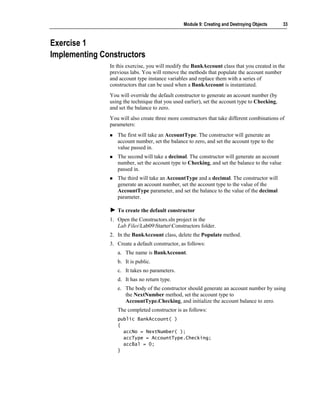
                  public BankAccount( )
                  {
                    accNo = NextNumber( );
                    accType = AccountType.Checking;
                    accBal = 0;
                  }
34   Module 9: Creating and Destroying Objects


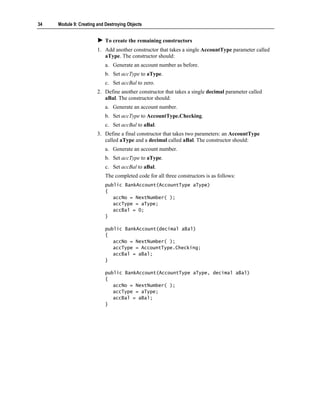
                            To create the remaining constructors
                        1. Add another constructor that takes a single AccountType parameter called
                           aType. The constructor should:
                            a. Generate an account number as before.
                            b. Set accType to aType.
                            c. Set accBal to zero.
                        2. Define another constructor that takes a single decimal parameter called
                           aBal. The constructor should:
                            a. Generate an account number.
                            b. Set accType to AccountType.Checking.
                            c. Set accBal to aBal.
                        3. Define a final constructor that takes two parameters: an AccountType
                           called aType and a decimal called aBal. The constructor should:
                            a. Generate an account number.
                            b. Set accType to aType.
                            c. Set accBal to aBal.
                            The completed code for all three constructors is as follows:
                            public BankAccount(AccountType aType)
                            {
                               accNo = NextNumber( );
                               accType = aType;
                               accBal = 0;
                            }

                            public BankAccount(decimal aBal)
                            {
                               accNo = NextNumber( );
                               accType = AccountType.Checking;
                               accBal = aBal;
                            }

                            public BankAccount(AccountType aType, decimal aBal)
                            {
                               accNo = NextNumber( );
                               accType = aType;
                               accBal = aBal;
                            }
Module 9: Creating and Destroying Objects       35


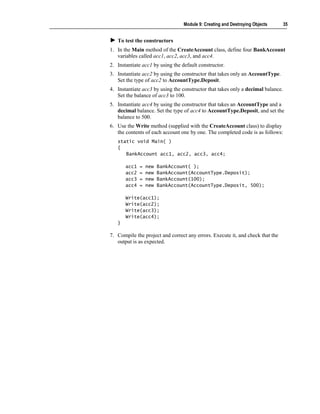
   To test the constructors
1. In the Main method of the CreateAccount class, define four BankAccount
   variables called acc1, acc2, acc3, and acc4.
2. Instantiate acc1 by using the default constructor.
3. Instantiate acc2 by using the constructor that takes only an AccountType.
   Set the type of acc2 to AccountType.Deposit.
4. Instantiate acc3 by using the constructor that takes only a decimal balance.
   Set the balance of acc3 to 100.
5. Instantiate acc4 by using the constructor that takes an AccountType and a
   decimal balance. Set the type of acc4 to AccountType.Deposit, and set the
   balance to 500.
6. Use the Write method (supplied with the CreateAccount class) to display
   the contents of each account one by one. The completed code is as follows:
   static void Main( )
   {
      BankAccount acc1, acc2, acc3, acc4;

       acc1   =   new   BankAccount( );
       acc2   =   new   BankAccount(AccountType.Deposit);
       acc3   =   new   BankAccount(100);
       acc4   =   new   BankAccount(AccountType.Deposit, 500);

       Write(acc1);
       Write(acc2);
       Write(acc3);
       Write(acc4);
   }

7. Compile the project and correct any errors. Execute it, and check that the
   output is as expected.
36    Module 9: Creating and Destroying Objects


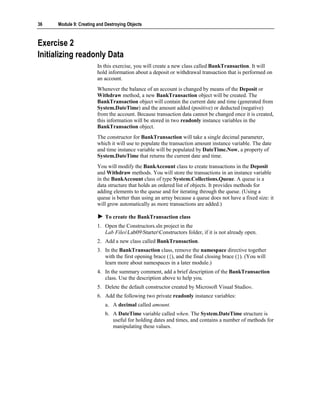
Exercise 2
Initializing readonly Data
                         In this exercise, you will create a new class called BankTransaction. It will
                         hold information about a deposit or withdrawal transaction that is performed on
                         an account.
                         Whenever the balance of an account is changed by means of the Deposit or
                         Withdraw method, a new BankTransaction object will be created. The
                         BankTransaction object will contain the current date and time (generated from
                         System.DateTime) and the amount added (positive) or deducted (negative)
                         from the account. Because transaction data cannot be changed once it is created,
                         this information will be stored in two readonly instance variables in the
                         BankTransaction object.
                         The constructor for BankTransaction will take a single decimal parameter,
                         which it will use to populate the transaction amount instance variable. The date
                         and time instance variable will be populated by DateTime.Now, a property of
                         System.DateTime that returns the current date and time.
                         You will modify the BankAccount class to create transactions in the Deposit
                         and Withdraw methods. You will store the transactions in an instance variable
                         in the BankAccount class of type System.Collections.Queue. A queue is a
                         data structure that holds an ordered list of objects. It provides methods for
                         adding elements to the queue and for iterating through the queue. (Using a
                         queue is better than using an array because a queue does not have a fixed size: it
                         will grow automatically as more transactions are added.)

                             To create the BankTransaction class
                         1. Open the Constructors.sln project in the
                            Lab FilesLab09StarterConstructors folder, if it is not already open.
                         2. Add a new class called BankTransaction.
                         3. In the BankTransaction class, remove the namespace directive together
                            with the first opening brace ({), and the final closing brace (}). (You will
                            learn more about namespaces in a later module.)
                         4. In the summary comment, add a brief description of the BankTransaction
                            class. Use the description above to help you.
                         5. Delete the default constructor created by Microsoft Visual Studio®.
                         6. Add the following two private readonly instance variables:
                             a. A decimal called amount.
                             b. A DateTime variable called when. The System.DateTime structure is
                                useful for holding dates and times, and contains a number of methods for
                                manipulating these values.
Module 9: Creating and Destroying Objects     37


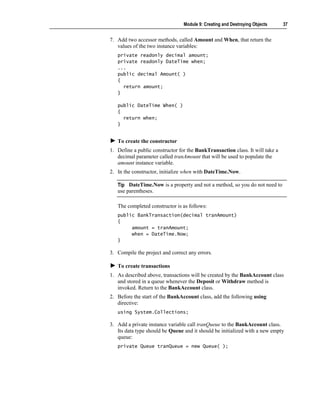
7. Add two accessor methods, called Amount and When, that return the
   values of the two instance variables:
   private readonly decimal amount;
   private readonly DateTime when;
   ...
   public decimal Amount( )
   {
     return amount;
   }

   public DateTime When( )
   {
     return when;
   }


   To create the constructor
1. Define a public constructor for the BankTransaction class. It will take a
   decimal parameter called tranAmount that will be used to populate the
   amount instance variable.
2. In the constructor, initialize when with DateTime.Now.

   Tip DateTime.Now is a property and not a method, so you do not need to
   use parentheses.

   The completed constructor is as follows:
   public BankTransaction(decimal tranAmount)
   {
        amount = tranAmount;
        when = DateTime.Now;
   }

3. Compile the project and correct any errors.

   To create transactions
1. As described above, transactions will be created by the BankAccount class
   and stored in a queue whenever the Deposit or Withdraw method is
   invoked. Return to the BankAccount class.
2. Before the start of the BankAccount class, add the following using
   directive:
   using System.Collections;

3. Add a private instance variable call tranQueue to the BankAccount class.
   Its data type should be Queue and it should be initialized with a new empty
   queue:
   private Queue tranQueue = new Queue( );
38   Module 9: Creating and Destroying Objects


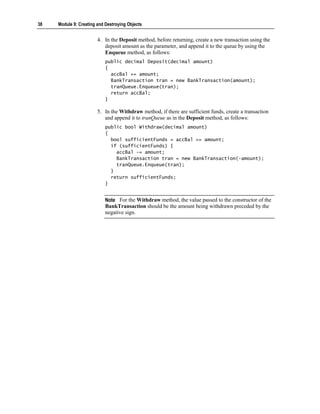
                        4. In the Deposit method, before returning, create a new transaction using the
                           deposit amount as the parameter, and append it to the queue by using the
                           Enqueue method, as follows:
                            public decimal Deposit(decimal amount)
                            {
                              accBal += amount;
                              BankTransaction tran = new BankTransaction(amount);
                              tranQueue.Enqueue(tran);
                              return accBal;
                            }

                        5. In the Withdraw method, if there are sufficient funds, create a transaction
                           and append it to tranQueue as in the Deposit method, as follows:
                            public bool Withdraw(decimal amount)
                            {
                              bool sufficientFunds = accBal >= amount;
                              if (sufficientFunds) {
                                accBal -= amount;
                                BankTransaction tran = new BankTransaction(-amount);
                                tranQueue.Enqueue(tran);
                              }
                              return sufficientFunds;
                            }


                            Note For the Withdraw method, the value passed to the constructor of the
                            BankTransaction should be the amount being withdrawn preceded by the
                            negative sign.
Module 9: Creating and Destroying Objects       39


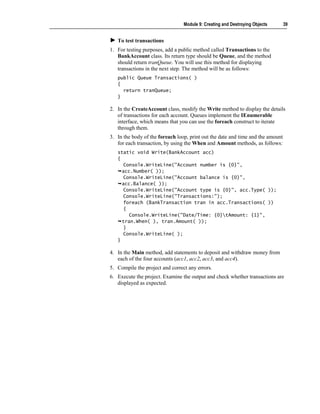
   To test transactions
1. For testing purposes, add a public method called Transactions to the
   BankAccount class. Its return type should be Queue, and the method
   should return tranQueue. You will use this method for displaying
   transactions in the next step. The method will be as follows:
   public Queue Transactions( )
   {
     return tranQueue;
   }

2. In the CreateAccount class, modify the Write method to display the details
   of transactions for each account. Queues implement the IEnumerable
   interface, which means that you can use the foreach construct to iterate
   through them.
3. In the body of the foreach loop, print out the date and time and the amount
   for each transaction, by using the When and Amount methods, as follows:
   static void Write(BankAccount acc)
   {
      Console.WriteLine("Account number is {0}",
     acc.Number( ));
      Console.WriteLine("Account balance is {0}",
     acc.Balance( ));
      Console.WriteLine("Account type is {0}", acc.Type( ));
      Console.WriteLine("Transactions:");
      foreach (BankTransaction tran in acc.Transactions( ))
      {
        Console.WriteLine("Date/Time: {0}tAmount: {1}",
     tran.When( ), tran.Amount( ));
      }
      Console.WriteLine( );
   }

4. In the Main method, add statements to deposit and withdraw money from
   each of the four accounts (acc1, acc2, acc3, and acc4).
5. Compile the project and correct any errors.
6. Execute the project. Examine the output and check whether transactions are
   displayed as expected.
40    Module 9: Creating and Destroying Objects


     Objects and Memory


                                     Object Lifetime
                                     Objects and Scope
                                     Garbage Collection


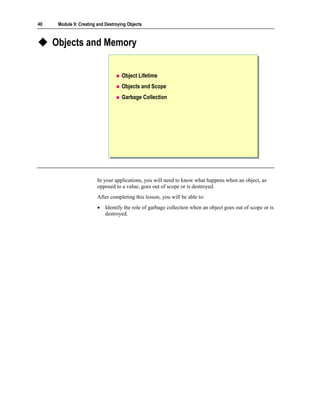
                         In your applications, you will need to know what happens when an object, as
                         opposed to a value, goes out of scope or is destroyed.
                         After completing this lesson, you will be able to:
                         • Identify the role of garbage collection when an object goes out of scope or is
                           destroyed.
Module 9: Creating and Destroying Objects       41


Object Lifetime


                             Creating objects
                                 You allocate memory by using new
                                 You initialize an object in that memory by using a
                                 constructor
                             Using objects
                                 You call methods
                             Destroying objects
                                 The object is converted back into memory
                                 The memory is de-allocated


                  In C#, destroying an object is a two-step process that corresponds to and
                  reverses the two-step object creation process.

                  Creating Objects
                  In the first section, you learned that creating a C# object for a reference type is a
                  two-step process, as follows:
                  1. Use the new keyword to acquire and allocate memory.
                  2. Call a constructor to turn the raw memory acquired by new into an object.

                  Destroying Objects
                  Destroying a C# object is also a two-step process:
                  1. De-initialize the object.
                     This converts the object back into raw memory. In C# this is done by the
                     destructor. This is the reverse of the initialization performed by the
                     constructor. You can control what happens in this step by writing your own
                     destructor or finalize method.
                  2. The raw memory is de-allocated; that is, it is given back to the memory
                     heap.
                     This is the reverse of the allocation performed by new. You cannot change
                     the behavior of this step in any way.
42   Module 9: Creating and Destroying Objects


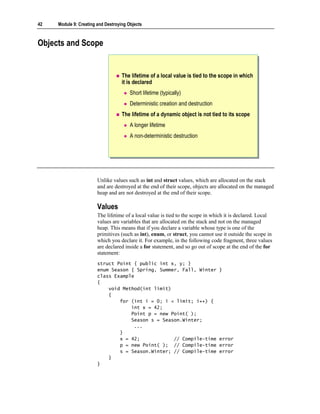
Objects and Scope


                                    The lifetime of a local value is tied to the scope in which
                                    it is declared
                                        Short lifetime (typically)
                                        Deterministic creation and destruction
                                    The lifetime of a dynamic object is not tied to its scope
                                        A longer lifetime
                                        A non-deterministic destruction


                        Unlike values such as int and struct values, which are allocated on the stack
                        and are destroyed at the end of their scope, objects are allocated on the managed
                        heap and are not destroyed at the end of their scope.

                        Values
                        The lifetime of a local value is tied to the scope in which it is declared. Local
                        values are variables that are allocated on the stack and not on the managed
                        heap. This means that if you declare a variable whose type is one of the
                        primitives (such as int), enum, or struct, you cannot use it outside the scope in
                        which you declare it. For example, in the following code fragment, three values
                        are declared inside a for statement, and so go out of scope at the end of the for
                        statement:
                        struct Point { public int x, y; }
                        enum Season { Spring, Summer, Fall, Winter               }
                        class Example
                        {
                            void Method(int limit)
                            {
                                for (int i = 0; i < limit; i++) {
                                    int x = 42;
                                    Point p = new Point( );
                                    Season s = Season.Winter;
                                     ...
                                }
                                x = 42;            // Compile-time               error
                                p = new Point( ); // Compile-time                error
                                s = Season.Winter; // Compile-time               error
                            }
                        }
Module 9: Creating and Destroying Objects        43


Note In the previous example, it appears as though a new Point is created.
However, because Point is a struct, new does not allocate memory from the
managed heap. The “new” Point is created on the stack.

This means that local values have the following characteristics:
   Deterministic creation and destruction
   A local variable is created when you declare it, and is destroyed at the end
   of the scope in which it is declared. The start point and the end point of the
   value’s life are deterministic; that is, they occur at known, fixed times.
   Usually very short lifetimes
   You declare a value somewhere in a method, and the value cannot exist
   beyond the method call. When you return a value from a method, you return
   a copy of the value.

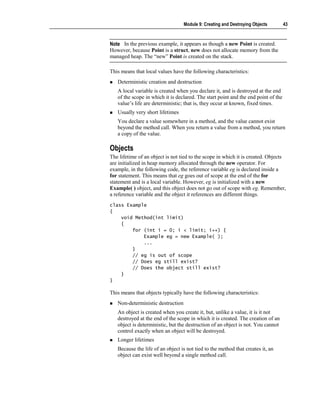
Objects
The lifetime of an object is not tied to the scope in which it is created. Objects
are initialized in heap memory allocated through the new operator. For
example, in the following code, the reference variable eg is declared inside a
for statement. This means that eg goes out of scope at the end of the for
statement and is a local variable. However, eg is initialized with a new
Example( ) object, and this object does not go out of scope with eg. Remember,
a reference variable and the object it references are different things.
class Example
{
    void Method(int limit)
    {
        for (int i = 0; i < limit; i++) {
            Example eg = new Example( );
            ...
        }
        // eg is out of scope
        // Does eg still exist?
        // Does the object still exist?
    }
}

This means that objects typically have the following characteristics:
   Non-deterministic destruction
   An object is created when you create it, but, unlike a value, it is it not
   destroyed at the end of the scope in which it is created. The creation of an
   object is deterministic, but the destruction of an object is not. You cannot
   control exactly when an object will be destroyed.
   Longer lifetimes
   Because the life of an object is not tied to the method that creates it, an
   object can exist well beyond a single method call.
44   Module 9: Creating and Destroying Objects


Garbage Collection

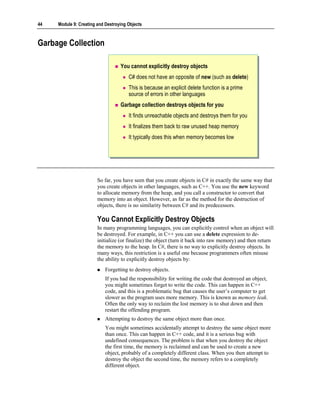
                                   You cannot explicitly destroy objects
                                       C# does not have an opposite of new (such as delete)
                                       This is because an explicit delete function is a prime
                                       source of errors in other languages
                                   Garbage collection destroys objects for you
                                       It finds unreachable objects and destroys them for you
                                       It finalizes them back to raw unused heap memory
                                       It typically does this when memory becomes low


                        So far, you have seen that you create objects in C# in exactly the same way that
                        you create objects in other languages, such as C++. You use the new keyword
                        to allocate memory from the heap, and you call a constructor to convert that
                        memory into an object. However, as far as the method for the destruction of
                        objects, there is no similarity between C# and its predecessors.

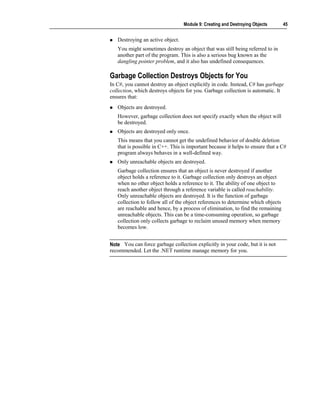
                        You Cannot Explicitly Destroy Objects
                        In many programming languages, you can explicitly control when an object will
                        be destroyed. For example, in C++ you can use a delete expression to de-
                        initialize (or finalize) the object (turn it back into raw memory) and then return
                        the memory to the heap. In C#, there is no way to explicitly destroy objects. In
                        many ways, this restriction is a useful one because programmers often misuse
                        the ability to explicitly destroy objects by:
                            Forgetting to destroy objects.
                            If you had the responsibility for writing the code that destroyed an object,
                            you might sometimes forget to write the code. This can happen in C++
                            code, and this is a problematic bug that causes the user’s computer to get
                            slower as the program uses more memory. This is known as memory leak.
                            Often the only way to reclaim the lost memory is to shut down and then
                            restart the offending program.
                            Attempting to destroy the same object more than once.
                            You might sometimes accidentally attempt to destroy the same object more
                            than once. This can happen in C++ code, and it is a serious bug with
                            undefined consequences. The problem is that when you destroy the object
                            the first time, the memory is reclaimed and can be used to create a new
                            object, probably of a completely different class. When you then attempt to
                            destroy the object the second time, the memory refers to a completely
                            different object.
Module 9: Creating and Destroying Objects       45


   Destroying an active object.
   You might sometimes destroy an object that was still being referred to in
   another part of the program. This is also a serious bug known as the
   dangling pointer problem, and it also has undefined consequences.

Garbage Collection Destroys Objects for You
In C#, you cannot destroy an object explicitly in code. Instead, C# has garbage
collection, which destroys objects for you. Garbage collection is automatic. It
ensures that:
   Objects are destroyed.
   However, garbage collection does not specify exactly when the object will
   be destroyed.
   Objects are destroyed only once.
   This means that you cannot get the undefined behavior of double deletion
   that is possible in C++. This is important because it helps to ensure that a C#
   program always behaves in a well-defined way.
   Only unreachable objects are destroyed.
   Garbage collection ensures that an object is never destroyed if another
   object holds a reference to it. Garbage collection only destroys an object
   when no other object holds a reference to it. The ability of one object to
   reach another object through a reference variable is called reachability.
   Only unreachable objects are destroyed. It is the function of garbage
   collection to follow all of the object references to determine which objects
   are reachable and hence, by a process of elimination, to find the remaining
   unreachable objects. This can be a time-consuming operation, so garbage
   collection only collects garbage to reclaim unused memory when memory
   becomes low.


Note You can force garbage collection explicitly in your code, but it is not
recommended. Let the .NET runtime manage memory for you.
46    Module 9: Creating and Destroying Objects


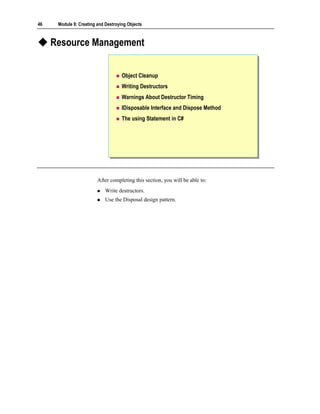
     Resource Management


                                     Object Cleanup
                                     Writing Destructors
                                     Warnings About Destructor Timing
                                     IDisposable Interface and Dispose Method
                                     The using Statement in C#


                         After completing this section, you will be able to:
                             Write destructors.
                             Use the Disposal design pattern.
Module 9: Creating and Destroying Objects     47


Object Cleanup


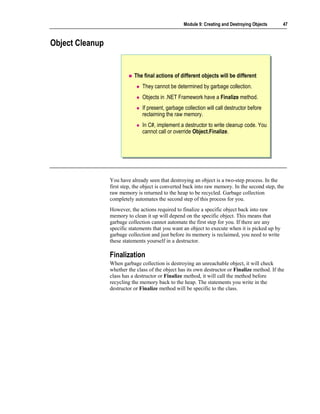
                            The final actions of different objects will be different
                                They cannot be determined by garbage collection.
                                Objects in .NET Framework have a Finalize method.
                                If present, garbage collection will call destructor before
                                reclaiming the raw memory.
                                In C#, implement a destructor to write cleanup code. You
                                cannot call or override Object.Finalize.


                 You have already seen that destroying an object is a two-step process. In the
                 first step, the object is converted back into raw memory. In the second step, the
                 raw memory is returned to the heap to be recycled. Garbage collection
                 completely automates the second step of this process for you.
                 However, the actions required to finalize a specific object back into raw
                 memory to clean it up will depend on the specific object. This means that
                 garbage collection cannot automate the first step for you. If there are any
                 specific statements that you want an object to execute when it is picked up by
                 garbage collection and just before its memory is reclaimed, you need to write
                 these statements yourself in a destructor.

                 Finalization
                 When garbage collection is destroying an unreachable object, it will check
                 whether the class of the object has its own destructor or Finalize method. If the
                 class has a destructor or Finalize method, it will call the method before
                 recycling the memory back to the heap. The statements you write in the
                 destructor or Finalize method will be specific to the class.
48   Module 9: Creating and Destroying Objects


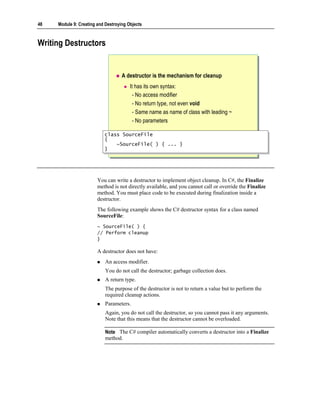
Writing Destructors


                                    A destructor is the mechanism for cleanup
                                        It has its own syntax:
                                          - No access modifier
                                          - No return type, not even void
                                          - Same name as name of class with leading ~
                                          - No parameters

                           class SourceFile
                            class SourceFile
                           {{
                               ~SourceFile( ) { ... }
                                ~SourceFile( ) { ... }
                           }}


                        You can write a destructor to implement object cleanup. In C#, the Finalize
                        method is not directly available, and you cannot call or override the Finalize
                        method. You must place code to be executed during finalization inside a
                        destructor.
                        The following example shows the C# destructor syntax for a class named
                        SourceFile:
                        ~ SourceFile( ) {
                        // Perform cleanup
                        }

                        A destructor does not have:
                            An access modifier.
                            You do not call the destructor; garbage collection does.
                            A return type.
                            The purpose of the destructor is not to return a value but to perform the
                            required cleanup actions.
                            Parameters.
                            Again, you do not call the destructor, so you cannot pass it any arguments.
                            Note that this means that the destructor cannot be overloaded.

                            Note The C# compiler automatically converts a destructor into a Finalize
                            method.
Module 9: Creating and Destroying Objects      49


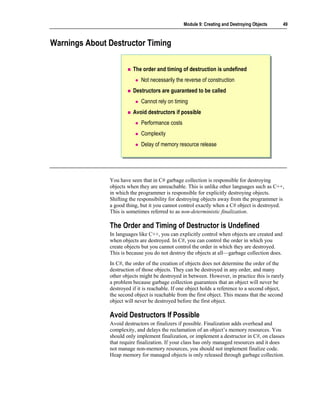
Warnings About Destructor Timing

                         The order and timing of destruction is undefined
                             Not necessarily the reverse of construction
                         Destructors are guaranteed to be called
                             Cannot rely on timing
                         Avoid destructors if possible
                             Performance costs
                             Complexity
                             Delay of memory resource release


               You have seen that in C# garbage collection is responsible for destroying
               objects when they are unreachable. This is unlike other languages such as C++,
               in which the programmer is responsible for explicitly destroying objects.
               Shifting the responsibility for destroying objects away from the programmer is
               a good thing, but it you cannot control exactly when a C# object is destroyed.
               This is sometimes referred to as non-deterministic finalization.

               The Order and Timing of Destructor is Undefined
               In languages like C++, you can explicitly control when objects are created and
               when objects are destroyed. In C#, you can control the order in which you
               create objects but you cannot control the order in which they are destroyed.
               This is because you do not destroy the objects at all—garbage collection does.
               In C#, the order of the creation of objects does not determine the order of the
               destruction of those objects. They can be destroyed in any order, and many
               other objects might be destroyed in between. However, in practice this is rarely
               a problem because garbage collection guarantees that an object will never be
               destroyed if it is reachable. If one object holds a reference to a second object,
               the second object is reachable from the first object. This means that the second
               object will never be destroyed before the first object.

               Avoid Destructors If Possible
               Avoid destructors or finalizers if possible. Finalization adds overhead and
               complexity, and delays the reclamation of an object’s memory resources. You
               should only implement finalization, or implement a destructor in C#, on classes
               that require finalization. If your class has only managed resources and it does
               not manage non-memory resources, you should not implement finalize code.
               Heap memory for managed objects is only released through garbage collection.
50   Module 9: Creating and Destroying Objects


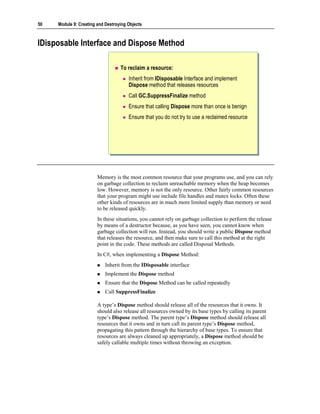
IDisposable Interface and Dispose Method

                                   To reclaim a resource:
                                       Inherit from IDisposable Interface and implement
                                       Dispose method that releases resources
                                       Call GC.SuppressFinalize method
                                       Ensure that calling Dispose more than once is benign
                                       Ensure that you do not try to use a reclaimed resource


                        Memory is the most common resource that your programs use, and you can rely
                        on garbage collection to reclaim unreachable memory when the heap becomes
                        low. However, memory is not the only resource. Other fairly common resources
                        that your program might use include file handles and mutex locks. Often these
                        other kinds of resources are in much more limited supply than memory or need
                        to be released quickly.
                        In these situations, you cannot rely on garbage collection to perform the release
                        by means of a destructor because, as you have seen, you cannot know when
                        garbage collection will run. Instead, you should write a public Dispose method
                        that releases the resource, and then make sure to call this method at the right
                        point in the code. These methods are called Disposal Methods.
                        In C#, when implementing a Dispose Method:
                            Inherit from the IDisposable interface
                            Implement the Dispose method
                            Ensure that the Dispose Method can be called repeatedly
                            Call SuppressFinalize

                        A type’s Dispose method should release all of the resources that it owns. It
                        should also release all resources owned by its base types by calling its parent
                        type’s Dispose method. The parent type’s Dispose method should release all
                        resources that it owns and in turn call its parent type’s Dispose method,
                        propagating this pattern through the hierarchy of base types. To ensure that
                        resources are always cleaned up appropriately, a Dispose method should be
                        safely callable multiple times without throwing an exception.
Module 9: Creating and Destroying Objects     51


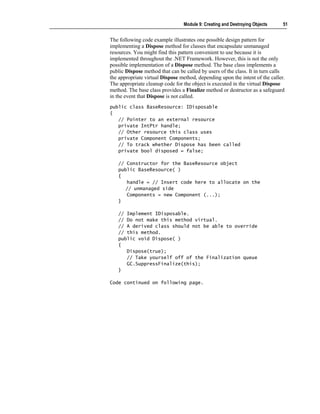
The following code example illustrates one possible design pattern for
implementing a Dispose method for classes that encapsulate unmanaged
resources. You might find this pattern convenient to use because it is
implemented throughout the .NET Framework. However, this is not the only
possible implementation of a Dispose method. The base class implements a
public Dispose method that can be called by users of the class. It in turn calls
the appropriate virtual Dispose method, depending upon the intent of the caller.
The appropriate cleanup code for the object is executed in the virtual Dispose
method. The base class provides a Finalize method or destructor as a safeguard
in the event that Dispose is not called.
public class BaseResource: IDisposable
{
   // Pointer to an external resource
   private IntPtr handle;
   // Other resource this class uses
   private Component Components;
   // To track whether Dispose has been called
   private bool disposed = false;

   // Constructor for the BaseResource object
   public BaseResource( )
   {
      handle = // Insert code here to allocate on the
      // unmanaged side
      Components = new Component (...);
   }

   // Implement IDisposable.
   // Do not make this method virtual.
   // A derived class should not be able to override
   // this method.
   public void Dispose( )
   {
      Dispose(true);
      // Take yourself off of the Finalization queue
      GC.SuppressFinalize(this);
   }

Code continued on following page.
52   Module 9: Creating and Destroying Objects


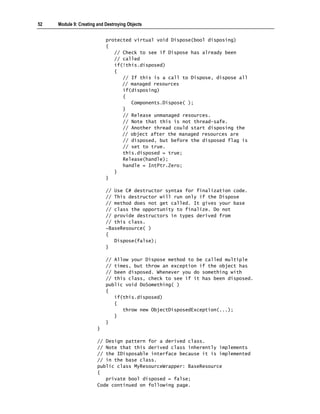
                            protected virtual void Dispose(bool disposing)
                            {
                               // Check to see if Dispose has already been
                               // called
                               if(!this.disposed)
                               {
                                  // If this is a call to Dispose, dispose all
                                  // managed resources
                                  if(disposing)
                                  {
                                     Components.Dispose( );
                                  }
                                  // Release unmanaged resources.
                                  // Note that this is not thread-safe.
                                  // Another thread could start disposing the
                                  // object after the managed resources are
                                  // disposed, but before the disposed flag is
                                  // set to true.
                                  this.disposed = true;
                                  Release(handle);
                                  handle = IntPtr.Zero;
                               }
                            }

                            // Use C# destructor syntax for finalization code.
                            // This destructor will run only if the Dispose
                            // method does not get called. It gives your base
                            // class the opportunity to finalize. Do not
                            // provide destructors in types derived from
                            // this class.
                            ~BaseResource( )
                            {
                               Dispose(false);
                            }

                            // Allow your Dispose method to be called multiple
                            // times, but throw an exception if the object has
                            // been disposed. Whenever you do something with
                            // this class, check to see if it has been disposed.
                            public void DoSomething( )
                            {
                               if(this.disposed)
                               {
                                  throw new ObjectDisposedException(...);
                               }
                            }
                        }

                        // Design pattern for a derived class.
                        // Note that this derived class inherently implements
                        // the IDisposable interface because it is implemented
                        // in the base class.
                        public class MyResourceWrapper: BaseResource
                        {
                           private bool disposed = false;
                        Code continued on following page.
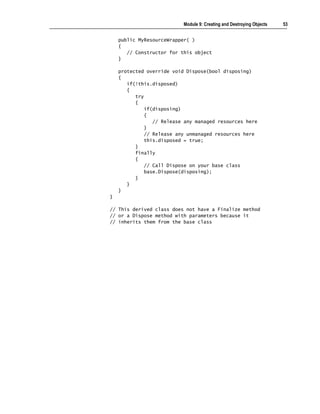
Module 9: Creating and Destroying Objects   53


    public MyResourceWrapper( )
    {
       // Constructor for this object
    }

    protected override void Dispose(bool disposing)
    {
       if(!this.disposed)
       {
          try
          {
              if(disposing)
              {
                 // Release any managed resources here
              }
              // Release any unmanaged resources here
              this.disposed = true;
          }
          finally
          {
              // Call Dispose on your base class
              base.Dispose(disposing);
          }
       }
    }
}

// This derived class does not have a Finalize method
// or a Dispose method with parameters because it
// inherits them from the base class
54   Module 9: Creating and Destroying Objects


The using Statement in C#


                                    Syntax

                                  using (Resource r1 = new Resource( ))
                                   using (Resource r1 = new Resource( ))
                                  {{
                                        r1.Method( );
                                         r1.Method( );
                                  }}


                                    Dispose is automatically called at the end of the using
                                    block


                        The using statement in C# defines a scope at the end of which an object will be
                        disposed.
                        You create an instance in a using statement to ensure that Dispose is called on
                        the object when the using statement is exited. In the following example,
                        Resource is a reference type that implements IDisposable:
                        using (Resource r1 = new Resource( )) {
                          r1.Test( );
                        }

                        This statement is semantically equivalent to the following statement:
                        Resource r1 = new Resource( );
                        try {
                          r1.Test( );
                        }
                        finally {
                          if (r1 != null) ((IDisposable)r1).Dispose( );
                        }
Module 9: Creating and Destroying Objects      55


Lab 9.2: Managing Resources


             Objectives
             In this lab, you will learn how to use finalizers to perform processing before
             garbage collection destroys an object.
             After completing this lab, you will be able to:
                Create a destructor.
                Make requests of garbage collection.
                Use the Disposal design pattern.

             Prerequisites
             Before working on this lab, you must be able to:
                Create classes and instantiate objects.
                Define and call methods.
                Define and use constructors.
                Use the StreamWriter class to write text to a file.

             You should also have completed Lab 9.1. If you did not complete Lab 9.1, you
             can use the solution code provided.

             Estimated time to complete this lab: 15 minutes
56   Module 9: Creating and Destroying Objects


Exercise 1
Using the Disposal Design Pattern
                        In this exercise, you will add a Dispose method to the BankAccount class to
                        persist data in Transaction.dat file. The Dispose method in BankAccount will
                        iterate through all of the transactions in its transaction queue, save the
                        transaction log in a file.

                            To create a Dispose method for the BankAccount class
                        1. Open the Finalizers.sln project in the Lab FilesLab09StarterFinalizers
                           folder.
                        2. Add the sealed modifier to the BankAccount class and inherit from
                           IDisposable interface. A sealed class cannot be inherited. The sealed
                           modifier is added to keep the dispose method’s implementation simple.
                        3. Add a private bool instance variable called disposed. Initialize it to false.
                        4. In the BankAccount class, add a public void method called Dispose:
                            public void Dispose( )
                            {

                            }

                        5. In the Dispose method, add statements to:
                            a. Examine the value of disposed. If it is true, return from the method and
                               do nothing else.
                            b. If disposed is false, create a new StreamWriter variable that opens the
                               Transactions.dat file in the current directory in append mode (that is, it
                               writes data to the end of the file if it already exists). You can achieve this
                               by using the File.AppendText method.
                                StreamWriter swFile =
                                 File.AppendText("Transactions.Dat");

                            c. Use the WriteLine method and write account number, type, and balance.
                                swFile.WriteLine("Account number is {0}", accNo);
                                swFile.WriteLine("Account balance is {0}", accBal);
                                swFile.WriteLine("Account type is {0}", accType);

                            d. Iterate through all of the BankTransaction objects in tranQueue and
                               using WriteLine write the amount and time of the transaction. Use a
                               foreach statement, as you did in Lab 9.1.
                            e. Close the StreamWriter.
                            f. Set disposed to true.
                            g. Call GC.SuppressFinalize method.
Module 9: Creating and Destroying Objects    57


   The completed code should be as follows:
   public void Dispose( )
   {
      if (!disposed)
      {
          StreamWriter swFile =
     File.AppendText("Transactions.Dat");
          swFile.WriteLine("Account number is {0}", accNo);
          swFile.WriteLine("Account balance is {0}", accBal);
          swFile.WriteLine("Account type is {0}", accType);
          swFile.WriteLine("Transactions:");
          foreach(BankTransaction tran in tranQueue)
          {
              swFile.WriteLine("Date/Time: {0}tAmount:{1}",
     tran.When( ), tran.Amount( ));
          }
          swFile.Close( );
          disposed = true;
          GC.SuppressFinalize(this);
      }
   }

6. Add a destructor to the BankAccount class that calls the Dispose method.
7. Compile the project and correct any errors.

   To test the destructor
1. Open the CreateAccount.cs test harness.
2. Modify the code in Main to use the using statement., as follows:
   using (BankAccount acc1 = new BankAccount( ))
      {
         acc1.Deposit(100);
         acc1.Withdraw(50);
         acc1.Deposit(75);
         acc1.Withdraw(50);
         acc1.Withdraw(30);
         acc1.Deposit(40);
         acc1.Deposit(200);
         acc1.Withdraw(250);
         acc1.Deposit(25);
         Write(acc1);

       }

3. Compile the project and correct any errors.
4. Run the program.
5. Open a text editor and examine the Transactions.Dat file in the Lab
   FilesLab09StarterFinalizersbinDebug folder.
58   Module 9: Creating and Destroying Objects


Review


                                    Using Constructors
                                    Initializing Data
                                    Objects and Memory
                                    Resource Management


                        1. Declare a class called Date with a public constructor that expects three int
                           parameters called year, month, and day.


                        2. Will the compiler generate a default constructor for the Date class that you
                           declared in question 1? What if Date were a struct with the same three-int
                           constructor?
Module 9: Creating and Destroying Objects   59


3. Which method does garbage collection call on the object just before it
   recycles the object’s memory back to the heap?


4. What is the purpose of the using statement?
THIS PAGE INTENTIONALLY LEFT BLANK

7494609

  • 1.
    Module 9: Creatingand Destroying Objects Contents Overview 1 Using Constructors 2 Initializing Data 13 Lab 9.1: Creating Objects 32 Objects and Memory 40 Resource Management 46 Lab 9.2: Managing Resources 55 Review 58
  • 2.
    Information in thisdocument, including URL and other Internet Web site references, is subject to change without notice. Unless otherwise noted, the example companies, organizations, products, domain names, e-mail addresses, logos, people, places, and events depicted herein are fictitious, and no association with any real company, organization, product, domain name, e-mail address, logo, person, places or events is intended or should be inferred. Complying with all applicable copyright laws is the responsibility of the user. Without limiting the rights under copyright, no part of this document may be reproduced, stored in or introduced into a retrieval system, or transmitted in any form or by any means (electronic, mechanical, photocopying, recording, or otherwise), or for any purpose, without the express written permission of Microsoft Corporation. Microsoft may have patents, patent applications, trademarks, copyrights, or other intellectual property rights covering subject matter in this document. Except as expressly provided in any written license agreement from Microsoft, the furnishing of this document does not give you any license to these patents, trademarks, copyrights, or other intellectual property.  2001−2002 Microsoft Corporation. All rights reserved. Microsoft, MS-DOS, Windows, Windows NT, ActiveX, BizTalk, IntelliSense, JScript, MSDN, PowerPoint, SQL Server, Visual Basic, Visual C++, Visual C#, Visual J#, Visual Studio, and Win32 are either registered trademarks or trademarks of Microsoft Corporation in the U.S.A. and/or other countries. The names of actual companies and products mentioned herein may be the trademarks of their respective owners.
  • 3.
    Module 9: Creatingand Destroying Objects 1 Overview Using Constructors Initializing Data Objects and Memory Resource Management In this module, you will learn what happens when an object is created, how to use constructors to initialize objects, and how to use destructors to destroy objects. You will also learn what happens when an object is destroyed and how garbage collection reclaims memory. After completing this module, you will be able to: Use constructors to initialize objects. Create overloaded constructors that can accept varying parameters. Describe the lifetime of an object and what happens when it is destroyed. Create destructors. Implement the Dispose method.
  • 4.
    2 Module 9: Creating and Destroying Objects Using Constructors Creating Objects Using the Default Constructor Overriding the Default Constructor Overloading Constructors Constructors are special methods that you use to initialize objects when you create them. Even if you do not write a constructor yourself, a default constructor is provided for you whenever you create an object from a reference type. After completing this lesson, you will be able to: Use default constructors. Use constructors to control what happens when an object is created.
  • 5.
    Module 9: Creatingand Destroying Objects 3 Creating Objects Step 1: Allocating memory Use new keyword to allocate memory from the heap Step 2: Initializing the object by using a constructor Use the name of the class followed by parentheses Date when = new Date( ); Date when = new Date( ); The process of creating an object in C# involves two steps: 1. Use the new keyword to acquire and allocate memory for the object. 2. Write a constructor to turn the memory acquired by new into an object. Even though there are two steps in this process, you must perform both steps in one expression. For example, if Date is the name of a class, use the following syntax to allocate memory and initialize the object when: Date when = new Date( ); Step 1: Allocating Memory The first step in creating an object is to allocate memory for the object. All objects are created by using the new operator. There are no exceptions to this rule. You can do this explicitly in your code, or the compiler will do it for you. In the following table, you can see examples of code and what they represent. Code example Represents string s = "Hello"; string s = new string(new char[]{'H','e','l','l','o'}); int[ ] array = {1,2,3,4}; int[ ] array = new int[4]{1,2,3,4};
  • 6.
    4 Module 9: Creating and Destroying Objects Step 2: Initializing the Object by Using a Constructor The second step in creating an object is to call a constructor. A constructor turns the memory allocated by new into an object. There are two types of constructors: instance constructors and static constructors. Instance constructors are constructors that initialize objects. Static constructors are constructors that initialize classes. How new and Instance Constructors Collaborate It is important to realize how closely new and instance constructors collaborate to create objects. The only purpose of new is to acquire raw uninitialized memory. The only purpose of an instance constructor is to initialize the memory and convert it into an object that is ready to use. Specifically, new is not involved with initialization in any way, and instance constructors are not involved in acquiring memory in any way. Although new and instance constructors perform separate tasks, as a programmer you cannot use them separately. This is one way for C# to help guarantee that memory is always definitely set to a valid value before it is read. (This is called definite assignment.) Note to C++ Programmers In C++, you can allocate memory and not initialize it (by directly calling operator new). You can also initialize memory allocated previously (by using placement new). This separation is not possible in C#.
  • 7.
    Module 9: Creatingand Destroying Objects 5 Using the Default Constructor Features of a default constructor Public accessibility Same name as the class No return type—not even void Expects no arguments Initializes all fields to zero, false or null Constructor syntax class Date { public Date( ) { ... } } class Date { public Date( ) { ... } } When you create an object, the C# compiler provides a default constructor if you do not write one yourself. Consider the following example: class Date { private int ccyy, mm, dd; } class Test { static void Main( ) { Date when = new Date( ); ... } } The statement inside Test.Main creates a Date object called when by using new (which allocates memory from the heap) and by calling a special method that has the same name as the class (the instance constructor). However, the Date class does not declare an instance constructor. (It does not declare any methods at all.) By default, the compiler automatically generates a default instance constructor.
  • 8.
    6 Module 9: Creating and Destroying Objects Features of a Default Constructor Conceptually, the instance constructor that the compiler generates for the Date class looks like the following example: class Date { public Date( ) { ccyy = 0; mm = 0; dd = 0; } private int ccyy, mm, dd; } The constructor has the following features: Same name as the class name By definition, an instance constructor is a method that has the same name as its class. This is a natural and intuitive definition and matches the syntax that you have already seen. Following is an example: Date when = new Date( ); No return type This is the second defining characteristic of a constructor. A constructor never has a return type—not even void. No arguments required It is possible to declare constructors that take arguments. However, the default constructor generated by the compiler expects no arguments. All fields initialized to zero This is important. The compiler-generated default constructor implicitly initializes all non-static fields as follows: • Numeric fields (such as int, double, and decimal) are initialized to zero. • Fields of type bool are initialized to false. • Reference types (covered in an earlier module) are initialized to null. • Fields of type struct are initialized to contain zero values in all their elements. Public accessibility This allows new instances of the object to be created. Note Module 10, “Inheritance in C#,” in Course 2124C, Programming with C#, covers abstract classes. The compiler-generated default constructor for an abstract class has protected access.
  • 9.
    Module 9: Creatingand Destroying Objects 7 Overriding the Default Constructor The default constructor might be inappropriate If so, do not use it; write your own! class Date class Date {{ public Date( ) public Date( ) { { ccyy = 1970; ccyy = 1970; mm = 1; mm = 1; dd = 1; dd = 1; } } private int ccyy, mm, dd; private int ccyy, mm, dd; }} Sometimes it is not appropriate for you to use the compiler-generated default constructor. In these cases, you can write your own constructor that contains only the code to initialize fields to non-zero values. Any fields that you do not initialize in your constructor will retain their default initialization of zero. What If the Default Constructor Is Inappropriate? There are several cases in which the compiler-generated default constructor may be inappropriate: Public access is sometimes inappropriate. The Factory Method pattern uses a non-public constructor. (The Factory Method pattern is discussed in Design Patterns: Elements of Reusable Object-Oriented Software, by E. Gamma, R. Helm, R. Johnson, and J. Vlissides. It is covered in a later module.) Procedural functions (such as Cos and Sin) often use private constructors. The Singleton pattern typically uses a private constructor. (The Singleton pattern is also covered in Design Patterns: Elements of Reusable Object- Oriented Software and in a later topic in this section.) Zero initialization is sometimes inappropriate. Consider the compiler-generated default constructor for the following Date class: class Date { private int ccyy, mm, dd; } The default constructor will initialize the year field (ccyy) to zero, the month field (mm) to zero, and the day field (dd) to zero. This might not be appropriate if you want the date to default to a different value.
  • 10.
    8 Module 9: Creating and Destroying Objects Invisible code is hard to maintain. You cannot see the default constructor code. This can occasionally be a problem. For example, you cannot single-step through invisible code when debugging. Additionally, if you choose to use the default initialization to zero, how will developers who need to maintain the code know that this choice was deliberate? Writing Your Own Default Constructor If the compiler-generated default constructor is inappropriate, you must write your own default constructor. The C# language helps you to do this. You can write a constructor that only contains the code to initialize fields to non-zero values. All fields that are not initialized in your constructor retain their default initialization to zero. The following code provides an example: class DefaultInit { public int a, b; public DefaultInit( ) { a = 42; // b retains default initialization to zero } } class Test { static void Main( ) { DefaultInit di = new DefaultInit( ); Console.WriteLine(di.a); // Writes 42 Console.WriteLine(di.b); // Writes zero } } You should be wary of doing more than simple initializations in your own constructors. You must consider potential failure: the only sensible way you can signal an initialization failure in a constructor is by throwing an exception. Note The same is also true for operators. Operators are discussed in Module 12, “Operators, Delegates, and Events,” in Course 2124C, Programming with C#. When initialization succeeds, you have an object that you can use. If initialization fails, you do not have an object.
  • 11.
    Module 9: Creatingand Destroying Objects 9 Overloading Constructors Constructors are methods and can be overloaded Same scope, same name, different parameters Allows objects to be initialized in different ways WARNING If you write a constructor for a class, the compiler does not create a default constructor class Date class Date {{ public Date( ) { ... } public Date( ) { ... } public Date(int year, int month, int day) { ... } public Date(int year, int month, int day) { ... } ... ... }} Constructors are special kinds of methods. Just as you can overload methods, you can overload constructors. What Is Overloading? Overloading is the technical term for declaring two or more methods in the same scope with the same name. The following code provides an example: class Overload { public void Method( ) { ... } public void Method(int x) { ... } } class Use { static void Main( ) { Overload o = new Overload( ); o.Method( ); o.Method(42); } } In this code example, two methods called Method are declared in the scope of the Overload class, and both are called in Use.Main. There is no ambiguity, because the number and types of the arguments determine which method is called.
  • 12.
    10 Module 9: Creating and Destroying Objects Initializing an Object in More Than One Way The ability to initialize an object in different ways was one of the primary motivations for allowing overloading. Constructors are special kinds of methods, and they can be overloaded exactly like methods. This means you can define different ways to initialize an object. The following code provides an example: class Overload { public Overload( ) { this.data = -1; } public Overload(int x) { this.data = x; } private int data; } class Use { static void Main( ) { Overload o1 = new Overload( ); Overload o2 = new Overload(42); ... } } Object o1 is created by using the constructor that takes no arguments, and the private instance variable data is set to –1. Object o2 is created by using the constructor that takes a single integer, and the instance variable data is set to 42. Initializing Fields to Non-Default Values You will find many cases in which fields cannot be sensibly initialized to zero. In these cases, you can write your own constructor that requires one or more parameters that are then used to initialize the fields. For example, consider the following Date class: class Date { public Date(int year, int month, int day) { ccyy = year; mm = month; dd = day; } private int ccyy, mm, dd; } One problem with this constructor is that it is easy to get the order of the arguments wrong. For example: Date birthday = new Date(23, 11, 1968); // Error
  • 13.
    Module 9: Creatingand Destroying Objects 11 The code should read new Date(1968,11,23). This error will not be detected as a compile-time error because all three arguments are integers. One way you could fix this would be to use the Whole Value pattern. You could turn Year, Month, and Day into structs rather than int values, as follows: struct Year { public readonly int value; public Year(int value) { this.value = value; } } struct Month // Or as an enum { public readonly int value; public Month(int value) { this.value = value; } } struct Day { public readonly int value; public Day(int value) { this.value = value; } } class Date { public Date(Year y, Month m, Day d) { ccyy = y.value; mm = m.value; dd = d.value; } private int ccyy, mm, dd; } Tip Using structs or enums rather than classes for Day, Month, and Year reduces the overhead when creating a Date object. This will be explained later in this module. The following code shows a simple change that would not only catch argument- order errors but would also allow you to create overloaded Date constructors for U.K. format, U.S. format, and ISO format: class Date { public Date(Year y, Month m, Day d) { ... } // ISO public Date(Month m, Day d, Year y) { ... } // US public Date(Day d, Month m, Year y) { ... } // UK ... private int ccyy, mm, dd; }
  • 14.
    12 Module 9: Creating and Destroying Objects Overloading and the Default Constructor If you declare a class with a constructor, the compiler does not generate the default constructor. In the following example, the Date class is declared with a constructor, so the expression new Date( ) will not compile: class Date { public Date(Year y, Month m, Day d) { ... } // No other constructor private int ccyy, mm, dd; } class Fails { static void Main( ) { Date defaulted = new Date( ); // Compile-time error } } This means that if you want to be able to create Date objects without supplying any constructor arguments, you will need to explicitly declare an overloaded default constructor, as in the following example: class Date { public Date( ) { ... } public Date(Year y, Month m, Day d) { ... } ... private int ccyy, mm, dd; } class Succeeds { static void Main( ) { Date defaulted = new Date( ); // Okay } }
  • 15.
    Module 9: Creatingand Destroying Objects 13 Initializing Data Using Initializer Lists Declaring Readonly Variables and Constants Initializing Readonly Fields Declaring a Constructor for a Struct Using Private Constructors Using Static Constructors You have seen the basic elements of constructors. Constructors also have a number of additional features and uses. After completing this lesson, you will be able to: Initialize the data in objects by using constructors. Use private constructors. Use static constructors.
  • 16.
    14 Module 9: Creating and Destroying Objects Using Initializer Lists Overloaded constructors might contain duplicate code Refactor by making constructors call each other Use the this keyword in an initializer list class Date class Date {{ ... ... public public Date( ) : this(1970, 1, 1) { } Date( ) : this(1970, 1, 1) { } public public Date(int year, int month, int day) { ... } Date(int year, int month, int day) { ... } }} You can use special syntax called an initializer list to implement one constructor by calling an overloaded constructor. Avoiding Duplicate Initializations The following code shows an example of overloaded constructors with duplicated initialization code: class Date { public Date( ) { ccyy = 1970; mm = 1; dd = 1; } public Date(int year, int month, int day) { ccyy = year; mm = month; dd = day; } private int ccyy, mm, dd; } Notice the duplication of dd, mm, and ccyy on the left side of the three initializations. This is not extensive duplication, but it is duplication nonetheless, and you should avoid it if possible. For example, suppose you decided to change the representation of a Date to one long field. You would need to rewrite every Date constructor.
  • 17.
    Module 9: Creatingand Destroying Objects 15 Refactoring Duplicate Initializations A standard way to refactor duplicate code is to extract the common code into its own method. The following code provides an example: class Date { public Date( ) { Init(1970, 1, 1); } public Date(int year, int month, int day) { Init(day, month, year); } private void Init(int year, int month, int day) { ccyy = year; mm = month; dd = day; } private int ccyy, mm, dd; } This is better than the previous solution. Now if you changed the representation of a Date to one long field, you would only need to modify Init. Unfortunately, refactoring constructors in this way works some of the time but not all of the time. For example, it will not work if you try to refactor the initialization of a readonly field. (This is covered later in this module.) Object-oriented programming languages provide mechanisms to help solve this known problem. For example, in C++ you can use default values. In C# you use initializer lists.
  • 18.
    16 Module 9: Creating and Destroying Objects Using an Initializer List An initializer list allows you to write a constructor that calls another constructor in the same class. You write the initializer list between the closing parenthesis mark and the opening left brace of the constructor. An initializer list starts with a colon and is followed by the keyword this and then any arguments between parentheses. For example, in the following code, the default Date constructor (the one with no arguments) uses an initializer list to call the second Date constructor with three arguments: 1970, 1, and 1. class Date { public Date( ) : this(1970, 1, 1) { } public Date(int year, int month, int day) { ccyy = year; mm = month; dd = day; } private int ccyy, mm, dd; } This syntax is efficient, it always works, and if you use it you do not need to create an extra Init method. Initializer List Restrictions There are three restrictions you must observe when initializing constructors: You can only use initializer lists in constructors as shown in the following example: class Point { public Point(int x, int y) { ... } // Compile-time error public void Init( ) : this(0, 0) { } } You cannot write an initializer list that calls itself. The following code provides an example: class Point { // Compile-time error public Point(int x, int y) : this(x, y) { } }
  • 19.
    Module 9: Creatingand Destroying Objects 17 You cannot use the this keyword in an expression to create a constructor argument. The following code provides an example: class Point { // Compile-time error public Point( ) : this(X(this), Y(this)) { } public Point(int x, int y) { ... } private static int X(Point p) { ... } private static int Y(Point p) { ... } }
  • 20.
    18 Module 9: Creating and Destroying Objects Declaring Readonly Variables and Constants Value of constant field is obtained at compile time Value of readonly field is obtained at run time When using constructors, you need to know how to declare readonly variables and constants. Using Readonly Variables You can qualify a field as readonly in its declaration, as follows: readonly int nLoopCount = 10; You will get a compile-time error if you attempt to change the value. Using Constant Variables A constant variable represents a constant value that is computed at compile time. Using constant variables, you can define variables whose values never change, as shown in the following example: const int speedLimit = 55; Constants can depend on other constants within the same program as long as the dependencies are not of a circular nature. The compiler automatically evaluates the constant declarations in the appropriate order.
  • 21.
    Module 9: Creatingand Destroying Objects 19 Initializing Readonly Fields Readonly fields must be initialized Implicitly to zero, false or null Explicitly at their declaration in a variable initializer Explicitly inside an instance constructor class SourceFile class SourceFile {{ private readonly ArrayList lines; private readonly ArrayList lines; }} Fields that cannot be reassigned and that must be initialized are called readonly fields. There are three ways to initialize a readonly field: Use the default initialization of a readonly field. Initialize a readonly field in a constructor. Initialize readonly fields by using a variable initializer. Using the Default Initialization of a Readonly Field The compiler-generated default constructor will initialize all fields (whether they are readonly or not) to their default value of zero, false, or null. The following code provides an example: class SourceFile { public readonly ArrayList lines; } class Test { static void Main( ) { SourceFile src = new SourceFile( ); Console.WriteLine(src.lines == null); // True } } There is no SourceFile constructor, so the compiler writes a default constructor for you, which will initialize lines to null. Hence the WriteLine statement in the preceding example writes “True.”
  • 22.
    20 Module 9: Creating and Destroying Objects If you declare your own constructor in a class and do not explicitly initialize a readonly field, the compiler will still automatically initialize the field. Following is an example: class SourceFile { public SourceFile( ) { } public readonly ArrayList lines; } class Test { static void Main( ) { SourceFile src = new SourceFile( ); Console.WriteLine(src.lines == null); // Still true } } This is not very useful. In this case, the readonly field is initialized to null, and it will remain null because you cannot reassign a readonly field. Initializing a Readonly Field in a Constructor You can explicitly initialize a readonly field in the body of a constructor. Following is an example: class SourceFile { public SourceFile( ) { lines = new ArrayList( ); } private readonly ArrayList lines; } The statement inside the constructor looks syntactically like an assignment to lines, which would not normally be allowed because lines is a readonly field. However, the statement compiles because the compiler recognizes that the assignment occurs inside a constructor body and so treats it as an initialization. An advantage of initializing readonly fields like this is that you can use constructor parameters in the new expression. Following is an example: class SourceFile { public SourceFile(int suggestedSize) { lines = new ArrayList(suggestedSize); } private readonly ArrayList lines; }
  • 23.
    Module 9: Creatingand Destroying Objects 21 Initializing Readonly Fields Using a Variable Initializer You can initialize a readonly field directly at its declaration by using a variable initializer. Following is an example: class SourceFile { public SourceFile( ) { ... } private readonly ArrayList lines = new ArrayList( ); } This is really just convenient shorthand. The compiler conceptually rewrites a variable initialization (whether it is readonly or not) into an assignment inside all constructors. For example, the preceding class will conceptually be converted into the following class: class SourceFile { public SourceFile( ) { lines = new ArrayList( ); ... } private readonly ArrayList lines; }
  • 24.
    22 Module 9: Creating and Destroying Objects Declaring a Constructor for a Struct The compiler Always generates a default constructor. Default constructors automatically initialize all fields to zero. The programmer Can declare constructors with one or more arguments. Declared constructors do not automatically initialize fields to zero. Can never declare a default constructor. Can never declare a protected constructor. The syntax you use to declare a constructor is the same for a struct as it is for a class. For example, the following is a struct called Point that has a constructor: struct Point { public Point(int x, int y) { ... } ... } Struct Constructor Restrictions Although the syntax for struct and class constructors is the same, there are some additional restrictions that apply to struct constructors: The compiler always creates a default struct constructor. You cannot declare a default constructor in a struct. You cannot declare a protected constructor in a struct. You must initialize all fields.
  • 25.
    Module 9: Creatingand Destroying Objects 23 The Compiler Always Creates a Default Struct Constructor The compiler always generates a default constructor, regardless of whether you declare constructors yourself. (This is unlike the situation with classes, in which the compiler-generated default constructor is only generated if you do not declare any constructors yourself.) The compiler generated struct constructor initializes all fields to zero, false, or null. struct SPoint { public SPoint(int x, int y) { ... } ... static void Main( ) { // Okay SPoint p = new SPoint( ); } } class CPoint { public CPoint(int x, int y) { ... } ... static void Main( ) { // Compile-time error CPoint p = new CPoint( ); } } This means that a struct value created with SPoint p = new SPoint( ); creates a new struct value on the stack (using new to create a struct does not acquire memory from the heap) and initializes the fields to zero. There is no way to change this behavior.
  • 26.
    24 Module 9: Creating and Destroying Objects However, a struct value created with SPoint p; still creates a struct value on the stack but does not initialize any of the fields (so any field must be definitely assigned before it can be referenced). Following is an example: struct SPoint { public int x, y; ... static void Main( ) { SPoint p1; Console.WriteLine(p1.x); // Compile-time error SPoint p2; p2.x = 0; Console.WriteLine(p2.x); // Okay } } Tip Ensure that any struct type that you define is valid with all fields set to zero. You Cannot Declare a Default Constructor in a Struct The reason for this restriction is that the compiler always creates a default constructor in a struct (as just described), so you would end up with a duplicate definition. class CPoint { // Okay because CPoint is a class public CPoint( ) { ... } ... } struct SPoint { // Compile-time error because SPoint is a struct public SPoint( ) { ... } ... } You can declare a struct constructor as long as it expects at least one argument. If you declare a struct constructor, it will not automatically initialize any field to a default value (unlike the compiler-generated struct default constructor which will). struct SPoint { public SPoint(int x, int y) { ... } ... }
  • 27.
    Module 9: Creatingand Destroying Objects 25 You Cannot Declare a Protected Constructor in a Struct The reason for this restriction is that you can never derive other classes or structs from a struct, and so protected access would not make sense, as shown in the following example: class CPoint { // Okay protected CPoint(int x, int y) { ... } } struct SPoint { // Compile-time error protected SPoint(int x, int y) { ... } } You Must Initialize All Fields If you declare a class constructor that fails to initialize a field, the compiler will ensure that the field nevertheless retains its default zero initialization. The following code provides an example: class CPoint { private int x, y; public CPoint(int x, int y) { /*nothing*/ } // Okay. Compiler ensures that x and y are initialized to // zero. } However, if you declare a struct constructor that fails to initialize a field, the compiler will generate a compile-time error: struct SPoint1 // Okay: initialized when declared { private int x,y; public SPoint1(int a, int b) { } } struct SPoint2 // Okay: initialized in constructor { private int x, y; public SPoint2(int x, int y) { this.x = x; this.y = y; } }
  • 28.
    26 Module 9: Creating and Destroying Objects Using Private Constructors A private constructor prevents unwanted objects from being created Instance methods cannot be called Static methods can be called A useful way of implementing procedural functions public class Math public class Math {{ public static public static double double Cos(double Cos(double x) x) { ... { ... }} public static public static double double Sin(double Sin(double x) x) { ... { ... }} private Math( private Math( ) { } ) { } }} So far, you have learned how to use public constructors. C# also provides private constructors, which are useful in some applications. Using Private Constructors for Procedural Functions Object-oriented programming offers a powerful paradigm for structuring software in many diverse domains. However, it is not a universally applicable paradigm. For example, there is nothing object oriented about calculating the sine or cosine of a double-precision floating-point number. Declaring Functions The most intuitive way to calculate a sine or cosine is to use global functions defined outside an object, as follows: double Cos(double x) { ... } double Sin(double x) { ... } The preceding code is not allowable in C#. Global functions are possible in procedural languages such as C and in hybrid languages such as C++, but they are not allowed in C#. In C#, functions must be declared inside a class or struct, as follows: class Math { public double Cos(double x) { ... } public double Sin(double x) { ... } }
  • 29.
    Module 9: Creatingand Destroying Objects 27 Declaring Static vs. Instance Methods The problem with the technique in the preceding example is that, because Cos and Sin are instance methods, you are forced to create a Math object from which to invoke Sin or Cos, as shown in the following code: class Cumbersome { static void Main( ) { Math m = new Math( ); double answer; answer = m.Cos(42.0); // Or answer = new Math( ).Cos(42.0); } } However, you can easily solve this by declaring Cos and Sin as static methods, as follows: class Math { public static double Cos(double x) { ... } public static double Sin(double x) { ... } private Math( ) { ... } } class LessCumbersome { static void Main( ) { double answer = Math.Cos(42.0); } }
  • 30.
    28 Module 9: Creating and Destroying Objects Benefits of Static Methods If you declare Cos as a static method, the syntax for using Cos becomes: Simpler You have only one way to call Cos (by means of Math), whereas in the previous example you had two ways (by means of m and by means of new Math( )). Faster You no longer need to create a new Math object. One slight problem remains. The compiler will generate a default constructor with public access, allowing you to create Math objects. Such objects can serve no purpose because the Math class contains static methods only. There are two ways you can prevent Math objects from being created: Declare Math as an abstract class. This is not a good idea. The purpose of abstract classes is to be derived from. Declare a private Math constructor. This is a better solution. When you declare a constructor in the Math class, you prevent the compiler from generating the default constructor, and if you also declare the constructor as private, you stop Math objects from being created. The private constructor also prevents Math from being used as a base class. The Singleton Pattern The intent of the Singleton pattern (which is discussed in Design Patterns: Elements of Reusable Object-Oriented Software) is to “ensure a class only has one instance, and provide a global point of access to it.” The technique of declaring a class by using a private constructor and static methods is sometimes suggested as a way to implement the Singleton pattern. Note A key aspect of the Singleton pattern is that a class has a single instance. With a private constructor and static methods, there is no instance at all. The canonical implementation of the Singleton pattern is to create a static method that gives access to the single instance, and this instance is then used to call instance methods.
  • 31.
    Module 9: Creatingand Destroying Objects 29 Using Static Constructors Purpose Called by the class loader at run time Can be used to initialize static fields Guaranteed to be called before instance constructor Restrictions Cannot be called Cannot have an access modifier Must be parameterless Just as an instance constructor guarantees that an object is in a well-defined initial state before it is used, a static constructor guarantees that a class is in a well-defined initial state before it is used. Loading Classes at Run Time C# is a dynamic language. When the common language runtime is running a Microsoft® .NET-based program, it often encounters code that uses a class that has not yet been loaded. In these situations, execution is momentarily suspended, the class is dynamically loaded, and then execution continues. Initializing Classes at Load Time C# ensures that a class is always initialized before it is used in code in any way. This guarantee is achieved by using static constructors. You can declare a static constructor as you would an instance constructor, but prefix it with the keyword static, as follows: class Example { static Example( ) { ... } }
  • 32.
    30 Module 9: Creating and Destroying Objects After the class loader loads a class that will soon be used, but before it continues normal execution, it executes the static constructor for that class. Because of this process, you are guaranteed that classes are always initialized before they are used. The exact timing of static constructor execution is implementation-dependent, but is subject to the following rules: The static constructor for a class is executed before any instance of the class is created. The static constructor for a class is executed before any static members of the class are referenced. The static constructor for a class executes at most one time during a single program instantiation. Static Field Initializations and Static Constructors The most common use for a static constructor is to initialize the static fields of a class. This is because when you initialize a static field directly at its point of declaration, the compiler conceptually converts the initialization into an assignment inside the static constructor. In other words: class Example { private static Wibble w = new Wibble( ); } is effectively converted by the compiler into class Example { static Example( ) { w = new Wibble( ); } private static Wibble w; } Static Constructor Restrictions Understanding the following four restrictions on the syntax of static constructors will help you understand how the common language runtime uses static constructors: You cannot call a static constructor. You cannot declare a static constructor with an access modifier. You cannot declare a static constructor with parameters. You cannot use the this keyword in a static constructor.
  • 33.
    Module 9: Creatingand Destroying Objects 31 You Cannot Call a Static Constructor A static constructor must be called before any instances of the class are referenced in code. If the responsibility for enforcing this rule were given to programmers rather than the Microsoft .NET Framework runtime, eventually programmers would fail to meet the responsibility. They would forget to make the call, or, perhaps worse, they would call the static constructor more than once. The .NET runtime avoids these potential problems by disallowing calls to static constructors in code. Only the .NET runtime can call a static constructor. class Point { static Point( ) { ... } static void Main( ) { Point.Point( ); // Compile-time error } } You Cannot Declare a Static Constructor with an Access Modifier Because you cannot call a static constructor, declaring a static constructor with an access modifier does not make sense and causes a compile-time error: class Point { public static Point( ) { ... } // Compile-time error } You Cannot Declare a Static Constructor with Parameters Because you cannot call a static constructor, declaring a static constructor with parameters does not make sense and causes a compile-time error. This also means that you cannot declare overloaded static constructors. Following is an example: class Point { static Point(int x) { ... } // Compile-time error } You Cannot Use the this Keyword in a Static Constructor Because a static constructor initializes the class and not object instances, it does not have an implicit this reference, so any attempt to use the this keyword results in a compile-time error: class Point { private int x, y; static Point( ) : this(0,0) // Compile-time error { this.x = 0; // Compile-time error this.y = 0; // Compile-time error } ... }
  • 34.
    32 Module 9: Creating and Destroying Objects Lab 9.1: Creating Objects Objectives In this lab, you will modify the BankAccount class that you created in the previous labs so that it uses constructors. You will also create a new class, BankTransaction, and use it to store information about the transactions (deposits and withdrawals) performed on an account. After completing this lab, you will be able to: Override the default constructor. Create overloaded constructors. Initialize readonly data. Prerequisites Before working on this lab, you must be able to: Create classes and instantiate objects. Define and call methods. You should also have completed Lab 8.1. If you did not complete Lab 8.1, you can use the solution code provided. Estimated time to complete this lab: 60 minutes
  • 35.
    Module 9: Creatingand Destroying Objects 33 Exercise 1 Implementing Constructors In this exercise, you will modify the BankAccount class that you created in the previous labs. You will remove the methods that populate the account number and account type instance variables and replace them with a series of constructors that can be used when a BankAccount is instantiated. You will override the default constructor to generate an account number (by using the technique that you used earlier), set the account type to Checking, and set the balance to zero. You will also create three more constructors that take different combinations of parameters: The first will take an AccountType. The constructor will generate an account number, set the balance to zero, and set the account type to the value passed in. The second will take a decimal. The constructor will generate an account number, set the account type to Checking, and set the balance to the value passed in. The third will take an AccountType and a decimal. The constructor will generate an account number, set the account type to the value of the AccountType parameter, and set the balance to the value of the decimal parameter. To create the default constructor 1. Open the Constructors.sln project in the Lab FilesLab09StarterConstructors folder. 2. In the BankAccount class, delete the Populate method. 3. Create a default constructor, as follows: a. The name is BankAccount. b. It is public. c. It takes no parameters. d. It has no return type. e. The body of the constructor should generate an account number by using the NextNumber method, set the account type to AccountType.Checking, and initialize the account balance to zero. The completed constructor is as follows: public BankAccount( ) { accNo = NextNumber( ); accType = AccountType.Checking; accBal = 0; }
  • 36.
    34 Module 9: Creating and Destroying Objects To create the remaining constructors 1. Add another constructor that takes a single AccountType parameter called aType. The constructor should: a. Generate an account number as before. b. Set accType to aType. c. Set accBal to zero. 2. Define another constructor that takes a single decimal parameter called aBal. The constructor should: a. Generate an account number. b. Set accType to AccountType.Checking. c. Set accBal to aBal. 3. Define a final constructor that takes two parameters: an AccountType called aType and a decimal called aBal. The constructor should: a. Generate an account number. b. Set accType to aType. c. Set accBal to aBal. The completed code for all three constructors is as follows: public BankAccount(AccountType aType) { accNo = NextNumber( ); accType = aType; accBal = 0; } public BankAccount(decimal aBal) { accNo = NextNumber( ); accType = AccountType.Checking; accBal = aBal; } public BankAccount(AccountType aType, decimal aBal) { accNo = NextNumber( ); accType = aType; accBal = aBal; }
  • 37.
    Module 9: Creatingand Destroying Objects 35 To test the constructors 1. In the Main method of the CreateAccount class, define four BankAccount variables called acc1, acc2, acc3, and acc4. 2. Instantiate acc1 by using the default constructor. 3. Instantiate acc2 by using the constructor that takes only an AccountType. Set the type of acc2 to AccountType.Deposit. 4. Instantiate acc3 by using the constructor that takes only a decimal balance. Set the balance of acc3 to 100. 5. Instantiate acc4 by using the constructor that takes an AccountType and a decimal balance. Set the type of acc4 to AccountType.Deposit, and set the balance to 500. 6. Use the Write method (supplied with the CreateAccount class) to display the contents of each account one by one. The completed code is as follows: static void Main( ) { BankAccount acc1, acc2, acc3, acc4; acc1 = new BankAccount( ); acc2 = new BankAccount(AccountType.Deposit); acc3 = new BankAccount(100); acc4 = new BankAccount(AccountType.Deposit, 500); Write(acc1); Write(acc2); Write(acc3); Write(acc4); } 7. Compile the project and correct any errors. Execute it, and check that the output is as expected.
  • 38.
    36 Module 9: Creating and Destroying Objects Exercise 2 Initializing readonly Data In this exercise, you will create a new class called BankTransaction. It will hold information about a deposit or withdrawal transaction that is performed on an account. Whenever the balance of an account is changed by means of the Deposit or Withdraw method, a new BankTransaction object will be created. The BankTransaction object will contain the current date and time (generated from System.DateTime) and the amount added (positive) or deducted (negative) from the account. Because transaction data cannot be changed once it is created, this information will be stored in two readonly instance variables in the BankTransaction object. The constructor for BankTransaction will take a single decimal parameter, which it will use to populate the transaction amount instance variable. The date and time instance variable will be populated by DateTime.Now, a property of System.DateTime that returns the current date and time. You will modify the BankAccount class to create transactions in the Deposit and Withdraw methods. You will store the transactions in an instance variable in the BankAccount class of type System.Collections.Queue. A queue is a data structure that holds an ordered list of objects. It provides methods for adding elements to the queue and for iterating through the queue. (Using a queue is better than using an array because a queue does not have a fixed size: it will grow automatically as more transactions are added.) To create the BankTransaction class 1. Open the Constructors.sln project in the Lab FilesLab09StarterConstructors folder, if it is not already open. 2. Add a new class called BankTransaction. 3. In the BankTransaction class, remove the namespace directive together with the first opening brace ({), and the final closing brace (}). (You will learn more about namespaces in a later module.) 4. In the summary comment, add a brief description of the BankTransaction class. Use the description above to help you. 5. Delete the default constructor created by Microsoft Visual Studio®. 6. Add the following two private readonly instance variables: a. A decimal called amount. b. A DateTime variable called when. The System.DateTime structure is useful for holding dates and times, and contains a number of methods for manipulating these values.
  • 39.
    Module 9: Creatingand Destroying Objects 37 7. Add two accessor methods, called Amount and When, that return the values of the two instance variables: private readonly decimal amount; private readonly DateTime when; ... public decimal Amount( ) { return amount; } public DateTime When( ) { return when; } To create the constructor 1. Define a public constructor for the BankTransaction class. It will take a decimal parameter called tranAmount that will be used to populate the amount instance variable. 2. In the constructor, initialize when with DateTime.Now. Tip DateTime.Now is a property and not a method, so you do not need to use parentheses. The completed constructor is as follows: public BankTransaction(decimal tranAmount) { amount = tranAmount; when = DateTime.Now; } 3. Compile the project and correct any errors. To create transactions 1. As described above, transactions will be created by the BankAccount class and stored in a queue whenever the Deposit or Withdraw method is invoked. Return to the BankAccount class. 2. Before the start of the BankAccount class, add the following using directive: using System.Collections; 3. Add a private instance variable call tranQueue to the BankAccount class. Its data type should be Queue and it should be initialized with a new empty queue: private Queue tranQueue = new Queue( );
  • 40.
    38 Module 9: Creating and Destroying Objects 4. In the Deposit method, before returning, create a new transaction using the deposit amount as the parameter, and append it to the queue by using the Enqueue method, as follows: public decimal Deposit(decimal amount) { accBal += amount; BankTransaction tran = new BankTransaction(amount); tranQueue.Enqueue(tran); return accBal; } 5. In the Withdraw method, if there are sufficient funds, create a transaction and append it to tranQueue as in the Deposit method, as follows: public bool Withdraw(decimal amount) { bool sufficientFunds = accBal >= amount; if (sufficientFunds) { accBal -= amount; BankTransaction tran = new BankTransaction(-amount); tranQueue.Enqueue(tran); } return sufficientFunds; } Note For the Withdraw method, the value passed to the constructor of the BankTransaction should be the amount being withdrawn preceded by the negative sign.
  • 41.
    Module 9: Creatingand Destroying Objects 39 To test transactions 1. For testing purposes, add a public method called Transactions to the BankAccount class. Its return type should be Queue, and the method should return tranQueue. You will use this method for displaying transactions in the next step. The method will be as follows: public Queue Transactions( ) { return tranQueue; } 2. In the CreateAccount class, modify the Write method to display the details of transactions for each account. Queues implement the IEnumerable interface, which means that you can use the foreach construct to iterate through them. 3. In the body of the foreach loop, print out the date and time and the amount for each transaction, by using the When and Amount methods, as follows: static void Write(BankAccount acc) { Console.WriteLine("Account number is {0}", acc.Number( )); Console.WriteLine("Account balance is {0}", acc.Balance( )); Console.WriteLine("Account type is {0}", acc.Type( )); Console.WriteLine("Transactions:"); foreach (BankTransaction tran in acc.Transactions( )) { Console.WriteLine("Date/Time: {0}tAmount: {1}", tran.When( ), tran.Amount( )); } Console.WriteLine( ); } 4. In the Main method, add statements to deposit and withdraw money from each of the four accounts (acc1, acc2, acc3, and acc4). 5. Compile the project and correct any errors. 6. Execute the project. Examine the output and check whether transactions are displayed as expected.
  • 42.
    40 Module 9: Creating and Destroying Objects Objects and Memory Object Lifetime Objects and Scope Garbage Collection In your applications, you will need to know what happens when an object, as opposed to a value, goes out of scope or is destroyed. After completing this lesson, you will be able to: • Identify the role of garbage collection when an object goes out of scope or is destroyed.
  • 43.
    Module 9: Creatingand Destroying Objects 41 Object Lifetime Creating objects You allocate memory by using new You initialize an object in that memory by using a constructor Using objects You call methods Destroying objects The object is converted back into memory The memory is de-allocated In C#, destroying an object is a two-step process that corresponds to and reverses the two-step object creation process. Creating Objects In the first section, you learned that creating a C# object for a reference type is a two-step process, as follows: 1. Use the new keyword to acquire and allocate memory. 2. Call a constructor to turn the raw memory acquired by new into an object. Destroying Objects Destroying a C# object is also a two-step process: 1. De-initialize the object. This converts the object back into raw memory. In C# this is done by the destructor. This is the reverse of the initialization performed by the constructor. You can control what happens in this step by writing your own destructor or finalize method. 2. The raw memory is de-allocated; that is, it is given back to the memory heap. This is the reverse of the allocation performed by new. You cannot change the behavior of this step in any way.
  • 44.
    42 Module 9: Creating and Destroying Objects Objects and Scope The lifetime of a local value is tied to the scope in which it is declared Short lifetime (typically) Deterministic creation and destruction The lifetime of a dynamic object is not tied to its scope A longer lifetime A non-deterministic destruction Unlike values such as int and struct values, which are allocated on the stack and are destroyed at the end of their scope, objects are allocated on the managed heap and are not destroyed at the end of their scope. Values The lifetime of a local value is tied to the scope in which it is declared. Local values are variables that are allocated on the stack and not on the managed heap. This means that if you declare a variable whose type is one of the primitives (such as int), enum, or struct, you cannot use it outside the scope in which you declare it. For example, in the following code fragment, three values are declared inside a for statement, and so go out of scope at the end of the for statement: struct Point { public int x, y; } enum Season { Spring, Summer, Fall, Winter } class Example { void Method(int limit) { for (int i = 0; i < limit; i++) { int x = 42; Point p = new Point( ); Season s = Season.Winter; ... } x = 42; // Compile-time error p = new Point( ); // Compile-time error s = Season.Winter; // Compile-time error } }
  • 45.
    Module 9: Creatingand Destroying Objects 43 Note In the previous example, it appears as though a new Point is created. However, because Point is a struct, new does not allocate memory from the managed heap. The “new” Point is created on the stack. This means that local values have the following characteristics: Deterministic creation and destruction A local variable is created when you declare it, and is destroyed at the end of the scope in which it is declared. The start point and the end point of the value’s life are deterministic; that is, they occur at known, fixed times. Usually very short lifetimes You declare a value somewhere in a method, and the value cannot exist beyond the method call. When you return a value from a method, you return a copy of the value. Objects The lifetime of an object is not tied to the scope in which it is created. Objects are initialized in heap memory allocated through the new operator. For example, in the following code, the reference variable eg is declared inside a for statement. This means that eg goes out of scope at the end of the for statement and is a local variable. However, eg is initialized with a new Example( ) object, and this object does not go out of scope with eg. Remember, a reference variable and the object it references are different things. class Example { void Method(int limit) { for (int i = 0; i < limit; i++) { Example eg = new Example( ); ... } // eg is out of scope // Does eg still exist? // Does the object still exist? } } This means that objects typically have the following characteristics: Non-deterministic destruction An object is created when you create it, but, unlike a value, it is it not destroyed at the end of the scope in which it is created. The creation of an object is deterministic, but the destruction of an object is not. You cannot control exactly when an object will be destroyed. Longer lifetimes Because the life of an object is not tied to the method that creates it, an object can exist well beyond a single method call.
  • 46.
    44 Module 9: Creating and Destroying Objects Garbage Collection You cannot explicitly destroy objects C# does not have an opposite of new (such as delete) This is because an explicit delete function is a prime source of errors in other languages Garbage collection destroys objects for you It finds unreachable objects and destroys them for you It finalizes them back to raw unused heap memory It typically does this when memory becomes low So far, you have seen that you create objects in C# in exactly the same way that you create objects in other languages, such as C++. You use the new keyword to allocate memory from the heap, and you call a constructor to convert that memory into an object. However, as far as the method for the destruction of objects, there is no similarity between C# and its predecessors. You Cannot Explicitly Destroy Objects In many programming languages, you can explicitly control when an object will be destroyed. For example, in C++ you can use a delete expression to de- initialize (or finalize) the object (turn it back into raw memory) and then return the memory to the heap. In C#, there is no way to explicitly destroy objects. In many ways, this restriction is a useful one because programmers often misuse the ability to explicitly destroy objects by: Forgetting to destroy objects. If you had the responsibility for writing the code that destroyed an object, you might sometimes forget to write the code. This can happen in C++ code, and this is a problematic bug that causes the user’s computer to get slower as the program uses more memory. This is known as memory leak. Often the only way to reclaim the lost memory is to shut down and then restart the offending program. Attempting to destroy the same object more than once. You might sometimes accidentally attempt to destroy the same object more than once. This can happen in C++ code, and it is a serious bug with undefined consequences. The problem is that when you destroy the object the first time, the memory is reclaimed and can be used to create a new object, probably of a completely different class. When you then attempt to destroy the object the second time, the memory refers to a completely different object.
  • 47.
    Module 9: Creatingand Destroying Objects 45 Destroying an active object. You might sometimes destroy an object that was still being referred to in another part of the program. This is also a serious bug known as the dangling pointer problem, and it also has undefined consequences. Garbage Collection Destroys Objects for You In C#, you cannot destroy an object explicitly in code. Instead, C# has garbage collection, which destroys objects for you. Garbage collection is automatic. It ensures that: Objects are destroyed. However, garbage collection does not specify exactly when the object will be destroyed. Objects are destroyed only once. This means that you cannot get the undefined behavior of double deletion that is possible in C++. This is important because it helps to ensure that a C# program always behaves in a well-defined way. Only unreachable objects are destroyed. Garbage collection ensures that an object is never destroyed if another object holds a reference to it. Garbage collection only destroys an object when no other object holds a reference to it. The ability of one object to reach another object through a reference variable is called reachability. Only unreachable objects are destroyed. It is the function of garbage collection to follow all of the object references to determine which objects are reachable and hence, by a process of elimination, to find the remaining unreachable objects. This can be a time-consuming operation, so garbage collection only collects garbage to reclaim unused memory when memory becomes low. Note You can force garbage collection explicitly in your code, but it is not recommended. Let the .NET runtime manage memory for you.
  • 48.
    46 Module 9: Creating and Destroying Objects Resource Management Object Cleanup Writing Destructors Warnings About Destructor Timing IDisposable Interface and Dispose Method The using Statement in C# After completing this section, you will be able to: Write destructors. Use the Disposal design pattern.
  • 49.
    Module 9: Creatingand Destroying Objects 47 Object Cleanup The final actions of different objects will be different They cannot be determined by garbage collection. Objects in .NET Framework have a Finalize method. If present, garbage collection will call destructor before reclaiming the raw memory. In C#, implement a destructor to write cleanup code. You cannot call or override Object.Finalize. You have already seen that destroying an object is a two-step process. In the first step, the object is converted back into raw memory. In the second step, the raw memory is returned to the heap to be recycled. Garbage collection completely automates the second step of this process for you. However, the actions required to finalize a specific object back into raw memory to clean it up will depend on the specific object. This means that garbage collection cannot automate the first step for you. If there are any specific statements that you want an object to execute when it is picked up by garbage collection and just before its memory is reclaimed, you need to write these statements yourself in a destructor. Finalization When garbage collection is destroying an unreachable object, it will check whether the class of the object has its own destructor or Finalize method. If the class has a destructor or Finalize method, it will call the method before recycling the memory back to the heap. The statements you write in the destructor or Finalize method will be specific to the class.
  • 50.
    48 Module 9: Creating and Destroying Objects Writing Destructors A destructor is the mechanism for cleanup It has its own syntax: - No access modifier - No return type, not even void - Same name as name of class with leading ~ - No parameters class SourceFile class SourceFile {{ ~SourceFile( ) { ... } ~SourceFile( ) { ... } }} You can write a destructor to implement object cleanup. In C#, the Finalize method is not directly available, and you cannot call or override the Finalize method. You must place code to be executed during finalization inside a destructor. The following example shows the C# destructor syntax for a class named SourceFile: ~ SourceFile( ) { // Perform cleanup } A destructor does not have: An access modifier. You do not call the destructor; garbage collection does. A return type. The purpose of the destructor is not to return a value but to perform the required cleanup actions. Parameters. Again, you do not call the destructor, so you cannot pass it any arguments. Note that this means that the destructor cannot be overloaded. Note The C# compiler automatically converts a destructor into a Finalize method.
  • 51.
    Module 9: Creatingand Destroying Objects 49 Warnings About Destructor Timing The order and timing of destruction is undefined Not necessarily the reverse of construction Destructors are guaranteed to be called Cannot rely on timing Avoid destructors if possible Performance costs Complexity Delay of memory resource release You have seen that in C# garbage collection is responsible for destroying objects when they are unreachable. This is unlike other languages such as C++, in which the programmer is responsible for explicitly destroying objects. Shifting the responsibility for destroying objects away from the programmer is a good thing, but it you cannot control exactly when a C# object is destroyed. This is sometimes referred to as non-deterministic finalization. The Order and Timing of Destructor is Undefined In languages like C++, you can explicitly control when objects are created and when objects are destroyed. In C#, you can control the order in which you create objects but you cannot control the order in which they are destroyed. This is because you do not destroy the objects at all—garbage collection does. In C#, the order of the creation of objects does not determine the order of the destruction of those objects. They can be destroyed in any order, and many other objects might be destroyed in between. However, in practice this is rarely a problem because garbage collection guarantees that an object will never be destroyed if it is reachable. If one object holds a reference to a second object, the second object is reachable from the first object. This means that the second object will never be destroyed before the first object. Avoid Destructors If Possible Avoid destructors or finalizers if possible. Finalization adds overhead and complexity, and delays the reclamation of an object’s memory resources. You should only implement finalization, or implement a destructor in C#, on classes that require finalization. If your class has only managed resources and it does not manage non-memory resources, you should not implement finalize code. Heap memory for managed objects is only released through garbage collection.
  • 52.
    50 Module 9: Creating and Destroying Objects IDisposable Interface and Dispose Method To reclaim a resource: Inherit from IDisposable Interface and implement Dispose method that releases resources Call GC.SuppressFinalize method Ensure that calling Dispose more than once is benign Ensure that you do not try to use a reclaimed resource Memory is the most common resource that your programs use, and you can rely on garbage collection to reclaim unreachable memory when the heap becomes low. However, memory is not the only resource. Other fairly common resources that your program might use include file handles and mutex locks. Often these other kinds of resources are in much more limited supply than memory or need to be released quickly. In these situations, you cannot rely on garbage collection to perform the release by means of a destructor because, as you have seen, you cannot know when garbage collection will run. Instead, you should write a public Dispose method that releases the resource, and then make sure to call this method at the right point in the code. These methods are called Disposal Methods. In C#, when implementing a Dispose Method: Inherit from the IDisposable interface Implement the Dispose method Ensure that the Dispose Method can be called repeatedly Call SuppressFinalize A type’s Dispose method should release all of the resources that it owns. It should also release all resources owned by its base types by calling its parent type’s Dispose method. The parent type’s Dispose method should release all resources that it owns and in turn call its parent type’s Dispose method, propagating this pattern through the hierarchy of base types. To ensure that resources are always cleaned up appropriately, a Dispose method should be safely callable multiple times without throwing an exception.
  • 53.
    Module 9: Creatingand Destroying Objects 51 The following code example illustrates one possible design pattern for implementing a Dispose method for classes that encapsulate unmanaged resources. You might find this pattern convenient to use because it is implemented throughout the .NET Framework. However, this is not the only possible implementation of a Dispose method. The base class implements a public Dispose method that can be called by users of the class. It in turn calls the appropriate virtual Dispose method, depending upon the intent of the caller. The appropriate cleanup code for the object is executed in the virtual Dispose method. The base class provides a Finalize method or destructor as a safeguard in the event that Dispose is not called. public class BaseResource: IDisposable { // Pointer to an external resource private IntPtr handle; // Other resource this class uses private Component Components; // To track whether Dispose has been called private bool disposed = false; // Constructor for the BaseResource object public BaseResource( ) { handle = // Insert code here to allocate on the // unmanaged side Components = new Component (...); } // Implement IDisposable. // Do not make this method virtual. // A derived class should not be able to override // this method. public void Dispose( ) { Dispose(true); // Take yourself off of the Finalization queue GC.SuppressFinalize(this); } Code continued on following page.
  • 54.
    52 Module 9: Creating and Destroying Objects protected virtual void Dispose(bool disposing) { // Check to see if Dispose has already been // called if(!this.disposed) { // If this is a call to Dispose, dispose all // managed resources if(disposing) { Components.Dispose( ); } // Release unmanaged resources. // Note that this is not thread-safe. // Another thread could start disposing the // object after the managed resources are // disposed, but before the disposed flag is // set to true. this.disposed = true; Release(handle); handle = IntPtr.Zero; } } // Use C# destructor syntax for finalization code. // This destructor will run only if the Dispose // method does not get called. It gives your base // class the opportunity to finalize. Do not // provide destructors in types derived from // this class. ~BaseResource( ) { Dispose(false); } // Allow your Dispose method to be called multiple // times, but throw an exception if the object has // been disposed. Whenever you do something with // this class, check to see if it has been disposed. public void DoSomething( ) { if(this.disposed) { throw new ObjectDisposedException(...); } } } // Design pattern for a derived class. // Note that this derived class inherently implements // the IDisposable interface because it is implemented // in the base class. public class MyResourceWrapper: BaseResource { private bool disposed = false; Code continued on following page.
  • 55.
    Module 9: Creatingand Destroying Objects 53 public MyResourceWrapper( ) { // Constructor for this object } protected override void Dispose(bool disposing) { if(!this.disposed) { try { if(disposing) { // Release any managed resources here } // Release any unmanaged resources here this.disposed = true; } finally { // Call Dispose on your base class base.Dispose(disposing); } } } } // This derived class does not have a Finalize method // or a Dispose method with parameters because it // inherits them from the base class
  • 56.
    54 Module 9: Creating and Destroying Objects The using Statement in C# Syntax using (Resource r1 = new Resource( )) using (Resource r1 = new Resource( )) {{ r1.Method( ); r1.Method( ); }} Dispose is automatically called at the end of the using block The using statement in C# defines a scope at the end of which an object will be disposed. You create an instance in a using statement to ensure that Dispose is called on the object when the using statement is exited. In the following example, Resource is a reference type that implements IDisposable: using (Resource r1 = new Resource( )) { r1.Test( ); } This statement is semantically equivalent to the following statement: Resource r1 = new Resource( ); try { r1.Test( ); } finally { if (r1 != null) ((IDisposable)r1).Dispose( ); }
  • 57.
    Module 9: Creatingand Destroying Objects 55 Lab 9.2: Managing Resources Objectives In this lab, you will learn how to use finalizers to perform processing before garbage collection destroys an object. After completing this lab, you will be able to: Create a destructor. Make requests of garbage collection. Use the Disposal design pattern. Prerequisites Before working on this lab, you must be able to: Create classes and instantiate objects. Define and call methods. Define and use constructors. Use the StreamWriter class to write text to a file. You should also have completed Lab 9.1. If you did not complete Lab 9.1, you can use the solution code provided. Estimated time to complete this lab: 15 minutes
  • 58.
    56 Module 9: Creating and Destroying Objects Exercise 1 Using the Disposal Design Pattern In this exercise, you will add a Dispose method to the BankAccount class to persist data in Transaction.dat file. The Dispose method in BankAccount will iterate through all of the transactions in its transaction queue, save the transaction log in a file. To create a Dispose method for the BankAccount class 1. Open the Finalizers.sln project in the Lab FilesLab09StarterFinalizers folder. 2. Add the sealed modifier to the BankAccount class and inherit from IDisposable interface. A sealed class cannot be inherited. The sealed modifier is added to keep the dispose method’s implementation simple. 3. Add a private bool instance variable called disposed. Initialize it to false. 4. In the BankAccount class, add a public void method called Dispose: public void Dispose( ) { } 5. In the Dispose method, add statements to: a. Examine the value of disposed. If it is true, return from the method and do nothing else. b. If disposed is false, create a new StreamWriter variable that opens the Transactions.dat file in the current directory in append mode (that is, it writes data to the end of the file if it already exists). You can achieve this by using the File.AppendText method. StreamWriter swFile = File.AppendText("Transactions.Dat"); c. Use the WriteLine method and write account number, type, and balance. swFile.WriteLine("Account number is {0}", accNo); swFile.WriteLine("Account balance is {0}", accBal); swFile.WriteLine("Account type is {0}", accType); d. Iterate through all of the BankTransaction objects in tranQueue and using WriteLine write the amount and time of the transaction. Use a foreach statement, as you did in Lab 9.1. e. Close the StreamWriter. f. Set disposed to true. g. Call GC.SuppressFinalize method.
  • 59.
    Module 9: Creatingand Destroying Objects 57 The completed code should be as follows: public void Dispose( ) { if (!disposed) { StreamWriter swFile = File.AppendText("Transactions.Dat"); swFile.WriteLine("Account number is {0}", accNo); swFile.WriteLine("Account balance is {0}", accBal); swFile.WriteLine("Account type is {0}", accType); swFile.WriteLine("Transactions:"); foreach(BankTransaction tran in tranQueue) { swFile.WriteLine("Date/Time: {0}tAmount:{1}", tran.When( ), tran.Amount( )); } swFile.Close( ); disposed = true; GC.SuppressFinalize(this); } } 6. Add a destructor to the BankAccount class that calls the Dispose method. 7. Compile the project and correct any errors. To test the destructor 1. Open the CreateAccount.cs test harness. 2. Modify the code in Main to use the using statement., as follows: using (BankAccount acc1 = new BankAccount( )) { acc1.Deposit(100); acc1.Withdraw(50); acc1.Deposit(75); acc1.Withdraw(50); acc1.Withdraw(30); acc1.Deposit(40); acc1.Deposit(200); acc1.Withdraw(250); acc1.Deposit(25); Write(acc1); } 3. Compile the project and correct any errors. 4. Run the program. 5. Open a text editor and examine the Transactions.Dat file in the Lab FilesLab09StarterFinalizersbinDebug folder.
  • 60.
    58 Module 9: Creating and Destroying Objects Review Using Constructors Initializing Data Objects and Memory Resource Management 1. Declare a class called Date with a public constructor that expects three int parameters called year, month, and day. 2. Will the compiler generate a default constructor for the Date class that you declared in question 1? What if Date were a struct with the same three-int constructor?
  • 61.
    Module 9: Creatingand Destroying Objects 59 3. Which method does garbage collection call on the object just before it recycles the object’s memory back to the heap? 4. What is the purpose of the using statement?
  • 62.