Microsoft R: A Revolution in Advanced Analytics
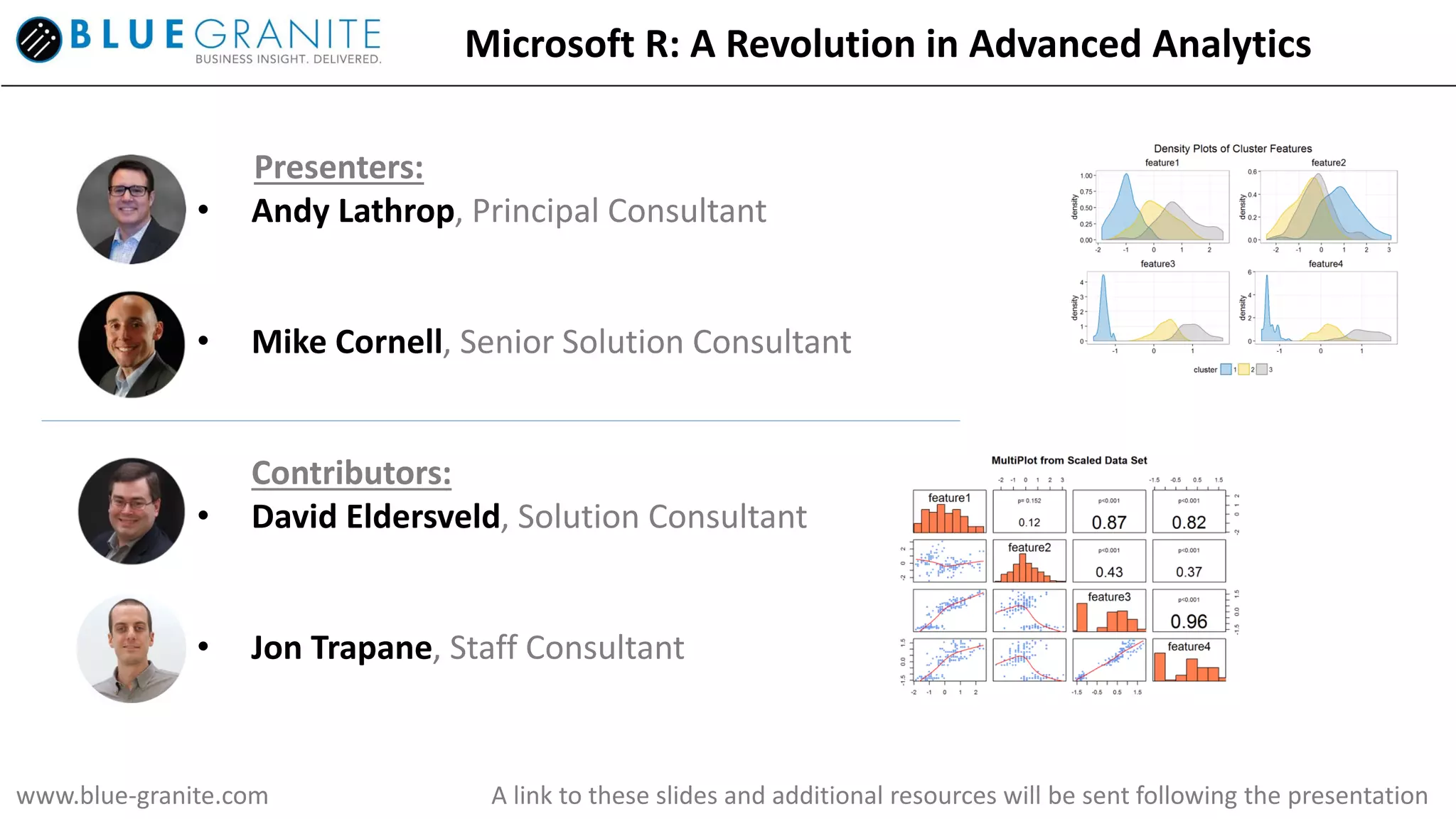
Presenters:
• Andy Lathrop, Principal Consultant
• Mike Cornell, Senior Solution Consultant
Contributors:
• David Eldersveld, Solution Consultant
• Jon Trapane, Staff Consultant
www.blue-granite.com A link to these slides and additional resources will be sent following the presentation
Agenda (40-45 minutes):
• Introduction of key organizations and
technologies (10 min)
• Value of advanced analytics (5 min)
• Demonstration; R in action (15 min)
• Local
• AzureML
• SQL2016
• HDInsight
• PowerBI
• Getting started (5 min)
• Q&A (5-10 min)
Overview
Objectives:
• Introduction to the R platform
• Business value of enterprise-class R
• Demonstration of R in multiple environments
• Next steps
Enable the business to store and
analyze large volumes of data
with optimized systems that can
scale quickly to meet demand.
Help business users and decision
makers understand past
performance through
visualizations, dashboards and
automated reporting.
Solve challenging problems using
mathematical models to prescribe
actions and maximize business
objectives.
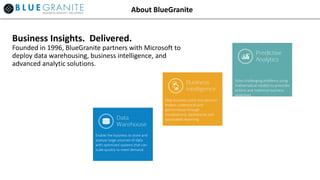
Business Insights. Delivered.
Founded in 1996, BlueGranite partners with Microsoft to
deploy data warehousing, business intelligence, and
advanced analytic solutions.
About BlueGranite
Brief history of Microsoft R capabilities
About Microsoft R
• Revolution Analytics brought commercially supported, high performance computing to R,
overcoming many obstacles for enterprise applications using large data sets.
• Revolution Analytics acquired by Microsoft in 2015.
• Microsoft is the highest rated vendor in both Business Intelligence and Advanced
Analytics for Completeness of Vision (Gartner 2016)
“…this is about more than just R; it's about Microsoft's very identity. Microsoft has decided -- and I think rightly so -- that
the next era of computing, while enabled by the cloud, will feature data-driven intelligence; in platforms, in applications
and in devices.” – ZDNet, “Microsoft's R Strategy”, May 2016
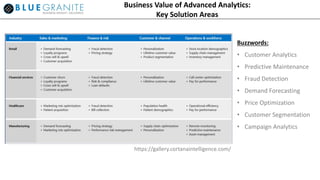
Business Value of Advanced Analytics:
Key Solution Areas
https://gallery.cortanaintelligence.com/
Buzzwords:
• Customer Analytics
• Predictive Maintenance
• Fraud Detection
• Demand Forecasting
• Price Optimization
• Customer Segmentation
• Campaign Analytics
Business Value of Advanced Analytics:
Key Analytic Capabilities
PWC: Data and Analytics: Creating or Destroying Shareholder Value
https://www.pwc.com/us/en/analytics/publications/assets/pwc-data-analytics-creating-or-destroying-shareholder-value.pdf
Buzzwords:
• Predictive Analytics
• Machine Learning
• Forecasting
• Regression
• Data Mining
• Clustering
• Segmentation
• Optimization
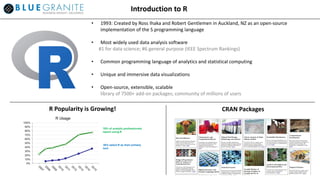
Introduction to R
• 1993: Created by Ross Ihaka and Robert Gentlemen in Auckland, NZ as an open-source
implementation of the S programming language
• Most widely used data analysis software
#1 for data science; #6 general purpose (IEEE Spectrum Rankings)
• Common programming language of analytics and statistical computing
• Unique and immersive data visualizations
• Open-source, extensible, scalable
library of 7500+ add-on packages; community of millions of users
CRAN PackagesR Popularity is Growing!
Introduction to Microsoft R Open (MRO)
o Enhanced open-source (CRAN) R distribution
o 100% compatible with all R-related software;
CRAN packages, RStudio, and third-party R integrations
o Faster performance with multi-threaded math libraries
o CRAN “Time Machine” for reproducibility
o Available for Windows, Mac, Linux
o Free and Open Source
o Foundation for commercially-supported version (R
Server)
o Available at mran.microsoft.com
MICROSOFT R OPEN: About
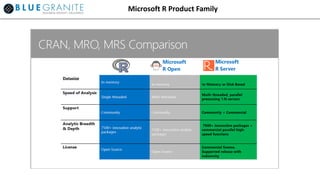
Microsoft R Product Family
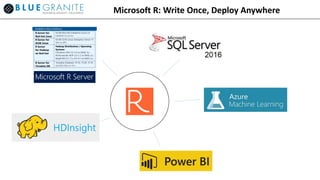
Microsoft R: Write Once, Deploy Anywhere
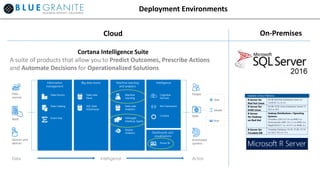
Deployment Environments
Cortana Intelligence Suite
A suite of products that allow you to Predict Outcomes, Prescribe Actions
and Automate Decisions for Operationalized Solutions
Cloud On-Premises
Demonstration
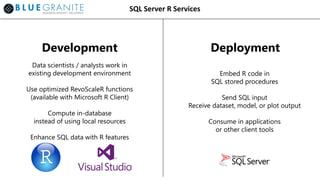
SQL Server R Services
Data scientists / analysts work in
existing development environment
Use optimized RevoScaleR functions
(available with Microsoft R Client)
Compute in-database
instead of using local resources
Enhance SQL data with R features
Embed R code in
SQL stored procedures
Send SQL input
Receive dataset, model, or plot output
Consume in applications
or other client tools
Development Deployment
SQL Server R Services
Development Deployment
EXEC sp_execute_external_script
@language = N’R’,
@script = N’[R code goes here]’,
@input_data_1 = N’[SQL input]’
[ , @input_data_1_name = N‘InputDataSet’ ]
[ , @output_data_1_name = N’OutputDataSet’ ]
[ , @params = N’parameter’ ]
WITH RESULT SETS (([SQL output]));
sql <- RxInSqlServer([SQL connection])
rxSetComputeContext(sql)
[…]
I/O  RxSqlServerData(), etc.
Stats  rxSummary(), etc.
Models  rxLogit(), etc.
Plots  rxRocCurve(), etc.
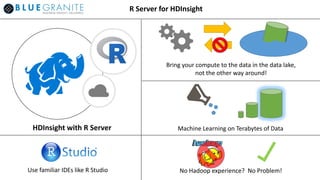
HDInsight with R Server
Use familiar IDEs like R Studio
Machine Learning on Terabytes of Data
Bring your compute to the data in the data lake,
not the other way around!
No Hadoop experience? No Problem!
R Server for HDInsight
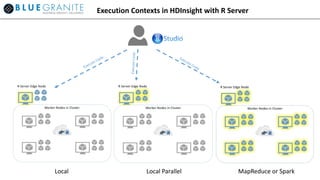
Local Local Parallel MapReduce or Spark
Execution Contexts in HDInsight with R Server
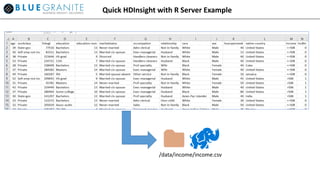
Quick HDInsight with R Server Example
/data/income/income.csv
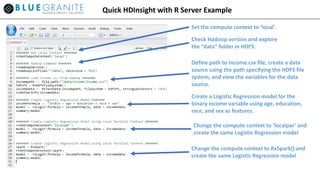
Quick HDInsight with R Server Example
Set the compute context to ‘local’.
Check Hadoop version and explore
the “data” folder in HDFS.
Define path to income.csv file, create a data
source using the path specifying the HDFS file
system, and view the variables for the data
source.
Create a Logistic Regression model for the
binary income variable using age, education,
race, and sex as features.
Change the compute context to ‘localpar’ and
create the same Logistic Regression model
Change the compute context to RxSpark() and
create the same Logistic Regression model
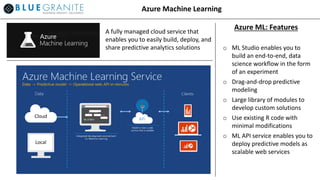
Azure Machine Learning
o ML Studio enables you to
build an end-to-end, data
science workflow in the form
of an experiment
o Drag-and-drop predictive
modeling
o Large library of modules to
develop custom solutions
o Use existing R code with
minimal modifications
o ML API service enables you to
deploy predictive models as
scalable web services
Azure ML: FeaturesA fully managed cloud service that
enables you to easily build, deploy, and
share predictive analytics solutions
Cloud
Local
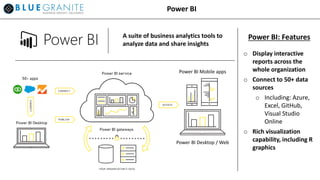
Power BI
o Display interactive
reports across the
whole organization
o Connect to 50+ data
sources
o Including: Azure,
Excel, GitHub,
Visual Studio
Online
o Rich visualization
capability, including R
graphics
Power BI: FeaturesA suite of business analytics tools to
analyze data and share insights
Power BI Mobile apps
Power BI Desktop / Web
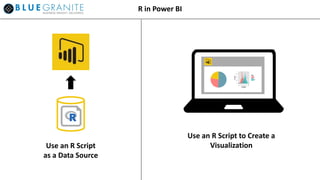
R in Power BI
Use an R Script
as a Data Source
Use an R Script to Create a
Visualization
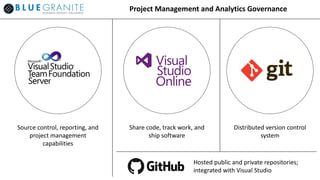
Project Management and Analytics Governance
Source control, reporting, and
project management
capabilities
Share code, track work, and
ship software
Distributed version control
system
Hosted public and private repositories;
integrated with Visual Studio
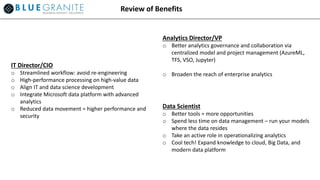
Review of Benefits
IT Director/CIO
o Streamlined workflow: avoid re-engineering
o High-performance processing on high-value data
o Align IT and data science development
o Integrate Microsoft data platform with advanced
analytics
o Reduced data movement = higher performance and
security
Analytics Director/VP
o Better analytics governance and collaboration via
centralized model and project management (AzureML,
TFS, VSO, Jupyter)
o Broaden the reach of enterprise analytics
Data Scientist
o Better tools = more opportunities
o Spend less time on data management – run your models
where the data resides
o Take an active role in operationalizing analytics
o Cool tech! Expand knowledge to cloud, Big Data, and
modern data platform
Getting Started
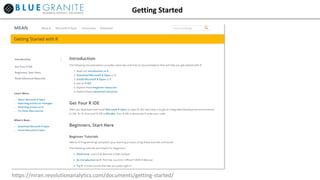
https://mran.revolutionanalytics.com/documents/getting-started/
Getting Started
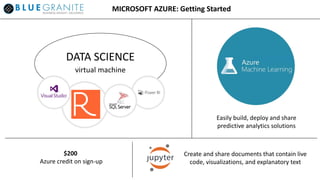
MICROSOFT AZURE: Getting Started
Create and share documents that contain live
code, visualizations, and explanatory text
DATA SCIENCE
virtual machine
$200
Azure credit on sign-up
Easily build, deploy and share
predictive analytics solutions
Thank you for attending!
For more information about Blue Granite, please visit us
at www.blue-granite.com
Links to additional resources related to this webinar,
including these slides, will be available via follow-up
email
Additional
Information
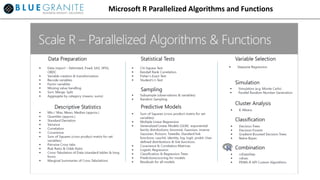
Microsoft R Parallelized Algorithms and Functions

Bluegranite AA Webinar FINAL 28JUN16

  • 1.
    Microsoft R: ARevolution in Advanced Analytics Presenters: • Andy Lathrop, Principal Consultant • Mike Cornell, Senior Solution Consultant Contributors: • David Eldersveld, Solution Consultant • Jon Trapane, Staff Consultant www.blue-granite.com A link to these slides and additional resources will be sent following the presentation
  • 2.
    Agenda (40-45 minutes): •Introduction of key organizations and technologies (10 min) • Value of advanced analytics (5 min) • Demonstration; R in action (15 min) • Local • AzureML • SQL2016 • HDInsight • PowerBI • Getting started (5 min) • Q&A (5-10 min) Overview Objectives: • Introduction to the R platform • Business value of enterprise-class R • Demonstration of R in multiple environments • Next steps
  • 3.
    Enable the businessto store and analyze large volumes of data with optimized systems that can scale quickly to meet demand. Help business users and decision makers understand past performance through visualizations, dashboards and automated reporting. Solve challenging problems using mathematical models to prescribe actions and maximize business objectives. Business Insights. Delivered. Founded in 1996, BlueGranite partners with Microsoft to deploy data warehousing, business intelligence, and advanced analytic solutions. About BlueGranite
  • 4.
    Brief history ofMicrosoft R capabilities About Microsoft R • Revolution Analytics brought commercially supported, high performance computing to R, overcoming many obstacles for enterprise applications using large data sets. • Revolution Analytics acquired by Microsoft in 2015. • Microsoft is the highest rated vendor in both Business Intelligence and Advanced Analytics for Completeness of Vision (Gartner 2016) “…this is about more than just R; it's about Microsoft's very identity. Microsoft has decided -- and I think rightly so -- that the next era of computing, while enabled by the cloud, will feature data-driven intelligence; in platforms, in applications and in devices.” – ZDNet, “Microsoft's R Strategy”, May 2016
  • 5.
    Business Value ofAdvanced Analytics: Key Solution Areas https://gallery.cortanaintelligence.com/ Buzzwords: • Customer Analytics • Predictive Maintenance • Fraud Detection • Demand Forecasting • Price Optimization • Customer Segmentation • Campaign Analytics
  • 6.
    Business Value ofAdvanced Analytics: Key Analytic Capabilities PWC: Data and Analytics: Creating or Destroying Shareholder Value https://www.pwc.com/us/en/analytics/publications/assets/pwc-data-analytics-creating-or-destroying-shareholder-value.pdf Buzzwords: • Predictive Analytics • Machine Learning • Forecasting • Regression • Data Mining • Clustering • Segmentation • Optimization
  • 7.
    Introduction to R •1993: Created by Ross Ihaka and Robert Gentlemen in Auckland, NZ as an open-source implementation of the S programming language • Most widely used data analysis software #1 for data science; #6 general purpose (IEEE Spectrum Rankings) • Common programming language of analytics and statistical computing • Unique and immersive data visualizations • Open-source, extensible, scalable library of 7500+ add-on packages; community of millions of users CRAN PackagesR Popularity is Growing!
  • 8.
    Introduction to MicrosoftR Open (MRO) o Enhanced open-source (CRAN) R distribution o 100% compatible with all R-related software; CRAN packages, RStudio, and third-party R integrations o Faster performance with multi-threaded math libraries o CRAN “Time Machine” for reproducibility o Available for Windows, Mac, Linux o Free and Open Source o Foundation for commercially-supported version (R Server) o Available at mran.microsoft.com MICROSOFT R OPEN: About
  • 9.
  • 10.
    Microsoft R: WriteOnce, Deploy Anywhere
  • 11.
    Deployment Environments Cortana IntelligenceSuite A suite of products that allow you to Predict Outcomes, Prescribe Actions and Automate Decisions for Operationalized Solutions Cloud On-Premises
  • 12.
  • 13.
    SQL Server RServices Data scientists / analysts work in existing development environment Use optimized RevoScaleR functions (available with Microsoft R Client) Compute in-database instead of using local resources Enhance SQL data with R features Embed R code in SQL stored procedures Send SQL input Receive dataset, model, or plot output Consume in applications or other client tools Development Deployment
  • 14.
    SQL Server RServices Development Deployment EXEC sp_execute_external_script @language = N’R’, @script = N’[R code goes here]’, @input_data_1 = N’[SQL input]’ [ , @input_data_1_name = N‘InputDataSet’ ] [ , @output_data_1_name = N’OutputDataSet’ ] [ , @params = N’parameter’ ] WITH RESULT SETS (([SQL output])); sql <- RxInSqlServer([SQL connection]) rxSetComputeContext(sql) […] I/O  RxSqlServerData(), etc. Stats  rxSummary(), etc. Models  rxLogit(), etc. Plots  rxRocCurve(), etc.
  • 15.
    HDInsight with RServer Use familiar IDEs like R Studio Machine Learning on Terabytes of Data Bring your compute to the data in the data lake, not the other way around! No Hadoop experience? No Problem! R Server for HDInsight
  • 16.
    Local Local ParallelMapReduce or Spark Execution Contexts in HDInsight with R Server
  • 17.
    Quick HDInsight withR Server Example /data/income/income.csv
  • 18.
    Quick HDInsight withR Server Example Set the compute context to ‘local’. Check Hadoop version and explore the “data” folder in HDFS. Define path to income.csv file, create a data source using the path specifying the HDFS file system, and view the variables for the data source. Create a Logistic Regression model for the binary income variable using age, education, race, and sex as features. Change the compute context to ‘localpar’ and create the same Logistic Regression model Change the compute context to RxSpark() and create the same Logistic Regression model
  • 19.
    Azure Machine Learning oML Studio enables you to build an end-to-end, data science workflow in the form of an experiment o Drag-and-drop predictive modeling o Large library of modules to develop custom solutions o Use existing R code with minimal modifications o ML API service enables you to deploy predictive models as scalable web services Azure ML: FeaturesA fully managed cloud service that enables you to easily build, deploy, and share predictive analytics solutions Cloud Local
  • 20.
    Power BI o Displayinteractive reports across the whole organization o Connect to 50+ data sources o Including: Azure, Excel, GitHub, Visual Studio Online o Rich visualization capability, including R graphics Power BI: FeaturesA suite of business analytics tools to analyze data and share insights Power BI Mobile apps Power BI Desktop / Web
  • 21.
    R in PowerBI Use an R Script as a Data Source Use an R Script to Create a Visualization
  • 22.
    Project Management andAnalytics Governance Source control, reporting, and project management capabilities Share code, track work, and ship software Distributed version control system Hosted public and private repositories; integrated with Visual Studio
  • 23.
    Review of Benefits ITDirector/CIO o Streamlined workflow: avoid re-engineering o High-performance processing on high-value data o Align IT and data science development o Integrate Microsoft data platform with advanced analytics o Reduced data movement = higher performance and security Analytics Director/VP o Better analytics governance and collaboration via centralized model and project management (AzureML, TFS, VSO, Jupyter) o Broaden the reach of enterprise analytics Data Scientist o Better tools = more opportunities o Spend less time on data management – run your models where the data resides o Take an active role in operationalizing analytics o Cool tech! Expand knowledge to cloud, Big Data, and modern data platform
  • 24.
  • 25.
  • 26.
    MICROSOFT AZURE: GettingStarted Create and share documents that contain live code, visualizations, and explanatory text DATA SCIENCE virtual machine $200 Azure credit on sign-up Easily build, deploy and share predictive analytics solutions
  • 27.
    Thank you forattending! For more information about Blue Granite, please visit us at www.blue-granite.com Links to additional resources related to this webinar, including these slides, will be available via follow-up email
  • 28.
  • 29.
    Microsoft R ParallelizedAlgorithms and Functions