Accounts, VPCs and Subnets!
with Colin Johnson,
AWS Consultant at BlueChipTek
Twitter: @bluechiptek
“Genius is taking the
complex and making it simple”
- unknown, attributed to Albert Einstein
Who am I?
• Colin Johnson, DevOps Engineer and occasional Developer
• Professional:
• worked with various Bay Area companies: inPowered, Netshelter, Lyft
• contributed VPC support and automated testing to Salt’s boto_* modules
• maintainer and lead author of AWS Missing Tools
• AWS Certified Solutions Architect - Associate Level (2014, number 2564)
• AWS Certified SysOps Administrator - Associate Level (2014, number 224)
• Personal:
• lives in San Francisco
• likes Linux, Amazon Web Services and Large, Distributed Infrastructure
• likes travel
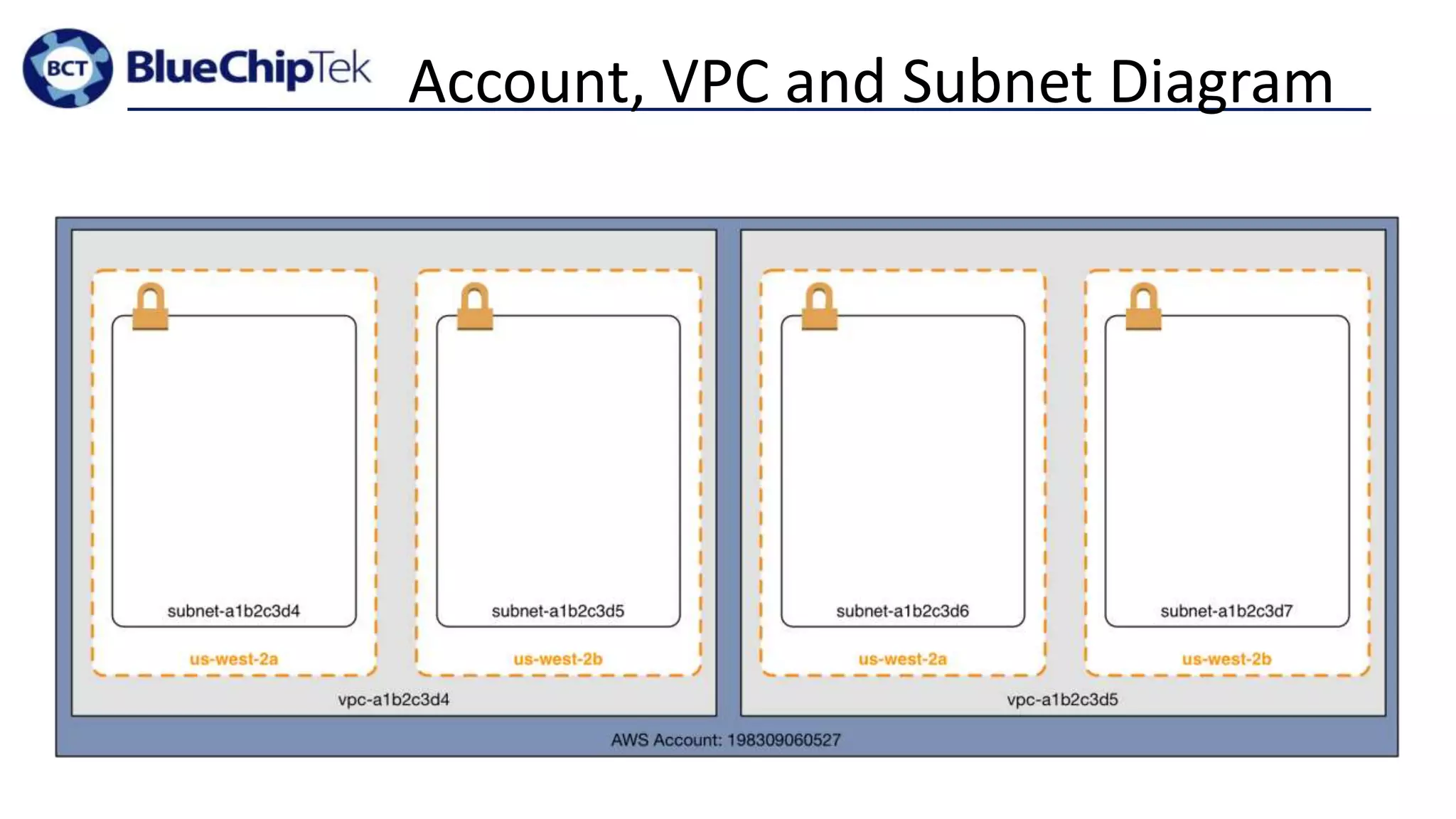
Account, VPC and Subnet Diagram
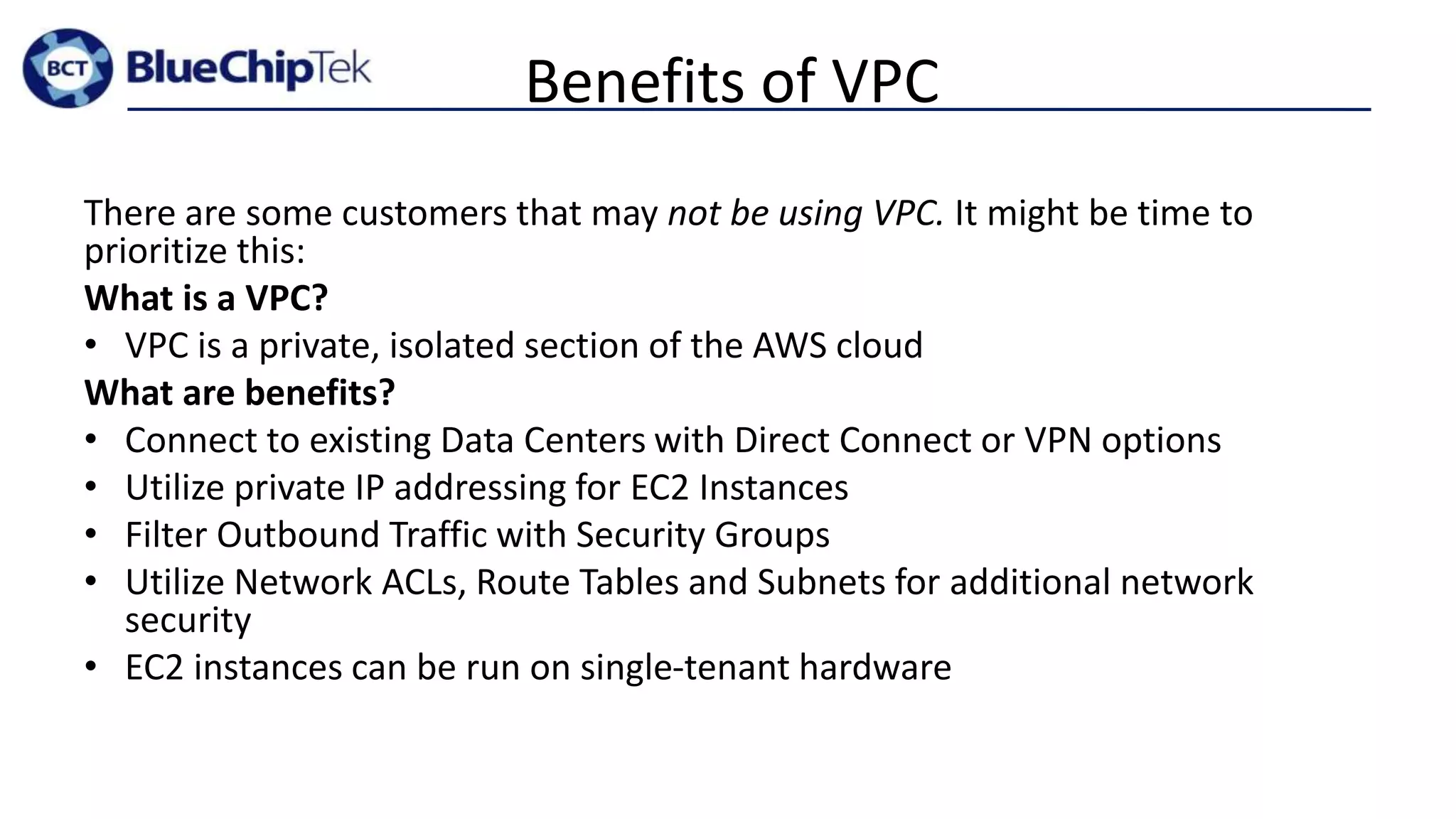
AWS Timeline
• March 14, 2006 – AWS S3 (Beta) Launched
• August 25, 2006 – EC2 Launched (m1.small)
• May 18, 2009 – Auto Scaling and Elastic Load Balancing
• December 14, 2009 – AWS VPC Announced
• September 7, 2010 – Identity and Access Management
• November 10, 2010 – all of Amazon “retail services” moved to AWS
• December 4, 2013 – AWS VPC is only option for new accounts
Benefits of VPC
There are some customers that may not be using VPC. It might be time to
prioritize this:
What is a VPC?
• VPC is a private, isolated section of the AWS cloud
What are benefits?
• Connect to existing Data Centers with Direct Connect or VPN options
• Utilize private IP addressing for EC2 Instances
• Filter Outbound Traffic with Security Groups
• Utilize Network ACLs, Route Tables and Subnets for additional network
security
• EC2 instances can be run on single-tenant hardware
Who should care about Account, VPC and
Subnet design?
Anyone who runs infrastructure on Amazon. Specifically those who:
• Are creating initial AWS Infrastructure
• Have inherited infrastructure that “does not seem quite right”
• Are examining their existing AWS Infrastructure
Why is Account, VPC and Subnet Design
Important?
• Cloud is supposed to be Elastic
• elastic Infrastructure and IP based security don’t mix well
• Cloud is supposed to be Fast and Flexible
• provisioning new infrastructure for each new application and environment is
slow
• Misuse of Operations Time
• complex infrastructure robs Operations of time that can be spent elsewhere
• Bring Developers back “in the fold”
• if Operations offering is too slow/complex, Developers will get own AWS
Accounts (this sucks…)
Walkthrough of Methodology
• A brief exercise to see how the methodology works
• An opportunity to win prizes!
AWS Account, VPC and
Subnet Design Methodology
• Keep It Simple
• Gather Requirements
• Add Resources to Meet Requirements
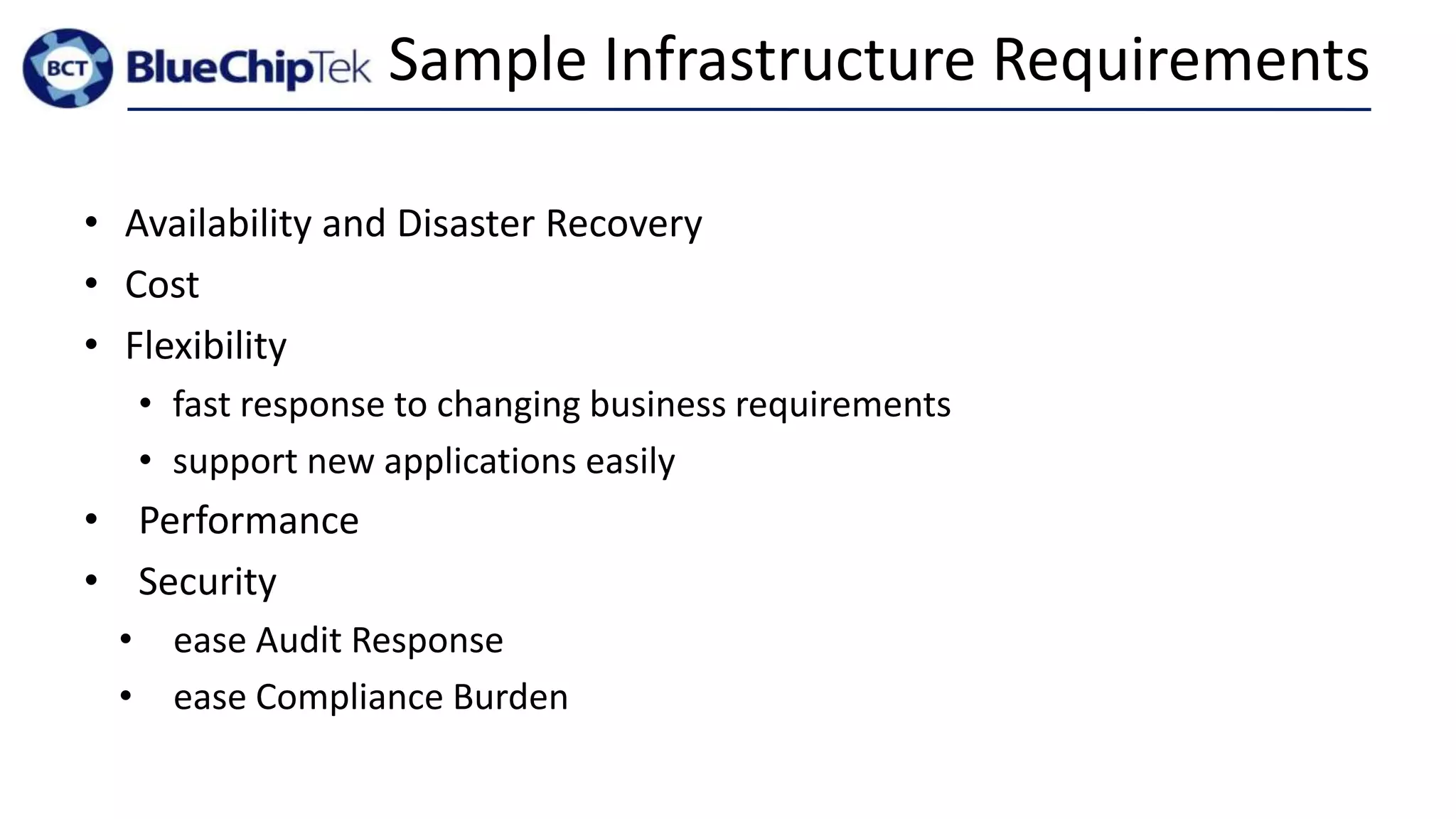
Sample Infrastructure Requirements
• Availability and Disaster Recovery
• Cost
• Flexibility
• fast response to changing business requirements
• support new applications easily
• Performance
• Security
• ease Audit Response
• ease Compliance Burden
Number (and Design) of AWS Accounts?
* with some exceptions
1*
* Technically: as few as is needed.
Why 1 Account?
• Multiple Accounts = Multiple VPCs
• more on this later…
• Ease of Administration
• Compatibility with Services
• some services work with only one AWS account
Why more than 1 Account?
• Cost
• Capacity Limits
• S3 used to be limited to 100 buckets/account
• Isolation of Administration
• only these users have access to Production data and resources or
“Application X” data and resources
• Isolation of Resources
Number (and Design) of VPCs?
* with some exceptions
1*
* Technically: as few as is needed.
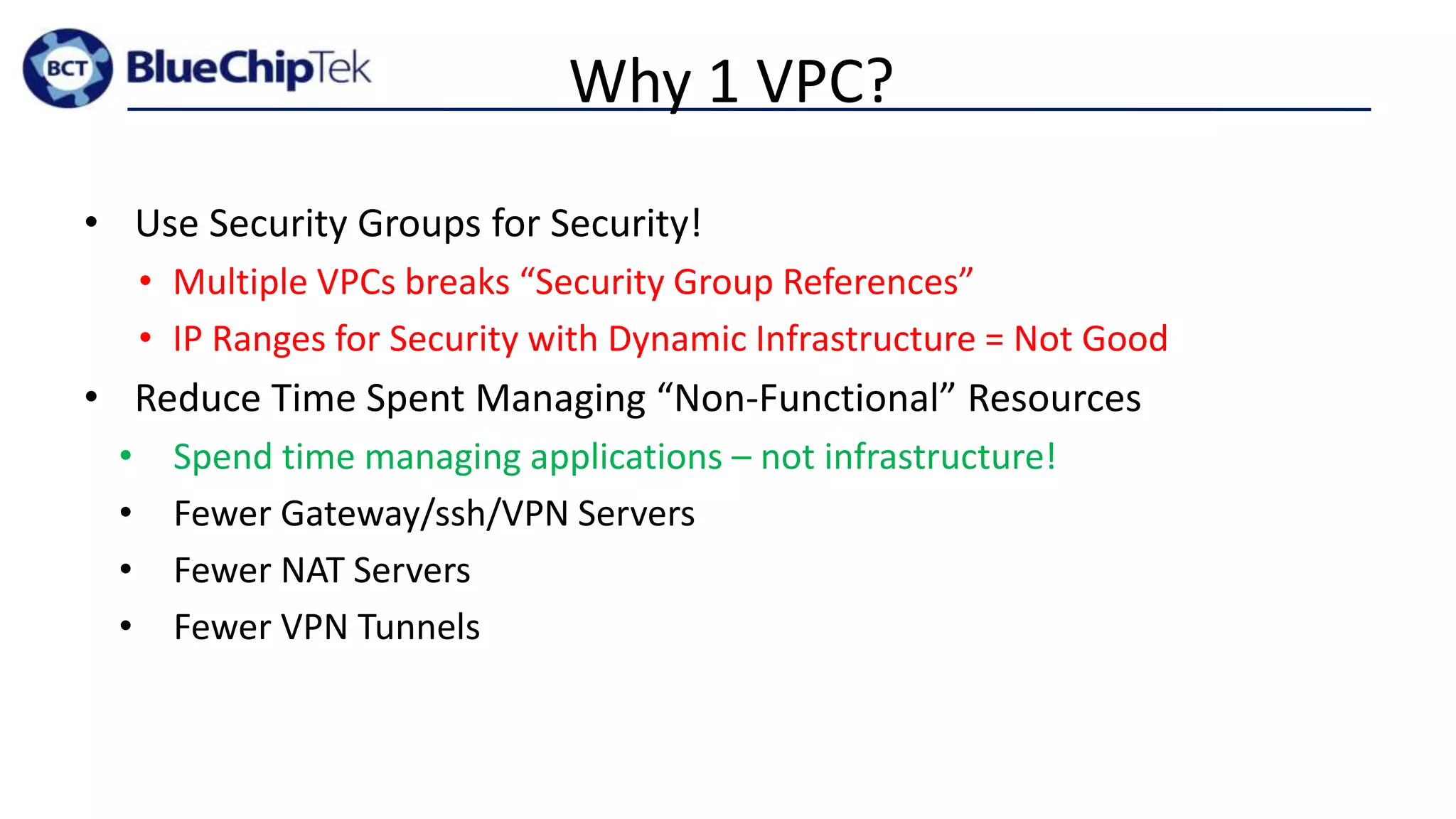
Why 1 VPC?
• Use Security Groups for Security!
• Multiple VPCs breaks “Security Group References”
• IP Ranges for Security with Dynamic Infrastructure = Not Good
• Reduce Time Spent Managing “Non-Functional” Resources
• Spend time managing applications – not infrastructure!
• Fewer Gateway/ssh/VPN Servers
• Fewer NAT Servers
• Fewer VPN Tunnels
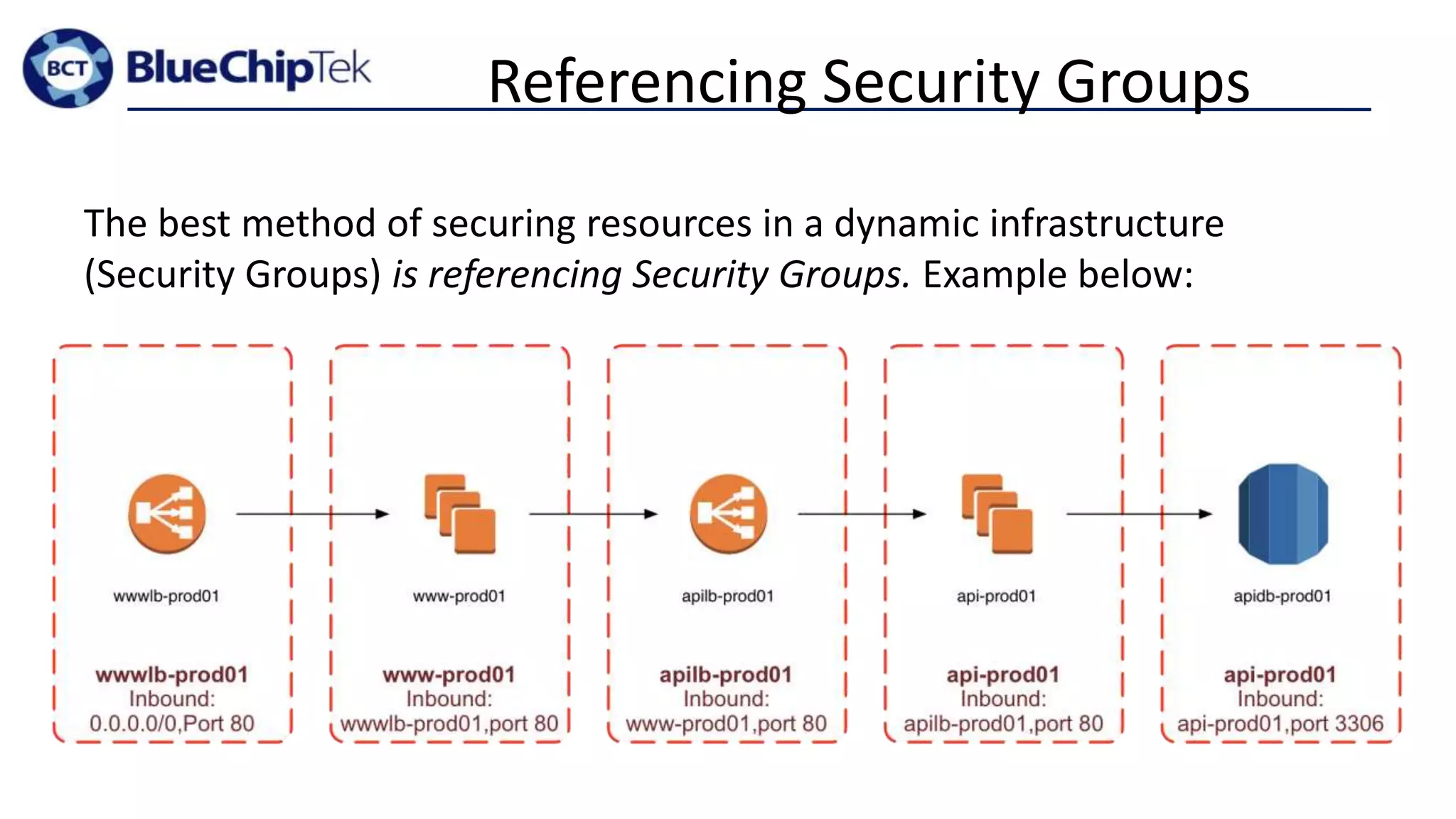
Referencing Security Groups
The best method of securing resources in a dynamic infrastructure
(Security Groups) is referencing Security Groups. Example below:
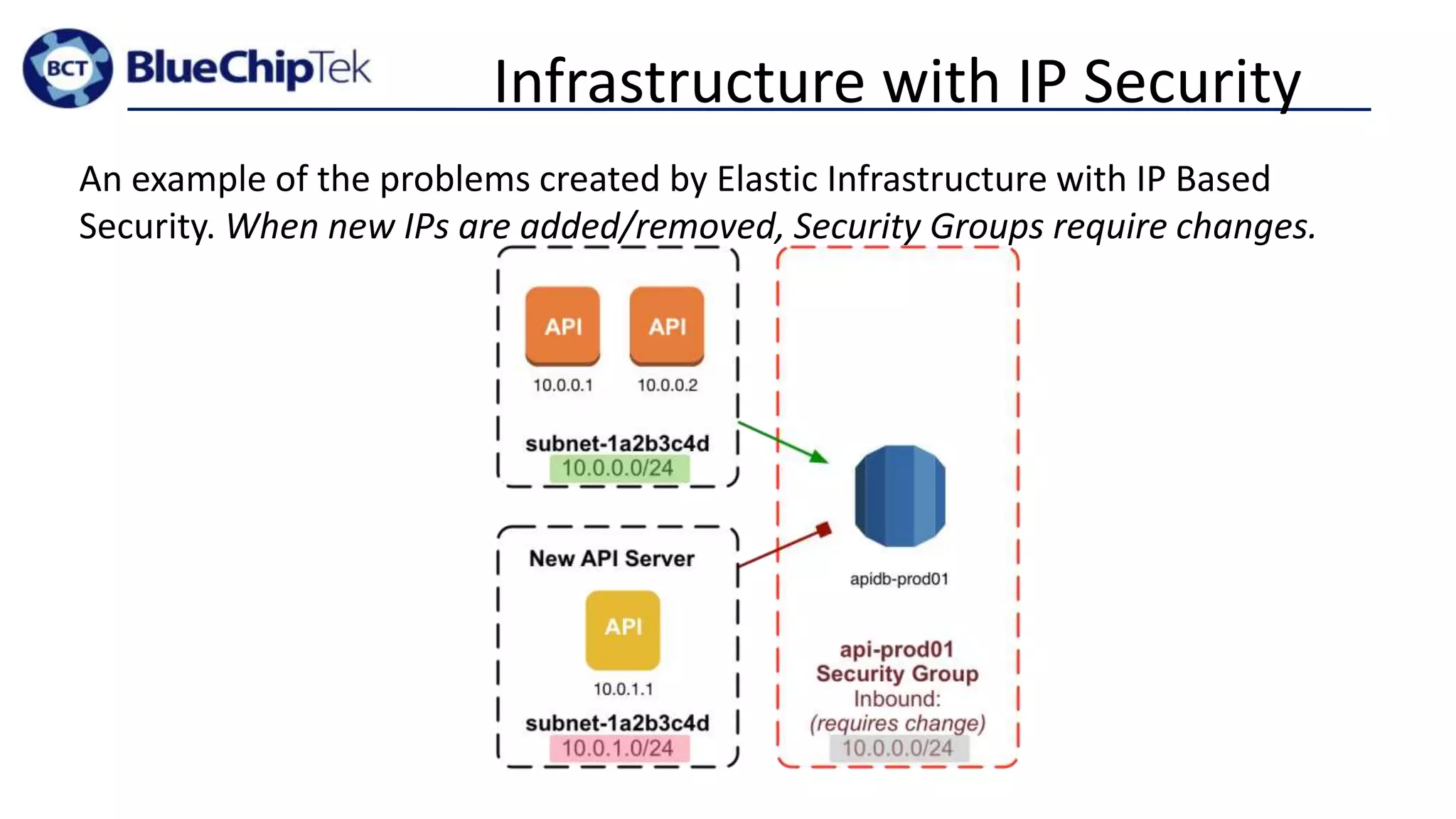
Infrastructure with IP Security
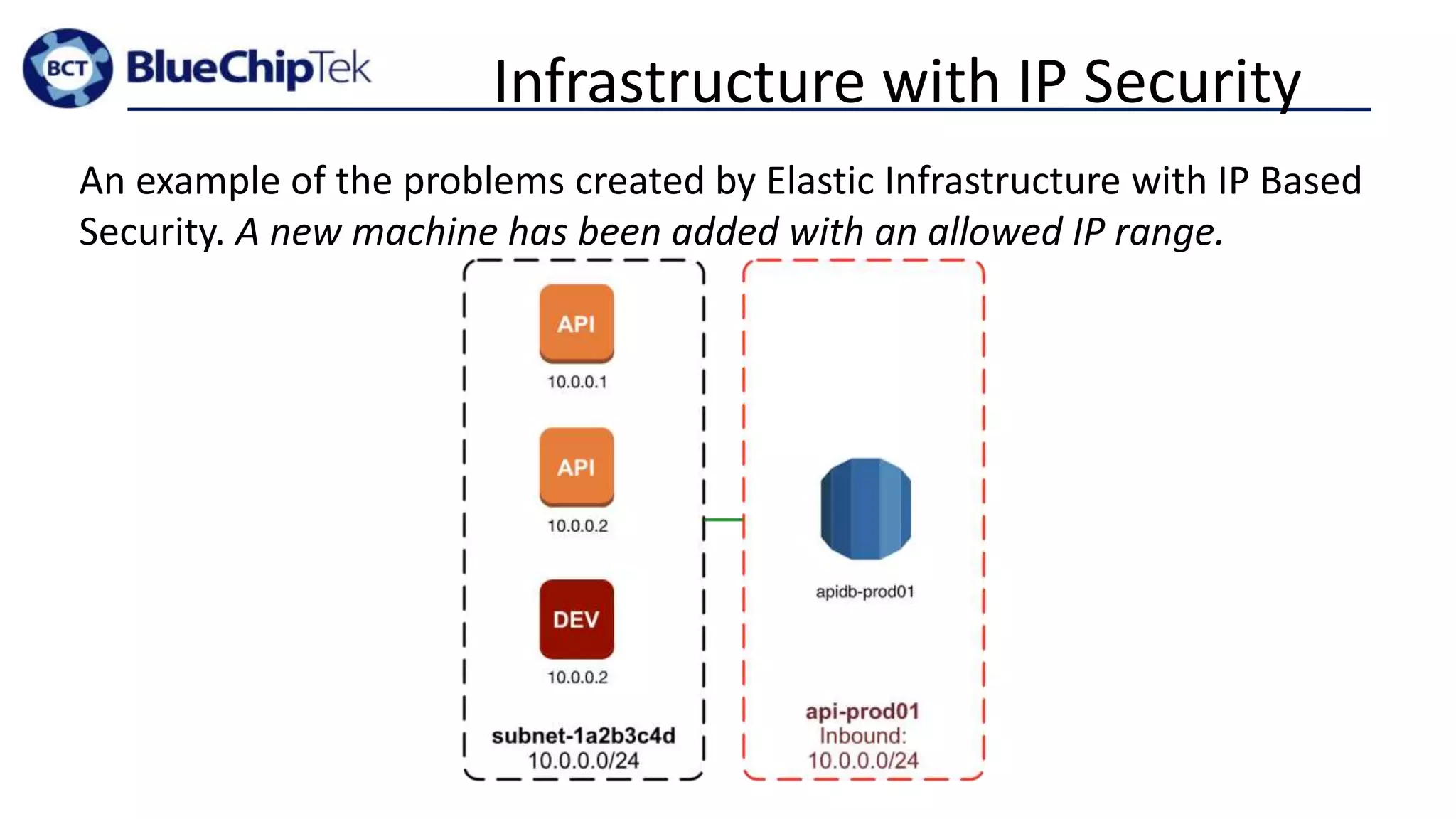
An example of the problems created by Elastic Infrastructure with IP Based
Security. When new IPs are added/removed, Security Groups require changes.
Infrastructure with IP Security
An example of the problems created by Elastic Infrastructure with IP Based
Security. A new machine has been added with an allowed IP range.
Why more than 1 VPC?
• Capacity Limits:
• Soft-limit of 100 for Security Groups*
• Isolation of Administration
• Resource administration can typically be defined on a per-VPC basis
• Isolation of Resources*
• Isolation by Application (note: this should be done by Security Group)
• Isolation by Environment
• Cross-VPC access is easy with VPC Peering, but securing this access is
difficult
Number (and Design) of Subnets?
= Between 9 and 16*
1 Subnet per Connectivity Grouptypically 3 to 4 types of connectivity requirements
x
1 Subnet per Availability Zonetypically 3 to 4 AZs are available
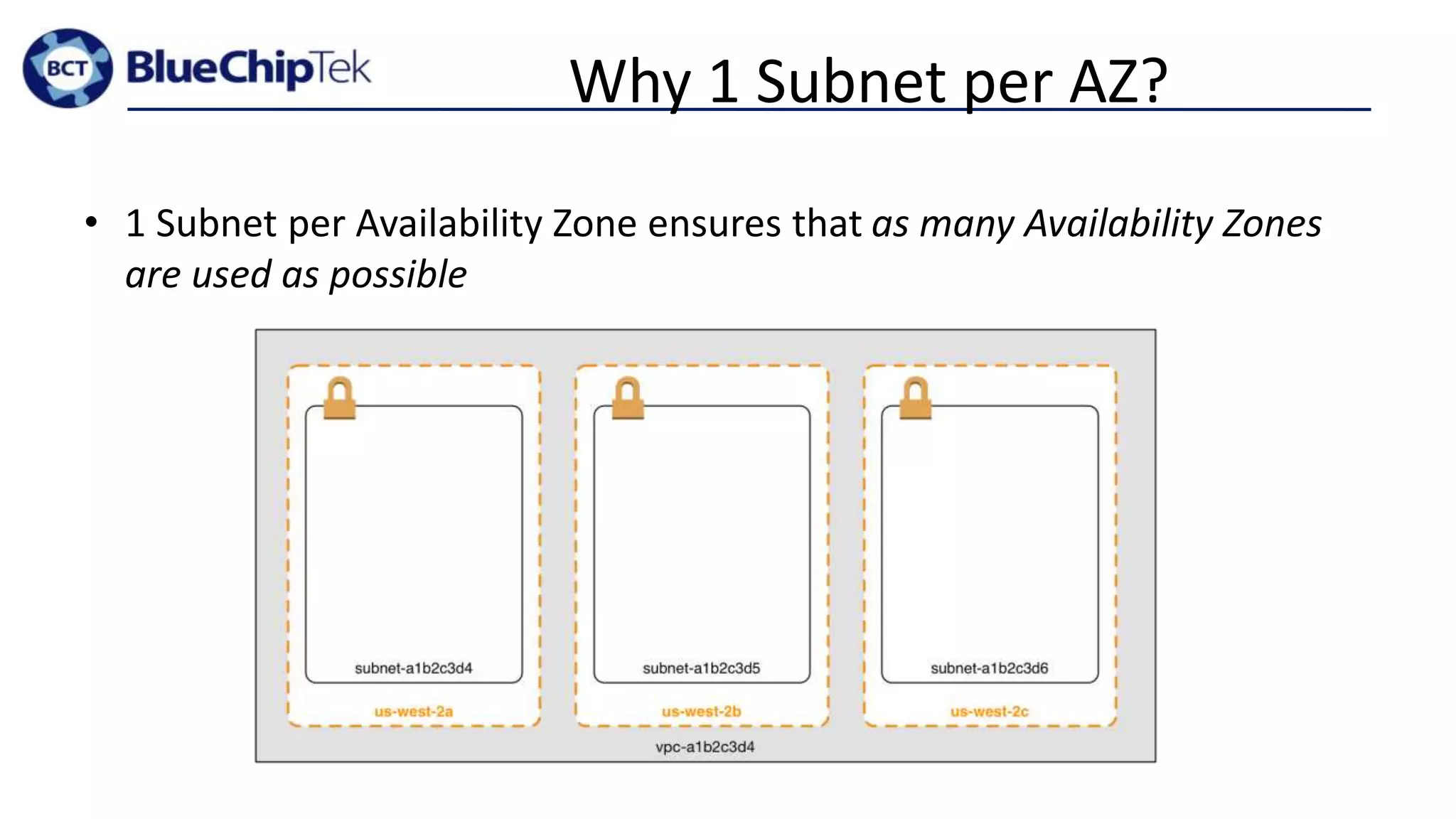
Why 1 Subnet per AZ?
• 1 Subnet per Availability Zone ensures that as many Availability Zones
are used as possible
Why 1 “Group” per
Connectivity Requirement?
• Resource get only the connectivity access that is required!
• Avoid exposing data and resources to other networks. Prevention oriented
security measure.
• Limiting routes adds little complexity.
• Re-use route tables and NACLs amongst each “group” of subnets.
• Creates a need to plan the IP ranges of the subnets
• resizing subnets can be challenging if all IPs are used initially
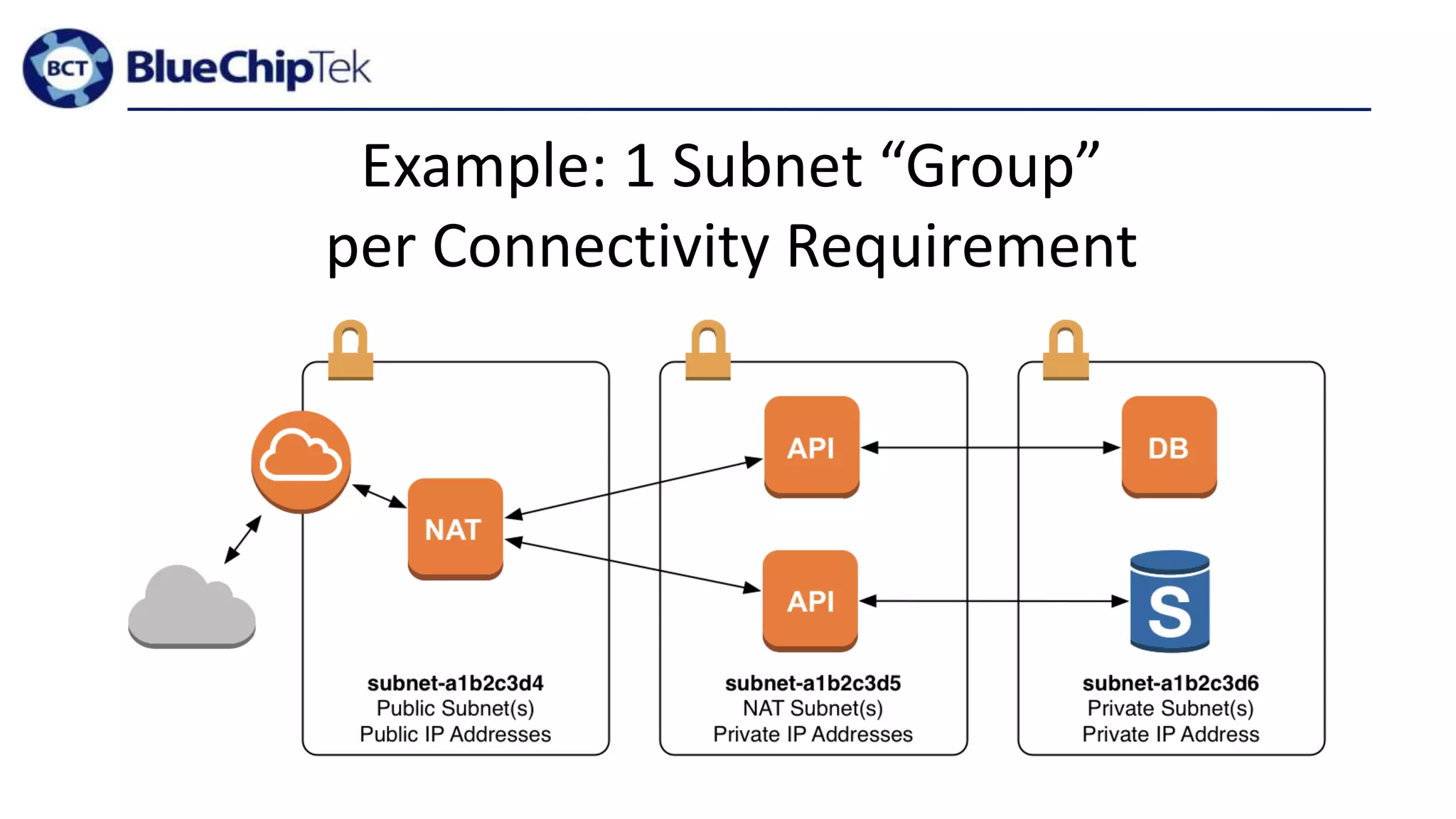
Example: 1 Subnet “Group”
per Connectivity Requirement
In Summary:
• Keep It Simple. Start with:
• 1 Account
• 1 VPC
• 1 Subnet per AZ and 1 Subnet Group per Connectivity Requirement
• Gather Requirements
• “non-functional requirements”
• Add Complexity When Needed
Blue Chip Tek AWS Connect and Protect Presentation #2

Blue Chip Tek AWS Connect and Protect Presentation #2

  • 1.
    Accounts, VPCs andSubnets! with Colin Johnson, AWS Consultant at BlueChipTek Twitter: @bluechiptek
  • 2.
    “Genius is takingthe complex and making it simple” - unknown, attributed to Albert Einstein
  • 3.
    Who am I? •Colin Johnson, DevOps Engineer and occasional Developer • Professional: • worked with various Bay Area companies: inPowered, Netshelter, Lyft • contributed VPC support and automated testing to Salt’s boto_* modules • maintainer and lead author of AWS Missing Tools • AWS Certified Solutions Architect - Associate Level (2014, number 2564) • AWS Certified SysOps Administrator - Associate Level (2014, number 224) • Personal: • lives in San Francisco • likes Linux, Amazon Web Services and Large, Distributed Infrastructure • likes travel
  • 5.
    Account, VPC andSubnet Diagram
  • 6.
    AWS Timeline • March14, 2006 – AWS S3 (Beta) Launched • August 25, 2006 – EC2 Launched (m1.small) • May 18, 2009 – Auto Scaling and Elastic Load Balancing • December 14, 2009 – AWS VPC Announced • September 7, 2010 – Identity and Access Management • November 10, 2010 – all of Amazon “retail services” moved to AWS • December 4, 2013 – AWS VPC is only option for new accounts
  • 7.
    Benefits of VPC Thereare some customers that may not be using VPC. It might be time to prioritize this: What is a VPC? • VPC is a private, isolated section of the AWS cloud What are benefits? • Connect to existing Data Centers with Direct Connect or VPN options • Utilize private IP addressing for EC2 Instances • Filter Outbound Traffic with Security Groups • Utilize Network ACLs, Route Tables and Subnets for additional network security • EC2 instances can be run on single-tenant hardware
  • 8.
    Who should careabout Account, VPC and Subnet design? Anyone who runs infrastructure on Amazon. Specifically those who: • Are creating initial AWS Infrastructure • Have inherited infrastructure that “does not seem quite right” • Are examining their existing AWS Infrastructure
  • 9.
    Why is Account,VPC and Subnet Design Important? • Cloud is supposed to be Elastic • elastic Infrastructure and IP based security don’t mix well • Cloud is supposed to be Fast and Flexible • provisioning new infrastructure for each new application and environment is slow • Misuse of Operations Time • complex infrastructure robs Operations of time that can be spent elsewhere • Bring Developers back “in the fold” • if Operations offering is too slow/complex, Developers will get own AWS Accounts (this sucks…)
  • 10.
    Walkthrough of Methodology •A brief exercise to see how the methodology works • An opportunity to win prizes!
  • 11.
    AWS Account, VPCand Subnet Design Methodology • Keep It Simple • Gather Requirements • Add Resources to Meet Requirements
  • 12.
    Sample Infrastructure Requirements •Availability and Disaster Recovery • Cost • Flexibility • fast response to changing business requirements • support new applications easily • Performance • Security • ease Audit Response • ease Compliance Burden
  • 13.
    Number (and Design)of AWS Accounts? * with some exceptions
  • 14.
    1* * Technically: asfew as is needed.
  • 15.
    Why 1 Account? •Multiple Accounts = Multiple VPCs • more on this later… • Ease of Administration • Compatibility with Services • some services work with only one AWS account
  • 16.
    Why more than1 Account? • Cost • Capacity Limits • S3 used to be limited to 100 buckets/account • Isolation of Administration • only these users have access to Production data and resources or “Application X” data and resources • Isolation of Resources
  • 17.
    Number (and Design)of VPCs? * with some exceptions
  • 18.
    1* * Technically: asfew as is needed.
  • 19.
    Why 1 VPC? •Use Security Groups for Security! • Multiple VPCs breaks “Security Group References” • IP Ranges for Security with Dynamic Infrastructure = Not Good • Reduce Time Spent Managing “Non-Functional” Resources • Spend time managing applications – not infrastructure! • Fewer Gateway/ssh/VPN Servers • Fewer NAT Servers • Fewer VPN Tunnels
  • 20.
    Referencing Security Groups Thebest method of securing resources in a dynamic infrastructure (Security Groups) is referencing Security Groups. Example below:
  • 21.
    Infrastructure with IPSecurity An example of the problems created by Elastic Infrastructure with IP Based Security. When new IPs are added/removed, Security Groups require changes.
  • 22.
    Infrastructure with IPSecurity An example of the problems created by Elastic Infrastructure with IP Based Security. A new machine has been added with an allowed IP range.
  • 23.
    Why more than1 VPC? • Capacity Limits: • Soft-limit of 100 for Security Groups* • Isolation of Administration • Resource administration can typically be defined on a per-VPC basis • Isolation of Resources* • Isolation by Application (note: this should be done by Security Group) • Isolation by Environment • Cross-VPC access is easy with VPC Peering, but securing this access is difficult
  • 24.
  • 25.
    = Between 9and 16* 1 Subnet per Connectivity Grouptypically 3 to 4 types of connectivity requirements x 1 Subnet per Availability Zonetypically 3 to 4 AZs are available
  • 26.
    Why 1 Subnetper AZ? • 1 Subnet per Availability Zone ensures that as many Availability Zones are used as possible
  • 27.
    Why 1 “Group”per Connectivity Requirement? • Resource get only the connectivity access that is required! • Avoid exposing data and resources to other networks. Prevention oriented security measure. • Limiting routes adds little complexity. • Re-use route tables and NACLs amongst each “group” of subnets. • Creates a need to plan the IP ranges of the subnets • resizing subnets can be challenging if all IPs are used initially
  • 28.
    Example: 1 Subnet“Group” per Connectivity Requirement
  • 29.
    In Summary: • KeepIt Simple. Start with: • 1 Account • 1 VPC • 1 Subnet per AZ and 1 Subnet Group per Connectivity Requirement • Gather Requirements • “non-functional requirements” • Add Complexity When Needed

Editor's Notes

  • #7  May 2009 – the best AWS feature (Auto Scaling) was released and is still being “considered” 4 Years (2006 - 2010) – VPC wasn’t available, companies ran in AWS regardless September 2010 – IAM has been released any company prior to December 2010 – either is still in EC2-Classic or migrated EC2-Classic to EC2-VPC
  • #13 Does the design impact performance? Example: routing traffic over public Internet as opposed to within VPC
  • #16 Create users in only one account: you can configure users in multiple accounts and share
  • #17 Create users in only one account: you can configure users in multiple accounts and share
  • #22 Increases the time spent managing security for servers.