Shortening & Tracking LinksKaren JamesCloud VAhttp://www.facebook.com/cloudvaKaren James - Cloud VA
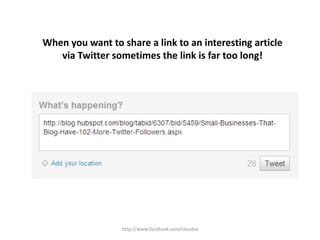
http://www.facebook.com/cloudvaWhen you want to share a link to an interesting article via Twitter sometimes the link is far too long!
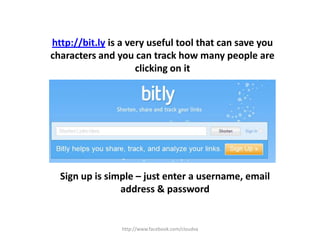
http://www.facebook.com/cloudvahttp://bit.ly is a very useful tool that can save you characters and you can track how many people are clicking on itSign up is simple – just enter a username, email address & password
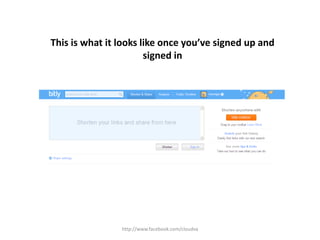
http://www.facebook.com/cloudvaThis is what it looks like once you’ve signed up and signed in
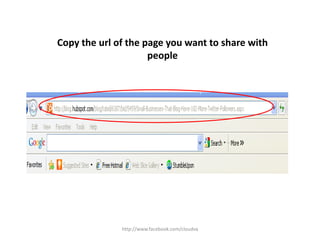
http://www.facebook.com/cloudvaCopy the url of the page you want to share with people
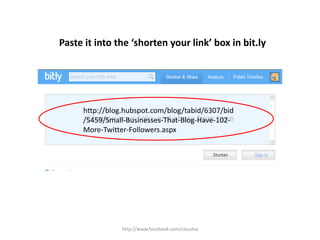
http://www.facebook.com/cloudvaPaste it into the ‘shorten your link’ box in bit.lyhttp://blog.hubspot.com/blog/tabid/6307/bid/5459/Small-Businesses-That-Blog-Have-102-More-Twitter-Followers.aspx
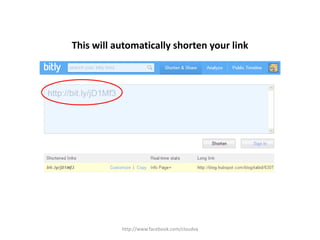
http://www.facebook.com/cloudvaThis will automatically shorten your link
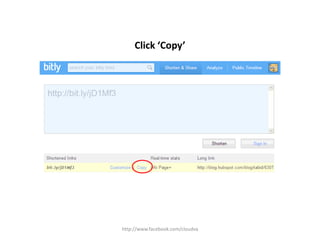
http://www.facebook.com/cloudvaClick ‘Copy’
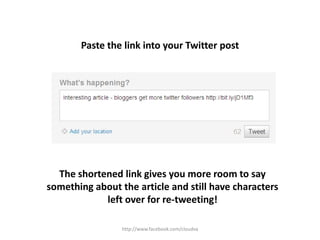
http://www.facebook.com/cloudvaPaste the link into your Twitter post The shortened link gives you more room to say something about the article and still have characters left over for re-tweeting!
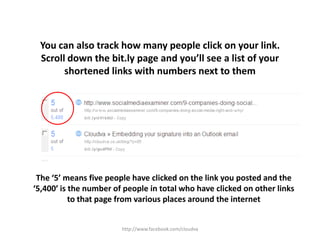
http://www.facebook.com/cloudvaYou can also track how many people click on your link.Scroll down the bit.ly page and you’ll see a list of your shortened links with numbers next to them The ‘5’ means five people have clicked on the link you posted and the ‘5,400’ is the number of people in total who have clicked on other links to that page from various places around the internet
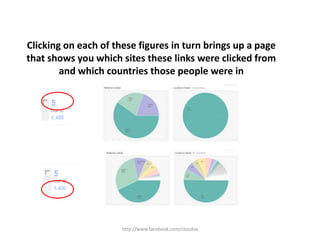
http://www.facebook.com/cloudvaClicking on each of these figures in turn brings up a page that shows you which sites these links were clicked from and which countries those people were in
Great for shortening your links and finding out which links people find most interestingHope you found that helpful See you soonKarenhttp://www.facebook.com/cloudva

bit.ly slideshare