Bitcoin
Jithil Jishad MT || MCA || NIT Raipur || jithilmt@gmail.com
What is Bitcoin?
 It is a crypto-currency.
 Some other crypto-currencies are litecoin,
peercoin, namecoin, etc.
 They are no different than the currency in your
wallet !
 But you cannot print a crypto-currency. You
have to mine it!
 Mining means solving mathematical problems.
What is Bitcoin?
 Every time a solution is found, a reward is given
in the form of a bitcoin.
 Problem difficulty and reward amount varies
with the network.
 Minable bitcoins halve every 4 year.
 Only 21 million bitcoins can be mined, of which
12 million have been mined.
Features of Bitcoin?
 Unlike normal currencies, it can be divided up to
8 decimal place. That is, 0.00000001 bitcoin is
the least division possible.
 Stored in virtual wallets which can send and
receive bitcoins.
 Wallets can store details of every single
transactions.
 All transactions are stored and verified by all
members of the network.
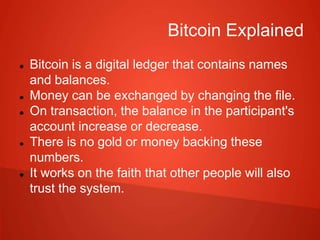
Bitcoin Explained
 Bitcoin is a digital ledger that contains names
and balances.
 Money can be exchanged by changing the file.
 On transaction, the balance in the participant's
account increase or decrease.
 There is no gold or money backing these
numbers.
 It works on the faith that other people will also
trust the system.
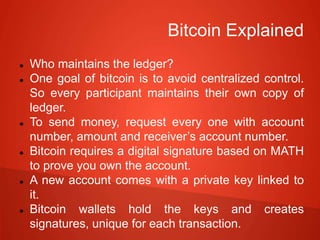
Bitcoin Explained
 Who maintains the ledger?
 One goal of bitcoin is to avoid centralized control.
So every participant maintains their own copy of
ledger.
 To send money, request every one with account
number, amount and receiver’s account number.
 Bitcoin requires a digital signature based on MATH
to prove you own the account.
 A new account comes with a private key linked to
it.
 Bitcoin wallets hold the keys and creates
signatures, unique for each transaction.
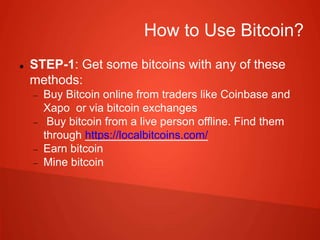
How to Use Bitcoin?
 STEP-1: Get some bitcoins with any of these
methods:
 Buy Bitcoin online from traders like Coinbase and
Xapo or via bitcoin exchanges
 Buy bitcoin from a live person offline. Find them
through https://localbitcoins.com/
 Earn bitcoin
 Mine bitcoin
How to Use Bitcoin?
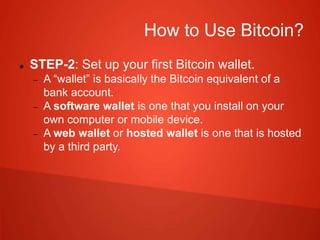
 STEP-2: Set up your first Bitcoin wallet.
 A ā€œwalletā€ is basically the Bitcoin equivalent of a
bank account.
 A software wallet is one that you install on your
own computer or mobile device.
 A web wallet or hosted wallet is one that is hosted
by a third party.
How to Use Bitcoin?
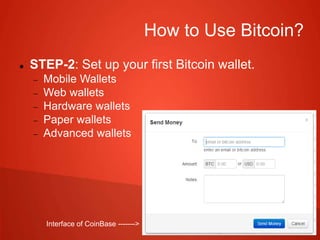
 STEP-2: Set up your first Bitcoin wallet.
 Mobile Wallets
 Web wallets
 Hardware wallets
 Paper wallets
 Advanced wallets
Interface of CoinBase ------->
How to Use Bitcoin?
 STEP-3: Create a public Bitcoin address
 Use the wallet you created in the previous step to
create a public address for you.
 A public bitcoin address will be a long string of
seemingly random letters and digits.
 Eg: 16BPS8xb5k36MeNLWmfZ1zpjCqbDhgyaHg.
How to Use Bitcoin?
 STEP-4: Send bitcoin to the public address you
created above using the "withdraw" or "send"
function in the place you bought your bitcoin
 You may need to wait 10-20 minutes for a
confirmation
 If you did everything correctly you should now see
the small amount of bitcoin you sent in your
personal wallet. Congratulations!
How to Use Bitcoin?
 STEP-5: Use your bitcoin to
 Invest
 Shop
 Donate or give away
Bitcoin crypto currency

Bitcoin crypto currency

  • 1.
    Bitcoin Jithil Jishad MT|| MCA || NIT Raipur || jithilmt@gmail.com
  • 2.
    What is Bitcoin? It is a crypto-currency.  Some other crypto-currencies are litecoin, peercoin, namecoin, etc.  They are no different than the currency in your wallet !  But you cannot print a crypto-currency. You have to mine it!  Mining means solving mathematical problems.
  • 3.
    What is Bitcoin? Every time a solution is found, a reward is given in the form of a bitcoin.  Problem difficulty and reward amount varies with the network.  Minable bitcoins halve every 4 year.  Only 21 million bitcoins can be mined, of which 12 million have been mined.
  • 4.
    Features of Bitcoin? Unlike normal currencies, it can be divided up to 8 decimal place. That is, 0.00000001 bitcoin is the least division possible.  Stored in virtual wallets which can send and receive bitcoins.  Wallets can store details of every single transactions.  All transactions are stored and verified by all members of the network.
  • 5.
    Bitcoin Explained  Bitcoinis a digital ledger that contains names and balances.  Money can be exchanged by changing the file.  On transaction, the balance in the participant's account increase or decrease.  There is no gold or money backing these numbers.  It works on the faith that other people will also trust the system.
  • 6.
    Bitcoin Explained  Whomaintains the ledger?  One goal of bitcoin is to avoid centralized control. So every participant maintains their own copy of ledger.  To send money, request every one with account number, amount and receiver’s account number.  Bitcoin requires a digital signature based on MATH to prove you own the account.  A new account comes with a private key linked to it.  Bitcoin wallets hold the keys and creates signatures, unique for each transaction.
  • 7.
    How to UseBitcoin?  STEP-1: Get some bitcoins with any of these methods:  Buy Bitcoin online from traders like Coinbase and Xapo or via bitcoin exchanges  Buy bitcoin from a live person offline. Find them through https://localbitcoins.com/  Earn bitcoin  Mine bitcoin
  • 8.
    How to UseBitcoin?  STEP-2: Set up your first Bitcoin wallet.  A ā€œwalletā€ is basically the Bitcoin equivalent of a bank account.  A software wallet is one that you install on your own computer or mobile device.  A web wallet or hosted wallet is one that is hosted by a third party.
  • 9.
    How to UseBitcoin?  STEP-2: Set up your first Bitcoin wallet.  Mobile Wallets  Web wallets  Hardware wallets  Paper wallets  Advanced wallets Interface of CoinBase ------->
  • 10.
    How to UseBitcoin?  STEP-3: Create a public Bitcoin address  Use the wallet you created in the previous step to create a public address for you.  A public bitcoin address will be a long string of seemingly random letters and digits.  Eg: 16BPS8xb5k36MeNLWmfZ1zpjCqbDhgyaHg.
  • 11.
    How to UseBitcoin?  STEP-4: Send bitcoin to the public address you created above using the "withdraw" or "send" function in the place you bought your bitcoin  You may need to wait 10-20 minutes for a confirmation  If you did everything correctly you should now see the small amount of bitcoin you sent in your personal wallet. Congratulations!
  • 12.
    How to UseBitcoin?  STEP-5: Use your bitcoin to  Invest  Shop  Donate or give away