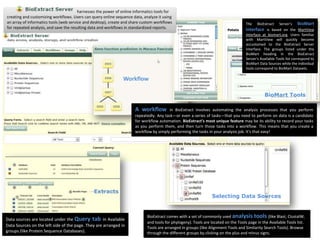
harnesses the power of online informatics tools for
creating and customizing workflows. Users can query online sequence data, analyze it using
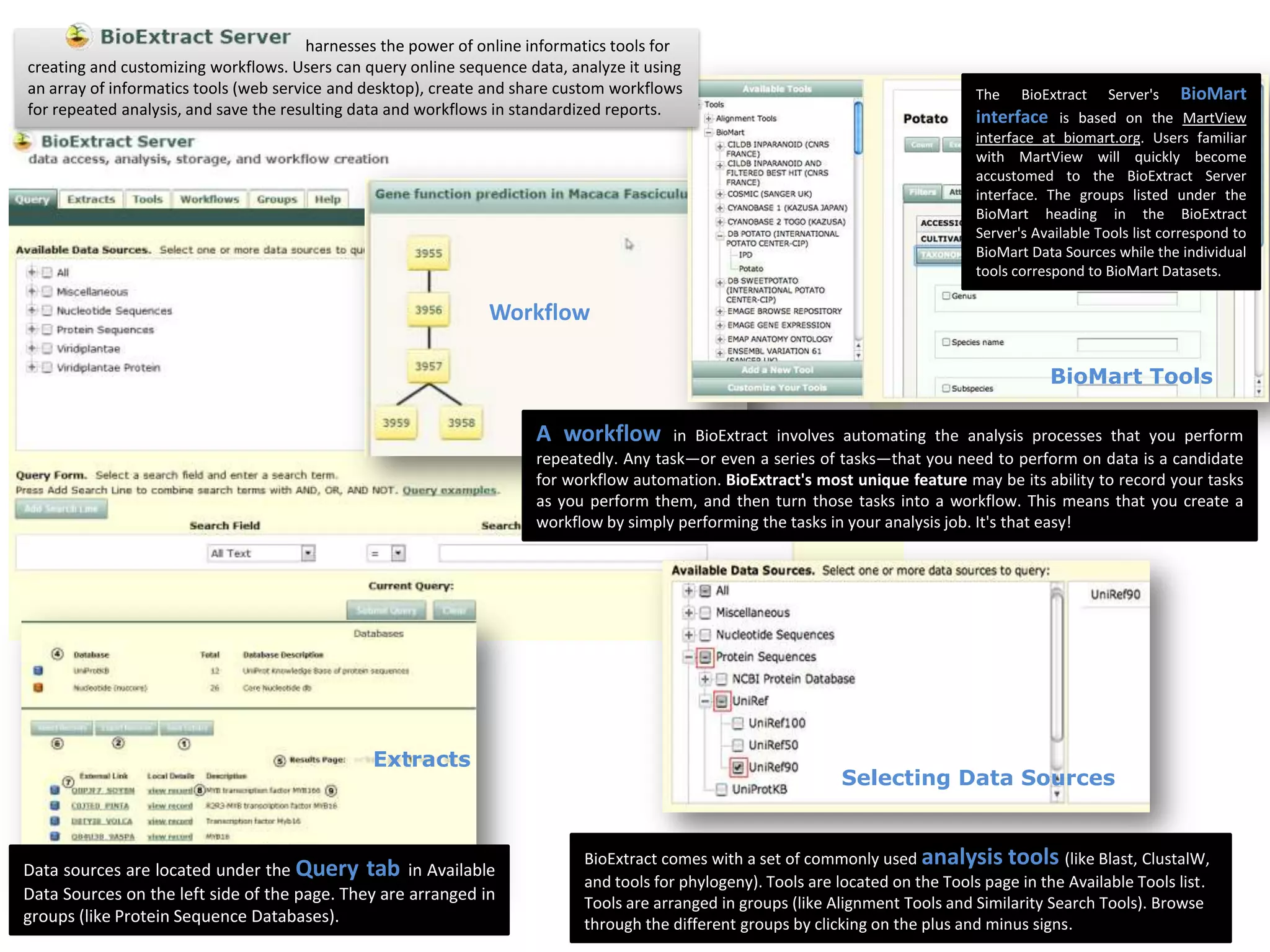
an array of informatics tools (web service and desktop), create and share custom workflows                                           The   BioExtract Server's BioMart
for repeated analysis, and save the resulting data and workflows in standardized reports.                                            interface is based on the MartView
                                                                                                                                     interface at biomart.org. Users familiar
                                                                                                                                     with MartView will quickly become
                                                                                                                                     accustomed to the BioExtract Server
                                                                                                                                     interface. The groups listed under the
                                                                                                                                     BioMart heading in the BioExtract
                                                                                                                                     Server's Available Tools list correspond to
                                                                                                                                     BioMart Data Sources while the individual
                                                                                                                                     tools correspond to BioMart Datasets.

                                                                Workflow

                                                                                                                                                BioMart Tools

                                                                      A workflow         in BioExtract involves automating the analysis processes that you perform
                                                                      repeatedly. Any task—or even a series of tasks—that you need to perform on data is a candidate
                                                                      for workflow automation. BioExtract's most unique feature may be its ability to record your tasks
                                                                      as you perform them, and then turn those tasks into a workflow. This means that you create a
                                                                      workflow by simply performing the tasks in your analysis job. It's that easy!


                                               Extracts
                                                                                                                  Selecting Data Sources


                                                                             BioExtract comes with a set of commonly used analysis tools (like Blast, ClustalW,
Data sources are located under the Query tab in Available
                                                                             and tools for phylogeny). Tools are located on the Tools page in the Available Tools list.
Data Sources on the left side of the page. They are arranged in              Tools are arranged in groups (like Alignment Tools and Similarity Search Tools). Browse
groups (like Protein Sequence Databases).                                    through the different groups by clicking on the plus and minus signs.

Bioextract Server Presentation

  • 1.
    harnesses the powerof online informatics tools for creating and customizing workflows. Users can query online sequence data, analyze it using an array of informatics tools (web service and desktop), create and share custom workflows The BioExtract Server's BioMart for repeated analysis, and save the resulting data and workflows in standardized reports. interface is based on the MartView interface at biomart.org. Users familiar with MartView will quickly become accustomed to the BioExtract Server interface. The groups listed under the BioMart heading in the BioExtract Server's Available Tools list correspond to BioMart Data Sources while the individual tools correspond to BioMart Datasets. Workflow BioMart Tools A workflow in BioExtract involves automating the analysis processes that you perform repeatedly. Any task—or even a series of tasks—that you need to perform on data is a candidate for workflow automation. BioExtract's most unique feature may be its ability to record your tasks as you perform them, and then turn those tasks into a workflow. This means that you create a workflow by simply performing the tasks in your analysis job. It's that easy! Extracts Selecting Data Sources BioExtract comes with a set of commonly used analysis tools (like Blast, ClustalW, Data sources are located under the Query tab in Available and tools for phylogeny). Tools are located on the Tools page in the Available Tools list. Data Sources on the left side of the page. They are arranged in Tools are arranged in groups (like Alignment Tools and Similarity Search Tools). Browse groups (like Protein Sequence Databases). through the different groups by clicking on the plus and minus signs.