Best Practices in Email Marketing Len Bruskiewitz April 1, 2009
Your Presenter Len Bruskiewitz, Sr. Director, Partner Programs Managed relations with partners ranging from Intuit to local web designers/marketing consultants for past 3 years Spent nearly 12 years in leadership roles at Intuit Ran management consulting firm for 2 years
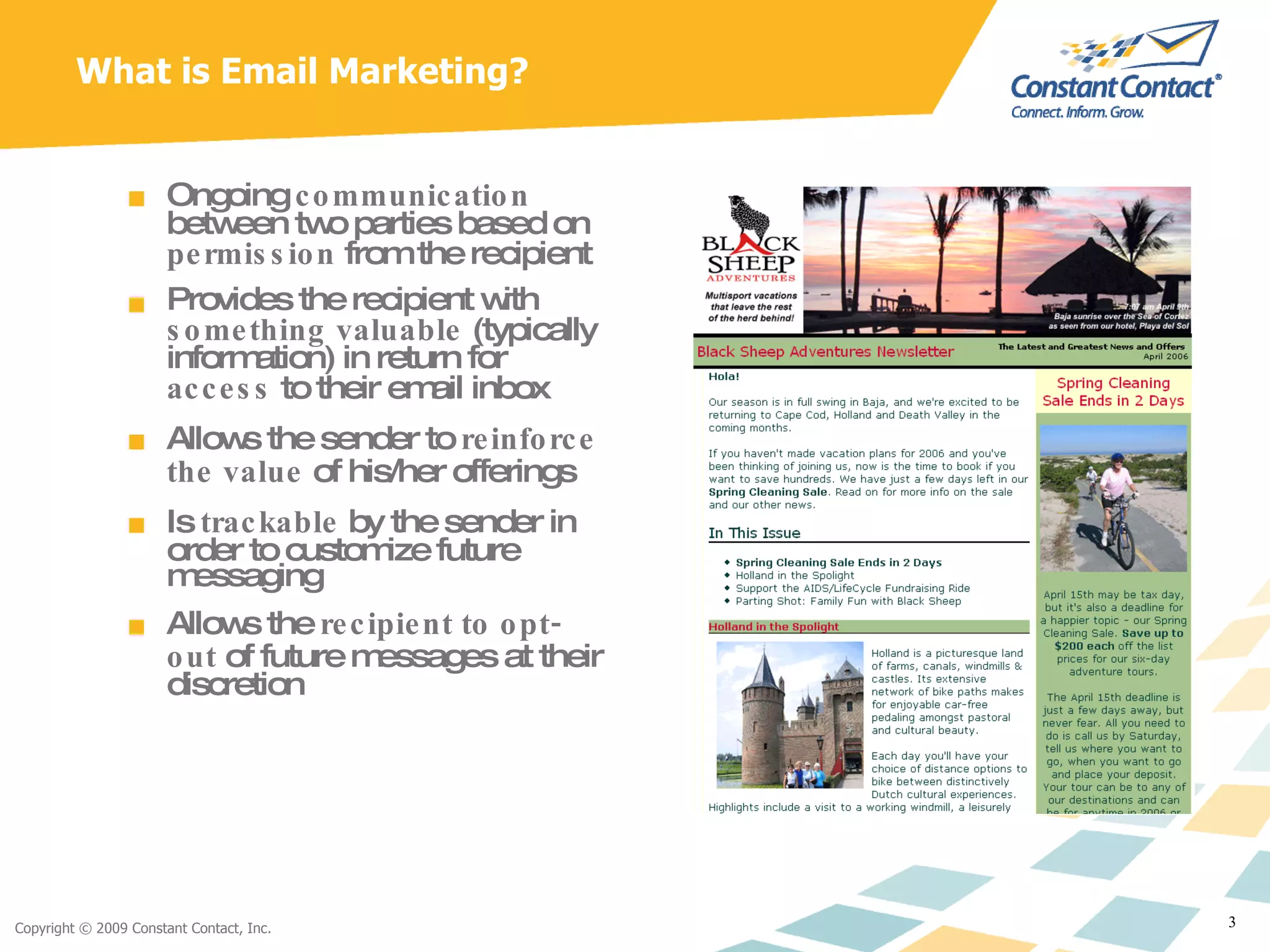
What is Email Marketing? Ongoing  communication  between two parties based on  permission  from the recipient Provides the recipient with  something valuable  (typically information) in return for  access  to their email inbox Allows the sender to  reinforce the value  of his/her offerings Is  trackable  by the sender in order to customize future messaging Allows the  recipient to opt-out  of future messages at their discretion
What Email Marketing Is  Not A “first touch” acquisition tool A means to market to email addresses you bought, rented or “scraped” from a website Effective without a well thought-out strategy in place to develop and execute your message
Why Email? Because almost everyone your business needs to reach reads it: 91% of Internet users between the ages of 18 and 64 send or read email  An even higher number of users ages 65 or older do the same  147 million people across the country use email, most use it every day.  Sources: eMarketer
Why Email? It’s Cost-effective: Direct Mail vs. Email For the same response, direct mail costs 20 TIMES  as much as email   1 Email ROI is the  highest when compared  to other internet  marketing mediums   2 1 Forrester Research, Inc. 2 Direct Marketing Association
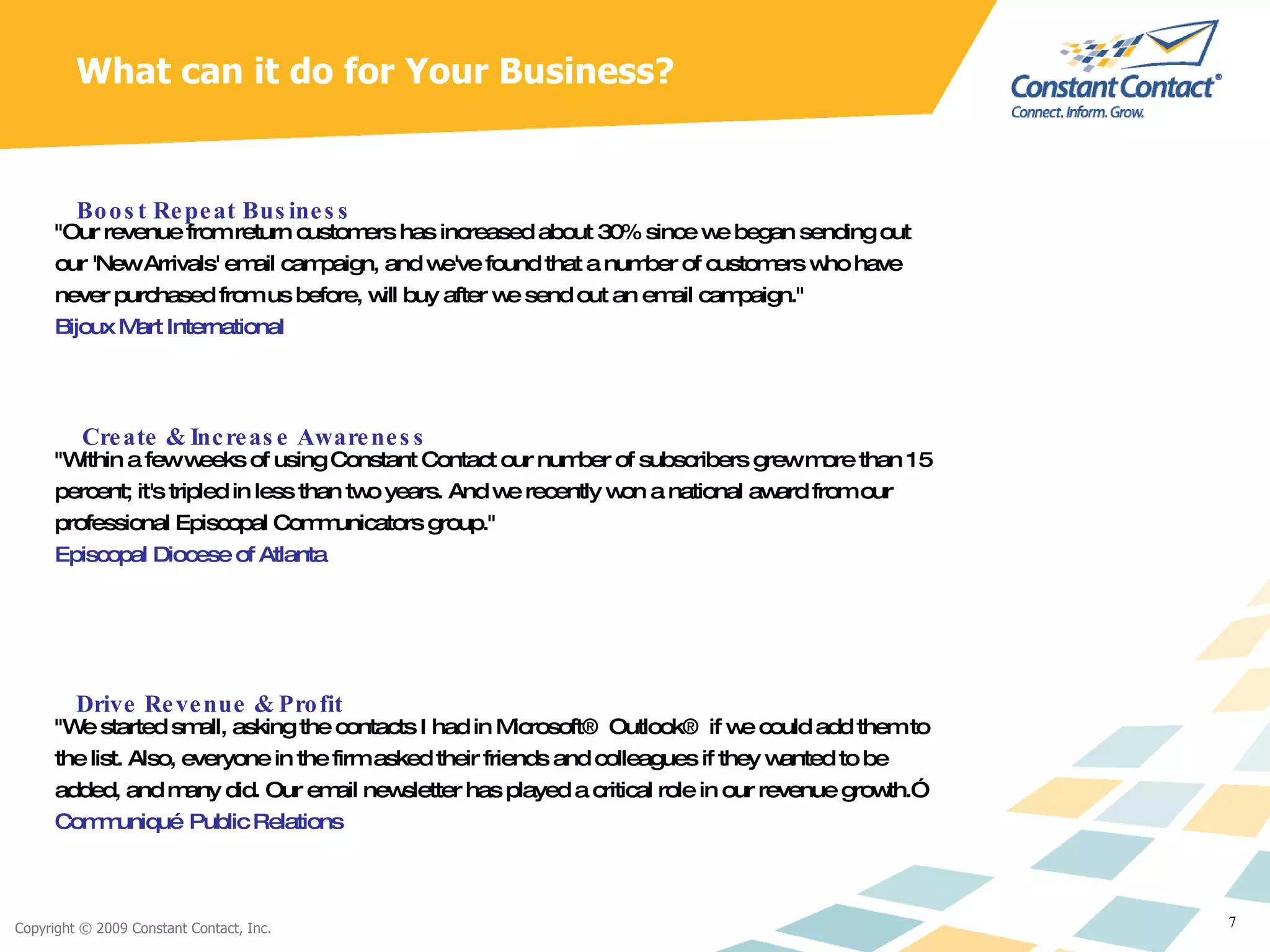
What can it do for Your Business? "Our revenue from return customers has increased about 30% since we began sending out our 'New Arrivals' email campaign, and we've found that a number of customers who have never purchased from us before, will buy after we send out an email campaign." Bijoux Mart International  Boost Repeat Business "Within a few weeks of using Constant Contact our number of subscribers grew more than 15 percent; it's tripled in less than two years. And we recently won a national award from our professional Episcopal Communicators group."  Episcopal Diocese of Atlanta  Create & Increase Awareness "We started small, asking the contacts I had in Microsoft® Outlook® if we could add them to the list. Also, everyone in the firm asked their friends and colleagues if they wanted to be added, and many did. Our email newsletter has played a critical role in our revenue growth.” Communiqué Public Relations   Drive Revenue & Profit
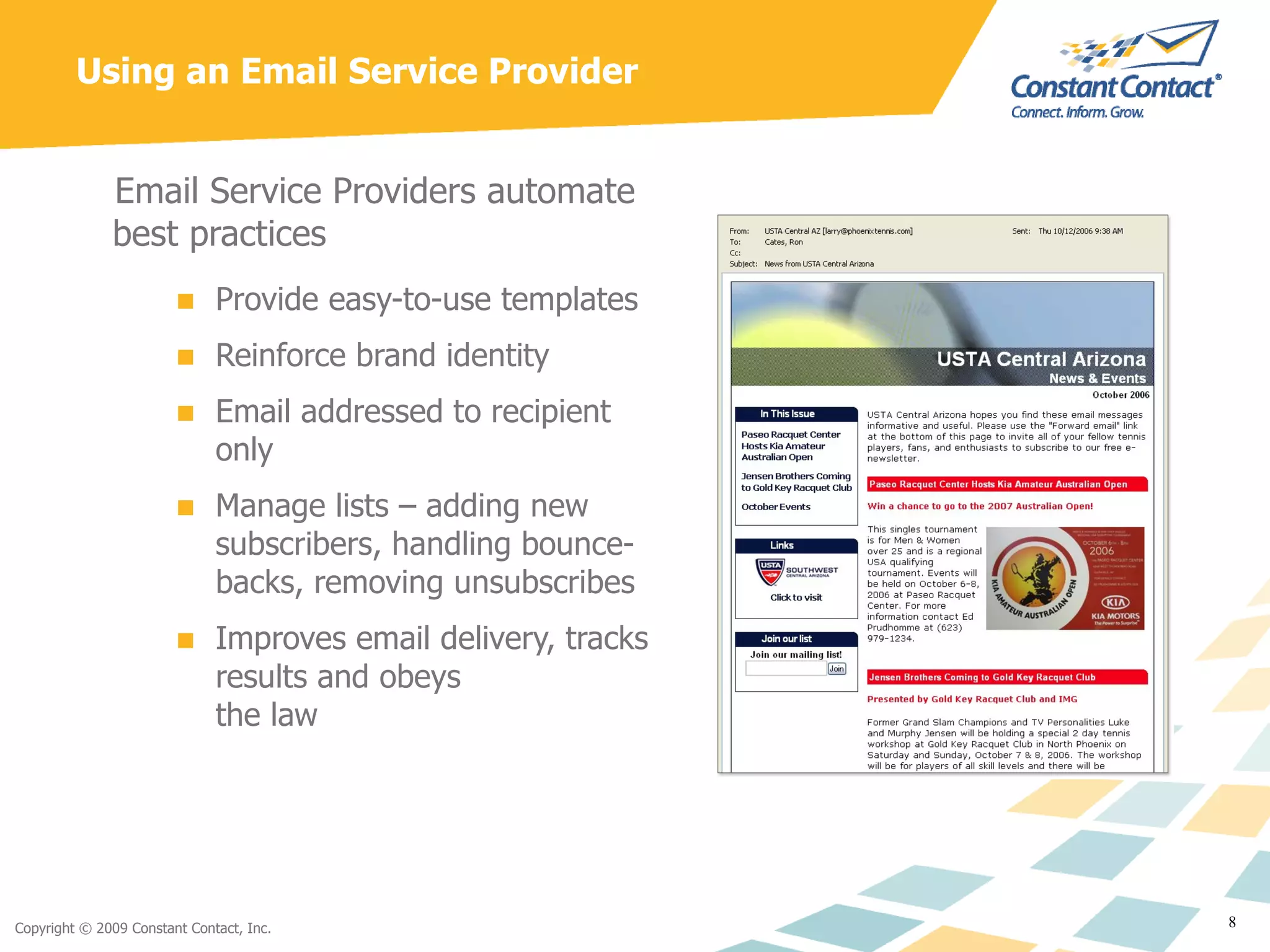
Using an Email Service Provider Email Service Providers automate best practices Provide easy-to-use templates Reinforce brand identity Email addressed to recipient only Manage lists – adding new subscribers, handling bounce-backs, removing unsubscribes Improves email delivery, tracks results and obeys  the law
Email Marketing Best Practices
Permission – What is It? Types of permission Explicit:  Opt in from your website or storefront  “ Join our mailing list” feature Single vs. Double Opt-in Implicit:  Requests for information / registration forms, existing customer relationship Note:  Always make sure to ask for permission when collecting information
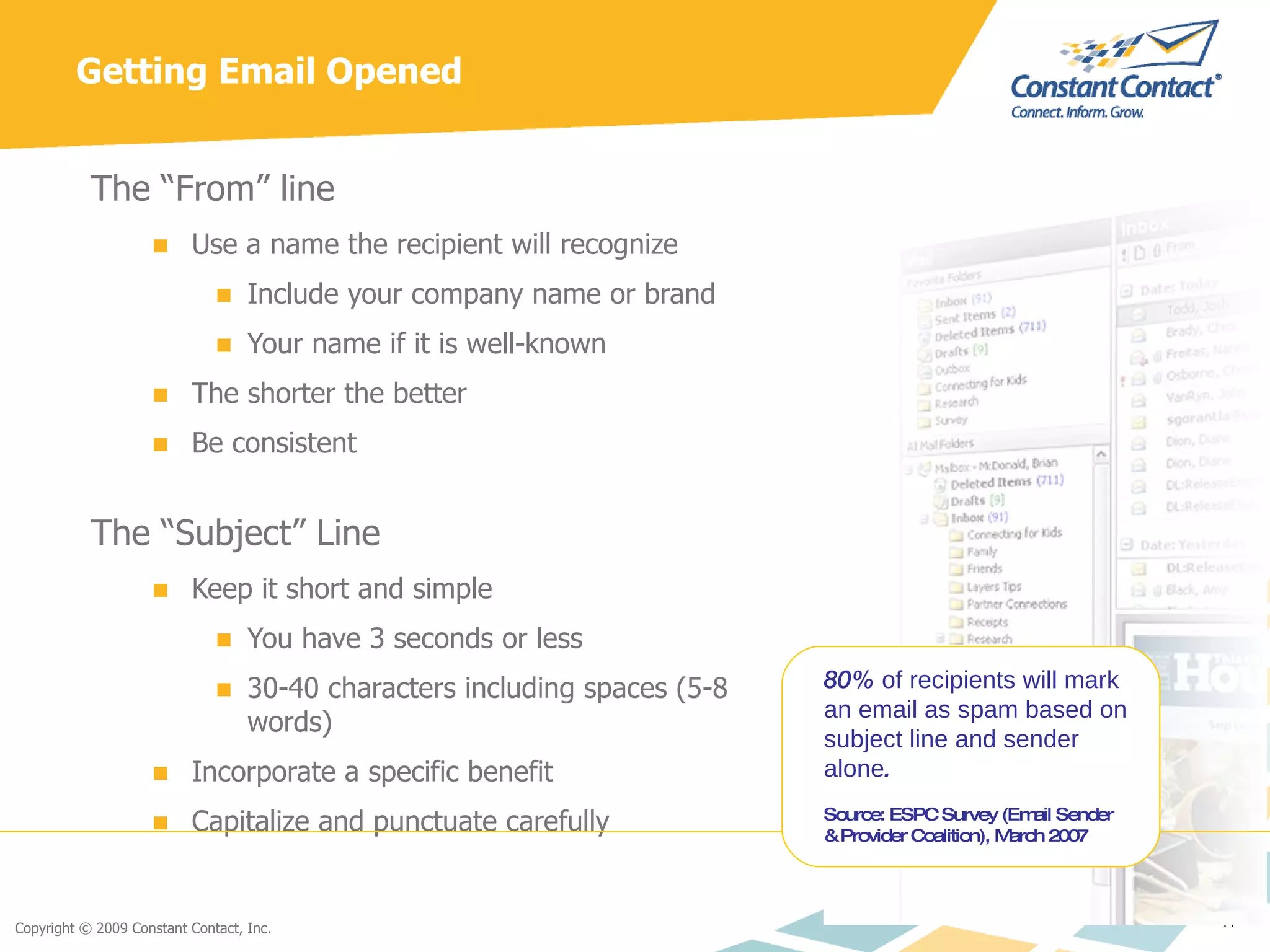
Getting Email Opened The “From” line Use a name the recipient will recognize Include your company name or brand Your name if it is well-known The shorter the better Be consistent The “Subject” Line Keep it short and simple You have 3 seconds or less 30-40 characters including spaces (5-8 words) Incorporate a specific benefit  Capitalize and punctuate carefully 80%  of recipients will mark an email as spam based on subject line and sender alone . Source: ESPC Survey (Email Sender & Provider Coalition), March 2007
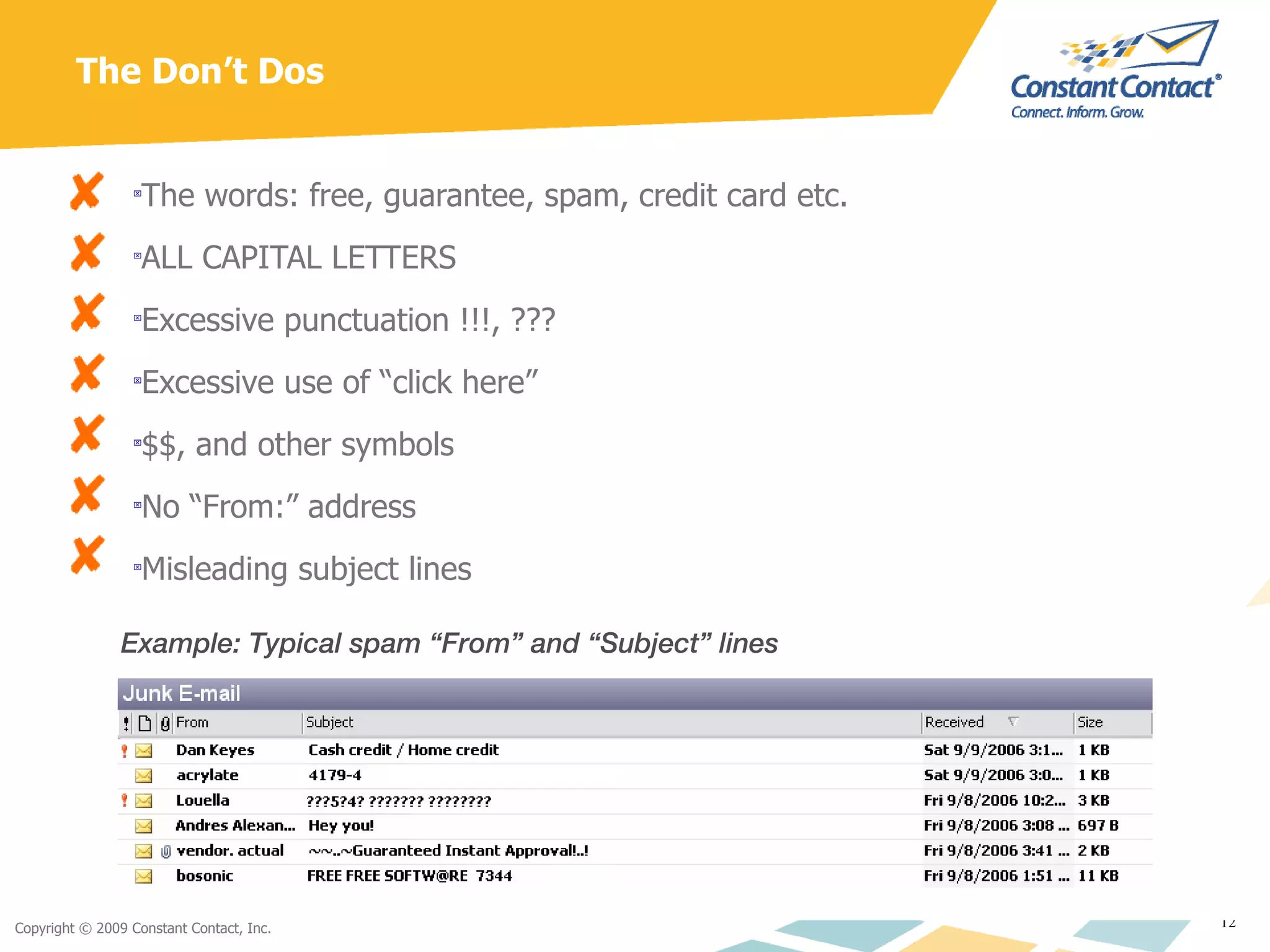
The Don’t Dos The words: free, guarantee, spam, credit card etc. ALL CAPITAL LETTERS Excessive punctuation !!!, ??? Excessive use of “click here” $$, and other symbols No “From:” address Misleading subject lines Example: Typical spam “From” and “Subject” lines
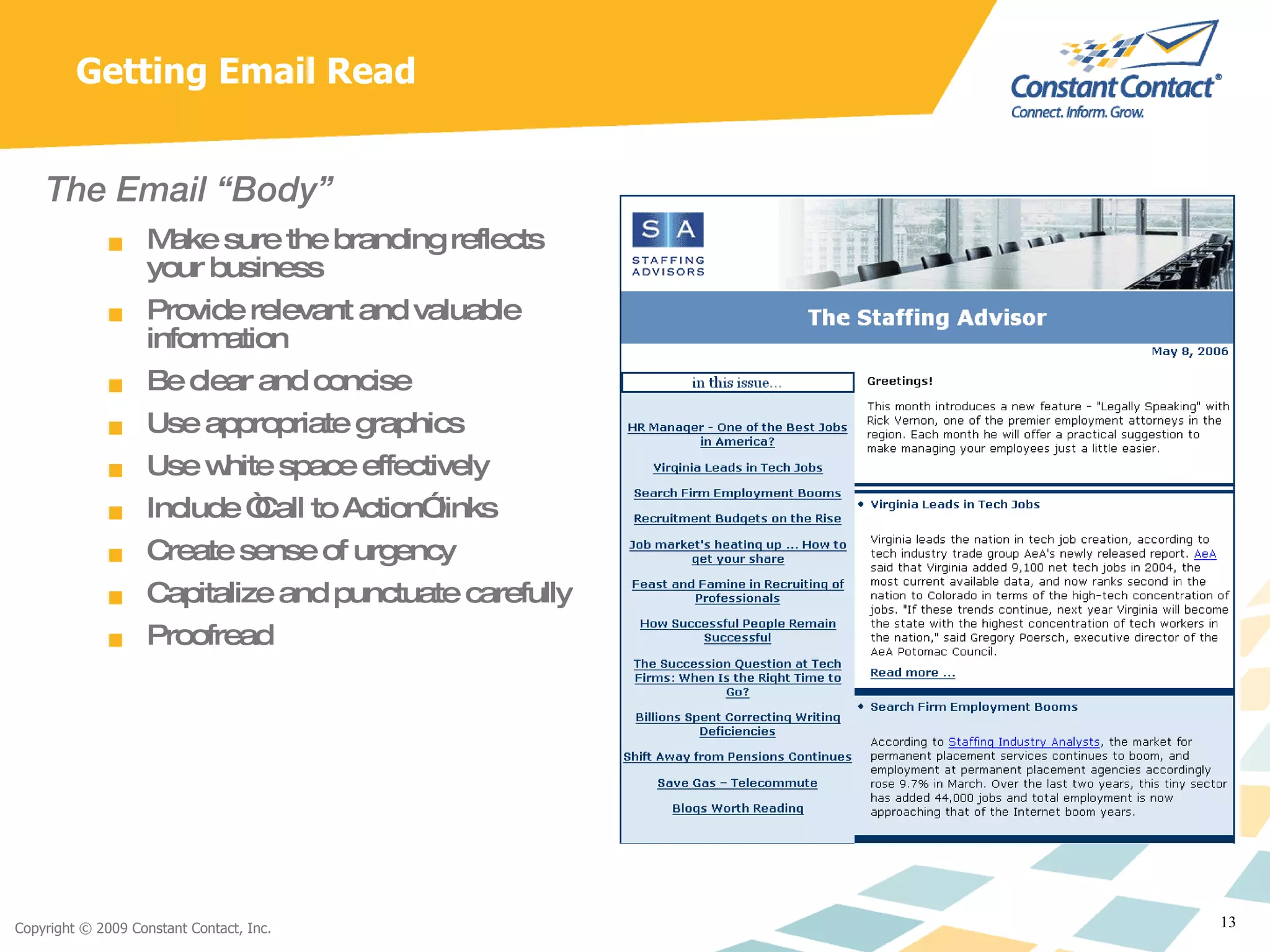
Getting Email Read The Email “Body” Make sure the branding reflects your business Provide relevant and valuable information Be clear and concise Use appropriate graphics Use white space effectively Include “Call to Action” links Create sense of urgency Capitalize and punctuate carefully Proofread
Focus on the content It’s not about you It’s about what you know and how that is important to your readers Look Professional Keep your design clean and uncluttered Don’t rely too much on graphics Ensure that the most relevant messages are at  the top of the page, above the “fold line” Trade useful information for attention Will they talk about it when out with friends? Will they look forward to your next communication? Narrow your focus Be an expert Relevant & Valuable Information “ The fact that [some people] want to help, for no other reason than  because they like to help, turns out to be an awfully effective way   of getting someone’s attention.”   Malcolm Gladwell - The Tipping Point
Frequency/Send Times Frequency Guidelines At least 1 message per quarter but typically 1 message per month Create a communication calendar to map messages throughout the year Event-specific  Save the Date – 1 month prior Register Now – 2 weeks prior Only a Few Spots Left – 1 week prior Reminder – 1 day prior Thank You/Sorry We Missed You – 1 day after Send Times Business Audience – Tuesday through Thursday, 10:00 AM – 2:00 PM Consumer Audience – When they are likely to be at their computers
Open/Click-Through Rates  Open Rates Business to Consumer: 10-20% Business to Business: 20-30% Non Profit to Member: 30-40% Constant Contact Overall Rate: 37% Factors Impacting Open Rates Text-only readers (BlackBerry, Treo) do not count as opens Email clients with graphics blocked do not count as opens Scrolling past a message in preview may count as opens Click-Through Rates Business to Consumer: 2-5% Business to Business: 5-10% Non Profit to Member: 10-15% Constant Contact Overall Rate: 7%
Additional Resources Constant Contact Free Trial   Free 60 day trial for up to 100 email addresses.  Signup form for your website, over 300 templates, free technical support:  http://intuitqb.constantcontact.com   Local Seminars Our  Regional Development Directors provide ongoing seminars on a variety of marketing topics.  For more information on local seminars visit:  http://www.constantcontact.com/learning-center/local-events/ Constant Contact Learning Center From live and recorded webinars to daily live product tours, the Constant Contact Learning Center is the place to find all the resources you need get started or take your email marketing to the next level.  ConnectUp! User Community Meet others - like you - to share and gain insights on email marketing and other topics you care about.  Read and post to the discussion boards on issues that matter to you. QuickBooks Community Keep checking in to the QuickBooks Community for lots of great information on how to start and grow your business.

Best Practices in Email Marketing

  • 1.
    Best Practices inEmail Marketing Len Bruskiewitz April 1, 2009
  • 2.
    Your Presenter LenBruskiewitz, Sr. Director, Partner Programs Managed relations with partners ranging from Intuit to local web designers/marketing consultants for past 3 years Spent nearly 12 years in leadership roles at Intuit Ran management consulting firm for 2 years
  • 3.
    What is EmailMarketing? Ongoing communication between two parties based on permission from the recipient Provides the recipient with something valuable (typically information) in return for access to their email inbox Allows the sender to reinforce the value of his/her offerings Is trackable by the sender in order to customize future messaging Allows the recipient to opt-out of future messages at their discretion
  • 4.
    What Email MarketingIs Not A “first touch” acquisition tool A means to market to email addresses you bought, rented or “scraped” from a website Effective without a well thought-out strategy in place to develop and execute your message
  • 5.
    Why Email? Becausealmost everyone your business needs to reach reads it: 91% of Internet users between the ages of 18 and 64 send or read email An even higher number of users ages 65 or older do the same 147 million people across the country use email, most use it every day. Sources: eMarketer
  • 6.
    Why Email? It’sCost-effective: Direct Mail vs. Email For the same response, direct mail costs 20 TIMES as much as email 1 Email ROI is the highest when compared to other internet marketing mediums 2 1 Forrester Research, Inc. 2 Direct Marketing Association
  • 7.
    What can itdo for Your Business? "Our revenue from return customers has increased about 30% since we began sending out our 'New Arrivals' email campaign, and we've found that a number of customers who have never purchased from us before, will buy after we send out an email campaign." Bijoux Mart International Boost Repeat Business "Within a few weeks of using Constant Contact our number of subscribers grew more than 15 percent; it's tripled in less than two years. And we recently won a national award from our professional Episcopal Communicators group." Episcopal Diocese of Atlanta Create & Increase Awareness "We started small, asking the contacts I had in Microsoft® Outlook® if we could add them to the list. Also, everyone in the firm asked their friends and colleagues if they wanted to be added, and many did. Our email newsletter has played a critical role in our revenue growth.” Communiqué Public Relations Drive Revenue & Profit
  • 8.
    Using an EmailService Provider Email Service Providers automate best practices Provide easy-to-use templates Reinforce brand identity Email addressed to recipient only Manage lists – adding new subscribers, handling bounce-backs, removing unsubscribes Improves email delivery, tracks results and obeys the law
  • 9.
  • 10.
    Permission – Whatis It? Types of permission Explicit: Opt in from your website or storefront “ Join our mailing list” feature Single vs. Double Opt-in Implicit: Requests for information / registration forms, existing customer relationship Note: Always make sure to ask for permission when collecting information
  • 11.
    Getting Email OpenedThe “From” line Use a name the recipient will recognize Include your company name or brand Your name if it is well-known The shorter the better Be consistent The “Subject” Line Keep it short and simple You have 3 seconds or less 30-40 characters including spaces (5-8 words) Incorporate a specific benefit Capitalize and punctuate carefully 80% of recipients will mark an email as spam based on subject line and sender alone . Source: ESPC Survey (Email Sender & Provider Coalition), March 2007
  • 12.
    The Don’t DosThe words: free, guarantee, spam, credit card etc. ALL CAPITAL LETTERS Excessive punctuation !!!, ??? Excessive use of “click here” $$, and other symbols No “From:” address Misleading subject lines Example: Typical spam “From” and “Subject” lines
  • 13.
    Getting Email ReadThe Email “Body” Make sure the branding reflects your business Provide relevant and valuable information Be clear and concise Use appropriate graphics Use white space effectively Include “Call to Action” links Create sense of urgency Capitalize and punctuate carefully Proofread
  • 14.
    Focus on thecontent It’s not about you It’s about what you know and how that is important to your readers Look Professional Keep your design clean and uncluttered Don’t rely too much on graphics Ensure that the most relevant messages are at the top of the page, above the “fold line” Trade useful information for attention Will they talk about it when out with friends? Will they look forward to your next communication? Narrow your focus Be an expert Relevant & Valuable Information “ The fact that [some people] want to help, for no other reason than because they like to help, turns out to be an awfully effective way of getting someone’s attention.” Malcolm Gladwell - The Tipping Point
  • 15.
    Frequency/Send Times FrequencyGuidelines At least 1 message per quarter but typically 1 message per month Create a communication calendar to map messages throughout the year Event-specific Save the Date – 1 month prior Register Now – 2 weeks prior Only a Few Spots Left – 1 week prior Reminder – 1 day prior Thank You/Sorry We Missed You – 1 day after Send Times Business Audience – Tuesday through Thursday, 10:00 AM – 2:00 PM Consumer Audience – When they are likely to be at their computers
  • 16.
    Open/Click-Through Rates Open Rates Business to Consumer: 10-20% Business to Business: 20-30% Non Profit to Member: 30-40% Constant Contact Overall Rate: 37% Factors Impacting Open Rates Text-only readers (BlackBerry, Treo) do not count as opens Email clients with graphics blocked do not count as opens Scrolling past a message in preview may count as opens Click-Through Rates Business to Consumer: 2-5% Business to Business: 5-10% Non Profit to Member: 10-15% Constant Contact Overall Rate: 7%
  • 17.
    Additional Resources ConstantContact Free Trial Free 60 day trial for up to 100 email addresses. Signup form for your website, over 300 templates, free technical support: http://intuitqb.constantcontact.com Local Seminars Our Regional Development Directors provide ongoing seminars on a variety of marketing topics. For more information on local seminars visit: http://www.constantcontact.com/learning-center/local-events/ Constant Contact Learning Center From live and recorded webinars to daily live product tours, the Constant Contact Learning Center is the place to find all the resources you need get started or take your email marketing to the next level. ConnectUp! User Community Meet others - like you - to share and gain insights on email marketing and other topics you care about. Read and post to the discussion boards on issues that matter to you. QuickBooks Community Keep checking in to the QuickBooks Community for lots of great information on how to start and grow your business.