Behind the Bounce:
Understanding Metrics and Engagement
Chris Muller | Taboola’s Organic Audience Development Team
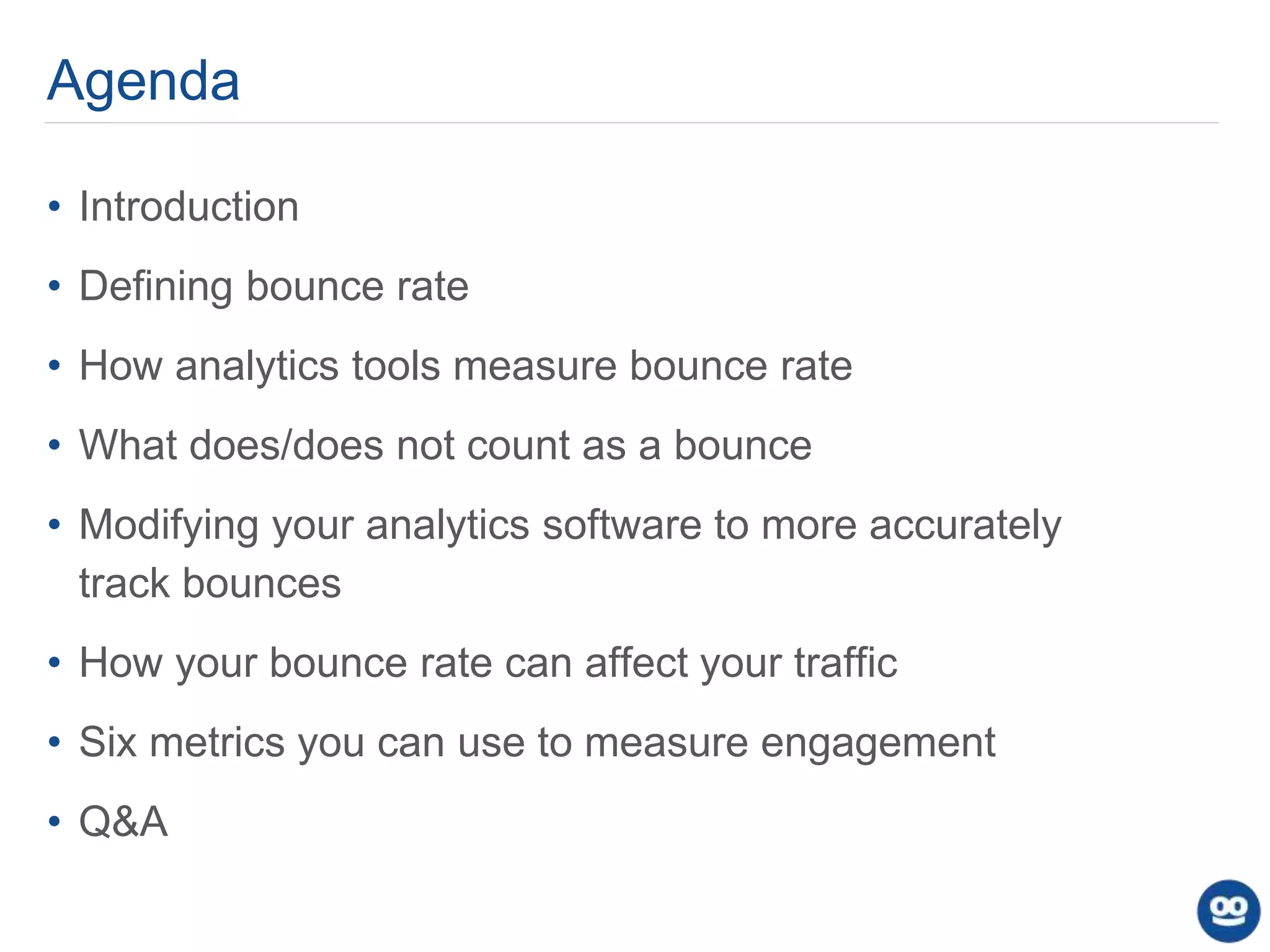
Agenda
• Introduction
• Defining bounce rate
• How analytics tools measure bounce rate
• What does/does not count as a bounce
• Modifying your analytics software to more accurately
track bounces
• How your bounce rate can affect your traffic
• Six metrics you can use to measure engagement
• Q&A
3
“Bounce Rate” is one of the most
misunderstood digital metrics
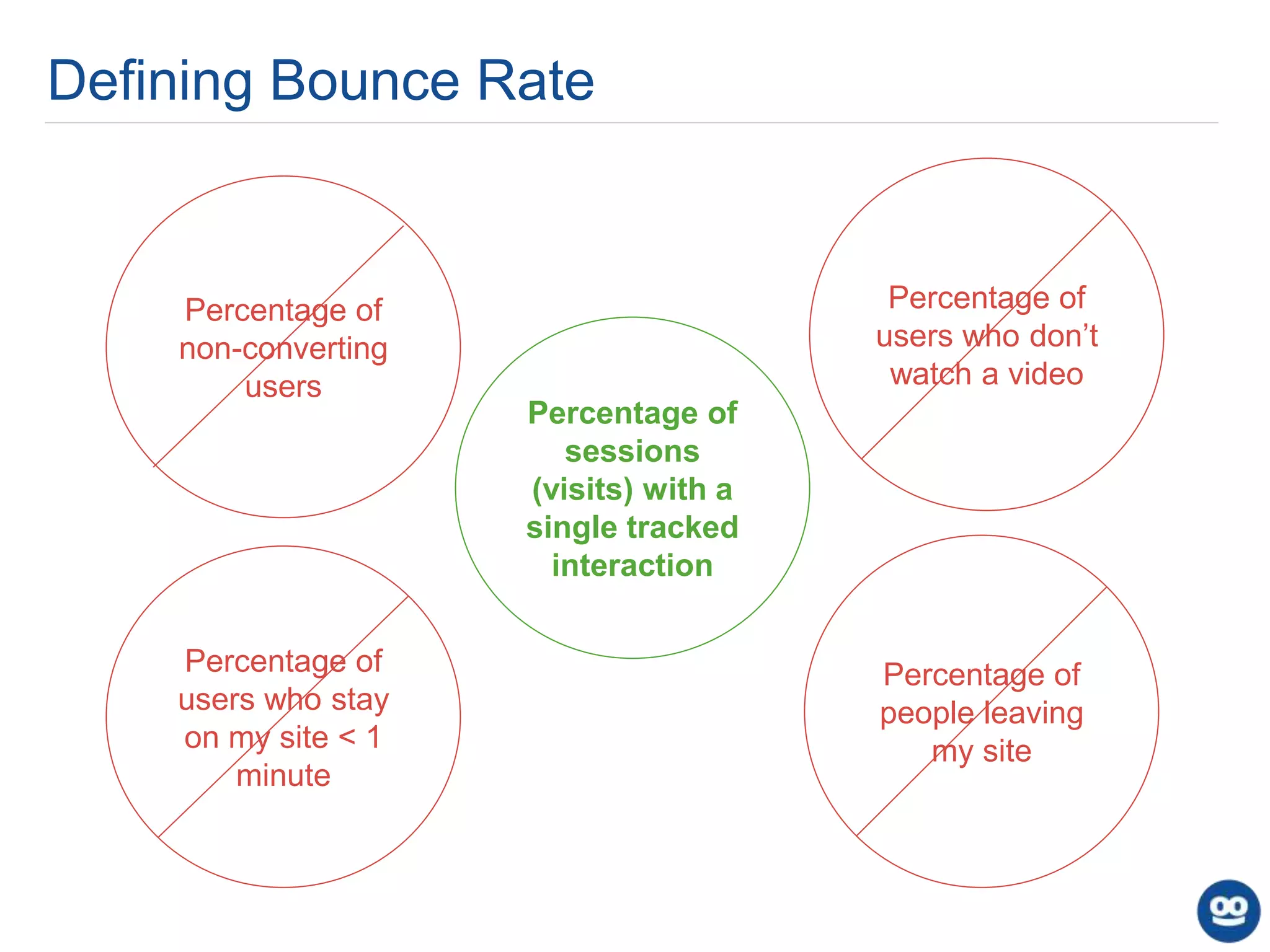
Defining Bounce Rate
Percentage of
sessions
(visits) with a
single tracked
interaction
Percentage of
users who don’t
watch a video
Percentage of
non-converting
users
Percentage of
users who stay
on my site < 1
minute
Percentage of
people leaving
my site
How Analytics Tools Track Sessions & Pageviews
Views Page 1
(tracking
beacon sent)
User
Enters Site
Clicks
Internal Link
Views Page 2
(tracking
beacon sent)
?
User Not
Seen Again
on Site
Recorded: 1 User, 1 Session, Two Pageviews
Recorded: 1 User, 1 Session, 1 Pageview
User
Enters Site ?
User Not
Seen Again
on Site
Views Page 1
(tracking
beacon sent)
Examples of the Data Sent in a Tracking
Beacon
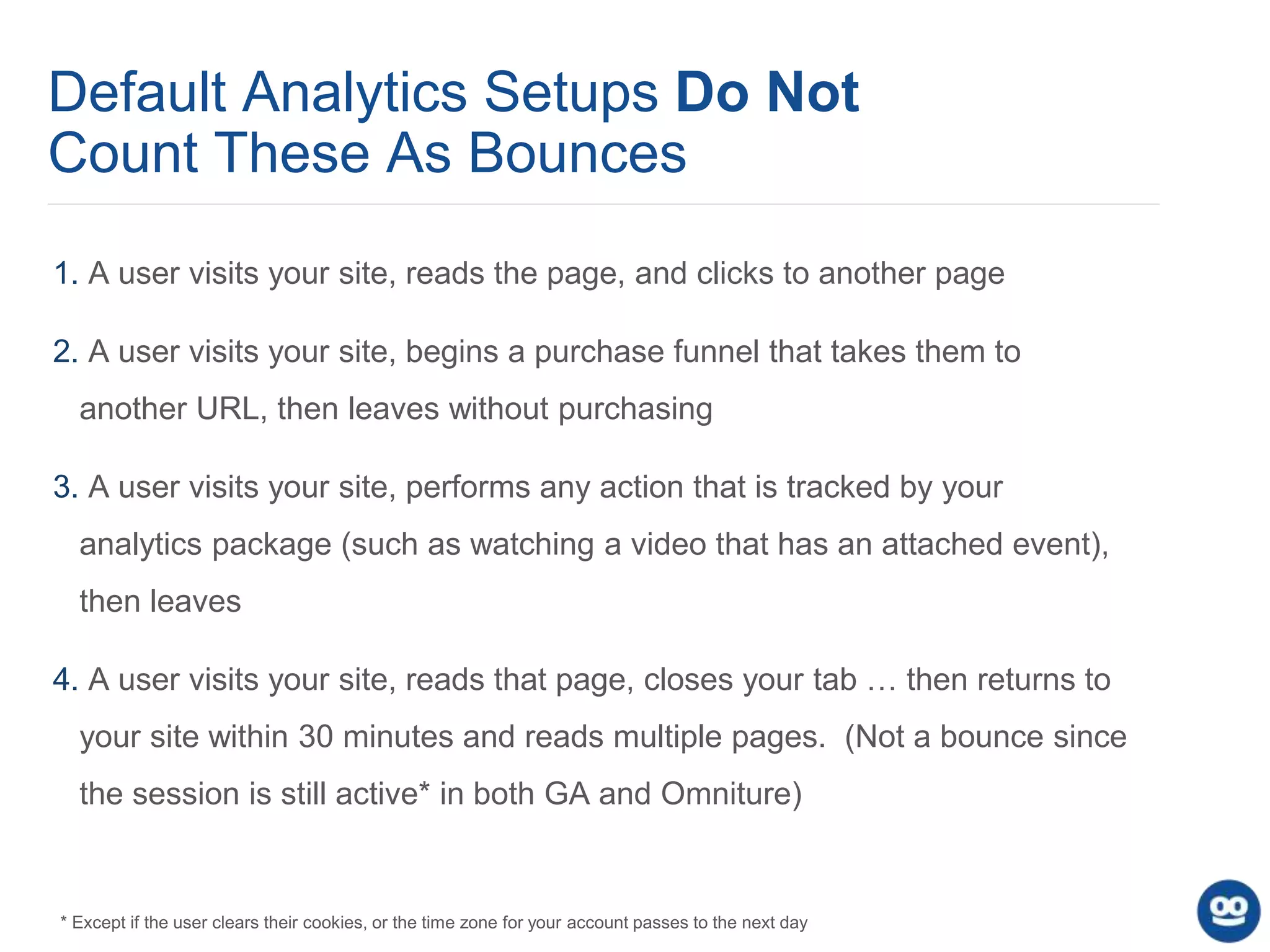
Default Analytics Setups Do Not
Count These As Bounces
1. A user visits your site, reads the page, and clicks to another page
2. A user visits your site, begins a purchase funnel that takes them to
another URL, then leaves without purchasing
3. A user visits your site, performs any action that is tracked by your
analytics package (such as watching a video that has an attached event),
then leaves
4. A user visits your site, reads that page, closes your tab … then returns to
your site within 30 minutes and reads multiple pages. (Not a bounce since
the session is still active* in both GA and Omniture)
* Except if the user clears their cookies, or the time zone for your account passes to the next day
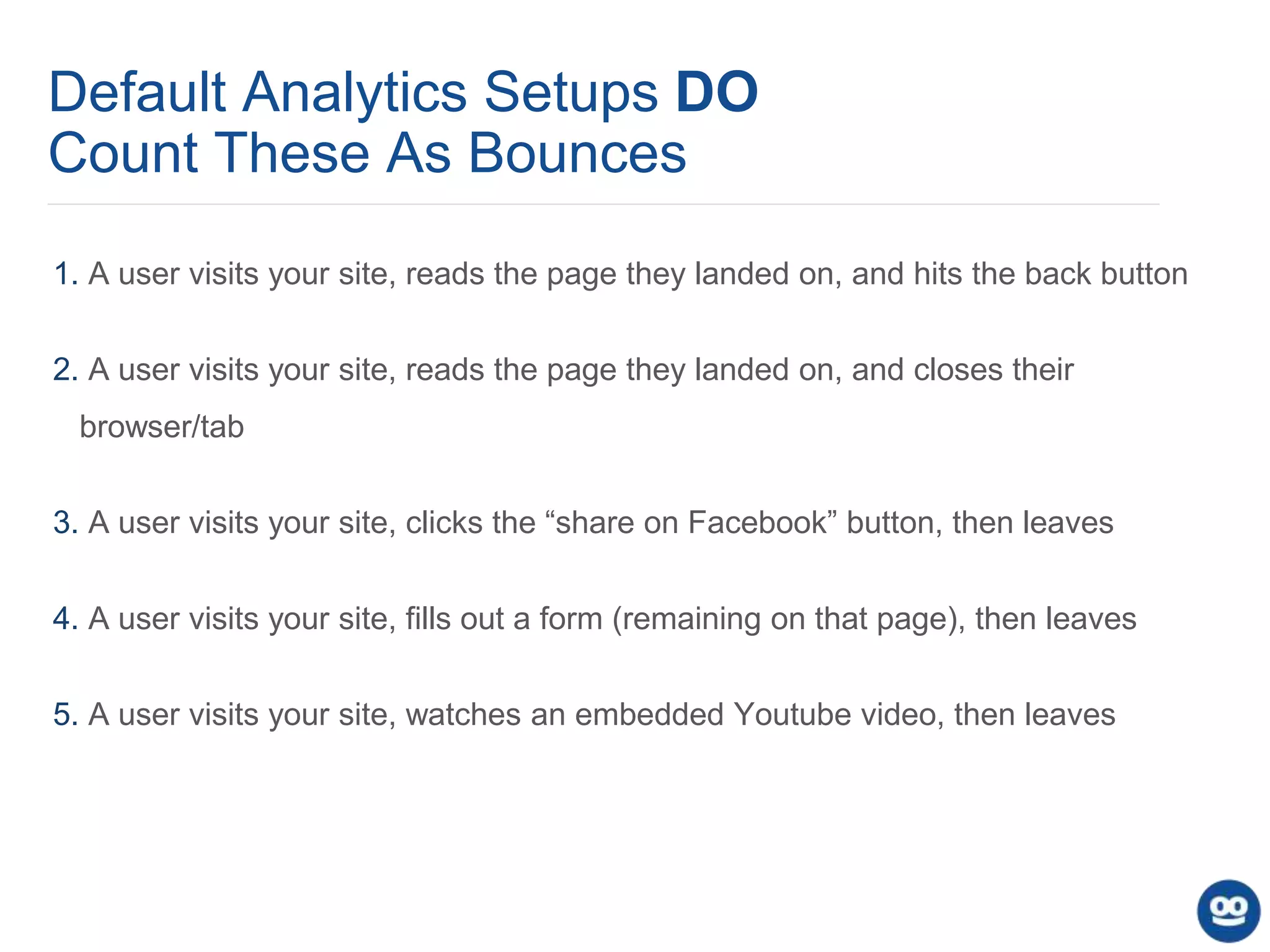
Default Analytics Setups DO
Count These As Bounces
1. A user visits your site, reads the page they landed on, and hits the back button
2. A user visits your site, reads the page they landed on, and closes their
browser/tab
3. A user visits your site, clicks the “share on Facebook” button, then leaves
4. A user visits your site, fills out a form (remaining on that page), then leaves
5. A user visits your site, watches an embedded Youtube video, then leaves
• Add an event that fires if a user stays on your page over X seconds
a. setTimeout ("_gaq.push(['_trackEvent', '30_seconds', 'read'])",30000); [Google Analytics]
b. setTimeout (“ga(‘send’,’event’,’30_seconds’,read’)”,30000); [Universal Analytics]
• Fire an event when social media share buttons are clicked
• Track video plays, or interaction with any other media, with an event
• If you use infinite scroll or any other form of continuous consumption, make
sure you’re accurately tracking page views on the second piece of content
Modifying Your Analytics Setup to
Track a More Useful “Bounce
Rate”
Your Bounce Rate Will Vary Across
Different Segments:
• Different Pages
• Traffic mediums
• Different paid campaigns/sources
• Demographics (age, sex, location)
• Combinations of these
Facts and Myths: Your Bounce Rate CAN
affect both your Google and Facebook Traffic
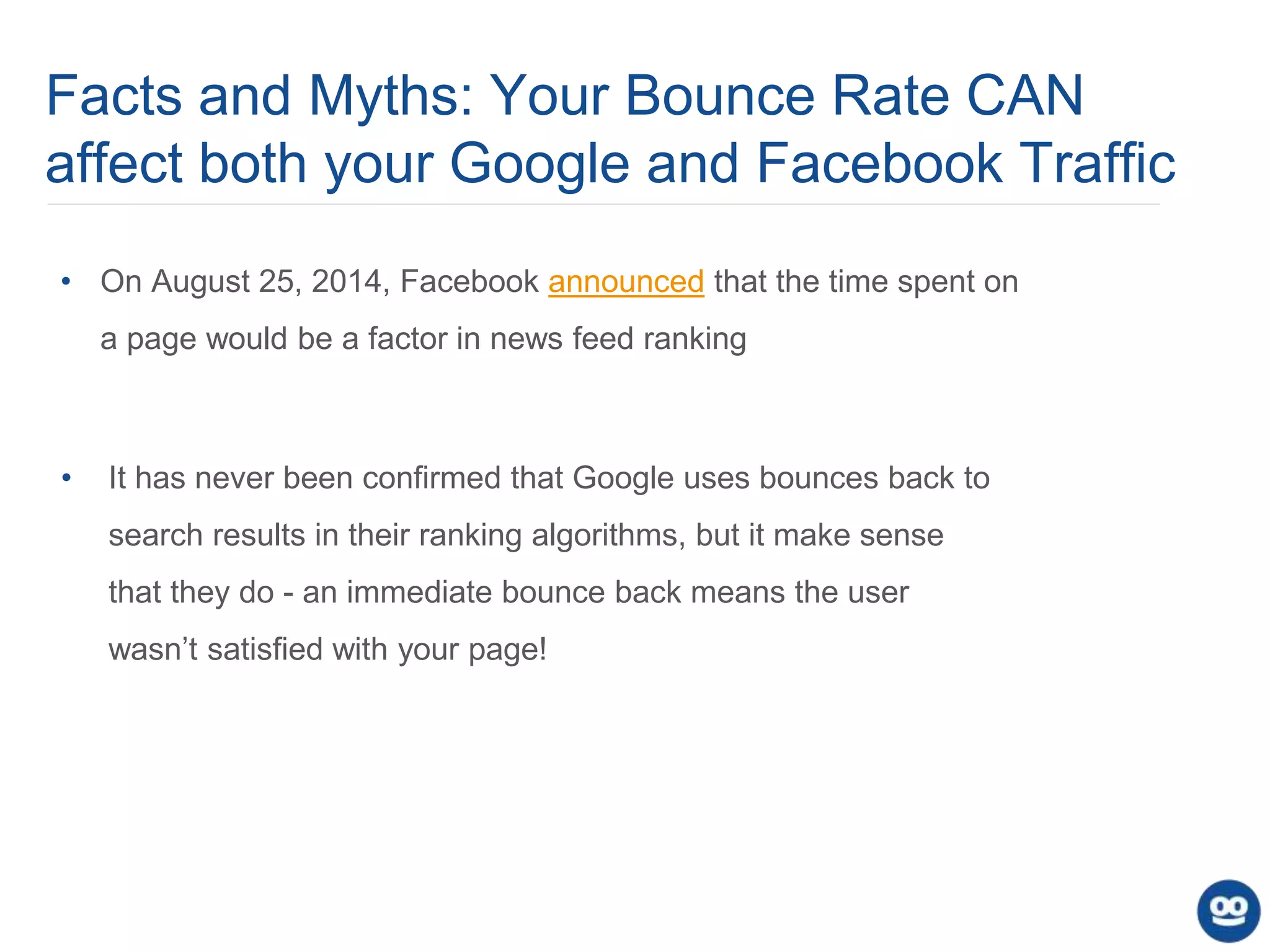
• It has never been confirmed that Google uses bounces back to
search results in their ranking algorithms, but it make sense
that they do - an immediate bounce back means the user
wasn’t satisfied with your page!
• On August 25, 2014, Facebook announced that the time spent on
a page would be a factor in news feed ranking
Facts and Myths: Your Bounce Rate CAN
affect both your Google and Facebook Traffic
Image Source: moz.com
Final Notes About ‘Bounce Rate’
1. A ‘bounce’ is not necessarily a bad thing: you may have delivered what they
were looking for in a single page view.
2. Bounce rates, as measured by analytics tools, can be manipulated. We can
affect bounce rate with our implementation so be deliberate with
implementation choices.
3. Tracking engagement metrics that directly lead to our KPIs matters much more
than focusing on bounce rates!
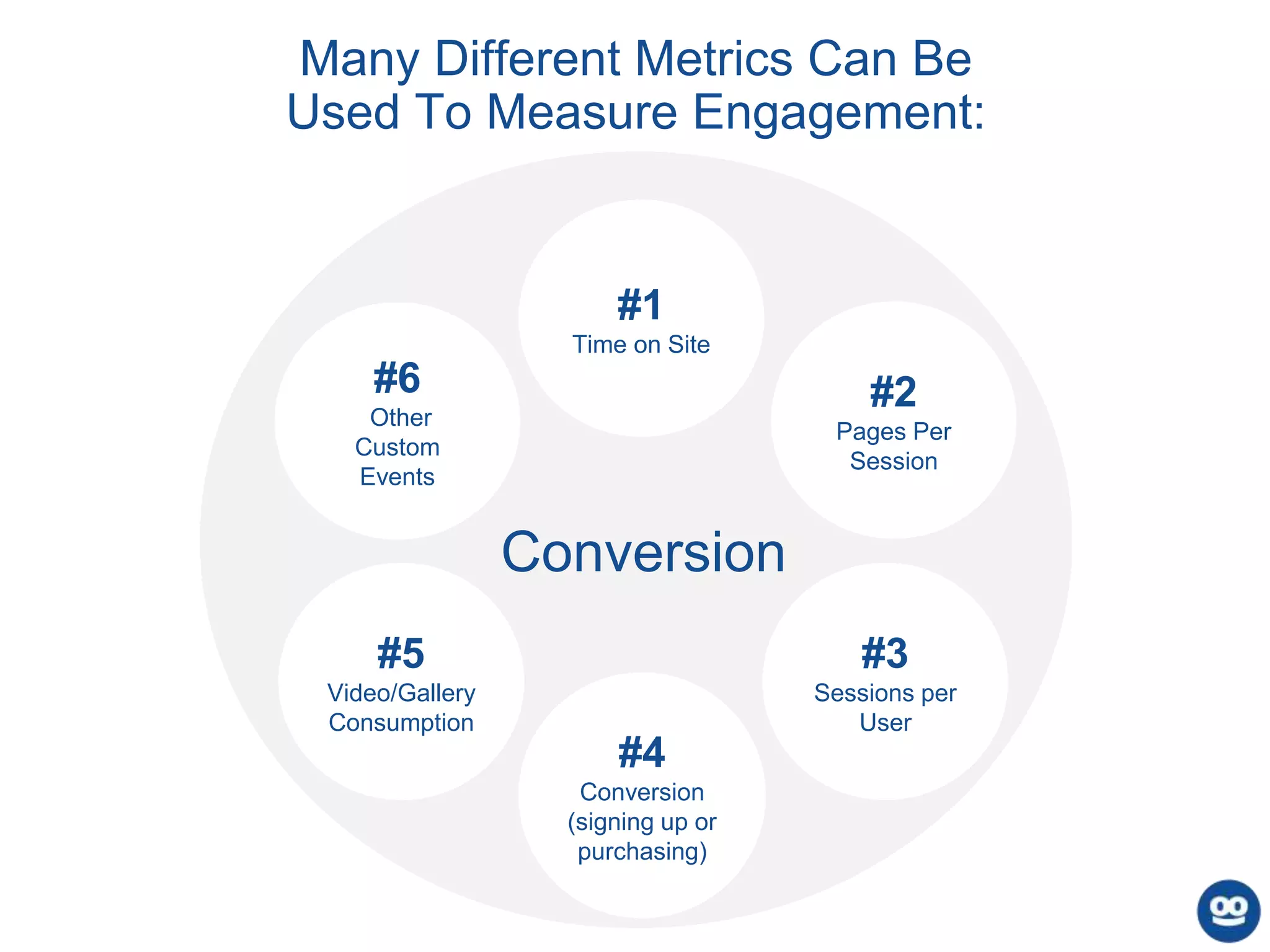
Many Different Metrics Can Be
Used To Measure Engagement:
#2
Pages Per
Session
#5
Video/Gallery
Consumption
#3
Sessions per
User
#4
Conversion
(signing up or
purchasing)
#1
Time on Site
Conversion
#6
Other
Custom
Events
15
Engagement Metric #1:
Average Time on Site (Session Duration)
How Google Analytics and Omniture track session duration:Google Analytics:
Chartbeat:
Engagement Metric #2:
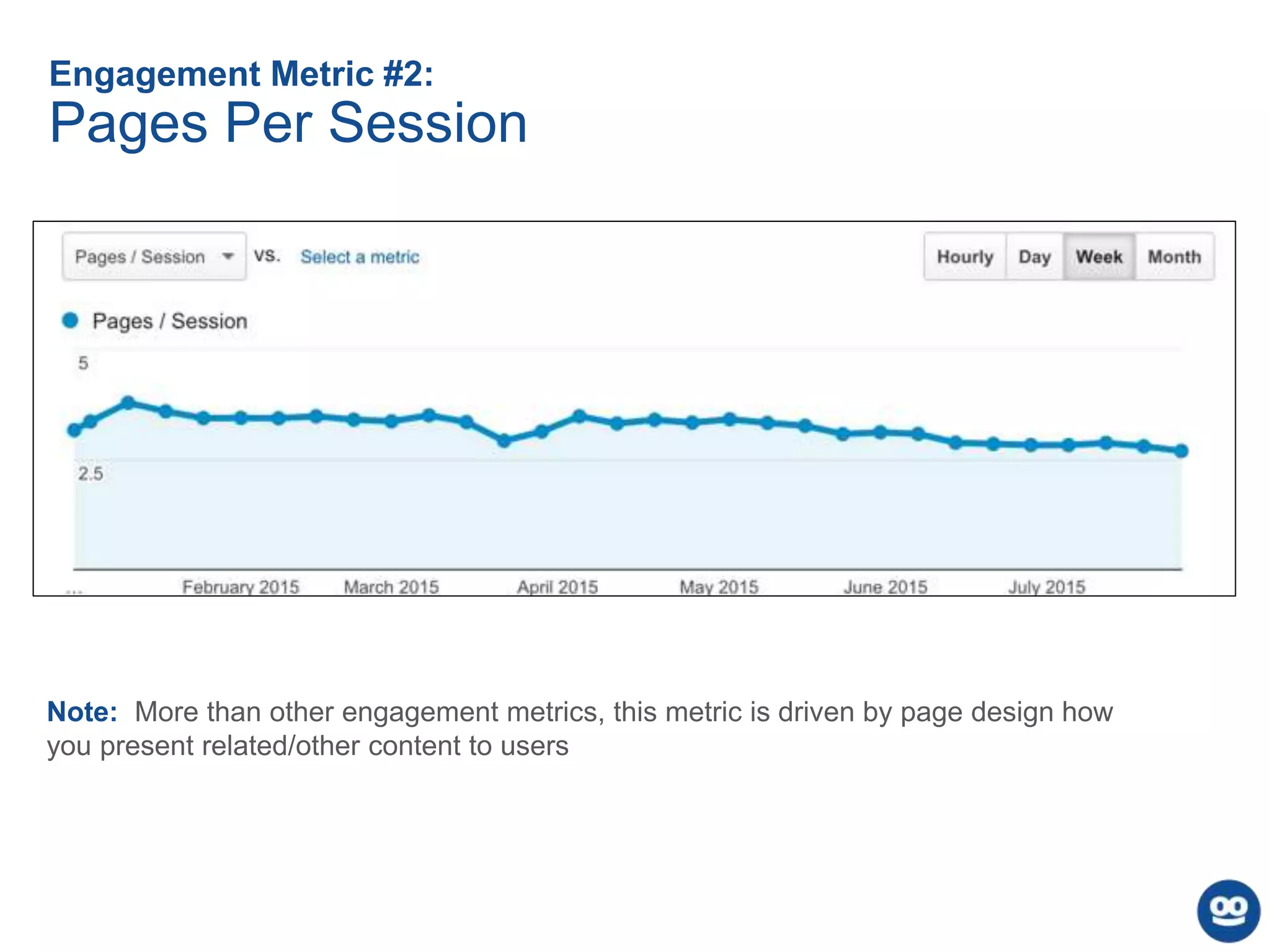
Pages Per Session
Note: More than other engagement metrics, this metric is driven by page design how
you present related/other content to users
Engagement Metric #3:
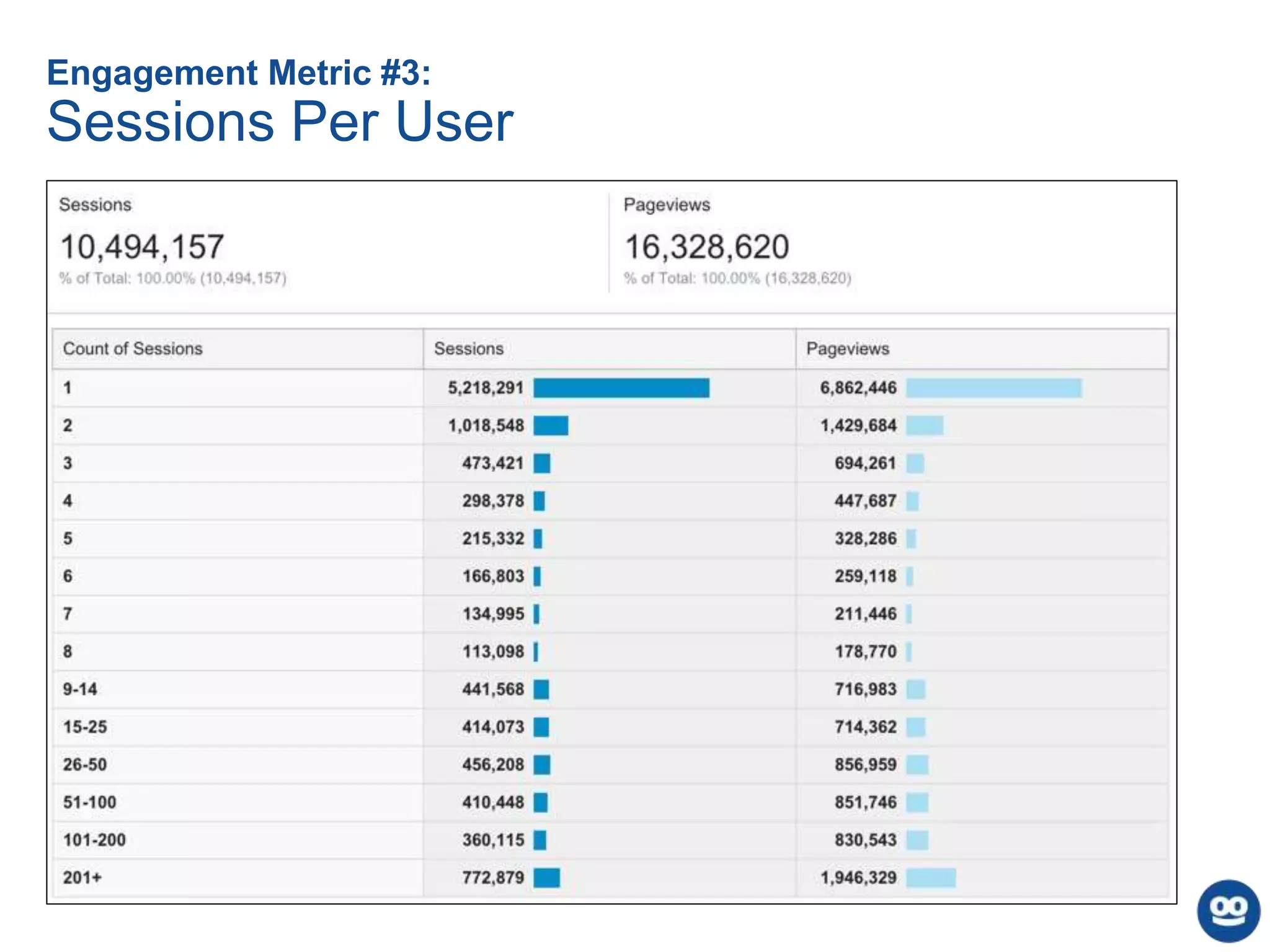
Sessions Per User
Engagement Metric #4:
Conversion
Goal Flow in Google Analytics:
Note: You choose your conversion metrics - this can be completing a form, purchasing something,
viewing a specific page, or anything else that’s important to your business.
Engagement Metric #5:
Video/Gallery Consumption
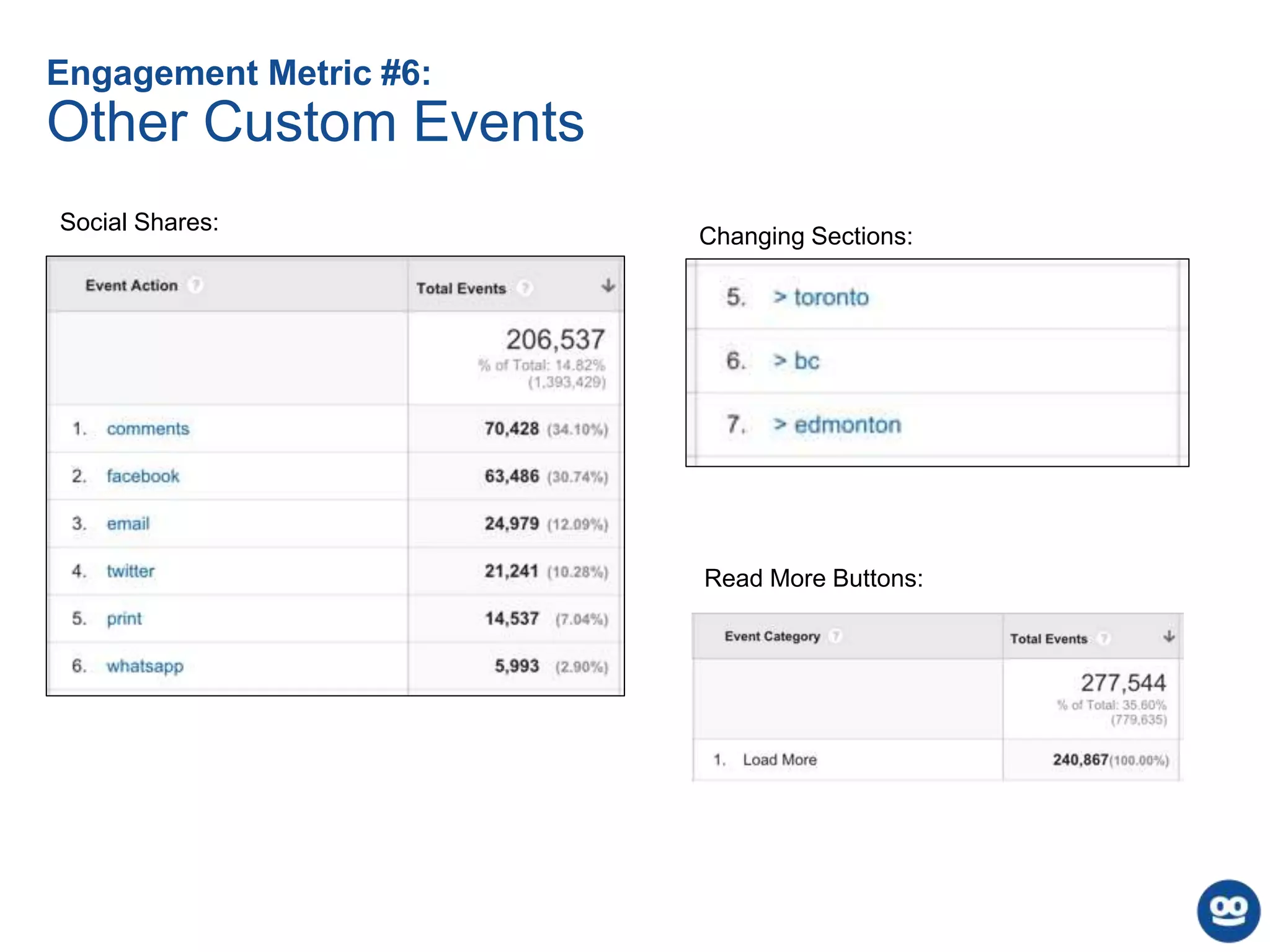
Engagement Metric #6:
Other Custom Events
Social Shares:
Changing Sections:
Read More Buttons:
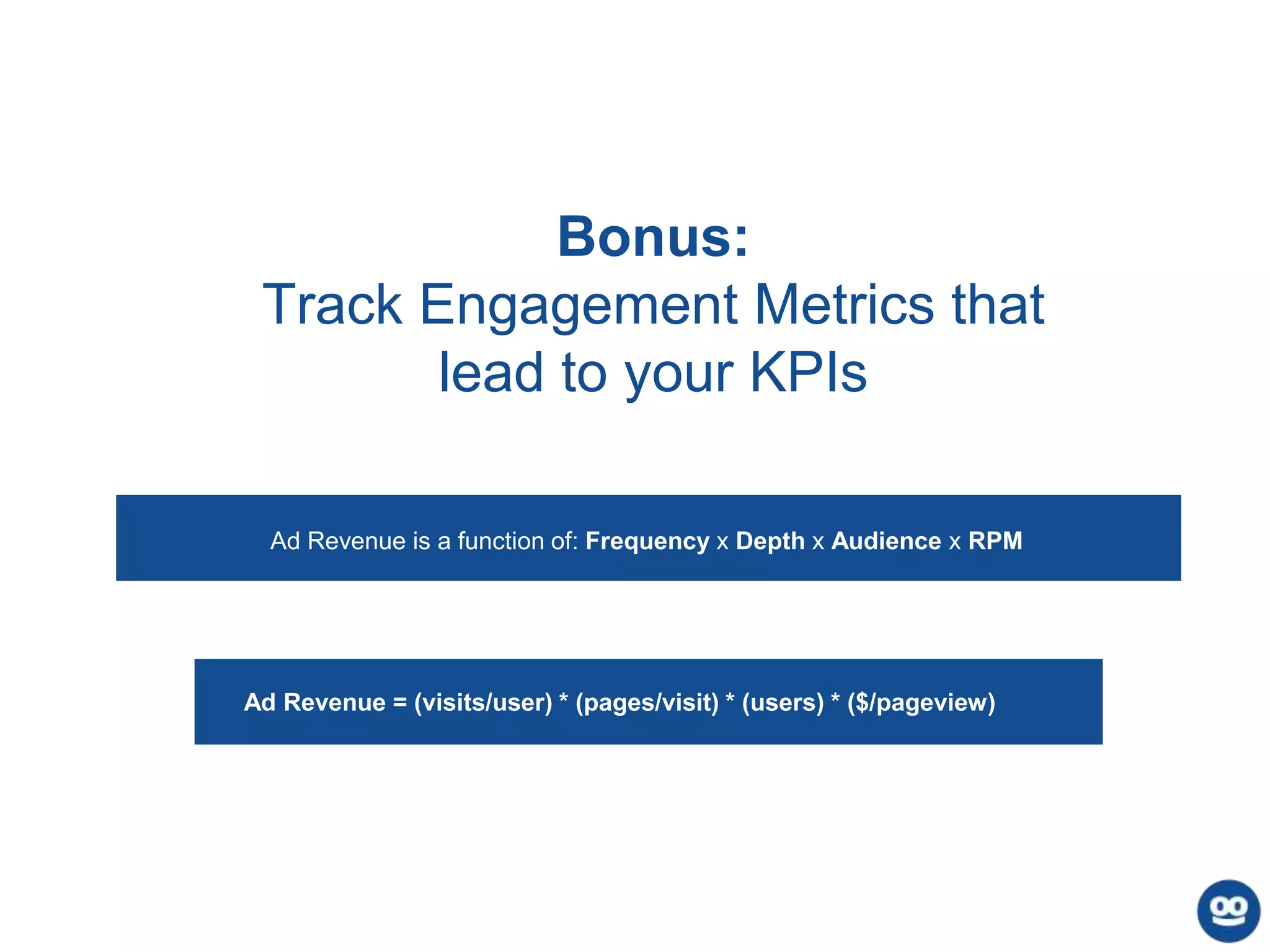
Bonus:
Track Engagement Metrics that
lead to your KPIs
Ad Revenue = (visits/user) * (pages/visit) * (users) * ($/pageview)
Ad Revenue is a function of: Frequency x Depth x Audience x RPM
Thank
You!
Questions?

Behind the Bounce: Understanding Metrics and Engagement

  • 1.
    Behind the Bounce: UnderstandingMetrics and Engagement Chris Muller | Taboola’s Organic Audience Development Team
  • 2.
    Agenda • Introduction • Definingbounce rate • How analytics tools measure bounce rate • What does/does not count as a bounce • Modifying your analytics software to more accurately track bounces • How your bounce rate can affect your traffic • Six metrics you can use to measure engagement • Q&A
  • 3.
    3 “Bounce Rate” isone of the most misunderstood digital metrics
  • 4.
    Defining Bounce Rate Percentageof sessions (visits) with a single tracked interaction Percentage of users who don’t watch a video Percentage of non-converting users Percentage of users who stay on my site < 1 minute Percentage of people leaving my site
  • 5.
    How Analytics ToolsTrack Sessions & Pageviews Views Page 1 (tracking beacon sent) User Enters Site Clicks Internal Link Views Page 2 (tracking beacon sent) ? User Not Seen Again on Site Recorded: 1 User, 1 Session, Two Pageviews Recorded: 1 User, 1 Session, 1 Pageview User Enters Site ? User Not Seen Again on Site Views Page 1 (tracking beacon sent)
  • 6.
    Examples of theData Sent in a Tracking Beacon
  • 7.
    Default Analytics SetupsDo Not Count These As Bounces 1. A user visits your site, reads the page, and clicks to another page 2. A user visits your site, begins a purchase funnel that takes them to another URL, then leaves without purchasing 3. A user visits your site, performs any action that is tracked by your analytics package (such as watching a video that has an attached event), then leaves 4. A user visits your site, reads that page, closes your tab … then returns to your site within 30 minutes and reads multiple pages. (Not a bounce since the session is still active* in both GA and Omniture) * Except if the user clears their cookies, or the time zone for your account passes to the next day
  • 8.
    Default Analytics SetupsDO Count These As Bounces 1. A user visits your site, reads the page they landed on, and hits the back button 2. A user visits your site, reads the page they landed on, and closes their browser/tab 3. A user visits your site, clicks the “share on Facebook” button, then leaves 4. A user visits your site, fills out a form (remaining on that page), then leaves 5. A user visits your site, watches an embedded Youtube video, then leaves
  • 9.
    • Add anevent that fires if a user stays on your page over X seconds a. setTimeout ("_gaq.push(['_trackEvent', '30_seconds', 'read'])",30000); [Google Analytics] b. setTimeout (“ga(‘send’,’event’,’30_seconds’,read’)”,30000); [Universal Analytics] • Fire an event when social media share buttons are clicked • Track video plays, or interaction with any other media, with an event • If you use infinite scroll or any other form of continuous consumption, make sure you’re accurately tracking page views on the second piece of content Modifying Your Analytics Setup to Track a More Useful “Bounce Rate”
  • 10.
    Your Bounce RateWill Vary Across Different Segments: • Different Pages • Traffic mediums • Different paid campaigns/sources • Demographics (age, sex, location) • Combinations of these
  • 11.
    Facts and Myths:Your Bounce Rate CAN affect both your Google and Facebook Traffic • It has never been confirmed that Google uses bounces back to search results in their ranking algorithms, but it make sense that they do - an immediate bounce back means the user wasn’t satisfied with your page! • On August 25, 2014, Facebook announced that the time spent on a page would be a factor in news feed ranking
  • 12.
    Facts and Myths:Your Bounce Rate CAN affect both your Google and Facebook Traffic Image Source: moz.com
  • 13.
    Final Notes About‘Bounce Rate’ 1. A ‘bounce’ is not necessarily a bad thing: you may have delivered what they were looking for in a single page view. 2. Bounce rates, as measured by analytics tools, can be manipulated. We can affect bounce rate with our implementation so be deliberate with implementation choices. 3. Tracking engagement metrics that directly lead to our KPIs matters much more than focusing on bounce rates!
  • 14.
    Many Different MetricsCan Be Used To Measure Engagement: #2 Pages Per Session #5 Video/Gallery Consumption #3 Sessions per User #4 Conversion (signing up or purchasing) #1 Time on Site Conversion #6 Other Custom Events
  • 15.
    15 Engagement Metric #1: AverageTime on Site (Session Duration) How Google Analytics and Omniture track session duration:Google Analytics: Chartbeat:
  • 16.
    Engagement Metric #2: PagesPer Session Note: More than other engagement metrics, this metric is driven by page design how you present related/other content to users
  • 17.
  • 18.
    Engagement Metric #4: Conversion GoalFlow in Google Analytics: Note: You choose your conversion metrics - this can be completing a form, purchasing something, viewing a specific page, or anything else that’s important to your business.
  • 19.
  • 20.
    Engagement Metric #6: OtherCustom Events Social Shares: Changing Sections: Read More Buttons:
  • 21.
    Bonus: Track Engagement Metricsthat lead to your KPIs Ad Revenue = (visits/user) * (pages/visit) * (users) * ($/pageview) Ad Revenue is a function of: Frequency x Depth x Audience x RPM
  • 22.