1
Your host & some logistics
I'm Jean-Jérôme from the Severalnines Team
and I'm your host for today's webinar!
Feel free to ask any questions in the
Questions section of this application or via
the Chat box.
You can also contact me directly via the chat
box or via email: jj@severalnines.com
during or after the webinar.
Confidential
Copyright 2013 Severalnines AB
ClusterControl Overview
2
Confidential
Copyright 2012 Severalnines AB
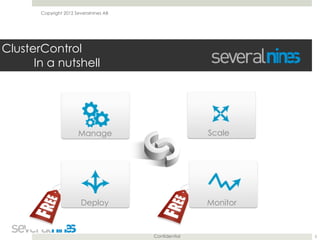
ClusterControl

In a nutshell
3
Manage Scale
MonitorDeploy
Confidential
Copyright Severalnines AB
ClusterControl

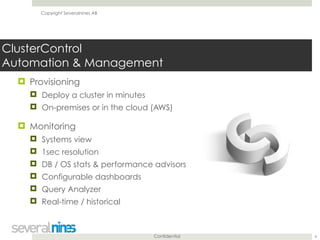
Automation & Management
! Provisioning
! Deploy a cluster in minutes
! On-premises or in the cloud (AWS)
! Monitoring
! Systems view
! 1sec resolution
! DB / OS stats & performance advisors
! Configurable dashboards
! Query Analyzer
! Real-time / historical
4
Confidential
Copyright Severalnines AB
ClusterControl

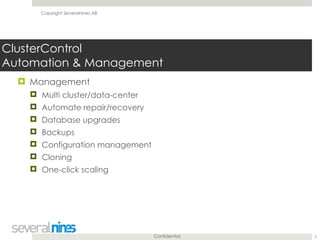
Automation & Management
! Management
! Multi cluster/data-center
! Automate repair/recovery
! Database upgrades
! Backups
! Configuration management
! Cloning
! One-click scaling
5
Confidential
Copyright Severalnines AB
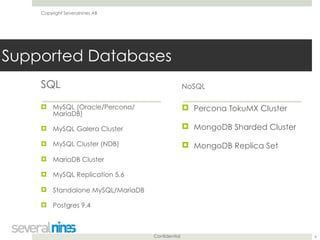
Supported Databases
SQL
! MySQL (Oracle/Percona/
MariaDB)
! MySQL Galera Cluster
! MySQL Cluster (NDB)
! MariaDB Cluster
! MySQL Replication 5.6
! Standalone MySQL/MariaDB
! Postgres 9.4
NoSQL
! Percona TokuMX Cluster
! MongoDB Sharded Cluster
! MongoDB Replica Set
6
Confidential
Copyright Severalnines AB
Customers
7
Copyright 2015 Severalnines AB
Performing MySQL database upgrades in Replication
and Galera setups
November 24, 2015
Krzysztof Książek
Severalnines
krzysztof@severalnines.com
8
Copyright 2015 Severalnines AB
! We want to help all non-DBA people who look after
MySQL infrastructures
! Share tips and good practices
! Watch the replays of the previous webinars on our
Slideshare page
! http://www.slideshare.net/Severalnines/videos
9
“Become a MySQL DBA” series
Copyright 2015 Severalnines AB
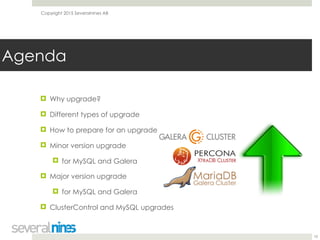
! Why upgrade?
! Different types of upgrade
! How to prepare for an upgrade
! Minor version upgrade
! for MySQL and Galera
! Major version upgrade
! for MySQL and Galera
! ClusterControl and MySQL upgrades


10
Agenda
Copyright 2015 Severalnines AB
Why upgrade?
11
Copyright 2015 Severalnines AB
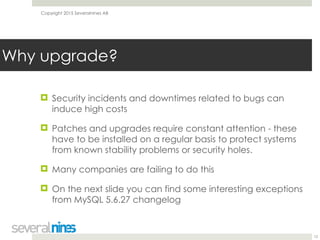
! Security incidents and downtimes related to bugs can
induce high costs
! Patches and upgrades require constant attention - these
have to be installed on a regular basis to protect systems
from known stability problems or security holes.
! Many companies are failing to do this
! On the next slide you can find some interesting exceptions
from MySQL 5.6.27 changelog
12
Why upgrade?
Copyright 2015 Severalnines AB
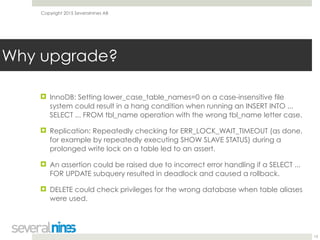
! InnoDB: Setting lower_case_table_names=0 on a case-insensitive file
system could result in a hang condition when running an INSERT INTO ...
SELECT ... FROM tbl_name operation with the wrong tbl_name letter case.
! Replication: Repeatedly checking for ERR_LOCK_WAIT_TIMEOUT (as done,
for example by repeatedly executing SHOW SLAVE STATUS) during a
prolonged write lock on a table led to an assert.
! An assertion could be raised due to incorrect error handling if a SELECT ...
FOR UPDATE subquery resulted in deadlock and caused a rollback.
! DELETE could check privileges for the wrong database when table aliases
were used.

13
Why upgrade?
Copyright 2015 Severalnines AB
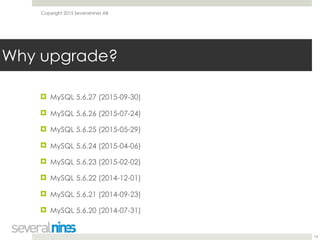
! MySQL 5.6.27 (2015-09-30)
! MySQL 5.6.26 (2015-07-24)
! MySQL 5.6.25 (2015-05-29)
! MySQL 5.6.24 (2015-04-06)
! MySQL 5.6.23 (2015-02-02)
! MySQL 5.6.22 (2014-12-01)
! MySQL 5.6.21 (2014-09-23)
! MySQL 5.6.20 (2014-07-31)

14
Why upgrade?
Copyright 2015 Severalnines AB
Different types of upgrade
15
Copyright 2015 Severalnines AB
! Minor version upgrades
! MySQL 5.6.x -> 5.6.y
! Versions should be compatible with regards to features
! Backward compatibility should be maintained
! The biggest concern is performance - execution plans
may change, MySQL host has to be restarted
16
Different types of upgrade
Copyright 2015 Severalnines AB
! Major version upgrades
! 5.x -> 5.y or even x.y -> a.b (for example 4.1 -> 5.7)
! Everything may have been changed
! Changes may be incompatible
! Extensive testing is required
! Read through the documents covering upgrade
process
17
Different types of upgrade
Copyright 2015 Severalnines AB
How to prepare for an upgrade?
18
Copyright 2015 Severalnines AB
! We’ll focus on major version upgrade as it has much
bigger potential to impact your workload than simple
5.6.x -> 5.6.y upgrade
! First step - plan your upgrade process. Will you use logical
dumps or binary in-place upgrade? Are you going to use
a slave?
! Test your plan - is it doable? Did everything work as
planned? Sometimes differences between versions make
some upgrade plans impossible to execute
19
How to prepare for an upgrade?
Copyright 2015 Severalnines AB
! Once you have a test database on a new version,
upgraded in a way you plan to upgrade production, it’s
time to run further test
! You need to check if app works ok with a new version of
the database
! Check for both logical issues and performance regressions
! More profiling you can do from within your app (or
external tool like New Relic), more data to compare
20
How to prepare for an upgrade?
Copyright 2015 Severalnines AB
! Performance regressions
! Some settings may need to be tuned differently
! Query execution plans may change from version to
version
! Logical issues
! Implicit row order may differ
! SQL syntax may have changed
21
How to prepare for an upgrade?
Copyright 2015 Severalnines AB
! Minor version upgrades should be compatible (after GA)
! They tend to contain bug fixes and some simple
improvements
! Ideally, you’d perform the same suite of tests like you’d
perform when upgrading 5.x -> 5.y
! As a minimum, check for performance regressions
! Plan for warming up the node - MySQL restart will be
required
22
How to prepare for an upgrade?
Copyright 2015 Severalnines AB
! pt-upgrade is one of tools you can use to automate
regression testing
! It uses data from slow log and replay them on two MySQL
nodes (i.e. running old and new version)
! Queries are checked (among others) for the execution
time and their result set (missing rows, incorrect order)
! Helps DBA to pinpoint regressions and potential issues
23
How to prepare for an upgrade?
Copyright 2015 Severalnines AB
Minor version upgrade
24
Copyright 2015 Severalnines AB
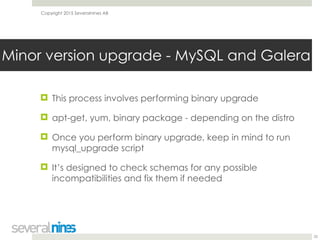
! This process involves performing binary upgrade
! apt-get, yum, binary package - depending on the distro
! Once you perform binary upgrade, keep in mind to run
mysql_upgrade script
! It’s designed to check schemas for any possible
incompatibilities and fix them if needed
25
Minor version upgrade - MySQL and Galera
Copyright 2015 Severalnines AB
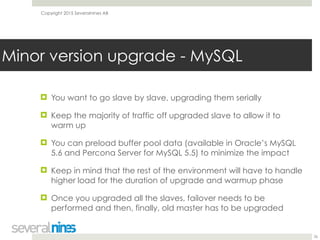
! You want to go slave by slave, upgrading them serially
! Keep the majority of traffic off upgraded slave to allow it to
warm up
! You can preload buffer pool data (available in Oracle’s MySQL
5.6 and Percona Server for MySQL 5.5) to minimize the impact
! Keep in mind that the rest of the environment will have to handle
higher load for the duration of upgrade and warmup phase
! Once you upgraded all the slaves, failover needs to be
performed and then, finally, old master has to be upgraded

26
Minor version upgrade - MySQL
Copyright 2015 Severalnines AB
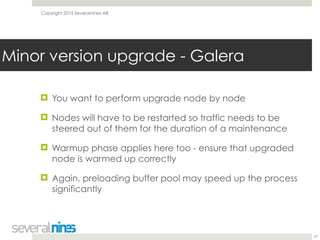
! You want to perform upgrade node by node
! Nodes will have to be restarted so traffic needs to be
steered out of them for the duration of a maintenance
! Warmup phase applies here too - ensure that upgraded
node is warmed up correctly
! Again, preloading buffer pool may speed up the process
significantly
27
Minor version upgrade - Galera
Copyright 2015 Severalnines AB
Major version upgrade
28
Copyright 2015 Severalnines AB
! Much more complex process
! Logical upgrade is a recommended way to perform
upgrade (only in 5.6 -> 5.7 Oracle removed this
recommendation)
! For large databases this is serious issue to solve as
dumping and then loading data takes very long time
! Setting up new nodes and connecting them via the
replication may be needed to stay online for the duration
of the upgrade
29
Major version upgrade - MySQL
Copyright 2015 Severalnines AB
! In-place upgrade is possible (just run apt-get/yum) but
you have to be sure it works for you - tests have to be very
detailed
! We’ve seen databases haunted by issues long time after
the upgrade
! This is definitely not the best option to choose
30
Major version upgrade - MySQL
Copyright 2015 Severalnines AB
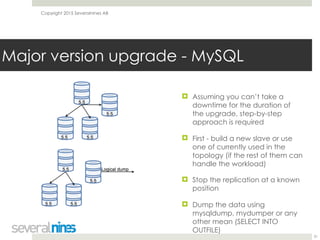
! Assuming you can’t take a
downtime for the duration of
the upgrade, step-by-step
approach is required
! First - build a new slave or use
one of currently used in the
topology (if the rest of them can
handle the workload)
! Stop the replication at a known
position
! Dump the data using
mysqldump, mydumper or any
other mean (SELECT INTO
OUTFILE)
31
Major version upgrade - MySQL
Copyright 2015 Severalnines AB
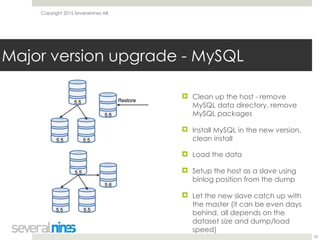
! Clean up the host - remove
MySQL data directory, remove
MySQL packages
! Install MySQL in the new version,
clean install
! Load the data
! Setup the host as a slave using
binlog position from the dump
! Let the new slave catch up with
the master (it can be even days
behind, all depends on the
dataset size and dump/load
speed)
32
Major version upgrade - MySQL
Copyright 2015 Severalnines AB
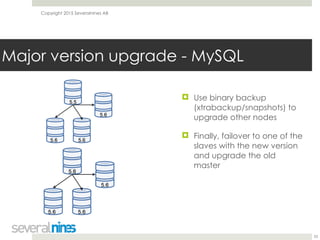
! Use binary backup
(xtrabackup/snapshots) to
upgrade other nodes
! Finally, failover to one of the
slaves with the new version
and upgrade the old
master
33
Major version upgrade - MySQL
Copyright 2015 Severalnines AB
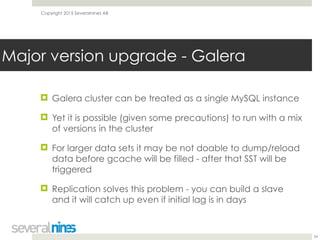
! Galera cluster can be treated as a single MySQL instance
! Yet it is possible (given some precautions) to run with a mix
of versions in the cluster
! For larger data sets it may be not doable to dump/reload
data before gcache will be filled - after that SST will be
triggered
! Replication solves this problem - you can build a slave
and it will catch up even if initial lag is in days
34
Major version upgrade - Galera
Copyright 2015 Severalnines AB
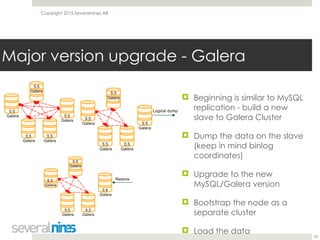
! Beginning is similar to MySQL
replication - build a new
slave to Galera Cluster
! Dump the data on the slave
(keep in mind binlog
coordinates)
! Upgrade to the new
MySQL/Galera version
! Bootstrap the node as a
separate cluster
! Load the data
35
Major version upgrade - Galera
Copyright 2015 Severalnines AB
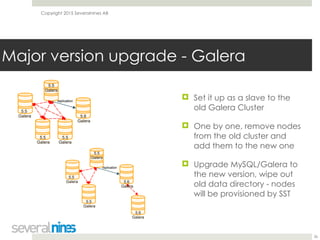
! Set it up as a slave to the
old Galera Cluster
! One by one, remove nodes
from the old cluster and
add them to the new one
! Upgrade MySQL/Galera to
the new version, wipe out
old data directory - nodes
will be provisioned by SST
36
Major version upgrade - Galera
Copyright 2015 Severalnines AB
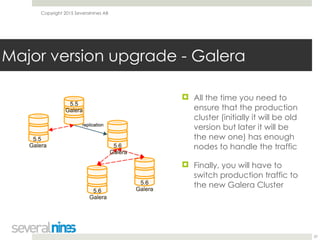
! All the time you need to
ensure that the production
cluster (initially it will be old
version but later it will be
the new one) has enough
nodes to handle the traffic
! Finally, you will have to
switch production traffic to
the new Galera Cluster
37
Major version upgrade - Galera
Copyright 2015 Severalnines AB
! If you can dump and reload data while last applied writeset
still exists in gcache, you can try in-place upgrade
! Take the node off the cluster, dump, upgrade, reload, bring
it back to the cluster
! If IST executes, things are looking good
! Such node has to be read only - writeset replication may not
work from newer to older MySQL version
! If you also upgrade Galera (i.e. 2.x -> 3.x) some settings may
have to be added to my.cnf (socket.checksum for example)
38
Major version upgrade - Galera
Copyright 2015 Severalnines AB
! Plan your upgrade process
! Check if it works
! Test your application on new MySQL version
! Check for any regressions
! Execute your upgrade process
! Remember about warmup phase
39
Short summary
Copyright 2015 Severalnines AB
MySQL Upgrades and ClusterControl
40
Copyright 2015 Severalnines AB
! ClusterControl can be used to some extend to help you in
preparations for upgrade
! It’s also important to keep in mind few things when
upgrading clusters managed by ClusterControl
! Building a slave - ClusterControl has option to automate
slave provisioning for both MySQL replication and Galera
Cluster
41
MySQL Upgrades and ClusterControl
Copyright 2015 Severalnines AB
MySQL Upgrades and ClusterControl
42
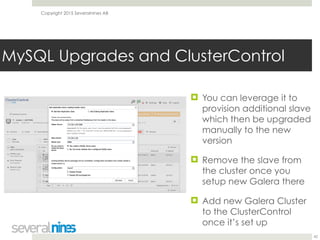
! You can leverage it to
provision additional slave
which then be upgraded
manually to the new
version
! Remove the slave from
the cluster once you
setup new Galera there
! Add new Galera Cluster
to the ClusterControl
once it’s set up
Copyright 2015 Severalnines AB
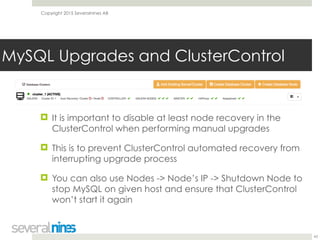
! It is important to disable at least node recovery in the
ClusterControl when performing manual upgrades
! This is to prevent ClusterControl automated recovery from
interrupting upgrade process
! You can also use Nodes -> Node’s IP -> Shutdown Node to
stop MySQL on given host and ensure that ClusterControl
won’t start it again
43
MySQL Upgrades and ClusterControl
Copyright 2015 Severalnines AB
! More blogs in “Become a MySQL DBA” series:
! http://severalnines.com/blog/become-mysql-dba-
blog-series-optimizer-hints-faster-query-execution
! http://severalnines.com/blog/become-mysql-dba-
blog-series-understanding-mysql-error-log
! http://severalnines.com/blog/become-mysql-dba-
blog-series-galera-cluster-diagnostic-logs
! Contact: krzysztof@severalnines.com
44
Thank You!

Become a MySQL DBA: performing live database upgrades - webinar slides

  • 1.
    1 Your host &some logistics I'm Jean-Jérôme from the Severalnines Team and I'm your host for today's webinar! Feel free to ask any questions in the Questions section of this application or via the Chat box. You can also contact me directly via the chat box or via email: jj@severalnines.com during or after the webinar.
  • 2.
    Confidential Copyright 2013 SeveralninesAB ClusterControl Overview 2
  • 3.
    Confidential Copyright 2012 SeveralninesAB ClusterControl
 In a nutshell 3 Manage Scale MonitorDeploy
  • 4.
    Confidential Copyright Severalnines AB ClusterControl
 Automation& Management ! Provisioning ! Deploy a cluster in minutes ! On-premises or in the cloud (AWS) ! Monitoring ! Systems view ! 1sec resolution ! DB / OS stats & performance advisors ! Configurable dashboards ! Query Analyzer ! Real-time / historical 4
  • 5.
    Confidential Copyright Severalnines AB ClusterControl
 Automation& Management ! Management ! Multi cluster/data-center ! Automate repair/recovery ! Database upgrades ! Backups ! Configuration management ! Cloning ! One-click scaling 5
  • 6.
    Confidential Copyright Severalnines AB SupportedDatabases SQL ! MySQL (Oracle/Percona/ MariaDB) ! MySQL Galera Cluster ! MySQL Cluster (NDB) ! MariaDB Cluster ! MySQL Replication 5.6 ! Standalone MySQL/MariaDB ! Postgres 9.4 NoSQL ! Percona TokuMX Cluster ! MongoDB Sharded Cluster ! MongoDB Replica Set 6
  • 7.
  • 8.
    Copyright 2015 SeveralninesAB Performing MySQL database upgrades in Replication and Galera setups November 24, 2015 Krzysztof Książek Severalnines krzysztof@severalnines.com 8
  • 9.
    Copyright 2015 SeveralninesAB ! We want to help all non-DBA people who look after MySQL infrastructures ! Share tips and good practices ! Watch the replays of the previous webinars on our Slideshare page ! http://www.slideshare.net/Severalnines/videos 9 “Become a MySQL DBA” series
  • 10.
    Copyright 2015 SeveralninesAB ! Why upgrade? ! Different types of upgrade ! How to prepare for an upgrade ! Minor version upgrade ! for MySQL and Galera ! Major version upgrade ! for MySQL and Galera ! ClusterControl and MySQL upgrades
 
 10 Agenda
  • 11.
    Copyright 2015 SeveralninesAB Why upgrade? 11
  • 12.
    Copyright 2015 SeveralninesAB ! Security incidents and downtimes related to bugs can induce high costs ! Patches and upgrades require constant attention - these have to be installed on a regular basis to protect systems from known stability problems or security holes. ! Many companies are failing to do this ! On the next slide you can find some interesting exceptions from MySQL 5.6.27 changelog 12 Why upgrade?
  • 13.
    Copyright 2015 SeveralninesAB ! InnoDB: Setting lower_case_table_names=0 on a case-insensitive file system could result in a hang condition when running an INSERT INTO ... SELECT ... FROM tbl_name operation with the wrong tbl_name letter case. ! Replication: Repeatedly checking for ERR_LOCK_WAIT_TIMEOUT (as done, for example by repeatedly executing SHOW SLAVE STATUS) during a prolonged write lock on a table led to an assert. ! An assertion could be raised due to incorrect error handling if a SELECT ... FOR UPDATE subquery resulted in deadlock and caused a rollback. ! DELETE could check privileges for the wrong database when table aliases were used.
 13 Why upgrade?
  • 14.
    Copyright 2015 SeveralninesAB ! MySQL 5.6.27 (2015-09-30) ! MySQL 5.6.26 (2015-07-24) ! MySQL 5.6.25 (2015-05-29) ! MySQL 5.6.24 (2015-04-06) ! MySQL 5.6.23 (2015-02-02) ! MySQL 5.6.22 (2014-12-01) ! MySQL 5.6.21 (2014-09-23) ! MySQL 5.6.20 (2014-07-31)
 14 Why upgrade?
  • 15.
    Copyright 2015 SeveralninesAB Different types of upgrade 15
  • 16.
    Copyright 2015 SeveralninesAB ! Minor version upgrades ! MySQL 5.6.x -> 5.6.y ! Versions should be compatible with regards to features ! Backward compatibility should be maintained ! The biggest concern is performance - execution plans may change, MySQL host has to be restarted 16 Different types of upgrade
  • 17.
    Copyright 2015 SeveralninesAB ! Major version upgrades ! 5.x -> 5.y or even x.y -> a.b (for example 4.1 -> 5.7) ! Everything may have been changed ! Changes may be incompatible ! Extensive testing is required ! Read through the documents covering upgrade process 17 Different types of upgrade
  • 18.
    Copyright 2015 SeveralninesAB How to prepare for an upgrade? 18
  • 19.
    Copyright 2015 SeveralninesAB ! We’ll focus on major version upgrade as it has much bigger potential to impact your workload than simple 5.6.x -> 5.6.y upgrade ! First step - plan your upgrade process. Will you use logical dumps or binary in-place upgrade? Are you going to use a slave? ! Test your plan - is it doable? Did everything work as planned? Sometimes differences between versions make some upgrade plans impossible to execute 19 How to prepare for an upgrade?
  • 20.
    Copyright 2015 SeveralninesAB ! Once you have a test database on a new version, upgraded in a way you plan to upgrade production, it’s time to run further test ! You need to check if app works ok with a new version of the database ! Check for both logical issues and performance regressions ! More profiling you can do from within your app (or external tool like New Relic), more data to compare 20 How to prepare for an upgrade?
  • 21.
    Copyright 2015 SeveralninesAB ! Performance regressions ! Some settings may need to be tuned differently ! Query execution plans may change from version to version ! Logical issues ! Implicit row order may differ ! SQL syntax may have changed 21 How to prepare for an upgrade?
  • 22.
    Copyright 2015 SeveralninesAB ! Minor version upgrades should be compatible (after GA) ! They tend to contain bug fixes and some simple improvements ! Ideally, you’d perform the same suite of tests like you’d perform when upgrading 5.x -> 5.y ! As a minimum, check for performance regressions ! Plan for warming up the node - MySQL restart will be required 22 How to prepare for an upgrade?
  • 23.
    Copyright 2015 SeveralninesAB ! pt-upgrade is one of tools you can use to automate regression testing ! It uses data from slow log and replay them on two MySQL nodes (i.e. running old and new version) ! Queries are checked (among others) for the execution time and their result set (missing rows, incorrect order) ! Helps DBA to pinpoint regressions and potential issues 23 How to prepare for an upgrade?
  • 24.
    Copyright 2015 SeveralninesAB Minor version upgrade 24
  • 25.
    Copyright 2015 SeveralninesAB ! This process involves performing binary upgrade ! apt-get, yum, binary package - depending on the distro ! Once you perform binary upgrade, keep in mind to run mysql_upgrade script ! It’s designed to check schemas for any possible incompatibilities and fix them if needed 25 Minor version upgrade - MySQL and Galera
  • 26.
    Copyright 2015 SeveralninesAB ! You want to go slave by slave, upgrading them serially ! Keep the majority of traffic off upgraded slave to allow it to warm up ! You can preload buffer pool data (available in Oracle’s MySQL 5.6 and Percona Server for MySQL 5.5) to minimize the impact ! Keep in mind that the rest of the environment will have to handle higher load for the duration of upgrade and warmup phase ! Once you upgraded all the slaves, failover needs to be performed and then, finally, old master has to be upgraded
 26 Minor version upgrade - MySQL
  • 27.
    Copyright 2015 SeveralninesAB ! You want to perform upgrade node by node ! Nodes will have to be restarted so traffic needs to be steered out of them for the duration of a maintenance ! Warmup phase applies here too - ensure that upgraded node is warmed up correctly ! Again, preloading buffer pool may speed up the process significantly 27 Minor version upgrade - Galera
  • 28.
    Copyright 2015 SeveralninesAB Major version upgrade 28
  • 29.
    Copyright 2015 SeveralninesAB ! Much more complex process ! Logical upgrade is a recommended way to perform upgrade (only in 5.6 -> 5.7 Oracle removed this recommendation) ! For large databases this is serious issue to solve as dumping and then loading data takes very long time ! Setting up new nodes and connecting them via the replication may be needed to stay online for the duration of the upgrade 29 Major version upgrade - MySQL
  • 30.
    Copyright 2015 SeveralninesAB ! In-place upgrade is possible (just run apt-get/yum) but you have to be sure it works for you - tests have to be very detailed ! We’ve seen databases haunted by issues long time after the upgrade ! This is definitely not the best option to choose 30 Major version upgrade - MySQL
  • 31.
    Copyright 2015 SeveralninesAB ! Assuming you can’t take a downtime for the duration of the upgrade, step-by-step approach is required ! First - build a new slave or use one of currently used in the topology (if the rest of them can handle the workload) ! Stop the replication at a known position ! Dump the data using mysqldump, mydumper or any other mean (SELECT INTO OUTFILE) 31 Major version upgrade - MySQL
  • 32.
    Copyright 2015 SeveralninesAB ! Clean up the host - remove MySQL data directory, remove MySQL packages ! Install MySQL in the new version, clean install ! Load the data ! Setup the host as a slave using binlog position from the dump ! Let the new slave catch up with the master (it can be even days behind, all depends on the dataset size and dump/load speed) 32 Major version upgrade - MySQL
  • 33.
    Copyright 2015 SeveralninesAB ! Use binary backup (xtrabackup/snapshots) to upgrade other nodes ! Finally, failover to one of the slaves with the new version and upgrade the old master 33 Major version upgrade - MySQL
  • 34.
    Copyright 2015 SeveralninesAB ! Galera cluster can be treated as a single MySQL instance ! Yet it is possible (given some precautions) to run with a mix of versions in the cluster ! For larger data sets it may be not doable to dump/reload data before gcache will be filled - after that SST will be triggered ! Replication solves this problem - you can build a slave and it will catch up even if initial lag is in days 34 Major version upgrade - Galera
  • 35.
    Copyright 2015 SeveralninesAB ! Beginning is similar to MySQL replication - build a new slave to Galera Cluster ! Dump the data on the slave (keep in mind binlog coordinates) ! Upgrade to the new MySQL/Galera version ! Bootstrap the node as a separate cluster ! Load the data 35 Major version upgrade - Galera
  • 36.
    Copyright 2015 SeveralninesAB ! Set it up as a slave to the old Galera Cluster ! One by one, remove nodes from the old cluster and add them to the new one ! Upgrade MySQL/Galera to the new version, wipe out old data directory - nodes will be provisioned by SST 36 Major version upgrade - Galera
  • 37.
    Copyright 2015 SeveralninesAB ! All the time you need to ensure that the production cluster (initially it will be old version but later it will be the new one) has enough nodes to handle the traffic ! Finally, you will have to switch production traffic to the new Galera Cluster 37 Major version upgrade - Galera
  • 38.
    Copyright 2015 SeveralninesAB ! If you can dump and reload data while last applied writeset still exists in gcache, you can try in-place upgrade ! Take the node off the cluster, dump, upgrade, reload, bring it back to the cluster ! If IST executes, things are looking good ! Such node has to be read only - writeset replication may not work from newer to older MySQL version ! If you also upgrade Galera (i.e. 2.x -> 3.x) some settings may have to be added to my.cnf (socket.checksum for example) 38 Major version upgrade - Galera
  • 39.
    Copyright 2015 SeveralninesAB ! Plan your upgrade process ! Check if it works ! Test your application on new MySQL version ! Check for any regressions ! Execute your upgrade process ! Remember about warmup phase 39 Short summary
  • 40.
    Copyright 2015 SeveralninesAB MySQL Upgrades and ClusterControl 40
  • 41.
    Copyright 2015 SeveralninesAB ! ClusterControl can be used to some extend to help you in preparations for upgrade ! It’s also important to keep in mind few things when upgrading clusters managed by ClusterControl ! Building a slave - ClusterControl has option to automate slave provisioning for both MySQL replication and Galera Cluster 41 MySQL Upgrades and ClusterControl
  • 42.
    Copyright 2015 SeveralninesAB MySQL Upgrades and ClusterControl 42 ! You can leverage it to provision additional slave which then be upgraded manually to the new version ! Remove the slave from the cluster once you setup new Galera there ! Add new Galera Cluster to the ClusterControl once it’s set up
  • 43.
    Copyright 2015 SeveralninesAB ! It is important to disable at least node recovery in the ClusterControl when performing manual upgrades ! This is to prevent ClusterControl automated recovery from interrupting upgrade process ! You can also use Nodes -> Node’s IP -> Shutdown Node to stop MySQL on given host and ensure that ClusterControl won’t start it again 43 MySQL Upgrades and ClusterControl
  • 44.
    Copyright 2015 SeveralninesAB ! More blogs in “Become a MySQL DBA” series: ! http://severalnines.com/blog/become-mysql-dba- blog-series-optimizer-hints-faster-query-execution ! http://severalnines.com/blog/become-mysql-dba- blog-series-understanding-mysql-error-log ! http://severalnines.com/blog/become-mysql-dba- blog-series-galera-cluster-diagnostic-logs ! Contact: krzysztof@severalnines.com 44 Thank You!