BASIC PROGRAMMING
BASIC statements.
Lesson Objectives:
At the end of the lesson, I should be able
to:
1. List key statements of BASIC and their
functions.
2. List some BASIC library functions.
3. Write simple BASIC programs.
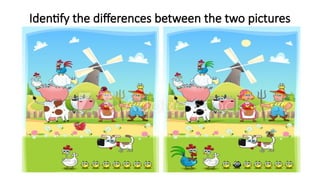
Identify the differences between the two pictures
BASIC Statements
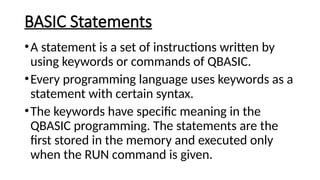
•A statement is a set of instructions written by
using keywords or commands of QBASIC.
•Every programming language uses keywords as a
statement with certain syntax.
•The keywords have specific meaning in the
QBASIC programming. The statements are the
first stored in the memory and executed only
when the RUN command is given.
Key Statements of BASIC
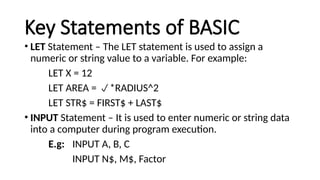
• LET Statement – The LET statement is used to assign a
numeric or string value to a variable. For example:
LET X = 12
LET AREA = *RADIUS^2
LET STR$ = FIRST$ + LAST$
• INPUT Statement – It is used to enter numeric or string data
into a computer during program execution.
E.g: INPUT A, B, C
INPUT N$, M$, Factor
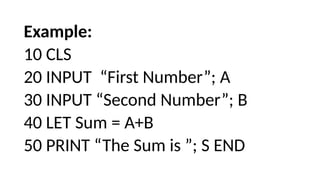
Example:
10 CLS
20 INPUT “First Number”; A
30 INPUT “Second Number”; B
40 LET Sum = A+B
50 PRINT “The Sum is ”; S END
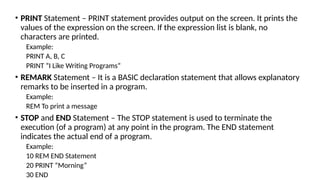
• PRINT Statement – PRINT statement provides output on the screen. It prints the
values of the expression on the screen. If the expression list is blank, no
characters are printed.
Example:
PRINT A, B, C
PRINT “I Like Writing Programs”
• REMARK Statement – It is a BASIC declaration statement that allows explanatory
remarks to be inserted in a program.
Example:
REM To print a message
• STOP and END Statement – The STOP statement is used to terminate the
execution (of a program) at any point in the program. The END statement
indicates the actual end of a program.
Example:
10 REM END Statement
20 PRINT “Morning”
30 END
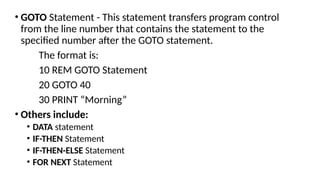
• GOTO Statement - This statement transfers program control
from the line number that contains the statement to the
specified number after the GOTO statement.
The format is:
10 REM GOTO Statement
20 GOTO 40
30 PRINT “Morning”
• Others include:
• DATA statement
• IF-THEN Statement
• IF-THEN-ELSE Statement
• FOR NEXT Statement
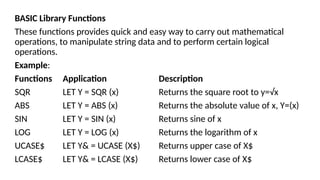
BASIC Library Functions
These functions provides quick and easy way to carry out mathematical
operations, to manipulate string data and to perform certain logical
operations.
Example:
Functions Application Description
SQR LET Y = SQR (x) Returns the square root to y=√x
ABS LET Y = ABS (x) Returns the absolute value of x, Y=(x)
SIN LET Y = SIN (x) Returns sine of x
LOG LET Y = LOG (x) Returns the logarithm of x
UCASE$ LET Y& = UCASE (X$) Returns upper case of X$
LCASE$ LET Y& = LCASE (X$) Returns lower case of X$
• SAMPLE PROGRAM
The following are examples of sample programs.
Sample 1: To find the average of four numbers
Solution:
10 REM Program to find Average of four numbers given
20 INPUT A, B, C, D
30 LET SUM = A + B + C + D
40 LET AVERAGE = Sum/4
50 PRINT Average
60 END
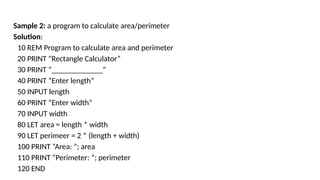
Sample 2: a program to calculate area/perimeter
Solution:
10 REM Program to calculate area and perimeter
20 PRINT “Rectangle Calculator”
30 PRINT “_____________”
40 PRINT “Enter length”
50 INPUT length
60 PRINT “Enter width”
70 INPUT width
80 LET area = length * width
90 LET perimeer = 2 * (length + width)
100 PRINT “Area: ”; area
110 PRINT “Perimeter: ”; perimeter
120 END
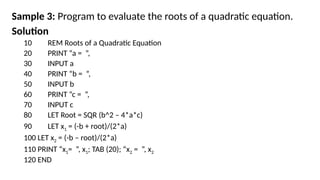
Sample 3: Program to evaluate the roots of a quadratic equation.
Solution
10 REM Roots of a Quadratic Equation
20 PRINT “a = ”,
30 INPUT a
40 PRINT “b = ”,
50 INPUT b
60 PRINT “c = ”,
70 INPUT c
80 LET Root = SQR (b^2 – 4*a*c)
90 LET x1 = (-b + root)/(2*a)
100 LET x2 = (-b – root)/(2*a)
110 PRINT “x1= ”, x1; TAB (20); “x2 = ”, x2
120 END

BASIC programming language presentation.pptx

  • 1.
  • 2.
    Lesson Objectives: At theend of the lesson, I should be able to: 1. List key statements of BASIC and their functions. 2. List some BASIC library functions. 3. Write simple BASIC programs.
  • 3.
    Identify the differencesbetween the two pictures
  • 4.
    BASIC Statements •A statementis a set of instructions written by using keywords or commands of QBASIC. •Every programming language uses keywords as a statement with certain syntax. •The keywords have specific meaning in the QBASIC programming. The statements are the first stored in the memory and executed only when the RUN command is given.
  • 5.
    Key Statements ofBASIC • LET Statement – The LET statement is used to assign a numeric or string value to a variable. For example: LET X = 12 LET AREA = *RADIUS^2 LET STR$ = FIRST$ + LAST$ • INPUT Statement – It is used to enter numeric or string data into a computer during program execution. E.g: INPUT A, B, C INPUT N$, M$, Factor
  • 6.
    Example: 10 CLS 20 INPUT“First Number”; A 30 INPUT “Second Number”; B 40 LET Sum = A+B 50 PRINT “The Sum is ”; S END
  • 7.
    • PRINT Statement– PRINT statement provides output on the screen. It prints the values of the expression on the screen. If the expression list is blank, no characters are printed. Example: PRINT A, B, C PRINT “I Like Writing Programs” • REMARK Statement – It is a BASIC declaration statement that allows explanatory remarks to be inserted in a program. Example: REM To print a message • STOP and END Statement – The STOP statement is used to terminate the execution (of a program) at any point in the program. The END statement indicates the actual end of a program. Example: 10 REM END Statement 20 PRINT “Morning” 30 END
  • 8.
    • GOTO Statement- This statement transfers program control from the line number that contains the statement to the specified number after the GOTO statement. The format is: 10 REM GOTO Statement 20 GOTO 40 30 PRINT “Morning” • Others include: • DATA statement • IF-THEN Statement • IF-THEN-ELSE Statement • FOR NEXT Statement
  • 9.
    BASIC Library Functions Thesefunctions provides quick and easy way to carry out mathematical operations, to manipulate string data and to perform certain logical operations. Example: Functions Application Description SQR LET Y = SQR (x) Returns the square root to y=√x ABS LET Y = ABS (x) Returns the absolute value of x, Y=(x) SIN LET Y = SIN (x) Returns sine of x LOG LET Y = LOG (x) Returns the logarithm of x UCASE$ LET Y& = UCASE (X$) Returns upper case of X$ LCASE$ LET Y& = LCASE (X$) Returns lower case of X$
  • 10.
    • SAMPLE PROGRAM Thefollowing are examples of sample programs. Sample 1: To find the average of four numbers Solution: 10 REM Program to find Average of four numbers given 20 INPUT A, B, C, D 30 LET SUM = A + B + C + D 40 LET AVERAGE = Sum/4 50 PRINT Average 60 END
  • 11.
    Sample 2: aprogram to calculate area/perimeter Solution: 10 REM Program to calculate area and perimeter 20 PRINT “Rectangle Calculator” 30 PRINT “_____________” 40 PRINT “Enter length” 50 INPUT length 60 PRINT “Enter width” 70 INPUT width 80 LET area = length * width 90 LET perimeer = 2 * (length + width) 100 PRINT “Area: ”; area 110 PRINT “Perimeter: ”; perimeter 120 END
  • 12.
    Sample 3: Programto evaluate the roots of a quadratic equation. Solution 10 REM Roots of a Quadratic Equation 20 PRINT “a = ”, 30 INPUT a 40 PRINT “b = ”, 50 INPUT b 60 PRINT “c = ”, 70 INPUT c 80 LET Root = SQR (b^2 – 4*a*c) 90 LET x1 = (-b + root)/(2*a) 100 LET x2 = (-b – root)/(2*a) 110 PRINT “x1= ”, x1; TAB (20); “x2 = ”, x2 120 END