BASIC PC
MAINTENANCE
AND SECURITY TIPS
IT DEPARTMENT
Presented by:
Oghodero Ephraim
IT Manager, SBP.
Computer maintenance means
keeping your computer in good
condition through regular
cleanings, hard drive updates, and
virus prevention. It also involves
best practices that will enhance its
functionality.
• Dust your Keyboard
• Wipe your Monitor
• Get rid of mouse dust
and Particles
KEEP YOUR
COMPUTER CLEAN
USE STRONG
PASSWORDS AND
MULTIFACTOR AUTH
•Use Password Manager –
Bitwarden
•Multi factor Authentication –
Google Authenticator, One
Auth, Microsoft Authenticator
ACTIVE ANTIVIRUS
AND UPDATES
•Install Original Antivirus
Softwares
•Always update antivirus
•Change password Regularly
•Check for Firmware Update
PROPER FILE
MANAGEMENT
•Move similar Files into
Folders
•Remove unused Programs
•Clear Out Recycle Bin
•Remove Temporal Internet
Files – Clear Cache and
cookies
•Transfer Files to the Cloud
HARD DRIVE
MAINTENANCE
• Defragment the Hard drive
Backup Data
• Configure your Startup
• Run Disk Cleanup
• Install Major computer
updates
MAINTENANCE TIPS
TO REMEMBER
•Avoid Overheating your
Device
•Avoid Over Charging
•Keep device away from
Food and Drinks
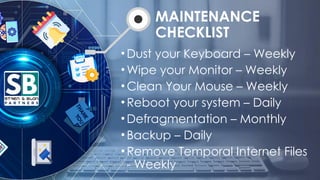
MAINTENANCE
CHECKLIST
•Dust your Keyboard – Weekly
•Wipe your Monitor – Weekly
•Clean Your Mouse – Weekly
•Reboot your system – Daily
•Defragmentation – Monthly
•Backup – Daily
•Remove Temporal Internet Files
- Weekly
IT DEPARTMENT
Thank You

BASIC PC MAINTENANCE presented by Oghodero Ephraim.pptx