Text book (Recommended)
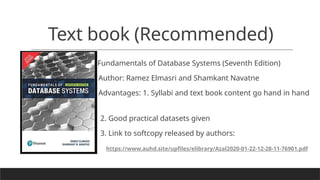
Fundamentalsof Database Systems (Seventh Edition)
Author: Ramez Elmasri and Shamkant Navatne
Advantages: 1. Syllabi and text book content go hand in hand
2. Good practical datasets given
3. Link to softcopy released by authors:
https://www.auhd.site/upfiles/elibrary/Azal2020-01-22-12-28-11-76901.pdf
Introduction to DataBaseSystems
1. Definitions
2. Database management system –Definition and functionalities
3. Properties of Database
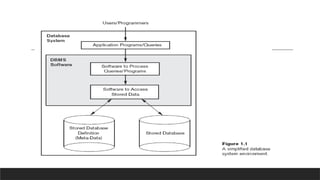
4. A simplified Database System Environment
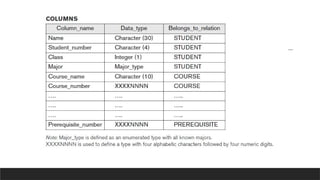
Example of University Database
11.
Slide 1-11
Basic Definitions
Database:A collection of related data.
Data: Known facts that can be recorded and have an implicit meaning.
Mini-world: Some part of the real world about which data is stored in a
database. For example, student grades and transcripts at a university.
Database Management System (DBMS): A software package/ system to
facilitate the creation and maintenance of a computerized database.
Database System: The DBMS software together with the data itself.
Sometimes, the applications are also included.
46.
Slide 1-46
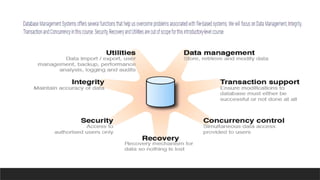
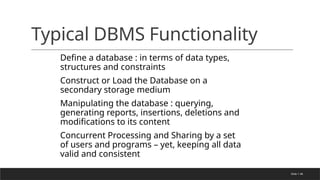
Typical DBMSFunctionality
Define a database : in terms of data types,
structures and constraints
Construct or Load the Database on a
secondary storage medium
Manipulating the database : querying,
generating reports, insertions, deletions and
modifications to its content
Concurrent Processing and Sharing by a set
of users and programs – yet, keeping all data
valid and consistent
47.
Slide 1-47
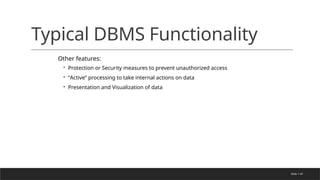
Typical DBMSFunctionality
Other features:
◦ Protection or Security measures to prevent unauthorized access
◦ “Active” processing to take internal actions on data
◦ Presentation and Visualization of data
48.
Slide 1-48
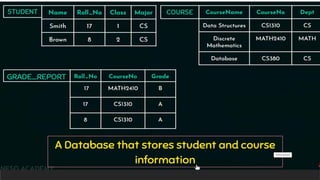
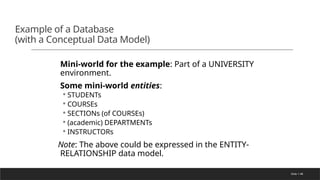
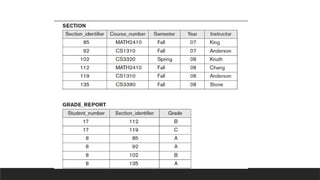
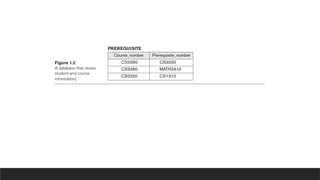
Example ofa Database
(with a Conceptual Data Model)
Mini-world for the example: Part of a UNIVERSITY
environment.
Some mini-world entities:
◦ STUDENTs
◦ COURSEs
◦ SECTIONs (of COURSEs)
◦ (academic) DEPARTMENTs
◦ INSTRUCTORs
Note: The above could be expressed in the ENTITY-
RELATIONSHIP data model.
49.
Slide 1-49
Example ofa Database
(with a Conceptual Data Model)
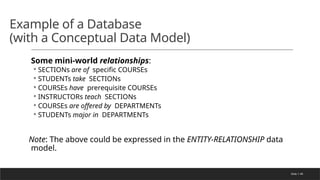
Some mini-world relationships:
◦ SECTIONs are of specific COURSEs
◦ STUDENTs take SECTIONs
◦ COURSEs have prerequisite COURSEs
◦ INSTRUCTORs teach SECTIONs
◦ COURSEs are offered by DEPARTMENTs
◦ STUDENTs major in DEPARTMENTs
Note: The above could be expressed in the ENTITY-RELATIONSHIP data
model.
50.
Slide 1-50
Main Characteristicsof the
Database Approach
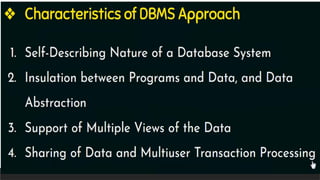
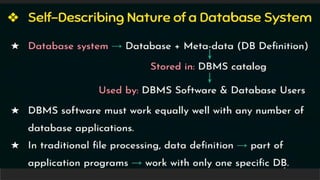
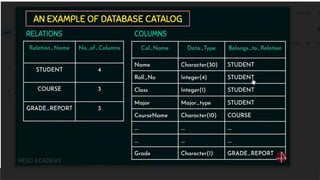
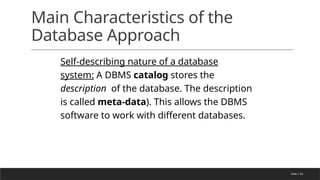
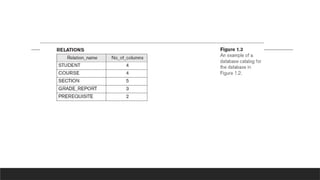
Self-describing nature of a database
system: A DBMS catalog stores the
description of the database. The description
is called meta-data). This allows the DBMS
software to work with different databases.
Slide 1-58
Main Characteristicsof the
Database Approach
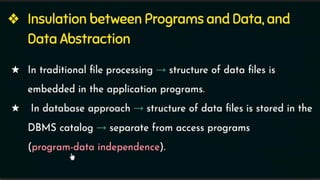
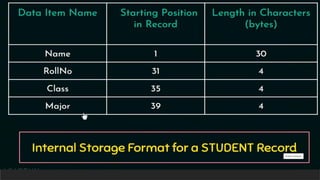
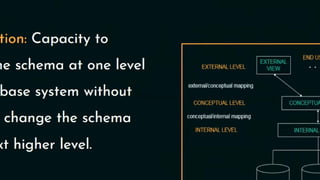
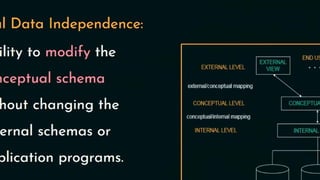
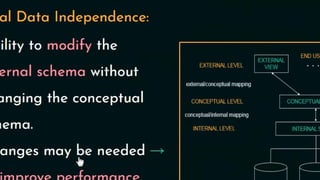
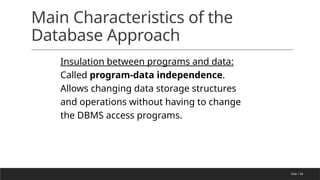
Insulation between programs and data:
Called program-data independence.
Allows changing data storage structures
and operations without having to change
the DBMS access programs.
59.
Slide 1-59
Main Characteristicsof the
Database Approach
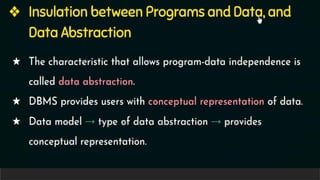
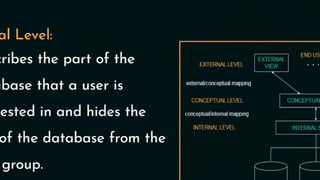
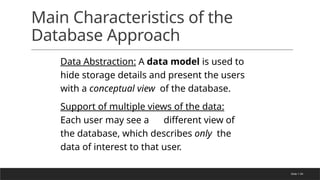
Data Abstraction: A data model is used to
hide storage details and present the users
with a conceptual view of the database.
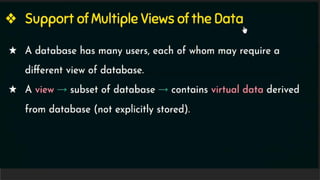
Support of multiple views of the data:
Each user may see a different view of
the database, which describes only the
data of interest to that user.
60.
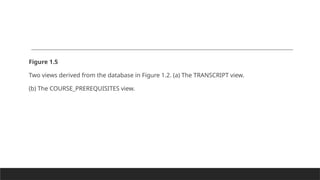
Figure 1.5
Two viewsderived from the database in Figure 1.2. (a) The TRANSCRIPT view.
(b) The COURSE_PREREQUISITES view.
62.
Slide 1-62
Main Characteristicsof the
Database Approach
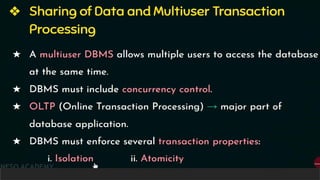
Sharing of data and multiuser transaction
processing : allowing a set of concurrent users to
retrieve and to update the database. Concurrency
control within the DBMS guarantees that each
transaction is correctly executed or completely
aborted. OLTP (Online Transaction Processing) is a
major part of database applications.
Slide 1-64
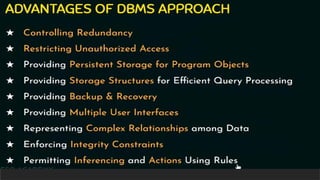
Advantages ofUsing the
Database Approach
Controlling redundancy in data storage and in development and maintenance efforts.
Sharing of data among multiple users.
Restricting unauthorized access to data.
Providing persistent storage for program Objects
Providing Storage Structures for efficient Query Processing
65.
Slide 1-65
Advantages ofUsing the Database
Approach
Providing backup and recovery services.
Providing multiple interfaces to different classes of users.
Representing complex relationships among data.
Enforcing integrity constraints on the database.
Drawing Inferences and Actions using rules
66.
Slide 1-66
Additional Implicationsof Using
the Database Approach
Potential for enforcing standards: this is very
crucial for the success of database applications
in large organizations Standards refer to data
item names, display formats, screens, report
structures, meta-data (description of data) etc.
Reduced application development time:
incremental time to add each new application
is reduced.
67.
Slide 1-67
Additional Implicationsof Using
the Database Approach
Flexibility to change data structures: database
structure may evolve as new requirements are
defined.
Availability of up-to-date information – very
important for on-line transaction systems such as
airline, hotel, car reservations.
Economies of scale: by consolidating data and
applications across departments wasteful overlap
of resources and personnel can be avoided.
Slide 1-69
Historical Developmentof
Database Technology
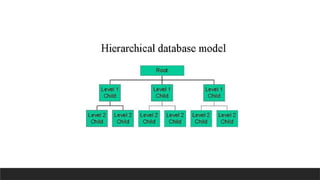
Early Database Applications: The
Hierarchical and Network Models were
introduced in mid 1960’s and dominated
during the seventies. A bulk of the worldwide
database processing still occurs using these
models.
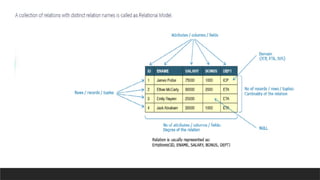
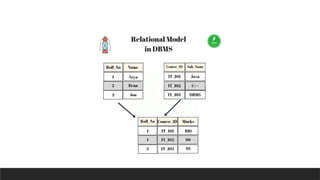
Relational Model based Systems: The model
that was originally introduced in 1970 was
heavily researched and experimented with in
IBM and the universities. Relational DBMS
Products emerged in the 1980’s.
72.
Slide 1-72
Historical Developmentof
Database Technology
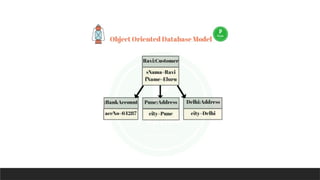
Object-oriented applications: OODBMSs were
introduced in late 1980’s and early 1990’s to cater
to the need of complex data processing in CAD
and other applications. Their use has not taken
off much.
Data on the Web and E-commerce
Applications: Web contains data in HTML
(Hypertext markup language) with links among
pages. This has given rise to a new set of
applications and E-commerce is using new
standards like XML (eXtended Markup
Language).
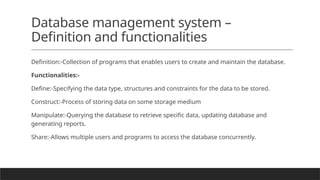
Database management system–
Definition and functionalities
Definition:-Collection of programs that enables users to create and maintain the database.
Functionalities:-
Define:-Specifying the data type, structures and constraints for the data to be stored.
Construct:-Process of storing data on some storage medium
Manipulate:-Querying the database to retrieve specific data, updating database and
generating reports.
Share:-Allows multiple users and programs to access the database concurrently.
76.
Properties
1. A databaserepresents some aspects of the real world
2. A database is a logically coherent collection of data with some inherent meaning
3. A database is designed, built and populated with data for a specific purpose
77.
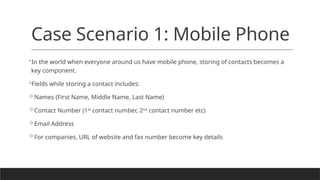
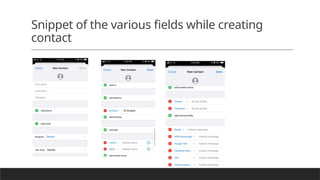
Case Scenario 1:Mobile Phone
In the world when everyone around us have mobile phone, storing of contacts becomes a
key component.
Fields while storing a contact includes:
Names (First Name, Middle Name, Last Name)
Contact Number (1st
contact number, 2nd
contact number etc)
Email Address
For companies, URL of website and fax number become key details
Advantages:
You can nowask questions such as “Show me all my contacts who
work for this particular organisation
live in this city
Have birthday on October 19th
OR a question like:
"I am visiting Mysore; for each education organisation in that city, show me contacts
who's birthday is coming up in the month of November"
80.
Layman’s insight todatabase
Data is unit of information and database is the container for holding
the data.
Scenario 1: Book is database whereas the individual chapters
become data.
Scenario 2: Library is database whereas the book becomes data.
Scenario 3: University is database whereas library becomes data.
81.
Scenario 2: Libraryis database
whereas the book becomes data.
Lending of book is a basic functionality of library.
Key Aspect: Readers being able to search particular book efficiently.
How to achieve: Organization of the books (data) in the form of
labelled racks, book shelves, drawers etc.
Library is indeed a real-world database as it involves organizing of
data in the form of books for effective retrieval of knowledge.
82.
Q. Is RAM(Random Access
Memory) a database?
Absolutely, YES!!
Here, byte (8 bits of information) is the data unit.
Data in the form of byte/s need to be organized and stored as an
array.
Objective of random access in an array storage shall be achieved.
RAM is an example of Hardware database
83.
Q. Is Harddiska database?
YES!!
Blocks of data in the form of various kinds of files is the data unit.
Objective of storage organization facilitating quick location of Files and
stuffs, just like file cabinet.
Can we pool in RAM and Hard-disks separately to create a bigger
database?
Indeed yes!
84.
Q. What probablyis MySQL?
A good container for data with lot of relations.
Data is organized in such a way, so that we can ask pretty tough
questions to it.
E.g Tell me the names of all males who are between ages 20 to 30,
and love database?
Editor's Notes
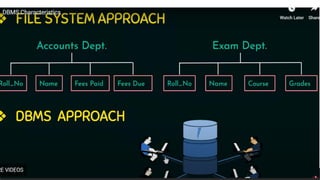
#13 Accounts department keep track of students, exam dept both interest in collecting different information-they don’t have common file.this leads to redundancy,wastage of memory
In dbms single repository the informations is stored
#15 Its not only consists of database but also its consists of metadata. (complete description of database)
University database,library database as long it is stored in the catalog DBMS has to work efficiently with any number of database application
#17 University database catalog
Descrptuon of database stored
#18 Structure is within program-any change in structure it will affect the program
In dbms any change in strcture of the data files it will not affect the program that is program data independance
#19 In traditional structuire its present within the program,if I want to add any change in the program,the structure has to be changed ,so program will not run.
Wherras in dbms you can add without affecting programs,since structure is separate,profram data independence.
#20 Hides the implementation details from the user
#21 Each person requires different perspective to view the data
Whatever you want only that data you can view
#22 Concurrency-when multiple users are sharing the same database at the same time it should be edited and reflected at the same time(travel agency-one of the agency is booking it should be reflected in database )
Isolation-hundreds of transaction are executed concurrently
Atomicity-transaction are executed completely or none at all
#23 Controlling redundancy:-in traditional approach each users has its OWN files in dbms approach views of different users integrated
Restricted-security and authentication(create accounts and specify restrictions)
Persistent storage-once the program terminates(values of program variables are discarded)+dbms-not discarded(it will store permanently)
Storage structures-database system must provide capabilities for efficiently executing queries n updates
Backup n recovery-in case of hardware n software failures+recovery subsystem responsible for responsible for ensuring that transaction resumes from where its interrupted
Multiple user interfaces-(query languages->casual users)programming language interfaces->application programmers,forms->parametric users,menu driven interfaces->standalone users
Complex relationship->a database have variety of data interrelated in many ways(retrieve,update related data easily and efficiently)
Integrity->uniquesness values of data values
Inferencing->deductive database system
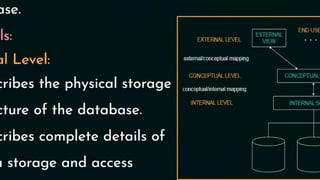
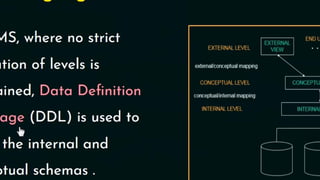
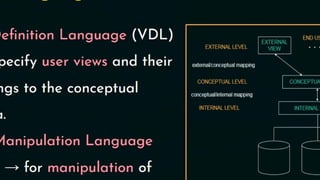
#31 DDL is used to define external + conceptual schema
It specifies additional storage details.the physical schema summarizes how relations described in conceptual schema and stored on secondary storage devices.
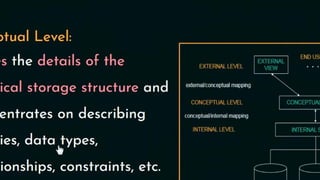
#32 Conceptual schema sometimes called as logical schema-describes the stored data in terms of the datamodel of the dbms. In our sample university database,these relation contains information about entities,such as students and faculty and about relationship such as students enrolment in courses
#33 Any database has exactly one conceptual schema and one physical schema becoz it has one set of stored relations. Each external schema consist of collection of one or more views and relations.